Author: Shivaank Rana

  • Samsung Galaxy Note 3 Confirmed For September 4, Will Have 5.7″ Display

    Samsung Galaxy Note 3 Confirmed For September 4, Will Have 5.7″ Display

    Samsung is expected to introduce the Samsung  Galaxy Note 3 at IFA 2013 in Germany on September 6th or 7th. According to The Korea Herald, Samsung has decided to go with a 5.7-inch display as opposed to the previously-rumoured 5.9-inch screen size, likely for a more modest chassis change over the Galaxy Note II.

    The Samsung Galaxy Note 3 is also expected to run a Snapdragon 800 SoC and 3GB of RAM, along with a full 1080p screen resolution and 13MP camera, both of which debuted on the popular Galaxy S4 flagship earlier this year.

    As for RAM supplier for the Samsung Galaxy Note 3, Samsung, LG and SK Hynix have been mentioned. Samsung is already manufacturing 4GB LPDDR3 RAM based on a 20nm process, SK Hynix also demoed such RAM chips.

    The Note series has differentiated itself from the rest of the Galaxy family with the inclusion of a pressure-sensitive S Pen, which, in addition to the larger screen size, can be used for taking notes and annotating documents. Despite initial industry reservations, the Galaxy Note has proven to be a hit with consumers: estimates put sales of the Galaxy Note II at above 5 million units.

    Early September is also around the time Apple is expected to unveil the iPhone 5S, so back to school expectations will be high this year.

    The Samsung Galaxy Note 3 will not be Samsung’s largest smartphone, though. That title is held by the 6.3-inch Galaxy Mega, another category introduced earlier this year. 

    [Via]

  • Instagram For iOS Gets Landscape Mode

    Instagram For iOS Gets Landscape Mode

    Instagram can take photos and video and add filters that make them look dated, but nothing was more dated than the fact it didn’t support landscape mode.

    Instagram for iPhone has been updated with a couple minor improvements that could have a major impact on the way users enjoy the app.

    Until now, Instagrammers have been limited to taking photos in portrait mode; while it was possible to turn the phone on its size (the photos themselves are square either way) the interface did not adjust accordingly. In version 4.0.2, iPhone users can now turn the device onto its side and shoot as if using a regular camera app. Taking a photo in landscape lets you hold on to the other side of the phone for support, potentially forging better photos in the process.

    The other improvement made to the app, other than the requisite “bug fixes and performance improvements,” is the addition of Cinema Mode when using the front-facing camera. Cinema was a feature incorporated into Instagram videos on the iPhone, improving shakes and other aberrations in rendering.

    Instagram hasn’t stated that these improvements will come to Android — Cinema isn’t even available using the rear camera on Android — but we hope it is sooner than later.

  • Take A Virtual Tour Of ‘Diagon Alley’ Thanks To Google Street View

    Take A Virtual Tour Of ‘Diagon Alley’ Thanks To Google Street View

    Google has given its map users access to many wonderful, bizarre and otherwise impossible to access places, but now it is opening up fictional worlds to exploration by adding Diagon Alley from the Harry Potter series to Street View.

    The Street View application has just added 360 degree views of Diagon Alley, the fictional cobblestone wizarding marketplace from the Harry Potter books and films, where all manner of magical paraphernalia can be acquired.

    For the films, Diagon Alley was built bricks-and-mortar in precise detail on a soundstage at Warner Brothers’ London studios. On Street View, users can swoop in from above the studios’ expansive grounds and into the dark confines of the pre-Victorian marketplace, where they can pass by Potter fan icons like Gringotts Wizarding Bank, Ollivanders Wand Shop and Mr. Mulpepper’s Apothecary.

    In reality, Diagon Alley Ollivanders Wand Shop, Weasleys’ Wizard Wheezes joke shop and the entrance to Gringotts Wizarding Bank are all part of the entrance to the Warner Bros Studio Tour in London.

    The Diagon Alley set took more than three months to build and the 20,000 products on the shops’ shelves were created over six months.


    View Larger Map

    After Deathly Hallows wrapped filming in 2010, part of Leavesden Studios (where all eight Potter movies were shot) was converted into a tour attraction along with permanent sound stages for future films to use.

    The Warner Bros. Studio Tour London: The Making of Harry Potter opened in 2011 and has served as the country’s sole Potter attraction.

    Google recently announced that it had added 1,001 new destinations to Street View, including historical landmarks and sports stadiums.

  • Report : Google Paid AdBlocks To Whitelist Its Ads

    Report : Google Paid AdBlocks To Whitelist Its Ads

    If you use AdBlocks and still find some ads creeping into your webpages, don’t be surprised. Major advertisers, including Google, can pay to have some of their ads “whitelisted” — in essence, given a free pass through AdBlock Plus.

    Adblock Plus’ own FAQ addresses the “feature”:

    Do companies pay you for being added to the (Acceptable / Non-intrusive Ads) list?

    Whitelisting is free for all small websites and blogs. However, managing this list requires significant effort on our side and this task cannot be completely taken over by volunteers as it happens with common filter lists. That’s why we are being paid by some larger properties that serve nonintrusive advertisements that want to participate in the Acceptable Ads initiative.

    Adblock Plus’ goal is to eliminate annoying video ads, according to its parent company Eyeo. It defends the whitelisting practice, according to Salon, pointing out that “whitelisting is free for all small websites and blogs.”

    Horizont said in a report that it’s unclear how much Google has paid Eyeo, the company behind Adblock Plus, to whitelist its ads, and that it doesn’t know which other companies are doing the same

    “However, managing this list requires significant effort on our side and this task cannot be completely taken over by volunteers as it happens with common filter lists.”

    “That’s why we are being paid by some larger properties that serve nonintrusive advertisements that want to participate in the Acceptable Ads initiative.”

    Which large companies pay to skirt the ad-blocking software remains a mystery, as does the parent company’s criteria for determining small websites and large websites that have to pay.

    [Via]

  • Canon EOS 70D Launched With Dual-Pixel CMOS AF, Auto-Focus During Video Recording (PR)

    Canon EOS 70D Launched With Dual-Pixel CMOS AF, Auto-Focus During Video Recording (PR)

    Canon has launched a new mid-range DSLR called the Canon EOS 70D. The highlight feature of this new camera is the 20.2 megapixel, APS-C CMOS sensor with dual-pixel CMOS AF technology, which is the first of its kind.

    DSLRs can shoot amazing quality video. But their autofocus is primarily designed for shooting stills and can result in stuttering movie footage, which is why most filmmakers don’t use it. However, Canon thinks this could change with the launch of the EOS 70D. The new AF system in the Wi-Fi-toting 20.2-megapixel DSLR is said to offer much faster focusing during Live View, to the point that it can shoot almost camcorder-rivaling video.

    Capable of capturing up to 7fps via its 14-bit DIGIC 5 processor and 19-point AF System, the Canon EOS 70D can take up to 65 JPEG or 16 RAW image in any single burst. 

    With an ISO range of 100 – 12800, the Canon EOS 70D is suitable for low-light and night time photography. 

    It has a 3-inch Vari-angle Clear View LCD Intelligent Viewfinder that offers a 1,040k resolution and 0.95x magnification. 

    Also packing Wi-Fi connectivity, the Canon EOS 70D has Movie Servo AF mode to keep subjects in shot when making Full 1920 x 1080p HD videos.

    EOS 70D Summary of Specifications
    Dimensions: Approx. 139.0 x 104.3 x 78.5mm
    Weight: Approx. 675g (body only)
    Image sensor: 20.2 mega-pixel APS-C sensor
    Imaging processor: DIGIC 5+
    ISO speed: 100-12800 (expandable to 25600)
    Continuous shooting speed: 7 fps
    Maximum video quality: Full HD (24fps)
    AF System: 19-point all cross type, Dual Pixel CMOS AF system
    LCD: vari-angle 3.0-inch wide Clear View II LCD monitor
    Wi-Fi: Supported
     

    [toggle title=”Press Release”]Canon introduces the 70D, featuring revolutionary DAF technology to power live view shooting & video recording
    Canon EOS 70D redefines phase-difference AF technology with the new Dual Pixel CMOS AF system that boasts high-speed and precise auto-focusing and subject-tracking during Live View shooting and movie recording

    Gurgaon, 04 July, 2013: Canon, a world leader in digital imaging space, has announced the launch of EOS 70D, the successor of EOS 60D and also an everyday DSLR designed to perfectly complement users who lead an active lifestyle. With the EOS 70D, Canon challenges users to capture images not only via the traditional viewfinder method but also via Live View and Remote shooting. These are made possible due to the development of new technologies, notably the Dual Pixel CMOS AF system. This camera caters to amateur photographers who are seeking a powerful new camera as an upgrade from earlier DSLRs models, as wellas a step-up from entry level DSLRand compact digital cameras.

    The EOS 70D features Canon’s latest DIGIC 5+ image processor and a 20.2 megapixel APS-C sized CMOS sensor. The duoworks together to capture detailed and natural-looking photos at high clarity. With an ISO range of 100 to 12800, the EOS 70Dis able to handleeven the trickiest lighting condition with optimal performance.

    Superior and FastAuto-Focusing Performance during Live View Shooting
    The EOS 70D features the newly-developed Dual Pixel CMOS AF system and working in tandem with an initiative vari-angle3.0-inch wide Clear View LCD IItouchscreen monitor, Canon sets to revolutionize how users shoot using their DSLR. The Dual Pixel CMOS AF system boasts swift and precise auto focusing with greatly reduced focusing time, while the vari-angle LCD panel, with its touchscreen capability, allows users to explore and shoot different compositions and perspectives, adjust basic settings via the touch panel’s Quick Control menu andeven perform familiar Multi-touch gestures to zoom in and out of shots, view images and even capturing the shot. The Clear View II LCD has an anti-reflection coating to provide visibility even in bright sunlight.
    While Hybrid CMOS AF II delivers enhanced focusing speed during Live View photo shooting and movie recording by using certain dedicated pixels for phase-difference AF to measure the subject distance and fine-tuning the focus with contrast AF, Canon’s latest innovation- the Dual Pixel CMOS AF,is one step up from the Hybrid CMOS AF II. This is due to changes made to the CMOS sensor’s design, as two separate photodiodes are integrated into each pixel. This allows every individual pixel to perform both imaging and phase-difference AF. The signals from each photodiode are detected and the signal difference can be used to accurately and quickly calculate the amount of focus shifting required for optimal focus. Withthe Dual Pixel CMOS AF, One-Shot AF is almost instantaneous, and it is able to rapidly and smoothly track moving subjects during still photography in Live View and video recording. The accuracy allows the EOS 70D to attain optimal focus even on the first focus shift. Dual Pixel CMOS AFhas a detection area that covers approximately 80% of the image display.
    Dual Pixel CMOS AF’s speedy intelligence extends beyond just the initial focus, as it is able to maintain focus with Continuous AF. Continuous AF frequently readjusts the focus, so that the subject is at or near perfect focus at any given time. It can also recognize and track faces, even as they move across the frame. Touching a face on the LCD monitor will select it as the priority subject. With such accurate and rapid focusing, users can expect to snap perfectly focused images at any given time, without missing the magic moment due to focusing delays.

    Shooting via the viewfinder
    Some users prefer the traditional method of shooting via the viewfinder in order to capture fast-moving subjects. The DIGIC 5+ image processor’s rapid processing speed takesan approximate 7.0 frames per second (fps) at full resolution. At this speed, users will be able to capture that one perfect moment of a quick action. The EOS 70D sustains this rate of continuous shooting for up to 40 images in a single burst*.
    The EOS 70D also features a high-precision 19-point all cross-type AF sensor which is able to accurately track subjects even if they move unpredictably. The AF points are placed throughout a wide area for greater compositional freedom, and are effective whether the camera is held normally or vertically. Focusing is made more precise when the EOS 70D is used with f/2.8 or faster lenses, as it has f/2.8 dual cross-type AF sensor in the center. AI servo AF II keeps moving subjects in focus, as it tracks not only their distance but their up/down and lateral movements too.

    Remote control shooting
    Control the EOS 70D remotely via the EOS Remote app on the smartphone, whereby the smartphone’s screen becomes an extension of the camera’s Live View screen. Users can not only trigger the camera to take a shot, but also select different settings such as aperture, shutter speed and ISO and adjust focus all via their smartphones. With remote shooting, users are empowered to capture images from unique angles and even vantage points that are previously inaccessible. Furthermore, remote shooting eliminates image blur caused by camera shake, thus producing beautiful photographs that are crisp and sharp.
    In this digital era where sharing images and videos on the internet has become a norm,EOS 70D’s built-in Wi-Fi capability connects the camera directly to the internet via a wireless network, and upload images and videos via the Canon Image Gateway** onto social media sites like Facebook, Twitter and YouTube. This same Wi-Fi capability also allows it to print photos from a PictBridge-enabled (DPS over IP) wireless printer or playback its images on a network-enabled TV (DLNA devices).

    Get Creative
    For users seeking a camera that enhances their creative flair, the EOS 70D offers exciting features such as Multiple Exposure and Creative Filters. With Multiple Exposure,the EOS 70Dcombines two to nine images into one picture, using either the additive or average mode to achieve the desired look. The popular Creative Filters mode features filters such as Toy Camera, Grainy Black and White, Miniature, Soft Focus, Art Bold, Fish-eye and Water Painting.

    Optional Battery Grip
    For heavy duty users, Canon has developed the optional BG-E14 battery grip for high-volume shooting and easier vertical grip. The BG-E14, when outfitted with two battery packs, allows the EOS 70D to take twice as many shots as when using the camera alone.

    EOS 70D Summary of Specifications
    Dimensions: Approx. 139.0 x 104.3 x 78.5mm
    Weight: Approx. 675g (body only)
    Image sensor: 20.2 mega-pixel APS-C sensor
    Imaging processor: DIGIC 5+
    ISO speed: 100-12800 (expandable to 25600)
    Continuous shooting speed: 7 fps
    Maximum video quality: Full HD (24fps)
    AF System: 19-point all cross type, Dual Pixel CMOS AF system
    LCD: vari-angle 3.0-inch wide Clear View II LCD monitor
    Wi-Fi: Supported**

    About Canon Inc.
    Canon Inc. (NYSE: CAJ), headquartered in Tokyo, Japan, is a leader in the fields of professional and consumer imaging equipment and information systems. Canon’s extensive range of products includes copying machines, inkjet and laser printers, cameras, video equipment, medical equipment and semiconductor-manufacturing equipment. Originally established in 1937 as Precision Optical Industry, Co., Ltd., a camera manufacturer, Canon has successfully diversified and globalized to become a worldwide industry leader in professional and consumer imaging systems and solutions. With over 200,000 employees worldwide, Canon has manufacturing and marketing subsidiaries in Japan, the Americas, Europe, Asia and Oceania; and a global R&D network with companies based in the United States, Europe, Asia and Australia. Canon’s consolidated net sales for fiscal 2011 (ended December 31, 2011) totaled $45.6 billion (at an exchange rate of 78=US$1). Visit the Canon Inc. website at: www.canon.com

    Canon in India
    Canon India achieved a revenue of Rs. 1850 crore in 2012 which is 21% growth over last year. Canon focuses on multiple market segments of consumer, SME, B2B, Government & Commercial. Canon’s product portfolio extends over a vast variety such as copier MFDs, fax-machines, printers, scanners, All-in-ones, digital cameras, DSLR, Cinematic imaging products, camcorders, cable ID printers and card printers.
    Canon India Pvt. Ltd. is a 100% subsidiary of Canon Singapore Pvt. Ltd., a world leader in imaging technologies. Set up in 1997, Canon India markets over 140 comprehensive range of sophisticated contemporary digital imaging. The company today has offices in 10 cities, warehouses in 13 cities across India and employs over 1100 people. Canon has approximately 400 primary channel partners, 14 National Retail Chain partners, and over 6000 secondary retail points. Canon has over 100 own retail stores called the Canon Image Square across 51 cities in the country. Canon’s service reach extends to over 2800 towns with over 200 service engineers, 7 Canon owned service centers and 37 Canon Care Centers. Visit the Canon India website at: www.canon.co.in[/toggle]

  • Panasonic P51 Full Review

    Panasonic P51 Full Review

    Build Quality and Design

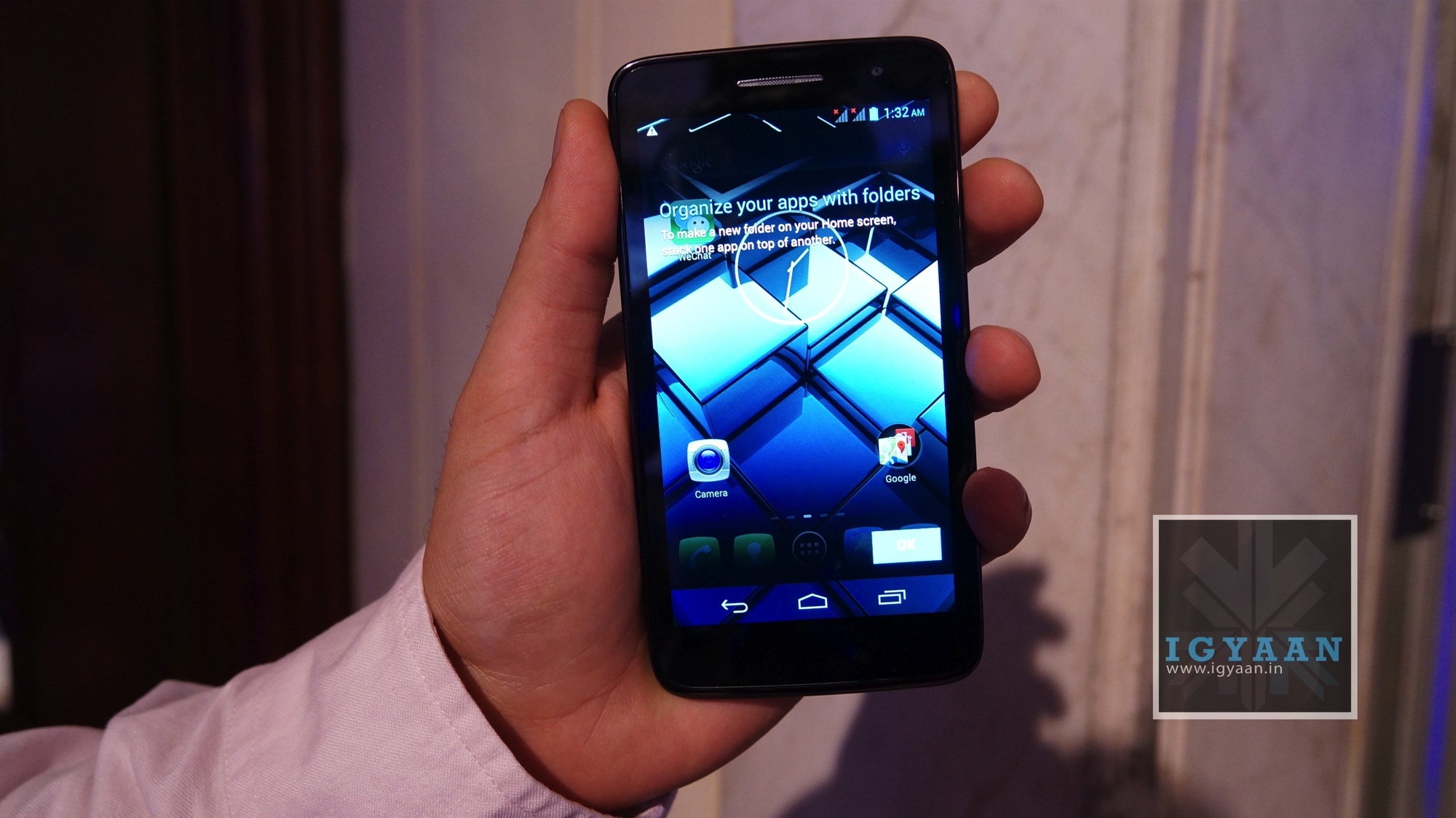
    At its launch event, Panasonic talked a lot about the emphasis and effort that went into the design process of the phone. The idea was to keep it simple and functional. They went for a clean black front with rounded edges and a glossy back. There is a 5-inch screen (with a scratch-resistant Asahi Dragontrail glass) towards the front with the earpiece grill, front-facing camera and a bunch of sensors at the top. There are no touch capactive buttons on the device.

    panasonic p51

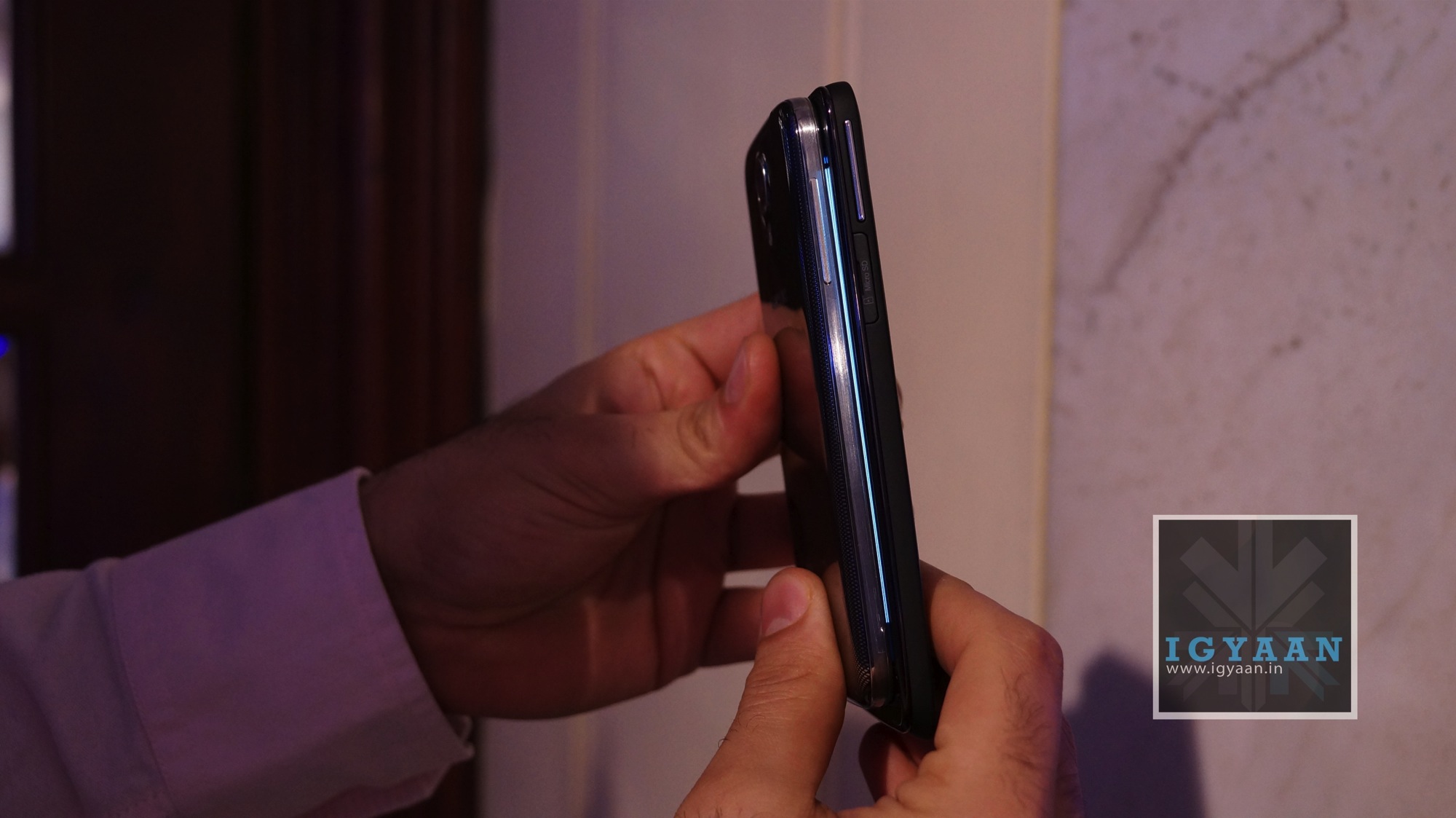
    At the top of the phone, you have the 3.5mm jack besides the plastic power button. Towards the right you have your volume rocker and right below it, the spring loaded micro SD card slot. The left side of the phone houses the two micro SIM card slots and a micro-USB port beneath it.

    panasonic p51

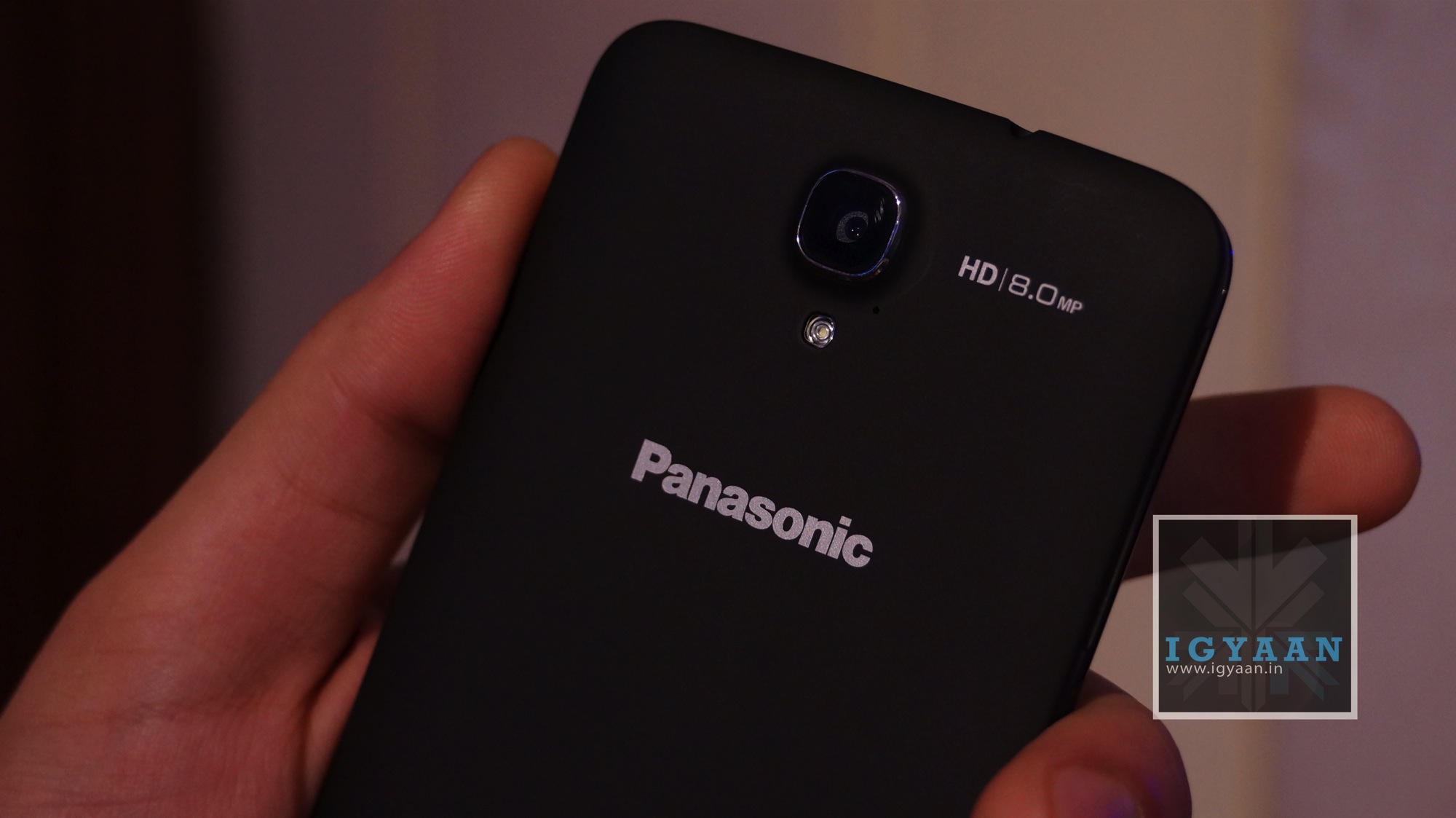
    The glossy back (the black Panasonic P51 has a soft rubber finish back) is not removable and houses the 8MP camera and the LED flash. 

    panasonic p51

    Overall, the build quality of the Panasonic P51 is quite impressive and the device feels really solid in your hands.

    Specifications and Hardware

    The Panasonic P51 is powered by a Quad Core 1.2 Ghz Mediatek MT6589  CPU. The quad core chip is of the Cortex A7 architecture, and is coupled with a PowerVR SGX544MP2 GPU for graphics. The Panasonic P51 also has 4 GB of internal storage and 1 GB of RAM. 

    It has a 5 inch 1280 x720p HD IPS LCD display. For imaging the Panasonic P51 also has an 8 MP main camera and a 1.3 MP front facing camera capable of HD video. 

    This 3G enabled phone from Panasonic also has Dual Sim Capabilities and has a massive 2500 mAh battery, and despite that remains 8.5 mm slim and 135 gms in weight. 

    Display and Multimedia

    The display on the Panasonic P51 has a pixel density of 294 ppi, which makes it as good as any in this segment. The colour reproduction though seems a tad unnatural and the display has a slightly bluish tint to it. Since it is an IPS display, outdoor visibility and viewing angles are really impressive. Brightness is adequate too. Overall, the display is definitely one of the best in this segment. For scratch resistance, Panasonic has used Asahi Dragontrail glass, which is claimed to be better than the popular Gorilla Glass.

    panasonic p51

    Due to the high quality display, the video playback on the device is again a pleasant experience. Couple this with a decent speaker and you have a really capable media consumption device. 

    The built in browser of the Panasonic P51 isn’t quite up to the mark. While text clarity was good due to the sharpness of the display, zooming and kinetic scrolling seemed a bit off. 

    [youtube id=”J7AIr8i9eJg” width=”100%” height=”300px”]

    Gaming on the Panasonic P51 was not up to our expectations. Quite a lot of games stopped in between and loading time seemed quite long. You can watch our gaming review video below.

    [youtube id=”IT2PDjmHkeo” width=”100%” height=”300px”]

    Camera

    The rear camera on the Panasonic P51 takes quite decent outdoor images. Colour reproduction and exposure are good and the only problem we had was with the over-sharpness of the images. Indoor images were not quite up to the mark. Even with the flash turned on, images turned out quite dark and under-exposed. 

    The same was the case with the video recording on the device, with outdoor videos coming out quite nice. The Panasonic P51 picked up ambient noise quite nicely too. To avoid shakes while recording it has incorporated software based image stabilisation.

    Box Contents

    Panasonic provides you with a magnetic flip cover along with the Panasonic P51, which clicks onto the back of the device. The device also comes along with a stylus, but unfortunately it does not have a port to stow the stylus away. 

    Conclusion

    Priced at about Rs. 22,000, the Panasonic P51 seems overpriced given the fact that a lot of manufacturers offer more or less the same features in their smartphones for a lot less money. What works for the Panasonic P51 is its nice display and an impressive camera. Other than that, there is no real feature in this device that would make it feel like a device worthy of a recommendation in its segment. 

    [youtube id=”nfl4nxEAIE4″ width=”100%” height=”300px”]

  • HTC Posts $41.6m Profit In Q2 2013

    HTC Posts $41.6m Profit In Q2 2013

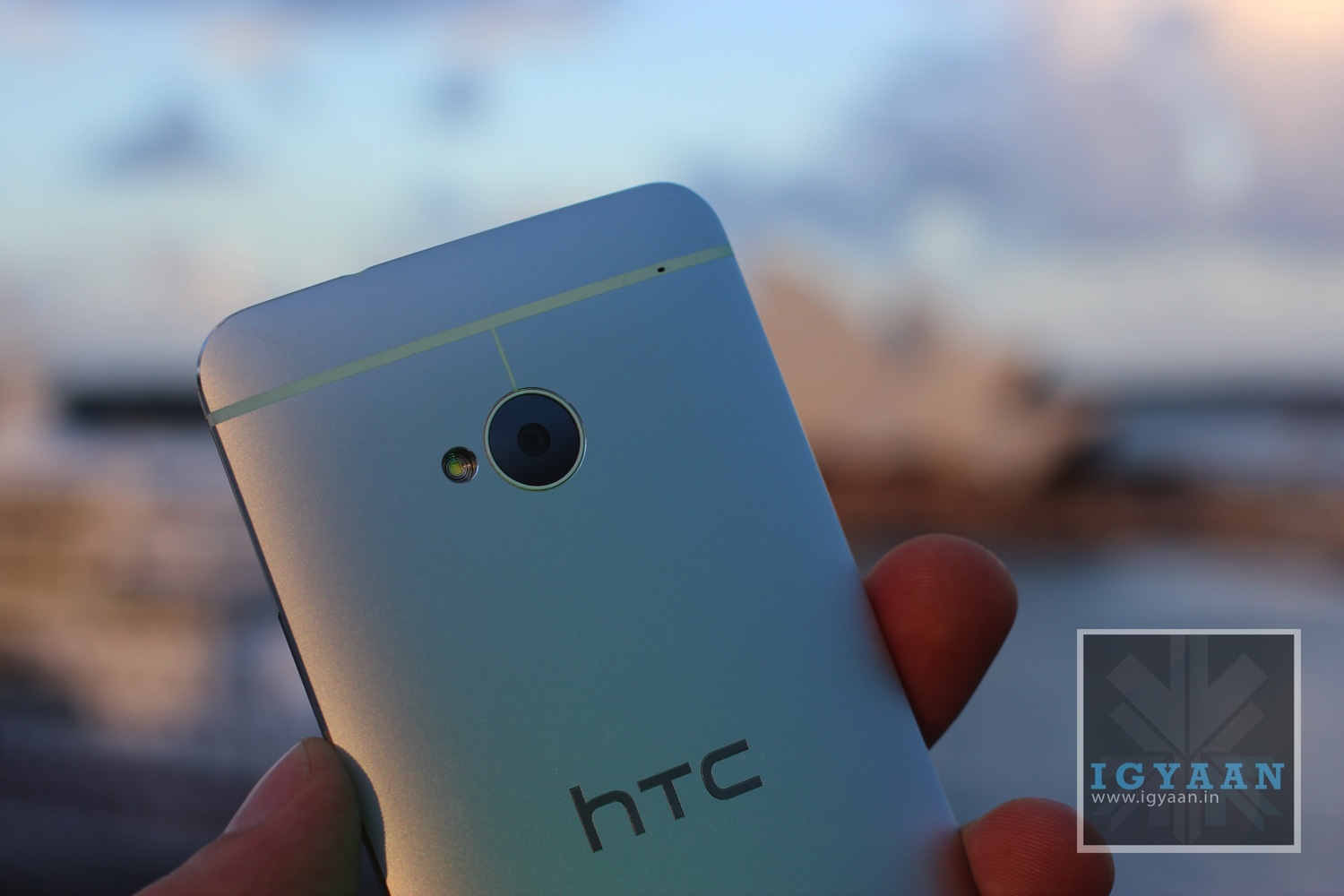
    Taiwan smartphone maker HTC said on Friday that despite launching the flagship One smartphone — HTC’s Q2 2013 profit is down a whopping 83 percent on Q2 2012.

    The result comes as the firm struggles to turn things around with its high-end HTC One smartphone and heavier marketing strategy.

    Unaudited net profit in the second quarter came in at Tw$1.25 billion ($41.67-million), compared with Tw$7.4 billion a year ago but up sharply from the Tw$85 million in January-March, the company said.

    Revenue fell 22 percent to Tw$70.7 billion year-on-year but surged 65 percent from quarter to quarter and was line with its own forecast of Tw$70.0 billion.

    The company showed its first sign of comeback in May, when it recorded revenue of NT$29 billion ($970 million) and, though sales for June dropped 24 percent to NT$22 billion ($732 million), the company is at least continuing to be profitable.

    That, unsurprisingly, is being largely credited to Samsung’s Galaxy S4, which reached the market after the HTC One but with a considerably larger marketing budget.

    HTC is yet to comment on the numbers, nor indeed how the company sees its performance changing over the next quarter. Fast incoming is the HTC One Mini, if the rumor-mill is to be believed, which will supposedly bring features like the UltraPixel camera and unibody casing design to a cheaper price point, courtesy of a smaller display.

    [Via]


  • Samsung WB110 Bridge Camera Announced

    Samsung WB110 Bridge Camera Announced

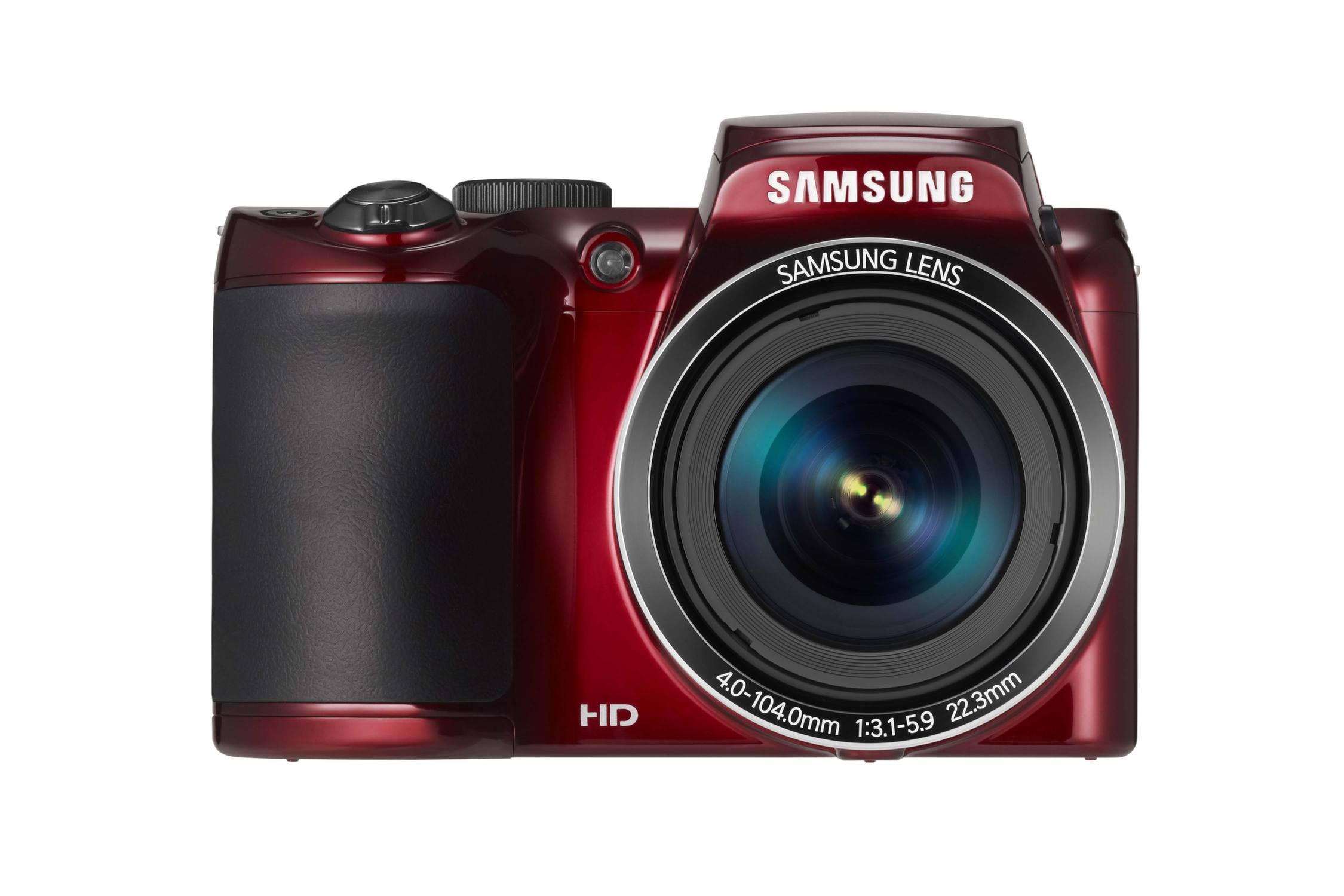
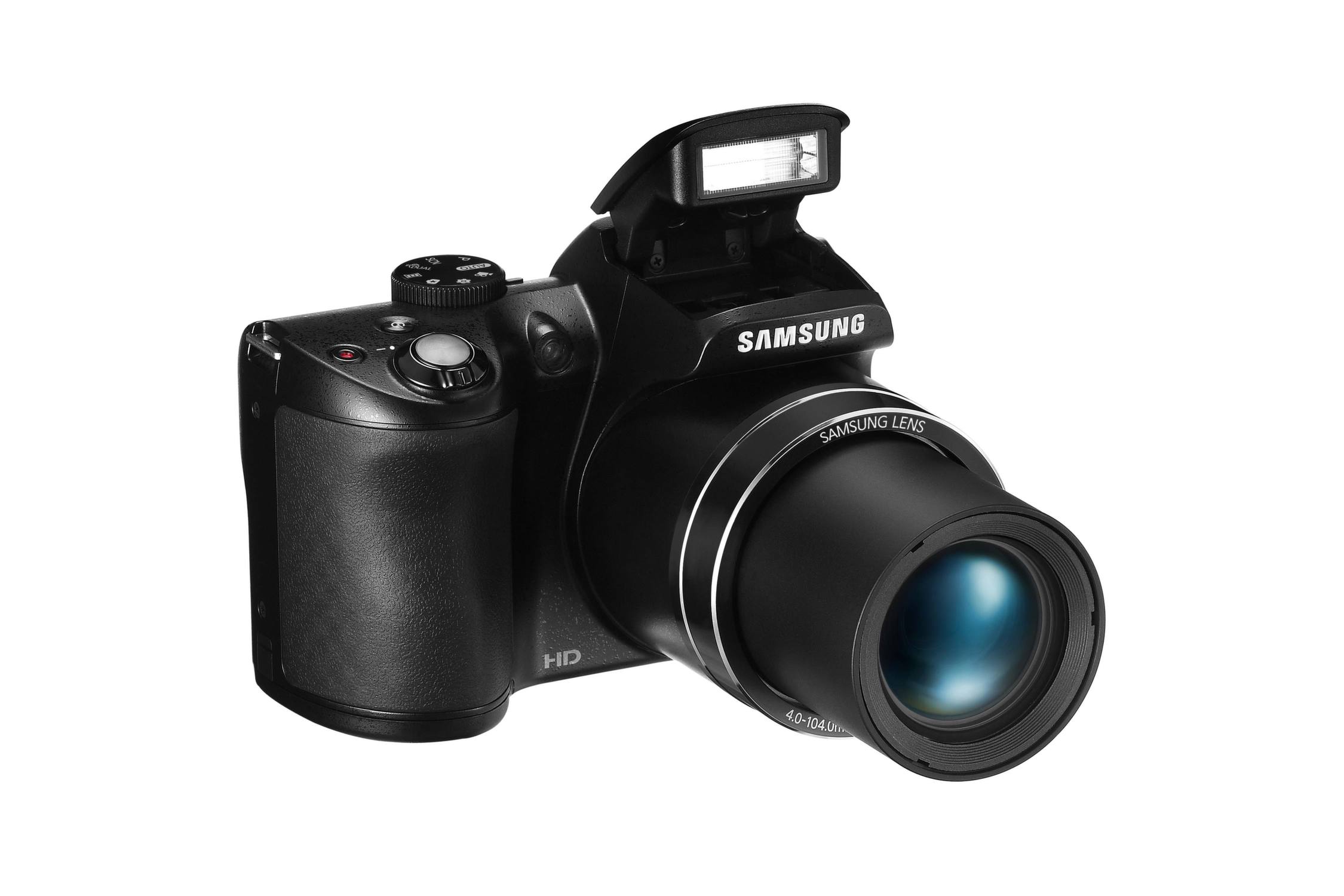
    The prosumer / bridge camera market has been eerily quiet since the advent of the interchangeable lens camera, but those still looking for a simple, all-in-one shooter have found a new one in the Samsung WB110.

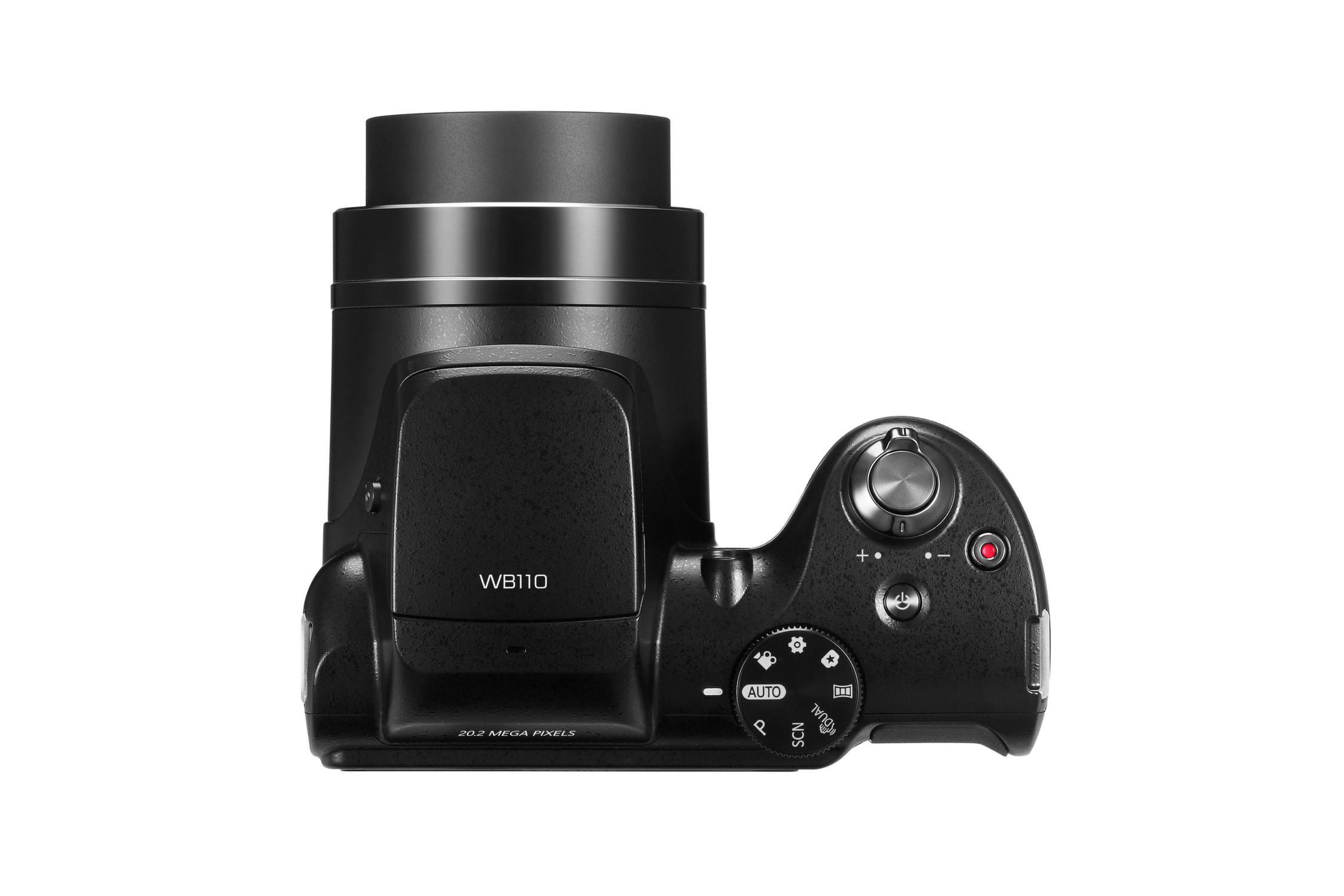
    The new bridge camera follows on from last years WB100 snapper and in doing so boosts the sensor from 16 to 20-megapixels and brings a wide-angled 22.3mm lens into play.

    Samsung WB110

    The Samsung WB110 keeps the gigantic 26x optical zoom, which still sits behind some of the super-zooms on the market, but should be ample for most occasions.

    The LCD measures in at 3-inches with an hVGA resolution and auto live-level adjustment so it can be viewed ideally in various lighting situations. Video outputs are AV and HDMI 1.4, and ISO (in addition to auto mode) ranges from 100 to 3200. The camera is shipped with the i-Launcher software, which only mentions PC support.

    Samsung WB110

    Images are saved in JPEG format, with the highest resolution being 5152 x 3864, while the minimum resolution for images is 1024 x 768. Videos can be recorded in up to 720p in MPEG4, AVC/H.264 with AAC audio at 30fps. Other recording options include 640 x 480 and 320 x 240. It’ll be available in red and black too.

    Smart Auto, in still image modes, analyzes key elements in photographers’ compositions, automatically adjusting photo and movie settings to help users capture the best shot possible. Live Panorama lets you photograph seemingly endlessly panoramic shots and preview them live on the screen by holding the shutter-button and sweeping across the scene.

    Samsung hasn’t revealed when it expected the Samsung WB110 to go on sale and hasn’t announced an MRP either.

  • Dell On Possible Smartwatch : ‘We’re exploring ideas in that space’

    Dell On Possible Smartwatch : ‘We’re exploring ideas in that space’

    Not many people are interested in full-on pre-configured desktop PCs anymore and so Dell is forced to look at other form factors in order to remain afloat.

    Dell is considering a move into the “wearable computing” space. Sam Burd, Dell’s global vice-president of personal computing, told the Guardian that “we’re exploring ideas in that space”.

    “There are challenges in cost, and how to make it a really good experience,” Burd said. “But the piece that’s interesting is that computers are getting smaller. Having a watch on your wrist – that’s pretty interesting, pretty appealing.”

    The comments suggest that Dell is considering a smartwatch, rather than an entirely new hardware paradigm such as Google Glass.

    Dell has tried to take a bite of the mobile market before, but has struggled to make a success of it. TheDell Streak, the company’s 5-inch mini-tablet, showed significant promise but failed to convince the market that Android on a larger screen made sense; ironically, shortly after Android phones began rapidly increasing in screen-size, so that now the Streak’s display actually looks mid-sized.

    With falling revenue matching only the slumped demand for traditional computers, the company announced a leveraged buyout of the company in February of this year by founder Michael Dell.

    The buyout was set at $24.4bn but recently company directors have asked for more money, indicating that the board no longer feels confident that the deal will find shareholder approval when it comes to the vote on July 18.

    [Via]

  • Sony’s ‘My Xperia’ Security Service To Roll Out Globally

    Sony has announced that its ‘My Xperia’ service will roll out globally after a successful pilot project in the Nordic regions. The service, which uses a user’s Google login to link phone and web browser, allows users to remotely locate or wipe a device, or sound an alarm to find a lost device when close at hand.

    ‘My Xperia’ will be available for select 2012 and 2013 devices such as the Xperia S, Xperia ion, Xperia T, and Xperia ZL, and the app will roll out via an over-the-air update, not through the Play Store.

    The full feature set is as follows:

    – Sound an alert to get someone’s attention –it’ll also override silent mode and wake the display
    – Map location via myxperia.sonymobile.com
    – Lock the phone to keep info private, and ping a message with contact details
    – Erase both internal and external SD card info / data if required

    Obviously it’d be nice if Xperia owners didn’t ever need to use a tool like this, but because smartphones are small and expensive, they can easily be lost or fall prey to a thief. That’s where a tool like my Xperia would come in, helping a person to locate their lost phone or wipe all of the personal data stored on it if necessary. It sounds like a pretty useful little app, and it’d probably be wise for owners of eligible Xperia hardware to install the my Xperia app onto their handsets just to be safe. If you’ve got a recent Xperia phone laying around, be sure to keep an eye out for the arrival of the my Xperia app in the coming weeks.

    The service will be available on Sony’s website in the coming weeks.

    [Via]

  • Samsung On Course For Record $8.33 Billion Profit In Q2

    Samsung On Course For Record $8.33 Billion Profit In Q2

    Samsung has released its estimated earnings for Q2 2013, with a full announcement scheduled for later this month. The company estimates profits of $8.33 billion (9.5 trillion won), up nearly $2 billion over Q1’s $6.4 billion profit.

    This would give the Korean company a 47 percent year-on-year increase in profit from a revised KRW6.46 trillion in Q2 2012 – slowing from the 54 percent growth it posted in Q1 2013 – and a 20 percent year-on-year increase in revenue from KRW47.60 trillion during the same period.

    Analysts had expected a figure of more than 10 trillion won, and Samsung shares lost more than two percent in morning trade.

    “Demand for high-priced, high-end smartphones shows slowing growth, which could hurt Samsung’s profit margin,” IBK Investment and Securities analyst Lee Seung-Woo told the Yonhap news agency.

    Samsung has lost nearly 30 billion dollars in market value since mid-March, before it launched the Galaxy S4 smartphone a month later. Several brokerages have downgraded Samsung and their earnings forecasts for the company on fears that the S4 is not selling as strongly as hoped.

    As Reuters reports, shares in the $185 billion company have dropped 15 percent since early June, hit by a series of brokerages downgrades. The share price reflects concerns about handset margins, with its mobile business generating 70 percent of the tech giant’s total profit.

    Its share price woes equate to a fall in market value of 33 trillion won ($29 billion), almost equal to the combined market capitalisation of Sony Corp and LG Electronics Inc .

    Samsung was expected to post higher earnings in the current quarter, as analysts were expecting strong smartphone sales to revive its growth exponentially.

    [Via]

  • Lava Iris 504Q Full Review

    Lava Iris 504Q Full Review

    Build Quality And Design

    In a segment that is adding devices by the minute, it is imperative to pay attention to the design of your device to make it stand out. With the Lava Iris 504Q, Lava went for a simple and sleek design. No big bezel or funky colours hogwash. 

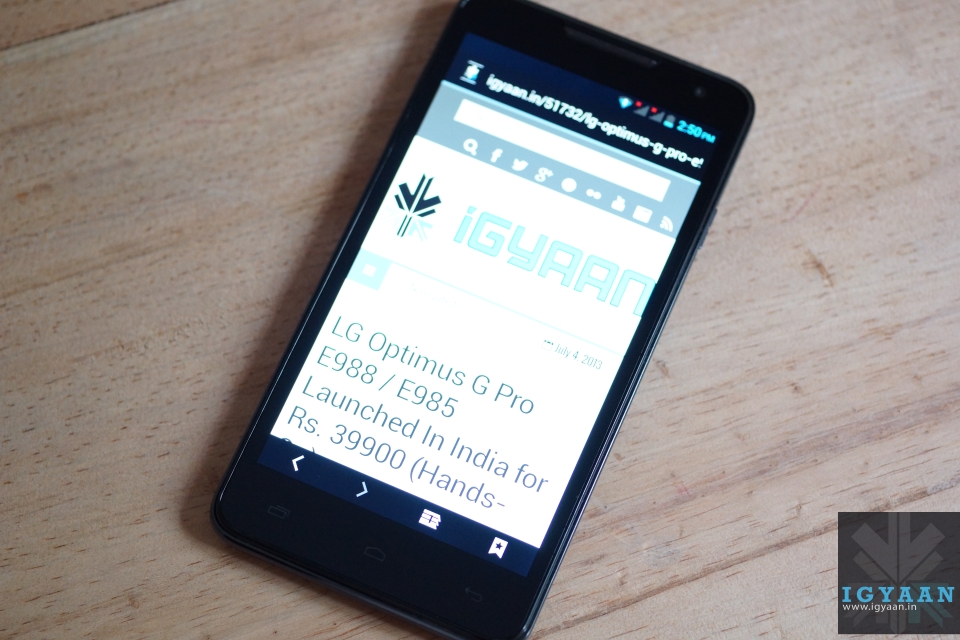
    At first glance, the Lava Iris 504Q is really similar to the HTC Butterfly. At the front there is a 5″ display with a HTC Butterfly like speaker grill at the top, and the proximity sensor, front-facing camera next to it. There are three touch-capacitive buttons under the screen, which are backlit and provide haptic feedback.
    Lava Iris 504Q

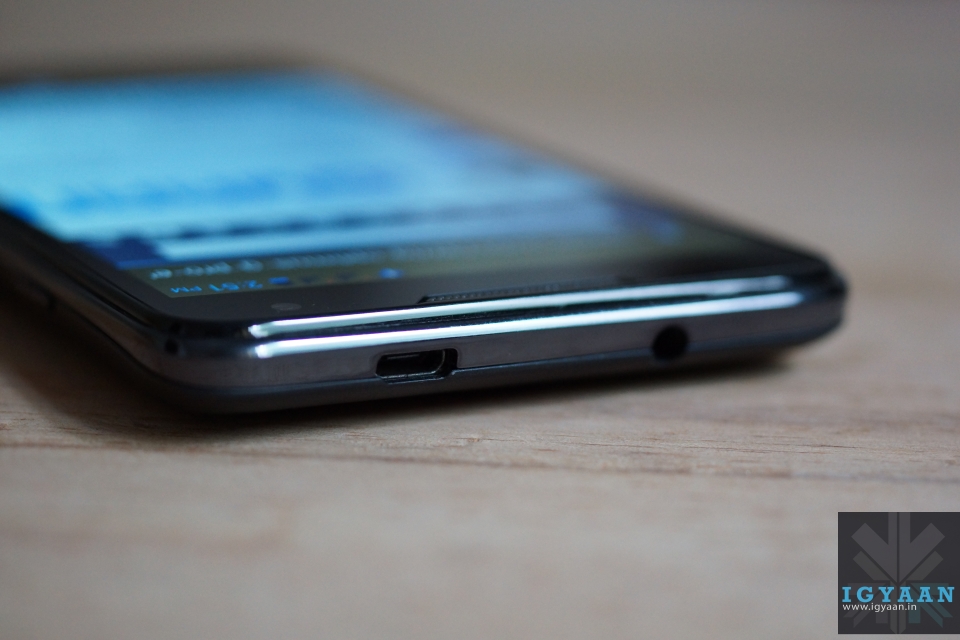
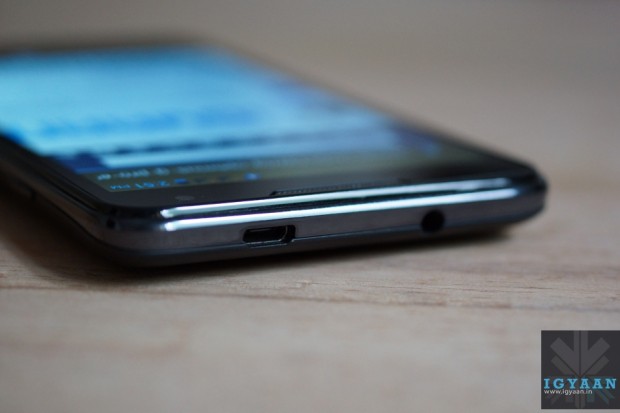
    Towards the right of the device you have a power button, volume rockers towards the left, a microphone at the bottom and your 3.5mm headphone jack along with a micro-USB port at the top.

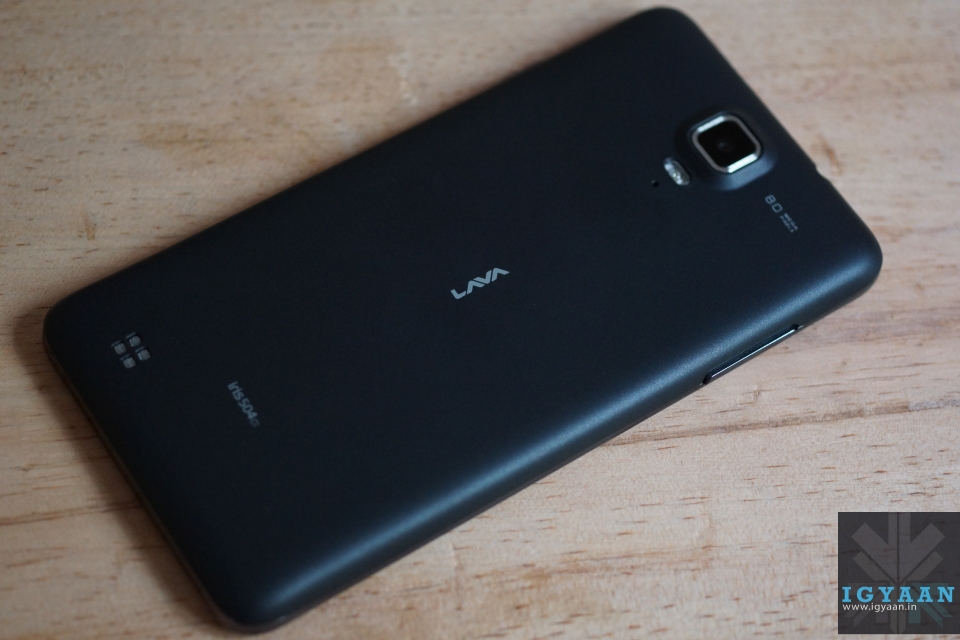
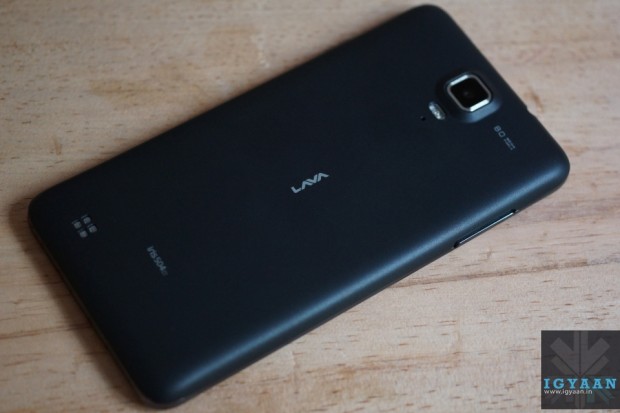
    The slightly-curved back- cover of the device has a soft rubber like finish, even though it’s made of plastic, which gives it a really premium feel. It also makes it less prone to finger prints and scratches.
    Lava Iris 504Q

    An 8 MP camera + flash, and a secondary noise-cancelling microphone grace the back of the device, which has its speaker grill towards the bottom left side. A small LAVA logo sits right in the middle of the device. Lava has managed to get a good balance of subtle branding and design to ensure the phone does not look overly flash and cheap.

    With its dimensions of 140 x 73 x 8 mm and 140 Gms weight, it is really comfortable to operate.

    The build quality is splendid as well, no squeaking noise, no loose parts. Everything about the Lava Iris 504Q feels downright solid. So a big thumbs up to Lava as far as build quality and design are concerned.

    Specifications And Hardware

    The hardware list on the Lava iris 504Q is pretty common on the market, a 5 inch 1280 x 720p screen, 1.2 GHz quad core MediaTek MT6589 processor, a mix of 8 MP and 2 MP cameras, 1 Gig of RAM and a 4 GB storage. Lava is trying various software tweaks to appeal to the market like gestures for the image gallery and clicking pictures. It is essentially a Dual-SIM GSM + CDMA smartphone.

    You also get a microSD card slot, Wi-Fi, Bluetooth 3.0, 3G, and 2000 mAh battery. Detailed tech specs are given at the top.

    Display And Multimedia

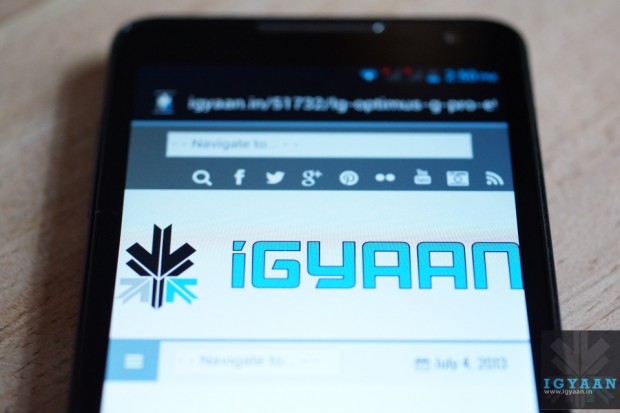
    The display on the Lava Iris 504Q is definitely one of the most impressive in this segment. It employs OGS (One Glass Solution) technology which basically means that there is zero gap between the screen and the glass on top of it.
    Lava Iris 504Q

    With it being an iPS display, viewing angles were bound to be decent, but what impressed us most was the colour reproduction of the panel. Bright, vivid colours and deep blacks make the Lava Iris 504Q feel like a device from a segment higher than the one it is aimed for. Outdoor visibility is decent as well but the one thing that left us slightly disappointed was that Lava didn’t opt for a scratch resistant display.

    Moving on to the mutli-media experience of the device, the Lava Iris 504Q has a custom Lava music player bundled along with it. The app, called Fusion, basically is a replacement for your stock music app, and provides a radio streaming option as well. If we talk about the audio quality, it is sufficiently loud and clear, but due the placement of the speakers, more often than not one tends to muffle the speaker while holding the phone. 

    Video playback on the Lava Iris 504Q was bound to be a joy, given its excellent display. Again, colours were rich and the phone can handle most formats including MP4, AVI, MKV and MOV. The screen size aids the multimedia experience by providing more screen real estate.
    Lava Iris 504Q

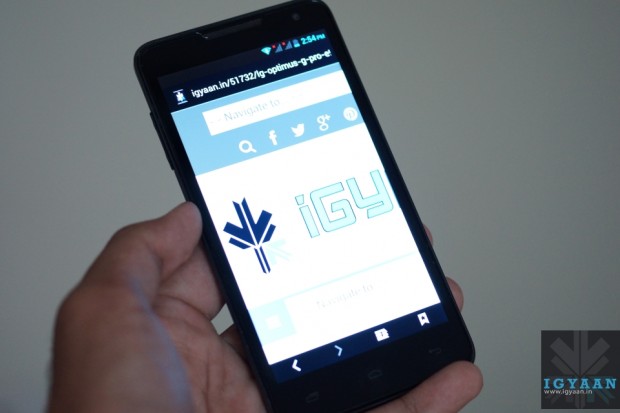
    The stock browser on the Lava Iris 504Q is really impressive. Apart from smooth scrolling and zooming, it provides a host of options like offline reading and searching, which are found in Google Chrome. Text is sharp and easy to read, so overall the browsing experience is quite satisfying.

    The Lava Iris 504Q’s benchmarks scores were decent. It scored above the Canvas HD in our tests. You can watch the benchmarks video below.

    [youtube id=”sf9fu2fLlbg” width=”100%” height=”300px”]

    Gaming on the Lava Iris 504Q was again made better thanks to its screen. It handled games like FIFA 12 and the pre-loaded Modern Combat 2 with ease.

    [youtube id=”3nJHH2BitQg” width=”100%” height=”300px”]

    Camera

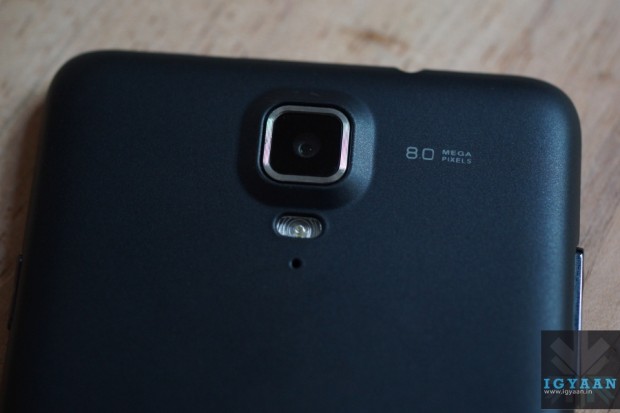
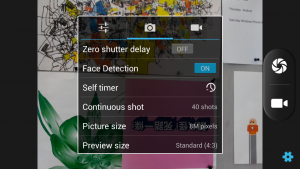
    The Lava Iris 504Q has an 8MP camera with a BSI sensor. The camera app itself is well laid out and provides a bunch of settings and modes including HDR, Panorama, ISO settings, Exposure settings etc.  
    Lava Iris 504Q

    Starting with outdoor shots, the colours seemed slightly unnatural and overly saturated. The camera tends to over-expose images, and we were expecting slightly more from the Iris 504Q. Macro-shots though seemed much better. Good background blur and sharp detailing. The gesture feature, which we will talk about below, can be used to capture images as well. 

    Indoor shots were a big disappointment however. Even when there was a decent amount of lighting in the room, the Lava Iris 504Q clicked completely unusable images. The flash seemed too weak to aid the process of indoor imaging. So if low-light camera performance is one of your main requirements, you might want to give this one a miss. 

    Video recording is done at 1080p in mp4 format. While we did not find any major flaws with the quality of the video, the Lava Iris 504Q again over-exposed the shots a bit. 

    Network, Phone Call And Messaging

    Phone call quality was very good and we have no complaints with the way the Lava Iris 504Q handles networks. The network holds good throughout the day and you will seldom find the need to wait for a network flash to get over. 

    The keyboard on the Lava Iris 504Q is quite similar to the stock Android keyboard. It is well laid out and can be customized according to your needs via the Google Play store.

    The Lava Iris 504Q provides support for a GSM and a WCDMA SIM card. Network on both was strong throughout our tests.

    Gesture Support

    The Lava Iris 504Q packs in gesture support to separate itself from the herd of devices in this segment.  While it may sound good on paper, we personally feel that it’s more of a gimmick than a useful addition. It does not work with all applications and when tried with the camera app, we were left searching for the option to turn it off. The Lava Iris 504Q kept clicking pictures even when we weren’t ‘swiping’ our hands in front of the display. 

    Conclusion

    Overall, the Lava Iris 504Q is a smartphone that hopes to distinguish itself from the crowded budget smartphone market with its excellent display and simplistic design. While it may not lag behind the others as far as performance is concerned, we feel that Lava could have done a better job with the camera on the device. If you can overlook that, then the price of Rs. 13,499 seems right for the device. 

    Video Review

    [youtube id=”RDtsUujPTAM” width=”100%” height=”300px”]
  • Facebook Brings Stickers To The Web (PR)

    Facebook Brings Stickers To The Web (PR)

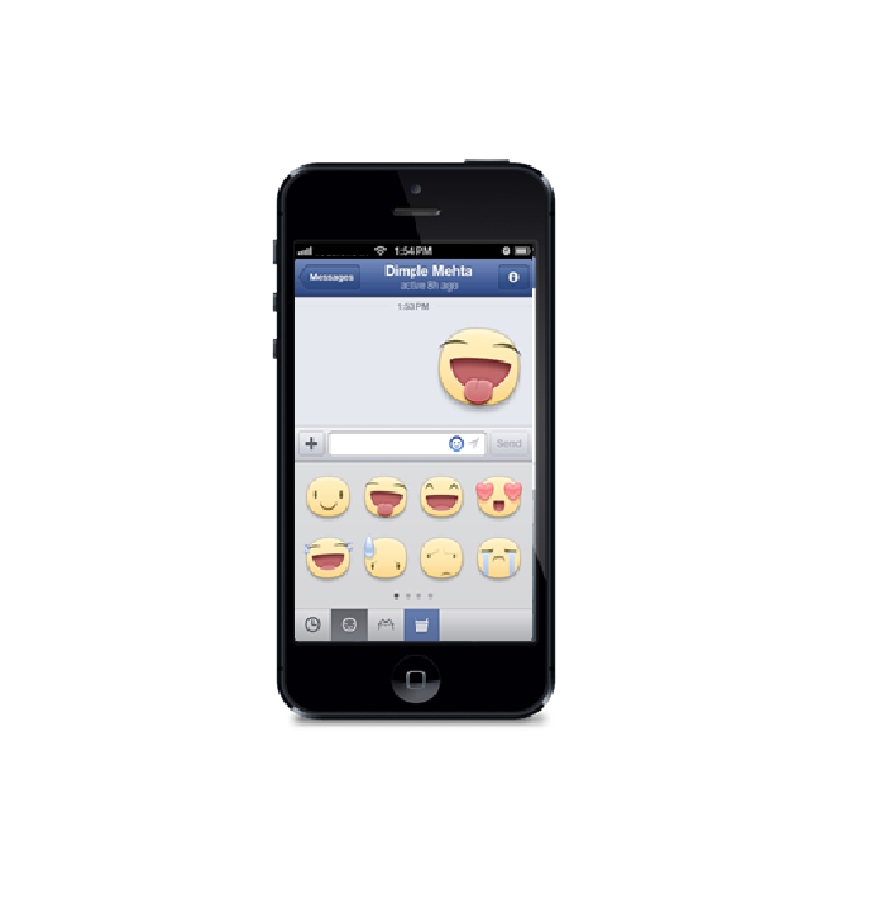
    Earlier this spring Facebook announced Home, a suite of apps for Android meant to make elements of the social site native to the phone. A month later, Facebook pushed out some features of Home to their iOS Messages app, including Chat Heads and stickers. Stickers are now rolling out to desktop users, and these users can choose from a catalog of available images in Facebook’s Sticker Store.

    facebook

    Sending stickers is simple: click on the smiley icon in your message, browse the top of the sticker window to decide on the pack you want, and make a selection. The basket icon takes you to Facebook’s sticker store, where you can find additional packs.

    Though they’re calling the collection a “store,” the stickers are currently free, although Facebook could one day decide to sell sponsored stickers. Though the social network is increasing their push to bring stickers to their messaging platform, (other social networking apps also offer stickers), TechCrunch says their head sticker designer has left the company.

    [toggle title=”Press Release”]Spice up your conversations now with Facebook Messenger
    Facebook Messenger gets updated with Chat Heads and Stickers

    Facebook, one of the largest social networking platforms has announced some upgrades in its instant messaging app Facebook Messenger and has rolled out a few interesting features such as Chat Heads and Stickers.

    Facebook now makes it easy to send private messages. Today, more than 10 billion messages are sent each day in total on Facebook. Private sharing and connecting is a big part of the Facebook experience. No matter what you’re doing or where you are, you want to reach your friends on Facebook – and you’re reaching your friend, not a phone number or a screen name so it’s personal, real and intimate.

    To spice up the conversation and keep your chats at the finger tips Facebook Messenger comes up with features such as Chat Heads and Stickers. Stickers are a way of letting the user free, of the same old smileys and emoticons. The user can use these to spice up the conversations and make them more interesting and fun. Chat heads allows the user to be just one tap away from chatting with his friends. The most frequently connected user on Facebook, appears on the home screen inside a circular shape, and does not go away until and unless, it is double tapped upon. Chat Heads make the texting experience quick and easy; it allows the user to switch between friends without having to go on the friend list again and again.

    Stickers have been available on the Facebook and Facebook Messenger apps for iOS and Android and now users can send them right from messages or chat on their desktop as well.

    Here are some quick tips to show you how to get the most out of Facebook mobile messaging.

    1. Start messages instantly
    From the Facebook app, tap the icon in the top right of your News Feed to get to the messaging sidebar. Just tap the name of a friend and your message will reach them wherever they log in to Facebook – on their smartphone, feature phone or the web. Want to know who will get notified about your message on their phone? Look for the mobile icon.

    2. Message groups of friends
    Making plans to see a movie with a small group of friends? Tap the message bubble icon at the top of the screen. Tap the Group button, then tap the names of the friends you want to message. Once you start a group conversation, you can give it a name like “Movie Crew” so it’s easy to find it again later.

    3. Send a sticker
    Stickers make Facebook messages more fun. Just tap the smiley to send a bunny, a cat or another cute critter. To download more stickers, just tap the basket icon. Stickers are a lightweight way to tell friends how you’re feeling, what you’re up to or to just say hi.

    4. Share a photo
    Sometimes you only want to share a photo with a handful of people. To add photos to a private conversation, tap + and choose from the photos on your phone or take a new one. People in the conversation just tap the photo to see it expand.

    5. Multi-task with chat heads
    With chat heads in Facebook for iPhone, you can keep chatting while you do other things on Facebook like check News Feed or post to a group. If you have Facebook Messenger for Android, you can keep chatting while you use other apps. Just tap the chat head when a new message arrives. Your friend’s message will open on top of your browser app for example so you can send a response without having to switch back and forth. When you’re done, tap the chat head to close the conversation and drag the chat head down to the ‘X’ to dismiss it.


    6. Download the Messenger app
    Want to get to your messages faster? The standalone Facebook Messenger app lets you get right to all your conversations from your Android or iPhone home screen. To download the app, go to: http://bit.ly/fbandroidmessenger or http://bit.ly/fbiosmessenger
    [/toggle]
  • Bluebox Security Reveals That 99% Android Devices Have Major App Vulnerability

    Bluebox Security Reveals That 99% Android Devices Have Major App Vulnerability

    The company Bluebox security, has found a security hole in Android’s operating system. What’s even more scary about this news is the report states that this security hole has been around since Android 1.6 Donut. Apparently what can happen is malicious developers can change the APK of a legitimate company, without any breaks to its cryptographic signature. This basically means that if an app is hacked on Android, the user would not know and could be entering their information and sending it to the malicious hackers unknowingly.

    Android apps (packaged as an “APK”) are signed with an encryption key (just like iOS apps) to prevent a malicious party from changing the code. Signed apps are expressly designed to enable the system to detect any tampering or modification.

    Since verified apps are granted complete access to the Android system and all applications on a phone, the security weakness is potentially huge, although it remains theoretical since it is unclear how malicious apps and updates would be served to users.

    Apps listed on the Google Play store are immune from this tampering, so a hacker would need to lure a user into downloading a malicious version of an app in other ways, perhaps via a third-party app store or fake app links. A phishing email with a link to a fake update for a popular app, for example, might generate some downloads. 

    If Google has not done anything up to this point, it makes you wonder if they taking this security issue as seriously as they should. Smartphone malware is becoming a huge problem and in order to prevent threats, the security companies along with the OS developers must work together, to stop this ongoing threat. 

    As SlashGear reports, according to Bluebox, it informed Google of this Android vulnerability in February of this year. To take care of the issue, every device manufacturer will need to create a patch and roll it out to its users, who will then need to install it. The security firm says it will release “tools/material” and more info about this vulnerability during Blackhat USA 2013, which takes place later this month.

    [Via]

  • Leaked : Rumoured Moto X Back Panels In Different Colours

    Leaked : Rumoured Moto X Back Panels In Different Colours

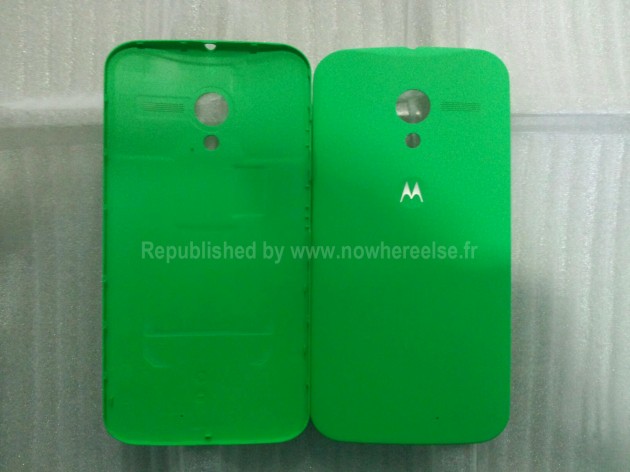
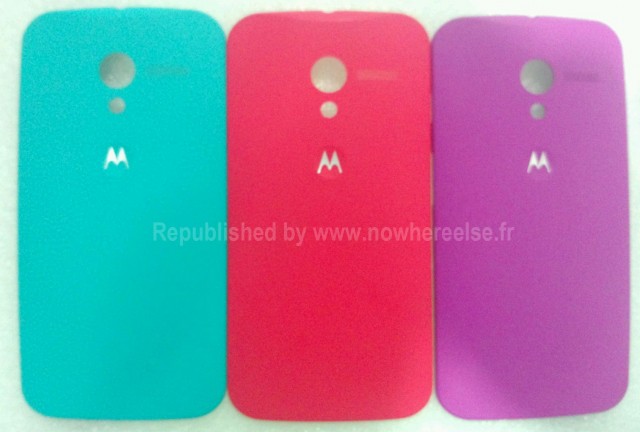
    We now understand what Motorola says when it claims the upcoming Moto X is “designed by you.” The company will fulfill orders within two days from its Texas-based plant, allowing buyers to customize the backplate colour and, presumably, add lettering or even pictures to the polycarbonate body. In total there will reportedly be about 16 different flavours to select, such as blue, purple, green and red.

    moto x

    A leaked photo of what appears to be three backplates in garish neon colours reaffirms the reports we heard this week and earlier today, and lends credence to the idea that Moto X will indeed be a mid-range device with broad appeal, not a barnstormer flagship with enormous gigahertz counts.

    It’s unclear what other colors will be offered, but we’d guess Motorola’s new Google-fied logo is a good indication on what to expect. If that’s the case, we might be saying goodbye to the typical black and white.

    The Moto X is firmly tipped as a mid-range device. Considering the constantly growing buzz surrounding the smartphone, we reckon its launch isn’t too far away.

    Rumoured specs are that we’ll see the new Android run OS 4.2.2 and come with a 4.7-inch full HD screen, NVIDIA Tegra 4i processor, 16MP camera, a 5MP front-facing camera, and some sort of “smart” technology.

    [Via]

iGyaan Network
Privacy Overview

This website uses cookies so that we can provide you with the best user experience possible. Cookie information is stored in your browser and performs functions such as recognising you when you return to our website and helping our team to understand which sections of the website you find most interesting and useful.