Category: Android

  • HP Shows off new Split x2 Windows Hybrid and Android based SlateBook x2

    HP Shows off new Split x2 Windows Hybrid and Android based SlateBook x2

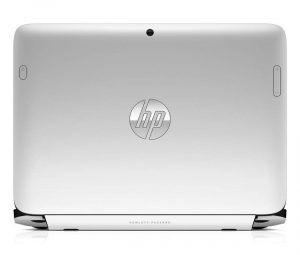
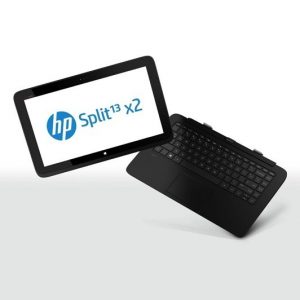
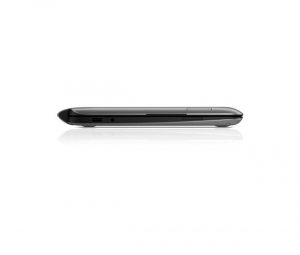
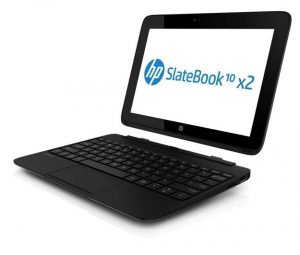
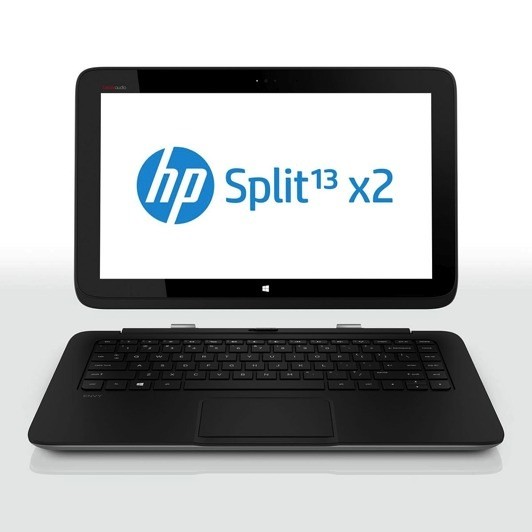
    HP is in the big for Android this time around, as they show off two new clamshell units, one of which is a Tegra 4 based Android Tablet.  HP has had a lot of success with its Envy X2 detachable hybrid and plans to expand the x2 series to make room for two follow-on products: the Split x2 (a Windows 8 hybrid) and the SlateBook x2 (an Android tablet).

    The specs on the Split x2 include: 

      • 13-inch 1,366 x 768 display
      • Core i3 or i5 processor Ivy Bridge
      • Keyboard dock includes a second battery or optional 500GB hard drive
      • SSD 128/256 GB
      •  2 x USB ports (one 2.0, one 3.0)
      • HDMI
      • Beats Audio
      • WiDi 
      • microSD and full SD card slots
      • Windows 8 loaded
      • Priced at US $ 800

    The SlateBook x2 Specs include

      • 10-inch 1,920 x 1,200, 400-nit IPS display
      • Tegra 4 SoC
      • Jelly Bean (4.2.2)
      • Keyboard has a battery built in
      • trackpad supporting multitouch gestures
      • Weighs 2.8 pounds in total
      • dual USB sockets
      • Stereo speakers
      • SD / microSD readers
      • Priced at US $ 480.

    [toggle title=”Press Release”]HP Expands x2 Detachable PC Portfolio to Enable Ultimate Flexibility
    New two-in-one detachable PCs with Android or Windows 8 offer mobility, productivity

    PALO ALTO, Calif., May 15, 2013 – HP today announced the HP SlateBook x2 and the HP Split x2, two detachable PCs that offer the full functionality of a notebook with a removable screen that also is a sleek tablet. Powered by the Android and Microsoft® Windows® 8 operating systems (OS), respectively, these versatile two-in-one devices combine power and portability, giving customers the flexibility to create, consume and share content in more places.

    HP’s unmatched portfolio of next-generation PCs is designed to enable users to connect
    with their information on devices that easily adapt to their needs. By releasing the
    magnetic hinge, users can move elegantly between the two form factors-tablet and
    notebook PC-all in one device.

    – The HP SlateBook x2 is the first Android detachable device with the NVIDIA Tegra 4 mobile processor, providing users more realistic gaming, fast web browsing and smooth high-definition (HD) video playback.
    – The HP Split x2, powered by the Windows 8 OS, features a 13.3-inch diagonal display and powerful processor and is ideal for work or play.

    “Customers want to access and share content anywhere, anytime, on any internet connected device-and they expect those connections to be seamless,” said Ron Coughlin, senior vice president and general manager, Consumer PCs, HP. “The HP SlateBook x2 and the HP Split x2 are next-generation devices and the latest examples of our continued commitment to evolving the computing experience by providing the flexibility necessary for customers to be productive at home, at the office or on the go.”

    The HP SlateBook x2 and Split x2 join the award-winning HP ENVY x2 as part of HP’s detachable PC portfolio. The HP SlateBook x2 also joins the HP Slate7 as part of HP’s push to offer access to the Google experience, and to provide access through multiple operating systems.

    HP SlateBook x2
    The HP SlateBook x2 enables users to shift effortlessly from entertainment to work by combining tablet portability with notebook productivity in a sleek, lightweight device that uses the popular Android operating system. With an advanced magnetic hinge design and dual battery system-one battery in the base and one in the tablet-users can easily switch from notebook to tablet and back, even while on the go.

    Ensuring users don’t trade functionality for portability, the HP SlateBook x2 features Android Jelly Bean 4.2.2 and delivers the Google experience with services like Google Now, Google Search, Gmail, YouTube, Google Drive and Google+ Hangouts for multiperson video chat as well as access to apps and digital content through Google Play.

    The SlateBook x2 features an NVIDIA Tegra 4 mobile processor, enabling users to access the TegraZone app and experience Tegra 4-optimized games. The 10.1-inch HD touchscreen display delivers crisp lines, sharp images and precision color while reducing glare. The SlateBook x2 also includes 64 MB of storage and DTS Sound+ Solution for accessing and enjoying photos, music and videos.

    HP’s exclusive native printing capability allows users to print directly from most applications.

    HP Split x2
    The HP Split x2 is a versatile, two-in-one detachable PC that combines power and portability with the Windows 8 operating system and powerful 3rd generation Intel® Core™ processor family. Consumers can now enjoy a high-performance ultraportable notebook suited for virtually any intensive task, and that doubles as a 13-inch tablet to give unparalleled entertainment capability for playing games, videos and more.

    Whether being used as a high-performance notebook or a tablet, the vibrant 13.3-inch
    diagonal HD touchscreen display makes it easier to view and share content, play games
    with friends and family, or enjoy high-quality music with HP Connected Music and Beats Audio, which provides the best-sounding, richest audio experience on a PC.

    An optional hard disk in the base expands storage capacity while dual batteries allow
    users to stay ultramobile.

    The HP Split x2 offers an eye-catching design with a soft-touch coating that provides a
    comfortable hold and shows fewer fingerprints. The HP Split x2 also offers exclusive HP
    innovations such as a 2-megapixel HP TrueVision Full HD webcam and the HP ClickPad
    for precise multifinger and gesture navigation.

    HP complements its new PCs with a suite of exclusive solutions and services that provide
    an array of simple and easy-to-access support tools and resources to help customers take full advantage of all the features that HP has to offer. Customers can add to the standard product limited warranty with HP Care Pack services to protect new HP products, and enhance the overall experience with accidental damage protection that helps consumers breathe easier when accidental drops, spills, and surges occur.

    For the HP SlateBook x2, customers can purchase the HP Care Pack with Accidental Damage Protection, which helps them avoid out-of-pocket repair or replacement costs and provides door-to-door service to the consumers’ homes so they are back up and running in no time. For the HP Split x2, customers can buy the HP Care Pack with Accidental Damage Protection bundled with Lojack, which allows customers to take immediate action to prevent data access if the PC is stolen.

    Pricing and availability
    The HP SlateBook x2 and HP Split x2 are expected to be available in the United States in August with starting prices of $479.99 and $799.99, respectively.

    Additional information about the HP SlateBook x2 and the HP Split x2 is available at www.hp.com/x2 and The Next Bench.[/toggle]

  • Panasonic to Launch Quad Core P51 in India on May 16th

    Panasonic to Launch Quad Core P51 in India on May 16th

    Panasonic is finally ready to take on the Android Ecosystem all over again, and they will launch their first device right here in India on May 16th. The Panasonic P5i is expected to run on a Quad Core Chipset clocked at 1.2 GHz, and will have a 5 inch HD display, an 8 MP main camera and a 2.1 MP front facing camera.

    Funnily enough we had spotted Panasonic’s name during the launch of the Mediatek 6589 chipset, and the rumored specs of the Panasonic P5i manage to match those seen on the Canvas HD. Maybe Panasonic is getting ready to launch a budget phone in India?, or maybe its all hokum. Either way we will know when we make our way to the launch of the Smartphone on 16th May and get you all the details here on iGyaan.

    So Stay Tuned!

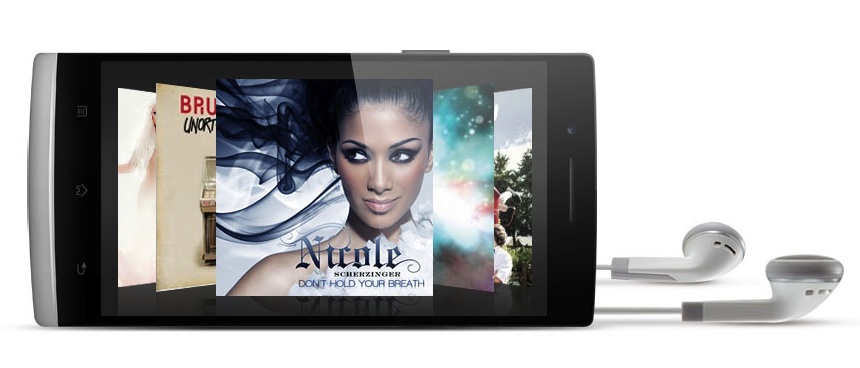
  • Oppo to launch Find 5 in India Starting Rs. 27,445

    Oppo to launch Find 5 in India Starting Rs. 27,445

    Oppo is prepping to launch its flagship phone the Find 5 in India for a price of Rs. 27,445 for the 16GB variant and Rs. 31,259 for the 32 GB variant. The company made famous by the Apple lawsuit in china is now foraying into international markets with their Android powered smartphones. 

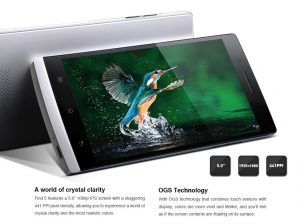
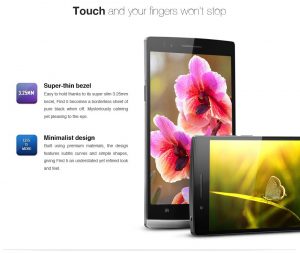
    The Find 5 has a 5 inch IPS LCD capacitive touchscreen with 16M colors and 441PPI IPS pixel density with features technology that combines touch sensors like on the HTC One and LG Optimus G making the display float on top. Its screen is also protected by Gorilla 2 Glass and has the super slim 3.25mm bezel which makes it appear slimmer in profile.

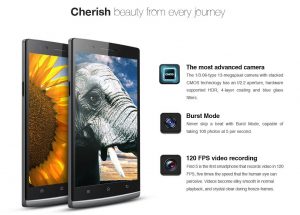
    The Find 5 features a 13-megapixel rear camera sensor which rivals that on the Xperia Z, Optimus G and Galaxy S4. The Sensor has Stacked CMOS technology with with HDR, it features an f/2.2 aperture, 4-layer coating and blue glass filters. The Burst mode enables100 photos at 5 frames per second .

    The front facing camera has 1.9-megapixel resolution and will capture HD Video.

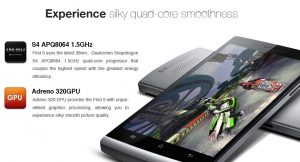
    For hardware the Oppo Find 5 series has a Qualcomm APQ8064 Quad-Core processor clocked at 1.5GHz with the Adreno 320 GPU and 2GB RAM.

    The Oppo Find 5 comes out of the box with Android 4.1.2 and their own custom UI, the handset will soon be updated to Android 4.2. Color options include a Black and a White version, and should go on sale in India in the coming weeks. Expect full reviews, with comparisons on iGyaan soon after. 

  • Android 4.3 Jelly Bean May Debut At Google I/O Instead Of Key Lime Pie

    Android 4.3 Jelly Bean May Debut At Google I/O Instead Of Key Lime Pie

    Android 4.3, Jelly Bean will be the next major software build released from Google.

    Android 5.0, Key Lime Pie was originally expected to debut at this year’s Google I/O, however, a newer build of JellyBean seems to be the stronger candidate to be introduced this year, according to a report from Android Community.

    Much of the proof has been found in IP logs that are available to many web administrators. They point to a new version of Jelly Bean, Android 4.3, with a build number of JWR23B. Android Police posted examples of this from their server logs coming from both the Nexus 4 and Nexus 7, all of which emerged from IP addresses in Google’s range.

    There are also several examples of developers citing this build in various bug trackers around Google products, suggesting that its launch is imminent. Because the build starts with “J,” it’s easy to assume that it’s part of the same family of code as the previous two major Jelly Bean releases; Google assigns the first letter of the name to each corresponding build.

    Google has also never launched a major version of Android at Google I/O. Android 4.1 was announced last summer, and Android 2.2 was launched at Google I/O in 2010. While Android 3.1 Honeycomb was exposed at Google I/O 2011, its significance would go on to be undermined as merely “aesthetic” in future releases.

    That being said, even though Jelly Bean has been around for over a year now, there still seem to be a few major bugs to squash. Android 4.2 has not been a smooth upgrade for many users, especially those running the Galaxy Nexus and Nexus 7, as it introduced significant slowdown, animation glitches, camera instability and more. Overall, while Android 4.2 seemed to be a fairly minor upgrade to end user, it actually made a number of significant modifications to the Android case base, and Google may believe it has another minor upgrade to fix any remaining bugs.

    Google I/O is coming on May 15th, and we’ll be there to cover all the announcements, major or otherwise. You can certainly expect a faster, Qualcomm-powered Nexus 7, as well as a rumoured 32GB LTE-powered Nexus 4. There will be a much higher prevalence of Glass users at this year’s jaunt, too, and you can bet on a few more surprises as well.

    [Android Police, Android Community]

  • Twitter’s Vine App For Android “Coming Soon”

    Twitter’s Vine App For Android “Coming Soon”

    Vine, Twitter’s popular video sharing app, has been a success on iOS and consistently remained as being one of the top ten social apps.

    vine

    The free app allows you to record 6-second looping videos and share them via Vine, Twitter or Facebook. Dom Hofmann, the original creator of Vine, spoke with The Verge and he noted that a future enhancement that will be coming to iOS will be the option to tag people, which as a result will make it even more social.

    In addition, Vine is poised to expand past Apple and integrate into the lives of Android users. 

    The company told The Verge recently that an Android version is coming soon, but didn’t say exactly when we can expect it to hit the Google Play store.

    Clues pointing to a Vine Android app have been out ever since February, when the company has started looking for a lead Android engineer. Why would anyone do that, unless they were developing an Android app?

    More interesting though is the thought process that went into creating Vine. Vine co-founder Dom Hofmann told The Verge that the key to the app was not in “reducing complexity” as Steve Jobs and Jony Ive were noted for saying, but rather “concealing complexity”.

    In other words, allowing users to do something relatively complex in a simple way. Quite an interesting interview if any of you are interested. 

    In any case we’ll keep you guys updated, but in the meantime Android users, are you guys excited?

    [The Verge]

  • Google MyGlass App Leak Reveals Multiplayer Gaming In Upcoming Android

    Google MyGlass App Leak Reveals Multiplayer Gaming In Upcoming Android

    A teardown of the MyGlass Google Glass companion app reveals that Google may have plans for a gaming service similar to Apple’s Game Center.

    Android Police discovered the complete feature list for a gaming service when tearing down the MyGlass application that will accompany the Google Glass AR specs.

    According to the website, Google usually ships apps with a few Google-powered components that some apps depend on to work but Google accidentally shipped all of them, even though the service has no connection with Google Glass.

    The underground Games service will feature support for real-time multiplayer games allowing users to play games with other connected players, as per the website. It would also apparently support turn-based multiplayer games such as board games where players take chances to play, and the teardown reveals that users will also get notifications when it’s their turn.

    Users would also be able to chat with other players within the game in real-time multiplayer mode, in addition to offering leader boards and allowing users to keep a track of achievements.

    The game service will bring in the ability to invite friends and will come with a ‘Lobbies’ feature through which users will be able to chat before a game begins, plan strategies, rules, and choose teams.

    If Google could create their own gaming service for Android and include some killer features, it could look much more attractive than iOS’s gaming offerings.

    Android Police has concluded that this gaming service is nearly finished, speculating that we might be able to learn more about it during Google I/O.

    [Android Police, SlashGear]

  • Facebook Home Now Available For Almost All Android Devices

    Facebook Home Now Available For Almost All Android Devices

    Android Developer Paul O’Brien, has done it again. First, he unleashed Facebook Home apks before the initial release. Now, he has made Facebook Home available to all devices, even unrooted ones. That is correct. You do not have to be rooted to give Facebook Home a try.

    The folks at Modaco extracted the Facebook Home APK file and made it available for all those in other countries than the US.

    Paul O’Brian of Modaco found a way to patch the files necessary to run Facebook Home on unsupported devices and made it available for download. He patched a version of the Home app to keep it from figuring out what device you’ve just loaded it onto.

    As TechCrunch explains, 

    All you really need to do is pop into your Android device’s settings and make sure it’s set to install applications from unknown sources (it’s in the “Security” section). From there, you just have to download and install his patched versions of the Facebook Home app, as well as his patched Facebook and Facebook Messenger apps too. Already have those latter two apps installed? You’ll have to uninstall both of them and load up O’Brien’s cooked versions in order for Home to work properly.

    That could pose an issue for some of the more curious among you — certain devices that have the Facebook app baked into it by the manufacturer (like the HTC One, for example) won’t play nice with this version of the Home app unless you root the device and remove the Facebook app yourself. Thankfully, rooting most popular devices is way easier than it used to be, but be sure to do your homework if you think you may take the plunge.

    Facebook’s ‘exclusive’ product reserved for the HTC One, One X, One X+, Samsung Galaxy S3, S4 and Note 2 debuted in the Play store on 13th of April, 2013 and has garnered a lackluster two-and-a-half stars rating with near 2 thousand votes.

    This news should come as a blow to HTC, which released the HTC First, a phone which supposedly was a part of the select group of devices destined to get Facebook Home. 

    For more details on how to download and install this APK file, head over to Modaco.

    [Modaco, TechCrunch]

  • CyanogenMOD 10.1 M3 Builds Now Available For Download

    CyanogenMOD 10.1 M3 Builds Now Available For Download

    For a long time, CyanogenMOD has been the salvation for many users on aging Android hardware, cutting through the bloated, slow OEM experience to bring you a clean build of Android’s finest.

    Despite needing to know your way around a command prompt, Android hacking has become somewhat mainstream over the last couple of years; processes have shortened and become more straightforward and users feel more comfortable ripping the bloated sheath from a brand new phone to find its AOSP guts underneath.

    As MobileSyrup reports, Milestone builds are available to users who want the latest feature sets of CyanogenMOD, in this case version 10.1, without all the risky nightly business going on. Milestone 3, or M3 for short, builds are now available to most devices compatible with CyanogenMOD. These include the Nexus series as well as popular Samsung, HTC and LG devices, along with a few Acer and Asus tablets.

    If you already have an older version of CM running on your device, go to Settings -> About phone -> CyanogenMod updates -> Check for Updates. For anybody just getting started with CM, hit the download site and look for your model.

    Builds for different devices will be rolling out for a while, so keep checking the Cyanogen space if yours hasn’t been published yet.

    Head to the CyanogenMod mirror to get yours.

    Note : Flashing your device may lead to certain complications. Do so at your own risk.

    [CyanogenMOD,  Android Police, MobileSyrup]

  • Facebook Home Available On The Google Play Store, US Only For Now

    Facebook Home Available On The Google Play Store, US Only For Now

    Facebook Home has officially launched on the Google Play Store. After some leaks and the update of the Messenger app which included the Chatheads feature, Facebook Home is now available for download, for the US only for now.

    Facebook Home currently supports installation on the HTC One X, HTC One X+, Samsung Galaxy S3, and Samsung Galaxy Note II. Once you’re able to get your hands on an HTC One or Samsung Galaxy S4, those models will support Home, as well.

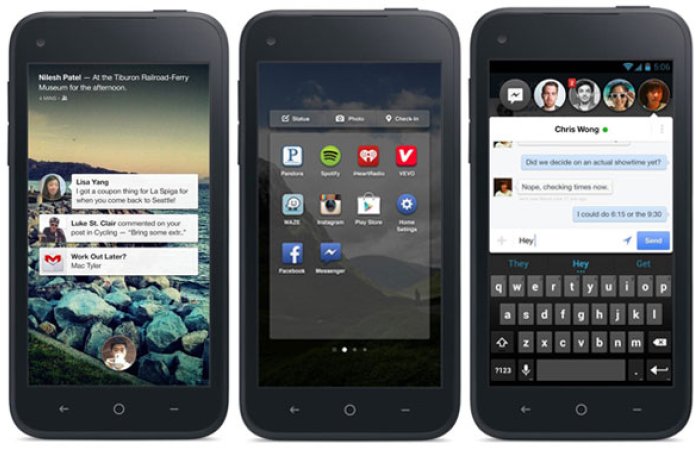
    In case you missed it, Facebook Home is essentially a launcher that turns your phone into an all-encompassing Facebook device. Cover feed is a feature that places your friends status and posts in the center of your screen, and Chat Heads is essentially a redesigned Messenger that displays a floating chat window when using other apps.

    Facebook’s Messenger app for Android was updated this morning with the Chat Head feature, which is available for any device that can run the Facebook Messenger app.

    People have raised concerns about privacy and security with Facebook Home, questioning the company about data collection and the decision to create a default setting where a Home-loaded phone provides access to a Facebook account on the lockscreen.

    For what it’s worth, Facebook’s chief privacy officer of policy Erin Egan and chief privacy officer of products Michael Richter responded to some of those queries in a joint blog post, stating that Facebook Home does not compromise privacy.

    [PCMag]

  • Google Play For Android Redesigned with Cleaner Look, Rollout To Start This Week

    Google Play For Android Redesigned with Cleaner Look, Rollout To Start This Week

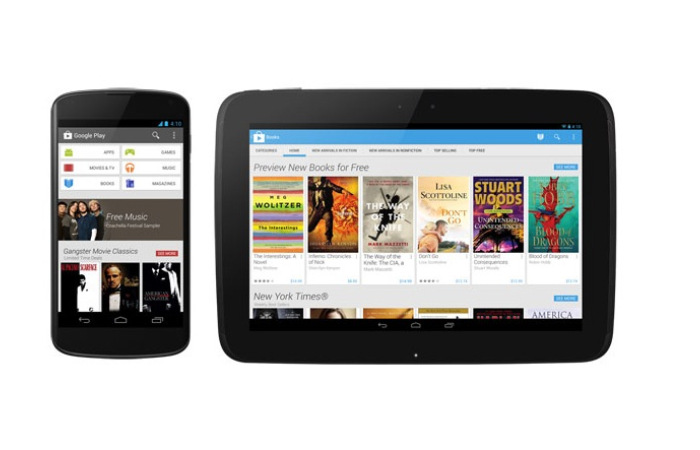
    Google has made many changes to Google Play since it debuted in 2008 under its former “Android Market” title. The latest update delivers an all-new design that aims to simplify the discovery process and more closely resemble Google’s changing aesthetics.

    The company said in a blog post that the new format is rolling out Tuesday in the U.S. to Android smartphone and tablets running Android 2.2 (Froyo). International users should see the changes in coming weeks.

    The new look also puts the mobile version of Google Play more in line with its Web counterpart. The older version of the Android store uses black as its main color and has an overall dark hue throughout. That is being replaced with a lighter set of colors, like the ones found when accessing Google Play through the Web. This should make Google Play for Android easier on users’ eyes.

    Besides a redesign, Google also said it has sped up the checkout process so users can begin to enjoy their content more quickly. Users can purchase music, movies, TV shows, books and magazines from the digital store.

    Apps are undoubtedly big business. Revenue for the world’s top app marketplaces hit $2.2 billion in the first quarter of 2013 alone, analysis firm Canalys firm said, with downloads across the major four app stores topping the 13 billion mark, reports Washington Post. According to the report, that’s roughly an 11 percent increase between the last quarter of 2012 and the first quarter of 2013.

  • Facebook Home Beta Leaks Ahead Of Official Release

    Facebook Home Beta Leaks Ahead Of Official Release

    Do you want to give Facebook Home a try a few days before its official release? A beta has been leaked by the folks at MoDaCo and, while not all the features work, it’s a great opportunity to see what all the fuss is/may be about. That said, MoDaCo says that it will work on any Android device that meets that specification.

    The “suite” involves updated versions of the Facebook app, Facebook Messenger and the Home launcher APK itself, the former two of which can be safely installed over your current versions. It’s important to note that the leaked version only supports devices with a maximum resolution of 1280×768, which precludes the Sony Xperia ZL and upcoming HTC One (for now).

    It appears that the most intriguing part of Facebook Home, Chat Heads, has not been implemented in this beta version, but the Cover Feed sequence works quite well. The Facebook Home settings is also worth digging into, as it allows you to alter how frequently the fore- and background data is updated. By default, background data (the stuff inside the Facebook app) is updated every 30 minutes, while the Cover Feed content is updated every 15 minutes. We’ll be curious to see whether those aggressive settings negatively affect battery life going forward.

    The Home launcher is also surprisingly smooth, and feels like a very natural extension of my workflow. The main issue we have is that Facebook attempts to bury as much of Android’s legacy functionality as possible; you must swipe down from the top of the screen to expose the notification bar and then again to expand it; and there are no spots for native Android widgets. As someone who relies on both features pretty extensively — as I’m sure most users do — this is going to be something of an issue.

    Nevertheless, Home is an interesting first step towards a fully-formed Facebook experience on Android, for better or worse.

    Head to MoDaCo to download the three necessary APKs.

    [MoDoCaThe Verge]

  • HTC First Runs Stock Android Jelly Bean

    HTC First Runs Stock Android Jelly Bean

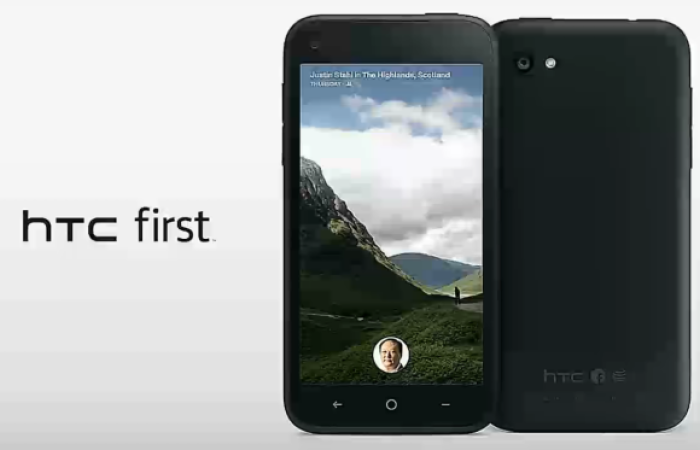
    The new Facebook Home-optimised HTC First runs a stock version of Android Jelly Bean, which can be accessed simply by turning off the social network’s new, custom UI, reports on Friday revealed.

    As Phandroid found out during its hands-on time with the device, it looks like the HTC First runs a stock Android version underneath the Home user interface, which makes it the first HTC handset after the G2 to come with stock Android on board, even though it’s not comparable to the kind of stock Android you get with Nexus devices:

    So, what does this mean exactly? Well, I should start out by saying that when I say “stock Android,” I’m not talking about pure AOSP with direct updates from Google. Only Nexus (and for a short time, Sony) devices get those kinda privileges. What I mean by “stock” is a version of Android that simply isn’t skinned and comes with stock Android apps like messaging, camera, gallery, stock notification bar, etc., but may or may not have some of the underlying software tweaked.

    HTC later confirmed to The Verge that this was indeed the case and stock Android is the beneath-the-surface version of the OS.

    Why is this somewhat of a surprise? Well HTC phones are usually dripping in its own skin for Android, the love-it-or-hate-it Sense UI.

    For a pure Android experience, you can always purchase the latest Nexus model (or ask a relative to get it for you from abroad!), but did the HTC First also get sort of interesting now that you hear you can run Android on it without any UIs in the way?

    [Phandroid]

  • Top 5 Android Launchers

    Top 5 Android Launchers

    Launchers in Android devices keeps them refreshed and new every time you change them. A correct launcher and a correct hardware combination can make your device faster, smooth and stylish. There are plenty of free Android launchers available on the Play store. Some are marvelous and work on any hardware specs while some require hardware customizations.

    In this article, we list our top 5 Android launchers, both paid and free –

    1. GO Launcher EX

    launcher

    Searching for a reliable home launcher for your Android? Then undoubtedly try the most popular home launcher Go Launcher EX of Google Play.

    Go Launcher is no less than any premium launcher which come per-installed in many Android devices. If you compare the features, this launcher even crosses HTC’s sense and Samsung’s touch Whiz interface. The basic reason for this launcher’s popularity is the number of customization options available in it.

    It has many themes available ranging from Windows 8 theme to Jelly beans to Ubuntu theme. Some of the best features about this launcher includes: Smooth transitions, great custom GO widgets, strong app management functions like hide app, sort app, search app and clean cache options.

    Features:

    • Provides extremely smooth transition animation.
    • Smoothness in flipping operation.
    • It contains more than 5000 personalized themes.
    • Amazing custom gestures.
    • Many needful including GO widgets like weather, switcher, calendar etc.
    • Strong app management function like sorting, hide app, search, cleaning memory and refresh.

    2. Apex Launcher

    launcher

    Apex is a great launcher that comes out looking like Jellybean out of the box, no hunting for themes required.

    The menus are all every easy to get around and figure out what they do, and the launcher itself is designed, ultimately, the way you want it to look. That’s the beauty of Apex, you can get it looking and working the best possible way for your personal style.

    It has up to 9 customizable home screens, infinite elastic scrolling, fancy transition effects, Multiple drawer styles, Lock your desktop to prevent accidental changes and many more features.

    Features:

    • You can customize homescreen grid size and up to 9 homescreens.
    • Scrollable dock with up to 7 icons per page and up to 5 pages.
    • Fancy transition effects (tablet, cube, etc).
    • You can hide elements as you want (persistent search bar, status bar, or even the dock).
    • Customizable icons and labels for shortcuts and folders
    • You can choose different folder preview styles and background.
    • You can hide apps from the drawer.
    • You can lock your desktop to prevent accidental changes.
    • Enjoy homescreen gestures (pinch, swipe up/down, double tap)
    • Advanced theme engine (icon packs, skins, etc.)
    • Backup/restore settings and data
    • It is optimized for both phones and tablets

    3. NOVA Launcher

    launcher

    Nova launcher is another best free Android launcher which is very similar to Apex launcher. It allows use of ADW or Go Launcher themes to change the looks. You can even change the color of the launcher from the launcher settings. It gives full freedom to select an icon pack from GO launcher or Apex launchers. It has infinite scrolling, folders options, transparent drawer, widgets overlapping option, backup and restore options and hide apps options.

    Features:

    • Completely coloured themes.
    • You can change the accent color of the launcher and it is full color picker supported.
    • Customizable App Drawer
    • Icon Themes – You can apply ADW or Go launcher icon themes to all app icons.
    • Scrollable Dock (for Tablets and Phones) – You can keep all your favorite apps on the dock, with up to 7 icons per page and up to 3 pages.
    • Transparency – Scrolling style, you can choose between horizontal paginated or vertical continuous.
    • Scroll Effects – You can enjoy eye candy when scrolling your desktop and drawer. Effects include Cube and Cardstack and more for Prime users.
    • Infinite Scroll – You will never be far from your favorite page, loop through your desktop continuously.
    • Folder Icons – Chose a background, preview style or even replace the whole icon.
    • Backup – Export your settings and layout before a wipe to quickly get back up and running.
    • Widgets in dock – Just add any 1×1 widget to the dock.
    • Widget Overlapping – Overlap on resize or placement, long-press to send to back or bring to front.
    • Bulk Add – You can add multiple apps to the desktop or a folder at any time.
    • Activities shortcut – You can select hidden activities from your favorite apps.

    4. Smart Launcher

    launcher

    Unlike all other launchers out there, with almost the same kind of layout (at a basic level), Smart Launcher is characterized by its minimalist design, low memory usage and a user-friendly UI that lets you start any application with a few taps. You have to use it to know it. My only gripe is that, the Quick Start screen does not have native icons for generic apps such as Google Maps.

    Features:

    • It is ready to use without special configurations.
    • It can support for Live Wallpaper and screens of different sizes.
    • It can support of set of icons for Launcher Pro and ADW Launcher.
    • It support Widgets but available for only PRO version.
    • Main screen with Quick Start.
    • Drawer organized by categories.

    5. ADW Launcher

    ADW-Launcher-EX-logo

    This is one of the oldest launcher apps on the market. The reason why it’s number 5 is that it was for the longest time neglected by the developer. It looks like it is again being updated with the latest version being totally rewritten for Android Jellybean, and also coming with a new default theme. There are several versions of this on the market, but we found the premium Ex version the best one.

    Features:

    • Highly customizable home replacement application.
    • It’s compatible with android versions from 1.6 to 4.1.
    • It contains thousands of skins and themes with support for most popular launcher themes
    • You can mix and match your skins, icons, docks, folders, etc.
    • It can configure your applications in unlimited groups and hide unwanted apps.
    • Fast setup screen with fast access to add items or configure everything.
    • It has configurable visual desktop indicators.- Easy folder tweaking and management, content previews, arrangement, colors, etc.
    • New AppWidget picker for devices running Android 4.1 and newer.
    • Icons editor to create your own customized shortcuts or edit existing ones
    • You can resize AppWidget.
    • It contains AppWidget backup/restore (only for android 4.1 and newer).
    • Customizable applications dock with support for unlimited shortcuts with paginated scroll.
    • Lots of settings to play with: texts, colors, animations, sizes, you should dig in.

    What do you think? Did we miss out on any? Let us know your top 5 below! 

  • Facebook ‘Home’ App Suite For Android Announced, Available April 12

    Facebook ‘Home’ App Suite For Android Announced, Available April 12

    Facebook has announced, as expected, a suite of apps and Android launcher called Home. Its main tenet is called CoverFeed that uses photos to connect people, apps and data in a single place. According to Facebook, the app is used three times more than any other Android app on average; users are inside the app for an average of 30 minutes per day.

    facebook

    Unlike previous rumours, Facebook will not be releasing its own phone, nor will it be “forking” Android to its own version. Instead, CEO Mark Zuckerberg says that Facebook wanted to use Android’s inherent openness and flexibility to its advantage. Home sits atop your current Android operating system, regardless of manufacturer or version.

    facebook

    Home is also a suite of apps, combining the launcher, the Facebook app itself and Messenger, which now combines SMS and private messages into one app. There’s a “clean, simple” app launcher, so your previous workflow is still available. Facebook doesn’t want to prevent you from using apps, but its people-first integration is paramount.

    In addition to the lock screen experience, Facebook Home includes a feature called “chat heads,” a messaging interface that uses chat partners’ faces as tabs for their messaging windows. When a user is in any app, a “chat head” can appear off to the side of the screen. Users can tap the icon to enter the conversation and then swipe upward to take the messaging interface off the screen and return to the app they were in before. Both SMS and Facebook messages can use the “chat head” alert.

    facebook

    Home will be available to existing Facebook users who have the latest version of Facebook and Messenger. You’ll be prompted to download it in the coming days. Home will be available as a launcher replacement, which can be deleted and replaced with your favourite launcher going forward.

    facebook

    It will also be available for tablets in the coming months; the initial version will be offered only on phones. The initial rollout will be limited to the HTC One, Galaxy S III, Galaxy Note II, Galaxy S4, HTC One X and One X+.

    The app will eventually expand to work with a number of new devices, but it’s going to be Android 4.0+, which will help long-term performance.

    HTC has also announced the First device in four colours today. More on that developing.

    Facebook Home can be downloaded from the Google Play store starting April 12.

  • Android Jelly Bean Now On 25% Devices As Google Counts Active Users

    Android Jelly Bean Now On 25% Devices As Google Counts Active Users

    Every month Google releases stats that give a glimpse into the distribution of the various versions of Android. Like clockwork, the percentages of the older versions (Donut, Eclair or Froyo) tend to trail off, while newer versions such as Ice Cream Sandwich and Jelly Bean amass greater authority.

    Last month's data
    Last month’s data

    Starting with the release of the new charts, Google has changed the way it collects information for the monthly Dashboard release. Back in the day when Froyo and Eclair were the current builds, Google took information from Android phones each time they checked in to Google servers. Now, the data comes from phones as they visit the Google Play Store. This should result in more accurate information.

    android

    Jelly Bean has reached 25 per cent marketshare, but is still not in the lead with the most active users. Android 3.2 Gingerbread, released in 2010, leads with more than 40 percent of users, followed by Ice Cream Sandwich with 29 per cent of users. 

    Before the change in the way Google counts, Jelly Bean sat at roughly 15 percent marketshare, which makes for a considerable jump. Android has long been blamed for taking longer to seed its latest update to new devices than Apple’s iOS. The new numbers, while aimed at developers, definitely paint a better picture to the public.

    At any rate, developers now have a better understanding of who to target their apps to.

iGyaan Network
Privacy Overview

This website uses cookies so that we can provide you with the best user experience possible. Cookie information is stored in your browser and performs functions such as recognising you when you return to our website and helping our team to understand which sections of the website you find most interesting and useful.