Category: Android

  • Samsung Galaxy y GT S 5360 Unboxing and Quick Review

    Samsung Galaxy y GT S 5360 Unboxing and Quick Review

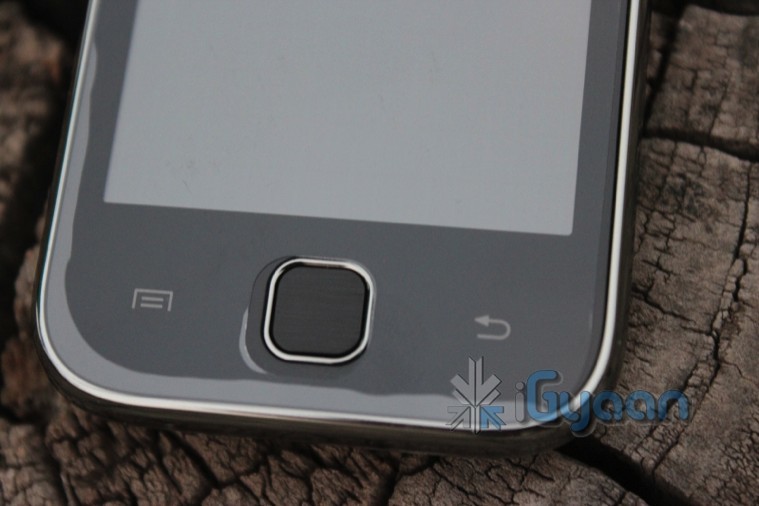
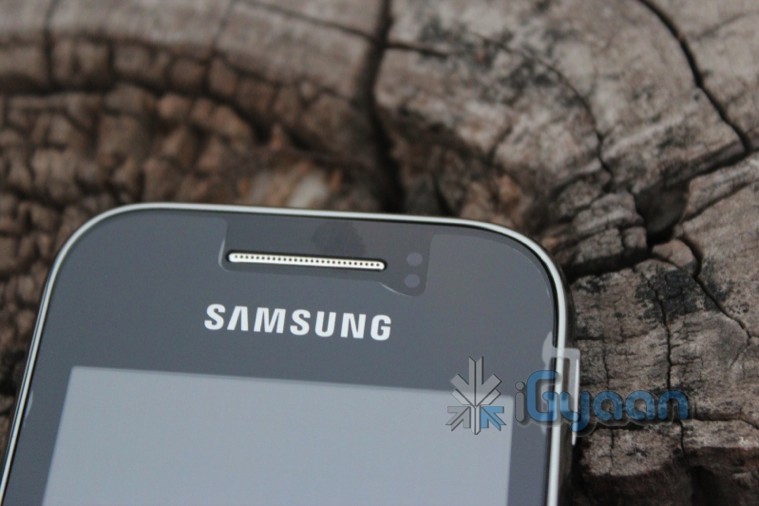
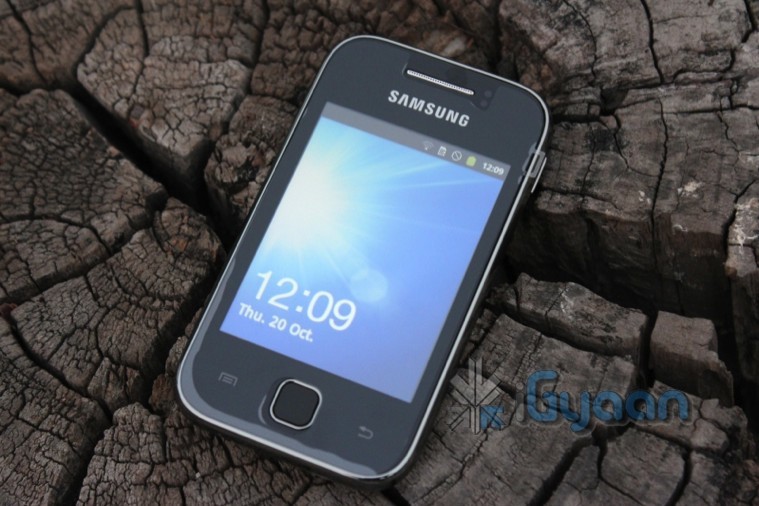
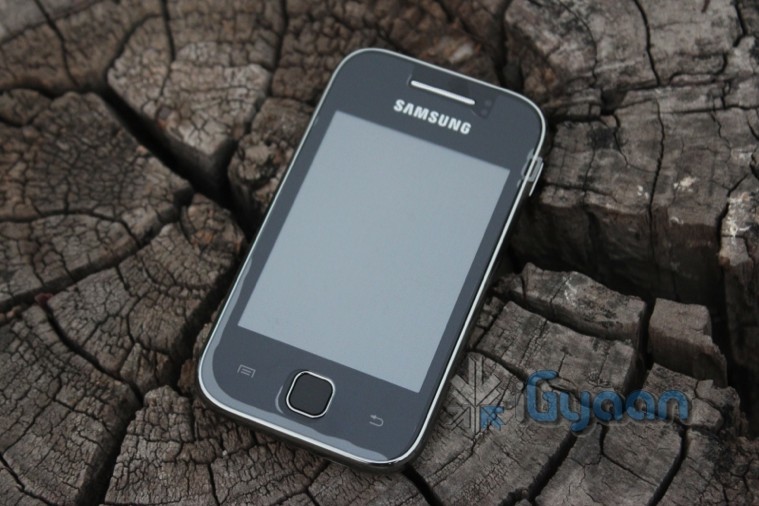
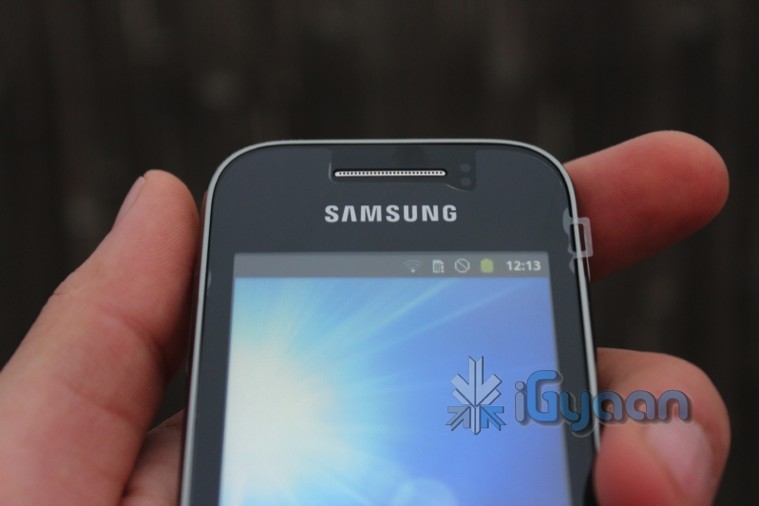
    The Samsung Galaxy Y has been the most requested device by iGyaan Readers and here it is in the form of an Unboxing and Quick Review. 

    The device is a budget Android targeted at the youth of the country, a slap on the face of local brands we presume. Check out the Tech Specs followed by images and the Video for pleasure 


    Tech Specs 

    Price Rs. 7,830 (MRP)
    Network Edge + HSDPA upto 7.2 Mbps
    Phone Style

    Touchscreen Capacitive

    OS Android 2.3.5 Gingerbread
    Thickness 11.5mm
    Length 104mm
    Width  58 mm
    Weight 97.5 g
    Built-in Memory 160 MB Rom Ram Unknown
    Additional Memory microSD, up to 32GB
    High-speed Data 3G
    Connectivity Bluetooth, Wifi , 
    Screen Size

    3-inch, 240×320 pixels

    Secondary Screen Size N/A
    Screen Colours 256k
    Camera 2-megapixel ff
    Camera Resolution 1600×1200 pixels
    Flash NO
    GPS  Yes
    Wifi 802.11 b/g/n
    Music Formats MP3
    Radio Yes
    Speaker Yes
    Processor 832 Mhz Processor
    Browser Android Browser, Full Flash Enabled
    Games Android MarketPlace Games
    Battery 1200mAh

    Images

    Video


  • HTC Rezound render get spotted

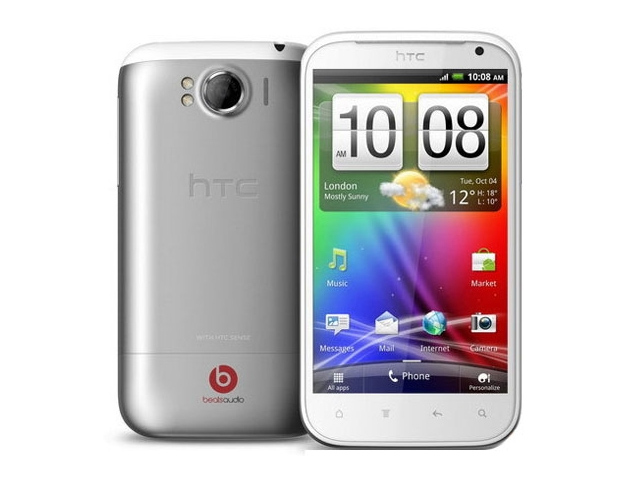
    HTC Rezound render get spotted

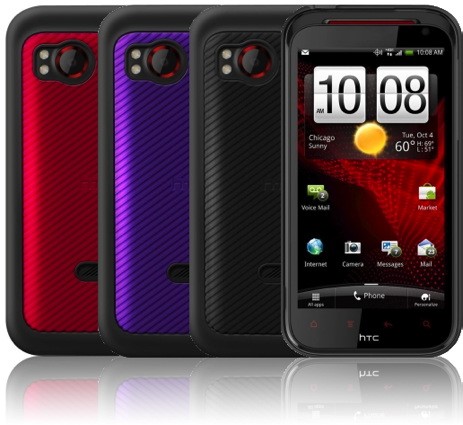
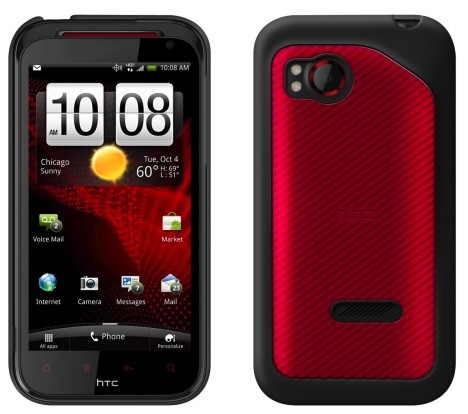
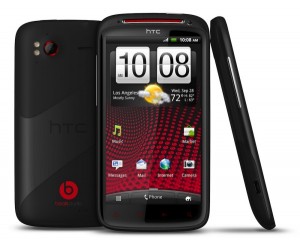
    HTC Rezound has come into the lime-light due to a bunch of the device’s cases going up for pre-order. The phone is pretty identical to recent HTC styling and will have similar specs

    • Red Glow Capacitive Keys
    • 4.3-inch screen
    • Dual-core 1.5GHz processor
    • 1GB RAM
    • Beats Audio
    • 8MP rear camera. 
    Among other things like included beats headphones, and a flurry of included sensors on the device. The device was earlier called the HTC Vigor, but it seems that the Rezound may be a US sub brand for Verizon CDMA, and the Vigor name will stick when the device comes Desi-Side (to India)
  • iPhone 4S vs Galaxy Nexus Vs Galaxy S2 Vs HTC Sensation XE : Spec Wars

    iPhone 4S vs Galaxy Nexus Vs Galaxy S2 Vs HTC Sensation XE : Spec Wars

    Before the journey, Here are the major and upcoming smartphones of India in a spec by spec battle.

    Sure there are others and we will continue to add them.


     Price  TBD  TBD INR : 28500   TBD  
     Processor  Dual-core Apple A5   1.2GHz dual-core  1.2GHz dual-core Samsung Exyno  Dual core, Qualcomm 8260, 1500 MHz  
     Display  3.5 inches, 960 x 640
    IPS LCD 
    4.65-inch curved glass
    HD Super AMOLED
    1280 x 720
      4.3 inch , 800 x 480 Super AMOLED Plus  4.3 Inch, 540 x 960 SLCD  
     Primary Camera  8 megapixel AF, f2.4 lens, BSI sensor, LED flash  5 megapixel with zero
    shutter lag
     8 megapixel AF, LED flash  8 megapixel AF, LED flash  
     Front Camera VGA 1.3 megapixel 2 megapixel VGA  
     Cellular  Quadband GSM, quadband HSPA+ 14.4, CDMA / EDVO Rev. A  LTE or HSPA+, GSM  Quadband GSM, quadband HSPA+ 21 / 42    Quadband GSM, quadband HSPA+ 21 / 42   
     Wifi  802.11b/g/n  802.11 a/b/g/n  802.11a/b/g/n   802.11a/b/g/n  
     NFC  N/A Yes  NO   NO  
     Memory   Unknown (likely 512MB)  1GB RAM  1GB RAM  768 MB  
     Storage 16GB / 32GB / 64GB internal  16GB / 32GB
    internal storage
     16GB / 32GB internal, microSDHC expansion  1GB inbulit, microSDHC expansion  
     OS  iOS 5  Android 4.0
    Ice Cream Sandwich
     Android 2.3.4 with TouchWiz 4.0  Android 2.3.4 with Sense  
     Battery  1420+mAh, embedded  1,750mAh  1650mAh, removable  1730 mAh, Removable  
     Quoted Batt life Talk 8 hours on 3G, 14 hours on 2G
    40 hours audio, 10 hours video 
    TBD  7-8.7 hours on 3G, 5 hours video  7.16 hours on 3g, 6 Hours video  
     Weight  140 grams / 4.9 oz.  135g / 4.76oz  116 grams / 4.1 oz  151 grams / 5.33 oz   
     Dimensions  115.2 x 58.6 x 9.3mm  135.5 x 67.94 x 8.94 mm  125.3 mm x 66.1 mm x 8.49 mm   126.1 x 65.4 x 11.3 mm  


  • Google Confirms Ice Cream Sandwich will run on Nexus S and other Gingerbread Devices

    Google Confirms Ice Cream Sandwich will run on Nexus S and other Gingerbread Devices

    Google has officially confirmed that all Gingerbread devices should be able to get some Ice Cream Sandwich love. Starting with the Nexus S devices will soon get their upgrades as they go along. 

    Currently in the process for releasing Ice Cream Sandwich for Nexus S. Theoretically should work for any 2.3 device.”

    -Gabe Cohen, Google Android Team

    Glad you bough that Nexus S huh?

  • Google Officially calls Android Ice Cream Sandwich, Shouts Android 4.0

    Google Officially calls Android Ice Cream Sandwich, Shouts Android 4.0

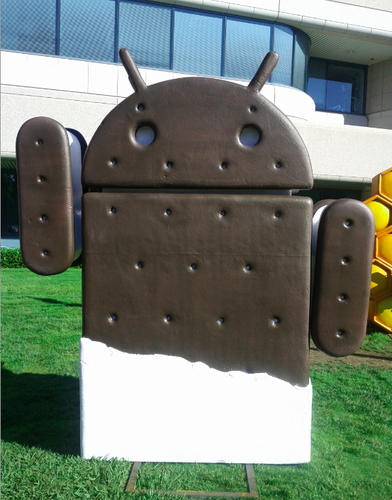
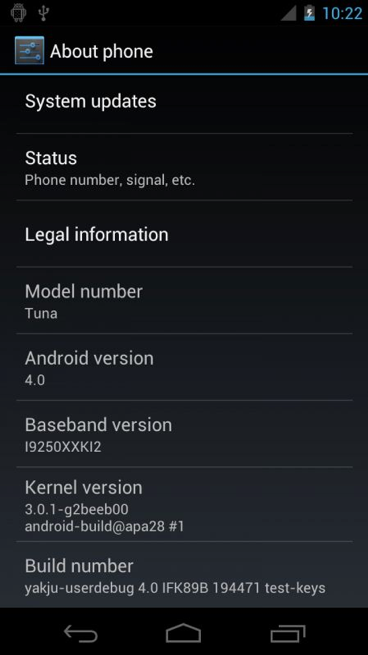
    The number is finally FInal, Google has announced Ice Cream Sandwich as the next Revision of Android, and has called it Android 4.0. This update will bring a major overhaul to the UI that we know and love, and bring along a whole bucketful of features.

    Here’s some of the things in Ice Cream Sandwich:

    • Virtual buttons in the UI(like Honeycomb)
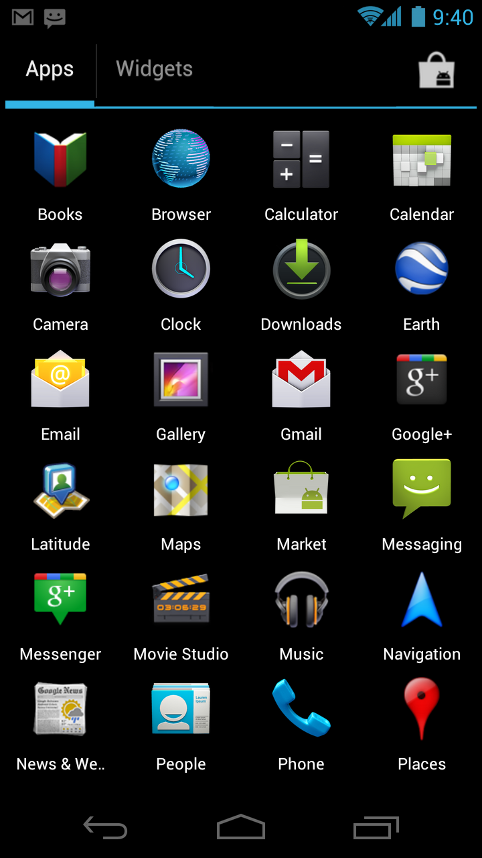
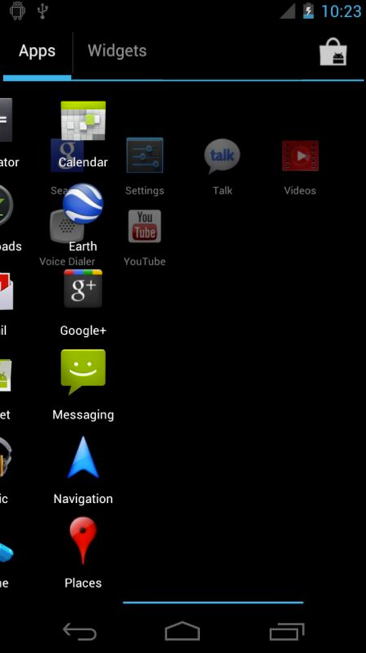
    • Widgets are in a new tab, listed in a similar list to apps
    • Folders are much easier to create, with a drag-and-drop style similar to iOS
    • A customizable launcher
    • New phone app with visual voicemail functionality that lets you speed up or slow down voicemail messages
    • Pinch-to-zoom functionality in the calendar
    • Gmail has offline search, a two-line preview, and new action bar at the bottom
    • Swipe left or right to switch between Gmail conversations
    • Integrated screenshot capture by holding power and volume down buttons
    • Improved error correction on the keyboard
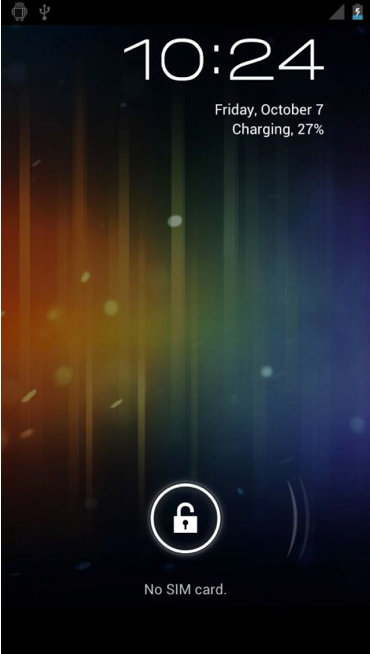
    • Ability to access apps directly from lock screen (similar to HTC Sense 3.x)
    • Improved copy and paste
    • Better voice integration
    • Face Unlock, a facial recognition service
    • New tabbed web browser, allowing up to 16 tabs
    • Browser now automatically syncs your Chrome bookmarks
    • Modern “Roboto” font
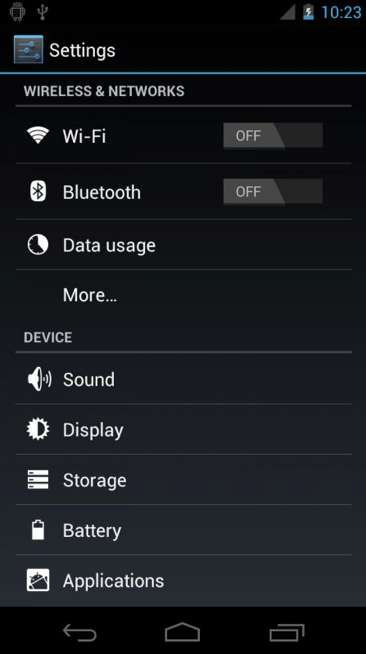
    • Data Usage section in settings lets you monitor and disable data when you go over your limit
    • Ability to kill off apps that are using data in the background
    • Camera app: zero shutter lag, time lapse settings, zoom while recording
    • Built-in photo editor
    • New gallery layout, organized by location and person
    • Refreshed people app with social network integration, status updates and hi-res images
    • Android Beam, a NFC feature that lets you exchange websites, contact info, directions, YouTube, etc.

    Android 4.0 for Users

    Simple, beautiful, beyond smart

    Android 4.0 builds on the things people love most about Android — easy multitasking, rich notifications, customizable home screens, resizable widgets, and deep interactivity — and adds powerful new ways of communicating and sharing.

    Refined, evolved UI

    Focused on bringing the power of Android to the surface, Android 4.0 makes common actions more visibleand lets users navigate with simple, intuitive gestures. Refined animations and feedback throughout the system make interactions engaging and interesting. An entirely new typeface optimized for high-resolution screens improves readability and brings a polished, modern feel to the user interface.

    Virtual buttons in the System Bar let users navigate instantly to Back, Home, and Recent Apps. The System Bar and virtual buttons are present across all apps, but can be dimmed by applications for full-screen viewing. Users can access each application’s contextual options in the Action Bar, displayed at the top (and sometimes also at the bottom) of the screen.

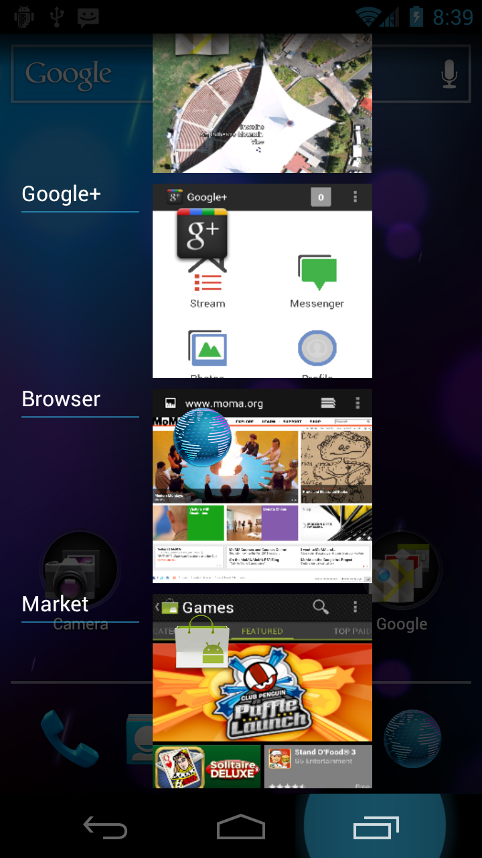
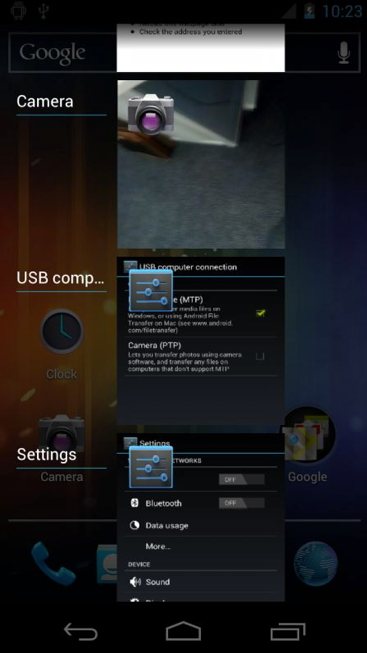
    Multitasking is a key strength of Android and it’s made even easier and more visual on Android 4.0. The Recent Apps button lets users jump instantly from one task to another using the list in the System Bar. The list pops up to show thumbnail images of apps used recently — tapping a thumbnail switches to the app.

    Rich and interactive notifications let users keep in constant touch with incoming messages, play music tracks, see real-time updates from apps, and much more. On smaller-screen devices, notifications appear at the top of the screen, while on larger-screen devices they appear in the System Bar.

    Home screen folders and favorites tray

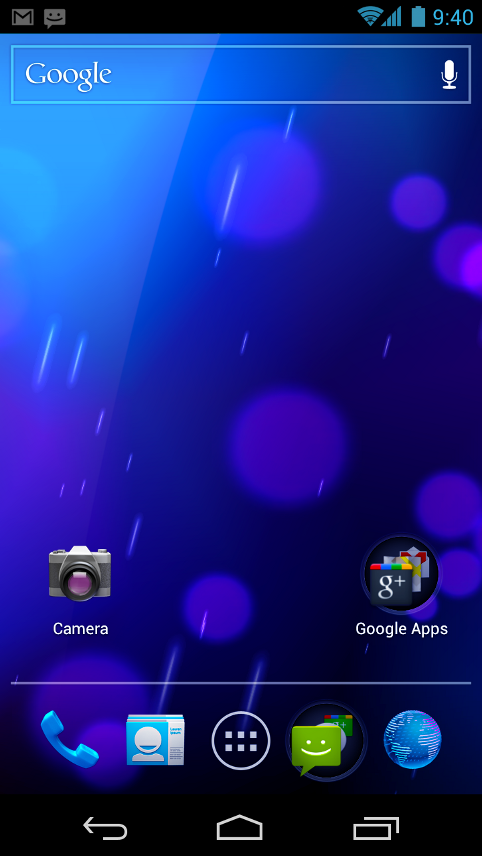
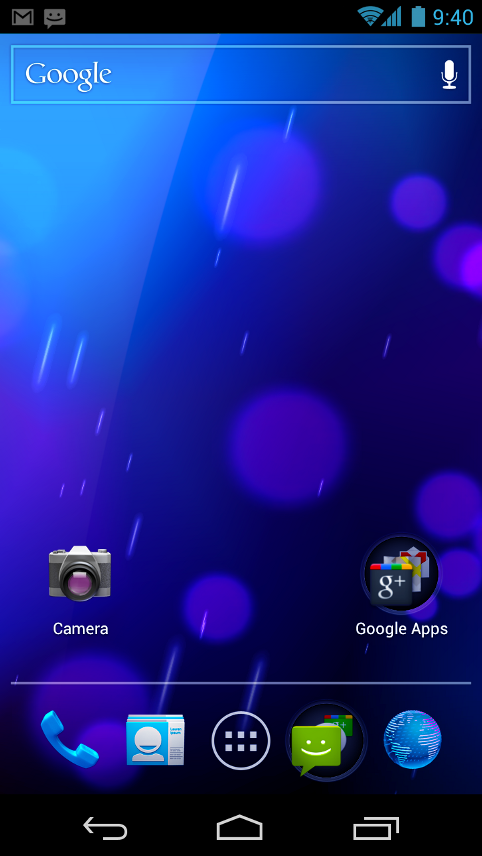
    New home screen folders offer a new way for users to group their apps and shortcuts logically, just by dragging one onto another. From the All Apps launcher, users can now simply drag an app to get information about it or immediately uninstall it, or disable a pre-installed app.

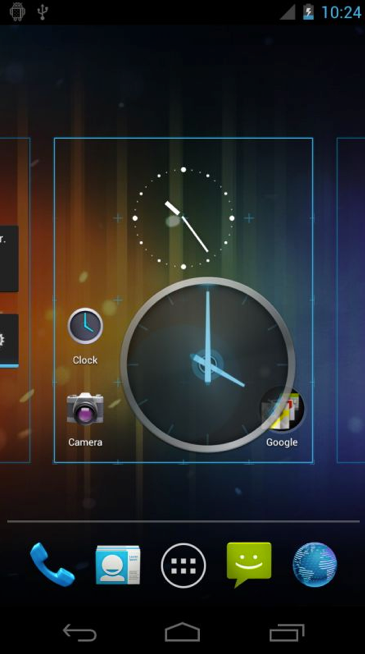
    On smaller-screen devices, the home screen now includes a customizablefavorites tray visible from all home screens. Users can drag apps, shortcuts, folders, and other priority items in or out of the favorites tray for instant access from any home screen.

    Resizable widgets

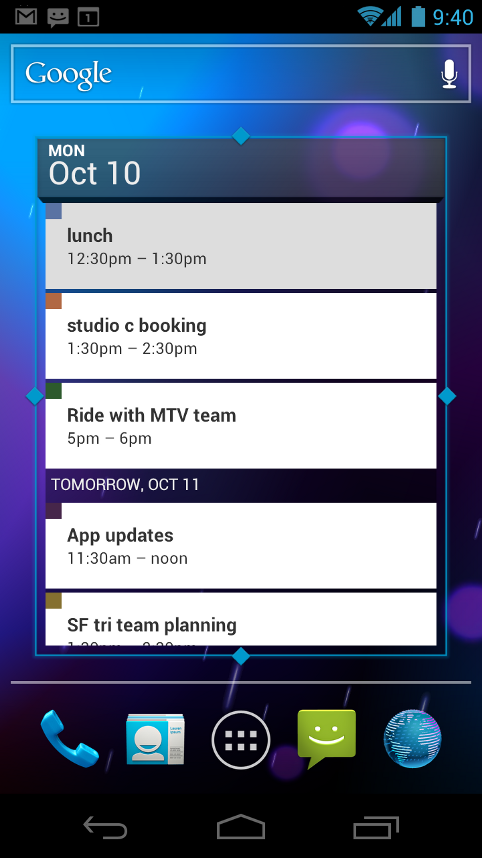
    Home screens in Android 4.0 are designed to be content-rich and customizable. Users can do much more than add shortcuts — they can embed live application content directly through interactive widgets. Widgets let users check email, flip through a calendar, play music, check social streams, and more — right from the home screen, without having to launch apps. Widgets are resizable, so users can expand them to show more content or shrink them to save space.

    New lock screen actions

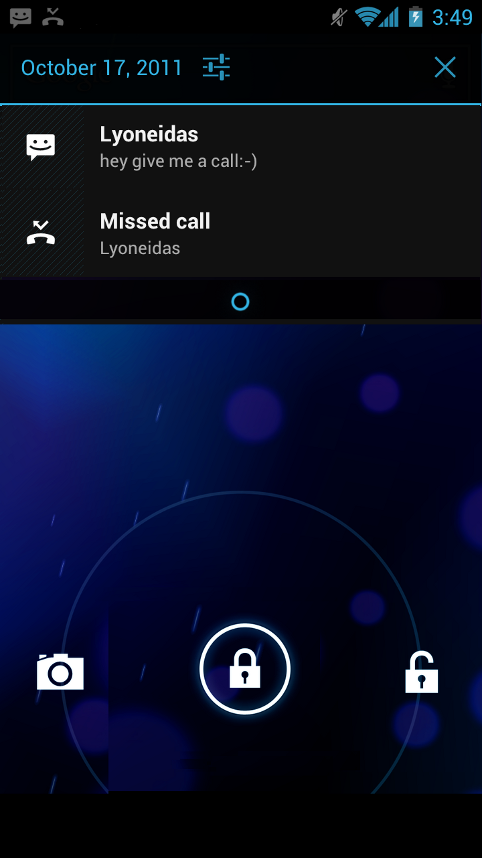
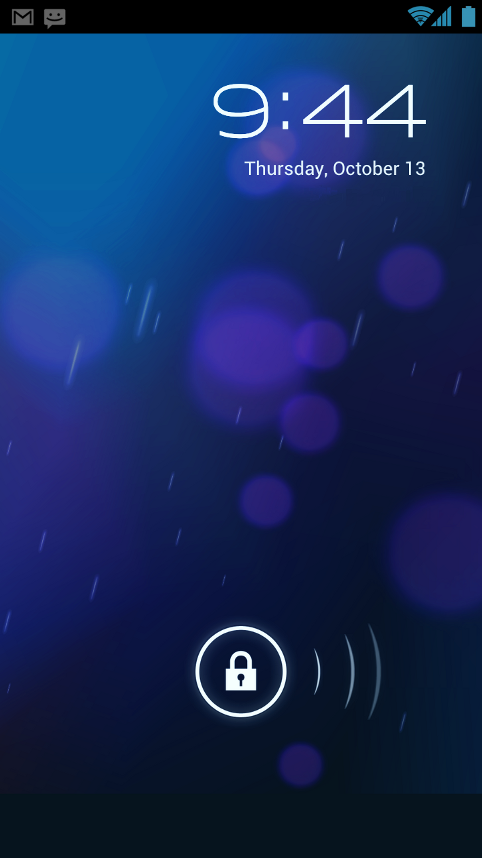
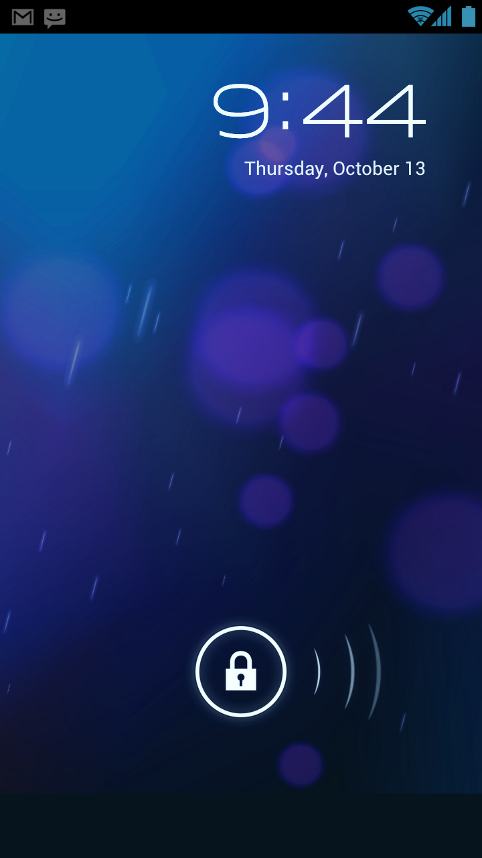
    The lock screens now let users do more without unlocking. From the slide lock screen, users can jump directly to the camera for a picture orpull down the notifications window to check for messages. When listening to music, users can even manage music tracks and see album art.

    Quick responses for incoming calls

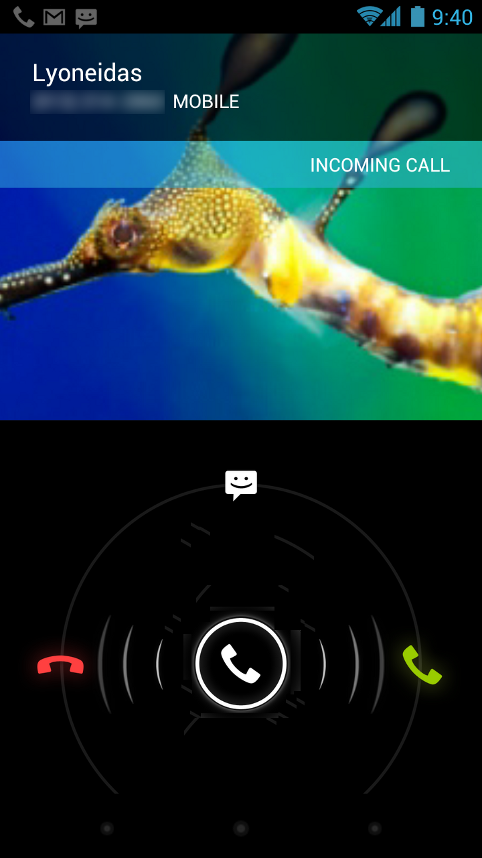
    When an incoming call arrives, users can now quickly respond by text message, without needing to pick up the call or unlock the device. On the incoming call screen, users simply slide a control to see a list of text responses and then tap to send and end the call. Users can add their own responses and manage the list from the Settings app.

    Swipe to dismiss notifications, tasks, and browser tabs

    Android 4.0 makes managing notifications, recent apps, and brwoser tabs even easier. Users can now dismiss individual notifications, apps from the Recent Apps list, and browser tabs with a simple swipe of a finger.

    Improved text input and spell-checking

    The soft keyboard in Android 4.0 makes text input even faster and more accurate. Error correction and word suggestion are improved through a new set of default dictionaries and more accurate heuristics for handling cases such as double-typed characters, skipped letters, and omitted spaces. Word suggestion is also improved and the suggestion strip is simplified to show only three words at a time.

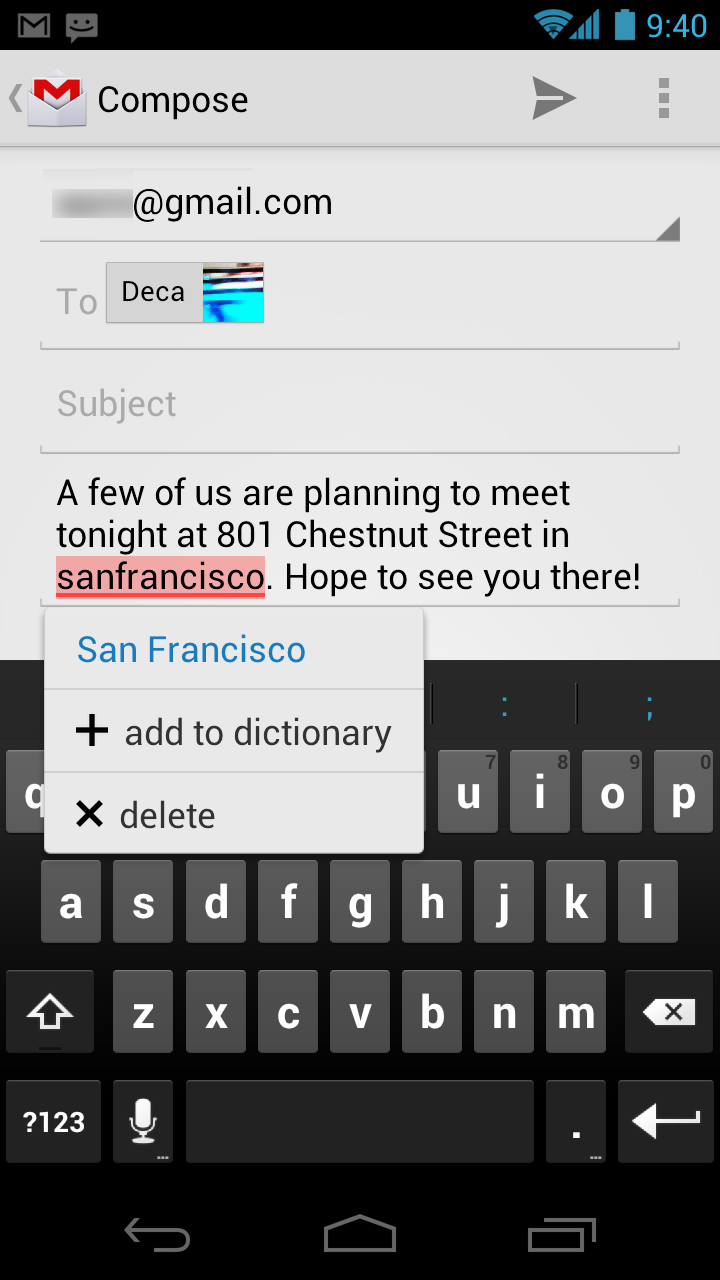
    To fix misspelled words more easily, Android 4.0 adds a spell-checker that locates and underlines errors and suggests replacement words. With one tap, users can choose from multiple spelling suggestions, delete a word, or add it to the dictionary. Users can even tap to see replacement suggestions for words that are spelled correctly. For specialized features or additional languages, users can now download and install third-party dictionaries, spell-checkers, and other text services.

    Powerful voice input engine

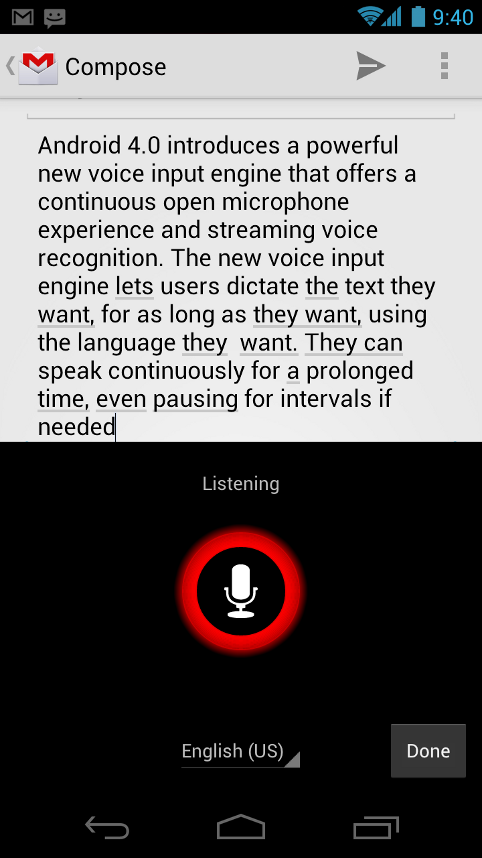
    Android 4.0 introduces a powerful new voice input engine that offers a continuous “open microphone” experience and streaming voice recognition. The new voice input engine lets users dictate the text they want, for as long as they want, using the language they want. Users can speak continously for a prolonged time, even pausing for intervals if needed, and dictate punctuation to create correct sentences. As the voice input engine enters text, it underlines possible dictation errors in gray. After dictating, users can tap the underlined words to quickly replace them from a list of suggestions.

    Control over network data

    Mobile devices can make extensive use of network data for streaming content, synchronizing data, downloading apps, and more. To meet the needs of users with tiered or metered data plans, Android 4.0 adds new controls for managing network data usage.

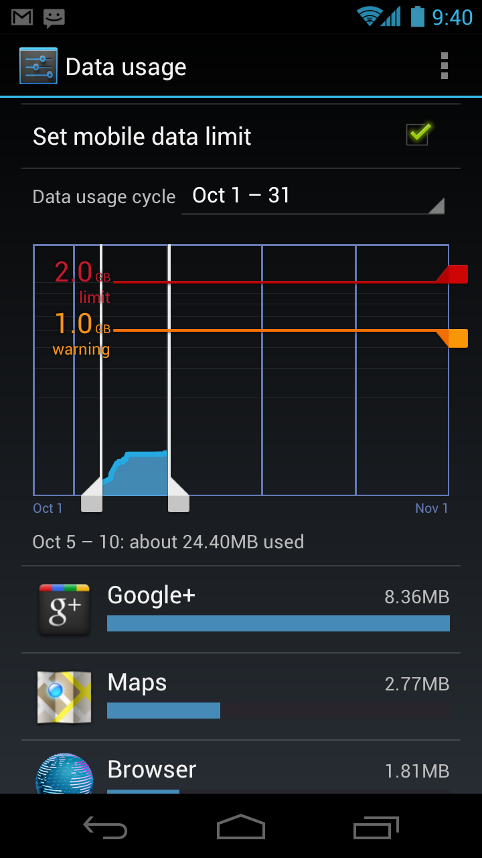
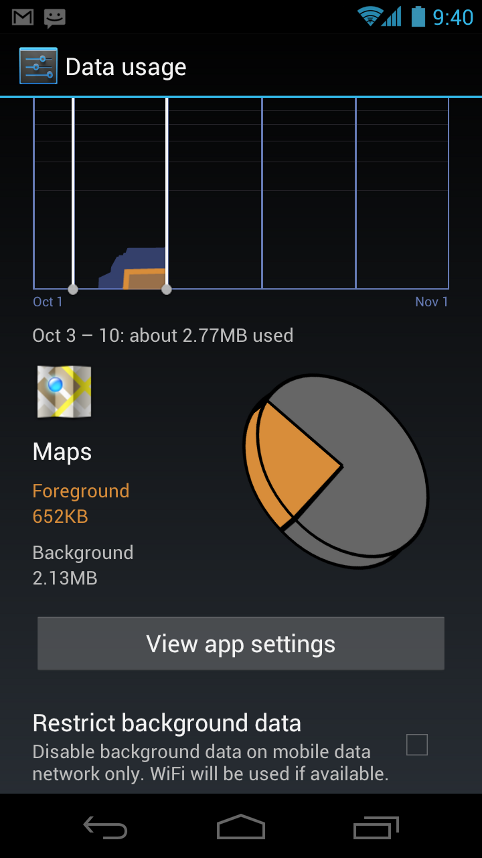
    In the Settings app, colorful charts show the total data usage on each network type (mobile or Wi-Fi), as well as amount of data used by each running application. Based on their data plans, users can optionally set warning levels or hard limits on data usage or disable mobile data altogether. Users can also manage the background data used by individual applications as needed.

    Designed for accessibility

    A variety of new features greatly enhance the accessibility of Android 4.0 for blind or visually impaired users. Most important is a new explore-by-touch mode that lets users navigate without having to see the screen. Touching the screen once triggers audible feedback that identifies the UI component below; a second touch in the same component activates it with a full touch event. The new mode is especially important to support users on new devices that use virtual buttons in the System Bar, rather than dedicated hardware buttons or trackballs. Also, standard apps are updated to offer an improved accessibility experience. The Browser supports a script-based screen reader for reading favorite web content and navigating sites. For improved readability, users can also increase the default font size used across the system.

    The accessibility experience begins at first setup — a simple touch gesture during setup (clockwise square from upper left) activates all accessibility features and loads a setup tutorial. Once accessibility features are active, everything visible on the screen can be spoken aloud by the standard screen reader.

    Communication and sharing

    Contacts and profiles are integrated across apps and social networks, for a consistent, personal experience everywhere — from incoming calls to emails.

    Designed for the way people live, Android 4.0 integrates rich social communication and sharing touchpoints across the system, making it easy to talk, email, text, and share.

    People and profiles

    Throughout the system, a user’s social groups, profiles, and contacts are linked together and integrated for easy accessibility. At the center is a new People app that offers richer profile information, including a large profile picture, phone numbers, addresses and accounts, status updates, events, and a new button for connecting on integrated social networks.

    The user’s own contact information is stored in a new “Me” profile, allowing easier sharing with apps and people. All of the user’s integrated contacts are displayed in an easy to manage list, including controls over which contacts are shown from any integrated account or social network. Wherever the user navigates across the system, tapping a profile photo displays Quick Contacts, with large provile pictures, shortcuts to phone numbers, text messaging, and more.

    Unified calendar, visual voicemail

    To help organize appointments and events, an updated Calendar app brings together personal, work, school, and social agendas. With user permission, other applications can contribute events to the calendar and manage reminders, for an integrated view across multiple calendar providers. The app is redesigned to let users manage events more easily. Calendars are color-coded and users can swipe left or right to change dates and pinch to zoom in or out agendas.

    In the phone app, a new visual voicemail features integrates incoming messages, voice transcriptions, and audio files from one or more providers. Third-party applications can integrate with the Phone app to add their own voice messages, transcriptions, and more to the visual voicemail inbox.

    Rich and versatile camera capabilities

    The Camera app includes many new features that let users capture special moments with great photos and videos. After capturing images, they can edit and share them easily with friemds.

    When taking pictures, continuous focuszero shutter lag exposure, and decreased shot-to-shot speed help capture clear, precise images. Stabilized image zoom lets users compose photos and video in the way they want, including while video is recording. For new flexibility and convenience while shooting video, users can now take snapshots at full video resolutionjust by tapping the screen as video continues to record.

    To make it easier to take great pictures of people, built-in face detection locates faces in the frame and automatically sets focus. For more control, users can tap to focus anywhere in the preview image.

    For capturing larger scenes, the Camera introduces a single-motion panorama mode. In this mode, the user starts an exposure and then slowly turns the Camera to encompass as wide a perspective as needed. The Camera assembles the full range of continuous imagery into a single panoramic photo.

    After taking a picture or video, users can quickly share it by email, text message, bluetooth, social networks, and more, just by tapping the thumbnail in the camera controls.

    Redesigned Gallery app with photo editor

    The Gallery app now makes it easier to manage, show, and share photos and videos. For managing collections, a redesigned album layout shows many more albums and offers larger thumbnails. There are many ways to sort albums, including by time, location, people, and tags. To help pictures look their best, the Gallery now includes a powerful photo editor. Users can crop and rotate pictures, set levels, remove red eyes, add effects, and much more. After retouching, users can select one or multiple pictures or videos to share instantly over email, text messaging, bluetooth, social networks, or other apps.

    An improved Picture Gallery widget lets users look at pictures directly on their home screen. The widget can display pictures from a selected album, shuffle pictures from all albums, or show a single image. After adding the widget to the home screen, users can flick through the photo stacks to locate the image they want, then tap to load it in Gallery.

    Live Effects for transforming video

    Live Effects is a collection of graphical transformations that add interest and fun to videos captured in the Camera app. For example, users can change the background behind them to any stock or custom image, for just the right setting when shooting video or using Google Talk video chat. Also available is Silly Faces, a set of morphing effects that use state-of-the-art face recognition and GPU filters to add great effects to facial features during video capture. For example, you can use effects such as small eyes, big mouth, big nose, face squeeze, and more. Outside of the Camera app, Live Effects is available during video chat in the Google Talk app.

    Sharing with screenshots

    Users can now share what’s on their screens more easily by taking screenshots. Hardware buttons let them snap a screenshot and store it locally. Afterward, they can view, edit, and share the screen shot in Gallery or a similar app.

    Cloud-connected experience


    The Browser tabs menu (left) lets you quickly switch browser tabs. The options menu (right) gives you new ways to manage your browsing experience.


    Benchmark comparisons of Android Browser.

    Android has always been cloud-connected, letting users browse the web and sync photos, apps, games, email, and contacts — wherever they are and across all of their devices. Android 4.0 adds new browsing and email capabilities to let users take even more with them and keep communication organized.

    Powerful web browsing

    The Android Browser offers an experience that’s as rich and convenient as a desktop browser. It lets users instantly sync and manage Google Chrome bookmarks from all of their accounts, jump to their favorite content faster, and even save it for reading later in case there’s no network available.

    To get the most out of web content, users can now request full desktop versions of web sites, rather than their mobile versions. Users can set their preference for web sites separately for each browser tab. For longer content, users can save a copy for offline reading. To find and open saved pages, users can browse a visual list that’s included with browser bookmarks and history. For better readability and accessibility, users can increase the browser’s zoom levels and override the system default text sizes.

    Across all types of content, the Android Browser offers dramatically improved page rendering performancethrough updated versions of the WebKit core and the V8 Crankshaft compilation engine for JavaScript. In benchmarks run on a Nexus S device, the Android 4.0 browser showed an improvement of nearly 220% over the Android 2.3 browser in the V8 Benchmark Suite and more than 35% in the SunSpider 9.1 JavaScript Benchmark. When run on a Galaxy Nexus device, the Android 4.0 browser showed improvement of nearly 550% in the V8 benchmark and nearly 70% in the SunSpider benchmark.

    Improved email

    In Android 4.0, email is easier to send, read, and manage. For composing email, improved auto-completion of recipients helps with finding and adding frequent contacts more quickly. For easier input of frequent text, users can now create quick responses and store them in the app, then enter them from a convenient menu when composing. When replying to a message, users can now toggle the message to Reply All and Forward without changing screens.

    For easier browsing across accounts and labels, the app adds an integrated menu of accounts and recent labels. To help users locate and organize IMAP and Exchange email, the Email app now supports nested mail subfolders, each with synchronization rules. Users can also search across folders on the server, for faster results.

    For enterprises, the Email app supports EAS v14. It supports EAS certificate authentication, provides ABQ strings for device type and mode, and allows automatic sync to be disabled while roaming. Administrators can also limit attachment size or disable attachments.

    For keeping track of incoming email more easily, a resizable Email widget lets users flick through recent email right from the home screen, then jump into the Email app to compose or reply.

    Android Beam lets users share what they are using with a single tap.

    Innovation

    Android is continously driving innovation forward, pushing the boundaries of communication and sharing with new capabilities and interactions.

    Android Beam for NFC-based sharing

    Android Beam is an innovative, convenient feature for sharing across two NFC-enabled devices, It lets people instantly exchange favorite apps, contacts, music, videos — almost anything. It’s incredibly simple and convenient to use — there’s no menu to open, application to launch, or pairing needed. Just touch one Android-powered phone to another, then tap to send.

    For sharing apps, Android Beam pushes a link to the app’s details page in Android Market. On the other device, the Market app launches and loads the details page, for easy downloading of the app. Individual apps can build on Android Beam to add other types of interactions, such as passing game scores, initiating a multiplayer game or chat, and more.

    Face recognition lets you unlock your phone with your face.

    Face Unlock

    Android 4.0 introduces a completely new approach to securing a device, making it even more personal — Face Unlock is a new screen-lock option that lets users unlock their devices with their faces. It takes advantage of state-of-the-art facial recognition technology to register a face and to recognize it later when unlocking the device. Users just hold their devices in front of their faces to unlock, or use a backup PIN or pattern.

    Wi-Fi Direct and Bluetooth HDP

    Support for Wi-Fi Direct lets users connect directly to nearby peer devices over Wi-Fi, for more reliable, higher-speed communication. No internet connection or tethering is needed. Through third-party apps, users can connect to compatible devices to take advantage of new features such as instant sharing of files, photos, or other media; streaming video or audio from another device; or connecting to compatible printers or other devices.

    Android 4.0 also introduces built-in support for connecting to Bluetooth Health Device Profile (HDP) devices. With support from third-party apps, users can connect to wireless medical devices and sensors in hospitals, fitness centers, homes, and elsewhere. In addition, for connecting to higher quality Bluetooth audio devices, Android 4.0 adds support for Bluetooth Hands Free Profile (HFP) 1.6.

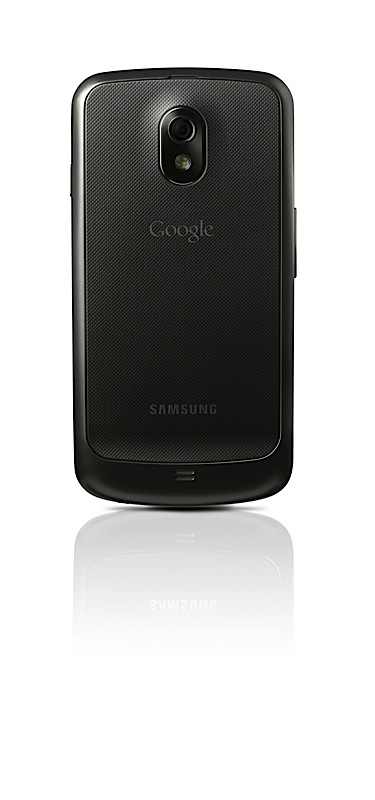
  • Samsung Galaxy Nexus is Official : 4.65 HD Amoled Display, First ICS

    Samsung Galaxy Nexus is Official : 4.65 HD Amoled Display, First ICS

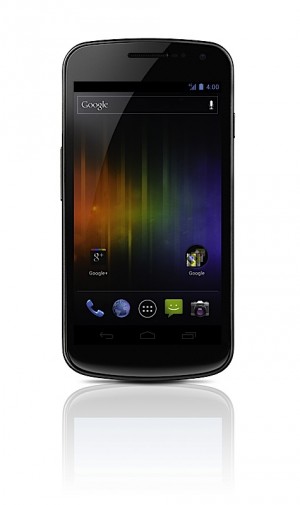
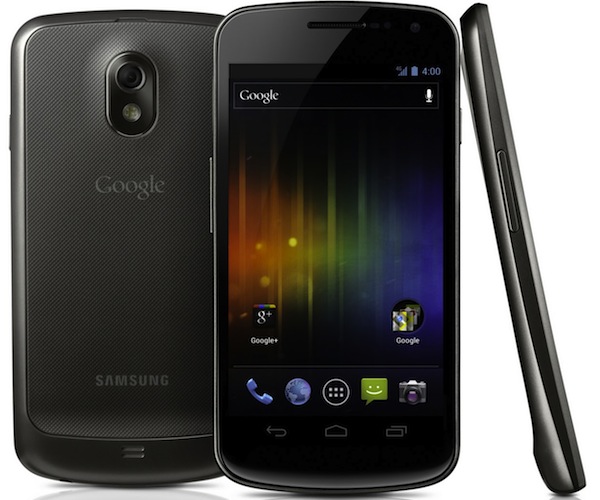
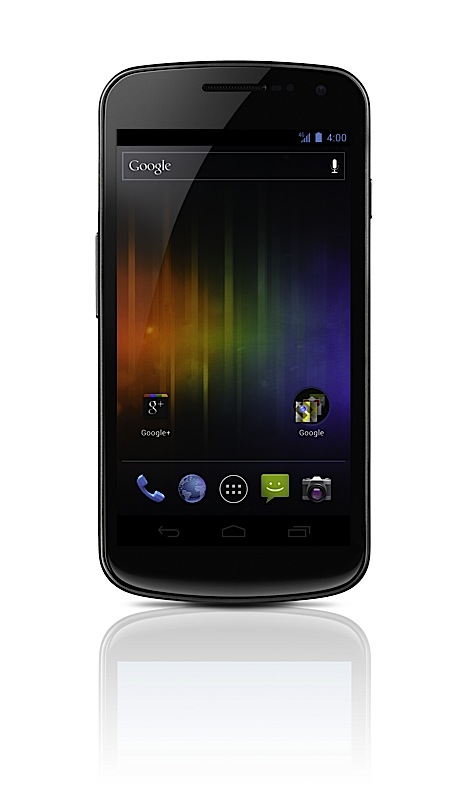
    Samsung and Google have today announced the new Samsung Galaxy Nexus with Android Ice Cream Sandwich 4.0. Google has finally revealed the version number as 4.0.

    Other specs include:

    • HD Super AMOLED display (1,280 x 720)
    • 1.2GHz dual-core processor
    • 5 megapixel rear camera (with LED flash)
    • 1.3 megapixel front-facing cam
    • 1080p video recording
    • 3.5mm headphone jack
    • Bluetooth 3.0
    • USB 2.0
    •  802.11a/b/g/n WiFi
    • Embedded NFC module
    • Accelerometer
    • Compass
    • Gyroscope 
    • Proximity sensor
    • Barometer ?-
    • 1GB of RAM
    • 16 or 32GB  internal storage 
    • 1,750mAh battery
    • HSPA+ , LTE versions 
    [toggle title_open=”Press Release” title_closed=”Press Release” hide=”no” border=”yes” style=”default” excerpt_length=”0″ read_more_text=”Read More” read_less_text=”Read Less” include_excerpt_html=”no”]Samsung and Google introduce GALAXY Nexus

    World’s First Smartphone to feature Android 4.0 Ice Cream Sandwich and a HD Super AMOLED display

    Hong Kong – October 19, 2011 – Samsung Electronics Co., Ltd, a leading mobile device provider, and Google, today announced GALAXY Nexus™, the world’s first smartphone running Android™ 4.0, Ice Cream Sandwich, the latest release of the Android platform. GALAXY Nexus features a 4.65″ HD Super AMOLED display technology at 720p resolution and a 1.2GHz dual core processor.

    “Samsung and Google have closely collaborated to push the mobile experience forward. We are pleased to deliver the best Android smartphone experience for customers with GALAXY Nexus. We will continue to move forward with Android to provide the compelling consumer experience in mobile world,” said JK Shin, President and Head of Samsung’s Mobile Communications Business.

    “Ice Cream Sandwich demonstrates the Android platform’s continued innovation with one release that works on phones and tablets and everything in between. Features like Android Beam and Face Unlock show the innovative work our team is doing, and GALAXY Nexus showcases the power behind Ice Cream Sandwich,” said Andy Rubin, Senior Vice President of Mobile for Google.

    The first smartphone to feature Android 4.0, Ice Cream Sandwich
    Ice Cream Sandwich brings an entirely new look and feel to Android. It has a redesigned user interface with improved multi-tasking, notifications, Wi-Fi hotspot, NFC support and a full web browsing experience. GALAXY Nexus features software navigation buttons, a first for Android smartphones. The lock screen, home screen, phone app, and everything in between has been rethought and redesigned to make Android simple, beautiful, and useful.

    Ice Cream Sandwich also features a new People app, which lets you, browse friends, family, and coworkers, see their photos in high-resolution, and check their latest status updates from Google? and other social networks. GALAXY Nexus features a redesigned camera which introduces panorama mode, 1080p video capture, zero-shutter lag, and effects like silly faces and background replacement.

    GALAXY Nexus is also connected to the cloud, keeping your email, contacts, and all other data synced across your devices. You have access to more than 300,000 apps and games from Android Market™, or, in certain countries, you can buy and read books, or rent movies and stream them instantly from your phone. In the U.S., you can also upload your music to the cloud with Music Beta by Google and listen anywhere, even when offline.

    Ice Cream Sandwich introduces innovations such as Face Unlock which uses facial recognition to unlock your phone. Using NFC technology, Android Beam allows you to quickly share web pages, apps, and YouTube™ videos with your friends by simply tapping your phones together. You can even use fun effects while shooting video or video chatting with Google Talk™.

    Google Experience
    GALAXY Nexus is designed to provide a “pure Google,” experience, and with it, you will be the first to receive software upgrades and new applications as they become available.

    It also features a number of Google Mobile services, including: Android Market, Gmail™, Google Maps™ 5.0 with 3D maps and turn-by-turn navigation, Google Earth™, Movie Studio, YouTube™, syncing with Google Calendar™, and a redesigned Google? app.

    Best-in-class hardware meets the most advanced software
    GALAXY Nexus is the first smartphone to feature a 4.65” display with a market-leading resolution of 720p (1280×720), ensuring you can enjoy GALAXY Nexus’ immersive entertainment capabilities and fast web browsing in superior clarity.

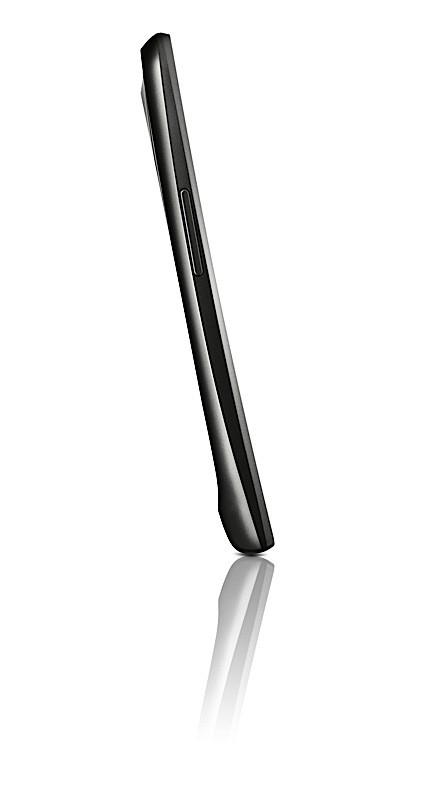
    Succeeding the original Contour Display of Nexus S, GALAXY Nexus comes with a rounded shape that fits perfectly within your palm or to your face for phone calling. Hyper-skin backing on the battery cover improves the ergonomic feel of the device and makes the phone slip-resistant. At just 8.94mm thick, with a minimal 4.29mm bezel, GALAXY Nexus provides superb portability alongside an expansive screen.

    GALAXY Nexus also features an ultra-fast 1.2GHz dual core processor, providing superior power and speed, ensuring you can take full advantage of GALAXY Nexus’ enhanced multitasking capabilities with ease, or enjoy the large, vivid display to its full capacity with high-definition gaming or video streaming. LTE or HSPA? connectivity combined with a dual core processor delivers high-speed web browsing which ensures you always have the web at your fingertips, wherever you are.

    GALAXY Nexus will be available in the U.S., Europe, and Asia beginning in November and gradually rolled out to other global markets.
    For multimedia content and more detailed information, please visit www.samsungmobilepress.com/

    Note to Editors:
    GALAXY Nexus Product Specifications
    Network
    HSPA? 21Mbps/HSUPA 5.76Mbps 850/900/1900/1700/2100
    EDGE/GPRS 850/900/1800/1900
    ?LTE version will be available depending on the region.
    Processor
    1.2 GHz Dual Core Processor
    Display
    4.65″ 1280X720 HD Super AMOLED
    OS
    Android 4.0, Ice Cream Sandwich
    Camera
    Main(Rear) : 5 MP AF with LED Flash with zero shutter lag and fast shot2shot
    Sub (Front) : 1.3MP for Video Call
    Video
    Codec : MPEG4/H.263/H.264
    Playback : 1080p@ 30fps
    Recording : 1080p Full HD Video@ 30fps
    Audio
    Codec : MP3/AAC/AAC?/eAAC?
    3.5mm Ear Jack
    Google™Mobile Services
    Android Market™, Gmail™, Google Earth™, YouTube™, Movie Studio
    Google Maps™ 5.0 with 3D maps and turn-by-turn navigation
    Syncing with Google Calendar™, Google? app
    Connectivity
    Bluetooth® technology v 3.0
    USB 2.0
    Wi-Fi 802.11 a/b/g/n (2.4GHz/ 5GHz)
    NFC
    Sensor
    Accelerometer, Compass, Gyro, Light, Proximity, Barometer
    Memory
    1GB(RAM) ? 16GB/ 32GB Internal memory
    Size
    135.5 x 67.94 x 8.94mm, 135g
    Battery
    Standard battery, Li-on 1,750 mAh
    ? Specifications above may differ on the LTE version.
    ? All functionality, features, specifications and other product information provided in this document including, but not limited to, the benefits, design, pricing, components, performance, availability, and capabilities of the product are subject to change without notice or obligation.[/toggle]

  • Samsung and Google All set to release ICS with Galaxy Nexus Tomorrow

    Samsung and Google All set to release ICS with Galaxy Nexus Tomorrow

    The Google Samsung Ice Cream Sandwich event is tomorrow, hopefully we get to see some “Prime” love with the new Galaxy Nexus. Oh yeah and we will bring you the latest right here on iGyaan.

    Its at 7:30 AM IST Stay Tuned


    (Update: thanks janish for the time fix)

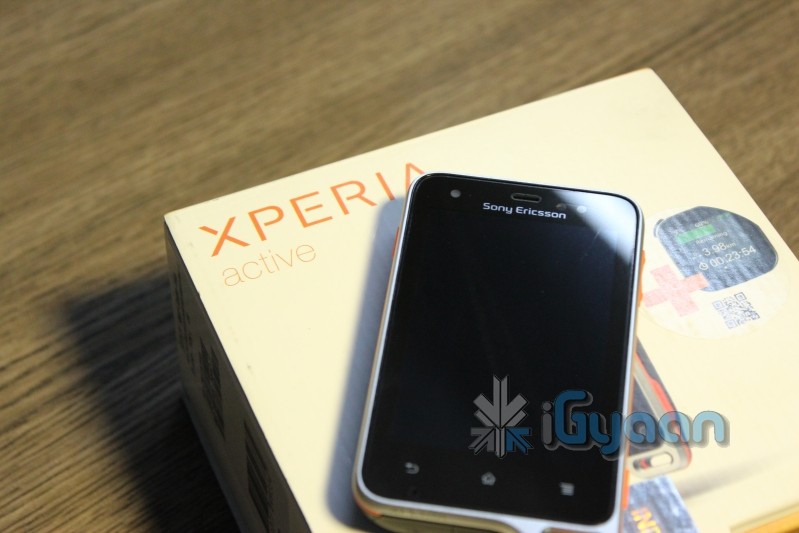
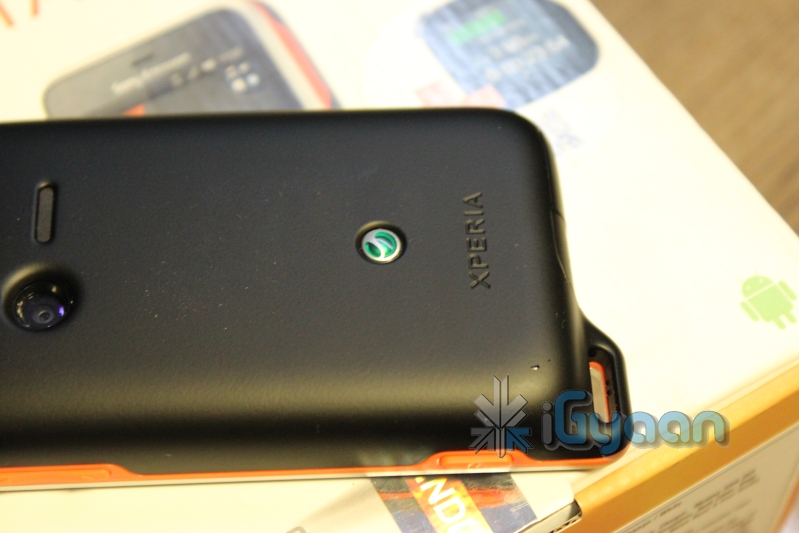
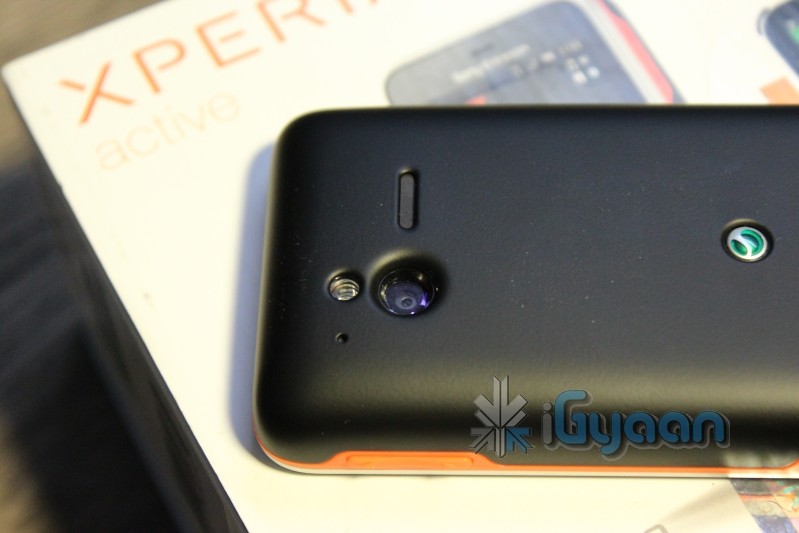
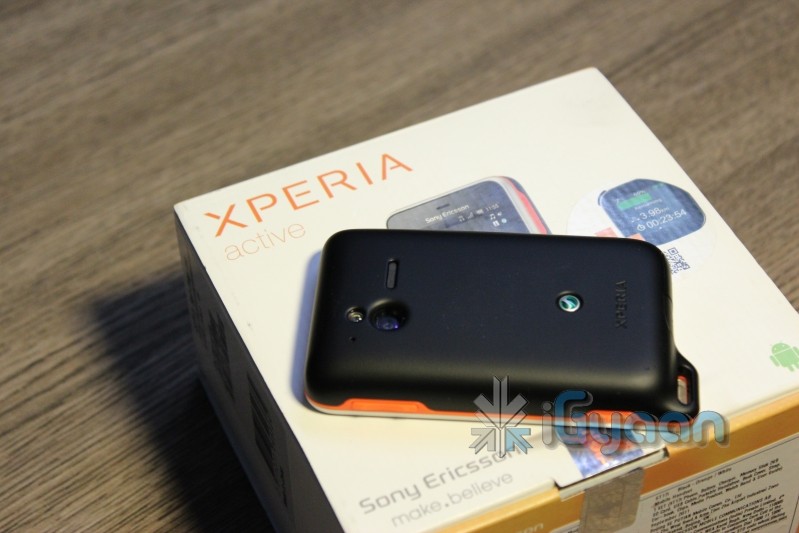
  • Sony Ericsson Xperia Active Unboxing

    Sony Ericsson Xperia Active Unboxing

    The new Sony Ericsson Xperia Active left starts where the likes of the Defy left off. With a host of interesting things in the box, the Xperia Active promises to be a delight for those with an active lifestyle.


    SPECS

    Network GSM/GPRS/EDGE 850/900/1800/1900
    Price 20,500/- INR
    Frequency Quad Band
    Phone Style

    Touch Screen Candy Bar

    OS Android 2.3.4
    Thickness 16.5 mm 
    Length 92 mm
    Width 55 mm
    Weight

    110.8g

    Built-in Memory 1GB ROM (up to 320MB free) , 512 MB RAM
    Additional Memory microSD™, up to 32GB
    High-speed Data UMTS/HSPA 900/2100
    Connectivity 3.5 mm audio jack,Bluetooth™ technology,WiFi
    Screen Size 3″, 320 x 480 Pixels, Dust and water resistant
    Secondary Screen Size N/A
    Screen Colours 16,777,216 color TFT
    Camera 5-megapixel, digital zoom – up to 8x,image stabiliser
    Camera Resolution HD video recording 720p
    Colors Black-RedOrange , Black with White , White-RedOrange , White – White
    Ringtones Polyphonic, MP3, Truetone
    Music Player Yes
    Music Formats TBC
    Radio Yes
    Speaker Yes
    Processor 1 GHz Qualcomm Snapdragon S2 processor
    Internet Yes
    Browser HTML
    Games Yes
    Battery Li-Ion 1200 mAh


    IMAGES

    UNBOXING VIDEO


    iG Tech Labs

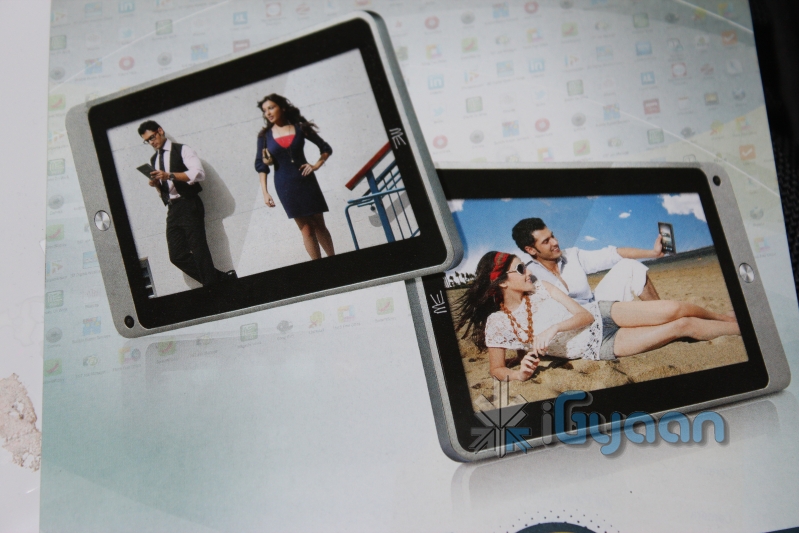
  • Breaking : HCL Launches the New X1 Tablet in India

    Breaking : HCL Launches the New X1 Tablet in India

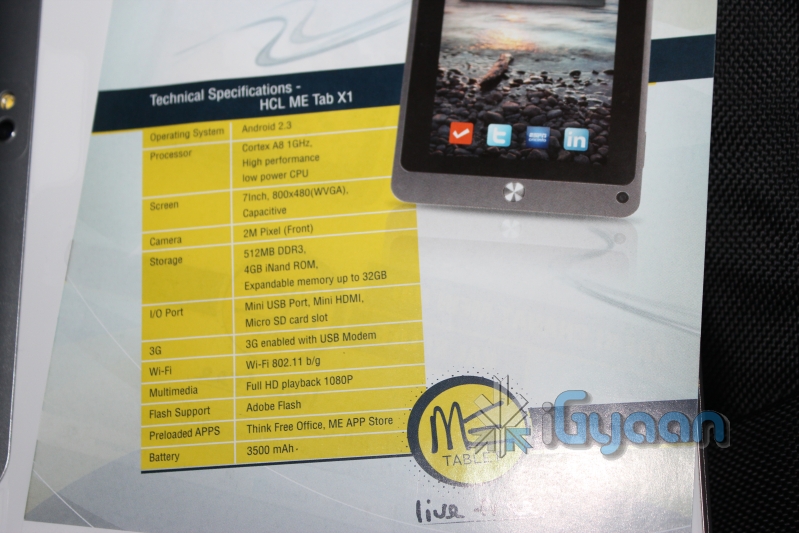
    HCL Has launched a new Tablet in India, Called the X1

    The device has very ordinary specs, but what makes it special is the the number of apps developed around the tablet. HCL plans to offer end-to-end solution to buyers whether corporate or personal.

    Tech Specs

    • OS: Android 2.3
    • CPU: ARM Cortex A8, 1 GHz, High performance low power CPU
    • Screen: 7 inch 800×480 WVGA Capacative touchscreen
    • Camera: 2MP Front facing camera
    • Storage: 512MB DDR3 RAM, 4GB iNand ROM, microSD expandable upto 32GB
    • I/O Ports: Mini USB Port, Mini HDMI, Micro SD Card Slot
    • 3G: 3G enabled with USB Modem
    • WiFi: WiFi 802.11 b/g/n
    • Multimedia: Full HD playback 1080p
    • Flash Support: Full flash support
    • Preloaded Apps: Think Free Office, ME App Store
    • Battery: 3500 mAh
     
    The Price of the device is kept of 10,490/- and the device goes on Sale Today!


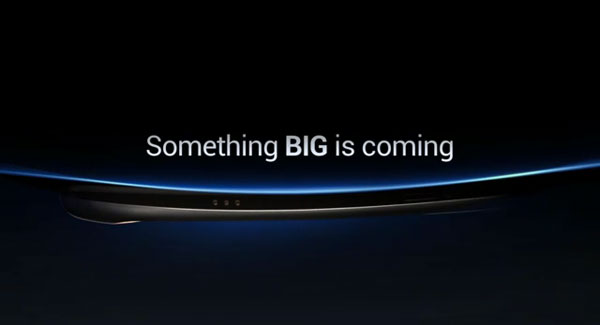
  • Samsung and Google Confirm Ice Cream Sandwich Event for Oct 19th Galaxy Nexus Prime in Tow

    Samsung and Google Confirm Ice Cream Sandwich Event for Oct 19th Galaxy Nexus Prime in Tow

    Looks like we finally have confirmation that the Galaxy Nexus Prime and the Ice Cream Sandwich release, which were earlier to be released on the 11th of Oct will now be released on the 19th of Oct 2011. The event has been moved to the 19th and some are speculating that despite Google and Samsung used Steve Jobs’ passing as an excuse the real reason was their FCC clearance delays.

    Either way we will have more on this shorty, and expect full coverage during launch time.

  • Edit: iPhone 4s Pandemonium

    Edit: iPhone 4s Pandemonium

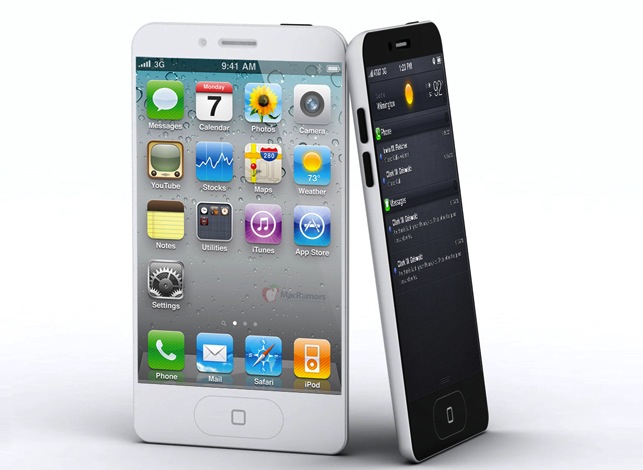
    Seldom does the world come close to such an instance where things happen so fast that its almost impossible to catch upto them. Last time this year we were discussing the iPhone 4 launch in India. Throughout this year there were speculations of a Jesus Phone in the form of the iPhone 5, a slim design, bigger screen, high spec’d cameras and a lot going on under the boot.

    There were several devices launched in the mean time, the Samsung Galaxy S2 being the most prominent of them all followed by the likes of Sensation, Optimus 2 and now the Galaxy Note and galaxy Nexus. But companies like Samsung and LG live in the global markets, they cater to a vast audience, with a vast range of products. That makes them impressive industry giants but that also slows them down when it comes to device support.

    Apple has followed a simple less product portfolio system from the get go, whereas other companies tend to branch out and diversify. Take the notebook for example, the Apple line has been consistent since the beginning with the Macbook, Macbook Pro (earlier know as powerbook) and the recent new addition the Air. Apple has essentially also eliminated the Macbook line and only now has the Pro and the Air.

    In a similar scenario Samsung has a vast variety of Notebooks, even though they are relatively new to the industry. From over 300 different models in the Indian catalogue alone, it is difficult to imagine developing bios updates and bug fixes for each individual product.  


    For Apple the win – win  scenario lies in their simplicity, One update to rule them all! Since all their MacBooks are essentially based on the same platform, Apple is usually able to send out app and OS updates without any problems. But that does not mean they are let off easy, issues are usually tested for several months before fixes are released, sometimes causing major problems too. But its easy to tackle problems if you have only two products to worry about.

    The case of the iPhone

    Same is the case with the iPhone, since its launch in 2007 several people have suggested year in and year out, that Apple will add a new phone to their lineup, an iPhone nano, a mini touch phone and possibly even a cheap variant of the main device. They have all been proven wrong, Apple’s strategy comes to light very simply: they have a yearly refresh cycle where they offer the last years product at a considerably lower price to see market response before they diminish stocks and stop selling the devices. This policy as we have seen is only applicable for the iPhone and not any other device.

    Apple does not intend to give themselves competition by releasing two variants of the same device when their earning lie in numbers from the same device. Apple couldn’t be bothered giving os and bug fixes to previous adapters. Those who bought the iPhone 3Gs will start to hurt over the neglect that Apple will give to their updates. Its simple Apple want consumers to buy the latest products so they can continue to evolve and are able to enjoy the innovations of the company. But not everyone can afford new products yearly! Especially in India where contract systems don’t exist. Apple devices are expensive and much more than other devices, Apple includes the cost of one year of “Apple no questions asked service and repair” in their products. No other company offers you the ability to walk into a store with a defective product and walk out with a shiny new one. Other companies usually repair devices, sometimes delivering no real solution to the problem. No to mention that your precious device gets unscrewed and manhandled. 

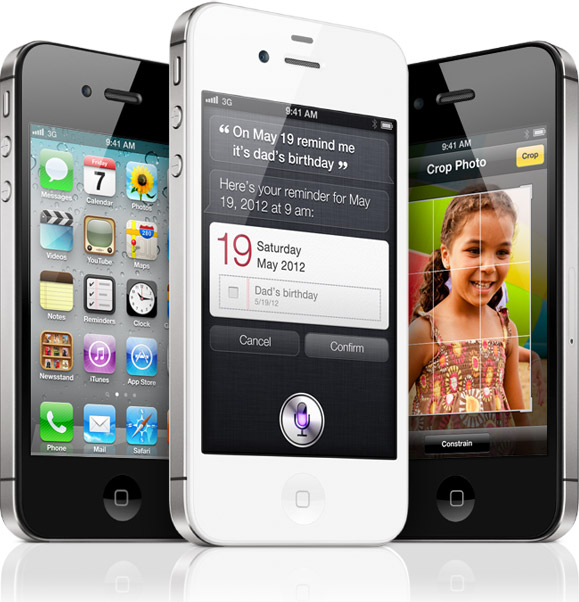
    The iPhone 4s

    The critics and investor management companies deemed the iPhone 4s as a major failure for Apple, but the truth really lies in the numbers. Apple got over 1 Million pre-orders of the iPhone 4s in the US alone in the first 24 hours. That is actually more than the total life sales of many companies. So what makes Apple iPhones so special? The first iteration of the device made people all over the world want it, possibly because they couldn’t buy one (sales were restricted to the US). This made people want it even more, causing groups from all over the world to indulge in home brewing the device.

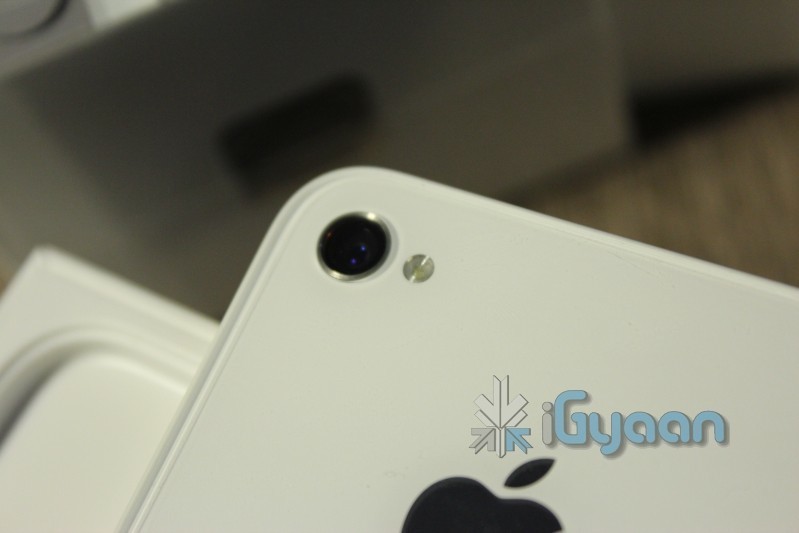
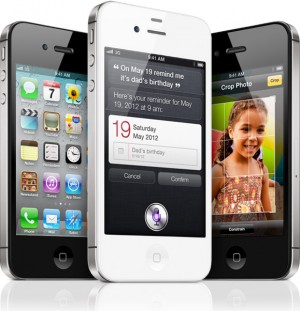
    The most significant specification change to the iPhone 4S from its predecessor is the bump to Apple’s A5 processor. Just as in the case of the iPad we should see a vast improvement in overall speed and responsiveness of the device. The iPhone 4S also bumps the resolution of its digital stills from 5 megapixels to 8 megapixels and its HD video capture resolution from 720p to 1080p this was seen in almost all cameras in higher end Android phones. But, the fact that apple continues to improve its rear illuminated sensor adding better optics and image stabilization is a mighty improvement. 

    Siri

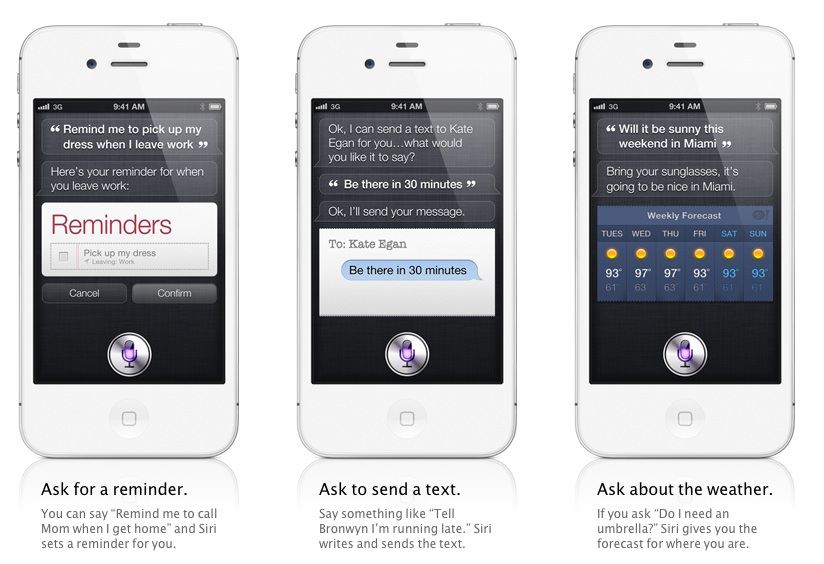
    The inclusion of Siri was not much of a shock because Apple had acquired the company some time ago, but the software has obviously come a long way since Apple purchased it and is integrated into core functions of the handset as well as Wolfram Alpha for getting answers directly from the internet. This personal assistant Siri was one thing that made me stop writing and start watching during launch. 

    Owner : How many cups in an ounce?

    Siri : Let me think : Here is your answer!

    Owner : Schedule my meeting for budgets at 12.

    Siri : Note : You already have a meeting at 12 , would you like me to schedule it anyway?


    For all those who have seen Terminator the movie, should know that this is the dawn of Skynet in the form of Siri. Jokes apart this is possibly the most advanced Ai you can think about putting in a handheld device. Forget peta flops of processing this takes a measly A5 chipset with a dual core processor. 

    The only reason Apple continues its success if because they not only focus on hardware but deliver the software as promised. They can always announce the iPhone 5 next year and they will, but till then Siri will rule the smartphone haven riding a 4s which houses brand new optics, a full hd 8 MP camera and a spec bumper Dual core A5 chip. 

    Now its only time before people start to mention the good aspects of Samsung phones and LG, i don’t deny them or dispute them. i love my Android devices, the S2 the Sensation and even the Evo 3D, my honeycomb tablets, a daily user of Blackberry and even my Windows Phones. I have used vLingo on the S2 and my tab But its no where near what Siri does. Honestly we do wish Apple paid us for what we write about them. But it does not seem that they need anymore hype than what they can already generate by themselves.


    Is it the answer to world peace?

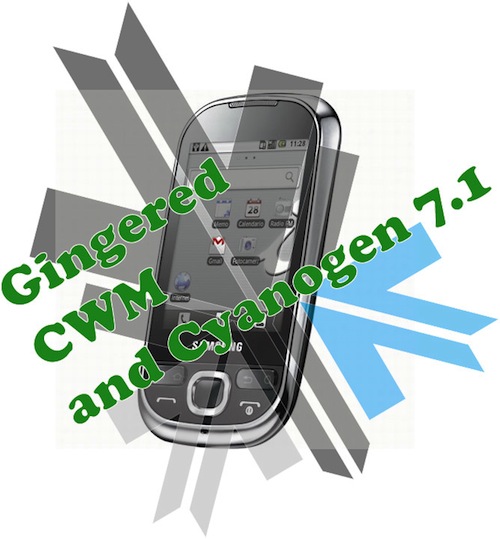
  • Update : How to Install Android 2.3.4 Gingerbread on the Samsung Galaxy 5  (i5500 / i5503) + Cyanogen Mod 7.1

    Update : How to Install Android 2.3.4 Gingerbread on the Samsung Galaxy 5 (i5500 / i5503) + Cyanogen Mod 7.1

    Update : Oct 9th 2011

    The Guide has been updated to include the latest rom update. For those who have already used this guide and are on the Madteam rom v1.0 (those who used the guide from Aug 15th) use the steps at the bottom of the page to upgrade.

    New iGyaan Guide 

    Did you think it was possible?, we didn’t either!. But following various guides and tweaks we were able to get Cyanogen mod 7.1 running on the Samsung Galaxy 5, Yes the 1.5 year old device from Samsung.

    The big differences we saw:

    • Tremendous improvement in battery life, almost fixes any battery leaks.
    • Fast and responsive OS Android 2.3, no lag and no jitters.
    • Clean looking UI + Cyanogen mod tweaks
    • Best Part : Nexus S style : CRT TV lock animation

    This Guide was put together using our own experience, and its here to help you out.

    Note: Like any other unofficial guide, there is a high chance that you might brick your phone.  iGyaan is in no way responsible for that and you are following this at your own risk.
     
    Okay so lets begin!
    Here is what you need 
    1. The iGyaan Galaxy 5 Pack : Download Here
    2. A Galaxy 5 : Duh!
    3. Widows PC
    4. USB – Micro USB data cable
    5. Patience and Humility.
    6. A MicroSD card with over 1GB free space.
    Step 1 (Important)

    • Backup all your contacts and files.
    • Sync your device to your Gmail Accounts

    Step 2 (Device Prep)

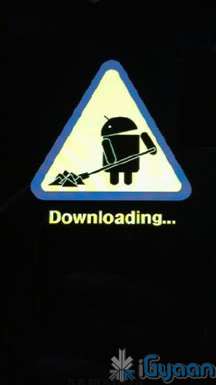
    • Time to put your Galaxy 5 in download mode
    • Power off your Galaxy 5
    • Hold Volume Down + Home + Power Button 
    • You should see the Download Screen
     

    Step 3 (Install Recovery)

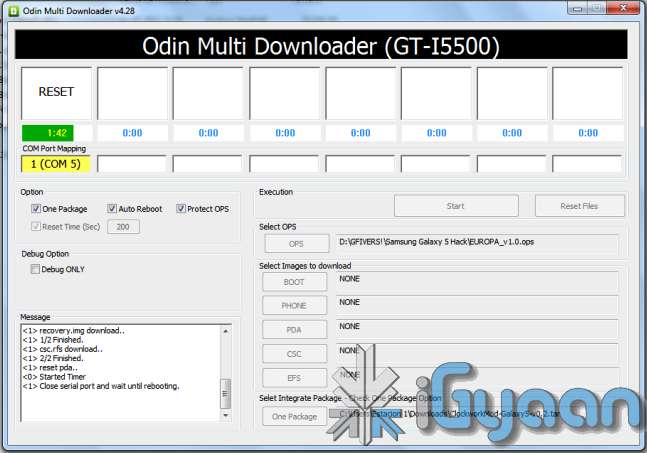
    • Fire up ODIN (found in the iGyaan Galaxy 5 pack)
    • Select the EUROPA_v1.0.ops  in the OPS field ( also in the iGyaan Pack)
    • Select One Package and ClockworkMod-Galaxy5-v0.4.tar in the one package Field
      (Also in the iGyaan Package downloaded earlier.)
    • Connect your phone to your pc via usb cable, wait for it to show up in ODIN
    • Once it shows up click START ( follow the images below)


    IMPORTANT 


    Your Device Should now boot up in Clockwork Recovery like the image below.

    WARNING : DONT UNPLUG OR REBOOT your PHONE HERE.


    Step 4 (Copy files)

    • Using the D pad or Volume +/- buttons browse to Mounts and storage
    • Once in mounts and storage select “Mount USB Storage”
    • Your memory card will show up on your PC
    • Copy the “update-cm-7.1.0-RC1-MADTEAM-v1.6-signed.zip” to the memory card ( found in the iGyaan package)
    • Once copied, Safely remove /eject the memory card mount from your PC
      (Do not remove it from the phone and do not reboot the phone
    • Press the  back button several times, till you reach the main screen as the image above.

    Step 5 (Backups)

    • Browse to Backup and Restore
    • and select backup ( let the device backup your existing rom on the memory card)
    • Once done press the back button to come back to the main recovery screen.

    Step 6  (Install Prep)

    • Browse to Wipe date /factory reset and initiate it by selecting “yes”
    • Browse to wipe cache / initiate it by selecting “yes.”
    • Browse to advanced : Wipe dalvik cache.

    Step 7 (Install the Rom)

    • Browse to “Install zip from SD card”
    • Choose “Select zip from SD card”
    • Select the “update-cm-7.1.0-RC1-MADTEAM-v1.6-signed.zip” we copied to the memory card earlier.
    • Initiate it by selecting “yes”

    Step 8 (One more thing!)

    • Once its done Reboot by selecting reboot system now from the main menu
    • At this moment your device will boot in Cyanogen Mod 7.1 for Galaxy 5. on Android 2.3.4
    • Its not over yet!
    You will still need the Google Apps package to get the Market , Gmail, etc

    Step 9 (Install Google Apps)

    • Once your phone is booted press the power button
    • Select “reboot”
    • Select “recovery” 
    • You will boot back into Clockwork Recovery
    • Go to Mounts and Storage and select “Mount USB storage”
    • Connect your device to a PC
    • Download and copy the following file to the memory card of your phone : Google Apps iGyaan.zip
    • Once copied  : come back to main recovery screen and select “Install zip from SD car”
    • Select the “select zip from sd card” and choose “google apps iGyaan.zip” : install by selecting “Yes”

    Step 10 ( Final Steps)

    • Once all the above is done : reboot your phone
    • You will be boot into Cyanogen Mod 7.1 , but this time you will get the “Tap Android to Start” screen.
    • Follow the directions on the screen.

    Enjoy your newly revamped Galaxy 5.!

    This rom comes highly recommended, we installed it on our Galaxy 5 and its almost like a new phone, its much faster cleaner and much more stable than the Samsung Official Rom. this rom also improves the battery life by more than three times.

    Leave your feedback below, and if you were able to do it properly.

    If you have any problems post all your questions in the iGyaanforum.com thread over HERE 


    Steps to Upgrade if you have used the Old Guide


    Step One

    • Download the new iGyaan Package : Here 

    Step Two

    • Use a usb cable / sd card reader to copy the file “update-cm-7.1.0-RC1-MADTEAM-v1.6-signed.zip” to the SD Card root folder (the file is in the iGyaan Package) 

    Step Three

    • Reboot into recovery using the Rom Manager And choose “backup and restore”

        Next Create a new Backup.

    Step Four

    • From the Recovery main screen select “install zip from SD Card”
      and choose the file you copied above

    Step 5

    • Once the install is complete reboot the device and wait for it to load : first boot can take upto 15 minutes


    Enjoy the update with tons of bug fixes !


    As always the guide here is for informational purposes, iGyaan is not responsible for any softwares being used here and are courtesy their original developers. We therefore take no responsibility for any damages that may occur to your device.

  • Android Ice Cream Sandwich Screenshots leak, make waiting painful

    Android Ice Cream Sandwich Screenshots leak, make waiting painful

    A full fist of Android Ice Cream Sandwich screenshots have made it to the leaks section today. Making it even more and more difficult for the world to hold on for the devices launch.

    Check em out flavored like Honeycomb:

  • Samsung and Google Delay Galaxy Nexus launch to pay homage to Steve Jobs passing away: oh and Galaxy Nexus Video Leaked!

    Samsung and Google Delay Galaxy Nexus launch to pay homage to Steve Jobs passing away: oh and Galaxy Nexus Video Leaked!

    Google and Samsung were all set to launch their prized possession at their “unpacked event”, until Steve Jobs passed away. The company has decided to pay homage to the Technology Titans death by postponing the launch of the supposed Samsung Galaxy Device.

    Samsung and Google decide to postpone the new product announcement at CTIA Fall. We agree that it is just not the right time to announce a new product. New date and venue will be shortly announced.

    Samsung

    A Spokesperson from Google later commented:

    We believe this is not the right time to announce a new product as the world expresses tribute to Steve Jobs’s passing,”


    Okay now that the event is not happening, does not mean that some eager individual lacking voice cannot post a sneak peek of the device (Galaxy Nexus)

  • HTC Sensation XL launched : 4.7 inch Beats audio pumping metal monster (PR)

    HTC has just launched the new HTC Sensation XL with Beats audio. The device features a real bump in terms of screen size and media capabilities. The fact of the matter remains, how do you choose your device between the Sensation , the Sensation XE and the Sensation XL.

    Specs of this device include

    • Single core Qualcomm MSM8255 1.5GHz processor 
    • 1600mAh Battery
    • 9.9mm (0.39-inch) thick
    • Beats by Dre Audio Engine and Hardware
    • 132.5mm tall and 70.7mm wide
    • 8 MP f2.2, 28mm camera + Dual led Flash
    • 1.3 MP front Camera
    •  16GB of onboard storage
    • 768MB of RAM
    • Launching in November in UK and Asia , Including India.

    [toggle title_open=”Press Release” title_closed=”Press Release” hide=”yes” border=”yes” style=”default” excerpt_length=”0″ read_more_text=”Read More” read_less_text=”Read Less” include_excerpt_html=”no”]TC UNLEASHES THE HTC SENSATION™ XL  WITH BEATS AUDIO™

    Beats integration, combined with amazing 4.7-inch display, introduces powerful entertainment experience

    LONDON – October 6, 2011 – HTC Corporation, a global designer of mobile devices, today unveiled the HTC Sensation™ XL with Beats Audio™ integration.  This latest innovation is the result of the new partnership between HTC and Beats announced in August and takes mobile entertainment to a new level with an amazing 4.7-inch screen and a specifically optimized audio experience.  The HTC Sensation XL joins the HTC Sensation XE to provide customers with a strong line-up of HTC smartphones integrated with Beats Audio.

    “With Beats Audio, the HTC Sensation XL continues HTC’s commitment of delivering the best audio possible on your phone whether you’re listening to music, watching a movie or playing a game,” said Peter Chou, CEO, HTC Corporation. “This is an amazing example of why our partnership with Beats makes so much sense for customers today and into the future.”

    “HTC is an incredible partner and has completely embraced our desire to make the music experience on the mobile phone as powerful and as rich as it can be,” said Jimmy Iovine, Chairman of Beats by Dr. Dre.

    Design, Performance and Stunning Audio

    With the 4.7” screen, slim 9.9mm design and Beats Audio integration, the HTC Sensation XL was specifically created to deliver the best entertainment experience with stunning audio and visuals for music, movies and games. The HTC Sensation XL features unique audio tuning by Beats that ensures customers will hear their music as the artist intended.

    Unique to HTC phones, the HTC Sensation XL includes new lightweight urBeats™ headphones, created exclusively to integrate with the Beats’ audio profile on the device. The built-in microphone makes hands-free calling easy and the on-cable remote control allows customers to pause, advance or rewind, and to answer a call mid-track.

    Customers can also send music recommendations and track information to friends over SMS, email or through their Facebook profile. To allocate the perfect audio alert to an incoming call or message from friends and family, use the ringtone trimmer to edit a music track and add it to a friend’s contact profile.

    HTC Watch

    HTC Sensation XL integrates HTC Watch, an application and service that puts an entire library of the latest premium movies and TV shows right at your fingertips, letting people discover the latest video content in an easy and visually engaging way. HTC Watch uses progressive download technology that makes it possible to watch videos without waiting for a huge file to finish downloading. HTC Watch offers the choice of renting or buying videos, and, if purchased, lets customers watch them on up to five different HTC devices.

    Capture the moment

    The HTC Sensation XL boasts an 8MP camera, featuring a f/2.2, 28mm wide-angle lens with BSI sensor to fit more of the scene into every shot and for better low-light performance. In video mode, the HTC Sensation XL enables customers to record a perfect moment with stunning clarity and incredible stereo sound – perfect for sharing on YouTube, Facebook or a TV.

    Availability

    HTC Sensation XL will be available across EMEA and Asia Pacific from early November.  In EMEA, HTC will also be offering a limited edition bundle that includes special edition Beats Solo headphones. [/toggle]

iGyaan Network
Privacy Overview

This website uses cookies so that we can provide you with the best user experience possible. Cookie information is stored in your browser and performs functions such as recognising you when you return to our website and helping our team to understand which sections of the website you find most interesting and useful.