Category: Google

  • Google+ now adds Games aplenty

    Google+ now adds Games aplenty

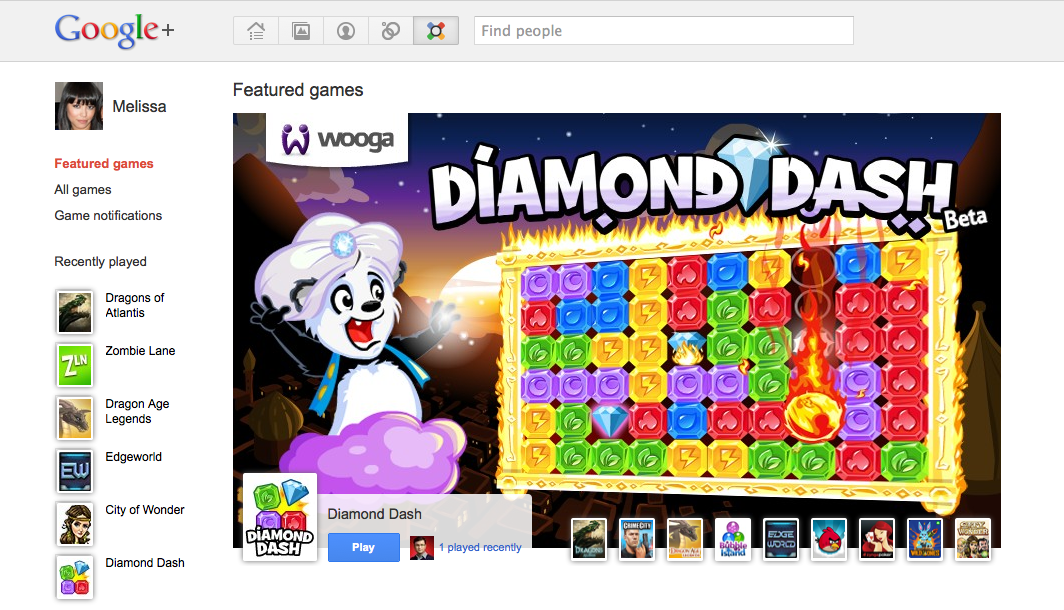
    Google has made the official announcement of gaming in the Google+ project. While still in test mode and restricted to a limited number of testers the gaming section can be accessed at plus.google.com/games 

    Google+ separates the games feeds onto a games page, keeping the conversation list separate, making the networking aspect less annoying. While users can access the gaming stream anytime by kicking on the games page, If you’re not interested in games, it’s easy to ignore them. Your stream will remain focused on conversations with the people you care about.

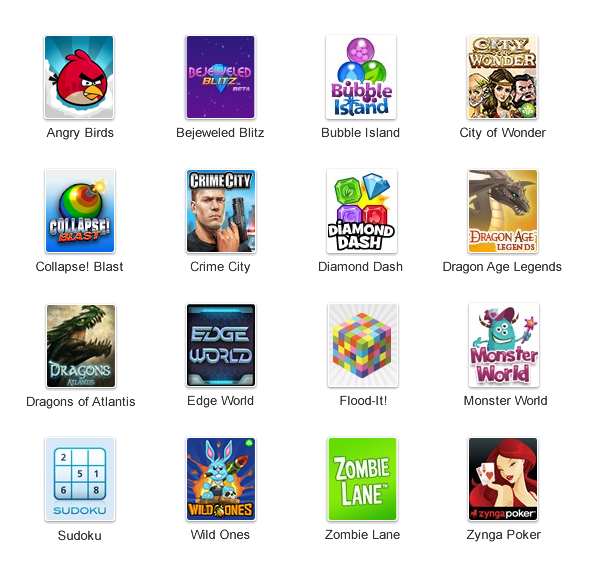
    Initially a limited number of games have already been developed, including Angry Birds, Bubble Island, Dragon Age and the Facebook special Zynga Poker.

    [Google]

  • New Gmail Android App v2.3.4 integrates Labels, custom tones and priority inbox among others

    New Gmail Android App v2.3.4 integrates Labels, custom tones and priority inbox among others

    The new Gmail app v 2.3.5 available now via the marketplace update adds a lot of new features to the on system app. the most important feature is the ability to sync only priority inbox with your device allowing you to save up on battery life. The other new feature that we like is label specific tones allowing you to customize the way you receive email.

    Officially What’s in this version:

    1. Save bandwidth and battery by only syncing priority mail
    2. Use label notifications to mash up filters, labels, and ringtones
    3. Remember ‘Show Pictures’ for senders
    4. Turn off sticky message actions in landscape or all orientations
    5. Better TalkBack support for accessibility
    6. Performance improvements

    [Android Market]

  • Google+ reaches 20 Million Mark in 3 Weeks

    Google+ reaches 20 Million Mark in 3 Weeks

    Google’s new Social Networking site Google+ has reached a massive 20 million subscribers, as almost everyone wants in on the action.  Its just been a week since Google’s Larry Page said that Google plus reached 10 million. Page noted at the time that the service remains in a “field trial” mode, and with “a lot of barriers” to use it right now, but that the company is continuing to expand how many have access to it.

    Despite its massive growth in its first three weeks, a population of 20 million is just a grain of sand in comparison with Facebook’s 750 million, half of whom log in daily. 

  • Google Maps on Android Now Add 3D Buildings in Several Cities None from India

    Google Maps on Android Now Add 3D Buildings in Several Cities None from India

    Google announced on Tuesday that it has added support for 3D buildings in 13 additional cities on Google Maps, including London, Paris, Barcelona, Stockholm, Singapore, Lisbon, Boulder, and 11 cities in South Africa. 

     To activate 3D buildings in one of the aforementioned locations, simply zoom in close to the city and the application will then show a 3D renders of the city landscape. If you already upgraded your Google Maps to the latest version a software update will not be required to view the new Google Maps in 3D

    [GOOGLE]

  • Android 3.2 All Set For Release On A Tablet Near You

    Android 3.2 All Set For Release On A Tablet Near You

    Google’s latest update to its Android Platform is all set to come to a tablet near you. The new version is an incremental release which adds several new updates for developers as well as users. The new version includes many changes to the Android API.

    A few highlights for the new version:

    • Support for multiple screen sizes which allows developers to create apps for various screen sizes, not just 10.1 inch.
    • A new compatibility mode which renders applications in a smaller screen area and then stretches the rendered image to fill the screen.
    • Media files can be directly loaded from the SD Card in apps that use them and a new module that allows applications to use the system media library.
    • An extended screen support API that allows developers to have precise control over the user interface across the range of Android powered devices. It also allows developers to target specific screens based on their dimensions.

    Motorola has already begun to roll out the 3.2 update to its Xoom tablet. Other tablet candidates for the 3.2 update include Samsung’s Galaxy Tab 10.1, Acer’s Iconia Tab 500 and Toshiba’s Thrive. Huawei made an announcement last month for what it claims to be the worlds first 7 inch Android 3.2 Honeycomb Tablet which has a dual-core processor.

  • Google+  App for the iPhone Now Available

    Google+ App for the iPhone Now Available

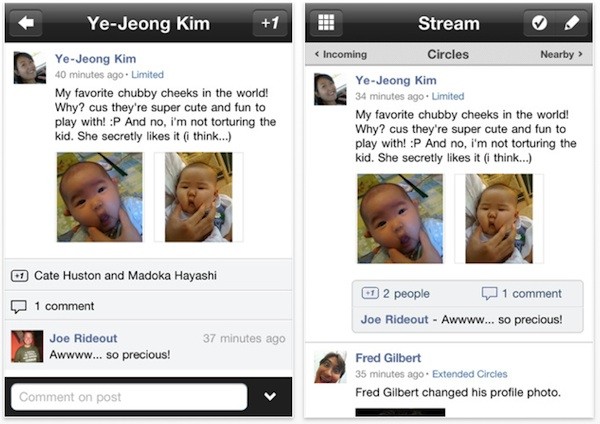
    The Google Plus app for the iOS is finally here. Looks identical to the Android App and is available to download from the App Store.

    Hit the Link Below to get your own.

    [iTunes]

  • iOS Is Still Bigger Than Android

    iOS Is Still Bigger Than Android

    Over 15,000,000,000 apps have been downloaded by some 200,000,000 users from the Apple App Store. In total, the App Store has around 425,000 applications available for sale. Last Thursday, Google announced that over 6,000,000,000 app downloads had been made by some 135,000,000 users form the Google Marketplace, which has around 250,000 applications available for sale.

    The growth of Android is spurred on by the release of new Android smart phones and tablets in the market. While the tablets might not be able to dislodge the iPad from the top spot, the smart phones are giving the iPhone a run for its money. Google CEO Larry Page said that new Android devices are activated at a rate of around 50,000 per day. Despite the number of activations, the iPad, iPhone and iPod Touch still lead the pack.

    At present, Apple’s iOS remains the number one mobile operating system but speculation is ripe that its just a matter of time before Android overtakes iOS to become the leading mobile operating system.

  • Is Google Changing The Way We Remember Things?

    Is Google Changing The Way We Remember Things?

    We’ve all been in a situation where we needed to remember a certain factoid about our town/city, our cars, a new concert or movie in town but for the life of us, we just can’t remember. So what do all of us do? We take out our smart phones or goto a computer and open up Google. We search for what we want, supply that information to our peers and promptly forget it again. So what exactly is happening here?

    Researchers from Columbia University, in a study titled “Google Effects on Memory”, conducted a crucial experiment in which participants were asked to type in some trivia into the computer. Half the group was told that the data would be safe and stored in multiple folders, while the other half was told that the data would be erased. Surprisingly, the group that thought the data would be deleted had a better retention of the trivia they entered. Even more surprisingly, the other group did not remember the trivia as well as it remembered exactly where the trivia was stored. Does this resemble a Google keywordish effect to you?

    The study has come to the conclusion that the Internet is acting like a collective Super Long Term Memory for the entire human race. In ancient times, people used to memorize entire histories and texts aided by mnemonic codes like rhymes and metre. Once printing was invented, mankind was liberated from having to perform such tasks. Now that we have the Internet, the effect is much larger. All we have to do is search for what we want and we find it. It seems that our brains are being reprogrammed to remember keywords or tags that would provide the information that we should have remembered in the first place, resembling search engines in their own right. Touché Google, touché.

  • How To : Import Your Facebook Contacts to Google Plus (+) : Step by Step

    How To : Import Your Facebook Contacts to Google Plus (+) : Step by Step

    After getting you an Invite,

    And Telling you

    How to Setup your Account on Google Plus.


    We are now helping you shift your Facebook contacts to Google + .

    It is a tedious, process but it works


    Step 1. Yahoo Mail

    • Create a Yahoo mail account if you don’t already have one.
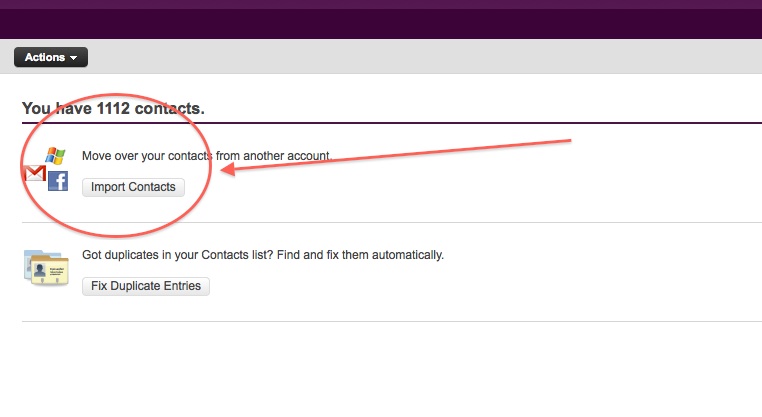
    • Login and click the contacts tab.
    • Once in the contacts tab you will be able to import contacts from Facebook.
    • Go ahead and do that.
    • After you enter your Facebook details all your contacts will appear in the contacts tab.
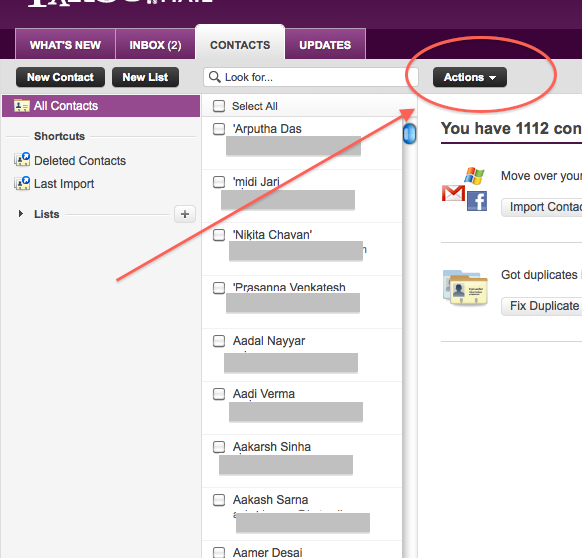
    • Next its time to export the contacts.
    • Click  the Actions button in the contacts screen.
     
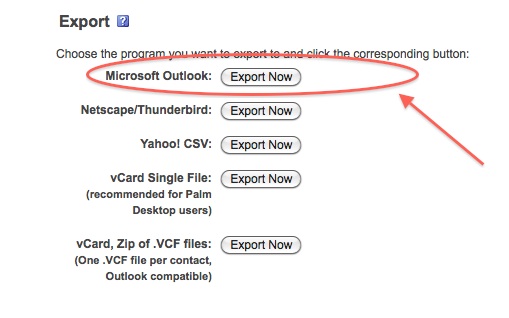
    • Now click Export all and choose the Microsoft Outlook option.
    • Save the file
    • Move on to Step 2
     

    Step 2 : Windows Live Mail

    At this point you would want to say to yourself, Why would i need a windows mail account?

    Answer : Currently Google + supports contact import from Yahoo and Hotmail. But once you import your contacts from Facebook to yahoo mail, Google plus can’t import them. Same is the case with Hotmail/Windows Live Mail. But with our work around Google Plus will import your contacts, So go on ahead:

    • Make sure you have a Windows Live Mail or Hotmail account (if not get one) 
    • Next go into the Contacts Menu
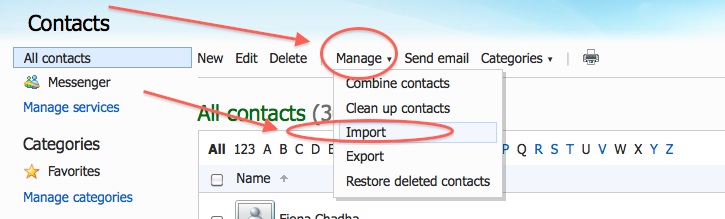
    • Click Manage and then Click Import


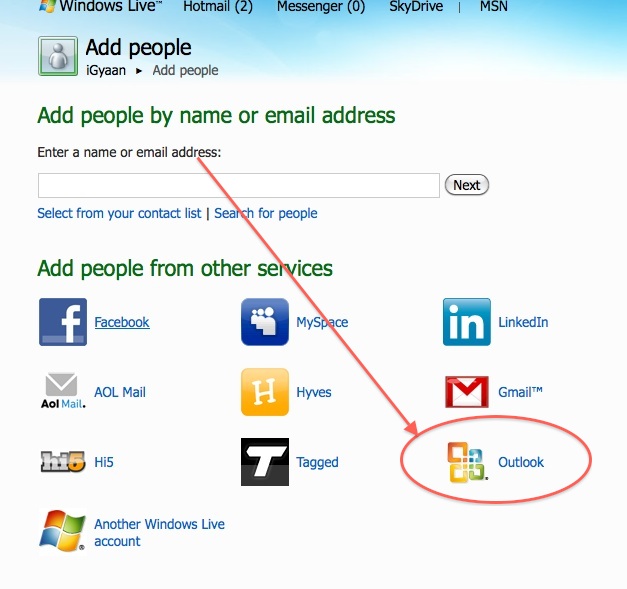
    • Next, Choose  Outlook and import the file you previously exported from Yahoo mail.
    • Now that your contacts are imported in yahoo mail the next step is to add them to Google Plus

    Step 3 : Google Plus

    • Log onto your Google Plus account
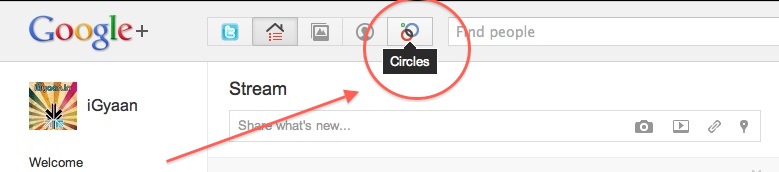
    • Visit the Circles tab
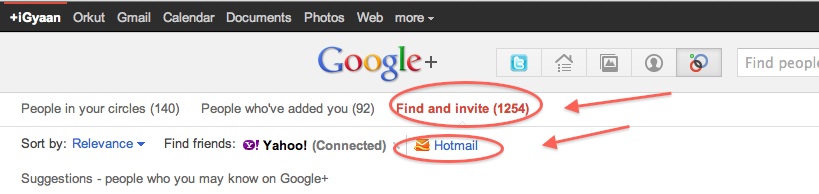
    • Click find and Invite
    • Click on hotmail
    • Enter your details


    You are Done!

    You have successfully imported your Facebook Contacts into Google Plus. 
    Now go ahead and add people to the circles of your choice and invite them.


  • Need a Google Plus ( + ) invite , Tell Us!

    Need a Google Plus ( + ) invite , Tell Us!

    Its been almost 2 weeks since the inception of Google + and a lot of people are still struggling for invitations to the G+ ecosystem.

    iGyaan can Help!


    Update: Due to the overwhelming response we have changed the terms a little bit.


    First Like us on Facebook


     Second Subscribe on Youtube


    Now, just use the contact link on top of our website and send us your name and email address. 


    We will Invite you into the new world of Social Networking.

    Successful Invites : 2344 and counting


    Once you have your invitation : Go here to know how to get started on Google Plus 


    Click here for a tutorial on how to import your Facebook contacts into Google Plus


  • How to : Set up your Google Plus Account Step by Step

    How to : Set up your Google Plus Account Step by Step

    Today we are going to help you set up a Google Plus Account – Step By Step


    Step 1 : Invitations

    If you don’t already have an invitation to Google plus, then you should consider making friends with better people, like us.

    Hit this link to get an Invite 

    Note:

    • You will need a gmail email address or a fully qualified google profile to get this to work.
    • Google apps and associated email addresses  are currently not supported

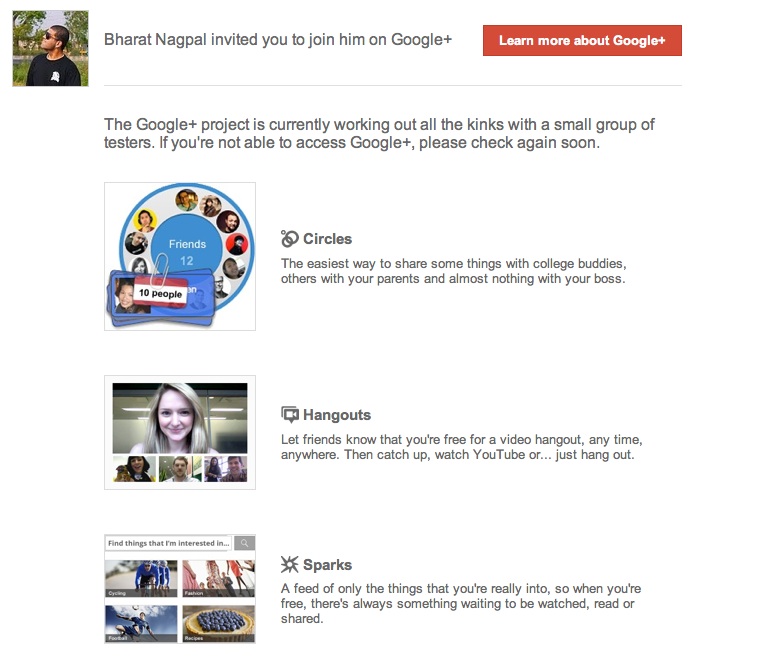
    When you get an invite it should look something like the image below


    After you get an invite  you will need to click the button :  


    Step 2 : Register 

    Once you click on the button you will be redirected to the registration page:


    Add your details, upload and crop your profile Photo.

    And you are all set to CLICK JOIN


    Step 3 : Profile

    Now that you are in, you would want to set up your profile.

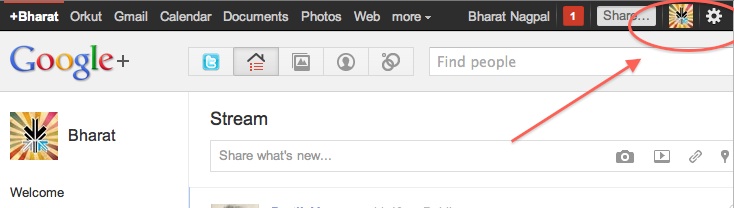
    You will be greeted with a similar welcome page : 
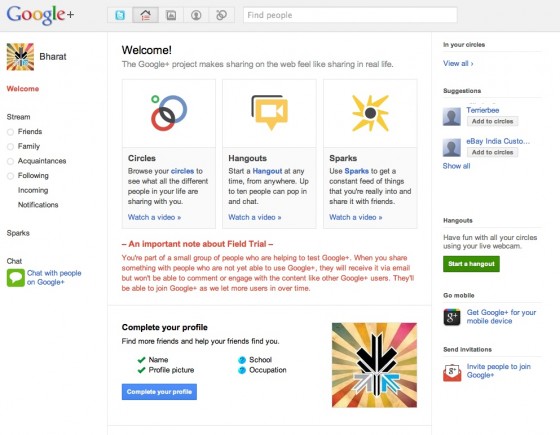
    welcome page
    • Click the sprocket settings button on the top right of you browser to get into Google Plus settings.


    • Next, Set up your privacy and sharing settings in the page.

    HIT – SAVE, and you are done!


    Step 4 : Setting up Circles

    Hit the circles button on your profile page to set up Circles.


    Once on the circles page you will be able to , find people by email addresses or by searching for them over other networks and email services like yahoo mail or hotmail.

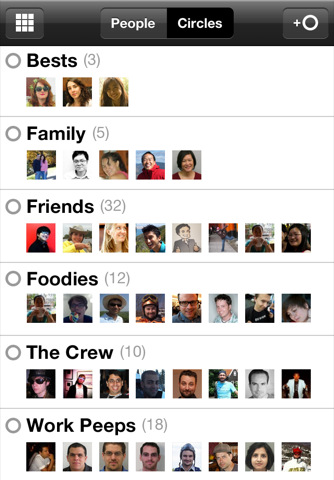
    Simple create circles of your choice, Like Friends, Family, Colleagues, Game Buddies, College, etc.

    You can also add the same person to multiple circles.

    Once you are done finding and adding your friends, its time to start posting!.


    Step 5 : First Post!

    • Simple click on the share bar in your Google Plus homepage and start writing.
    • You can add media like videos or photos or even links and location from where you are posting.
    • Also select what all circles you would like to share this post with.
    • You can also leave it blank to share with everyone
    Once you are done typing click the green Share button.

    Congratulations you have successfully started using Google Plus (+)


    You can now start inviting your friends too!
    Stay tuned for an update to this post where we share details about Sparks, Hangouts and Streams


    We also have a tutorial on how to transfer your Facebook friends to Google + here.
  • Google Updates Android Market to add Movies and Books tabs

    Google Updates Android Market to add Movies and Books tabs

    Google is updating the marketplace app in their Android OS to include a easy tab for Books and Movies being sold and rented on the Android Marketplace. At movie titles starting at just US$ 1.99 or IN Rs. 84/-  it makes it a highly worthwhile option for Android device owners who had to earlier toss around looking to download rich media content to their devices. The Update is said to roll out within the coming weeks but a pre-release build is already doing the rounds and can be found here(download )

    Watch the video below to get a quick overview of the design.


    [Google Mobile Blog]

  • iRiver Story HD – Google’s New E-Book Reader

    iRiver Story HD – Google’s New E-Book Reader

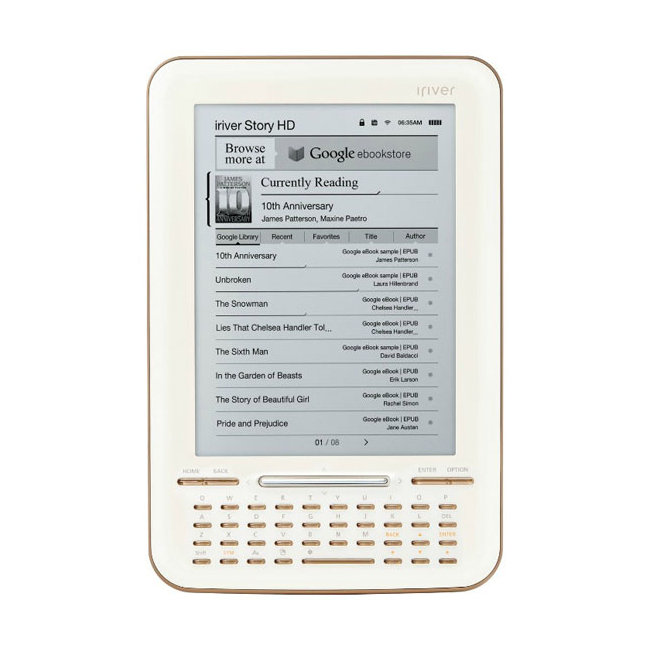
    Google had launched an e-bookstore in December but the store never really took off as using it with an e-book reader was quite a pain. You had to download stuff to your PC and sync it across to your device. Now, a new e-book reader is all set to change that process and challenge the likes of the Kindle and the Nook.

    Created by iRiver, the company behind a range of MP3 players, the device is called the Story HD and hooks directly into the Google Library. The Story HD will pull books directly from the Google Library without having to use a PC to perform a sync to the device. This means that the device will have access to over three million free titles as well as access to hundreds of thousands of paid books.

    There are over 80 devices that currently support Google’s e-book format when synced via a PC including the Kindle and the Nook. None of the readers natively support the e-bookstore however, if you have a smartphone, you could just use the Google Books app to access the store.

    The iRiver Story HD will be available for $140 online. The device will have built in WiFi as well as a black and white screen with a QWERTY keyboard. For comparison, the Nook and the Kindle are available for the same price as well.

  • YouTube – Cosmic Panda Interface Now Available

    YouTube – Cosmic Panda Interface Now Available

    With the beta test of Google+ we’ve seen an across the board redesign of most of Google’s services. Google search got the black bar on top. Gmail got two new themes for users to try out. Now it’s YouTube’s turn.

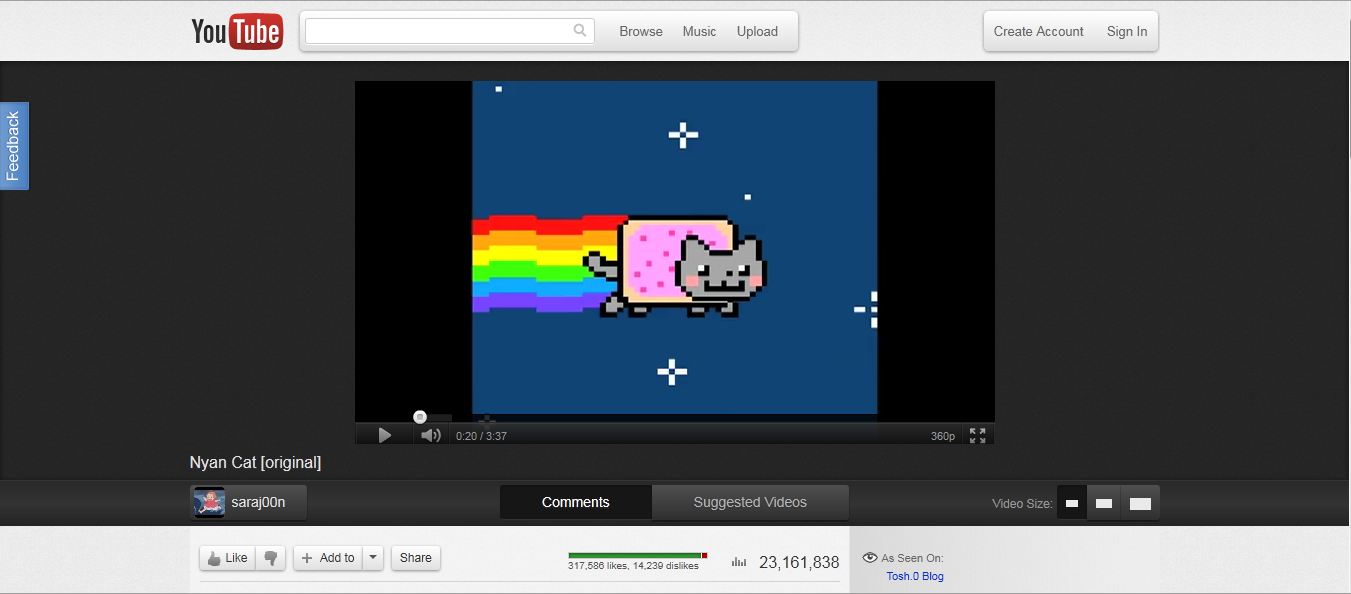
    Google has announced the availability of the Cosmic Panda Interface for users to test. The interface sports a clean and professional look which gives more emphasis to video space. The interface is designed to be quite dark, which might be an effort by Google to reduce electricity consumption across the world.

    The first thing that you notice when you use the new interface is the video. It has been brought to the center of the screen and the clutter around it has been removed. It is very easy to switch video sizes from the buttons at the bottom of the interface. The comments section has been placed under the video in a better interface which makes viewing comments easier.


    Another feature to note is that Google has increased the size of the related video preview images. This makes it easier to view related videos but the downside is that it requires users to scroll a bit more. One feature we really liked is the redesign of the video player itself. The progress bar has been coloured in such a way that the loaded section is grey and blends into the background. The section that has already been played turns red like the old interface.


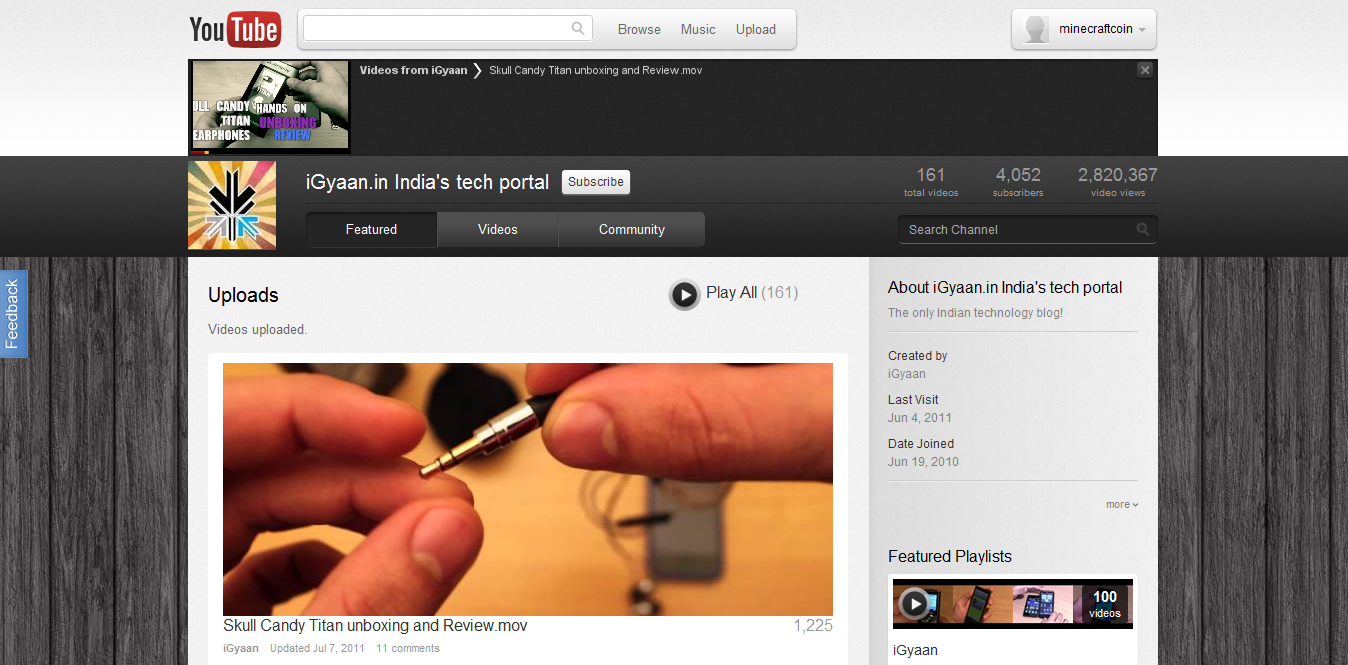
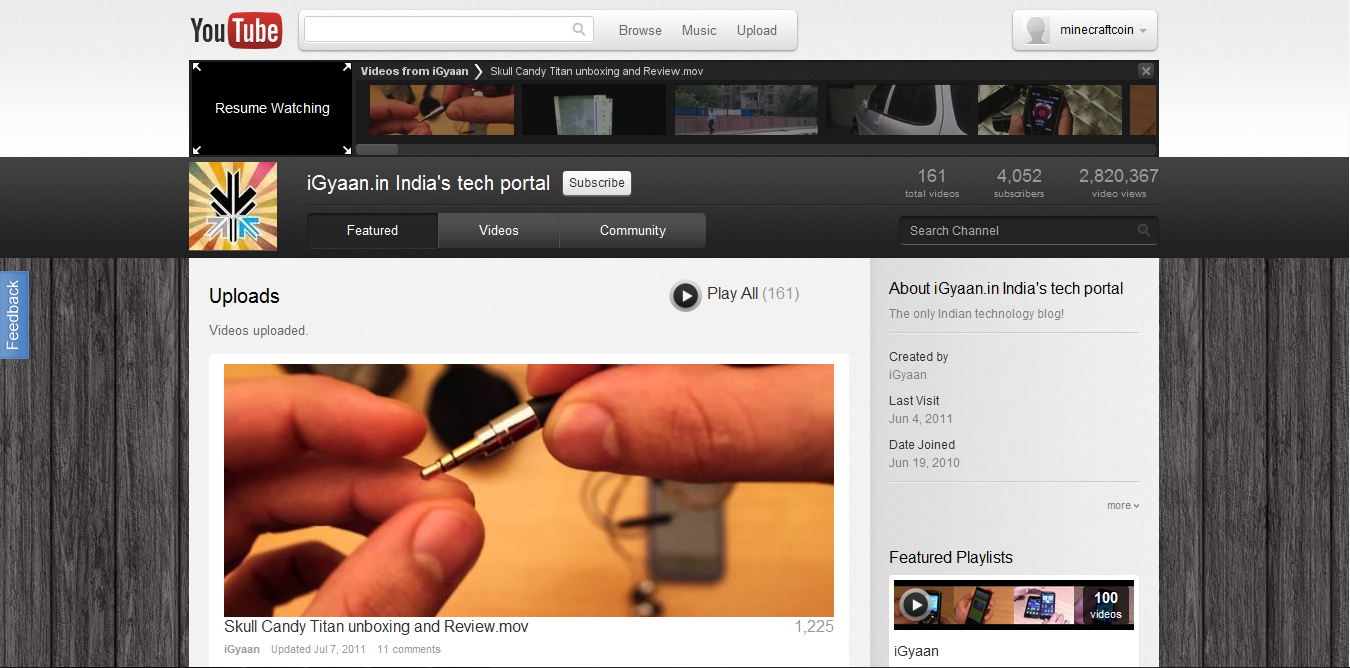
    The channels interface has gone through an upgrade as well. The video links are now much larger and the latest video player has been removed. Chrome users will benefit from a really cool feature called “Keep Watching” which lets you watch a video and browse a users channel at the same time to queue your next video. The video that is playing gets reduced to a small thumbnail on the top of the screen. You can queue videos and resume watching the currently playing video simply by clicking the thumbnail.

    You can test out the new interface and leave your feedback with Google at http://www.youtube.com/cosmicpanda.

  • How To: Move your Facebook Photos to Picasa

    How To: Move your Facebook Photos to Picasa

    With Google+’s popularity on the rise, a lot of users are looking for an easy way to shift their albums from Facebook to Picasa. The aptly named move2picasa.com website allows you to log in with your Facebook id and copy all your photos to Picasa. Please note that the photos would be moved without captions etc.

    If you have a lot of photos, it could take you a few hours to transfer them. Apparently, the more photos that you and others try to transfer, the slower the service will be. Despite the wait, this seems to be an adequate solution for most people. One other thing, you either move all your photos or you move none. There is no feature to select or filter which images are copied.

    Once your photos are in Picasa, sharing them with your circles is very easy. The web app was built by AmiWorks’ Aman Kumar Jain and Amogh. According to the website, some 300,000 photos have already been moved.

iGyaan Network
Privacy Overview

This website uses cookies so that we can provide you with the best user experience possible. Cookie information is stored in your browser and performs functions such as recognising you when you return to our website and helping our team to understand which sections of the website you find most interesting and useful.