Microsoft on Wednesday announced that its next-generation operating system tailored for a world shifting from personal computers to smartphones and tablets will be available on 26 October.
Windows unit boss Steven Sinofsky revealed the Windows 8 debut date at a sales meeting, Microsoft communications manager Brandon LeBlanc said in a blog post.
Windows 8 will be available in 109 languages across 231 markets worldwide, according to LeBlanc.
Microsoft has promised to make the new operating system available in August for computer, tablet or smartphone makers to build into hardware.
The Redmond, Washington-based firm has gone on record stating that Surface tablets would hit the market when the Windows 8 operating system became publicly available.
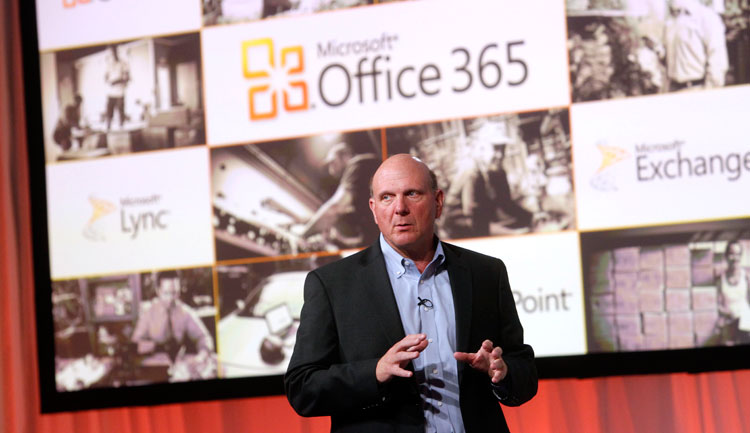
At a press event in San Francisco, Microsoft has unveiled the new Office suite, sporting a new look in line with Windows 8 and Windows Phone 8.
One of the key features of the new Office is cloud integration using SkyDrive. Users will be able to sync key settings across multiple devices after logging in to SkyDrive. You can continue working on the same document using a different device, as well as share it with others.
Microsoft also showed off how users can collaborate on Office through social network integration. For example, you can see if your Skype contacts are available from any application in the new Office suite and make Skype calls directly from within Outlook. There’s also the ability to collaborate on documents through Microsoft’s Lync application.
Good news for tablet users: A Microsoft RT version of Office for ARM-based tablets will be included for free on RT devices, including the Surface.
The new Office will have touchscreen capabilities, where users can use taps, swipes, and other gestures to create presentations. You can also draw on your presentations using a stylus.
Meanwhile, the subscription-based Office 365 will now come with three tiers–Office 365 Home Premium, Office 365 Small Business Premium and Office 365 ProPlus–with pricing information to be announced later.
Microsoft also unveiled a new version of its notetaking app, OneNote, which will have touch, pen and keyboard input.
Although Office is currently being used by more than one billion people, it faces stiff competition from cheaper alternatives, such as Google’s suite of Web-based office applications.
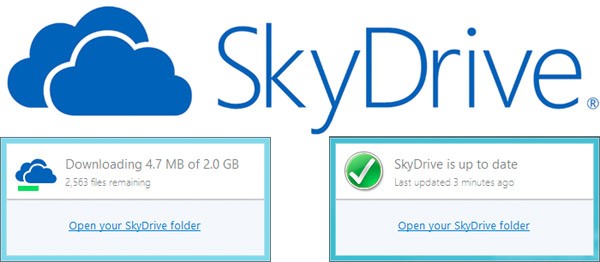
Microsoft has updated the SkyDrive for Windows App with a new user interface.The newest update to SkyDrive for Windows (version 16.4.6003.0710) includes quite a few improvements that are said to bring “performance, reliability, and compatibility.
Apart from that the app, no longer crashes out as it used to, and looks good while it downloads or uploads files. The new status windows allows users to see time and data remaining to be synced. The new SkyDrive logo also seems to be readied for the Windows 8 Metro UI
Samsung is reportedly working on a Windows RT tablet that will be launched in October this year, giving the much needed boost to the newly announced operating system.
According to a report in Bloomberg, sources familiar with the development stated that the tablet release will coincide with the Windows RT debut and it will be powered by a Qualcomm Snapdragon processor, probably S4.
Windows RT is the first operating system version from Microsoft that is made for touchscreen devices and supports ARM chips, which consume less power than x86.
If it does come through, the tablet would be Samsung’s first running a Microsoft OS.
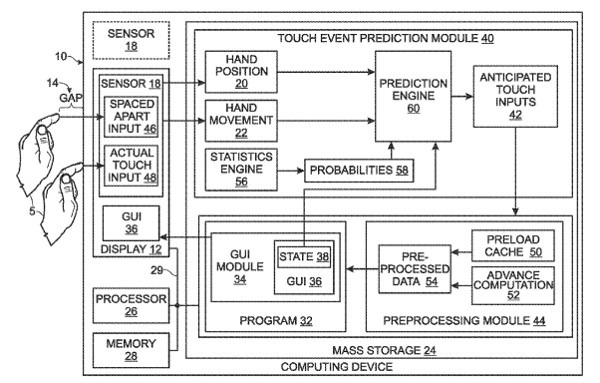
Microsoft Recently demonstrated a high performance touchscreen prototype, that would reduce the touch lag of a device from 100ms to 1ms. Microsoft has filed a patent protecting its endless research on the subject.
The Effect of touch response lag once reduced will bring the experience of touchscreen devices to a brilliant level. Instead of a laying line , users if drawing on a touch screen tablet, will experience almost no lag as if the ink was coming from the finger.
Micrososft may throw these screens into future Microsoft Tablets, if they do, expect them to be superiorly responsive.
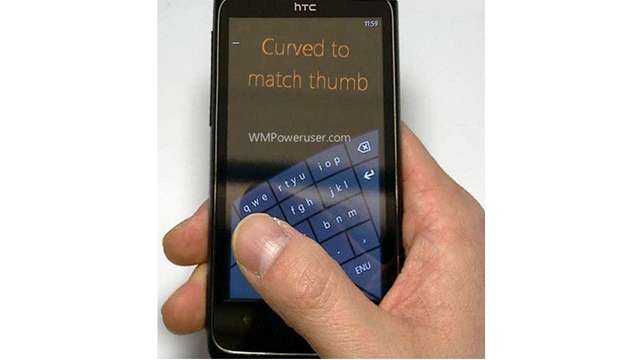
According to several reports and a bunch of leaked images, Microsoft may be testing a special arched keyboard for use with Windows phone 8 devices. A keyboard that makes typing with one hand/thumb easier on touchscreen phones.
This special arched keyboard surfaced due to a leaked Microsoft Research presentation and appears to be a one-handed soft keyboard for Windows Phone 8 that Microsoft has been testing for a while now.
There are no keyboard replacements on the Windows Phone interface as of now, so a keyboard of said nature might be welcomed well.
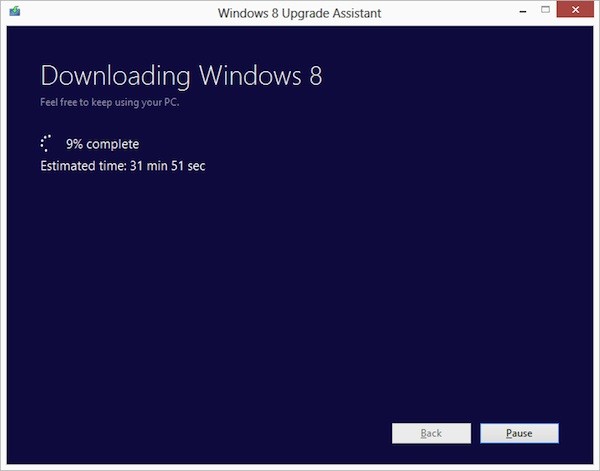
Ready to jump to Windows 8 ? Microsoft is following in Apple’s footsteps by making the upgrade to Win 8 more pocket friendly. If you have an existing installation of Windows XP, Windows Vista, or Windows 7 will able to download a Windows 8 Pro upgrade for just $39.99 (IN Rs. 2200/-).
That’s a big drop from the company’s earlier upgrade prices, which were as high as US $ 99 (In Rs. 5500-7500) . If you want the DVD you can purchase it for a price of US $ 69.99. According to Microsoft the prices will increase when the promotion ends on January 31st 2013.
Each OS will have a different upgrade option, some bringing only personal files and some only files and settings to Windows 8. In most cases legacy apps will not be ported.
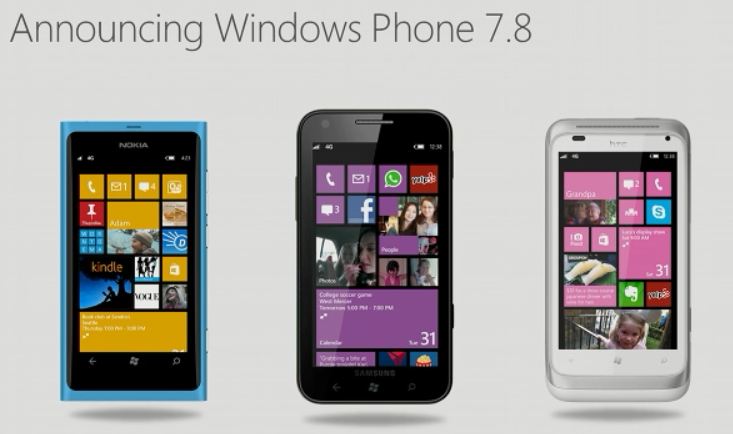
While thousands complain about the fact that their devices will not be upgraded to Windows Phone 8, Microsoft tries to give it a positive look. Ben Rudolph demonstrates hows Windows Phone 7.8 will look on existing Windows Phone 7.5 devices, while he shows off a Lumia 900 running 7.8.
The video shows how the new home screen will work on existing devices, including restructuring of tiles. The company is trying to push on on features that will be added, but there is no mention of the features that will be left out for those who actually took a skinny dip into the Windows Phone Pool.
Along with the release of the latest version of their Windows Phone OS, the WP8, Microsoft has also taken the opportunity to announce that their Windows Phone Marketplace now has more than 100,000 apps.
Microsoft’s Joe Belfiore stated that the Windows Phone Marketplace officially hit 100,000 apps and games, a milestone that they have reached faster than Android, and a testament to the thousands of talented developers around the world who have supported Microsoft since its launch. He also goes on to thank the developers and states that Microsoft appreciates their creativity, effort and value they bring to the Windows Phone users.
Microsoft is now announcing a new batch of marquee titles, with the official Audible app for audiobooks arrives in Marketplace today. Official apps from Chase and PayPal are in the works. Gameloft has Windows Phone versions of Asphalt 7: Heat and N.O.V.A. 3 Near Orbit Vanguard Alliance on the way.
Existing Windows Phone devices will not be updated to Windows Phone 8
After the launch of Windows Phone 8, Microsoft confirmed that not a single smartphone out right now, not even the Lumia 900, will be able to upgrade to Windows Phone 8. The hardware requirements for WP8 preclude its running on any current WP device. After all, how can single-core devices with WVGA screens take advantage of multi-core and additional resolution support? That part makes sense, but if you’re a recent customer, you might be frustrated.
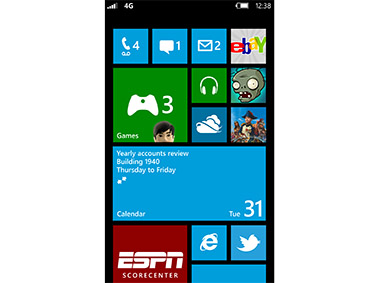
To keep its existing user happy, Microsoft has launched the Windows Phone 7.8, few software benefits will be included in WP8, and a hearty helping of these killer features (such as the new Start screen) will be available to legacy devices in the form of Windows Phone 7.8. There’ll be support for three tile sizes, with the smallest being fingertip size (a quarter of the standard square). The update will be delivered directly to users, sidestepping carriers, and can be done over WiFi.
Windows Phone 8 was revealed at the Windows Phone Summit today
Just days after announcing its first tablet computer, the Surface, Microsoft Corp. revealed Windows Phone 8, a dramatic update to its phone software, one that won’t be available to current Windows Phones.
If you’re currently holding a Windows Phone device, don’t worry you’d get the Windows Phone 7.8.
The hardware requirements for WP8 preclude its running on any current WP device – not even the Lumia 900! The software will bring Windows phones closer to PCs and tablets running the company’s upcoming Windows 8, which is also scheduled to launch later this year. To ensure current Windows Phone users stay happy: a few software benefits will be included in WP8, and a hearty helping of these killer features (such as the new Start screen) will be available to legacy devices in the form of Windows Phone 7.8. There’ll be support for three tile sizes, with the smallest being fingertip size (a quarter of the standard square). The update will be delivered directly to users, sidestepping carriers, and can be done over WiFi.
WP8 would share the same kernel as that of Windows 8 and Windows RT
Windows Phone 8 requires multi-core processors (up to 64), displays up to WXGA (1280 x 768) and external storage on SD. This better, faster hardware will enable new, faster games and other demanding apps which, for the first time, can be written in native code. (C/C++) All this will run on a kernel shared with Windows 8 and Windows RT. In other words Microsoft has managed to get one platform running on desktops, laptops, tablets and phones, the idea being that apps can be more easily ported from one to the next, promising “games we’ve never seen before” running on your phones, with popular titles like Gameloft’s Nova 3 and Zynga’s Draw Something also coming to Windows Phone.
There’s also a new wallet functionality thanks to the NFC support, but reliant on an augmented SIM, not hardware on the phone itself. Nokia maps is now built into the OS, including offline map support.
The OS will be available later this year along with Windows 8 and the new Surface tablets.
All Surface tablets come with a keyboard that is just 3 millimetres thick.
Microsoft unveiled its first tablet, called the Surface, that comes with a keyboard and other features designed to stand out in a market dominated by Apple Inc.
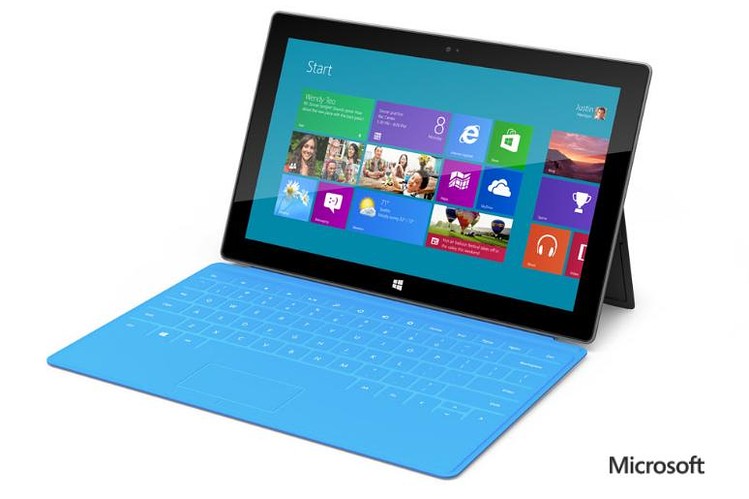
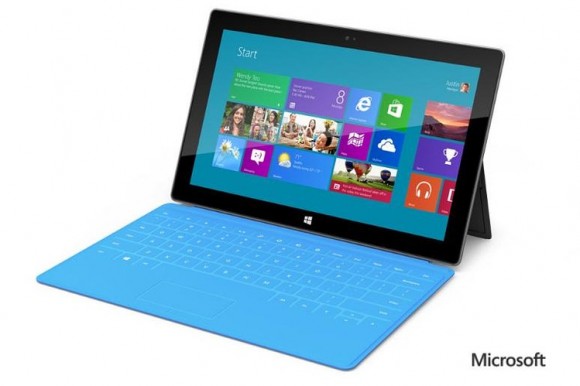
One version of the device, is about 9.3 millimetres thick and works on the Windows RT operating system. It comes with a kickstand to hold it upright and a touch keyboard cover that snaps on using magnets. The device weighs under 680 grams and will cost about as much as other tablet computers.
Microsoft also emphasized the use of the Surface with a keyboard cover that is just 3 millimetres thick. The kickstand for both tablets was just 0.7 millimetres thick, slimmer than a credit card.
Two versions of the Surface were showcased, the versions running Windows 8 will run chips from Intel Corp., which supplies chips used in most PCs. The versions running Windows RT will be powered by chips from Nvidia Corp. based on designs from ARM Holdings PLC, a variety of chips widely used in cellphones and tablets.
[quote]The Surface is a PC, the Surface is a tablet and the Surface is something new that we think people will really love,”Mr. Ballmer said.[/quote]
The devices are set to be launched alongside Microsoft’s new operating system, the Windows 8 by fall.
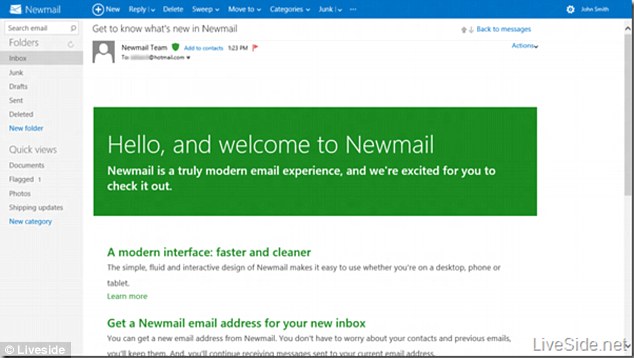
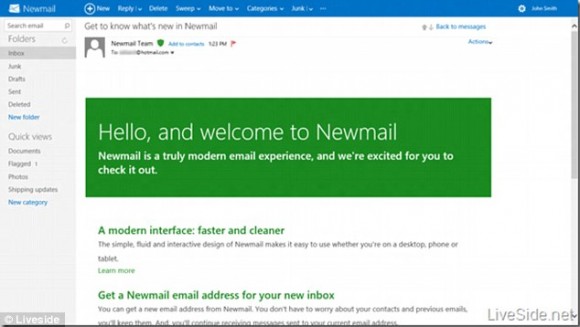
Liveside.net leaked screenshots of the new interface
Most of us had our first email accounts at hotmail.com, but somehow after the arrival of Gmail, it faded into oblivion. Even though it still has the most number of users, 10 million more than Gmail, its growth rate has been alarmingly low! In a bid to bring it back to its former glory Microsoft has renamed and revamped Hotmail, now called Newmail, which is understood to have a ‘clean look’ when it comes to the font that has been used for the labels in the inbox, which resembles its adversary(Gmail).
The new email service will also be linked to Facebook and Twitter and will allow users to keep their contacts automatically in sync and see what their friends are doing on the service. However, all new accounts would still have the @hotmail tag.
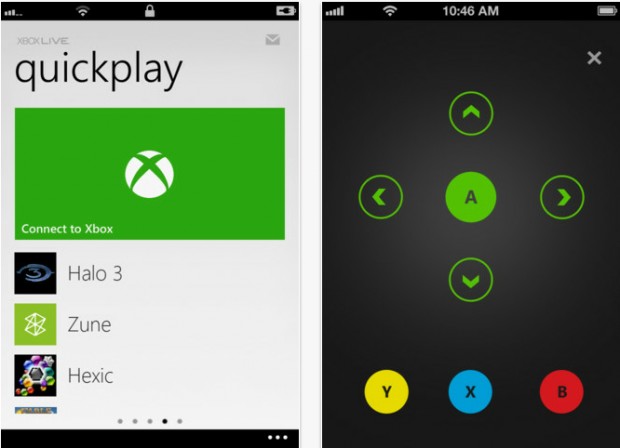
The app will turn the iPhone into an Xbox controller
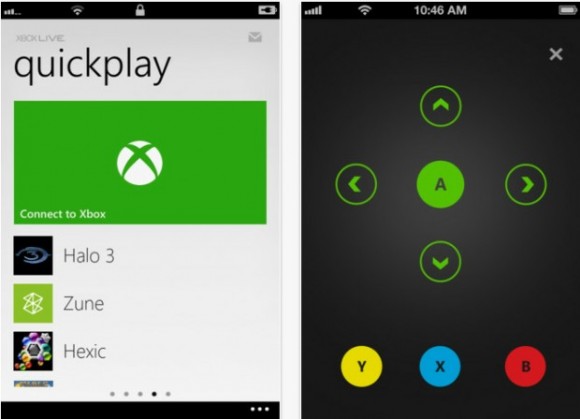
Microsoft on Wednesday released an update for their My Xbox Live application for iOS (4.3 or later) which allows iPhone users to use the app to control their Xbox 360 consoles using a simple touch interface. The app also lets users launch games or apps on the 360 from the app on their phone without having to wade through tons of menus on the Xbox 360.
Even when the device is not connected to the Xbox, users can make changes to their profile, view their stats etc from their iPhone. Other additions to the iOS My Xbox Live app include improved authentication for increased stability, and high-resolution images for the new iPad. Remote control functionality is not yet available on the iPad.
The app was also released for Android but with restrictions, that is, users cannot gain any practical control over the Xbox, they can now check their Xbox Live profiles, friend statuses and the highlighted games.
First and foremost : What is tethering? Tethering refers to using a cell phone as a modem for your laptop or any other device. Creating a connection either with cables or wirelessly “tethers” your cell phone to your other mobile device.
Basically it’s using the internet on your phone for other devices.
Now, how is it done? Do you need to jailbreak/root your phone? Read-on!
[tabgroup][tab title=”iOS”]
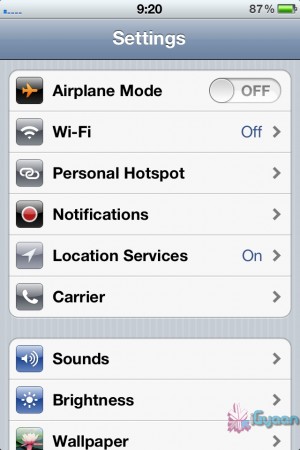
Tethering on iDevices was more of a hassle in the past, but come iOS 5, that changed! It can be done in 3 ways. Each requiring a data package from your carrier for your iDevice. We tethered our iPhone 4s on AirTel.
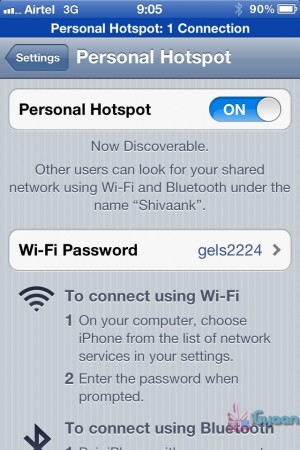
Click on Personal HotspotSet your password and turn it on
Through WiFi
Probably the most convenient of the 3. Go to Settings->Personal Hotspot->On. Set your password and it’ll prompt you to turn on your WiFi and Bluetooth. Once this is done, your device becomes a Wifi Hotspot for other devices to connect to.
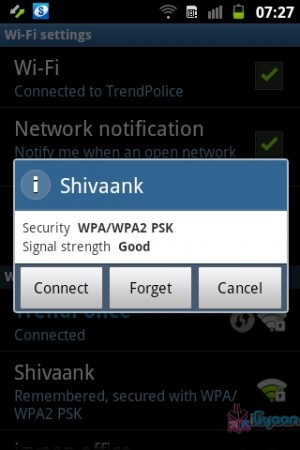
As shown in the screenshot, the name of your device, in this case “Shivaank”, shows up as a WiFi network on your other device. Just click on connect and you’re connected to the internet via your iDevice’s network.
Your device name comes up as a WiFi connection
Through USB
The basic steps for tethering through USB are the same as above. Go to Settings->Personal Hotspot->On. To save battery, turn off your WiFi and Bluetooth as you won’t be needing them.
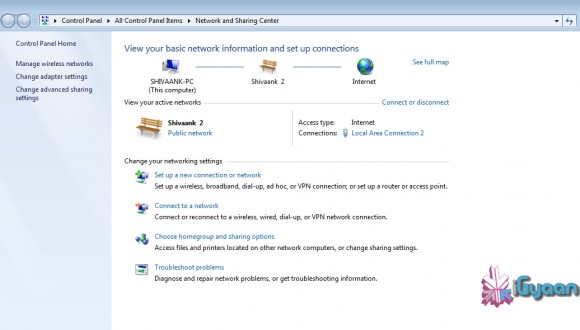
Your device serves as an Ethernet connection
Connect your device to your laptop and turn on your Hotspot toggle. Then go to your network settings of your laptop and you’ll see your devices name as an Ethernet connection. Just click on connect and you’re good to go!
Through Bluetooth
Now, we were only able to tether our device to a MacBook using Bluetooth. The name of your device simply shows up on Bluetooth devices list. Click on pair to get going!!
Apps like MiWi and Tether Me are viable options for those running an older version of iOS but these are paid apps.
[/tab][tab title=”Android”]
On Android, the tethering process is a breeze! Tethering feature is inbuilt into Android and to activate follow these steps.
Through WiFi
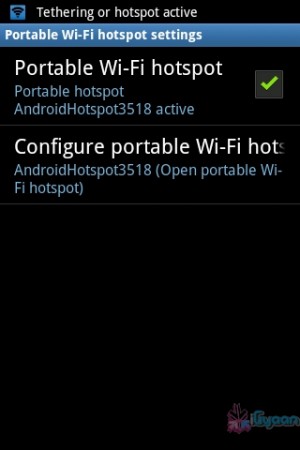
Go to Setting->Wireless and Network->Tethering and Portable Hotspot->Portable Wi-Fi hotspot and turn it on. The name of your connection (which you can configure) shows up on other device’s to connect and voila! You’re connected!
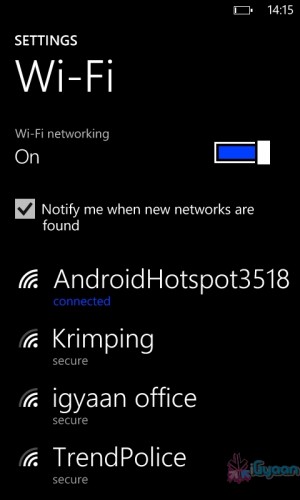
You can change the name of your WiFi by configuring it.Windows Phone connected to Android Hoptspot
Through USB
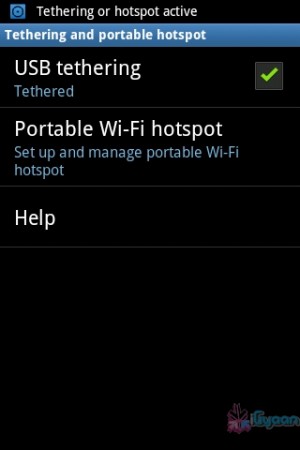
Go to Setting->Wireless and Network->Tethering and Portable Hotspot->USB Tethering. Click on it to turn it on and the computer you’re connected to shows your devices network as an ethernet connection. Click on connect to start using it.
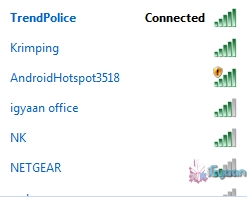
Tethered through USBDevice comes up as Ethernet connection
[/tab]
[tab title=”Windows Phone”]
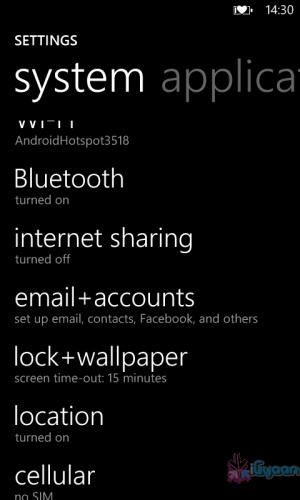
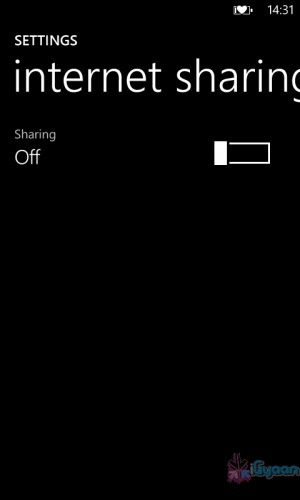
Possibly the easiest of the three! Just go to Settings->Internet Sharing and turn it on! That’s it! You’re device shows up as an internet hotspot, click on connect and you’re done.
Click on Internet sharingTurn it on and you're done!