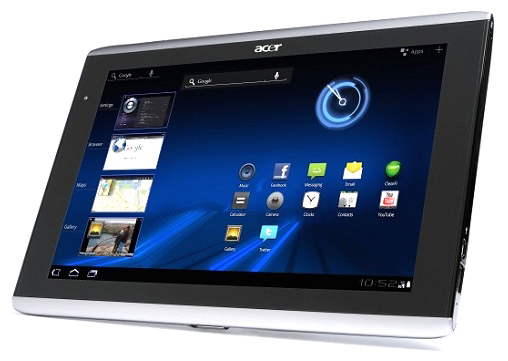
Tag: Acer

  • Acer showcases Windows 8 based tablets and notebooks

    Acer showcases Windows 8 based tablets and notebooks

    Oops! looks like something went wrong!
    The new series of tablets will be powered by Windows 8.

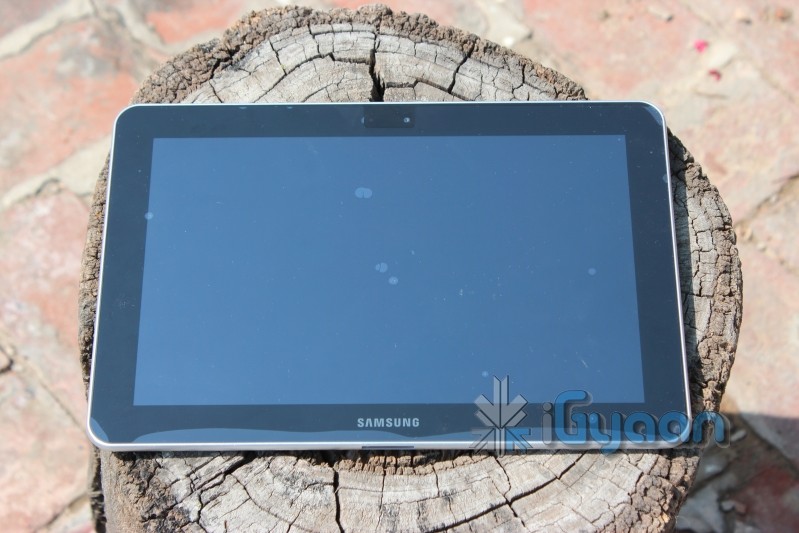
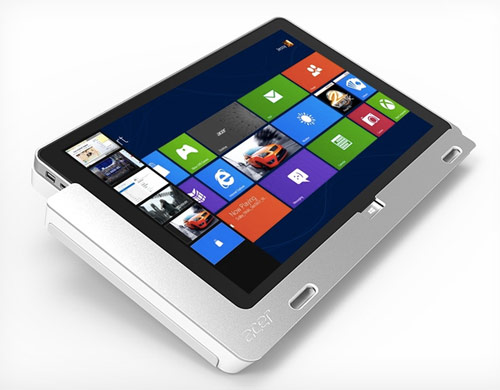
    At Computex-world’s largest computer related exhibition, tech giants Acer showcased a number of devices, including Windows 8 based machines. The company said that this year it would launch two tablets (W700 and W510), Aspire 7600U and Aspire 5600U all-in-ones, and Aspire 7 series ultrabook powered by Windows 8. 

    [quote]The unique part of the W510 tablet is the tri-mode, allowing users to touch, type and view. Aside from the conventional tablet mode, it can be used in productivity mode. A detachable keyboard dock can be connected to the tablet for optimal typing as well as extending the battery life up to 18 hours. Rotating the tablet 295 degrees allows it to be used in presentation mode, which is excellent for watching a video, browsing a webpage or viewing a PowerPoint presentation, the company said.[/quote]

    In addition, the W510 has Always On, Always Connect technology, and a 10.1-inch touchscreen, which delivers wider viewing angles and vibrant colours, while W700 has a full HD 11.6-inch screen.The smaller tablet will be priced at Rs $799 while W700 will cost at least $999. 

    Source : TOI

  • Intel Ready to Launch Ivy Bridge Processors on April 23rd

    Intel may be ready to announce their next in line Ivy Bridge Processors on the 23rd of April 2012 according to Digitimes. With companies like ASUS, Acer, Lenovo and Hewlett-Packard ready to launch their new ultrabooks in early May the timing only seems perfect for the new launches.

    Intel has also reportedly setup a budget of  $300 million to assist partners in promotion of the new chipsets on ultrabooks.  Rumors also point to the fact that Apple is planning to refresh its iMac family of computers with Intel’s 22nm-based Core i5 and Core i7 Ivy Bridge processors in June or July.

    Apple is also set to launch newer Macbook Pro models with a thinner design and possibly without the dvd slot drive boasting the new platform of chipsets.

  • Acer launches AZ3, AZ5, Veriton Z Series all-in-ones

    Acer launches AZ3, AZ5, Veriton Z Series all-in-ones

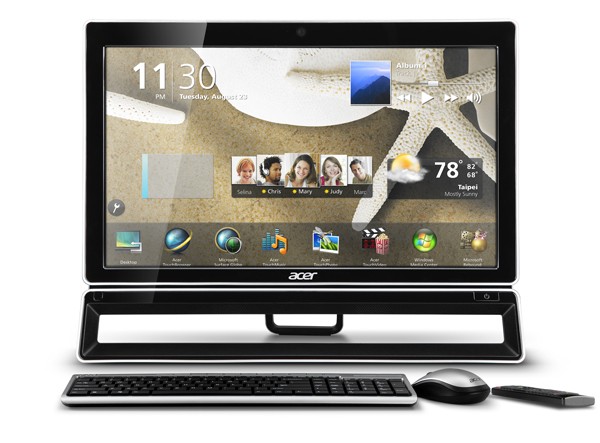
    Acer has taken a big step towards All in One Computing with its three new AIO desktop PCs launched today. The AZ3, AZ5 and Veriton Z offer a mix of features and start low at just 35,000 rupees.


     AZ5

    • 23-inch
    • Full HD Display 1080p
    • Multi-touch 
    • Starting with Core i3-2120 processor
    • 4GB of DDR3 memory
    • 1TB HDD
    • Adjustable stand
    • 2 x USB 3.0 ports 
    • 4x USB 2.0 ports 
    • Built-in webcam and mic
    • Price starting 45,000 INR
     AZ3
    • 21 inches
    • Full HD Display 1080p
    • AMD dual-core A4 APU
    • Radeon HD6410
    • 500GB
    • Adjustable stand
    • 2 x USB 3.0 ports 
    • 4x USB 2.0 ports 
    • Built-in webcam and mic
    • Price starting 38,000 INR
    Veriton Z
    • 20-inch (starting)
    • Core i5-2400s quad-core processor 
    • NVIDIA GeFore GT 520M GPU
    • 1TB HDD
    • Adjustable stand
    • 2 x USB 3.0 ports 
    • 4x USB 2.0 ports 
    • Built-in webcam and mic
    • Price starting 55,000 INR
    [toggle title_open=”Press Release” title_closed=”Press Release” hide=”yes” border=”yes” style=”default” excerpt_length=”0″ read_more_text=”Read More” read_less_text=”Read Less” include_excerpt_html=”no”]ACER’S NEW ALL-IN-ONE DESKTOPS FEATURE HD
    WIDESCREEN TOUCH DISPLAYS FOR EYE POPPING VISUALS

    Both 23- and 21-inch Models Offer All the Essentials for Enjoying Music, Movies, Social Networking and More

    San Jose, Calif., Nov. 1, 2011 – Acer is spreading holiday cheer this season with new all-in-one (AIO) desktops that combine the audio/visual excitement of HD with the fun and entertainment of a touch-screen display. The new models include the Acer® AZ5 Series with an ample 23-inch HD monitor and the AZ3 Series, which features a more compact 21-inch HD screen to fit within tight areas. These new AIOs conserve space and make an appealing entertainment hub for the entire family to enjoy.

    “A sophisticated appearance and practical design make our all-in-one form factor very popular with consumers,” said Irene Chan, senior business manager of consumer desktops for Acer America. “Our newest all-in-one models feature an intuitive touch screen display for playing digital music, scrolling through images, browsing online recipes and viewing social networking sites. In addition, full HD performance heightens the visual excitement of movies and games.”

    With all-in-one touch control, the AIOs come with the Acer TouchPortal to synchronize personal life, PC and the Internet. It provides one-touch access to practical information, music, photos and social networking. Users can switch between applications with quick, finger-tip control. It simplifies photo management – images can be cropped, saved and shared with just the touch of a finger. The Acer Browser Magnifier expands reading areas and retains user preferences for easier web browsing.

    Acer® AZ5 Series: 23-Inch Multi-Touch Display – High-Performance Entertainment
    The AZ5 Series of all-in-one desktops include two elegant, yet practical models featuring large 23-inch full HD (16:9) widescreen displays with interactive touch-screen technology. Multi-touch capability streamlines navigation.

    Acer clear.fi allows media to be managed, stored, shared and enjoyed on any clear.fi enabled devices in the home. clear.fi automatically connects all Acer devices on a network (smartphones, notebooks, desktops, HD media players and storage devices) and then gathers and organizes media files by media type. Users can browse the categories and then drag and drop the media to any of the connected PCs or devices for playback. clear.fi can also be downloaded free from Acer on any DLNA-compliant device.

    The AZ5 Series comes with two built-in 2.5W stereo speakers and Dolby® Home Theater® audio to bring digital entertainment to life. It offers 4GB DDR3 memory and processor options include a powerful Intel® Core™ i3-2120 processor with hyper-threading technology to handle multiple applications simultaneously, enabling users to do more with less wait time. An enormous 1TB(1) hard drive provides generous space to store content and an optical drive is included for backing up valuable data.

    Acer® AZ3 Series: 21-inch Multi-Touch Display – Fun in a Compact Design
    The AZ3 Series all-in-one desktops with compact 21.5-inch full HD (16:9) touch-screens are a convenient form factor anywhere space is limited. These attractive and easy-to-use systems provide an intuitive touch experience for enjoying the latest in entertainment.

    Processor options include an AMD Dual-Core A4-3400 Accelerated Processor (2.7GHz, 1MB Total L2 Cache). In addition, AMD Radeon™ HD6410D Graphics provide solid performance for taking advantage of the latest in digital media. There are two 2.5W stereo speakers and optimized Dolby Home Theater audio to deliver rich audio for movies, music and games. A large 500GB(1) 7200RPM SATA hard drive has significant storage space and an optical drive is included for back-ups.

    Connectivity and Expansion
    All of the new AIOs have a built-in 1.3MP webcam and microphone, which enable face-to-face communication for staying in touch with friends and family. Two USB 3.0 ports (side) and four USB 2.0 ports (rear) allow quick and easy connection to peripherals and digital devices. A multi-in-one digital media card reader conveniently transfers files from digital devices. These sleek PCs also come with an adjustable back stand, 802.11b/g/n wireless connectivity and a wireless keyboard and mouse for an uncluttered work area.

    Pricing and Availability
    Both the AZ5 and AZ3 Series all-in-one desktop PCs come with Windows® Home Premium 64-bit and a one-year warranty(2). The Acer AZ5 Series’ manufacturer suggested retail prices (MSRP) start at $749.99 and the Acer AZ3 Series’ MSRP starts at $649.99. The new systems are available at leading retailers.

    ACER’S NEW VERITON AIO DESKTOPS,
    THIN IN STATURE, FAT IN POWER

    Swift, smart and secure, new Acer Veriton Z Series features high-performance quad core processors, discrete graphics and efficient system management

    SAN JOSE, CALIF., Nov. 1, 2011 – Acer America Corp. has launched a new line-up of slim all-in-one (AIO) desktop systems with 20-inch widescreen LED displays designed for businesses, schools, hospitals and government agencies. A practical blend of efficient design, solid performance and time-saving management and security tools make the new Veriton Z2620G and Veriton Z2610G Series, intelligent choices for all commercial environments.

    “Our Veriton all-in-one desktops are designed to provide performance without compromise, while conserving desktop real estate and providing a professional look and feel to any organization.,” said Leila Axelle Robert, Acer Commercial Systems Business Manager. “Ideal for reception areas, call centers or anywhere that space conservation and presentation are a priority, these AIOs feature an Acer software suite that simplifies routine tasks, remotely deploys software upgrades and safeguards critical data. In addition, Intel Core i5 processing and discrete graphics provide an excess of the power required for multitasking in demanding commercial environments.”

    The new all-in-one desktops include two series: the Acer Veriton Z2620G with a high-performance Intel® Core™ i5-2400s (6MB cache, 2.50 GHz with Max Turbo Frequency up to 3.30GHz, 4 cores) and discrete NVIDIA® GeForce® GT 520M graphics with prices beginning at $849.99; and the Acer Veriton Z2610G with an Intel® Pentium® G620 processor (3MB cache, 2.60GHz, Dual Core) and Intel® HD Graphics with prices beginning at $649.99. Both lines are encased in a slim and understated black and silver chassis to enhance the professional atmosphere.

    The 20-inch widescreen LCD displays with a 1600 x 900 resolution provide crystal-clear visuals for easy viewing of spreadsheets, presentations and other productivity files. These systems have 4GB DDR3 SDRAM upgradeable to 8GB via two memory slots for fast multitasking. The new all-in-ones provide all the essentials needed for general productivity with large 500GB(1) SATA hard drives and SuperMulti optical drives for loading software and backing up valuable data.

    Data Security Is a High Priority in Every Business and Institution
    The new Veriton all-in-one systems come with software for safeguarding valuable information. Acer Proshield has an encrypted hidden drive for confidential personal files, a file shredder to wipe sensitive content from the system, and a BIOS import and export tool that simplifies system management. Acer’s One-Button Recovery (OBR) function makes backing up and/or restoring a PC’s data simple. If the PC’s operating system files are lost or damaged, the recovery process can restore the Veriton’s original factory default settings or to the last system backup.

    The new AIOs offer several efficient management tools, including Acer Client Manager for enabling IT managers to deploy software and control user’s systems remotely. Acer eRecovery Management creates system back-ups, copies configurations and burns factory default images. It also restores user-created HDD images or optical disks, original system configurations and reinstalls Acer applications and drivers. In addition, these systems offer the Veriton ControlCenter that includes:
    Acer eLock Management for enabling IT managers to deploy software and control user’s systems remotely
    Acer eSettings Management for tracking and storing user’s software preferences
    QuickMigration for quickly updating and transfering personal data from one PC to another using a common network cable
    SmartBoot for automatically loading frequently used programs in the system tray at start-up

    The new Veriton Z family offerings also come with Adobe® Reader®, Windows® 7 Professional and Internet Explorer®. Offering plenty of options for connecting a wide range of digital devices and peripherals, there are six USB 2.0 ports. Fast Internet access is provided by Gigabit Ethernet and wireless 802.11 b/g/n WiFi. Embedded high-definition audio creates high-quality sound for videoconferencing and webcasts.

    Pricing, Warranty and Availability
    The Acer Veriton VZ2620G-Ui52400W and Veriton VZ2610G-UG620W desktops are available in North America via Acer authorized resellers and come with a one-year limited(2warranty. Pricing for the Acer Veriton VZ2620G-Ui52400W starts at $849.99 and Veriton VZ2610G-UG620W begins at $649.99.[/toggle]

  • Most Android Honeycomb Tablets will upgrade to Ice Cream Sandwich

    Most Android Honeycomb Tablets will upgrade to Ice Cream Sandwich

    The air has been cleared over the tablet to Android 4 controversy and it seems all but most Honeycomb tablets will be updated to the latest build of Android from their companies. The only thing that lies in the middle is the timeline, and since we all know that companies like to take their own sweet time ironing out the kinks, we would say it should be a while.


  • Acer Aspire S3 Ultrabooks Launched in India INR 49,999  (PR)

    Acer Aspire S3 Ultrabooks Launched in India INR 49,999 (PR)

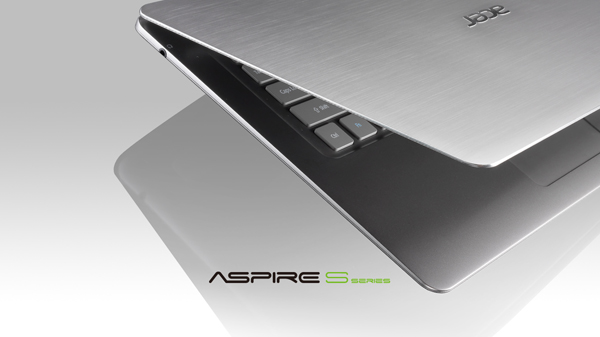
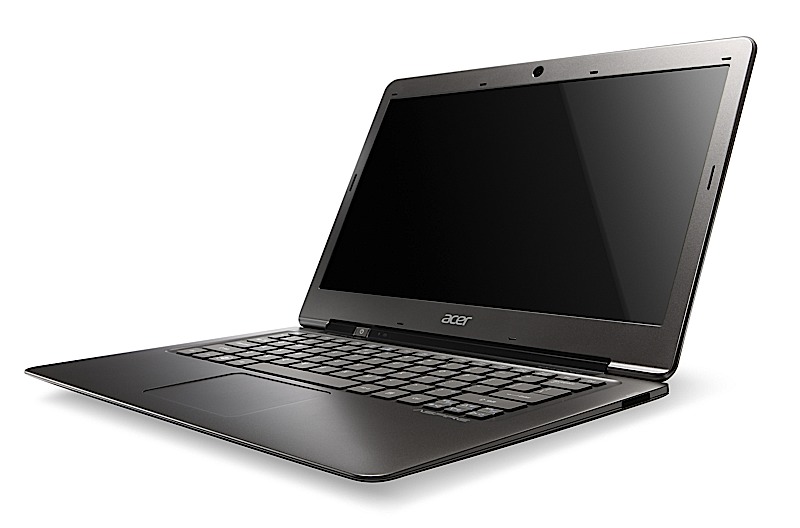
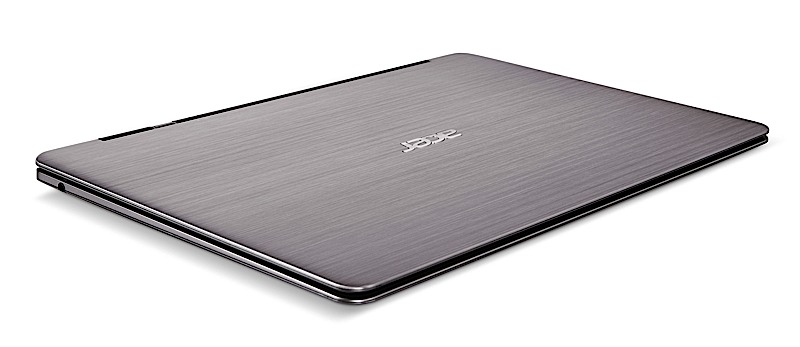
    The Acer Aspire S3 range of ultrabooks have been launched in India , at just 13 mm (0.51″) thickness, Aspire S3 weighs less than 1.4 kgs. the company is really boasting the new battery design which lasts upto 50 days on standby or 6 hours on real usage.


    With the launch of the Acer Aspire S3 Ultrabook, we have charted a new line of course to the mobile computing world by effortlessly combining the essential features of both a notebook and a tablet,”

    S.Rajendran, Chief Marketing Officer, Acer India.

    The price of the these Notebooks starts at a price of Rs. 49,000/-

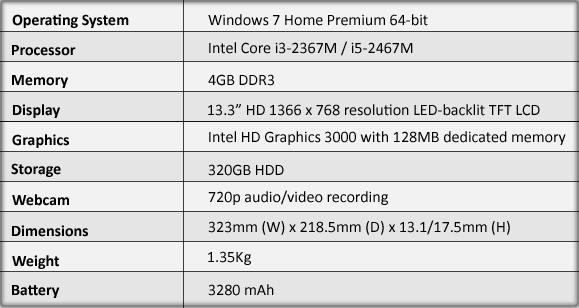
    Tech Specs Include :


    [toggle title_open=”Collapse PR” title_closed=”Expand PR” hide=”yes” border=”yes” style=”default” excerpt_length=”0″ read_more_text=”Read More” read_less_text=”Read Less” include_excerpt_html=”no”]First we reduced its size, then we reduced its price…
    Acer Aspire S3 UltrabookTM debuts for $899 in North America
    Lightweight and fast like a hummingbird, the Acer Aspire S3 Series powers on instantly, connects to the Web in seconds and provides up to 50 days of stand-by time

    Editor’s Summary:
    – The 13.3-inch HD widescreen LED-backlit display features a 16:9 aspect ratio and 1366 x 768 resolution, delivering sharp, rich visuals.
    – Acer Green Instant On lets you resume your computing session in less than 2 seconds.
    – Acer Instant Connect gets you on the Internet in just 2.5 seconds – four times faster than conventional connections.
    – A mere .51 inches thin and weighing a scant 2.98 pounds, the Aspire S3’s aluminum/ magnesium chassis delivers strength in a lightweight design.
    – Acer Hybrid Standby Technology provides up to 50 days of standby power and up to 6 hours of continuous usage.
    – An Intel® Core™ i5 Processor, 20GB solid state drive and roomy 320GB hard drive deliver as much performance and storage capacity as much larger, full-size notebooks.
    – Just $899, the Acer Aspire S3-951 proves you don’t have to be rich to be thin.

    SAN JOSE, Calif., Oct. 10, 2011 – Acer America today announced the North American availability of its first Ultrabook, the Acer Aspire S3-951. This featherweight Ultrabook powers on instantly, connects to the Web in seconds and provides up to 50 days of stand-by time, or 6 hours of continuous usage. As slim and easy to carry as a magazine, it includes a powerful Intel Core i5 Processor, speedy solid state drive for quickly booting the operating system, roomy hard drive, and essential USB and HDMI ports.

    “The combination of extreme mobility and affordability found in the Acer Aspire S3-951 Ultrabook will undoubtedly change the way people think about mobile computing,” said Sumit Agnihotry, vice president of product marketing, Acer America. “Consumers are going to love the value they find in the freedom and capabilities it offers.”

    For Those who Hate to Wait
    Like its inspiration, The Acer Aspire S3 Series was designed to be as light and quick as a hummingbird. With Acer’s Ultrabook, there is no need to waste time shutting down and restarting. It’s always ready in a flash for online browsing, instant messaging, social networking and other activities.

    Acer’s Green Instant On Technology delivers ultra-fast responsiveness, resuming from Sleep mode in as little as 2 seconds. The 20GB SSD drive stores the operating system and maintains the current PC’s state as it was when left unattended, so when the computer is awakened, web sites, emails or documents previously in use are instantly restored.

    After 8 hours of inactivity, the Aspire S3 Series will enter Deep Sleep mode, from which it will resume in 6 seconds. The user can change this 8 hour default setting to 120 minutes, which is recommended for longer trips or periods of inactivity.

    With these energy-conscious innovations, the battery life lasts up to 50 days – even longer than regular mobile phone batteries. All-day usability is delivered with an integrated long-life battery that delivers up to 6 hours of computing time.

    Acer’s Instant Connect Technology reconnects the Ultrabook to the Internet from Sleep mode in just 2.5 seconds, four times faster than a conventional connection, enabling consumers to quickly access Instant Messaging, social networks and email immediately after the system comes “awake.”

    You don’t have to be Rich to be Thin
    Sporting an ultra-thin design and an MSRP of just $899, the Acer Aspire S3-951 is light in your briefcase and light on your wallet. Measuring just half-an-inch at its thinnest and weighing a mere 2.98 pounds, it’s as easy to carry as a magazine or file folder. Its overall dimensions are 12.59 inches by 8.52-inches by .51 to.68-inches, making it one of the thinnest notebooks available on the market.

    The liberal use of magnesium aluminum/alloy contributes to the Aspire S3’s rigid frame while also keeping the system as light as possible. The aerodynamic design includes a metallic silver gray hairline finish, and a fingerprint-free finish on the lid that feels as smooth as silk. The 13.3-inch ultra-thin HD LED display uses an open cell design, integrating the display’s covers with the glass panel. This allows the lid and bezel to form a strong aluminum frame around the screen, and reduces the bezel thickness by about 10 percent, creating a super-slim silhouette that is still strong enough to protect the display.

    A seamless and uncluttered chassis, only a card reader and headphone connector are located on the left and right side; all the other connectors are located in the back, keeping the side profiles clean and sleek.

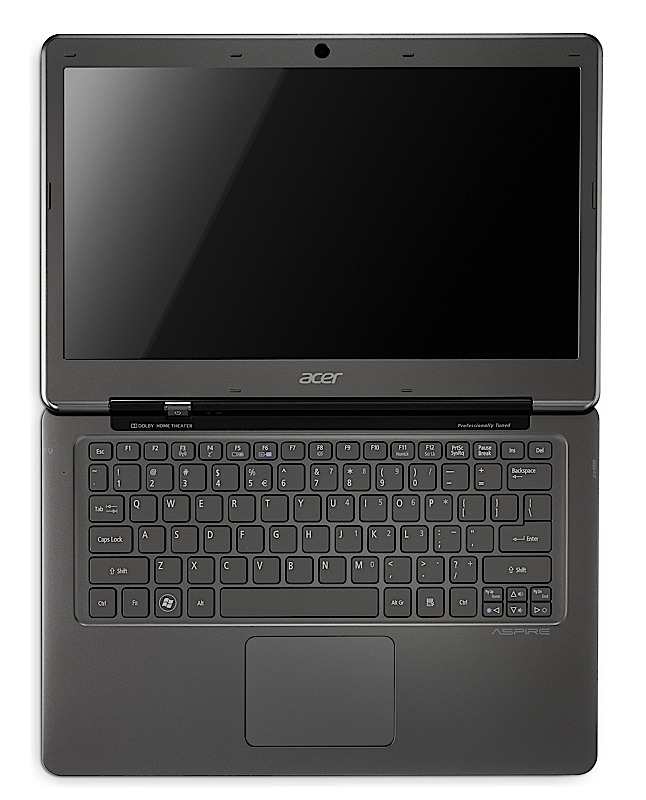
    For user convenience, the power and battery status indicators are located on the outside corner, allowing them to be viewed even when the lid is closed. In addition, the power button is located above the keyboard underneath the LCD, so it’s easy to reach but won’t be accidentally pressed when the notebook is picked up and moved. A large multi-gesture touchpad and full size chiclet keyboard keeps the design simple and neat.

    The Acer Aspire Ultrabook also includes numerous design elements that keep the system running cool and efficiently. All the heat generating components have been placed away from the palm rest and touchpad area, and warm air is funneled away from the user through the back of the Ultrabook. Venting throughout the keyboard also helps the system stay cool, and its vent-free bottom allows it to be used comfortably on a lap or pillow, without fear of obstructing air flow and overheating. In addition, airflow is optimized to enhance efficiency and lower power consumption to help increase system battery life.

    Get the Job Done without being Weighed Down
    Capturing the spirit of the hummingbird, the Aspire S3’s diminutive form belies its agility and prowess. It is among the thinnest and lightest, but is incredibly fast and powerful.

    Featuring a 2nd generation Intel® Core™ i5 Processor, Intel® HD Graphics 3000, 20GB solid state drive, 320GB hard drive, and 4GB of memory, the Aspire S3-951 Ultraportable is small, lightweight and easy to carry while still delivering the power needed for multimedia programs, CPU intensive programs and graphic intensive games. It is currently the only Ultrabook on the market to include both a solid state and hard disk drive.

    Rock Out to Big Audio in a Small Package
    Ideal for enjoying music, games or movies on-the-go or at home, the S3-951 includes professionally-tuned Dolby® Home Theater® v4, for vibrant, cinema-style surround sound and enhanced dialogue quality. Combined with its 13.3-inch HD Widescreen CineCrystal™ LED-backlit display featuring a 16:9 aspect ratio and a maximum resolution of 1366 x 788, it delivers sharp, rich high-definition visuals. It can be connected to an external monitor, projector or TV through a single cable via its HDMI port, so 1080p content can be enjoyed on a larger scale.

    Share Photos, Update Social Networks and Video Chat — Anytime, Anywhere
    Acer Clear.fi makes it easy to stay in touch with friends and family, managing, storing, sharing and enjoying music, photos and videos between any Clear.fi enabled devices throughout a home or small office. In addition, they can also use it to connect to social networking sites, as clear.fi connects to feeds from Facebook, videos on YouTube and images on flickr. In addition, a 2-in-1 card reader that supports SD™ Card and MultiMediaCard™ formats make it easy to quickly and easily share data or download photos from their digital cameras.

    For those who like to chat, video sessions are easy to set up and sound clear as a bell. The S3 Series includes Acer Video Conference Manager instant messaging software and a Crystal Eye 1.3 webcam that provides high-pixel density for amazing video image quality at 24 frames per second. Dual cameras make it easy to take high-definition still photos from either side of the Ultrabook.

    For wireless connectivity at home or on the go, Acer InviLink™ Nplify™ 802.11b/g/n Wi-Fi CERTIFIED™ technology delivers reliable wireless connections wherever there’s a hotspot(9). The Aspire S3 Series lets you cut down the clutter with Bluetooth® 4.0+ HSR technologies, the latest standard for quick short-range wireless file transfers.

    Availability, Pricing
    The Acer Aspire S3-951 Ultrabook will be available this week at leading online and retail outlets in the U.S. and Canada. It has a manufacturer’s suggested retail price of $899 (U.S. & CAN).

    Future models to be announced will round out Acer’s Ultrabook line up, and will include Intel Core i7 or Core i3 Processors and larger capacity solid state drives.[/toggle]

  • Windows Phone ‘Mango’ released to vendors

    Windows Phone ‘Mango’ released to vendors

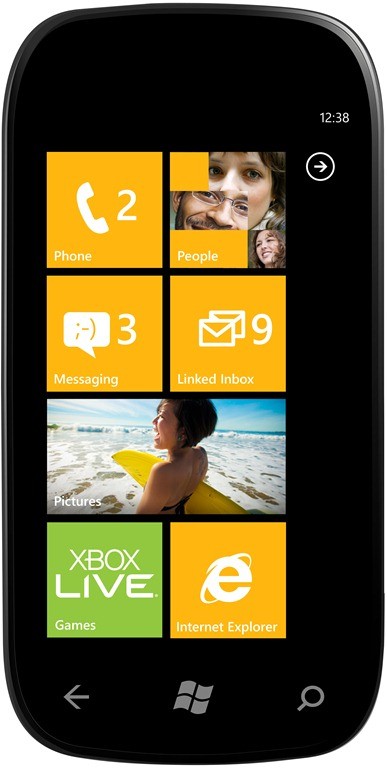
    Microsoft confirmed on its Windows Team Blog on Monday that it has released the RTM build of Windows Phone “Mango” to manufacturing partners.

    This marks the point in the development process where we hand code to our handset and mobile operator partners to optimize Mango for their specific phone and network configurations,” explained Microsoft’s Windows Phone corporate vice president Terry Myerson.

     Microsoft has said Mango will deliver more than 500 new features to the Windows Phone platform, including Internet Explorer 9 and deeper social network integration. Mango is also set to release sometime in August to all existing devices. 

    Microsoft also plans to release  Nokia, HTC, LG, Samsung, Dell, Acer, Fujitsu and ZTE branded Windows Phone ‘Mango’ devices.

    [Microsoft]

  • Acer Aspire Ethos

    Acer Aspire Ethos

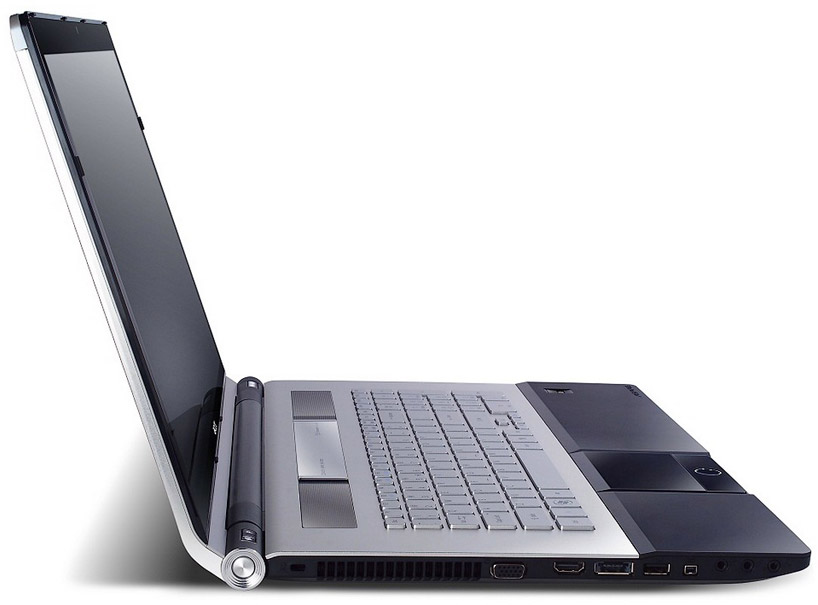
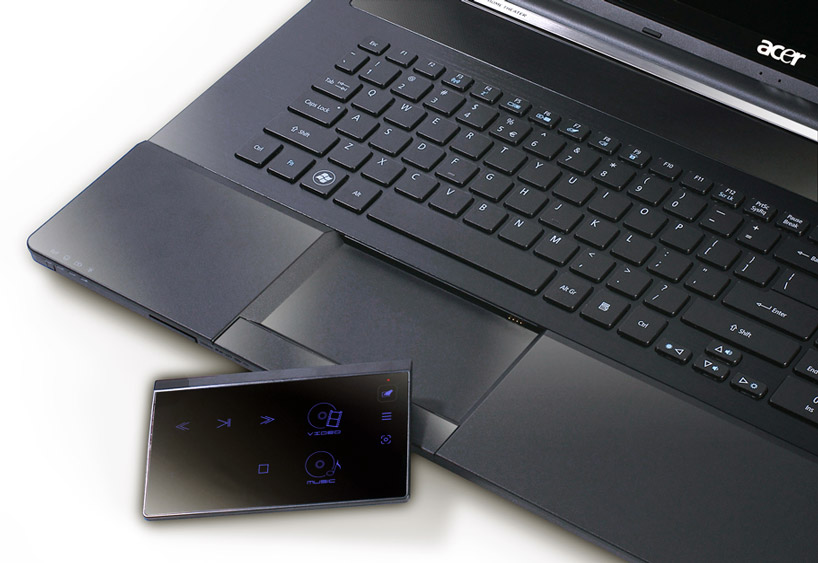
    Acer’s new Ethos laptop series was designed from the ground up for entertainment and features a removable track pad that doubles up as a remote alongside powerful audio and video ready hardware.

    The detachable track pad, is capable of controlling multimedia playback on the device from a distance, and features a sensor enabling it to be used either horizontally or vertically. The Aspire Ethos also features Acer’s Clear.Fi media sharing platform, enabling digital media stored on any Clear.Fi-ready device on the home network to be shared and accessed from any other.

    The 8951G model of the Ethos boasts 5 built in Dolby speakers as well a a pair of Acer sub-woofers for surround-like sound and has a full HD 1920x1080p 18.4 inch display. The 5951G comes with 2 built in speakers and an Acer Bass Boost system along with a 15.6inch 1366×768 display.

    The frame-less laptop utilizes Intel’s Turbo Boost Technology 2.0 on top of Intel Core I Processors, alongside a Nvidia Geforce T500 graphics processor. The integrated power-smart long-life battery lasts over three times as long as conventional notebook batteries. A USB 3.0 port, multi-in-1 card reader, web-cam, and built-in microphone round out the hardware offerings of the device, while an instant on arcade key permits fast booting for movie, music, and photo playback. Mobile devices may be charged via USB even when the laptop itself is turned off.

  • Microsoft Announces “Mango” Update for Windows Phone 7 – Autumn Release

    Microsoft has made the Windows Phone 7 Update official at its VIP preview event. We will be covering the details in the followups , right now you can browse below to read the Press Release. There is a major Revamp in Bing, showcased in the video below.


    PRESS RELEASE

    Microsoft Previews Next Release of Windows Phone

    “Mango” to deliver smarter and easier communications, apps and Internet experiences and bring Windows Phone to more customers around the world.

    REDMOND, Wash. – May 24, 2011 – Microsoft Corp. today previewed the next major release of Windows Phone, code-named “Mango,” through a series of media events around the world. “Mango” will deliver more than 500 new features to push the boundaries of the smartphone experience around communications, apps and the Internet. The “Mango” release will be available for free to Windows Phone 7 customers and is scheduled to ship on new phones beginning this fall. More details on device update timing will be provided closer to availability. Windows Phone will also add support for additional languages, expand access to apps by launching Windows Phone Marketplace in new countries, and partner with new OEMs to enable expansion to new markets.*

    “Seven months ago we started our mission to make smartphones smarter and easier for people to do more,” said Andy Lees, president of the Mobile Communications Business at Microsoft. “With ‘Mango,’ Windows Phone takes a major step forward in redefining how people communicate and use apps and the Internet, giving you better results with less effort.”

    Communications: Easier to Connect and Share

    The smartphone experience can be complicated by a sea of disconnected apps and accounts as people attempt to keep pace with all the ways they communicate – from calls, texts, email and instant messages (IM) to status updates, Tweets, check-ins, photo posting and tagging. To help people stay on top of that growing complexity, the “Mango” release organizes information around the person or group people want to interact with, not the app they have to use.

    • Threads. Switch between text, Facebook chat and Windows Live Messenger within the same conversation.

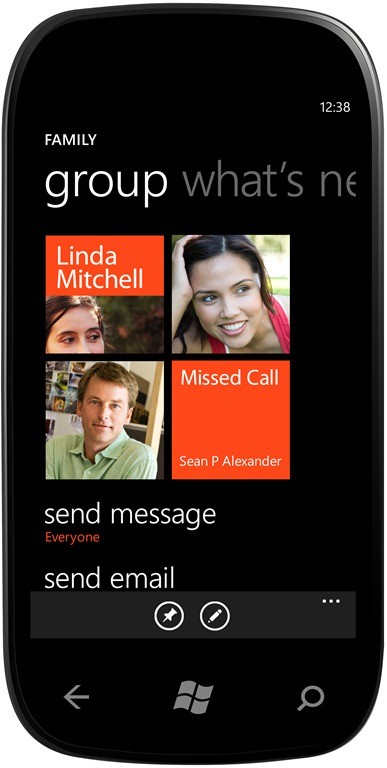
    • Groups. Group contacts into personalized Live Tiles to see the latest status updates right from the Start Screen and quickly send a text, email or IM to the whole group.

    • Deeper social network integration. Twitter and LinkedIn feeds are now integrated into contact cards, and “Mango” includes built-in Facebook check-ins and new face detection software that makes it easier to quickly tag photos and post to the Web.

    • Linked inbox. See multiple email accounts in one linked inbox. Conversations are organized to make it easy to stay on top of the latest mail.

    • Hands-free messaging. Built-in voice-to-text and text-to-voice support enables hands-free texting or chatting.

    A Smarter Approach to Apps

    Windows Phone will challenge the way people think about apps. Today their usefulness is measured by what can be done within the app, but Microsoft sees the promise of apps in how they can be integrated directly into the core experiences of the phone. In addition to making it easy to get timely notifications and updates from apps right from the Start Screen, the “Mango” release also will surface apps as part of search results and within Windows Phone Hubs. As a result, a useful app is more likely to be right there when needed.

    • App Connect. By connecting apps to search results and deepening their integration with Windows Phone Hubs, including Music and Video and Pictures, “Mango” allows apps to be surfaced when and where they make sense.

    • Improved Live Tiles. Get real-time information from apps without having to open them. Live Tiles can be more dynamic and hold more information.

    • Multitasking. Quickly switch between apps in use and allow apps to run in the background, helping to preserve battery life and performance.

    Taking the Internet Beyond the Browser

    In addition to including Internet Explorer, the “Mango” release will connect the power of the Web to the unique capabilities of Windows Phones, such as location awareness, camera and access to apps, to present a way of viewing the Web that is more localized, actionable and relevant.

    • Internet Explorer 9. A browser based on the powerful Internet Explorer 9 and including support for HTML5 and full hardware acceleration.

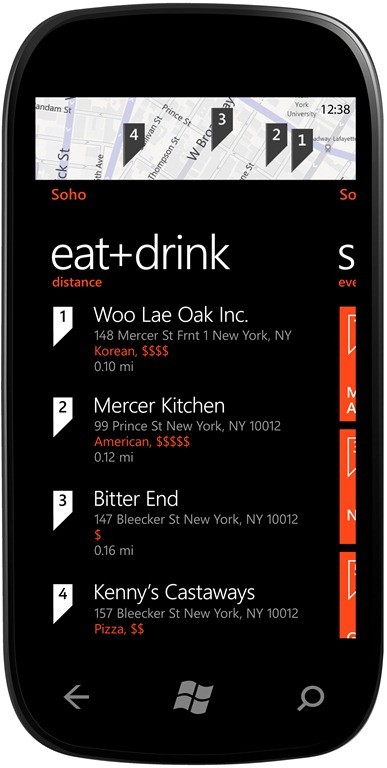
    • Local Scout. Provides hyperlocal search results and recommends nearby restaurants, shopping and activities in an easy-to-use guide.

    • Bing on Windows Phone. More ways to search the Web, including Bing Vision, Music Search and Voice so it’s easy to discover and decide.

    • Quick Cards. When searching for a product, movie, event or place, see a quick summary of relevant information, including related apps.

    Strengthening the Ecosystem

    The Windows Phone ecosystem has grown steadily since Windows Phone 7 first launched in October, with more than 17,000 apps currently available on Windows Phone Marketplace and Windows Phone handsets available from a range of partners worldwide, and Microsoft’s recently announced partnership with Nokia. “Mango” will further expand and strengthen the Windows Phone ecosystem through new partnerships with Acer Inc., Fujitsu Ltd. and ZTE Corp., which today announced plans to deliver new Windows Phone devices in markets around the world. Furthermore, Microsoft announced it will support additional languages, including Brazilian Portuguese, Simplified and Traditional Chinese, Czech, Danish, Dutch, Finnish, Greek, Hungarian, Japanese, Korean, Norwegian, Polish, Portuguese, Russian, and Swedish, and will greatly expand the list of countries where consumers have access to apps via Windows Phone Marketplace. As well, a beta release of the free Windows Phone Developer tools, which will be used to create the next generation of “Mango” apps and games, will be posted for public download to Microsoft’s website within 24 hours of today’s events. More information about what “Mango” means for developers, the tools and a link to the public download page is available at http://windowsteamblog.com/windows_phone/b/wpdev/archive/2011/05/24/developer-news-beta-mango-tools-available-today.aspx.
    Founded in 1975, Microsoft (Nasdaq “MSFT”) is the worldwide leader in software, services and solutions that help people and businesses realize their full potential.

    Some information relates to pre-released product that may be substantially modified before it’s commercially released. Microsoft makes no warranties, express or implied, with respect to the information provided here.

    *Data plan required; carrier fees apply. Apps from Marketplace. Features and services vary by area, phone, carrier and service plan.

  • Acer Launches the Iconia Android 2.3 Smart Phone in India – Ships it next Month

    Acer Launches the Iconia Android 2.3 Smart Phone in India – Ships it next Month

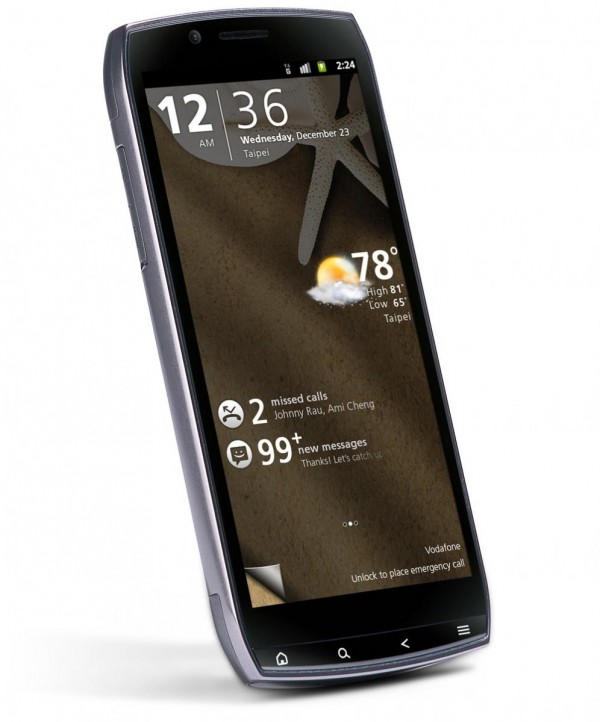
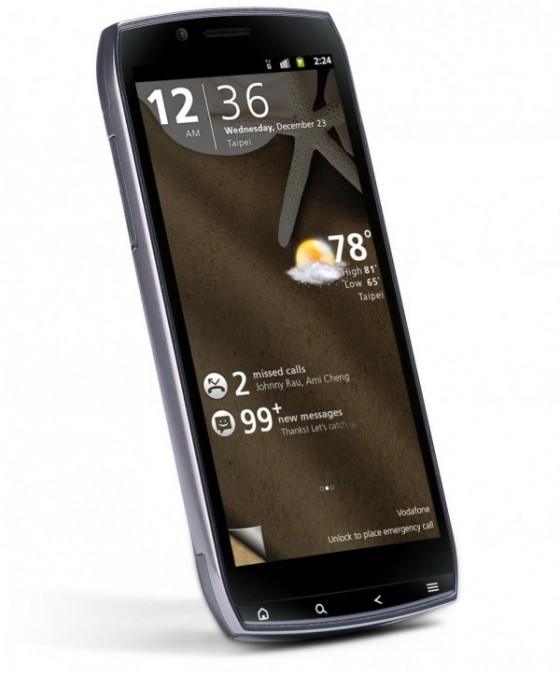
    Acer launched or should we say spoke about the new Iconia Smart in India. While the launch announcement was made the product is yet to start selling. It features


    • 4.8 inch display with HXGA (1024×480) resolution
    • 1GHz Snapdragon processor
    • 8 GB Internal Memory
    • HDMI port
    • DLNA support
    • Android 2.3 (Gingerbread) OS
    • Acer UI 4.2
    • 3G Connectivity
    • Wi-Fi 802.11 b/g/n
    • Bluetooth 2.1 with A2DP
    • 8 megapixel camera with autofocus and LED flash
    • HD (720p) video recording
    • 2 megapixel front-facing camera
    • 3.5mm jack
    • Dolby Mobile sound enhancement
    • 512 MB RAM
    • 512 MB ROM
    • 8 GB internal memory + microSD
    • 32 GB expandable memory
    • Six-axis gyro sensor
    • MicroUSB 2.0
    • A-GPS
    • HDMI port
    • Up to 500 hours stand-by time
    • Up to 11 hours talk-time
    • 1500 mAh battery

    With no official price on this 4.8″ monster , It is speculated to be in the market range of 30K INR.

  • Acer Iconica Tab A500 with Honeycomb, now shipping in the US for $499

    Acer Iconica Tab A500 with Honeycomb, now shipping in the US for $499

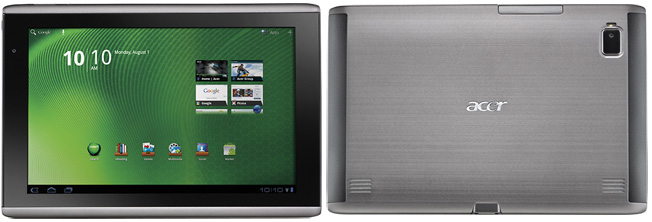
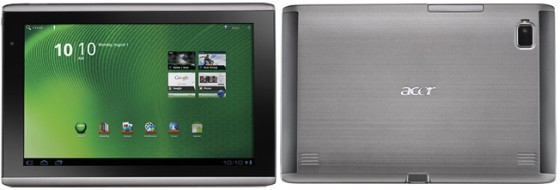
    The Acer Iconia Tab A500 has

    • Android 3.0 (Honeycomb tablet)
    • 10.1-inch display
    • Price of  $450
    • Dual-core NVIDIA Tegra 2 at 1GHz
    • 16GB of onboard storage
    • 2-megapixel front-facing camera
    • 5-megapixel rear camera,
    • 8 hours of battery life
    • 802.11 b/g/n Wi-Fi, Bluetooth 2.1 +EDR
    • MicroSD card slot that supports up to 32GB

    The device is now available from local vendors and reatails merchants like Best Buy in the US for 450 US$ or approximately 20,000/- INR. Pretty steep for a wifi only Tab if you ask us!

  • Acer Iconica 6120 Dual Screen TouchBook Gets a Price – PreOrder

    Acer Iconica 6120 Dual Screen TouchBook Gets a Price – PreOrder

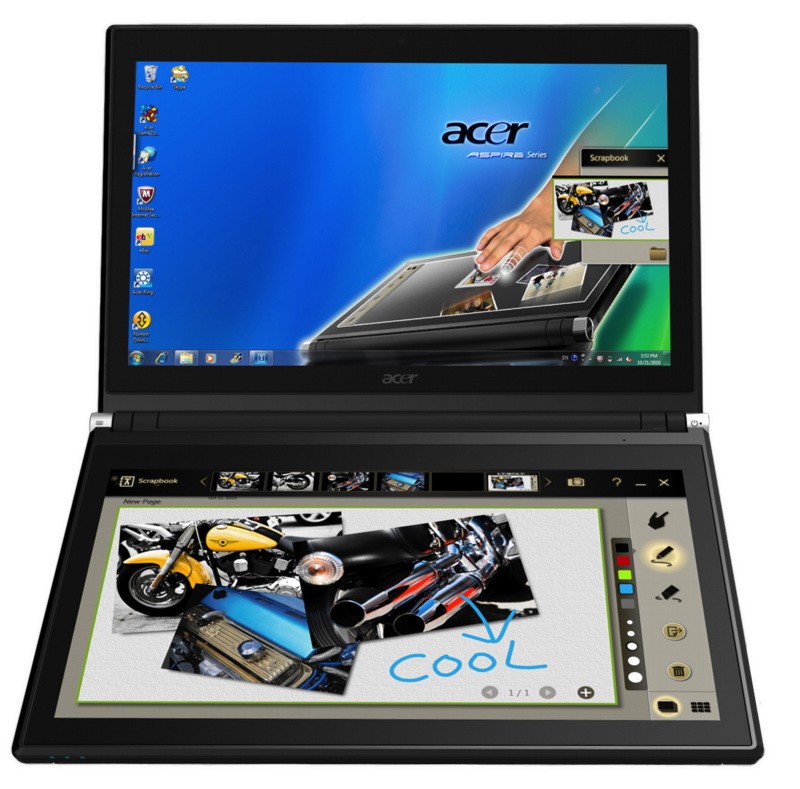
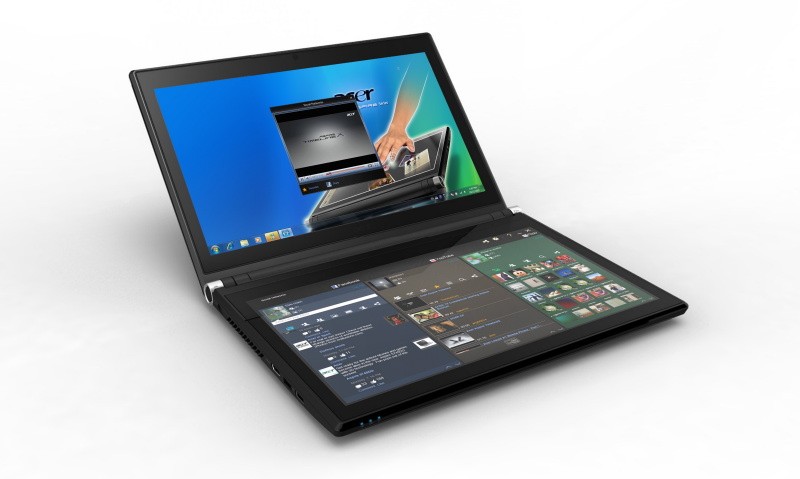
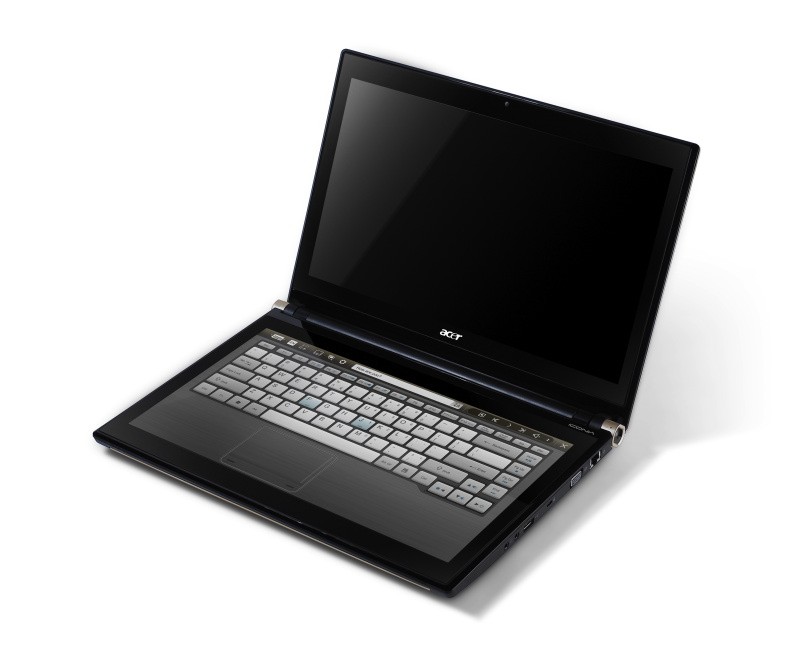
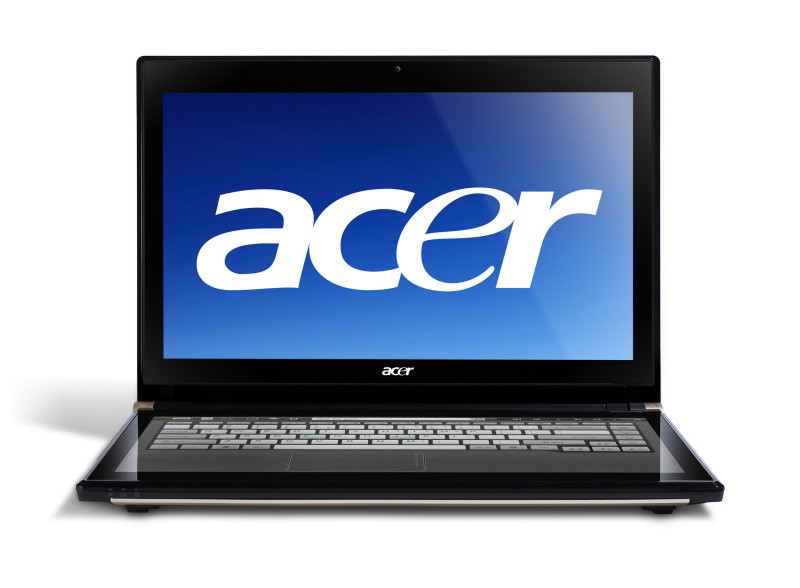
    Acer has announced the Pre-Order of its new Iconica Dual Screen Touch Notebook .

    • Price $1,199.99 ( US and CAD)
    • Dual 14-inch Gorilla Glas TouchPanels
    • Core i5 CPU
    • 4GB of memory
    • Intel HD graphics
    • 64-bit
    • Windows 7 Home Premium
    • USB 3.0 support
    • 640GB hard drive
    • 1.3 megapixel camera
    • 802.11b/g/n WiFi
    • HDMI output
    • Gigabit Ethernet
    • Weight 5.95 Pounds or 2.7KG (thats heavy!)


    Acer Iconia Touchbook Dual-Screen Tablet
    Provides Engaging, Natural Way to Interact with Digital Data

    World’s First and Only Tablet Featuring Two 14-inch Touch Screen Displays
    Now Available for Pre-Sale in the U.S. and Canada

    SAN JOSE, CA – March 29, 2011 – Acer today announced that its much anticipated dual screen tablet, the Iconia-6120 Dual-Screen Touchbook is now available for pre-sale in North America. Providing a powerful, immersive touch experience like no other, it is the world’s first and only tablet to offer two touch-enabled 14-inch high-definition widescreen LED backlit LCDs.

    Intuitive to use and customizable to individual needs, it combines the power of Intel Core i5 processing with the familiarity of Windows 7, and is destined to change how people use technology to engage with the world. A winner of this year’s prestigious “Last Gadget Standing” award at CES, the Iconia was noted for incorporating the best features of any notebook or tablet device.

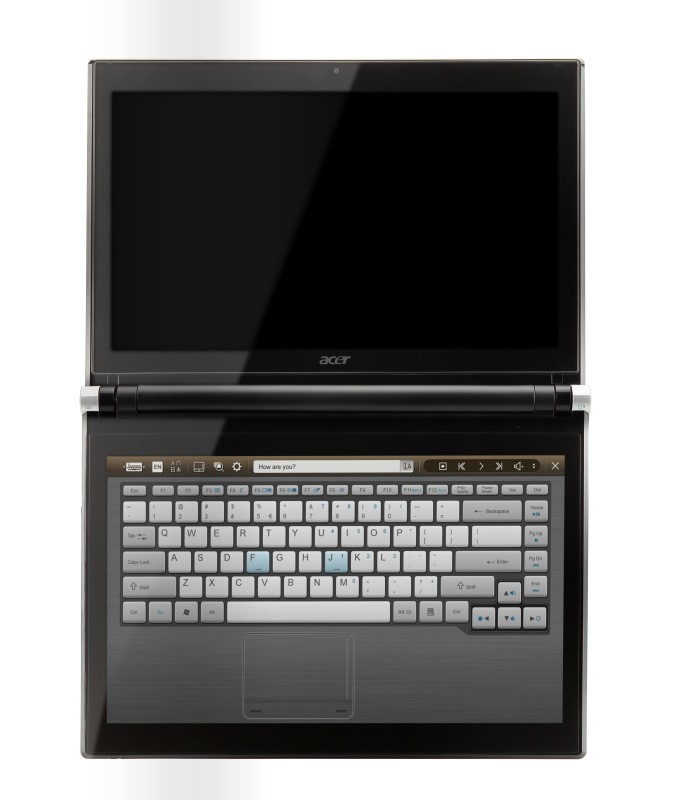
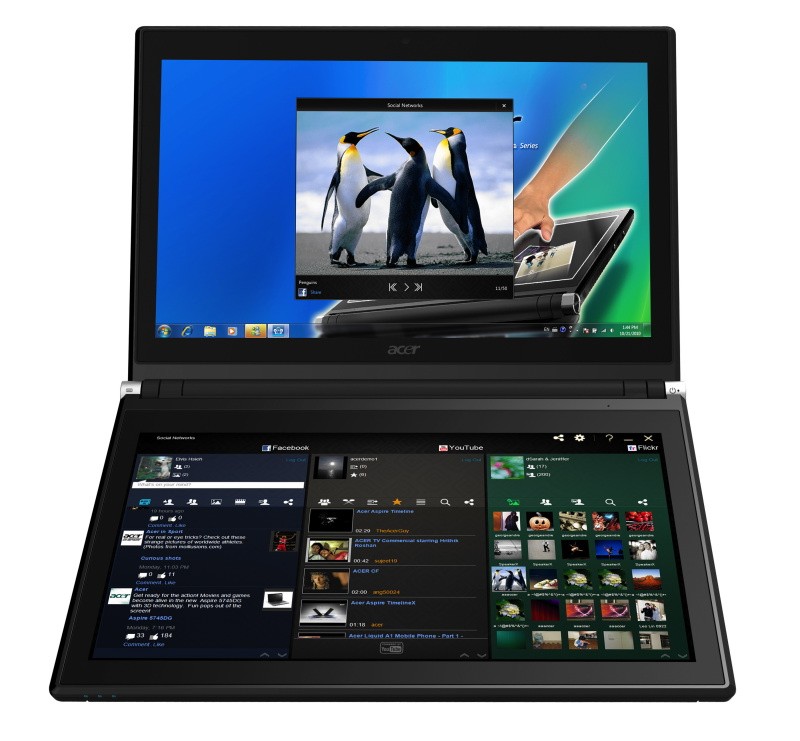
    With the flexibility to use a finger, type on a virtual keyboard, or use a combination of both, the Iconia Touchbook provides many ways to make the computing experience a truly personal one. Consumers can customize what is shown on each screen, allowing them to watch a video on the top screen and browse their multimedia library on the bottom one, or view a single web page across the two displays. Using the bottom screen to manage and control the action on the top screen keeps presentations, movies or web pages free of icons and other navigational tools.

    Extremely durable and scratch resistant, the Iconia’s 14-inch LCDs are made of ultra-thin Gorilla® Glass from Corning, a renowned manufacturer of extremely durable glass. With a wipe and clean coating, it’s easy to keep the displays shiny and smudge-free.

    “The Acer Iconia Touchbook delivers a computing and visual experience like no other,” said Eric Ackerson, senior product marketing manager, Acer America. “Whether the Touchbook is used by a small business owner or a student, its unique dual screen design enhances the interaction they will have with their digital data. Our compelling design and applications will let them discover new and much more personal ways to communicate and enjoy the computing experience, regardless of whether it’s work related or for personal enjoyment.”

    The Heart of Iconia – the Acer Ring Control Interface
    The unique Acer Ring Control Interface makes navigating by touch simple and intuitive. By placing five fingers in a circular pattern on the bottom display, the Acer Ring appears, providing instant access to favorite applications and features. From this point, consumers can use their fingertip or launch the virtual keyboard to change the tablet’s settings, surf the web, capture screen images, post photos and status updates to a social network, watch a movie and more, all in the manner most comfortable and natural to them.

    AppCards Provide Quick and Easy Access to Productivity and Entertainment-Based Applications
    Appearing on the either side of the Acer Ring is a unique set of Iconia touch-based applications, called AppCards. Using a finger, users can scroll to the one they want, and simply tap it to have instant access to a range of compelling programs ideal for either business or home use.

    • TouchBrowser is specifically designed to offer a more comfortable web surfing experience when using touch input. Upon launching, web content will flow across both screens. A toolbar at the bottom of either screen provides easy control over the open pages. To enter a website address, consumers can use the virtual keyboard or enter it using handwriting gestures. A pinching action will zoom in on the content on the page. Pages can be added to Favorites by simply tapping the Add Favorites icon.

    • MyJournal is a handy place to keep clippings of websites and other information. Images can be captured from any web page and organized onto a single, easy-to-view page. It includes pre-set tabs for News, Sports, Entertainment, Politics and Business. The selected website content on the tabbed pages is automatically updated each time it’s opened. A toolbar at the top of the page makes it easy to edit, resize, rename and move clips to other pages. In a business environment, a professional will find this feature useful in tracking news on competitors or to keep an eye on the stock market. A consumer can follow a local news story, their favorite sports team or keep an eye on their favorite celebrity’s latest antics.

    • Social Jogger simultaneously connects to three of the most popular social networking sites — Flickr, Facebook, and YouTube, presenting them a simple interface on one screen. Users can check posts and updates on one screen at a glance, and use the other screen to view one of the sites in more detail, surf the web, view photos or work on a spreadsheet.

    • Scrapbook is a convenient place to store website and photo images and other content. It includes a pen tool for drawing or entering handwritten text, such as adding comments or reminders. From there, images can be exported to the clipboard for insertion into other applications, or saved as an image file.

    • TouchPhoto, TouchMusic and TouchVideo provide direct access to multimedia files stored on the tablet.

    “The Acer ICONIA Dual Screen is a great demonstration of how hardware and software together enables new ways to interact with your PC,” said Soren Lau, senior director of marketing in the Original Equipment Manufacturer Division at Microsoft. “With Windows 7, you get the familiarity of Windows with support for multi-touch, so you can flick through videos and files with a fingertip, or use the touch-based on-screen keyboard.”

    Easy-to-use Tools Make Navigating Intuitive and Fun
    Appearing directly on the Acer Ring are a number of useful functions and tools, including Virtual Keyboard, Gesture Editor, Capture, Webclip, Window Manager and Device Control. Tapping the desired tool’s icon brings it up for immediate use.

    • The Virtual Keyboard gives users the ability to enter data and navigate in a familiar fashion. Combined with its touch capabilities, the Iconia Touchbook is a flexible and powerful tablet designed for maximum efficiency and productivity. When both palms are placed on the bottom screen, the virtual full-sized keyboard instantly appears. Adaptive typing and predictive text allows for quick data entry and minimizes mistakes. A numeric touchpad with handwriting recognition converts handwriting to text. The palm rest area can also be customized with any image on the computer – a company logo or a scenic background — so users can personalize the tablet even more.

    • Gesture Editor is a simple and quick way to instantly launch specific applications, access favorite websites, or even to lock the computer with a simple finger motion. A set of pre-defined gestures is included, but customized gestures can be created in just five easy steps. For example, simply drawing a $ (dollar sign) on the screen can launch a financial or accounting application, or a (checkmark) can open a to-do list.

    • The Capture tool allows users to clip parts of an image (a photo, illustration or a webpage) and save it to the Scrapbook application for further editing. It’s a great way to collect images for use in a PowerPoint presentation. And it couldn’t be easier to do. With the picture on the top screen and the Scrapbook page opened on the bottom display, users just tap the Capture tool, run their finger around the desired image and then tap the area to open a menu that will allow them to drag and drop it onto the Scrapbook page. The captured image will automatically be added as a thumbnail image above the scrapbook page for quick and easy viewing. They can then drag and drop the desired thumbnail onto the page, where it can be rotated or resized with pinching actions.

    • The Web Clip tool is specifically for clipping parts of web pages to save to MyJournal. Tap the screen, select the area to crop, tap and drag on any of the corners of the selected area to size it, and then tap the area again to open a menu to paste the content into MyJournal, Scrapbook or copy it to the clipboard. It can also be saved as a bitmap file.

    • Window Manager provides a touch-friendly interface for controlling the various open windows on the displays. Users can customize which screen the application appears on as well as its size.

    • Device Control is an easy way to access and adjust power, display and volume settings, wireless connections and various devices connected to the HDMI, VGA and USB ports.

    Clear.fi makes data sharing convenient in small office environment or the home
    Making it easy to share multimedia content, the Acer Iconia Touchbook features clear.fi, Acer’s digital media sharing solution. Clear.fi automatically connects all Acer devices on a network (smartphones, notebooks, desktops, HD media players and storage devices) and then gathers and organizes media files by type (video, music, photo, pre-recorded TV). Users can browse the categories and then drag and drop the media to any of the connected PCs or devices for playback.

    No-Compromises Tablet Features Leading Technology for Maximum Productivity and Fun
    A super charged tablet filled with enough leading technology to rival many desktop and notebook PCs in performance, the Iconia-6120 Dual-Screen Touchbook is powerful enough to handle demanding applications and graphic intensive multimedia files. Featuring an Intel® Core™ i5 Processor with Intel® Turbo Boost Technology(2), 4GB of memory and Intel® HD graphics, the Touchbook is equipped for heavy lifting. In addition, Dolby® Advanced Audio™ v3 brings vibrant sound to business presentations, movies, music, and games.

    Windows 7 Home Premium 64-bit provides a familiar computing environment and is compatible with today’s most popular applications and media formats, and supports full web browsing with Adobe® Flash® Player 10.1. For professional environments, customers can upgrade using Windows Anytime Update to Windows 7 Professional to attain business-class PC: manageability, security and the ability to run the applications used within most organizations today, including Microsoft Office.

    To maximize productivity, the Touchbook includes the new USB 3.0 standard with a top speed that’s 10 times faster than standard USB 2.0; a 25GB high definition video file can be transferred from an external USB 3.0 storage device in just 70 seconds and stored on the roomy 640GB SATA hard drive(3). Two 2.0 USB ports and an HDMI port are also included.

    A 1.3 megapixel HD webcam is ideal for face-to-face videoconferencing or for staying in touch with business associates, friends and family. Connect reliably with 802.11b/g/n Wi-Fi CERTIFIED™ or Gigabit Ethernet LAN from work, home or while on-the-go. Weighing in at just 5.95 pounds(4), it’s as convenient to carry as any notebook computer, and fits comfortably in a briefcase or backpack.

    U.S. Configurations, Pricing and Availability
    With an MSRP of $1,199.99, the Acer Iconia-6120 Touchbook is available for pre-sale now and will be available in April at leading retailers nationwide.

    Canada Configurations, Pricing and Availability
    With an MSRP of $1,199(CAD), the Acer Iconia-6120 Touchbook will be available in April through authorized Canadian resellers.
  • Acer Iconia Tab A501 announced, Coming this summer

    Acer Iconia Tab A501 announced, Coming this summer

    Acer on Tuesday announced that it will launch the 4G-enabled Acer Iconia Tab A501 Android tablet early this summer.

    The A501 features

    • Google’s Android 3.0 (Honeycomb)
    • 10-inch touchscreen display
    • Dual-core Tegra 2 processor
    • 5-megapixel rear camera
    • front-facing camera for video chat
    • HDMI-port capable of piping 1080p HD video


    “This tablet is packed with features that will enable HD gaming and exceptional video playback. It offers a first-class on-the-go entertainment experience.”


    A specific launch date or pricing for the Iconia Tab A501 is not yet available.

    Full press release.


    Acer’s High Performance, Android-powered 4G Tablet

    10.1-inch, HD Ready, Android 3.0 4G Device Launching in Q2 2011

    DALLAS, March 22, 2011 /PRNewswire/ — AT&T* today announced plans to support Acer’s first 4G tablet, the Acer Iconia Tab A501, on the nation’s fastest mobile broadband network beginning this summer.

    The 10 inch Acer Iconia Tab A501 will feature the Android 3.0 operating system with Android Marketplace, and an NVIDIA Tegra 250 1GHz dual core processor with integrated graphics for the fastest HD gaming, web and multimedia experience.

    Designed for both consumers and small business customers, the tablet will also sport a high-resolution display with a wide viewing angle to view super sharp video and other multimedia content. It will come equipped with a 5 megapixel rear-facing camera, a high definition front-facing camera for video chat, and an HDMI port for playing 1080p video on a high definition big screen TV.

    “Consumers are seeking cutting-edge mobile computing devices and we look forward to giving them another great choice with the Acer Iconia Tab A501,” said David Haight, vice president of business development, AT&T Emerging Devices. “This tablet is packed with features that will enable HD gaming and exceptional video playback. It offers a first-class on-the-go entertainment experience.”

    “We are pleased to collaborate with AT&T on mobile solutions that allow consumers to remain connected and entertained in any environment,” said Sumit Agnihotry, vice president of product marketing, Acer America. “The Acer Iconia Tab A501 combined with AT&T’s wireless service enables consumers to enjoy their favorite movies, games, blogs and social networking sites on the go.”

    Distribution and pricing will be announced at launch, expected in the second quarter.


iGyaan Network
Privacy Overview

This website uses cookies so that we can provide you with the best user experience possible. Cookie information is stored in your browser and performs functions such as recognising you when you return to our website and helping our team to understand which sections of the website you find most interesting and useful.