The latest Android Marshmallow is out and we all want to know if the new features, that have been hogging the spotlight for a while, are what they boast of or not. An early hands on with the latest operating system will give you an idea of what to expect.
We look at a few key features that are touted to be big game changers for Android.
Now on Tap
This is the biggest feature of Android Marshmallow and one that the company is banking on the most for the success of the latest operating system. Now on Tap is a feature that can be launched in any page by pressing and holding the Home button. Once you do that, the feature will suggest some helpful information based on certain important keywords on that page. So, for example, if you’re reading some news article, Now on Tap will provide you some suggestions based on that particular news story, which could be certain names that figure in the story, or a google search of the background of the story.
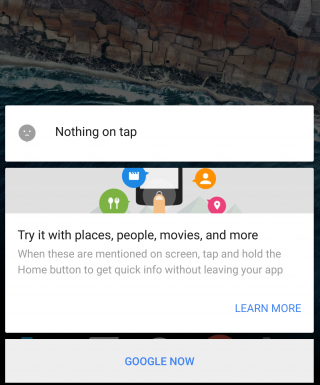
While this feature suggest usefulness, there are times when Now on Tap just doesn’t offer much information at all. It basically depends on the page you’re in. Another thing is that Now on Tap comes up with what it thinks are useful information and not necessarily what you may find useful. You could be looking for A but shows you M instead.
However, Now on Tap does provide information when it finds something good, there’s no doubt about that. It makes it easier to find out things if you’re lucky to get the right keyword info. You no longer have to leave one app to begin search in another. It’s a good start but a perfect one.
Cut, Copy, Paste made easy
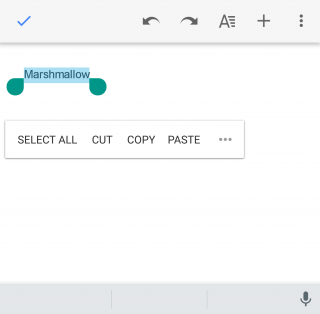
This may not look like a big change but even small ones are welcomed if it makes life just one second faster. The new cut, copy, paste option now features just below the text, rather than at the top of the screen, which makes reachability that much better. You’ll find you can get work done faster that way if you’re working on some document.
Doze
This is a feature that will find acceptance from all. Who doesn’t appreciate a feature that helps save battery life? Here’s the thing about Doze – you won’t see it work with your eyes. Everything happens in the background. The phone detects when it’s not being moved or touched and then reduces the background activity to conserve battery.
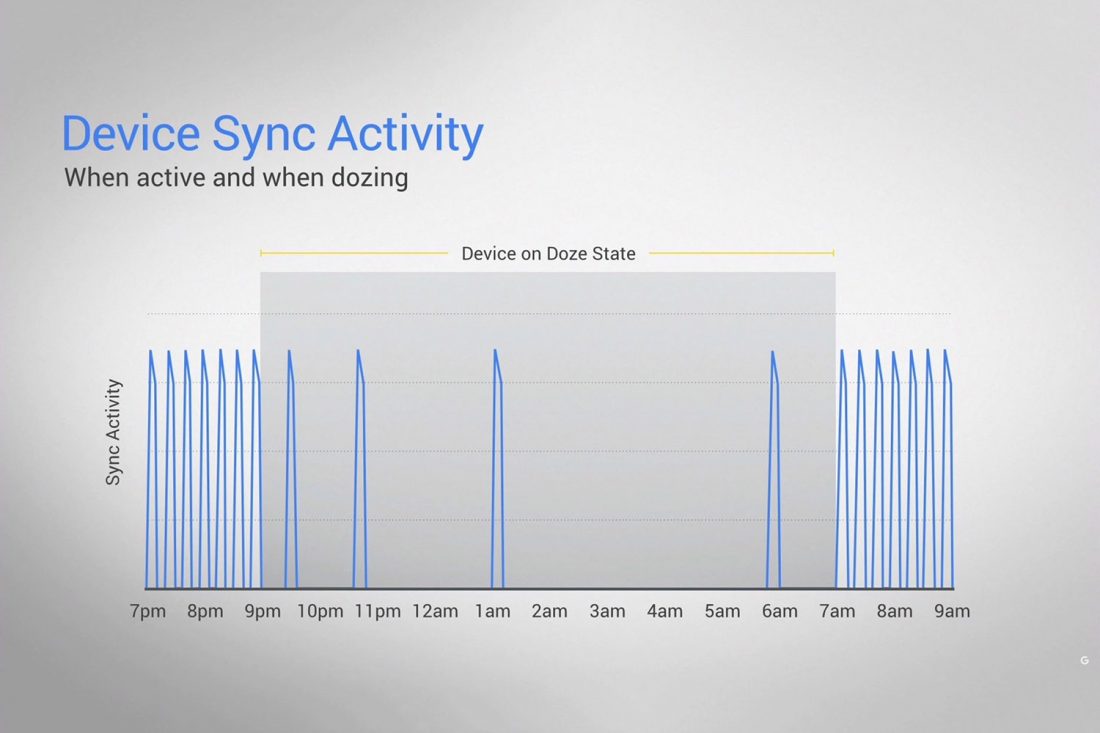
Does it really work? We kept the phone untouched for half an hour and made notes of the change in battery percentage, and based on what we’ve found it does seem to work. It’s safe to say that you can expect at least 30 minutes of extra battery life with the latest update, which is what Google has promised.
Doze uses your phone’s accelerometer to know when your phone is at rest. The ‘Doze’ feature, however, will only work if your phone is kept on a table or hard surface and will not work if you’ve kept it in your pocket, or if it senses motion.
“By offloading sensor processing from the main CPU to the Android Sensor Hub, we’re able to run at a fraction of the power budget.” Google’s Dave Burke explained last week.
Control over Permission and Privacy
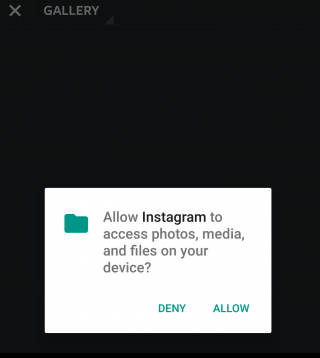
It’s always good to know just how much your phone is accessing your apps. Before the Marshmallow upgrade, you were basically allowing your newly downloaded apps to access everything from your location to your photos. Now, however, you can say yes or no to specific permissions within an app, which gives you more control over the information that is given to the app.
This feature has already been seen in the iOS and it is perhaps one of the more obvious influences here.
App waterfall
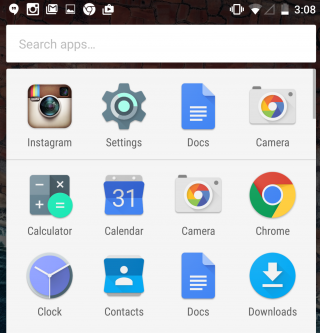
Your ‘app drawer’ is the place all your apps are kept, both used and unused ones. It exists so that you don’t have to clutter your Home screen with all the native and foreign apps that are there in your phone. Android has not neglected that. You will now see that the drawer moves horizontally making it a simple scroll screen rather than swiping your thumb from right to left. What’s more, you also have a search bar on top of the drawer that allows you to type the app you’re looking for instead of wasting time searching for it normally. A similar feature appeared with the iOS 9 upgrade that had a search bar in the Settings menu.
These are just a few features that we thought to mention on our initial use. The Marshmallow upgrade promises a lot more and we’re sure to find new things as we continue to explore. Here’s a list of devices that are eligible for the Android upgrade. If your device is in it we suggest you go ahead and download it and have a little fun yourself.