Tag: Android

  • Top 5 Free Android Browsers

    Top 5 Free Android Browsers

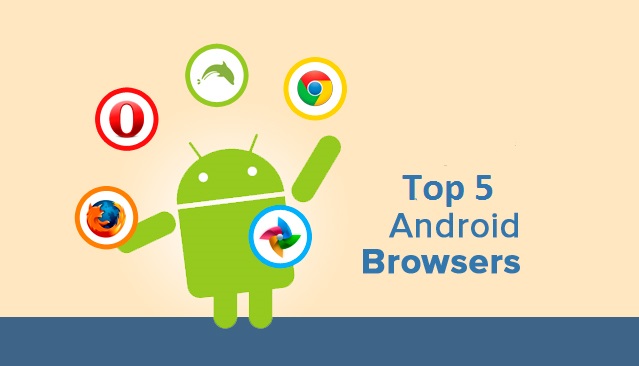
    Competition among browsers is more fierce than ever. Chrome and Firefox release 72 new versions every week for desktop versions, but their Android counterparts are equally, if not more competitive. As we all race to tablets and smartphones we’re being tempted with all kinds of alternatives to systems’ stock browsers.

    But which are the best browsers for you and your Android device? Let’s find out.

    1. Opera
    opera

    Opera comes with an interface that has been easily adapted from Desktop version to mobile UI. It rose to fame because of its data compression algorithms which work whenever the user requests for a page. Its powerful server will compress the data which will make the page will load faster and use lesser data.

    With the download manager, users can start, stop, resume, and rename media files. If you haven’t already, you can download Opera from the Google Play Store here.

    2. Dolphin Browser

    browsers

    This is one of the most popular and, at the same time, fastest browsers ever released for Android devices. It features tabbed browsing along with Dolphin Connect, it allows you to sync and send contents between your mobile and desktop browsers. . This browser is allows to enhance your browsing experience by simply installation of additional Add-ons.

    The way a user uses the Dolphin Browser HD is unique as most of the usage is gesture based and voice guided. The improved UI and the voice dictation service has propelled this browser in to the elite league. 

    You can download Dolphin Browser from the Google Play Store here.

    3. FireFox
    Firefox-OS-logo1

    Mozilla Firefox, we all are familiar with it’s good name and how it works. The features are pretty tight including smart tabs and a ‘hiding’ feature of the open tabs. The privacy options will be updated and Mozilla sync is fully functional.

    It is highly customizable as you can add Add-ons/ extensions, Awesome Screen functions that allows users to set favorite websites and an easy to use page. Awesome Bar is another great feature along with Sync functions that yo can use to Sync the mobile variant of Firefox with the Desktop variant.

    Sync function will bring all the bookmarks, history, passwords, bookmarks and opened tabs from your desktop Firefox browser and to your mobile Firefox app. 

    You can download Firefox from the Google Play Store here.

    4. Chrome
    android-logo-with-chrome

    Chrome Browser on PC is the most popular browser. and soon after its launch gained the same popularity on Android as well! 

    The app combined the desktop software’s varied abilities with a mobile’s agility. The user gets a very intuitive experience while using the browser, shifting screens and flipping through tabs. 

    You can enter your Google account details and sign it into your Desktop Chrome variant and then sing in into the mobile version and, every single thing will be automatically synced between both devices. Chrome for Android will not work with older Android phones and this might be a low-point.

    You can download Chrome web browser from the Google Play Store here.

    5. UC Browser
    browsers

    The main feature of this small browser is the ‘adaptable setup’ feature, which allows users to adjust their browsing styles and create separate configurations for multiple network connections.

    Some other great features of UC Browser for your Android device are these: Multi-touch support for gestures and commands, a download manager that allows you to grab files from all over the web faster. Quick Reads is another option that you can enable to grab RSS feeds. The other important functions you’ll find in UC Browser are: Vox – control the app using voice; AutoFill – it will show suggestions as you type a word in the address field; Night Mode – when enabled, it will offer you a better browsing experience in a dark environment.

    You can download UC Web Browser from the Google Play Store here.


    What do you think? Do you agree with the list above? Let us know in the comments section below!
  • AirPlay Mirroring From an Android Phone Demonstrated

    AirPlay Mirroring From an Android Phone Demonstrated

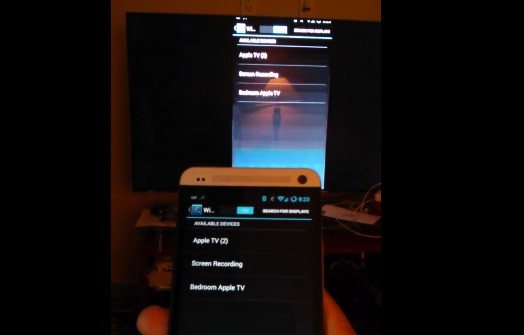
    Koushik Dutta VP of Engineering  at CyanogenMod just posted a video showing off AirPlay Mirroring from an Android phone(HTC One). There are other apps in the Play Store that connect Android devices over AirPlay, but the mirroring support integrated into the Operating System is something new.

    He is been working on Android streaming support to various protocols/devices for the “AllCast” media streaming app since Google’s changes cut it off from the Chromecast, and Apple’s screen sharing feature is the latest target for him. AllCast support is already in place for pushing media to Roku and DLNA-compatible hardware, and he further says this mirroring feature is “coming soon to a CyanogenMod near you.”

    You can watch the demonstration below:

    [youtube id=”oYNEJSJbHWc” width=”100%” height=”300px”]

    [via,via]

  • Google ‘Freeing Quickoffice for Everyone’, With 10 GB Google Drive Storage

    Google ‘Freeing Quickoffice for Everyone’, With 10 GB Google Drive Storage

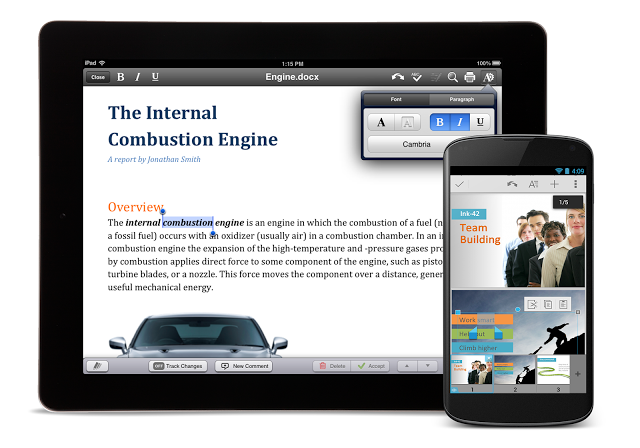
    Google is adding 10 GB of free storage to your Google Drive account when you log into your Google account with the new Google Quickoffice before September 26, 2013. 

    As per Google blog, you can get the new, free Quickoffice app for Android and iOS phones and tablets on Google Play and in the App Store. Simply sign in with your Google Account to start editing Microsoft Office documents, spreadsheets and presentations on mobile. You will also notice a number of new features, including a refreshed icon, the ability to create .ZIP folders, and view charts in Excel and PowerPoint files. 

    quickoffice

    As per the blog by Alan Warren(Engineering VP, Google), the free 10 GB will be available for two years and Google has discontinued previous versions of Quickoffice apps from play store as well as app store.

  • HTC Butterfly gets Android 4.2.2 upgrade

    HTC Butterfly gets Android 4.2.2 upgrade

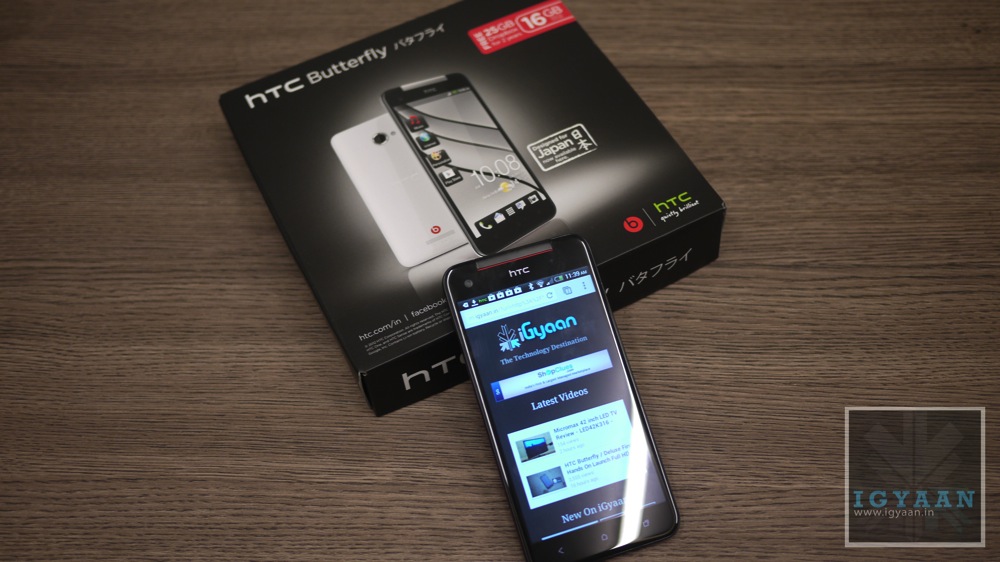
    The HTC Butterfly is ready to get the Android 4.2.2 update according to the company. The phone was released in late January in India, is now getting the firmware update along with the updated HTC Sense 5.0 UI.

    The sense 5.0 will bring the BlinkFeed homescreen, first seen on the HTC One. The company confirmed the news on Twitter, saying, “Upgrade to the BlinkFeed on your HTC Butterfly! Android 4.2.2 is out now. Announcements for other handsets to come soon.” Which further hints that other devices can get update soon.

    Android_Update_Screen

    The Android 4.2.2 and HTC Sense 5.0 UI update will also add some other features, like a new gallery layout, new camera apps, automatic video highlights and improved battery endurance. 


  • Panasonic T11 and P11 Android Smartphones Now Available

    Panasonic T11 and P11 Android Smartphones Now Available

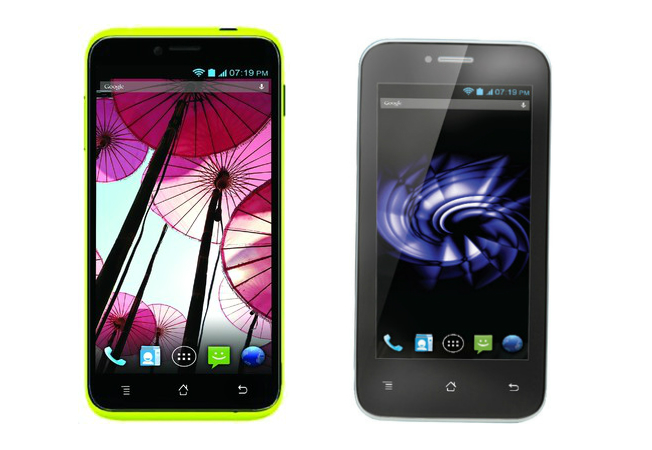
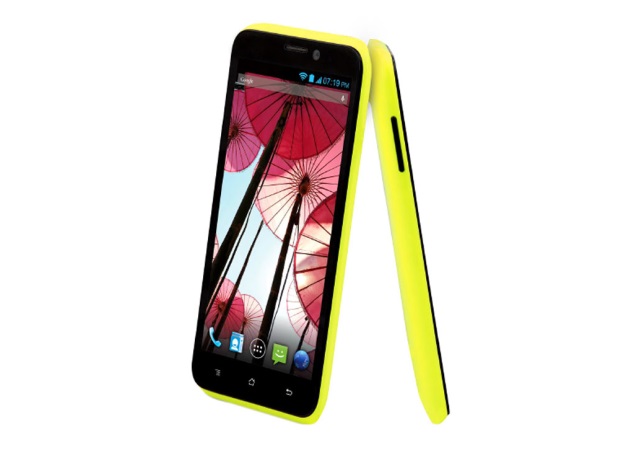
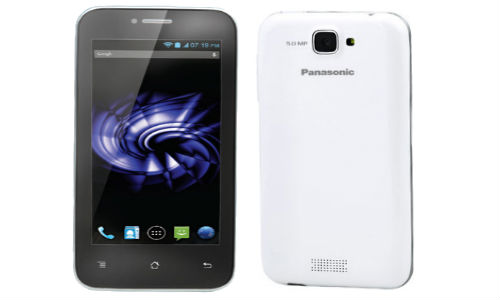
    Panasonic has unveiled two new smartphones, the P11 and T11, these devices are available on online websites. The Panasonic T11 is priced at Rs. 9,520 and the Panasonic P11 is priced at Rs. 16,364.

    panasonic-p11-1big

    The Panasonic T11 features a 4 inch display and is powered by a 1.2 GHz quad-core processor along with a 1 GB of RAM. The device has a 4 GB of inbuilt storage which is expandable up to 32 GB via micro SD card. Panasonic T11 has a 5 MP rear camera and a VGA front facing camera. This device runs on Android 4.1 Jelly Bean and sports a 1,500 mAh battery. 

    Whereas, the Panasonic P11 comes with a 5 inch HD IPS display with a resolution of 1280 x 720 pixels and is powered by a 1.2 GHz quad-core processor along with a 1 GB of RAM. This device sports a 8 MP auto focus rear camera with LED flash,  the device also have a 2 megapixel front-facing camera. Panasonic P11 has an inbuilt storage of  4 GB which can be expanded up to 32 GB via micro SD card. This device also runs on Android 4.1 Jelly Bean and sports a bigger 2,000 mAh battery, P11 also comes up with Dual SIM support along with 3G.


  • Micromax Press Release Confirms BBM for Android

    Micromax Press Release Confirms BBM for Android

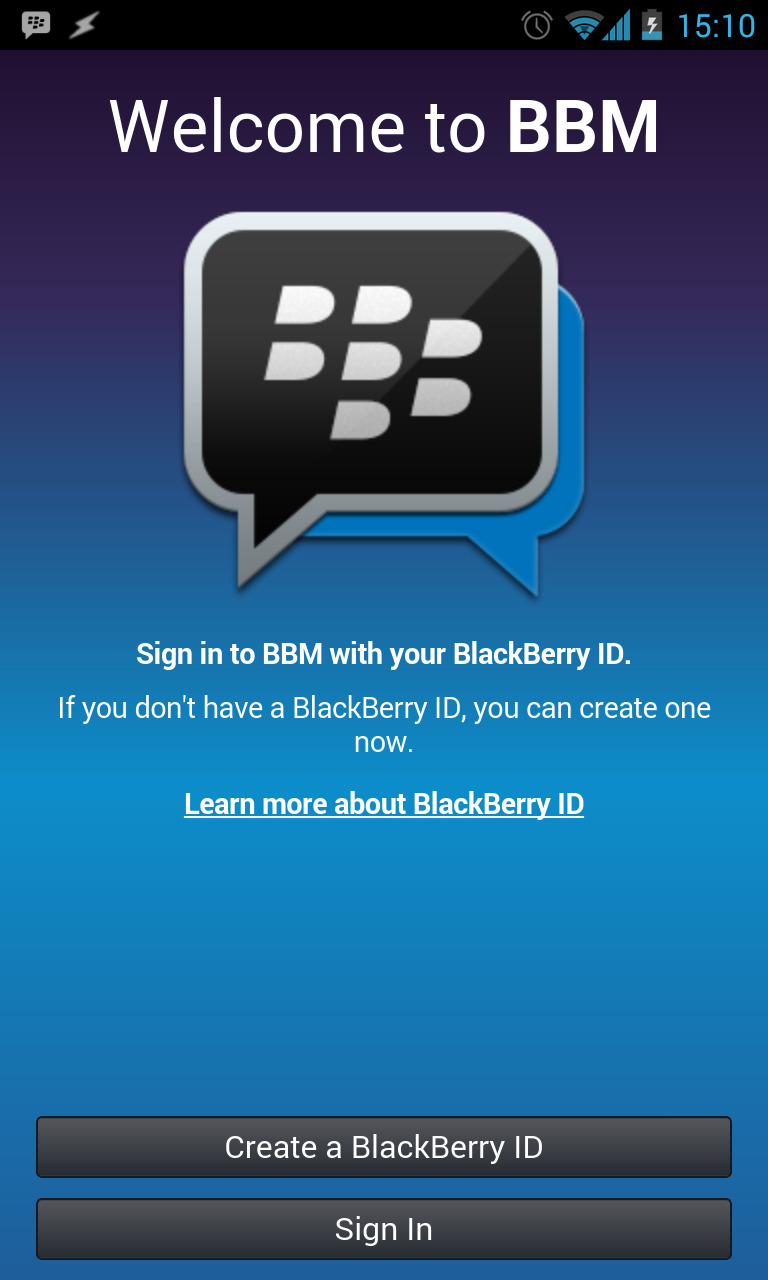
    Micromax today confirmed availability of BBM for Android on its Canvas range of smartphones. The Blackberry Messenger service application is said to come pre-loaded on new Micromax smartphones from the first week of October.

    Existing Canvas users will also be able to download the BBM app from the Play Store. Deepak Mehrotra, CEO, Micromax said:

    We have built a strong mobile ecosystem for our users, which not only drives them to buy our products, but also builds a connection with the brand by massifying and democratizing technology in India. Bringing one of the most popular mobile messaging services with BBM on our smartphones is yet another effort to expand our bouquet of messaging services for our consumers to connect and communicate seamlessly with their loved ones.”

    bbm-for-android1

    With the arrival of BBM on android, users will now have access to the BBM mobile social network around the world, including features like BBM chats and multi-person chats with BBM Groups, the press release also mentioned that the customers can connect with up to 30 BBM contacts at a time, along with the ability to share voice notes and photographs.

    Sunil Lalvani, Managing Director for India at BlackBerry said:

    BBM offers customers a highly engaging mobile messaging experience, with the assurance that your message has been delivered and read, and privacy controls that let you easily connect with people without forcing you to give out your phone number or email address. We are delighted to work with Micromax to bring BBM to their customers directly on Canvas smartphones across India”

    As per the press release, BBM for Android will be available for download from the Google Play Store, free of cost.

    [toggle title=”Press Release”]
    New Delhi, September 19, 2013 – Micromax, India’s leading handset manufacturer, today announced availability of the popular BBM™ application on its Canvas range of smartphones. The popular mobile messaging service application will come pre-loaded on new Micromax smartphones from the first week of October. Existing Canvas users CAN download the BBM for Android™ app from the Google Play Store, adding to the current slew of third party messaging services available on the Micromax smartphones.

    Mr. Deepak Mehrotra, CEO, Micromax said, “We have built a strong mobile ecosystem for our users, which not only drives them to buy our products, but also builds a connection with the brand by massifying and democratizing technology in India. Bringing one of the most popular mobile messaging services with BBM on our smartphones is yet another effort to expand our bouquet of messaging services for our consumers to connect and communicate seamlessly with their loved ones.”

    “We will continue to drive innovation ensuring that our customers have preferential access to the latest and most exciting applications such as the BBM in the future as well,” concluded Mehrotra.
    With the arrival of BBM on the Canvas smartphones, Micromax customers will now have access to the BBM mobile social network around the world, including features such as BBM chats and multi-person chats with BBM Groups, which allow customers to connect with up to 30 BBM contacts at a time, as well as the ability to share voice notes and photographs.


    “BBM offers customers a highly engaging mobile messaging experience, with the assurance that your message has been delivered and read, and privacy controls that let you easily connect with people without forcing you to give out your phone number or email address. We are delighted to work with Micromax to bring BBM to their customers directly on Canvas smartphones across India,” said Sunil Lalvani, Managing Director for India at BlackBerry.
    BBM for Android will be available for download from the Google Play Store, free of cost.

    For more information, please visit www.micromaxinfo.com or www.bbm.com
    You can also connect with us at – f – Micromax or @Micromax_Mobile

    About Micromax:
    Micromax started as an IT software company in the year 2000 working on embedded platforms. In 2008, it entered mobile handset business and by 2010 it became one of the largest Indian domestic mobile handsets company by offering unique affordable innovations. Micromax currently holds 22 percent market share in the Indian smartphone market according to IDC Q2 report. The brand’s product portfolio embraces more than 60 models today, ranging from feature rich, dual – SIM phones, 3G Android smartphones, tablets, LED televisions and data cards. The company has many firsts to its credit when it comes to the mobile handset market including the 30-day battery backup, dual SIM phones, QWERTY keypads, universal remote control mobile phones etc. Micromax has presence in more than 560 districts through 125,000 retail outlets in India. The company has sales presence spread across Bangladesh, Sri Lanka and Nepal.

    BlackBerry and related trademarks, names and logos are the property of BlackBerry Limited. BlackBerry is not responsible for any third-party products or services.
    [/toggle]

  • YouTube To Add Offline Video Playback To Its Mobile Apps

    YouTube To Add Offline Video Playback To Its Mobile Apps

    Aside from background playback — the ability to turn off the screen and continue listening to content — the main drawback to YouTube on mobile is its inability to play clips without a network connection.

    Keeping on top of your YouTube subscriptions can be a pain without reliable cellular connectivity, as there’s currently no way to officially download videos for offline playback. That’s set to change in November, however, with the video site announcing that it will add the long awaited feature in an update to its mobile apps.

    Google posted that later this year it will scratch at least one of those itches, allowing ”people to add videos to their device to watch for a short period when an Internet connection is unavailable.”

    As the YouTube team says on its blog that viewers will be able to keep offline videos “for a short period”, with AllThingsD claiming that there will be a 48-hour window.

    This may seem like a minor update, but offline caching is becoming an integral part of the mobile experience, especially for those users who have limited bandwidth who want to preload music videos and other clips over WiFi before leaving on a morning commute.

    No word on whether background playback will be added at a future date, but we’re pretty excited for this development.

  • Report: Nexus 5 And Android KitKat Will Launch On October 14th

    Report: Nexus 5 And Android KitKat Will Launch On October 14th

    With the Nexus 4 being sold out at Google Play and it receiving its carrier ‘end of life’ status, rumours are that the leaked ‘Nexus 5 will be officially unveiled in October. The first sign of a potential release date comes with Android-focussed site AusDriod stating that Google and LG will unveil the Nexus 5 on Monday, October 14th – which is 1-month away.

    Documents on the FCC reveal that the phone will have a 4.96-inch diagonal display and will be just 131.9 mm x 68.2 mm.

    In addition to this date, it’s also expected that the Nexus 5 will bring the availability of Android OS 4.4 KitKat to the masses. Little is known about the specific features Google will rollout, but the upgrade is rumoured to bring the following:

    – New notification widgets
    – Firmware availability to older phones
    – Fragmentation changes (screen resizing)
    – Miracast updates
    – New Gallery Visualisation
    – New APIs regarding animations
    – Change android default blue to other preset palette colours

    Of course as we do with all rumours, we suggest you take this one with a healthy grain of salt. At any rate, an October release is sounding more than likely. 

    [Via]

  • Google Maps Updated For Android, Better Navigation

    Google Maps has got a new update (7.2) on Android. Now when you search for directions to a place and there are multiple routes, you will get Google Now card-like options with a new “Start Navigation” button, which saves a tap and a time overall.

    The Android app’s latest update tweaks hotel search results by adding sponsored rate and booking links, which places a tiny “ad” icon next to services that paid for exposure.

    google-maps-logo

    The information for places such as restaurants, retail stores, etc. also has a minor update. The hours a business is open is now displayed right below the category of store it is in bold.


  • Report : Nokia Was Testing Android On Lumia

    Report : Nokia Was Testing Android On Lumia

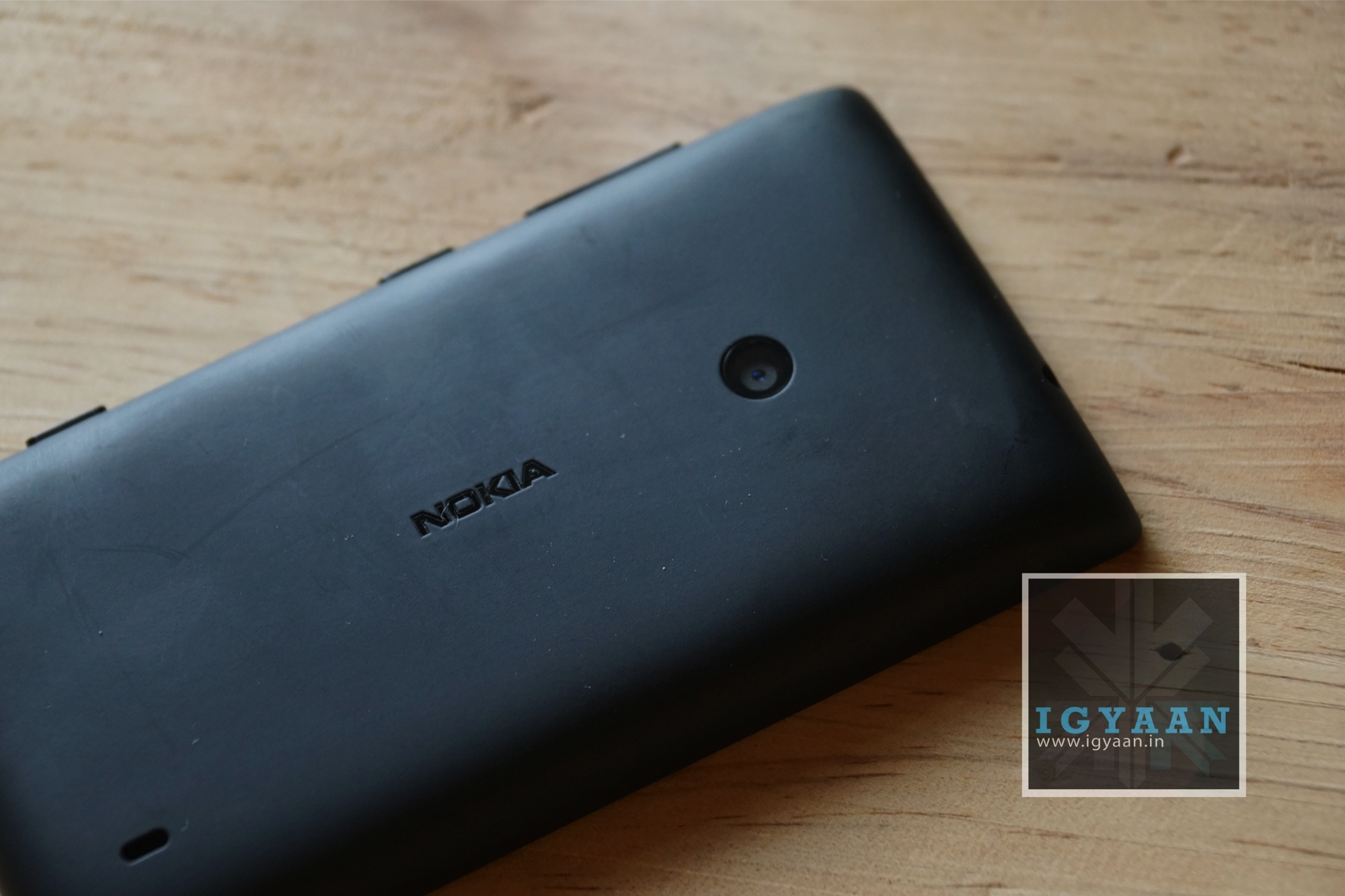
    Back in February of 2011 Microsoft and Nokia entered into a partnership that made Windows Phone “its primary smartphone strategy.” While Nokia reportedly represents over 80% of all the Windows Phone handsets sold, their market share has slowly declined.

    Before Microsoft decided to spend a whopping $7.2 billion to purchase Nokia’s Devices & Services, Nokia was considering options – a ‘plan B’ of sorts. According to a report in the New York Times, Nokia was actively testing Android on Lumia devices.

    “A team within Nokia had Android up and running on the company’s Lumia handsets well before Microsoft and Nokia began negotiating Microsoft’s $7.2 billion acquisition of Nokia’s mobile phone and services business, according to two people briefed on the effort who declined to be identified because the project was confidential. Microsoft executives were aware of the existence of the project, these people said.”

    This isn’t entirely surprising. Many people thought that Android would’ve been a smart route for the Finnish company to take. These same people noted that Microsoft executives were certainly aware that Nokia was testing Android on Lumia devices before and during the negotiations. They also made clear that Android was not a part of discussions between the two companies, even though it was “widely recognized” that it was possible Nokia would be using Android on smartphones in the future. 

    Notably, Nokia had an option to exit its partnership with Microsoft at the end of 2014 and may have used the threat of switching to Android as tool in its dealings with the company.

    [Via]

  • HTC One Makes an Appearance in Gold

    HTC One Makes an Appearance in Gold

    We recently witnessed Apple unveil the new iPhone 5s in a new Gold color variant, earlier this week. It now appears that another flagship smartphone is all set to join the Gold league that was kicked off by Apple.

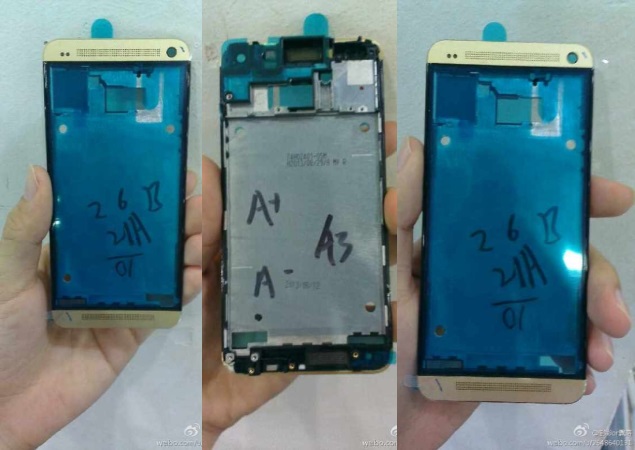
    HTC’s flagship, the Full HD screen phone has been spotted in a Gold colour. The leaked images have been posted by the Chinese forum Weibo. The leaked images show the front and rear chassis of the HTC One Gold model. However, the parts from the rear panel are missing in the images. The site does not reveal any additional details related to the alleged HTC One Gold variant.

    Originally the HTC One was launched in two colour variants, Black and Silver. Soon, the company showcased a ‘Glamour Red’ version of the device. The Glamour Red variant of HTC One was offered initially in the UK.

    Recently, HTC announced a new colour option for the HTC One, dubbed as Vivid Blue which joined the three existing colour options – Black, Silver and Red. Recently, it was announced that the HTC One will get Android 4.3 by the end of September.

    [via]

  • DOMO launches Slate X14 Android tablet at Rs. 4,990

    DOMO launches Slate X14 Android tablet at Rs. 4,990

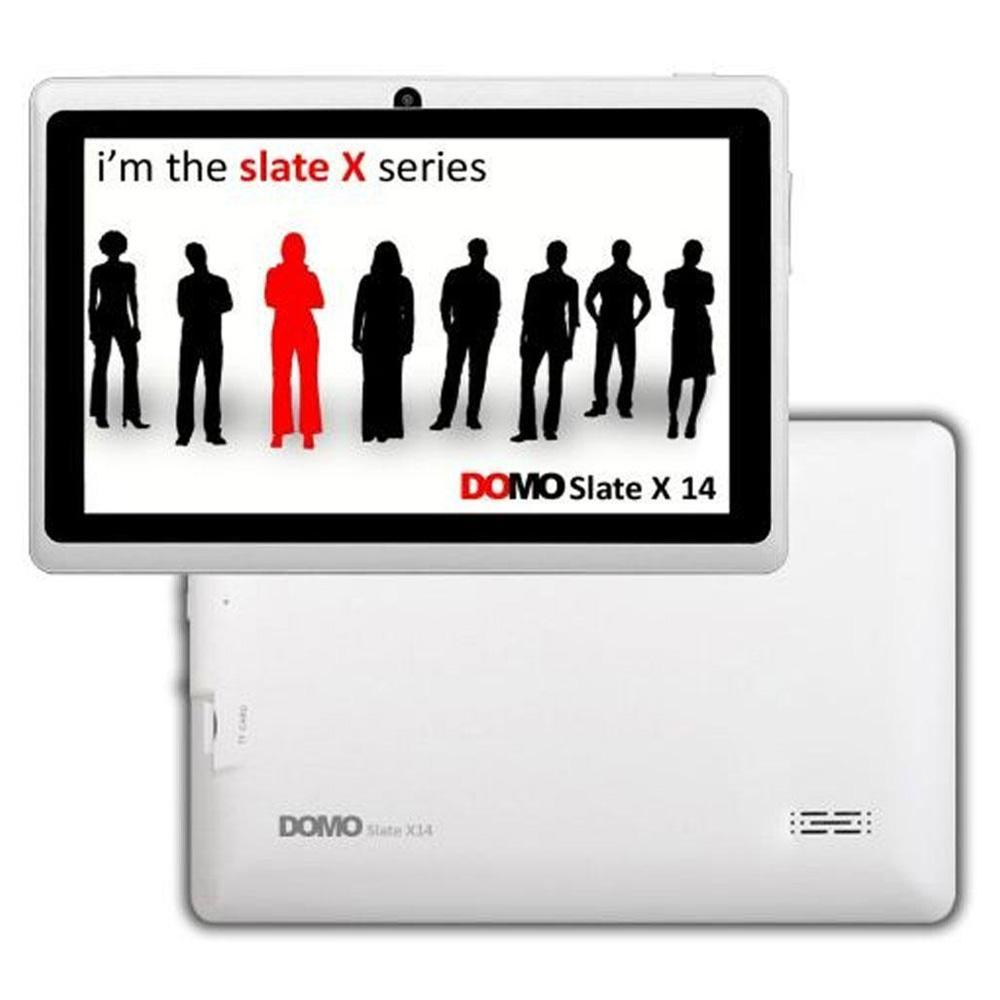
    DOMO has launched the Slate X14 tablet for Rs. 4,990, targeting students. The DOMO Slate X14 comes with 7-inch LCD display with a resolution of 800 x 480 pixels. It is powered by a 1GHz Cortex A8 processor, and has a Mali 400 GPU with 512 MB of RAM. The dimensions of the Slate X14 121 x 182 x 10 (mm) and weighs in at 270 grams. It features 4GB of built-in storage which can be expanded up to 32GB with the help of a micro SD card. The tablet runs Android 4.2.2 Jelly Bean with Flash support.

    Commenting on the launch, Mazher Shaikh, Business Development Manager at DOMO said, “DOMO Slate X14 has been designed especially for student offering value for money features. With support for most 3G dongles, users can stay connected to internet on the go.”

    The Slate X14 include a 2-megapixel front camera and the connectivity options as Wi-Fi, Micro-USB and 3G via external USB dongle. The tablet does not come with SIM support. The DOMO Slate X14 can playback 1080p videos, and runs on a 3000 mAh battery.

    The tablet comes up with a warranty of 3 months for the box accessories which includes Device Charger, USB Cable and  OTG Cable and the device itself comes up with a limited warranty of 6 months, which can be a problem for some. The repairs are done through onsite pick up and deliveries, that mean if you buy this tablet you don’t have to run around to find a service center.


  • Report : Motorola Designing New Android Tablet

    Report : Motorola Designing New Android Tablet

    After the announcement of much hyped Moto-X smartphone, the Google-owned Illinois based company has hinted the making of Motorola tablets.

    “That’s something we are working on, but [there’s] nothing specific to talk about right now,” Dennis Woodside, CEO of Motorola told Engadget when asked about plans to manufacture the Motorola tablets.

    The tablet will probably be available to customize through Moto Maker, just like the Motorola Moto X smartphone. There are no details on what hardware it will come with as yet.

    Under the guidance of new owners Google, Motorola Mobility has decided that personalization is the way forward when it comes to mobile devices and that being able to choose wallpapers, colors, cases and finishes is just as important as processing speeds or screen resolution. For proof, look no further than its current Moto X handset which, through a dedicated mini site, can be customized and tweaked by prospective owners before it’s shipped to their doors.

    Woodside also mentioned that the expected phablet-sized Moto device would be inspired by few Moto-X features such as “design cues, as well as technologies..”

    The device will not be a continuation to Motorola’s “Xoom” line of tablets, the recent shutting down of which has been reported as a result of the company settling down on a lawsuit filed by the online payment processing firm in 2011.

  • Twitter App For Android Leaks

    Twitter App For Android Leaks

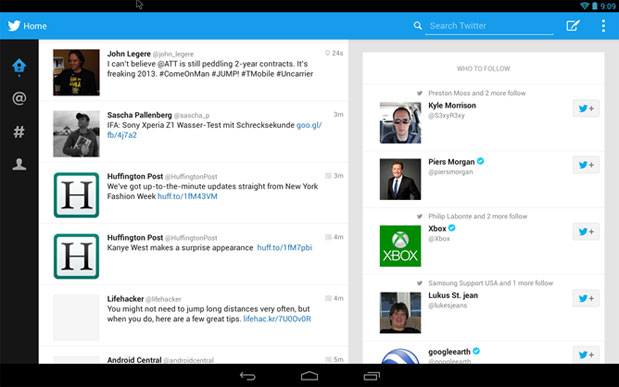
    During Samsung’s IFA unveiling of the Galaxy Gear, Galaxy Note 3 and the Galaxy Note 10.1, they inadvertently showed “the redesigned Twitter app” for Android tablets. The basics of the app worked exactly how Twitter for Android smartphones operates, just optimized for larger tablet displays (similar to Twitter for iPad).

    There was no firm release date by Twitter, but for those deeply into the social media platform – perhaps while watching TV – can go forth and download the app as a copy as a APK has founds its place online. While the APK is available for installation (thanks to the industrious folks over at Android Next), the installer package is tricky to get working. If you can get it to work, the app probably won’t run all that great. But, it’s a great sign of what’s to come, and hopefully, the official version of the tablet-optimized Twitter app for Android will be available soon.

    For those who have been complaining that Android tablets aren’t getting all of the apps that they should, this is an encouraging sign.

    [Via]

  • MyGlass Update Lets You Control Google Glass UI With Android Devices

    The developers at Google are constantly trying to experiment with the possibilities of Glass. Google Glass has been used to fly drones, broadcast live surgeries from a doctors POV and a lot more. 

    The device is still not available for everyone, but there are some serious questions on the usability of Glass. Google Glass’ ability to understand our gestures and voice  is what has led to this next control based development. In a real world scenario,  in some situations we might not be able to use some simple gestures like nodding, swiping or talking to the Glass.

    But, Now you can perform all the controls remotely, all because of an update to the MyGlass companion Android app. It uses Glass’ screencast experience, which is a way of letting other users see what you’re seeing on Glass from their Android device’s screen.

    Now a Glass user can touch, swipe or tap to control the Glass UI through the screencast experience. Some users have noted that the remote control part is not working yet and probably requires a matching Glass update. Google mentioned:

    “If you don’t have Glass, then downloading this(app) will be a waste of time. Sorry about that. But if you swipe the screenshots to the right you’ll see there’s a picture of a puppy in pajamas. So not a total waste of time after all.”

    The UI of the Glass seems to be improving with all necessary updates, and it is possible that soon we might have the Google Glass with many capabilities that can be used for everything!

iGyaan Network
Privacy Overview

This website uses cookies so that we can provide you with the best user experience possible. Cookie information is stored in your browser and performs functions such as recognising you when you return to our website and helping our team to understand which sections of the website you find most interesting and useful.