Tag: Apple 6s

  • Watch All the Apple Event Videos Right Here

    Watch All the Apple Event Videos Right Here

    As the much awaited event of the tech-world finally came to a close, it gave tech-geeks enough to gush about for a while. The launch of 6s and 6s Plus was accompanied by the Apple Watch, iPad Pro and the Apple TV. The Watch also came equipped with accessories like the Apple Pencil and the keyboard. A picture is worth a thousand words, and a video’s worth, well, a little bit more. So here goes:

    Apple Watch:

    https://www.youtube.com/watch?v=JZJHbvDWzFQ

    Tim Cook talks about the Apple Watch and says, “It’s amazing how much power you have on your wrist” . Apple has collaborated with Hermes for this watch which boasts of over 10,000 apps and more. It will be available for sale in 24 countries post the 16th of September.

    iPad Pro:

    https://www.youtube.com/watch?v=WlYC8gDvutc

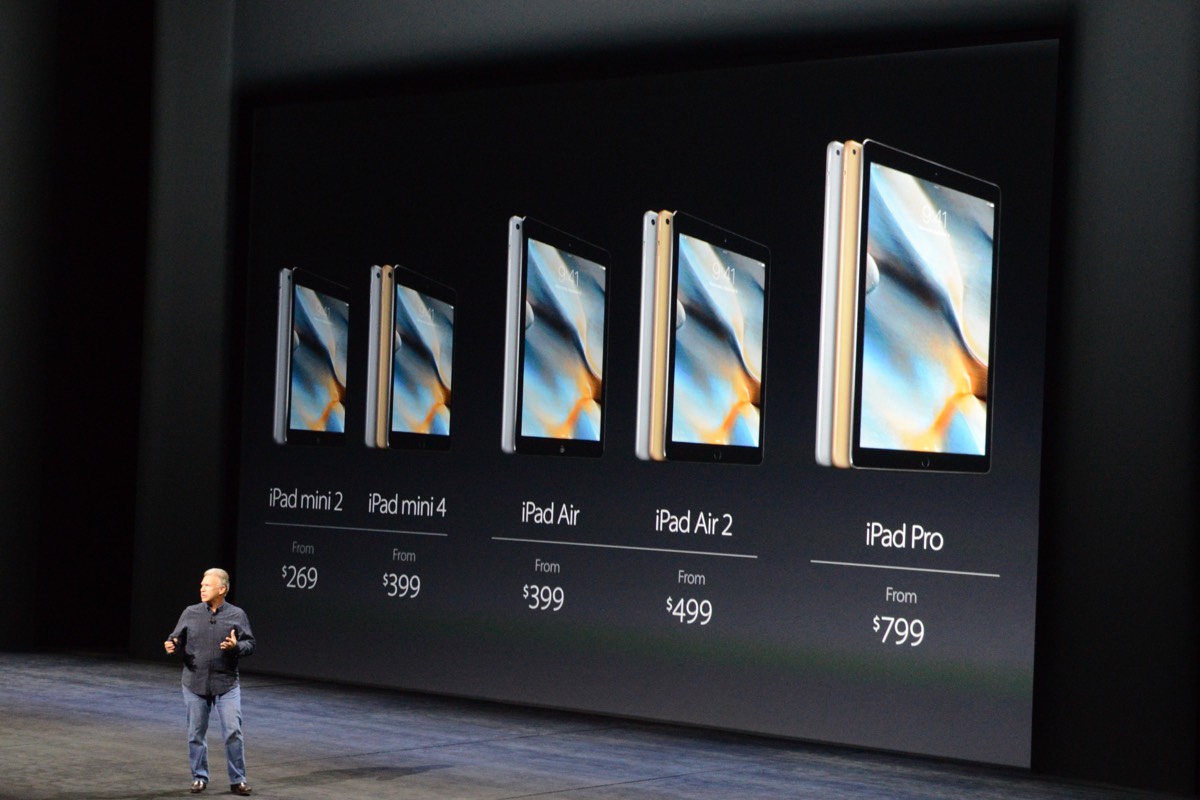
    The iPad Pro has finally been unveiled at the official Apple event in San Francisco. The new iPad Pro is accompanied by accessories like a “unique tip pen” as well as a keyboard. The gadgets are priced as follows: the iPad Pro at 1079$ (128GB), the Apple Pencil at $99 and the keyboard for 169$. The device and its accessories will be available, this November.

    Apple Pencil:

    https://www.youtube.com/watch?v=iicnVez5U7M

    The Apple Pencil will not be part of the same box as the iPad Pro and will have to be bought separately at a price of 99$. It will be made available for sale this November onwards.

    Apple TV:
    https://www.youtube.com/watch?v=wGe66lSeSXg

    The TV is built on a powerful hardware that runs a modern operating system. It is further equipped with a completely revamped user experience, even better developer tools, and an App Store, of course.The original TV is priced at 69$ followed by 149$ and 199$ for the 32 GB and 64 GB
    versions respectively.

    iPhone 6s and 6s Plus: 
    https://www.youtube.com/watch?v=cSTEB8cdQwo

    The moment has arrived, when Apple finally revealed its iPhone 6s and 6s Plus smartphones. We have been covering all sorts of rumours and reports about these phones so far and it’s time to put all those speculations, hopes and expectations to a much-needed rest.

    Watch this space for more updates on Apple and its latest gadgets.
  • Apple to Release iOS 9 on 16th September

    Apple to Release iOS 9 on 16th September

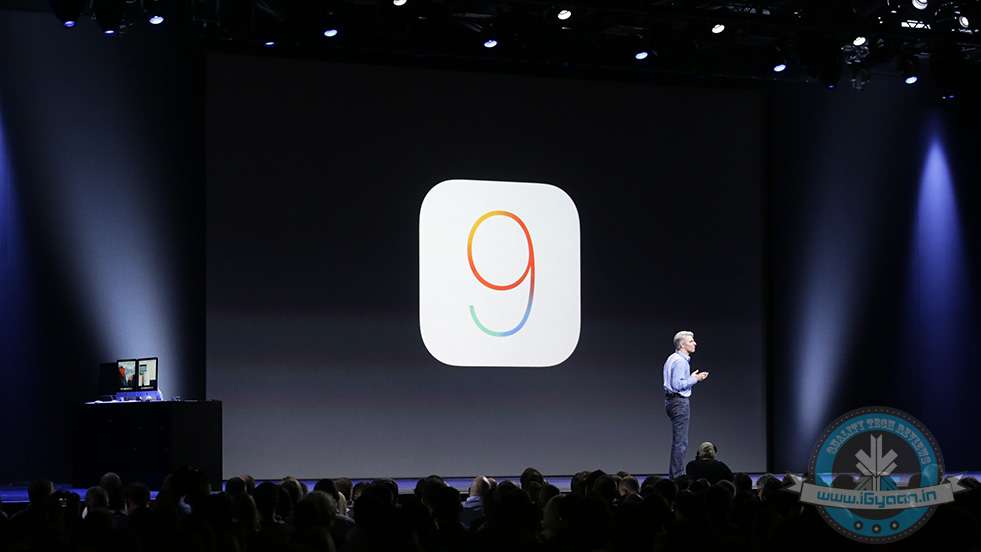
    iOS 9 – the latest OS of Apple devices will arrive on 16th September. We have compiled together some of the most interesting chunks of information about Apple’s newest OS collected over the past couple of days.

    iOS 9

    Will Increase Battery Life:

    To begin with, Apple claims that the new iOS 9 will reduce overheads and improve battery life in general by upto 1 hour. A new low power mode will allow for devices to reduce power consumption and restrict to only phone call capability, hence improving the last few minutes of battery to as much 3 hours of usage.This will, however, reduce the performance of the iPhone in exchange for improving the battery life.

    Will Delete Apps Temporarily to Make Space:

    According to reports, iOS 9 can delete apps temporarily to accommodate software updates. If the operating system is short of storage, it will prompt the user to temporarily delete the apps before installing the updates. After updates have been installed, iOS 9 will automatically re-install those apps.One of the main criticisms of iOS 8 was the amount of exorbitant space it took for installing updates. To make up for it, Apple announced at 2015 WWDC that the new iOS would only require only 1.35 GB of space, a huge improvement from iOS 8, which used 5.5 GB. The announcement was a relief to the iPhone users who use the 16 GB variant.

    Search Bar for Apps and Settings:

    The newest iOS 9 accommodates a Search bar on top of Settings, allowing you to search any app within the menu. The Settings option is better than ever, enabling you to pick any specific app from the mess just by typing its initials or the full name. For example, if you type ‘Battery’, the Battery feature will appear in front, hiding all in the background. You can tap on it, and its settings will pop up, allowing you to make a choice.

    Smoother Typing Options:

    Pressing the shift key allows you to switch between upper case and lower case in iOS 9, instead of only the shift key changing colour and characters not swapping to lower case. We soon won’t need to remember which colour was for caps.

    Also, the keypad will allow dropping simply two fingers on the keyboard of the iPhone to make a selection, editing and a shift in text from one place to another. Therefore, the keypad becomes your trackpad, increasing the productivity of your phone. The feature has earlier been seen in the iPad.

    Swipe to Select Multiple Pictures:

    Selecting multiple photos on iPhone’s preceding OS iterations was a pain. The company has altered the tedious approach, and the new operating system comes with multiple photo selection support, allowing you to use your finger as a cursor. Widen the cursor to increase the selection area and mass-pictures will be selected as per requirement. No need to tap one-by-one to delete bulk pictures now. Just swipe to choose and dump them in the bin or on cloud. The Photo app also features a ‘scrubber’ beneath, enabling you to flip quickly through the images secured in the camera roll.

    Along with the updates mentioned above, we also expect to see the iOS 9 to have more speed and stability, a problem which some users previously struggled with with the previous iteration. Watch this space for more updates on iPhone 6s and 6s Plus.

iGyaan Network
Privacy Overview

This website uses cookies so that we can provide you with the best user experience possible. Cookie information is stored in your browser and performs functions such as recognising you when you return to our website and helping our team to understand which sections of the website you find most interesting and useful.