
Facebook’s newest change has been the addition of the autoplay feature in its videos. One day you’re happily scrolling down your homepage, and suddenly you hear a cat meowing in the background. Yes, the video has begun to play simply because you happened to stumble across it on your homepage. No, you did not give the command for it to start meowing.
Other than causing the annoyance of unnecessary cat-noises, this new feature is also a big toll on your internet data, not to mention taking away your right to completely ignore other people’s videos on your homepage.
So here’s a quick look at how you can disable autoplay:
iPhone:
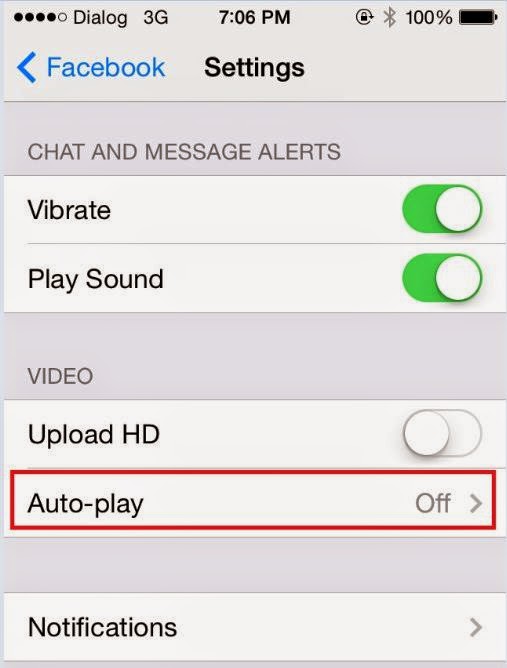
Go to your settings, scroll down until you find Facebook and then select Settings again. Once there you could choose either ‘Wi-Fi Only’ or switch it off entirely.
Android: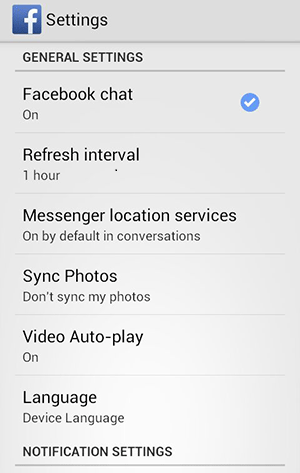
You will find the autoplay settings in your Android app. Choose the Menu button followed by Settings and therein lies your answer.
Desktop: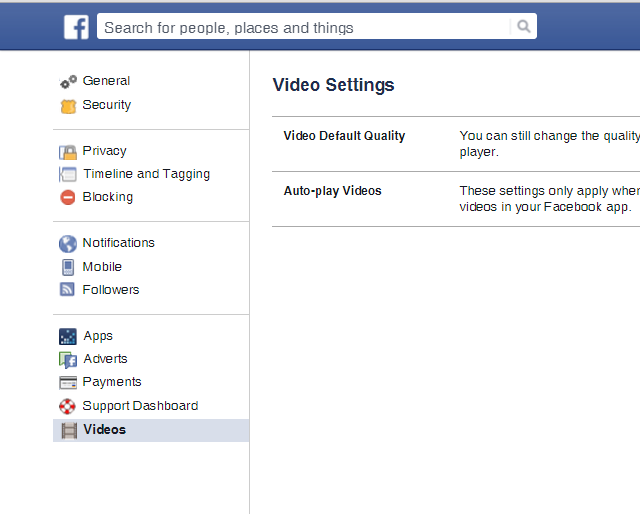
Click the arrow in the upper-right corner of your Facebook profile and choose Settings. There will be Videos on the bottom left of your screen now. Click on it, which will take you to the autoplay settings and from there you can switch it off.