Tag: download

  • Symbian Anna Can be Downloaded Starting Today

    Symbian Anna Can be Downloaded Starting Today

    Nokia has begin seeding their latest revamp of Symbian to device users worldwide. The details and the methods are posted below thanks to the Nokia Blog.

    What’s in it?

    Lots. Let’s break down the main changes section-by-section. There are the new icons, of course, but there’s a whole lot more under the hood.

    Improved text input

    • There’s a portrait QWERTY keyboard for fast, single-handed typing.
    • There’s also a split-screen view while you’re typing, so you can see the web pages, forms and message threads you’re replying to.

    Better browser

    • The browser is easier to use and faster, and offers better compliance with recent standards.

    Enhanced Maps

    • Ovi Maps now has a simpler and quicker search function.
    • It also includes public transport routes.
    • And you can check in to social networks, send emails and SMS messages sharing your location.

    Business features

    • Email improvements include full meeting request support.
    • Hardware-accelerated encryption of your phone’s data for true business-grade security.
    • Secure intranet access for business users who need IPSEC and SSL VPN enablers.

    Near-Field Communications

    • Symbian Anna also activates the NFC hardware in the Nokia C7, for easy sharing, games, use with NFC-enabled accessories and reading NFC tags on other items.

    Who all ?

    Countries that will receive their updates this week include the following:a

    Belgium, China, Czech Republic, Denmark, Egypt, Finland, Germany, India, Indonesia, Kuwait, Norway, Poland, Russia, Sweden, Thailand, UAE, the UK, and more

    Other countries are mostly confirmed for the next three weeks.

    How do I get it?

    The Symbian Anna update will be available through Ovi Suite on the PC or the SW Update app on your phone. This is a large download, so for speed and reliability, the Ovi Suite method is best. We do not recommend that you attempt to update over-the-air unless you have a strong and reliable WiFi connection.

  • Apple Starts Selling Lion OSX USB stick online : US$ 69

    Apple Starts Selling Lion OSX USB stick online : US$ 69

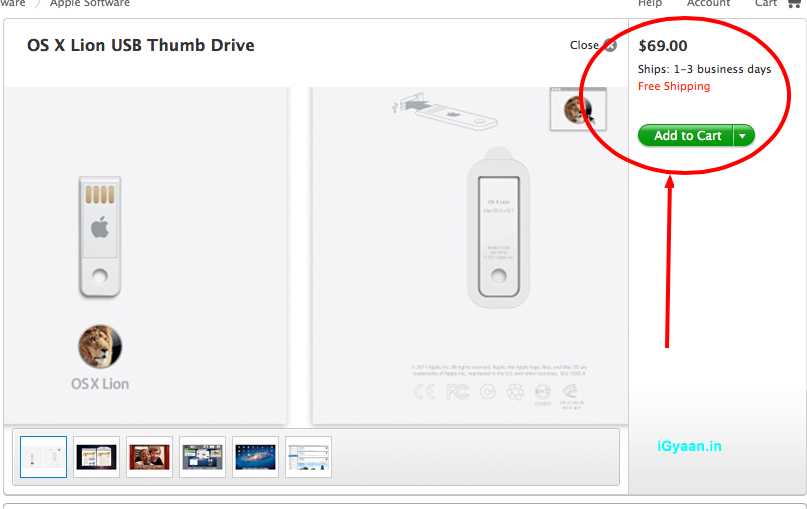
    Apple has finally released its OS X Lion USB thumb drive, available now at its online store. If you want an alternative to the Mac App Store download file which deletes itself after each install, this usb stick might be the correct answer for you. 

    The only catch is that the usb stick sells for US$ 69, when you can download the OS for just US$ 29 from the App store. These are only currently available in the US, so you will either need to wait several weeks, or find alternate ways to get them to your doorstep.

    [Apple]

  • Apple Mac OS X Lion Now Available (PR) : Download

    Apple Mac OS X Lion Now Available (PR) : Download

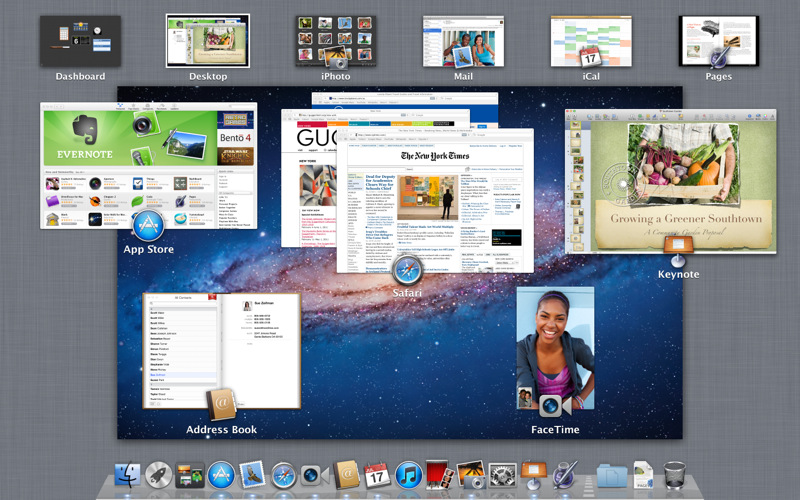
    Just like that Mac OS X Lion / 10.7 is now available to download from the Mac App store. Remember it only works with Mac’s Intel Core 2 Duo, Core i3, i5 or i7 processor. The OS is available to download now for US $ 29.99 and can be purchased later in August on a USB pen Drive for US $ 69

    Download it from the Links Below

    US STORE INDIA STORE

     OS X Lion - Apple®

    OS X Lion – Apple®

     OS X Lion - Apple®

    OS X Lion – Apple®


    [toggle title_open=”Collapse” title_closed=”Read The Press Release” hide=”yes” border=”yes” style=”default” excerpt_length=”0″ read_more_text=”Read More” read_less_text=”Read Less” include_excerpt_html=”no”]Mac OS X Lion Available Today From the Mac App Store

    CUPERTINO, California-July 20, 2011-Apple® today announced that Mac OS® X Lion, the eighth major release of the world’s most advanced operating system with more than 250 new features, is available today as a download from the Mac® App Store™ for $29.99. Some of the amazing features in Lion include: new Multi-Touch® gestures; system-wide support for full screen apps; Mission Control, an innovative view of everything running on your Mac; the Mac App Store, the best place to find and explore great software, built right into the OS; Launchpad, a new home for all your apps; and a completely redesigned Mail app.

    “Lion is the best version of OS X yet, and we’re thrilled that users around the world can download it starting today,” said Philip Schiller, Apple’s senior vice president of Worldwide Product Marketing. “Lion makes upgrading a Mac easier than ever before; just launch the Mac App Store, buy Lion with your iTunes account, and the download and install process will begin automatically.”

    Additional new features in Lion include:

    Resume, which conveniently brings your apps back exactly how you left them when you restart your Mac or quit and relaunch an app; Auto Save, which automatically and continuously saves your documents as you work; Versions, which automatically records the history of your document as you create it, and gives you an easy way to browse, revert and even copy and paste from previous versions; and AirDrop, which finds nearby Macs and automatically sets up a peer-to-peer wireless connection to make transferring files quick and easy.

    Pricing & Availability

    Mac OS X Lion is available as an upgrade to Mac OS X version 10.6.6 Snow Leopard® from the Mac App Store for $29.99 (US). Lion is the easiest OS X upgrade and at around 4GB, it is about the size of an HD movie from the iTunes Store®. Users who do not have broadband access at home, work or school can download Lion at Apple retail stores and later this August, Lion will be made available on a USB thumb drive through the Apple Store® (www.apple.com) for $69 (US). Mac OS X Lion Server requires Lion and is available from the Mac App Store for $49.99 (US).

    Lion requires an Intel-based Mac with a Core 2 Duo, i3, i5, i7 or Xeon processor and 2GB of RAM. Lion is an upgrade and can be installed on all your authorized personal Macs. Details regarding Business and Education licensing can be found at apple.com/macosx.

    The OS X Lion Up-to-Date upgrade will be available through the Mac App Store at no additional charge to all customers who purchased a qualifying new Mac system from Apple or an Apple Authorized Reseller on or after June 6, 2011. Users must request their Up-to-Date upgrade within 30 days of purchase of their Mac computer. Customers who purchased a qualifying Mac between June 6, 2011 and July 20, 2011 will have until August 19, 2011 to make a request. Additional information can be found at apple.com/macosx/uptodate.
    [/toggle]

  • Mac OSX Lion Coming Today to the Mac App Store!

    Mac OSX Lion Coming Today to the Mac App Store!

    The word is official Apple CFO Peter Oppenheimer during today’s earnings call pointed out that the Mac OS 10.7 Lion will be available to download from the Mac App Store for 29.99 US$ The download is only a 4 GB download and has over 250 new features including a Launcher which is based on Apple highly popular mobile Operating System – iOS.

    Of course we will be getting it and will have an Initial hands on with it shortly after release. We will also take an in depth review of the OS soon after. So stay breezy for the impending launch of the king of the Jungle! Also Mac server will be available for US $ 49.99 if anyone is asking!


  • Apple Releases Final Cut Pro X (64 Bit), Motion 5 and Compressor 4 (PR) : DOWNLOAD LINK

    Apple Releases Final Cut Pro X (64 Bit), Motion 5 and Compressor 4 (PR) : DOWNLOAD LINK

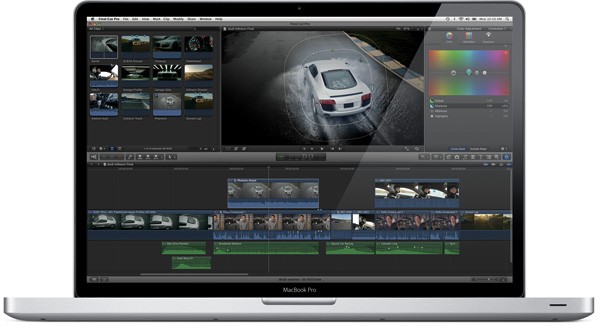
    Apple finally and on time launched the much awaited Final Cut Pro X today. Possibly the most awaited Video Editing software in a long time. Final Cut Pro X brings simplicity of the iMovie interface with advanced features of Final Cut along with multi-core performance.

    The software is available in the Mac AppStore for $299. Add-ons Motion 5 and Compressor 4 are also available today for $49.99 each from the Mac App Store.

    DOWNLOAD

    Final Cut Pro – Apple®

    Final Cut Pro - Apple®

    ——————————-

    Compressor – Apple®

    Final Cut Pro - Apple®

    ——————————-

    Motion – Apple®

    Motion - Apple®

    ——————————-

    We will have a full review on the Final Cut Pro X Shortly!

    [toggle title_open=”COLLAPSE PRESS RELEASE” title_closed=”READ THE PRESS RELEASE” hide=”yes” border=”yes” style=”default” excerpt_length=”0″ read_more_text=”Read More” read_less_text=”Read Less” include_excerpt_html=”no”]Apple Revolutionizes Video Editing With Final Cut Pro X

    CUPERTINO, California-June 21, 2011-Apple® today announced Final Cut Pro® X, a revolutionary new version of the world’s most popular Pro video editing software which completely reinvents video editing with a Magnetic Timeline that lets you edit on a flexible, trackless canvas; Content Auto-Analysis that categorizes your content upon import by shot type, media and people; and background rendering that allows you to work without interruption. Built on a modern 64-bit architecture, Final Cut Pro X is available from the Mac® App Store™ for $299.99.

    “Final Cut Pro X is the biggest advance in Pro video editing since the original Final Cut Pro,” said Philip Schiller, Apple’s senior vice president of Worldwide Product Marketing. “We have shown it to many of the world’s best Pro editors, and their jaws have dropped.”

    “I’m blown away by what Apple has done with Final Cut Pro,” said Angus Wall, Academy Award-winning film editor. “Final Cut Pro X is incredibly modern and fast, but most importantly it lets you focus on telling your story in the most creative way, while it actively manages all of the technical details.”

    At the heart of Final Cut Pro X is the Magnetic Timeline, a trackless approach to editing your footage that lets you add and arrange clips wherever you want them, while other clips instantly slide out of the way. You can use Clip Connections to link primary story clips to other elements like titles and sound effects, so they stay in perfect sync when you move them. You can even combine related story elements into a Compound Clip that can be edited as a single clip. The groundbreaking new Auditions feature lets you swap between a collection of clips to instantly compare alternate takes.

    Content Auto-Analysis scans your media on import and tags your content with useful information. Final Cut Pro X then uses that information to dynamically organize your clips into Smart Collections, so you can easily find the clips you want by close up, medium and wide shots as well as media type and the number of people in the shot. You can also tag parts of clips with Range-based keywords to add custom search criteria to your media.

    Completely rebuilt from the ground up, Final Cut Pro X is a 64-bit app that takes full advantage of the latest Mac hardware and software so you never have to wait for the next edit, even if you’re working with 4K video. Final Cut Pro X uses multi-threaded processing and the GPU on your graphics card for blazing fast background rendering and superb real-time playback performance. Additionally, a ColorSync-managed color pipeline ensures color consistency from import to output.

    Final Cut Pro X also includes powerful tools for audio editing and color correction, and is complemented by two companion apps, Motion 5 for professional motion graphics and Compressor 4 for advanced media encoding, available from the Mac App Store for $49.99 each.

    Pricing & Availability
    Final Cut Pro X is available today for $299.99 from the Mac App Store. Motion 5 and Compressor 4 are available today for $49.99 each from the Mac App Store. Full system requirements and more information on Final Cut Pro X can be found at www.apple.com/finalcutpro.

    Apple designs Macs, the best personal computers in the world, along with OS X, iLife, iWork and professional software. Apple leads the digital music revolution with its iPods and iTunes online store. Apple has reinvented the mobile phone with its revolutionary iPhone and App Store, and has recently introduced iPad 2 which is defining the future of mobile media and computing devices.[/toggle]

  • Microsoft releases SDK for Kinect for Windows

    Microsoft releases SDK for Kinect for Windows


    A huge number of developers rejoiced as Microsoft on Thursday announced the new SDK for Kinect on WIndows. What this means is that the already hacked and exploited Kinect will now bring a full Sdk to be used for gestures and computations while in an open framework officially supported by Microsoft themselves.

    This will also begin a new era of Gesture controlled PC games . If you want to download and develop using the SDK head on over to the link mentioned to kick-off.

    [Microsoft Blog]

  • PlayStation games now available in Android Market Limited to Xperia Play

    PlayStation games now available in Android Market Limited to Xperia Play

    Sony PlayStation games have begun appearing in Google’s Android Market. Five title’s became available in the Market on Thursday, including Syphon Filter, MediEvil and Cool Boarders 2. Currently available titles are listed for $6.38 each. More are on their way and should be added to the list of ever-growing Apps on the Android Marketplace.

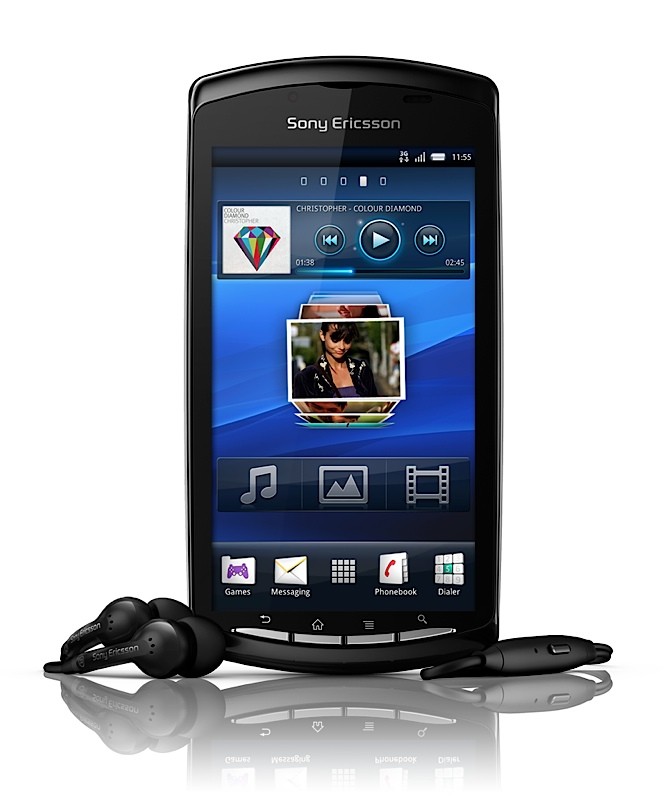
    Sony Ericsson’s Xperia PLAY will be the first PlayStation Certified Android smartphone that will be capable of playing original PlayStation games downloaded through the Android Market.

  • Internet Explorer 9 first to get WebM support courtesy a ‘preview plugin’

    Internet Explorer 9 first to get WebM support courtesy a ‘preview plugin’

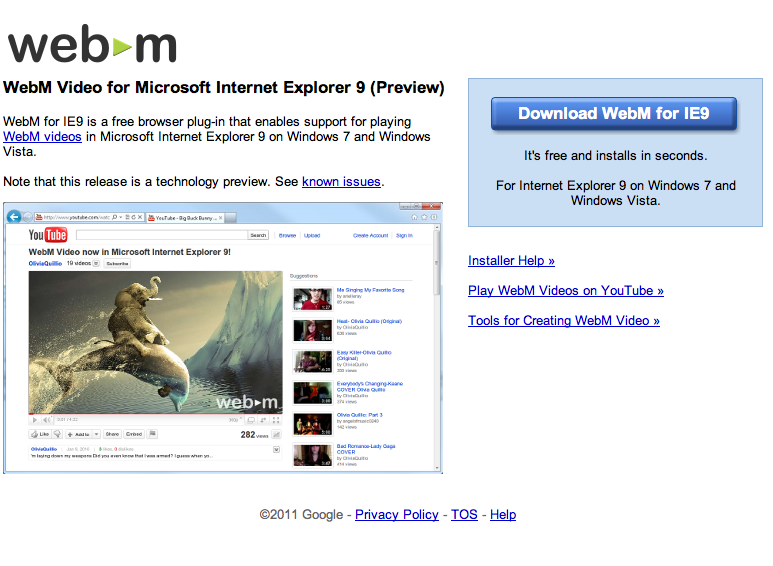
    Google has release a preview plugin that will enable WebM support on the recently released Internet Explorer 9.  The plugin will enable WebM compatible content, a one time download is required.

    [WebM for IE9]

iGyaan Network
Privacy Overview

This website uses cookies so that we can provide you with the best user experience possible. Cookie information is stored in your browser and performs functions such as recognising you when you return to our website and helping our team to understand which sections of the website you find most interesting and useful.