Tag: Featured

  • Rumor: HP TouchPad Could Come as Early as April

    Rumor: HP TouchPad Could Come as Early as April

    HP is bound to ship the new device early, and the word on the street, in Taiwan is thet the Company will start selling its monster hardware tablet in the month of April along with the much awaited iPad 2.

    The sources pointed out that HP internally is aiming to ship 45-48 million notebooks and tablet PCs combined in 2011. After deducting the volume of HP’s notebook shipment forecast, HP’s TouchPad series product shipments in 2011 are forecasted to be around 4-5 million units.

    The HP Touchpad, is a serious threat to Apples upcoming revision to the iPad, especially because the Touchpad offer a far advanced version of the WebOS designed for tablets in Comparison to the iOS which still feels a bit immature.

  • Breaking : The HP Pre 3: With1.4GHz Qualcomm CPU, 3.6-inch WVGA Released

    Breaking : The HP Pre 3: With1.4GHz Qualcomm CPU, 3.6-inch WVGA Released

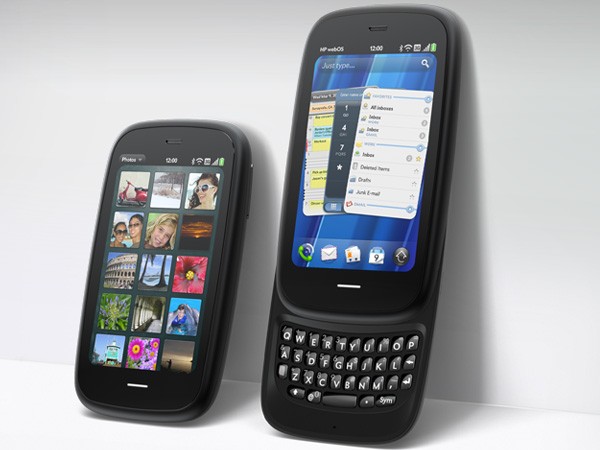
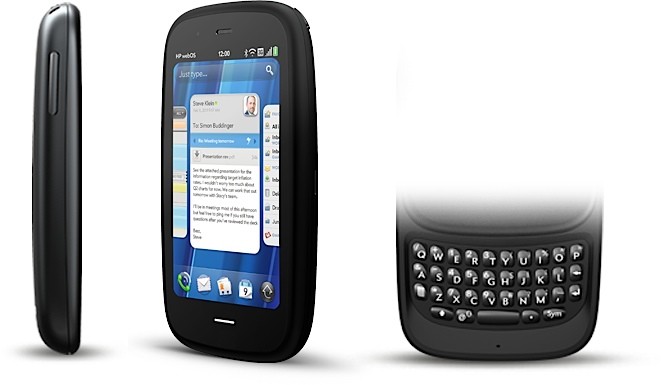
    Just as soon as HP as dropped Palm , announced the HP TouchPad. Here is the big news about WebOs based HP Pre 3 (Read : Palm’s baby)

    Top specs include

    • 3.6-inch 800 x 480 display
    • 5 megapixel camera with AF and LED flash
    • 720p HD video
    • Front-facing camera for video calling
    • Mobile hotspot
    • WebOS 2.2
    • A Qualcomm MSM 8×55 CPU running at 1.4GHz
    • 802.11a/b/g/n 5GHz, Bluetooth 2.1 + EDR, A-GPS
    • 1230 mAh battery
    • HSPA+ and EVDO Rev A
    • 512MB DRAM
    • Touchstone compatible,
    • TouchPad tablet can take Pre 3’s phone calls
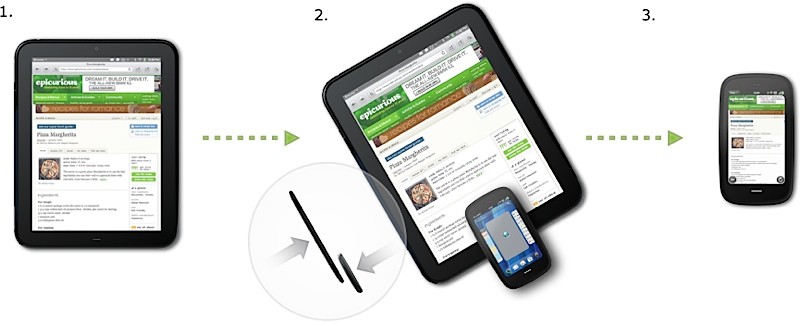
    • Touching the two devices together will let you share URLs (aptly titled touch-to-share)
    • Availability is this summer with both 8GB and 16GB storage options.

    We are itching to test drive this baby!

    FULL PRESS RELEASE

    HP Pre3 Introduces the New Look of Business for the 24-hour Life

    Bigger and better touchscreen, more processing power and all-new keyboard deliver professional productivity and personal connectivity

    PALO ALTO, Calif., Feb. 9, 2011

    For professionals who require powerful mobile productivity with an eye on personal connectivity, HP today announced the versatile HP Pre3 smartphone running HP webOS.

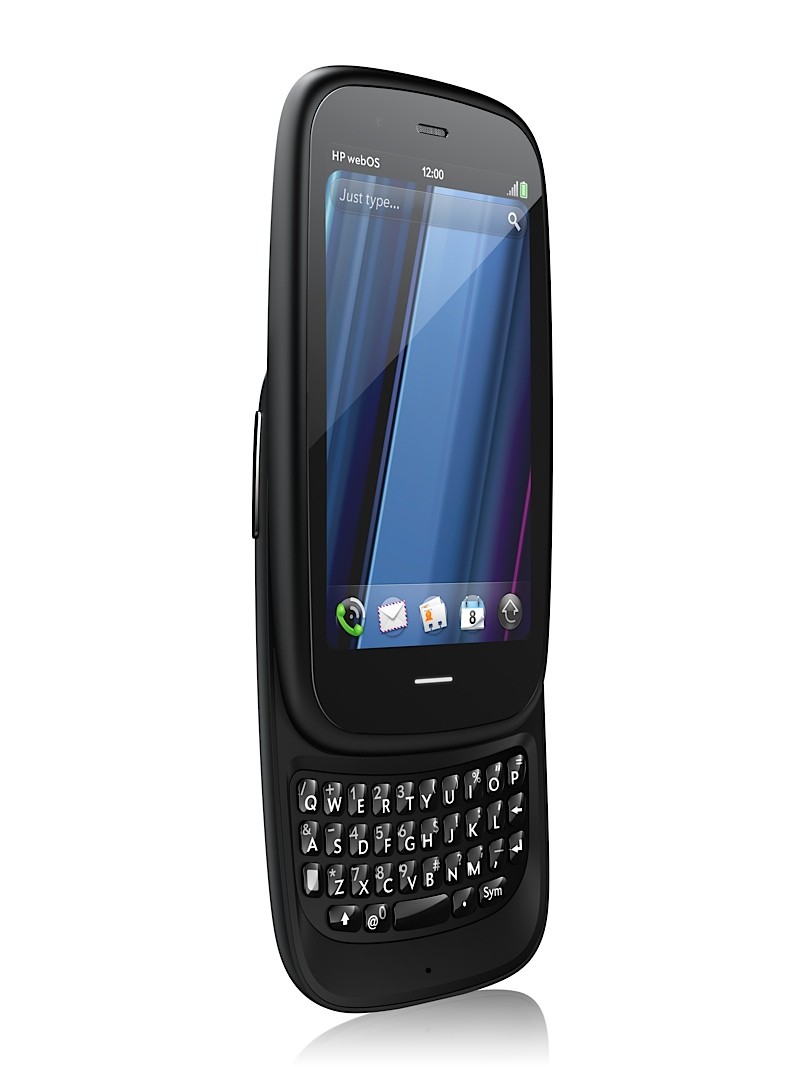
    With a large 3.58-inch touchscreen, fast 1.4-GHz processor and a full slide-out keyboard, Pre3 is a multitasking professional workhorse that’s perfectly balanced for speed and serious fun.

    Pre3 is one of the products HP announced today to introduce a unique experience for customers around connected mobility. It’s one of the building blocks in HP’s vision to seamlessly connect all your worlds through the power of HP webOS.

    “In the suite of webOS products we’re introducing today, Pre3 is our premier phone, designed for the speed of business,” said Jon Rubinstein, senior vice president and general manager, Palm Global Business Unit, HP. “It enables professionals to accomplish more of their important workday tasks while easily keeping their fingers on the pulse of their personal lives.”

    Pre3 is the ideal smartphone for multitasking professionals who rely on advanced messaging and voice capabilities to stay connected with all aspects of their busy lives.(1) With a slim design and high-capacity battery,(2) it is comfortable to carry and use all day. The phone’s fast performance and large, high-resolution display accentuate the unique webOS experience for both professional and personal use.

    The portrait layout enables optimal readability for email, attachments and web, and the new vertical slide-out keyboard – the widest and largest keyboard on any webOS phone to date – helps ensure quick and comfortable error-free typing. It’s ideal for heavy email and messaging needs, web browsing, enjoying multimedia and for staying in touch with business and social circles.(1,3)

    For professionals who demand more than productivity

    With an array of features that are critical for professionals balancing work and personal use – including the speed of 3G and Wi-Fi,(1) a comfortable keyboard for typing and a large vivid touchscreen – Pre3 offers the best of both worlds on the powerful HP webOS platform:

    Business-class email – Pre3 offers business-class email and encrypted data storage to protect critical information and supports industry-standard VPN to connect to corporate networks. You can read and write email with ease, view your email accounts together or easily toggle between them.(1,3)
    More ways to connect – With the HP Synergy feature, you just have to sign in to your Facebook®, Google, Microsoft® Exchange, LinkedIn and Yahoo!® accounts. Your information – email, contacts, calendars – automatically populates your phone and stays updated so it’s always at your fingertips.(3) Integrated messaging conveniently combines all your text messages, picture messages and IM conversations with one person into a single view, and you can connect through SMS, MMS, Google Talk, AIM and Yahoo! Messenger.
    The whole web – Pre3’s high-performance web browser offers support for HTML5 features and Adobe® Flash® Player 10.1 beta for access to rich, Flash-based web content on the phone’s big, vivid display.(1)
    Video calling – Pre3 has a front-facing camera, a great speaker and noise cancellation for a state-of-the-art video calling experience.(1,4)
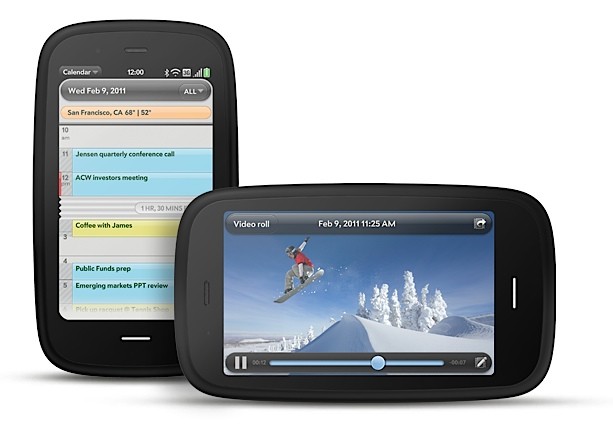
    True Multitasking – webOS works the way you do. Begin an email, pause to answer a call, check your calendar, send a text, then switch back to your email without closing anything. Pre3 lets you easily manage multiple open applications and notifications using natural touch gestures. Whether you’re planning a meeting or a night on the town, webOS keeps related items together so managing multiple tasks is easy.(5)
    Just Type – Start an email, create a message, update your status and search your favorite websites – all before you’ve even opened an app. Because webOS works the way you do, whenever you want to do something on your Pre3 – whether it’s emailing, texting, searching or almost anything – just type.
    Quickoffice Connect Mobile Suite – HP is working with Quickoffice to include the Quickoffice Connect Mobile Suite, which offers support for viewing Microsoft Office Word and Excel and provides integration with a variety of services, including Google Docs and Box.net.
    Touch-to-share – With HP’s new and exclusive touch-to-share feature, you’ll be able to simply tap your Pre3 phone to the new HP TouchPad to share web addresses between devices.(6)
    GPS – Get where you need to be with built-in GPS on Pre3. Apps such as Fandango and OpenTable work with GPS to pinpoint your exact location, get directions, find nearby places of interest and provide turn-by-turn directions.(7)
    Apps to keep you connected – The webOS App Catalog features thousands of apps for fast and easy access to all the things you need to keep your day moving, such as weather, news, hotel and restaurant reviews and reservations, flight info and games.(8) Mobile social networking apps such as Facebook and Twitter allow you to stay connected throughout your hectic day and update your status and upload pictures in real time.
    HP mobile hotspot – Pre3 also supports the HP mobile hotspot, enabling your phone to act as a mobile Wi-Fi router so you can share wireless internet connectivity with up to five Wi-Fi-enabled devices, including the new HP TouchPad, as well as notebooks, gaming devices and portable media players.(9)
    Pre3 is compatible out of the box with HP Touchstone (sold separately). The webOS Exhibition feature lets you run apps designed specifically for HP Touchstone – showing you anything from today’s agenda to a slideshow of your photos – turning charge time into useful time.(10)

    Pre3 is one of three webOS products announced today (see separate announcements for HP Veer and HP TouchPad). Each product plays a distinct role in the growing webOS family, designed to meet the varying needs of customers in a rapidly evolving mobile landscape.

    Availability

    The HP Pre3 smartphone is scheduled to be available in the summer. Exact pricing and availability will be announced at a later date.

    HP Pre3 features and specs
    HP webOS
    High-speed connectivity(1)
    Qualcomm Snapdragon MSM8x55 1.4-GHz processor
    3.58-inch multitouch screen with a vibrant, 24-bit color, 480 x 800 resolution display
    Gesture area, which enables simple, intuitive gestures for navigation
    Redesigned vertical slide-out QWERTY keyboard with backlight
    8 or 16 gigabytes (GB) of internal storage(11)
    High-performance browser with full access to the web, including support for Adobe Flash Player 10.1 beta for access to rich, Flash-based web content(1)
    Wireless connectivity:
    Wi-Fi 802.11b/g/n with WPA, WPA2, WEP, 802.1X authentication(1)
    Integrated GPS (and A-GPS)(7)
    Bluetooth® wireless technology 2.1 + EDR with A2DP stereo Bluetooth support
    Wi-Fi router functionality for up to five devices using HP mobile hotspot(9)
    Multimedia options, including music, photos, video recording and playback, a 5-megapixel autofocus camera with LED flash and a 3.5 mm stereo headset jack
    Rear-facing autofocus camera with flash, HD camcorder (capable up to 720p video recording)
    Front-facing VGA fixed-focus camera for live video calling(4)
    Email, including EAS (for access to corporate Microsoft Exchange servers) and personal email support (Google Gmail push, Yahoo!, POP3, IMAP)(3)
    Robust messaging support (combining IM, SMS and MMS capabilities)(12)
    Proximity sensor, light sensor, accelerometer and compass
    Removable, rechargeable 1,230 mAh battery
    USB mass storage mode to transfer media and other files quickly between desktop and device
    Ringer switch, which easily silences the ringer with one touch
    Compatible with HP Touchstone (sold separately)
    Dimensions: 111 mm x 64 mm x 16 mm (4.37 inches x 2.52 inches x .63 inches)
    Weight: 156 grams (5.5 ounces)
    More information about HP Pre3 is available at www.palm.com/Pre3.

    About HP

    HP creates new possibilities for technology to have a meaningful impact on people, businesses, governments and society. The world’s largest technology company, HP brings together a portfolio that spans printing, personal computing, software, services and IT infrastructure to solve customer problems. More information about HP (NYSE: HPQ) is available at http://www.hp.com/.

    (1) Within wireless coverage area only. Actual speeds may vary. Email, mobile number and related information required for setup and activation. Required data services sold separately; unlimited plan recommended and may be required. Not all web content may be available.

    (2) Talk, standby and usage times are approximate and depend on the network configuration, the usage pattern of an individual user and the configuration of the handheld. Use of some internal wireless capabilities and backlight will significantly decrease battery run time.

    (3) Within wireless coverage area only. Microsoft Exchange email, contacts and calendars available for ActiveSync only; requires Microsoft Outlook using Exchange Server 2003 with SP2, Exchange Server 2007 or Exchange Server 2010.

    (4) Check with carrier for video calling availability and restrictions.

    (5) Performance varies bases on actual usage.

    (6) Requires TouchPad with webOS 3.0 and Pre3 or Veer with webOS 2.2 or higher, both products having same HP webOS Account. Viewing URL web page content requires data connection via Wi-Fi or cellular connection.

    (7) Within wireless coverage area only. Voice-activated, as-you-go, turn-by-turn directions sold separately.

    (8) Third-party software available separately. Within wireless coverage area only. Requires data services at additional cost. Availability will vary by region.

    (9) The mobile hotspot application requires a special data plan and is separate from the smartphone data feature. While HP mobile hotspot is active, on-device applications will continue to work and will use the same data plan as the mobile hotspot. Mobile hotspot data usage may incur additional charges. Check with carrier for plan details.

    (10) Displayed preferences require user setup.

    (11) 8 GB or 16 GB maximum storage. User-available memory subject to change based on system software and application usage.

    (12) Within wireless coverage area only. SMS, MMS and IM require data services at additional cost. Availability of IM functionality may vary by carrier.

    Adobe is a trademark of Adobe Systems Incorporated. Microsoft is a trademark of the Microsoft group of companies. Bluetooth is a trademark owned by its proprietor and used by Hewlett-Packard Company under license. Facebook is a registered trademark of Facebook, Inc. Google is a trademark of Google, Inc. LinkedIn and the LinkedIn logo are registered trademarks of LinkedIn Corporation in the United States and/or other countries. Yahoo! is a trademark of Yahoo! Inc.

    This news release contains forward-looking statements that involve risks, uncertainties and assumptions. If such risks or uncertainties materialize or such assumptions prove incorrect, the results of HP and its consolidated subsidiaries could differ materially from those expressed or implied by such forward-looking statements and assumptions. All statements other than statements of historical fact are statements that could be deemed forward-looking statements, including but not limited to statements of the plans, strategies and objectives of management for future operations; any statements concerning expected development, performance, features, available applications or market share relating to products and services; any statements regarding anticipated operational and financial results; any statements of expectation or belief; and any statements of assumptions underlying any of the foregoing. Risks, uncertainties and assumptions include macroeconomic and geopolitical trends and events; the competitive pressures faced by HP’s businesses; the development and transition of new products and services (and the enhancement of existing products and services) to meet customer needs and respond to emerging technological trends; the execution and performance of contracts by HP and its customers, suppliers and partners; the achievement of expected operational and financial results; and other risks that are described in HP’s filings with the Securities and Exchange Commission, including but not limited to HP’s Annual Report on Form 10-K for the fiscal year ended October 31, 2010. HP assumes no obligation and does not intend to update these forward-looking statements.

    © 2011 Hewlett-Packard Development Company, L.P. The information contained herein is subject to change without notice. The only warranties for HP products and services are set forth in the express warranty statements accompanying such products and services. Nothing herein should be construed as constituting an additional warranty. HP shall not be liable for technical or editorial errors or omissions contained herein.
  • Breaking : HP Announces the Hp TouchPad 9.7-inch, Web OS3 Tablet with 1.2 GHZ of Power

    Breaking : HP Announces the Hp TouchPad 9.7-inch, Web OS3 Tablet with 1.2 GHZ of Power

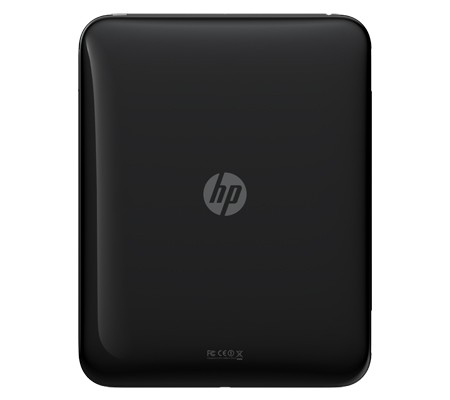
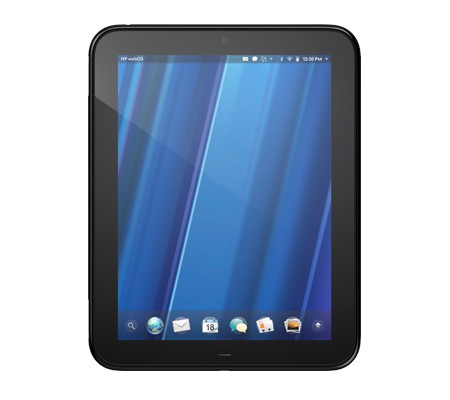
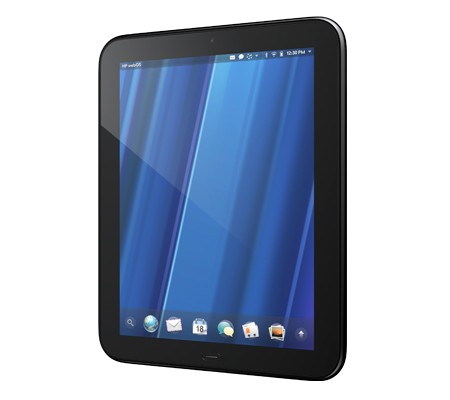
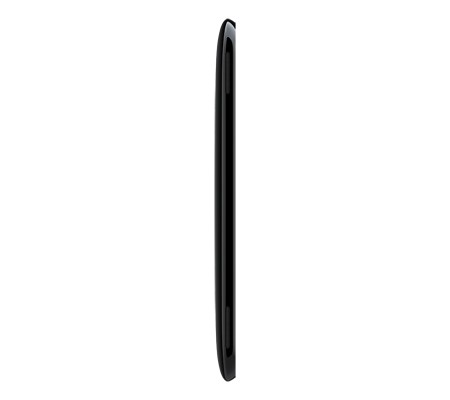
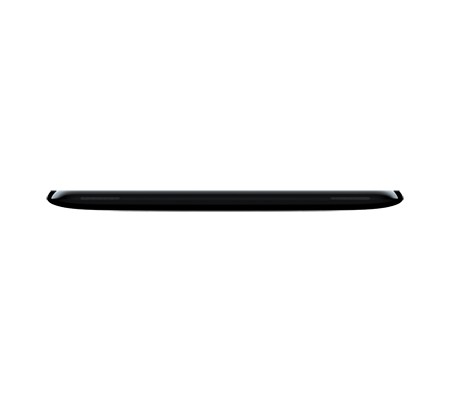
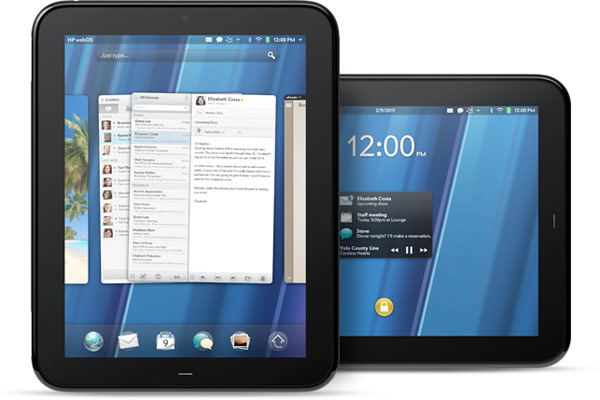
    HP has just announced the new HP TouchPad Slate from their stable at just 1.6 pounds and measures 13.7mm thick major features include

    • Beats audio engine
    • Touch-to-Share
    • webOS 3.0
    • 9.7-inch display (1024 x 768 screen resolution)
    • A dual-core 1.2GHz Snapdragon CPU
    • Inbuilt gyroscope
    • Accelerometer
    • Compass
    • 16GB / 32GB of internal storage space
    • front-facing 1.3 megapixel webcam
    • support for video calling
    • 802.11b/g/n WiFi, Bluetooth 2.1+EDR, A-GPS (3G model only)
    • “twice the memory of a Pre 2” and a set of stereo speakers.
    • new paneled email application
    • Growl-like pop-up notification system
    • cal / email integration courtesy of HP Synergy
    • virtual keyboard
    • VPN support
    • wireless printing
    • Google Docs, QuickOffice, Dropbox and Box.net compatibility.
    • ability to talk to the Pre 3 (one can have their Pre 3 and TouchPad communicate)

    Looks like the iPad 2 will get a lot more competition this year.

    Check out the launch Video below

    Read the Full PR

    HP TouchPad Brings webOS to the Big Screen

    First webOS tablet works the way you do, introduces fun, mobile productivity on larger scale

    PALO ALTO, Calif.–(BUSINESS WIRE)–HP (NYSE: HPQ) today enlarged the HP webOS world with the first webOS slate – the HP TouchPad – the breakthrough webOS user interface fully realized in the tablet experience.(1)

    “Today we’re embarking on a new era of webOS with the goal of linking a wide family of HP products through the best mobile experience available”

    With its vibrant 9.7-inch diagonal flush capacitive multitouch display, virtual keyboard, instant-on access, support for Adobe® Flash® Player 10.1 beta in the browser and access to thousands of webOS applications,(2) TouchPad works the way you do and is designed not just for fun but for mobile productivity. It’s ideal for anyone who wants the benefits of the amazing webOS platform on a much bigger scale.

    TouchPad is one of the products HP announced today to introduce a unique experience for customers around connected mobility, offering a unified experience for the first time across a variety of devices. It’s one of the building blocks in HP’s vision to seamlessly connect all your worlds through the power of HP webOS.

    “Today we’re embarking on a new era of webOS with the goal of linking a wide family of HP products through the best mobile experience available,” said Jon Rubinstein, senior vice president and general manager, Palm Global Business Unit, HP. “The flexibility of the webOS platform makes it ideal for creating a range of innovative devices that work together to keep you better connected to your world.”

    Designed to be used alone or as a digital companion to your webOS phone, TouchPad connects you and your devices through the elegant webOS experience. Never miss an important call or SMS message – they can be answered and viewed right on your TouchPad.(3,4) Plus, HP’s exclusive new touch-to-share feature will let you simply touch an enabled webOS phone to your TouchPad to share web URLs.(1,5)

    With the HP Synergy feature, you simply have to sign in to your Facebook®, Google, Microsoft® Exchange, LinkedIn and Yahoo!® accounts and your contacts, calendar and email automatically populate your TouchPad.(6)

    TouchPad works the way you do

    The TouchPad user interface is a visual representation of your workspace, so you can manage your workflow in a naturally intuitive way that’s easy and fun. The power of webOS true multitasking lets you have multiple applications running at the same time. webOS shows you your activities in the form of cards, not a sea of application icons on numerous home screens.

    This helps you do all the things you want to do, all at once, so you can listen to music, update your status on Facebook, read email and chat on IM at the same time.(4,7) As you launch new activities, webOS will automatically group related cards – for example, an email and an associated web page – together in a card stack, so you can easily track all related items together.(6)

    TouchPad also features a webOS communication suite powered by HP Synergy that keeps you connected and creative, making all of your communications simpler, richer and in your control. It’s a complete solution, including email, instant messaging, contacts, calendar, videos and a front-facing camera for video calling.(6) Connected photo albums make it easy to share and view your pictures directly from popular services such as Facebook, Snapfish and Photobucket. It works seamlessly with TouchPad’s user interface for a natural and efficient experience.

    Around the house or on the go

    TouchPad offers a great internet experience around the house or on the go, so you can manage your busy life, be productive wherever you are and stay connected with work, friends, family and social networks. It keeps you connected anywhere there’s Wi-Fi for easy access to the web and entertainment.(8)

    At home, whether you’re watching TV, relaxing on the sofa, at the kitchen table or in bed, you can check in with friends, surf the web, play games or read a book, magazine or newspaper.(2) Amazon.com today announced that it will launch a free Kindle app for HP webOS tailored for TouchPad that will give you access to more than 810,000 titles from Amazon’s Kindle Store. You also can subscribe to popular magazine titles, such as Time, Sports Illustrated, Fortune and People, and download movies and TV shows through the HP Movie Store. The TouchPad music app lets you transfer and play all your favorites from your personal music collection,(9) with amazing sound quality by Beats Audio™. You can start an email, create a message, update your status, search your favorite websites – all before you’ve even opened an application. Whenever you want to do something on your TouchPad, Just Type.

    Buy and sell on Amazon.com, do your banking, buy movie tickets from Fandango or check the news. Whether your thing is Facebook, YouTube, Twitter, IM, video calling or email, TouchPad brings it all together with thousands of available webOS applications and the convenience and power of HP Synergy for integrated contacts and calendar to keep your busy life on track.(6)

    It’s great for road trips, on a plane, while commuting, in public places, while visiting friends and on vacation. It’s easy to pack, has a long-lasting battery and integrated GPS (3G only), and posting vacation photos is a snap.(1,10)

    Mobile productivity

    When productivity is key, TouchPad makes an excellent companion. You can read and write email, view your work and personal inboxes together, or easily toggle between them. Integrated messaging conveniently combines all your text messages, picture messages and IM conversations with one person into a single view, and you can connect through SMS, Google Talk, AIM and Yahoo! Messenger.(4)

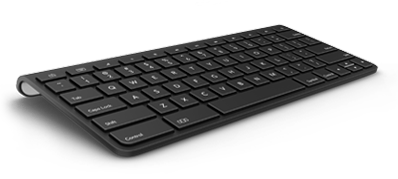
    TouchPad’s virtual full QWERTY keyboard includes a number row, which reduces keyboard switching, making typing easy and fast. It powers on instantly and brings you back to exactly where you left off, whether you were in the middle of composing an email, playing a game or browsing a web page. With webOS true multitasking, it’s like you never left.

    For maximum productivity, HP is working with Quickoffice to include the Quickoffice Connect Mobile Suite, which lets you view and edit documents, such as Microsoft Word and Excel. It also comes with VPN support to connect to corporate networks.

    With its 1.3-megapixel front-facing webcam, TouchPad offers video calling capability.(11) It’s also compatible with HP’s industry-leading printing solutions, so you can wirelessly print documents, photos and emails to compatible wireless and networked HP printers.(12)

    TouchPad has built-in HP Touchstone technology for easy charging, so it’s compatible out of the box with the HP Touchstone for TouchPad (sold separately), and you can charge in either portrait or landscape mode, even without removing the TouchPad case (sold separately). The webOS Exhibition feature lets you run applications designed specifically for Touchstone. Set your TouchPad on Touchstone and Exhibition launches automatically, showing you anything from today’s agenda to a slideshow of your photos.(13)

    TouchPad is one of three webOS products announced today (see separate announcements for HP Veer and HP Pre3). Each product plays a distinct role in the growing webOS family, designed to meet the varying needs of customers in a rapidly evolving mobile landscape.

    Availability

    HP TouchPad is scheduled to be available in the summer. Exact pricing and availability will be announced at a later date.

    HP TouchPad features and specs

    * HP webOS
    * High-speed connectivity(1)
    * Qualcomm Snapdragon dual-CPU APQ8060 1.2-GHz processor
    * 9.7-inch diagonal XGA capacitive, multitouch screen with a vibrant, 18-bit color, 1,024 x 768 resolution display
    * The option of either 16 GB or 32 GB of internal storage(14)
    * High-performance browser with full access to the web, including support for Adobe Flash Player 10.1 beta for access to rich, Flash-based web content(1)
    * Wireless connectivity:
    o Wi-Fi 802.11b/g/n with WPA, WPA2, WEP, 802.1X authentication(1)
    o A-GPS (3G only)(10)
    o Bluetooth® wireless technology 2.1 + EDR with A2DP stereo Bluetooth support
    * Multimedia options, including music, photos, video recording and playback, and a 3.5 mm headset/headphone/microphone jack
    o Internal stereo speakers and Beats Audio
    o Front-facing 1.3-megapixel webcam for live video calling(11)
    * Email, including EAS (for access to corporate Microsoft Exchange servers) and personal email support (Google Gmail push, Yahoo!, POP3, IMAP)(6)
    * Robust messaging support(4)
    * Light sensor, accelerometer, compass (magnetometer) and gyroscope
    * Rechargeable 6,300 mAh (typical) battery
    * Micro-USB (Charging and PC Connect) with USB 2.0 Hi-Speed
    * Built-in HP Touchstone technology for easy charging (HP Touchstone for TouchPad sold separately) and HP touch-to-share to share web addresses between TouchPad and compatible webOS phones(5)
    * Dimensions: 190 mm x 242 mm x 13.7 mm (7.48 inches x 9.53 inches x .54 inches)
    * Weight: approximately 740 g (1.6 pounds)

    More information about HP TouchPad is available at www.palm.com/TouchPad.

  • iG-Exclusive : Nokia E7 Coming to India Next Month

    iG-Exclusive : Nokia E7 Coming to India Next Month

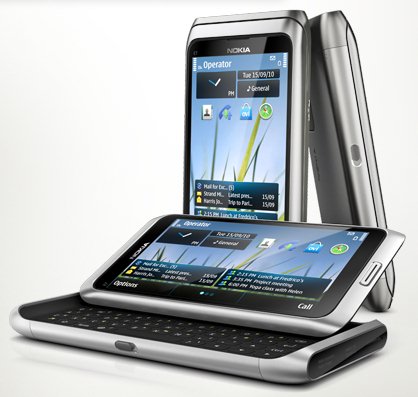
    While we will tell you that, Nokia Global – Announced that the E7 has been announced for Select Markets and should be shipping in countries in and around EU – UK, etc, anytime now. We just got word from Nokia Sales Rep Jatin Kaushik , That, the device is already slated for India and may come as early as next month.

    The QWERTY flagship from Espoo has

    • A 4-inch Clear Black Display
    • Latest version of Symbian
    • 8 megapixel camera
    • 16GB of onboard memory,
    • Aluminum body
    • Slideout keyboard

    On a different note : we expect the device to be slated at the 26,000/- Price mark (you could expect higher)


    Full PR


    All-in-one business smartphone, the Nokia E7, arrives in stores

    Espoo, Finland – The highly anticipated Nokia E7 will begin arriving in stores in select markets this week, with broader availability building up quickly in several markets.

    With its tilting 4 inch ClearBlack display, full qwerty keyboard and a fast access to a wide variety of apps directly on the homescreen, the Nokia E7 is the key to having a successful day in or out of the office. Importantly, the device supports business applications from leading enterprise technology partners including Microsoft and IBM.

    Key features of the Nokia E7
    – Easy access to private and business email 
    – Create, edit and share office documents and view PDF files with Adobe Reader
    – Fast, secure intranet access with the built-in VPN
    – High-resolution photos and HD video with the 8 megapixel camera and dual LED flash
    – HDMI connectivity to project files, videos and images onto large screens
    – 16 gigabytes of on-board flash memory
    – USB-On-The-Go, enabling easy file sharing by connecting a USB stick to the smartphone

    For business users, Nokia E7 provides direct, secure and real-time access to email, calendar, contacts, tasks and the corporate directory through Microsoft Exchange servers, as well as Office Communicator Mobile, developed by Microsoft for Nokia smartphones, which brings presence and corporate instant messaging.

    Additionally, a wide range of entertainment and social services available on the Nokia E7 make it the perfect off-duty companion, and the Ovi Store offers a wealth of apps such as Bloomberg, Angry Birds and Sports Tracker.

    The new arrival offers drive or walk navigation in 80 countries. The latest commercial version of Ovi Maps, available immediately via Ovi Store or Ovi Suite, adds visibility to subways, trams and trains, real-time traffic, safety alerts, visibility to parking and petrol stations, speed limit warnings, and improved search and location sharing capabilities.

  • Motorola Defy – Full Review – Video + Tests

    Motorola Defy – Full Review – Video + Tests

    A long time ago, Nokia came out with the 5210 and later the 5500, both these phones were extremely rugged and water resistant. But, they were no smart phones, in fact the devices were poor built versions of Nokia’s existing line.

    From then till now no one thought that, post the smartphone era, we would see a Smartphone which would defy the elements and prove to be a valuable competitor in the Market.

    Enter the MOTOROLA DEFY, lets take an in-depth look at the interior and exterior of the device.

    Build Quality

    This device exceeds many others by leaps and bounds and does exactly what everyone wants, resists water and dust, the screen is tough and scratch proof, the construction is super rigid and environment proof, Drops on concrete and mis-pocket events wont deter the DEFY from doing what it promises to do, Stay with you till the absolute end.

    Rubber backing, Rigid metal frame and outer body, along with gorilla glass and masculine rivets, which man would not want a defy?

    The device delivers as promised and can live up to harsh expectations, dip it in water , throw it around even go through a wash cycle. check out our quick test video below


    Hardware

    Buying a smartphone today leaves you expecting more for less. Lets see what we like about the device:

    • Stunning 3.7″ touchscreen
    • 480×854 px Resolution
    • Gorilla Glass
    • Rubber back seal
    • Water resistance
    • Dust resistance
    • Wifi


    • FM RADIO
    • 5 Megapixel Camera
    • 1500mah Battery
    • impact resistant design
    • Accelerometer
    • Proximity Sensor
    • 800MHz Cortex-A8 processor
    • TI OMAP3610 chipset


    The device has all the fancy stuff you can get at the price + it has the rugged construction. We still miss HD video.


    Camera & Multimedia

    The Defy packs a 5 MP shooter which has auto focus, but, lacks tap to focus. Hopefully, an upgrade from motorola can add that feature to the device. I

    mages come out sharp from the device and extremely quickly. Video on the other hand is just VGA and could have been HD video at 720p. That would make the camera on the defy, a complete package. The fact that you can shoot images and video underwater is what makes the camera an extremely fun instrument to use. Video at pool parties anyone?

    As far as media playback goes, since the device runs Android, it is capable of a vast variety of formats and supported codecs. Everything is available either free or at a premium from the marketplace. The device packs enough power to play all sorts of videos and stream movies from the internet. The loudspeaker on the device is simply “superb” packs a punch has great sound coming from a sealed speaker.


    Call Quality and Battery Life

    Here at iGyaan we stress on Call quality a lot. Especially since the DEFY is priced slightly higher than other phones, we wanted that the device perform well. We got exceptionally clear sound from the earpiece, even as the device was dipped into water several times it continued to sound clearer than ever. the microphone is also exceptionally good at doing its job. Motorola made sure that the earpeice issue was resolved before launching the device.

    We got zero dropped calls in our 4 hours of testing and no signal issues what so ever. The device is just plain a good phone.

    Battery life was also pretty impressive we got on an average 5 hours of talk time on the device. About 8-9 hours on media playback, 6 hours of internet browsing and about 20-24hours of music playback. All of this with the WIFI on. The battery is a 1500mah battery, the large capacity plays a huge role in such battery performance.


    OPERATING SYSTEM

    The Defy runs Android 2.1 with MOTO BLUR- (yes MOTO BLUR works perfectly in INDIA). The performance of the device is great with a few hiccups here and there. The upgrade to ANdroid 2.2 should be rolled out soon, and should remove the lagging in the processor. Since this device has a 800 mhz cortex A8 processor , flash would work perfectly in the browser. We would also definitely love the move to sd card option.

    Currently in its state the Moto Blur and customized UI from Motorola add to the experience of the OS. The OS is color-ful and has a lot of unique customizations that make life that much easier while using the DEFY.


    Conclusion

    An extremely well built phone / device with somewhat all the latest features. It does lack a few things (HD video, Android 2.2) but atleast a software upgrade would bring one of them. Water resistant and dust proof had us from the get go. The device is an absolute must for the outgoing individual, an outdoor person or even a clumsy fellow.

    Priced at 18,000/- INR

    This device gets a 4.5/5.0 from iGyaan

    WE SAY POCKET IT!

    Check out the full Review Video and the remaining images below.


    IMAGES

  • Sony Ericsson Xperia Play (Playstation Phone), Caught in the Wild

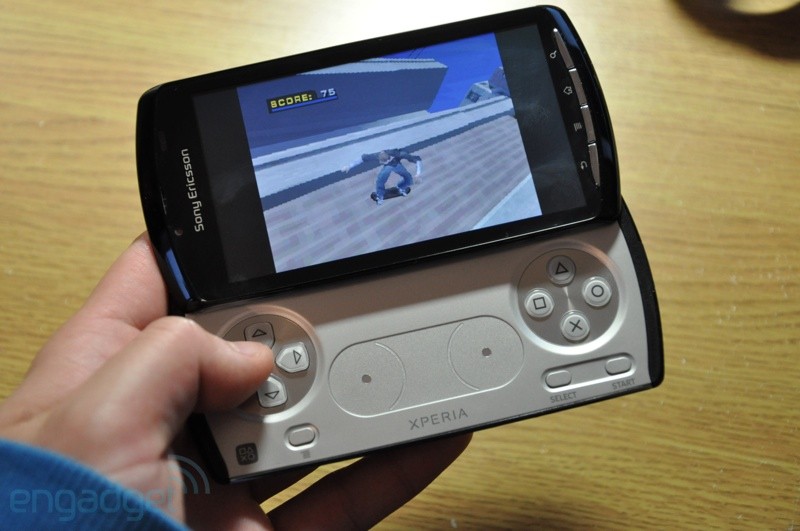
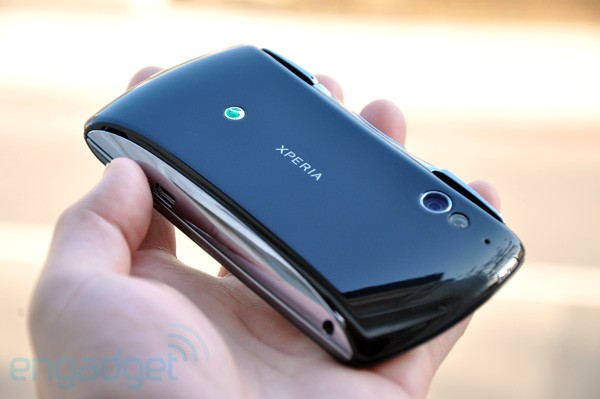
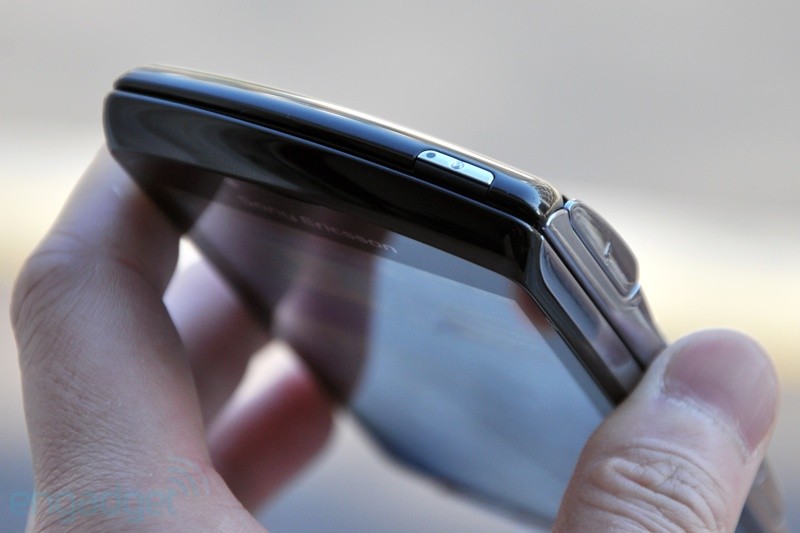
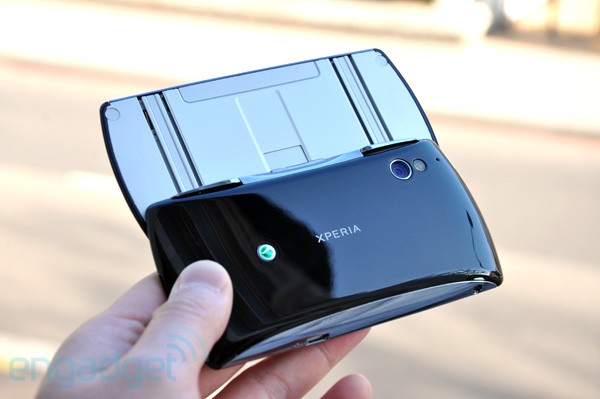
    Sony Ericsson Xperia Play (Playstation Phone), Caught in the Wild

    Folks over at engadget got their hands on a prototype of the “Playstation Phone” . Which is actually officially called the XPERIA PLAY. Specs include (most of them are just guesses)

    • 1 GHZ Processor
    • Adreno 205 GPU
    • Android 2.3
    • 512MB of RAM
    • roadcom BCM4329 wireless chip

    Hit the Source Link Below for a full preview of the device along with more than 50 images of the product.


    Source Engadget

iGyaan Network
Privacy Overview

This website uses cookies so that we can provide you with the best user experience possible. Cookie information is stored in your browser and performs functions such as recognising you when you return to our website and helping our team to understand which sections of the website you find most interesting and useful.