Tag: GIF

  • VSCO Cam Joins the Bandwagon With Its Own GIF Making App

    VSCO Cam Joins the Bandwagon With Its Own GIF Making App

    Whether or not a consensus has been reached on the pronunciation of the word, GIFs are all set be a bigger part of our virtual lives. VSCO Cam have decided to follow suit with lots of other developers and come up with its own GIF-making app. However, the glitch is this app is only for iOS users.

    https://youtu.be/cthr_L7wt5A

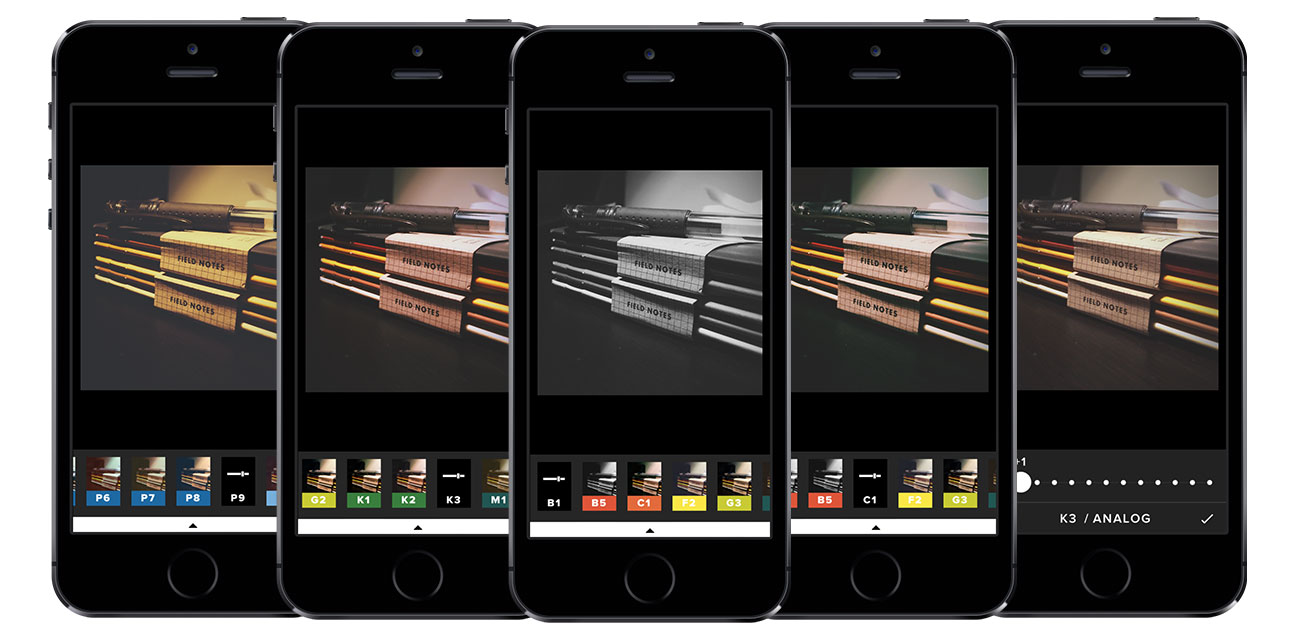
    DSCO, an Instagram-like app, is unveiled by the company for achieving the moving image effect for a footage of few seconds. This mobile photography app allows you to choose filters and presets, developed along with MTV and others, for your GIF before posting it on one of the social media platforms or on the company’s own portal. The app is available as a free download for all iOS users.

  • Making a GIF has Never Been Easier

    Making a GIF has Never Been Easier

    You know the feeling you get when you come across a cool GIF someone posted on Facebook and wish that you could do it too? GIFs are the new way to communicate feelings because, let’s face it, emojis and memes have run its course. So, it’s time to catch up with the trend and learn how to make GIFs the easy way. Well, Giphy, the GIF website, has done just that. They have launched a GIF creator that is so easy that even monkeys can work it.

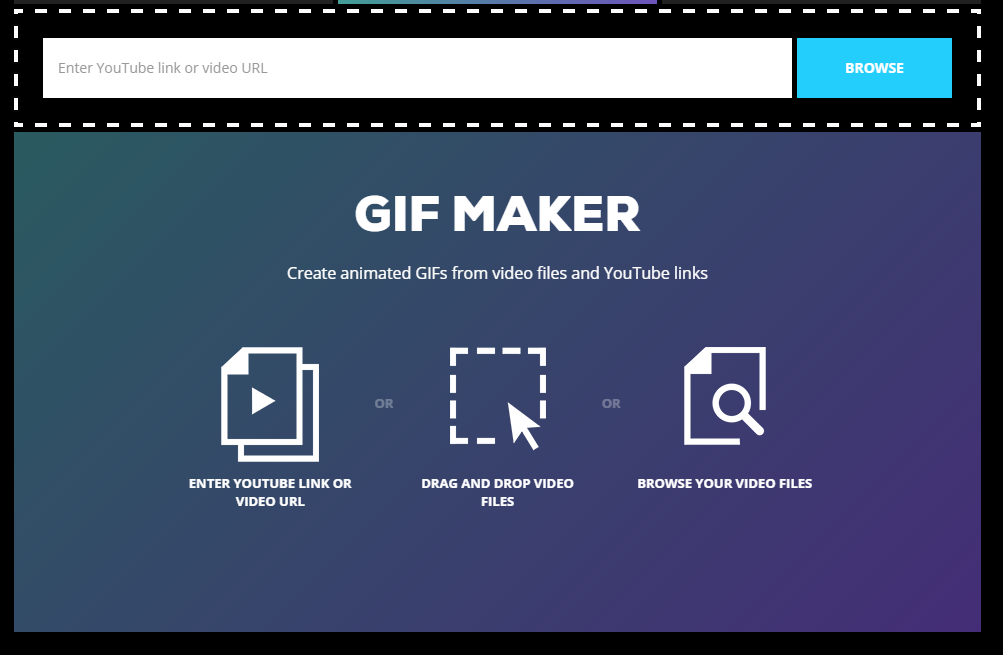
    GIF Maker

    Giphy’s GIF Maker lets you turn that GIF-worthy YouTube video that you saw into a GIF in the simplest way possible. Here’s a step by step instruction.

    Step 1: Drop your desired YouTube link or video URL in the drop bar. Your video will the pop up below.

    Step 2: Navigate to the point where you want your GIF to begin in. It could be somewhere from the start, the middle, or the end.

    Step 3: Choose how long you want the GIF to run for. Since GIFs are essentially short looped videos, you’ll get a maximum duration of about 10 seconds while the minimum is 0.24 seconds, which is as good as no GIF. So you should try and keep your GIF length somewhere above 1 second.

    Step 4: The last step is to add a caption for your GIF and then all you have to do is hit the ‘Create GIF’ button at the bottom and you’re good to go.

    Using the GIF Maker is really simple and if you have the right video, you can create a GIF in less than 3 minutes. We know this because we tried it, of course.

    Although GIF Maker is not the first of its kind easy-to-make GIF application out there (Imgur came out with one of its own back in January), it still gives you a better caption option than many others. Giphy’s GIF Maker offers direct video links from YouTube or you can upload a video from your library.

    Giphy has been experimenting with GIFs for a while. It also came out with an easy GIF making app for iOS called Giphy Cam, which is again extremely fun lets you creat GIFs using your iPhone’s camera. Now that you know, go ahead and GIF on.

  • How to Post GIFs on Facebook

    How to Post GIFs on Facebook

    Facebook is gung ho about videos and animated pictures taking over the social networking site. Today, GIFs are the new way to greet and add some humour to your News Feed (because words were so 5 years ago). And it’s time people caught up with the trend. GIFs are short animated videos that say what you want to say in a funny, ‘pop culture’ referenced way, only minus the need to use words. To put it simply, GIFs are the new emojis.

    Memes have been around for a while now. But Facebook felt that memes and smileys weren’t enough to convey ones feelings anymore. Initially, Facebook was against using GIFs, fearing that along with its autoplaying video feature the News Feed would become too cluttered. But the company had to cater to the users love for meme’s and GIFs. So, without further ado, here’s how you can post GIFs on Facebook.

    Posting a GIF on Facebook

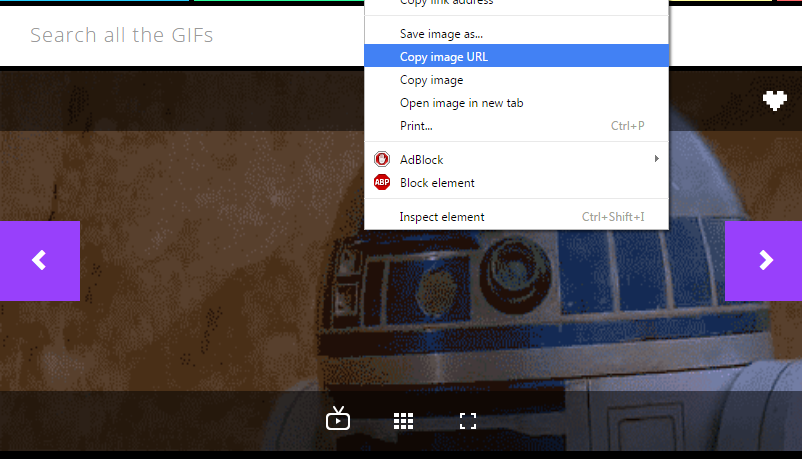
    Posting a GIF is simple, however, you won’t be allowed to upload your own GIF files to your post as you would a photo. You’ll either need to create one and upload it on another hosting site or simply find a GIF that aptly describes your Monday morning blues, for example, from sites like Giphy, Imgur and Tumblr. Open the GIF and right-click on the image.

    If you’re using Google Chrome, select the option ‘Copy Image URL’. For Firefox, the option is ‘Select Image Location’. And for Opera it’s ‘Copy Image Address’. Basically, every browser will have a similar option that allows you to copy the URL.

    Gif 1

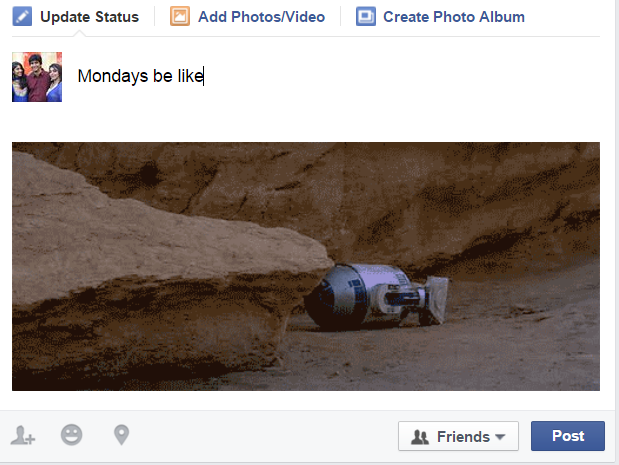
    Next, log into your Facebook account and simply paste the URL in the ‘What’s on your mind?’ status field. Once the image appears, you can edit the status and write something so that people understand what the GIF is trying to convey. Hit Post and you’re done.

    GIF

    Now that you know how simple it is, go ahead and find your perfect GIF for the day and share it with your gang on Facebook. It’s all about spreading the joy and knowing that there are people out there who feel the same way about Mondays. Sigh.

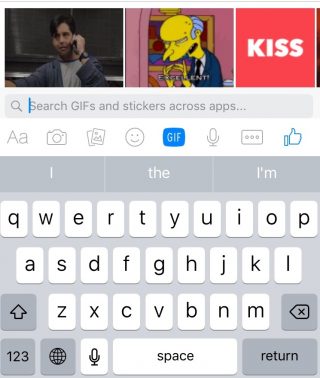
    You may have also noticed a GIF option in your Messenger and chat as well. Facebook has been testing the GIF and attachment buttons for the Messenger, though not all users have the feature yet. Open a chat window on the Facebook site or through the Messenger app and you’ll find a new GIF button next to the smileys icon.

    GIF Messenger

    The GIF option will show you some trending GIFs and it also lets you search for the GIF you want. Now you can have more animated discussions with your friends when you feel words just don’t cut it.

  • Here’s Why SnapChat’s Profile GIF Changes Interaction

    Here’s Why SnapChat’s Profile GIF Changes Interaction

    Snapchat seems to be changing its display, format and along with it, the way its users interact with each other. Snapchat originally became very popular amongst the younger generation because of the fact that it erased memories in 10 seconds and kept their live statuses for just 24 hours. So, unlike Facebook, where someone can look through your past and bring up an embarrassing status or profile picture, Snapchat erases it all.

    However, there is one thing on Snapchat that does not self-destruct, and that is the profile GIF. The profile GIF was added in July along with the tap-to-view feature. So, now, on your profile screen, if you tap on the QR code you will be able to shoot a series of 5 selfies which turns into an animated profile GIF.
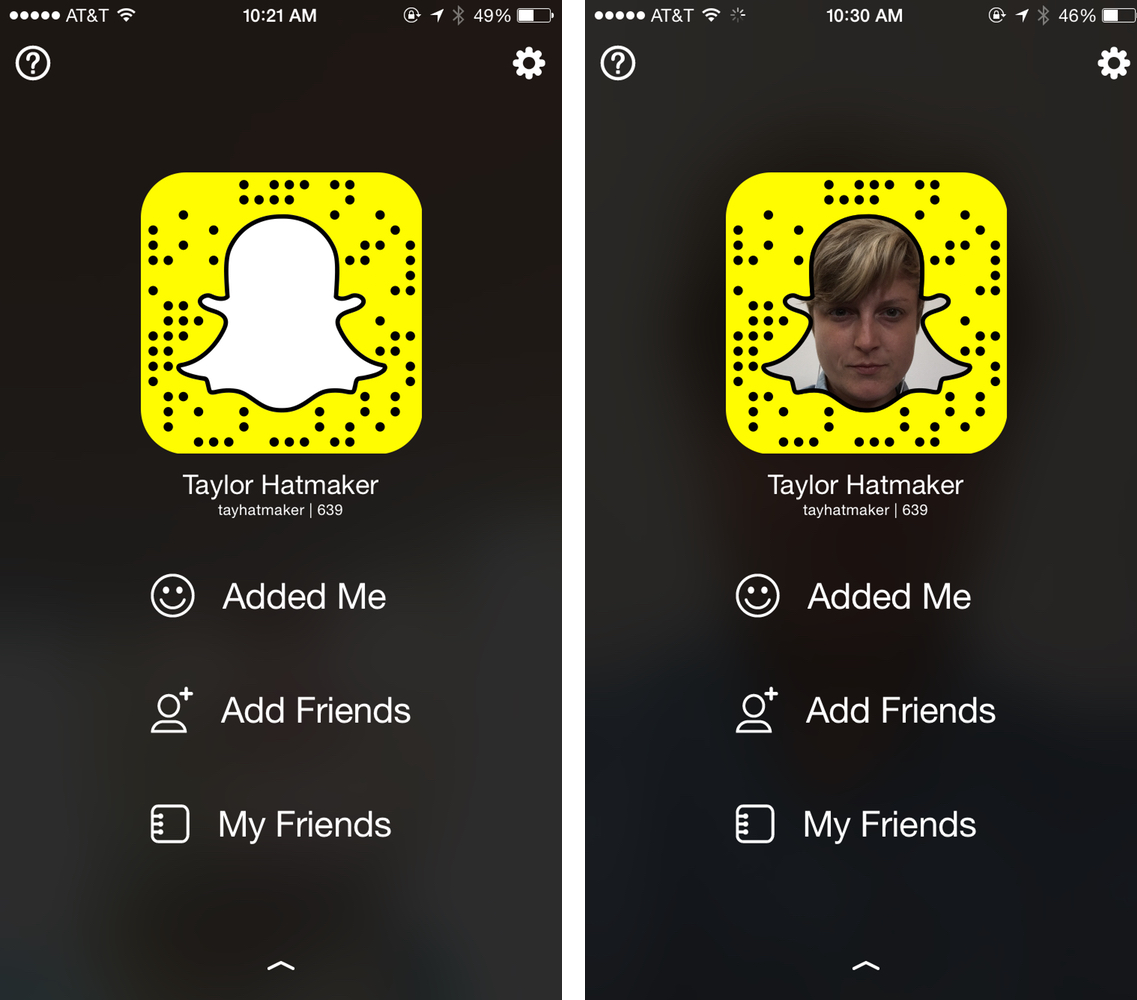
    SnapChat profile

    Initially this seemed like just a cool customization which encouraged people to share it more and thereby strengthening Snapchat’s user base. However, there is another purpose for this customization, and that is, it somehow solves Snapchat’s identification problem. Basically, previously, when you added someone on Snapchat, you knew nothing about them except for their username. The anonymous character of this app made it very popular with the youngsters.

    However, now, when you add someone, their profile GIF shows. So, you can immediately identify the person’s gender, and perhaps even their sense of humour. So, you won’t have to follow a person, then check out their Snap Story and then unfollow them, if you’re not interested.

    This is very useful for Snapchatters who make their profiles public, because they can efficiently decide whom to follow back. The profile GIF definitely seems to be providing more transparency to one’s identity, thereby allowing you to be more aware of whom you add and follow.

    Oh well, in this fast-paced world where social interactions and networking seem to play an important
    role, it is necessary for social media to catch up too. And that’s exactly what Snapchat is doing.
iGyaan Network
Privacy Overview

This website uses cookies so that we can provide you with the best user experience possible. Cookie information is stored in your browser and performs functions such as recognising you when you return to our website and helping our team to understand which sections of the website you find most interesting and useful.