Tag: hidden features

  • Five Hidden Features of Android 8 Oreo

    Five Hidden Features of Android 8 Oreo

    Android 8 Oreo is the latest mobile operating system from Google. The new iteration introduced features like notification dot, app shortcuts, and a smart text selection. In terms of UI, the OS looks similar to Android 7 Nougat. However, there are additional features that have gone unnoticed on Android 8 Oreo.

    Here are the top five hidden features of Android 8 Oreo. However, these features are only available on smartphones that run on stock Android OS.

    Clearing phone’s storage

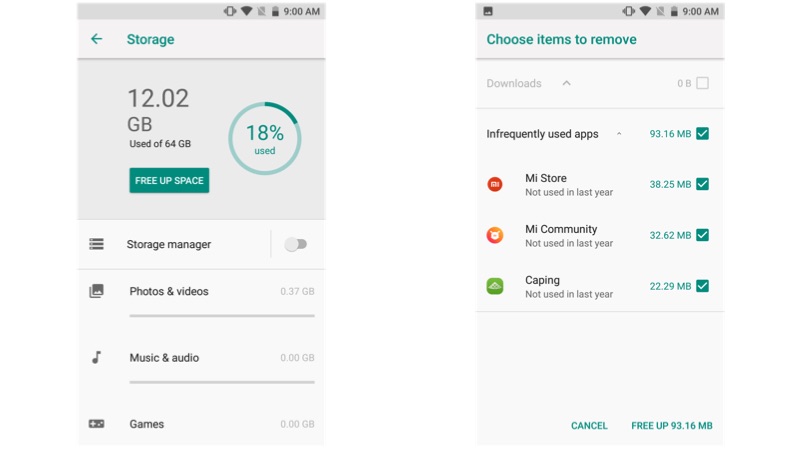
    For this task, most of us depend on an external application. Though multimedia files consume the majority of the storage space, app cache and other files consume a certain amount of space, which are not visible on a standard file manager. Go to storage in the settings option and press on the blue icon, that says free up some space. Bam, your device will remove the unwanted files to clear the storage space.
    Android 8 Oreo

    System UI tuner

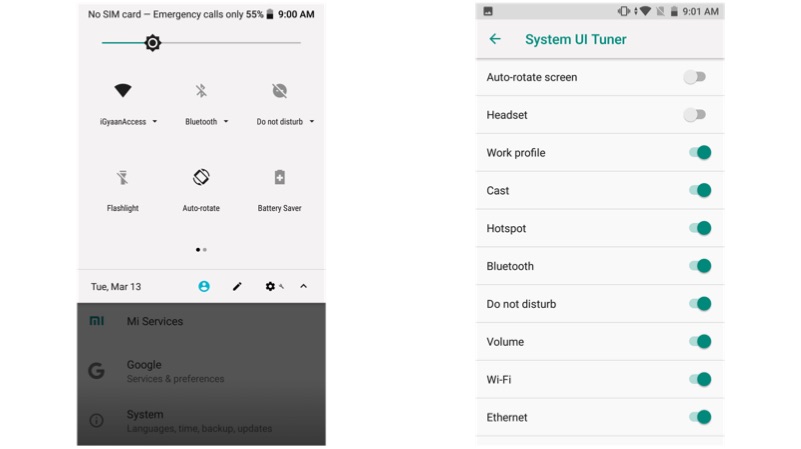
    This one is one of our favourite hidden features. In fact, this feature was originally launched in Android Marshmallow. The system UI tuner gives an additional control over the look and feel of the Android operating system. To enable system UI tuner, open your notification shade, tap and hold the gear icon until it starts vibrating. Using this feature, you can add or remove the app icons like Wi-Fi, Bluetooth, and Battery.
    Android 8 Oreo

    Turn on Wi-Fi automatically

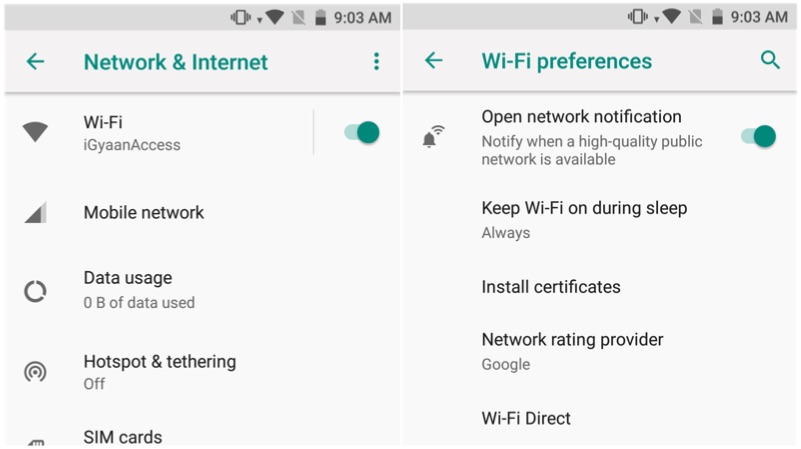
    Updating apps on a cellular network requires a lot of mobile data. Instead, make your smartphone to connect to an open Wi-Fi whenever it is available. To enable this, go to Settings, Wi-Fi, and Wi-Fi preferences and enable the first option. Similarly, enable the third option if you want to get notifications about the availability of open Wi-Fi networks.
    Android 8 Oreo


    Autofill

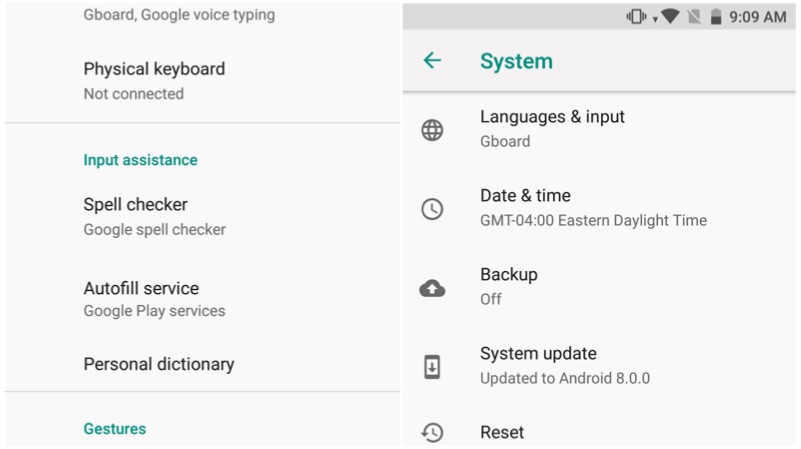
    Remembering various passwords for different applications is a cumbersome processor. However, the Android 8 Oreo has a solution for this. Go to Settings>System > Languages & input > Advanced > Autofill service and select Autofill with Google. This feature will prompt to remember your password and for the next time, it autofill the username and password on the specific application.
    Android 8 Oreo

    Snooze notifications

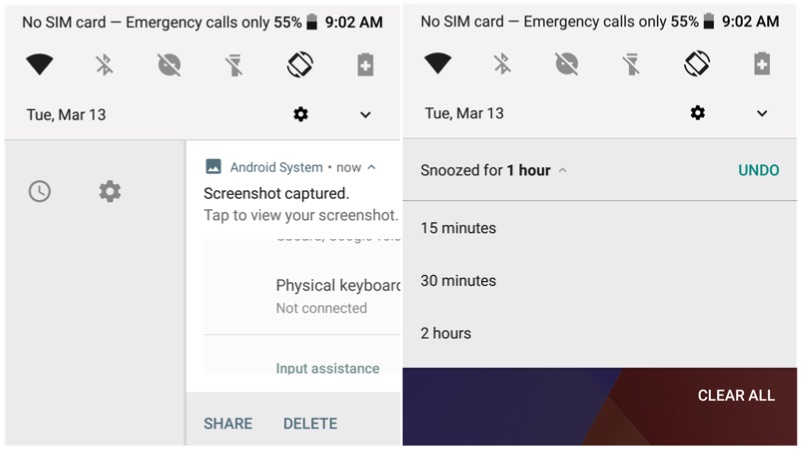
    Notifications are the best part of Android OS. However, when you are in a middle of a meeting, those notifications might just annoy you. With Android 8 Oreo you can snooze the notification for a fixed time period. Swipe from left to right and click on the time amount of time, that you want to snooze the notification. However, one can only choose between 15 minutes, 1 hours, or 2 hours of snooze time.

    Android 8 Oreo

  • 10 Hidden iOS 9 Features That are Sure to Make iPhones Way Smarter

    10 Hidden iOS 9 Features That are Sure to Make iPhones Way Smarter

    Apple iOS 9, announced at WWDC, was seen to be a major overhaul. The company showed off the software’s multitasking feature, low power mode and Siri’s Proactive mode. However, Apple didn’t disclose many fresh apps and exciting features, which make its OS all the more seamless, bridging the gap between the two major operating systems – Android and iOS. Apple has borrowed many features from Android, along with incorporating many firsts.

    A few of you may not agree with us if you go by the announcements made at the launch, but there’s lots more. We have listed some of the hidden features that prove iOS 9 is a cut above the previous iterations.

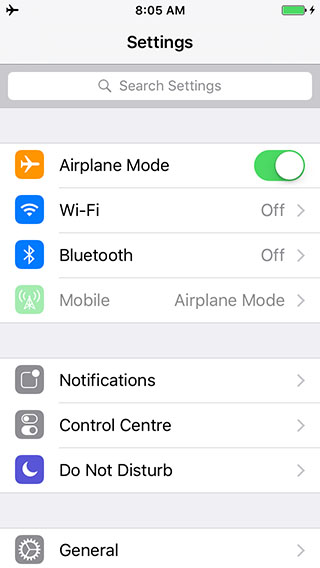
    1. Universal App Search

    ios-9-settings-search

    We are sure you’re going to love this. The newest iOS 9 accommodates a Search bar on top of Settings, allowing you to search any app within the menu. The Settings option is better than ever, enabling you to pick any specific app from the mess just by typing its initials or the full name. For example, if you type ‘Battery’, the Battery feature will appear in front, hiding all in the background. You can tap on it, and its settings will come up, allowing you to make a choice.

    2. Tweaked Shift Key

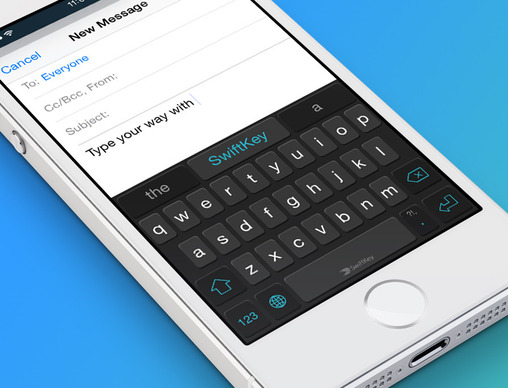
    swiftkey-ios 9

    This one was on Android since long, but Apple has incorporated it now with iOS 9. Pressing the shift key allows you to switch between upper case and lower case, rather than only the shift key changing colour and characters not swapping to lower case. We soon won’t need to remember which colour was for caps.

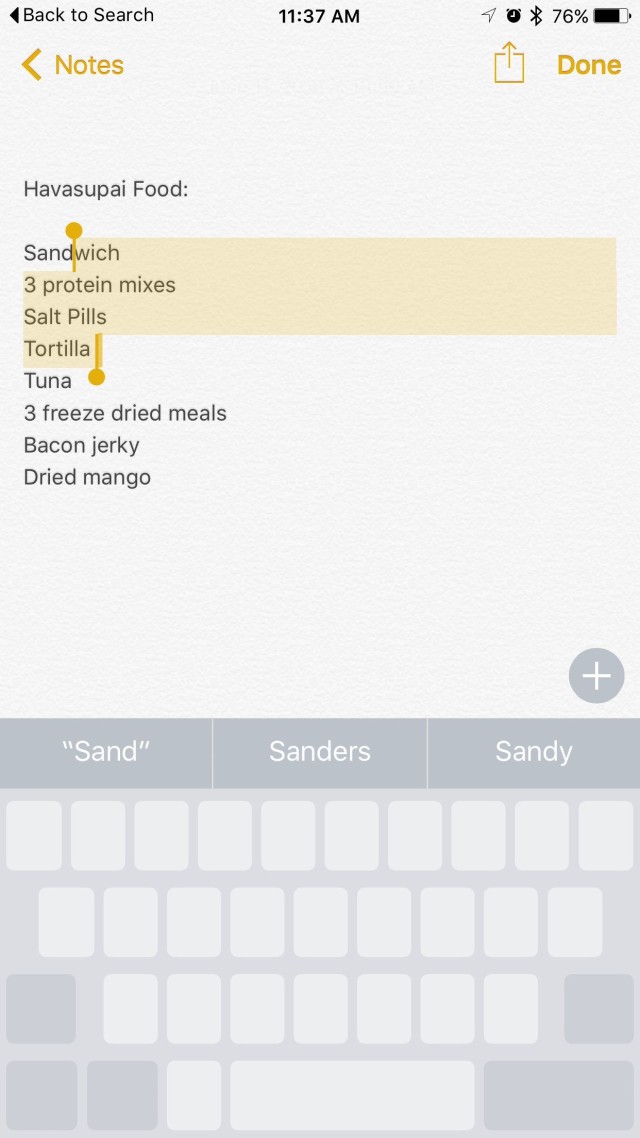
    3. Your Keyboard Now Acts as a Trackpad

    two-finger-gesture-ios 9

    Even Android disciples will shift their loyalty to Apple after hearing this; well, some might. Earlier limited to iPad, this feature has now landed on the iPhone as well. Drop two fingers onto the keyboard of your iPhone to make a selection, edit and shift text from one place to another. The keypad becomes your trackpad, increasing the productivity of your phone. The feature first debuted on iPad.

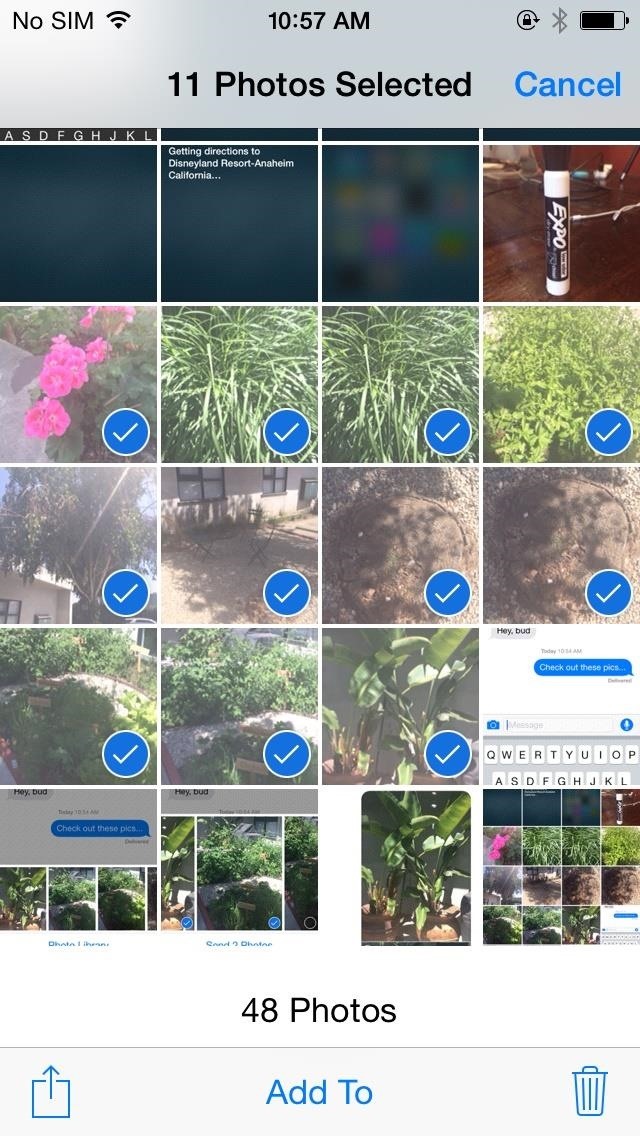
    4. Swipe to Select Multiple Photos

    multiple photo selection

    Ok. Selecting multiple photos on iPhone’s preceding OS iterations was a pain. The company has altered the tedious approach, and the new operating system comes with multiple photo selection support, allowing you to use your finger as a cursor. Widen the cursor to increase the selection area and mass-pictures will be selected as per requirement. No need to tap one-by-one to delete bulk pictures now. Just swipe to choose and dump them in the bin or on cloud.

    Along with this, the Photo app features a ‘scrubber’ beneath, enabling you to flip quickly through the images secured in the camera roll.

    5. “Back to Search/App” Shortcut

    ios-9-back-to-search

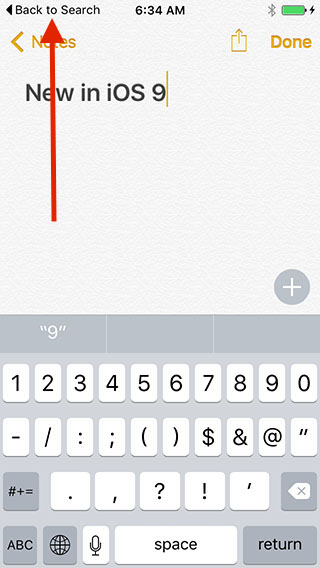
    Apple has taken modification real serious this time. Emphasizing on cultivating the already built, iOS 9 includes a ‘Back to Search’ or ‘Back to App’ option that directs you straight to Spotlight without the need of pressing a back button repeatedly. Swipe down on the Home screen, search for content on Spotlight and once you’re done, press ‘Back to Search’ on the top left to reach the main screen.

    6. Customizable Side Switch

    ios-9side-switch

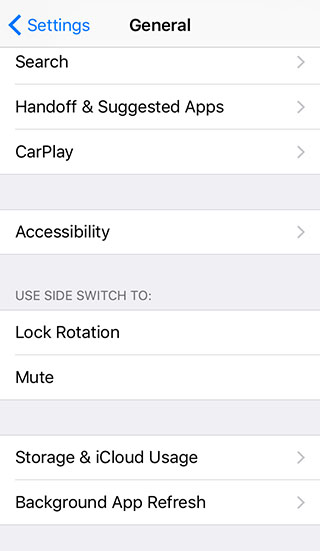
    iOS 9 gives you the option to use side switch for locking rotation of the display or to mute the phone. This option has been available on iPad. Unfortunately, you can choose between the two only.

    7. 6-Digit Passcode Option

    ios-9-password-option

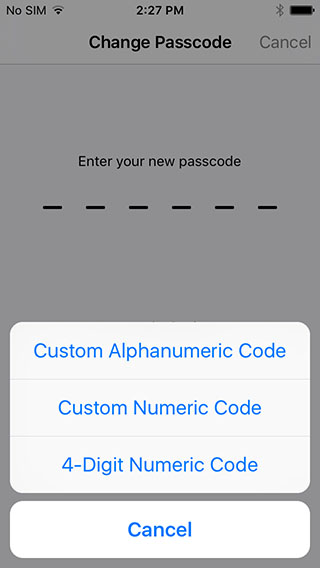
    In an attempt to increase the security of the iPhone, a user with iOS 9 installed on their handsets now has the option to extend the password to 6 digits, which was 4 digits in the previous versions. Above is a screenshot establishing the same.

    8. Mute Phone

    ios-9-vibration mute

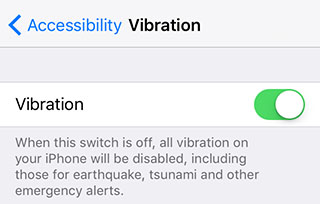
    No matter how cool and secure a iPhone is, its inability to go mute has drawn embarrassment to the user at times. iOS 9 resolves the issue by introducing vibration disable button that lets you shut all vibrations on your iPhone in a single go. Under Settings menu, there is an Accessibility option, which when turned off disables all vibrations including earthquake, tsunami and other emergency alerts.

    9. Save To and Add from iCloud

    ios-9-save-attachment

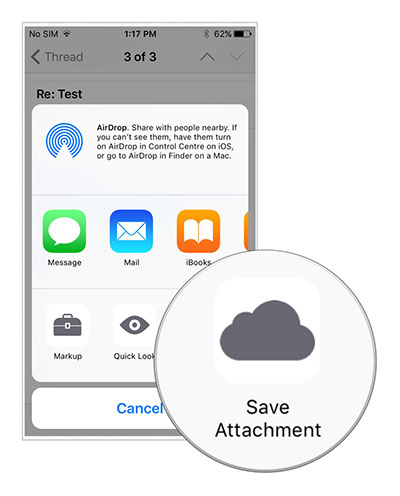
    Emails are an indispensable part of any smartphone and so is Cloud when it comes to low memory storage. Until now, iPhone users have been using third-party apps to attach files to emails, but now attachments can be added from iCloud Drive in the Mail app. Also, files can be saved on iCloud by long pressing the attachment. A new window with Save Attachment icon will then open, clicking which the file will go to iCloud Drive.

    10. Customizable Assistive Touch

    ios-9-assistive-touch

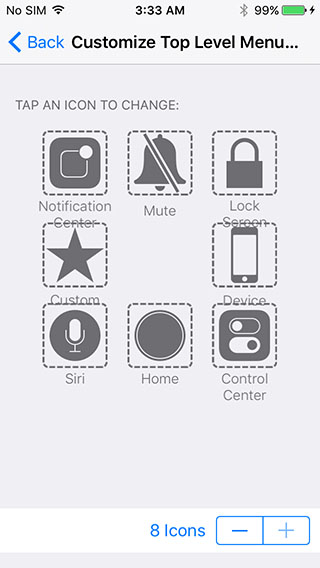
    Assistive touch is the binding element that draws users back to the main screen from where ever a person is. But since long, we have been viewing the same four options on the main screen of the top level menu in Assistive touch. Now, you don’t need to compromise any longer as iOS 9 is giving you the freedom to customize the Assistive Touch menu. Add 2 or more buttons to the menu list and quickly navigate through the app.

    [tw-button size=”medium” background=”” color=”” target=”_self”]Image Source[/tw-button] [tw-button size=”medium” background=”” color=”blue” target=”_blank” link=”http://www.iphonehacks.com/2015/06/ios-9-hidden-features.html”]iPhone Hacks[/tw-button]

iGyaan Network
Privacy Overview

This website uses cookies so that we can provide you with the best user experience possible. Cookie information is stored in your browser and performs functions such as recognising you when you return to our website and helping our team to understand which sections of the website you find most interesting and useful.