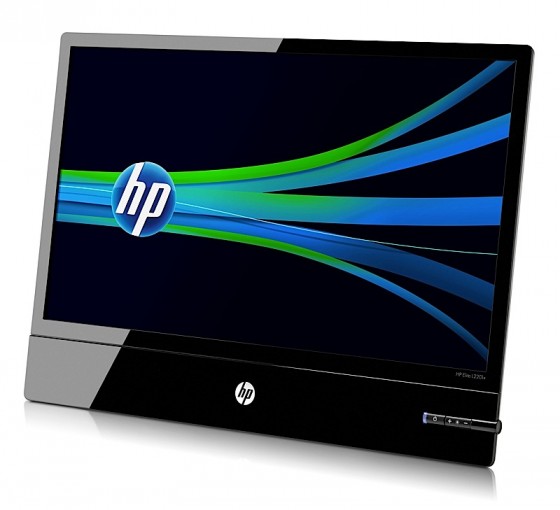
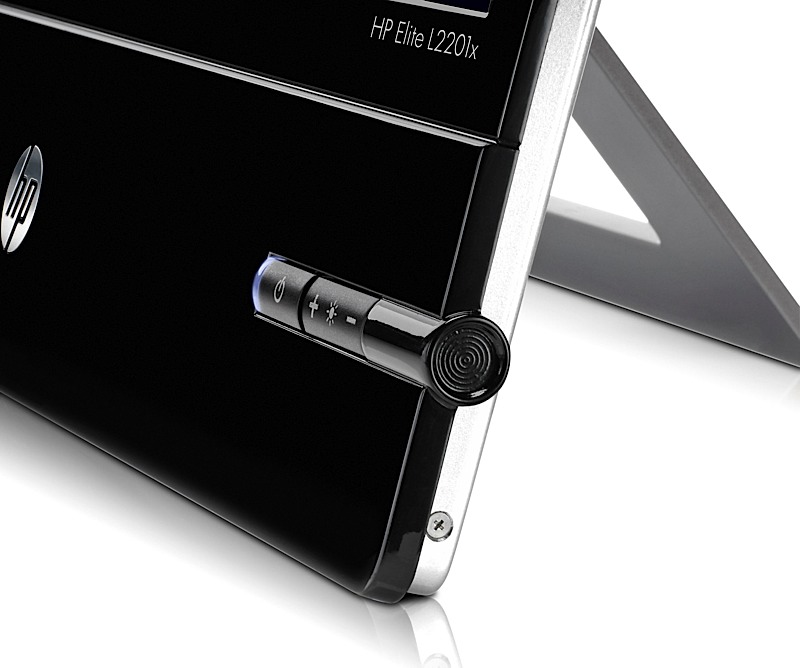
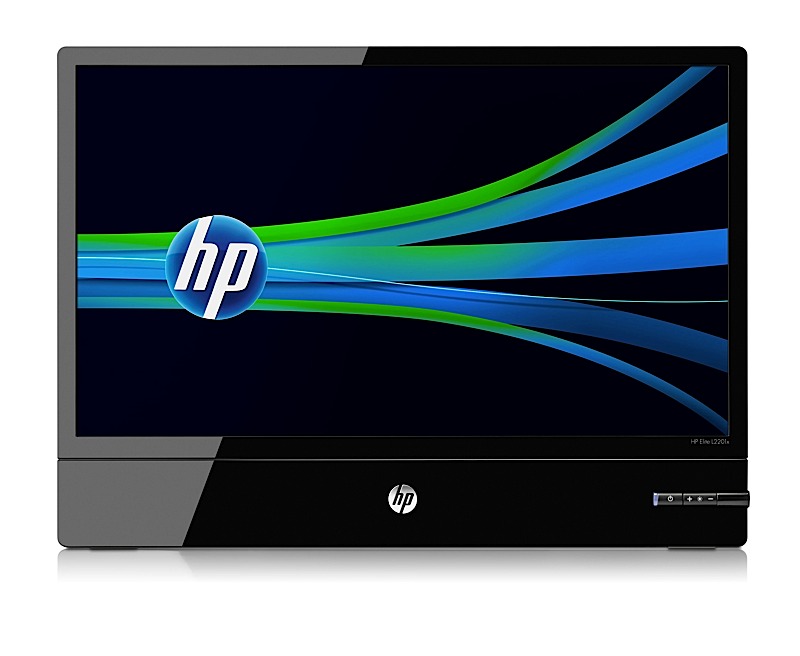
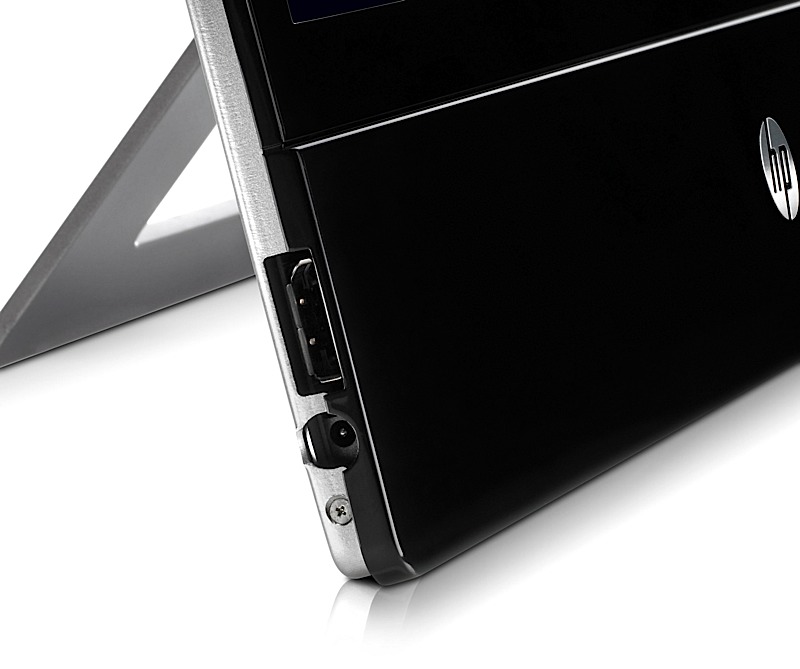
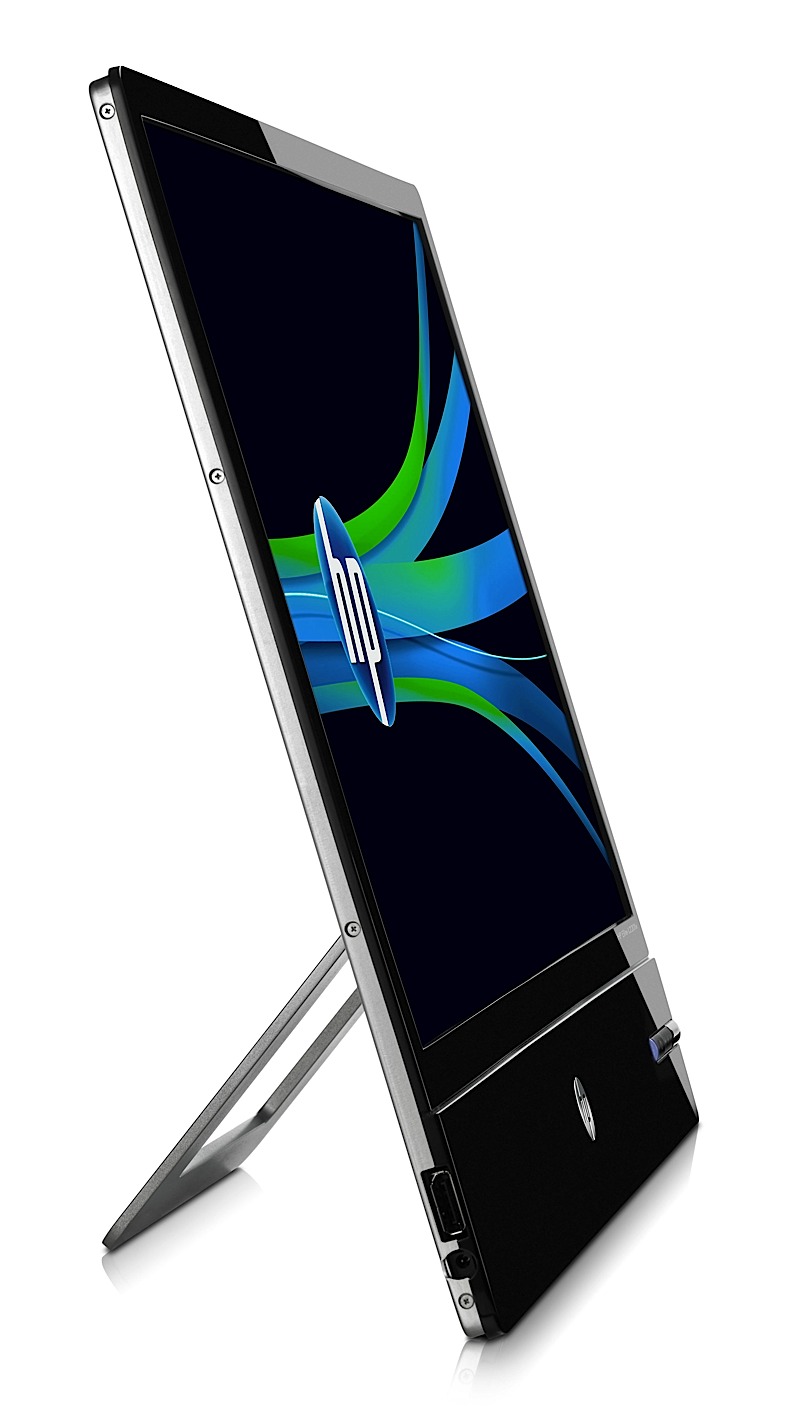
Hp along with various other notebook and tablet announcements, has also announced the new Elite L2201x Monitor
- LED-backlit display
- 0.4-inches thick
- 1920 x 1080 display
- 5000:1 contrast ratio
- DisplayPort
- Priced at $250
[HP]
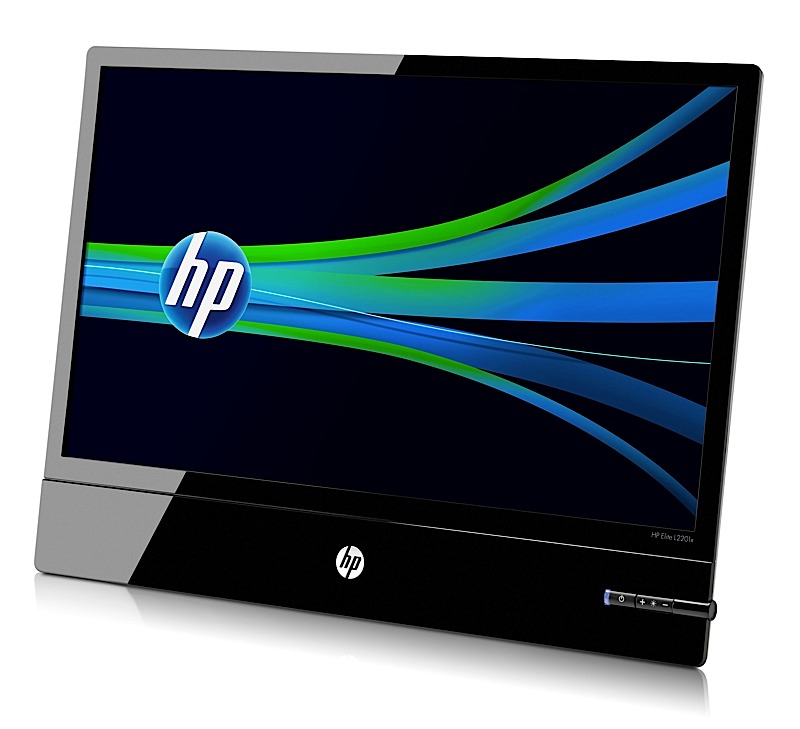
Hp along with various other notebook and tablet announcements, has also announced the new Elite L2201x Monitor
[HP]
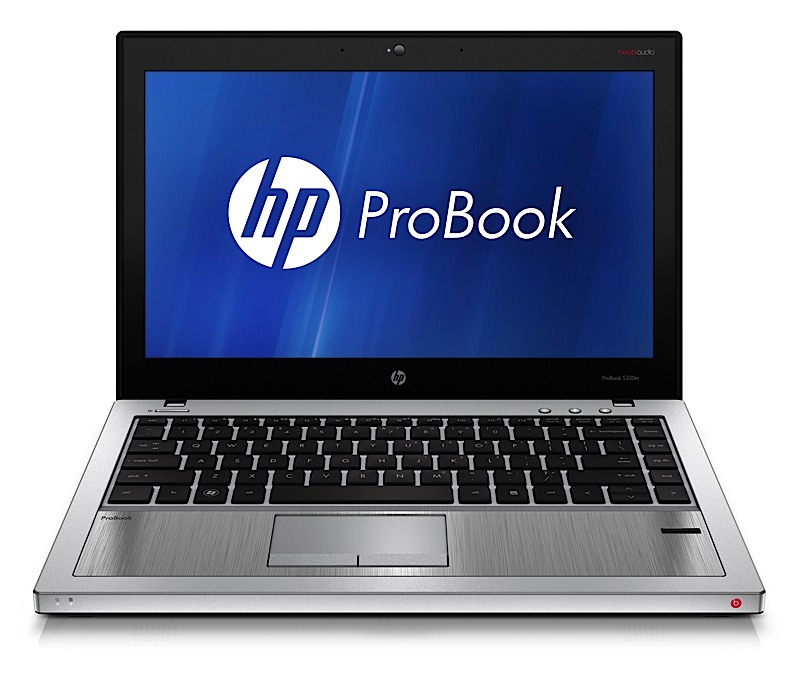
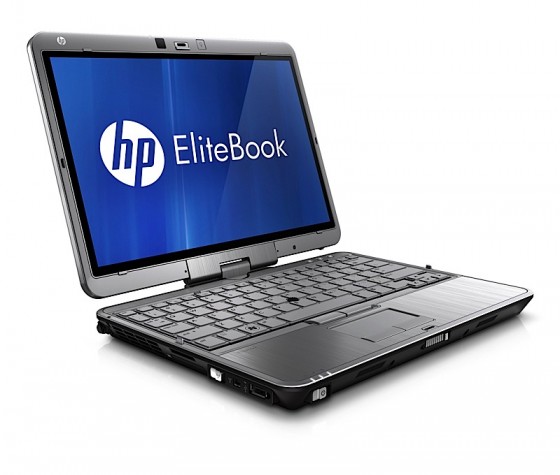
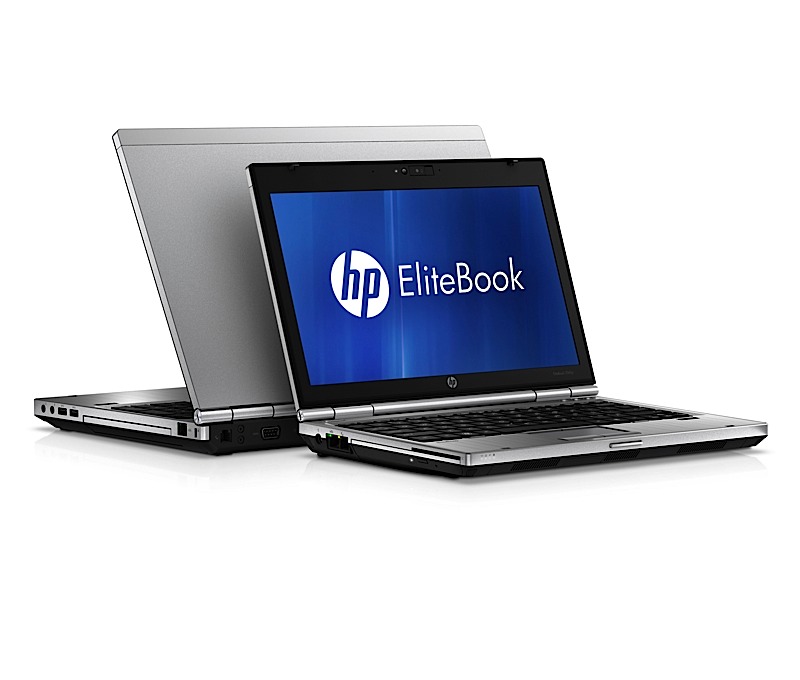
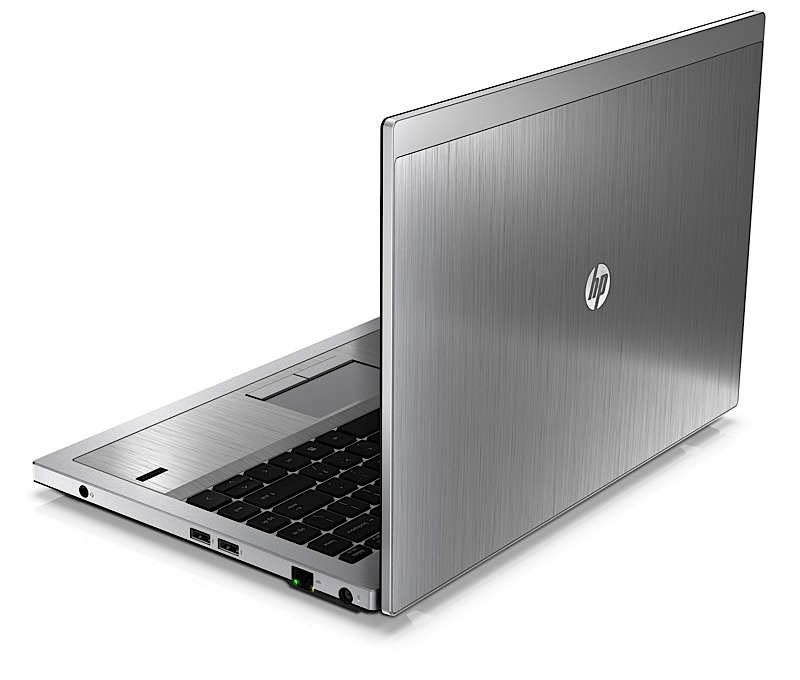
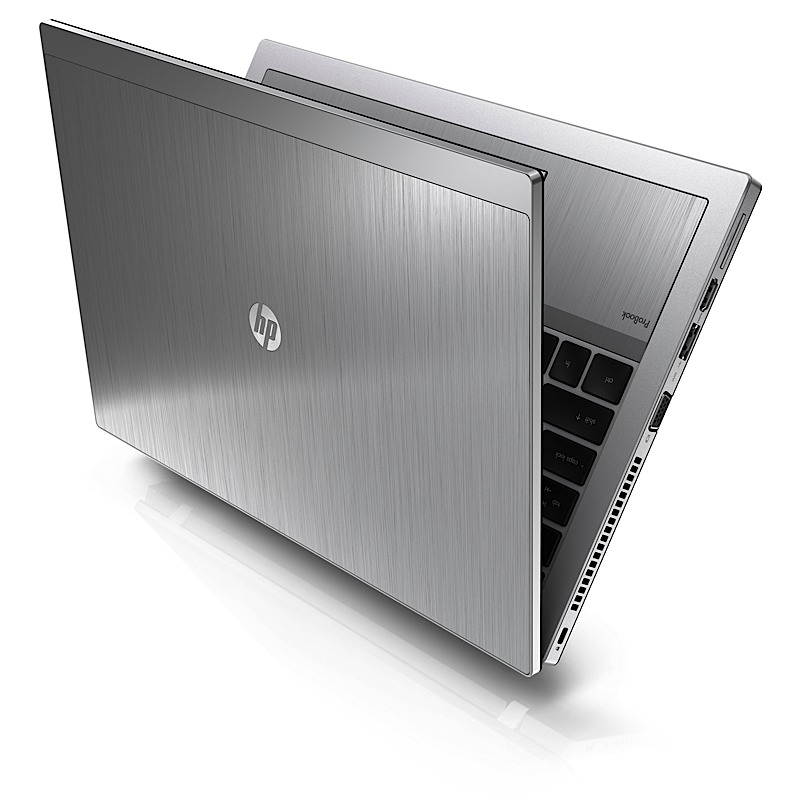
HP has just announced a huge bunch of revamped notebooks for the Business and consumer Line, The ProBook 5330m, EliteBook 2560p, and EliteBook 2760p tablet are targeted at the business user, including the 12.1-inch EliteBook 2760p convertible tablet.


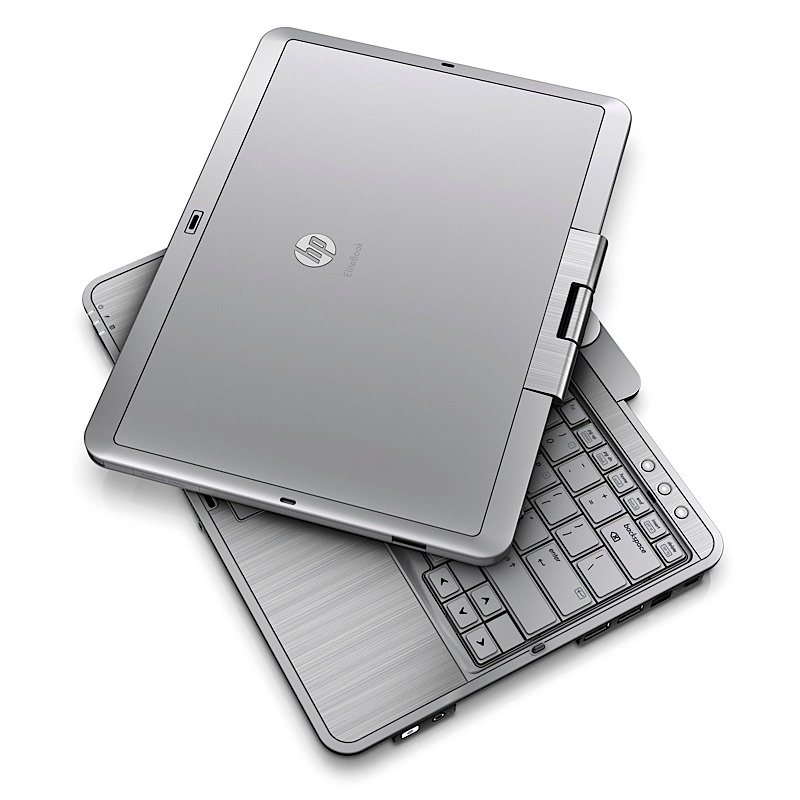
EliteBook 2560p laptop
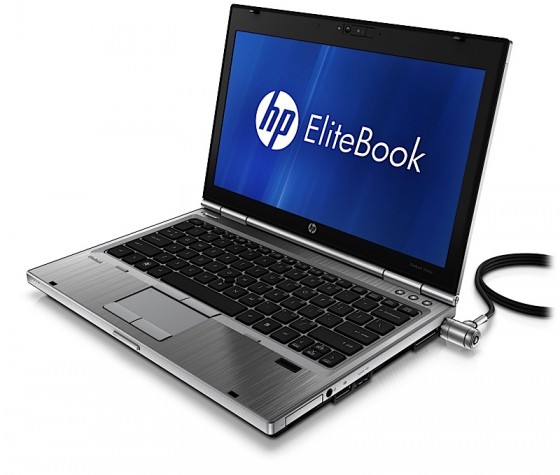
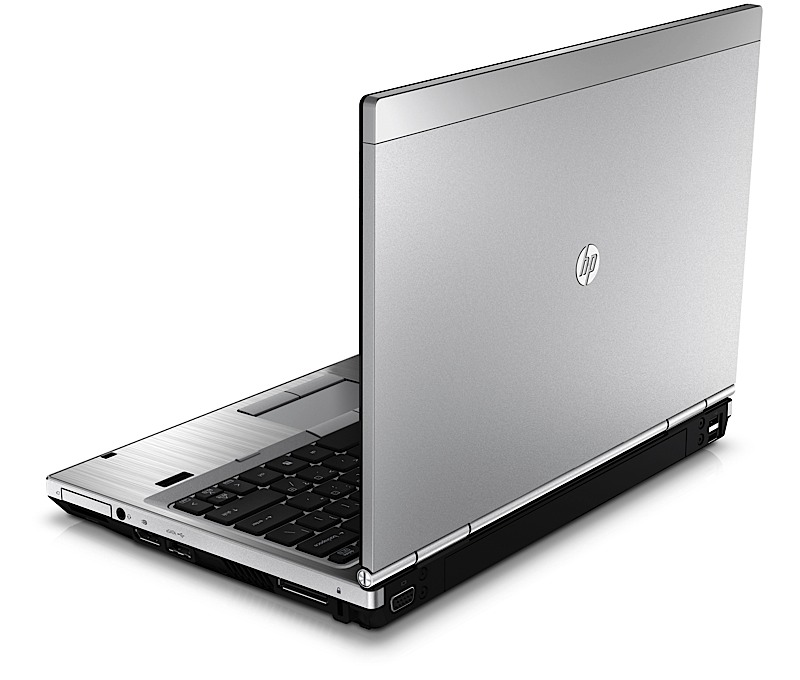
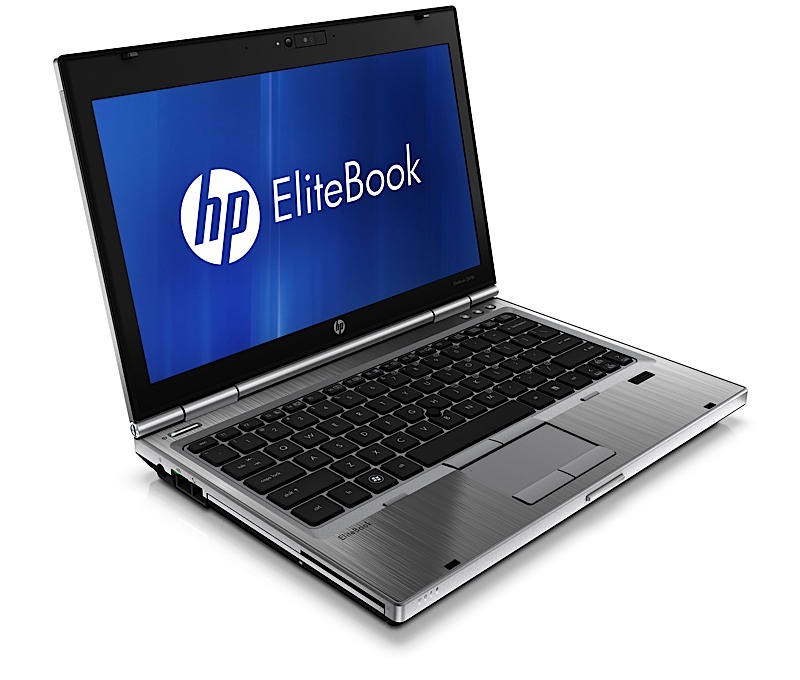
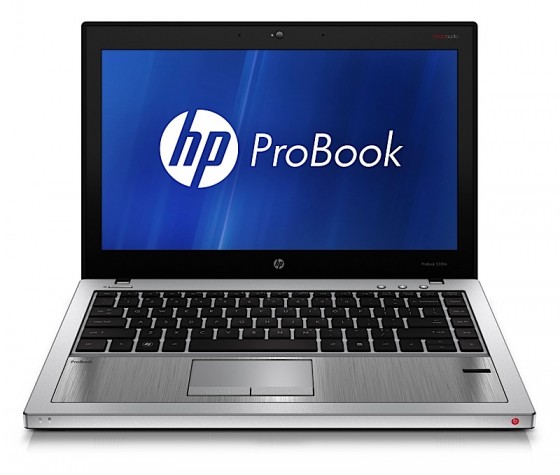
ProBook 5330m
PRESS RELEASE
HP Brings Style, Performance and Portability to Notebook PCs
PALO ALTO, Calif., May 9, 2011 – HP today expanded its notebook PC line with products and services that provide an optimal combination of sleek style, ultra-portability and high performance to deliver an outstanding mobile experience.
The company also launched HP DataPass, a pre-paid 3G mobile broadband service available in the U.S. across HP’s business notebook lineup and expanded HP Beats Audio technology to a business notebook and consumer Mini PC.
HP furthered its FORGE business notebook design framework with the HP ProBook m-series and EliteBook p-series models and built upon its MUSE consumer notebook design philosophy with the HP Mini 210, Pavilion dv4 and ENVY 14.
New products and services include:
– Less than 1-inch thin, the HP ProBook 5330m features a dual-tone color scheme, brushed aluminum chassis and backlit keyboard and is HP’s first business notebook to offer BeatsTM Audio, which allows listeners to hear music the way the artist intended.
– HP’s smallest and lightest EliteBook at only 3.68 pounds, the newly designed HP EliteBook 2560p includes a 12.5-inch diagonal high- definition (HD) display, high-performance Intel® processor, and is the only notebook in the industry with an integrated optical drive in this form factor.
– The redesigned HP Mini 210 sports vibrant new colors, HP Beats Audio and HP QuickWeb 3.0, creating an ideal mobile companion for on-the-go consumers.
– HP DataPass is a pre-paid 3G mobile broadband service that allows users to purchase wireless broadband data using major mobile carriers in the U.S. without being tied down by contracts, hotspots and set-up fees.HP ProBook 5330m – thin, stylish and affordable
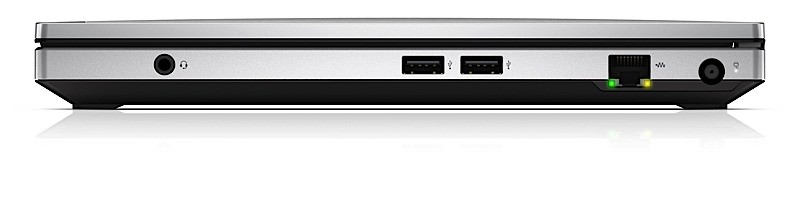
Designed for savvy business professionals who value style, performance and affordability, the HP ProBook 5330m measures less than 1-inch thick, weighs 3.9 pounds and sports a 13.3-inch diagonal HD screen for exceptional portability. It also includes a backlit keyboard, making it easier to type in low-light environments.The new ProBook is powered by the latest second-generation Intel Core i5 and i3 dual-core processors and includes the HP Fingerprint Sensor and TPM for enhanced hardware-based data security. Optional Intel vPro technology helps deliver cost savings and improves security and remote manageability.
HP EliteBook 2560p and 2760p – light, powerful and travel-ready
Available in a stylish platinum color, the ultraportable HP EliteBook 2560p Notebook PC and EliteBook 2760p Tablet PCs blend modern design and precision engineering.
The HP EliteBook 2560p sports a thin, clamshell design with a lightweight 12.5-inch diagonal LED-backlit HD, 16-inch x 9-inch display, and an integrated optical drive for added on-the-go convenience. Offering the same functionality as a conventional business notebook along with the flexibility of a writing tablet, the 12.1-inch HP EliteBook 2760p allows for pen use or finger touch.Both EliteBook models offer second-generation Intel Core i7 or i5 dual- core processors, Intel Turbo Boost Technology 2.0 and vPro technology. They also feature full-size 7,200 RPM hard disk drives and solid-state drives (SSDs) for longer battery run time, increased durability and quieter, cooler operation.
HP Mini 210 – stylish, on-the-go computing
With the addition of Beats Audio, the redesigned HP Mini 210 is the ultimate companion PC, offering high-quality entertainment plus productivity while on the go. Weighing under 3 pounds and measuring less than 1-inch thin, the stylish HP Mini 210 delivers up to 9.5 hours of computing.The new Mini 210 design provides a modern, streamlined aesthetic with a sleek upswept back and is available in five colors – sweet purple, charcoal, crimson red, luminous rose and ocean drive.
The Mini 210 also features HP QuickWeb 3.0, allowing users to be more productive by connecting to the web within seconds of powering the mini. QuickWeb 3.0 includes a customizable widget dashboard and syncs to Windows® bookmarks. Users can chat with friends on Skype, update Facebook posts or tweets, and view their social calendars all in one place.
Innovative technologies for enhanced consumer experiences
The sleek, full-performance HP Pavilion dv4 features improved HP CoolSense technology that includes a simplified user interface of on, off and auto. CoolSense uses advanced hardware and intelligent software for a notebook that feels noticeably cooler. Weighing under 5 pounds, the dv4 boasts a 14-inch diagonal HD LED BrightView screen and comes in two HP Imprint colors – espresso black and pacific blue.Also featuring HP CoolSense technology is the award-winning HP ENVY 14 notebook PC. Combining power, mobility and aesthetics, the ENVY 14 includes new second-generation Intel Core processors, USB 3.0 and a new HP imagepad that uses image sensor technology for advanced gesture support and more fluid control. The premium machine boasts a precision-etched metal alloy case with a 14.5-inch diagonal, HD BrightView Infinity LED display for an eye-popping viewing experience and Beats Audio for fuller, more detailed sound.
Protecting personal information and simplifying password management is easy with HP SimplePass with One Time Password, now available on the Pavilion dm4, dv6 metal and dv7 metal notebook PCs. HP SimplePass helps prevent phishing fraud by providing unique ?one-time? passwords that are linked to each individual user’s fingerprint. These one-time passwords, generated every 60 seconds, grant more secure access to websites that store financial information.
Docking and display solutions for a customized workspace
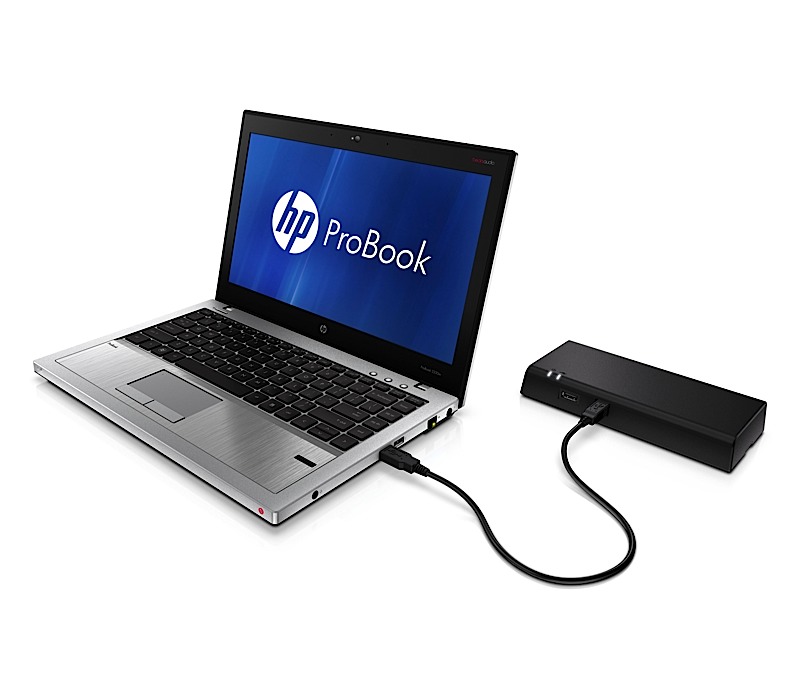
The new HP 2560p Docking Station makes it easy for business professionals to maintain the connectivity and comfort of their notebook while working from a fixed station. The docking station offers four USB ports and eSATA, DisplayPort and VGA ports for added connectivity to peripherals and compatibility with an array of video devices.HP’s slimmest business display to date, the HP Elite L2201x display easily connects to a notebook with a single DisplayPort connector. Its sleek easel stand design and external power supply free up limited desk space in smaller office cubicles and the brushed-metal finish matches HP’s EliteBook business notebooks. The HP Elite L2201x features a wafer-thin display panel measuring less than 0.4 inches thick and a 21.5-inch diagonal, LED backlit panel that eliminates the use of mercury and provides solid state reliability.
Pricing and availability
All products will be available in the United States.
– The HP ProBook 5330m starts at $799; the HP EliteBook 2560p starts at $1,099; and the HP EliteBook 2760p starts at $1,499. The HP EliteBook 2760p and 5330m are expected to be available on May 9 and the HP EliteBook 2560p will be available on May 23.
– The HP Mini 210 starts at $299.99 and is expected to be available on June 15.
– The HP Pavilion dv4 starts at $599.99 and is expected to be available on May 18.
– The HP ENVY 14 starts at $999.99 and is expected to be available on June 15.
– HP DataPass pricing starts at $5, for an amount of 75MB, for a duration of 5 hours.
– The HP 2560p Docking Station starts at $149 and is expected to be available on May 23.
– The HP Elite L2201x starts at $249 and is expected to be available on June 1.
More information about the products, including product specifications and images, is available at www.hp.com/personal.
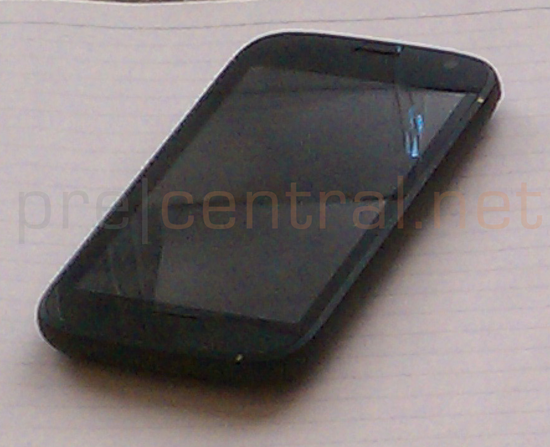

HP just recently announced the TouchPad, Pre 3 and Veer. Now it appears HP may have more devices to be announced including the one leaked above. Codenamed the Stingray this webOS device comes without a physical keyboard and their source describes the device as an “EVO with WEB OS”.
Its been a month and more since the new Web OS devices were announced by HP, we have no news or reports of them heading to India. We hope the devices reach India soon, before we run out of the urge to test the new version of WEB OS.
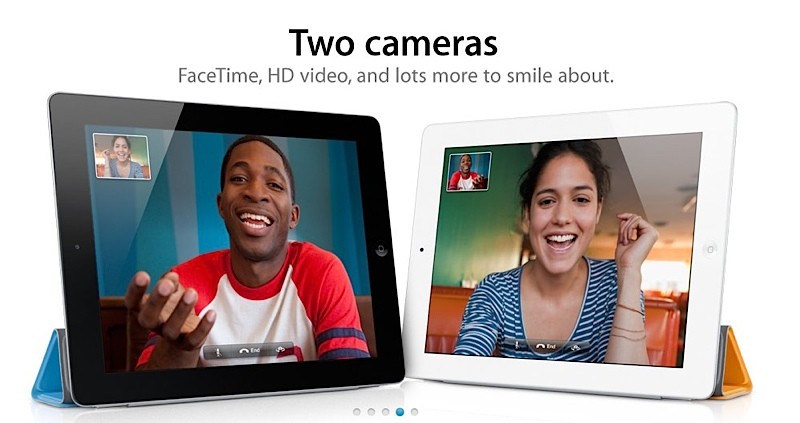
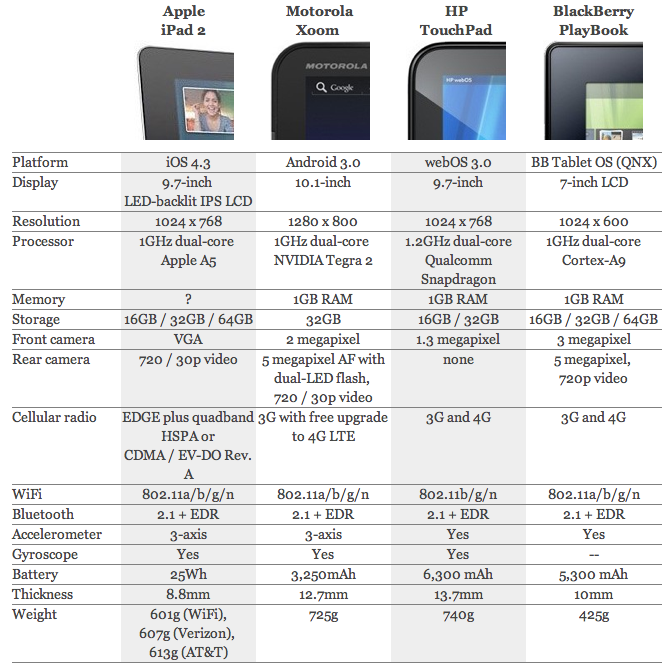
Here you go Guys this is what you will probably need to decide the fate of your hard earned money. The top Tablets so far head to head.
[Engadget]
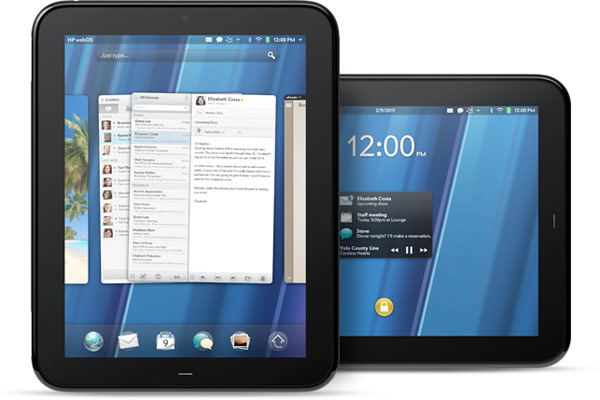
HP is bound to ship the new device early, and the word on the street, in Taiwan is thet the Company will start selling its monster hardware tablet in the month of April along with the much awaited iPad 2.
The sources pointed out that HP internally is aiming to ship 45-48 million notebooks and tablet PCs combined in 2011. After deducting the volume of HP’s notebook shipment forecast, HP’s TouchPad series product shipments in 2011 are forecasted to be around 4-5 million units.
The HP Touchpad, is a serious threat to Apples upcoming revision to the iPad, especially because the Touchpad offer a far advanced version of the WebOS designed for tablets in Comparison to the iOS which still feels a bit immature.
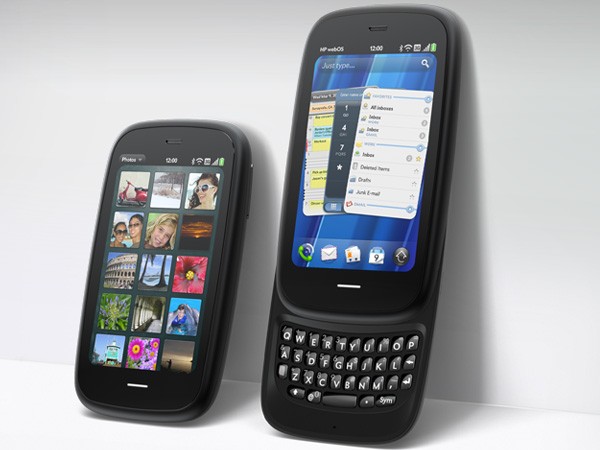
Just as soon as HP as dropped Palm , announced the HP TouchPad. Here is the big news about WebOs based HP Pre 3 (Read : Palm’s baby)
Top specs include
We are itching to test drive this baby!

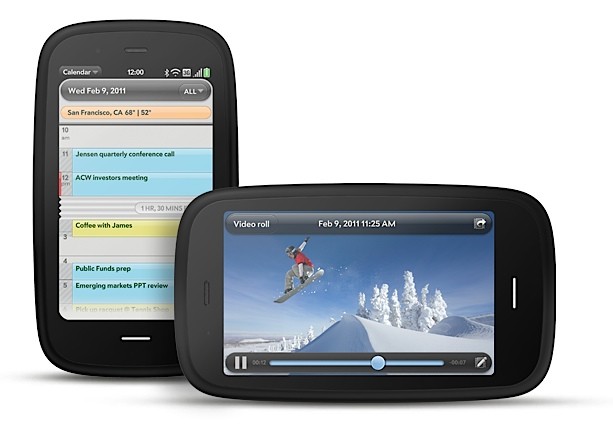
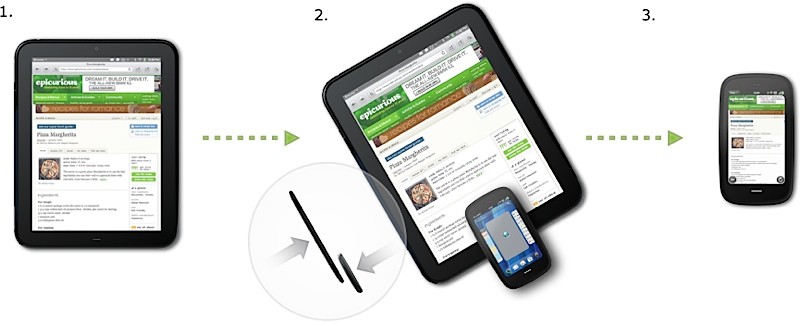
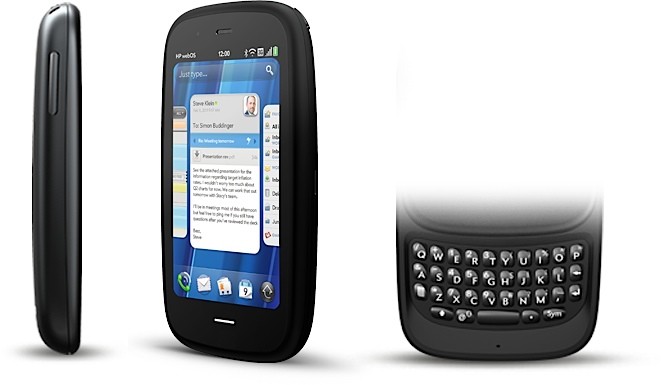
FULL PRESS RELEASE
HP Pre3 Introduces the New Look of Business for the 24-hour Life
Bigger and better touchscreen, more processing power and all-new keyboard deliver professional productivity and personal connectivity
PALO ALTO, Calif., Feb. 9, 2011
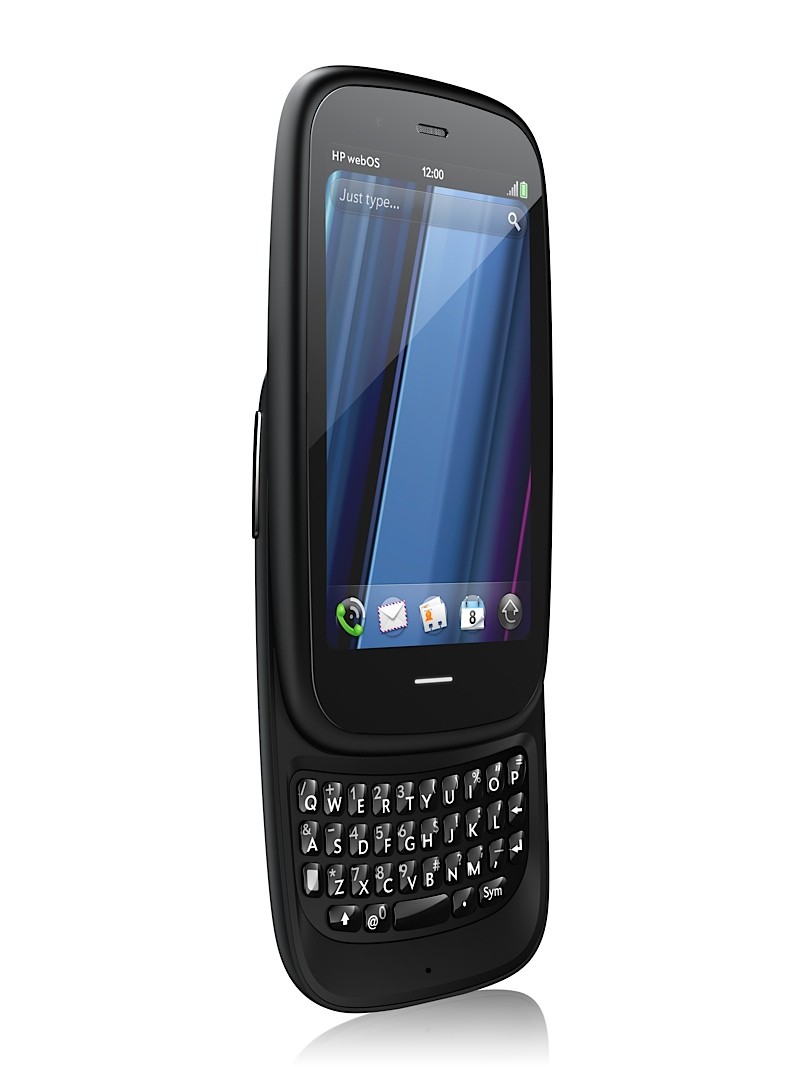
For professionals who require powerful mobile productivity with an eye on personal connectivity, HP today announced the versatile HP Pre3 smartphone running HP webOS.
With a large 3.58-inch touchscreen, fast 1.4-GHz processor and a full slide-out keyboard, Pre3 is a multitasking professional workhorse that’s perfectly balanced for speed and serious fun.
Pre3 is one of the products HP announced today to introduce a unique experience for customers around connected mobility. It’s one of the building blocks in HP’s vision to seamlessly connect all your worlds through the power of HP webOS.
“In the suite of webOS products we’re introducing today, Pre3 is our premier phone, designed for the speed of business,” said Jon Rubinstein, senior vice president and general manager, Palm Global Business Unit, HP. “It enables professionals to accomplish more of their important workday tasks while easily keeping their fingers on the pulse of their personal lives.”
Pre3 is the ideal smartphone for multitasking professionals who rely on advanced messaging and voice capabilities to stay connected with all aspects of their busy lives.(1) With a slim design and high-capacity battery,(2) it is comfortable to carry and use all day. The phone’s fast performance and large, high-resolution display accentuate the unique webOS experience for both professional and personal use.
The portrait layout enables optimal readability for email, attachments and web, and the new vertical slide-out keyboard – the widest and largest keyboard on any webOS phone to date – helps ensure quick and comfortable error-free typing. It’s ideal for heavy email and messaging needs, web browsing, enjoying multimedia and for staying in touch with business and social circles.(1,3)
For professionals who demand more than productivity
With an array of features that are critical for professionals balancing work and personal use – including the speed of 3G and Wi-Fi,(1) a comfortable keyboard for typing and a large vivid touchscreen – Pre3 offers the best of both worlds on the powerful HP webOS platform:
Business-class email – Pre3 offers business-class email and encrypted data storage to protect critical information and supports industry-standard VPN to connect to corporate networks. You can read and write email with ease, view your email accounts together or easily toggle between them.(1,3)
More ways to connect – With the HP Synergy feature, you just have to sign in to your Facebook®, Google, Microsoft® Exchange, LinkedIn and Yahoo!® accounts. Your information – email, contacts, calendars – automatically populates your phone and stays updated so it’s always at your fingertips.(3) Integrated messaging conveniently combines all your text messages, picture messages and IM conversations with one person into a single view, and you can connect through SMS, MMS, Google Talk, AIM and Yahoo! Messenger.
The whole web – Pre3’s high-performance web browser offers support for HTML5 features and Adobe® Flash® Player 10.1 beta for access to rich, Flash-based web content on the phone’s big, vivid display.(1)
Video calling – Pre3 has a front-facing camera, a great speaker and noise cancellation for a state-of-the-art video calling experience.(1,4)
True Multitasking – webOS works the way you do. Begin an email, pause to answer a call, check your calendar, send a text, then switch back to your email without closing anything. Pre3 lets you easily manage multiple open applications and notifications using natural touch gestures. Whether you’re planning a meeting or a night on the town, webOS keeps related items together so managing multiple tasks is easy.(5)
Just Type – Start an email, create a message, update your status and search your favorite websites – all before you’ve even opened an app. Because webOS works the way you do, whenever you want to do something on your Pre3 – whether it’s emailing, texting, searching or almost anything – just type.
Quickoffice Connect Mobile Suite – HP is working with Quickoffice to include the Quickoffice Connect Mobile Suite, which offers support for viewing Microsoft Office Word and Excel and provides integration with a variety of services, including Google Docs and Box.net.
Touch-to-share – With HP’s new and exclusive touch-to-share feature, you’ll be able to simply tap your Pre3 phone to the new HP TouchPad to share web addresses between devices.(6)
GPS – Get where you need to be with built-in GPS on Pre3. Apps such as Fandango and OpenTable work with GPS to pinpoint your exact location, get directions, find nearby places of interest and provide turn-by-turn directions.(7)
Apps to keep you connected – The webOS App Catalog features thousands of apps for fast and easy access to all the things you need to keep your day moving, such as weather, news, hotel and restaurant reviews and reservations, flight info and games.(8) Mobile social networking apps such as Facebook and Twitter allow you to stay connected throughout your hectic day and update your status and upload pictures in real time.
HP mobile hotspot – Pre3 also supports the HP mobile hotspot, enabling your phone to act as a mobile Wi-Fi router so you can share wireless internet connectivity with up to five Wi-Fi-enabled devices, including the new HP TouchPad, as well as notebooks, gaming devices and portable media players.(9)
Pre3 is compatible out of the box with HP Touchstone (sold separately). The webOS Exhibition feature lets you run apps designed specifically for HP Touchstone – showing you anything from today’s agenda to a slideshow of your photos – turning charge time into useful time.(10)Pre3 is one of three webOS products announced today (see separate announcements for HP Veer and HP TouchPad). Each product plays a distinct role in the growing webOS family, designed to meet the varying needs of customers in a rapidly evolving mobile landscape.
Availability
The HP Pre3 smartphone is scheduled to be available in the summer. Exact pricing and availability will be announced at a later date.
HP Pre3 features and specs
HP webOS
High-speed connectivity(1)
Qualcomm Snapdragon MSM8x55 1.4-GHz processor
3.58-inch multitouch screen with a vibrant, 24-bit color, 480 x 800 resolution display
Gesture area, which enables simple, intuitive gestures for navigation
Redesigned vertical slide-out QWERTY keyboard with backlight
8 or 16 gigabytes (GB) of internal storage(11)
High-performance browser with full access to the web, including support for Adobe Flash Player 10.1 beta for access to rich, Flash-based web content(1)
Wireless connectivity:
Wi-Fi 802.11b/g/n with WPA, WPA2, WEP, 802.1X authentication(1)
Integrated GPS (and A-GPS)(7)
Bluetooth® wireless technology 2.1 + EDR with A2DP stereo Bluetooth support
Wi-Fi router functionality for up to five devices using HP mobile hotspot(9)
Multimedia options, including music, photos, video recording and playback, a 5-megapixel autofocus camera with LED flash and a 3.5 mm stereo headset jack
Rear-facing autofocus camera with flash, HD camcorder (capable up to 720p video recording)
Front-facing VGA fixed-focus camera for live video calling(4)
Email, including EAS (for access to corporate Microsoft Exchange servers) and personal email support (Google Gmail push, Yahoo!, POP3, IMAP)(3)
Robust messaging support (combining IM, SMS and MMS capabilities)(12)
Proximity sensor, light sensor, accelerometer and compass
Removable, rechargeable 1,230 mAh battery
USB mass storage mode to transfer media and other files quickly between desktop and device
Ringer switch, which easily silences the ringer with one touch
Compatible with HP Touchstone (sold separately)
Dimensions: 111 mm x 64 mm x 16 mm (4.37 inches x 2.52 inches x .63 inches)
Weight: 156 grams (5.5 ounces)
More information about HP Pre3 is available at www.palm.com/Pre3.About HP
HP creates new possibilities for technology to have a meaningful impact on people, businesses, governments and society. The world’s largest technology company, HP brings together a portfolio that spans printing, personal computing, software, services and IT infrastructure to solve customer problems. More information about HP (NYSE: HPQ) is available at http://www.hp.com/.
(1) Within wireless coverage area only. Actual speeds may vary. Email, mobile number and related information required for setup and activation. Required data services sold separately; unlimited plan recommended and may be required. Not all web content may be available.
(2) Talk, standby and usage times are approximate and depend on the network configuration, the usage pattern of an individual user and the configuration of the handheld. Use of some internal wireless capabilities and backlight will significantly decrease battery run time.
(3) Within wireless coverage area only. Microsoft Exchange email, contacts and calendars available for ActiveSync only; requires Microsoft Outlook using Exchange Server 2003 with SP2, Exchange Server 2007 or Exchange Server 2010.
(4) Check with carrier for video calling availability and restrictions.
(5) Performance varies bases on actual usage.
(6) Requires TouchPad with webOS 3.0 and Pre3 or Veer with webOS 2.2 or higher, both products having same HP webOS Account. Viewing URL web page content requires data connection via Wi-Fi or cellular connection.
(7) Within wireless coverage area only. Voice-activated, as-you-go, turn-by-turn directions sold separately.
(8) Third-party software available separately. Within wireless coverage area only. Requires data services at additional cost. Availability will vary by region.
(9) The mobile hotspot application requires a special data plan and is separate from the smartphone data feature. While HP mobile hotspot is active, on-device applications will continue to work and will use the same data plan as the mobile hotspot. Mobile hotspot data usage may incur additional charges. Check with carrier for plan details.
(10) Displayed preferences require user setup.
(11) 8 GB or 16 GB maximum storage. User-available memory subject to change based on system software and application usage.
(12) Within wireless coverage area only. SMS, MMS and IM require data services at additional cost. Availability of IM functionality may vary by carrier.
Adobe is a trademark of Adobe Systems Incorporated. Microsoft is a trademark of the Microsoft group of companies. Bluetooth is a trademark owned by its proprietor and used by Hewlett-Packard Company under license. Facebook is a registered trademark of Facebook, Inc. Google is a trademark of Google, Inc. LinkedIn and the LinkedIn logo are registered trademarks of LinkedIn Corporation in the United States and/or other countries. Yahoo! is a trademark of Yahoo! Inc.
This news release contains forward-looking statements that involve risks, uncertainties and assumptions. If such risks or uncertainties materialize or such assumptions prove incorrect, the results of HP and its consolidated subsidiaries could differ materially from those expressed or implied by such forward-looking statements and assumptions. All statements other than statements of historical fact are statements that could be deemed forward-looking statements, including but not limited to statements of the plans, strategies and objectives of management for future operations; any statements concerning expected development, performance, features, available applications or market share relating to products and services; any statements regarding anticipated operational and financial results; any statements of expectation or belief; and any statements of assumptions underlying any of the foregoing. Risks, uncertainties and assumptions include macroeconomic and geopolitical trends and events; the competitive pressures faced by HP’s businesses; the development and transition of new products and services (and the enhancement of existing products and services) to meet customer needs and respond to emerging technological trends; the execution and performance of contracts by HP and its customers, suppliers and partners; the achievement of expected operational and financial results; and other risks that are described in HP’s filings with the Securities and Exchange Commission, including but not limited to HP’s Annual Report on Form 10-K for the fiscal year ended October 31, 2010. HP assumes no obligation and does not intend to update these forward-looking statements.
© 2011 Hewlett-Packard Development Company, L.P. The information contained herein is subject to change without notice. The only warranties for HP products and services are set forth in the express warranty statements accompanying such products and services. Nothing herein should be construed as constituting an additional warranty. HP shall not be liable for technical or editorial errors or omissions contained herein.
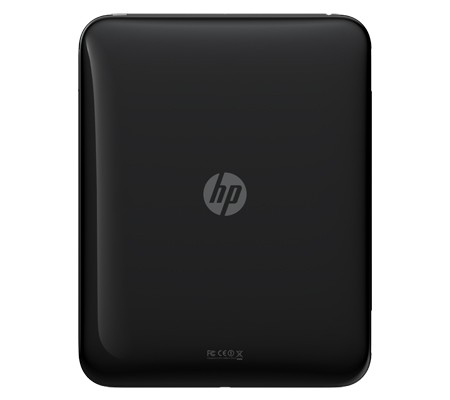
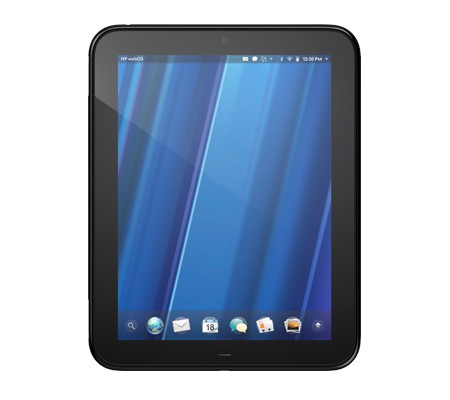
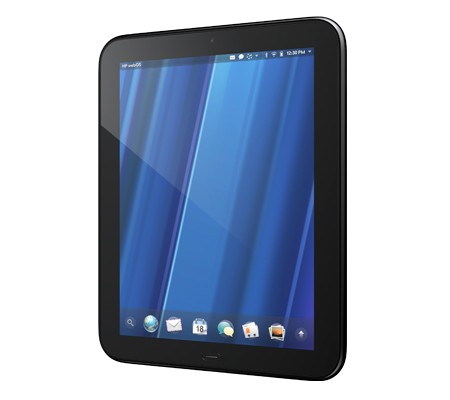
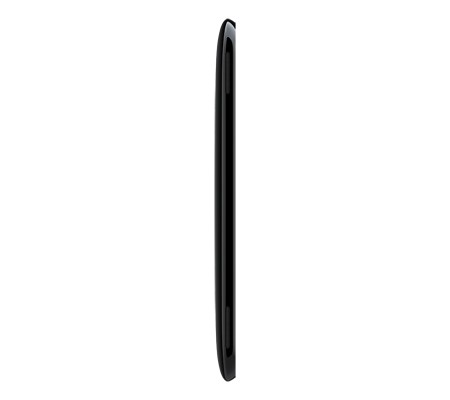
HP has just announced the new HP TouchPad Slate from their stable at just 1.6 pounds and measures 13.7mm thick major features include
Looks like the iPad 2 will get a lot more competition this year.
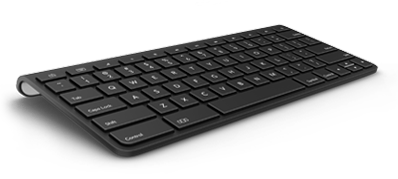
Check out the launch Video below
Read the Full PR
HP TouchPad Brings webOS to the Big Screen
First webOS tablet works the way you do, introduces fun, mobile productivity on larger scale
PALO ALTO, Calif.–(BUSINESS WIRE)–HP (NYSE: HPQ) today enlarged the HP webOS world with the first webOS slate – the HP TouchPad – the breakthrough webOS user interface fully realized in the tablet experience.(1)“Today we’re embarking on a new era of webOS with the goal of linking a wide family of HP products through the best mobile experience available”
With its vibrant 9.7-inch diagonal flush capacitive multitouch display, virtual keyboard, instant-on access, support for Adobe® Flash® Player 10.1 beta in the browser and access to thousands of webOS applications,(2) TouchPad works the way you do and is designed not just for fun but for mobile productivity. It’s ideal for anyone who wants the benefits of the amazing webOS platform on a much bigger scale.
TouchPad is one of the products HP announced today to introduce a unique experience for customers around connected mobility, offering a unified experience for the first time across a variety of devices. It’s one of the building blocks in HP’s vision to seamlessly connect all your worlds through the power of HP webOS.
“Today we’re embarking on a new era of webOS with the goal of linking a wide family of HP products through the best mobile experience available,” said Jon Rubinstein, senior vice president and general manager, Palm Global Business Unit, HP. “The flexibility of the webOS platform makes it ideal for creating a range of innovative devices that work together to keep you better connected to your world.”
Designed to be used alone or as a digital companion to your webOS phone, TouchPad connects you and your devices through the elegant webOS experience. Never miss an important call or SMS message – they can be answered and viewed right on your TouchPad.(3,4) Plus, HP’s exclusive new touch-to-share feature will let you simply touch an enabled webOS phone to your TouchPad to share web URLs.(1,5)
With the HP Synergy feature, you simply have to sign in to your Facebook®, Google, Microsoft® Exchange, LinkedIn and Yahoo!® accounts and your contacts, calendar and email automatically populate your TouchPad.(6)
TouchPad works the way you do
The TouchPad user interface is a visual representation of your workspace, so you can manage your workflow in a naturally intuitive way that’s easy and fun. The power of webOS true multitasking lets you have multiple applications running at the same time. webOS shows you your activities in the form of cards, not a sea of application icons on numerous home screens.
This helps you do all the things you want to do, all at once, so you can listen to music, update your status on Facebook, read email and chat on IM at the same time.(4,7) As you launch new activities, webOS will automatically group related cards – for example, an email and an associated web page – together in a card stack, so you can easily track all related items together.(6)
TouchPad also features a webOS communication suite powered by HP Synergy that keeps you connected and creative, making all of your communications simpler, richer and in your control. It’s a complete solution, including email, instant messaging, contacts, calendar, videos and a front-facing camera for video calling.(6) Connected photo albums make it easy to share and view your pictures directly from popular services such as Facebook, Snapfish and Photobucket. It works seamlessly with TouchPad’s user interface for a natural and efficient experience.
Around the house or on the go
TouchPad offers a great internet experience around the house or on the go, so you can manage your busy life, be productive wherever you are and stay connected with work, friends, family and social networks. It keeps you connected anywhere there’s Wi-Fi for easy access to the web and entertainment.(8)
At home, whether you’re watching TV, relaxing on the sofa, at the kitchen table or in bed, you can check in with friends, surf the web, play games or read a book, magazine or newspaper.(2) Amazon.com today announced that it will launch a free Kindle app for HP webOS tailored for TouchPad that will give you access to more than 810,000 titles from Amazon’s Kindle Store. You also can subscribe to popular magazine titles, such as Time, Sports Illustrated, Fortune and People, and download movies and TV shows through the HP Movie Store. The TouchPad music app lets you transfer and play all your favorites from your personal music collection,(9) with amazing sound quality by Beats Audio™. You can start an email, create a message, update your status, search your favorite websites – all before you’ve even opened an application. Whenever you want to do something on your TouchPad, Just Type.
Buy and sell on Amazon.com, do your banking, buy movie tickets from Fandango or check the news. Whether your thing is Facebook, YouTube, Twitter, IM, video calling or email, TouchPad brings it all together with thousands of available webOS applications and the convenience and power of HP Synergy for integrated contacts and calendar to keep your busy life on track.(6)
It’s great for road trips, on a plane, while commuting, in public places, while visiting friends and on vacation. It’s easy to pack, has a long-lasting battery and integrated GPS (3G only), and posting vacation photos is a snap.(1,10)
Mobile productivity
When productivity is key, TouchPad makes an excellent companion. You can read and write email, view your work and personal inboxes together, or easily toggle between them. Integrated messaging conveniently combines all your text messages, picture messages and IM conversations with one person into a single view, and you can connect through SMS, Google Talk, AIM and Yahoo! Messenger.(4)
TouchPad’s virtual full QWERTY keyboard includes a number row, which reduces keyboard switching, making typing easy and fast. It powers on instantly and brings you back to exactly where you left off, whether you were in the middle of composing an email, playing a game or browsing a web page. With webOS true multitasking, it’s like you never left.
For maximum productivity, HP is working with Quickoffice to include the Quickoffice Connect Mobile Suite, which lets you view and edit documents, such as Microsoft Word and Excel. It also comes with VPN support to connect to corporate networks.
With its 1.3-megapixel front-facing webcam, TouchPad offers video calling capability.(11) It’s also compatible with HP’s industry-leading printing solutions, so you can wirelessly print documents, photos and emails to compatible wireless and networked HP printers.(12)
TouchPad has built-in HP Touchstone technology for easy charging, so it’s compatible out of the box with the HP Touchstone for TouchPad (sold separately), and you can charge in either portrait or landscape mode, even without removing the TouchPad case (sold separately). The webOS Exhibition feature lets you run applications designed specifically for Touchstone. Set your TouchPad on Touchstone and Exhibition launches automatically, showing you anything from today’s agenda to a slideshow of your photos.(13)
TouchPad is one of three webOS products announced today (see separate announcements for HP Veer and HP Pre3). Each product plays a distinct role in the growing webOS family, designed to meet the varying needs of customers in a rapidly evolving mobile landscape.
Availability
HP TouchPad is scheduled to be available in the summer. Exact pricing and availability will be announced at a later date.
HP TouchPad features and specs
* HP webOS
* High-speed connectivity(1)
* Qualcomm Snapdragon dual-CPU APQ8060 1.2-GHz processor
* 9.7-inch diagonal XGA capacitive, multitouch screen with a vibrant, 18-bit color, 1,024 x 768 resolution display
* The option of either 16 GB or 32 GB of internal storage(14)
* High-performance browser with full access to the web, including support for Adobe Flash Player 10.1 beta for access to rich, Flash-based web content(1)
* Wireless connectivity:
o Wi-Fi 802.11b/g/n with WPA, WPA2, WEP, 802.1X authentication(1)
o A-GPS (3G only)(10)
o Bluetooth® wireless technology 2.1 + EDR with A2DP stereo Bluetooth support
* Multimedia options, including music, photos, video recording and playback, and a 3.5 mm headset/headphone/microphone jack
o Internal stereo speakers and Beats Audio
o Front-facing 1.3-megapixel webcam for live video calling(11)
* Email, including EAS (for access to corporate Microsoft Exchange servers) and personal email support (Google Gmail push, Yahoo!, POP3, IMAP)(6)
* Robust messaging support(4)
* Light sensor, accelerometer, compass (magnetometer) and gyroscope
* Rechargeable 6,300 mAh (typical) battery
* Micro-USB (Charging and PC Connect) with USB 2.0 Hi-Speed
* Built-in HP Touchstone technology for easy charging (HP Touchstone for TouchPad sold separately) and HP touch-to-share to share web addresses between TouchPad and compatible webOS phones(5)
* Dimensions: 190 mm x 242 mm x 13.7 mm (7.48 inches x 9.53 inches x .54 inches)
* Weight: approximately 740 g (1.6 pounds)More information about HP TouchPad is available at www.palm.com/TouchPad.
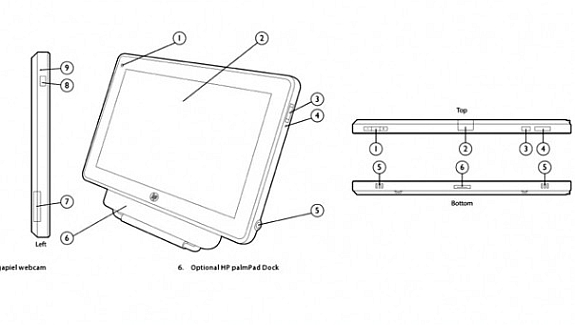 Hewlett Packard just filed for a trademark on “HP Touchpad” across a wide variety of products and services ranging from memory cards to “tablet computers.

It also looks like HP is dropping Palm from the picture as it does not even mention it for the Feb WebOS event, where this tablet might be introduced. HP’s already invested heavily in branding its laptop trackpads with the ClickPad name.
HP could possibly be looking to hedge its bets by getting into the Android game as well, or it may be pushing out a consumer-oriented version of the Slate.
Via : PocketNow


