Tag: iphone3gs

  • Motorola files biggest complaint against Apple for iOS devices

    Motorola files biggest complaint against Apple for iOS devices

    Motorola’s biggest ever complaint against Apple involves 7 technologies that are now owned by Motorola, such as syncing messages between devices and bookmarking media playback on one device to resume on another. Although Apple has been using these technologies since 2005 in podcasts and Movies from iTunes, Motorola’s complaint only targets the newer iPad, iPhone 4s and other devices in the bottom line of Apple’s retail chain. 

    The complaint may take 6 months to over a year to resolve. By then Apple’s new lineup of technologies should be out. But, the question on everyone’s mind remains whether Apple, with their billions of dollars of corp warfare funds, will let this go easy. 

  • Which iOS device will get what features of iOS 6 : Here is the roundup

    Which iOS device will get what features of iOS 6 : Here is the roundup

    Do you own an iOS Device? Are you eagerly waiting for the iOS 6 update? 

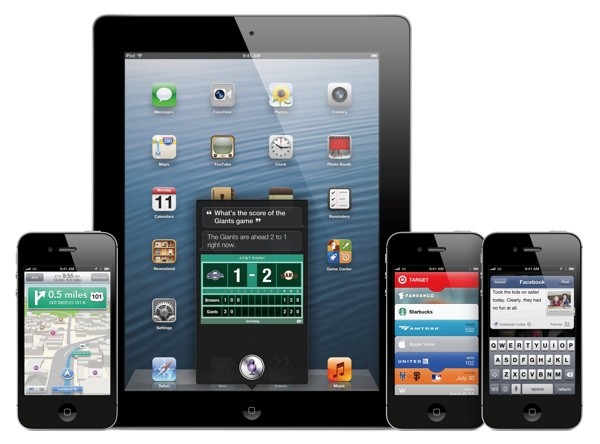
    If the answer is yes, you will be surprised to know that not all features will come to all iOS devices for iOS 6.  Apple has gone to the trouble of alerting would-be upgraders just what features they’ll get when they check for the update this fall.

    Only if you own an iPhone 4S will you be able to enjoy all the features of the iOS 6 else the most compatible device will be iPAD 3rd Gen. Check out the full list of upgrade features below also see what your device gets.


        iPhone 3GS

    iPod touch

    iPhone 4 iPhone 4S iPad 2  iPad (2012)
    Chinese service integration   X X X X X X  
    Facebook integration   X X X X X X  
    FaceTime over 3G/4G   X X  
    Flyover and turn-by-turn GPS   X X X  
    Guided Access   X X X X X X  
    Made for iPhone hearing aids   X  
    New content stores   X X X X X X  
    Offline Reading List   ? X X X X  
    Passbook   X X X X  
    Phone replies and reminders   X X X  
    Safari tab syncing   X X X X X X  
    Shared Photo Streams   ? X X X X  
    Siri   X X  
    VIP list, flagged/VIP mailboxes   ? X X X X
  • Newest version of ultrasn0w 1.2.7 out, unlocks all iPhone 3Gs and 4 on iOS 5.1.1

    Newest version of ultrasn0w 1.2.7 out, unlocks all iPhone 3Gs and 4 on iOS 5.1.1

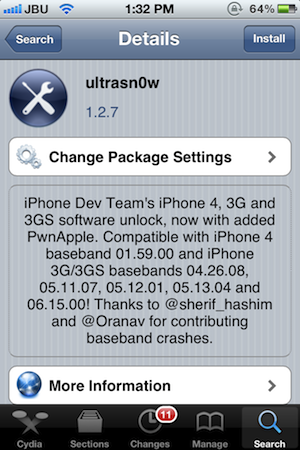
    Still own an iPhone 4 or a 3Gs, and need an unlock for your device? You are in luck! The dev-team has just released the latest version of Ultrasn0w i.e. 1.2.7 which will unlock all iPhone 4s  on baseband 01.59.00, while the older 3G / 3GS units on 04.26.08, 05.11.07, 05.12.01, 05.13.04 or 06.15.00. Also a new version of RedSn0w (0.9.12b1) for both Windows and Mac, was released.

    [Dev-Team Blog]

  • Spire Installer brings Siri to any Jailbroken iOS device legally, Requires a Proxy iPhone 4S

    Spire Installer brings Siri to any Jailbroken iOS device legally, Requires a Proxy iPhone 4S

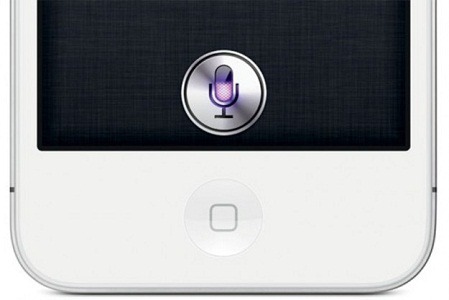
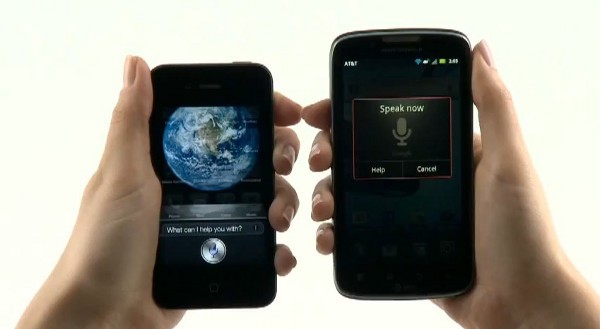
    While Apple has limited Siri usage to just the iPhone 4S, iOS hackers Grant Paul (aka chpwn), Steven Troughton-Smith and Ryan Petrich have initiated a download of Siri using Spire Installer on any Jailbroken iPads, iPhone 4, iPod touches and the iPhone 3GS considering that the device runs on iOS 5 (Interesting since an untethered jailbreak for iOS 5.0.1 just came out). The Installer legally downloads a 100MB Siri installation directly from Apple and this is all legal mind you.

    The Siri port to run however requires a proxy iPhone 4S with instructions available on the link below. The team reports that once iPhone 4S is jailbroken the need for a proxy device may be eliminated altogether.

    [chpwn blog]

  • Still on iOS 3.1.3? Apple ends AppStore downloads for your iPhone, iPad and iPod

    Still on iOS 3.1.3? Apple ends AppStore downloads for your iPhone, iPad and iPod


    If you are still on an older version of iOS, namely 3.1.3, you will no longer be able to download Apps from the AppStore. For those with first generation devices that no longer support iOS updates beyond 3.1.3, they can download apps to the iTunes on their PC/Mac and transfer from there. A direct download to device is no longer possible. So its time to stop being lazy and get  that update going. Seriously, you are missing out on quite a lot on iOS 5, iMessage?


  • Apple iOS 5.0.1 is live, fixes battery woes and problems with sync

    Apple iOS 5.0.1 is live, fixes battery woes and problems with sync

    Ready for the first OTA iOS update ever? The iOS 5.0.1 as promised by Apple is already being pushed out. The new update fixes the battery life problems as seen in the existing version of iOS aka iOS 5. This update will also enable app swatting gestures on the iPad which were earlier available only to developers. The best part about it is that you can now get a OTA of just 44.7 MB instead of opting for a 700+MB download on iTunes.

  • The complete guide for upgrading to iOS 5 on a Mac and PC

    The complete guide for upgrading to iOS 5 on a Mac and PC

    If you own an iOS device and are skeptical about the new iOS 5 update. Here is our quick guide for upgrading your precious iOS device to the latest from Cupertino.

    The first step is updating your Computer.

    Computer

    You will need to update you computer to the last builds of the following softwares, if you are on a PC only download the iCloud control panel and update iTunes.

    Lion 10.7.2
    iPhoto 9.2
    iTunes 10.5
    iCloud control panel for Windows


    iTunes

    Before you begin updating your device, the first step is always to take a backup

    Follow the guide Step by Step

    1. Backup your iOS device to your pc/mac using iTunes
      (Right-click on your device in the left-hand column in iTunes. Select Backup.)
    2.  Download the iOS 5 update. You can manually download the update here
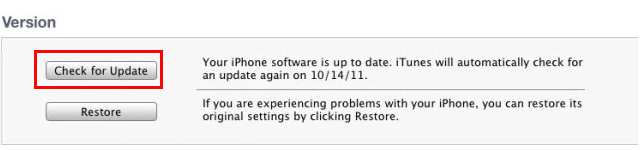
    3.  Plug your iOS device into iTunes and Check for Update.
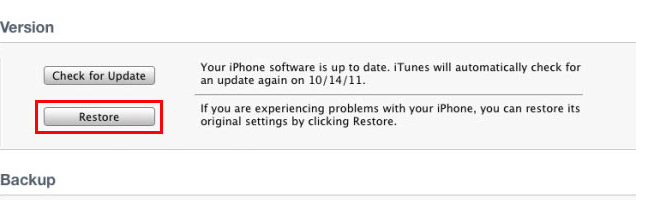
    4. iTunes will give you two options (Update or Restore), choose the one required and start updating.
    iCloud
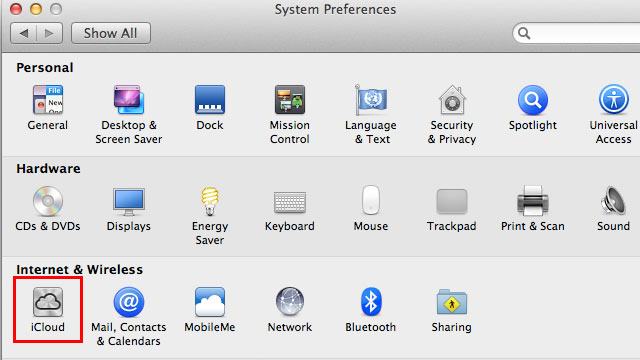
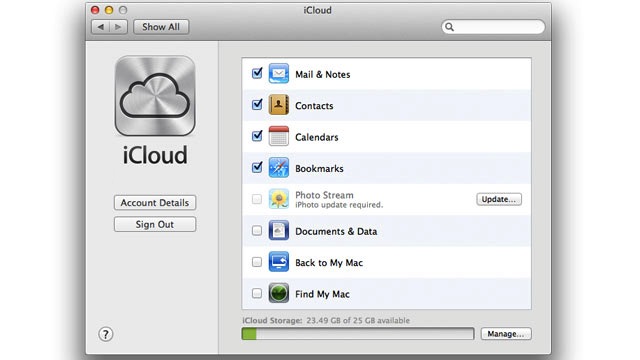
    While your device is updating head over to iCloud in System>Preferences on a Mac (control panel in PC)
    • Use your existing iTunes ID to sign in 
    • If you don’t have an ID create one
    • Once you sign in you settings panel will show
    • Now set all the preferences according to your requirement.
    • Okay iCloud is set

    Set up Device

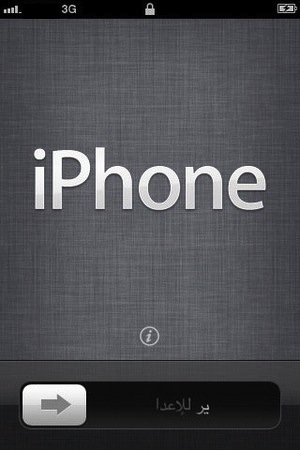
    • Once your iPhone finishes the update, you’ll be presented with the setup-assistant.
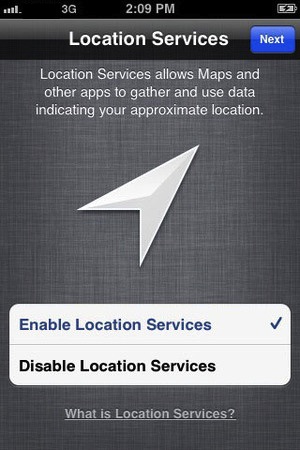
    • During the setup you’ll first be asked if you want to set up Location Services.
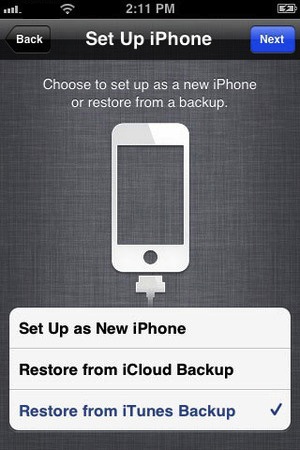
    • Next you will be asked whether to set as new device or restore (new feature in iOS)
    • Choose the relevant option and proceed.
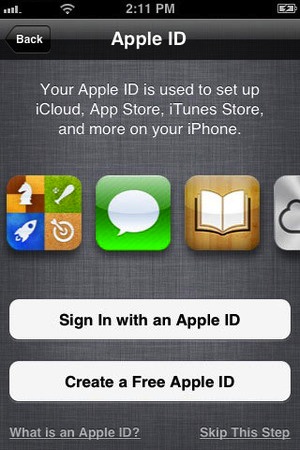
    • Next you’ll be asked to add your Apple ID information. This information is used to set up iTunes, the App Store, and iCloud.
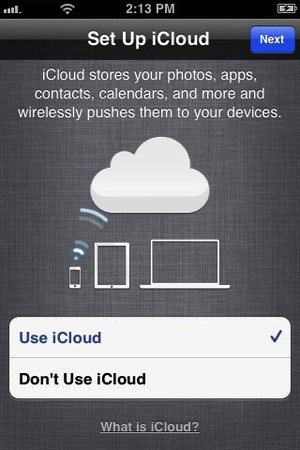
    • Next is iCloud, if you followed our Guide : just enter the same account details as you entered for iCloud on mac/pc.
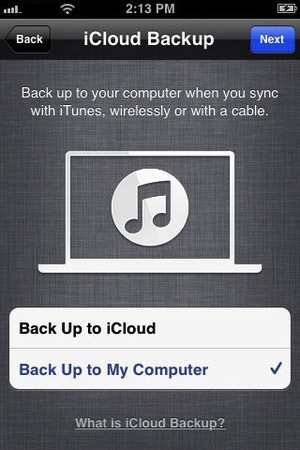
    • The setup will now ask whether you want to backup to cloud of Mac, We suggest mac/pc (since the cloud will be busy for the time being)
    • Next the assistant will ask you a certain number of questions, which you can answer according to your choice, whether you want “Find my iPhone”
      or want to send information to Apple.

    You are all Done Enjoy your new iOS 5 Device 

    So did you upgrade to iOS 5 ?
    How was it?
    [polldaddy poll=5579753]
  • Apple launches iCloud and iWork betas, Pricing for advanced users.

    Apple launches iCloud and iWork betas, Pricing for advanced users.

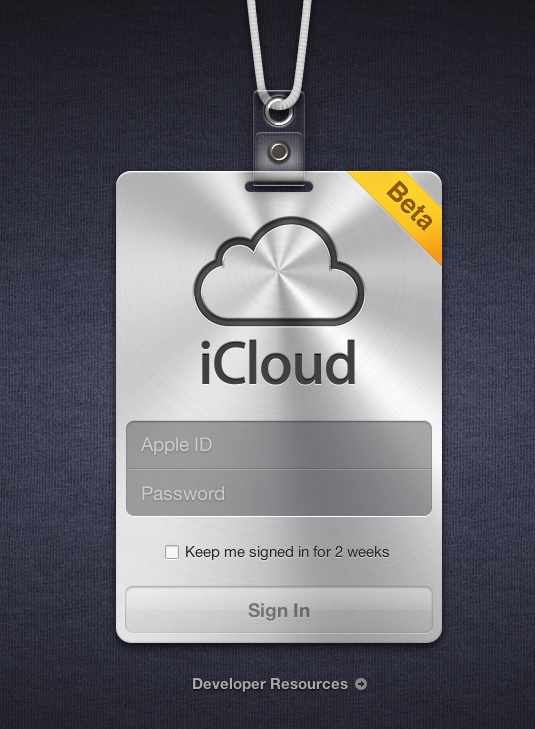
    Apple’s iCloud goes into a beta test mode , with the official site iCloud.com now a host to the beta signup page for a developer only preview of the cloud madness.  For those on iOS5 and Lion 10.7.2 in the test phases can login with their dev account ID and ease the cloud sweetness.

    If you exhaust the free 5Gb of data and need more, then the following pricing applies

    10Gb : US $ 20

    20GB: US $ 40

    50Gb: US $ 100

    A screenshot below shows the iWork icon already included in the beta.


    [MacRumors]

  • redsn0w 0.9.6rc9 brings Untethered Jailbreak goodness to iOS 4.3.1 on all except iPad 2

    redsn0w 0.9.6rc9 brings Untethered Jailbreak goodness to iOS 4.3.1 on all except iPad 2

    The easiest and safest jailbreak solution for all those who were on 4.3.1 and needed just a jailbreak, redsn0w 0.9.6rc9, gives you just that.

    Supported devices Include– iPhone 3GS, 4 (GSM); iPod touch 3G, 4G; iPad 1; and Apple TV 2G.

    Be advised that this is not an unlock solution just a jailbreak.

    [Dev-Team]

  • iOS 4.3 Coming March 11 with new AirPlay features and FaceTime

    iOS 4.3 Coming March 11 with new AirPlay features and FaceTime

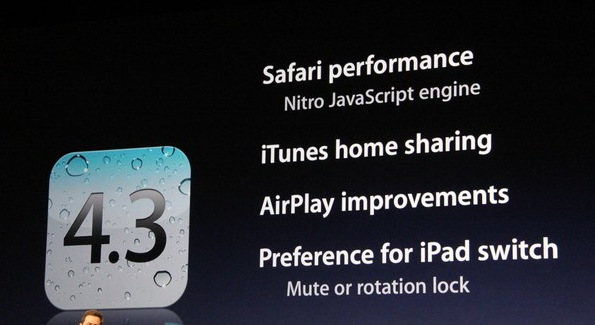
    Apple’s releasing the final version of iOS 4.3, which features

    • Nitro Javscript engine from Safari on OS X,
    • iTunes Home Sharing
    • Updated suite of AirPlay
    • We also Get Wifi Hotspot for iPhone 4
    • Photo Booth and FaceTime
    • It’ll be a free download for all iPads, the GSM iPhone 4, the iPhone 3GS
iGyaan Network
Privacy Overview

This website uses cookies so that we can provide you with the best user experience possible. Cookie information is stored in your browser and performs functions such as recognising you when you return to our website and helping our team to understand which sections of the website you find most interesting and useful.