Tag: lion

  • Apple OS X Mountain Lion Quick Overview

    OS X Mountain Lion is here, and there are quite a few new features to learn all about, so we sum it up listing the best out of all of them .

    Notification Center

    Just like on iOS , Notification centre gives you all your  alerts and messages under one bar, instead of all over the place. You can access your notification history by clicking the list icon all the way in the top right corner of the OS X menubar. If you want to edit your notification center settings, you can do so in the Notifications section of System Preferences. You’ll be able to decide what kind of notifications individual apps provide, or turn them off entirely.
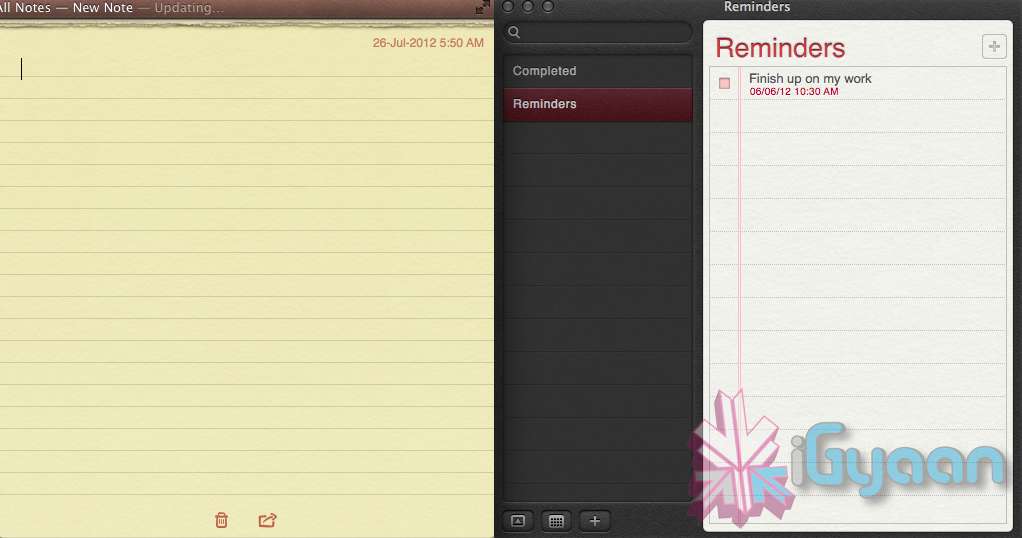
    Notes and Reminders

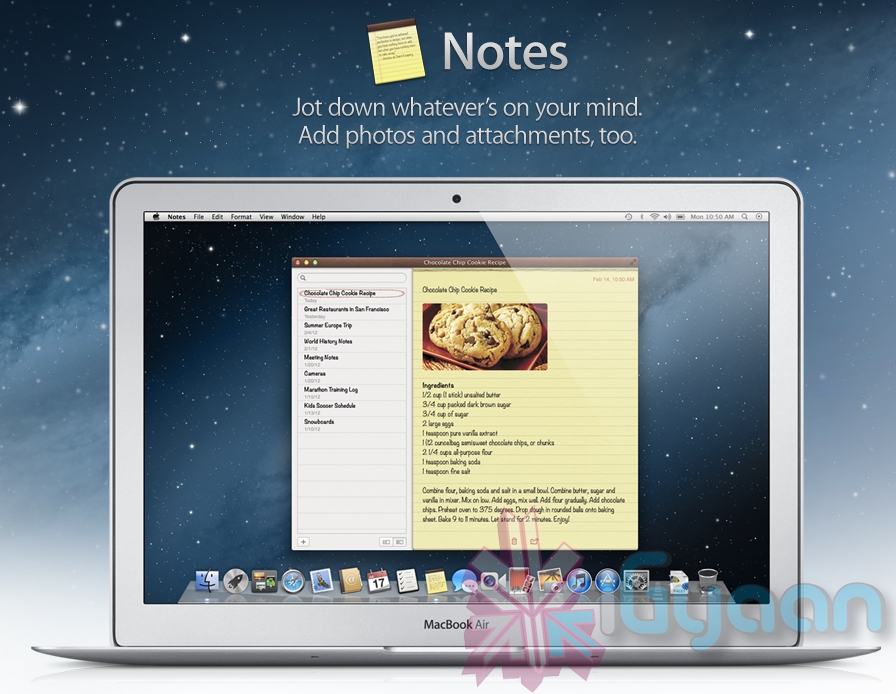
    The Notes app lets you save and organize text and images. Reminders allows you to create reminders so you don’t forget to do things. Again they are just like on iOS and sync well with your iDevices.


    Voice Dictation

    Just like on the iPad and iPhone you get voice dictation on Macs, in Mountain Lion (sadly no Siri).  To start dictating, just press the function (fn) key twice. When you’re done dictating, you can click the “done” button or press the function (fn) key twice again. OS X will take a moment and then provide you with the transcribed text. In addition to just offering words, you can say things like “period” or “comma” for punctuation and “new line” to make a new line.

    This feature works in any App or window that accepts text input via keyboard, also in online websites, like in GMAIL, as long as they are accessed in the new Safari.

    AirPlay Mirroring

    If you have an Apple TV, You can now mirror your display on an Apple TV (2nd or 3rd generation) with AirPlay if you enable it in Displays section of System Preferences. Down at the bottom there’s a checkbox beside “Show mirroring options in the menu bar when available.” Check it and you’ll be able to send your display to any detected Apple TV via the menu item in your menubar.

    Messages

    Messages is the iMessage of OS X. It’s been around in beta since Lion and hasn’t changed much in Mountain Lion. You can add your iCloud account to sync messages with an iPhone, iPad, or iPod touch. You can set up various instant messaging accounts, however, so Messages on the Mac is a little bit more functional than it is on iOS. That’s because it replaces iChat. Messages also now pulls out of Beta, so those of you who were experiencing slow takes may enjoy the new experience. 

    iCloud (Documents in the Cloud)
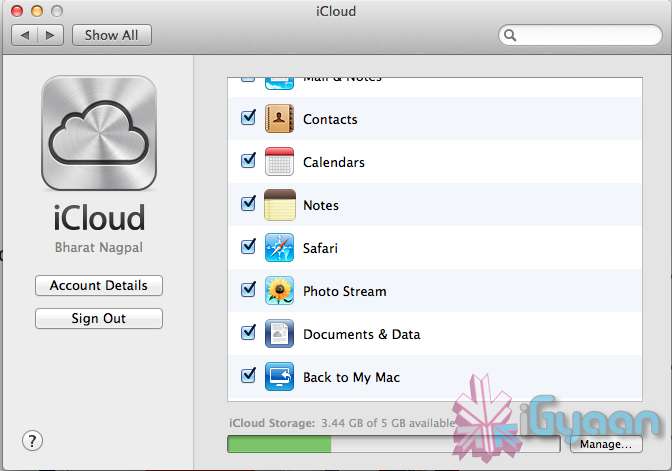
    iCloud has been upgraded significantly in Mountain Lion, you can access it in the same panel in System Preferences. If you turn on “Documents & Data” your documents (including versions of them) will be synced with iCloud, making them available on other iCloud-enabled devices.


    Share

     There is a new button in Mountain Lion, its the Share Button. Not every app has it yet, but many apps will be adding it to allow you to share content easily. In the meantime, Safari is one app that makes sharing sites easy to Messages, Twitter, and Email. If you click an image and then the sharing icon in a window’s toolbar, you’ll be able to share it on Twitter or Flickr. You’ll find other options for other file types as well. If you want to set up sharing accounts, visit the Mail, Contacts, & Calendars section of System Preferences.

    Security and Privacy
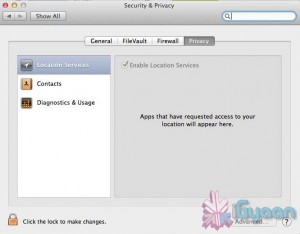
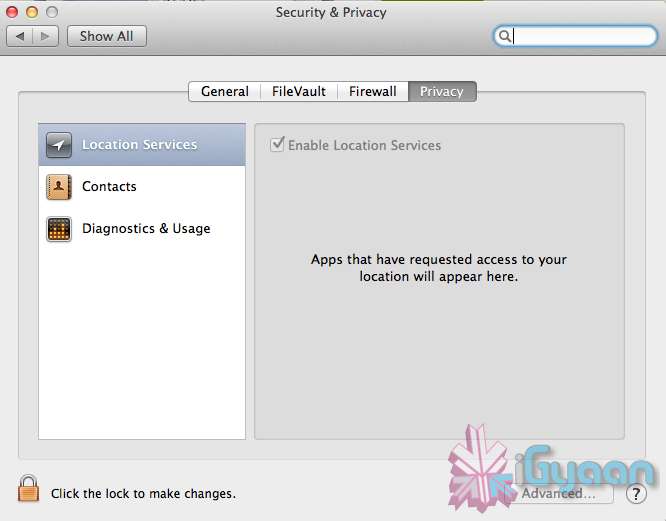
    In this new panel available in the System Preferences panel , a new checkbox “Allow applications downloaded from” , which once checked will give option “Mac App Store and identified developers” . This will prevent apps that aren’t signed through Apple’s developer center or downloaded through the Mac App Store from running

    Under Privacy, you get new privacy settings. This is where you can approve or deny an app’s permission to access certain things like your contacts, location, Twitter account, and more. 
  • Apple unveils Safari 6, Mac Only Version Out Now

    Apple unveils Safari 6, Mac Only Version Out Now

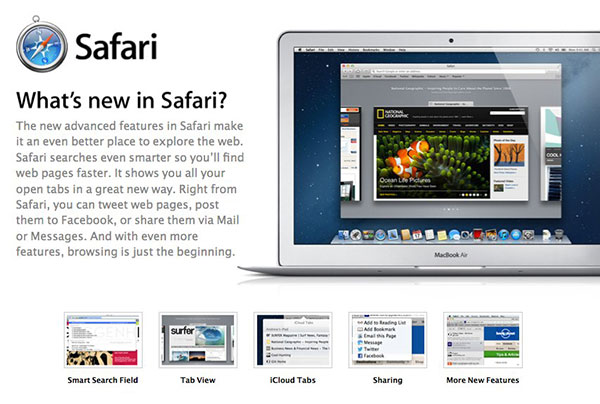
    Apple’s new Operating System, has a key browsing element, the new Safari, version 6, has been launched today alongside the major release Mountain Lion. The new Safari brings about some nice new features including iCloud tabs and a new tab view — both Mountain Lion only.

     There’s also a Do Not Track option to cover your internet tracks, just like the “incognito mode” on Chrome. It also appears that this time around Apple has not released a Windows Version for the software, and all earlier versions of Safari are now removed from Apple’s Servers. 

    [Apple}

  • Apple Mac App Store gets Mountain Lion for Download – US $ 19.99 – 4.05 GB – LION Extinct (PR)

    Apple Mac App Store gets Mountain Lion for Download – US $ 19.99 – 4.05 GB – LION Extinct (PR)

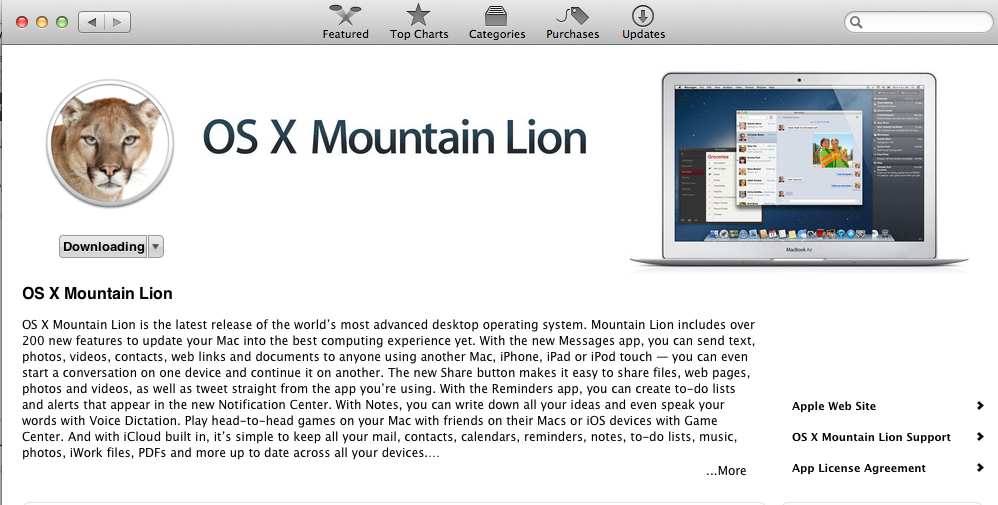
    The Mac App Store gets its own dose of Lion, and you can get it too for a mere US $ 19.99. The new Operating system adds over 200 new features including voice dictation, notification centre, new advanced sharing, ui fixes, customizations to Spotlight, AirPlay Mirroring etc. 


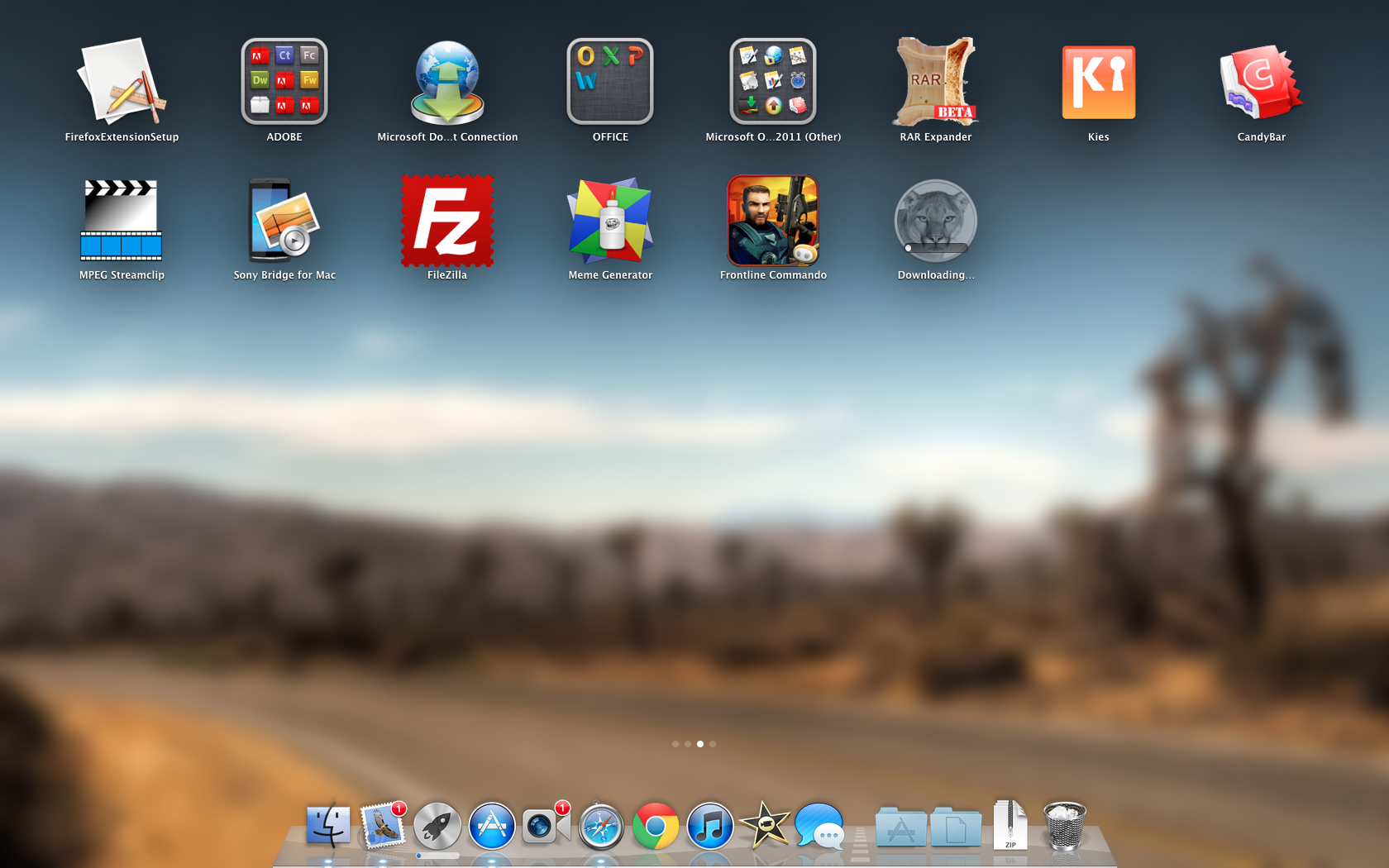
    While we download this 4.05 GB update, and sum it up for you. You can get your own version, at the link below.


    [toggle_box title=”Press Release” width=”Width of toggle box”]


    Mountain Lion Available Today From the Mac App Store


    Apple® today announced that OS X® Mountain Lion, the ninth major release of the world’s most advanced desktop operating system, is available as a download from the Mac® App Store?. With more than 200 innovative new features, Mountain Lion includes iCloud® integration, the all new Messages app, Notification Center, system-wide Sharing, Facebook integration*, Dictation, AirPlay® Mirroring and Game Center. Mountain Lion is available as an upgrade from Lion or Snow Leopard for $19.99.


    “With iCloud integration, Mountain Lion is even easier to set up, and your important information stays up to date across all your devices so you can keep editing documents, taking notes, creating reminders, and continue conversations whether you started on a Mac, iPhone or iPad.”


    “People are going to love the new features in Mountain Lion and how easy it is to download and install from the Mac App Store,” said Philip Schiller, Apple’s senior vice president of Worldwide Marketing. “With iCloud integration, Mountain Lion is even easier to set up, and your important information stays up to date across all your devices so you can keep editing documents, taking notes, creating reminders, and continue conversations whether you started on a Mac, iPhone or iPad.”


    With more than 200 innovative new features, Mountain Lion includes:


    iCloud integration, for easy set up of your Mail, Contacts, Calendar, Messages, Reminders and Notes, and keeping everything, including iWork® documents, up to date across all your devices;
    the all new Messages app, which replaces iChat® and brings iMessage™ to the Mac, so you can send messages to anyone with an iPhone®, iPad®, iPod touch® or another Mac;
    Notification Center, which streamlines the presentation of notifications and provides easy access to alerts from Mail, Calendar, Messages, Reminders, system updates and third party apps;
    system-wide Sharing, to make it easy to share links, photos, videos and other files quickly without having to switch to another app, and you just need to sign in once to use third-party services like Facebook, Twitter, Flickr and Vimeo;
    Facebook integration, so you can post photos, links and comments with locations right from your apps, automatically add your Facebook friends to your Contacts, and even update your Facebook status from within Notification Center;
    Dictation, which allows you to dictate text anywhere you can type, whether you’re using an app from Apple or a third party developer;
    AirPlay Mirroring, an easy way to wirelessly send an up-to-1080p secure stream of what’s on your Mac to an HDTV using Apple TV®, or send audio to a receiver or speakers that use AirPlay; and
    Game Center, which brings the popular social gaming network from iOS to the Mac so you can enjoy live, multiplayer games with friends whether they’re on a Mac, iPhone, iPad or iPod touch.


    Additional features in Mountain Lion include the revolutionary new Gatekeeper, which makes downloading software from the Internet safer; Power Nap, which automatically updates your apps and system while your Mac is asleep; and a faster Safari® browser. New features for China include significantly improved text input, a new Chinese Dictionary, easy setup with popular email providers, Baidu search in Safari, and built-in sharing to Sina Weibo and popular video websites Youku and Tudou.


    Pricing & Availability


    OS X Mountain Lion is available from the Mac App Store for $19.99 (US). Mountain Lion requires Lion or Snow Leopard (OS X v10.6.8 or later), 2GB of memory and 8GB of available space. For a complete list of system requirements and compatible systems, please visit: apple.com/osx/specs. OS X Server requires Mountain Lion and is available from the Mac App Store for $19.99 (US). The OS X Mountain Lion Up-to-Date upgrade is available at no additional charge from the Mac App Store to all customers who purchased a qualifying new Mac system from Apple or an Apple Authorized Reseller on or after June 11, 2012.

    [/toggle_box]

    [iTunes]


  • Apple developers get Mac OS X Mountain Lion downloads

    Apple developers get Mac OS X Mountain Lion downloads

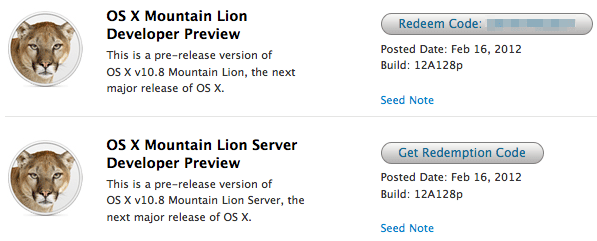
    If you continue to stay on the Apple Developer program then you can have yourself a developer preview download of the new exciting Mac OS X Lion. The new versions of Reminders , messages , gatekeeper, Notification center and iCloud and sharing capabilities can be experienced in this preview.  Hit the link below to sign into your member area and begin the download.

    [Apple]

  • Apple shows off OS X Mountain Lion

    Apple shows off OS X Mountain Lion

    Apple has already begun the next update cycle of the OS X platform with just over a year ago Apple unleashed OS X Lion on Mac owners. This time around the number is bumped to 10.8 and the name to Mountain Lion. The overall outlook of the OS remains the same with more integrations and basic app changes in tow.

    The biggest add-on for the OS has to be the Notification centre that has been inspired from the iOS notification centre.

    Notification Centre.

    The spotlight icon on the far top right of the screen is replaced with a circle with a dot in the centre, which lights up when you receive a message or a notification even a calendar reminder.

    Messages

    The other major release in OS X mountain lain will be the replacement of iChat with messages, which will allow you to message all iOS devices on iMessage and other macs on Messages. Using the service, you can send messages, documents, HD videos and photos (up to 100MB apiece) to one person or several, using phone numbers or email addresses as points of contact. Messages on Mac still incorporates chat services like AIM and GChat. Messages sent through the service are encrypted, and the app also uses a notification to let you know when messages have been delivered / read.

    Reminders

    The next cool thing of our liking that has been ported from iOS to Mac is Reminders. For those who don’t know , this is more of a glorified to-do list. It will sync with iOS reminders keeping the seamless architecture intact.

    Notes

    Another addition to the Mac OS X Mountain Lion is the Notes app, which not only completely resembles the on on iOS but also syncs up with all your devices and email addresses via iCloud.


    Apple has added deeper integration of iCloud on Mountain Lion, allowing users to sync up and back up more data, also allowing seamless interconnectivity with all other Apple devices owned by a user. The other additions to Lion include Airplay mirroring, integrated Game center and included sharing – allowing you to instantly share content from your desktop via email, message, AirDrop and third-party services like Twitter, Flickr and Vimeo.

  • VLC Player gets to RC1 stage – Download links

    VLC Player gets to RC1 stage – Download links

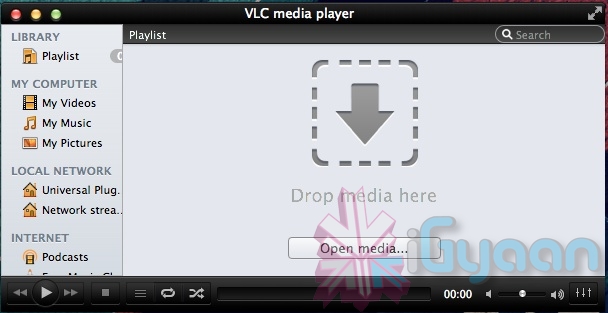
    Possible the most popular open-source video player that works cross platforms. VLC Player, has attained the much desired upgrade to version 2. Although still in its prime stage with the RC1 both Windows and Mac users will be greeted with a fresh new UI. Mac users will especially identify to the new Lion look styling. There’s also a new subtitle manager and support for multiple videos inside RAR files.

    The iOS version is all set to be returned with a bang, whereas Android app gets a development update. The new VLC 2.0 RC1 is currently not available for Windows 64bit platform.


    [VideoLAN]

  • Apple Releases Free iBooks Author app to the Mac App Store : Hands on

    Apple Releases Free iBooks Author app to the Mac App Store : Hands on

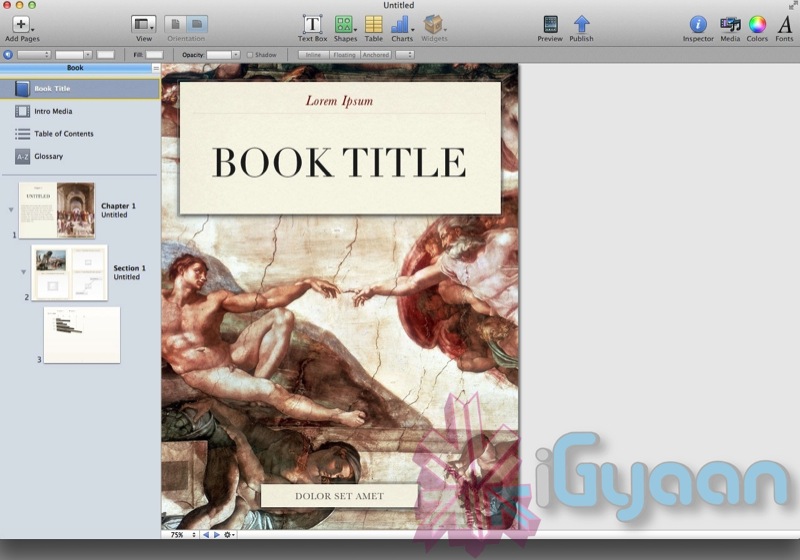
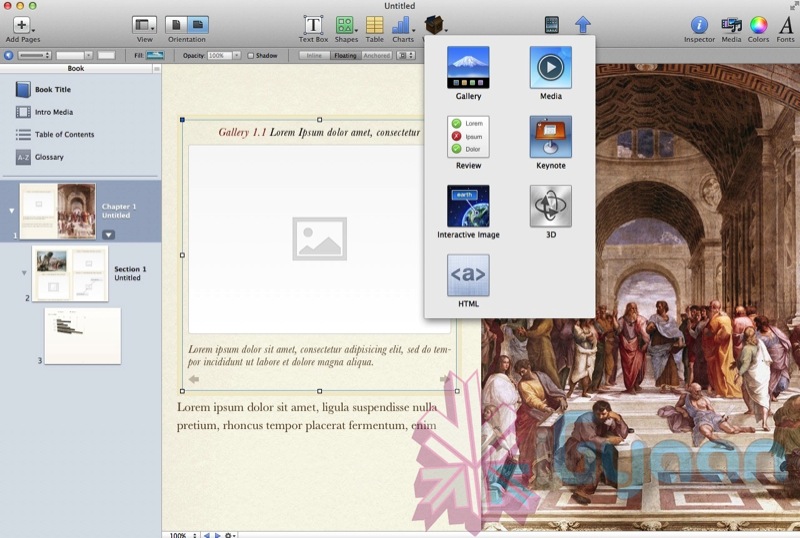
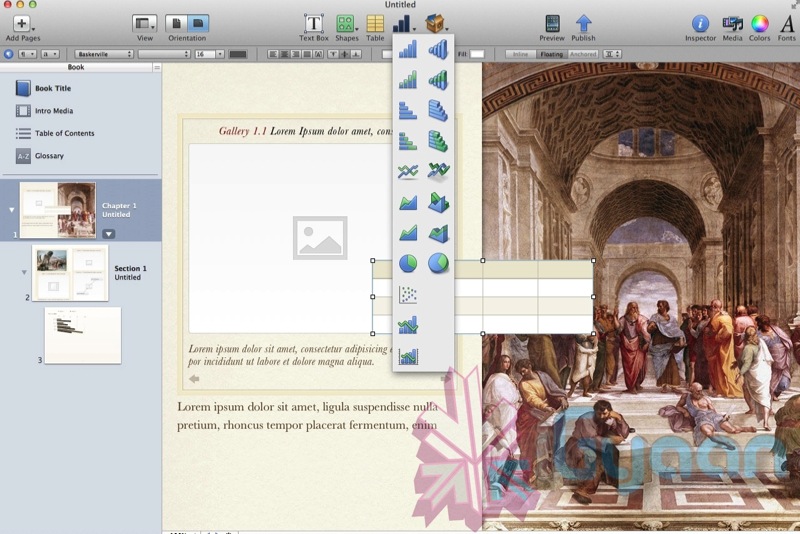
    Considering how Apple just reinvented the text book with the new iBooks 2 App, the best feature about iBooks 2 is the ability of authors to write textbooks and publish them on iBooks. To make that project easier,  Mac users can now download the iBooks Publisher App. This new app allows would be book sellers the ability to drag and drop photos, videos and even Microsoft Word files into various templates. If you use iWork you can drop a Keynote presentation into the doc, and it becomes an interactive widget. Authors can also arrange glossaries by highlighting and clicking words, and clicking again to add a definition.

    The books can then be published straight to the Apple iBooks Store for either Free or a maximum of US $ 14.99, The paid books will go on revenue share with Apple, in a 70/30 split where the Authors get 70% of the total sales.

    The App itself is quite amazing as we ant hands on with it.

    When you start it up , it shows you a bunch of templates.


    You can select your type and then continue to drag and drop media as per your convenience.


    Influenced to write your own book yet!

  • Tech 101: How Batteries Work

    Tech 101: How Batteries Work

    The first “modern” battery consisted of an apparatus made with metal plates and brine soaked cardboard and was invented by an Italian physicist named Count Alessandro Volta in 1799. Since then, the materials used have changed tremendously, but the basic principle has remained the same. When a device is connected to a battery, a reaction takes place that generates electricity. This is called an electrochemical reaction.

    Mankind’s appetite for electricity has grown exponentially since the 1800s. Today, batteries are found in a vast variety of devices from wristwatches and alarm clocks to smartphones and laptops. Lets look at a few of the most common batteries that we find around us everyday.

    If you look at any battery today, be it a pencil cell or a car battery, the first thing you’ll notice is that it has two terminals marked + and – . On pencil cells and flashlight batteries like AA, AAA, C or a D cell battery, the terminals are at opposite ends of the battery. On higher capacity batteries like a 9V or a car battery the terminals are located together on top of the battery. If a wire is connected to both terminals, electricity will flow from the -‘ve terminal to the +’ve terminal as fast as possible. This will drain the battery very quickly and is dangerous when applied to larger batteries. 

    A battery consists of five main components. There is a cathode, which connects to the +’ve terminal, an anode, which connects to the -‘ve terminal, a seperator, which prevents the anode and cathode from touching each other, an electrolyte, which allows the charge to flow from the anode to the cathode and lastly a collector, which conducts the electricity out of the battery.

    When you put a battery in a device, it completes the load circuit. What happens next differs from battery to battery but the idea remains the same. The anode goes through an oxidation reaction in which two or more ions from the electrolyte react with the anode material and creates a new compound and two or more electrons. At the same time, the cathode goes through a reduction reaction in which the cathode material, ions and free electrons combine to form other compounds. While this sounds very complicated, its actually very easy. The anode reacts  with the electrolyte to create electrons and the cathode reacts with the electrolyte to absorb electrons. The end result is electricity. A battery will last as long as it has materials to continue the reaction at both electrodes.

    A few commonly found batteries include:

    • Zinc Carbon Battery: This type of battery chemistry is commonly found in many cheap AA, AAA, C and D cell batteries. The anode is Zinc, the cathode is Manganese Dioxide and the electrolyte is Ammonium Chloride or Zinc Chloride.
    • Alkaline Battery: This is also another commonly found battery chemistry. The cathode is composed of a manganese dioxide mixture, while the anode is a zinc powder. It gets its name from the potassium hydroxide electrolyte, which is an alkaline substance.
    • Lithium Ion: Lithium ion batteries are used in high performance devices that require frequent charging. These include phones, laptops, tablets and even electric cars. While the exact components of Lithium Ion batteries vary, the most common practice is to have a lithium cobalt oxide cathode and a carbon anode.
    • Lead Acid: This is the typical car battery. It consists of lead dioxide and metallic lead electrodes that are suspended in a Sulfuric Acid solution.

    The two main categories of batteries are Primary (one time use) batteries and Secondary (rechargeable) batteries. The only difference between the two is that when an external current is applied to a secondary battery, the electrochemical reaction happens in reverse, which restores the charge of the battery. There are three main types of rechargeable batteries, Lithium Ion (LiOn), Nickle Metal Hydride  (NiMH) and Nickle Cadmium (NiCd). NiCd batteries were the first widely available rechargeable batteries but they suffered from a problem known as the memory effect. These batteries, if not fully discharged during every use, would quickly start to loose power. 

    NiCd batteries were largely replaced by NiMH batteries which boasted a much larger capacity as well as a reduced memory effect. The only problem with NiMH batteries was their relatively short shelf life.  Like NiMH batteries, LiOn batteries have a long life, but they hold a charge better, operate at higher voltages, and come in a much smaller and lighter package.

    An offshoot of the LiOn technology is the Lithium Polymer (LiPo) battery. While LiOn batteries are the norm for most laptops, LiPo batteries offer significant advantages in space as well as weight savings. These types of batteries consist of an anode and cathode material that has been laminated onto a microperforated plastic sheet which, as the name implies, allows the passage of ions but seperates the anode from the cathode. This allows LiPo batteries to created in almost any shape from round to square and anywhere in the middle. Most mobile phones and tablets have these batteries as they boast the highest charge density of any battery available in the market today.

    Looking to the future, many people believe that the days of the battery are numbered and that they will soon be replaced by fuel cells. While we look forward to the day we have to start popping H2 cartridges into our phones once a month, it is still a while away.

  • iTwin’s filesharing USB officially allows Mac OS and Windows to share files.

    The new iTwin USB dongles allow users to share files via USB between Mac and PC, now with Apple’s blessings.  iTwin is a double-sided splittable USB plug that allows you to remotely access files over the web under AES encryption with 256-bit secure coding. it will work between all combinations of 2 PC, 1 Mac 1 PC and 2 Macs.

    Price is INR 5000 or US $ 99.


    Check out official video below!


  • Lion Ultimatum Theme for Jailbroken iPhones brings Desktop looks to boring iOS

    Lion Ultimatum Theme for Jailbroken iPhones brings Desktop looks to boring iOS

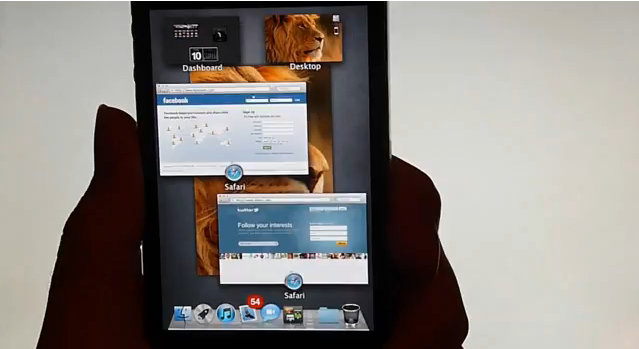
    Want to add flavor to your jailbroken iPhone? The new theme called LION Ultimatum from a theme creator SirTimothy1 brings IOS like looks on Dreamboard. The them also requires you to have your device already jailbroken. This theme comes with a functional file manager and Finder menus, a scrollable dock and draggable windows, along with Stacks, Launchpad, Mission Control and Dashboard. There’s also a customizable lock screen that provides access to the dialer, email and messages. The keyboard can also be modified to resemble the design of MacBook Pro or the traditional Apple Keyboard, thanks to integration with ColorKeyboard. 

    [ModMyi]

  • Apple Starts Selling Lion OSX USB stick online : US$ 69

    Apple Starts Selling Lion OSX USB stick online : US$ 69

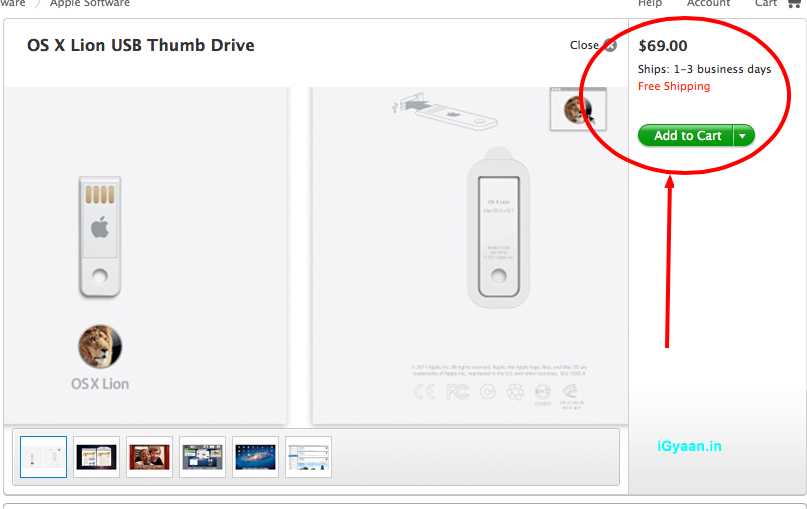
    Apple has finally released its OS X Lion USB thumb drive, available now at its online store. If you want an alternative to the Mac App Store download file which deletes itself after each install, this usb stick might be the correct answer for you. 

    The only catch is that the usb stick sells for US$ 69, when you can download the OS for just US$ 29 from the App store. These are only currently available in the US, so you will either need to wait several weeks, or find alternate ways to get them to your doorstep.

    [Apple]

  • Skype for Mac updated to 5.3, Brings HD Video and Lion Support

    Skype for Mac updated to 5.3, Brings HD Video and Lion Support

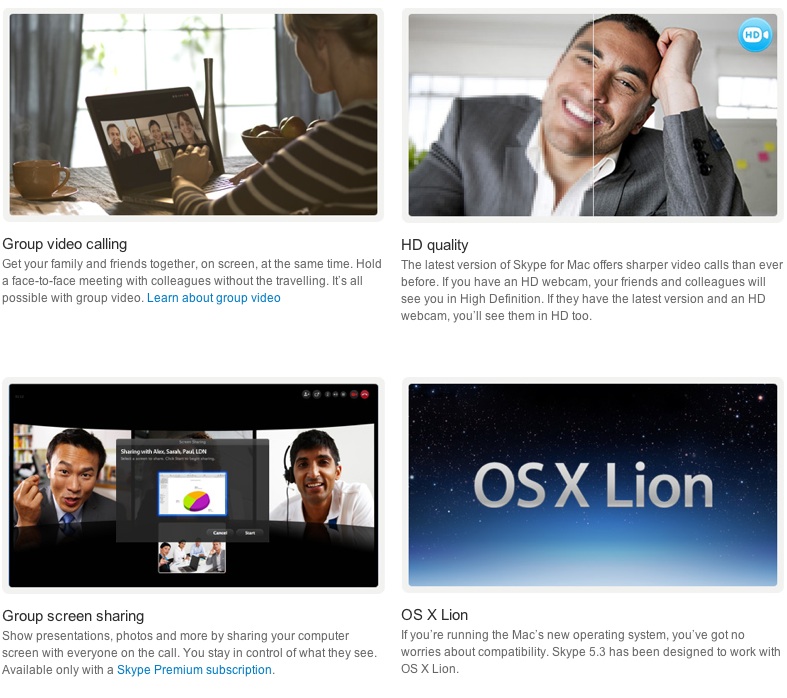
    The Skype for Mac app has been finally updated to support a full host of features, including HD video, group video calling, group screen sharing, and also brings OS Lion support. The Facebook chat module is now also integrated in the client.


    [toggle title_open=”COLLAPSE” title_closed=” READ SKYPE ANNOUNCEMENT” hide=”yes” border=”yes” style=”default” excerpt_length=”0″ read_more_text=”Read More” read_less_text=”Read Less” include_excerpt_html=”no”]

    Lion Support & HD Video Calls with Skype 5.3 for Mac OS X


    On the heels of our recent update to Skype 5.2 for Mac OS X, we are pleased to announce that we are making even more improvements to our Mac client with the release of Skype 5.3 for Mac OS X. Along with a number of fixes and improvements to the user interface, Skype 5.3 will feature support for the new Mac Lion and HD Video Calls.

    Skype 5.3 for Mac OS X is built to work with Apple’s newest desktop operating system, Lion, in addition to being compatible with past versions of OS X going all the way back to Leopard.

    Mac 5.3 imagae.jpg

    With Skype 5.3 for Mac OS X, you’ll also be able to send and receive HD quality video when talking to your friends and family. You’ll need to use the Mac’s built-in HD webcam or choose from a variety of webcams from our Skype Shop, such as the Logitech C910, to make video calls in crystal clear HD quality. To receive clear HD video calls on your Mac, we recommend an upload/download speed of 1.5Mbps.

    As with all updates, we ask that you download the most recent Skype update to take advantage of these recent features. If you have any questions or comments on the latest Skype software for Mac, please feel free to visit our new Skype Support Network. We hope you enjoy the new updates in Skype 5.3 for Mac OS X.

    [/toggle]

     [Skype]

  • Apple working on a 15 inch and 17 inch UltraThin Notebook pc

    Apple working on a 15 inch and 17 inch UltraThin Notebook pc

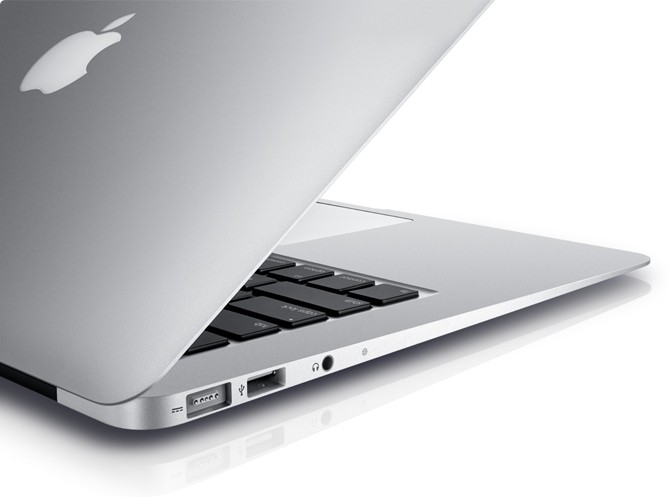
    Apple is in the last stages of testing a 15 inch ultra thin Notebook pc that will be part of the MacBook family. According to various reports by TUAW and MacRumors the devices will be 15 inch and 17 inch in size will fall under the Macbook Pro Lineup and will be available in time for christmas.

    The ultra-thin market is also about to get much more competitive this fall as Intel’s partners begin launching their notebooks.

  • Over 1 Million Copies Of Lion Sold On Day 1

    Over 1 Million Copies Of Lion Sold On Day 1

    On the day that Apple launched the new version of its operating system  OSX Lion, it sold over a million copies. Apparently, people were not intimidated by a lack of a disc to install from. The ease with which Apple has distributed its update can be seen in the sales figures. The price of the update along with the ability to download is must have helped boost sales even further than Apple expected.

    The update is available in the Mac App Store for only $29. It will be available on physical media in August.

  • Apple Refreshes The Mac Mini with Core i5 and i7, Thunderbolt and AMD Radeon HD (PR)

    Apple Refreshes The Mac Mini with Core i5 and i7, Thunderbolt and AMD Radeon HD (PR)

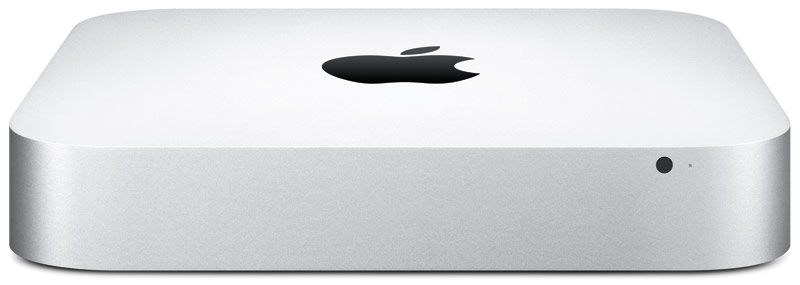
    Apple has dropped a new load of goodies on us today, as we suspected, Apple has updated the Mac Mini to include new hardware and Thunderbolt Ports.

    The new Mac mini packs an Intel Core i5 or i7 processor, Thunderbolt, AMD Radeon HD graphics, and Mac OS X Lion. 

    Starting at $599 with a 2.3GHz Intel Core i5 they offer a cheap alternative for owning a Mac.

    The 2.3 GHz dual-core Intel Core i5 Mac mini with 2GB of memory and a 500GB hard drive starts at a suggested retail price of $599 (US), with options to add memory up to 8GB and a 750GB hard drive.

    The 2.5 GHz dual-core Intel Core i5 Mac mini with 4GB of memory and a 500GB hard drive starts at a suggested retail price of $799 (US), with options to upgrade to a 2.7GHz dual-core Core i7 processor, up to 8GB of memory, and a 750GB hard drive with an option to add or replace with a 256GB solid state drive.

    The 2.0 GHz quad-core Intel Core i7 Mac mini with Lion Server, 4GB of memory and dual 500GB hard drives starts at a suggested retail price of $999 (US). Options include adding memory up to 8GB, two 750GB hard drives, or up to two 256GB solid state drives.

    [toggle title_open=”Collapse” title_closed=”Expand and Read Press Release” hide=”yes” border=”yes” style=”default” excerpt_length=”0″ read_more_text=”Read More” read_less_text=”Read Less” include_excerpt_html=”no”]Apple Updates Mac mini

    CUPERTINO, California-July 20, 2011-Apple® today updated the Mac® mini with next generation Intel core processors, new discrete graphics, high-speed Thunderbolt I/O technology and Lion, the world’s most advanced operating system. The new Mac mini delivers up to twice the processor and graphics performance of the previous generation in the same amazingly compact and efficient aluminum design.* Starting at just $599 (US), the new Mac mini is available for order today and in stores tomorrow.

    “Mac mini delivers the speed and expandability that makes it perfect for the desktop, living room or office,” said Philip Schiller, Apple’s senior vice president of Worldwide Product Marketing. “With faster processors, more powerful graphics and Thunderbolt in an incredibly compact, aluminum design, the new Mac mini is more versatile than ever.”

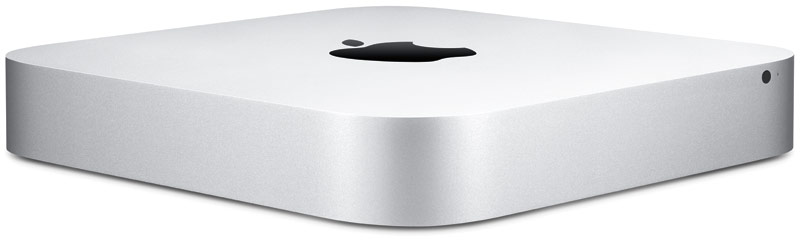
    At just 7.7-inches square and 1.4-inches thin, the new Mac mini maintains its compact aluminum design while delivering amazing performance and graphics capabilities. Available in three different configurations, customers can choose a Mac mini with the latest dual-core Intel Core i5 or Intel Core i7 processors, AMD Radeon HD 6630M discrete graphics, or a quad-core Intel Core i7 powered server configuration. Designed without an optical disc drive, Mac mini can access the optical drives on other PCs and Macs, and works with the MacBook Air® SuperDrive®. Configure-to-order options include up to 8 GBs of memory, a faster 7200 RPM hard drive and a 256GB solid state drive.

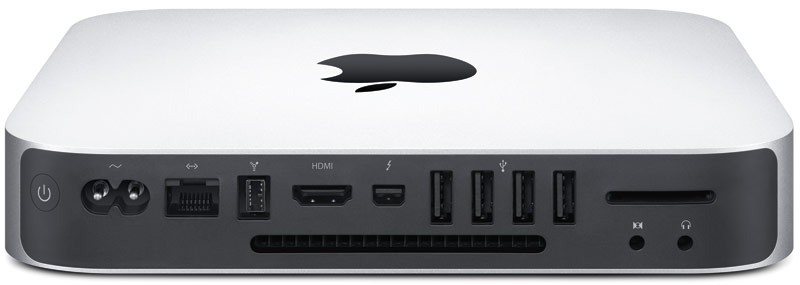
    Mac mini now comes with Thunderbolt I/O technology for expansion possibilities never before available to Mac mini users. With a Thunderbolt port, Mac mini can connect to peripherals such as high-performance storage devices, RAID arrays and the new Apple Thunderbolt Display, a stunning 27-inch IPS widescreen display that’s great for making FaceTime® HD video calls, surfing the Web and viewing movies and photos.

    With ultra-fast Wi-Fi, you can wirelessly download apps from the Mac App Store™, get music and movies from iTunes®, back up data to Time Capsule® and share files with AirDrop, which makes transferring files quick and easy. Mac mini includes Bluetooth for wireless peripherals and four USB ports for easy connectivity for the wired and wireless devices you use every day.

    The new Mac mini remains the world’s most energy efficient desktop, meets Energy Star 5.2 requirements and achieves EPEAT Gold status.** Mac mini has a highly recyclable aluminum enclosure, PVC-free components and cables, no brominated flame retardants and features material-efficient system and packaging designs.

    Every new Mac mini comes with Mac OS® X Lion, the latest major release of Mac OS X, the world’s most advanced operating system, and iLife® apps for creating and sharing great photos, movies and music. Lion introduces more than 250 new features to the Mac, including Multi-Touch® gestures and system-wide support for full screen apps; Mission Control, an innovative view of everything running on your Mac; the Mac App Store, the best place to find and explore great software; Launchpad, a new home for all your apps; and a completely redesigned Mail app.

    Pricing & Availability

    The new Mac mini is available through the Apple Store® (www.apple.com) today and in Apple’s retail stores and Apple Authorized Resellers starting July 21.

    The 2.3 GHz dual-core Intel Core i5 Mac mini with 2GB of memory and a 500GB hard drive starts at a suggested retail price of $599 (US), with options to add memory up to 8GB and a 750GB hard drive.

    The 2.5 GHz dual-core Intel Core i5 Mac mini with 4GB of memory and a 500GB hard drive starts at a suggested retail price of $799 (US), with options to upgrade to a 2.7GHz dual-core Core i7 processor, up to 8GB of memory, and a 750GB hard drive with an option to add or replace with a 256GB solid state drive.

    The 2.0 GHz quad-core Intel Core i7 Mac mini with Lion Server, 4GB of memory and dual 500GB hard drives starts at a suggested retail price of $999 (US). Options include adding memory up to 8GB, two 750GB hard drives, or up to two 256GB solid state drives.
    [/toggle]

iGyaan Network
Privacy Overview

This website uses cookies so that we can provide you with the best user experience possible. Cookie information is stored in your browser and performs functions such as recognising you when you return to our website and helping our team to understand which sections of the website you find most interesting and useful.