Tag: mac app store

  • Apple OS X Mountain Lion Quick Overview

    OS X Mountain Lion is here, and there are quite a few new features to learn all about, so we sum it up listing the best out of all of them .

    Notification Center

    Just like on iOS , Notification centre gives you all your  alerts and messages under one bar, instead of all over the place. You can access your notification history by clicking the list icon all the way in the top right corner of the OS X menubar. If you want to edit your notification center settings, you can do so in the Notifications section of System Preferences. You’ll be able to decide what kind of notifications individual apps provide, or turn them off entirely.

    Notes and Reminders

    The Notes app lets you save and organize text and images. Reminders allows you to create reminders so you don’t forget to do things. Again they are just like on iOS and sync well with your iDevices.


    Voice Dictation

    Just like on the iPad and iPhone you get voice dictation on Macs, in Mountain Lion (sadly no Siri).  To start dictating, just press the function (fn) key twice. When you’re done dictating, you can click the “done” button or press the function (fn) key twice again. OS X will take a moment and then provide you with the transcribed text. In addition to just offering words, you can say things like “period” or “comma” for punctuation and “new line” to make a new line.

    This feature works in any App or window that accepts text input via keyboard, also in online websites, like in GMAIL, as long as they are accessed in the new Safari.

    AirPlay Mirroring

    If you have an Apple TV, You can now mirror your display on an Apple TV (2nd or 3rd generation) with AirPlay if you enable it in Displays section of System Preferences. Down at the bottom there’s a checkbox beside “Show mirroring options in the menu bar when available.” Check it and you’ll be able to send your display to any detected Apple TV via the menu item in your menubar.

    Messages

    Messages is the iMessage of OS X. It’s been around in beta since Lion and hasn’t changed much in Mountain Lion. You can add your iCloud account to sync messages with an iPhone, iPad, or iPod touch. You can set up various instant messaging accounts, however, so Messages on the Mac is a little bit more functional than it is on iOS. That’s because it replaces iChat. Messages also now pulls out of Beta, so those of you who were experiencing slow takes may enjoy the new experience. 

    iCloud (Documents in the Cloud)
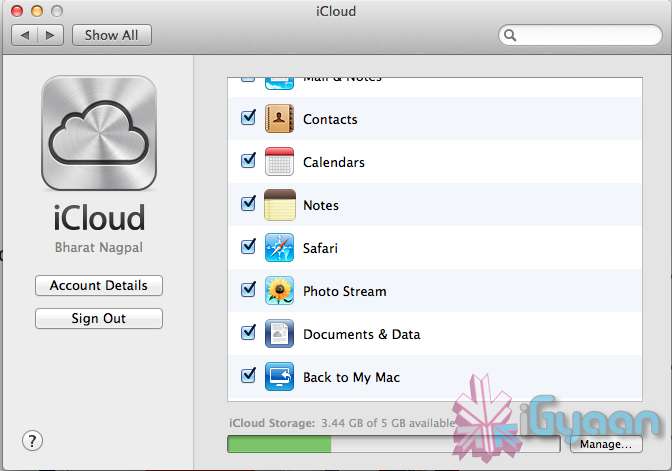
    iCloud has been upgraded significantly in Mountain Lion, you can access it in the same panel in System Preferences. If you turn on “Documents & Data” your documents (including versions of them) will be synced with iCloud, making them available on other iCloud-enabled devices.


    Share

     There is a new button in Mountain Lion, its the Share Button. Not every app has it yet, but many apps will be adding it to allow you to share content easily. In the meantime, Safari is one app that makes sharing sites easy to Messages, Twitter, and Email. If you click an image and then the sharing icon in a window’s toolbar, you’ll be able to share it on Twitter or Flickr. You’ll find other options for other file types as well. If you want to set up sharing accounts, visit the Mail, Contacts, & Calendars section of System Preferences.

    Security and Privacy
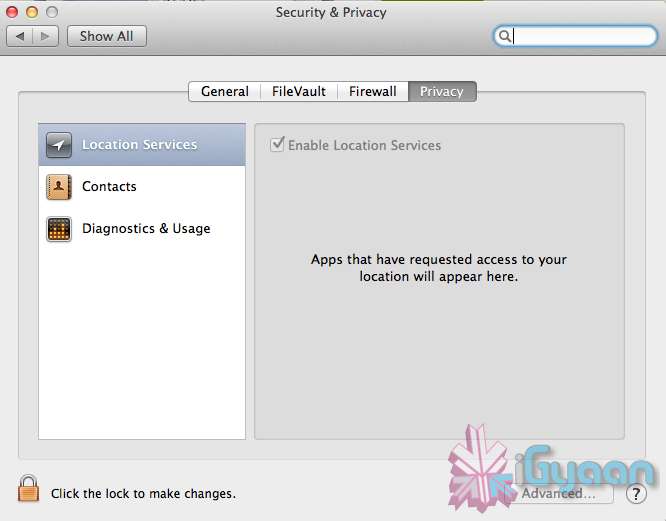
    In this new panel available in the System Preferences panel , a new checkbox “Allow applications downloaded from” , which once checked will give option “Mac App Store and identified developers” . This will prevent apps that aren’t signed through Apple’s developer center or downloaded through the Mac App Store from running

    Under Privacy, you get new privacy settings. This is where you can approve or deny an app’s permission to access certain things like your contacts, location, Twitter account, and more. 
  • Apple unveils Safari 6, Mac Only Version Out Now

    Apple unveils Safari 6, Mac Only Version Out Now

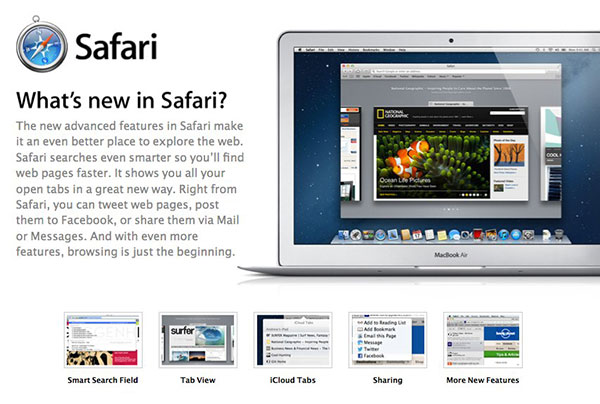
    Apple’s new Operating System, has a key browsing element, the new Safari, version 6, has been launched today alongside the major release Mountain Lion. The new Safari brings about some nice new features including iCloud tabs and a new tab view — both Mountain Lion only.

     There’s also a Do Not Track option to cover your internet tracks, just like the “incognito mode” on Chrome. It also appears that this time around Apple has not released a Windows Version for the software, and all earlier versions of Safari are now removed from Apple’s Servers. 

    [Apple}

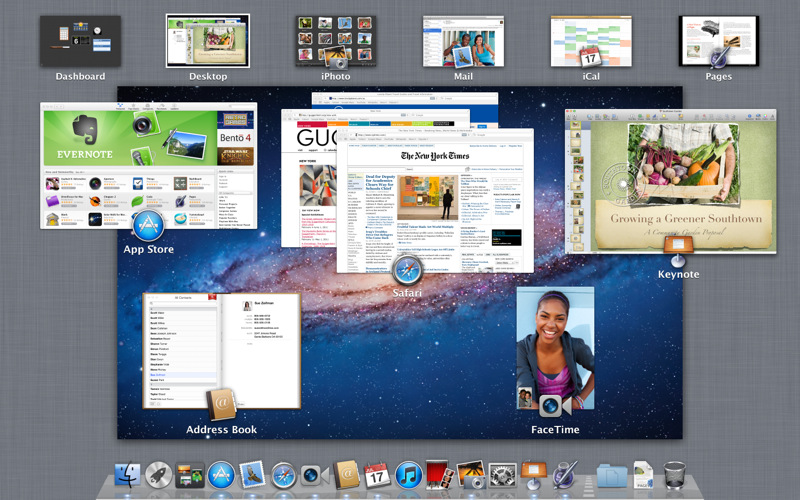
  • Apple Mac App Store gets Mountain Lion for Download – US $ 19.99 – 4.05 GB – LION Extinct (PR)

    Apple Mac App Store gets Mountain Lion for Download – US $ 19.99 – 4.05 GB – LION Extinct (PR)

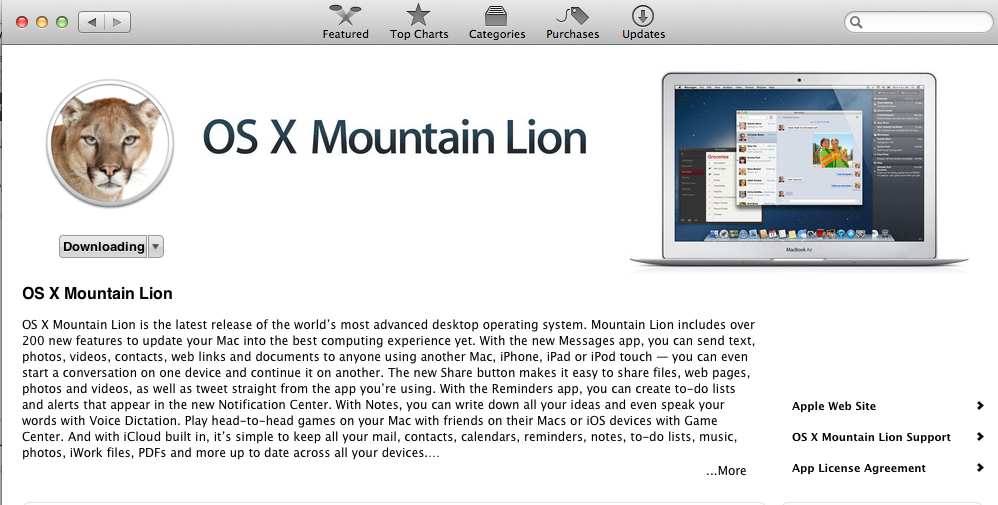
    The Mac App Store gets its own dose of Lion, and you can get it too for a mere US $ 19.99. The new Operating system adds over 200 new features including voice dictation, notification centre, new advanced sharing, ui fixes, customizations to Spotlight, AirPlay Mirroring etc. 


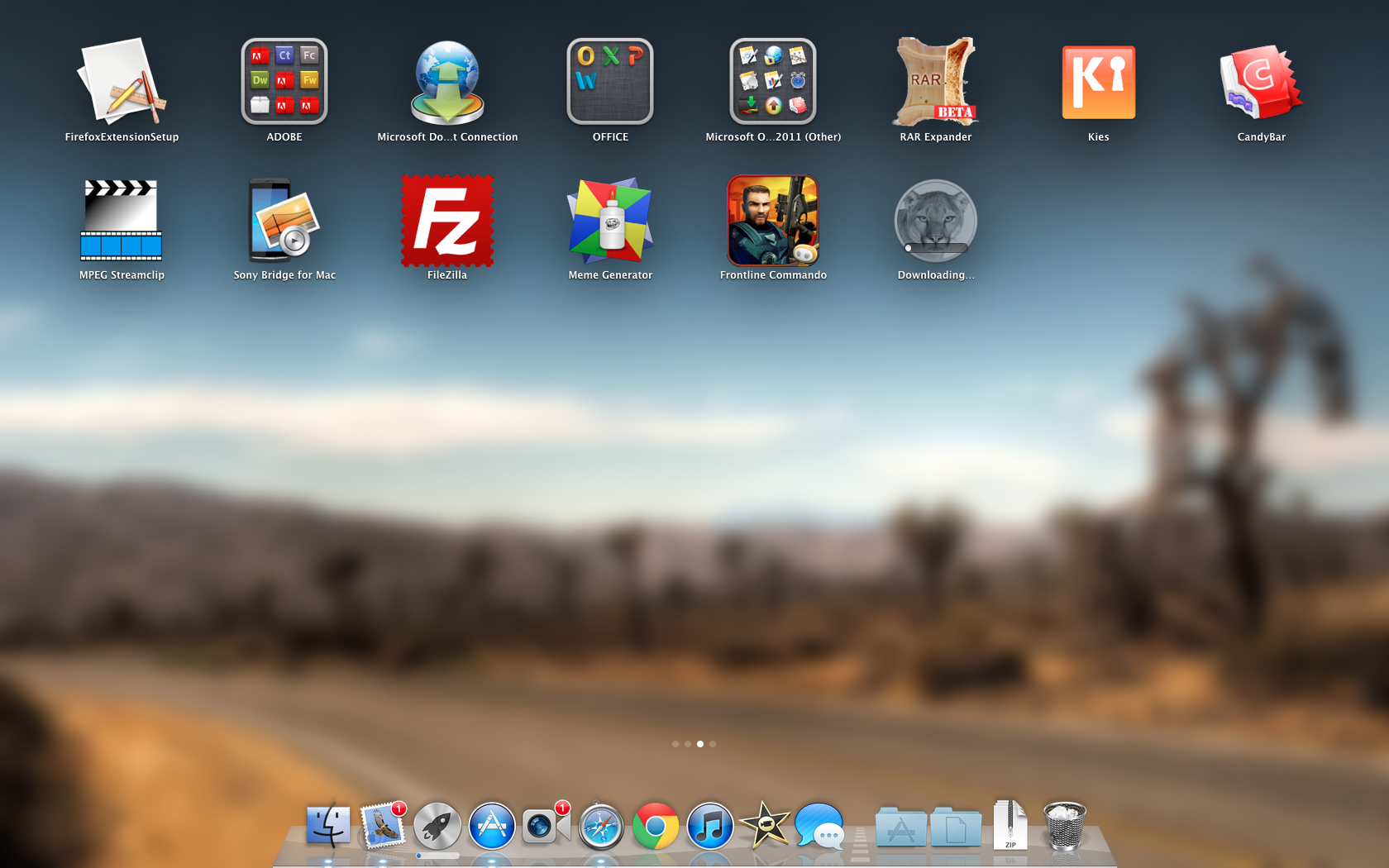
    While we download this 4.05 GB update, and sum it up for you. You can get your own version, at the link below.


    [toggle_box title=”Press Release” width=”Width of toggle box”]


    Mountain Lion Available Today From the Mac App Store


    Apple® today announced that OS X® Mountain Lion, the ninth major release of the world’s most advanced desktop operating system, is available as a download from the Mac® App Store?. With more than 200 innovative new features, Mountain Lion includes iCloud® integration, the all new Messages app, Notification Center, system-wide Sharing, Facebook integration*, Dictation, AirPlay® Mirroring and Game Center. Mountain Lion is available as an upgrade from Lion or Snow Leopard for $19.99.


    “With iCloud integration, Mountain Lion is even easier to set up, and your important information stays up to date across all your devices so you can keep editing documents, taking notes, creating reminders, and continue conversations whether you started on a Mac, iPhone or iPad.”


    “People are going to love the new features in Mountain Lion and how easy it is to download and install from the Mac App Store,” said Philip Schiller, Apple’s senior vice president of Worldwide Marketing. “With iCloud integration, Mountain Lion is even easier to set up, and your important information stays up to date across all your devices so you can keep editing documents, taking notes, creating reminders, and continue conversations whether you started on a Mac, iPhone or iPad.”


    With more than 200 innovative new features, Mountain Lion includes:


    iCloud integration, for easy set up of your Mail, Contacts, Calendar, Messages, Reminders and Notes, and keeping everything, including iWork® documents, up to date across all your devices;
    the all new Messages app, which replaces iChat® and brings iMessage™ to the Mac, so you can send messages to anyone with an iPhone®, iPad®, iPod touch® or another Mac;
    Notification Center, which streamlines the presentation of notifications and provides easy access to alerts from Mail, Calendar, Messages, Reminders, system updates and third party apps;
    system-wide Sharing, to make it easy to share links, photos, videos and other files quickly without having to switch to another app, and you just need to sign in once to use third-party services like Facebook, Twitter, Flickr and Vimeo;
    Facebook integration, so you can post photos, links and comments with locations right from your apps, automatically add your Facebook friends to your Contacts, and even update your Facebook status from within Notification Center;
    Dictation, which allows you to dictate text anywhere you can type, whether you’re using an app from Apple or a third party developer;
    AirPlay Mirroring, an easy way to wirelessly send an up-to-1080p secure stream of what’s on your Mac to an HDTV using Apple TV®, or send audio to a receiver or speakers that use AirPlay; and
    Game Center, which brings the popular social gaming network from iOS to the Mac so you can enjoy live, multiplayer games with friends whether they’re on a Mac, iPhone, iPad or iPod touch.


    Additional features in Mountain Lion include the revolutionary new Gatekeeper, which makes downloading software from the Internet safer; Power Nap, which automatically updates your apps and system while your Mac is asleep; and a faster Safari® browser. New features for China include significantly improved text input, a new Chinese Dictionary, easy setup with popular email providers, Baidu search in Safari, and built-in sharing to Sina Weibo and popular video websites Youku and Tudou.


    Pricing & Availability


    OS X Mountain Lion is available from the Mac App Store for $19.99 (US). Mountain Lion requires Lion or Snow Leopard (OS X v10.6.8 or later), 2GB of memory and 8GB of available space. For a complete list of system requirements and compatible systems, please visit: apple.com/osx/specs. OS X Server requires Mountain Lion and is available from the Mac App Store for $19.99 (US). The OS X Mountain Lion Up-to-Date upgrade is available at no additional charge from the Mac App Store to all customers who purchased a qualifying new Mac system from Apple or an Apple Authorized Reseller on or after June 11, 2012.

    [/toggle_box]

    [iTunes]


  • Mac App Store Hits 10000 apps

    Mac App Store Hits 10000 apps

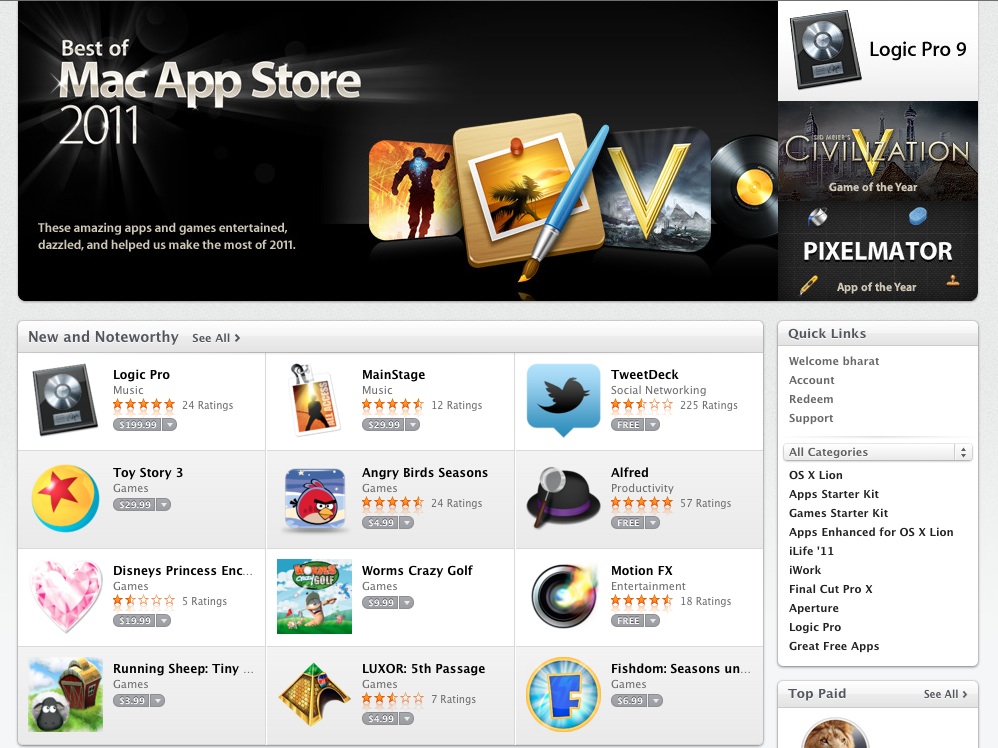
    The Mac App store, apps for macintosh computers, has reached a total of 10,339 apps. Considering that most mobile app stores crossed this number in first few weeks, this may seem as a low number. But, considering the platform the number makes it the largest desktop app marketplace.

    In December, the Mac App Store passed 100 million downloads making it the “largest and fastest growing PC software in the world”. According to reports Mac OS lion is the most downloaded software on the Mac App Store, followed by other apps from Apple including FaceTime and iWork apps like Keynote and Numbers. 

    Apple has also made the Snow Leopard OS upgrade free for all those who are on Leopard, to enable their use of the App Store.

  • Apple Mac App Store crosses the 100 Million download mark (PR)

    Apple Mac App Store crosses the 100 Million download mark (PR)

    In less than a year since its debut on Apple computer screens, the Mac App store has crossed 1 million downloads. Thats a huge number if you consider it a Mac only download store, if you compare it to the iOS App Store its mere digits in front of the 18 Billion downloads. The App store already has most of the Apps available for Mac Computers with others coming in fast. Check out the full PR below.

    [toggle title_open=”Press Release” title_closed=”Press Release” hide=”yes” border=”yes” style=”default” excerpt_length=”0″ read_more_text=”Read More” read_less_text=”Read Less” include_excerpt_html=”no”]Apple’s Mac App Store Downloads Top 100 Million

    CUPERTINO, California-December 12, 2011-Apple® today announced that over 100 million apps have been downloaded from the Mac® App Store™ in less than one year. With thousands of free and paid apps, the Mac App Store brings the App Store experience to the Mac so you can find great new apps, buy them using your iTunes® account, and download and install them in just one step. Apple revolutionized the app industry with the App Store, which now has more than 500,000 apps and where customers have downloaded more than 18 billion apps and continue to download more than 1 billion apps per month.

    “In just three years the App Store changed how people get mobile apps, and now the Mac App Store is changing the traditional PC software industry,” said Philip Schiller, Apple’s senior vice president of Worldwide Marketing. “With more than 100 million downloads in less than a year, the Mac App Store is the largest and fastest growing PC software store in the world.”

    “With Autodesk products in both the App Store and Mac App Store, we can reach hundreds of millions of Apple users around the world,” said Amar Hanspal, senior vice president of Platform Solutions and Emerging Business at Autodesk. “With our free AutoCAD WS and the more powerful professional drafting tools of AutoCAD LT, we’re using the Mac App Store to deliver new products and reach a growing base of new Mac customers.”

    “The Mac App Store has unparalleled reach and has completely transformed our distribution and development cycle,” said Saulius Dailide of the Pixelmator Team. “Offering Pixelmator 2.0 exclusively on the Mac App Store allows us to streamline updates to our image editing software and stay ahead of the competition.”

    “In less than one year we’ve shifted the distribution of djay for Mac exclusively to the Mac App Store,” said Karim Morsy, CEO of algoriddim. “With just a few clicks, djay for Mac is available to customers in 123 countries worldwide. We could never have that reach through traditional channels.”

    The Mac App Store offers thousands of apps in Education, Games, Graphics & Design, Lifestyle, Productivity, Utilities and other categories. Users can browse new and noteworthy apps, find out what’s hot, see staff favorites, search categories and look up top charts for paid and free apps, as well as user ratings and reviews. The Mac App Store is included with Mac OS® X Lion and is available as a software update for any Mac running Mac OS X Snow Leopard®. For more information visit, www.apple.com/mac/app-store.

    Mac developers set the prices for their apps, keep 70 percent of the sales revenue, are not charged for free apps and do not have to pay hosting, marketing or credit card fees. To find out more about developing for the Mac App Store visit, developer.apple.com/programs/mac.

    Apple designs Macs, the best personal computers in the world, along with OS X, iLife, iWork and professional software. Apple leads the digital music revolution with its iPods and iTunes online store. Apple has reinvented the mobile phone with its revolutionary iPhone and App Store, and has recently introduced iPad 2 which is defining the future of mobile media and computing devices.[/toggle]

  • Apple Mac OS X Lion Now Available (PR) : Download

    Apple Mac OS X Lion Now Available (PR) : Download

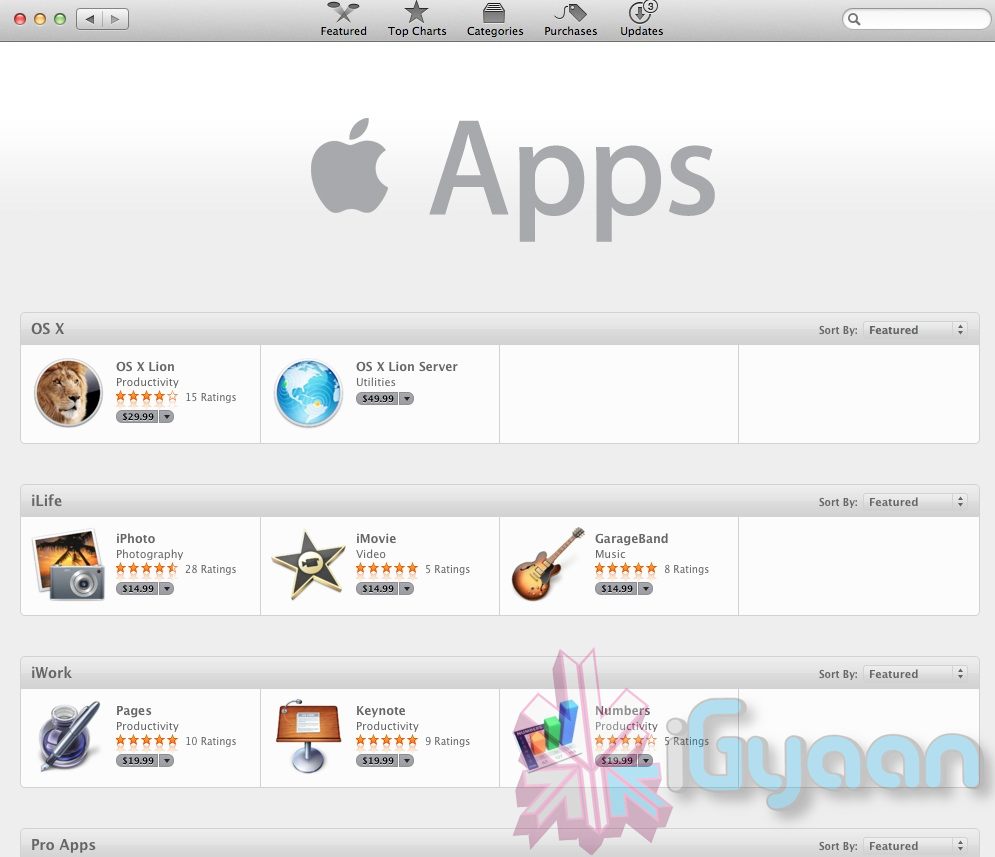
    Just like that Mac OS X Lion / 10.7 is now available to download from the Mac App store. Remember it only works with Mac’s Intel Core 2 Duo, Core i3, i5 or i7 processor. The OS is available to download now for US $ 29.99 and can be purchased later in August on a USB pen Drive for US $ 69

    Download it from the Links Below

    US STORE INDIA STORE

     OS X Lion - Apple®

    OS X Lion – Apple®

     OS X Lion - Apple®

    OS X Lion – Apple®


    [toggle title_open=”Collapse” title_closed=”Read The Press Release” hide=”yes” border=”yes” style=”default” excerpt_length=”0″ read_more_text=”Read More” read_less_text=”Read Less” include_excerpt_html=”no”]Mac OS X Lion Available Today From the Mac App Store

    CUPERTINO, California-July 20, 2011-Apple® today announced that Mac OS® X Lion, the eighth major release of the world’s most advanced operating system with more than 250 new features, is available today as a download from the Mac® App Store™ for $29.99. Some of the amazing features in Lion include: new Multi-Touch® gestures; system-wide support for full screen apps; Mission Control, an innovative view of everything running on your Mac; the Mac App Store, the best place to find and explore great software, built right into the OS; Launchpad, a new home for all your apps; and a completely redesigned Mail app.

    “Lion is the best version of OS X yet, and we’re thrilled that users around the world can download it starting today,” said Philip Schiller, Apple’s senior vice president of Worldwide Product Marketing. “Lion makes upgrading a Mac easier than ever before; just launch the Mac App Store, buy Lion with your iTunes account, and the download and install process will begin automatically.”

    Additional new features in Lion include:

    Resume, which conveniently brings your apps back exactly how you left them when you restart your Mac or quit and relaunch an app; Auto Save, which automatically and continuously saves your documents as you work; Versions, which automatically records the history of your document as you create it, and gives you an easy way to browse, revert and even copy and paste from previous versions; and AirDrop, which finds nearby Macs and automatically sets up a peer-to-peer wireless connection to make transferring files quick and easy.

    Pricing & Availability

    Mac OS X Lion is available as an upgrade to Mac OS X version 10.6.6 Snow Leopard® from the Mac App Store for $29.99 (US). Lion is the easiest OS X upgrade and at around 4GB, it is about the size of an HD movie from the iTunes Store®. Users who do not have broadband access at home, work or school can download Lion at Apple retail stores and later this August, Lion will be made available on a USB thumb drive through the Apple Store® (www.apple.com) for $69 (US). Mac OS X Lion Server requires Lion and is available from the Mac App Store for $49.99 (US).

    Lion requires an Intel-based Mac with a Core 2 Duo, i3, i5, i7 or Xeon processor and 2GB of RAM. Lion is an upgrade and can be installed on all your authorized personal Macs. Details regarding Business and Education licensing can be found at apple.com/macosx.

    The OS X Lion Up-to-Date upgrade will be available through the Mac App Store at no additional charge to all customers who purchased a qualifying new Mac system from Apple or an Apple Authorized Reseller on or after June 6, 2011. Users must request their Up-to-Date upgrade within 30 days of purchase of their Mac computer. Customers who purchased a qualifying Mac between June 6, 2011 and July 20, 2011 will have until August 19, 2011 to make a request. Additional information can be found at apple.com/macosx/uptodate.
    [/toggle]

  • Mac OSX Lion Coming Today to the Mac App Store!

    Mac OSX Lion Coming Today to the Mac App Store!

    The word is official Apple CFO Peter Oppenheimer during today’s earnings call pointed out that the Mac OS 10.7 Lion will be available to download from the Mac App Store for 29.99 US$ The download is only a 4 GB download and has over 250 new features including a Launcher which is based on Apple highly popular mobile Operating System – iOS.

    Of course we will be getting it and will have an Initial hands on with it shortly after release. We will also take an in depth review of the OS soon after. So stay breezy for the impending launch of the king of the Jungle! Also Mac server will be available for US $ 49.99 if anyone is asking!


  • Apple Releases Final Cut Pro X (64 Bit), Motion 5 and Compressor 4 (PR) : DOWNLOAD LINK

    Apple Releases Final Cut Pro X (64 Bit), Motion 5 and Compressor 4 (PR) : DOWNLOAD LINK

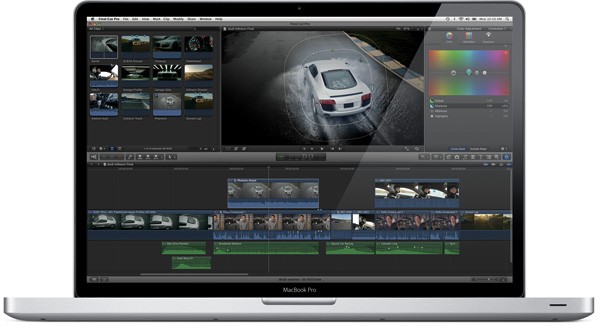
    Apple finally and on time launched the much awaited Final Cut Pro X today. Possibly the most awaited Video Editing software in a long time. Final Cut Pro X brings simplicity of the iMovie interface with advanced features of Final Cut along with multi-core performance.

    The software is available in the Mac AppStore for $299. Add-ons Motion 5 and Compressor 4 are also available today for $49.99 each from the Mac App Store.

    DOWNLOAD

    Final Cut Pro – Apple®

    Final Cut Pro - Apple®

    ——————————-

    Compressor – Apple®

    Final Cut Pro - Apple®

    ——————————-

    Motion – Apple®

    Motion - Apple®

    ——————————-

    We will have a full review on the Final Cut Pro X Shortly!

    [toggle title_open=”COLLAPSE PRESS RELEASE” title_closed=”READ THE PRESS RELEASE” hide=”yes” border=”yes” style=”default” excerpt_length=”0″ read_more_text=”Read More” read_less_text=”Read Less” include_excerpt_html=”no”]Apple Revolutionizes Video Editing With Final Cut Pro X

    CUPERTINO, California-June 21, 2011-Apple® today announced Final Cut Pro® X, a revolutionary new version of the world’s most popular Pro video editing software which completely reinvents video editing with a Magnetic Timeline that lets you edit on a flexible, trackless canvas; Content Auto-Analysis that categorizes your content upon import by shot type, media and people; and background rendering that allows you to work without interruption. Built on a modern 64-bit architecture, Final Cut Pro X is available from the Mac® App Store™ for $299.99.

    “Final Cut Pro X is the biggest advance in Pro video editing since the original Final Cut Pro,” said Philip Schiller, Apple’s senior vice president of Worldwide Product Marketing. “We have shown it to many of the world’s best Pro editors, and their jaws have dropped.”

    “I’m blown away by what Apple has done with Final Cut Pro,” said Angus Wall, Academy Award-winning film editor. “Final Cut Pro X is incredibly modern and fast, but most importantly it lets you focus on telling your story in the most creative way, while it actively manages all of the technical details.”

    At the heart of Final Cut Pro X is the Magnetic Timeline, a trackless approach to editing your footage that lets you add and arrange clips wherever you want them, while other clips instantly slide out of the way. You can use Clip Connections to link primary story clips to other elements like titles and sound effects, so they stay in perfect sync when you move them. You can even combine related story elements into a Compound Clip that can be edited as a single clip. The groundbreaking new Auditions feature lets you swap between a collection of clips to instantly compare alternate takes.

    Content Auto-Analysis scans your media on import and tags your content with useful information. Final Cut Pro X then uses that information to dynamically organize your clips into Smart Collections, so you can easily find the clips you want by close up, medium and wide shots as well as media type and the number of people in the shot. You can also tag parts of clips with Range-based keywords to add custom search criteria to your media.

    Completely rebuilt from the ground up, Final Cut Pro X is a 64-bit app that takes full advantage of the latest Mac hardware and software so you never have to wait for the next edit, even if you’re working with 4K video. Final Cut Pro X uses multi-threaded processing and the GPU on your graphics card for blazing fast background rendering and superb real-time playback performance. Additionally, a ColorSync-managed color pipeline ensures color consistency from import to output.

    Final Cut Pro X also includes powerful tools for audio editing and color correction, and is complemented by two companion apps, Motion 5 for professional motion graphics and Compressor 4 for advanced media encoding, available from the Mac App Store for $49.99 each.

    Pricing & Availability
    Final Cut Pro X is available today for $299.99 from the Mac App Store. Motion 5 and Compressor 4 are available today for $49.99 each from the Mac App Store. Full system requirements and more information on Final Cut Pro X can be found at www.apple.com/finalcutpro.

    Apple designs Macs, the best personal computers in the world, along with OS X, iLife, iWork and professional software. Apple leads the digital music revolution with its iPods and iTunes online store. Apple has reinvented the mobile phone with its revolutionary iPhone and App Store, and has recently introduced iPad 2 which is defining the future of mobile media and computing devices.[/toggle]

iGyaan Network
Privacy Overview

This website uses cookies so that we can provide you with the best user experience possible. Cookie information is stored in your browser and performs functions such as recognising you when you return to our website and helping our team to understand which sections of the website you find most interesting and useful.