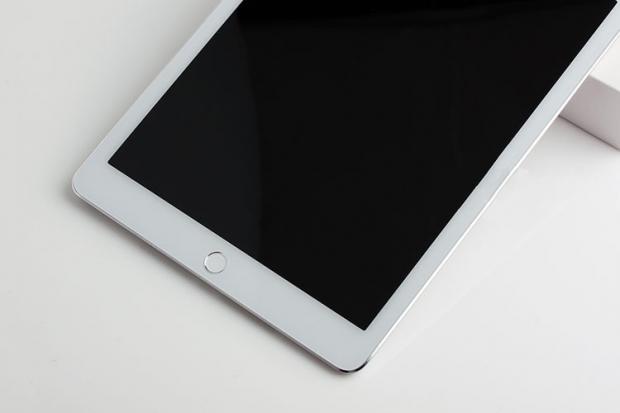
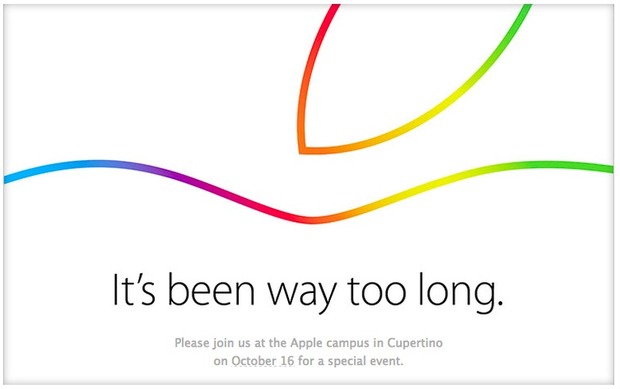
Apple has sent out invites for its October 16 event, wherein the company is all set to unveil its new line of iPads. The invite says, “It’s been too long”. Well, we’ve barely recovered from the last event where Apple announced the iPhone 6 and iPhone 6 Plus. The iPhone maker is expected to unveil the new iPads as well as an updated iMac line.
Multiple reports over the past week have pointed to the next iPad landing with a Touch ID fingerprint sensor directly targeted towards enterprise customers along with Apple Pay, though without the counterpart near-field communications (NFC) chip.
It’s also the first time new iPads have made an appearance since the Apple-IBM deal was announced in mid-July. Apple CEO Tim Cook called Apple’s new partnership with IBM a “catalyst for future iPad growth.” Apple is also expected to finally launch its new operating system, dubbed Yosemite. It comes with a number of “continuity” features that bridge the divide between its desktop and mobile devices and platforms, such as ‘Handoff,’ which allows users to transition working in-app from one device to another.
Recently, there were reports of Apple planning to launch a gold iPad Air 2. According to another report, new versions of the 9.7-inch iPads which are expected to be unveiled at the Oct 16th event will include a golden coloured rear metal cover in addition to the silver and gray that are already available in previous products.
It is also noted that the logo on the invite is similar to the one Apple used to mark the 30th anniversary of the Mac earlier this year, which has sparked the hope for a refreshed line of Mac computers.
So, the Apple logo from the invite is the same as the Mac 30th anniversary logo. So, new Macs indeed. pic.twitter.com/cn3aEcCCS5
The Mac OS X Yosemite is out and for the first time mobile devices and computers can interact seamlessly across the Apple universe. You can trust Apple to learn from existing technology and create a refined version, with some sweet graphics and names added to it.
The possibilities on the Yosemite may be revolutionary. Of course they took their “inspirations” from existing technologies, but what they have come out with is indeed progressive for the entire industry.
After taking a departure from naming OS X after the big feline family, the naming conventions for the OS X will now be based cities of California, starting with the Mavericks. BTW, we do agree that OS X Weed was a pretty chill name for an OS but Yosemite does just fine.
We will now tell you why you should get really excited about the OS X Yosemite’s connection capabilities.
Seamless Interconnectivity Between Yosemite and iOS
Connectivity never seen before
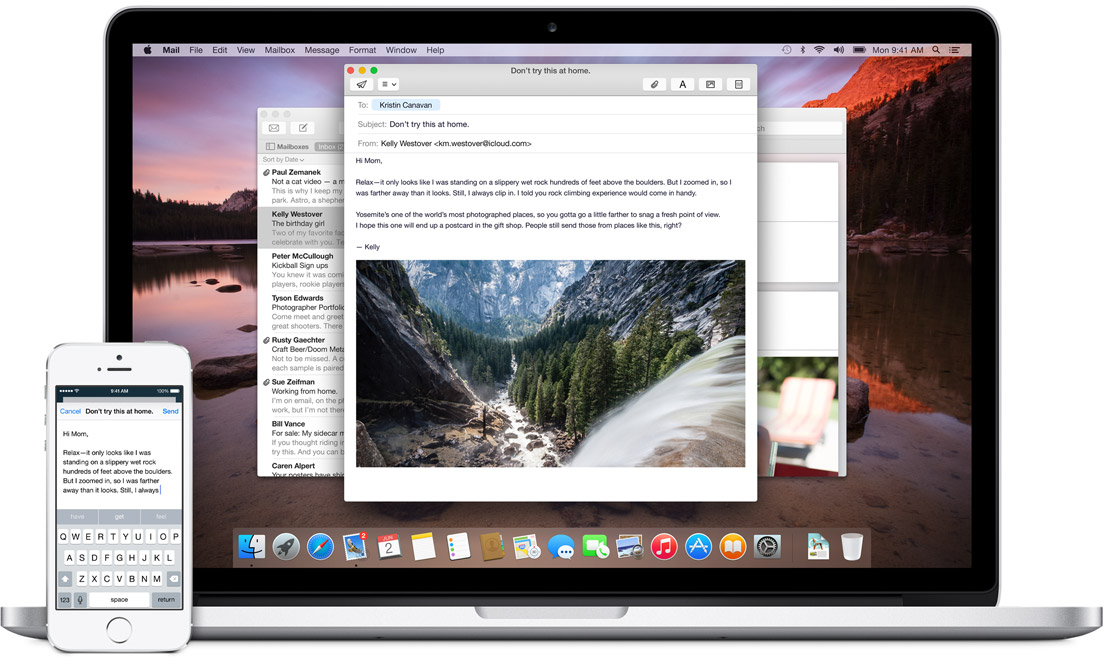
Apple has absorbed the value of “Continuity” based apps and has given it the Apple spin. Using the benefit of their conformed device ideology they are able to do multi device interconnection way more easily than others. Apart from giving Airdrop the ability to work between the iOS and the Mac they have added an ingenious new feature called the Handoff.
Handoff:
Handoff set a milestone in terms of inter-connectivity
This is definitely a feature that will shut up the critics of Apple’s proprietary controlled devices. It gives you mirrored access across all Apple platforms for instant access. For example, the iPad recognizes what you’ve been working on and prompts you about it. You can stop working on the Mac, pick up your iPad and start working on your project right way without a second of lag.
There is no need for third party apps. There is no need to open a cloud app and download the file, it’s always there.
Not impressed yet? then check this out; you can start working on an email on your iOS phone and your Mac will recognize it and ask you if you want to work on its bigger keyboard. Who would not love that?
It is this ease of access that other hardware and software manufacturers should aspire to achieve.
Instant Hotspot:
Effortless Wifi tethering through the iPhone
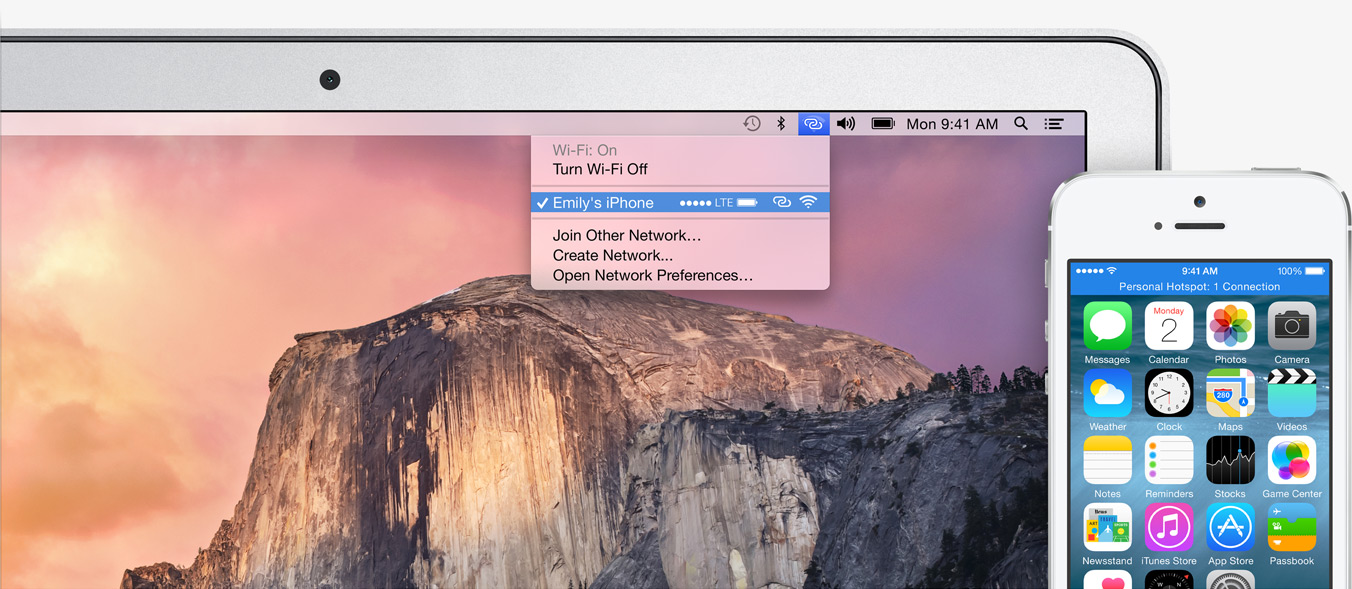
This will be a rather helpful feature for folks constantly on the move or have irregular access to a Wifi connection. The Mac’s wifi identifies your phone and without any configurations sets up a hotspot with the phone and voila, you are connected.
SMS and Phone Access from Mac’s:
This is definitely the future of interlinked digital devices. Apple definitely was to be the first company to benefit from this because of its enormous hardware ecosystem.
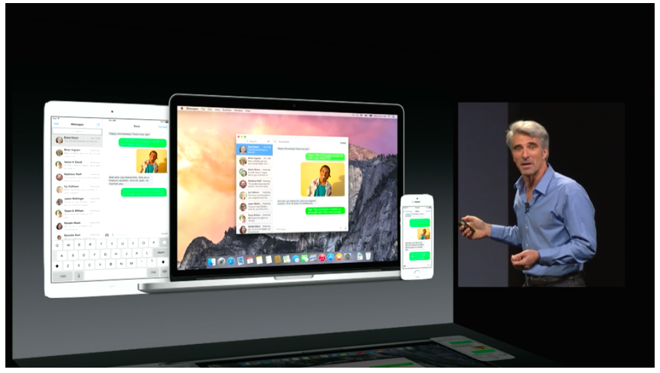
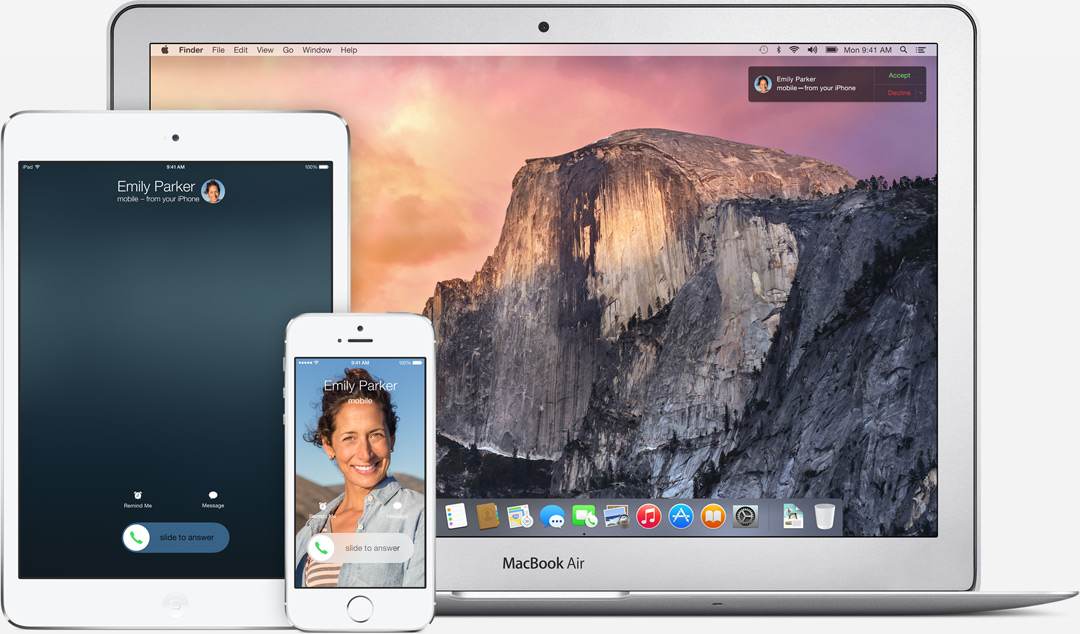
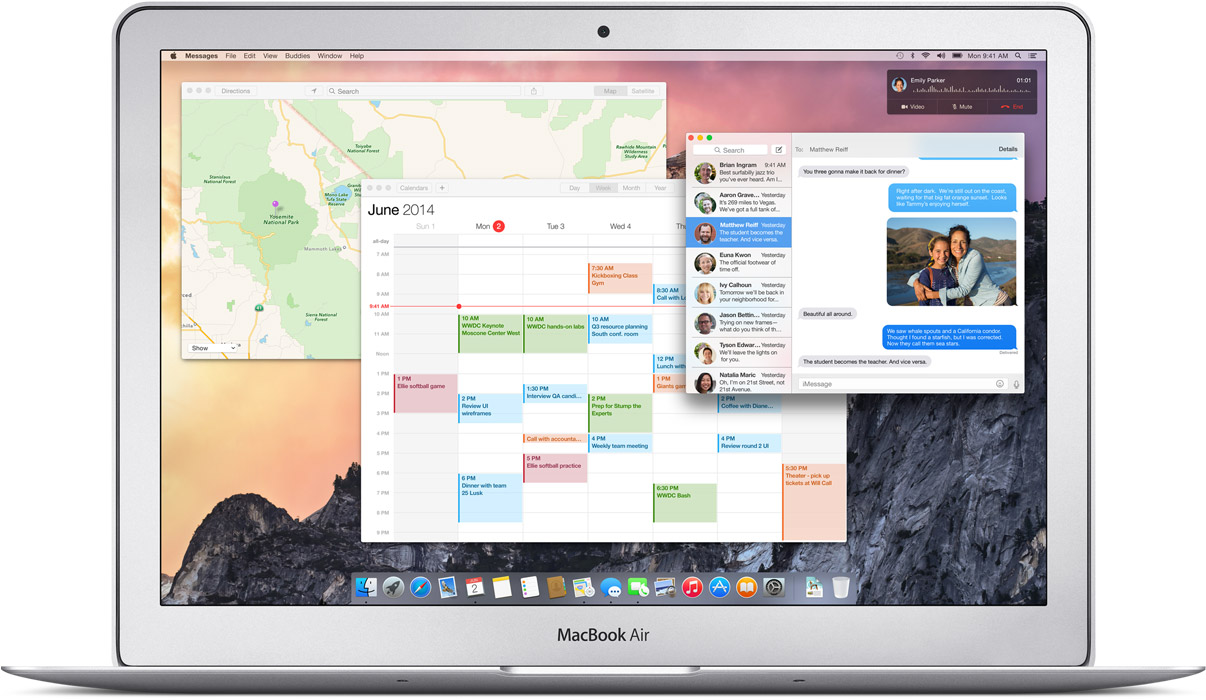
SMS can now be answered from all Apple devicesPhone calls can now be received and answered from all Apple devices
With the SMS and Phone integration in the Yosemite, you can send and receive text messages as well as phone calls across all Apple devices. Not just that, you can also dial a number you see on a website right away from your macs.
iCloud Drive:
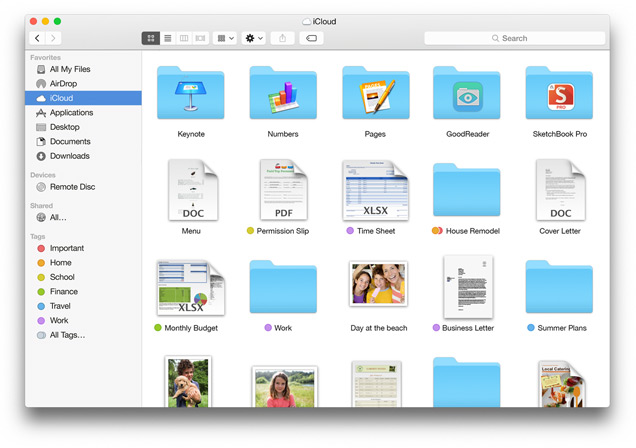
The iCloud is built in the Finder itself so you don’t need third party apps like Dropbox or Google drive. These apps and files will appear in the exact form you have customized it on any of your devices. Here is something to cheer for the iCloud drive, it works on Windows too (Truly Winning.) The apps you use also get individual folders on the drive.
Cloud to the next level
This update has the potential to fulfill Steve Jobs dream of destroying the Dropbox. (First the Android and then the Dropbox, Jobs sure wanted to kill a lot of jobs.)
Mail:
Maildrop is an interesting feature. It allows you to instantly send up to 5 GB(yes, you heard that right) from one Apple account to another. What it really does is use the iCloud as a transfer medium for the attachment to bypass size restriction on the mail server on receivers end. It will simply show up as an attachment may whatever be the size on the mail app. On a non-Apple PC, you will receive a link to securely download the file from iCloud.
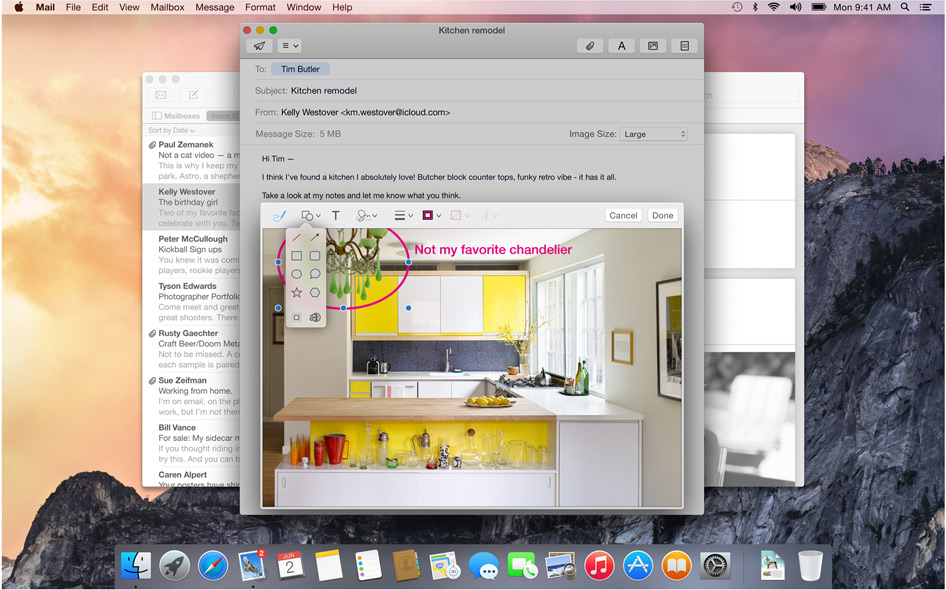
We needed Markup, we just didn’t know
Markup feature allows you to add annotations or write texts on Jpegs. It even lets you sign PDF’s right in the mail itself. The feature also recognizes the hand drawn symbols and gives them a digital look instantly.
Safari:
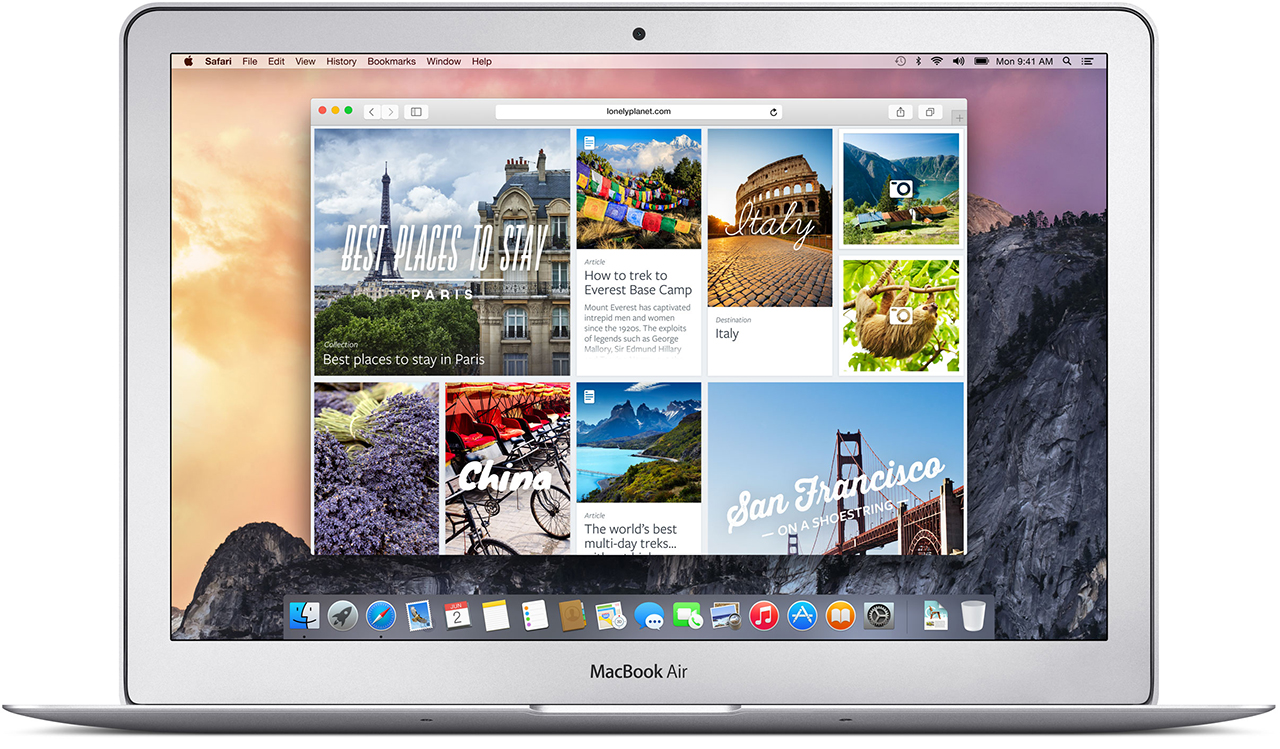
Visual and Functional Reconstruction of Safari
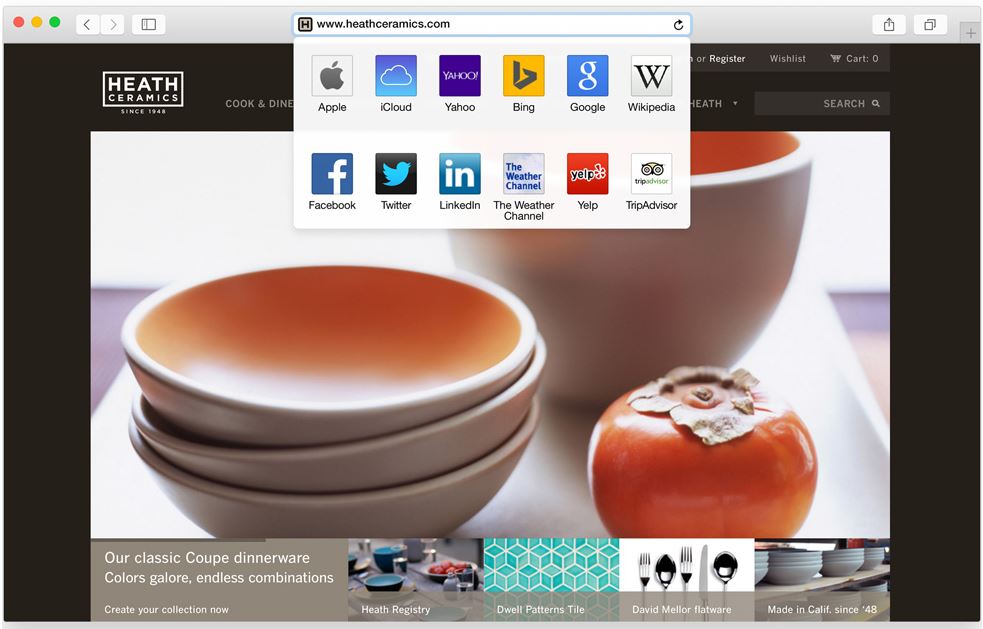
Safari has got a visual renovation with a sleeker look. The browser now has a slimmer address bar to maximize browsing area. The favorites links can be accessed by clicking on the search bar. Safari is now integrated with spotlight searches to give better results and undermine Google even in the browser where it has thrived since its inception.
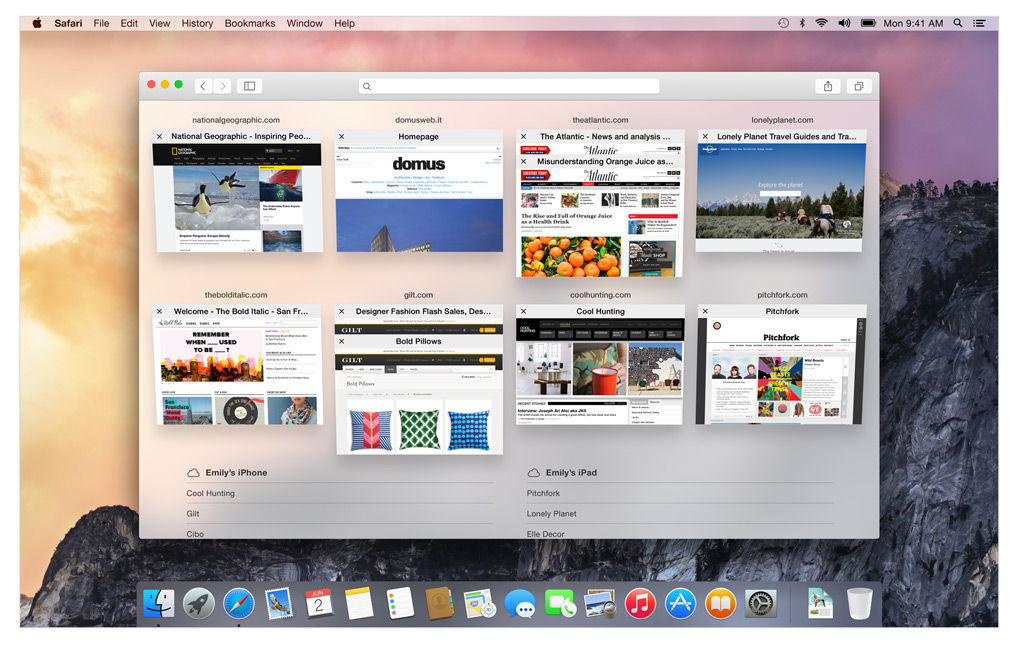
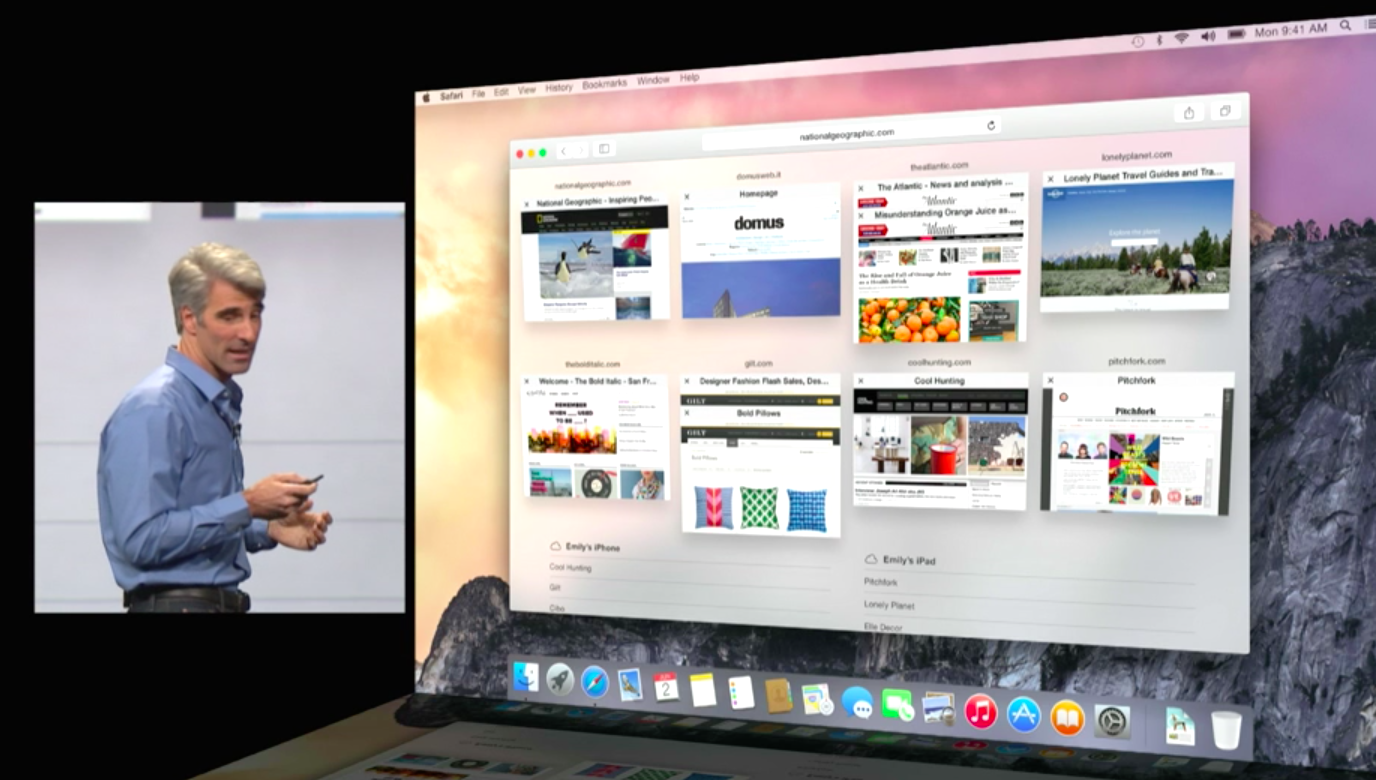
Tab view makes internet browsing simpler
The Tab View is without a doubt the best feature on the new Safari. This gives a bird’s eye view of all the tabs and by organizing each tab according to its corresponding website it gives a cleaner and more efficient browsing experience. As has been with Apple, the animations are impressive.
Spotlight:
The only search you’ll need
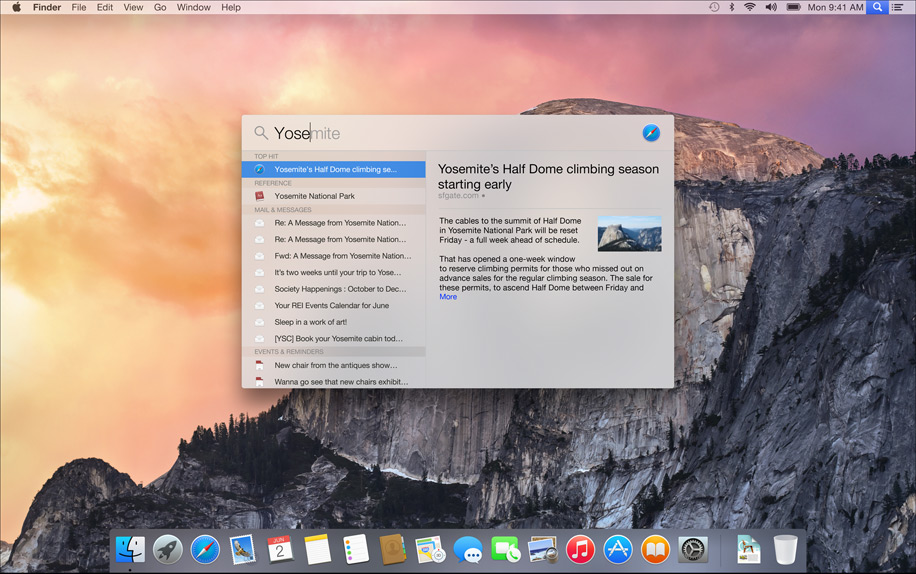
This is also where things got interesting, its almost like Spotlight got an adrenaline shot. When the magnifying glass icon is clicked a search bar opens in the middle of the screen. It is a fast and convenient way of opening Apps and files. While searching for a file, spotlight gives a preview of the content of the document.
Not just that Apple has integrated the internet sourcing ability on the Spotlight. This allows more in-depth search results for your query and would completely make Google obsolete on the Mac.
Spotlight can also be used for instant conversions and much more. This added utility will be really easy to get hands on and quite possibly make you wish your other systems had it too. It is essentially a one-stop shop for instant information.
Design:
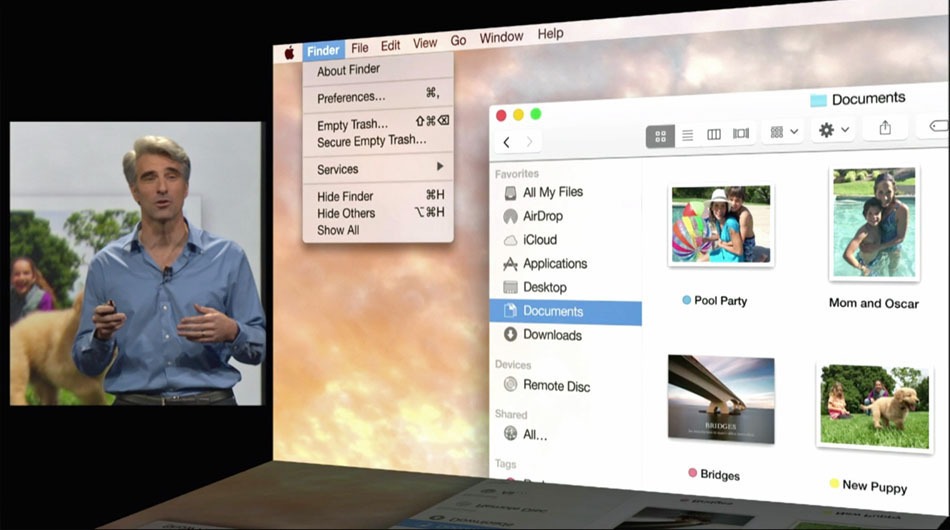
Clarity is added through Translucence
Translucency is the key element inducted into the Yosemite. From the Docks, it is especially noticeable in the drop down menus and the finder. New toolbars and windows are giving it a fresh new look. The dark mode indeed looks enticing to start using right away.
The clean and consistent design throughout the OS gives a sense of, dare I say it again, continuity which will be really appreciated during extended uses.
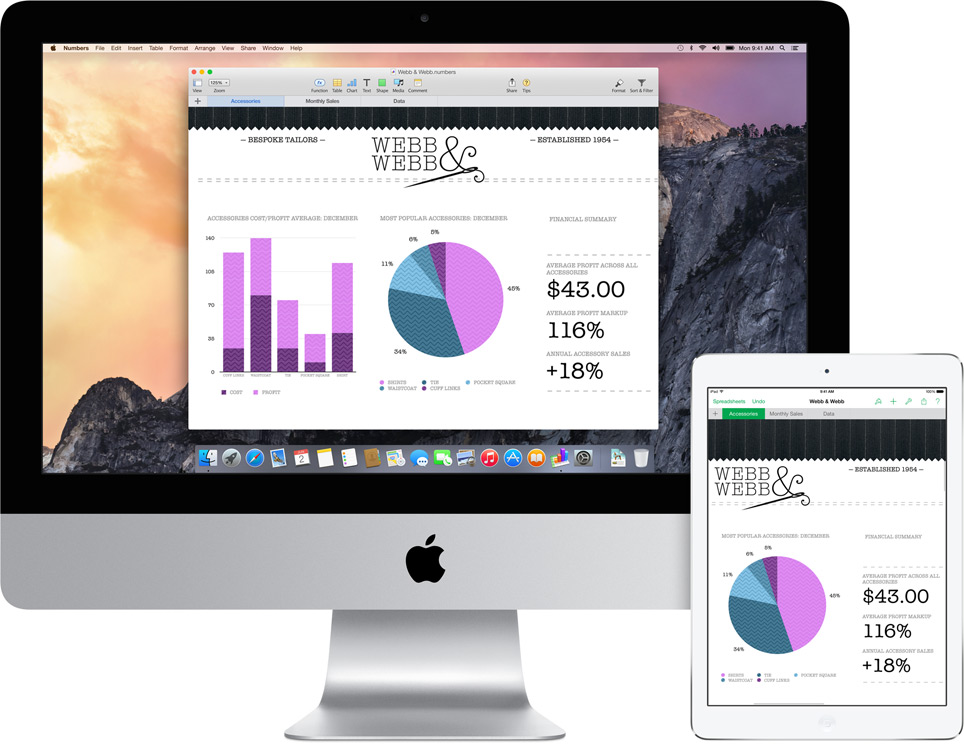
The new Today view in Notification Center gives you a quick look at everything you need to know now — upcoming events, reminders, stocks, weather, and more. It is really handy and reminds you of the notification panel on the iOS 6 and 7. You can extend the panel to add widgets from the Mac App Store to customize according to your needs.
ITS FREE:
Yes, it is free, the most featured packed Apple OS is releasing this fall and it is for FREE. Not just that, there is also an update that’s gonna get a lot of people excited. Apple will let you be a part of the Public Beta program for the OS X Yosemite. Though there will be some glitches, but it will give the fan-boy a feel of being an Apple developer.
Conclusion:
In the 25th installment of the WWDC, Apple made a good bet of focusing only on its two operating systems and interlinking them together. This was one of the most feature intensive update in a long while. This will be a revolutionary idea and we will probably see all the Apple competitors trying to provide better integration across multiple platforms on the lines of the Yosemite. It’s time that the Apple naysayers should take a break and introspect about what they are doing with their lives.
So, its here, the moment you were all waiting for, the 25th edition of the Apple Developers conference. The WWDC 2014 brought out the Big Boy Mac OSX Yosemite. Now I should let you know I took incredible amount of pain to bring you this, battling through the laggy video on an Indian internet speed.
Lets see some of the most innovative new features of the new Yosemite.
The Looks:
Translucence is a dominating feature of the Yosemite
A lot of translucence added to the new OSX, it is especially noticeable in the drop down menus and the Dock. New toolbars and windows are giving it a fresh new look. The notification center brings it closer to a mobile device experience.
The new Today view in Notification Center gives you a quick look at everything you need to know now — upcoming events, reminders, stocks, weather, and more. You can also add widgets from the Mac App Store to customize what you see.
The entire cleaned up look is visually appealing.
Search Feature:
Spotlight has got the biggest Makeover
It seems like spotlight got an adrenaline shot. A Search bar is provided at the center of the screen. The search gathers information from the internet thereby giving you more in-depth results in terms of newsfeeds, Wikipedia and maps. It also adds better scrolling ability through the results.
Apple has gone out of its way to make Google obsolete for Mac users.
iCloud Drive-
iCloud Drive gives you more ease of access to the files on the cloud. It is now capable of 5 GB attachments and will work with any type of files. Now that’s some cloud storage we can get back on.
Safari:
Functional Reconstruction of Safari
Safari has also got a visual renovation with a sleeker look. The browser now has a slimmer address bar to maximize browsing area. Safari is stated to give 2 hours longer battery life on streaming video from Netflix. Apart from this, it gives more efficient tabbed browsing performance. You also get the ability to browse through all your open tabs more efficiently.
Tabbed Browsing overview makes internet even simpler
They have also powered Safari with better search capabilities; it reaches wider and includes sourced information from Wikipedia, Bing, Maps and iTunes. It has added a tab which gives easy access to favorite links without looking too cluttered.
A drop down menu with your favorite sites
Handoff:
Handoff set a milestone in terms of inter-connectivity
Apple has recognized the value of “Continuity” amongst the many screeens we posses now. Yosemite and even iOS 8’s primary function is to provide greater inter-connectivity amongst the devices. So here is this cool new feature that lets you do just that. It allows you to work on the same file from the Mac as well as your iPad while on the move. You can also work on an email from multiple devices. This is definitely one of the feature that all hardware and software makers should take notice of.
It is also a part of this increased inter-connectivity that the Yosemite now allows you to receive SMS texts on you Mac and iPads. By connecting to iCloud all your devices act as extentions of each other. You can get phone calls on these devices too. Also your Macs can now recognize your iPhone and give you the option of making it a hotspot.
Phone call, SMS can now be answered from all Apple devicesPhone call, SMS can now be answered from all Apple devices
There is also an update thats gonna get a lot of people excited. Apple will let you be a part of the Public Beta program for the OS X Yosemite. For Free. Though there will be some glitches but it will give the fan-boy’s a feel of being an Apple developer.
Conclusion
At the 25th installment of the most awaited tech conferences of the year, Apple seems to have found its groove back. The clean OS coupled with multiple new ease of access features makes Yosemite a better upgrade over the last few outings.