Tag: microsoft

  • Microsoft Gives Windows 8 PCs to Windows 8 developers

    Microsoft Gives Windows 8 PCs to Windows 8 developers

    To ensure that their invited developers show up at the conference Microsoft gave away Windows 8 based PCs to all the attending devs. The company announced during its keynote that it’s giving away 5,000 Samsung-built developer “PCs” to attendees, and that will also include AT&T sponsored  year of 3G service (2GB per month). Microsoft is calling every Windows 8 device a “PC,” even tablets.

    Specs of this freebie include

    • Intel Core i5 processor
    • 11.6-inch 1,366 x 768 Samsung Super PLS display
    • 64GB SSD
    • 4GB of RAM
    • Dock with a USB, HDMI and Ethernet ports.
    Its one of those moments where you wish you were an App developer.
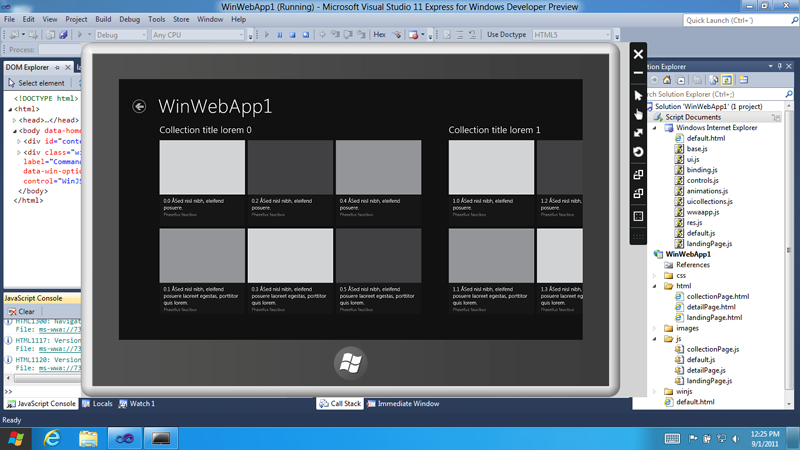
  • Windows 8 Minimum requirements consist of Intel Atom and 1GB RAM

    Windows 8 Minimum requirements consist of Intel Atom and 1GB RAM

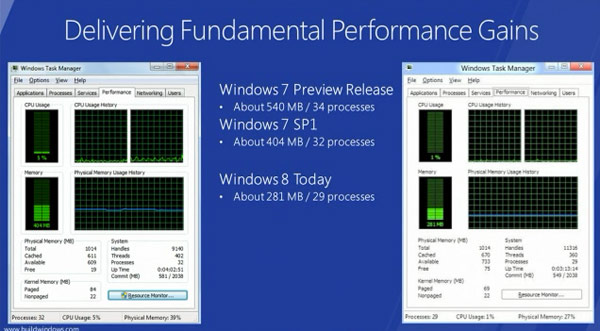
    Microsoft Windows President Steven Sinofsky after a quick announcement  and a simple demonstration explained that Win8 demanded fewer system resources than Win7 with the same hardware specs

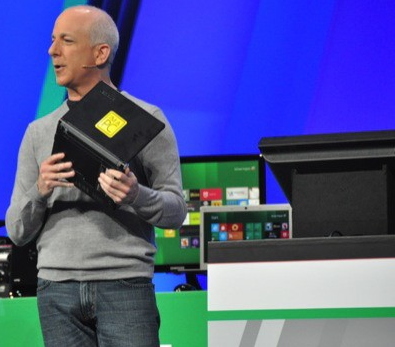
    With a Lenovo S10 in his hand he showed that  an early-gen Atom CPU and 1GB of RAM is “enough” to run the new OS (AKA Windows 8 )


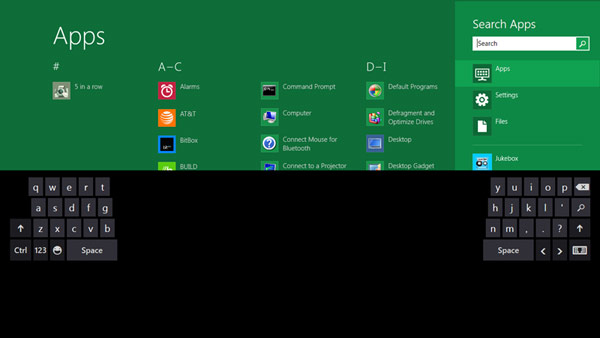
  • The new Windows 8 Store will sell both Metro based and Original 32bit Windows Applications

    The new Windows 8 Store will sell both Metro based and Original 32bit Windows Applications

    Microsoft has announced at the Build 2011 that the new Windows 8 store will be home to both apps that are based on the new Metro style UI along with traditional Windows Apps that you have grown to Love/Hate. 

    It kind of reminds us a lot of a certain “Mac App Store” but hey thats just us !

  • Windows 8 Developer Preview Launched, Downloads Commenced(PR)

    Windows 8 Developer Preview Launched, Downloads Commenced(PR)

    With the commencement of the Microsoft Build conference, the company has also launched the Developer version of Windows 8.

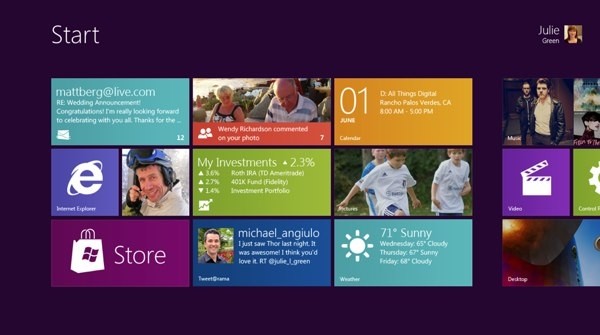
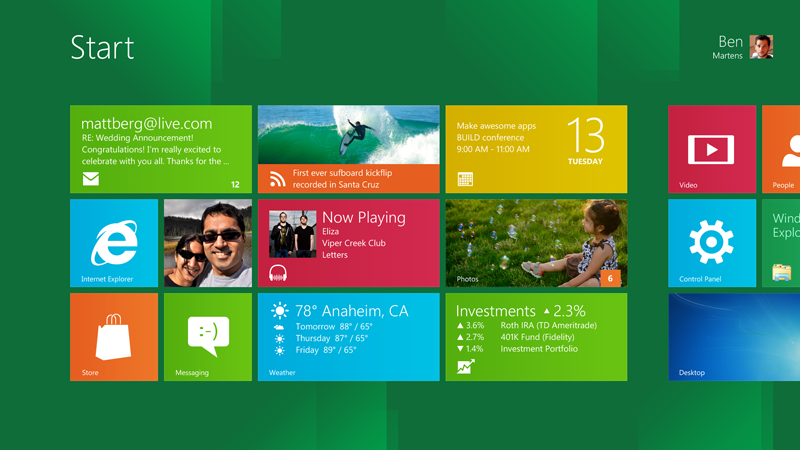
    Widows 8 is a remained version of Windows, that offers a practically new way to interact with the personal computer. The new platform also bring a new range of capabilities that can let developers bring the easy and graphics of the Windows Phone 7 Metro UI .

    Steven Sinofsky- President Windows.


    Get Your version of the Dev Preview Here : Link – Microsoft Dev Downloads


    [toggle title_open=”Press Release” title_closed=”Press Release” hide=”no” border=”yes” style=”default” excerpt_length=”0″ read_more_text=”Read More” read_less_text=”Read Less” include_excerpt_html=”no”]Microsoft Reimagines Windows, Presents Windows 8 Developer Preview

    BUILD Conference attendees and developers get first access to new operating system.

    LOS ANGELES – Sept. 13, 2011 – Today at its developer-focused BUILD conference, Microsoft Corp. showcased a detailed preview of the next major release of Windows, code-named “Windows 8.” The company also detailed new tools for developers to help write applications for more than 1 billion people around the world who use Windows every day.
    “We reimagined Windows,” said Steven Sinofsky, president of the Windows and Windows Live Division at Microsoft, in his keynote address to the thousands of developers in attendance. “From the chipset to the user experience, Windows 8 brings a new range of capabilities without compromise.”

    The company also highlighted a variety of new features in Windows 8, including the following:

    Touch-First User Interface
    • Metro style. Windows 8 introduces a new Metro style interface built for touch, which shows information important to you, embodies simplicity and gives you control.
    • Touch-first browsing, not just browsing on a touch device. Providing a fast and fluid touch-browsing experience, Internet Explorer 10 puts sites at the center on new Windows 8 devices.
    More Ways to Engage With Powerful, Connected Apps
    • Powered by apps. Metro style apps built for Windows 8 are the focal point of your experience, filling your entire screen so there are no distractions.
    • Apps can work together. Apps communicate with each other in Windows 8. For example, you can easily select and email photos from different places, such as Facebook, Flickr or on your hard drive.
    • The content you create syncs across your devices. Live roams all the content from the cloud services you use most – photos, email, calendar and contacts – keeping them up-to-date on your devices. With Windows SkyDrive, you can access content anywhere with your Microsoft account.
    Enhanced Fundamentals
    • The best of Windows 7, only better. Windows 8 is built on the rock-solid foundation of Windows 7, delivering improvements in performance, security, privacy and system reliability.
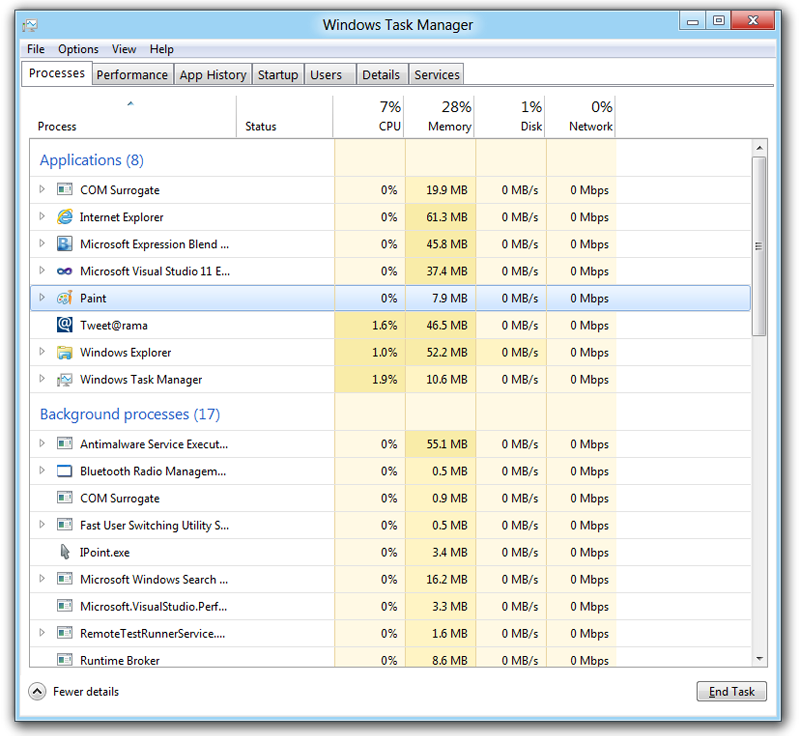
    • Preserving power-user favorites and making them better. For those who push the limits of their PC, Windows 8 features an enhanced Task Manager and Windows Explorer and new, flexible options for multimonitor setups.
    New Developer Opportunities
    • Windows Store. The Windows Store will allow developers to sell their apps anywhere Windows is sold worldwide, whether they’re creating new games or familiar productivity tools.
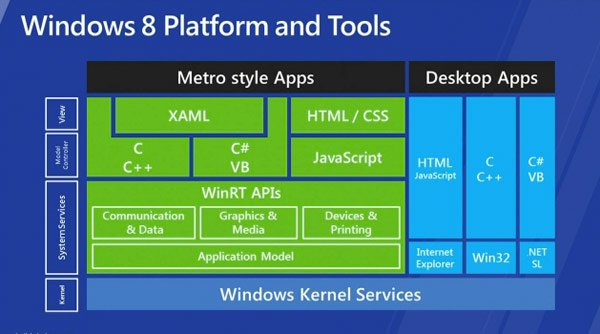
    • Build using more languages. Windows 8 lets you leverage your existing skills and code assets to create great experiences using the programming language you prefer.
    • Rich hardware integration leads to richer experiences – particularly for games. DirectX 11 gaming power underlies Windows 8, allowing the easy creation of full-screen games with smooth, flicker-free action.
    New Generation of Hardware
    • One Windows – many shapes and sizes. Support for ARM-based chipsets, x86 devices, touch and sensors means Windows 8 works beautifully across a spectrum of devices, from 10-inch tablets and laptops to all-in-ones with 27-inch high-definition screens.
    • Always connected. With Windows 8, new ultrathin PCs and tablets turn on instantly, run all day on a single charge and stay connected to the Internet so your PC is ready when you are.
    • Tap the full power of your PC. Windows 8 runs on PCs and is compatible with the devices and programs you use today on Windows 7, without compromise, to deliver the performance you expect of a PC.

    Developers will be able to download the Windows Developer Preview via the new Windows Dev Center later this week. Webcasts of sessions will be posted on the BUILD site as well.
    Founded in 1975, Microsoft (Nasdaq “MSFT”) is the worldwide leader in software, services and solutions that help people and businesses realize their full potential.
    Some information relates to a prerelease product, which may be substantially modified before it’s commercially released. Microsoft makes no warranties, express or implied, with respect to the information provided here.[/toggle]
  • Microsoft plans to demo Windows 8 on a Samsung tablet next week

    Microsoft plans to demo Windows 8 on a Samsung tablet next week

    Microsoft Windows president Steven Sinofsky will unveil the company’s latest Windows 8 operating system running on a tablet during Microsoft’s BUILD conference in California next week


    Investors are hungry to see how [Microsoft is] going to join where the market’s going, they’ve been lagging and they need to catch up and surpass what’s going on, to demonstrate they truly are an innovative company.”

    -MS portfolio manager Todd Lowenstein

    The Conference starts on Sept 13 and MS is all set to showcase the Tablet manufactured by Samsung a log with Tabletized Win 8.

    [Reuters]

  • ViewPad 7x and 10pro and cheap 7e Tablets Announced

    ViewPad 7x and 10pro and cheap 7e Tablets Announced

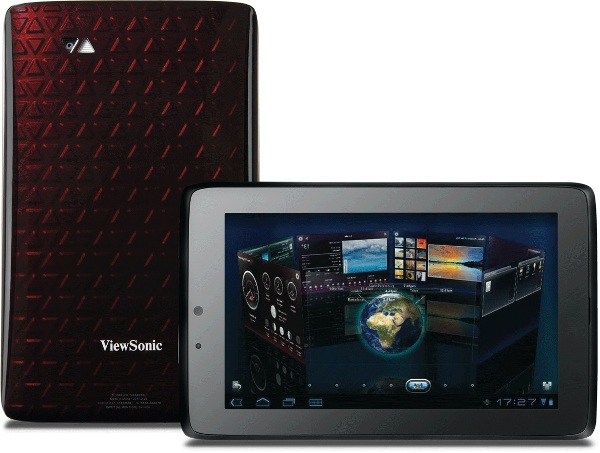
    Viewsonic is taking its tablet business seriously, and has announced the impending launch of three new tablets – The ViewPad 7x, ViewPad 10 Pro and the budget friendly ViewPad 7e.

    The ViewPad 10 Pro runs Android 2.3 and Windows 7 and will be available from  September 5th  at €499 (INR 35000) for the WiFi only version.

    The ViewPad 7x is a 7 inch tablet and will run Honeycomb with custom, 3D ViewScene skin. It has 8GB onboard, Tegra 2-chipset, launching this month for €349 (INR 25000) The Budget 7e will have a price tab of  €169 (INR 12000) , a 7 inch screen a single core processor and 2 point multitouch system, with only 4GB of onboard storage this device will prove to be quite popular as an alternative to the Reliance Pad.

  • HTC Omega Windows Phone Leaked

    HTC Omega Windows Phone Leaked

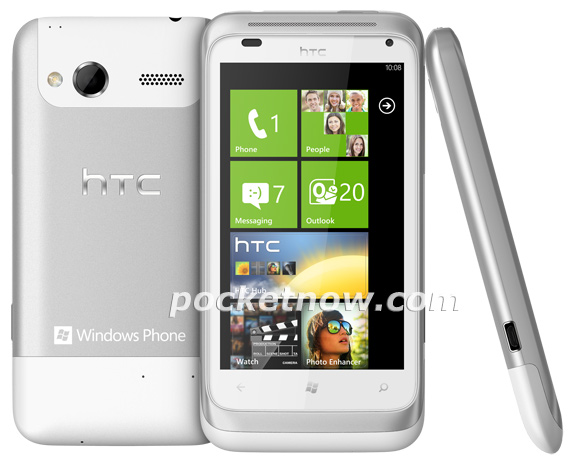
    A newly leaked marketing render of HTC’s upcoming Omega Windows Phone has surfaced the inter webs of today. Specs include : 

    • 1.5GHz processor
    • 512MB of RAM 
    • 8-megapixel camera
    • 3.8-inch display
    • WIndows Phone 7 Mango
    Looks like a juiced up variant of the Sensation for Windows Phone 7. It will be interesting to see if this device ever makes it to India. We are trying to get more info on this.
  • Microsoft confirms 3D compatibility in Halo, Xbox 360 Remake

    Microsoft confirms 3D compatibility in Halo, Xbox 360 Remake

    Microsoft has finally confirmed 3D gaming for XBox 360. This comes almost a year after Sony added 3D support to their PS3. Joystiq experienced a demo at Gamescom in Germany, and reports that it only works with the game’s updated graphics mode, and that the game’s producer claims the framerate will stay consistent even in 3D. While there are already a number of Xbox 360 games that support 3DTVs.

    Epic Games had also announced earlier this month the Gears of War 3 will also support 3D, but this is the first instance of game from Microsoft. Its good news for those already on the 3DTV bandwagon, but not too great for people who don’t want to loose their sight and hemorrhage their brains with excessive 3D.

    [Joystiq]

  • Microsoft Patent Applications Reveal a possible Dual Screen Tablet Future

    Microsoft Patent Applications Reveal a possible Dual Screen Tablet Future

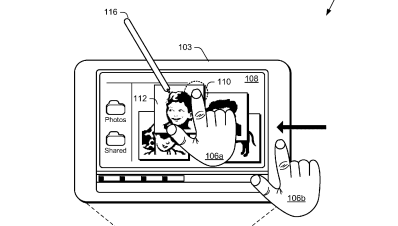
    Microsoft has been playing with the idea of a dual screen tablet for quite some time, remember the courier tablet? This time around MS is teasing the world of tech itself with the Tablet patent that promises a dual screen experience. Microsoft has been talking a lot about Windows 8 and a tablet specific OS.

    MS has filed for multiple patents including, Muti-screen dual tap, on-off gesture, Muti Screen Pinch and expand, Muti-screen – Hold – Expand- page flip and radial gestures. Microsoft has not yet been awarded with these patents. But looks like the whole Tablet frenzy has been fueled by the Apple Patent Lawsuits.

  • Skype will buy GroupMe Messaging Service (PR)

    Skype will buy GroupMe Messaging Service (PR)

    Skype is all set to buy the GroupMe messaging service for an undisclosed amount of money. This one year old messaging service allows users to create on-demand private phone calls/messaging groups with others, which includes texts and free conference calls.


    [toggle title_open=”Press Release” title_closed=”Press Release” hide=”yes” border=”yes” style=”default” excerpt_length=”0″ read_more_text=”Read More” read_less_text=”Read Less” include_excerpt_html=”no”]


    Skype Acquires GroupMe

    LUXEMBOURG, 21 August 2011 — Skype today announced it has entered into a definitive agreement to acquire GroupMe, a provider of mobile group messaging services that helps users stay in touch and make decisions. GroupMe was founded in 2010 at the Techcrunch Disrupt Hackathon and is headquartered in New York, New York. Terms of the acquisition will not be disclosed.

    Through the acquisition of GroupMe, Skype continues its drive to provide a global multi-modal and multi-platform communications experience. The acquisition of GroupMe complements Skype’s leadership in voice and video communications by providing best in class text-based communications and innovative features that enable users to connect, share locations and photos and make plans with their closest ties. This, coupled with the acquisition of mobile video provider Qik, which Skype announced earlier this year, augments Skype’s role as an innovator in driving unique mobile user experiences.

    “Skype and GroupMe have a shared vision of creating applications and experiences that are the daily communications choice for a billion people. We will continue to seek the top talent and technology to make that vision a reality,” said Tony Bates, Skype’s Chief Executive Officer. “The GroupMe team has created an incredibly sticky group messaging experience that works across mobile devices and platforms, making this a perfect addition to the voice, video and text products in the Skype family,” added Bates.

    “There is a natural affinity between Skype and GroupMe and our goal is to continue developing tools that make it easier for people to communicate, share, and stay in touch with their close and important ties,” said Jared Hecht, GroupMe’s Co-Founder. “Integrating GroupMe into the Skype experience is an amazing opportunity for us and accelerates the execution of our vision tenfold,” added Steve Martocci, GroupMe’s Co-Founder.

    [/toggle]


  • We’re In, Location Sharing App from Microsoft Released for WP7

    Microsoft has just outed the new “We’re In” location sharing app for Windows Phone 7 Devices. The App is free to download in the marketplace and is available now. 

    The App works on a time based location sharing scheme, first you invite someone to share their location and then you specify for how long the location sharing has to go on. It does bring in Location based networking features of Foursquare.


    Today we’re happy to announce the release of the “We’re In” app for Windows Phone. 

    We’re In makes organizing get- together’s, carpooling and trying to find people in a crowd a breeze. Any time you want to see where your friends are—We’re In can help you. It’s simple, invite your friends, and when they join, they’ll see your location and you’ll see theirs. When the invite expires, so does the shared location – no complicated process to worry about.

    We’re In is a great way to save time and frustration when planning your roadtrip or meeting your friend at the mall – helping you connect with your friend faster. Let’s take a closer look at the new We’re In product features and how they work.

    We’ve made We’re In super simple to use – all you need is your phone number to sign up. Simply invite your friends (via your contacts) to start sharing location info with each other including who, why, and how long:

    clip_image002

    Pick your friends from the contact list or enter their phone number, tell them what the plan is. At this point you can choose how long you want to share location info.

    Your friends receive a text message with these details. They can use the app to join you or, for friends that don’t have a Windows Phone, they can join from the mobile website via the invite.

    Seeing your friends on the map

    As each of your friends joins you, their locations appear on the map. If you need to you can pan, pinch and stretch the map to see more or fewer of them. Everyone that joins can see everyone else’s location.

                                                                                                                                           clip_image004       clip_image006

    You can also update your status message to let your friends know what’s going on (you’re on your way, you’re going to be late, the first round has just arrived, important stuff they need to know). To see someone’s most recent status message, just tap their user tile on the map. To see status messages for everyone that’s joined, go to the People tab.

    clip_image008

    To stop sharing your location info at any time, just tap “leave” on the People tab. If you want, you can send them a status message to let them know that you’re leaving.

    clip_image010

    And when the time is up, the invite expires and location sharing stops. You don’t need to do anything.


    “We’re In” is available as a Windows Phone application.   We’re working on bringing this app to more devices, so stay tuned!

  • Nokia CEO taking not so kindly to Google – Motorola Takeover

    Nokia CEO taking not so kindly to Google – Motorola Takeover

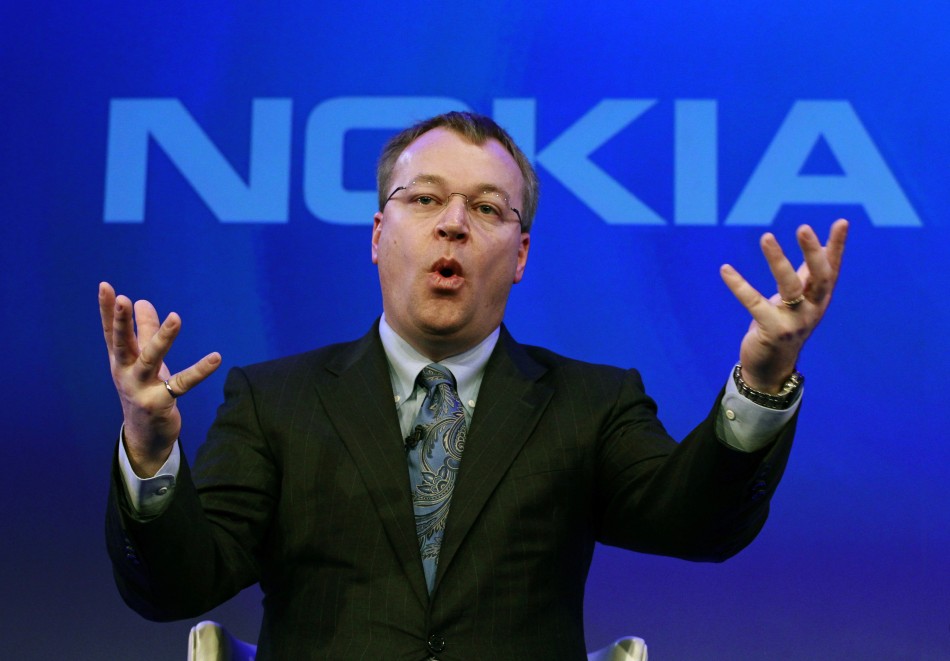
    Nokia CEO seems to have retracted his earlier statement regarding the ups of the Google’s planned takeover of Motorola Mobility. At a seminar in Helsinki the Finnish CEO quoted some misdirects at Android device manufacturers, stating that the road ahead is bumpy if the takeover goes through as planned.

    If I happened to be someone who was an Android manufacturer or an operator, or anyone with a stake in that environment, I would be picking up my phone and calling certain executives at Google and say ‘I see signs of danger ahead,The very first reaction I had was very clearly the importance of the third ecosystem and the importance of the partnership that we announced on February 11, it is more clear than ever,

    -Stephen Elop, CEO Nokia


  • Nokia partners with China Mobile for Windows Phone 7 Devices

    Nokia partners with China Mobile for Windows Phone 7 Devices

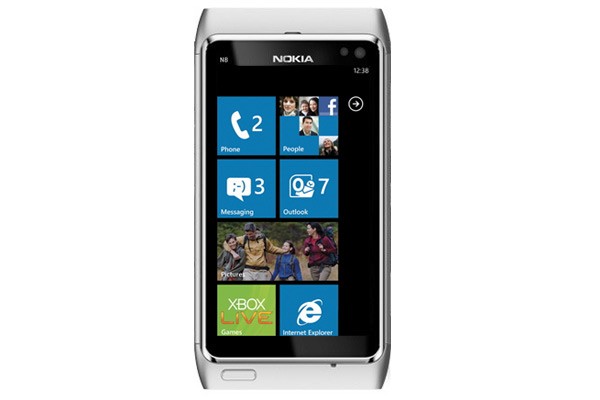
    Nokia has started to gather partners for its windows phone 7 devices, the first being China Mobile. 

    At a speech in Beijing last week, Nokia executive VP Colin Giles announced the company would be partnering with China Mobile to launch Windows Phone handsets in China—the first time Nokia has announced a carrier partner for the new devices.

    China mobile is also the countries largest mobile service provider with over 600 million subscribers that account for about two-third of China’s total mobile phone market. To operate on China Mobile’s 3G network, the phones will have to use the TD-SCDMA standard, meaning Nokia Windows Phone devices launching in China will not operate on networks of other carriers around the world.

    Despite many other challengers, Nokia remains the top handset maker in the Chinese and Asian market, although it is facing challenges from companies like ZTE and Huawei.

    Nokia plans to bring out the first WP7 devices next month, along with several to follow suit. 


  • Windows Phone Mango RTM 7720 Leaked – Freedom Experiment

    Windows Phone Mango RTM 7720 Leaked – Freedom Experiment

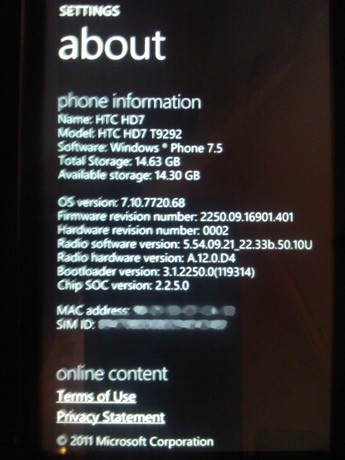
    The final version of Mango has leaked and is available for download today. Known as build 7720, and it requires the post-NoDo update dubbed 7392.

    Follow the link below to Xda-Developers where you will get instructions , warnings and files to update your device to the latest build.

    A good experiment for the long Freedom weekend.

    [xda-developers]

  • Microsoft Ready To Distribute The Cloud To Your Home

    Microsoft Ready To Distribute The Cloud To Your Home

    The cloud is a hot topic today. Not only is it popular, it literally generates a lot of heat. Data-centers are a huge investment and require a lot of power to run the machines as well as to keep them cool. On a very basic level, a computer efficiently converts electricity to heat, while processing some data, the same way a car engine converts petrol to heat, while also turning the wheels of the car.

    This analogy has led researchers at Microsoft to come up with the idea of distributing the physical hardware of the cloud from a single data-center into multiple smaller installations that could replace the furnaces in a house or office building. These data furnaces would consume electricity and crunch numbers while simultaneously using the excess heat for spatial or water heating.

    Using the data furnaces would have a number of advantages over conventional furnaces. Typically, the exhaust air from a computer is between 100 to 120 degrees fahrenheit. For homeowners, this exhaust air can be used to heat rooms as well as water for washing clothes. For company’s that build and operate data-centers, the physical cost of setting up the building as well as the cost of cooling the servers would be zero. In this situation, provided the companies pay for the electricity and Internet costs (which they would have to pay for anyways), everyone wins.

iGyaan Network
Privacy Overview

This website uses cookies so that we can provide you with the best user experience possible. Cookie information is stored in your browser and performs functions such as recognising you when you return to our website and helping our team to understand which sections of the website you find most interesting and useful.