Tag: microsoft windows

  • Microsoft Launches Kinect For Windows In India At Rs 19,990

    Microsoft Launches Kinect For Windows In India At Rs 19,990


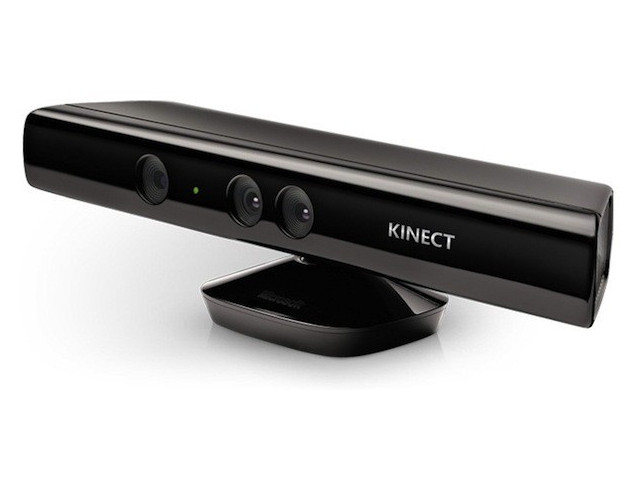
    Kinect for Windows sensor, which aims to harness Microsoft’s Natural User Interface in a bid to ‘revolutionise’ computing,  is now available in India along with the Software Development Kit (SDK). The Kinect for Windows sensor is available at Rs 19,990 while the SDK is available for free download at http://www.microsoft.com/en-us/kinectforwindows/.

    The Xbox 360’s Kinect accessory has been quite a hit among casual gamers. Its list of accomplishments doesn’t end there though, as developers and scientists have modded it to carry out some complex tasks.

    Microsoft is hoping that developers and businesses will take advantage of the cutting-edge features of this motion sensing technology like improved skeletal tracking, , enhanced speech, seated mode tracking to create innovative applications. 

    Kinect for Windows will include Studio – a tool which allows developers to record and play back Kinect data; Human Interface Guidelines (HIG) to guide developers on best practices for the creation of Natural User Interfaces and the Face Tracking SDK, which provides a real-time 3D mesh of facial features tracking the head position, location of eyebrows and the shape of the mouth.

  • Windows 8 to be launched on 26 October

    Windows 8 to be launched on 26 October

    Microsoft on Wednesday announced that its next-generation operating system tailored for a world shifting from personal computers to smartphones and tablets will be available on 26 October.

    Windows unit boss Steven Sinofsky revealed the Windows 8 debut date at a sales meeting, Microsoft communications manager Brandon LeBlanc said in a blog post.

    Windows 8 will be available in 109 languages across 231 markets worldwide, according to LeBlanc.

    Microsoft has promised to make the new operating system available in August for computer, tablet or smartphone makers to build into hardware.

    The Redmond, Washington-based firm has gone on record stating that Surface tablets would hit the market when the Windows 8 operating system became publicly available.

  • Microsoft will replace NTFS with ReFS in Windows Server 8

    Microsoft will replace NTFS with ReFS in Windows Server 8

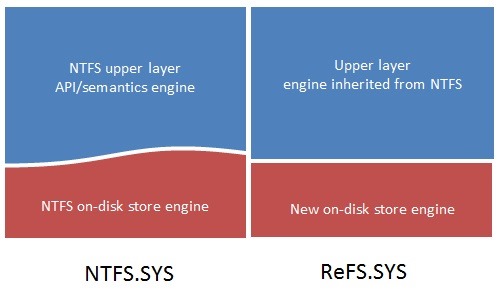
    Windows server 8 will introduce the Resilient File System, or ReFS, as a “next generation file system” built on the foundations of the NTFS. The new gen file system is designed by reusing NTFS’ API / semantics engine to retain a high level of compatibility with NTFS features. The new file system design is aimed to protect against latent disk errors, resist data corruption, uphold metadata integrity, grant large volume, file and directory size. The whole concept is to reduce the massive file corruption and fragmentation users face with NTFS and Windows in general.

    The key goals of ReFS are:

    • Maintain a high degree of compatibility with a subset of NTFS features that are widely adopted while deprecating others that provide limited value at the cost of system complexity and footprint.
    • Verify and auto-correct data. Data can get corrupted due to a number of reasons and therefore must be verified and, when possible, corrected automatically. Metadata must not be written in place to avoid the possibility of “torn writes,” which we will talk about in more detail below.
    • Optimize for extreme scale. Use scalable structures for everything. Don’t assume that disk-checking algorithms, in particular, can scale to the size of the entire file system.
    • Never take the file system offline. Assume that in the event of corruptions, it is advantageous to isolate the fault while allowing access to the rest of the volume. This is done while salvaging the maximum amount of data possible, all done live.
    • Provide a full end-to-end resiliency architecture when used in conjunction with the Storage Spaces feature, which was co-designed and built in conjunction with ReFS.

    The key features of ReFS are as follows (note that some of these features are provided in conjunction with Storage Spaces).

    • Metadata integrity with checksums
    • Integrity streams providing optional user data integrity
    • Allocate on write transactional model for robust disk updates (also known as copy on write)
    • Large volume, file and directory sizes
    • Storage pooling and virtualization makes file system creation and management easy
    • Data striping for performance (bandwidth can be managed) and redundancy for fault tolerance
    • Disk scrubbing for protection against latent disk errors
    • Resiliency to corruptions with “salvage” for maximum volume availability in all cases
    • Shared storage pools across machines for additional failure tolerance and load balancing

    What are the capacity limits of ReFS?

    The table below shows the capacity limits of the on-disk format. Other concerns may determine some practical limits, such as the system configuration (for example, the amount of memory), limits set by various system components, as well as time taken to populate data sets, backup times, etc.

    Attribute

    Limit based on the on-disk format

    Maximum size of a single file

    2^64-1 bytes

    Maximum size of a single volume

    Format supports 2^78 bytes with 16KB cluster size (2^64 * 16 * 2^10). Windows stack addressing allows 2^64 bytes

    Maximum number of files in a directory

    2^64

    Maximum number of directories in a volume

    2^64

    Maximum file name length

    32K unicode characters

    Maximum path length

    32K

    Maximum size of any storage pool

    4 PB

    Maximum number of storage pools in a system

    No limit

    Maximum number of spaces in a storage pool

    No limit

    [Building Windows 8]

  • Windows 8 Developer Preview Launched, Downloads Commenced(PR)

    Windows 8 Developer Preview Launched, Downloads Commenced(PR)

    With the commencement of the Microsoft Build conference, the company has also launched the Developer version of Windows 8.

    Widows 8 is a remained version of Windows, that offers a practically new way to interact with the personal computer. The new platform also bring a new range of capabilities that can let developers bring the easy and graphics of the Windows Phone 7 Metro UI .

    Steven Sinofsky- President Windows.


    Get Your version of the Dev Preview Here : Link – Microsoft Dev Downloads


    [toggle title_open=”Press Release” title_closed=”Press Release” hide=”no” border=”yes” style=”default” excerpt_length=”0″ read_more_text=”Read More” read_less_text=”Read Less” include_excerpt_html=”no”]Microsoft Reimagines Windows, Presents Windows 8 Developer Preview

    BUILD Conference attendees and developers get first access to new operating system.

    LOS ANGELES – Sept. 13, 2011 – Today at its developer-focused BUILD conference, Microsoft Corp. showcased a detailed preview of the next major release of Windows, code-named “Windows 8.” The company also detailed new tools for developers to help write applications for more than 1 billion people around the world who use Windows every day.
    “We reimagined Windows,” said Steven Sinofsky, president of the Windows and Windows Live Division at Microsoft, in his keynote address to the thousands of developers in attendance. “From the chipset to the user experience, Windows 8 brings a new range of capabilities without compromise.”

    The company also highlighted a variety of new features in Windows 8, including the following:

    Touch-First User Interface
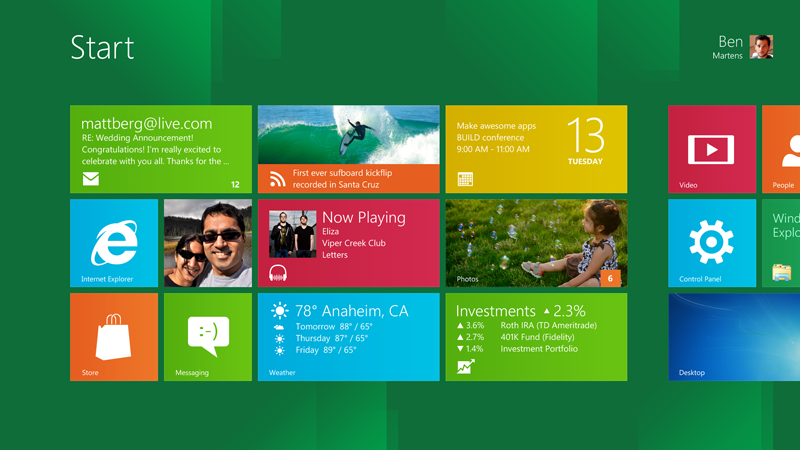
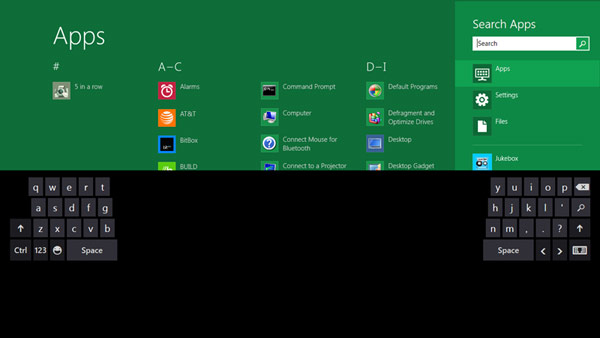
    • Metro style. Windows 8 introduces a new Metro style interface built for touch, which shows information important to you, embodies simplicity and gives you control.
    • Touch-first browsing, not just browsing on a touch device. Providing a fast and fluid touch-browsing experience, Internet Explorer 10 puts sites at the center on new Windows 8 devices.
    More Ways to Engage With Powerful, Connected Apps
    • Powered by apps. Metro style apps built for Windows 8 are the focal point of your experience, filling your entire screen so there are no distractions.
    • Apps can work together. Apps communicate with each other in Windows 8. For example, you can easily select and email photos from different places, such as Facebook, Flickr or on your hard drive.
    • The content you create syncs across your devices. Live roams all the content from the cloud services you use most – photos, email, calendar and contacts – keeping them up-to-date on your devices. With Windows SkyDrive, you can access content anywhere with your Microsoft account.
    Enhanced Fundamentals
    • The best of Windows 7, only better. Windows 8 is built on the rock-solid foundation of Windows 7, delivering improvements in performance, security, privacy and system reliability.
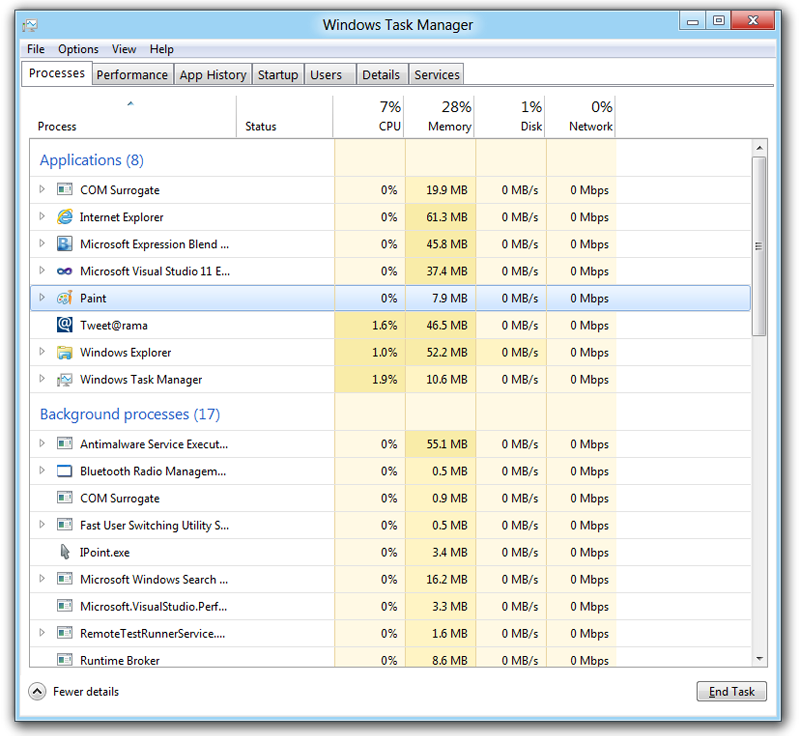
    • Preserving power-user favorites and making them better. For those who push the limits of their PC, Windows 8 features an enhanced Task Manager and Windows Explorer and new, flexible options for multimonitor setups.
    New Developer Opportunities
    • Windows Store. The Windows Store will allow developers to sell their apps anywhere Windows is sold worldwide, whether they’re creating new games or familiar productivity tools.
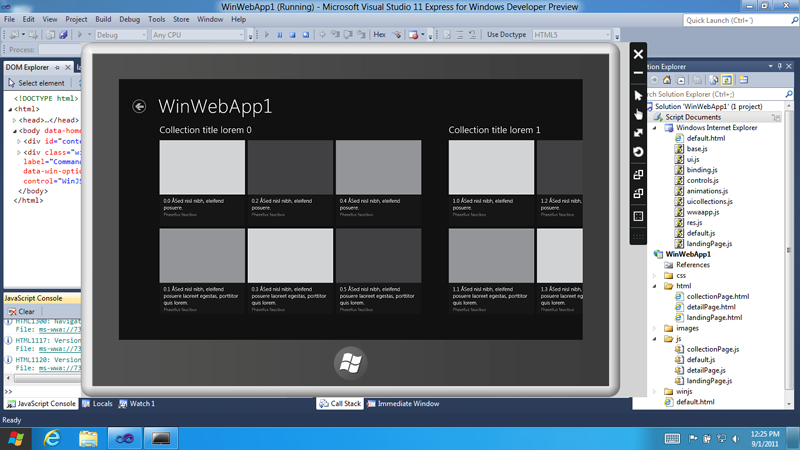
    • Build using more languages. Windows 8 lets you leverage your existing skills and code assets to create great experiences using the programming language you prefer.
    • Rich hardware integration leads to richer experiences – particularly for games. DirectX 11 gaming power underlies Windows 8, allowing the easy creation of full-screen games with smooth, flicker-free action.
    New Generation of Hardware
    • One Windows – many shapes and sizes. Support for ARM-based chipsets, x86 devices, touch and sensors means Windows 8 works beautifully across a spectrum of devices, from 10-inch tablets and laptops to all-in-ones with 27-inch high-definition screens.
    • Always connected. With Windows 8, new ultrathin PCs and tablets turn on instantly, run all day on a single charge and stay connected to the Internet so your PC is ready when you are.
    • Tap the full power of your PC. Windows 8 runs on PCs and is compatible with the devices and programs you use today on Windows 7, without compromise, to deliver the performance you expect of a PC.

    Developers will be able to download the Windows Developer Preview via the new Windows Dev Center later this week. Webcasts of sessions will be posted on the BUILD site as well.
    Founded in 1975, Microsoft (Nasdaq “MSFT”) is the worldwide leader in software, services and solutions that help people and businesses realize their full potential.
    Some information relates to a prerelease product, which may be substantially modified before it’s commercially released. Microsoft makes no warranties, express or implied, with respect to the information provided here.[/toggle]
iGyaan Network
Privacy Overview

This website uses cookies so that we can provide you with the best user experience possible. Cookie information is stored in your browser and performs functions such as recognising you when you return to our website and helping our team to understand which sections of the website you find most interesting and useful.