Tag: Office 365

  • Microsoft Office 365 is Now Free for Eligible Students Worldwide

    Microsoft Office 365 is Now Free for Eligible Students Worldwide

    Microsoft has finally expanded the free Office 365 subscription for eligible students and teacher globally. The open service was earlier limited to the students of the US only.

    The company made the announcement through its official blog post that reads –

    Millions of students around the world are eligible for free Office from their school and today [Tuesday] we are announcing that we’ve made it easy for all eligible students globally to sign up themselves to get Office 365 and install free Office, Microsoft confirmed via its Office Blogs.

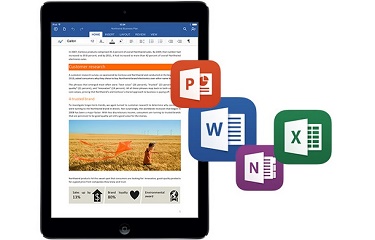
    Students just need to have a valid e-mail address, and they can sign up for a free Office 365 subscription. The users will get access to the latest versions of MS Word, MS Excel, MS Powerpoint, OneNote, Access, and Publisher. These programs can be installed on PCs, Macs and on up to five mobile devices including iPad, Android, and Windows Tablets. Students will also gain a massive storage space of 1TB on OneDrive and Office Online to keep their files safe.

    The company said that the offer can be availed only if schools do have a licensed software. The schools must license the Office in order to get benefitted from the provided service. Meanwhile, students can click here and enter the school-provided email address to access free Office. Teachers can do the same clicking here.
  • New Microsoft Office Update Extends Support to iCloud Storage

    New Microsoft Office Update Extends Support to iCloud Storage

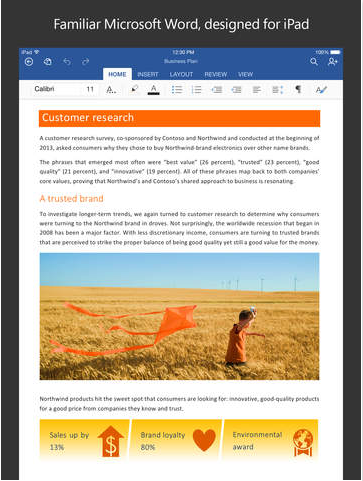
    Microsoft is expanding its horizon and is releasing app upgrades equally for all platforms. They’ve recently taken commendable steps to ensure everyone gets the chance to use their services, without being restricted to Windows. Today, the company updated the Microsoft Office app to Version 1.6, adding iCloud support for iOS customers. The new upgrade allows users on Apple devices running iOS 8 or above, to open, edit, and save Office documents to iCloud.

    microsoft office update

    With the new version, users don’t have to pay for an Office 365 subscription or to use OneDrive. They can view, edit and create docs for free. The upgrade could be a bit confusing for the regular iCloud users as the new version doesn’t allow you to add iCloud as a place in Word, Excel or PowerPoint.  One has to tap on ‘More’ section to access the saved documents on iCloud.

    File type is also a hurdle and users wouldn’t be able to overwrite the docs created with TextEdit on Mac. But you can always create a new document. Simply share your work with others by emailing a hyperlink, the file or a PDF.

  • Microsoft Office for Android Tablets is Out Now

    Microsoft Office for Android Tablets is Out Now

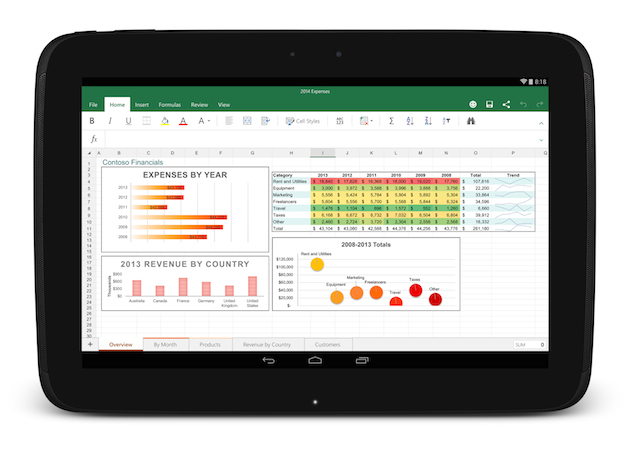
    After two months of beta testing, Microsoft has released the final version of Office for Android tablets. As with the iOS apps launched last year, Office is essentially free to use on Android for most consumers, though certain premium features and business functionality require an Office 365 subscription.

    The list of requirements to use the app include having a tablet that’s 7-inches or larger that’s also running Android 4.4 KitKat or newer. They also need to have to have an ARM-based processor and 1GB of RAM or above.

    office foe android

    All of the Office apps have a similar home screen. You can store your files either locally on your device, on your Microsoft OneDrive account, at a SharePoint location or on Dropbox. Once you sign in you’ll automatically be signed into OneDrive so you can sync files between devices, but the apps also feature Dropbox integration if that’s the file syncing solution you prefer.

    The one thing the new Android version of Office lacks is support for phones, which are still stuck with the older, more limited Office Mobile. The recent flood of Microsoft apps is a part of the company’s plan to put Office apps on all the popular devices whether they are running on Microsoft’s OS or not.

  • Microsoft’s Office 365 Updates Aimed To Help Compete With Google

    Microsoft’s Office 365 Updates Aimed To Help Compete With Google

    Today, Microsoft revealed a number of updates on Office 365 related products, including some new options to share Office 365 Home Premium with others.

    The latest Office Web App updates will go live shortly for anyone who signs in at Office.com with a free Microsoft account or a paid Office 365 account. These are significant improvements, enhancing collaborative capabilities and making the free online versions credible alternatives to the paid Office 2013 and Office 365 products.

    As ZDNet reports, he most visible improvements in the new Office Web Apps allow anyone to create documents in the three online programs—Word, Excel, and PowerPoint—and share them with anyone else for real-time collaboration. Effective with this release, online users of the Word Web App can stop hovering over the Save button. It’s gone, as that app now joins its Office-mates in the capability to automatically save changes to files while multiple users work on them simultaneously. Any changes your co-workers make show up in the document virtually instantaneously.

    Word also adds the ability to find and replace text in a document, a capability that is sorely missed in the previous Office Web Apps release.

    Other features for Excel that have been introduced include the ability to load workbooks that contain Sheet Protection, reorder sheets, drag and drop cells, and rename your workbook.

    Business users of Office 365 will now see a new integration of the company’s Yammer division. Starting now, all business Office 365 plans come with Yammer Enterprise, and current customers can now get Yammer Enterprise licenses. Also, Office 365 business users won’t have to purchase individual new licenses for external users within their external company networks.

  • Microsoft Releases Office Mobile For Office 365 Android App

    Microsoft Releases Office Mobile For Office 365 Android App

    Last month Microsoft unveiled the Office Mobile for Office 365 for iOS and now the Redmond company is following up with an Android version. 

    Office Mobile 365 enables Word, Excel, and PowerPoint document creation straight from the source. The app works by linking with a SkyDrive or SharePoint account and keeping documents stored online in a cloud locker that regularly synchronizes across devices. Someone can start a document on a desktop computer and then edit on their smartphone, or vice versa. A list of recent documents appears on the phone or desktop, and changes saved to documents are universal.

    “The release of this app shows that we’re committed to keep providing additional value for Office 365 subscribers,” Microsoft senior product manager Guy Gilbert wrote in a blog post.

    Microsoft has tried to leverage the widely used Office, which is preinstalled on mobile phones running its Windows Phone operating system, to eke out market share in the smartphone business that’s dominated by devices running Apple’s iOS and Google’s Android operating systems. 

    Initially, Office 365 is rolling out in the U.S., but will eventually be available in 33 languages and 117 markets. That expansion should begin in the coming weeks. You need an Android 4.0+ phone, not tablet which is an annoying limitation as people are more likely to edit a doc on a tablet than a phone.

iGyaan Network
Privacy Overview

This website uses cookies so that we can provide you with the best user experience possible. Cookie information is stored in your browser and performs functions such as recognising you when you return to our website and helping our team to understand which sections of the website you find most interesting and useful.