Tag: Office App

  • Dropbox Gets Exclusive Real Estate on Microsoft Office Apps

    Dropbox Gets Exclusive Real Estate on Microsoft Office Apps

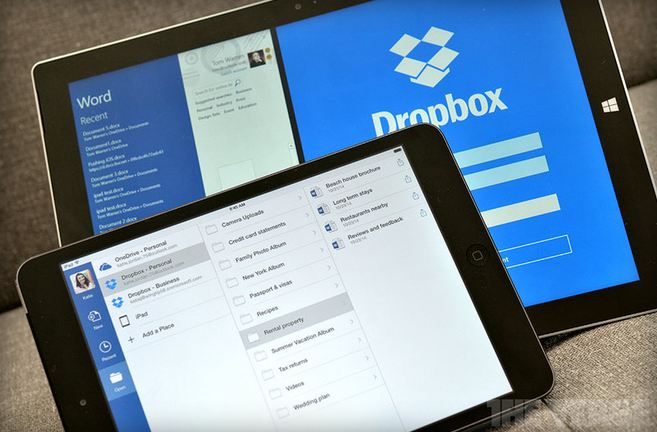
    Couple of weeks ago, Microsoft and Dropbox announced the plan to integrate Office and Dropbox within their web and mobile apps. The feature is now available in its latest app updates for iOS and Android. The move has come as a great surprise for Office users as they can access and edit Office documents from within the Dropbox.
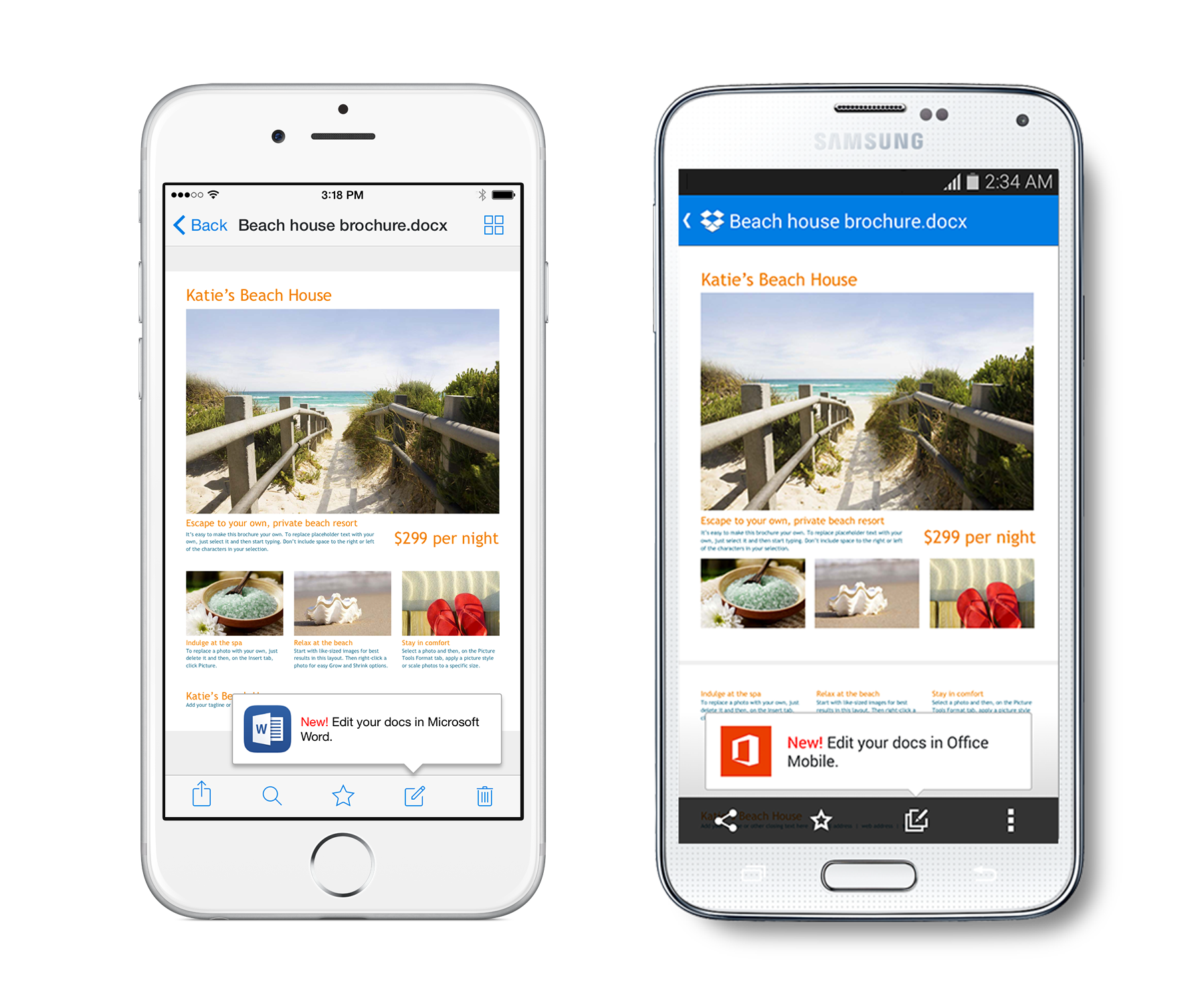
    iOS-and-Android-version-1

    Along with the ability to edit documents right from the Dropbox, users can also access Dropbox from Office apps and share new or edited files from the Office apps using Dropbox’s Share functionality. Dropbox has instructions on how to use the new integration with Microsoft’s Office apps on its website.

    To get started, make sure your Dropbox app is up to date on your iPhone, iPad, or Android phone, then open any Office doc, spreadsheet, or presentation in your Dropbox. Tap the new Edit icon (shown above) to start editing in the latest Office apps. When you’re done, your changes will be saved back to Dropbox automatically.

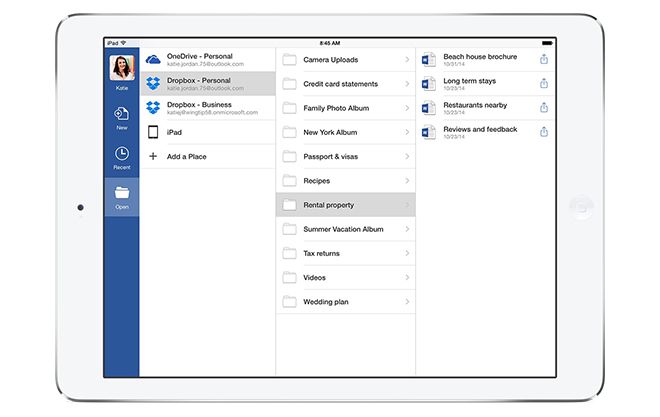
    Under the partnership, Dropbox gets a prime space that is used by more than a billion people, and the potential to make an even bigger name for itself particularly in the business enterprises. Notably, Microsoft has its own cloud service called OneDrive which will co-exist with Dropbox in the Office for iPad apps, letting users natively browse, open and edit Office documents uploaded on the Dropbox directly within the app.

    You can get the new features through the latest Dropbox app for iOS starting today and the latest versions of Microsoft’s Word, Excel, and PowerPoint Office apps. The integration is also expected to arrive for web users early next year.

  • Dropbox and Microsoft Announce a Surprise Collaboration for Office App

    Dropbox and Microsoft Announce a Surprise Collaboration for Office App

    Microsoft and Dropbox are surprisingly working together to closely integrate the cloud services into Office. The deal between the two rivals means users will be able to edit and share Office content across different devices and softwares.

    “Access to Dropbox content popped as one of the very first [Office for iPad] requests that customers had,” explains Kirk Koenigsbauer, Head of Microsoft’s Office Engineering team. “They want access to where their content is. We’re doing it to make sure customers have a great experience.”

    dropbox microsoft

    Under the partnership, Dropbox gets a prime space that is used by more than a billion people, and the potential to make an even bigger name for itself particularly in the business enterprises. Notably, Microsoft has its own cloud service called OneDrive which will co-exist with Dropbox in the Office for iPad apps, letting users natively browse, open and edit Office documents uploaded on Dropbox directly within the app.

    “From our perspective, it is about users’ choice,” says Kirk Koenigsbauer. “Of course, we have a OneDrive service, which is quite differentiated — it works incredibly well for users. But there are also people who use Dropbox, and we want to provide that choice and flexibility.”

    dropboxoffice.0

    In turn, Dropbox is adding options to its mobile application to push users over to Microsoft Office to edit documents. If you’re on a mobile device that doesn’t have Office installed, you’ll be prompted to download the apps to edit, and any changes will sync back directly to Dropbox automatically. Microsoft Office for iPad and Android application, at present, requires an Office 365 subscription to edit documents.

    “It’s really about creating a deep connection between Dropbox and Office,” says Ilya Fushman, Head of Product for Dropbox and Dropbox for Business. “We think this is a huge win for our users. We think this will result in the best possible experience for people trying to get work done, and trying to get work done on the go.” The move came just months after Dropbox unveiled its “Project Harmony” work to bring collaborative features to Microsoft Office. “We’re continuing that experience,” explains Fushman. “That experience is really about making it simple and easy to work on the desktop.” Most of the changes for which Dropbox is partnering up with Microsoft are focused on web and mobile.

  • Microsoft Releases Office Mobile For Office 365 Android App

    Microsoft Releases Office Mobile For Office 365 Android App

    Last month Microsoft unveiled the Office Mobile for Office 365 for iOS and now the Redmond company is following up with an Android version. 

    Office Mobile 365 enables Word, Excel, and PowerPoint document creation straight from the source. The app works by linking with a SkyDrive or SharePoint account and keeping documents stored online in a cloud locker that regularly synchronizes across devices. Someone can start a document on a desktop computer and then edit on their smartphone, or vice versa. A list of recent documents appears on the phone or desktop, and changes saved to documents are universal.

    “The release of this app shows that we’re committed to keep providing additional value for Office 365 subscribers,” Microsoft senior product manager Guy Gilbert wrote in a blog post.

    Microsoft has tried to leverage the widely used Office, which is preinstalled on mobile phones running its Windows Phone operating system, to eke out market share in the smartphone business that’s dominated by devices running Apple’s iOS and Google’s Android operating systems. 

    Initially, Office 365 is rolling out in the U.S., but will eventually be available in 33 languages and 117 markets. That expansion should begin in the coming weeks. You need an Android 4.0+ phone, not tablet which is an annoying limitation as people are more likely to edit a doc on a tablet than a phone.

iGyaan Network
Privacy Overview

This website uses cookies so that we can provide you with the best user experience possible. Cookie information is stored in your browser and performs functions such as recognising you when you return to our website and helping our team to understand which sections of the website you find most interesting and useful.