Tag: offline

  • Wikipedia back online after brief service cut

    Wikipedia back online after brief service cut

    Online encyclopaedia Wikipedia was knocked offline on Monday thanks to two accidentally cut cables near a data centre in Florida.

    The site, and various associated services, were inaccessible or extremely sluggish for over two hours beginning at around 1430 BST on Monday.

    A status web page showed various parts of the Wikimedia network as suffering performance issues.

    Wikipedia ruled out any suggestion of malicious intent being behind problem.

    The two cables, which stretched between Tampa and Virginia, were broken for an hour and six minutes, the site said.

    After the cables were repaired, it took another hour for basic service on Wikipedia to be restored.

    Its mobile site appeared to unaffected, although the service’s API – application programming interface – continued to suffer problems even when the main site had been restored.

    David Gerard, a UK spokesman for the Wikimedia Foundation – the charity which owns Wikipedia and other similar sites – told the BBC that the problem had been fixed.

    “Things appear to have been patched up, services are being brought back and things are getting to OK now,” he said.

    “Someone cut the cables going to the Tampa, Florida data centre. We have two big [centres], one in Florida and one in Virginia, and some network proxies in Amsterdam.

    “Everyone in that data centre was affected!”

    He said it was not yet clear what had caused the cut, or where exactly it had taken place.

    Mr Gerard joked that due to the site’s limited financial resources, some of its infrastructure relied on “gaffer tape and string”.

    In an error message posted to the site, the Wikimedia Foundation reiterated its reliance on donations to fund its continued operation.

    “The Wikimedia Foundation is a non-profit organisation which hosts some of the most popular sites on the internet,” the message read.

    “It has a constant need to purchase new hardware. If you would like to help, please donate.”

    Despite its limited funding, the site is considered to have impressive reliability. Its last significant down time was deliberate – the site went “offline” for 24 hours in protest at proposed anti-piracy bills in the US.

  • Apple OS X Mountain Lion Quick Overview

    OS X Mountain Lion is here, and there are quite a few new features to learn all about, so we sum it up listing the best out of all of them .

    Notification Center

    Just like on iOS , Notification centre gives you all your  alerts and messages under one bar, instead of all over the place. You can access your notification history by clicking the list icon all the way in the top right corner of the OS X menubar. If you want to edit your notification center settings, you can do so in the Notifications section of System Preferences. You’ll be able to decide what kind of notifications individual apps provide, or turn them off entirely.

    Notes and Reminders

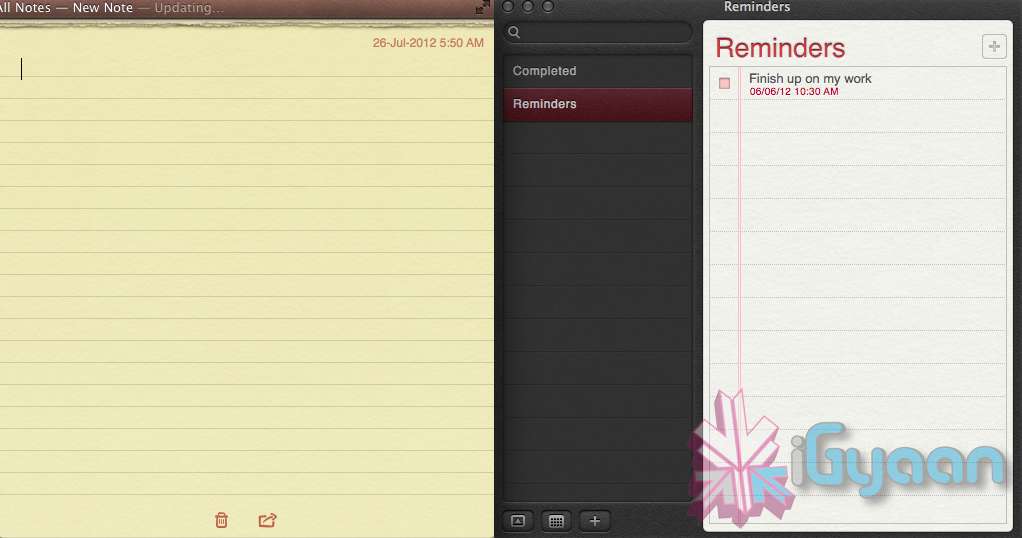
    The Notes app lets you save and organize text and images. Reminders allows you to create reminders so you don’t forget to do things. Again they are just like on iOS and sync well with your iDevices.


    Voice Dictation

    Just like on the iPad and iPhone you get voice dictation on Macs, in Mountain Lion (sadly no Siri).  To start dictating, just press the function (fn) key twice. When you’re done dictating, you can click the “done” button or press the function (fn) key twice again. OS X will take a moment and then provide you with the transcribed text. In addition to just offering words, you can say things like “period” or “comma” for punctuation and “new line” to make a new line.

    This feature works in any App or window that accepts text input via keyboard, also in online websites, like in GMAIL, as long as they are accessed in the new Safari.

    AirPlay Mirroring

    If you have an Apple TV, You can now mirror your display on an Apple TV (2nd or 3rd generation) with AirPlay if you enable it in Displays section of System Preferences. Down at the bottom there’s a checkbox beside “Show mirroring options in the menu bar when available.” Check it and you’ll be able to send your display to any detected Apple TV via the menu item in your menubar.

    Messages

    Messages is the iMessage of OS X. It’s been around in beta since Lion and hasn’t changed much in Mountain Lion. You can add your iCloud account to sync messages with an iPhone, iPad, or iPod touch. You can set up various instant messaging accounts, however, so Messages on the Mac is a little bit more functional than it is on iOS. That’s because it replaces iChat. Messages also now pulls out of Beta, so those of you who were experiencing slow takes may enjoy the new experience. 

    iCloud (Documents in the Cloud)

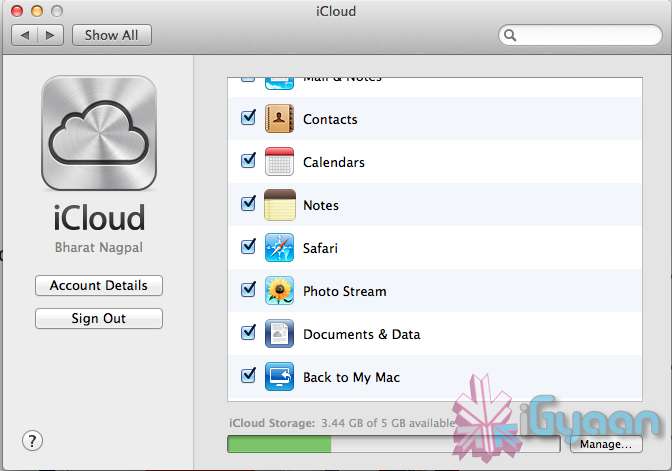
    iCloud has been upgraded significantly in Mountain Lion, you can access it in the same panel in System Preferences. If you turn on “Documents & Data” your documents (including versions of them) will be synced with iCloud, making them available on other iCloud-enabled devices.


    Share

     There is a new button in Mountain Lion, its the Share Button. Not every app has it yet, but many apps will be adding it to allow you to share content easily. In the meantime, Safari is one app that makes sharing sites easy to Messages, Twitter, and Email. If you click an image and then the sharing icon in a window’s toolbar, you’ll be able to share it on Twitter or Flickr. You’ll find other options for other file types as well. If you want to set up sharing accounts, visit the Mail, Contacts, & Calendars section of System Preferences.

    Security and Privacy

    In this new panel available in the System Preferences panel , a new checkbox “Allow applications downloaded from” , which once checked will give option “Mac App Store and identified developers” . This will prevent apps that aren’t signed through Apple’s developer center or downloaded through the Mac App Store from running

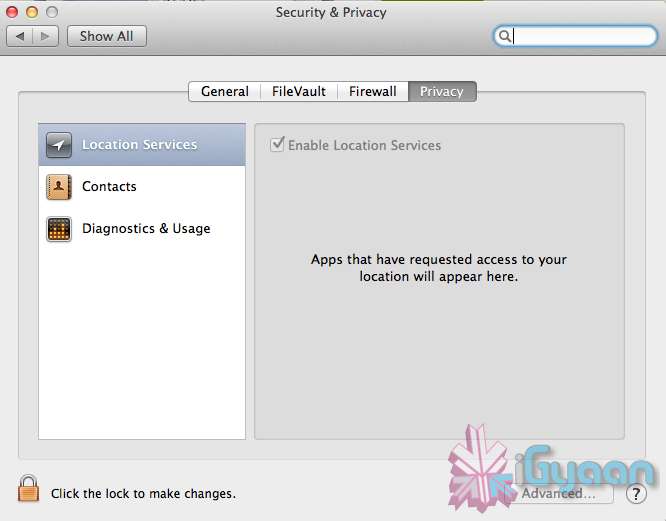
    Under Privacy, you get new privacy settings. This is where you can approve or deny an app’s permission to access certain things like your contacts, location, Twitter account, and more. 

  • Apple unveils Safari 6, Mac Only Version Out Now

    Apple unveils Safari 6, Mac Only Version Out Now

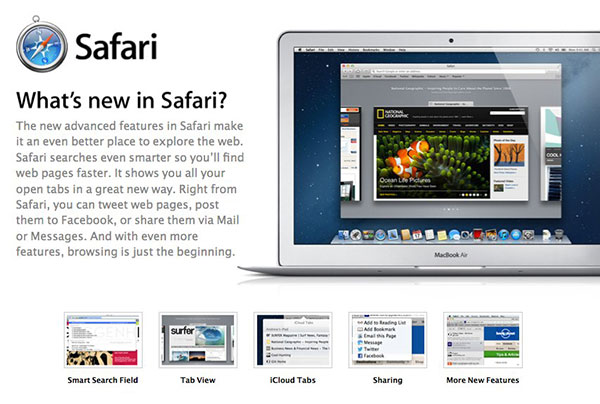
    Apple’s new Operating System, has a key browsing element, the new Safari, version 6, has been launched today alongside the major release Mountain Lion. The new Safari brings about some nice new features including iCloud tabs and a new tab view — both Mountain Lion only.

     There’s also a Do Not Track option to cover your internet tracks, just like the “incognito mode” on Chrome. It also appears that this time around Apple has not released a Windows Version for the software, and all earlier versions of Safari are now removed from Apple’s Servers. 

    [Apple}

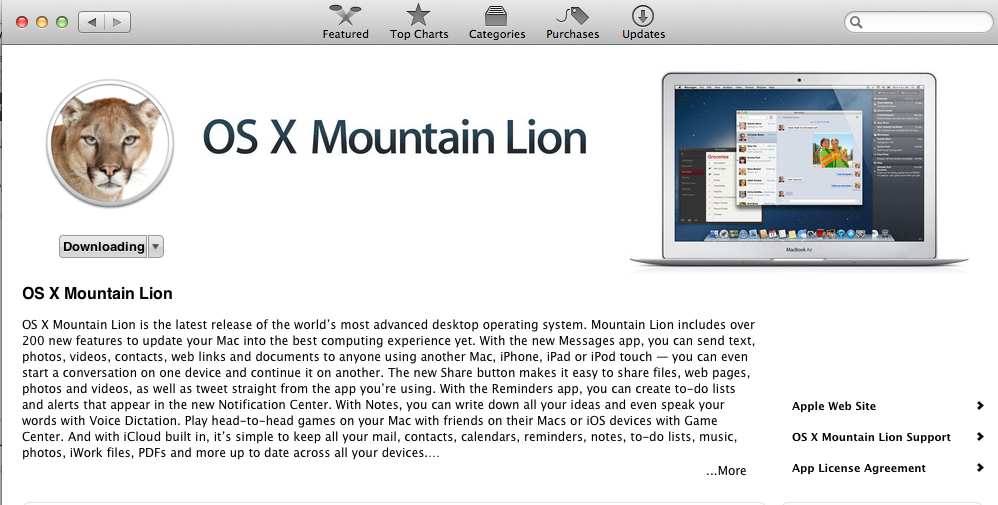
  • Apple Mac App Store gets Mountain Lion for Download – US $ 19.99 – 4.05 GB – LION Extinct (PR)

    Apple Mac App Store gets Mountain Lion for Download – US $ 19.99 – 4.05 GB – LION Extinct (PR)

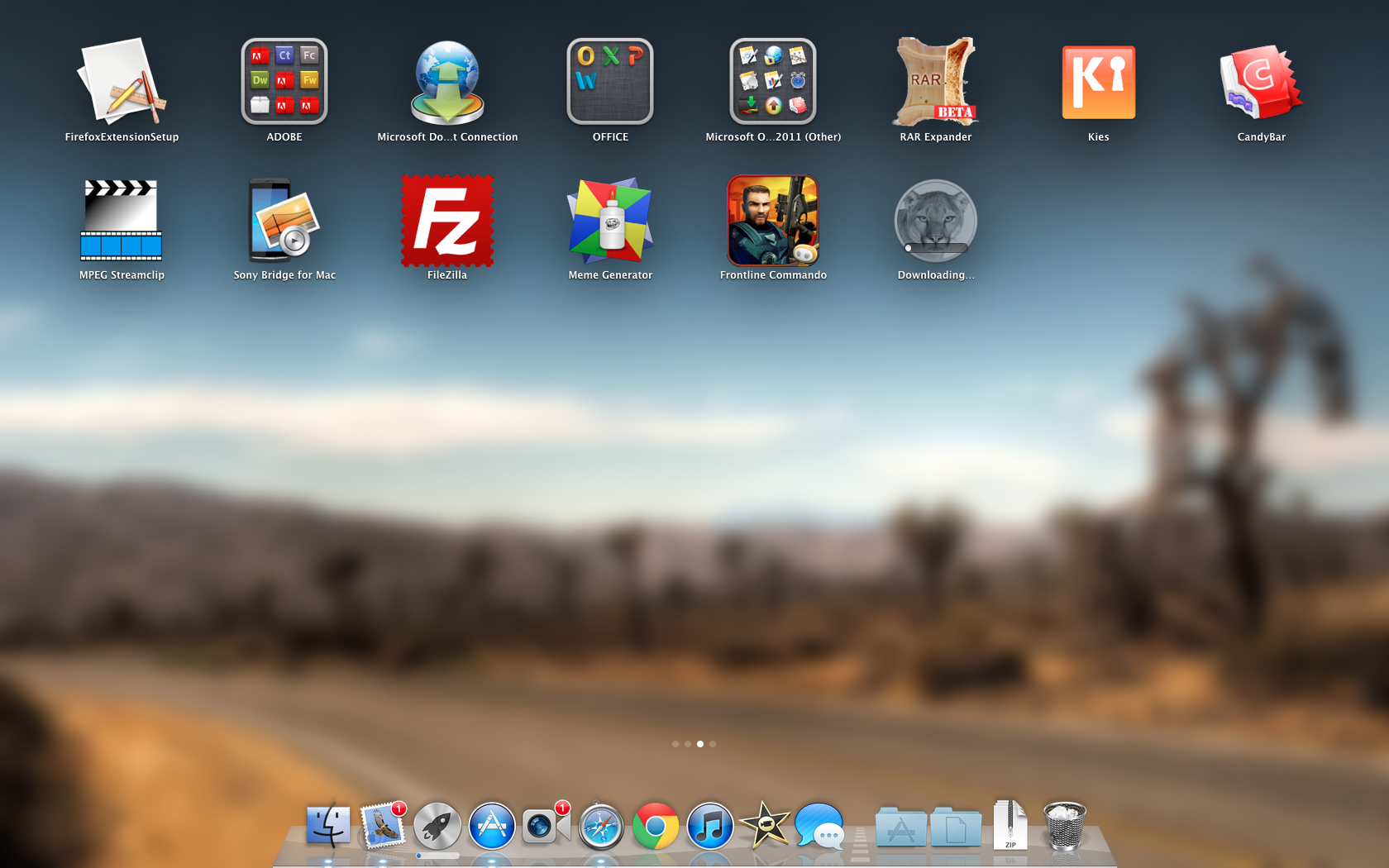
    The Mac App Store gets its own dose of Lion, and you can get it too for a mere US $ 19.99. The new Operating system adds over 200 new features including voice dictation, notification centre, new advanced sharing, ui fixes, customizations to Spotlight, AirPlay Mirroring etc. 


    While we download this 4.05 GB update, and sum it up for you. You can get your own version, at the link below.
     

    [toggle_box title=”Press Release” width=”Width of toggle box”]


    Mountain Lion Available Today From the Mac App Store


    Apple® today announced that OS X® Mountain Lion, the ninth major release of the world’s most advanced desktop operating system, is available as a download from the Mac® App Store?. With more than 200 innovative new features, Mountain Lion includes iCloud® integration, the all new Messages app, Notification Center, system-wide Sharing, Facebook integration*, Dictation, AirPlay® Mirroring and Game Center. Mountain Lion is available as an upgrade from Lion or Snow Leopard for $19.99.


    “With iCloud integration, Mountain Lion is even easier to set up, and your important information stays up to date across all your devices so you can keep editing documents, taking notes, creating reminders, and continue conversations whether you started on a Mac, iPhone or iPad.”


    “People are going to love the new features in Mountain Lion and how easy it is to download and install from the Mac App Store,” said Philip Schiller, Apple’s senior vice president of Worldwide Marketing. “With iCloud integration, Mountain Lion is even easier to set up, and your important information stays up to date across all your devices so you can keep editing documents, taking notes, creating reminders, and continue conversations whether you started on a Mac, iPhone or iPad.”


    With more than 200 innovative new features, Mountain Lion includes:


    iCloud integration, for easy set up of your Mail, Contacts, Calendar, Messages, Reminders and Notes, and keeping everything, including iWork® documents, up to date across all your devices;
    the all new Messages app, which replaces iChat® and brings iMessage™ to the Mac, so you can send messages to anyone with an iPhone®, iPad®, iPod touch® or another Mac;
    Notification Center, which streamlines the presentation of notifications and provides easy access to alerts from Mail, Calendar, Messages, Reminders, system updates and third party apps;
    system-wide Sharing, to make it easy to share links, photos, videos and other files quickly without having to switch to another app, and you just need to sign in once to use third-party services like Facebook, Twitter, Flickr and Vimeo;
    Facebook integration, so you can post photos, links and comments with locations right from your apps, automatically add your Facebook friends to your Contacts, and even update your Facebook status from within Notification Center;
    Dictation, which allows you to dictate text anywhere you can type, whether you’re using an app from Apple or a third party developer;
    AirPlay Mirroring, an easy way to wirelessly send an up-to-1080p secure stream of what’s on your Mac to an HDTV using Apple TV®, or send audio to a receiver or speakers that use AirPlay; and
    Game Center, which brings the popular social gaming network from iOS to the Mac so you can enjoy live, multiplayer games with friends whether they’re on a Mac, iPhone, iPad or iPod touch.


    Additional features in Mountain Lion include the revolutionary new Gatekeeper, which makes downloading software from the Internet safer; Power Nap, which automatically updates your apps and system while your Mac is asleep; and a faster Safari® browser. New features for China include significantly improved text input, a new Chinese Dictionary, easy setup with popular email providers, Baidu search in Safari, and built-in sharing to Sina Weibo and popular video websites Youku and Tudou.


    Pricing & Availability


    OS X Mountain Lion is available from the Mac App Store for $19.99 (US). Mountain Lion requires Lion or Snow Leopard (OS X v10.6.8 or later), 2GB of memory and 8GB of available space. For a complete list of system requirements and compatible systems, please visit: apple.com/osx/specs. OS X Server requires Mountain Lion and is available from the Mac App Store for $19.99 (US). The OS X Mountain Lion Up-to-Date upgrade is available at no additional charge from the Mac App Store to all customers who purchased a qualifying new Mac system from Apple or an Apple Authorized Reseller on or after June 11, 2012.

    [/toggle_box]

    [iTunes]

     

  • Gmail, docs and Google calendar now available offline again

    Gmail, docs and Google calendar now available offline again

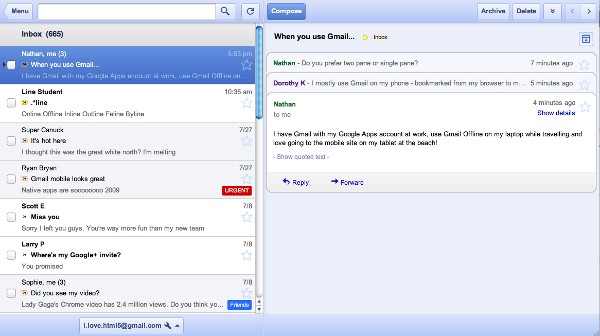
    Google has renewed its faith in offline gmail access along with google apps access to Docs and Google Calendar. To activate it just look under settings for an offline tick box. At the moment Docs is view only when disconnected, but Google promises offline editing is coming soon. 


    The Interface is mostly tablet like and comes with a host of features including keyboard shortcuts.

    [Official Gmail Blog]

  • Al-Qaida Communications Offline

    Terrorist group Al-Qaida has been left without a distribution channel on the Internet, says terrorism expert Evan Kohlmann of Flashpoint Partners. In an e-mail he sent on Wednesday, he said

    [quote]I really can’t say for certain how or why this happened, other than that it involved apparently separate attacks on both the domain name and data server used by al-Qaida’s trusted forum, Al-Shamukh. That kind of coordinated event doesn’t typically occur by happenstance.[/quote]

    Kohlmann, who has spent a decade tracking Al-Qaida, has said that other jihadi forums have been left online for the “rabble” to communicate. However, none of these forums are trusted by members of Al-Qaida. The incident, which started around 72 hours ago, began with the hijacking of the primary web domain used by the Shamukh chat forum, which disseminates propaganda on behalf of Al-Qaida. The next phase of the attack involved crippling the Shamukh website along with two other top level jihadi forums, including the Arabic-language Ansar al-Mujahideen Network.

    He said that Al-Qaida most certainly had a backup of the Shamukh forum database, but there are no other channels left for the terrorist organisation to distribute new material. Either the forum must be brought back online, or they must establish a new relationship with another forum.

    A list of potential suspects who brought down the Al-Qaida site includes government sponsored hackers from the US and the UK as well as independent cyber vigilantes.

  • Gmail Offline Shifting from Gears to HTML5

    Gmail Offline Shifting from Gears to HTML5


    Google announced this week, that it would begin upgrading offline access to Gmail from Gears, its now obsolete plugin, to HTML5. On Tuesday, Gmail dropped offline support for Chrome, Internet Explorer 9 (IE9), Firefox 4, Safari and Opera. Until Google restores offline support to Gmail with HTML5 this summer, Google recommended that users switch to IE8 or Firefox 3.6. This announcement leaves us to wonder why other browsers but Google’s own Chrome have access to offline Gmail? Not a good strategy according to us.

  • Android Market launches movie rentals direct on your Phone and Tablets

    Android Market launches movie rentals direct on your Phone and Tablets

    Google just announced movie rentals in the Android Market at its I/O conference. You can choose b/w thousands of movies and  download and view them with a single click. “Pinning” mirrors the experience with apps and books, you can select it on your PC and download to the device in the background for offline viewing.Devices with Android 2.2 or higher will support this service and it should be made available to everyone in the coming weeks.Tablets however will get this service in the new 3.1 OS upgrade.


    Renting works in a simple manner 30 days to watch the downloaded movie and 24 hour window once you start watching. Prices range from 48 Rs. upwards and about 280 Rs. for High Definition popular movies.

iGyaan Network
Privacy Overview

This website uses cookies so that we can provide you with the best user experience possible. Cookie information is stored in your browser and performs functions such as recognising you when you return to our website and helping our team to understand which sections of the website you find most interesting and useful.