Tag: operating systems

  • 75% Of Smartphones Shipped in Q3 Run On Android

    75% Of Smartphones Shipped in Q3 Run On Android

    smartphone

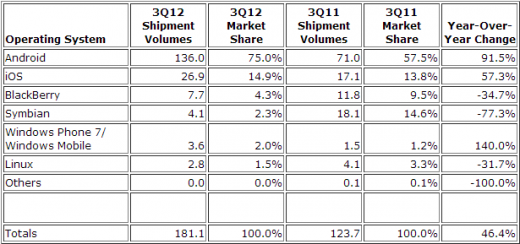
    Smartphones running Google’s Android software have leapt to 75% share of worldwide smartphone shipments, according to market tracker IDC.

    Google’s OS was present on 136 million devices shipped in Q3, up from 71 million a year ago, a boost of 91.5% year-over-year. Apart from RIM and Apple, most smartphone manufactures have produced a wide variety of handsets that run on Android.

    Coming in a distant second was Apple’s iOS with 14.9% of the smartphone market. That is also impressive as Apple has only three phones in production, the iPhone 4, 4S and 5.

    Top-end Androids like Samsung’s Galaxy S III (which is expected to sell 30 million this year) are holding their own against Apple’s iPhone.

    Coming in 3rd place is RIM – who hasn’t come out with a new smartphone in over a year – and they captured 4.3% of the market, significantly dropping of 34.7% over last year. Hopefully RIM’s tune will change when they launch their new BB10 devices in early 2013.

    Nokia’s Symbian squeaked in with 2.3% market share, meanwhile Microsoft’s Windows Mobile/Windows Phone rose 140% over the year to take hold of 2% of the market, but have failed to grab the buyers attention. This might shift with all their new WP8 handset coming out in a couple weeks.

  • Apple OS X Mountain Lion Quick Overview

    OS X Mountain Lion is here, and there are quite a few new features to learn all about, so we sum it up listing the best out of all of them .

    Notification Center

    Just like on iOS , Notification centre gives you all your  alerts and messages under one bar, instead of all over the place. You can access your notification history by clicking the list icon all the way in the top right corner of the OS X menubar. If you want to edit your notification center settings, you can do so in the Notifications section of System Preferences. You’ll be able to decide what kind of notifications individual apps provide, or turn them off entirely.

    Notes and Reminders

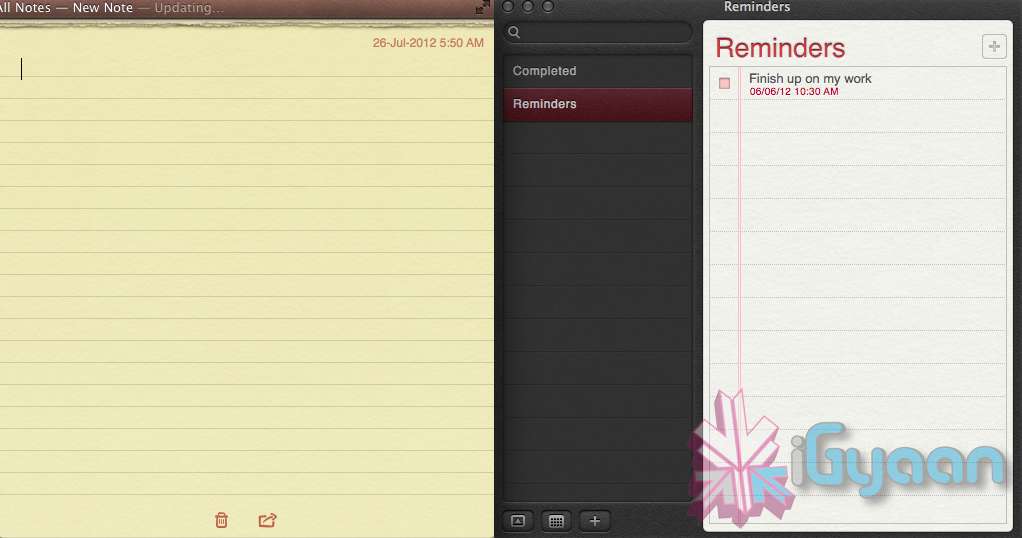
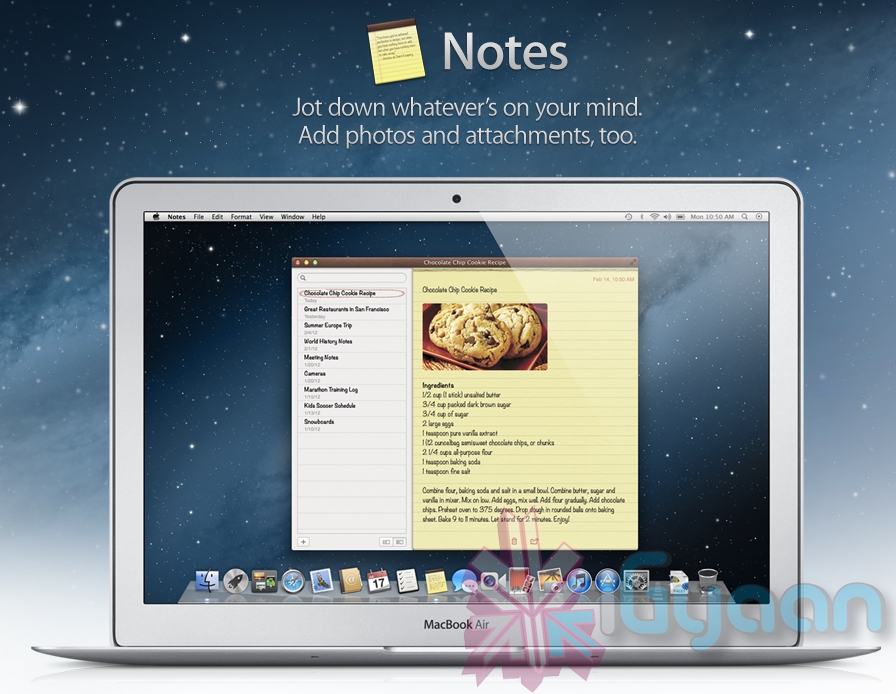
    The Notes app lets you save and organize text and images. Reminders allows you to create reminders so you don’t forget to do things. Again they are just like on iOS and sync well with your iDevices.


    Voice Dictation

    Just like on the iPad and iPhone you get voice dictation on Macs, in Mountain Lion (sadly no Siri).  To start dictating, just press the function (fn) key twice. When you’re done dictating, you can click the “done” button or press the function (fn) key twice again. OS X will take a moment and then provide you with the transcribed text. In addition to just offering words, you can say things like “period” or “comma” for punctuation and “new line” to make a new line.

    This feature works in any App or window that accepts text input via keyboard, also in online websites, like in GMAIL, as long as they are accessed in the new Safari.

    AirPlay Mirroring

    If you have an Apple TV, You can now mirror your display on an Apple TV (2nd or 3rd generation) with AirPlay if you enable it in Displays section of System Preferences. Down at the bottom there’s a checkbox beside “Show mirroring options in the menu bar when available.” Check it and you’ll be able to send your display to any detected Apple TV via the menu item in your menubar.

    Messages

    Messages is the iMessage of OS X. It’s been around in beta since Lion and hasn’t changed much in Mountain Lion. You can add your iCloud account to sync messages with an iPhone, iPad, or iPod touch. You can set up various instant messaging accounts, however, so Messages on the Mac is a little bit more functional than it is on iOS. That’s because it replaces iChat. Messages also now pulls out of Beta, so those of you who were experiencing slow takes may enjoy the new experience. 

    iCloud (Documents in the Cloud)

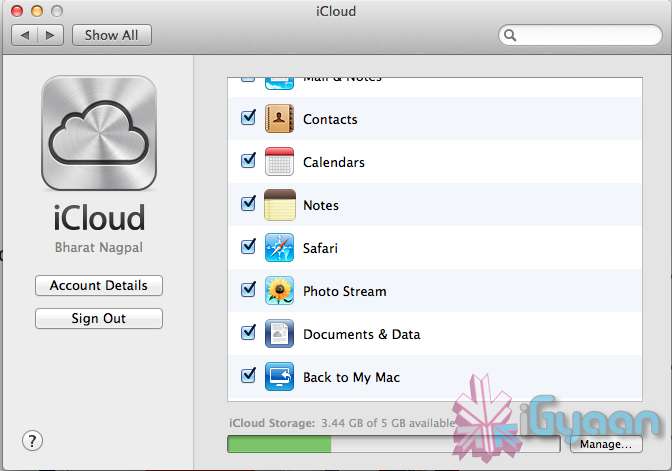
    iCloud has been upgraded significantly in Mountain Lion, you can access it in the same panel in System Preferences. If you turn on “Documents & Data” your documents (including versions of them) will be synced with iCloud, making them available on other iCloud-enabled devices.


    Share

     There is a new button in Mountain Lion, its the Share Button. Not every app has it yet, but many apps will be adding it to allow you to share content easily. In the meantime, Safari is one app that makes sharing sites easy to Messages, Twitter, and Email. If you click an image and then the sharing icon in a window’s toolbar, you’ll be able to share it on Twitter or Flickr. You’ll find other options for other file types as well. If you want to set up sharing accounts, visit the Mail, Contacts, & Calendars section of System Preferences.

    Security and Privacy

    In this new panel available in the System Preferences panel , a new checkbox “Allow applications downloaded from” , which once checked will give option “Mac App Store and identified developers” . This will prevent apps that aren’t signed through Apple’s developer center or downloaded through the Mac App Store from running

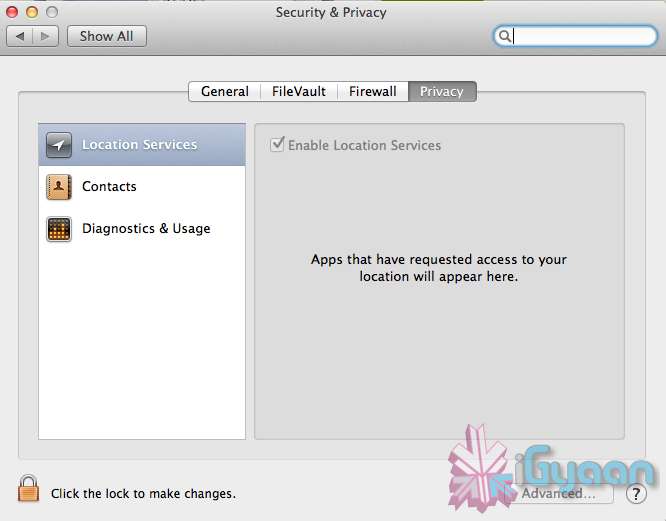
    Under Privacy, you get new privacy settings. This is where you can approve or deny an app’s permission to access certain things like your contacts, location, Twitter account, and more. 

  • Apple developers get Mac OS X Mountain Lion downloads

    Apple developers get Mac OS X Mountain Lion downloads

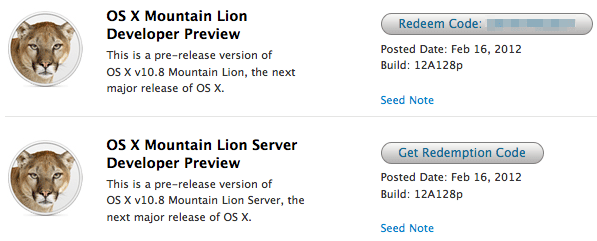
    If you continue to stay on the Apple Developer program then you can have yourself a developer preview download of the new exciting Mac OS X Lion. The new versions of Reminders , messages , gatekeeper, Notification center and iCloud and sharing capabilities can be experienced in this preview.  Hit the link below to sign into your member area and begin the download.

    [Apple]

  • Apple shows off OS X Mountain Lion

    Apple shows off OS X Mountain Lion

    Apple has already begun the next update cycle of the OS X platform with just over a year ago Apple unleashed OS X Lion on Mac owners. This time around the number is bumped to 10.8 and the name to Mountain Lion. The overall outlook of the OS remains the same with more integrations and basic app changes in tow.

    The biggest add-on for the OS has to be the Notification centre that has been inspired from the iOS notification centre.

    Notification Centre.

    The spotlight icon on the far top right of the screen is replaced with a circle with a dot in the centre, which lights up when you receive a message or a notification even a calendar reminder.

    Messages

    The other major release in OS X mountain lain will be the replacement of iChat with messages, which will allow you to message all iOS devices on iMessage and other macs on Messages. Using the service, you can send messages, documents, HD videos and photos (up to 100MB apiece) to one person or several, using phone numbers or email addresses as points of contact. Messages on Mac still incorporates chat services like AIM and GChat. Messages sent through the service are encrypted, and the app also uses a notification to let you know when messages have been delivered / read.

    Reminders

    The next cool thing of our liking that has been ported from iOS to Mac is Reminders. For those who don’t know , this is more of a glorified to-do list. It will sync with iOS reminders keeping the seamless architecture intact.

    Notes

    Another addition to the Mac OS X Mountain Lion is the Notes app, which not only completely resembles the on on iOS but also syncs up with all your devices and email addresses via iCloud.


    Apple has added deeper integration of iCloud on Mountain Lion, allowing users to sync up and back up more data, also allowing seamless interconnectivity with all other Apple devices owned by a user. The other additions to Lion include Airplay mirroring, integrated Game center and included sharing – allowing you to instantly share content from your desktop via email, message, AirDrop and third-party services like Twitter, Flickr and Vimeo.

  • HP is ready to make WebOS open source, we want to reverse engineer

    HP is ready to make WebOS open source, we want to reverse engineer


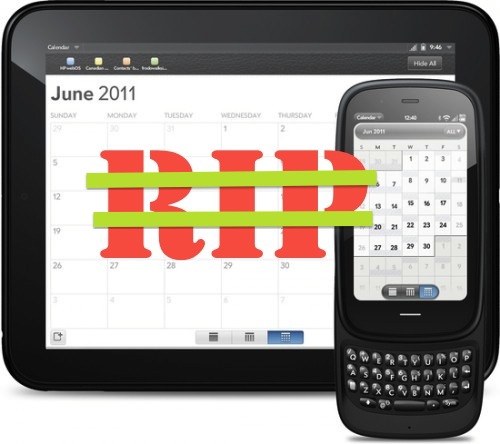
    HP decided to make WebOS, the controversial OS, open source to serve the community. The iGyaan team has decided to go the reverse engineering way. People have been putting Android on HP Touchpads (including us) we have decided to port WebOS as a build to go on Android devices as a second boot OS. Of course we are not the only ones who have though of this and there are others out there who will be doing it. We aim to contribute a good chunk of our time in either developing or helping develop a build that could go on Tablets and smartphones that support the OS. 

    Here is the original memo from HP CEO and read the press release below.


    [box style=”rounded” border=”full”]

    From: CEO – Meg Whitman
    Sent: Friday, December 09, 2011 2:03 PM
    Subject: webOS to be contributed to the open source community

    Meg Whitman
    CEO

    TO/ All Employees

    SUBJECT/ webOS to be contributed to the open source community

    Today, we announced that HP will contribute our webOS software to the open source community and support its development going forward. We believe that this is the best way to ensure the benefits of webOS are accessible to the largest possible ecosystem.

    Since we announced the discontinuation of our webOS devices last August, the executive team has been working to determine the best path forward for this highly respected software. We looked at all the options in the market today and we see a clear need for a platform that is both open and has a single integrated stack.

    webOS is the only platform designed from the ground up to be mobile, cloud-connected, and scalable. By providing webOS to the open source community and other hardware vendors we have the potential to fundamentally change the landscape.

    HP engineers, partners, other developers and hardware manufacturers will be able to contribute to the development of webOS. Together, we have an opportunity to make it the foundation of a new generation of devices, applications and services to address the rapidly evolving demands of both consumers and enterprises.

    I would like to thank the webOS team for continuing your efforts under very difficult circumstances during these last couple of months. Your dedication is very much appreciated.

    This is a very positive move for the development of our people, our software and HP overall.

    We strongly believe that the best days for webOS are still ahead.

    Best,

    Meg

    [/box]


    [toggle title_open=”Press Release” title_closed=”Press Release” hide=”yes” border=”yes” style=”default” excerpt_length=”0″ read_more_text=”Read More” read_less_text=”Read Less” include_excerpt_html=”no”]HP to Contribute webOS to Open Source
    HP to enable creativity of the community to accelerate the next-generation web-centric platform

    PALO ALTO, Calif., Dec. 9, 2011 – HP today announced it will contribute the webOS software to the open source community.

    HP plans to continue to be active in the development and support of webOS. By combining the innovative webOS platform with the development power of the open source community, there is the opportunity to significantly improve applications and web services for the next generation of devices.

    webOS offers a number of benefits to the entire ecosystem of web applications. For developers, applications can be easily built using standard web technologies. In addition, its single integrated stack offers multiplatform portability. For device manufacturers, it provides a single web-centric platform to run across multiple devices. As a result, the end user benefits from a fast, immersive user experience.

    “webOS is the only platform designed from the ground up to be mobile, cloud-connected and scalable,” said Meg Whitman, HP president and chief executive officer. “By contributing this innovation, HP unleashes the creativity of the open source community to advance a new generation of applications and devices.”

    HP will make the underlying code of webOS available under an open source license. Developers, partners, HP engineers and other hardware manufacturers can deliver ongoing enhancements and new versions into the marketplace.

    HP will engage the open source community to help define the charter of the open source project under a set of operating principles:

    – The goal of the project is to accelerate the open development of the
    webOS platform
    – HP will be an active participant and investor in the project
    – Good, transparent and inclusive governance to avoid fragmentation
    – Software will be provided as a pure open source project

    HP also will contribute ENYO, the application framework for webOS, to the community in the near future along with a plan for the remaining components of the user space.

    Beginning today, developers and customers are invited to provide input and suggestions at http://developer.palm.com/blog/.[/toggle]
  • VMware Fusion 4 brings full Mac OS Lion support to Windows 8 – Mission Control et all

    VMware Fusion 4 brings full Mac OS Lion support to Windows 8 – Mission Control et all

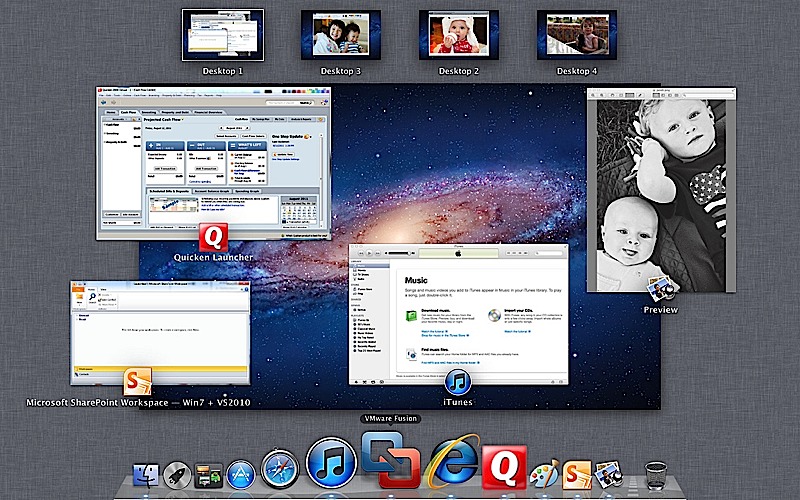
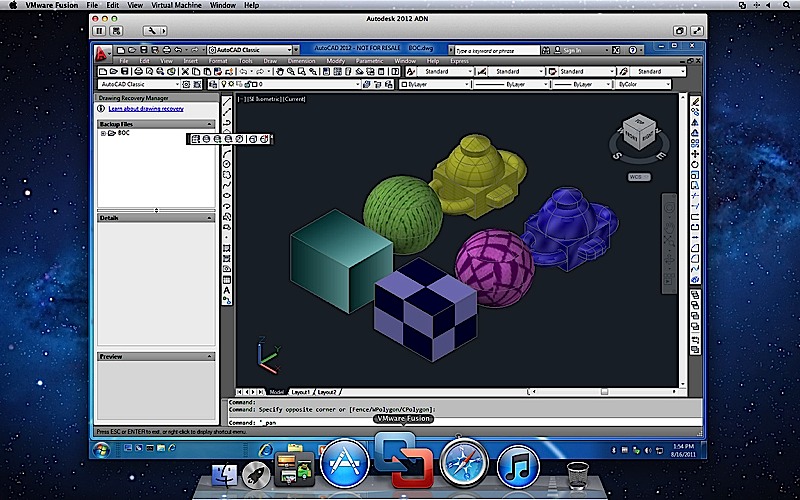
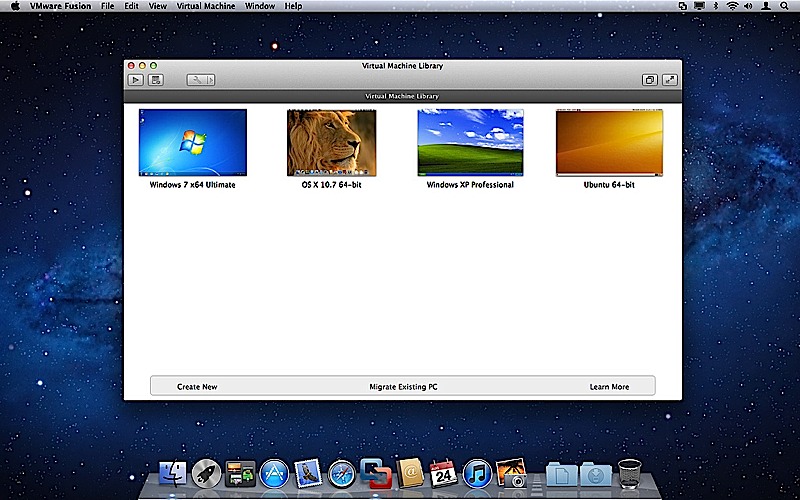
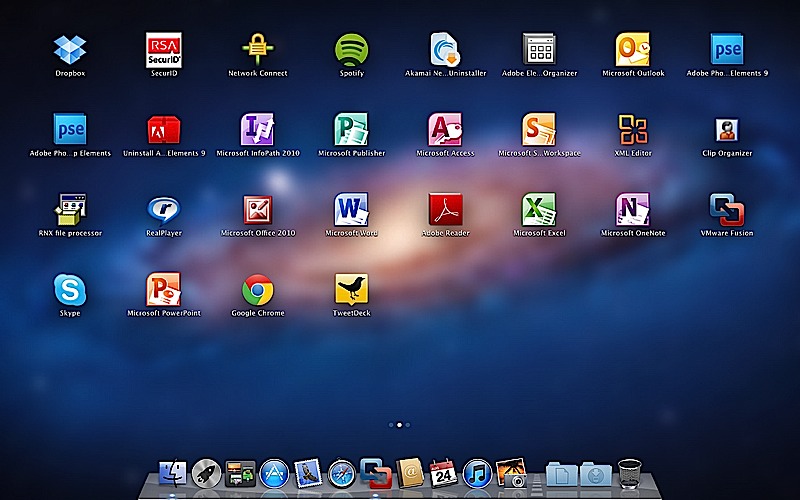
    To fully enjoy the killings of Microsofts new OS, VMware has introduced the new Fusion 4 the latest version of its virtualization software. This version fully works with Mac Lion, there is also support for Expose and Spaces on the Windows side, it also adds the ability to use Mission Control and launch Windows apps from Launchpad.

    The new software costs only US $ 50 or INR 2500 till december when the price goes up to US$ 80( do the math). If you recently bought VMware Fusion you get an upgrade free of cost. 

    The most important thing to note here is that our version of Parallels for Mac has already been doing this for about two months now. Full PR below.


    [toggle title_open=”Press Release” title_closed=”Press Release” hide=”no” border=”yes” style=”default” excerpt_length=”0″ read_more_text=”Read More” read_less_text=”Read Less” include_excerpt_html=”no”]VMware launches VMware Fusion® 4 – The Best Way to Run Windows on a Mac Just Got Better

    PALO ALTO, Calif., Sept. 14, 2011 – VMware, Inc. (NYSE: VMW), the global leader in virtualization and cloud infrastructure, today announced VMware Fusion® 4 – the best way to run Windows on a Mac. Available now at VMware.com for a promotional price of $49.99, VMware Fusion 4 makes it easier than ever for users to run Windows applications with Mac simplicity.

    “Enhancements to VMware Fusion® 4 make it a breeze to run Windows and Mac Applications side by side on a Mac,” said Pat Lee, director, client product management, VMware. “Offering full integration into Apple OS X Lion, VMware Fusion 4 builds on our proven, award winning platform to provide an easy, fast and reliable way to run Windows applications on a Mac.”

    With more than 90 new features and now optimized for today’s multi-core Macs and OS X Lion, key features in VMware Fusion 4 include:

    – Built for OS X Lion – VMware Fusion 4 is designed to provide the best Windows experience on OS X Lion. Add Windows programs to Launchpad, experience them in Mission Control, view them in full screen or switch between them using Mac gestures.
    · Better Performance and Faster Graphics – VMware Fusion 4 has been engineered to run Windows and Mac applications side-by-side with incredible speed and reliability. As a 64-bit Cocoa application, it is optimized for today’s multi-core Macs and delivers 3D graphics up to 2.5-times faster.
    – Even More “Mac-like” Experience – VMware Fusion 4 enhances the way Windows programs run on a Mac. From the brand new settings menu to the redesigned virtual machine library and snapshot menu, users have even more Mac-like experiences when running Windows programs.
    – Lion Squared – VMware Fusion 4 now supports OS X Lion in a virtual machine, allowing users to get more from their Mac by running OS X Lion, OS X Lion Server, Mac OS X Snow Leopard Server and Mac OS X Leopard Server in virtual machines.

    Switching Made Easy
    VMware Fusion’s migration assistant for Windows makes it easier than ever for users to transfer their entire PC to a Mac, allowing them to make the most of their existing Windows software investment. With VMware Fusion 4 users can get the best of both worlds and have access to Windows programs and files from their PC directly on their Mac, whenever they need them.

    Availability and Pricing
    VMware Fusion® 4 is available until the end of the year for a promotional price of only $49.99. The suggested retail price for VMware Fusion 4 is $79.99. Customers who have purchased VMware Fusion 3 on or after the July 20, 2011 are eligible for an electronic upgrade to VMware Fusion 4 at no additional cost. Volume pricing for corporate users is available from select resellers and www.vmware.com/fusion.

    VMware Fusion 4 is available immediately for download and purchase from vmware.com. VMware Fusion box products will be available at key resellers including Apple, Apple.com, Amazon.com, Best Buy, Fry’s Electronics and many other stores in the coming days. VMware Fusion is available in English, German, French, Italian, Spanish, Simplified Chinese and Japanese.

    Additional Resources
    Learn more about VMware Fusion on the VMware Fusion Blog[/toggle]

iGyaan Network
Privacy Overview

This website uses cookies so that we can provide you with the best user experience possible. Cookie information is stored in your browser and performs functions such as recognising you when you return to our website and helping our team to understand which sections of the website you find most interesting and useful.