Tag: os x

  • Apple to Bring Siri for Mac with OS X 10.12 Launch

    Apple to Bring Siri for Mac with OS X 10.12 Launch

    It has always been clear that Apple’s main focus has been towards its iPhones. Yes, the Cupertino giant has a bunch of other products as well that sometimes tend to get pushed  into the background, like its Macs. But that won’t be the case four months from now when Apple launches the OS X 10.12 that will introduce Siri for Mac.

    Siri, the personal voice assistant for the iPhone, iPad and Apple Watch will now come to the Mac as well. Apple has been busy testing versions of OS X with Siri for the past 3 years. After working out and polishing the interface, Apple will be ready to launch the feature publicly. Over the years, Apple has improved Siri’s functionality a lot, making it faster, smarter, more responsive and more personalised.

    Siri for Mac

    Back in September, news about Apple hiring Artificial Intelligence experts to improve Siri’s functionality made the rounds. Apple had hired at least 86 AI experts to work on machine learning alone, as well as employees with doctorates specializing in AI. It turned out that Apple’s effort did pay off as it launched a new and improved Siri during its September event. In terms of accuracy, Siri beats Google Now and Cortana, according to reports that came out in November.

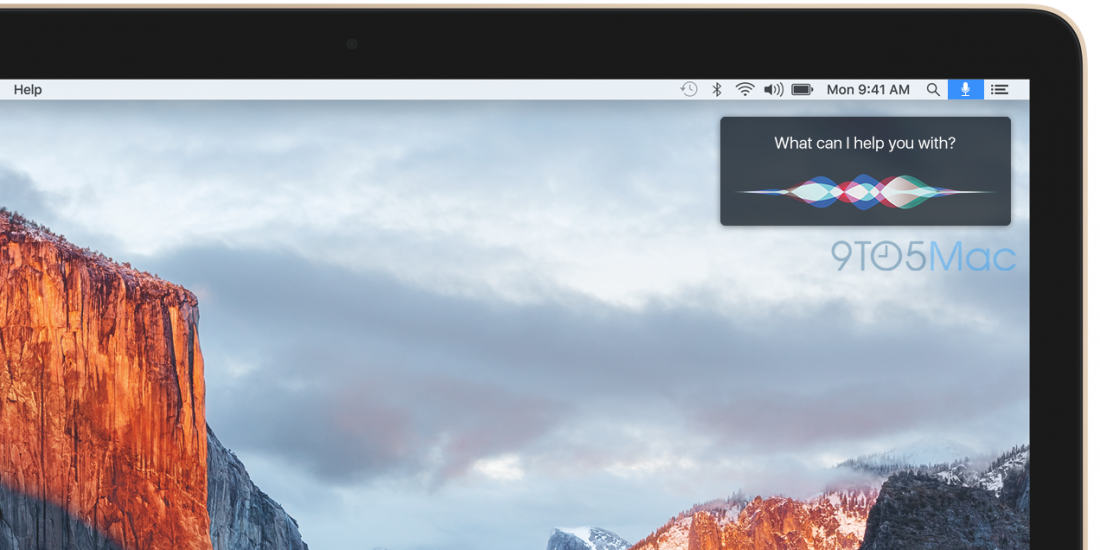
    Coming back to Siri for Mac, the voice assistant will have an icon placed in the OS X menu bar (next to the Spotlight magnifying glass icon) that will activate once clicked. Similar to the way it works on the iPhone, the Siri interface with the trippy colored sound waves will appear on the top right of the screen to indicate speech command.

    Siri on the Mac will also have its own option in System Preferences. Siri will be able to respond to “Hey Siri” when the Mac is plugged to a power source, much like it is with the iPhone 6. The upcoming update to OS X is not likely to feature too many changes, but will rather come with some performance tweaks and minor software updates. It is also rumoured that Apple has begun development of iOS 10, and details on that may start pouring in, in the weeks to come.

    Source

  • Mac Malware Reaches an All-Time High

    Mac Malware Reaches an All-Time High

    It’s a myth that your Mac is the most malware-free PC out there. That perhaps used to be the case, and one reason behind it was that hackers were more attracted to Windows due to their larger presence in the market. But not anymore. Over the years there has been a change. Apple’s share of the PC has grown and, of course, hackers are all too aware of that.

    3-ways-to-protect-your-mac-from-malware-ffc0cae69b

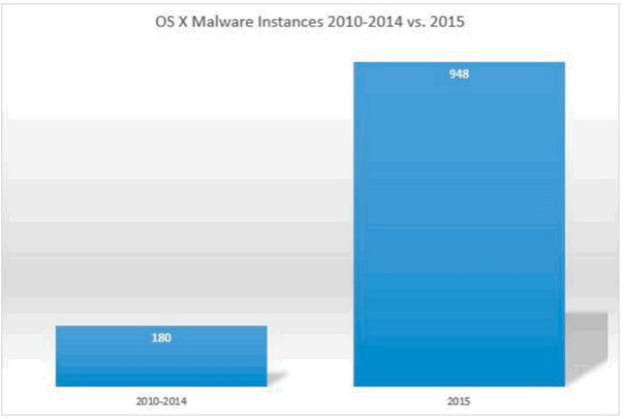
    There has been an increase in malware specifically targeting Apple’s Mac platform. What’s more is that the malware is a lot more dangerous and sophisticated than one would think. According to reports from BleepingComputer, 2015 was the most malware-ridden year for the Mac. The reports summarised the findings from Bit9 and Carbon Black that state that OS X malware this year was five times more prevalent than the preceding five years combined.

    Bit9 and Carbon Black also released a chart that leaves everything quite clear.

    os-x-malware-growth

    According to the chart, there was about 180 instances of malware during the period of 2010-2014, while 2015 saw a whopping 948 instances, and there’s still a couple of months to the end of this year.

    BleepingComputer also listed some of the most common OS X malware found this year. This is based on a 10 week study with over 1400 unique malware samples collected and analysed. The common ones are narrowed down were:

    Lamadai – backdoor Trojan targeting a Java vulnerability.
    Kitm – ran commands on machines for victims at the Oslo Freedom Forum
    Hackback – ran commands on machines for victims at the Oslo Freedom Forum
    LaoShu – spam via undelivered mail parcels
    Appetite – Trojan targeting government organizations
    Coin Thief – stole bitcoin login credentials via cracked AngryBird applications.

    Another point to note is that while there are a number of malware being floating around these days, not all are dangerous. Apple has protected itself from most. The issue is, however, that there is a rise in the number of malware targeting Macs. The onus is on Apple to take this into serious consideration and work to make its future OS X updates safer.

  • Details About Upcoming Apple Products Revealed by El Capitan’s Beta Version

    Details About Upcoming Apple Products Revealed by El Capitan’s Beta Version

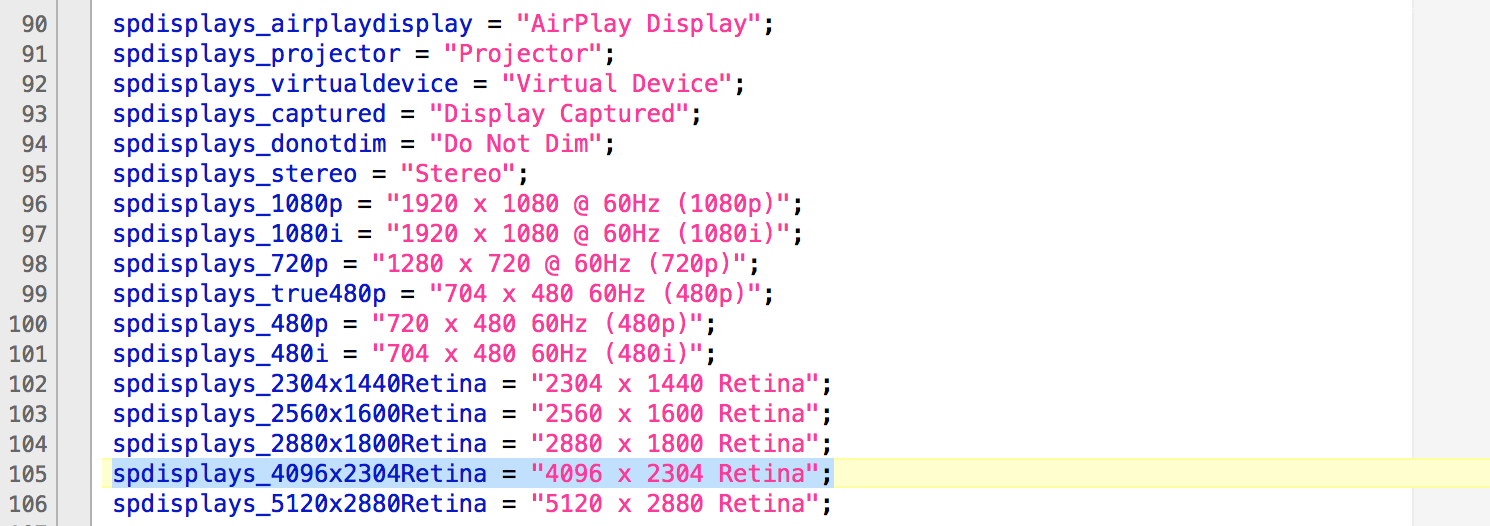
    A new beta version of OS X El Capitan has revealed a new line of Apple products. According to a report, the beta version references for future products include a 21.5-inch 4K Retina display and a Bluetooth remote control.

    Source: 9To5Mac.com
    Source: 9To5Mac.com

    Apple introduced the 27-inch iMac with 5K Retina display last year. It is only logical that if Apple wants to introduce a smaller version of Retina display with 4K resolution, it would upgrade the 21.5 inch Mac for it. The new beta version references Mac support for Apple-made display panel with a 4096 x 2304 resolution.

    A new Intel graphics chipset, Iris Pro 600 was referenced in the El Capitan beta version. Along with that, four new AMD Radeon processors – M380, M390, M395 and M395X – were mentioned. It is possible that these chipsets would power the 4K iMac and the new models.

    Source: 9To5Mac
    Source: 9To5Mac

    A new file inside El Capitan has revealed the possibility of a Bluetooth Remote Control being developed at Apple. The report says that ” this new piece of hardware integrates a dedicated Bluetooth wireless chip, can connect with devices via an infrared sensor, and includes a Multi-Touch trackpad with inertial scrolling support”. The device also seems to support audio, which means it could be integrated with Siri.

    The report suggests that the new remote could be a part of an upcoming revamped Apple TV. However, there is no mention of Apple TV and the file doesn’t exist in public versions of OS X and OS X Yosemite Beta release.

  • ‘WireLurker’ Malware Threatens to Attack Apple Devices

    ‘WireLurker’ Malware Threatens to Attack Apple Devices

    Apple’s loyal users have long thought themselves safe from all sorts of notorious malware and viruses. However, a new report from Palo Alto Networks has suggested that Apple devices are at risk of a virus described by researchers as ‘the biggest scale’ malware they have ever seen.

    Dubbed WireLurker, the malware targets both Mac as well as phones and tablets running iOS, when connected using a USB cable. When a mobile device is connected to the infected Mac, the virus spreads and installs nasty apps.

    According to a research conducted by Palo Alto Networks, “WireLurker monitors any iOS device connected via USB with an infected OS X computer and installs downloaded third-party applications or automatically generated malicious applications onto the device, regardless of whether it is jailbroken. This is the reason we call it “wire lurker”. Researchers have demonstrated similar methods to attack non-jailbroken devices before; however, this malware combines a number of techniques to successfully realise a new brand of threat to all iOS devices. WireLurker exhibits complex code structure, multiple component versions, file hiding, code obfuscation and customised encryption to thwart anti-reversing”

    screenshot-2014-10-18-16-37-10

    WireLurker is not the first malware developed for Apple devices, but it is the first of its kind in many respects and only the second-known malware family to attack iOS devices through Mac OS X via USB. The malware is currently contained in China, where it appears to have originated on a third-party Mac app store called Maiyadi. However, the malware is under active development, and anybody downloading any unlicensed apps on Mac or connecting iOS devices to an unknown computer could be vulnerable.

    Apple said that it has begun blocking the malware. “We are aware of malicious software available from a download site aimed at users in China, and we’ve blocked the identified apps to prevent them from launching,” the company stated. “As always, we recommend that users download and install softwares from trusted sources.”

  • Skype gets up to Version 6.0 Integrates Microsoft Accounts and brings Retina Support

    Skype gets up to Version 6.0 Integrates Microsoft Accounts and brings Retina Support

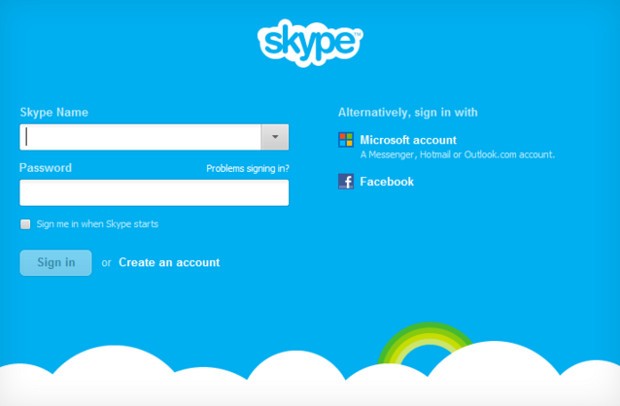
    skype 6.0

    Skype 6.0 gets a host of new features along with compatibility with Retina display Macs and future similar display PC’s. The new Skype adds the ability to sign in directly with your Facebook or Microsoft account including Hotmail, Live or Outlook. Skype 6.0 will also add Modern UI friendly look on Windows * machines/ tablets to up it game. Now you can instant message your Windows Live Messenger, Hotmail and Outlook.com contacts via Skype all in one place. Skype 6.0 also brings localization languages in Thai, Croatian, Slovenian, Serbian, Catalan and Slovak, bringing the total languages Skype supports to 38.


    [toggle_box title=”Skype Blog” width=”Width of toggle box”]

    Today we have released a new version of Skype for Desktop. Get it now for Windows orMac.

    What’s new:


      • Microsoft and Facebook Account Integration

    Sign up and sign-in is easier than ever. You can now sign into Skype 6.0 using your Microsoft or Facebook account – there’s no need to create a new Skype account. This makes it even easier to connect with friends on Skype without having to set up another account.

      • IM friends on Messenger

    Now you can instant message your Windows Live Messenger, Hotmail and Outlook.com contacts via Skype all in one place. If you use a Microsoft account today, merging your accounts is easy – just sign in to Skype with your Microsoft account.

      • Calling with Messenger friends is coming soon

    We’re working on polishing a feature which will enable audio and video calls to Windows Live Messenger customers using Skype 6.0 desktop clients. The feature will be available in coming weeks.


    We want to hear your feedback. Discuss what matters to you on Skype Support Network or report glitches on our public issue tracker.

    Here’s more of what’s new with Skype 6.0 for Windows Desktop:


      • Skype localized to six more languages

    We are excited to support our growing community around the world with new localized versions of Skype 6.0 in Thai, Croatian, Slovenian, Serbian, Catalan and Slovak, bringing the total languages Skype supports to 38.

      • Visual user interface refresh

    We have refreshed and flattened the Skype 6.0 UI with a simpler and less cluttered look. We have updated the look of the instant messaging and SMS areas as well.

      • Removal of online user count

    We have removed the online user counter at the bottom of your Skype Contacts list to unclutter the UI and make more space for your friends within the contacts list.

      • Display previously created profile pictures

    When you change your profile picture, we will now show you all of your previous Skype 6.0 profile pictures so you don’t have to look through old files if you want to use a previous image.

      • Improved telemetry

    We are constantly looking for ways to improve the quality of our product. To that end we are adding additional “opt-in” telemetry reports for users who choose this option: “Tools>> Options>>Advanced>>Tick “Help improve Skype…” The reports may contain your Skype ID and or Microsoft Account ID but we will not use it to identify or contact you.


    Here’s more of what’s new with Skype 6.0 for Mac Desktop:


      • Open Chats in Multiple Windows

    We hear your feedback! With this release we’ve added support to open chats in multiple windows.

      • Retina Display Support

    We also added another feature you’ve asked for – support Retina display. Now you can take full advantage of improved usability and of higher resolution screens.


    Known issues for Skype 6.0 for Mac:


    Category Description Workaround
    Account On Mountain Lion the profile image picker does not work as expected – recent images can’t be seen and effects can’t be added None available


    Release build for Skype for Windows is 6.0.0.120 and on Skype for Mac is 6.0.0.2946.

    Volunteer localization of Skype for Windows has been done by:


    • Bulgarian: Nikolina Filipova & Nikolay Filipov
    • Chinese (Simplified): Wang Miao (TOM.com)
    • Chinese (Traditional): Penny Yang, Carlos Lee (PChome)
    • Czech: Petr Silon
    • Dutch: Kees Koenders
    • French: Fabrice Imperial & Bruno Lépaulard
    • German: Claudius Henrichs & Dick Schiferli
    • Hungarian: Mark Bender
    • Italian: Daniele Conte
    • Lithuanian: Viktoras Kriukovas
    • Norwegian: Stig Auestad
    • Polish: Karol Szastok
    • Portuguese: Francisco Ferreira
    • Romanian: Péter & Mónika Henning
    • Turkish: Ömer Emin Dede
    • Ukrainian: Vitaliy Kupchynskyy


    Volunteer localization of Skype for Mac has been done by:


    • Bulgarian: Nikolay Filipov
    • Brazilian Portugese: Fabio Roselet
    • Dutch: Alexander Henket
    • Estonian: Triin Tähema
    • French: Jean-Pierre Kuypers
    • German: Claudius Henrichs
    • Norwegian: Kenneth Stevenson
    • Polish: Bohdan Zielinski
    • Portuguese Portuguese: Francisco Miguel Ferreira
    • Spanish: Carola Clavo

    [/toggle_box]

    [Skype]

  • Apple announces new MacBook Pro 13 Retina Display

    Apple announces new MacBook Pro 13 Retina Display

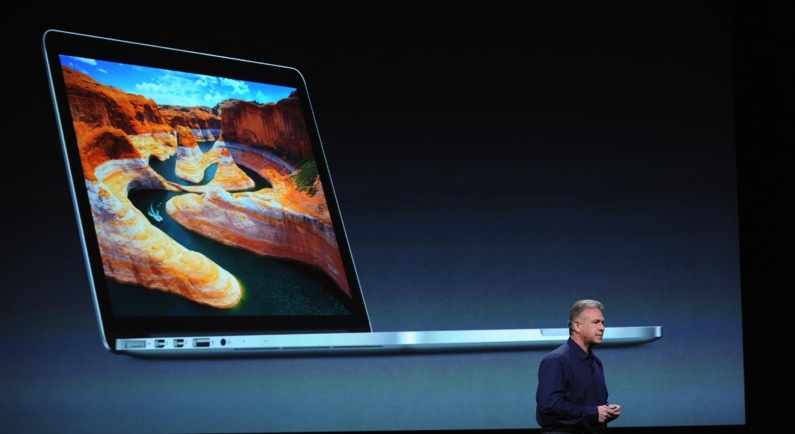
    Apple has launched a new Macbook Pro 13 Retina Display, amongst the many things the company is going to reveal. The new Macbook Pro 13 inch with retina is just .75-inches thick.” That’s 20% thinner than before”. Its also only 3.5 pounds, about a full pound lighter than before, and the lightest MacBook ever. The Macbook Pro Retina 3 inch has a 2,560 x 1,600 resolution, That’s a 4x boost from the original Macbook Pro 13 incher.

    The new resolution is 2x the resolution of a 1080p display, and the display has a 29% higher contrast ratio over the previous Pro and 75% reduced glare. The usual Facetime HD camera with 720p recording, stereo mics and speakers, backlit keyboard are also found in the device.

    Designed in the same way as the 15 inch with retina display, the new 13 incher has side ventilation and a dual fan system, configurable upto 768GB of flash storage, 8GB of RAM, Core i5 or i7 Ivy Bridge chips, 802.11n WiFi and Bluetooth 4. HD 4000 graphics. The Macbook Pro 13 Retina also offers upto 7 hours of battery life.

    Pricing of the Retina version of the 13 inch is kept safley in the middle of them all at a $1,699 for the base model, with a 2.5GHz i5, 8GB of RAM and 128GB of flash storage. The new Macbook Pro 13 is shipping starting today from all countries with online Apple Stores. 

  • Mac has crossed the PC market in terms of numbers, Number One in Desktop, Number One in Portables

    Tim Stevens has just announced that the Mac Market has outgrown the PC market by 7 times. The Mac desktops are the number one in the world,  and so are the Macbook Laptops.


    More developing.


  • Fix your Macbook Pro Battery life as Apple releases Mountain Lion Software Update 10.8.2

    Fix your Macbook Pro Battery life as Apple releases Mountain Lion Software Update 10.8.2

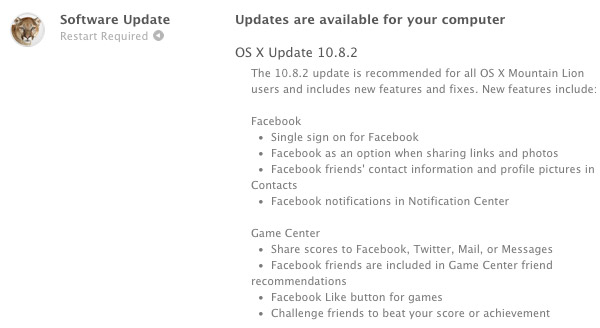
    Just some time back Apple started pushing iOS 6 to all iOS devices (compatible ones at least), in support Apple has also started seeding the newest Software Update to the Mountain Lion users. The 10.8.2 brings several things including Facebook Integration and most importantly for Macbook Pro users the update is said to bring a secret Battery life Fix.

    Check out the full Changelog below:

    Facebook

    • Single sign on for Facebook
    • Adds Facebook as an option when sharing links and photos
    • See Facebook friends’ contact information and profile pictures in Contacts
    • Facebook notifications now appear in Notification Center

    Game Center

    • Share scores to Facebook, Twitter, Mail, or Messages
    • Facebook friends are included in Game Center friend recommendations
    • Added Facebook “Like” button for games
    • Challenge friends to beat your score or achievement

    Other new features

    • Adds Power Nap support for MacBook Air (Late 2010)
    • iMessages sent to your phone number now appear in Messages on your Mac*
    • You can now add passes to Passbook (on your iPhone or iPod touch) from Safari and Mail on your Mac*
    • FaceTime can now receive calls sent to your phone number*
    • New shared Reminders lists
    • New sort options allow you to sort notes by title, the date you edited them, and when you created them
    • Dictation now supports additional languages: Mandarin, Cantonese, Spanish, Korean, Canadian English, Canadian French, and Italian
    • Dictionary app now includes a French definition dictionary
    • Sina Weibo profile photos can now be added to Contacts

    * Requires iOS 6

    General fixes

    The OS X Mountain Lion v10.8.2 update also includes general operating system fixes that improve the stability, compatibility and security of your Mac, including the following fixes:

    • Adds an option to discard the changes in the original document when choosing Save As
    • Unsent drafts are now opened automatically when launching Mail
    • Receive Twitter notifications for mentions and replies from anyone
    • URLs are shortened when sending tweets from Notification Center
    • Notifications are disabled when AirPlay Mirroring is being used
    • Adds SSL support for Google searches from the Smart Search Field in Safari
    • Adds a new preference to have Safari launch with previously open webpages
    • Resolves an issue that may cause the “Enable Autodiscover” checkbox to always remain checked
    • Enables access to the Mac App Store when Parental Controls are enabled
    • Support for @icloud.com email addresses
    • Resolves a video issue with some VGA projectors when connected to certain Mac notebooks
    • Addresses an issue that may prevent Active Directory accounts from being locked out
    • Resolves an issue that may cause the policy banner to re-appear prior to logging in
    • Improvements to SMB
    • Addresses an issue with NIS users when auto-login is enabled
    • Addresses an issue in which the Keychain may not be accessible
    • Ability to pre-authenticate a FileVault protected system
    • Addresses an issue that may cause Xsan to not automatically start after migrating from Mac OS X Snow Leopard
  • Apple OS X Mountain Lion Quick Overview

    OS X Mountain Lion is here, and there are quite a few new features to learn all about, so we sum it up listing the best out of all of them .

    Notification Center

    Just like on iOS , Notification centre gives you all your  alerts and messages under one bar, instead of all over the place. You can access your notification history by clicking the list icon all the way in the top right corner of the OS X menubar. If you want to edit your notification center settings, you can do so in the Notifications section of System Preferences. You’ll be able to decide what kind of notifications individual apps provide, or turn them off entirely.

    Notes and Reminders

    The Notes app lets you save and organize text and images. Reminders allows you to create reminders so you don’t forget to do things. Again they are just like on iOS and sync well with your iDevices.


    Voice Dictation

    Just like on the iPad and iPhone you get voice dictation on Macs, in Mountain Lion (sadly no Siri).  To start dictating, just press the function (fn) key twice. When you’re done dictating, you can click the “done” button or press the function (fn) key twice again. OS X will take a moment and then provide you with the transcribed text. In addition to just offering words, you can say things like “period” or “comma” for punctuation and “new line” to make a new line.

    This feature works in any App or window that accepts text input via keyboard, also in online websites, like in GMAIL, as long as they are accessed in the new Safari.

    AirPlay Mirroring

    If you have an Apple TV, You can now mirror your display on an Apple TV (2nd or 3rd generation) with AirPlay if you enable it in Displays section of System Preferences. Down at the bottom there’s a checkbox beside “Show mirroring options in the menu bar when available.” Check it and you’ll be able to send your display to any detected Apple TV via the menu item in your menubar.

    Messages

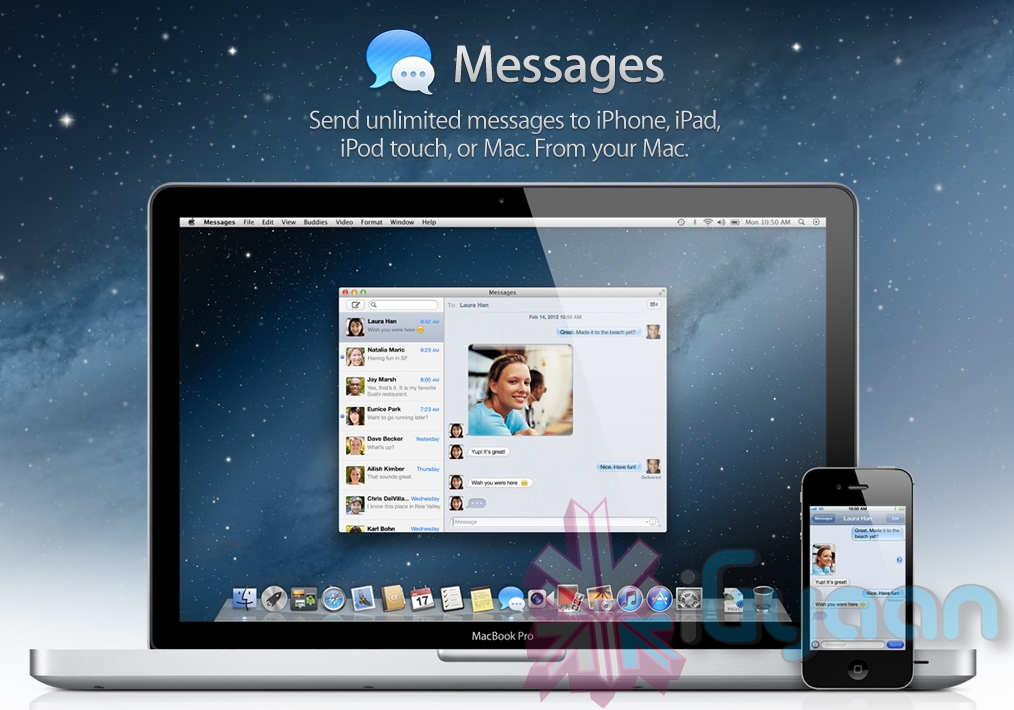
    Messages is the iMessage of OS X. It’s been around in beta since Lion and hasn’t changed much in Mountain Lion. You can add your iCloud account to sync messages with an iPhone, iPad, or iPod touch. You can set up various instant messaging accounts, however, so Messages on the Mac is a little bit more functional than it is on iOS. That’s because it replaces iChat. Messages also now pulls out of Beta, so those of you who were experiencing slow takes may enjoy the new experience. 

    iCloud (Documents in the Cloud)

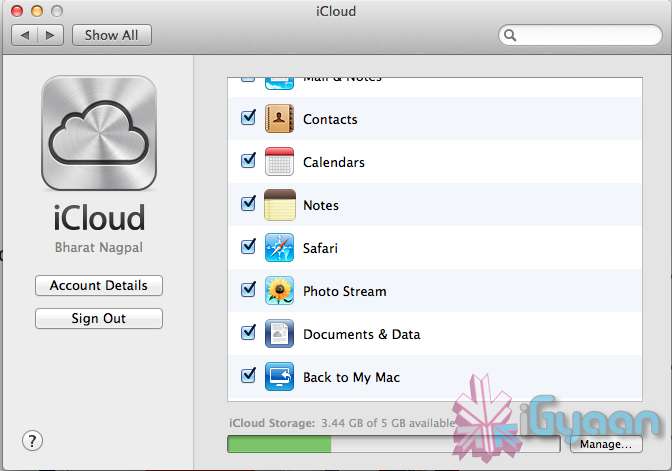
    iCloud has been upgraded significantly in Mountain Lion, you can access it in the same panel in System Preferences. If you turn on “Documents & Data” your documents (including versions of them) will be synced with iCloud, making them available on other iCloud-enabled devices.


    Share

     There is a new button in Mountain Lion, its the Share Button. Not every app has it yet, but many apps will be adding it to allow you to share content easily. In the meantime, Safari is one app that makes sharing sites easy to Messages, Twitter, and Email. If you click an image and then the sharing icon in a window’s toolbar, you’ll be able to share it on Twitter or Flickr. You’ll find other options for other file types as well. If you want to set up sharing accounts, visit the Mail, Contacts, & Calendars section of System Preferences.

    Security and Privacy

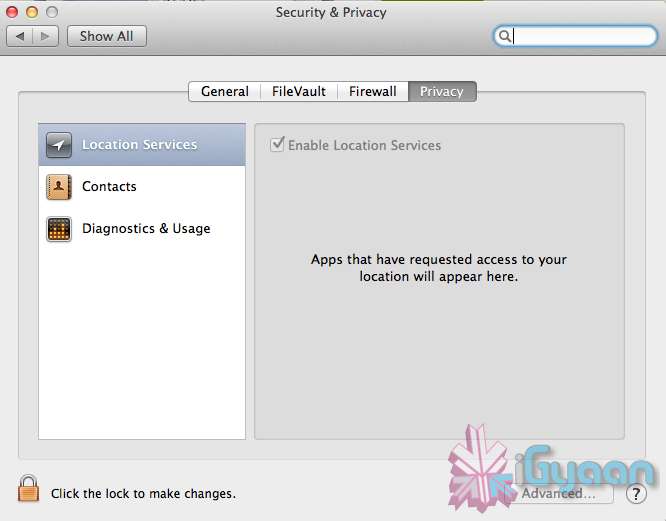
    In this new panel available in the System Preferences panel , a new checkbox “Allow applications downloaded from” , which once checked will give option “Mac App Store and identified developers” . This will prevent apps that aren’t signed through Apple’s developer center or downloaded through the Mac App Store from running

    Under Privacy, you get new privacy settings. This is where you can approve or deny an app’s permission to access certain things like your contacts, location, Twitter account, and more. 

  • Apple Mac App Store gets Mountain Lion for Download – US $ 19.99 – 4.05 GB – LION Extinct (PR)

    Apple Mac App Store gets Mountain Lion for Download – US $ 19.99 – 4.05 GB – LION Extinct (PR)

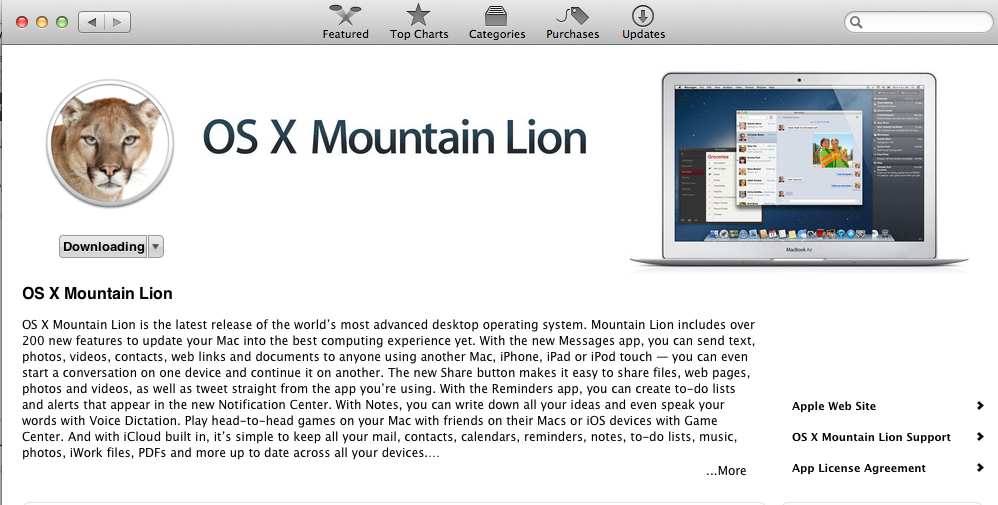
    The Mac App Store gets its own dose of Lion, and you can get it too for a mere US $ 19.99. The new Operating system adds over 200 new features including voice dictation, notification centre, new advanced sharing, ui fixes, customizations to Spotlight, AirPlay Mirroring etc. 


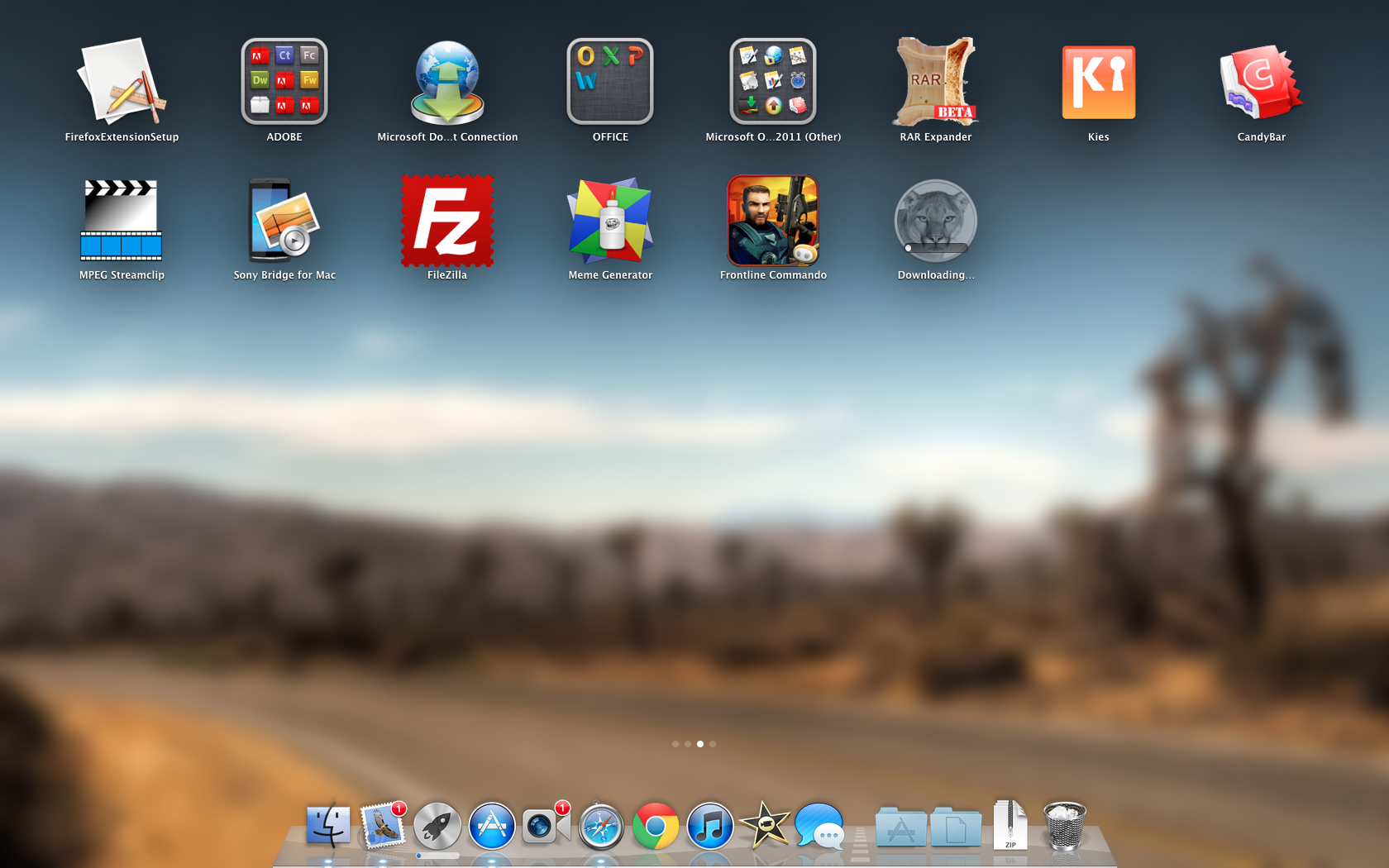
    While we download this 4.05 GB update, and sum it up for you. You can get your own version, at the link below.


    [toggle_box title=”Press Release” width=”Width of toggle box”]


    Mountain Lion Available Today From the Mac App Store


    Apple® today announced that OS X® Mountain Lion, the ninth major release of the world’s most advanced desktop operating system, is available as a download from the Mac® App Store?. With more than 200 innovative new features, Mountain Lion includes iCloud® integration, the all new Messages app, Notification Center, system-wide Sharing, Facebook integration*, Dictation, AirPlay® Mirroring and Game Center. Mountain Lion is available as an upgrade from Lion or Snow Leopard for $19.99.


    “With iCloud integration, Mountain Lion is even easier to set up, and your important information stays up to date across all your devices so you can keep editing documents, taking notes, creating reminders, and continue conversations whether you started on a Mac, iPhone or iPad.”


    “People are going to love the new features in Mountain Lion and how easy it is to download and install from the Mac App Store,” said Philip Schiller, Apple’s senior vice president of Worldwide Marketing. “With iCloud integration, Mountain Lion is even easier to set up, and your important information stays up to date across all your devices so you can keep editing documents, taking notes, creating reminders, and continue conversations whether you started on a Mac, iPhone or iPad.”


    With more than 200 innovative new features, Mountain Lion includes:


    iCloud integration, for easy set up of your Mail, Contacts, Calendar, Messages, Reminders and Notes, and keeping everything, including iWork® documents, up to date across all your devices;
    the all new Messages app, which replaces iChat® and brings iMessage™ to the Mac, so you can send messages to anyone with an iPhone®, iPad®, iPod touch® or another Mac;
    Notification Center, which streamlines the presentation of notifications and provides easy access to alerts from Mail, Calendar, Messages, Reminders, system updates and third party apps;
    system-wide Sharing, to make it easy to share links, photos, videos and other files quickly without having to switch to another app, and you just need to sign in once to use third-party services like Facebook, Twitter, Flickr and Vimeo;
    Facebook integration, so you can post photos, links and comments with locations right from your apps, automatically add your Facebook friends to your Contacts, and even update your Facebook status from within Notification Center;
    Dictation, which allows you to dictate text anywhere you can type, whether you’re using an app from Apple or a third party developer;
    AirPlay Mirroring, an easy way to wirelessly send an up-to-1080p secure stream of what’s on your Mac to an HDTV using Apple TV®, or send audio to a receiver or speakers that use AirPlay; and
    Game Center, which brings the popular social gaming network from iOS to the Mac so you can enjoy live, multiplayer games with friends whether they’re on a Mac, iPhone, iPad or iPod touch.


    Additional features in Mountain Lion include the revolutionary new Gatekeeper, which makes downloading software from the Internet safer; Power Nap, which automatically updates your apps and system while your Mac is asleep; and a faster Safari® browser. New features for China include significantly improved text input, a new Chinese Dictionary, easy setup with popular email providers, Baidu search in Safari, and built-in sharing to Sina Weibo and popular video websites Youku and Tudou.


    Pricing & Availability


    OS X Mountain Lion is available from the Mac App Store for $19.99 (US). Mountain Lion requires Lion or Snow Leopard (OS X v10.6.8 or later), 2GB of memory and 8GB of available space. For a complete list of system requirements and compatible systems, please visit: apple.com/osx/specs. OS X Server requires Mountain Lion and is available from the Mac App Store for $19.99 (US). The OS X Mountain Lion Up-to-Date upgrade is available at no additional charge from the Mac App Store to all customers who purchased a qualifying new Mac system from Apple or an Apple Authorized Reseller on or after June 11, 2012.

    [/toggle_box]

    [iTunes]


  • Apple OS X Mountain Lion will be out Tomorrow for Download – US $ 19.99

    Apple OS X Mountain Lion will be out Tomorrow for Download – US $ 19.99

    Apple has just confirmed in their Q3 earnings call  that the next version of their OS for computers will be available for download starting tomorrow. The upgrade will be just $19.99 (unless you’ve recently bought a new Mac — in which case it’ll be free) and will be available via download on the Mac App Store in 24 hours or less.

  • Apple Announces Q3 results : $35 billion revenue, $8.8 billion in net profits

    Apple Announces Q3 results : $35 billion revenue, $8.8 billion in net profits

    Apple has announced their Q3 results and as always the company has posted a massive profit. The company pulled in $35 billion in revenue, pocketing $8.8 billion of pure profit, a record for both in Q3. Profits were up $1.5 billion from Q3 of 2011. During the last three months the company shipped 17 million iPads, an 84 percent increase when compared to the same quarter in 2011.

    More than $16 billion of the total revenue is directly attributable to the smaller member of the iOS family, the iPhone. The iPad is also not behind getting over $9 billion in this quarter alone. As an up, Apple is able to award its investors a $2.65 per-share dividend.For the next quarter Apple actually expects a small drop in both revenue and earnings per-share.

    Tim Cook also discussed how China has instrumental in Apple’s continued growth. While revenues were down $2.2 billion from the previous quarter in the country they were up roughly 48 percent year-over-year to $5.7 billion.


    [toggle_box title=”Apple Q3 Earnings Report” width=”Width of toggle box”]

    Apple Reports Third Quarter Results
    17 Million iPads Sold


    CUPERTINO, Calif., Jul 24, 2012 (BUSINESS WIRE) — –Board Declares Quarterly Dividend of $2.65 per Common Share


    Apple(R) today announced financial results for its fiscal 2012 third quarter ended June 30, 2012. The Company posted quarterly revenue of $35.0 billion and quarterly net profit of $8.8 billion, or $9.32 per diluted share. These results compare to revenue of $28.6 billion and net profit of $7.3 billion, or $7.79 per diluted share, in the year-ago quarter. Gross margin was 42.8 percent compared to 41.7 percent in the year-ago quarter. International sales accounted for 62 percent of the quarter’s revenue.


    The Company sold 26.0 million iPhones in the quarter, representing 28 percent unit growth over the year-ago quarter. Apple sold 17.0 million iPads during the quarter, an 84 percent unit increase over the year-ago quarter. The Company sold 4.0 million Macs during the quarter, a two percent unit increase over the year-ago quarter. Apple sold 6.8 million iPods, a 10 percent unit decline from the year-ago quarter.


    Apple’s Board of Directors has declared a cash dividend of $2.65 per share of the Company’s common stock. The dividend is payable on August 16, 2012, to stockholders of record as of the close of business on August 13, 2012.


    “We’re thrilled with record sales of 17 million iPads in the June quarter,” said Tim Cook, Apple’s CEO. “We’ve also just updated the entire MacBook line, will release Mountain Lion tomorrow and will be launching iOS 6 this Fall. We are also really looking forward to the amazing new products we’ve got in the pipeline.”


    “We’re continuing to invest in the growth of our business and are pleased to be declaring a dividend of $2.65 per share today,” said Peter Oppenheimer, Apple’s CFO. “Looking ahead to the fourth fiscal quarter, we expect revenue of about $34 billion and diluted earnings per share of about $7.65.”


    Apple will provide live streaming of its Q3 2012 financial results conference call beginning at 2:00 p.m. PDT on July 24, 2012 at www.apple.com/quicktime/qtv/earningsq312 . This webcast will also be available for replay for approximately two weeks thereafter.


    This press release contains forward-looking statements including without limitation those about the Company’s estimated revenue and diluted earnings per share. These statements involve risks and uncertainties, and actual results may differ. Risks and uncertainties include without limitation the effect of competitive and economic factors, and the Company’s reaction to those factors, on consumer and business buying decisions with respect to the Company’s products; continued competitive pressures in the marketplace; the ability of the Company to deliver to the marketplace and stimulate customer demand for new programs, products, and technological innovations on a timely basis; the effect that product introductions and transitions, changes in product pricing or mix, and/or increases in component costs could have on the Company’s gross margin; the inventory risk associated with the Company’s need to order or commit to order product components in advance of customer orders; the continued availability on acceptable terms, or at all, of certain components and services essential to the Company’s business currently obtained by the Company from sole or limited sources; the effect that the Company’s dependency on manufacturing and logistics services provided by third parties may have on the quality, quantity or cost of products manufactured or services rendered; risks associated with the Company’s international operations; the Company’s reliance on third-party intellectual property and digital content; the potential impact of a finding that the Company has infringed on the intellectual property rights of others; the Company’s dependency on the performance of distributors, carriers and other resellers of the Company’s products; the effect that product and service quality problems could have on the Company’s sales and operating profits; the continued service and availability of key executives and employees; war, terrorism, public health issues, natural disasters, and other circumstances that could disrupt supply, delivery, or demand of products; and unfavorable results of other legal proceedings. More information on potential factors that could affect the Company’s financial results is included from time to time in the “Risk Factors” and “Management’s Discussion and Analysis of Financial Condition and Results of Operations” sections of the Company’s public reports filed with the SEC, including the Company’s Form 10-K for the fiscal year ended September 24, 2011, its Forms 10-Q for the fiscal quarters ended December 31, 2011 and March 31, 2012, and its Form 10-Q for the quarter ended June 30, 2012 to be filed with the SEC. The Company assumes no obligation to update any forward-looking statements or information, which speak as of their respective dates.


    Apple designs Macs, the best personal computers in the world, along with OS X, iLife, iWork and professional software. Apple leads the digital music revolution with its iPods and iTunes online store. Apple has reinvented the mobile phone with its revolutionary iPhone and App Store, and is defining the future of mobile media and computing devices with iPad.


    NOTE TO EDITORS: For additional information visit Apple’s PR website ( www.apple.com/pr ), or call Apple’s Media Helpline at (408) 974-2042.


    (C) 2012 Apple Inc. All rights reserved. Apple, the Apple logo, Mac, Mac OS and Macintosh are trademarks of Apple. Other company and product names may be trademarks of their respective owners.


    Apple Inc.
    UNAUDITED CONDENSED CONSOLIDATED STATEMENTS OF OPERATIONS
    (In millions, except number of shares which are reflected in
    thousands and per share amounts)
    Three Months Ended Nine Months Ended
    ——————————- ——————————-
    June 30, 2012 June 25, 2011 June 30, 2012 June 25, 2011
    ————— ————— ————— —————
    Net sales $ 35,023 $ 28,571 $ 120,542 $ 79,979
    Cost of sales (1) 20,029 16,649 66,281 47,541
    ——- ——- ——- ——-
    Gross margin 14,994 11,922 54,261 32,438
    ——- ——- ——- ——-
    Operating expenses:
    Research and development (1) 876 628 2,475 1,784
    Selling, general and administrative (1) 2,545 1,915 7,489 5,574
    ——- ——- ——- ——-
    Total operating expenses 3,421 2,543 9,964 7,358
    ——- ——- ——- ——-
    Operating income 11,573 9,379 44,297 25,080
    Other income and expense 288 172 573 334
    ——- ——- ——- ——-
    Income before provision for income taxes 11,861 9,551 44,870 25,414
    Provision for income taxes 3,037 2,243 11,360 6,115
    ——- ——- ——- ——-
    Net income $ 8,824 $ 7,308 $ 33,510 $ 19,299
    ======= ======= ======= =======
    Earnings per common share:
    Basic $ 9.42 $ 7.89 $ 35.89 $ 20.91
    Diluted $ 9.32 $ 7.79 $ 35.48 $ 20.63
    Shares used in computing earnings per share:
    Basic 936,596 926,108 933,672 922,917
    Diluted 947,059 937,810 944,440 935,688
    (1) Includes stock-based compensation expense as follows:
    Cost of sales $ 70 $ 52 $ 196 $ 155
    Research and development $ 172 $ 119 $ 500 $ 336
    Selling, general and administrative $ 206 $ 113 $ 596 $ 379


    Apple Inc.
    UNAUDITED CONDENSED CONSOLIDATED BALANCE SHEETS
    (In millions, except number of shares which are reflected in
    thousands)
    June 30, 2012 September 24, 2011
    ——————– ——————–
    ASSETS:
    Current assets:
    Cash and cash equivalents $ 7,945 $ 9,815
    Short-term marketable securities 19,709 16,137
    Accounts receivable, less allowances of $94 and $53, respectively 7,657 5,369
    Inventories 1,122 776
    Deferred tax assets 2,309 2,014
    Vendor non-trade receivables 6,641 6,348
    Other current assets 6,560 4,529
    ———- ———-
    Total current assets 51,943 44,988
    Long-term marketable securities 89,567 55,618
    Property, plant and equipment, net 10,487 7,777
    Goodwill 1,132 896
    Acquired intangible assets, net 4,329 3,536
    Other assets 5,438 3,556
    ———- ———-
    Total assets $ 162,896 $ 116,371
    ========== ==========
    LIABILITIES AND SHAREHOLDERS’ EQUITY:
    Current liabilities:
    Accounts payable $ 16,808 $ 14,632
    Accrued expenses 10,430 9,247
    Deferred revenue 5,822 4,091
    ———- ———-
    Total current liabilities 33,060 27,970
    Deferred revenue – non-current 2,530 1,686
    Other non-current liabilities 15,560 10,100
    ———- ———-
    Total liabilities 51,150 39,756
    ———- ———-
    Commitments and contingencies
    Shareholders’ equity:
    Common stock, no par value; 1,800,000 shares authorized; 937,266 and 15,573 13,331
    929,277 shares issued and outstanding, respectively
    Retained earnings 95,641 62,841
    Accumulated other comprehensive income 532 443
    ———- ———-
    Total shareholders’ equity 111,746 76,615
    ———- ———-
    $ 162,896 $ 116,371
    Total liabilities and shareholders’ equity
    ========== ==========


    Apple Inc.
    UNAUDITED CONDENSED CONSOLIDATED STATEMENTS OF CASH FLOWS
    (In millions)
    Nine Months Ended
    —————————————–
    June 30, 2012 June 25, 2011
    ——————– ——————–
    Cash and cash equivalents, beginning of the period $ 9,815 $ 11,261
    ——— ———
    Operating activities:
    Net income 33,510 19,299
    Adjustments to reconcile net income to cash generated by operating
    activities:
    Depreciation, amortization and accretion 2,296 1,271
    Share-based compensation expense 1,292 870
    Deferred income tax expense 4,066 2,232
    Changes in operating assets and liabilities:
    Accounts receivable, net (2,278) (592)
    Inventories (346) 162
    Vendor non-trade receivables (293) (955)
    Other current and non-current assets (3,238) (1,551)
    Accounts payable 2,450 2,480
    Deferred revenue 2,575 1,276
    Other current and non-current liabilities 1,686 2,608
    ——— ———
    Cash generated by operating activities 41,720 27,100
    ——— ———
    Investing activities:
    Purchases of marketable securities (121,091) (75,133)
    Proceeds from maturities of marketable securities 10,344 16,396
    Proceeds from sales of marketable securities 73,140 34,301
    Payments made in connection with business acquisitions, net of cash (350) 0
    acquired
    Payments for acquisition of property, plant and equipment (4,834) (2,615)
    Payments for acquisition of intangible assets (1,067) (266)
    Other (56) 34
    ——— ———
    Cash used in investing activities (43,914) (27,283)
    ——— ———
    Financing activities:
    Proceeds from issuance of common stock 433 577
    Excess tax benefits from equity awards 1,036 915
    Taxes paid related to net share settlement of equity awards (1,145) (479)
    ——— ———
    Cash generated by financing activities 324 1,013
    ——— ———
    (Decrease)/increase in cash and cash equivalents (1,870) 830
    ——— ———
    Cash and cash equivalents, end of the period $ 7,945 $ 12,091
    ========= =========
    Supplemental cash flow disclosure:
    Cash paid for income taxes, net $ 5,901 $ 2,563


    Apple Inc.
    Q3 2012 Unaudited Summary Data
    (Units in thousands, Revenue in millions)
    Q2 2012 Q3 2011 Q3 2012
    ———————- ———————- ———————-
    Sequential Change Year/Year Change
    ——————- ——————-
    Operating Segments Mac Units Revenue Mac Units Revenue Mac Units Revenue Mac Units Revenue Mac Units Revenue
    ——— ———– ——— ———– ——— ———– ——— ——- ——— ——-
    Americas 1,214 $ 13,182 1,487 $ 10,126 1,522 $ 12,806 25% – 3% 2% 26%
    Europe 1,048 8,807 922 7,098 941 8,237 – 10% – 6% 2% 16%
    Japan 158 2,645 150 1,510 173 2,009 9% – 24% 15% 33%
    Asia Pacific 771 10,153 620 6,332 593 7,887 – 23% – 22% – 4% 25%
    Retail 826 4,399 768 3,505 791 4,084 – 4% – 7% 3% 17%
    ——— —— ——— —— ——— ——
    Total Operating Segments 4,017 $ 39,186 3,947 $ 28,571 4,020 $ 35,023 0% – 11% 2% 23%
    ========= === ====== ========= === ====== ========= === ======
    Sequential Change Year/Year Change
    ——————- ——————-
    Product Summary Units Revenue Units Revenue Units Revenue Units Revenue Units Revenue
    ——— ———– ——— ———– ——— ———– ——— ——- ——— ——-
    Mac Desktops (1)(9) 1,199 $ 1,563 1,155 $ 1,580 1,010 $ 1,287 – 16% – 18% – 13% – 19%
    Mac Portables (2)(9) 2,818 3,510 2,792 3,525 3,010 3,646 7% 4% 8% 3%
    ——— —— ——— —— ——— ——
    Subtotal Mac 4,017 5,073 3,947 5,105 4,020 4,933 0% – 3% 2% – 3%
    iPod (3)(9) 7,673 1,207 7,535 1,325 6,751 1,060 – 12% – 12% – 10% – 20%
    Other Music Related Products and Services (4) 2,151 1,571 2,060 – 4% 31%
    iPhone and Related Products and Services (5)(9) 35,064 22,690 20,338 13,311 26,028 16,245 – 26% – 28% 28% 22%
    iPad and Related Products and Services (6)(9) 11,798 6,590 9,246 6,046 17,042 9,171 44% 39% 84% 52%
    Peripherals and Other Hardware (7) 643 517 663 3% 28%
    Software, Service and Other Sales (8) 832 696 891 7% 28%
    —— —— ——
    Total Apple $ 39,186 $ 28,571 $ 35,023 – 11% 23%
    === ====== === ====== === ======
    (1) Includes revenue from iMac, Mac mini and Mac Pro sales.
    (2) Includes revenue from MacBook, MacBook Air and MacBook Pro sales.
    (3) Includes revenue from iPod sales.
    (4) Includes revenue from sales from the iTunes Store, App Store and
    iBookstore in addition to sales of iPod services and Apple-branded
    and third-party iPod accessories.
    (5) Includes revenue from sales of iPhone, iPhone services, and
    Apple-branded and third-party iPhone accessories.
    (6) Includes revenue from sales of iPad, iPad services, and
    Apple-branded and third-party iPad accessories.
    (7) Includes revenue from sales of displays, networking products and
    other hardware.
    (8) Includes revenue from sales of Apple-branded and third-party Mac
    software, and services.
    (9) Includes amortization of related revenue deferred for non-software
    services and embedded software upgrade rights.

    [/toggle_box]

    [Apple]
     

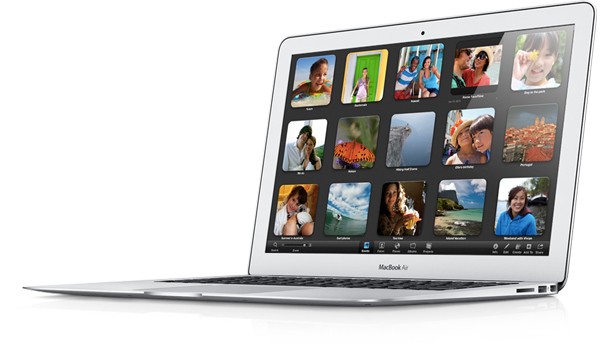
  • Apple Announces new Macbook Airs and Macbook Pros with IVY Bridge,  Shipping Today!

    Apple Announces new Macbook Airs and Macbook Pros with IVY Bridge, Shipping Today!

    Apple’s WWDC conference is live and the company has announced refreshed Macbook Air and MacBook Pro Lineup.

    The Macbook Air will come with Ivy Bridge with 2GHz Core i7, with Turbo Boost up to 3.2GHz. The FaceTime camera is now 720p, the display on the 11-inch model now 1366 x 768 + Intel’s HD graphics 4000. The 13-incher will 1440 x 900 2 xUSB 3.0 ports

    Prices will start at $999 for 11 inch basic.

    Alongside the new Air, Apple has also unveiled the new Macbook Pro, again with Intel’s Ivy Bridge processors up to 2.7GHz quad Core i7s (turbo up to 3.7GHz), 8GB of RAM and have GeForce GT 650M-based graphics. According to Apple the graphics are 60% faster than last gen.


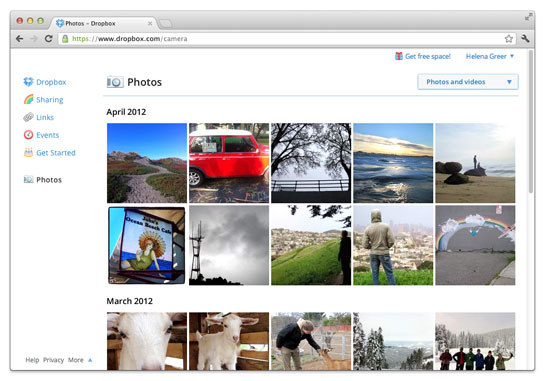
  • Dropbox adds automatic photo uploads for Windows and Mac : free 500 MB for using it each time

    Dropbox adds automatic photo uploads for Windows and Mac : free 500 MB for using it each time

    While Google launched Drive Cloud with free 5 GB Data storage, Dropbox does not want to feel left out at the party. Adding new features for existing users, the company today announced a new app to allow automatic photo uploads from your Windows or Mac computer. 

    Thats not all, Dropbox will also offer upto 3GB free store for using the service, actually 500MB each time you use it to a maximum of 3 GB free.

    [Dropbox]

  • Messages Beta available for Mac OS X Lion

    Messages Beta available for Mac OS X Lion

    If you heard about the recent launch of the new OS X Mountain Lion from Apple, you would have heard of their iMessage client for Mac – messages. The folks at cupertino have seeded a beta download for all those on Mac Lion to preview and test out the upcoming Messages on OS X Mountain Lion. Hit the link below to begin the download if you are already on Lion.

    [Apple]

iGyaan Network
Privacy Overview

This website uses cookies so that we can provide you with the best user experience possible. Cookie information is stored in your browser and performs functions such as recognising you when you return to our website and helping our team to understand which sections of the website you find most interesting and useful.