Tag: os x lion

  • Messages Beta For OS X Lion to End December 14th

    Messages Beta For OS X Lion to End December 14th

    messages

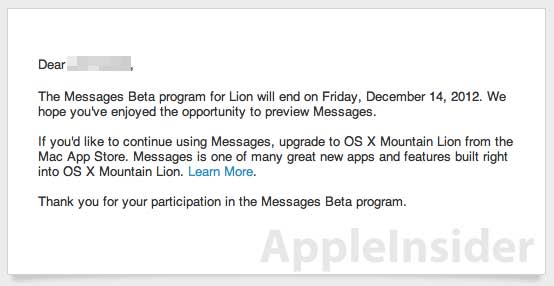
    Messages beta for Mac OSX Lion will no longer be operational next month. In an email to users on Friday, Apple reminded Messages beta program participants that the preview period will end on Friday, Dec. 14, noting that the service will then only be available on OS X Mountain Lion.

    AppleInsider was first to note the upcoming closure, which brings the OS X 10.7 Lion preview service to an end. Apple introduced a beta of Messages for Lion in February alongside the surprise release of a developer preview of OS X Mountain Lion. The latter went on sale in July for $19.99, a third less than its two predecessors.

    Mountain Lion includes Messages, as well as several other features and services that debuted on iOS, Apple’s mobile operating system that powers the iPhone and iPad.

    Apple pulled the download of the Messages beta for Lion in mid-June, when at its annual developers conference company executives revealed more information about Mountain Lion, including its price and a July ship date. Lion users, however, could still run Messages if they had already installed the beta.

    If you’re still on Lion, you’ll have until December 14th to update to Mountain Lion, when Messages will expire. At only $19, it’s really a no-brainer if you haven’t updated yet.

  • Apple OS X Mountain Lion Quick Overview

    OS X Mountain Lion is here, and there are quite a few new features to learn all about, so we sum it up listing the best out of all of them .

    Notification Center

    Just like on iOS , Notification centre gives you all your  alerts and messages under one bar, instead of all over the place. You can access your notification history by clicking the list icon all the way in the top right corner of the OS X menubar. If you want to edit your notification center settings, you can do so in the Notifications section of System Preferences. You’ll be able to decide what kind of notifications individual apps provide, or turn them off entirely.

    Notes and Reminders

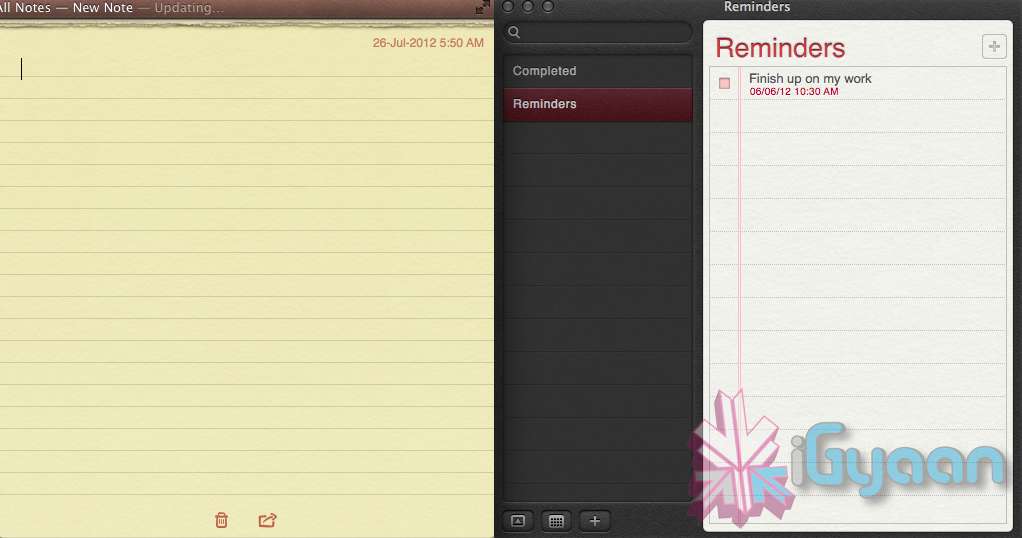
    The Notes app lets you save and organize text and images. Reminders allows you to create reminders so you don’t forget to do things. Again they are just like on iOS and sync well with your iDevices.


    Voice Dictation

    Just like on the iPad and iPhone you get voice dictation on Macs, in Mountain Lion (sadly no Siri).  To start dictating, just press the function (fn) key twice. When you’re done dictating, you can click the “done” button or press the function (fn) key twice again. OS X will take a moment and then provide you with the transcribed text. In addition to just offering words, you can say things like “period” or “comma” for punctuation and “new line” to make a new line.

    This feature works in any App or window that accepts text input via keyboard, also in online websites, like in GMAIL, as long as they are accessed in the new Safari.

    AirPlay Mirroring

    If you have an Apple TV, You can now mirror your display on an Apple TV (2nd or 3rd generation) with AirPlay if you enable it in Displays section of System Preferences. Down at the bottom there’s a checkbox beside “Show mirroring options in the menu bar when available.” Check it and you’ll be able to send your display to any detected Apple TV via the menu item in your menubar.

    Messages

    Messages is the iMessage of OS X. It’s been around in beta since Lion and hasn’t changed much in Mountain Lion. You can add your iCloud account to sync messages with an iPhone, iPad, or iPod touch. You can set up various instant messaging accounts, however, so Messages on the Mac is a little bit more functional than it is on iOS. That’s because it replaces iChat. Messages also now pulls out of Beta, so those of you who were experiencing slow takes may enjoy the new experience. 

    iCloud (Documents in the Cloud)

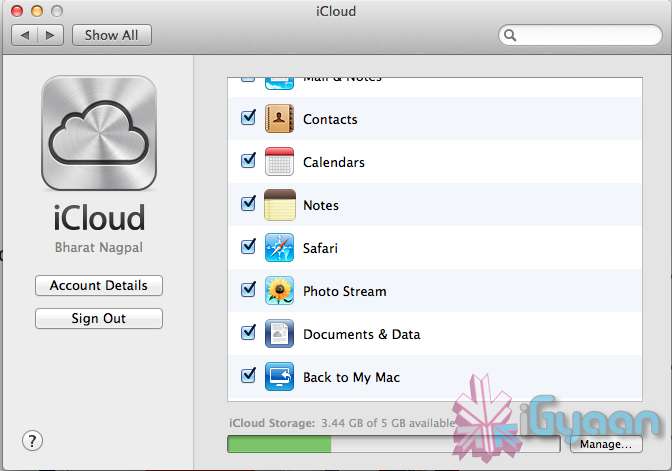
    iCloud has been upgraded significantly in Mountain Lion, you can access it in the same panel in System Preferences. If you turn on “Documents & Data” your documents (including versions of them) will be synced with iCloud, making them available on other iCloud-enabled devices.


    Share

     There is a new button in Mountain Lion, its the Share Button. Not every app has it yet, but many apps will be adding it to allow you to share content easily. In the meantime, Safari is one app that makes sharing sites easy to Messages, Twitter, and Email. If you click an image and then the sharing icon in a window’s toolbar, you’ll be able to share it on Twitter or Flickr. You’ll find other options for other file types as well. If you want to set up sharing accounts, visit the Mail, Contacts, & Calendars section of System Preferences.

    Security and Privacy

    In this new panel available in the System Preferences panel , a new checkbox “Allow applications downloaded from” , which once checked will give option “Mac App Store and identified developers” . This will prevent apps that aren’t signed through Apple’s developer center or downloaded through the Mac App Store from running

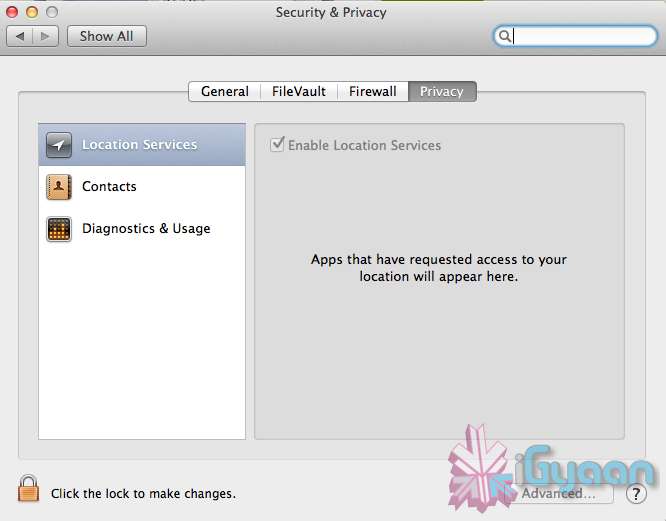
    Under Privacy, you get new privacy settings. This is where you can approve or deny an app’s permission to access certain things like your contacts, location, Twitter account, and more. 

  • Apple unveils Safari 6, Mac Only Version Out Now

    Apple unveils Safari 6, Mac Only Version Out Now

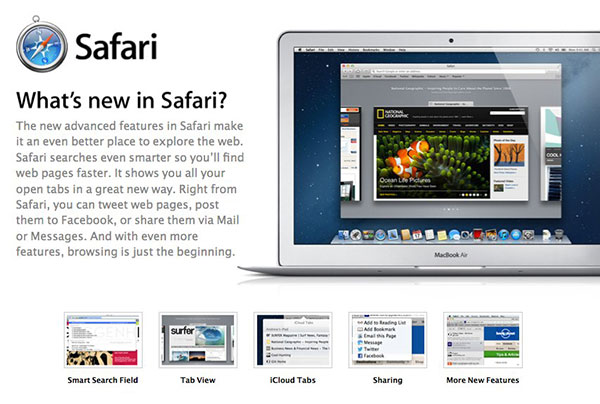
    Apple’s new Operating System, has a key browsing element, the new Safari, version 6, has been launched today alongside the major release Mountain Lion. The new Safari brings about some nice new features including iCloud tabs and a new tab view — both Mountain Lion only.

     There’s also a Do Not Track option to cover your internet tracks, just like the “incognito mode” on Chrome. It also appears that this time around Apple has not released a Windows Version for the software, and all earlier versions of Safari are now removed from Apple’s Servers. 

    [Apple}

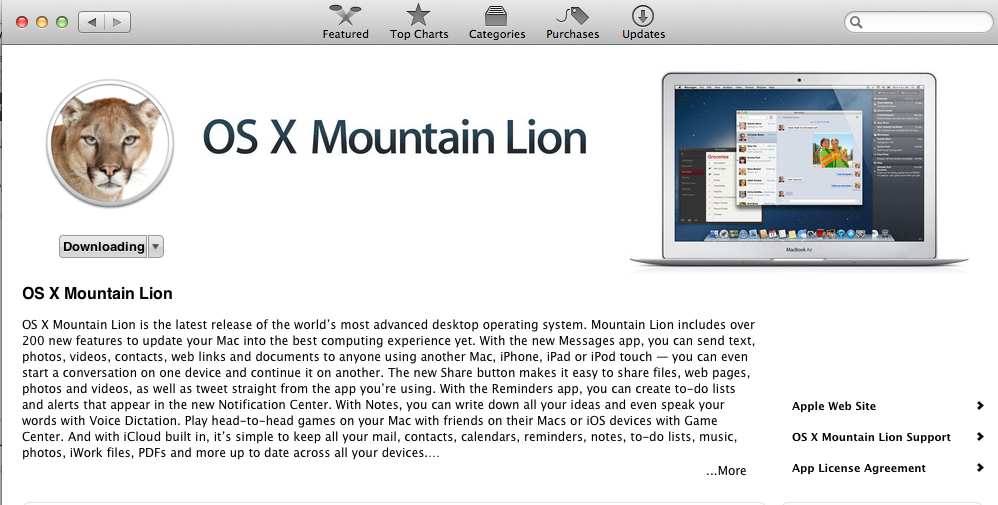
  • Apple Mac App Store gets Mountain Lion for Download – US $ 19.99 – 4.05 GB – LION Extinct (PR)

    Apple Mac App Store gets Mountain Lion for Download – US $ 19.99 – 4.05 GB – LION Extinct (PR)

    The Mac App Store gets its own dose of Lion, and you can get it too for a mere US $ 19.99. The new Operating system adds over 200 new features including voice dictation, notification centre, new advanced sharing, ui fixes, customizations to Spotlight, AirPlay Mirroring etc. 


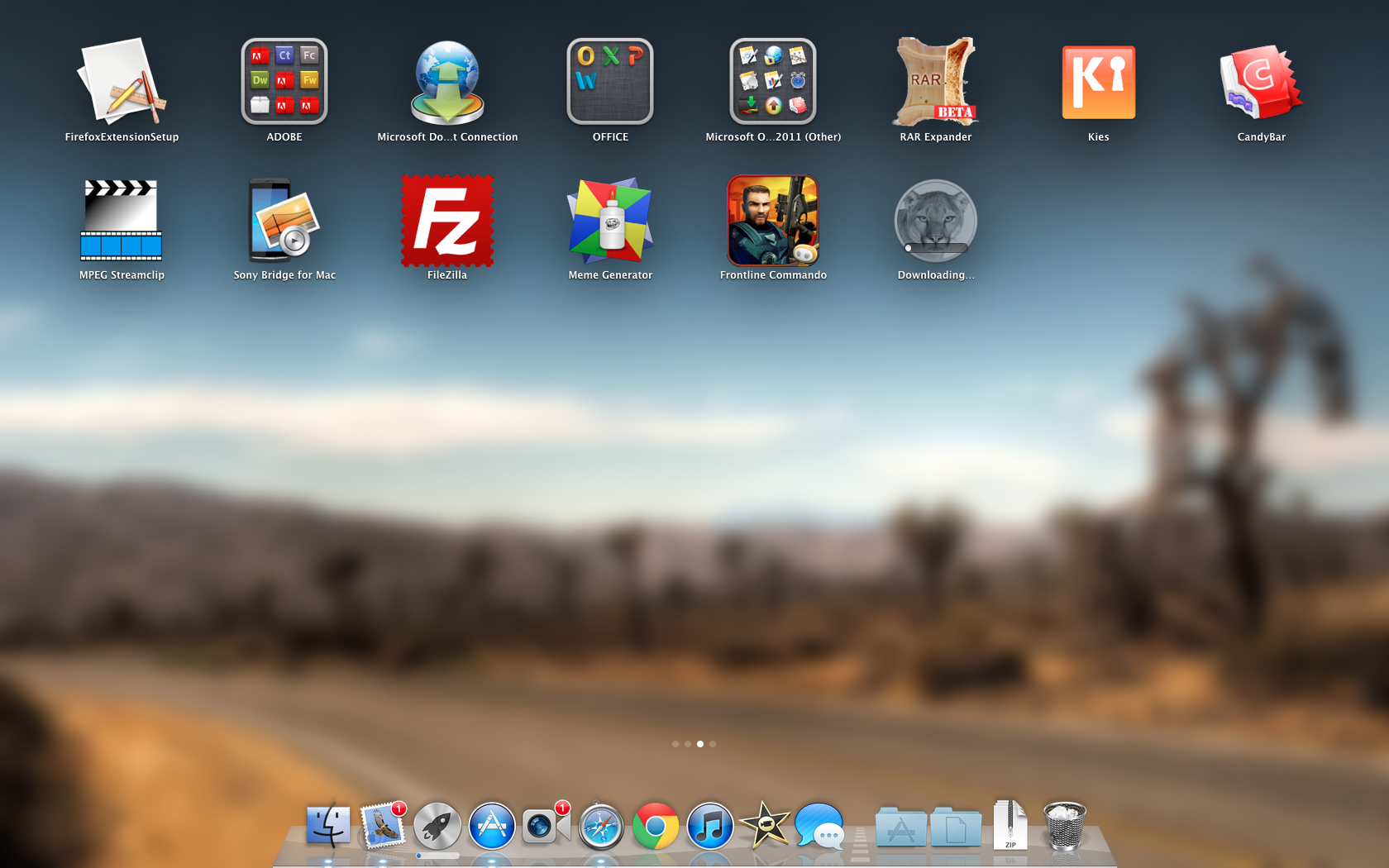
    While we download this 4.05 GB update, and sum it up for you. You can get your own version, at the link below.
     

    [toggle_box title=”Press Release” width=”Width of toggle box”]


    Mountain Lion Available Today From the Mac App Store


    Apple® today announced that OS X® Mountain Lion, the ninth major release of the world’s most advanced desktop operating system, is available as a download from the Mac® App Store?. With more than 200 innovative new features, Mountain Lion includes iCloud® integration, the all new Messages app, Notification Center, system-wide Sharing, Facebook integration*, Dictation, AirPlay® Mirroring and Game Center. Mountain Lion is available as an upgrade from Lion or Snow Leopard for $19.99.


    “With iCloud integration, Mountain Lion is even easier to set up, and your important information stays up to date across all your devices so you can keep editing documents, taking notes, creating reminders, and continue conversations whether you started on a Mac, iPhone or iPad.”


    “People are going to love the new features in Mountain Lion and how easy it is to download and install from the Mac App Store,” said Philip Schiller, Apple’s senior vice president of Worldwide Marketing. “With iCloud integration, Mountain Lion is even easier to set up, and your important information stays up to date across all your devices so you can keep editing documents, taking notes, creating reminders, and continue conversations whether you started on a Mac, iPhone or iPad.”


    With more than 200 innovative new features, Mountain Lion includes:


    iCloud integration, for easy set up of your Mail, Contacts, Calendar, Messages, Reminders and Notes, and keeping everything, including iWork® documents, up to date across all your devices;
    the all new Messages app, which replaces iChat® and brings iMessage™ to the Mac, so you can send messages to anyone with an iPhone®, iPad®, iPod touch® or another Mac;
    Notification Center, which streamlines the presentation of notifications and provides easy access to alerts from Mail, Calendar, Messages, Reminders, system updates and third party apps;
    system-wide Sharing, to make it easy to share links, photos, videos and other files quickly without having to switch to another app, and you just need to sign in once to use third-party services like Facebook, Twitter, Flickr and Vimeo;
    Facebook integration, so you can post photos, links and comments with locations right from your apps, automatically add your Facebook friends to your Contacts, and even update your Facebook status from within Notification Center;
    Dictation, which allows you to dictate text anywhere you can type, whether you’re using an app from Apple or a third party developer;
    AirPlay Mirroring, an easy way to wirelessly send an up-to-1080p secure stream of what’s on your Mac to an HDTV using Apple TV®, or send audio to a receiver or speakers that use AirPlay; and
    Game Center, which brings the popular social gaming network from iOS to the Mac so you can enjoy live, multiplayer games with friends whether they’re on a Mac, iPhone, iPad or iPod touch.


    Additional features in Mountain Lion include the revolutionary new Gatekeeper, which makes downloading software from the Internet safer; Power Nap, which automatically updates your apps and system while your Mac is asleep; and a faster Safari® browser. New features for China include significantly improved text input, a new Chinese Dictionary, easy setup with popular email providers, Baidu search in Safari, and built-in sharing to Sina Weibo and popular video websites Youku and Tudou.


    Pricing & Availability


    OS X Mountain Lion is available from the Mac App Store for $19.99 (US). Mountain Lion requires Lion or Snow Leopard (OS X v10.6.8 or later), 2GB of memory and 8GB of available space. For a complete list of system requirements and compatible systems, please visit: apple.com/osx/specs. OS X Server requires Mountain Lion and is available from the Mac App Store for $19.99 (US). The OS X Mountain Lion Up-to-Date upgrade is available at no additional charge from the Mac App Store to all customers who purchased a qualifying new Mac system from Apple or an Apple Authorized Reseller on or after June 11, 2012.

    [/toggle_box]

    [iTunes]
     

  • Apple Releases Free iBooks Author app to the Mac App Store : Hands on

    Apple Releases Free iBooks Author app to the Mac App Store : Hands on

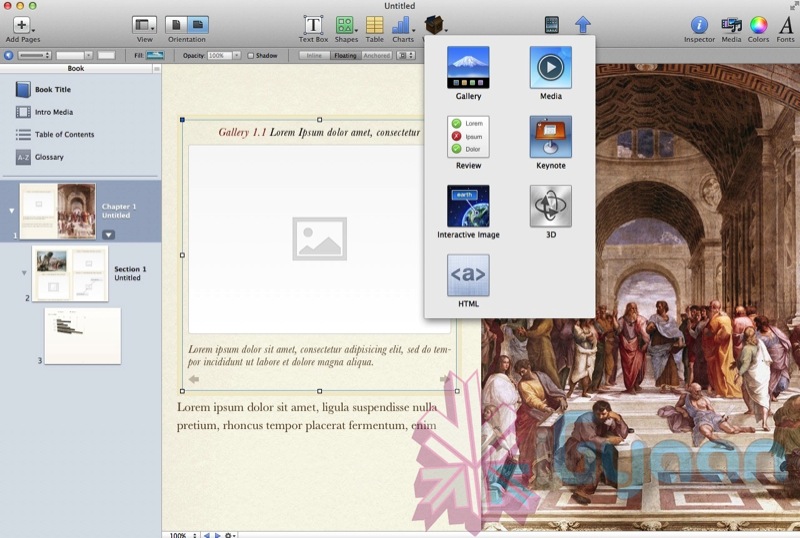
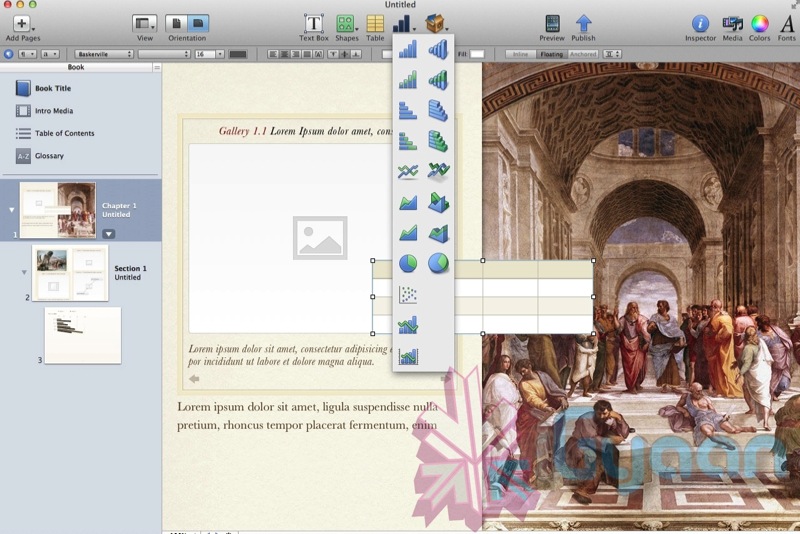
    Considering how Apple just reinvented the text book with the new iBooks 2 App, the best feature about iBooks 2 is the ability of authors to write textbooks and publish them on iBooks. To make that project easier,  Mac users can now download the iBooks Publisher App. This new app allows would be book sellers the ability to drag and drop photos, videos and even Microsoft Word files into various templates. If you use iWork you can drop a Keynote presentation into the doc, and it becomes an interactive widget. Authors can also arrange glossaries by highlighting and clicking words, and clicking again to add a definition.

    The books can then be published straight to the Apple iBooks Store for either Free or a maximum of US $ 14.99, The paid books will go on revenue share with Apple, in a 70/30 split where the Authors get 70% of the total sales.

    The App itself is quite amazing as we ant hands on with it.

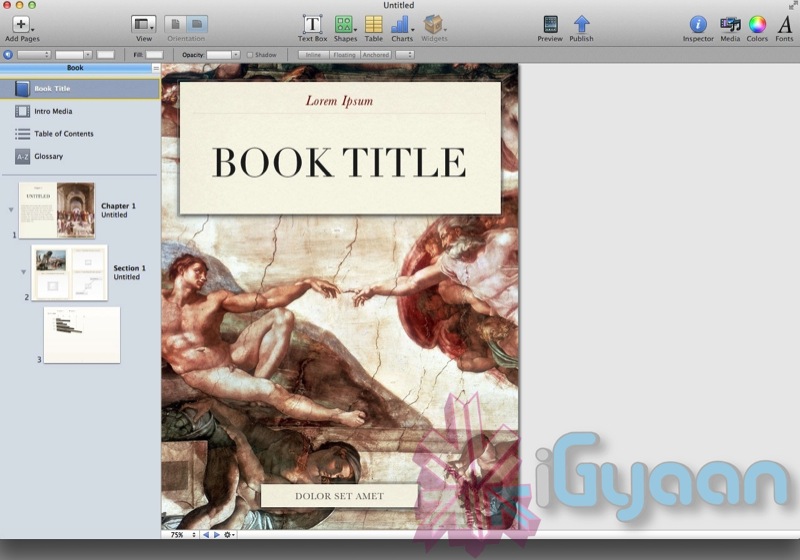
    When you start it up , it shows you a bunch of templates.


    You can select your type and then continue to drag and drop media as per your convenience.


    Influenced to write your own book yet!

  • VMware Fusion 4 brings full Mac OS Lion support to Windows 8 – Mission Control et all

    VMware Fusion 4 brings full Mac OS Lion support to Windows 8 – Mission Control et all

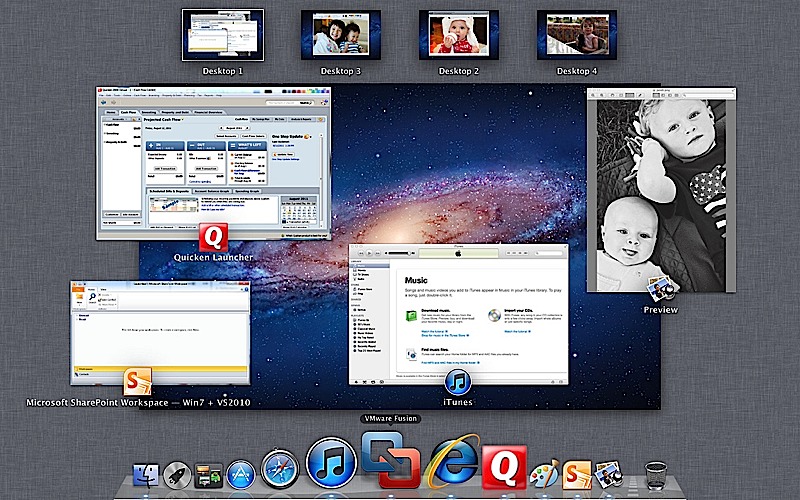
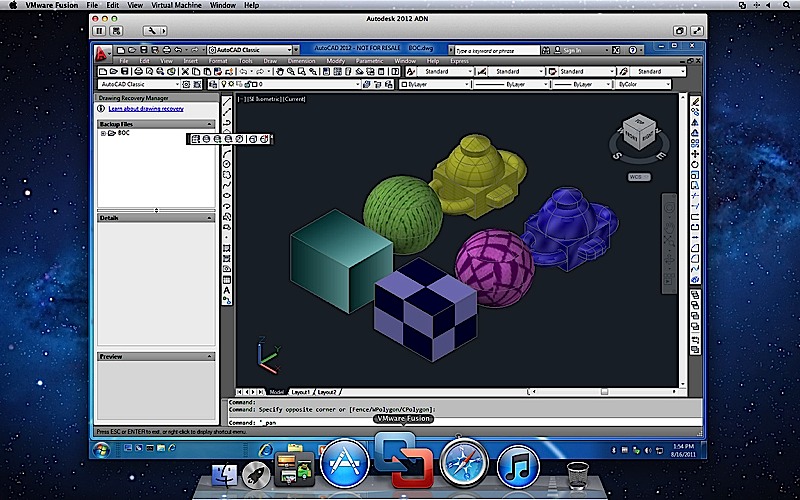
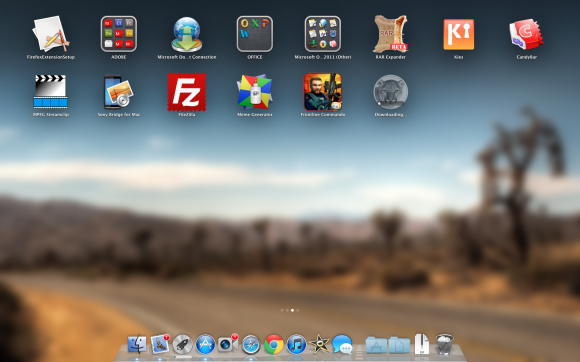
    To fully enjoy the killings of Microsofts new OS, VMware has introduced the new Fusion 4 the latest version of its virtualization software. This version fully works with Mac Lion, there is also support for Expose and Spaces on the Windows side, it also adds the ability to use Mission Control and launch Windows apps from Launchpad.

    The new software costs only US $ 50 or INR 2500 till december when the price goes up to US$ 80( do the math). If you recently bought VMware Fusion you get an upgrade free of cost. 

    The most important thing to note here is that our version of Parallels for Mac has already been doing this for about two months now. Full PR below.


    [toggle title_open=”Press Release” title_closed=”Press Release” hide=”no” border=”yes” style=”default” excerpt_length=”0″ read_more_text=”Read More” read_less_text=”Read Less” include_excerpt_html=”no”]VMware launches VMware Fusion® 4 – The Best Way to Run Windows on a Mac Just Got Better

    PALO ALTO, Calif., Sept. 14, 2011 – VMware, Inc. (NYSE: VMW), the global leader in virtualization and cloud infrastructure, today announced VMware Fusion® 4 – the best way to run Windows on a Mac. Available now at VMware.com for a promotional price of $49.99, VMware Fusion 4 makes it easier than ever for users to run Windows applications with Mac simplicity.

    “Enhancements to VMware Fusion® 4 make it a breeze to run Windows and Mac Applications side by side on a Mac,” said Pat Lee, director, client product management, VMware. “Offering full integration into Apple OS X Lion, VMware Fusion 4 builds on our proven, award winning platform to provide an easy, fast and reliable way to run Windows applications on a Mac.”

    With more than 90 new features and now optimized for today’s multi-core Macs and OS X Lion, key features in VMware Fusion 4 include:

    – Built for OS X Lion – VMware Fusion 4 is designed to provide the best Windows experience on OS X Lion. Add Windows programs to Launchpad, experience them in Mission Control, view them in full screen or switch between them using Mac gestures.
    · Better Performance and Faster Graphics – VMware Fusion 4 has been engineered to run Windows and Mac applications side-by-side with incredible speed and reliability. As a 64-bit Cocoa application, it is optimized for today’s multi-core Macs and delivers 3D graphics up to 2.5-times faster.
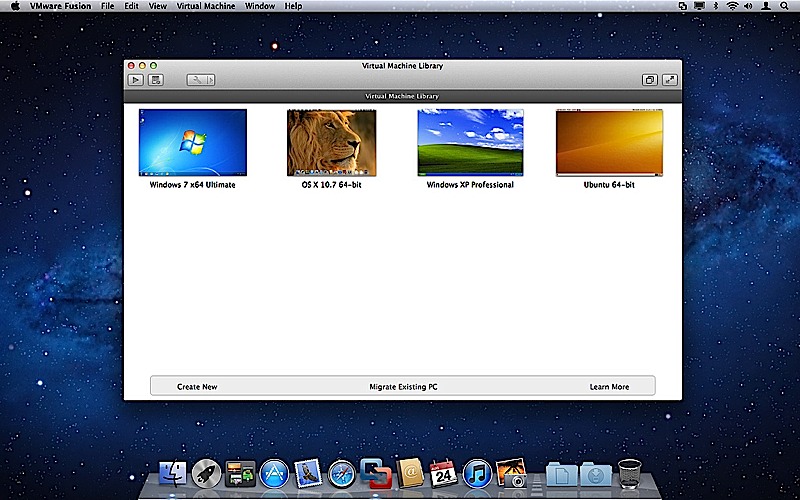
    – Even More “Mac-like” Experience – VMware Fusion 4 enhances the way Windows programs run on a Mac. From the brand new settings menu to the redesigned virtual machine library and snapshot menu, users have even more Mac-like experiences when running Windows programs.
    – Lion Squared – VMware Fusion 4 now supports OS X Lion in a virtual machine, allowing users to get more from their Mac by running OS X Lion, OS X Lion Server, Mac OS X Snow Leopard Server and Mac OS X Leopard Server in virtual machines.

    Switching Made Easy
    VMware Fusion’s migration assistant for Windows makes it easier than ever for users to transfer their entire PC to a Mac, allowing them to make the most of their existing Windows software investment. With VMware Fusion 4 users can get the best of both worlds and have access to Windows programs and files from their PC directly on their Mac, whenever they need them.

    Availability and Pricing
    VMware Fusion® 4 is available until the end of the year for a promotional price of only $49.99. The suggested retail price for VMware Fusion 4 is $79.99. Customers who have purchased VMware Fusion 3 on or after the July 20, 2011 are eligible for an electronic upgrade to VMware Fusion 4 at no additional cost. Volume pricing for corporate users is available from select resellers and www.vmware.com/fusion.

    VMware Fusion 4 is available immediately for download and purchase from vmware.com. VMware Fusion box products will be available at key resellers including Apple, Apple.com, Amazon.com, Best Buy, Fry’s Electronics and many other stores in the coming days. VMware Fusion is available in English, German, French, Italian, Spanish, Simplified Chinese and Japanese.

    Additional Resources
    Learn more about VMware Fusion on the VMware Fusion Blog[/toggle]

  • Apple Starts Selling Lion OSX USB stick online : US$ 69

    Apple Starts Selling Lion OSX USB stick online : US$ 69

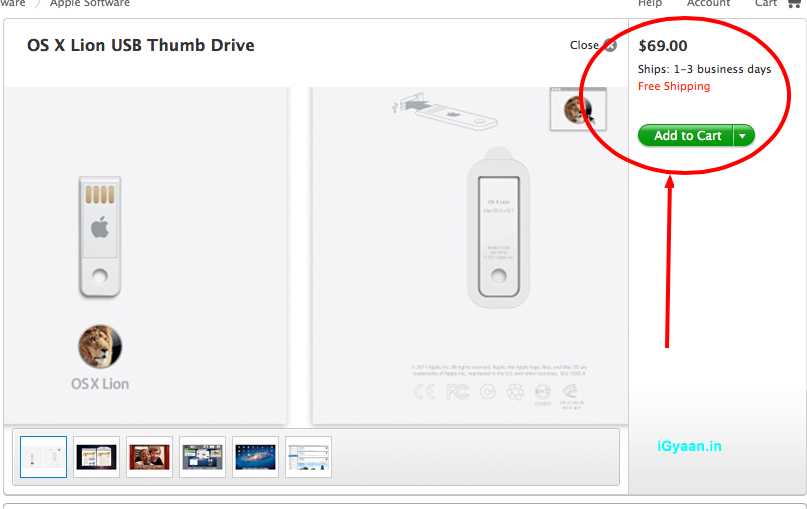
    Apple has finally released its OS X Lion USB thumb drive, available now at its online store. If you want an alternative to the Mac App Store download file which deletes itself after each install, this usb stick might be the correct answer for you. 

    The only catch is that the usb stick sells for US$ 69, when you can download the OS for just US$ 29 from the App store. These are only currently available in the US, so you will either need to wait several weeks, or find alternate ways to get them to your doorstep.

    [Apple]

  • Apple working on a 15 inch and 17 inch UltraThin Notebook pc

    Apple working on a 15 inch and 17 inch UltraThin Notebook pc

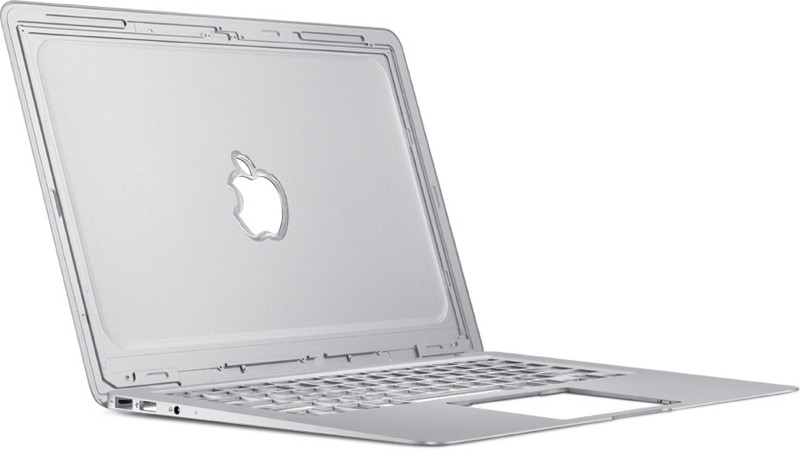
    Apple is in the last stages of testing a 15 inch ultra thin Notebook pc that will be part of the MacBook family. According to various reports by TUAW and MacRumors the devices will be 15 inch and 17 inch in size will fall under the Macbook Pro Lineup and will be available in time for christmas.

    The ultra-thin market is also about to get much more competitive this fall as Intel’s partners begin launching their notebooks.

  • Apple Patent Hints at the end of Hard Keys – A new Future for Keyboards

    Apple Patent Hints at the end of Hard Keys – A new Future for Keyboards

    Apple is known for its iPhones, iPod and Macs along with its many Patents and Lawsuits. A recently filed patent from Apple suggests that the company is looking at the possibility of eliminating keyboards all together in the future from its desktop and laptop products. The new keyboards will be a flat surface and will be compromised of various materials and mechanisms with metal, plastic and glass form factors.

    The technology is based of multiple ideas that involve piezoelectric components, haptic feedback and acoustic pulse recognition,  the combination would allow the keyboard or flat key surface to receive an input via your finger. The flat surface design will have either a plastic or metal construction with perforations to help recognize the keys, a glass overlay to identify them with a display and finally all of this will be led backlit. Looks like Apple is finally taking a stab at the age old keyboard.


    [Patently Apple]

  • Apple refreshes MacBook Air with Sandy Bridge, Thunderbolt, and backlit keyboards (PR)

    Apple refreshes MacBook Air with Sandy Bridge, Thunderbolt, and backlit keyboards (PR)

    Apple has dropped a new load of goodies on us today, as we suspected, Apple has updated the Macbook Air to include new hardware and backlit keyboards.

    Still this as ever the Macbook Air now has a refreshed price as well, 

    • 11 inch , Core i5, 1.6 Ghz, 2GB RAM, 64GB SSD, $999 
    • 11 inch, Core i5, 1.6 Ghz, 4GB RAM, 128 GB SSD, $1199
    • 13 inch, Core i5, 1.7 Ghz, 4GB RAM, 128 GB SSD, $1299
    • 13 inch, Core i5, 1.7 Ghz, 4GB RAM, 256 GB SSD, $1599
    Read the Full Press Release Below
    [toggle title_open=”Collapse” title_closed=”Expand The Press Release” hide=”yes” border=”yes” style=”default” excerpt_length=”0″ read_more_text=”Read More” read_less_text=”Read Less” include_excerpt_html=”no”]Apple Updates MacBook Air With Next Generation Processors, Thunderbolt I/O & Backlit Keyboard
    CUPERTINO, California-July 20, 2011-Apple® today updated the MacBook Air® with next generation processors, high-speed Thunderbolt I/O technology, a backlit keyboard and Mac OS® X Lion, the world’s most advanced operating system. With up to twice the performance of the previous generation, flash storage for instant-on responsiveness and a compact design so portable you can take it everywhere,* the MacBook Air starts at $999 (US) and is available for order today and in stores tomorrow.

    “Portable, affordable and powerful, MacBook Air is the ultimate everyday notebook,” said Philip Schiller, Apple’s senior vice president of Worldwide Product Marketing. “MacBook Air features our most advanced technology and is an ideal match for Lion, especially with its new Multi-Touch gestures, full-screen apps, Mission Control and Mac App Store.”

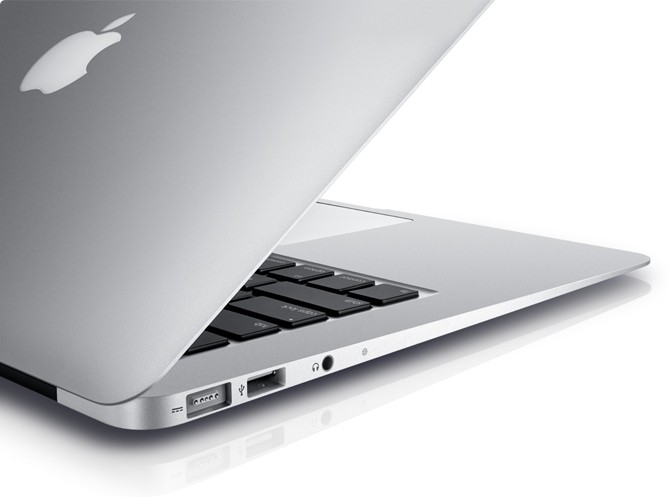
    MacBook Air is available in 11-inch and 13-inch models that easily slip into a briefcase, purse or bag. The MacBook Air’s durable aluminum unibody enclosure measures an incredibly thin 0.11-inches at its thinnest point and 0.68-inches at its thickest. Flash storage allows MacBook Air to turn on instantly and deliver fast data access, improved reliability and incredible energy efficiency. The 11-inch model weighs 2.38 pounds and provides up to 5 hours of battery life, while the 13-inch weighs 2.96 pounds and provides up to 7 hours of battery life.**

    With the latest Intel Core i5 and Core i7 dual-core processors, the new MacBook Air is up to twice as fast as the previous generation and has all the power you need for editing photos and movies, making FaceTime® calls, playing games, and working with documents and presentations. MacBook Air also features Intel HD Graphics 3000 and offers up to 4GB of faster 1333 MHz memory.

    Thunderbolt I/O technology provides expansion possibilities never before available to MacBook Air users. Through a single cable, users can connect to high performance peripherals and the new Apple Thunderbolt Display, the ultimate docking station for your Mac® notebook. Thunderbolt can easily be adapted to support legacy connections such as FireWire® and Gigabit Ethernet.

    MacBook Air comes with a full size backlit keyboard and an innovative glass Multi-Touch™ trackpad. Designed for comfort and ease of typing, the backlit keyboard uses a sensor to automatically detect a change in ambient lighting and adjusts the keyboard brightness for any environment. The Multi-Touch trackpad supports Lion’s new Multi-Touch gestures such as momentum scrolling, tapping or pinching your fingers to zoom in on a web page or image, and swiping left or right to turn a page or switch between full screen apps.

    MacBook Air also features a brilliant, high resolution LED backlit display that is amazingly thin yet has the resolution of a much larger, bulkier screen. With ultra-fast Wi-Fi, you can wirelessly download apps from the Mac App Store™, get music and movies from iTunes®, back up data to Time Capsule® and quickly and easily share files using AirDrop. MacBook Air includes Bluetooth for wireless peripherals and two USB ports for easy connectivity for the wired and wireless devices you use every day.

    Apple makes the industry’s greenest notebook lineup and the new MacBook Air meets Energy Star 5.2 requirements and achieves EPEAT Gold status.*** Each unibody enclosure is made of highly recyclable aluminum and comes standard with energy efficient LED-backlit displays that are mercury-free and made with arsenic-free glass. Mac notebooks contain no brominated flame retardants, are PVC-free and are constructed of recyclable materials.

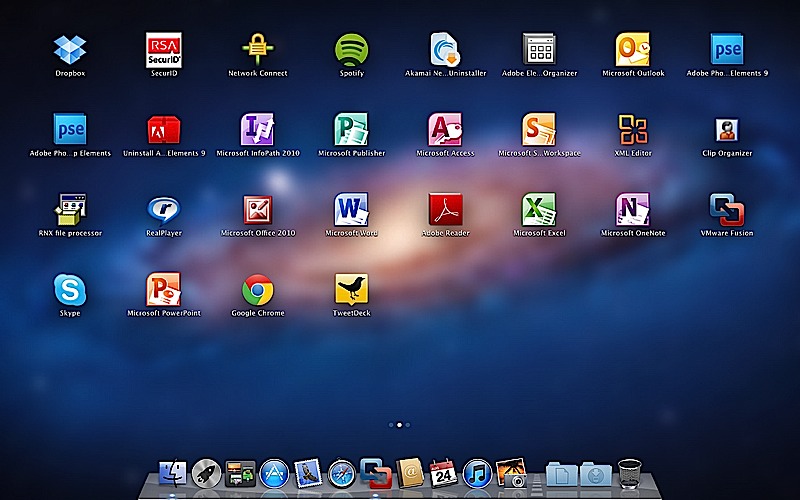
    Every new MacBook Air comes with Mac OS X Lion, the eighth major release of the world’s most advanced operating system, and iLife apps for creating and sharing great photos, movies and music. Lion introduces more than 250 new features to the Mac, including Multi-Touch gestures; system-wide support for full screen apps; Mission Control, an innovative view of everything running on your Mac; the Mac App Store, the best place to find and explore great software, built right into the OS; Launchpad, a new home for all your apps; and a completely redesigned Mail app.

    Pricing & Availability
    The 11-inch and 13-inch MacBook Air are available for order on the Apple Store® (www.apple.com) today and in Apple’s retail stores and Apple Authorized Resellers starting July 21. The 1.6 GHz 11-inch MacBook Air is available in two models, one with 2GB of memory and 64GB of flash storage for a suggested retail price of $999 (US), and one with 4GB of memory and 128GB of flash storage for $1,199 (US). The 1.7 GHz 13-inch MacBook Air comes in two configurations, one with 4GB of memory and 128GB of flash storage for a suggested retail price of $1,299 (US), and one with 4GB of memory and 256GB of flash storage for $1,599 (US). Configure-to-order options and accessories include a 1.8 GHz Core i7 processor, additional flash storage, MacBook Air SuperDrive® and a USB Ethernet Adapter.

    Additional technical specifications and configure-to-order options and accessories are available online at www.apple.com/macbookair.

    *Testing conducted by Apple in July 2011 using preproduction MacBook Air configurations. For more information visit www.apple.com/macbookair/features.html.

    **The new Wireless Web protocol testing was conducted by Apple in July 2011 using preproduction MacBook Air configurations. Battery life and charge cycles vary by use and settings. For more information visit www.apple.com/macbookair/features.html.

    ***EPEAT is an independent organization that helps customers compare the environmental performance of notebooks and desktops. For more information visit www.epeat.net.

    Apple designs Macs, the best personal computers in the world, along with OS X, iLife, iWork and professional software. Apple leads the digital music revolution with its iPods and iTunes online store. Apple has reinvented the mobile phone with its revolutionary iPhone and App Store, and has recently introduced iPad 2 which is defining the future of mobile media and computing devices.
    [/toggle]

  • The Apple Online store is down : Whats up? Macbook Air / Mini Refresh?

    The Apple Online store is down : Whats up? Macbook Air / Mini Refresh?

    The Apple Online store is down and apart from the obvious – Mac OS  X Lion Release – and listing upgrade across the board for the Machines already on the Online Store. We are also hearing rumors of a Macbook Air and Mac Mini Refresh. But we wont know till we know. So Hold On!

    Apple Store

  • MAC OS X Lion to Launch in July $29.99

    MAC OS X Lion to Launch in July $29.99

    Calling it “The worlds most advanced operating system” , Apple has announced that MAC OS X Lion will launch in july for 29.99 US$.


    Major new addons are

    • New Gestures
    • Mission Control
    • Revamped Mac App Store
    • Launchpad
    • Resume of Apps where they were left (multitasking extreme!)
    • Autosave : Multiple Versions
    • Air Drop
    • New Mail

    Check out the full details here

    and watch the demo video Below!

  • Reminder : Tonight Apple Keynote, Possible iPhone 5 Launch : We will cover it Live !


    There is a lot of information pointing to the fact that a new iPhone may just be released today evening at the WWDC (morning in USA) . We will cover the even live from all aspects on our Live Blog.


    CLICK HERE FOR LIVE BLOG

    So be sure to bookmark the page as you may never know what secrets Apple might have up its sleeve.

  • Apple WWDC Keynote on iOS 5, Mac OS X Lion and iCloud is on June 6th, We will Cover it Live!

    Apple WWDC Keynote on iOS 5, Mac OS X Lion and iCloud is on June 6th, We will Cover it Live!

    Who knows whats going to happen at this keynote, iOS 5 , Mac OS X lion and iCloud are already known facts. A lot of speculation on the iPhone 5 and possibly the iPhone Nano. We will just have to wait till Mr. Jobs shows up in his Black turtle neck and blue jeans.

    In the mean time bookmark this page to get unrestricted access to our live coverage of the event.

    10:30PM – INDIA / New Delhi/Mumbai/Kolkatta/Chennai/Bengaluru

    06:00PM – London
    07:00PM – Paris
    09:00PM – Moscow
    02:00AM – Tokyo (June 7th)

  • Apple will announce iCloud and iOS5 on June 6th (PR)

    Apple will announce iCloud and iOS5 on June 6th (PR)

    Surprising piece of information from Apple, in almost a first ever in a very long time they have announced what is going to be announced before the actual announcement. According to the Press Release below Apple will announce the much awaited iOS5 and new new could based streaming service iCloud on June 6th 2011 at the WWDC.

    Lets hope that Steve Jobs has something else up his sleeve, or down his pocket, a shiny new iPhone 5 perhaps, even an iPhone 4s. You never know with Apple, But hey at least Jobs is gonna be there delivering the Keynote.


    PRESS RELEASE

    Apple to Unveil Next Generation Software at Keynote Address on Monday, June 6

    CUPERTINO, California-May 31, 2011-Apple® CEO Steve Jobs and a team of Apple executives will kick off the company’s annual Worldwide Developers Conference (WWDC) with a keynote address on Monday, June 6 at 10:00 a.m. At the keynote, Apple will unveil its next generation software – Lion, the eighth major release of Mac OS® X; iOS 5, the next version of Apple’s advanced mobile operating system which powers the iPad®, iPhone® and iPod touch®; and iCloud®, Apple’s upcoming cloud services offering.

    WWDC will feature more than 100 technical sessions presented by Apple engineers. Mac® developers will see and learn how to develop world-class Mac OS X Lion applications using its latest technologies and capabilities. Mobile developers will be able to explore the latest innovations and capabilities of iOS and learn how to greatly enhance the functionality, performance and design of their apps. All developers can bring their code to the labs and work with Apple engineers.

    For more details, visit the Apple Worldwide Developers Conference 2011 website at developer.apple.com/wwdc.

    Apple designs Macs, the best personal computers in the world, along with OS X, iLife, iWork and professional software. Apple leads the digital music revolution with its iPods and iTunes online store. Apple has reinvented the mobile phone with its revolutionary iPhone and App Store, and has recently introduced iPad 2 which is defining the future of mobile media and computing devices.

iGyaan Network
Privacy Overview

This website uses cookies so that we can provide you with the best user experience possible. Cookie information is stored in your browser and performs functions such as recognising you when you return to our website and helping our team to understand which sections of the website you find most interesting and useful.