Tag: OsXMountainLion

  • Apple OS X Mountain Lion Quick Overview

    OS X Mountain Lion is here, and there are quite a few new features to learn all about, so we sum it up listing the best out of all of them .

    Notification Center

    Just like on iOS , Notification centre gives you all your  alerts and messages under one bar, instead of all over the place. You can access your notification history by clicking the list icon all the way in the top right corner of the OS X menubar. If you want to edit your notification center settings, you can do so in the Notifications section of System Preferences. You’ll be able to decide what kind of notifications individual apps provide, or turn them off entirely.

    Notes and Reminders

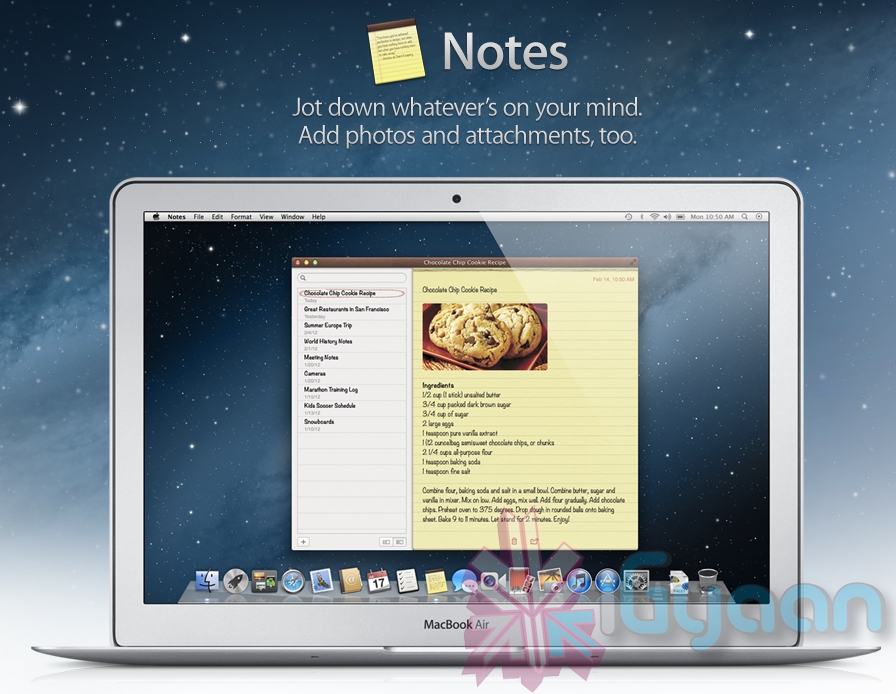
    The Notes app lets you save and organize text and images. Reminders allows you to create reminders so you don’t forget to do things. Again they are just like on iOS and sync well with your iDevices.


    Voice Dictation

    Just like on the iPad and iPhone you get voice dictation on Macs, in Mountain Lion (sadly no Siri).  To start dictating, just press the function (fn) key twice. When you’re done dictating, you can click the “done” button or press the function (fn) key twice again. OS X will take a moment and then provide you with the transcribed text. In addition to just offering words, you can say things like “period” or “comma” for punctuation and “new line” to make a new line.

    This feature works in any App or window that accepts text input via keyboard, also in online websites, like in GMAIL, as long as they are accessed in the new Safari.

    AirPlay Mirroring

    If you have an Apple TV, You can now mirror your display on an Apple TV (2nd or 3rd generation) with AirPlay if you enable it in Displays section of System Preferences. Down at the bottom there’s a checkbox beside “Show mirroring options in the menu bar when available.” Check it and you’ll be able to send your display to any detected Apple TV via the menu item in your menubar.

    Messages

    Messages is the iMessage of OS X. It’s been around in beta since Lion and hasn’t changed much in Mountain Lion. You can add your iCloud account to sync messages with an iPhone, iPad, or iPod touch. You can set up various instant messaging accounts, however, so Messages on the Mac is a little bit more functional than it is on iOS. That’s because it replaces iChat. Messages also now pulls out of Beta, so those of you who were experiencing slow takes may enjoy the new experience. 

    iCloud (Documents in the Cloud)
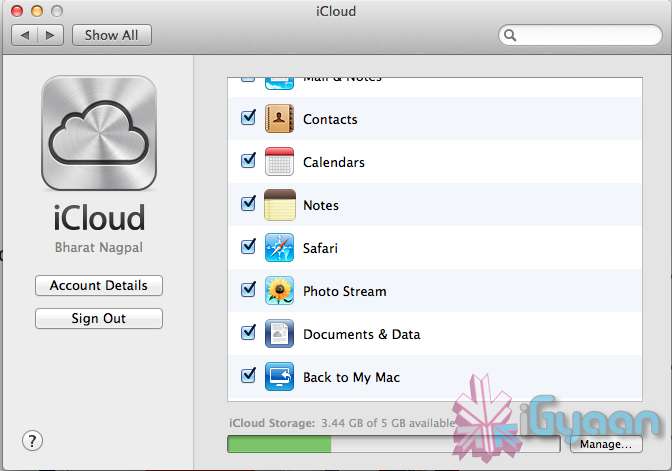
    iCloud has been upgraded significantly in Mountain Lion, you can access it in the same panel in System Preferences. If you turn on “Documents & Data” your documents (including versions of them) will be synced with iCloud, making them available on other iCloud-enabled devices.


    Share

     There is a new button in Mountain Lion, its the Share Button. Not every app has it yet, but many apps will be adding it to allow you to share content easily. In the meantime, Safari is one app that makes sharing sites easy to Messages, Twitter, and Email. If you click an image and then the sharing icon in a window’s toolbar, you’ll be able to share it on Twitter or Flickr. You’ll find other options for other file types as well. If you want to set up sharing accounts, visit the Mail, Contacts, & Calendars section of System Preferences.

    Security and Privacy
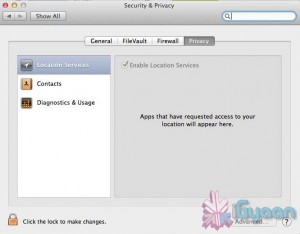
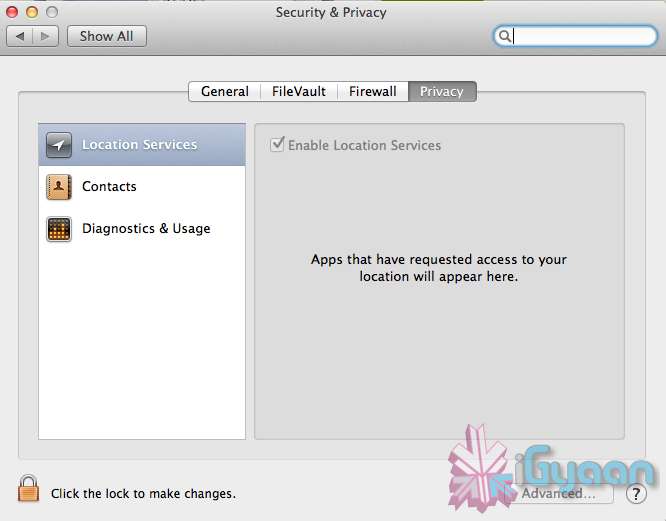
    In this new panel available in the System Preferences panel , a new checkbox “Allow applications downloaded from” , which once checked will give option “Mac App Store and identified developers” . This will prevent apps that aren’t signed through Apple’s developer center or downloaded through the Mac App Store from running

    Under Privacy, you get new privacy settings. This is where you can approve or deny an app’s permission to access certain things like your contacts, location, Twitter account, and more. 
  • Apple unveils Safari 6, Mac Only Version Out Now

    Apple unveils Safari 6, Mac Only Version Out Now

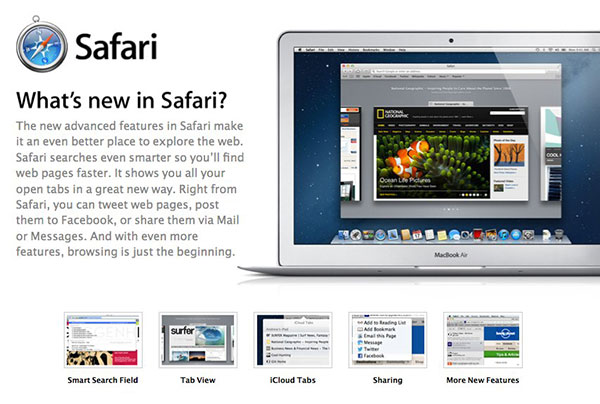
    Apple’s new Operating System, has a key browsing element, the new Safari, version 6, has been launched today alongside the major release Mountain Lion. The new Safari brings about some nice new features including iCloud tabs and a new tab view — both Mountain Lion only.

     There’s also a Do Not Track option to cover your internet tracks, just like the “incognito mode” on Chrome. It also appears that this time around Apple has not released a Windows Version for the software, and all earlier versions of Safari are now removed from Apple’s Servers. 

    [Apple}

  • Apple Mac App Store gets Mountain Lion for Download – US $ 19.99 – 4.05 GB – LION Extinct (PR)

    Apple Mac App Store gets Mountain Lion for Download – US $ 19.99 – 4.05 GB – LION Extinct (PR)

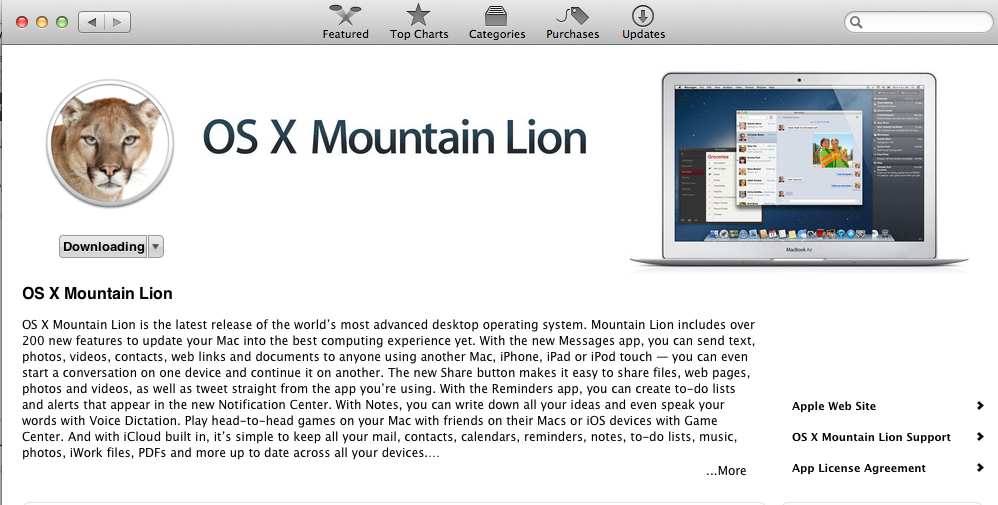
    The Mac App Store gets its own dose of Lion, and you can get it too for a mere US $ 19.99. The new Operating system adds over 200 new features including voice dictation, notification centre, new advanced sharing, ui fixes, customizations to Spotlight, AirPlay Mirroring etc. 


    While we download this 4.05 GB update, and sum it up for you. You can get your own version, at the link below.


    [toggle_box title=”Press Release” width=”Width of toggle box”]


    Mountain Lion Available Today From the Mac App Store


    Apple® today announced that OS X® Mountain Lion, the ninth major release of the world’s most advanced desktop operating system, is available as a download from the Mac® App Store?. With more than 200 innovative new features, Mountain Lion includes iCloud® integration, the all new Messages app, Notification Center, system-wide Sharing, Facebook integration*, Dictation, AirPlay® Mirroring and Game Center. Mountain Lion is available as an upgrade from Lion or Snow Leopard for $19.99.


    “With iCloud integration, Mountain Lion is even easier to set up, and your important information stays up to date across all your devices so you can keep editing documents, taking notes, creating reminders, and continue conversations whether you started on a Mac, iPhone or iPad.”


    “People are going to love the new features in Mountain Lion and how easy it is to download and install from the Mac App Store,” said Philip Schiller, Apple’s senior vice president of Worldwide Marketing. “With iCloud integration, Mountain Lion is even easier to set up, and your important information stays up to date across all your devices so you can keep editing documents, taking notes, creating reminders, and continue conversations whether you started on a Mac, iPhone or iPad.”


    With more than 200 innovative new features, Mountain Lion includes:


    iCloud integration, for easy set up of your Mail, Contacts, Calendar, Messages, Reminders and Notes, and keeping everything, including iWork® documents, up to date across all your devices;
    the all new Messages app, which replaces iChat® and brings iMessage™ to the Mac, so you can send messages to anyone with an iPhone®, iPad®, iPod touch® or another Mac;
    Notification Center, which streamlines the presentation of notifications and provides easy access to alerts from Mail, Calendar, Messages, Reminders, system updates and third party apps;
    system-wide Sharing, to make it easy to share links, photos, videos and other files quickly without having to switch to another app, and you just need to sign in once to use third-party services like Facebook, Twitter, Flickr and Vimeo;
    Facebook integration, so you can post photos, links and comments with locations right from your apps, automatically add your Facebook friends to your Contacts, and even update your Facebook status from within Notification Center;
    Dictation, which allows you to dictate text anywhere you can type, whether you’re using an app from Apple or a third party developer;
    AirPlay Mirroring, an easy way to wirelessly send an up-to-1080p secure stream of what’s on your Mac to an HDTV using Apple TV®, or send audio to a receiver or speakers that use AirPlay; and
    Game Center, which brings the popular social gaming network from iOS to the Mac so you can enjoy live, multiplayer games with friends whether they’re on a Mac, iPhone, iPad or iPod touch.


    Additional features in Mountain Lion include the revolutionary new Gatekeeper, which makes downloading software from the Internet safer; Power Nap, which automatically updates your apps and system while your Mac is asleep; and a faster Safari® browser. New features for China include significantly improved text input, a new Chinese Dictionary, easy setup with popular email providers, Baidu search in Safari, and built-in sharing to Sina Weibo and popular video websites Youku and Tudou.


    Pricing & Availability


    OS X Mountain Lion is available from the Mac App Store for $19.99 (US). Mountain Lion requires Lion or Snow Leopard (OS X v10.6.8 or later), 2GB of memory and 8GB of available space. For a complete list of system requirements and compatible systems, please visit: apple.com/osx/specs. OS X Server requires Mountain Lion and is available from the Mac App Store for $19.99 (US). The OS X Mountain Lion Up-to-Date upgrade is available at no additional charge from the Mac App Store to all customers who purchased a qualifying new Mac system from Apple or an Apple Authorized Reseller on or after June 11, 2012.

    [/toggle_box]

    [iTunes]


  • Apple OS X Mountain Lion will be out Tomorrow for Download – US $ 19.99

    Apple OS X Mountain Lion will be out Tomorrow for Download – US $ 19.99

    Apple has just confirmed in their Q3 earnings call  that the next version of their OS for computers will be available for download starting tomorrow. The upgrade will be just $19.99 (unless you’ve recently bought a new Mac — in which case it’ll be free) and will be available via download on the Mac App Store in 24 hours or less.

  • Apple developers get Mac OS X Mountain Lion downloads

    Apple developers get Mac OS X Mountain Lion downloads

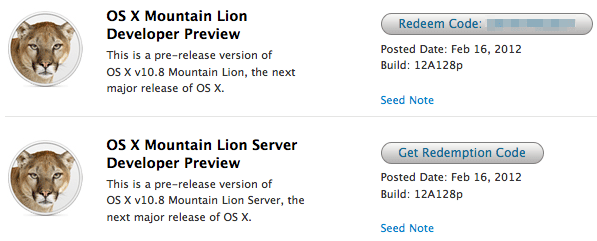
    If you continue to stay on the Apple Developer program then you can have yourself a developer preview download of the new exciting Mac OS X Lion. The new versions of Reminders , messages , gatekeeper, Notification center and iCloud and sharing capabilities can be experienced in this preview.  Hit the link below to sign into your member area and begin the download.

    [Apple]

  • Apple shows off OS X Mountain Lion

    Apple shows off OS X Mountain Lion

    Apple has already begun the next update cycle of the OS X platform with just over a year ago Apple unleashed OS X Lion on Mac owners. This time around the number is bumped to 10.8 and the name to Mountain Lion. The overall outlook of the OS remains the same with more integrations and basic app changes in tow.

    The biggest add-on for the OS has to be the Notification centre that has been inspired from the iOS notification centre.

    Notification Centre.

    The spotlight icon on the far top right of the screen is replaced with a circle with a dot in the centre, which lights up when you receive a message or a notification even a calendar reminder.

    Messages

    The other major release in OS X mountain lain will be the replacement of iChat with messages, which will allow you to message all iOS devices on iMessage and other macs on Messages. Using the service, you can send messages, documents, HD videos and photos (up to 100MB apiece) to one person or several, using phone numbers or email addresses as points of contact. Messages on Mac still incorporates chat services like AIM and GChat. Messages sent through the service are encrypted, and the app also uses a notification to let you know when messages have been delivered / read.

    Reminders

    The next cool thing of our liking that has been ported from iOS to Mac is Reminders. For those who don’t know , this is more of a glorified to-do list. It will sync with iOS reminders keeping the seamless architecture intact.

    Notes

    Another addition to the Mac OS X Mountain Lion is the Notes app, which not only completely resembles the on on iOS but also syncs up with all your devices and email addresses via iCloud.


    Apple has added deeper integration of iCloud on Mountain Lion, allowing users to sync up and back up more data, also allowing seamless interconnectivity with all other Apple devices owned by a user. The other additions to Lion include Airplay mirroring, integrated Game center and included sharing – allowing you to instantly share content from your desktop via email, message, AirDrop and third-party services like Twitter, Flickr and Vimeo.

iGyaan Network
Privacy Overview

This website uses cookies so that we can provide you with the best user experience possible. Cookie information is stored in your browser and performs functions such as recognising you when you return to our website and helping our team to understand which sections of the website you find most interesting and useful.