Tag: Outlook

  • Microsoft Outlook to Drop Facebook and Google Chat Support Soon

    Microsoft Outlook to Drop Facebook and Google Chat Support Soon

    Microsoft has today disclosed its plan of removing Google and Facebook chat from its email service Outlook.com. The support will be discontinued within next couple of weeks, as per an e-mail by Outlook to its customer.

    The official notification by Microsoft says that the company is removing the Google Talk integration ‘due to Google’s decision to discontinue the chat protocol used by the Google Talk platform’. No reasons have been disclosed as to why Facebook chat support too will be discontinued.

    outlook

    “We understand that this may disappoint some of our customers, but we hope that you’ll try Skype for Outlook.com chat, and voice, video calling, so you can take advantage of the more robust ways to keep in touch with friends and family,” the e-mail message from the Outlook.com team said.

    Microsoft says that however Facebook and Google chat are coming to a halt, the People feature that keeps contacts up-to-date will remain unaffected. Microsoft is now attempting to push its own Skype chatting and calling services as an alternative chat option. The email asked its customers to activate their Skype for Outlook.com. As earlier said, the services will be there in Outlook just for few more weeks, and then Skype will be the only option to connect to the people.
  • Microsoft Finally Brings Out an Outlook App That is Worth it

    Microsoft Finally Brings Out an Outlook App That is Worth it

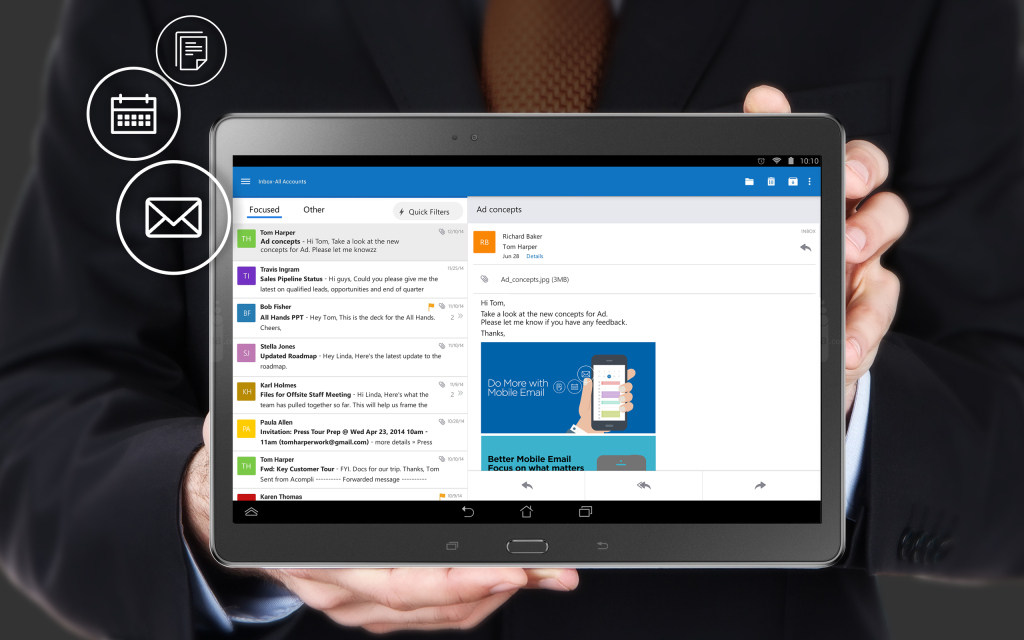
    Matching Google at its best game, Microsoft has brought a fully featured version of Outlook to iOS and Android today. The new app is based on the application it acquired, called Acompli, last December.

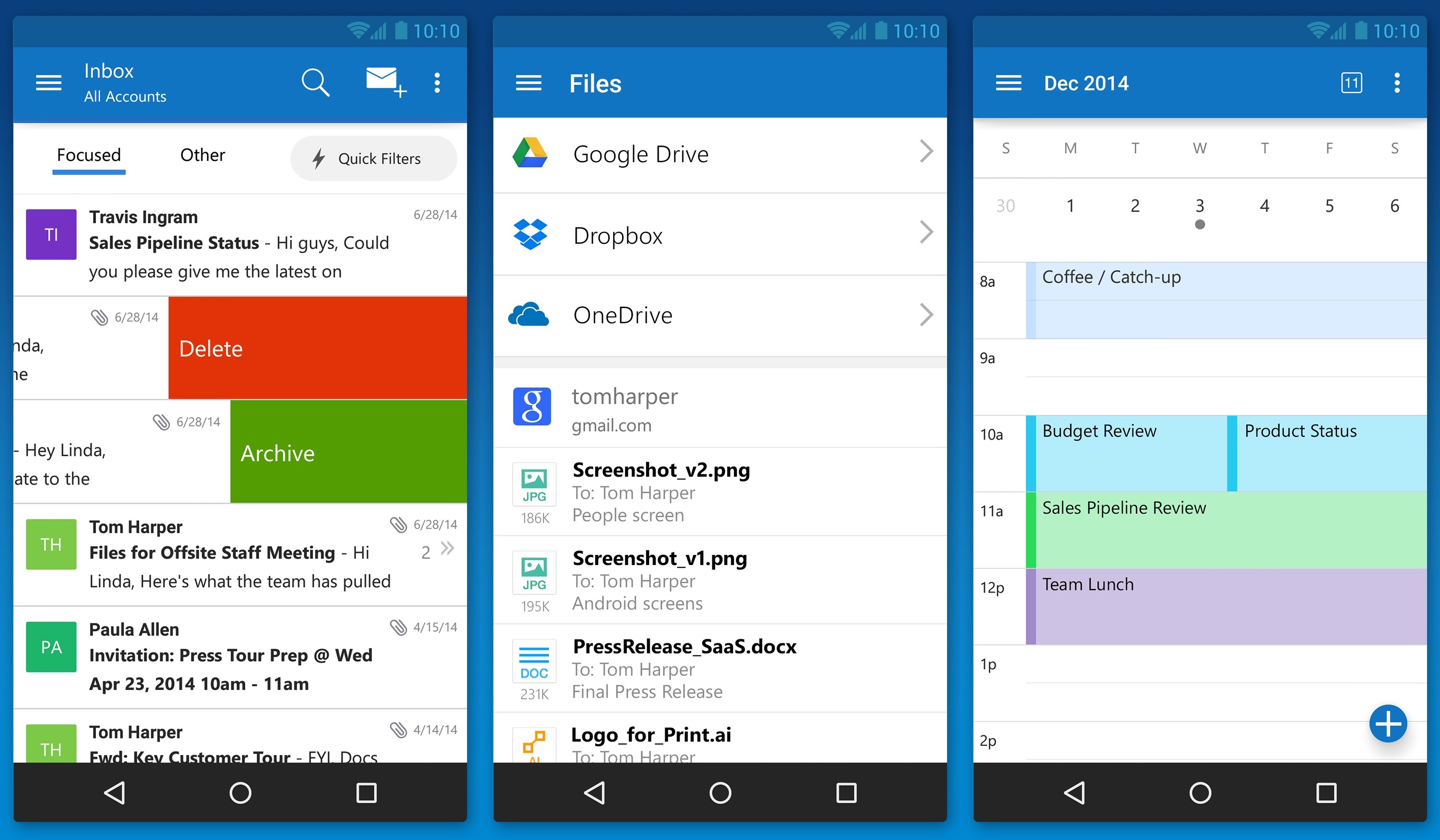
    outlook_android_phone

    Julia White, General Manager of Microsoft Office said that the Acompli team has already been integrated into the Outlook team, and today’s launch is a direct result of that. Acompli aimed to set itself apart from other email clients by focusing on multitasking. The app included a built-in calendar and features that made it easier to find attachments and contact information without digging through your inbox, all of which have now been carried over to the new Outlook-branded apps.

    Surprisingly, Microsoft is keeping powerful features such as integration with Google Drive and Dropbox. This ensures the same quick access to calendar, contacts, mail, and files; just like the desktop variant of Outlook. In the long run, these new apps will replace all of Microsoft’s current range of Outlook apps such as Outlook.com app for Android and OWA apps for Android and iOS.

    The new Outlook app experience will also carry over to the touch-optimized version of Outlook for Windows 10. As with Microsoft’s previous Android app releases, the first version of Outlook for Android will come with a “preview” label as Microsoft looks for feedback from users with different types of devices.

  • Gmail’s Redesigned App to Support Yahoo and Outlook Accounts

    After the release of the long awaited Android L and its associated Material Design, it seems Google wants to take its feature a step further. Android Police has accessed Gmail 5.0 app for Android and discovered support for Yahoo and Outlook accounts. This will be a big blow to the independent apps of these mail clients; people might find it more convenient to access all their accounts from one place.

    The new Android OS was appreciated for its ease of use and simplified view with updated iconography and tweaked buttons. A companion video shows how the new update keeps the interface similar to what we have gotten used to, but adds more functionalities to the app.


    This will be a great new feature for folks who use multiple accounts for different purposes. It will work out for business and personal users and by using a single app to access all the mails will save a lot of precious time. Ok Google, we are waiting for our updates!

  • Microsoft Issues Apology And Explaination For Outlook Outage

    Microsoft Issues Apology And Explaination For Outlook Outage

    During this week, Outlook.com suffered from an outage causing users to not be able to read their emails nor could they retrieve their files stored on Microsoft’s SkyDrive service. Today, Microsoft has offered an apology and an explanation on why this outage happened.

    The company posted a message on its service status page to describe the problems, explaining that it was all just a glitch caused by a caching service.

    Here’s the full message posted by Microsoft on the recent Outlook.com outage:

    “This incident was a result of a failure in a caching service that interfaces with devices using Exchange ActiveSync, including most smart phones. The failure caused these devices to receive an error and continuously try to connect to our service. 

    This resulted in a flood of traffic that our services did not handle properly, with the effect that some customers were unable to access their Outlook.com email and unable to share their SkyDrive files via email.

    In order to stabilize the overall email service, we temporarily blocked access via Exchange ActiveSync. This allowed us to restore access to Outlook.com via the web and restore the sharing features of SkyDrive. These parts of the service were fully stabilized within a few hours of the initial incident. 

    A significant backlog of Exchange ActiveSync requests accumulated as we worked to stabilize access. To avoid another flood of traffic, we needed to restore access to Exchange ActiveSync slowly, which meant that some customers remained impacted for a longer period of time.”

    Microsoft has also decided that it’s the time to issue an apology for all its users, as many have turned to the company’s support forums to express their frustration regarding the outage.

    “We want to apologize to everyone who was affected by the outage, and we appreciate the patience you have shown us as we worked through the issues,” it said.

    Microsoft admits it has learnt from the incident and has made two changes to the networks.

iGyaan Network
Privacy Overview

This website uses cookies so that we can provide you with the best user experience possible. Cookie information is stored in your browser and performs functions such as recognising you when you return to our website and helping our team to understand which sections of the website you find most interesting and useful.