Tag: sdk

  • Google Glass Competitor Sony SmartEyeGlass to Arrive Next March

    Google Glass Competitor Sony SmartEyeGlass to Arrive Next March

    Even though wearables have caused a lot of excitement in the tech scene, there has been barely any competition matching up to Google Glass. And it has been a year since Google Glass was launched. Now Sony will soon launch a device in the market that would be competing with the Google Glass headset.

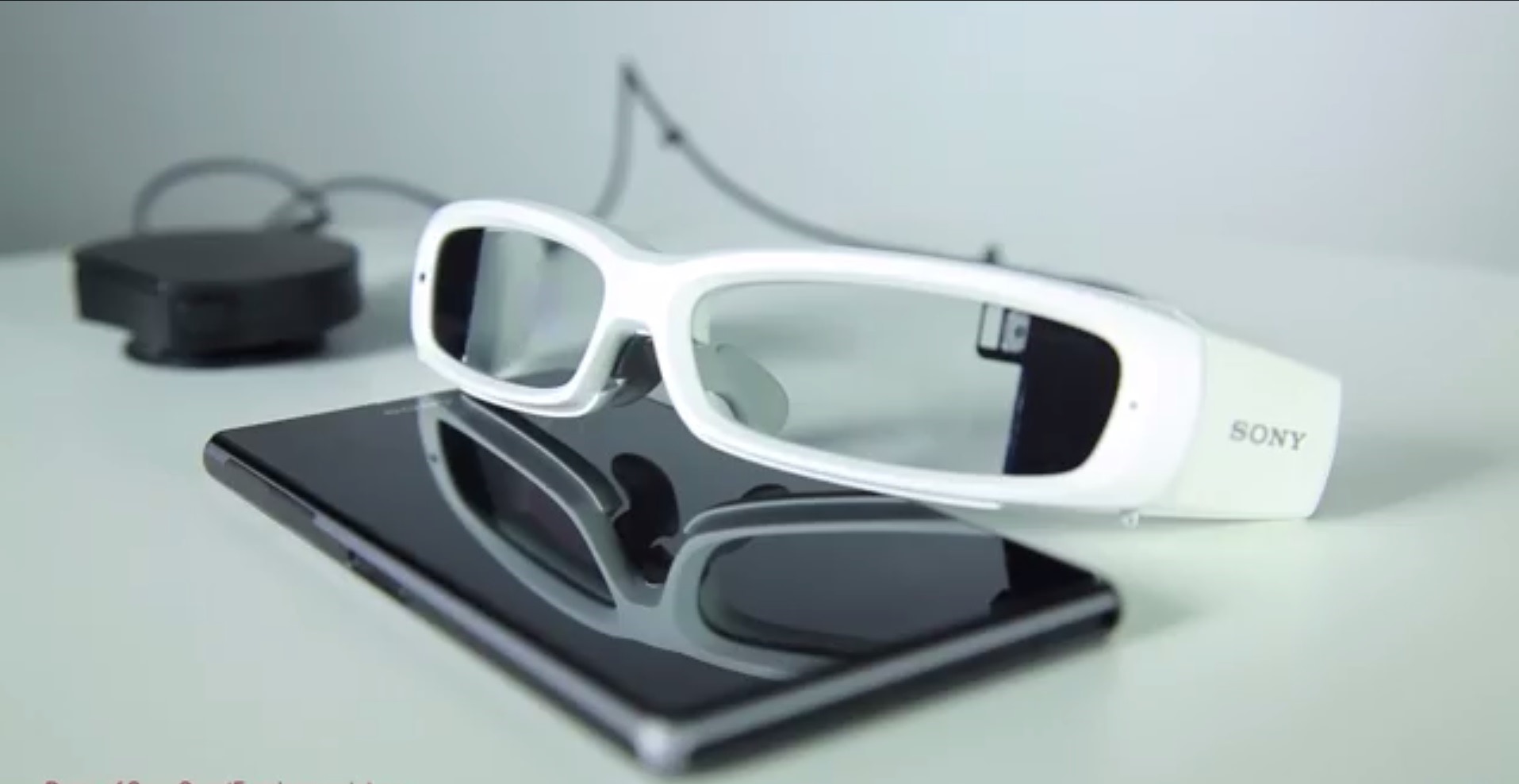
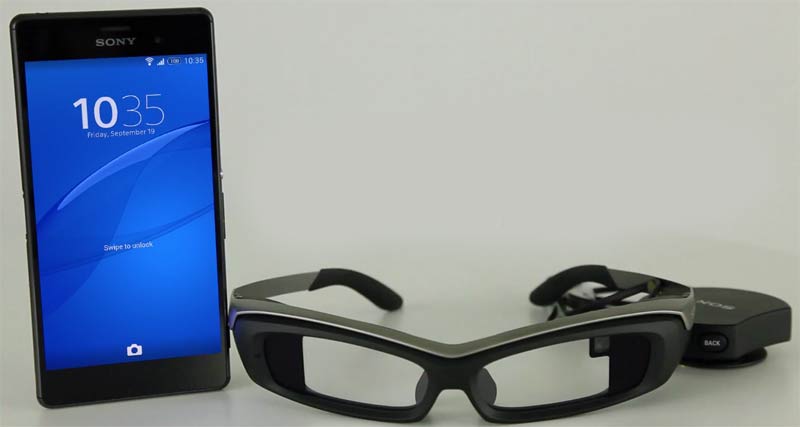
    Sony’s new SmartEyeGlass was first shown off back in January at CES 2014. The device aims to be as versatile as Glass while bettering it in some respects as well. However, Sony has made quite a few changes in the device.

    There’s an accelerometer, gyroscope, electronic compass, ambient light sensor, and a 3-megapixel camera. And what sets it apart from the Google Glass is that it comes with a wire connecting it to an external battery pack equipped with an extra touch sensor and microphone.

    smart-eyeglass

    Sony has released the software development kit (SDK) for SmartEyeGlass yesterday for developers. The company also promised to have hardware kits available for developers to buy by the end of March. Apart from the battery set up the key difference between this heads-up display and Glass is that Sony uses a green monochrome display to overlay information atop the user’s general view.

    The Google Glass rival will work in sync with compatible Android smartphones to provide the users with notifications and other useful information like navigation directions.

  • Windows Phone 8 SDK now available

    Windows Phone 8 SDK now available

    windows phone

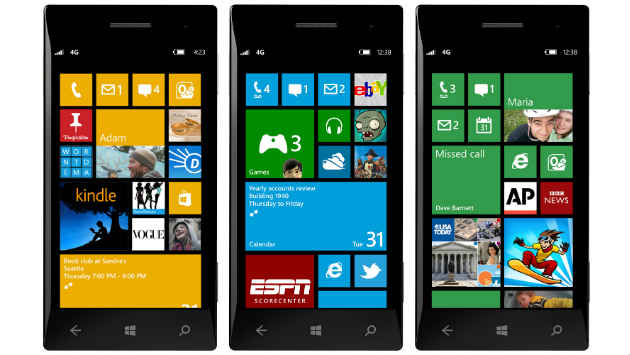
    Microsoft has finally released its long-awaited software development kit (SDK) for Windows Phone 8. It’s been a long time coming, but it makes sense since today is the first day of Microsoft’s BUILD conference in Redmond, Washington.

    The SDK is described as an environment “for building apps and games for Windows Phone 8 and Windows Phone 7.5.” That’s pretty obvious but why 7.5? That’s the odd thing here.

    It has a stand-alone Visual Studio Express 2012 edition. It can also work as an add-on to Visual Studio Express 2012 edition for Windows Phone or works as an add-in to Visual Studio 2012 Professional, Premium or Ultimate editions. Microsoft says the SDK also includes emulators and additional tools for profiling and testing a Windows Phone app under real-world conditions.

    Requirements:

    • Hardware:
      • 4 GB of free hard disk space
      • 4 GB RAM
      • 64-bit (x64) CPU
    • Windows Phone 8 Emulator:
      • Windows 8 Pro edition or greater
      • Requires a processor that supports Second Level Address Translation (SLAT)
  • Windows Phone 8 SDK preview opens September 12th

    Windows Phone 8 SDK preview opens September 12th

    Microsoft announced that developers will be able to sign-up for inclusion in the Windows Phone 8 SDK (Software Development Kit) programme from September 12th. Microsoft also revealed that the program will be initially limited to a select few at first until the full Windows Phone 8 SDK is publicly available later this year, after Windows Phone 8 has been released. 

    Microsoft won’t be giving access to just anyone, it will give priority to any developers that have already published apps to Windows Phone. In essence, they’ll be favoring the developers that chose to develop for Windows Phone before there was any major buzz for it. How exactly this will help the company garner better app development remains to be seen.

    [quote]”The full Windows Phone 8 SDK will be made publically available later this year when we unveil Windows Phone 8. Until then, we believe this program offers more published developers a way to explore the SDK and get started on the next wave of amazing Windows Phone apps,” said Microsoft in a statement.[/quote]

    One should keep in mind, WP 8 apps are on a whole new development platform. While WP 8 devices will continue to support WP 7.5 apps, these apps will not take advantage of the new hardware capabilities of WP 8 devices. Microsoft officials said they wouldn’t be disclosing the full set of Windows Phone 8 OS features until a later, unspecified date.

  • Microsoft Launches Kinect For Windows In India At Rs 19,990

    Microsoft Launches Kinect For Windows In India At Rs 19,990


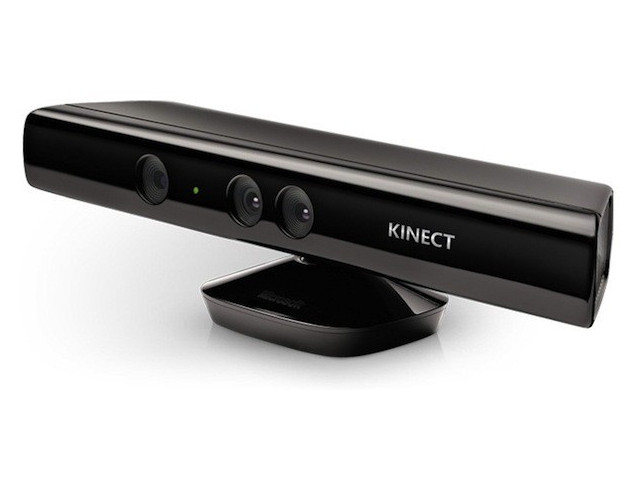
    Kinect for Windows sensor, which aims to harness Microsoft’s Natural User Interface in a bid to ‘revolutionise’ computing,  is now available in India along with the Software Development Kit (SDK). The Kinect for Windows sensor is available at Rs 19,990 while the SDK is available for free download at http://www.microsoft.com/en-us/kinectforwindows/.

    The Xbox 360’s Kinect accessory has been quite a hit among casual gamers. Its list of accomplishments doesn’t end there though, as developers and scientists have modded it to carry out some complex tasks.

    Microsoft is hoping that developers and businesses will take advantage of the cutting-edge features of this motion sensing technology like improved skeletal tracking, , enhanced speech, seated mode tracking to create innovative applications. 

    Kinect for Windows will include Studio – a tool which allows developers to record and play back Kinect data; Human Interface Guidelines (HIG) to guide developers on best practices for the creation of Natural User Interfaces and the Face Tracking SDK, which provides a real-time 3D mesh of facial features tracking the head position, location of eyebrows and the shape of the mouth.

  • Eric Schmidt says ‘Android will be bigger than iOS’


    Speaking at Le Web in Paris Google CEO, spoke about why Apps were first written for iOS and then ported over to Android. The response was one that would not surprise any Android user, Schmidt claims ” In about 6 months its going to be the other way round.”  He predicts that the new OS Ice Cream Sandwich will remove the device fragmentation and lead people closer to the OS, making it a preferred choice of developers.


    [Engadget]

    [Le Web (YouTube)]

  • ARM launches Android dev kit, focus on Power management (PR)

    ARM launches Android dev kit, focus on Power management (PR)

    ARM is playing its fever and has launched the Android Development Kit for ARM SOC and other chipsets. With the release of Development Studio 5 Community Edition, the company has expanded its dev kit’s repertoire to include not just Linux, but Google’s Linux-based mobile OS we all know and love. DS-5 even integrates with the standard Android SDK as well as Eclipse IDE. 

    [toggle title_open=”Press Release” title_closed=”Press Release” hide=”yes” border=”yes” style=”default” excerpt_length=”0″ read_more_text=”Read More” read_less_text=”Read Less” include_excerpt_html=”no”]ARM Launches Free Toolkit For Android Application Developer Community
    28 November 2011

    ARM® Development Studio 5 Community Edition helps Android™ application developers create native software that can run up to 4 times faster than Java code.

    Cambridge, UK – 28th November 2011 – ARM today announced the release of the ARM® Development Studio 5 (DS-5™) Community Edition (CE) – a free-to-use edition of its reference software development toolkit. The new edition is dedicated to the Android application developer community and helps them create native software for compute intensive tasks that can run up to 4 times faster than Java code. DS-5 CE complements the standard SDK and NDK Android development kits by offering developers a unique set of tools to help them achieve the performance and energy-efficiency advantages made possible when ARM native code is used in Android applications.

    DS-5 Community Edition includes limited, but essential functionality from the premium DS-5 toolkit to help solve common Android application developer pain points. It achieves this by providing an integrated graphical debugger for NDK-generated code and visibility of advanced processor information, including ARM NEON™ Single Instruction Multiple Data (SIMD) registers. The new toolkit permits development of Java and C/C++ code in the same Eclipse integrated development environment (IDE) to maximise productivity and ease of use.

    DS-5 Community Edition features a tailored version of the ARM Streamline™ Performance Analyzer for use with compatible Android development platforms. Streamline captures detailed, system-wide performance statistics from a variety of sources which helps developers to locate hotspots in their code and isolate potential causes. Platform builders can add support for Streamline by integrating an open source driver available from the Linaro website.

    “With over half a million apps on the Android market today, developers need to deliver an outstanding user experience to succeed commercially,” said John Cornish, executive vice president and general manager, system design division, ARM. “ARM DS-5 Community Edition offers developers an easy to use environment for debugging and optimizing C/C++ code. This allows them to take full advantage of ARM processor technology using native code to deliver the performance and functionality that consumers demand.”

    Partner Quotes:

    “We have been using DS-5 extensively for system level debugging and performance tuning”, said Duan ZhiQiang, CTO, Thundersoft. “With the release of the Community Edition, it will enable our ISV and IHV partners to access similar capabilities, improving our platform as an application development target and expanding its ecosystem.”

    “The community edition of DS-5 (DS-5 CE) will further reduce the barriers to open source development on ARM. We have worked closely with ARM to ensure that DS-5 support is available as an easy to install add-on for Linaro Ubuntu images in the past and are working together to deliver a similar convenient developer experience for DS-5 CE as part of our Android images”, said Alexander Sack, Platform Technical Director, Linaro. “This initiative will help users of the community edition take full advantage of Linaro optimized images.”

    “The release of ARM DS-5 Community Edition is welcomed by Orange and solves some of the pain points of Android native apps developers”, said Yves Christol, Head of Advanced Software Centre, Devices, Orange.

    Availability

    The DS-5 CE is available free-of-charge for use by individuals and organizations with annual revenue of $100,000 or less, and up to 10 employees. DS-5 CE is available from ARM and can be downloaded now. For more information go to:

    DS-5 CE: http://www.arm.com/ds5community
    DS-5: http://www.arm.com/ds5
    Linaro platform evaluation builds http://www.linaro.org/downloads/

    About ARM

    ARM designs the technology that lies at the heart of advanced digital products, from wireless, networking and consumer entertainment solutions to imaging, automotive, security and storage devices. ARM’s comprehensive product offering includes 32-bit RISC microprocessors, graphics processors, video engines, enabling software, cell libraries, embedded memories, high-speed connectivity products, peripherals and development tools. Combined with comprehensive design services, training, support and maintenance, and the company’s broad Partner community, they provide a total system solution that offers a fast, reliable path to market for leading electronics companies. Find out more about ARM by following these links:

    ARM website: http://www.arm.com/
    ARM Connected Community: http://www.arm.com/community/
    ARM Blogs: http://blogs.arm.com/
    ARMFlix on YouTube: http://www.youtube.com/user/ARMflix
    ARM on Twitter:
    o http://twitter.com/ARMMobile
    o http://twitter.com/ARMCommunity
    o http://twitter.com/ARMEmbedded
    o http://twitter.com/ARMLowPwr
    o http://twitter.com/ARMTools
    o http://twitter.com/ARMMultimedia

    ARM is a registered trademark of ARM Limited. Cortex, Connected Community and MPCore are trademarks of ARM Limited. All other brands or product names are the property of their respective holders. “ARM” is used to represent ARM Holdings plc; its operating company ARM Limited; and the regional subsidiaries ARM Inc.; ARM KK; ARM Korea Limited.; ARM Taiwan Limited; ARM France SAS; ARM Consulting (Shanghai) Co. Ltd.; ARM Germany GmbH; ARM Embedded Technologies Pvt. Ltd.; ARM Norway, AS and ARM Sweden AB[/toggle]

    [ARM]

  • RIM releases BBM SDK for WebWorks, Allows integration with Apps

    RIM releases BBM SDK for WebWorks, Allows integration with Apps

    RIM at their DEVcon forgot to mention that they will be releasing the SDK for their social instant messenger to the developer world, for integration within apps and notifications. The service will allow apps to initiate chats and incorporate BBM statuses, avatars and personal messages. The SDK will also allow “application-to-application background communication,” file transfers over the protocol and sharing apps between users.

    This may change the outlook of blackberry devices, even though their future now looks bleek to us.

  • Samsung launches the 5.3 inch Galaxy Note (PR)

    Samsung launches the 5.3 inch Galaxy Note (PR)

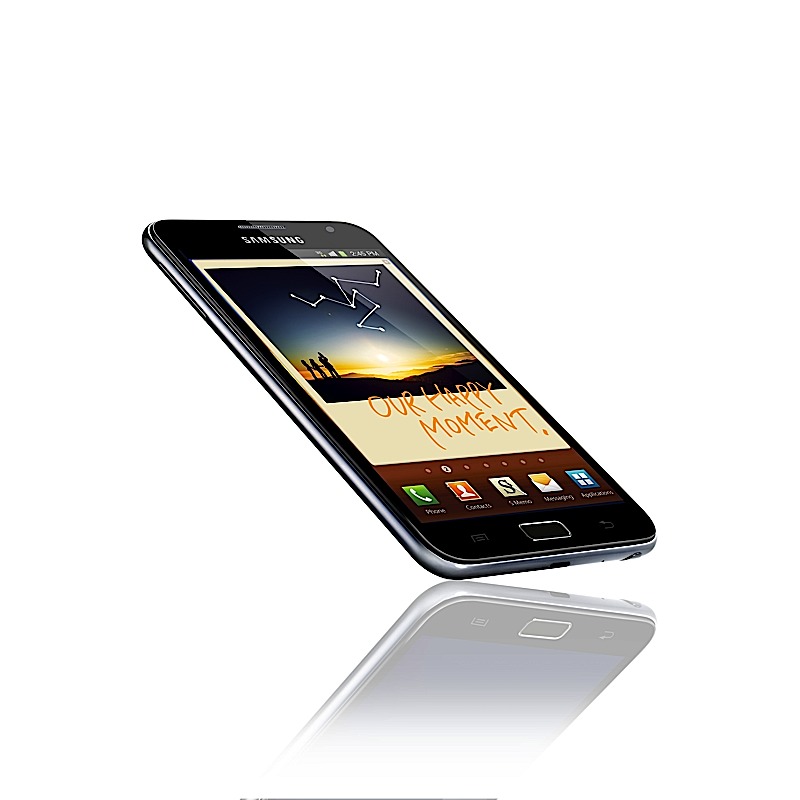
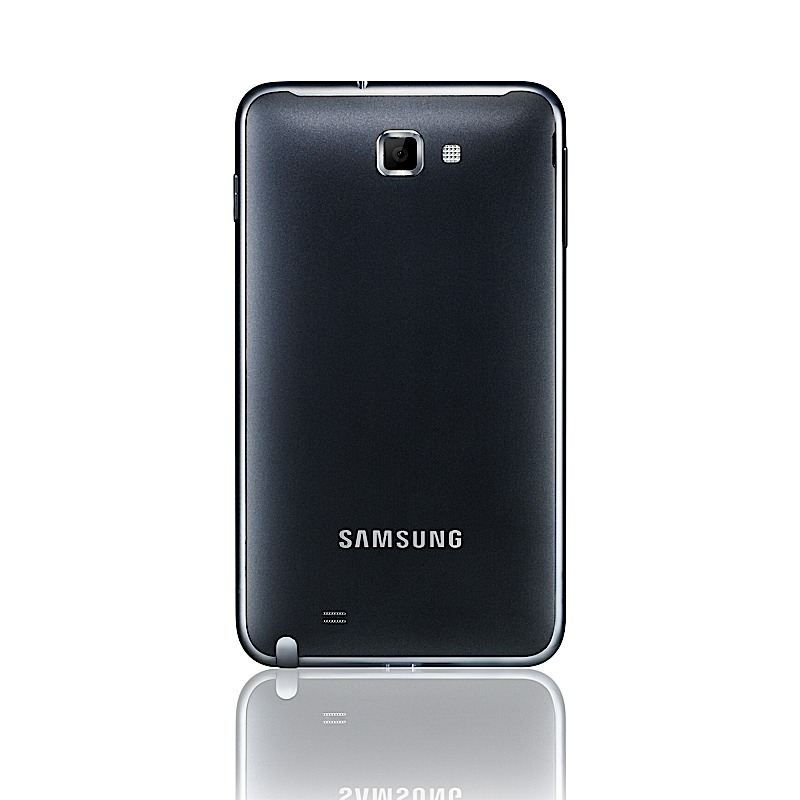
    Remember the Samsung Device we spoke about here : Link, it actually turns out to be the Samsung Galaxy Note. The device is a 5.3 inch smartphone tablet from the company with pretty awesome specs.

    • Android 2.3 Gingerbread
    • HSPA+ 
    • 1280 x 800 Super AMOLED display
    • dual 8MP and 2MP cameras
    • 2,500mAh battery
    • Samsung-made dual-core 1.4GHz processor 
    • 9.65mm (0.38 inches) thick 
    • 178 grams (6.3 ounces)
    The device runs Sammy’s popular touchwiz over the gingerbread and is expected to do immensely well in the asian markets as the company claims. The company has also launched a7.7 inch tablet more details on that later.

    [toggle title_open=”PRESS RELEASE” title_closed=”PRESS RELEASE” hide=”no” border=”yes” style=”default” excerpt_length=”0″ read_more_text=”Read More” read_less_text=”Read Less” include_excerpt_html=”no”]Samsung writes the next chapter of the mobile industry with the Samsung GALAXY Note

    GALAXY Note combines the market’s largest HD Super AMOLED display, supreme portability and advanced S Pen interface, creating a new type of smartphone

    BERLIN, Germany – September 1, 2011 – Samsung Electronics Co., Ltd, a global leader in digital media and digital convergence technologies, announced today the launch of the GALAXY Note.

    The GALAXY Note is a new category of product, developed through Samsung’s deep consumer understanding and insight. It combines core on-the-go benefits of various mobile devices while maintaining smartphone portability, to create a whole new user experience.

    The GALAXY Note has a 5.3″ display which is the largest screen size with smartphone portability. It features the world’s first and the largest 5.3″ HD Super AMOLED display, an expansive high-resolution screen that provides an immersive viewing experience. Taking full advantage of the large display, users will be able to do more tasks to create and consume more, with minimum scrolling and screen transitions, while on the go. An advanced pen-input technology, called the S Pen, is combined with the GALAXY Note’s full touch screen to introduce a new type of user-experience. Through this, consumers are able to freely capture and create ideas while on the go.

    “The GALAXY Note is a device borne of our insight and innovation. We examined the fundamental elements of mobile culture, entertainment and communication in order to bring together the best experiences in a single, elegant device,” said JK Shin, President and Head of Samsung’s Mobile Communications Business. “The huge, 5.3″ HD Super AMOLED screen is the largest, highest quality display available in any phone; the touch screen and S Pen combine to produce a uniquely accurate level of control and finesse, along with rich expressions across the GALAXY Note experience, enabling the introduction of new smartphone experiences.”

    “The artistic freedom of a paper notebook is coupled with the benefits of Samsung’s smartphone technology and services, allowing users to create, edit and share with more style than ever before,” Shin added.

    State-of-the-art Display

    The GALAXY Note features Samsung’s own 5.3″ HD Super AMOLED display providing vivid clarity that is superior to conventional HD displays. This ensures the best viewing experience for video, photo, document and web on the go with deep blacks and bright colors. The superior screen also offers a 180 degree viewing angle, allowing contents to be shared comfortably.

    At 5.3″ the best-in-class display is the largest ever included in a primary mobile device; measuring just 9.65mm thick, the GALAXY Note fits comfortably in a pocket to offer true portability.

    Full Screen Utilization

    The high resolution display ensures that PowerPoint presentations, web-pages, news apps and e-books can be viewed comfortably with minimal scrolling or zooming. Minimizing the need to switch between applications, the GALAXY Note’s HD super AMOLED screen is large enough to allow meaningful split-screen operation in the most frequently used native apps.

    Samsung has also included S Planner, a smart professional planning tool that makes full use of the device’s large screen. The management planner integrates the phone’s To-Do list and schedule; control and navigation is intuitive, helping users to comprehensively organize their lives.

    Free Capture & Creation

    The GALAXY Note’s advanced pen input functionality is combined with the full touch screen to create a new input experience. The incorporated digital S Pen can be used for accurate sketching and artwork, and instantly capturing ideas freely before they float away.
    The GALAXY Note features S Memo, a multimedia application designed to record all forms of user-created content. Pictures, voice recordings, typed text, handwritten notes or drawings can all be captured via a single application and converted to a ‘memo’, to be edited, annotated and shared as desired.

    A one-step screen-capture function also allows users to instantly capture any screen; captured images can also be freely and accurately annotated using the S Pen before being filed or shared.

    The S Pen functionality has been deeply integrated into the GALAXY Note’s native applications to provide a richer interactive experience. Users will benefit from increased accuracy and control when editing or personalizing captured videos or photographs; and users will be able to draw and send handwritten images and notes via text message, email, and Samsung’s ChatON communication service.

    Broadening the opportunity to create new user experiences, Samsung plans to release the S Pen SDK allowing app developers to create fundamentally new applications and services incorporating the pen functionality.

    Superior Usability, Powerful Performance

    The 1.4GHz dual-core processor ensures the device is incredibly fast and a smooth user interface ensures seamless usability. Lightning fast network speeds are enabled through the HSPA? and LTE-enabled device’s super-fast connection, ensuring a quick and seamless browsing experience. This means that users can stream videos in real-time or engage with their friends through online gaming platforms.

    Samsung is enhancing enterprise capabilities of the GALAXY Note through its partnership with Juniper Networks. Juniper’s Junos Pulse SSL VPN provides secure remote access to corporate network resources. The SSL VPN enables large enterprise and service providers to meet high-volume secure access and authorization requirements, protecting corporate data with centralizes control and supporting employees’ personal device efficiently.[/toggle]
  • Microsoft releases SDK for Kinect for Windows

    Microsoft releases SDK for Kinect for Windows


    A huge number of developers rejoiced as Microsoft on Thursday announced the new SDK for Kinect on WIndows. What this means is that the already hacked and exploited Kinect will now bring a full Sdk to be used for gestures and computations while in an open framework officially supported by Microsoft themselves.

    This will also begin a new era of Gesture controlled PC games . If you want to download and develop using the SDK head on over to the link mentioned to kick-off.

    [Microsoft Blog]

iGyaan Network
Privacy Overview

This website uses cookies so that we can provide you with the best user experience possible. Cookie information is stored in your browser and performs functions such as recognising you when you return to our website and helping our team to understand which sections of the website you find most interesting and useful.