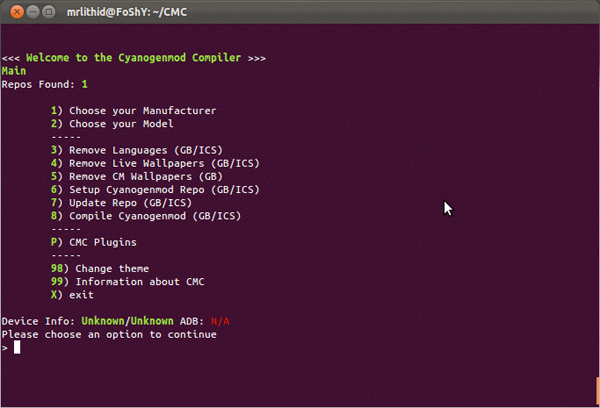
A command line based project released by lithid-cm has the ability to go any user the power to create their own CM Roms. Called the CyanogenMod Compiler (CMC) it currently is in the test phase and allows only basic tweaks to a CM ROM including the ability to eliminate languages, wallpapers and tweak themes. The general idea is to be able to develop your own custom ROM without the need for dependence on anyone.
Tag: software
-

Firefox gets updated to 9, faster Javascript and Lion compatibility added. links
Firefox browser has been updated to version 9. This version offers better compatibility on Mac computers running on Mac Lion 10.7, and a faster and juiced up Javascript handling. This is set to improve overall browsing speeds on the browser. Mozilla is claiming a overall 30% boost in performance post the JavaScript optimizations. Firefox 9 also improves theme integration and swipe navigation for Mac OS X users. Want to take it for a test spin ? Download your version below
[Mac]
[Linux]
-
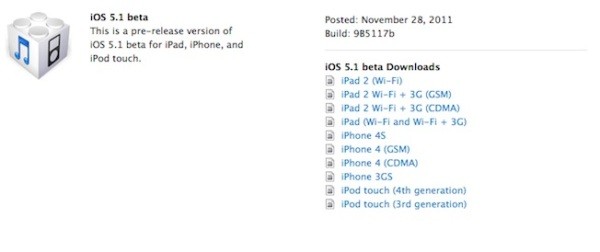
Apple Seeds iOS 5.1 Beta to devs, New Product ID reveals next iPad
Apple has started seeding the next beta of iOS 5 to developers, the iOS 5.1 is meant to bring some major fixes to the OS. Many are also hoping for a fix to the major battery drain faced in the current version of the OS.
But thats not the only news surrounding this release, a new product iD has been found in the release dubbed “iPad 2,4”, which is hinting at the next generation of the iPad said to be coming in the next couple months. Rumors have been pointing at Retina/ high res display along with better cameras. The chipset may or may not be bumped up to the next revision. The product iD only increases chances for something like this showing up in the near future.
-
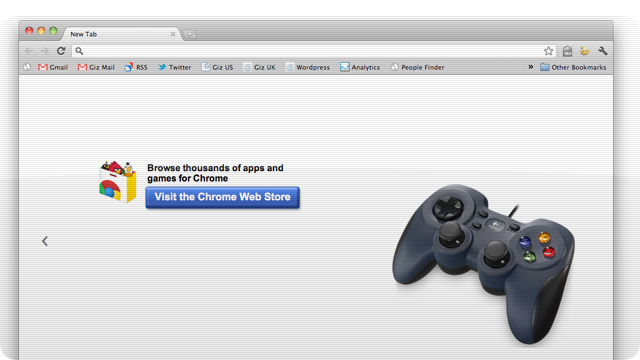
Google Chrome to accept gamepad input for usage / gaming
Google’s chrome browser will soon get plug and play support for gamepads running on any PC/Mac. A simple plug in of the gamepad/ joystick will allow control of the highly popular browser. Alongside gamepads, webcams and microphones will have similar plug-and-play support, allowing users to interact with HTML5 games and apps.
Google’s Paul Kinlan said that the update will arrive next year and will be available on all platforms simultaneously.
[Gizmodo]
-

Microsoft Lync the first to link WP7 – Blackberry – Android – iDevices
Microsoft Lync is ready to hit your portable devices in a fast and swift motion. MS Australia tweeted that they are working on a synergised app for all Smartphone OS’s software becomes available for Android, BlackBerry, iOS and Windows Phone.
-
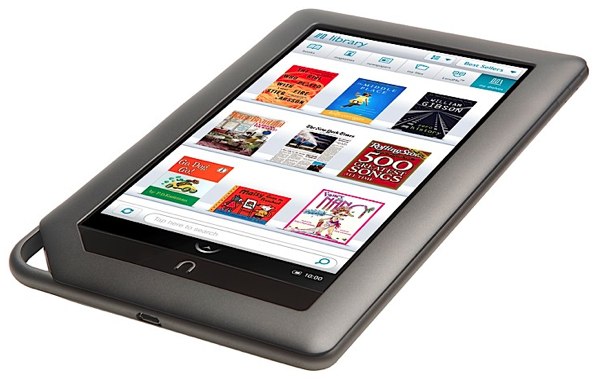
Nook E Reader/Tablet gets the root treatment, boot loader still locked
The Kindle fire is already been rooted and in an easy process at that. The smart folks at XDA-Developers have found a way to root the Barnes and Noble tablet. The root is permanent and will stay even if you reboot the device. The boot loader still remains locked but the process allows you to side load apps and possibly custom rome and kernels to boost performance.
-

GarageBand comes to iPod Touch and iPhone (PR)
This is one of those moments where some of you go like “whatever” and some are like “awesome”. The popular Apple official GarageBand app for the iPad has been converted to fit the iPhone and iPod Touch. The app enables users to record and mix up to eight tracks and then share the finished product with friends or send it to your Mac to keep working on it in GarageBand for Mac or other softwares like Logic Pro.
The App costs $4.99 and costs nothing if you already bought it for the iPad.
Get it Here
US Store:

India Store:
[toggle title_open=”Press Release” title_closed=”Press Release” hide=”yes” border=”yes” style=”default” excerpt_length=”0″ read_more_text=”Read More” read_less_text=”Read Less” include_excerpt_html=”no”]
GarageBand Now Available for iPhone and iPod touch Users
CUPERTINO, California-November 1, 2011-Apple® today announced that GarageBand®, its breakthrough music creation app, is now available for iPhone® and iPod touch® users. Introduced earlier this year on iPad®, GarageBand uses Apple’s revolutionary Multi-Touch™ interface to make it easy for anyone to create and record their own songs, even if they’ve never played an instrument before.
“GarageBand on iPad has been a big hit and we think customers will love using it on their iPhone or iPod touch,” said Philip Schiller, Apple’s senior vice president of Worldwide Product Marketing. “The innovative Multi-Touch interface combined with Smart Instruments makes it easy to create great sounding music, even if you’ve never studied music or played an instrument before.”
GarageBand features a collection of fun Touch Instruments that sound great and make it easy for beginners or experienced musicians to play and record keyboards, guitars, drums and basses in a wide variety of styles. Smart Instruments now allow you to choose from an extensive new library of custom chords so you can play and strum along with your favorite songs.
You can plug your electric guitar into iPad, iPhone or iPod touch to play and record through classic amps and stompbox effects, or record your voice or any acoustic sound using the built-in microphone. GarageBand allows you to record and mix up to eight tracks and then share your finished song with friends or send it to your Mac® to keep working on it in GarageBand or Logic® Pro.
Pricing & Availability
GarageBand 1.1 for iPad, iPhone and iPod touch is available on the App Store™ for $4.99 (US) to new users, or as a free update for existing GarageBand for iPad customers. GarageBand is a universal app that runs on iPad, iPad 2, iPhone 3GS, iPhone 4, iPhone 4S and iPod touch (3rd & 4th generation).[/toggle]
-
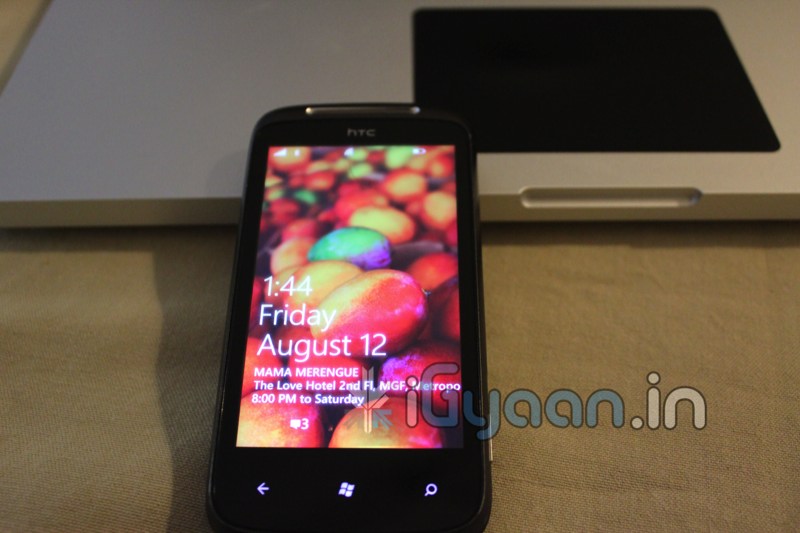
ALL Existing Windows Phone 7 Devices to get the official Mango Update within 2 weeks
According to Microsoft’s official Windows Phone Blog, the Windows Phone 7 Mango Update should be available to all existing WP7 devices within another week or two. The Windows Team indicates it won’t be pushed to your phone OTA when the time comes, so you’ll need updated versions of the Zune for PC or Windows Phone 7 Connector for Mac installed on your computer.
Looks like this time around the Update may come out the same day, unlike with No-Do when it was over several weeks.
-
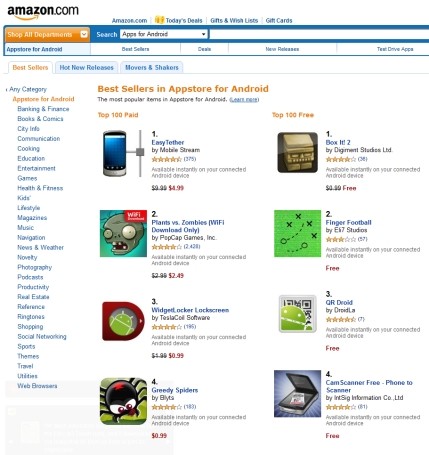
Amazon Appstore now available Globally – Including Europe, Australia and India
Amazon’s Appstore for Android Apps was earlier only available in the US and now is available worldwide including in India. Simply register on Amazon and you are ready to get daily downloads for free that include premium apps that Amazon gives to its registered users.
[Amazon]
-
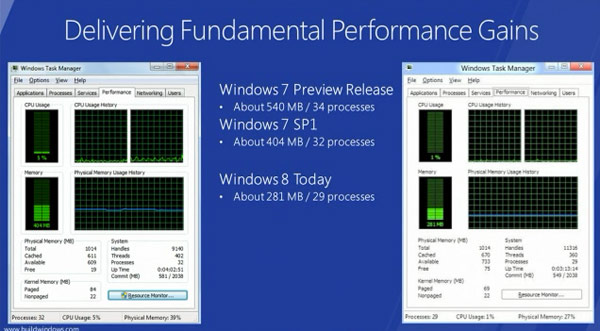
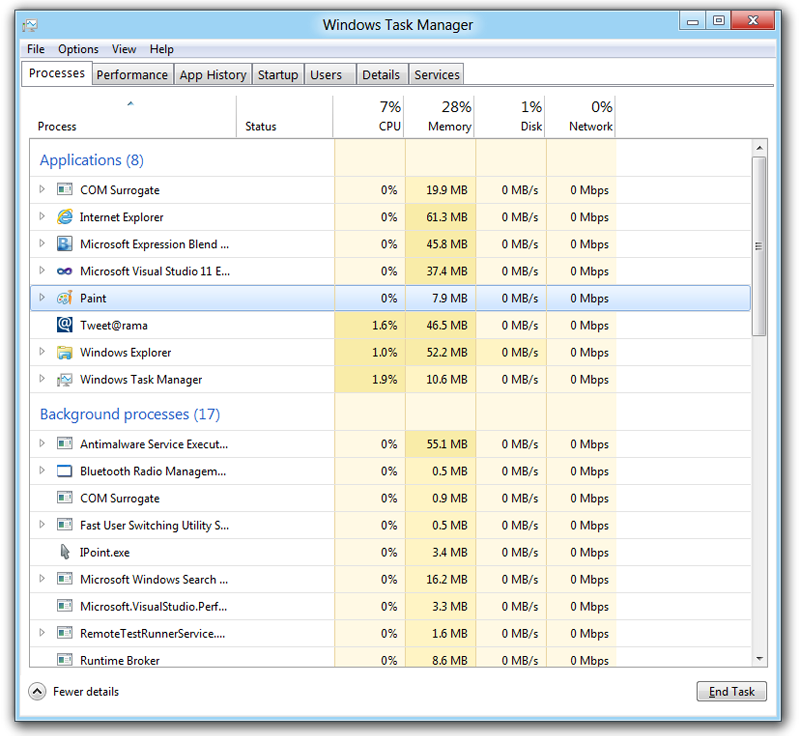
Windows 8 Minimum requirements consist of Intel Atom and 1GB RAM
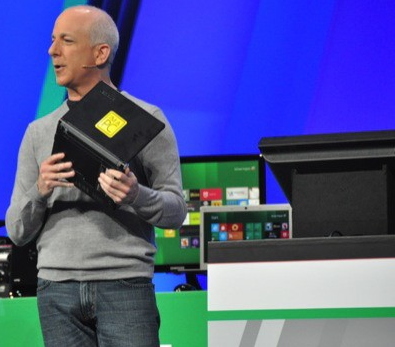 Microsoft Windows President Steven Sinofsky after a quick announcement and a simple demonstration explained that Win8 demanded fewer system resources than Win7 with the same hardware specs
With a Lenovo S10 in his hand he showed that an early-gen Atom CPU and 1GB of RAM is “enough” to run the new OS (AKA Windows 8 )
-
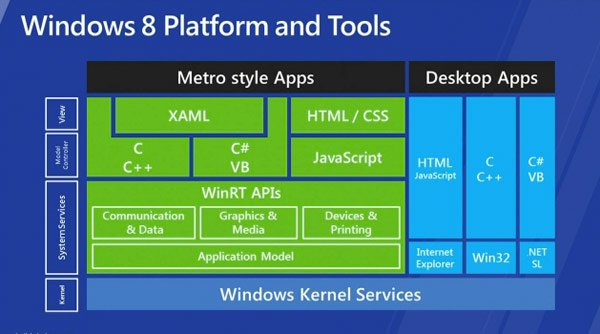
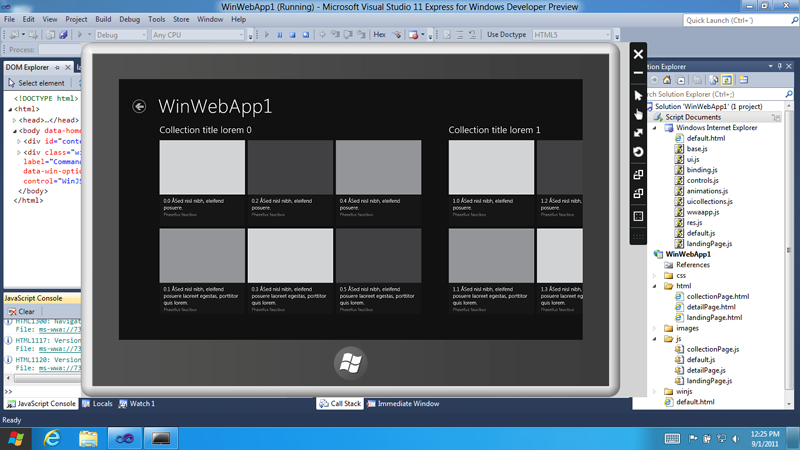
The new Windows 8 Store will sell both Metro based and Original 32bit Windows Applications
Microsoft has announced at the Build 2011 that the new Windows 8 store will be home to both apps that are based on the new Metro style UI along with traditional Windows Apps that you have grown to Love/Hate.
It kind of reminds us a lot of a certain “Mac App Store” but hey thats just us !
-
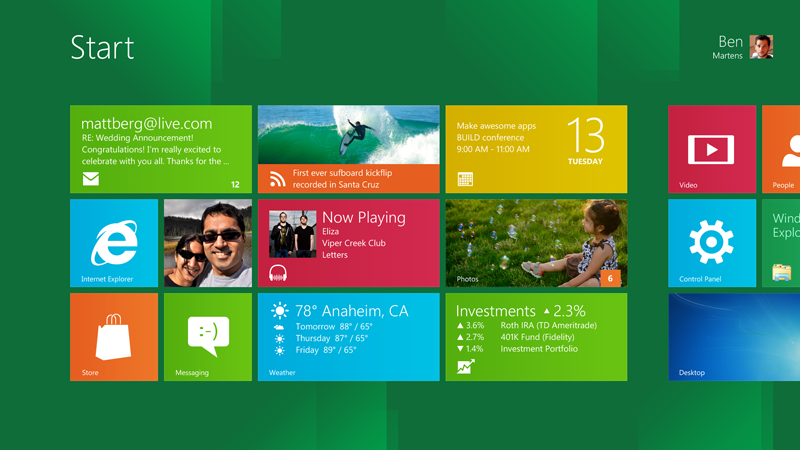
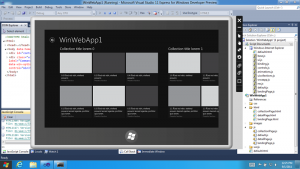
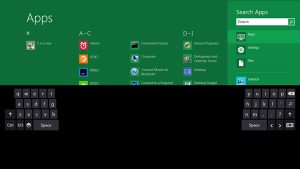
Windows 8 Developer Preview Launched, Downloads Commenced(PR)
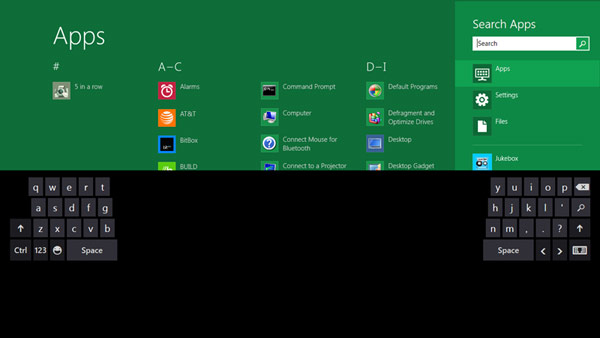
With the commencement of the Microsoft Build conference, the company has also launched the Developer version of Windows 8.
Widows 8 is a remained version of Windows, that offers a practically new way to interact with the personal computer. The new platform also bring a new range of capabilities that can let developers bring the easy and graphics of the Windows Phone 7 Metro UI .
Steven Sinofsky- President Windows.
Get Your version of the Dev Preview Here : Link – Microsoft Dev Downloads
[toggle title_open=”Press Release” title_closed=”Press Release” hide=”no” border=”yes” style=”default” excerpt_length=”0″ read_more_text=”Read More” read_less_text=”Read Less” include_excerpt_html=”no”]Microsoft Reimagines Windows, Presents Windows 8 Developer Preview
BUILD Conference attendees and developers get first access to new operating system.
LOS ANGELES – Sept. 13, 2011 – Today at its developer-focused BUILD conference, Microsoft Corp. showcased a detailed preview of the next major release of Windows, code-named “Windows 8.” The company also detailed new tools for developers to help write applications for more than 1 billion people around the world who use Windows every day.
“We reimagined Windows,” said Steven Sinofsky, president of the Windows and Windows Live Division at Microsoft, in his keynote address to the thousands of developers in attendance. “From the chipset to the user experience, Windows 8 brings a new range of capabilities without compromise.”The company also highlighted a variety of new features in Windows 8, including the following:
Touch-First User Interface
• Metro style. Windows 8 introduces a new Metro style interface built for touch, which shows information important to you, embodies simplicity and gives you control.
• Touch-first browsing, not just browsing on a touch device. Providing a fast and fluid touch-browsing experience, Internet Explorer 10 puts sites at the center on new Windows 8 devices.
More Ways to Engage With Powerful, Connected Apps
• Powered by apps. Metro style apps built for Windows 8 are the focal point of your experience, filling your entire screen so there are no distractions.
• Apps can work together. Apps communicate with each other in Windows 8. For example, you can easily select and email photos from different places, such as Facebook, Flickr or on your hard drive.
• The content you create syncs across your devices. Live roams all the content from the cloud services you use most – photos, email, calendar and contacts – keeping them up-to-date on your devices. With Windows SkyDrive, you can access content anywhere with your Microsoft account.
Enhanced Fundamentals
• The best of Windows 7, only better. Windows 8 is built on the rock-solid foundation of Windows 7, delivering improvements in performance, security, privacy and system reliability.
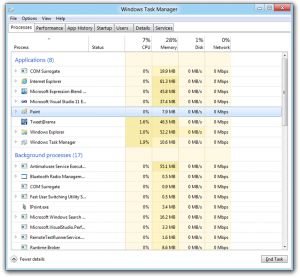
• Preserving power-user favorites and making them better. For those who push the limits of their PC, Windows 8 features an enhanced Task Manager and Windows Explorer and new, flexible options for multimonitor setups.
New Developer Opportunities
• Windows Store. The Windows Store will allow developers to sell their apps anywhere Windows is sold worldwide, whether they’re creating new games or familiar productivity tools.
• Build using more languages. Windows 8 lets you leverage your existing skills and code assets to create great experiences using the programming language you prefer.
• Rich hardware integration leads to richer experiences – particularly for games. DirectX 11 gaming power underlies Windows 8, allowing the easy creation of full-screen games with smooth, flicker-free action.
New Generation of Hardware
• One Windows – many shapes and sizes. Support for ARM-based chipsets, x86 devices, touch and sensors means Windows 8 works beautifully across a spectrum of devices, from 10-inch tablets and laptops to all-in-ones with 27-inch high-definition screens.
• Always connected. With Windows 8, new ultrathin PCs and tablets turn on instantly, run all day on a single charge and stay connected to the Internet so your PC is ready when you are.
• Tap the full power of your PC. Windows 8 runs on PCs and is compatible with the devices and programs you use today on Windows 7, without compromise, to deliver the performance you expect of a PC.Developers will be able to download the Windows Developer Preview via the new Windows Dev Center later this week. Webcasts of sessions will be posted on the BUILD site as well.
Founded in 1975, Microsoft (Nasdaq “MSFT”) is the worldwide leader in software, services and solutions that help people and businesses realize their full potential.
Some information relates to a prerelease product, which may be substantially modified before it’s commercially released. Microsoft makes no warranties, express or implied, with respect to the information provided here.[/toggle] -
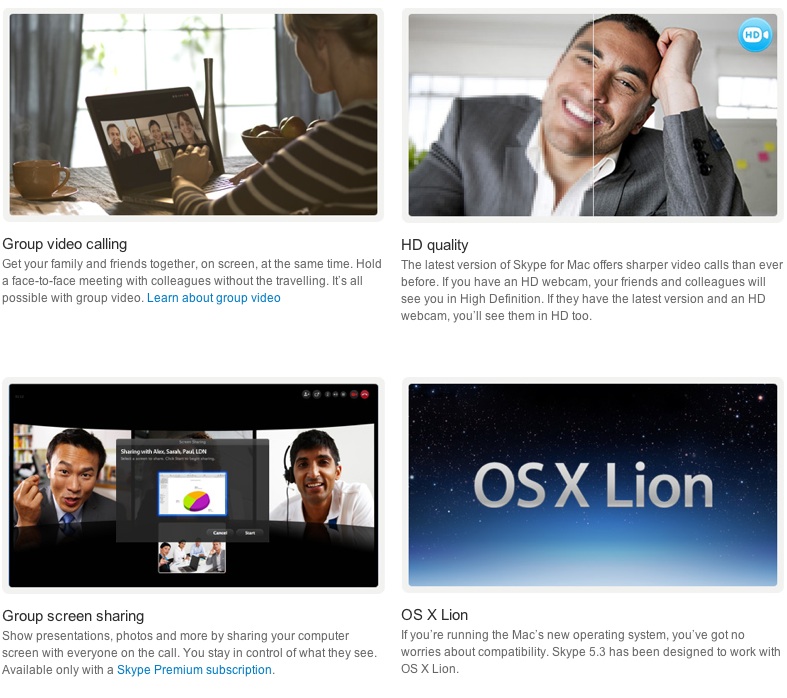
Skype for Mac updated to 5.3, Brings HD Video and Lion Support
The Skype for Mac app has been finally updated to support a full host of features, including HD video, group video calling, group screen sharing, and also brings OS Lion support. The Facebook chat module is now also integrated in the client.

[toggle title_open=”COLLAPSE” title_closed=” READ SKYPE ANNOUNCEMENT” hide=”yes” border=”yes” style=”default” excerpt_length=”0″ read_more_text=”Read More” read_less_text=”Read Less” include_excerpt_html=”no”]
Lion Support & HD Video Calls with Skype 5.3 for Mac OS X
On the heels of our recent update to Skype 5.2 for Mac OS X, we are pleased to announce that we are making even more improvements to our Mac client with the release of Skype 5.3 for Mac OS X. Along with a number of fixes and improvements to the user interface, Skype 5.3 will feature support for the new Mac Lion and HD Video Calls.
Skype 5.3 for Mac OS X is built to work with Apple’s newest desktop operating system, Lion, in addition to being compatible with past versions of OS X going all the way back to Leopard.

With Skype 5.3 for Mac OS X, you’ll also be able to send and receive HD quality video when talking to your friends and family. You’ll need to use the Mac’s built-in HD webcam or choose from a variety of webcams from our Skype Shop, such as the Logitech C910, to make video calls in crystal clear HD quality. To receive clear HD video calls on your Mac, we recommend an upload/download speed of 1.5Mbps.
As with all updates, we ask that you download the most recent Skype update to take advantage of these recent features. If you have any questions or comments on the latest Skype software for Mac, please feel free to visit our new Skype Support Network. We hope you enjoy the new updates in Skype 5.3 for Mac OS X.
[/toggle]
[Skype]
-
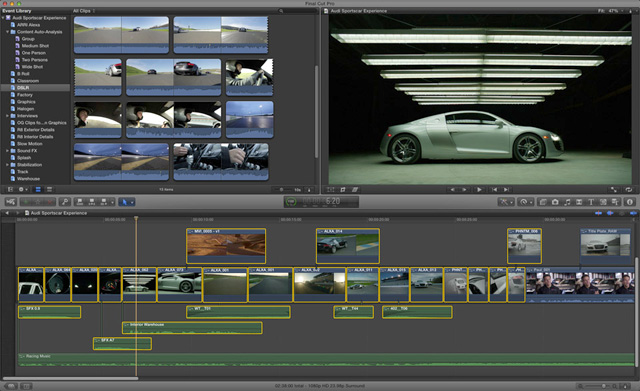
Apple Releases Final Cut Pro X (64 Bit), Motion 5 and Compressor 4 (PR) : DOWNLOAD LINK
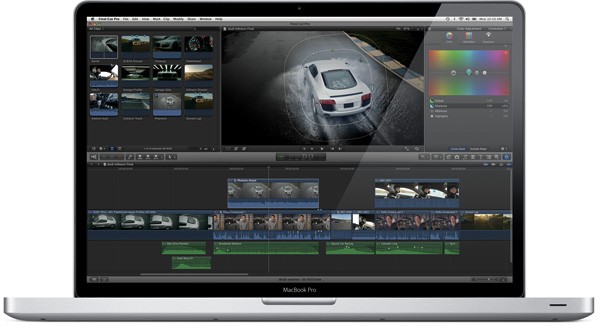
 Apple finally and on time launched the much awaited Final Cut Pro X today. Possibly the most awaited Video Editing software in a long time. Final Cut Pro X brings simplicity of the iMovie interface with advanced features of Final Cut along with multi-core performance.
The software is available in the Mac AppStore for $299. Add-ons Motion 5 and Compressor 4 are also available today for $49.99 each from the Mac App Store.
DOWNLOAD

——————————-
——————————-
——————————-
We will have a full review on the Final Cut Pro X Shortly!
[toggle title_open=”COLLAPSE PRESS RELEASE” title_closed=”READ THE PRESS RELEASE” hide=”yes” border=”yes” style=”default” excerpt_length=”0″ read_more_text=”Read More” read_less_text=”Read Less” include_excerpt_html=”no”]Apple Revolutionizes Video Editing With Final Cut Pro X
CUPERTINO, California-June 21, 2011-Apple® today announced Final Cut Pro® X, a revolutionary new version of the world’s most popular Pro video editing software which completely reinvents video editing with a Magnetic Timeline that lets you edit on a flexible, trackless canvas; Content Auto-Analysis that categorizes your content upon import by shot type, media and people; and background rendering that allows you to work without interruption. Built on a modern 64-bit architecture, Final Cut Pro X is available from the Mac® App Store™ for $299.99.
“Final Cut Pro X is the biggest advance in Pro video editing since the original Final Cut Pro,” said Philip Schiller, Apple’s senior vice president of Worldwide Product Marketing. “We have shown it to many of the world’s best Pro editors, and their jaws have dropped.”
“I’m blown away by what Apple has done with Final Cut Pro,” said Angus Wall, Academy Award-winning film editor. “Final Cut Pro X is incredibly modern and fast, but most importantly it lets you focus on telling your story in the most creative way, while it actively manages all of the technical details.”
At the heart of Final Cut Pro X is the Magnetic Timeline, a trackless approach to editing your footage that lets you add and arrange clips wherever you want them, while other clips instantly slide out of the way. You can use Clip Connections to link primary story clips to other elements like titles and sound effects, so they stay in perfect sync when you move them. You can even combine related story elements into a Compound Clip that can be edited as a single clip. The groundbreaking new Auditions feature lets you swap between a collection of clips to instantly compare alternate takes.
Content Auto-Analysis scans your media on import and tags your content with useful information. Final Cut Pro X then uses that information to dynamically organize your clips into Smart Collections, so you can easily find the clips you want by close up, medium and wide shots as well as media type and the number of people in the shot. You can also tag parts of clips with Range-based keywords to add custom search criteria to your media.
Completely rebuilt from the ground up, Final Cut Pro X is a 64-bit app that takes full advantage of the latest Mac hardware and software so you never have to wait for the next edit, even if you’re working with 4K video. Final Cut Pro X uses multi-threaded processing and the GPU on your graphics card for blazing fast background rendering and superb real-time playback performance. Additionally, a ColorSync-managed color pipeline ensures color consistency from import to output.
Final Cut Pro X also includes powerful tools for audio editing and color correction, and is complemented by two companion apps, Motion 5 for professional motion graphics and Compressor 4 for advanced media encoding, available from the Mac App Store for $49.99 each.
Pricing & Availability
Final Cut Pro X is available today for $299.99 from the Mac App Store. Motion 5 and Compressor 4 are available today for $49.99 each from the Mac App Store. Full system requirements and more information on Final Cut Pro X can be found at www.apple.com/finalcutpro.Apple designs Macs, the best personal computers in the world, along with OS X, iLife, iWork and professional software. Apple leads the digital music revolution with its iPods and iTunes online store. Apple has reinvented the mobile phone with its revolutionary iPhone and App Store, and has recently introduced iPad 2 which is defining the future of mobile media and computing devices.[/toggle]