Tag: Top 5

  • Top 5 Alternatives To The Apple iPad

    Top 5 Alternatives To The Apple iPad

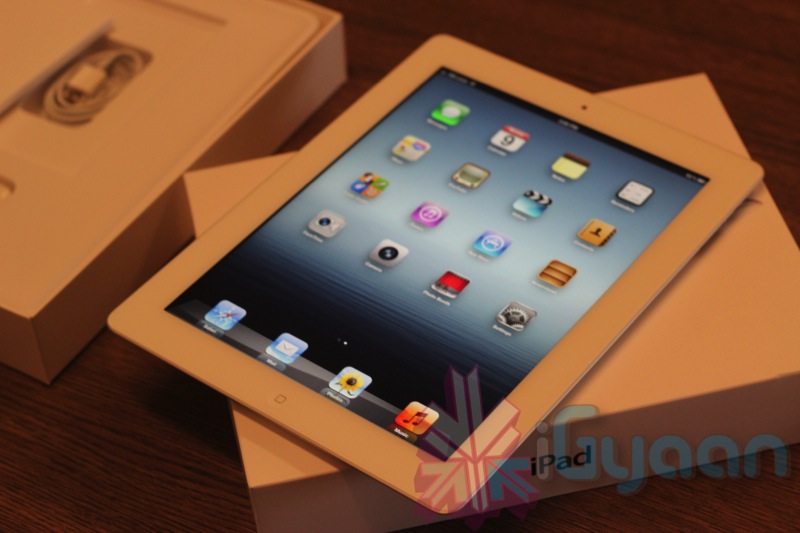
    With more than 65 percent of the market and an even greater degree of mindshare, there is no doubt the Apple iPad dominates the tablet market. And for good reason: Aside from the brief, ridiculous distraction that was the Joo Joo, the iPad was the first real consumer tablet to catch on. Plus, Apple has done a brilliant job of leveraging the iTunes ecosystems and the App Store to deliver a seamless and enjoyable tablet experience. For more than 2 years, no tablet could touch the iPad, but that’s changed. 

    The iPad is a great tablet, but it is not for everyone. Be it price, preference or special software requirements, many people choose alternatives to the iPad. Android tablets tend to provide a greater amount of control than the iPad, with the ability to customize the tablet and plug in USB devices without a special adapter. The newest alternative are Windows-based tablets, which come in two flavors: Windows 8, which is compatible with all Windows software, and Windows RT, which is a scaled down version of Windows that can only run a small subset of Windows software.

    Here we present to you 5 alternatives to the Apple iPad, both from the Android and Windows stables.

    1. Google Nexus 7

    ipad

    The most popular and widely appreciated Android tablet at the moment, the Google Nexus 7 sports a 7-inch display with a resolution of 1280 x 800 pixels and is powered by the Nvidia Tegra 3 quad-core processor paired with 1GB of RAM.

    With such raw power under the hood, the Google Nexus 7 is still one of the best tablets available in the market today. The version of Nexus 7 available on the Play Store is the base version, which comes with 16GB of internal storage and Wi-Fi connectivity. There’s also a 1.2 megapixel camera on the front and the tablet runs on Android 4.1 Jelly Bean out-of-the box, but can be upgraded to Android 4.2.2 as soon as you take it out of the box. 

    It might not have the Retina Display of the iPad, but again, it doesn’t cost a bomb like the iPad either.

    Cost : Rs. 15,999

    2. Google Nexus 10

    ipad

    With the Nexus 10, Google comes in direct competition with the king of the tablet word, the iPad. The Nexus 7’s big brother, the Nexus 10 has is more suited to match the specifications of the iPad. 

    The Nexus 10 hits the iPad directly where it hurts the most and that is, the display. Google Nexus 10 boasts of a 10.1 display with a resolution of 2560 x 1600 pixels, which amounts to a whooping 299 pixels per inch (ppi) and puts even the iPad’s Retina display to shame, which loses to the Nexus 10 at 264 ppi. Thus, the Nexus 10 has the best display on a tablet at present in the market. the screen is protected by Corning Gorilla Glass 2 and thus, you won’t have to worry about any sort of scratches on the device.

    Under the hood, the Google nexus 10 is powered by a 1.7GHz dual-core Samsung Exynos processor coupled with 2GB of RAM and thus, you can expect it to keep pace with anything and everything you throw at it. Running on stock Android 4.2, you’ll get a pire Google experience on this tablet and won’t even have to worry about software updates as you would get the updates as soon as Google releases them.

    Even with all these top of line specifications, the Nexus 10 manages to keep a lower price tag as compared to it’s rivals and currently retails in the US for $399 (16GB) and $499 (32GB).  In India, it is available at various online retailers for a price tag of about Rs. 34,500.

    Cost : Rs. 34,000 to Rs. 36,000.

    3. Samsung Galaxy Note 10.1
    samsung

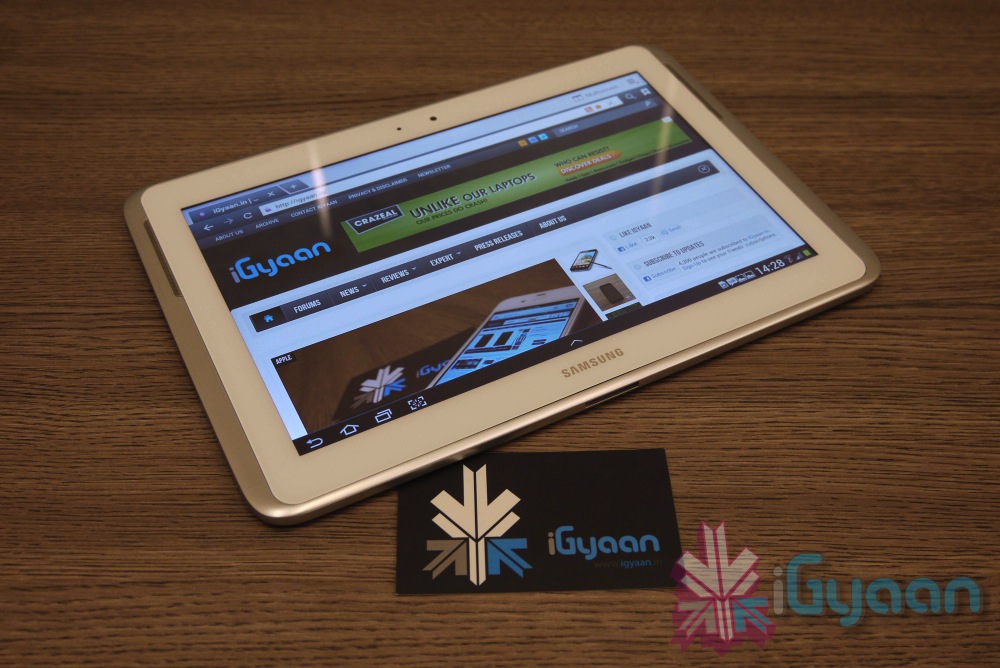
    Though it didn’t quite reach the sales figures Samsung expected, the Galaxy Note 10.1 still is a really capable alternative to the iPad. 

    A tablet with a big screen, a quad core processor and the might of the S Pen… known as a stylus to me and you.

    Well, not just a stylus – with many levels of pressure sensitivity and the ability easily sketch and annotate on a wide range of items, the Galaxy Note 10.1 offers so much more than your average tablet.

    In terms of Hardware the Tablets is packed to the top with top line hardware. Exynos quad chipset with Mali400mp GPU 2 GB RAM and 16GB +64GB expandability. 

    The Tablet has a high colour density 1280 x 800 px 10.1 inch display that allows you to really enjoy wathcing movies or playing games on this tablet.

    The drawback? Pricing seems to be on the higher side. You can read our review of the tablet here.

    Cost : Rs. 38,500

    4. Sony Xperia Tablet Z
    xperia tablet z review 0

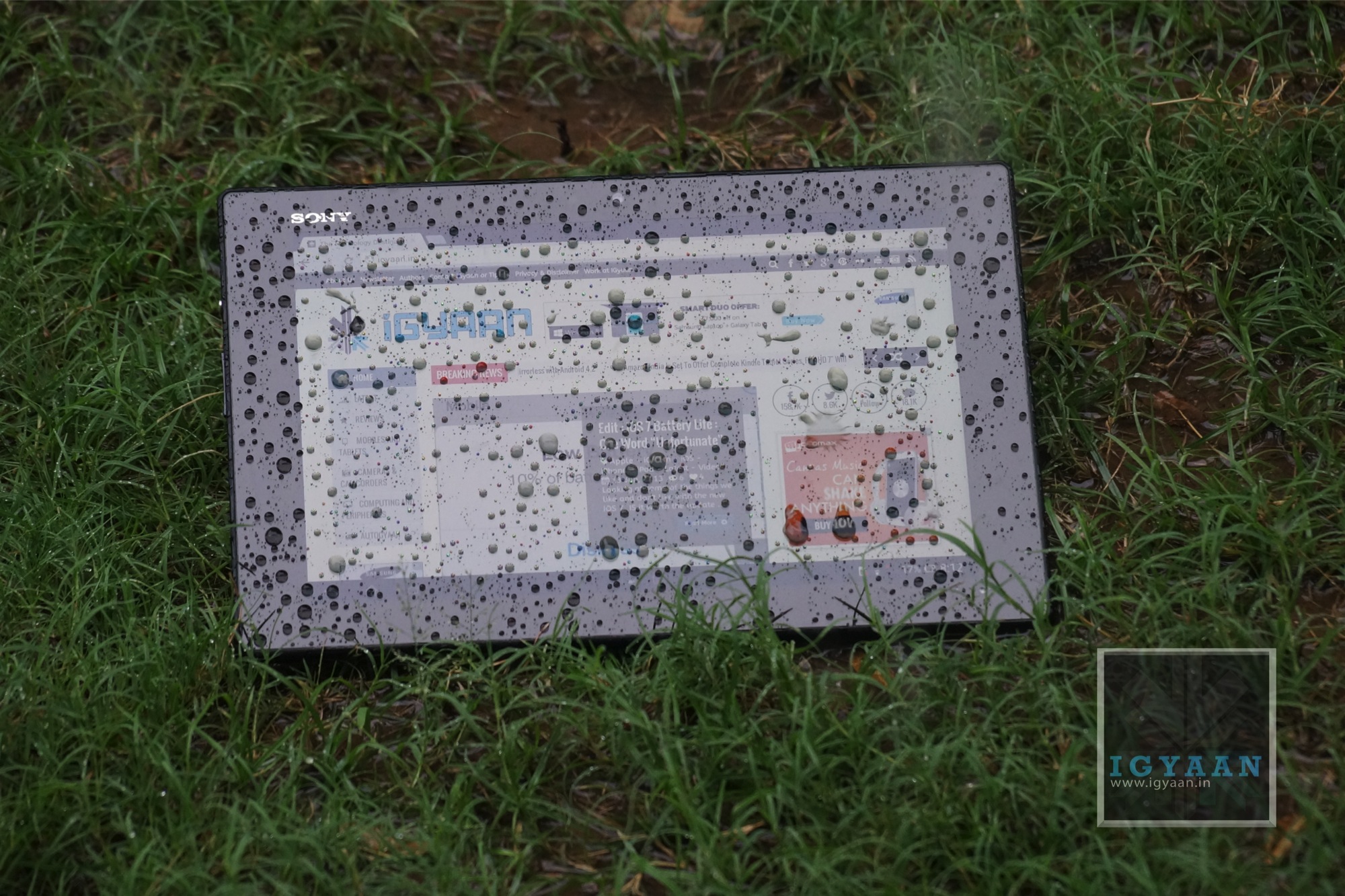
    Weighing in at only 1.1 pounds and only 0.27 inches thick, the 10.1-inch Sony Xperia Tablet Z packs 2GB of RAM, an 8-MP rear-facing camera, 2-MP front-facing camera and 16GB of internal storage into a beautiful, sleek exterior.

    On top of that, it boasts superior battery performance (three hours longer than average on our Laptop Battery Test) and NFC capability for seamless touch transfer between NFC-supported devices. The Android-powered Z also comes with a Remote Control app and an infrared transmitter that lets you use it to control your home entertainment system. 

    The Xperia tablet Z is powered by a 1.5GHz Qualcomm Snapdragon S4 Pro quad-core processor paired with 2GB of RAM. 

    Oh and it is a waterproof and dustproof tablet.

    [youtube id=”eHlHMcKdgxE” width=”100%” height=”300px”]

    Cost : Rs. 44,000

    5. Microsoft Surface Pro

    surface-windows-8-pro

    While it’s not really available in India, it still is a really nice tablet if you could overlook its absurd pricing (which, if rumours are to be believed, will be coming down pretty soon). 

    With a higher resolution screen than the Surface RT, and running the full blown version of Windows 8 the Surface Pro is kinder on the eyes and more powerful under hand, making for a potent, portable offering.

    Making your mind up about the Surface Pro is less about what it is and what it does and more about what you want out of a tablet. As a hybrid PC it’s an undeniable compromise – but that’s no bad thing.

    It’s a bulky device with significant weight, but at the end of the day you’re pretty much getting a portable PC, and all that power means there’s a wealth of options available on the Surface Pro which you just can’t get on the more standard of tablets.

    Honourable Mentions

    Asus Transformer Pad Infinity, Galaxy Note 8.0, ASUS Eee Pad Transformer Prime.

    What do you think? What tablet would you choose over the Apple iPad? Let us know below!
  • Top 5 Alternatives To The Micromax Canvas 4

    Top 5 Alternatives To The Micromax Canvas 4

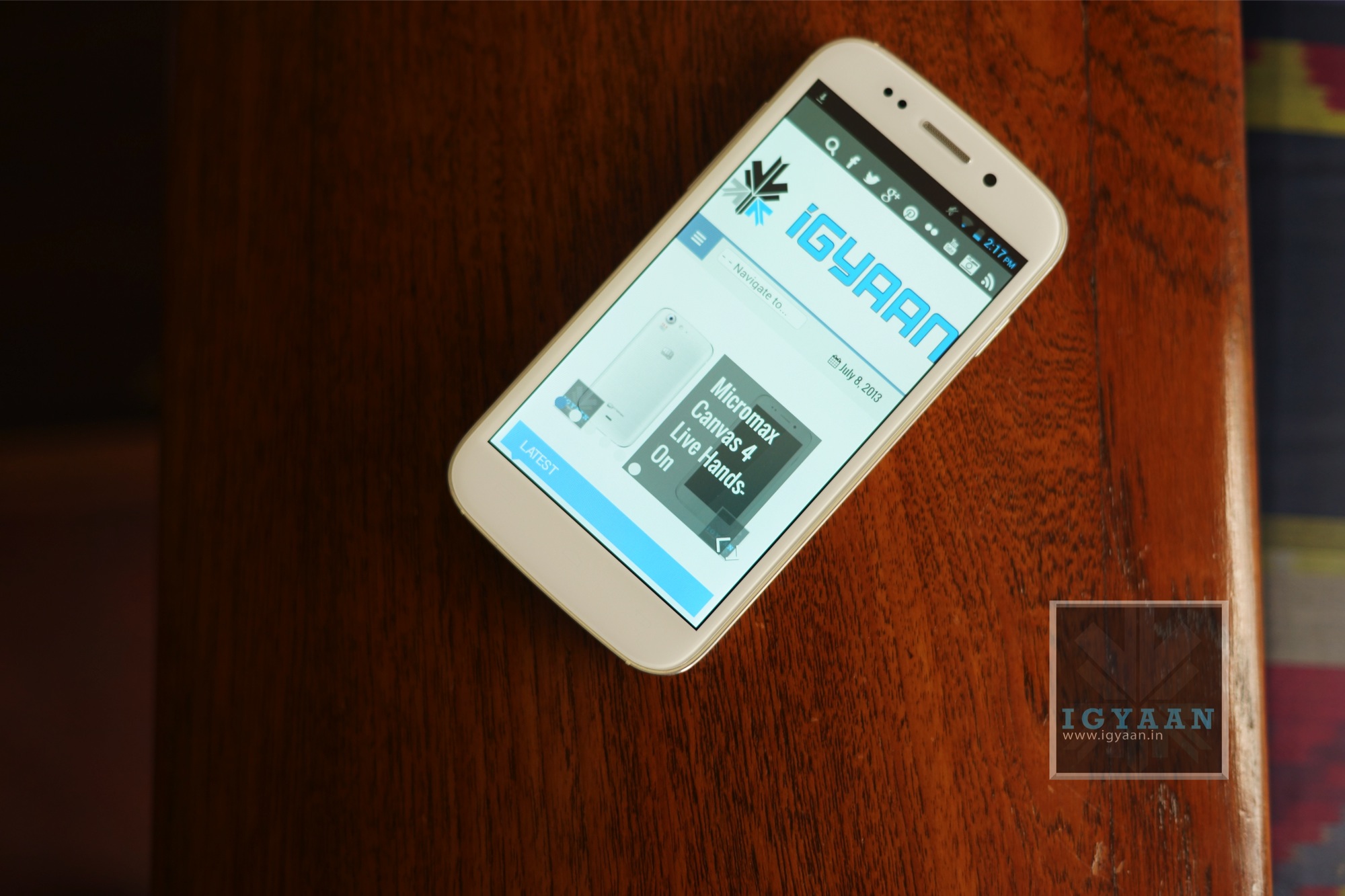
    Micromax announced their latest flagship device this week, the Micromax Canvas 4. While they talked about how they received an enormous amount of pre-bookings, we can’t help but feel that most of the pre-bookers would’ve changed their minds after the launch itself.

    The Micromax Canvas 4 only boasts of a camera update and a few software tricks over the previous flagship device, the Canvas A116 HD. 

    Below, we mention 5 devices (in no particular ranking) as alternatives to the Canvas 4, which cost about the same or less than the Micromax. 

    1. Micromax Canvas A116 HD

    micromax canvas 4

    We’ll start with one from Micromax’s stable itself. The Canvas HD has the same 5-inch 720p display, the same quad-core MediaTek processor and Dual SIM capability. The only drawback? It has a 8MP rear camera as opposed to the Canvas 4’s 13, and a 2MP front as compared to the Canvas 4’s 5. And the Canvas HD is about Rs. 4500 cheaper than the Micromax Canvas 4.

    So if you can live with the lower resolution camera, then you would be better off choosing the Canvas A116.

    [youtube id=”Ee6EWzOkYuM” width=”100%” height=”300px”]

    2. Xolo Q1000

    Xolo-Q10002

    Xolo recently stepped up their device portfolio in India with multiple launches and aggressive marketing. One device that stood out was the Xolo Q1000. 

    Xolo Q1000 is powered by a 1.2GHz quad core processor. It features a 5-inch IPS display that has a resolution of 720×1280 pixels with a pixel density of 295ppi. The screen is made of scratch resistant Dragon Trail glass. The dual-SIM (GSM+GSM) phone runs on the latest Android 4.2 Jelly Bean.

    It has 1GB of RAM and PowerVR SGX544 graphics processor. The phone sports an 8-megapixel rear camera with LED flash and BSI sensor and a 1.2-megapixel front facing camera.

    The Xolo Q1000 offers 4GB of internal storage expandable up to 32GB via microSD card. The phone features 3G, WiFi 802.11 b/g/n, and Bluetooth 4.0 connectivity options. It has a 2,100mAh battery.

    Price – Rs. 14990

    You can watch our review below : 

    [youtube id=”Ea5OwxM5r8w” width=”100%” height=”300px”]

    3. Lava Iris 504Q

    Lava Iris 504q hands on 14

    The Lava Iris 504Q has a 5 inch 1280 x 720p screen, 1.2 GHz quad core MediaTek MT6589 (same as that on the Canvas 4) processor, a mix of 8 MP and 2 MP cameras, 1 Gig of RAM and a 4 GB storage. Lava has added various software tweaks to appeal to the market like gestures for the image gallery and clicking pictures. It is essentially a Dual-SIM GSM + CDMA smartphone.

    You also get a microSD card slot, Wi-Fi, Bluetooth 3.0, 3G, and 2000 mAh battery. 

    We were really impressed by this device in our review and feel that it is a really capable alternative to the Canvas 4.

    Price : Rs. 13,499

    [youtube id=”RDtsUujPTAM” width=”100%” height=”300px”]

    4. Sony Xperia L

    xperia l 12

    One from the big brand now. The Xperia L is undoubtedly better than the rest as far as the software aspect is concerned. On the specs front the Sony Xperia L sports a 4.3-inch display with 480×854 pixel resolution and is powered by a 1GHz Qualcomm MSM8230 dual-core processor. It runs on Android 4.1.2 Jelly Bean operating system and packs 1GB RAM along with 8GB of internal storage which is expandable up to 32GB via microSD card.

    Cost : Rs. 16,399

    [youtube id=”M2oh6SxukHg” width=”100%” height=”300px”]
    .

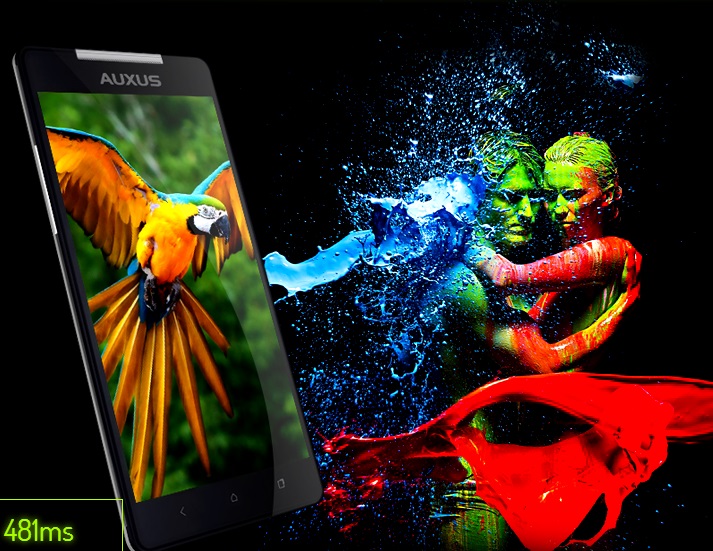
    5. iBerry Auxus Nuclea N1

    auxus

    We left the best one for last. 

    The Auxus Nuclea N1 will have a Full HD 1080p 1920 x 1080 resolution One-Glass Solution display with Active Matrix technology. It will come equipped with a MediaTek MT6589T Quad core Turbo 1.5GHz processor and a PowerVR SGX 544MP GPU clocked at 357MHz for the graphics. The Auxus Nuclea N1 will also come with other features such as  Gesture control, Voice Unlock, Magnetic sensors etc. It is a dual Sim phone 3G +2G smartphone.

    The Auxus Nuclea N1 will come with a 13MP rear facing camera with a BSI sensor and AutoFocus,along with an impressive 8MP front facing camera and will run on Android 4.2 Jelly Bean. A Li-ion battery measuring 2800mAh will be used in this smartphone.

    The internal memory and RAM have not been specified yet. The Auxus Nuclea N1 will go on a 10-day-pre-booking starting from 13 Jul 2013 at a price of  Rs.15990 while the regular order price is set at Rs.18000 (same as the Micromax Canvas 4).

    Micromax Canvas 4


    Related Products


    Were you happy with the specifications of the Canvas 4? Have we missed out on any good alternatives? Let us know below!


  • Top 5 Smartphones With Keypads

    Top 5 Smartphones With Keypads

    Last week, a friend of mine called me up. Her question was simple, yet one that left me wondering for quite some time.The question? Which phone should I buy if I don’t like full touch smartphones?

    I brainstormed for quite some time. There was an obvious solution of course, the Blackberry range of smartphones. But outside that, there weren’t really any names that popped to my head. And it was a pretty valid question too, as there are a lot of people out there who aren’t ready to join the “touch revolution” and would prefer a keypad on their devices for typing at least!.

    So we decided to make a list of the top 5 smartphones that weren’t full touchscreens, touch and type would work too! Took us quite some time, but we think we’ve managed to cover them all!

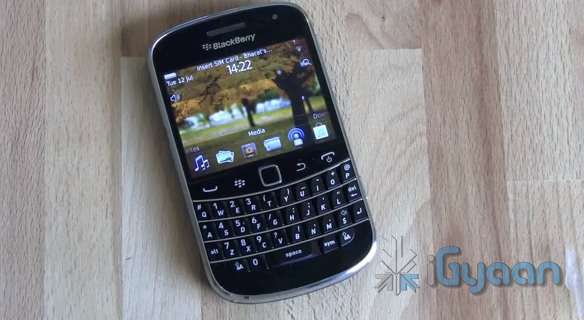
    1. The Blackberry Range

    smartphones

    The most obvious choice. Ever since the launch of the Blackberry 10, the focus has shifted to the all touch Z10. But the older generation of Blackberry smartphones, with the widely loved QWERTY keyboards, are still selling strong. 

    You have a variety of phones to choose from, and from every price bracket. The Curve 9220, the Curve 9360, Bold 9900 etc. These phones still pack in a decent OS- Blackberry 7 OS- and offer a variety of features that you would expect from a smartphone. 

    The first choice for someone looking for some keyboard love.

    2. Sony Ericsson Xperia Pro

    smartphones

    The fact that this phone still has Ericsson in its name shows that it was released quite some time ago. It comes with Android 4.0 on board. The rest of the features? A physical QWERTY keyboard, 1 GHz Scorpion Processor with 512MB RAM, a LED-backlit Reality display with Sony Mobile BRAVIA Engine, an 8 megapixel ExmorR camera sensor, 720p video with continuous autofocus.

    It’s the kind of phone that can enjoy demand from both business users and social networking fans.

    Price – Around Rs 12,000 – 16,000.

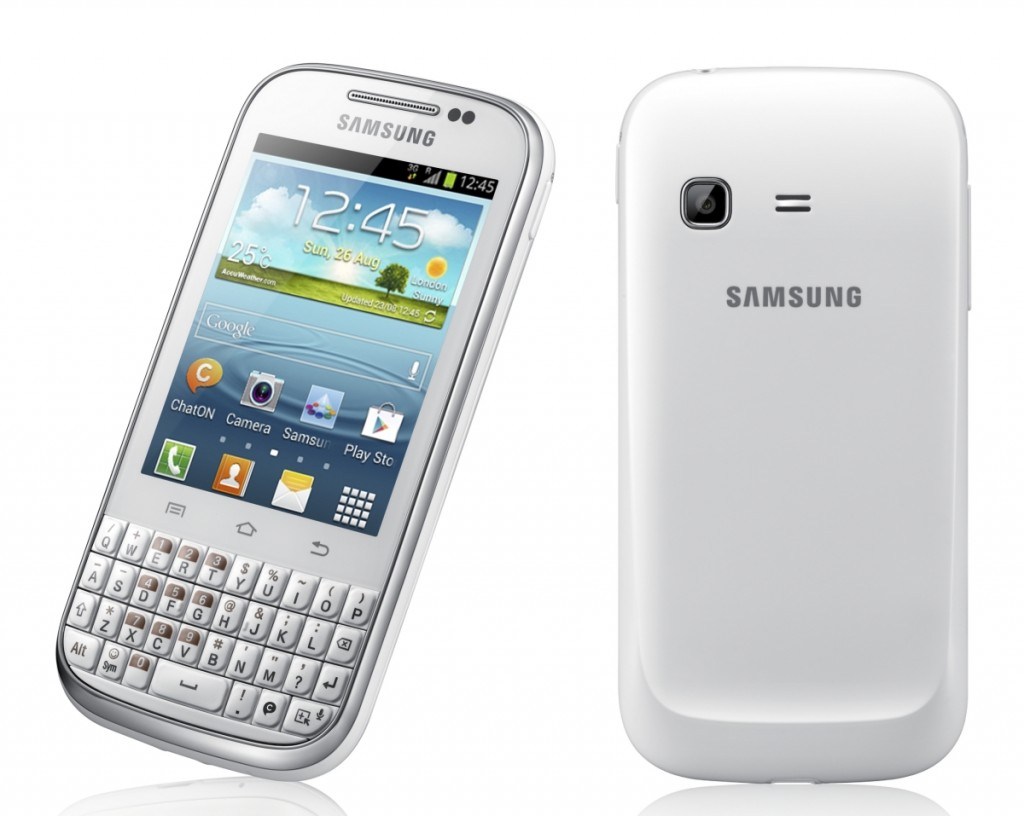
    3. Samsung Galaxy Chat B5330

    smartphones

    The Samsung Galaxy Chat B5330 is a touch and type device, that gives users the comfort of typing on a physical keypad. And the best thing is that it runs on Android 4.0 Ice Cream Sandwich! 

    The phone has 4 GB of inbuilt memory space which can be expanded to 32 GB using a micro SD card. It has a reasonable 850 MHz processor with 512 MB RAM. 

    Android and a keypad? Yes please!

    Price – Rs. 7,990

    4. Nokia Asha 302

    smartphones

    Nokia ASHA is one of the latest entrants in the market. It packs a 2.4 inch QVGA TFT display, Series 40 OS, a 1 GHz single core processor,3.2 megapixel camera,WI-Fi ,3.5 G connectivity. It’s memory can be expanded with  a Micro-SD card up to 32 GB.

    Decent!

    Price – Rs. 6,548.


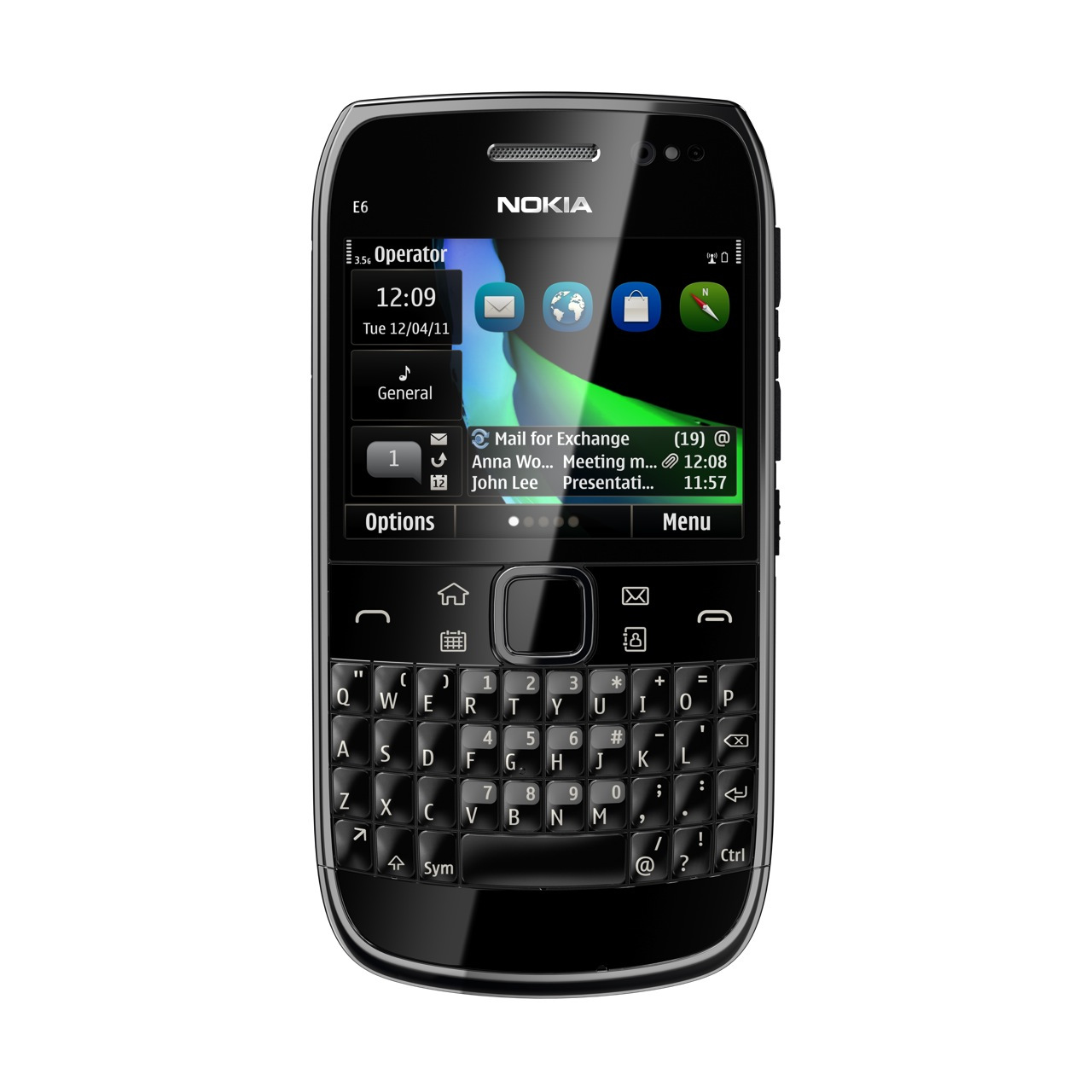
    5. Nokia E6

    smartphones

    Launched a long time ago, we’re still quite fond of this touch/type smartphone. It packs a premium build quality, an excellent display and the desired QWERTY keyboard. 

    The phone runs on Symbian Anna operating system. Powered by a 680 MHz ARM11 processor, the Nokia E6 comes with 256 MB RAM. The handset has a display of 2.46-inch with a resolution of 640 x 480 pixels. It also has an 8MP camera with a LED flash. 

    The drawback? Lack of quality apps. Still a decent purchase if you can find it in the market. 

    Price – Around Rs 10,000.

    So what do you think? Have we missed out on any? Let us know below!

  • Top 5 Android Launchers

    Top 5 Android Launchers

    Launchers in Android devices keeps them refreshed and new every time you change them. A correct launcher and a correct hardware combination can make your device faster, smooth and stylish. There are plenty of free Android launchers available on the Play store. Some are marvelous and work on any hardware specs while some require hardware customizations.

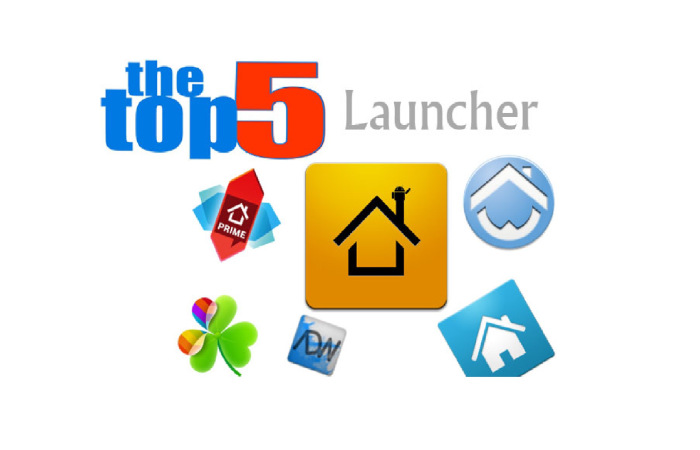
    In this article, we list our top 5 Android launchers, both paid and free –

    1. GO Launcher EX

    launcher

    Searching for a reliable home launcher for your Android? Then undoubtedly try the most popular home launcher Go Launcher EX of Google Play.

    Go Launcher is no less than any premium launcher which come per-installed in many Android devices. If you compare the features, this launcher even crosses HTC’s sense and Samsung’s touch Whiz interface. The basic reason for this launcher’s popularity is the number of customization options available in it.

    It has many themes available ranging from Windows 8 theme to Jelly beans to Ubuntu theme. Some of the best features about this launcher includes: Smooth transitions, great custom GO widgets, strong app management functions like hide app, sort app, search app and clean cache options.

    Features:

    • Provides extremely smooth transition animation.
    • Smoothness in flipping operation.
    • It contains more than 5000 personalized themes.
    • Amazing custom gestures.
    • Many needful including GO widgets like weather, switcher, calendar etc.
    • Strong app management function like sorting, hide app, search, cleaning memory and refresh.

    2. Apex Launcher

    launcher

    Apex is a great launcher that comes out looking like Jellybean out of the box, no hunting for themes required.

    The menus are all every easy to get around and figure out what they do, and the launcher itself is designed, ultimately, the way you want it to look. That’s the beauty of Apex, you can get it looking and working the best possible way for your personal style.

    It has up to 9 customizable home screens, infinite elastic scrolling, fancy transition effects, Multiple drawer styles, Lock your desktop to prevent accidental changes and many more features.

    Features:

    • You can customize homescreen grid size and up to 9 homescreens.
    • Scrollable dock with up to 7 icons per page and up to 5 pages.
    • Fancy transition effects (tablet, cube, etc).
    • You can hide elements as you want (persistent search bar, status bar, or even the dock).
    • Customizable icons and labels for shortcuts and folders
    • You can choose different folder preview styles and background.
    • You can hide apps from the drawer.
    • You can lock your desktop to prevent accidental changes.
    • Enjoy homescreen gestures (pinch, swipe up/down, double tap)
    • Advanced theme engine (icon packs, skins, etc.)
    • Backup/restore settings and data
    • It is optimized for both phones and tablets

    3. NOVA Launcher

    launcher

    Nova launcher is another best free Android launcher which is very similar to Apex launcher. It allows use of ADW or Go Launcher themes to change the looks. You can even change the color of the launcher from the launcher settings. It gives full freedom to select an icon pack from GO launcher or Apex launchers. It has infinite scrolling, folders options, transparent drawer, widgets overlapping option, backup and restore options and hide apps options.

    Features:

    • Completely coloured themes.
    • You can change the accent color of the launcher and it is full color picker supported.
    • Customizable App Drawer
    • Icon Themes – You can apply ADW or Go launcher icon themes to all app icons.
    • Scrollable Dock (for Tablets and Phones) – You can keep all your favorite apps on the dock, with up to 7 icons per page and up to 3 pages.
    • Transparency – Scrolling style, you can choose between horizontal paginated or vertical continuous.
    • Scroll Effects – You can enjoy eye candy when scrolling your desktop and drawer. Effects include Cube and Cardstack and more for Prime users.
    • Infinite Scroll – You will never be far from your favorite page, loop through your desktop continuously.
    • Folder Icons – Chose a background, preview style or even replace the whole icon.
    • Backup – Export your settings and layout before a wipe to quickly get back up and running.
    • Widgets in dock – Just add any 1×1 widget to the dock.
    • Widget Overlapping – Overlap on resize or placement, long-press to send to back or bring to front.
    • Bulk Add – You can add multiple apps to the desktop or a folder at any time.
    • Activities shortcut – You can select hidden activities from your favorite apps.

    4. Smart Launcher

    launcher

    Unlike all other launchers out there, with almost the same kind of layout (at a basic level), Smart Launcher is characterized by its minimalist design, low memory usage and a user-friendly UI that lets you start any application with a few taps. You have to use it to know it. My only gripe is that, the Quick Start screen does not have native icons for generic apps such as Google Maps.

    Features:

    • It is ready to use without special configurations.
    • It can support for Live Wallpaper and screens of different sizes.
    • It can support of set of icons for Launcher Pro and ADW Launcher.
    • It support Widgets but available for only PRO version.
    • Main screen with Quick Start.
    • Drawer organized by categories.

    5. ADW Launcher

    ADW-Launcher-EX-logo

    This is one of the oldest launcher apps on the market. The reason why it’s number 5 is that it was for the longest time neglected by the developer. It looks like it is again being updated with the latest version being totally rewritten for Android Jellybean, and also coming with a new default theme. There are several versions of this on the market, but we found the premium Ex version the best one.

    Features:

    • Highly customizable home replacement application.
    • It’s compatible with android versions from 1.6 to 4.1.
    • It contains thousands of skins and themes with support for most popular launcher themes
    • You can mix and match your skins, icons, docks, folders, etc.
    • It can configure your applications in unlimited groups and hide unwanted apps.
    • Fast setup screen with fast access to add items or configure everything.
    • It has configurable visual desktop indicators.- Easy folder tweaking and management, content previews, arrangement, colors, etc.
    • New AppWidget picker for devices running Android 4.1 and newer.
    • Icons editor to create your own customized shortcuts or edit existing ones
    • You can resize AppWidget.
    • It contains AppWidget backup/restore (only for android 4.1 and newer).
    • Customizable applications dock with support for unlimited shortcuts with paginated scroll.
    • Lots of settings to play with: texts, colors, animations, sizes, you should dig in.

    What do you think? Did we miss out on any? Let us know your top 5 below! 

iGyaan Network
Privacy Overview

This website uses cookies so that we can provide you with the best user experience possible. Cookie information is stored in your browser and performs functions such as recognising you when you return to our website and helping our team to understand which sections of the website you find most interesting and useful.