Tag: update

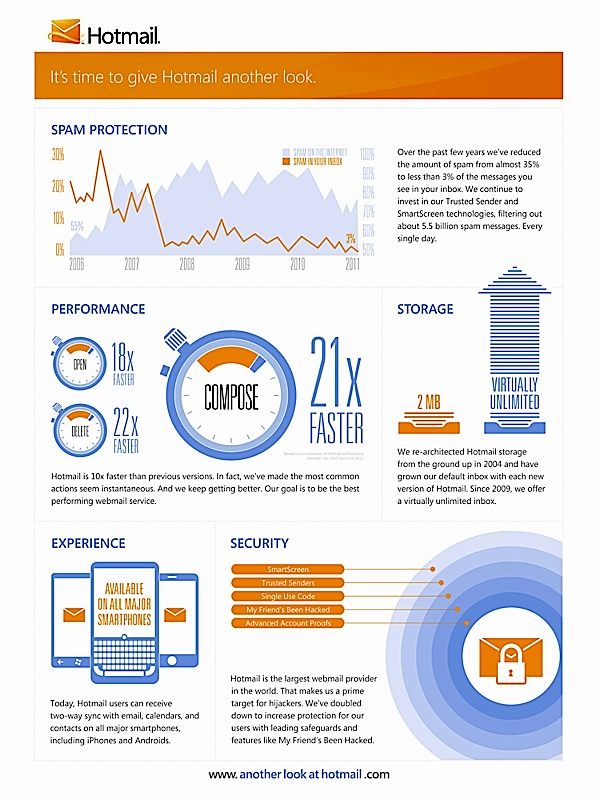
  • Microsoft releases a Hotmail Android App

    Microsoft releases a Hotmail Android App

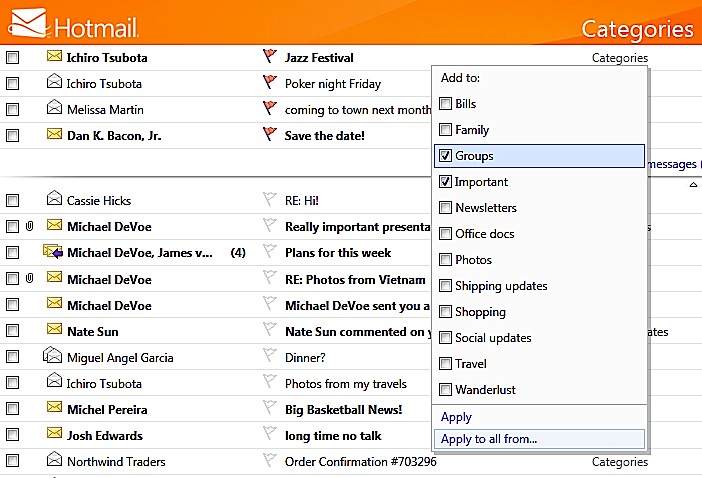
    Microsoft has announed and launched a hotmail Android App with dual way syncing for email contacts and calendar. Adding some interesting features in the app.

    • Automatically categorize incoming mail as newsletters.
    • Unsubscribe to whole newsletters
    • Flagged messages will on top of the inbox
    • Manage and edit folders 
    • Apply categories to individual emails
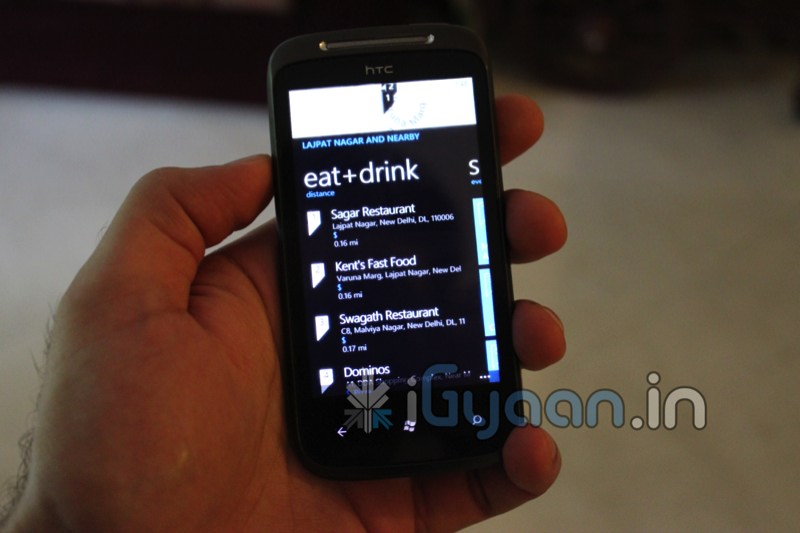
  • Windows Phone 7.5 ‘Mango’ update being pushed from today

    Windows Phone 7.5 ‘Mango’ update being pushed from today

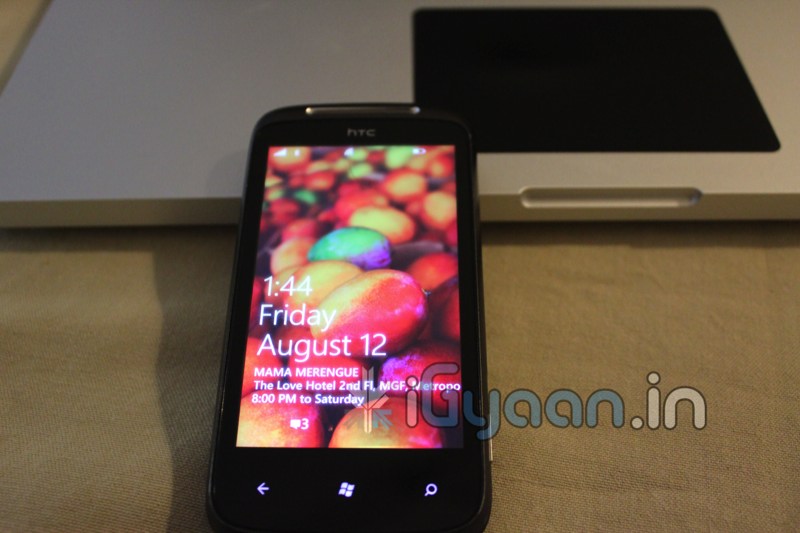
    Microsoft has already started seeding the Mango 7.5 builds of Windows phone to existing device holders.  The company’s eager to do a much more efficient job , considering they wern’t able to do it properly during the NoDo update.

    As far as supported devices go, According to MS almost all phones are covered in their update schedule. The new update brings over 500 new features and additionally allows users to install apps from third party developers without the need of sideloading them. Microsoft confirmed that Internet Sharing — the long-awaited mobile hotspot functionality — will not be available for existing devices. Which may be a big deal breaker for some users.

  • ALL Existing Windows Phone 7 Devices to get the official Mango Update within 2 weeks

    ALL Existing Windows Phone 7 Devices to get the official Mango Update within 2 weeks

    According to Microsoft’s official Windows Phone Blog, the Windows Phone 7 Mango Update should be available to all existing WP7 devices within another week or two. The Windows Team indicates it won’t be pushed to your phone OTA when the time comes, so you’ll need updated versions of the Zune for PC or Windows Phone 7 Connector for Mac installed on your computer.

    Looks like this time around the Update may come out the same day, unlike with No-Do when it was over several weeks.


  • VMware Fusion 4 brings full Mac OS Lion support to Windows 8 – Mission Control et all

    VMware Fusion 4 brings full Mac OS Lion support to Windows 8 – Mission Control et all

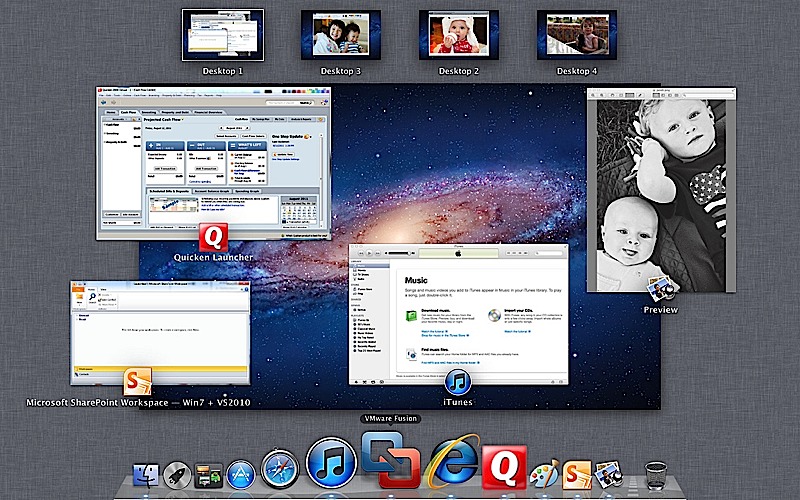
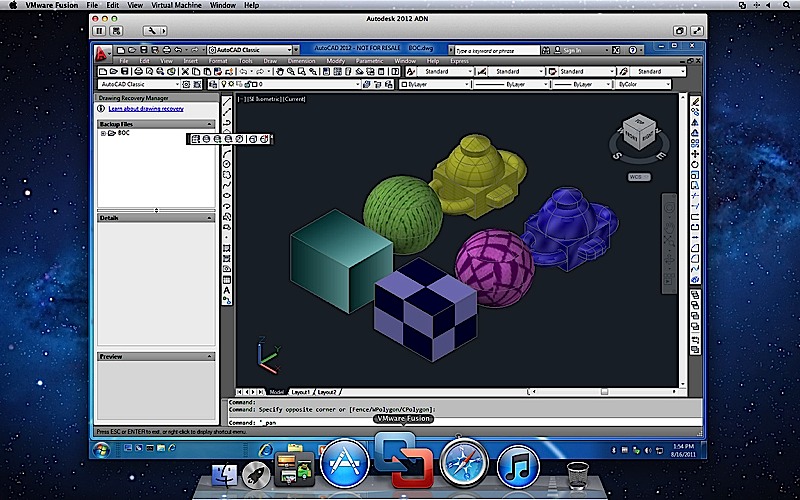
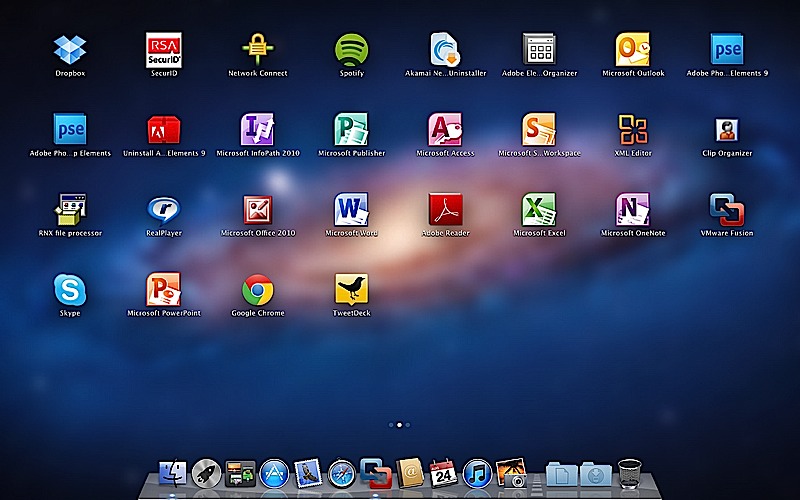
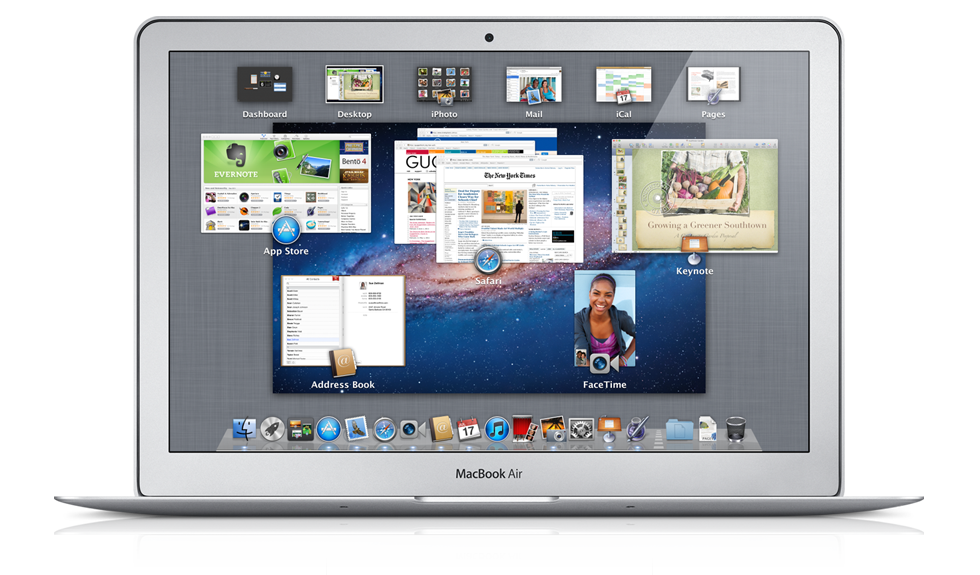
    To fully enjoy the killings of Microsofts new OS, VMware has introduced the new Fusion 4 the latest version of its virtualization software. This version fully works with Mac Lion, there is also support for Expose and Spaces on the Windows side, it also adds the ability to use Mission Control and launch Windows apps from Launchpad.

    The new software costs only US $ 50 or INR 2500 till december when the price goes up to US$ 80( do the math). If you recently bought VMware Fusion you get an upgrade free of cost. 

    The most important thing to note here is that our version of Parallels for Mac has already been doing this for about two months now. Full PR below.


    [toggle title_open=”Press Release” title_closed=”Press Release” hide=”no” border=”yes” style=”default” excerpt_length=”0″ read_more_text=”Read More” read_less_text=”Read Less” include_excerpt_html=”no”]VMware launches VMware Fusion® 4 – The Best Way to Run Windows on a Mac Just Got Better

    PALO ALTO, Calif., Sept. 14, 2011 – VMware, Inc. (NYSE: VMW), the global leader in virtualization and cloud infrastructure, today announced VMware Fusion® 4 – the best way to run Windows on a Mac. Available now at VMware.com for a promotional price of $49.99, VMware Fusion 4 makes it easier than ever for users to run Windows applications with Mac simplicity.

    “Enhancements to VMware Fusion® 4 make it a breeze to run Windows and Mac Applications side by side on a Mac,” said Pat Lee, director, client product management, VMware. “Offering full integration into Apple OS X Lion, VMware Fusion 4 builds on our proven, award winning platform to provide an easy, fast and reliable way to run Windows applications on a Mac.”

    With more than 90 new features and now optimized for today’s multi-core Macs and OS X Lion, key features in VMware Fusion 4 include:

    – Built for OS X Lion – VMware Fusion 4 is designed to provide the best Windows experience on OS X Lion. Add Windows programs to Launchpad, experience them in Mission Control, view them in full screen or switch between them using Mac gestures.
    · Better Performance and Faster Graphics – VMware Fusion 4 has been engineered to run Windows and Mac applications side-by-side with incredible speed and reliability. As a 64-bit Cocoa application, it is optimized for today’s multi-core Macs and delivers 3D graphics up to 2.5-times faster.
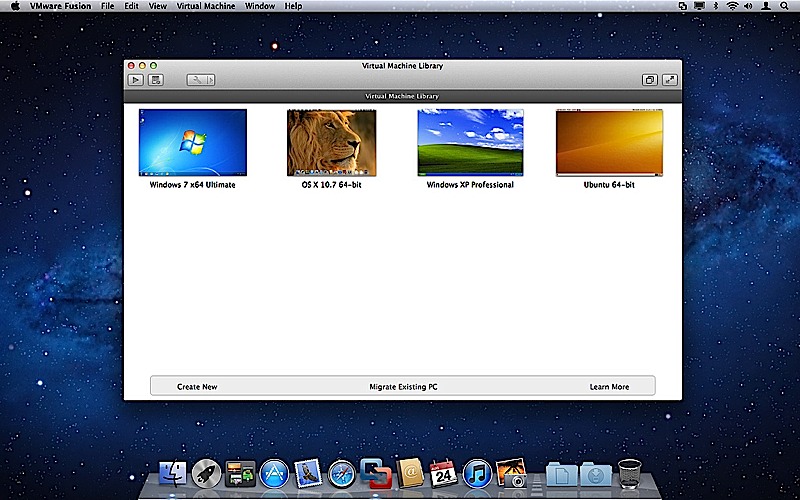
    – Even More “Mac-like” Experience – VMware Fusion 4 enhances the way Windows programs run on a Mac. From the brand new settings menu to the redesigned virtual machine library and snapshot menu, users have even more Mac-like experiences when running Windows programs.
    – Lion Squared – VMware Fusion 4 now supports OS X Lion in a virtual machine, allowing users to get more from their Mac by running OS X Lion, OS X Lion Server, Mac OS X Snow Leopard Server and Mac OS X Leopard Server in virtual machines.

    Switching Made Easy
    VMware Fusion’s migration assistant for Windows makes it easier than ever for users to transfer their entire PC to a Mac, allowing them to make the most of their existing Windows software investment. With VMware Fusion 4 users can get the best of both worlds and have access to Windows programs and files from their PC directly on their Mac, whenever they need them.

    Availability and Pricing
    VMware Fusion® 4 is available until the end of the year for a promotional price of only $49.99. The suggested retail price for VMware Fusion 4 is $79.99. Customers who have purchased VMware Fusion 3 on or after the July 20, 2011 are eligible for an electronic upgrade to VMware Fusion 4 at no additional cost. Volume pricing for corporate users is available from select resellers and www.vmware.com/fusion.

    VMware Fusion 4 is available immediately for download and purchase from vmware.com. VMware Fusion box products will be available at key resellers including Apple, Apple.com, Amazon.com, Best Buy, Fry’s Electronics and many other stores in the coming days. VMware Fusion is available in English, German, French, Italian, Spanish, Simplified Chinese and Japanese.

    Additional Resources
    Learn more about VMware Fusion on the VMware Fusion Blog[/toggle]

  • Sony Ericsson will Update the Xperia line with Gingerbread 2.3.4 (PR)

    Sony Ericsson will Update the Xperia line with Gingerbread 2.3.4 (PR)

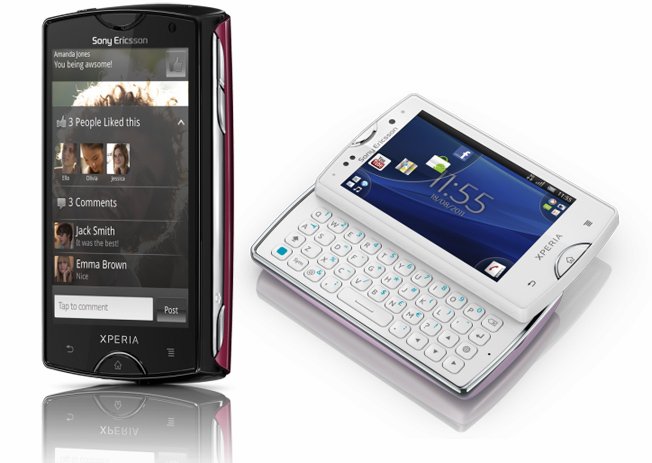
    Sony Ericsson has announced that it will start pushing upgrades for its Xperia line and start moving them on to Gingerbread in October.  In this Upgrade users get

    • OEM enhancements
    • Facebook integration 
    • 3D sweep panorama technology
    • 3DTV viewing
    • Native screen capture function
    • Google Talk with Video Chat
    The upcoming Sony Ericsson Neo V will be the first phone with these upgrades with the rest to follow suit
    [toggle title_open=”Collapse” title_closed=”Read the Press Release” hide=”yes” border=”yes” style=”default” excerpt_length=”0″ read_more_text=”Read More” read_less_text=”Read Less” include_excerpt_html=”no”]25 August 2011
    Sony Ericsson boosts 2011 Xperia™ family with new experiences and new software

    2011 Xperia™ range to be upgraded to Android Gingerbread platform version 2.3.4
    Enhanced Facebook inside Xperia™ functionality
    Introducing Xperia™ neo V Android smartphone with the best of entertainment technologies from Sony and Google

    25 August 2011, London, UK – Sony Ericsson today announced new functionality and features to its 2011 Xperia™ smartphone range with a comprehensive software upgrade from October 2011. Consumers with 2011 Xperia™ smartphones will benefit from improvements to Sony Ericsson’s unique Facebook inside Xperia™ offering and 3D camera functionality from Sony. The upgrade also allows consumers to enjoy the full benefits of the Android Gingerbread platform including Google Talk with Video Chat.

    Sony Ericsson’s unique social experience provided by Facebook inside Xperia™ has been super-charged enabling Xperia users to like, share and discover on Facebook in a faster, easier and more intuitive way. The new functionality aims to make entertainment more social by giving users the ability to share and discover apps and games with friends through Facebook.

    The latest camera enhancements from Sony introduce 3D sweep panorama technology so that images can be captured and then viewed in 3D by connecting the phone to a 3D TV using the HDMI output.

    “With this software upgrade, we are bringing a wealth of new and really entertaining experiences to all our 2011 Xperia™ smartphones, including those already in consumers’ hands today,”said Nikolaus Scheurer, Head of Product Marketing at Sony Ericsson. “Our users will get to enjoy new features from Google, an even richer Facebook integration, and enhanced camera functionality from Sony.”

    Xperia™ neo V is one of the first new products to launch with the new software and will include all the features like Google Talk with Video Chat, 3D sweep panorama and enhanced Facebook inside Xperia™ functionality. Building on the success of the original Xperia™ neo launched earlier this year, Xperia™ neo V takes the latest Android software for smartphones and the best of Sony entertainment experiences, including Reality Display with Mobile BRAVIA® Engine, to even more markets. Sony Ericsson Xperia™ neo V will be available globally in select markets from Q4 2011.

    The software upgrade will be available in select markets through a phased roll out starting from October 2011. Xperia™ owners will receive a notification instructing them to instantaneously download the software over the air via 3G or WiFi. Alternatively, they will have the option to connect to a computer and download it via PC companion.

    Upgrade at a glance:

    Xperia™ smartphones to be upgraded to the 2.3.4 version of the Gingerbread platform with new features including Google Talk with Video Chat for smartphones with front-facing cameras
    Updated Facebook inside Xperia™ functionality for enhanced like, share and discover abilities
    Xperia™ smartphones introducing world’s first 3D sweep panorama functionality powered by Sony.
    The software upgrade enables consumers to turn their Xperia smartphone into a mini-mobile PC by connecting USB peripherals (mouse, keyboard or game controller) to Sony Ericsson LiveDock™ multimedia station. Connect the smartphone to a TV via HDMI to get a big screen experience.
    Swipe text input – text input by swiping the finger from one letter to the next
    Screen capture – allows the user to share a screen grab from anywhere in the phone

    For full details all products news, please visit the press room and the product blog:
    http://www.sonyericsson.com/cws/corporate/press/pressreleases/latestnews
    http://blogs.sonyericsson.com/products/

    Sony Ericsson Xperia™ neo V at a glance.
    *Please note that all services mentioned below may not be available in every market.
    Colours

    White
    Blue Gradient
    Silver

    Facts

    Size: 116 x 57 x 13mm
    Weight: 126g
    Operating system: Google™ Android 2.3 (Gingerbread version 2.3.4)
    Processor: 1 GHz Qualcomm Snapdragon MSM8255

    Camera

    3D sweep panorama
    5 megapixel camera
    16x digital zoom
    Auto focus
    Face detection
    Flash/LED
    Front facing camera (VGA)
    Geo tagging
    HD video recording (720p)
    Image stabiliser
    Red-eye reduction
    Scene detection
    Self-timer
    Send to web
    Smile detection
    Sweep panorama
    Touch capture
    Touch focus
    Video light
    Video recording
    Video stabiliser

    Music

    Album art
    Bluetooth™ stereo (A2DP)
    Media player
    Music tones (MP3/AAC)
    PlayNow™ service
    Sony Ericsson Music player
    TrackID™ music recognition
    xLOUD™

    Internet

    Android Market™
    Bookmarks
    Google™ search
    Google Voice™ Search
    Pan & zoom
    Web browser (WebKit)

    Communication

    Call list
    Conference calls
    Facebook™ application
    Facebook inside Xperia™ V2
    Google Talk™ video chat*
    Noise Shield
    Polyphonic ringtones
    Sony Ericsson Timescape™
    Speakerphone
    Twitter™ (Timescape™ integration)
    Vibrating alert
    Video chat ready

    Messaging

    Conversations
    Email
    Google Mail™
    Instant messaging
    Multimedia messaging (MMS)
    Predictive text input
    Sound recorder
    Text messaging (SMS)

    Design

    Auto rotation
    Keyboard (on-screen, QWERTY)
    Live wallpaper
    Picture wallpaper
    Reality Display with Mobile BRAVIA® Engine
    Swipe to write
    Touch screen

    Entertainment

    3D games
    Media browser
    Motion gaming
    Radio (FM radio with RDS)
    Video streaming
    YouTube™

    Organiser

    Alarm clock
    Calculator
    Calendar
    Document readers
    E-Manual
    Flight mode
    Google Calendar™
    Google Gallery 3D
    Infinite button
    Phonebook
    Setup guide
    Widget manager

    Connectivity

    All services mentioned in this leaflet may not be available in every market.

    3.5 mm audio jack
    aGPS
    Bluetooth™ technology
    DLNA Certified™
    Google Latitude™
    Google Maps™ for Mobile
    Google Maps™ with Street View
    HDMI™ support
    Media Transfer Protocol support
    Micro USB support
    Modem
    Native USB tethering
    Synchronisation via Facebook™
    Synchronisation via Google Sync™
    Synchronisation via Sony Ericsson Sync
    Synchronisation via Microsoft® Exchange ActiveSync®
    TV Out
    USB mass storage
    USB High speed 2.0 support
    Wi-Fi®
    Wi-Fi® Hotspot functionality
    Wisepilot™ turn-by-turn navigation

    Display

    Reality Display with Mobile BRAVIA® Engine
    16,777,216 colour TFT
    Capacitive touchscreen (multi-touch)
    3.7 inches
    480 x 854 pixels (FWVGA)
    Scratch-resistant

    Memory

    Phone memory: Up to 320MB
    Memory card support: microSD™, up to 32GB
    Memory card included: 2GB microSD™

    Battery life

    Talk time GSM/GPRS: Up to 6 hrs 55 min*
    Standby time GSM/GPRS: Up to 430 hrs*

    Talk time UMTS: Up to 7 hrs*
    Standby time UMTS: Up to 400 hrs*

    Music listening time: Up to 31 hrs*
    Video playback time: Up to 7 hrs 25 min*

    *According to GSM Association Battery Life Measurement Technique. Battery performance may vary depending on network conditions and configurations, and phone usage.

    Networks

    UMTS HSPA 900, 2100
    GSM GPRS/EDGE 850, 900, 1800, 1900

    UMTS HSPA 850, 1900, 2100
    GSM GPRS/EDGE 850, 900, 1800, 1900

    In the kit

    Xperia™ neo V
    1500 mAh battery
    Stereo portable handsfree
    2GB microSD™ memory card
    Charger
    Micro USB cable for charging
    Synchronisation and file transfer
    User documentation

    Legal
    1) Facts and features may vary depending on local variant. 2) Operational times are affected by network preferences, type of SIM card, connected accessories and various activities e.g. playing games. Kit contents and colour options may differ from market to market. The full range of accessories may not be available in every market.

    © Sony Ericsson Mobile Communications AB, 2011[/toggle]

  • Breaking : Samung issues Android 2.3 Update to original Galaxy Tab

    Breaking : Samung issues Android 2.3 Update to original Galaxy Tab

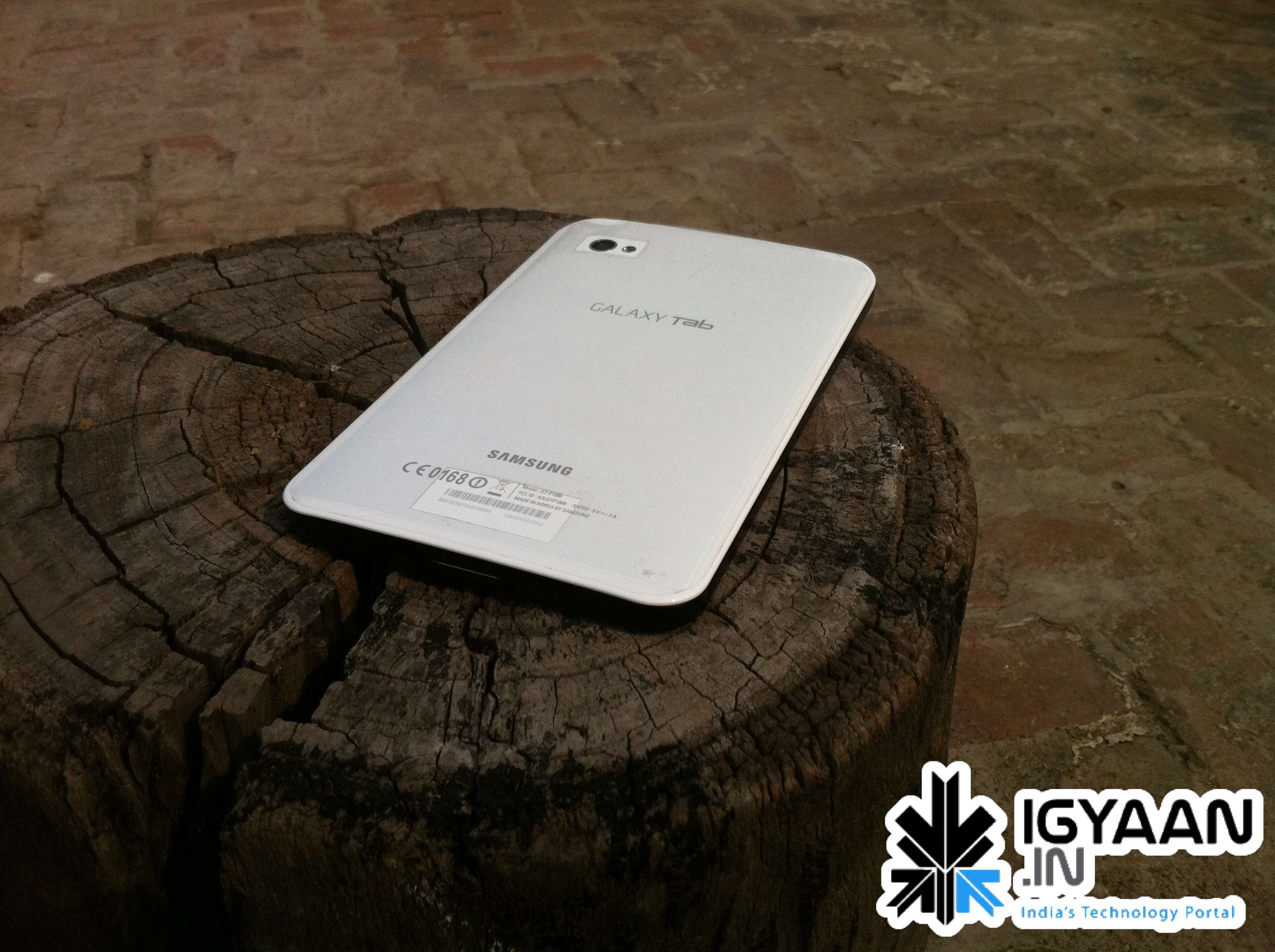
    In the recent heat of the Galaxy tablet launches, Samsung has also issued a gingerbread upgrade to the existing Galaxy tab 7 inch.

    Several readers have sent us confirmation that they were able to update their devices easily by connecting it to the latest version Kies on their pc. The 2.3 update should force enable Skype Videos Calls and also bring about a lot of good features to the tablet.

    If you own the Original Galaxy Tab, simple connect your device to your pc and fire up the latest version of Kies, it should detect and upgrade your device. if you have any problems let us know.

    Thanks to everyone who sent this in.

  • Symbian Anna Can be Downloaded Starting Today

    Symbian Anna Can be Downloaded Starting Today

    Nokia has begin seeding their latest revamp of Symbian to device users worldwide. The details and the methods are posted below thanks to the Nokia Blog.

    What’s in it?

    Lots. Let’s break down the main changes section-by-section. There are the new icons, of course, but there’s a whole lot more under the hood.

    Improved text input

    • There’s a portrait QWERTY keyboard for fast, single-handed typing.
    • There’s also a split-screen view while you’re typing, so you can see the web pages, forms and message threads you’re replying to.

    Better browser

    • The browser is easier to use and faster, and offers better compliance with recent standards.

    Enhanced Maps

    • Ovi Maps now has a simpler and quicker search function.
    • It also includes public transport routes.
    • And you can check in to social networks, send emails and SMS messages sharing your location.

    Business features

    • Email improvements include full meeting request support.
    • Hardware-accelerated encryption of your phone’s data for true business-grade security.
    • Secure intranet access for business users who need IPSEC and SSL VPN enablers.

    Near-Field Communications

    • Symbian Anna also activates the NFC hardware in the Nokia C7, for easy sharing, games, use with NFC-enabled accessories and reading NFC tags on other items.

    Who all ?

    Countries that will receive their updates this week include the following:a

    Belgium, China, Czech Republic, Denmark, Egypt, Finland, Germany, India, Indonesia, Kuwait, Norway, Poland, Russia, Sweden, Thailand, UAE, the UK, and more

    Other countries are mostly confirmed for the next three weeks.

    How do I get it?

    The Symbian Anna update will be available through Ovi Suite on the PC or the SW Update app on your phone. This is a large download, so for speed and reliability, the Ovi Suite method is best. We do not recommend that you attempt to update over-the-air unless you have a strong and reliable WiFi connection.

  • Possible iPhone 5 Leaked : Spy shots

    Possible iPhone 5 Leaked : Spy shots

    Looks like someone managed to snap the images of a test iPhone 5 in the US. Images from a man claiming to have spotted an Apple employee field testing the iPhone 5 have surfaced. Although the images are really blurry, one can easily make out the Apple logo at the back along with the curvaceous back rumored for the iPhone 5

    9 to 5 Mac reported this incident, and their tipster claimed to have seen the device upclose.

    Almost EVO-like in screen size, this iPhone also appears thinner than the current iPhone 4 but also wider.  The edges are rounded metal like the edges of a Samsung Galaxy Tab 10.1 but could still function as an antenna.  The back is a curved/tapered glass or plastic, if I had to to guess I’d say glass.” Said the Tipster

    If this is indeed the next gen iPhone 5 in testing, then you can bet your money on the fact that its going to be released end August this year. The above images also match the render images iGyaan found sometime back.


  • New Gmail Android App v2.3.4 integrates Labels, custom tones and priority inbox among others

    New Gmail Android App v2.3.4 integrates Labels, custom tones and priority inbox among others

    The new Gmail app v 2.3.5 available now via the marketplace update adds a lot of new features to the on system app. the most important feature is the ability to sync only priority inbox with your device allowing you to save up on battery life. The other new feature that we like is label specific tones allowing you to customize the way you receive email.

    Officially What’s in this version:

    1. Save bandwidth and battery by only syncing priority mail
    2. Use label notifications to mash up filters, labels, and ringtones
    3. Remember ‘Show Pictures’ for senders
    4. Turn off sticky message actions in landscape or all orientations
    5. Better TalkBack support for accessibility
    6. Performance improvements

    [Android Market]

  • Over 1 Million Copies Of Lion Sold On Day 1

    Over 1 Million Copies Of Lion Sold On Day 1

    On the day that Apple launched the new version of its operating system  OSX Lion, it sold over a million copies. Apparently, people were not intimidated by a lack of a disc to install from. The ease with which Apple has distributed its update can be seen in the sales figures. The price of the update along with the ability to download is must have helped boost sales even further than Apple expected.

    The update is available in the Mac App Store for only $29. It will be available on physical media in August.

  • Google Maps on Android Now Add 3D Buildings in Several Cities None from India

    Google Maps on Android Now Add 3D Buildings in Several Cities None from India

    Google announced on Tuesday that it has added support for 3D buildings in 13 additional cities on Google Maps, including London, Paris, Barcelona, Stockholm, Singapore, Lisbon, Boulder, and 11 cities in South Africa. 

     To activate 3D buildings in one of the aforementioned locations, simply zoom in close to the city and the application will then show a 3D renders of the city landscape. If you already upgraded your Google Maps to the latest version a software update will not be required to view the new Google Maps in 3D

    [GOOGLE]

  • Apple Refreshes The Mac Mini with Core i5 and i7, Thunderbolt and AMD Radeon HD (PR)

    Apple Refreshes The Mac Mini with Core i5 and i7, Thunderbolt and AMD Radeon HD (PR)

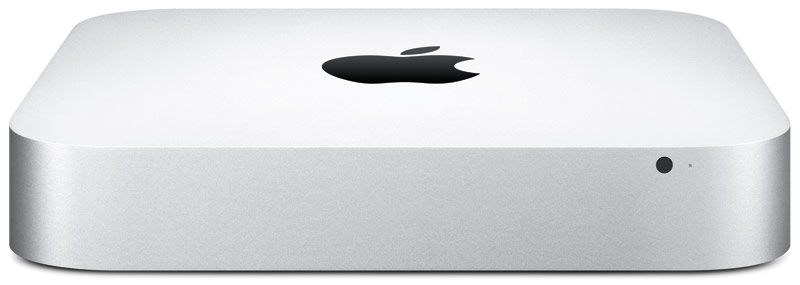
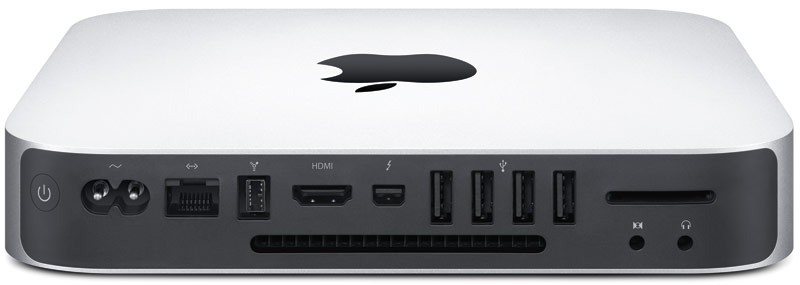
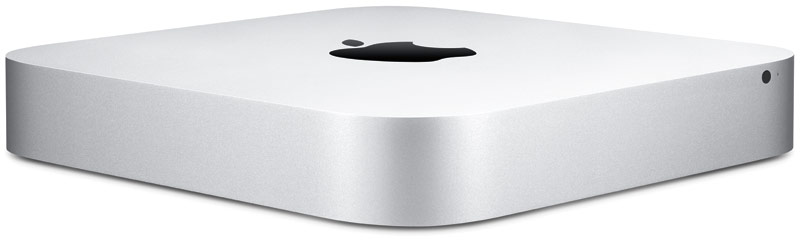
    Apple has dropped a new load of goodies on us today, as we suspected, Apple has updated the Mac Mini to include new hardware and Thunderbolt Ports.

    The new Mac mini packs an Intel Core i5 or i7 processor, Thunderbolt, AMD Radeon HD graphics, and Mac OS X Lion. 

    Starting at $599 with a 2.3GHz Intel Core i5 they offer a cheap alternative for owning a Mac.

    The 2.3 GHz dual-core Intel Core i5 Mac mini with 2GB of memory and a 500GB hard drive starts at a suggested retail price of $599 (US), with options to add memory up to 8GB and a 750GB hard drive.

    The 2.5 GHz dual-core Intel Core i5 Mac mini with 4GB of memory and a 500GB hard drive starts at a suggested retail price of $799 (US), with options to upgrade to a 2.7GHz dual-core Core i7 processor, up to 8GB of memory, and a 750GB hard drive with an option to add or replace with a 256GB solid state drive.

    The 2.0 GHz quad-core Intel Core i7 Mac mini with Lion Server, 4GB of memory and dual 500GB hard drives starts at a suggested retail price of $999 (US). Options include adding memory up to 8GB, two 750GB hard drives, or up to two 256GB solid state drives.

    [toggle title_open=”Collapse” title_closed=”Expand and Read Press Release” hide=”yes” border=”yes” style=”default” excerpt_length=”0″ read_more_text=”Read More” read_less_text=”Read Less” include_excerpt_html=”no”]Apple Updates Mac mini

    CUPERTINO, California-July 20, 2011-Apple® today updated the Mac® mini with next generation Intel core processors, new discrete graphics, high-speed Thunderbolt I/O technology and Lion, the world’s most advanced operating system. The new Mac mini delivers up to twice the processor and graphics performance of the previous generation in the same amazingly compact and efficient aluminum design.* Starting at just $599 (US), the new Mac mini is available for order today and in stores tomorrow.

    “Mac mini delivers the speed and expandability that makes it perfect for the desktop, living room or office,” said Philip Schiller, Apple’s senior vice president of Worldwide Product Marketing. “With faster processors, more powerful graphics and Thunderbolt in an incredibly compact, aluminum design, the new Mac mini is more versatile than ever.”

    At just 7.7-inches square and 1.4-inches thin, the new Mac mini maintains its compact aluminum design while delivering amazing performance and graphics capabilities. Available in three different configurations, customers can choose a Mac mini with the latest dual-core Intel Core i5 or Intel Core i7 processors, AMD Radeon HD 6630M discrete graphics, or a quad-core Intel Core i7 powered server configuration. Designed without an optical disc drive, Mac mini can access the optical drives on other PCs and Macs, and works with the MacBook Air® SuperDrive®. Configure-to-order options include up to 8 GBs of memory, a faster 7200 RPM hard drive and a 256GB solid state drive.

    Mac mini now comes with Thunderbolt I/O technology for expansion possibilities never before available to Mac mini users. With a Thunderbolt port, Mac mini can connect to peripherals such as high-performance storage devices, RAID arrays and the new Apple Thunderbolt Display, a stunning 27-inch IPS widescreen display that’s great for making FaceTime® HD video calls, surfing the Web and viewing movies and photos.

    With ultra-fast Wi-Fi, you can wirelessly download apps from the Mac App Store™, get music and movies from iTunes®, back up data to Time Capsule® and share files with AirDrop, which makes transferring files quick and easy. Mac mini includes Bluetooth for wireless peripherals and four USB ports for easy connectivity for the wired and wireless devices you use every day.

    The new Mac mini remains the world’s most energy efficient desktop, meets Energy Star 5.2 requirements and achieves EPEAT Gold status.** Mac mini has a highly recyclable aluminum enclosure, PVC-free components and cables, no brominated flame retardants and features material-efficient system and packaging designs.

    Every new Mac mini comes with Mac OS® X Lion, the latest major release of Mac OS X, the world’s most advanced operating system, and iLife® apps for creating and sharing great photos, movies and music. Lion introduces more than 250 new features to the Mac, including Multi-Touch® gestures and system-wide support for full screen apps; Mission Control, an innovative view of everything running on your Mac; the Mac App Store, the best place to find and explore great software; Launchpad, a new home for all your apps; and a completely redesigned Mail app.

    Pricing & Availability

    The new Mac mini is available through the Apple Store® (www.apple.com) today and in Apple’s retail stores and Apple Authorized Resellers starting July 21.

    The 2.3 GHz dual-core Intel Core i5 Mac mini with 2GB of memory and a 500GB hard drive starts at a suggested retail price of $599 (US), with options to add memory up to 8GB and a 750GB hard drive.

    The 2.5 GHz dual-core Intel Core i5 Mac mini with 4GB of memory and a 500GB hard drive starts at a suggested retail price of $799 (US), with options to upgrade to a 2.7GHz dual-core Core i7 processor, up to 8GB of memory, and a 750GB hard drive with an option to add or replace with a 256GB solid state drive.

    The 2.0 GHz quad-core Intel Core i7 Mac mini with Lion Server, 4GB of memory and dual 500GB hard drives starts at a suggested retail price of $999 (US). Options include adding memory up to 8GB, two 750GB hard drives, or up to two 256GB solid state drives.
    [/toggle]
  • Android 3.2 All Set For Release On A Tablet Near You

    Android 3.2 All Set For Release On A Tablet Near You

    Google’s latest update to its Android Platform is all set to come to a tablet near you. The new version is an incremental release which adds several new updates for developers as well as users. The new version includes many changes to the Android API.

    A few highlights for the new version:

    • Support for multiple screen sizes which allows developers to create apps for various screen sizes, not just 10.1 inch.
    • A new compatibility mode which renders applications in a smaller screen area and then stretches the rendered image to fill the screen.
    • Media files can be directly loaded from the SD Card in apps that use them and a new module that allows applications to use the system media library.
    • An extended screen support API that allows developers to have precise control over the user interface across the range of Android powered devices. It also allows developers to target specific screens based on their dimensions.

    Motorola has already begun to roll out the 3.2 update to its Xoom tablet. Other tablet candidates for the 3.2 update include Samsung’s Galaxy Tab 10.1, Acer’s Iconia Tab 500 and Toshiba’s Thrive. Huawei made an announcement last month for what it claims to be the worlds first 7 inch Android 3.2 Honeycomb Tablet which has a dual-core processor.

  • YouTube – Cosmic Panda Interface Now Available

    YouTube – Cosmic Panda Interface Now Available

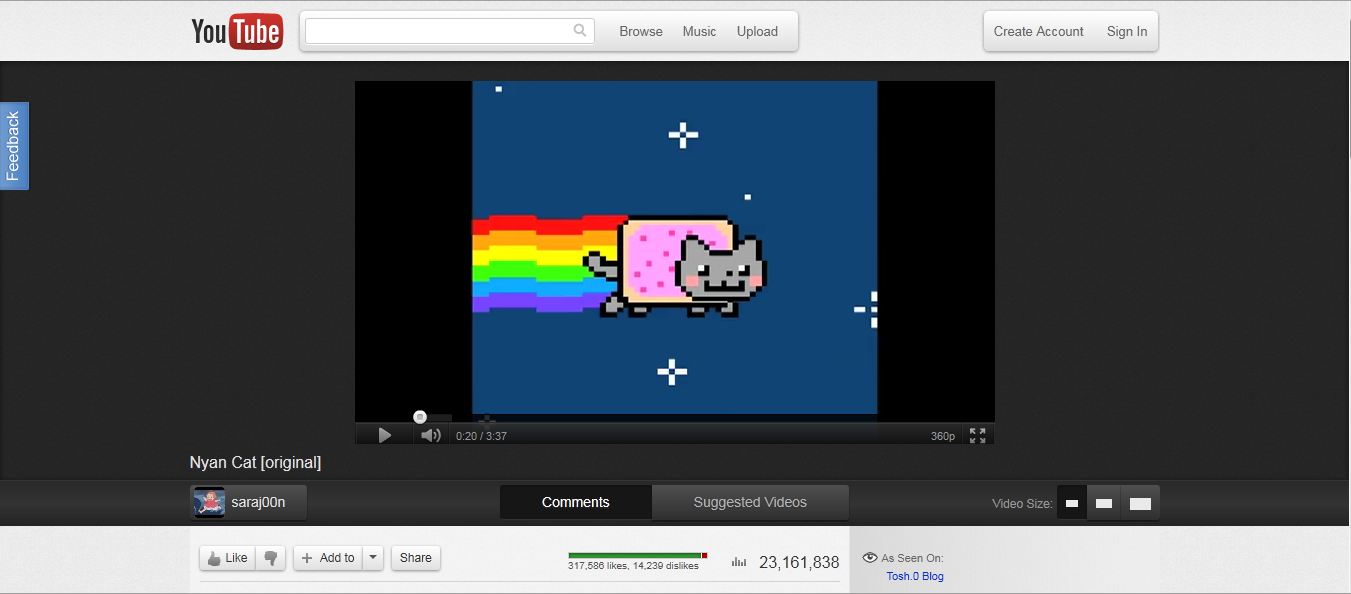
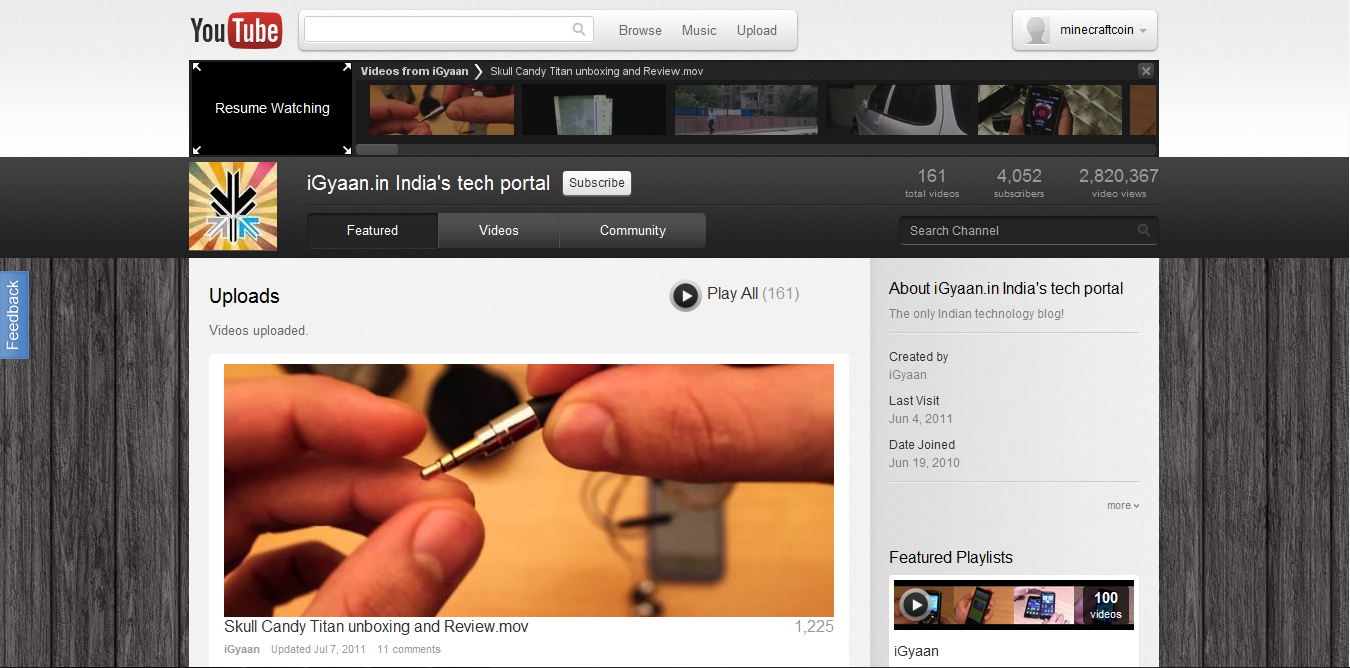
    With the beta test of Google+ we’ve seen an across the board redesign of most of Google’s services. Google search got the black bar on top. Gmail got two new themes for users to try out. Now it’s YouTube’s turn.

    Google has announced the availability of the Cosmic Panda Interface for users to test. The interface sports a clean and professional look which gives more emphasis to video space. The interface is designed to be quite dark, which might be an effort by Google to reduce electricity consumption across the world.

    The first thing that you notice when you use the new interface is the video. It has been brought to the center of the screen and the clutter around it has been removed. It is very easy to switch video sizes from the buttons at the bottom of the interface. The comments section has been placed under the video in a better interface which makes viewing comments easier.


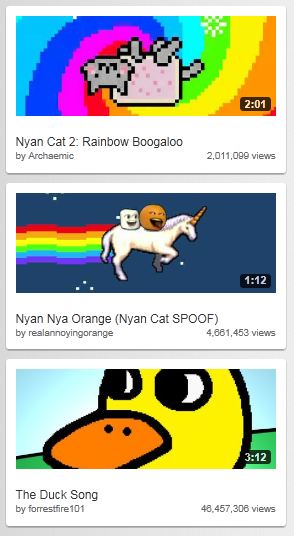
    Another feature to note is that Google has increased the size of the related video preview images. This makes it easier to view related videos but the downside is that it requires users to scroll a bit more. One feature we really liked is the redesign of the video player itself. The progress bar has been coloured in such a way that the loaded section is grey and blends into the background. The section that has already been played turns red like the old interface.


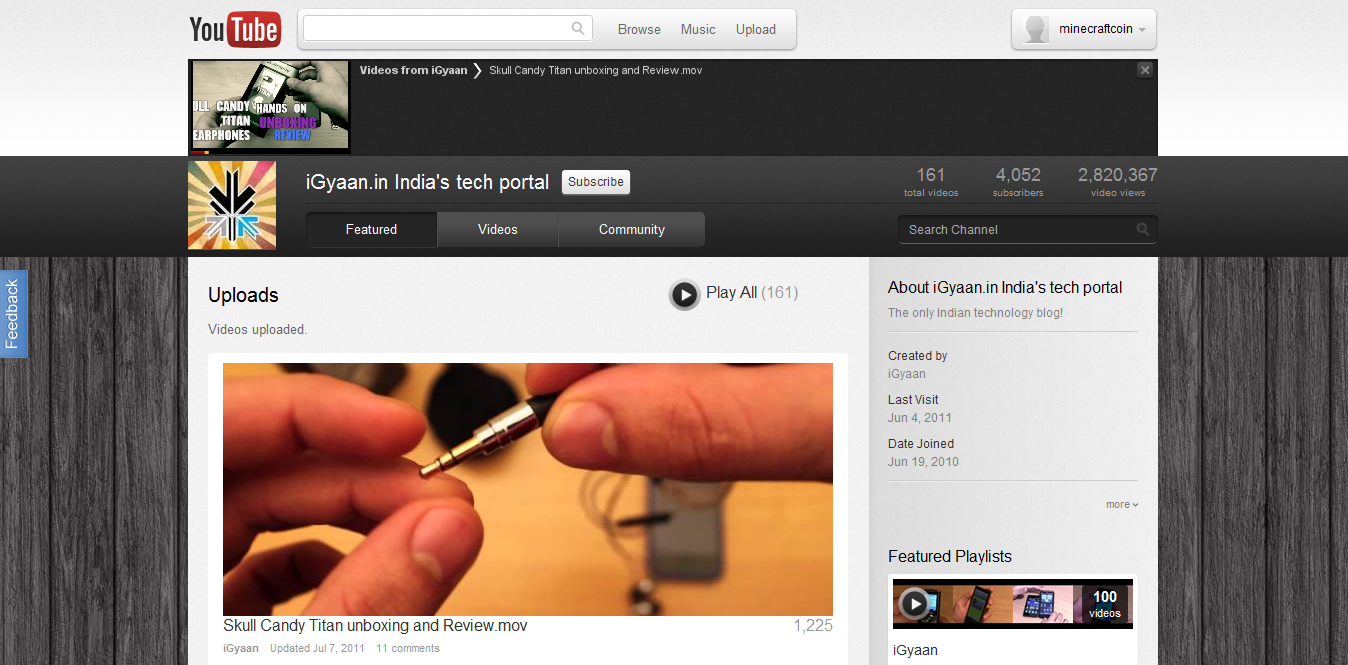
    The channels interface has gone through an upgrade as well. The video links are now much larger and the latest video player has been removed. Chrome users will benefit from a really cool feature called “Keep Watching” which lets you watch a video and browse a users channel at the same time to queue your next video. The video that is playing gets reduced to a small thumbnail on the top of the screen. You can queue videos and resume watching the currently playing video simply by clicking the thumbnail.

    You can test out the new interface and leave your feedback with Google at http://www.youtube.com/cosmicpanda.

  • Google Releases a Preview of the New Gmail Look (PR)

    Google Releases a Preview of the New Gmail Look (PR)


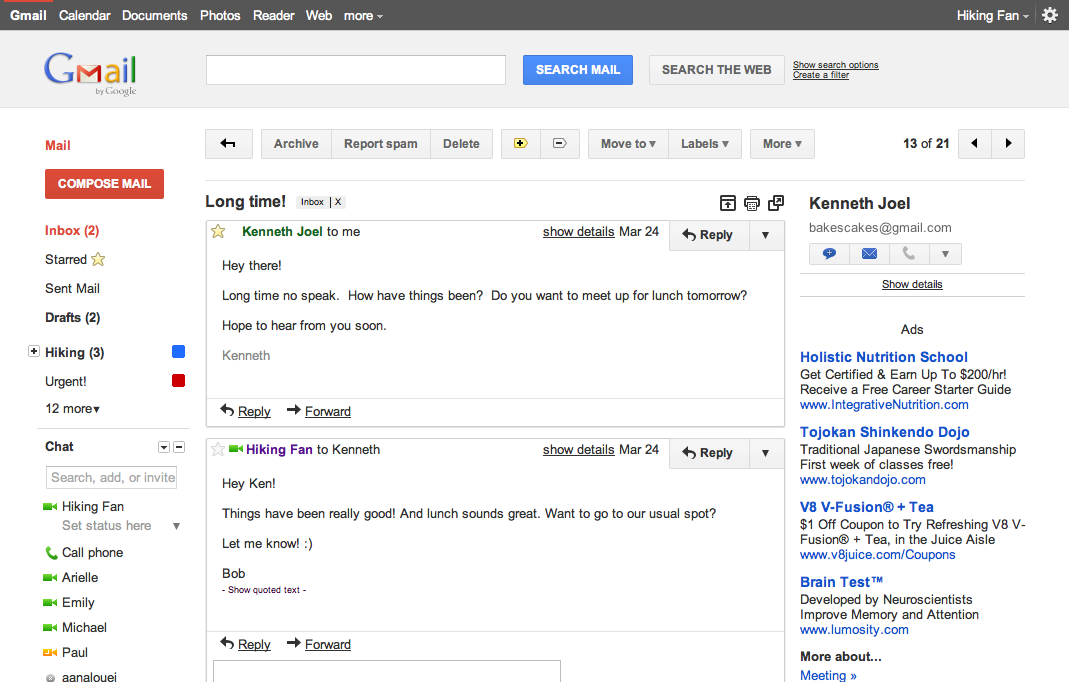
    Google has decided to update its offerings with a new look with the launch of its Google+ service. You would have already noticed the black bar above the Google search page. Adding multiple features over the years has made their Gmail interface more cluttered and complicated to use. They are attempting to clear it up as well as add some more features, however, they have scheduled to do it in phases, so not all features will work at this time. You can check out the new interface by logging into your gmail account and changing your theme. The new interface not only changes the colour scheme of the interface, but also introduces many UI enhancements such as changes in buttons and overall layout. Changes to the Google Calender are also coming soon. Read the Press Release for more info.


    [toggle title_open=”Collapse Press Release” title_closed=”Expand Press Release” hide=”yes” border=”yes” style=”default” excerpt_length=”0″ read_more_text=”Read More” read_less_text=”Read Less” include_excerpt_html=”no”]

    We get a lot of great feedback about how Gmail helps you be more efficient, keep in touch with family and friends, and get work done. We’ve saved you from forgetting attachments and made sure that you got the right Bob. Over the years, adding countless features to Gmail has made it an increasingly powerful communication hub, but along the way the interface has also become more cluttered and complex.

    That’s one of the reasons we’re embarking on a series of interface updates to help strip out unnecessary clutter and make Gmail as beautiful as it is powerful. This is part of a Google-wide effort to bring you an experience that’s more focused, elastic, and effortless across all of our products. The changes are not going to happen all at once. We know that you love and care about Gmail as much as we do, and we’ll be working on these upgrades gradually over the next few months to allow plenty of time to understand and incorporate your feedback into the evolving design.

    We’re kicking things off with two new themes for you to try out as a sort of sneak peek at what we’re up to. Starting today, you’ll see the “Preview” and “Preview (Dense)” themes in the Themes tab in Gmail Settings. Why two themes? Our new interface will eventually expand dynamically to accommodate different screen sizes and user preferences, but until then you can pick the information density that you prefer.

    Here’s what one of the new themes currently looks like:

    And in conversation view:

    If you poke around you’ll hopefully find a lot to like and a much cleaner, modern look but also few rough edges. In particular, some Labs features may look a little strange in the new themes. We plan to fix these issues as we roll out changes in the coming months. You can also expect some updated themes that embody the same design principles but are better suited to working in a dark environment, use a different color palette, or include the illustrations that we know many of you love to see around your inbox.

    Look out for these and other new features over the next few months. In the meantime, try out the new themes as a preview of the future of Gmail and let us know what you think.

    P.S. Like Gmail, Google Calendar is also getting a new look. You’ll see it automatically within the next few days so there’s no need to turn it on, and we’ll also continue to make improvements there in the coming months. Details about the current changes to Calendar can be found in the Calendar help center.

    [/toggle]

iGyaan Network
Privacy Overview

This website uses cookies so that we can provide you with the best user experience possible. Cookie information is stored in your browser and performs functions such as recognising you when you return to our website and helping our team to understand which sections of the website you find most interesting and useful.