Tag: update

  • Facebook Allows Editing Your Typing Errors

    Facebook Allows Editing Your Typing Errors

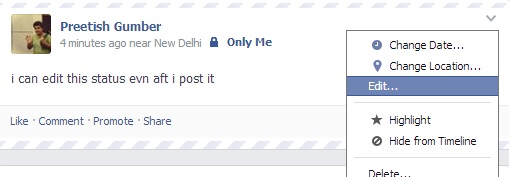
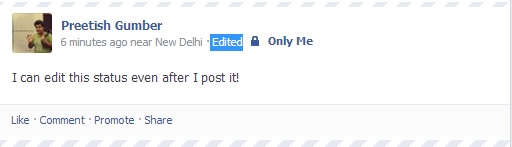
    Facebook has started to let you edit post’s text after you publish it. The feature comes to the web and Android in an update today, and to iOS soon. Previously you had to delete your post, lose all your Likes and comments, and repost to edit something.

    Android users also get emotion and activity sharing, events at a glance, and photo album creation today. Now, you are able to edit all posts and comments from the web. To edit posts, you’ll be able to click the down arrow in the top right of one of your posts and select ‘Edit Post’ to change the text, then click done editing.The revisions and original post will still be viewable if friends check your post’s edit history, though. Editing the comments came into the picture a while ago.

     hmmmm


  • Latest VLC Update Makes It 4K Compatible Along With Improved Audio Support

    Latest VLC Update Makes It 4K Compatible Along With Improved Audio Support

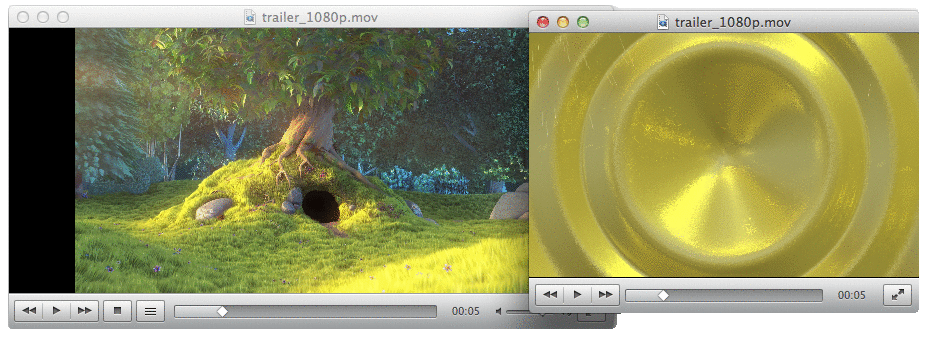
    VideoLAN has released version 2.1 of its popular video player, VLC. The update is codenamed “Rincewind”  and brings new audio processing to the app. There is full support for surround sound outputs in addition to new effects and many new supported metadata formats for audio.

    Whereas, for the video the update has ported the OpenGL output to OpenGL ES, making ports to iOS and Android much easier. VideoLAN says that VLC is now ready for Ultra-HD content. The app update has focused on improving MKV compatibility, including better seek performance and subtitle metadata support.

    The OS of the app has some changes in User Interface as well, the playback menu can be changed according to ones prefrence and videos can now also be played as a desktop background. 

    [via]

  • Now Get Handwriting Support in Google Translate for iOS devices

    Now Get Handwriting Support in Google Translate for iOS devices

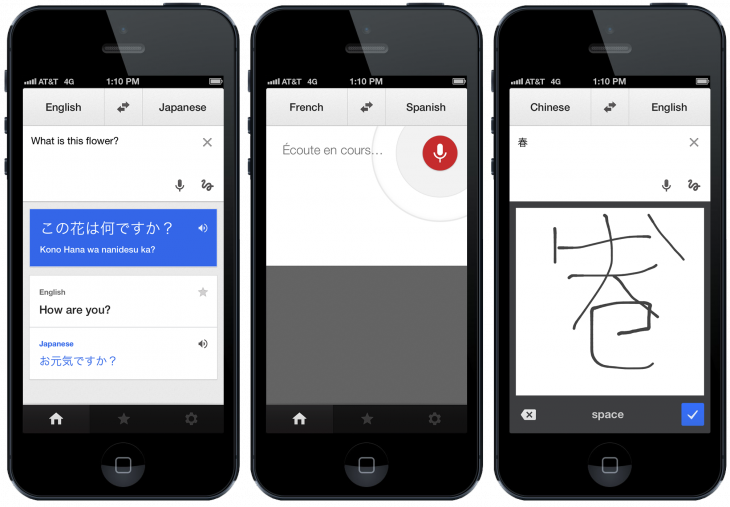
    Google Translate app for iOS has got a slow but useful update today, which added a new look and gave handwriting support. This feature was already available on the Android app two years ago, and also to its web app earlier this year, but after this update your iOS device will also be able to recognize what you have written on the screen. 

    The user interface and icons have been changed and now fit in with the newly available iOS 7’s  landscape and now the app supports more than 70 languages, which includes seven new languages.(including Marathi)

    Google says handwriting is now supported in 49 languages, which should be a boon for the world’s travelers, and at the low price of free is worth throwing on your phone on the off chance you’ll need it. It’s available to download now on iPhones and iPads running iOS 5.1 or later, or if you’re running iOS 7, you can just lie back and let the background update do its thing.

     
  • Google Maps Updated For Android, Better Navigation

    Google Maps has got a new update (7.2) on Android. Now when you search for directions to a place and there are multiple routes, you will get Google Now card-like options with a new “Start Navigation” button, which saves a tap and a time overall.

    The Android app’s latest update tweaks hotel search results by adding sponsored rate and booking links, which places a tiny “ad” icon next to services that paid for exposure.

    google-maps-logo

    The information for places such as restaurants, retail stores, etc. also has a minor update. The hours a business is open is now displayed right below the category of store it is in bold.


  • New Google Play Store 4.3.10 Update Brings New Features Including Recently Updated Section

    New Google Play Store 4.3.10 Update Brings New Features Including Recently Updated Section

    Google is rolling out a new version of the Play Store for Android phones and tablets, bringing a much-requested feature that many will be sure to appreciate. Since the implementation of automatic updates, many users have complained that they don’t know which apps are updated. They’re supposed to update and leave an entry in the notification panel, but many times that either doesn’t happen or they are overlooked.

    In version 4.3.10, Google has added a ‘Recently Updated’ section appended to the top of the My Apps tab. Now, when you’re checking for your favourite apps to be updated, they will display at the top of the page, in descending order from recent to least recent. While there’s no word on how many apps the section will fit — it hasn’t been available long enough to test more than a few — it’s a great feature nonetheless.

    Additionally, it seems that the Wallet logo is no longer displayed in the Play Store. Apparently, the update notification will now prompt users to “Touch to update.”

    And, when multiple apps are updated at once now, users will see a single expandable notification indicating which ones were altered, not a never-ending list of intruders. It’s a small but worthy change.

    Also, the new Play Store shows full list prices for book sales, while also packing a series of small tweaks, such as swapped position for the Buy and Rent buttons (with the former now placed at the top now, and the latter at the bottom).

    According to Android Police, which links to the available download, the file’s cryptographic signature guarantees that it hasn’t been modified, and that users can safely download and install it on their devices.

    [Via]

  • Report : Sony Xperia Tablet Z Receiving Android 4.2.2 Update

    Report : Sony Xperia Tablet Z Receiving Android 4.2.2 Update

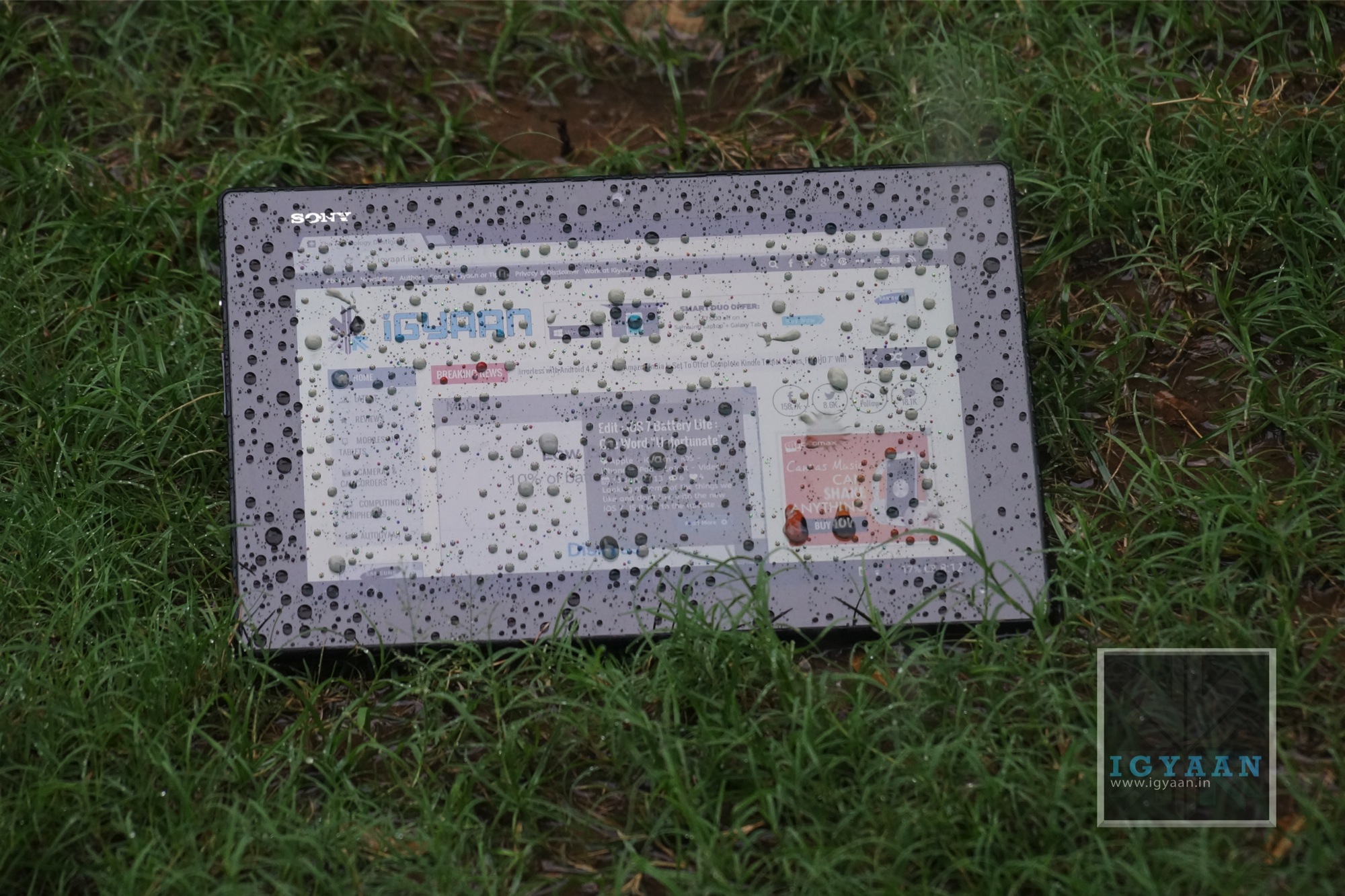
    Even though the Sony Xperia Tablet Z was released in early July in India, it came preloaded with Android 4.1.2 Jelly Bean, retaining some of the legacy Android tablet features that Google did away with in Android 4.2 and the Nexus 10.

    It appears that some variants of the Tablet Z are already being updated to Android 4.2.2, though it seems that the Indian version is currently not among them.

    The most immediately obvious change in Android 4.2.2 is the relocation of the onscreen navigation buttons to the centre middle on the Xperia Tablet Z, mimicking the Nexus 10. The notification bar has been moved to where phone users would expect it: the top of the screen. While this isn’t stock Android 4.2, it’s the closest you’ll find in a non-Nexus tablet.

    It’s not clear what else Sony added to the new version, but one can expect standard features found in 4.2 like lockscreen widgets, performance improvements and a number of bug fixes.

  • Report : Some Samsung Galaxy Note 2 And S3 Variants To Skip Android 4.2.2 For 4.3

    Report : Some Samsung Galaxy Note 2 And S3 Variants To Skip Android 4.2.2 For 4.3

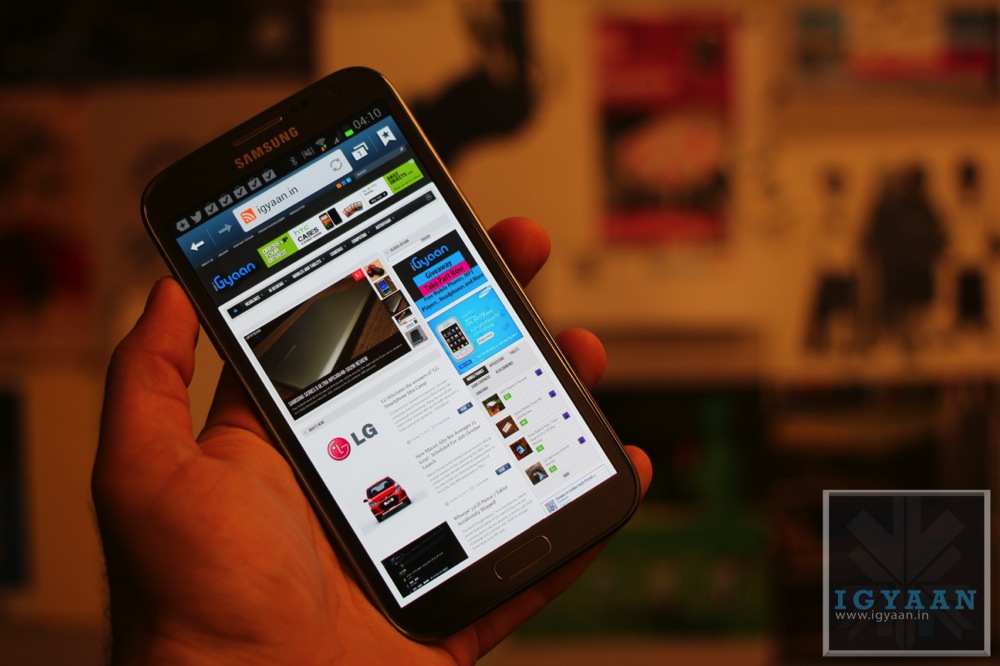
    Samsung Galaxy Note II users, along with Galaxy S3 owners, have been waiting rather impatiently for their turn to upgrade to Android 4.2.2, which came pre-installed on the flagship GS4.

    Now, it seems as though the company may be moving away from releasing a version of the eight month-old software in favour of waiting for Google’s inevitable Android 4.3 release, which is slated to come to AOSP next week.

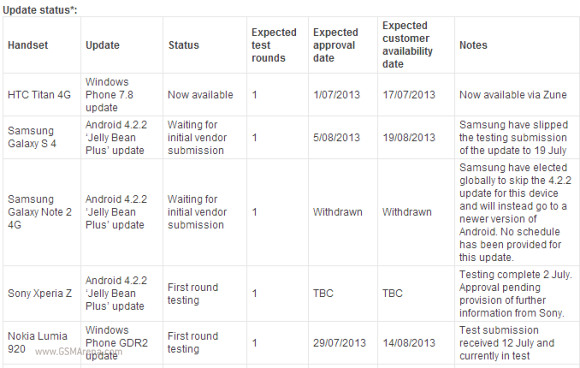
    Telstra, an Australian network provider released a statement on their upgrade page claiming, “Samsung have elected globally to skip the 4.2.2 update for this device and will instead go to a newer version of Android. No schedule has been provided for this update.”

    galaxy

    In some ways, this is a good move. Android 4.3 brings OpenGL ES 3.0 support along with standardized Bluetooth LE functionality and a host of other small improvements. Considering some devices, like the Nexus 7, actually dropped in performance from Android 4.1 to 4.2, Samsung may be waiting for Google to fix some underlying code issues before pushing the upgrade trigger.

    While this is in no way an official report, the same would seem likely for the Galaxy S3, which is only waiting in limbo for some sort of upgrade news.

    [Via]

    Related Products


  • Apple Store Is Down Worldwide, New Products In Line?

    Apple Store Is Down Worldwide, New Products In Line?

    The worldwide Apple store is down, and it has been down for the past 3 hours, giving rise to speculations that new/refreshed products will soon be announced.

    Apple, from time to time, takes down its websites for maintenance and user interface upgrades so it could all just be a false alarm. However, if Apple were to announce a new device right now, it would most probably be a new line of Macbook Pros. Other than that, it could officially release the Mac Pro, the device they said would be announced later this year.

    The new Mac Pro will be at least doubly powerful on every count than its predecessors. Its flash storage will be 10 times faster than any hard drive Apple has installed in its Mac Pros yet. The flash storage will offer 1.26 Gbps for reading and 1 Gpbs for writing. It will run on Intel Xeon chips, with up to 12-core configurations possible.

    Among the changes to the casing, the new Mac Pro will be able to rotate using a handle on top. Motion sensors will detect when it is being rotated and the computer will light up the input panel for greater visibility.

    Guess we’ll just have to wait and see whether it’s a false alarm.

  • HTC Butterfly Now Receiving Android 4.2.2 And Sense 5.0

    HTC Butterfly Now Receiving Android 4.2.2 And Sense 5.0

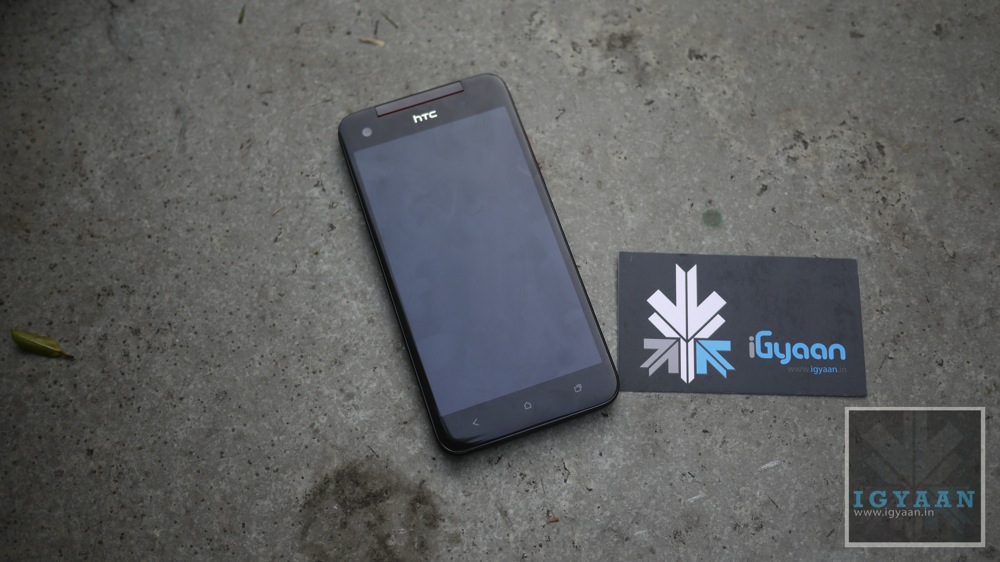
    After rolling out the Android 4.2.2 update for HTC One last week, the company is giving the same treatment to its older cousin HTC Butterfly.

    The update will install the Android 4.2.2 operating system, the HTC Sense 5.0 user interface, the BlinkFeed live-streaming home screen and the Video Highlights slide show function for the camera, the company said in an e-mailed statement.

    “We are grateful for the support of Taiwanese consumers, and Taiwan is the world’s leading market to receive the new Sense 5.0 software update for the HTC Butterfly,” Jack Tong, president of HTC North Asia, said in the statement.

    Known as the world’s first smartphone with a 5-inch full-HD display, the HTC Butterfly sports a quad-core processor from Qualcomm Inc. and an 8-megapixel camera. It is called the Droid DNA in the United States and the HTC J Butterfly in Japan.

    To build on the success of the large-screen phone, HTC released on a refreshed model on June 28 called the Butterfly S, which comes with the same 5-inch 1080p display, a faster 1.9GHz quad-core processor and a larger battery capacity of 3,200 mAh.

    The update will bring to the phone the Quick Settings feature, a customizable lock screen (that’s limited to widgets), battery percentage in the status bar and the Jelly Bean Daydreams feature. BlinkFeed has also been improved, it will now also pull feeds from Instagram.

  • Google Updates Maps And Google Earth, Removes Clouds, Adds 800,000 MP Worth Imaging

    Google Updates Maps And Google Earth, Removes Clouds, Adds 800,000 MP Worth Imaging

    Google’s attempt to compress the entire world’s streets, websites, businesses, and countries into one comprehensive database got another boost today with the announcement of an updated version of Google Maps’ Earth view. 

    Google have updated their popular Google Maps and Google Earth with 800,000 megapixels of new imagery.

    Google Earth

    Google Earth for Android or iOS now features a new user-interface and Street View imagery, enabling explorers to virtually browse the Earth from street-level straight from their handsets.

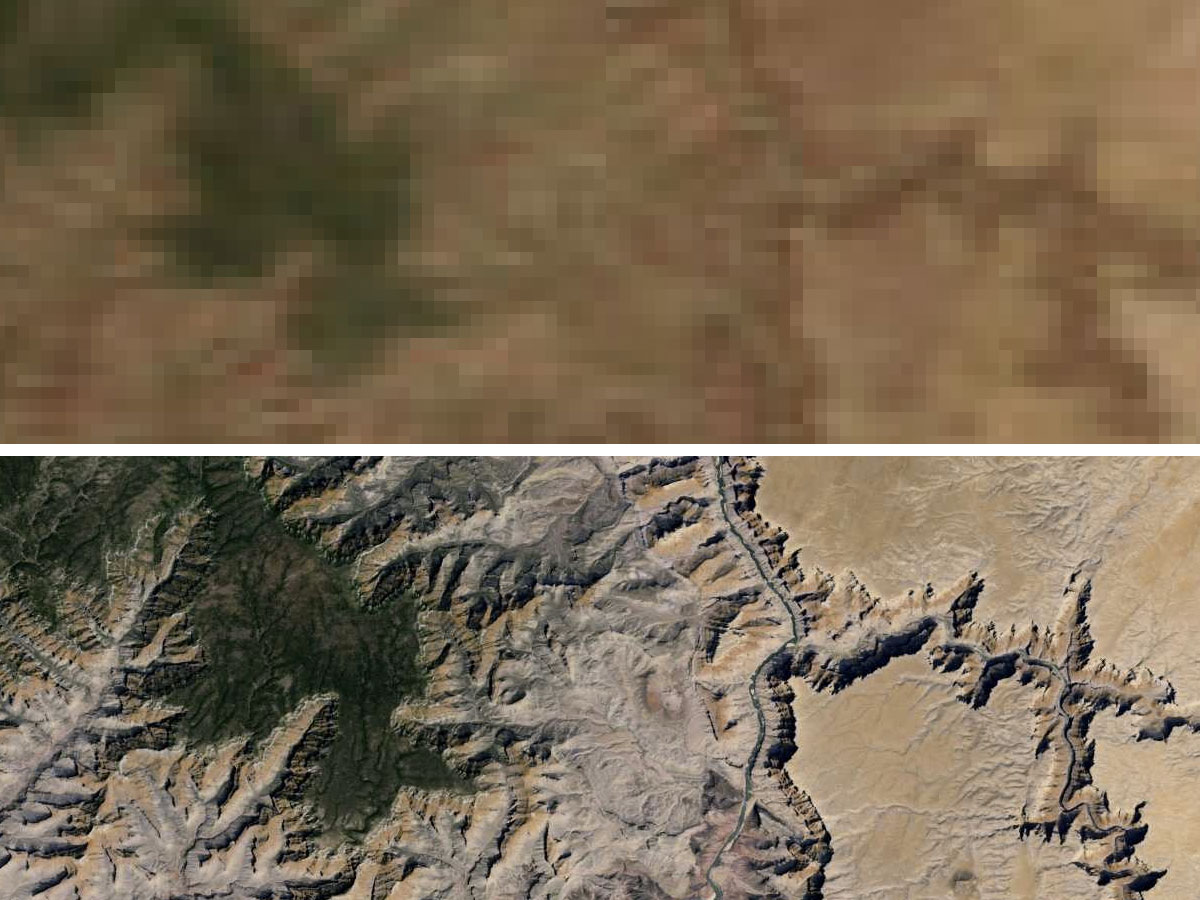
    “We’re unveiling new satellite imagery for all Google mapping products today. This stunning new imagery of the earth from space virtually eliminates clouds, includes refreshed imagery for regions of the world where high-resolution imagery is not yet available, and offers a more comprehensive and accurate view of the texture of our planet’s landscape,” wrote Matt Hancher, Tech Lead for Google Earth Engine in a blog post.

    The updated app brings a new streamlined interface, where a tap on the Earth logo in the top-left corner serves up informative layers like Panoramio Photos and Wikipedia. Google Earth also features improved directions, allowing users to “visualise step-by-step transit, walking and biking directions in full 3D”, according to a post on the Google Lat Long blog.

    Google Earth

    The new imagery offers a nearly cloud-free snapshot of the entire planet, providing unobstructed views of Earth’s topography, as well as more detailed looks at previously low-resolution areas of the map.

    Thanks to hundreds of terabytes of data swiped from the USGS’s and NASA’s Landsat 7 satellite, zooming out to a global view now fills your screen with 800,000 megapixels of pristine, cloudless Earth. Plus, multiple regions have been bestowed with refreshened imagery including Russia, Indonesia and central Africa.

    Google said the new Landsat 8 satellite, which launched earlier this year, would capture even more up-to-date imagery in the months and years ahead. Users can access the new satellite imagery by going to Google Maps and turning on satellite view or by launching Google Earth. 

  • PlayStation 3 Firmware 4.46 Now Available, Fixes Bricking Issue

    PlayStation 3 Firmware 4.46 Now Available, Fixes Bricking Issue

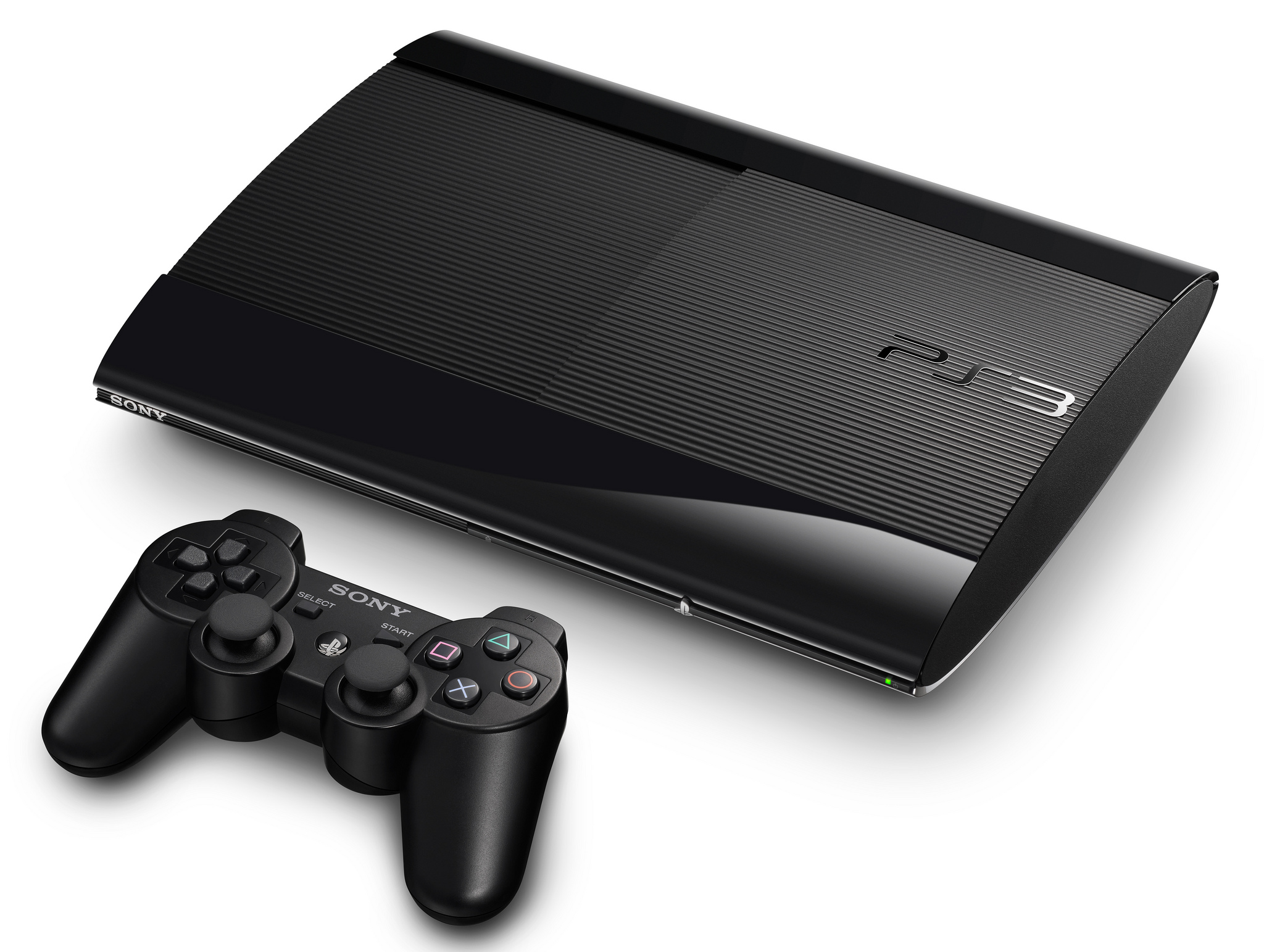
    If you were one of the few unfortunates affected by firmware 4.45?s perfidy (you’ll know, because your console won’t load the XMB) don’t despair; a fix is here.

    Firmware 4.46 is now available for download and can be applied on PlayStation 3 units that were soft-bricked by the earlier update using a special technique.

    If you’re trapped on the “ribbon” screen, you’re going to need a USB stick with at least 168MB free space, and to download the new 4.46 firmware using a PC.

    Over on the official PlayStation support website, Sony explains how to enter the PlayStation 3 Safe Mode to initialize the updating process without XMB access. We’ve republished the instructions below:

    Step 1: Manually Download System Software

    1. You will need a USB Mass Storage device such as a USB flash drive with at least 168 MB of free space. If your PlayStation 3 is either CECHA00/CECHB00 series model, you can also use Memory Stick™, SD Memory Card, and CompactFlash®.
    2. Create a folder named “PS3” on the storage media or USB device.
    3. Within the PlayStation 3 folder, create a folder named “UPDATE”.
    4. Using your computer, click the following hyperlink to begin downloading system software 4.46
    5. Download the update data from the webpage and save it in the “UPDATE” folder.
      • Location: Save in the “PS3” folder > “UPDATE” folder
      • File name: Save as file name “PS3UPDAT.PUP”

    Note: If the data is not saved in the correct way, the PS3 will not recognize the update data. The folder name must be in all uppercase letters.


    Step 2: Activate Safe Mode

    1. With the PlayStation 3 off (power light should be red), touch and hold the Power button, you will hear the 1st beep indicating that the PS3 is powering on.
    2. Continue to hold the power button, and after approximately 5 seconds you will hear a 2nd beep.
    3. Continue to hold the power button and after 5 more seconds you’ll hear a 3rd beep, and system will power off (Power light goes red).
    4. Release power button.
    5. Touch and hold the Power button, you will hear the 1st beep, again for PS3 power on.
    6. Continue to hold and after approximately 5 seconds you will hear the 2nd beep for video reset.
    7. Continue to hold and after 5 seconds you will hear a quick double beep.  At that point release power button. 
    8. If you succeeded in activating Safe Mode, you will see a message on screen saying, “Connect the controller using a USB cable and then press the PS button”. 
    9. Connect a controller to the PlayStation 3 with a USB cable.

    If you were not able to get into Safe Mode, your system may need service. Please contact us for further assistance.


    Step 3: Manually Update PS3 Software

    1. Connect the storage media to PS3 system.
    2. Select [6 – System Update] and Press X.
      • Please note: Data and settings may be deleted if you choose any of the first (5) options. Please make sure to only choose option [6 – System Update].
    3. Press Start and Select at the same time.
    4. The PS3 system will restart and recognizes the update file in the storage media.
    5. Press right on the d-pad to scroll through the update description and user agreement.
    6. Press X to confirm the update.
    7. The system will now install the new system software and restart automatically upon completion.

    [Via]

  • Sony Xperia Z Android 4.2.2 Update Starts Rolling Out

    Sony Xperia Z Android 4.2.2 Update Starts Rolling Out

    Following the Sony Xperia Z Ultra unveiling yesterday, latest reports have suggested the Sony Xperia Z Android 4.2.2 update has started rolling out.

    According to Xperia Blog, users from all around the world are reporting receiving firmware version 10.3.A.0.423.

    Among those who have received the Sony Xperia Z Android 4.2.2 update are owners of LTE-enabled models sold in Spain and Ukraine (C6603); carrier customized versions in Austria, Czech Republic and the Netherlands; as well as unlocked HSPA+ model sold in Taiwan (C6602).

    That’s obviously just a part of the list with others, including Indian customers, getting the new software in the next few days or weeks.

    The Sony Xperia Z Android 4.2.2 update brings little in terms of UI changes, bar the ability to use special lock screen widgets. A changelog for the 4.2.2 release states that in addition to the updated software, Sony has pushed newer versions of its media apps, thrown in a remote phone location app, a new Functionalities widget, and support for MicroSD cards up to 64GB.

    If you want to check to see if the update is ready for your phone, you can force check for an update via Android’s settings. Alternatively you can use the PC companion app included with the Xperia Z to do the same thing.

    Let us know below if you’ve been able to get the update on your device!

  • Instagram Gets Video With Filters

    Instagram Gets Video With Filters

    Those selfies and food photos in your Instagram feed might soon be a little less stationary. Starting today, the Facebook-owned service will be adding video features to its popular iPhone and Android apps.

    Video on Instagram gives the 130 million users of the app the ability to post short video clips that can be three to 15 seconds long. In contrast, Vine allows a maximum of six seconds of video.

    instagram

    The new feature opens a potential new revenue stream for Facebook, which paid a premium price to buy Instagram last year. But Instagram co-founder Kevin Systrom insisted the product was not specifically designed to generate new business.

    “This is driven by consumer demand, not by business need,” Systrom said during a news conference at Facebook headquarters. “I don’t think we designed it with any advertising in mind.”

    In its iOS version, the tool also includes a brand-new image stabilization mode called “Cinema” to eliminate shakiness in videos.

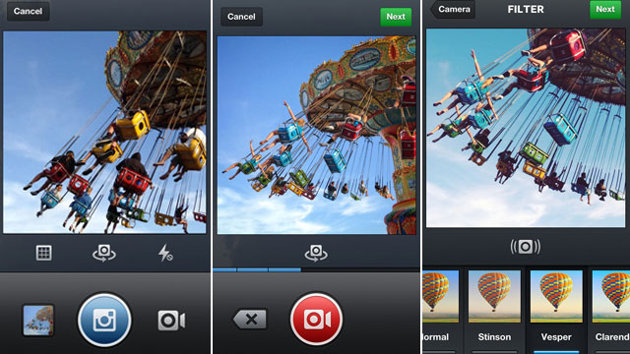
    Users will now hit the camera button and get a choice of a still camera or video camera option. Selecting the video option will bring up the usual viewfinder, and then, similar to Twitter’s Vine app, holding down the video icon will capture video. Releasing it will allow you to pause the video, readjust your shot and then start capturing again.

    Within hours of the new feature being added to Instagram, video clips began streaming in from locales around the world including a fish market in Japan, a space memorial in Russia and a surfing haunt on the California coast.

  • Bing Maps Gets New Features Including 270TB Of Bird’s Eye Imagery

    Bing Maps Gets New Features Including 270TB Of Bird’s Eye Imagery

    Bing Maps announced a number of new additions today, including a more expansive collection of Bird’s Eye Imagery locations, new Venue Maps and a Report a Problem feature.

    Microsoft announced that it has added its largest-ever batch of Bird’s Eye imagery to Bing Maps — nearly 270 terabytes of data, or the equivalent of 100,000 DVDs, as the company tries to keep up with the 3D mapping capabilities offered by its competitors.

    Bing Maps

    So far, Microsoft has published a total of 1,452,958 sq km, or half a petabyte of data, in Bird’s Eye scenes from around the world. The Bing Maps coverage for this release is shown in yellow (it’s mainly for the US, some Europe, plus a little Canada and Australia):

    Bing Maps

    As for Venue Maps, these allow you to navigate your way around malls, airports, amusement parks, stadiums, and more on your computer or Windows 8 mobile device. Venue Maps automatically show up when you zoom in while using Bing Maps. Purple and green polygons will appear, and clicking on one will pop out a directory with a full list of points of interest that you can explore from a top-down view.

    Bing Maps new ‘Report a Problem’ feature involves a link that appears in a box when a user clicks on a location. After clicking the link, a user is given the option to select whether a location is currently empty, if there is a new venue in the existing location, or submit comments to identify more specific issues.

    [Via

  • Samsung Rolling Out New Galaxy S4 Update To Implement Apps To SD Feature

    Samsung Rolling Out New Galaxy S4 Update To Implement Apps To SD Feature

    The Galaxy S4 may be on its way to selling 20 million units faster than any other Android device, but it’s not without its issues.

    One of the major out-of-box problems with the Samsung Galaxy S4 is something users may not notice until it’s too late: of the 16GB advertised storage, only 9.15GB is available to the user. The rest is used for high-resolution assets, system files and other Samsung necessities, all but ensuring that extra expenditure for a microSD slot.

    galaxy s4

    An upcoming software update, rolling out to users in Germany starting today, addresses that issue by harkening back to Android 2.2 Froyo, adding a “Move to SD Card” button in the App Settings menu of the Galaxy S4. The system update also reclaims 800MB or so for users, bringing the default free space to 9.23GB, but having that option to move individual apps to the SD card could be the difference between playing that big-time 3D game or not.

    The main issue here is that Samsung seems unapologetic about its misleading advertising of the Galaxy S4, preferring to resurrect a feature that was a security concern to developers and an annoyance to users rather than releasing a high-end phone with enough storage to satisfy the needs of its buyers.

    The update to build I9505XXUBMEA also fixes many performance issues present on the release build, including a graphics bug that made the screen appear like it was tearing when the user scrolled through an app.

    The camera app adds a new firmware and the ability to take HDR video, a net positive for users trying to eke that extra bit of dynamic range from uncertain lighting conditions. Users can  also toggle Smart Pause in the Expanded Settings portion of the notification shade, but we’ve yet to see whether the software improves the feature itself.

    Samsung hasn’t officially mentioned the new software update so there’s no news on availability in other countries. Given the understandable disappointment in free storage for the 16 GB models of the phone, however, we don’t expect Samsung to wait too long to get this update out globally.

    [SlashGear]

iGyaan Network
Privacy Overview

This website uses cookies so that we can provide you with the best user experience possible. Cookie information is stored in your browser and performs functions such as recognising you when you return to our website and helping our team to understand which sections of the website you find most interesting and useful.