Tag: video calling

  • WhatsApp Launches Video Calling for Everyone

    WhatsApp Launches Video Calling for Everyone

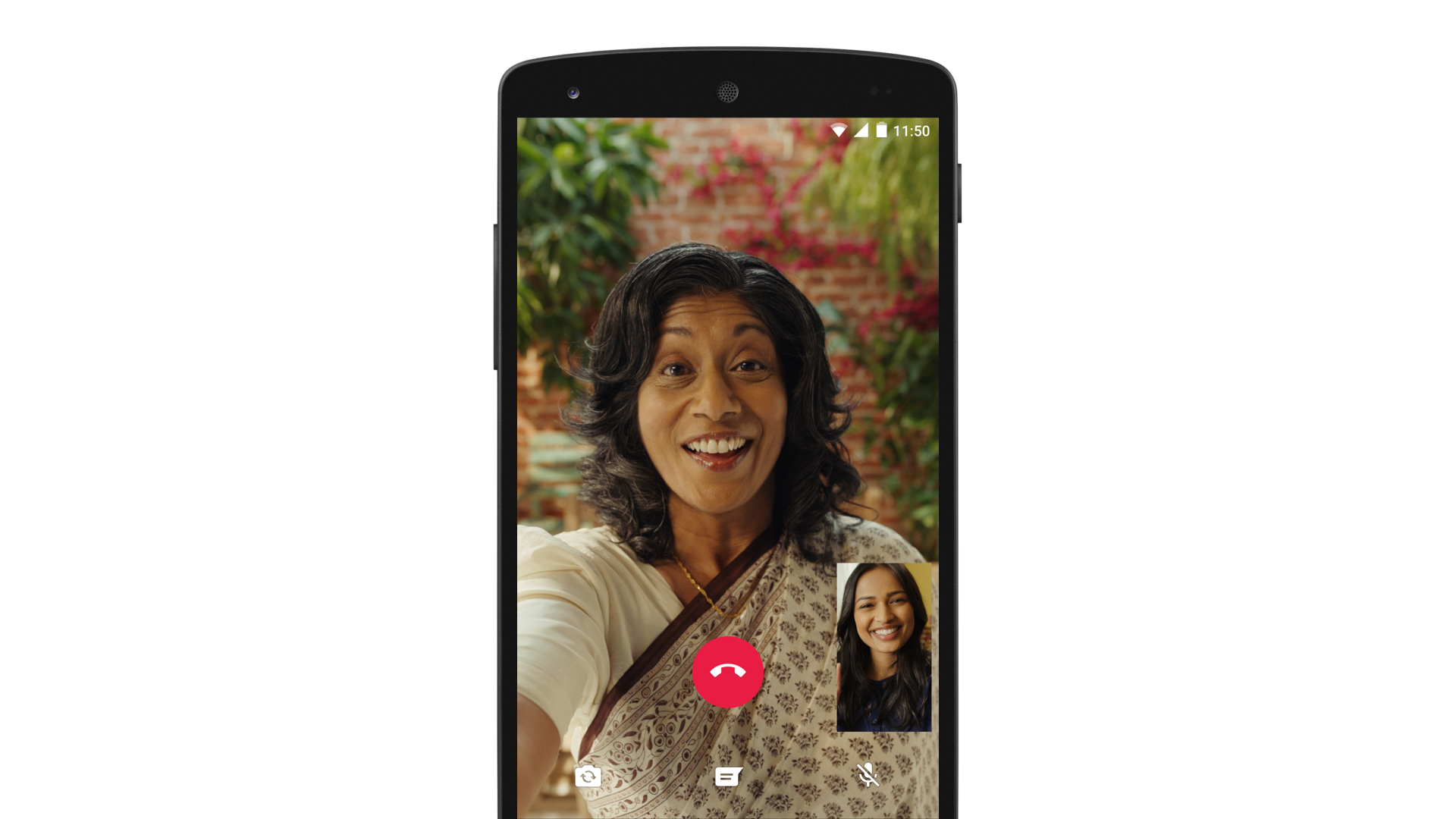
    WhatsApp has finally enabled video calling for everyone using their app with voice calling already enabled. This feature is available through the voice call button, once you tap that button you will get an option to choose either voice call or video call.

    We’re introducing this feature because we know that sometimes voice and text just aren’t enough. There’s no substitute for watching your grandchild take her first steps, or seeing your daughter’s face while she’s studying abroad. And we want to make these features available to everyone, not just those who can afford the most expensive new phones or live in countries with the best cellular networks.

    The video calling feature has been in rumors for a very long time, and it works a lot like FaceTime or Skype, even Google hangouts. During the call you can with between the front or rear camera, jump to messaging or mute the call.

    The update will be available across regions in a systematic manner, so you may not see it immediately.

  • WhatsApp to Support Video Calling and Multiple Chat Tabs

    WhatsApp to Support Video Calling and Multiple Chat Tabs

    According to a report published in Germany, WhatsApp users would soon be able to make video calls. A small window would appear on the top of the video feed which would allow the user to see their video image. The user would be able to move this window around while at the same time having the option of switching between front and rear cameras.

    The video calling feature would come to iOS first followed by Android, and would be supported both by WiFi and cellular connections. Muting the microphone would be another option available to users.Whatsapp

    Version 2.12.16.2 of WhatsApp is expected to have video calling. Keeping in mind that version 2.12.12 is already available in the App Store, the next WhatsApp update for iOS users may support this feature.

    Along with video calling, new WhatsApp updates are also expected to include a makeover centered around WhatsApp’s trademark green colour. There will also be support for multiple chat windows at one time, allowing the user to move back and forth. We’ll keep you updated as and when new changes develop.

  • Skype to Terminate Free Local Calls Within India

    Skype to Terminate Free Local Calls Within India

    Skype has announced that it is withdrawing the Skype call service to Indian landlines and mobiles in India, starting from 10th November. The Microsoft-owned company has not given a concrete reason for the same.

    The discontinuity of the service is said to be the result of law and regulation in the country. As per current laws, VoIP calls originating from within India cannot be terminated on mobiles or landlines in the country, however the companies have been routing calls internationally to avoid this regulation until now.

    While Skype users in India will no longer be able call Indian landlines and mobiles, they will still be able to send SMS messages to mobiles within India.

    In a support page, Skype said, “If you’ve bought a subscription to India specifically to call within the country, you can cancel your subscription to avoid being billed in the future. Keep in mind that before 10 November 2014, you can still use your subscription and Skype Credit to call within India, so be sure to use up any remaining minutes or credit you have before then.”

  • Skype 2.5 brings video calls to the eagerly waiting Honeycomb tablets (PR)

    Skype 2.5 brings video calls to the eagerly waiting Honeycomb tablets (PR)

    The newest version of Skype i.e 2.5 now supports video calling over 14 new devices and leftover Honeycomb tablets. The list of major tablets includes

    • Samsung Galaxy Tab 10.1
    • HTC Nexus One
    • HTC Shooter
    • Sony Ericsson Xperia Live with Walkman
    • Sony Ericsson Xperia neo V
    • LG Optimus Black
    • LG Optimus 3D
    • LG Optimus 2x
    • Motorola Photon
    • Motorola Droid 3
    • Motorola Bionic
    • Motorola Xoom
    • Motorola Atrix
    • Acer Iconia

    It also works flawlessly on our Asus Transformer.

    [Skype]

    [toggle title_open=”Press Release” title_closed=”Press Release” hide=”yes” border=”yes” style=”default” excerpt_length=”0″ read_more_text=”Read More” read_less_text=”Read Less” include_excerpt_html=”no”]Skype 2.5 for Android adds more supported handsets and enhanced video experience

    Today we are pleased to announce that with Skype 2.5 for Android, we are whitelisting video support for an additional 14 Android devices. This brings the total number of white listed devices for video calling to an exciting 41. Now Skype video calling will also be available by default on several Motorola Devices including the Atrix 2.5 or Xoom 2.5. Download the updated Skype for Android app from the Android Market or Skype.com/m using your Android phone’s browser or just scan the QR code below.

    With Skype 2.5 for Android, the list of Android devices we’ve added Skype video support for include:

    Samsung Galaxy Tab 10.1
    HTC Nexus One
    HTC Shooter
    Sony Ericsson Xperia Live with Walkman
    Sony Ericsson Xperia neo V
    LG Optimus Black
    LG Optimus 3D
    LG Optimus 2x
    Motorola Photon
    Motorola Droid 3
    Motorola Bionic
    Motorola Xoom
    Motorola Atrix
    Acer Iconia

    For a full list of supported devices for video calling, please visit Android Market.

    The Skype 2.5 for Android update also brings you further video enhancements. You can now switch between portrait and landscape mode during video calls, and zoom in with a simple double tap on the screen.

    We also improved support for bluetooth headsets and included a number of bug fixes and performance enhancements, which should further boost the user experience of Skype for Android on your phone.

    In addition, as with our recent Mac and iOS update, there will be an advertising platform introduced in this new release. Advertising will not be shown to users that have Skype Credit, a Calling or Skype Premium subscription.

    If you have any questions or want to leave feedback, please take advantage of the new Skype Support. We hope you enjoy the update![/toggle]


  • Skype for Mac updated to 5.3, Brings HD Video and Lion Support

    Skype for Mac updated to 5.3, Brings HD Video and Lion Support

    The Skype for Mac app has been finally updated to support a full host of features, including HD video, group video calling, group screen sharing, and also brings OS Lion support. The Facebook chat module is now also integrated in the client.


    [toggle title_open=”COLLAPSE” title_closed=” READ SKYPE ANNOUNCEMENT” hide=”yes” border=”yes” style=”default” excerpt_length=”0″ read_more_text=”Read More” read_less_text=”Read Less” include_excerpt_html=”no”]

    Lion Support & HD Video Calls with Skype 5.3 for Mac OS X


    On the heels of our recent update to Skype 5.2 for Mac OS X, we are pleased to announce that we are making even more improvements to our Mac client with the release of Skype 5.3 for Mac OS X. Along with a number of fixes and improvements to the user interface, Skype 5.3 will feature support for the new Mac Lion and HD Video Calls.

    Skype 5.3 for Mac OS X is built to work with Apple’s newest desktop operating system, Lion, in addition to being compatible with past versions of OS X going all the way back to Leopard.

    Mac 5.3 imagae.jpg

    With Skype 5.3 for Mac OS X, you’ll also be able to send and receive HD quality video when talking to your friends and family. You’ll need to use the Mac’s built-in HD webcam or choose from a variety of webcams from our Skype Shop, such as the Logitech C910, to make video calls in crystal clear HD quality. To receive clear HD video calls on your Mac, we recommend an upload/download speed of 1.5Mbps.

    As with all updates, we ask that you download the most recent Skype update to take advantage of these recent features. If you have any questions or comments on the latest Skype software for Mac, please feel free to visit our new Skype Support Network. We hope you enjoy the new updates in Skype 5.3 for Mac OS X.

    [/toggle]

     [Skype]

  • Facebook also comes to Skype

    Facebook also comes to Skype

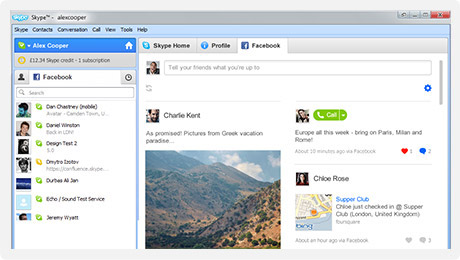
    Skype has also added Facebook live chat to their windows client. Skype 5.3 for windows enables people logged into Skype to talk to their Facbook friends via an easy interface.

    Import your Facebook News Feed to keep up with the latest from your friends. Comment, Like and call them direct from Skype. Update your Facebook status from Skype, too.

    Get all the latest Skype features plus send instant messages direct to Facebook chat. See when your friends on Facebook are online and get in touch in one click.


    Its only available for Windows Right now, But expect a Mac client soon. Hit the link below if you rock a PC.

    [Skype for Windows]

  • Facebook Brings Group Chat and Video Calling – Targets Google +

    Facebook Brings Group Chat and Video Calling – Targets Google +

    Facebook has just announced Facebook Video calls, in partnership with Skype. The Video feature embeds directly into Facebook chat and is a free to use service.

    There were three major announcements today.


    • Group chat(“an easier way to find someone who is online”)
    • Skype-enabled video chat
    • 750 million Facebook members


    In a direct approach the Member downloads a tiny Skype applet .jar file and Facebook Video chat becomes available. Users can now click the video button in the chat module to initiate a video call. The user on the receiving side, get a popup, much like a Skype call. The video camera on either side is turned on only when the recipient accepts the call. 

    As Mark pointed out, the interface is buggy. we tested it out and after several repeat failures we were able to get a stable connection.

    The popup is pretty simple and is always on top. The video chat can be made full screen and minimized or muted. Mark also noted that more developments will come as and when improvements are done to the system. 

    Tony Bates from Skype noted that over 150 million video calls are made each month through Skype, and now this feature will be available on Facebook. 

    visit the link below to get started

    [Facebook Videocalling]

  • Skype Video Calling Hacked to Work on Sensation and Galaxy S2 Update : Mi 410

    Skype Video Calling Hacked to Work on Sensation and Galaxy S2 Update : Mi 410

    The latest Skype update enables video calling on Android device, but is limited to a strict number of devices. The folks over at DroidLife have found a way to make it work on your new Android 2.3 devices including the HTC Sensation and the Samsung Galaxy S2.

    Simply Download the Cracked Skype from the link on droidlife and copy it to your device and install it. (Make sure third party apps are enabled in your settings)

    Oh yeah we tested it on the HTC Sensation, and it works flawlessly.


    UPDATE: Big update we got the new Skype app up and running and making calls on the Mi 410 from SPICE. A video coming up soon.


  • Skype 5.0 now Available on MAC – Brings group video calling

    Skype 5.0 now Available on MAC – Brings group video calling

    After a few weeks of beta version of the Skype 5.0. Skype 5.0 for MAC becomes final and completely bug free. The group video chat comes at a premium to premium users of the Skype community. $4.99 for a day pass or $8.99 a month for a subscription (though you can get 33 percent off if you sign up before February 28th)

    Source : Skype.com

iGyaan Network
Privacy Overview

This website uses cookies so that we can provide you with the best user experience possible. Cookie information is stored in your browser and performs functions such as recognising you when you return to our website and helping our team to understand which sections of the website you find most interesting and useful.