Microsoft announced its Windows 10 tester edition on 2 August 2017. The new Windows 10 Insider Preview Build 16257 includes support for a beta version of Eye Control aka built-in eye tracking feature and improvements to Edge, Console, input, and Windows Defender Application Guard (WDAG). This is the ninth build of the upcoming Windows 10 Fall Creators Update, which is slated to arrive in September.
The Windows 10 Insider Preview was introduced as a service, setting it aside from its predecessors in terms of built. This could mean that the regular updates would include a little more than just bug fixes, maybe new features. But first here’s a look at the newly added and updated features.
Eye Control
The major addition to the Windows 10 preview is the Eye Control technology which would make the Windows 10 much more accessible to people with disabilities. The eye tracking feature will make it easier for people to operate an on-screen mouse or keyboard and convert text-to-speech. The Eye Control feature requires a compatible eye tracker – Tobii Eye Tracker 4C, to access the windows OS. The Tobii Eye Tracker 4C enables a user to carry out tasks which were previously accomplished via a physical mouse or a keyboard with just their eyes.
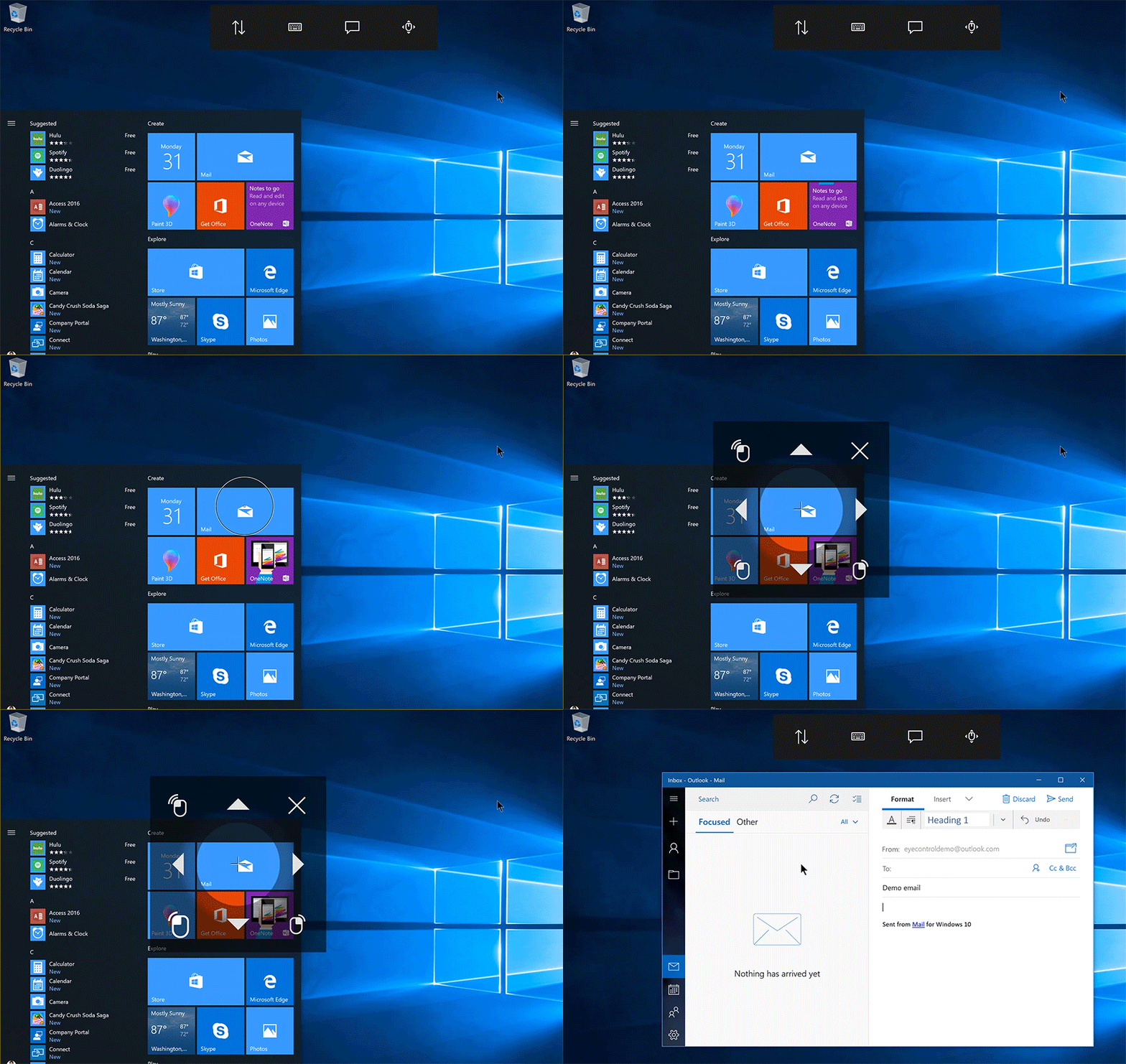
In the preview blog post, Microsoft mentioned that it will be supporting only the US English language keyboard layout but plans on adding more layouts sometime in future.
Microsoft Edge
Apart from the eye tracking feature, Microsoft Edge was also updated for a more modern look in the browser frame and other fixes for copying images, closing tabs in full screen mode and tab ordering. According to the company, ” The use of Acrylic material provides depth and transparency to the tab bar and other controls” and button animations are “more responsive”.
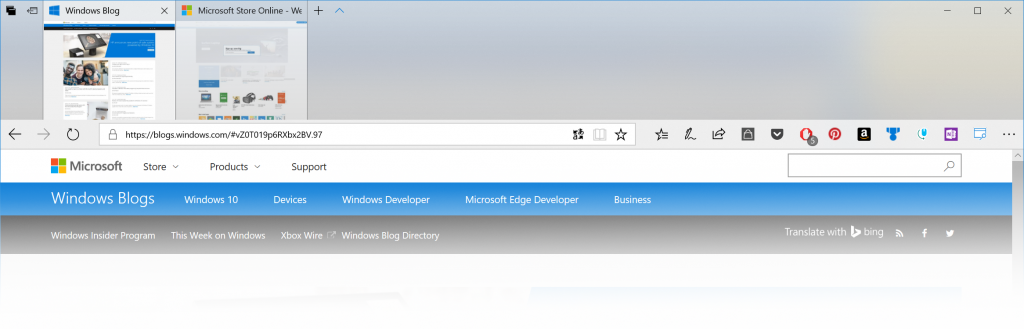
Microsoft also made changes to the address bar. So now, when you click and drag the text it will remain under the cursor, even if the address bar isn’t in focus. Whereas , previously the text would shift as the “http://” appeared, making it difficult to edit the URL.
WDAG and Input Upgrades
As for input improvements, the touch keyboard now launches faster from the taskbar and the bugs in dictation and Japanese keyboards have been fixed. WDAG has also received performance upgrades, specific to container launch times. The tool has also received new status strings for providing more detailed information when starting up, plus networking and launching bug fixes.
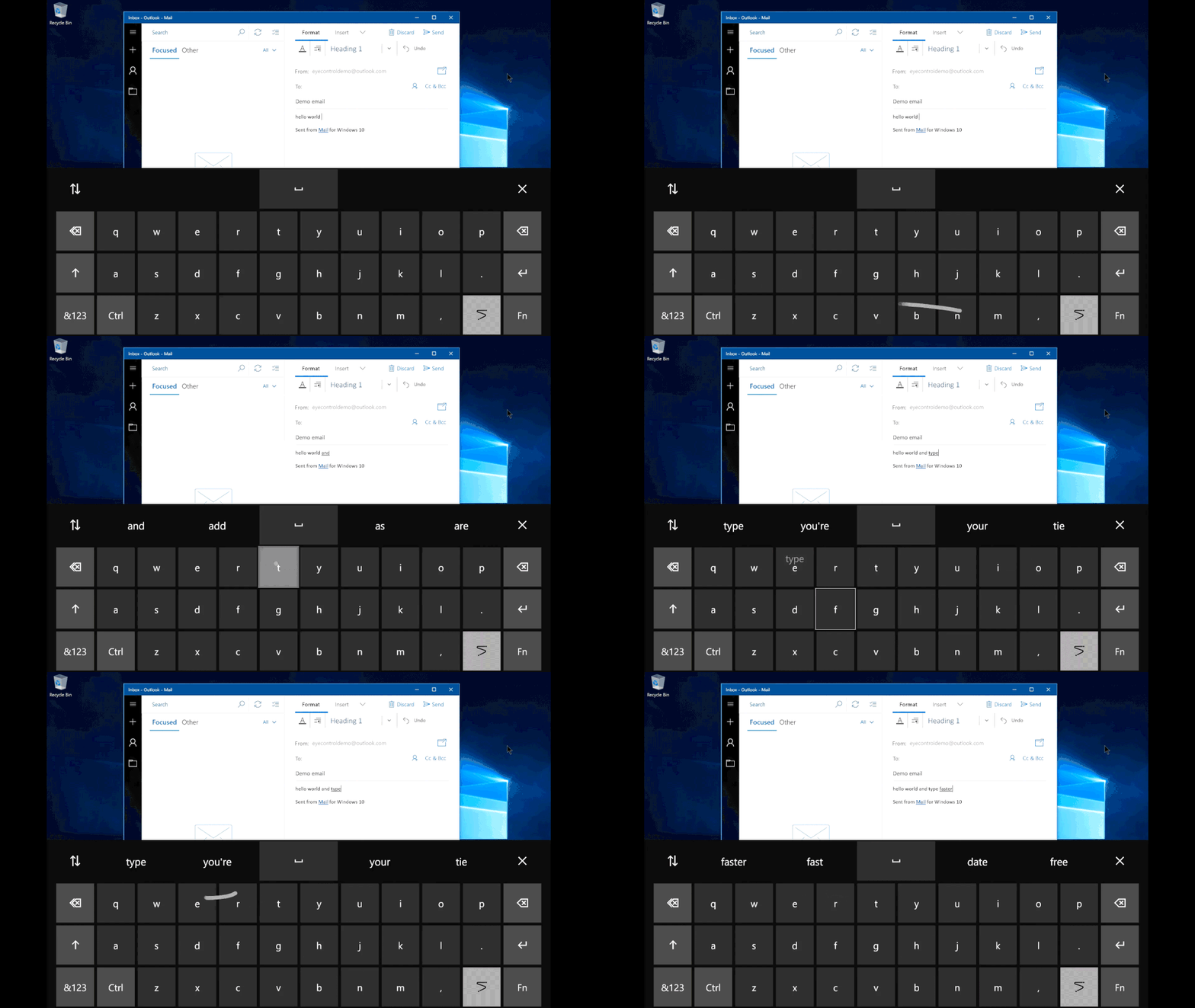
Aside to the general improvement and fixes, Microsoft introduced another feature included in Eye Control called “shape writing,” . This feature allows a user to speed up typing by just looking at the first and last letters of a word and “simply glancing at letters in between.” And to make things easier, a “hint of the word predicted will appear on the last key of the word,” but if the prediction is incorrect, it can be swapped with another predicted alternative.
It’s still unclear when the built-in eye tracking will roll out as a fully baked feature. But, it may not be long before we see a fully functioning version of the new Windows 10.