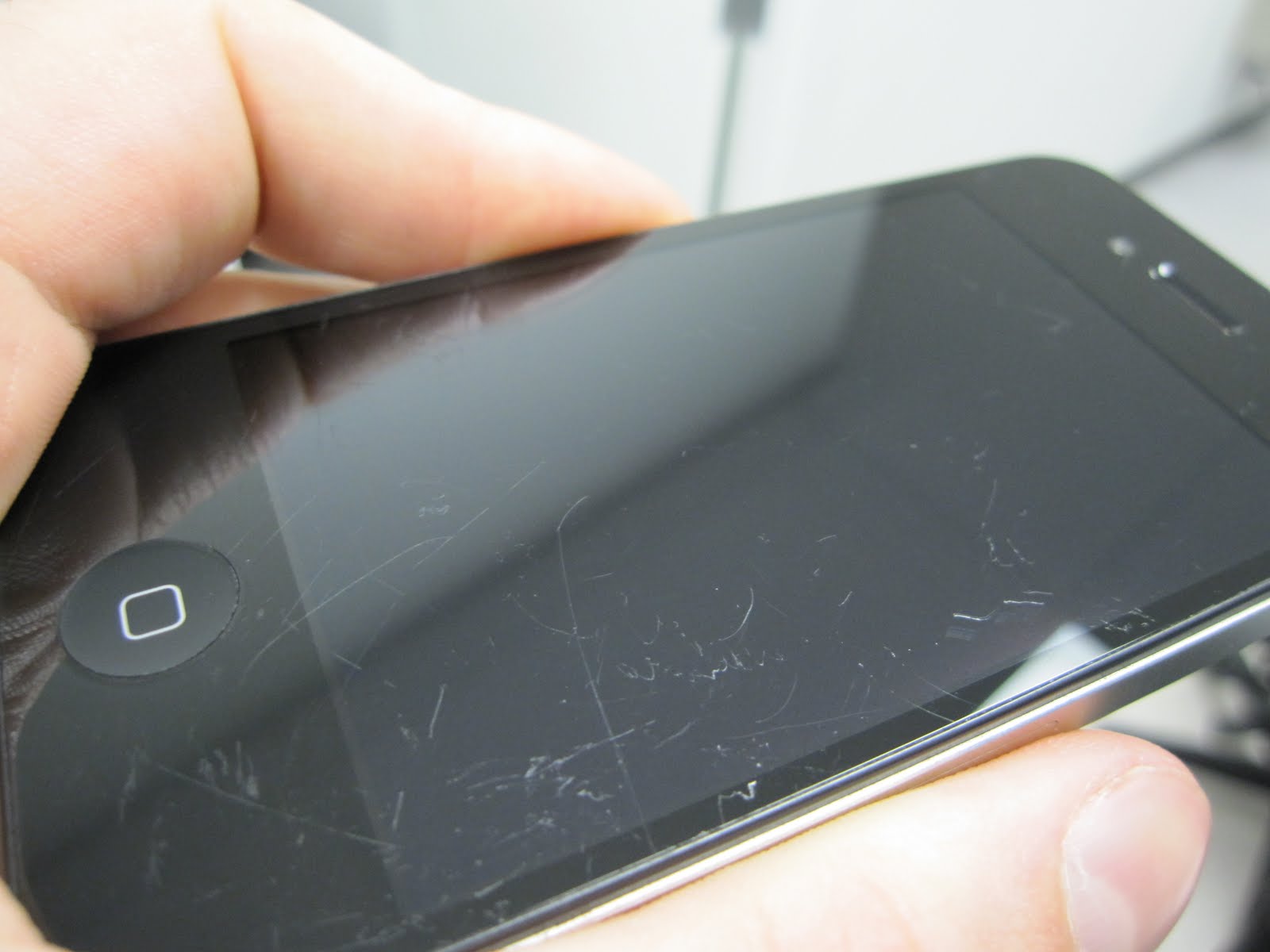
How To Remove Scratches From Your Devices’ Screens

Some of you out there may know the horrible frozen-in-time moment, somewhere between the cozy grip of your hand and the rough gravel of the terrain below, when you realize you’re about to damage your expensive and beloved device. A thousand thoughts can fly by through your head between losing control and the eventual painful landing.

Scratches on your cell phone screen are an inconvenience, not to mention an ugly eyesore. No matter how much you try to ignore it, it’s there. 

So here’s what you’ve got to do to remove them from your device’s screen :

Things Required 

  • Microfiber Cloth
  • Toothpaste
  • Baking Soda
  • Polish 

1. The Toothpaste Method

Just dab a bit of toothpaste at the end of a cotton swab or a soft cloth. Gently rub it in to your screen’s scratches in a circular motion, being careful not to rub too hard and remove any surface coating. Then wipe the whole thing down with a soft, barely-damp cloth.

Note –  The abrasives in the toothpaste will also buff off the screen’s oleophobic coating, which is what guards against smudges and makes the screen really easy to wipe clean. Also, make sure you’re using a paste based toothpaste and not one of those gel based toothpastes. 

2. The Baking Soda Method

Not only good to keep your refrigerator smelling fresh, but can do some amazing things with scratches as well. Use with a few drops of water. 

Mix two parts baking soda with one part water to form a thick paste. Use the Micro-fiber cloth to apply the paste to the lens, rubbing in a circular motion. Wipe with a wet cloth afterward and dry with a separate cloth. This step may need to be repeated for stalwart scratches.

3. The Polish Method

To begin with you’ll need a suitable polish. We’re dealing with glass screens only (check your phone’s specs to make sure it doesn’t have a plastic screen), so you need a tough polish. We recommend cerium oxide, which comes as a powder that you need to mix with water, although you can buy 100ml of pre-mixed compound online.

Disclaimer – Although these methods have been used to measurable success by various people, you should do so at your own risk. Make sure that the ports and other sensitive parts of your device are not exposed to the ingredients you use!

Have we missed out on any method? Do let us know in the comments section below!

Comments

22 responses to “How To Remove Scratches From Your Devices’ Screens”

  1. Jeanette Grimshaw Avatar
    Jeanette Grimshaw

    phones are able to get wet but not fully suberged in water i think it you should use a damp cloth to rinse it

  2. Ishan Pandey Avatar
    Ishan Pandey

    Try Active Salt

  3. SauravVerma Avatar
    SauravVerma

    but coline works,really :-) I used it many times..

  4. Aman Arora Avatar
    Aman Arora

    kya apke toothpaste mai namak ha :P

  5. Alok Kumar Avatar
    Alok Kumar

    thanks for the info. Real, short and sweet..!!

  6. MuditSatija Avatar
    MuditSatija

    please please tell me how to restore the chrome lining of the atrix 2
    :s

  7. HusainHatim Avatar
    HusainHatim

    What about the scratches on battery cover or plastic parts?

  8. visu9012 Avatar
    visu9012

    ooook so i use a lot of tooth past on my tab but now how do i say this its screen is not like it was before now (i did not have any noticeable marks to begin with )it feels less shiny(my precious)^_^

  9. ManisitDas Avatar
    ManisitDas

    Will it work with camera lens?

    1. SauravVerma Avatar
      SauravVerma

      ManisitDas plz don’t play with ur camera lens, it is way more sensitive than u can ever imagine,so….get a cleaner worth around Rs.500.

  10. Jithu Pantheerankave Avatar
    Jithu Pantheerankave

    not working i am using colgate toothpaste

  11. architkhode Avatar
    architkhode

    Is it necessary to have salt in the toothpaste? Kyunki mere toothpaste  me naamak hein.

  12. HeetNandu Avatar
    HeetNandu

    will it work with a screen guard?

  13. ShreyasPrashant Avatar
    ShreyasPrashant

    Video can Help us Lot

  14. Subrata Bhowmick Avatar
    Subrata Bhowmick

    Thank you…

  15. SwastikDhamija Avatar
    SwastikDhamija

    In step 2, You say rinse afterwards.. “Rinse afterward and dry with a separate cloth.” 
    So, do I have to rinse my mobile? !! :P

  16. Karthik Stands Avatar
    Karthik Stands

    rear and useful information

  17. AritraDas Avatar
    AritraDas

    Don’t just copy and paste…make a video mate…..

    1. Shivaank Avatar

      AritraDas Video is upcoming :)

  18. Shubham Tripathi Avatar
    Shubham Tripathi

    Going to use Toothpaste

  19. Sai Krishna Chowdary Avatar
    Sai Krishna Chowdary

    hiiko

  20. Abhi Ak Avatar
    Abhi Ak

    thanks yar

Leave a Reply

Your email address will not be published. Required fields are marked *

iGyaan Network
Privacy Overview

This website uses cookies so that we can provide you with the best user experience possible. Cookie information is stored in your browser and performs functions such as recognising you when you return to our website and helping our team to understand which sections of the website you find most interesting and useful.

Share via