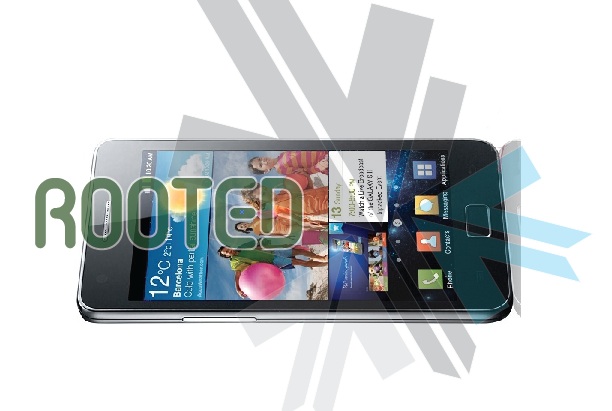
DIY : How To Root The Samsung Galaxy S2 i9100

We show you how to Root the Dual core monster from Samsung. The Galaxy S2 has been rooted and we have easy instructions for you:

NOTE: Rooting is not recommended for the faint of Heart, and can possibly brick your phone, Void warranty and make you feel invariably sick.


What you need:

  • A Samsung Galaxy S2 (Duh!)
  • A Windows PC
  • A USB DATACABLE
  • Odin Downloader (Download HERE)
  • Download the attached XWKDD, but do NOT extract the .tar file (Download Here)
  • Download and extract SuperOneClick
  • Put device in USB debugging mode: Settings -> Applications -> Development -> USB debugging

Step One


Reboot your device into download mode Turn the device off, then power it on again by pressing and holding VolumeDown + Home + Power simultaneously.


Step Two

Start ODIN Downloader


Step Three

  • Connect the device to your computer using USB
  • Wait a few seconds, the ODIN screen should show you that a device is now connected.
  • tick the checkboxes next to “Auto reboot” and “F. Reset Time” and leave everything else as is.
  • Press the “PDA” button, and select the “XWKDD_insecure.tar” file.
  • Press “Start”. ODIN you should now be flashing the kernel, and the device should reboot.
  • DO Not Remove the cable and Wait until the device is rebooted.


Step Four

  • Once the device is rooted and while still connected via USB
  • Start SuperOneClick, and press ROOT
  • Reboot the device


And You Are Done ! Enjoy your rooted Beast.

The Files And Instructions are made by iGyaan with the help of information from XDA DEVELOPERS

Comments

10 responses to “DIY : How To Root The Samsung Galaxy S2 i9100”

  1. Dragon0005 Avatar
    Dragon0005

    would u plz tell us how to put cyanogen mod on motorola defy…… 

  2. Bugge Avatar
    Bugge

    It freezes during superoneclick at step 7 :(((

  3. Pranavd1980 Avatar
    Pranavd1980

    Hey Bharat,

    When this will be available in INIDA?

    What owuld be the cost?

  4. Suryansh_sngh Avatar
    Suryansh_sngh

    the above article is all well n good………but when will s2 be launched in india ……coz u cant root a device until u actually have it

  5. parminder_mangat Avatar
    parminder_mangat

    Please give steps to froyo update of motorola charm

  6. shah Avatar
    shah

    im new to android, currently using htc hd2 on win6.5… my next phone definitely going to be SGS2. im just curious about rooting… why and how does rooting makes the phone feels different?
    thanks

  7. Chloe Avatar
    Chloe

    What are the benefits of rooting your phone?

    1. HimanR Avatar

      rooting enables you download and successfully install non market and cracked apps and you get rid of the touch wiz UI and try different launchers available out there

      1. androidkid Avatar
        androidkid

        ur wrong, dats rubbish. after rooting u can overclock, flash custom roms and gain full control of ur phone…but if ur an average user u dont NEED to root.

  8. akrocks Avatar
    akrocks

    Super Article!!!……Dont know whether it works as SGS2 is not available here in Singapore…However, bookmarking the link for future reference. :)

Leave a Reply

Your email address will not be published. Required fields are marked *

iGyaan Network
Privacy Overview

This website uses cookies so that we can provide you with the best user experience possible. Cookie information is stored in your browser and performs functions such as recognising you when you return to our website and helping our team to understand which sections of the website you find most interesting and useful.

Share via