
With the sheer amount of things on the internet, you might find it hard to keep track of everything. To make your work feasible, you create bookmarks, but now the shortage of time to catch up on these bookmarks has led to the never-ending list that just stays there never to be caught back. Google seems to have stepped in the way to make bookmarks more accessible and useful.
The company has introduced an extension for Chrome called Google Bookmark Manager. The extension will bring all your bookmarks in a grid view. The bookmarks will all be pooled together in various folders. During the creation of a new bookmark, Google will prompt you with some folder suggestions. To make things even easier, you can add photos or notes to folders you desire to access quickly.
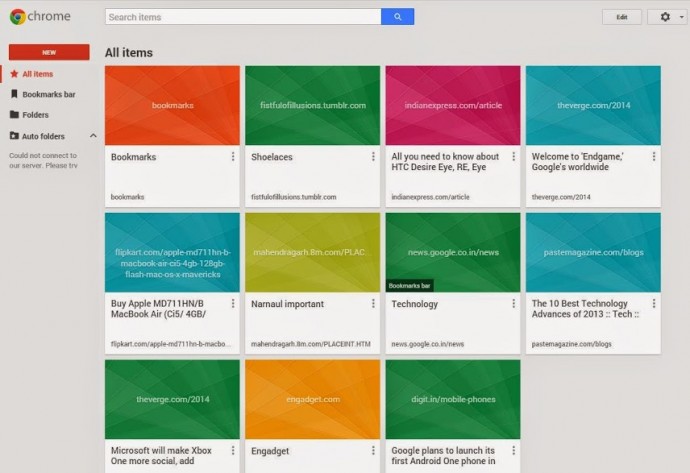
This new extension will also get a boost from ‘Power Searching with Google’. The extension will be able to scan into the content of bookmarked pages to let you find out what you were looking for. It does seem like Google has got some inspiration from the new Safari bookmarks that are available in Yosemite.
The bookmark manager will come really handy for folks who want immense convenience to access their references. The bookmarks have been around since the inception of consumer web browser, but it’s good to see it finally getting attention from browser manufacturers. Guess Safari and Chrome have new bookmark managers, Firefox may join soon, but the users of Internet Explorer should anticipate their upgrade by the end of the decade.
Leave a Reply