In an obvious move that should have coincided with the release of the Nexus 10 last year, Google plans to make ‘Designed for tablets’ the default view for tablet users browsing the Play Store.
Starting on November 21st, users will find their app selection limited to just those apps that have been optimized for large-screen usage. Non-tablet apps will still be downloadable, but will have the caption “Designed for phones” appended to its Play Store release.
Android tablet users can of course still switch views so they can see all apps or games. Yet Google is clearly confident enough now that there are enough tablet apps out there to make bring the section to the forefront.
Google claims that over 70 million Android tablets have been activated, though it’s unclear how many of them are still being used or capable of running modern apps and games. Many Android tablets have substandard hardware and older versions of Android that render them incapable of performing optimally with tablet-optimized apps.
At the same time, companies are weary of spending time and resources creating tablet-optimized apps. Though the number has exploded — 70 million activations sounds like a great number — substantive data continually shows Android behind iOS in terms of actual usage. Building great tablet apps should bridge that gap somewhat, but Google needs to ensure that the experience is consistent throughout its ecosystem, on any number of screen sizes and resolutions.
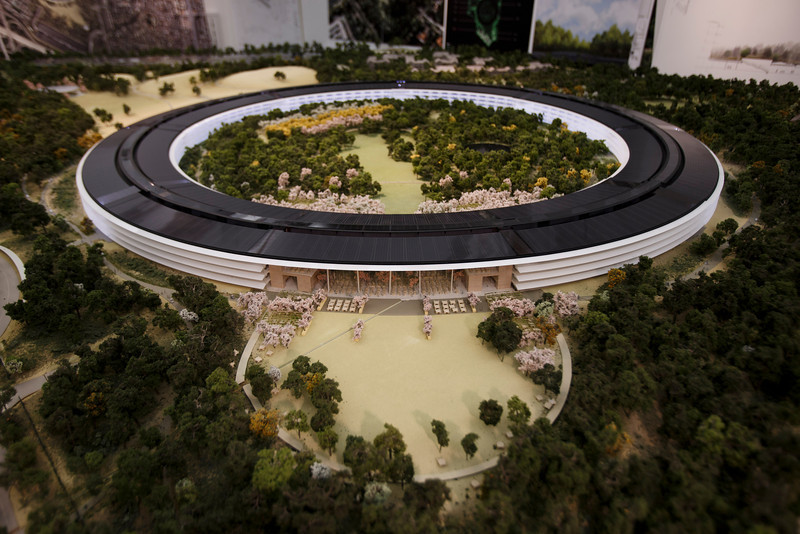
Apple’s proposed Apple Campus 2, now in the final planning stages, can be seen in detail in new model photos provided by San Jose Mercury News. The 4-story circular building, which Steve Jobs famously described as “like a spaceship,” encompasses more than 2.8 million square feet.
Credit : Mercury News
Also showing off the miniature model to the media was Dan Whisenhunt, director of real estate and facilities for Apple. He touted the green and sustainable nature of the project, which will convert a current location that is mostly asphalt into an environmentally friendly facility that will be 80 percent open space and parkland.
“The concept of the building is collaboration and fluidity. It’ll provide a very open-spaced system, so that at one point in the day you may be in offices on one side of the circle and find yourself on the other side later that day.”
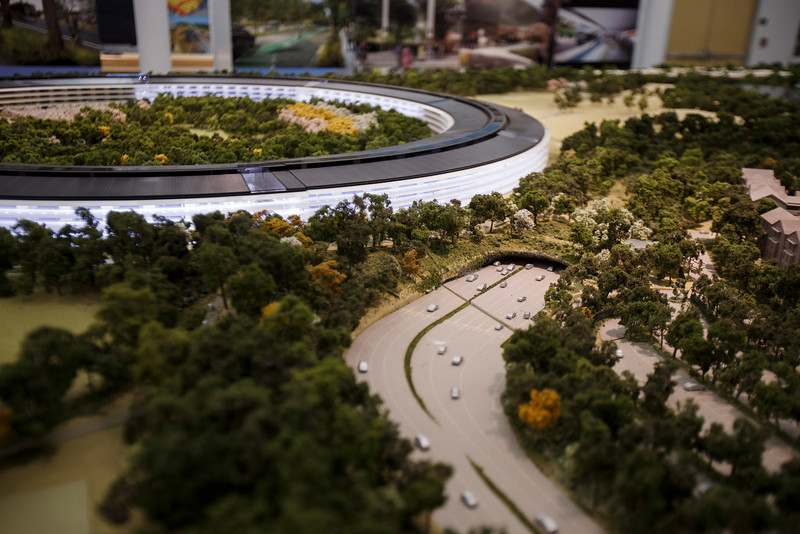
Although this is the first physical model the public has seen of the new facility, previous renderings revealed a dark-colored roof with solar panels, a corporate auditorium, additional parking and a jogging path. Images also included a 45,000 square foot fitness center.
Credit : Mercury News
The project will be considerably larger than Apple’s current headquarters, accommodating 12,000 staff. “There is not a straight piece of glass in this building” Jobs said at the unveil. “It’s all curved. We’ve used our experience making retail buildings all over the world now, and we know how to make the biggest pieces of glass in the world for architectural use.”
What do you think to Apple’s proposed new campus? Typically ambitious design, or a little too far?
Rockstar Games, developer of the fantastic GTA 5 have often apologised for the technical issues that were involved with GTA Online’s launch. They are now extending that apology and giving gamers who were attempting to play GTA Online since day one 500,000 GTA dollars.
The stimulus package is an “I’m sorry” gift from Rockstar Games for the cloud server errors, connection issues, and lost game progress and characters during the first days of GTA Online.
In order to keep the current worldwide in-game economy balanced, we will be providing this GTA$ to players via two deposits of $250,000. We will announce specific dates as soon as possible, but are currently hoping to be able to make the first deposit by the end of next week (after we’ve confirmed that issues causing game progress loss have been fixed) with the second installment to happen by the end of the month. For players who experienced cloud server errors, connection issues, and lost game progress and characters in these first days of GTA Online, we hope this GTA$ helps to facilitate a fresh start or makes your continued life in Los Santos and Blaine County extra sweet.
Before receiving your GTA Online cash, though, gamers are instructed to install the upcoming GTAV title update (1.04), which will allow Rockstar Games to provide the GTA$ stimulus cash to players. It will also fix vehicle purchase loss issues, and gamers can expect to see it next week.
There’s a couple of pre-requisites for receiving the cash donation. You need to have logged in and played GTA Online at some point this month (October 2013).
Google Chrome browser may be storing sensitive data in such a way that it would be relatively easy for a malicious third party to dig it up and steal your identity, among other things.
Security researchers at Identify Finder said they performed a series of deep scans on several employee computers using the latest version of Sensitive Data Manager (SDM). The scans revealed a bunch of Google Chrome SQLite and protocol buffers storing user information such as names, addresses, email addresses, phone numbers, bank account info, credit card details, and even social security numbers.
“We confirmed with each employee that sensitive data, such as social security and bank account numbers, were only entered on secure, reputable websites,” claims Identity Finder.
The data is not protected in the cache, which means that anyone with access to it can extract the information. This does not necessarily mean local access, as malicious software running on a user’s computer, and even social engineering, may yield the same results.
Handing over the computer to a computer repair shop, sending it in to the manufacturer, or selling it may provide third parties with access to sensitive information stored by the browser.
Google Chrome is the world’s third most popular web browser with a 16% market share; Firefox has a 19% share and Internet Explorer holds a 58% share, according to Net Applications.
This is the second finding of a profound Chrome shortcoming in three months. Last July, NSS Labs analyzed the privacy mechanisms built into Internet Explorer, Firefox, Chrome and Safari and found Chrome offering the poorest privacy protection.
A statement by Google on The Verge reads :
Google Chrome is the most secure browser and offers you control over how it uses and stores data. Chrome asks for permission before storing sensitive information like credit card details, and you don’t have to save anything if you don’t want to. Furthermore data stored locally by Chrome will be encrypted, if supported by the underlying operating system. For example, Chrome OS encrypts all data stored locally by default. We recommend people use the security measures built into their operating system of choice.
There’s a new report coming out this evening, via GigaOM, that the next generation of Google TV devices are going to get rebranded as Android TV. GigaOMis also reporting that OEMs are producing new Google TV have been informed them that Google is officially changing the branding to Android TV for the next round of products hitting the market.
The report also mentions that LG may be planning to update its Google TV hardware to Android 4.2 sometime in October, with other manufacturers to follow in the coming months. Google TV is currently based on Android 3.2 Honeycomb, which is obviously a few versions behind the Android 4.3 software that some of the latest Android phones and tablets are running.
Despite the fact that a number of manufacturers have thrown their support behind Google TV with products like set top boxes and televisions, the platform never really seemed to gain much traction with consumers.
It will be interesting to see if the brand change from Google TV to Android TV has any impact on the adoption of the platform, and whether this will help manufacturers to increase sales of these Android powered set to boxes.
This follows sources who spoke to the Wall Street Journal earlier this month about a set-top box Amazon reportedly has in the works, an effort of its own to better position its streaming Prime instant video service and library of digital videos in consumers’ living rooms.
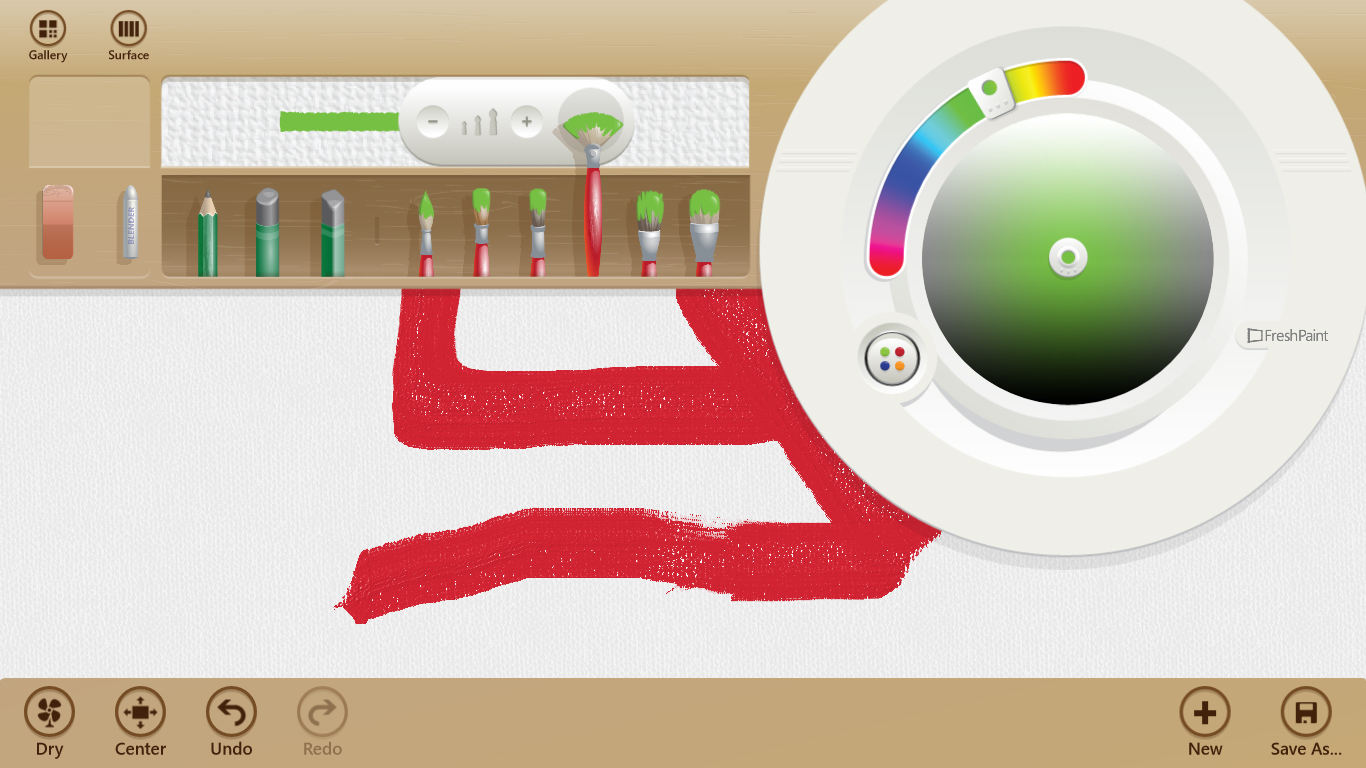
Microsoft recently launched a port of its Windows 8 drawing app Fresh Paint for Windows Phone 8 and today the company announced that it has released an updated Fresh Paint app for the people who are using the public preview version of Windows 8.1.
In a blog post, Microsoft said that the Windows 8.1 preview version of the app adds a new watercolor medium alongside the previous oil color paint. Microsoft states, “Like the oil paint medium in Fresh Paint, the colors can mix and blend, but, like real watercolors, they will bleed into your canvas or paper to create vibrant works of art.”
In addition to image filters and new options, Fresh Paint also brings several other goodies supposed to improve the overall experience on a tablet.
“We’ve improved pen and stylus input to better work with pressure and the eraser (pick up a Surface to try out a great stylus experience). We’ve added the ability to save custom palettes, so if you have a favorite set of colors you can keep them handy. And, we’ve made dozens of other little changes throughout the product–such as adding the ability to import a painting directly from SkyDrive,” Microsoft explained.
In case you’re already running Windows 8 and you installed Fresh Paint, the new version will be automatically deployed on your computer once you make the move to Windows 8.1, Microsoft noted.
With the app on Windows Phone, you can starting a painting and save it to SkyDrive. You can then finish your work on your PC by selecting the “Save To” icon in the Fresh Paint app.
Fresh Paint for Windows 8.1 launches alongside the operating system update on October 18th. The app for Windows Phone 8 launches on October 14th.
HTC has once again created an infographic that gives a hint of an upcoming device – possibly the heavily leaked 6-inch One Max that will join the One and the One mini. This time the graphic shows several popular trios in life and also brings their current “Here’s to Change”marketing strategy into play by breaking down HTC into various acronyms: Snap, Crackle and Pop (Hearing Tasty Cereal); Three Amigos (Hip Thrust Coordination) and Destiny’s Child (Hello Top of the Charts).
The One Max is expected to be unveiled next week and rumoured to come with a 6-inch 1080p display, a 1.7Ghz quad-core processor, 2GB RAM, 16GB internal storage, UltraPixel camera with a 2MP front-facing camera, running Android OS 4.3 with Sense 5.5. The One Max is also rumoured to include a finger-print sensor.
The company did something similar ahead of the launch of the HTC One Mini, offering up an infographic on little things that made a big impact.
Facing declining sales and increased competition, HTC has been trying to step up its marketing game, recently debuting an ad campaign starring Robert Downey Jr.
Apple is looking forward to profiting from the demise of the once-famous company – BlackBerry. It wants to employ the staff that will be laid off by BlackBerry.
To recruit fired Blackberry employees, Apple hosted a recruitment drive at the Cambridge Hotel and Conference Centre on September 26th. The Blackberry’s decision was based on the disastrous financial conditions it’s running under.
“Most positions will be based in Cupertino, CA.,” Apple told potential recruits through a LinkedIn invite obtained by The Financial Post. “Relocation and immigration assistance will be provided for candidates that are hired, as needed.”
BlackBerry has some very talented engineers, and it is those employees who helped BlackBerry amass a substantial patent portfolio over the years. Apple probably isn’t the only company that has been trying to grab the best of BlackBerry’s employees, but holding a recruiting event shows that Apple is serious about getting those employees.
Apple’s attempt was criticised and taken wrong by many online resources but from a business point of view, it is a very good strategical approach to spread its reach and productivity and Apple really would be benefited by it.
Intel also held a recruitment drive aimed at luring BlackBerry workers. The semiconductor’s information session was held on Sept. 28 and 29 at the Holiday Inn Kitchener-Waterloo Hotel and Conference Centre. Intel invited BlackBerry employees, telling them that it was looking for engineers for its Mobile and Communications Group.
The Blue Screen of Death is no longer a Windows-specific error, as some iPhone owners have discovered. The iWork apps seem to trigger a reboot associated with a blue screen, indicating that Apple has yet another bug to patch in iOS 7.0.3.
Apple’s iWork applications come free with Apple’s latest smartphone, the iPhone 5S, and the issue appears to happen when switching between apps using the multitasking on iOS 7.
The video below shows the blue screen of death bug happening on an iPhone 5S, when the problem occurs it causes the iPhone to reboot, as you can see in the video.
The Verge reports that one of the workarounds that seems to be working is to disable iCloud syncing (Settings > Numbers/Pages/Keynote, then tap on the “Use iCloud” toggle to disable it).
We’re sure Apple will be working on an update to fix these issues – we’ll keep you posted.
As iGyaan exclusively revealed today, the iPhone 5S and 5C will be available in India from October 23rd.
Windows Phone 8.1 is set to inspire hope in the Microsoft loyalists, who expect great things from its future versions. Paul Thurrott, one of Microsoft’s most vocal critics and supports, is hearing that WP8.1 is set to address most of those incumbent issues, including API unity with Windows RT, an improved multitasking experience, support for even bigger screens, and removal of the hardware back button requirement.
Specifically, Windows Phone is expected to reach API unity of around 75% with Windows RT, bringing more desktop-like classes to the mobile OS. As screen sizes get bigger and chips more powerful, users will be able to do an increasing number of complex tasks without tablets or laptops, and Microsoft realizes its Office ecosystem is primed for such things.
The removal of a hardware back button requirement for Windows Phone 8.1 is also in the cards, since like Android the behaviour is often predicated on how a specific developers wants it to act; on-screen back buttons are more consistent. The home button will likely remain, along with search, but we’ll see.
More importantly, multitasking is set to receive an overhaul in Windows Phone 8.1 Microsoft is already addressing the issue of “closing” apps in the upcoming GDR3 update, but Windows Phone 8.1, codenamed ‘Blue’, is expected to go even further, allowing for better background notifications and behind-the-scenes updates.
Global shipments of personal computers (PCs) have hit a five-year low, according to new figures from the research firm Gartner.
Shipments totalled 80.3m units in the three months to September, down 8.6% from a year ago.
PC sales have now fallen for six quarters in a row, hurt by the growing popularity of tablets and smartphones. Gartner said falling prices of tablets had further hurt sales of PCs in emerging markets.
“The third quarter is often referred to as the ‘back-to-school’ quarter for PC sales, and sales this quarter dropped to their lowest volume since 2008,” said Mikako Kitagawa, principal analyst at Gartner in a canned quote.
“Consumers’ shift from PCs to tablets for daily content consumption continued to decrease the installed base of PCs both in mature as well as in emerging markets. A greater availability of inexpensive Android tablets attracted first-time consumers in emerging markets, and as supplementary devices in mature markets.”
Lenovo is still the top dog in this dying sector with 17.6 per cent of the market, growing its sales by 2.8 per cent of the year. Lenovo’s sales slacked off slightly in its home Chinese market but grew strongly in the US to offset this.
Taiwan-based Acer and Asus, the world’s 5th and 6th largest PC makers, meanwhile, suffered a sharp fall in shipments of 22.6 and 22.5 percent on-year in the third quarter as both companies shift their focus away from PCs to other device markets.
Today, Microsoft announced one researcher, James Forshaw, has been awarded a whopping $100,000 for finding and reporting a new mitigation bypass exploit in Windows 8.1.
James Forshaw, who heads vulnerability research at London-based security consulting firm Context Information Security, won Microsoft’s first US$100,000 bounty for identifying a new “exploitation technique” in Windows, which will allow it to develop defenses against an entire class of attacks, the software maker said on Tuesday.
Forshaw earned another US$9,400 for identifying security bugs in a preview release of Microsoft’s Internet Explorer 11 browser, Katie Moussouris, senior security strategist with Microsoft Security Response Center, said in a blog.
“Coincidentally, one of our brilliant engineers at Microsoft, Thomas Garnier, had also found a variant of this class of attack technique. Microsoft engineers like Thomas are constantly evaluating ways to improve security, but James’ submission was of such high quality and outlined some other variants such that we wanted to award him the full $100,000 bounty,” Microsoft explained.
Microsoft has now paid out over $128,000 in bug bounties. Six “very smart people” received the prizes, said Moussouris.
Not all of them kept the cash. Ivan Fratric of the Google security team was awarded $1,100 for finding an Internet Explorer 11 (IE 11) bug, but donated it to the Save the Children Fund. Fermin Serna, also from Google, gave $500 for finding a bug in the IE 11 Preview release to the Seattle Humane Society.
We live in a world where technology evolves every minute, heck, every second. Even before you’ve got the hang of something, it is replaced by something newer, better.
The other day while I was watching an episode of “The Big Bang Theory”, I was intrigued by something I hadn’t heard of before – 3D printing.
While the “Third Dimension” had crept into virtual space quite some time ago – 3D games, 3D movies etc. – I never really imagined it being introduced into print any time soon (though it has been available and used by companies in automobiles sector for the past 8-10 years).
So the first thing I did after the episode was to switch on my computer and, as is the norm these days, turn to the tried and trusted Google Search to enlighten me on this topic.
What is 3D printing? – An Overview.
Imagine a future in which a device connected to a computer can print a solid object. A future in which we can have tangible goods as well as intangible services delivered to our desktops or highstreet shops over the Internet. And a future in which the everyday “atomization” of virtual objects into hard reality has turned the mass pre-production and stock-holding of a wide range of goods and spare parts into no more than an historical legacy.
Such a future may sound like it is being plucked from the worlds of Star Trek. But lo and behold, 3D printing. The medium which can help us achieve these.
[pullquote_left]Charles Hull is the inventor of the modern 3D printer and originator of de facto standard technologies. The first published account of a printed solid model was made in 1981 by Hideo Kodama of Nagoya Municipal Industrial Research Institute.[/pullquote_left]
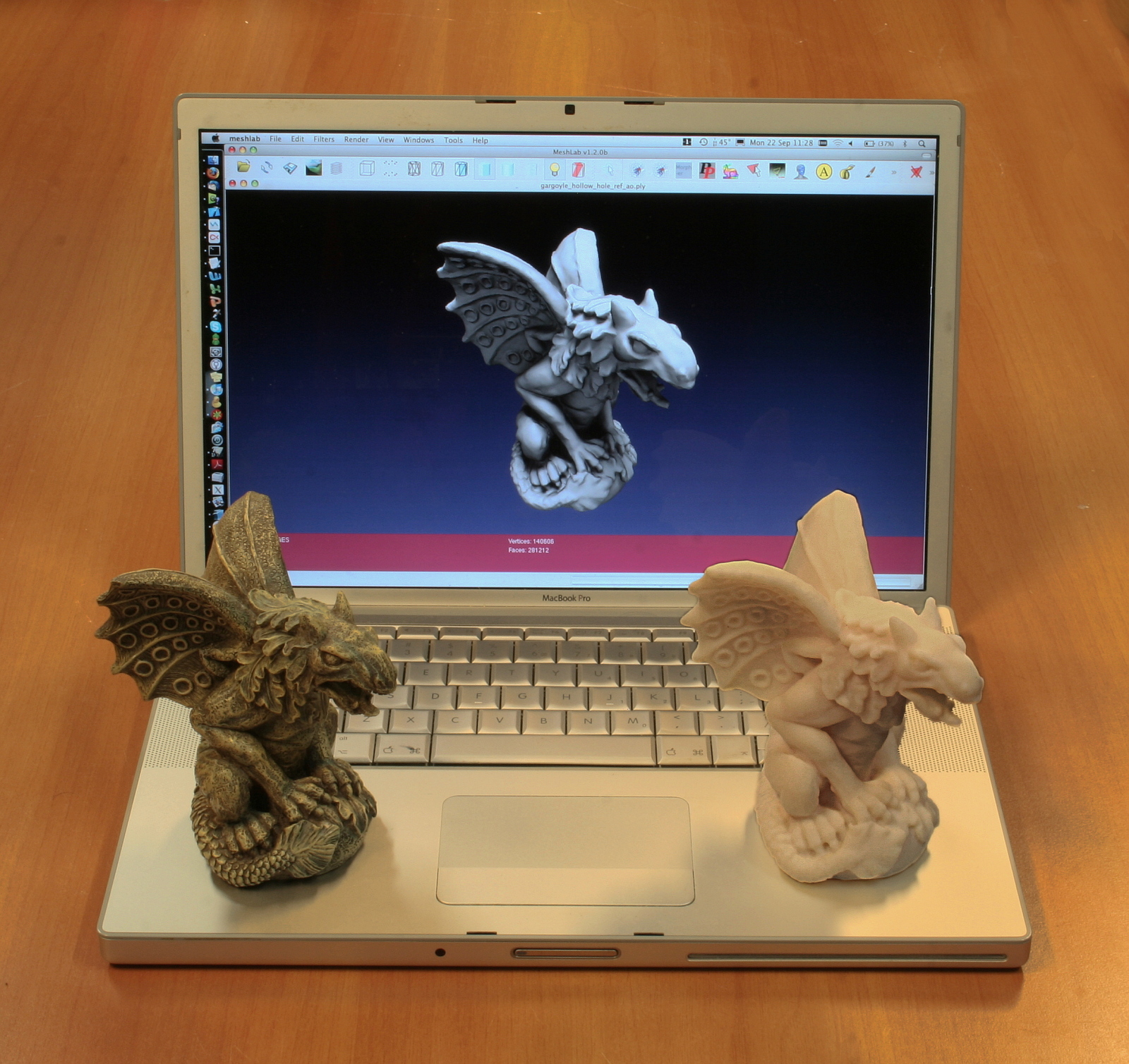
There are a variety of very different types of 3D printing technologies, but they all share one core thing in common: they create a three dimensional object creating it layer by successive layer, until the entire object is complete.
Each of these layers is a thinly sliced, horizontal cross-section of the eventual object. Imagine a multi-layer cake, with the baker laying down each layer one at a time until the entire cake is formed. 3D printing is similar, but just a bit more precise, and scientific if you may, than 3D baking.
Two particular technologies are used in 3D printing – fused deposition modeling (FDM) and PolyJet.
FDM printers essentially use thermoplastic ABS filament, that is fed into the printhead which melts the material and then deposits it layer by layer to build up the object.
PolyJet printers, on the other hand, are more similar to regular inkjet printers, but instead of jetting drops of ink on paper, a PolyJet 3D printer deposits droplets of liquid photopolymer which is then cured (or hardened) by exposing it to ultraviolet (UV) light.
Each 3D-printed object begins with a digital Computer Aided Design (CAD) file, created with a 3D modeling program, or which was scanned into a 3D modeling program with a 3D scanner. To get from this digital file into instructions that the 3D printer understands, software then slices the design into hundred or thousands of horizontal layers.
The 3D printer reads this file, and proceeds to create each layer exactly to specification. As the layers are created, they blend together with no hint of the layering visible, resulting in one three dimensional object.
What can we do with 3D printing?
The answer to the above question is simple yet complicated – anything.
Once a science-fiction fantasy, three-dimensional printers are popping up everywhere from the desks of home hobbyists to Air Force drone research centers. The machines, generally the size of a microwave oven, cost from $400 to more than $500,000.
From bicycles, toys, accessories to Nuclear warheads, guns and buildings. Anything and everything.
Recently, a baby was afflicted with a condition that blocked his ability to breathe, professors at the University of Michigan developed a 3D-printed splint that saved the child’s life.
A 3D printed splint helped cure this baby’s breathing problem.
Companies are continuing to reap the benefits of 3D printing, a decades-old technology that has increased in popularity over the past few years as the prices of printing machines and materials have come down.
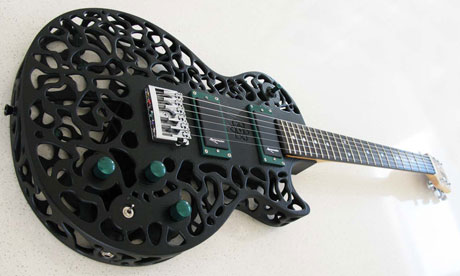
A 3D printed guitar
The Wall Street Journal recently took a look at how three major U.S. manufacturers — Ford, GE and Mattel — are using 3D printing to cut costs and production times during the prototyping phase.
Thanks to 3D printing, production time for one type of cylinder head, used in its fuel-efficient EcoBoost engines, is cut down from four to five months to three, shaving 25% to 40% off production time.
The Side Effect
[pullquote_right]The effect of 3D printers falling into the wrong hands can be catastrophic.[/pullquote_right]
New South Wales Police Force, the largest in Australia recently issued a public warning video about the ‘emerging worldwide threat’ of 3D printable weapons.
In a YouTube video highlighting the dangers 3D printable guns, Andrew Schipione, the commissioner for New South Wales Police, urges the public not to download the Computer Aided Design (CAD) files for the gun, known as the Liberator.
A 3D Printed Gun
He explained how his ballistics team had acquired a 3D printer, downloaded the blueprint for the weapons and assembled two possible future application is in the use of 3D printers to create replacement organs for the human body. This is known as bioprinting, and is an area of rapid development.pistols at a cost of just £22.
When fired, a bullet from one of the guns penetrated almost seven inches into a solid resin block resembling human flesh, deep enough to kill any human. The other weapon fell apart when it was fired.
Though some fear it is already too late.
A May 21 Department of Homeland Security bulletin distributed to several law enforcement agencies across the country, and obtained by Fox News, basically states that there might be nothing that can be done to stop people from downloading and printing plastic guns. “Limiting access may be impossible,” the memo states.
What Lies Ahead
A possible future application is in the use of 3D printers to create replacement organs for the human body. This is known as bioprinting, and is an area of rapid development.
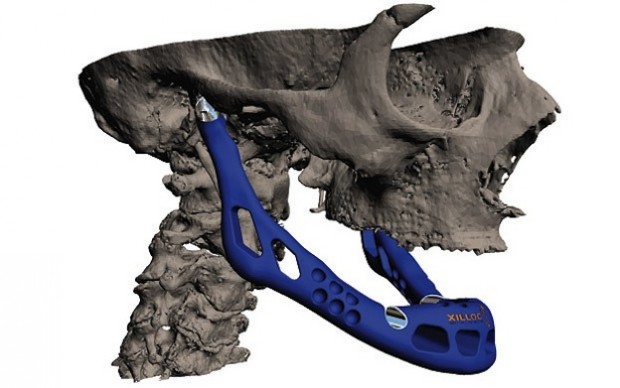
A 3D printed jaw.
Instantly printing parts and entire products, anywhere in the world, is a game changer. But it doesn’t stop there. 3D printing will affect almost every aspect of industry and our personal lives.
3-D printing is a disruptive technology of mammoth proportions, with effects on energy use, waste, customization, product availability, art, medicine, construction, the sciences and of course manufacturing. It will change the world as we know it. Before you know it.
[With valuable inputs from Explaining The Future, Wikipedia and 3dprinter,net]
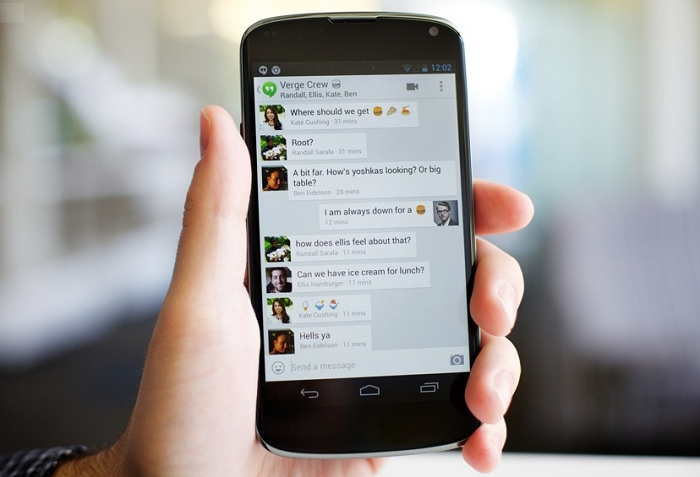
The next version of Google Hangouts for Android will likely replace the stock Messaging app with a single, unified Hangouts version that detects whether the respondent is also using Google’s new multi-platform chat-and-conference service, and if so will send the message over data, and if not will send it via SMS.
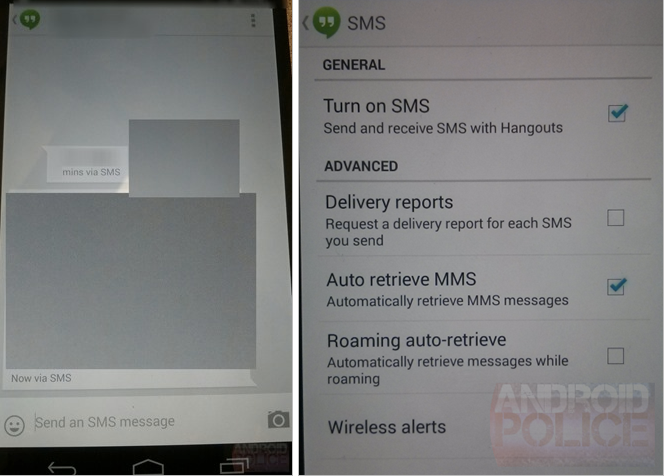
The revelation was made by Android Police who, after hearing rumours of the service consolidation in Android 4.4 KitKat, received some pretty convincing screenshots showing Hangouts sending messages “via SMS.”
Messages sent via SMS will show “via SMS” next to the timestamp so that you can always figure out the protocol used for each message delivery. You can request delivery reports for sent SMSes – a feature that is part of the SMS protocol that some of you may be using regularly.
The fundamental question is whether this will be an Android 4.4-only thing, and how it will work with previous versions. It’s not like Google can update Play Services and all of a sudden hundreds of millions of Android users have a single, unified SMS app. More likely, Hangouts, like many third-party SMS apps, will ask to become the “default” and take over the role of the stock messaging app. Nexus devices will probably receive an update to remove the legacy Messages app and go forth with just Hangouts.
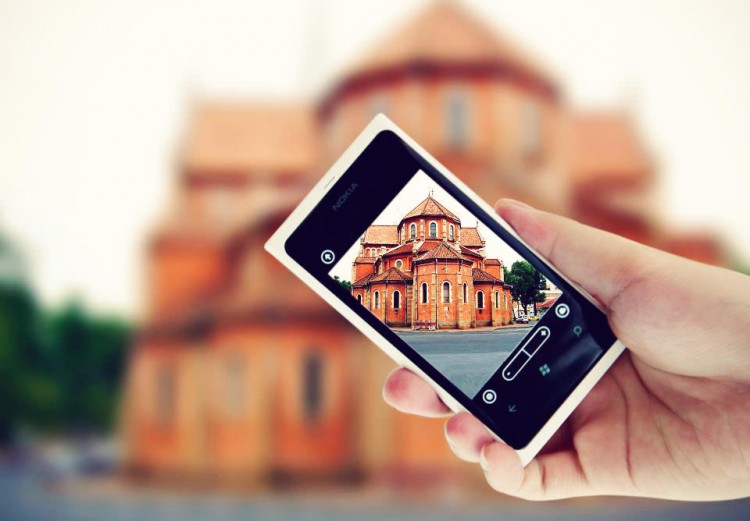
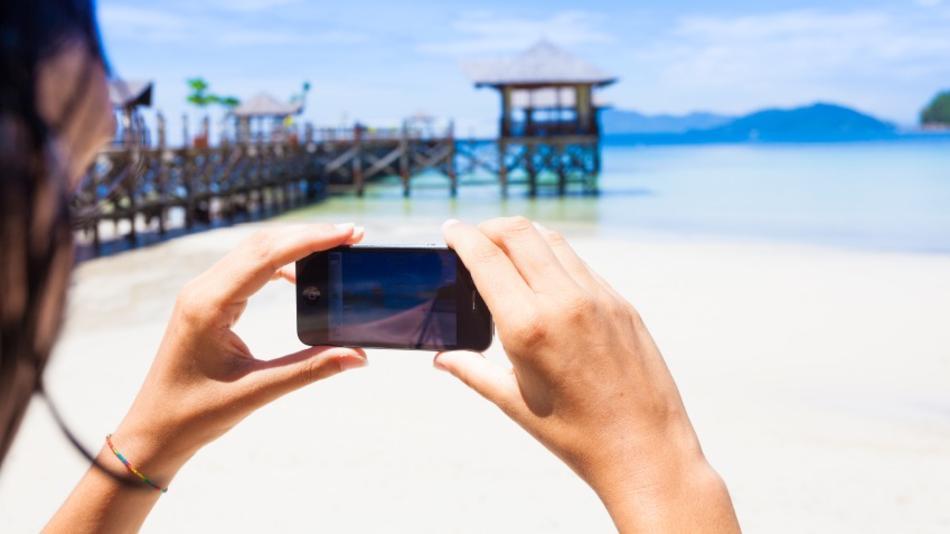
These days digital cameras are found in a variety of other gadgets – including cell phones. In fact Camera Phones are one of the fastest growing segments of the digital camera market and with the improvements in the quality of what is being offered in some phones (higher megapixels, better lenses, high capacity storage) some believe that they are beginning to win market share away from the low end offerings of many digital camera manufacturers.
So keeping that in mind, we present to you some basic tips to improve the quality of images that you click from your cell phone.
1. Stand Still
It is really difficult to keep still while clicking images with your phone. Even the slightest of movements can leave the image blurred. The shutter delay is what causes these blurs.
Holding the camera really steady and even after the shutter is released, keep it steady for a few seconds more just to be sure. You could also try supporting the phone on a few books, table, against the table vase and get sharper images.
2. The Better The Lighting, The Clearer The Image
The better lit your subject is the clearer your image is likely to be. If possible shoot outside or turn on lights when shooting inside. Your phone’s biggest weakness is its inability to take good pictures in low light (unless you have a Lumia 920 or a HTC One), which means you generally will want to get as much light as you possibly can on your subject.
If your phone camera has the basic white balance features then experiment with them to get the near possible match.
3. Focus!
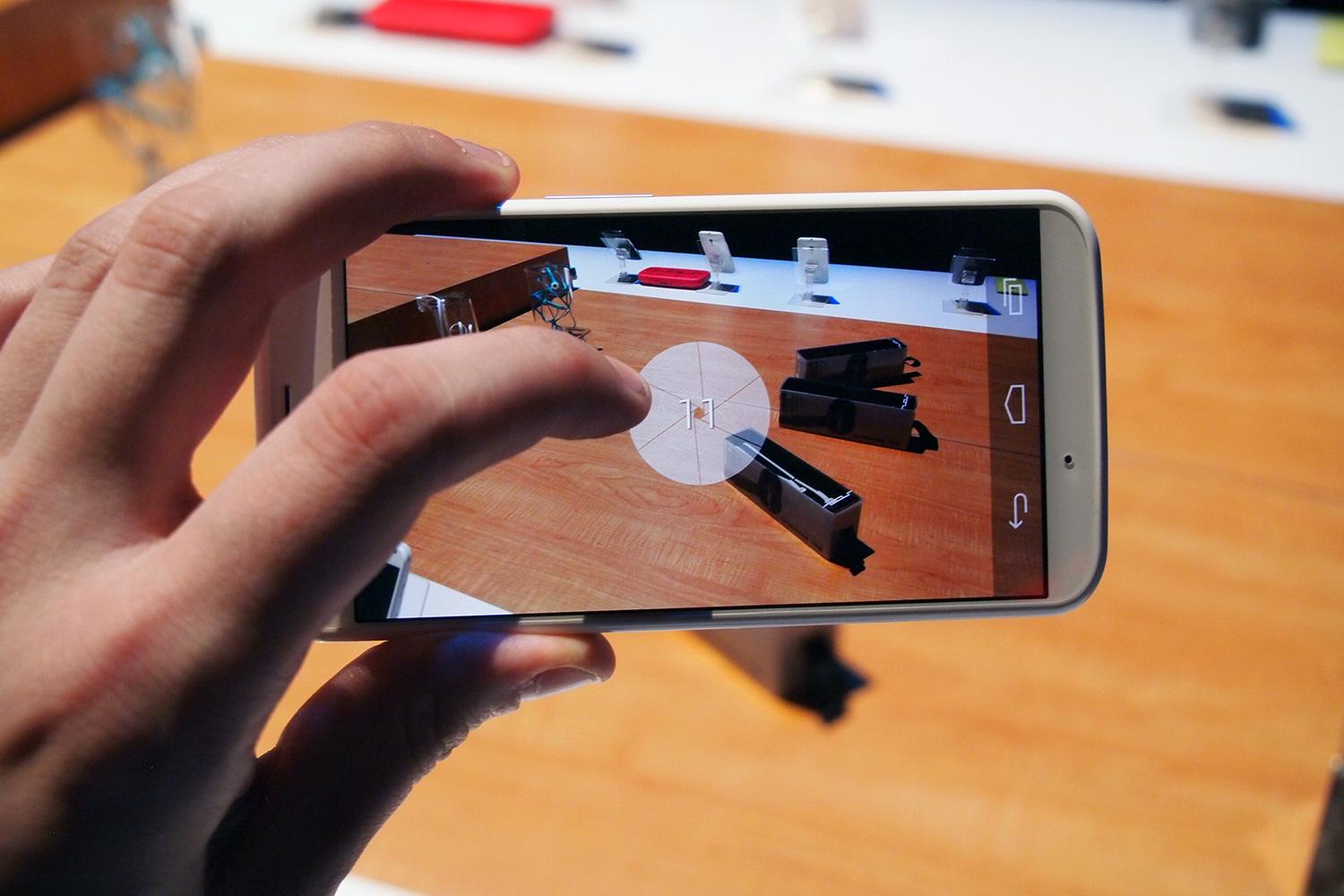
When you’re taking a close-up, your phone generally focuses on the element closest to the lens. Switching the focus can allow objects in the background to stand out instead, thus making a run-of-the-mill shot more interesting. To focus on an element, gently tap your screen’s viewfinder.
Wait for the subject to be in focus. Then take the shot. There are apps you can use to selectively focus areas in your image. More on apps later.
4. Avoid Zoom
The built-in zoom in most phone cameras are not optical but digital. Hence, it is advisable to not zoom in to compose a picture because you are not really zooming.
Instead, move closer to the object and crop the image later if you have to. You will notice a considerable difference in the quality of the image.
Most smartphones have 8+ megapixels of resolution and sometimes more. That means you can crop substantially and still have plenty of resolution left for display on the web.
5. Keep The Lens Clean
While most of us spend loads of money on buying screen protectors for the front of your devices, we must realise that there is a lens on the back of your device that needs maintenance too.
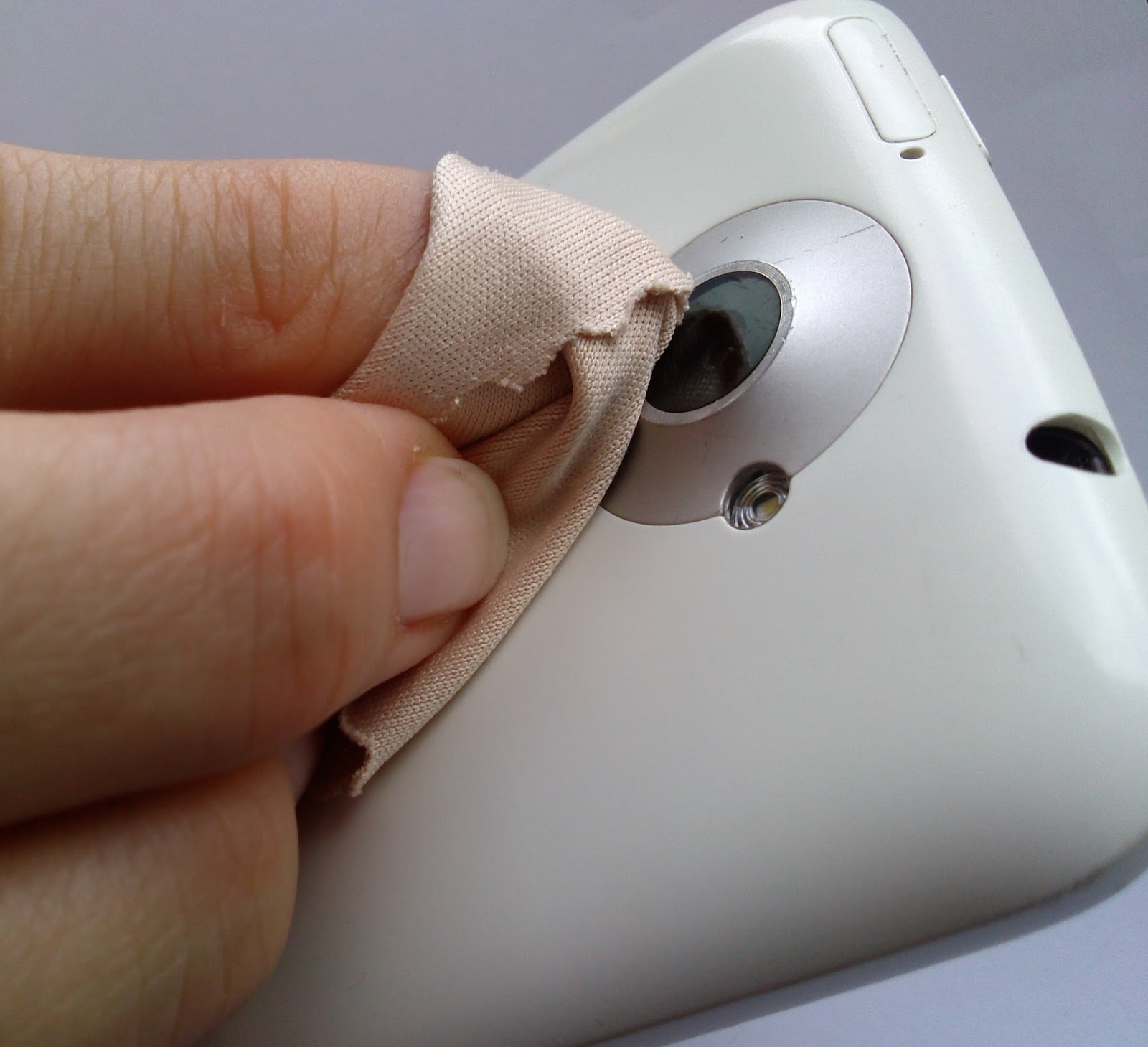
Phones spend a lot of time in pockets, in bags and being used in all manner of weather and conditions and over time the camera lens can collect lint/dust and create a blurred image. Just give it a good wipe with a clean cloth.
6. Keep The Background In Mind
We all have images in our phones that were ruined by poor background surroundings. From photobombing friends or garbage on the road, keep in mind that the background is as important as the subject.
Backgrounds should vary from shot to shot. You can either go for a subtle, clean background or one with motion and movement.
7. The Default Camera App Isn’t The Only One You Can/Should Use!
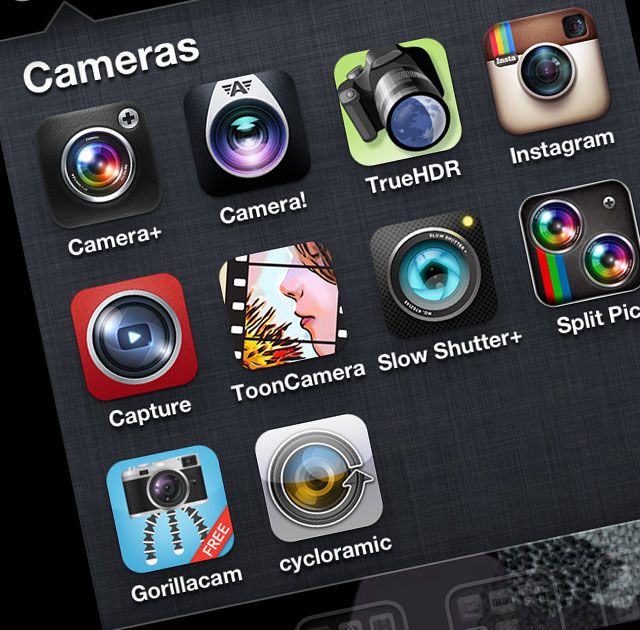
Depending on your particular phone and the camera app that comes with it, you may have a few settings you can adjust before taking a picture. In almost every case, though, you can do better by grabbing a more advanced camera app.
Apps like Camera Awesome allow you to shoot in bursts and separates the AF lock from the exposure lock. Other apps like Camera+ have similar options for more controlled shooting.
There are a ton out there, so look around!
8. Use Accessories!
If you intend to use your mobile phone as a digital camera, then you would do well to add on some accessories to maximise the camera experience.
Given the success of cameras on smartphones, more and more manufacturers are selling accessories specially designed for use with camera phones. These include camera phone tripods, Bluetooth adapters to transfer photos to a PC, and an attachable wide-angle lens.
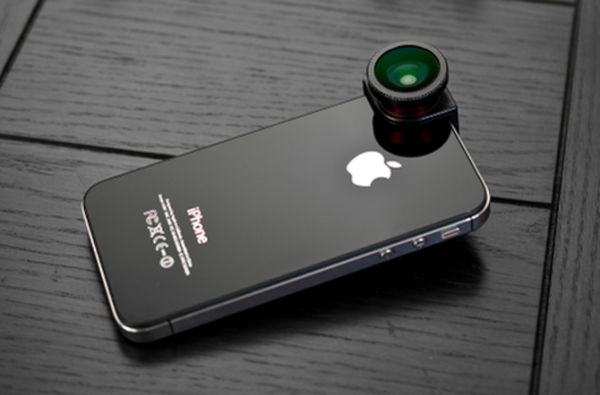
When professional photographers want to up the quality of their shots, they often upgrade their lenses. If you have a good smartphone, there are plenty of lens add-ons that allow you to do the same.
An example is the Olloclip. Easy to slip on and off, the Olloclip is actually three lenses in one: macro, fish-eye, and wide angle. The HitCase for the iPhone 5 also comes with a wide-angle lens, which helps you in taking macro-shots.
9. Edit Later, Avoid Using Filters
While you’re better off tweaking some settings before you take the photo, you can always make a picture look better by editing it after you’ve downloaded the pictures to your computer.
Take your shots in color at high resolution to keep your options open on how to treat it later. You can always make it black and white on your computer, but you can’t make it colour if you take it in Black and White mode.
Apps like Snapseed (free) can be used to edit photos easily. Snapseed is very easy to use, and less onerous or labour-intensive than Photoshop Touch. It can auto-fix photos, definitely, but it can be used to make subtle and even minute edits to photos that affect exposure, saturation, sharpness and contrast. In other words, it’s a fully-fledged photo editor that competes with iPhoto.
10. Experiment!
The beauty of all forms of digital photography (including that of camera phones) is the ability to shoot off many shots quickly and without cost. This means you can experiment with different modes and composition and discard those that you don’t want to keep.
Don’t be afraid to try interesting angles. Sometimes playing around with angles can make an image look contrived, and other times, it just works.
Most importantly, just like any other camera, practice. Practice practice practice.Take lots of pictures. Learn what you like and what you need to improve on. It takes a while to get into a groove where you really start to excel, so shoot often and keep only your best work.
Armed with these tips and techniques, you’ll be surprised what you can do with a simple camera phone.
Let us know your tips in the comments section below!