Author: Shivaank Rana

  • Amazon 7 And 8.9-inch Kindle Fire HDX Tablets Announced

    Amazon 7 And 8.9-inch Kindle Fire HDX Tablets Announced

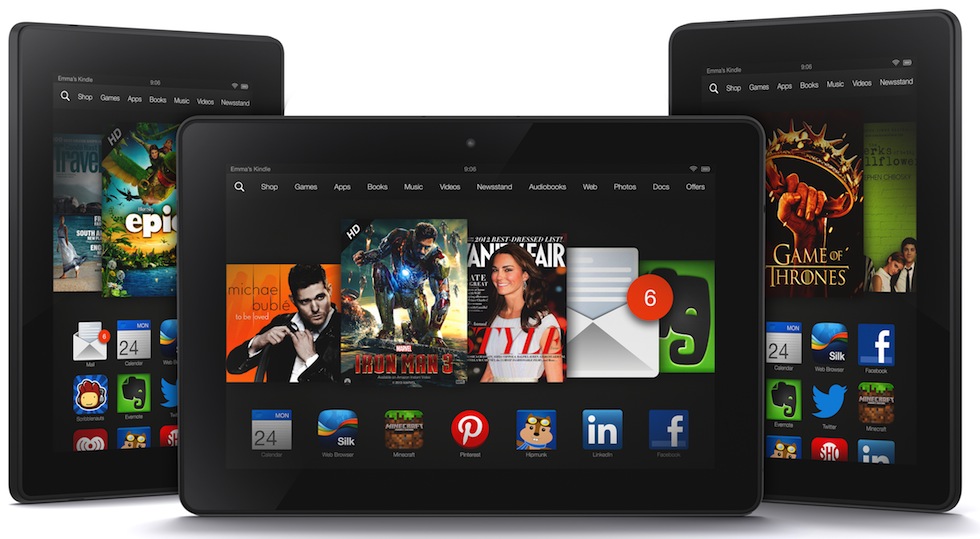
    Amazon is refreshing its line-up of tablet computers with new devices called Kindle Fire HDX, which are significantly faster and lighter than the previous generation.

    The 7-inch and 8.9-inch versions also have sharper, more colorful displays than older models, and both have more pixels per inch than the latest iPad.

    The Kindle Fire HDX is a 7-inch slate with a 1920×1200 pixel IPS display, a quad-core Snapdragon 800 processor, 2GB of RAM, 16-64GB of internal storage and dual-band WiFi. Battery life promises to be 11-17 hours.

    The Kindle Fire HDX 8.9 boasts a 2560×1600 pixel IPS panel with the same Snapdragon 800, 2GB of RAM and 16-64GB storage counts. Battery life is a robust 12-18 hours.

    The two tablets differ in size and weight, but they’ve both been redesigned with magnesium bodies, similar to that of the Surface RT. The smaller slate has a front-facing 720p camera, while the larger sibling sports the same alongside a rear 8MP shooter.

    The Kindle Fire HDX 8.9 really is the belle of the ball here, with a slim 7.8mm frame and a weight of 374 grams, only slightly heavier than the iPad mini.

    New features in the Kindle’s OS are aimed at making downloads quicker and making it easier for folks to use their Amazon content across devices.

    The Kindle Fire HDX also comes with a new feature called “Mayday,” which provides Kindle users one-click access to technical support. According to a commercial for the feature on the company’s Web site, tapping the on-screen button will immediately connect users with a live technician over video chat.

    Amazon also unveiled new “origami covers” that lie flat when closed over the screen but can be folded and snapped into place as a stand that works both in horizontal and vertical position. They’ll come in seven different colors and be sold separately for between $45 and $70.

    The 8.9-inch Kindle Fire HDX starts at $379 US for 8 GB of memory, while the 7-inch starts at $229 US also with 8 GB. Buyers can pre-order starting Wednesday. The 7-inch will ship Oct. 18, while the 8.9-inch will ship starting Nov. 7.

    Indian pricing and availability should be announced soon!

  • Fake iMessage App For Android Surfaces, Raises Security Concerns

    Fake iMessage App For Android Surfaces, Raises Security Concerns

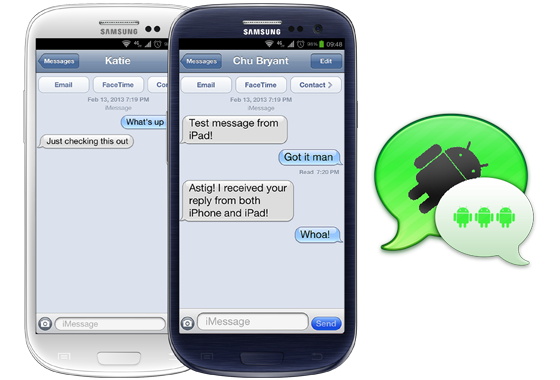
    There’s something fishy about this iMessage app for Android, and it’s not the fact that it’s using an outdate iOS 6 skin. While that should be a first warning sign, the reality is that the app, which recently appeared in the Google Play Store, is the work of a third-party developer. It by no means provides official cross-platform access to Apple’s popular messaging service.

    9to5Mac reports that scrutiny of the .apk file – the form the program takes outside the Play Store ecosystem – suggests that there is a serious potential risk to personal data. The app works by using the developer’s own server as a proxy to spoof messages into appearing to come from an iPad Mini, thus bypassing the strict “Apple Only” nature of the iMessage protocol. However, in doing so, it means that the developer has access to all of your message data.

    People that have tried the app reported varying results – some report that they can only message other Android users, while others have only some Apple contacts.

    In addition to these security flaws, the iMessage app requires you to sign in with a working Apple ID. As you probably already know if you have one, your Apple ID stores payment information and personal data, and serves as your gateway into a number of Apple services.

    The iMessage for Android app is available as a free download in the Google Play Store and is by a developer called Daniel Zweigart.

  • HTC Facing One Mini Casing Shortage

    HTC Facing One Mini Casing Shortage

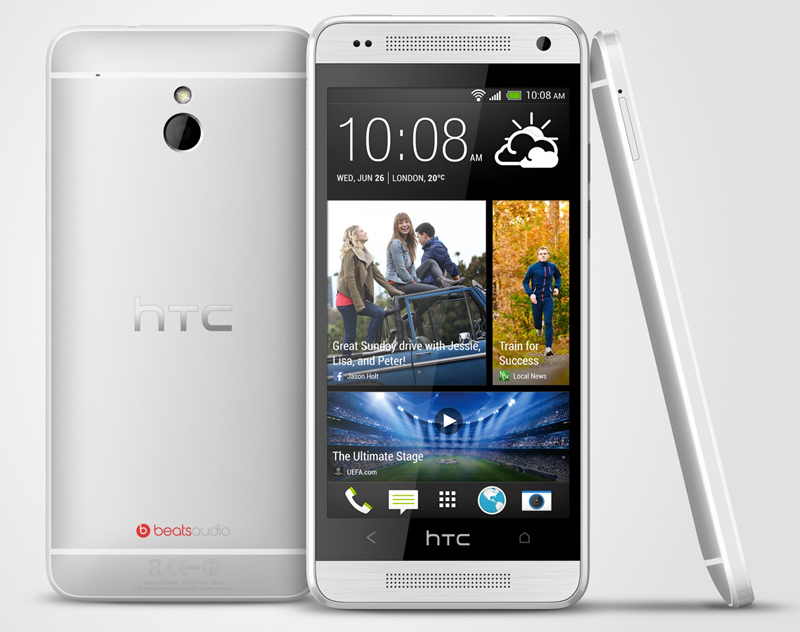
    The HTC One mini was announced earlier this year, but it seems that HTC might be running into some issues with regards to the production of the casings for the handset, which some believe has led to poor third quarter sales for the company.

    According to Reuters, HTC is facing a One Mini casing shortage – reportedly linked to “design difficulties. HTC experienced a similar issue with the full-sized HTC One earlier this year. Back in March, the company couldn’t procure enough camera sensors and metal frames for the device, which ended up launching later than expected. That delay meant HTC couldn’t get a sales jump on the then-upcoming Samsung Galaxy S4.

    If you’re thinking that HTC has to ship millions of One Mini units, and that’s why it can’t produce enough of them, it’s not: some analysts estimate that only around 200,000 units are being shipped monthly.

    The third quarter of the year ends next week, with the report expected in October, so we’ll see just how bad of a time HTC is actually having.

    [Via]

  • Apple Updates iMacs With Haswell Chips, Faster GPU

    Apple Updates iMacs With Haswell Chips, Faster GPU

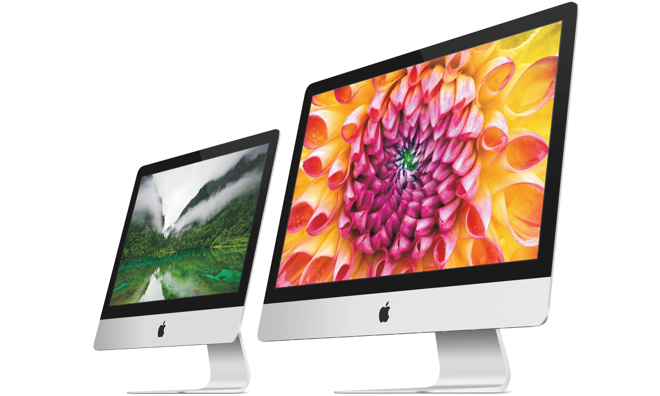
    Apple today announced a refresh to its iMac lineup, which adds Intel’s new Haswell processors, next-gen Wi-Fi, and more.

    The base 21.5-inch model will most likely sport the quad-core Core i5-4570R (2.7GHz base clock, turbo up to 3.2GHz with Iris Pro graphics), and the top of the line 27-inch SKU bringing what is likely the Core i7-4771 (3.5GHz base clock, turbo up to 3.9GHz). 

    The faster 802.11ac Wi-Fi (also known as Gigabit Wi-Fi) paves the way for up to three times faster wireless data transfers compared to the previous generation. Apple of course recently updated its AirPort wireless appliances with 802.11ac compatibility.

    Due to the new PCIe-based flash storage (also found in the mid-2013 MacBook Air), Apple says the iMac’s optional Fusion Drive (a HDD + SDD combo) is now up to 50 percent faster than the previous generation.

    iMac comes standard with 8 gigabytes of memory and a 1-terabyte hard drive, and customers can choose to configure their iMac with up to 32 gigabytes of memory and up to a 3-terabyte hard drive. iMac also comes with two Thunderbolt and four USB 3.0 ports for connecting to external storage and other high performance peripherals.

    On the graphics side, the top spec gets a decent upgrade, with the Nvidia GTX 780M offering higher clock speeds and more RAM over its predecessor, the GTX 680MX. On the low end, we see Intel’s own Iris Pro integrated graphics take the place of Nvidia’s GT 640M, a good indicator that Intel’s graphics efforts are making inroads on lower specced machines. 

    The new iMacs ship with Mac OS X Mountain Lion. Indian pricing and availability will be announced soon!

  • BlackBerry : BBM App Won’t Relaunch This Week

    BlackBerry : BBM App Won’t Relaunch This Week

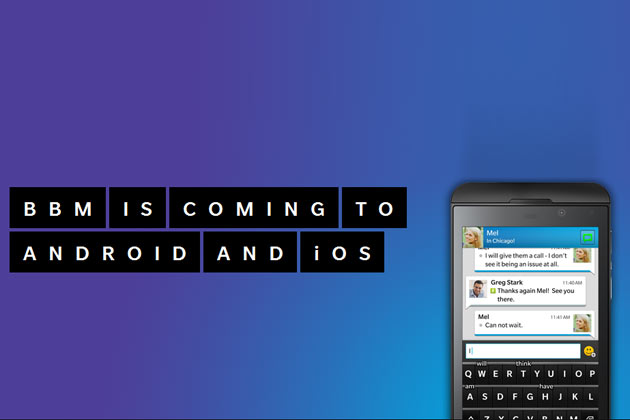
    BlackBerry has provided an update to the millions of eager BlackBerry Messenger users who are waiting for the app to arrive on both iPhone and Android.

    The app was successfully launched on iPhone in several countries on time on Saturday, but the Android version was met with difficulty and never arrived. Many Android users resorted to install leaked and “unreleased, older version” from various file sharing sites that apparently “resulted in volumes of data traffic orders of magnitude higher than normal for each active user and impacted the system in abnormal ways.” BlackBerry then paused the launch on both platforms. The app had been installed over 1.1 million times.

    Andrew Bocking, head of BBM at BlackBerry, took to the company blog and informed the masses that “the team is now focused on adjusting the system to completely block this unreleased version of the Android app when we go live with the official BBM for Android app. We are also making sure that the system is reinforced to handle this kind of scenario in the future.”

    As for a release of BBM for iPhone and Android? Well, nothing concrete from BlackBerry. Bocking noted that getting BBM to operate as it should is not a “simple task” and “will take some time and I do not anticipate launching this week.”

    [Via]

  • App Review : Paytm

    App Review : Paytm

    For quite some time now, Patym has been one of the best websites in India as far as online recharging goes. Naturally, when they came out with an application for mobile recharging, it was met with high expectations. Does it live up to the brand name? We find out.

    Compatibility : iOS, Android, Windows Phone and Nokia Asha

    File Size : 2.3MB For Android, 4.9MB For iOS

    The User Interface of the applications clearly follows on from the website. Three colours dominate the app windows, Blue, Yellow and Grey. The application isn’t cluttered and is easy to use and navigate, even for beginners. 

    paytm

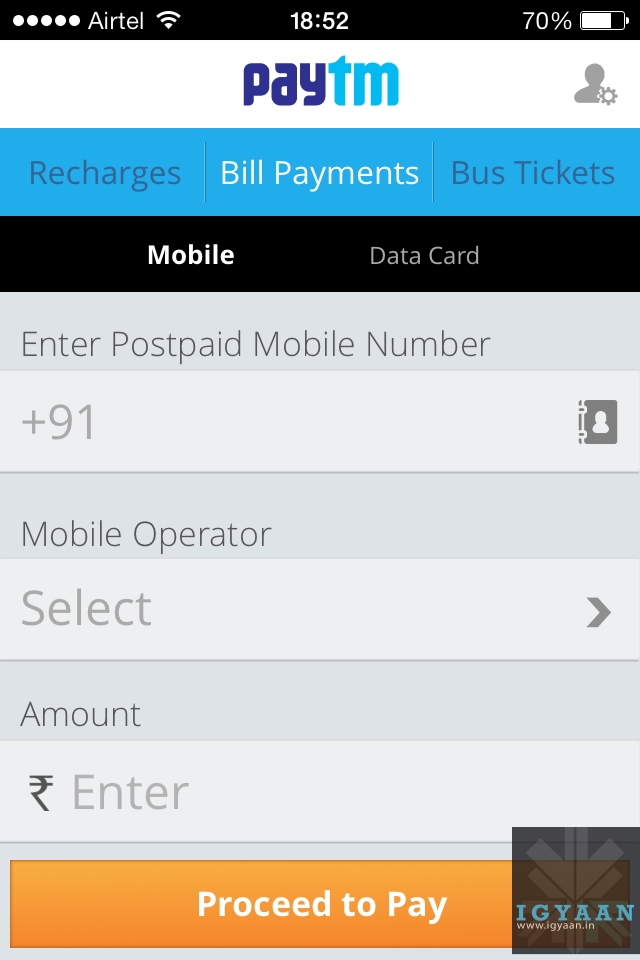
    As soon as you open the app, you’re met with the home screen which asks for your number and automatically detects your carrier and circle.

    A bar at the top has 3 toggles, Recharges, Bill Payments and Bus Tickets. Recharges are further categorized into Mobile, DTH, Data Card and Toll Card.

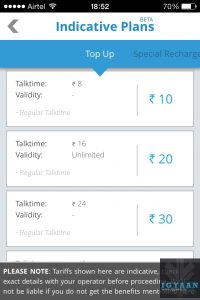
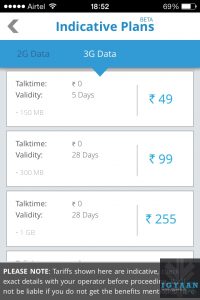
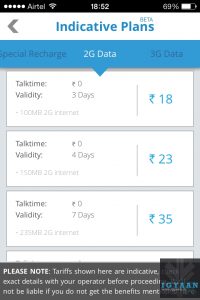
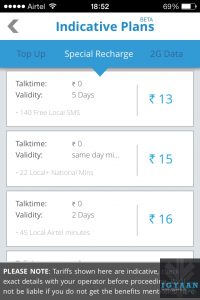
    For mobile recharges, Paytm has an impressive array of recharge packages. You can either entire the recharge amount yourself or go to the Special Recharges tab that provides you with various recharge options divided into 3G data, 2G data, Top-Ups and Special recharges that contain minutes packs and tariff reduction packages. 

    The drawback however, is that it does not offer the entire catalog of recharges that you would find at your local telecom shop.

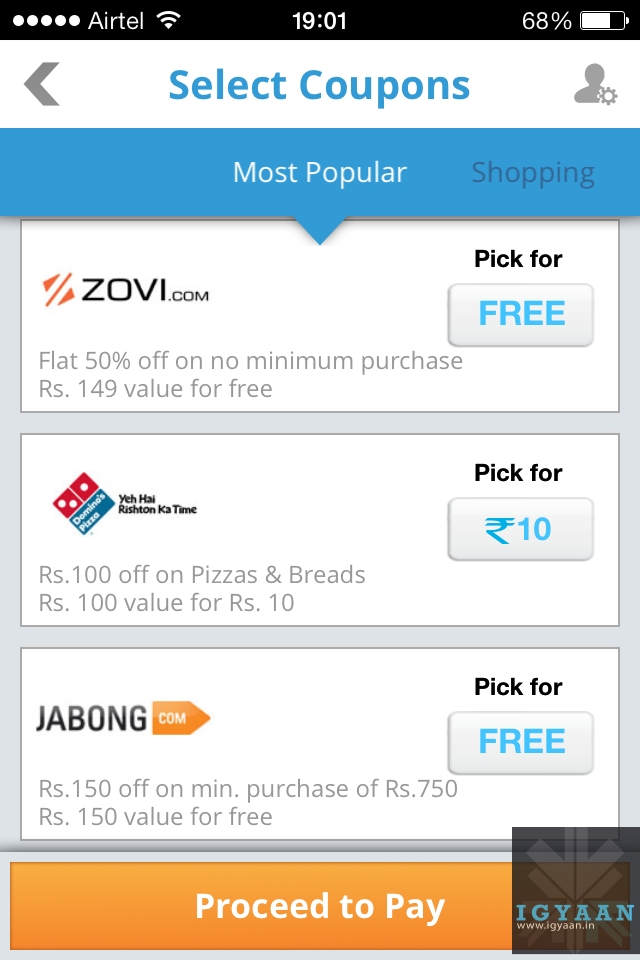
    Recharging is a simple process. Select your recharge amount and you’re taken into a tokens page from where you can select various coupons to choose from as a special bonus. The coupons range from eatery joints to clothing brands, both free and paid.

    paytm

    After you select a coupon or skip, you’re taken into the payments page where the app connects to the payment system that offers support for most credits cards and several popular banks for direct transfer.

    If the payment goes through, you get notifications in the form of an SMS and an email. You can also store money in the app itself in the form of Paytm cash that can be used to recharge later. This is helpful as you do not need to carry your card with you at all places in order to recharge your accounts.

    One thing to note however, is that the payment gateway opens up in an inbuilt browser that is somewhat choppy. It fails to establish connections from time to time which can be irritating for most.

    The application offers recharges for most telecom operators across the country and within all the circles, making this app useful for any and all prepaid and postpaid users.

    Conclusion : The Paytm app certainly lives up to its website standards. While the app itself, with a clean and easy to use UI, is nice, it would certainly have been better had their been more recharges available to the user. 

    What do you think? Which app do you use for mobile recharging? Let us know below!

    Developers’ App Description

    Paytm is the most preferred partner for prepaid mobile recharges, DTH recharges, postpaid bill payments and bus ticket booking in India. It is truly the fastest way to do recharge, in under 10 seconds, via Paytm Cash; our virtual wallet. In addition to the awesome recharge experience, Paytm provides the best in class customer care service with unwavering trust and support to keep customers 100% satisfied and always charged.

    Download Paytm now and get the best online recharge and ticket booking experience on your iPhone.

    What we offer:

    * All payment options – credit card, debit card, net banking and IMPS as well
    * Prepaid recharge and Postpaid payment on ALL major operators
    * Data Card Payment available on ALL major operators
    * DTH Payment on ALL service providers
    * Toll Card Recharge service (Currently only for the Delhi-Gurgaon Expressway)
    * Landline payment option on select service providers
    * Latest prepaid and postpaid plan offers for Topups, SMS, Data (GPRS 2G and 3G) packs
    * Bus ticket booking covering over 1200 operators across the country
    * Exciting discount coupons with each recharge! The best ever.


  • BlackBerry BBM For Android, iPhone Released

    Most users now will be able to install BlackBerry’s iconic BlackBerry Messenger (BBM) app on their Android devices and iOS devices starting today.

    It’s been a long wait for the BlackBerry Messenger service to go cross platform, but after months of anticipation BBM for Android and iPhone apps will go live today.

    “BBM for Android will be available at 12 pm on Saturday 21,” an official statement from the company confirmed in the run up to the launch. The BBM Android app will be available as a free download and allow users to chat for free with follow BBM users across all platforms. The first time BBM will have been made available to none BlackBerry handset users, the BBM Android app will precede the BBM iOS app by a matter of hours, with the iPhone bound iteration to be rolled out just after midnight. 

    It’s features include everything you’ve come to expect from the program: traditional instant messaging, group chat for up to 30 people, and user profiles.

    In order to use the app, you will need to signup for a BlackBerry ID, which will only take a few minutes. Signup is done through the app once its installed. For those concerned about privacy, you’ll be happy to hear that BlackBerry will assign you a PIN and you will not need to disclose your phone number or email to anyone in order to begin messaging.

    For millions, the app will be a matter of nostalgia. There are a large number of Android and iPhone users who have owned a BlackBerry at one time or another.

    If you can’t see the app on your App Stores yet, wait for a few hours!

    Note : As many of our followers have notified us, there are a lot of fake apks floating around, so be careful while installing the app. BBM for iOS has already been put up on the Australian App Store, so we expect other stores to follow suit soon!

  • Top 5 Free Android Browsers

    Top 5 Free Android Browsers

    Competition among browsers is more fierce than ever. Chrome and Firefox release 72 new versions every week for desktop versions, but their Android counterparts are equally, if not more competitive. As we all race to tablets and smartphones we’re being tempted with all kinds of alternatives to systems’ stock browsers.

    But which are the best browsers for you and your Android device? Let’s find out.

    1. Opera

    opera

    Opera comes with an interface that has been easily adapted from Desktop version to mobile UI. It rose to fame because of its data compression algorithms which work whenever the user requests for a page. Its powerful server will compress the data which will make the page will load faster and use lesser data.

    With the download manager, users can start, stop, resume, and rename media files. If you haven’t already, you can download Opera from the Google Play Store here.

    2. Dolphin Browser

    browsers

    This is one of the most popular and, at the same time, fastest browsers ever released for Android devices. It features tabbed browsing along with Dolphin Connect, it allows you to sync and send contents between your mobile and desktop browsers. . This browser is allows to enhance your browsing experience by simply installation of additional Add-ons.

    The way a user uses the Dolphin Browser HD is unique as most of the usage is gesture based and voice guided. The improved UI and the voice dictation service has propelled this browser in to the elite league. 

    You can download Dolphin Browser from the Google Play Store here.

    3. FireFox

    Firefox-OS-logo1

    Mozilla Firefox, we all are familiar with it’s good name and how it works. The features are pretty tight including smart tabs and a ‘hiding’ feature of the open tabs. The privacy options will be updated and Mozilla sync is fully functional.

    It is highly customizable as you can add Add-ons/ extensions, Awesome Screen functions that allows users to set favorite websites and an easy to use page. Awesome Bar is another great feature along with Sync functions that yo can use to Sync the mobile variant of Firefox with the Desktop variant.

    Sync function will bring all the bookmarks, history, passwords, bookmarks and opened tabs from your desktop Firefox browser and to your mobile Firefox app. 

    You can download Firefox from the Google Play Store here.

    4. Chrome

    android-logo-with-chrome

    Chrome Browser on PC is the most popular browser. and soon after its launch gained the same popularity on Android as well! 

    The app combined the desktop software’s varied abilities with a mobile’s agility. The user gets a very intuitive experience while using the browser, shifting screens and flipping through tabs. 

    You can enter your Google account details and sign it into your Desktop Chrome variant and then sing in into the mobile version and, every single thing will be automatically synced between both devices. Chrome for Android will not work with older Android phones and this might be a low-point.

    You can download Chrome web browser from the Google Play Store here.

    5. UC Browser

    browsers

    The main feature of this small browser is the ‘adaptable setup’ feature, which allows users to adjust their browsing styles and create separate configurations for multiple network connections.

    Some other great features of UC Browser for your Android device are these: Multi-touch support for gestures and commands, a download manager that allows you to grab files from all over the web faster. Quick Reads is another option that you can enable to grab RSS feeds. The other important functions you’ll find in UC Browser are: Vox – control the app using voice; AutoFill – it will show suggestions as you type a word in the address field; Night Mode – when enabled, it will offer you a better browsing experience in a dark environment.

    You can download UC Web Browser from the Google Play Store here.


    What do you think? Do you agree with the list above? Let us know in the comments section below!

  • HTC Butterfly S Unboxing and Initial Review

    HTC Butterfly S Unboxing and Initial Review

    A revamp of the HTC Butterfly, the new HTC Butterfly S builds along the same design strategy but adding features from HTC’s popular HTC ONE. 

    Curved to fit in the hand the new HTC Butterfly S has been splashed with a metallic finish making it resemble a “car paint job”. The color options for the handset are also not limited to two like last year, this year they include a white, a metal grey and a glossy red. 

    The HTC Butterfly S is packed with a lot of exciting elements including a 3200 mAh battery, a Qualcomm APQ8064T Snapdragon 600 chipset with a Quad-core 1.9 GHz Krait 300 CPU and the Adreno 320 GPU. The front has a beautiful IPS LCD 3 display of a 5 inch size and a full HD 1920 x1080p resolution and a layer of Gorilla Glass 3. The design and the materials used in the construction of the HTC Butterfly S show to a great extent what the thought process of the company is when they are building a handset. The HTC Butterfly S is not only functional but looks really good. 

    The new HTC Sense 5.0 on top of Android 4.2.2 improves on the Blinkfeed experience as well as the Camera features, including enhanced ZOE file management amang many other improvements. 


  • The Demise Of Cell Phone Form Factors

    The Demise Of Cell Phone Form Factors

    The scene (2005) : Three teenagers sitting together text away on their cellphones. A flip-phone, a slider, a-twist and use cellphone. 

    The scene (2005) : Three teenagers sitting together text away on their smartphones. A touchscreen candybar, another touchscreen candybar and a touchscreen candybar.

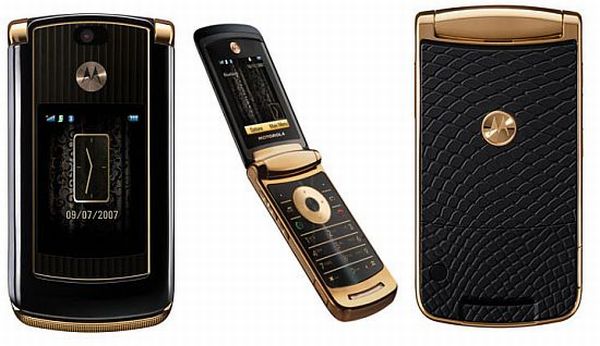
    Back in 2006, I had a Motorola Razr. It made calls and got texts, and did little else. It was thin and lightweight. It made a pleasing sound as it snapped open and shut. “Ooh, a Razr,” people would say, causing me to blush.

    form factors
    The MotoRazr remains the most iconic flip phone mankind has witnessed.


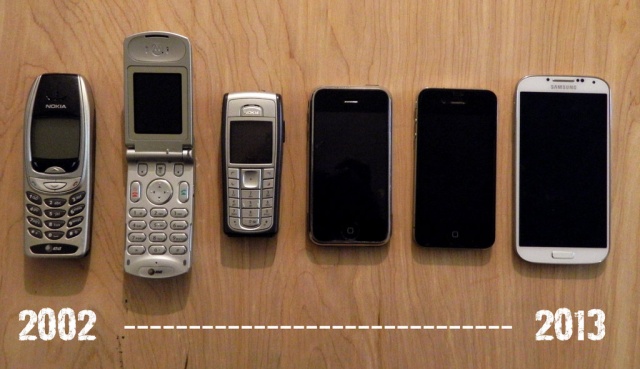
    Smartphones and feature phones back then came in many different shapes and sizes, and moving parts were in – displays that pivoted, swiveled, and twisted around, or keyboards that clumsily tucked under the display.

    It was all about which phone had the coolest features and the most unique form factor, not about brand, specifications or how big and dense the display was.

    After the introduction of the iPhone, the change of variety shifted from form factors to features themselves. Slowly, all premium devices shifted from their funky form factors to the boring candybar factor. 

    In a way, the choices today are more than there have ever been. Companies experiment with build quality and materials based on the same form factor. And there are four major mobile operating systems to choose from: Android, iOS, BlackBerry and Windows Phone. 

    But, the main thing we’ve been missing since the flip phone era is the satisfying THWACK! of ending a phone call. You just can’t hang up authoritatively with a smartphone. “Did you see that guy jam his thumb against his iPhone? Ooh, he must be mad!!”

    Slider phones too do not just remain the province of the elderly and the clueless. Increasingly, young, tech-savvy people may be wanting slider phones for that smooth transition to reveal the keyboard.

    If you’re feeling nostalgic enough to explore a potential purchase of these devices, I’m afraid I have some bad news : there aren’t many options available in the market. You might find the odd feature phone which comes in a variety of form factors, but it may not be what you need as far as features are concerned.

    Wearable tech may signal the next shift in form factors.

    We may yet be about to witness yet another form factor transition. One from the standard candybar to flexible smartphones, wearable technology. 

    Every other form factor is nearing extinction, if it hasn’t already.

  • Apple iOS 7 : The Good And The Bad

    Apple iOS 7 : The Good And The Bad

    While developers around the world have been running iOS 7 on their iDevices for quite some time now, commoners began receiving the much hyped and much awaited update last night. 

    We take a look at the good and the bad things that Apple has introduced in the new OS.

    The Good

    1. Multi-Tasking

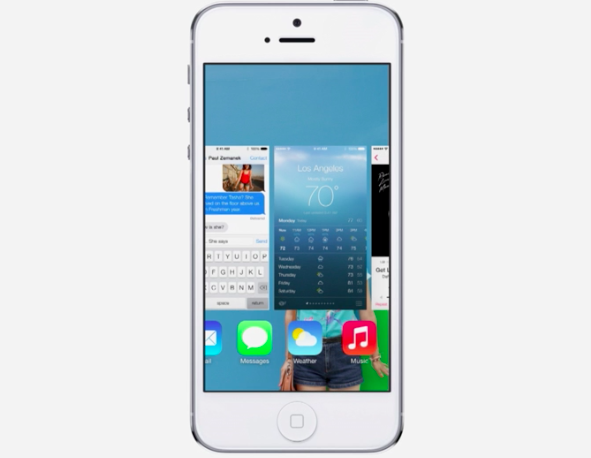
    In iOS 7, Apple has completely retooled the way multitasking (or switching between apps if we want to be a tad more precise) works. While beckoning the app switcher in iOS 7 remains the same — a quick double tap on the home button — the entire implementation has been completely retooled.
    ios 7

    Apps can now take advantage of full background multitasking but as always, you don’t have to close apps for battery saving reasons. Apple does a great job of freezing them in place so they don’t suck up your battery life.

    2. Control Center And Notification Center

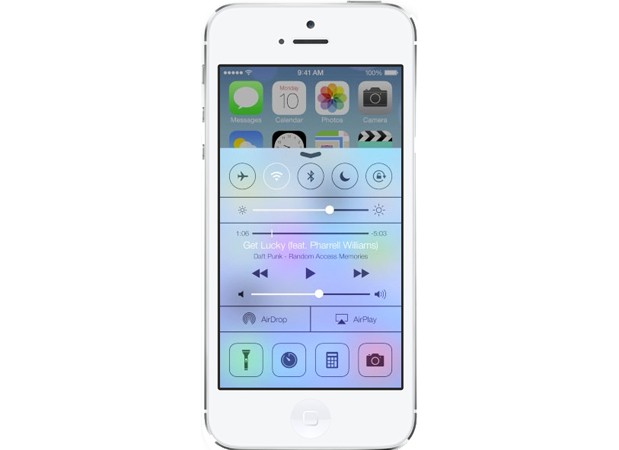
    The first thing each iDevice owner did after jailbreaking his/her device was to add shortcut toggles for simple utilities like turning WiFi on and off, Airplane mode, BlueTooth etc. Finally, Apple decided to incorporate this feature into the OS itself, with iOS featuring a brand new Control Center. 
    ios 7

    By flicking upwards from the bottom of the screen, you can enable or disable Airplane Mode, Wi-Fi, Bluetooth, and Do Not Disturb; adjust the volume and brightness; pause or play music; enable AirDrop and AirPlay; and quickly access your camera’s LED light (for use as a flashlight), timer, calculator, and camera.

    The Notifications panel also undergoes a makeover with it being divided into 3 categories. 

    3. AirDrop

    In iOS 7, not only can you quickly send photos, videos, and contacts using AirDrop, but just about anything from any app that has the share button (with the exception of music). The only problem is that it only works on iPhone 5 or later because of the chip architecture in the iPhone 4S. 

    4. Email Management

    Swiping right on an email in iOS 7 lets you delete the message, as always. But now it also reveals a “More” icon that you can tap to see more options, including the ability to move the email into a folder, mark it as unread or mark it as “junk.” With so many third-party apps vying to be your go-to iOS mail app, Apple seriously needed to beef up Mail—and it did, with this and other enhancements.


    The Bad

    1. Icons

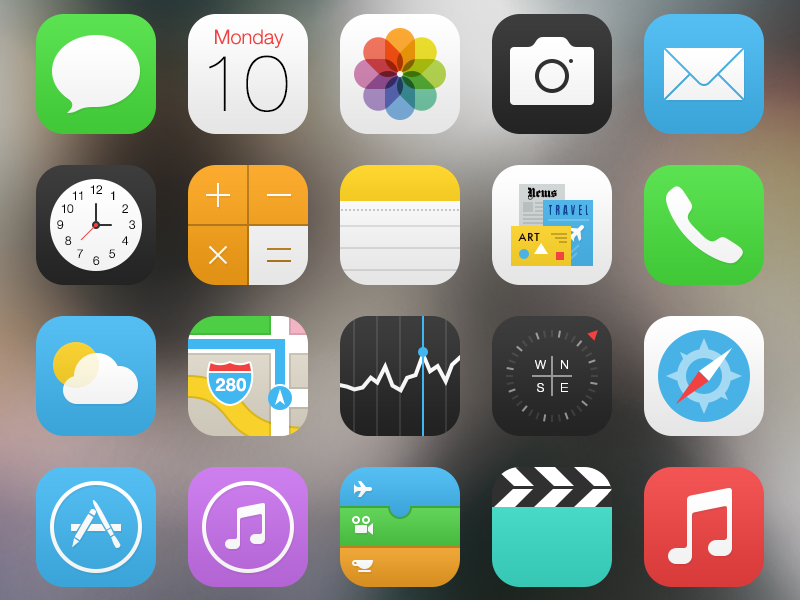
    When Apple gave the world its first glimpse of iOS 7 in June, professional designers and ordinary iPhone users alike were struck by the radical visual changes that the company had made to its signature mobile operating system. While Apple touted the brighter, flatter, and simpler design as the “biggest change to iOS since the introduction of the iPhone,” members of the design community denounced the new interface as “ugly,” “childish,” and “inconsistent.”
    ios 7

    At the center of the criticism were iOS 7’s new home screen application icons, whose lush, metaphorical designs were replaced by colorful, geometric abstractions. Safe to say they aren’t pleasing everyone.

    2. Rough Installation

    After downloading iOS 7, it took us six tries to actually install it. Granted, we attempted to install the OS the day of its release, late in the night—which was probably peak time for Apple’s servers. But we still think Apple should have been able to predict the demand and been better prepared. 

    3. Siri

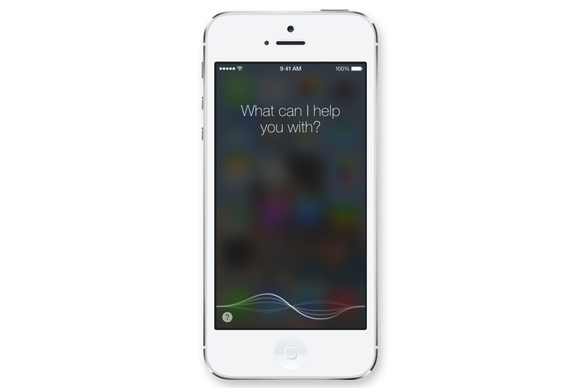
    Siri continues to get better, it’s still nowhere near being a feature that won’t frustrate you more than help you.
    ios 7


    Many times, it won’t be able to connect or won’t have an answer, and anytime it can’t help you quickly, it ends up taking up much more of your time as you dig through the phone to find an app you realize you should have opened in the first place. 

    4. Awkward Contrasts

    When Apple showed off iOS 7 in June, it was pretty proud of how the new icons seemed to float above the background wallpaper to create an almost 3-D effect. In real life, the interaction between iOS 7 and the screen background is challenging at best. Because groups of apps stored together no longer are set off with a black background and white border, they adapt to the wallpaper colors behind them.

    The results are mixed. Sometimes, you get offsetting contrast, sometimes you don’t. Worse still, the white text is often not so easy to read against the background, because the new font is thinner. You may find yourself experimenting with wallpapers to get it right.


    What do you think? Which features impressed you the most and which made you flinch? Let us know in the comments section below!
  • LG 32LN5650 ‘Jazz’ LED TV Review

    LG 32LN5650 ‘Jazz’ LED TV Review

    One of the common complaints that users have with LED TVs is the weak sound. Because of the slim design, most LED TVs do not have powerful speakers. However, LG’s Jazz series of TVs have been known for loud sound. The new addition to the series for 2013, the LG 32LN5650, further improves the sound and built in features.

    With a total of 90W RMS output power, the volume level of the LG 32LN5650 is unbelievably high for a flat screen TV. The 32-inch panel offers good viewing angles with great clarity. The only letdown is that it has a resolution of 1366 x 768 pixels (HD ready). Otherwise the display performance is impressive — sharp details, good black levels and good brightness. 

    USB media playback on the LG 32LN5650 is top-notch with support for major audio and video file formats including MKV, in addition to full subtitle support. The interface is clean and, most importantly, lag free as well.

    The LG 32LN5650 is available in the market for about Rs 37,000.

    [youtube id=”XzqJeGxVzWk” width=”100%” height=”300px”]

  • GTA V Limited Edition PS3 Unboxing and Game Play Demo

    GTA V Limited Edition PS3 Unboxing and Game Play Demo

    Grand Theft Auto fans breathed a collective sigh of relief when Rockstar Games finally unveiled the release date for 2013?s most anticipated game, Grand Theft Auto V.

    We received our Special Edition GTA 5 this week and as promised, we got working on the unboxing and game play demo.  The game, which will initially only be released for the Sony PlayStation 3 and Microsoft Xbox 360, is priced at Rs. 2,999, with fans having to dish out Rs. 3,999 for the special edition. Those who pre-ordered were offered freebies to sweeten the deal – including a GTA Double-Sided Poster, Metallic V Locket and Atomic Blimp DLC.

    In a bold departure for the series, GTA V will split its narrative evenly between three very different protagonists. 

    • Micheal :  Rockstar is looking to retired former criminal Michael, Grand Theft Auto V’s lead protagonist, to explore the narrative of a man at his breaking point with everything and nothing to lose. In his early forties, he’s older than your average GTA star, and better off too, living in luxury with his family in well-to-do Rockford Hills, Los Santos’ equivalent to Beverly Hills.
    • Trevor : Whereas Michael is established and living the high life Trevor is stuck in a trailer park. He’s unhinged and untrusting. Trevor has a more reckless and impulsive personality than that of Michael’s, and this we’ve already seen that his headstrong ways are the source of much conflict between the main characters.
    • Franklin : Franklin lives in South Los Santos and is the most traditional protagonist of Grand Theft Auto V’s trio, ex-street gangster who’s always looking for new opportunities. Rockstar’s Dan Houser describes him as a “gang-banger in the post gang-banging world”. Aware that he’s on a fast-track to nowhere, Franklin associates himself with Michael and Trevor in the hope that they can teach him about the world of ‘real’ crime.
  • Nvidia Tegra Note Prototype Introduced To Model Future Tablets

    Nvidia Tegra Note Prototype Introduced To Model Future Tablets

    Nvidia has announced an Android tablet prototype called the Tegra Note that it claims is something special.

    Marketed as a tablet design rather than as a direct to market offering, the Nvidia Tegra Note is a prototype for Android tablets to be built by Nvidia OEM partners around the world.

    NVIDIA says that Tegra Note tablets will be available starting at $199. The seven-inch IPS display with a resolution of 1280 x 800. The tablet has a five-megapixel rear camera and a VGA resolution front camera. 16GB of storage is included onboard and the tablet features a microSD card slot for additional storage expansion up to 32 GB.

    The main attraction of the Tegra Note is its support for Nvidia’s DirectStylus technology, which lets users create pressure-sensitive pen strokes with a basic passive stylus. The Tegra 4 GPU can also apply image processing to tell the difference between fingers, palms and various stylus tips. Essentially, Nvidia is trying to mimic the benefits of active digitizer tablets, such as Samsung’s Galaxy Note, without the added cost of the digitizer.

    Nvidia’s TegraZone gaming will naturally be supported, meaning games that support it can include enhanced visual effects you won’t see on competing devices. It also supports a variety of game controllers for easier gaming than using the touchscreen alone.

  • YouTube To Add Offline Video Playback To Its Mobile Apps

    YouTube To Add Offline Video Playback To Its Mobile Apps

    Aside from background playback — the ability to turn off the screen and continue listening to content — the main drawback to YouTube on mobile is its inability to play clips without a network connection.

    Keeping on top of your YouTube subscriptions can be a pain without reliable cellular connectivity, as there’s currently no way to officially download videos for offline playback. That’s set to change in November, however, with the video site announcing that it will add the long awaited feature in an update to its mobile apps.

    Google posted that later this year it will scratch at least one of those itches, allowing ”people to add videos to their device to watch for a short period when an Internet connection is unavailable.”

    As the YouTube team says on its blog that viewers will be able to keep offline videos “for a short period”, with AllThingsD claiming that there will be a 48-hour window.

    This may seem like a minor update, but offline caching is becoming an integral part of the mobile experience, especially for those users who have limited bandwidth who want to preload music videos and other clips over WiFi before leaving on a morning commute.

    No word on whether background playback will be added at a future date, but we’re pretty excited for this development.

iGyaan Network
Privacy Overview

This website uses cookies so that we can provide you with the best user experience possible. Cookie information is stored in your browser and performs functions such as recognising you when you return to our website and helping our team to understand which sections of the website you find most interesting and useful.