Author: iGyaan

  • Microsoft Kills Nokia’s Android Smartphone Project

    Microsoft Kills Nokia’s Android Smartphone Project

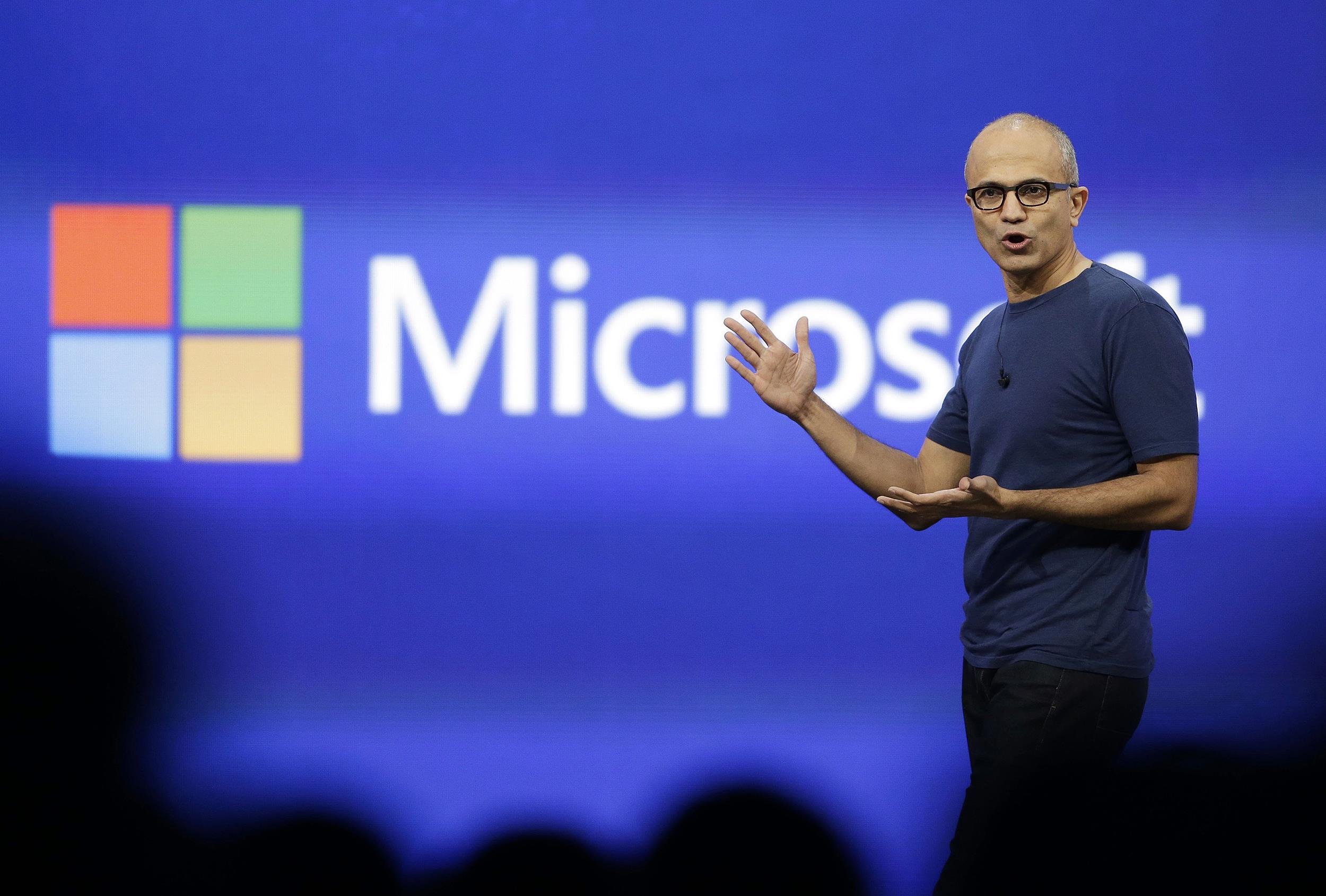
    In a recent mail to his employees, Microsoft’s CEO Satya Nadella announced that Microsoft would be reducing the size of its overall workforce by up to 18,000 jobs in the next year. In the same mail, he also said that Microsoft plans to shift ‘select’ Nokia X product designs to become Lumia products running Windows Phone.

    So why the change? In Nadella’s words, “This builds on our success in the affordable smartphone space and aligns with our focus on Windows Universal Apps.”

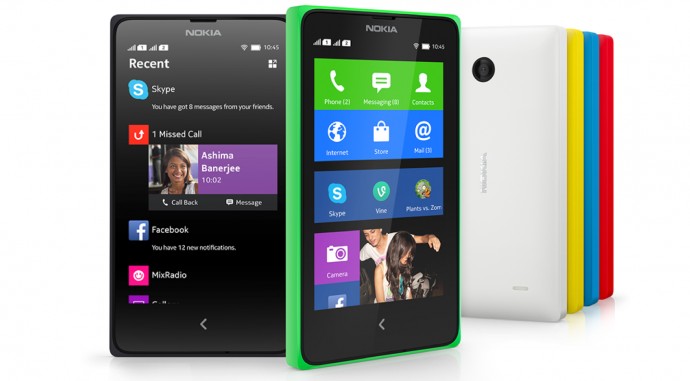
    You might recall, Nokia’s X phones promised to blend two operating systems, Microsoft’s Windows Phone and Google’s Android, into one that maintained the core functionality of Android while providing services and designs from Windows Phone. It was said to be lowly priced to target consumers in developing countries like India. The idea was that once Nokia X users became ready for higer-end phones, Nokia’s own Lumia lineup would be their first choice since they were already accustomed to Nokia services.
    Satya Nadella

    During the implementation, in order to keep Microsoft at the heart of the phone, Nokia X replaced many key Android services with Microsoft’s own. For example, Google Maps was replaced by Nokia’s Here Maps. This actually prevented a lot of Android applications to run on Nokia X devices. Developers had to rewrite many applications to get them working on the X. Further, the home screen on the X looked nothing like Android. Rather, it resembled the tile layout of Windows Phone.

    Nadella would like Microsoft to have a single, clear direction to progress, and the cancellation of the X lineup is a perfect example of that change in mentality. He and his company is shifting all his focus to Windows Phone.

    It is important to note that by killing the X lineup, Microsoft isn’t shifting its focus from developing countries. It realizes that emerging markets like India are a perfect target for its cheaper models. The only change is that now, these cheaper models will come with pure Windows Phone preinstalled.

    Another news for Nokia X owners is that Nokia will not be killing its support immediately. They have been put it into what Microsoft calls ‘maintenance mode’, which continues support, but ends any further development.

    By Pranav Arora

  • Samsung Enters The “Premium Audio” Market With Its Level Series

    Samsung Enters The “Premium Audio” Market With Its Level Series

    By Pranav Arora

    Premium headphones seem to be the craze right now. With artists like 50 Cent and Ludacris starting their own brand of headphones, the potential of this market seems to be sky high. Now if you are thinking this is just a move by Samsung to score some of Apple’s market share following the recent Beats acquisition by Apple, you may not be completely right. These headphones started their development long before the Apple-Beats deal had ever happened. Even the announcement took place in April. So no, this isn’t just a cheap shot at Apple.

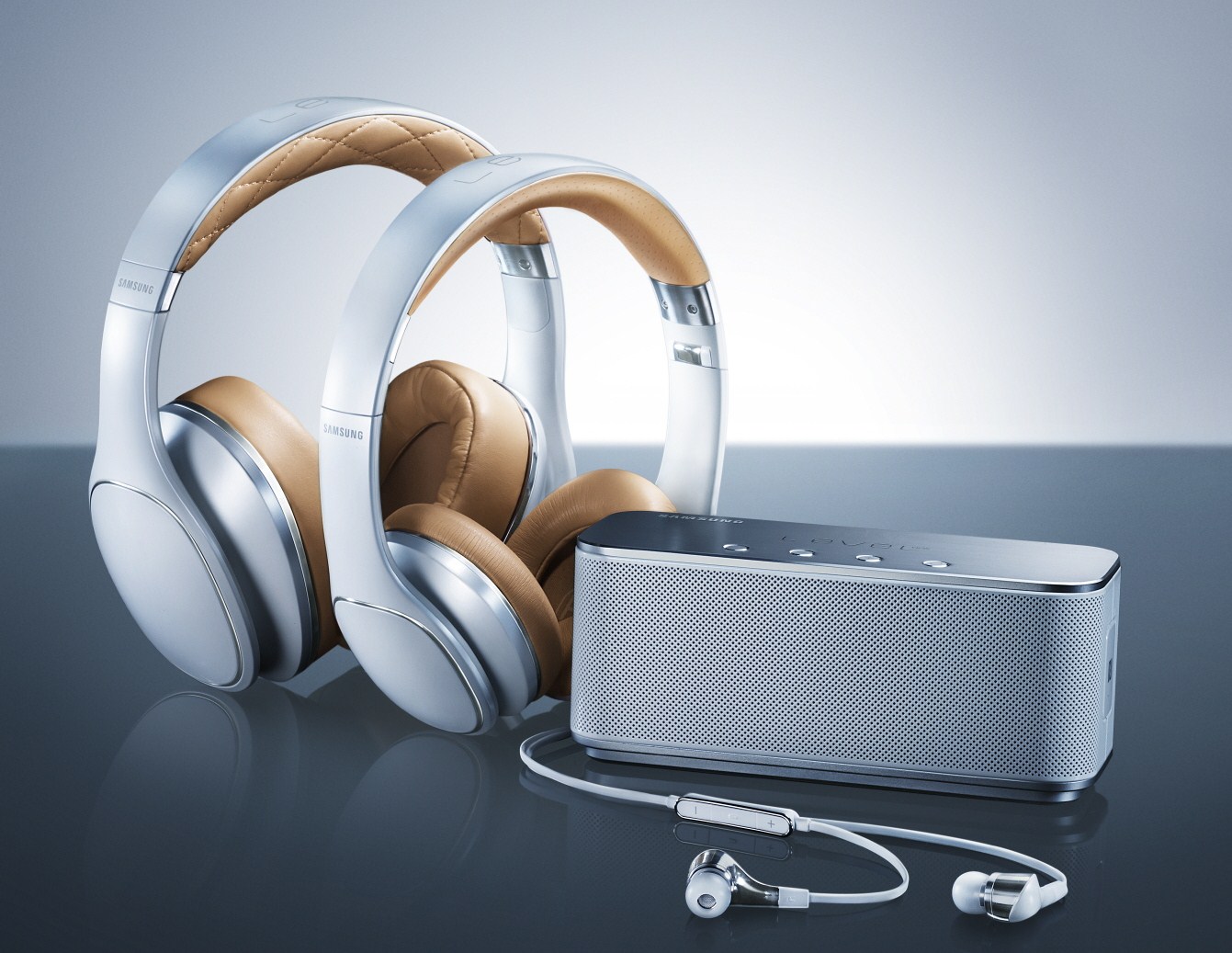
    Samsung Level 1
    Samsung’s Level series will take on the giants of Premium Audio business
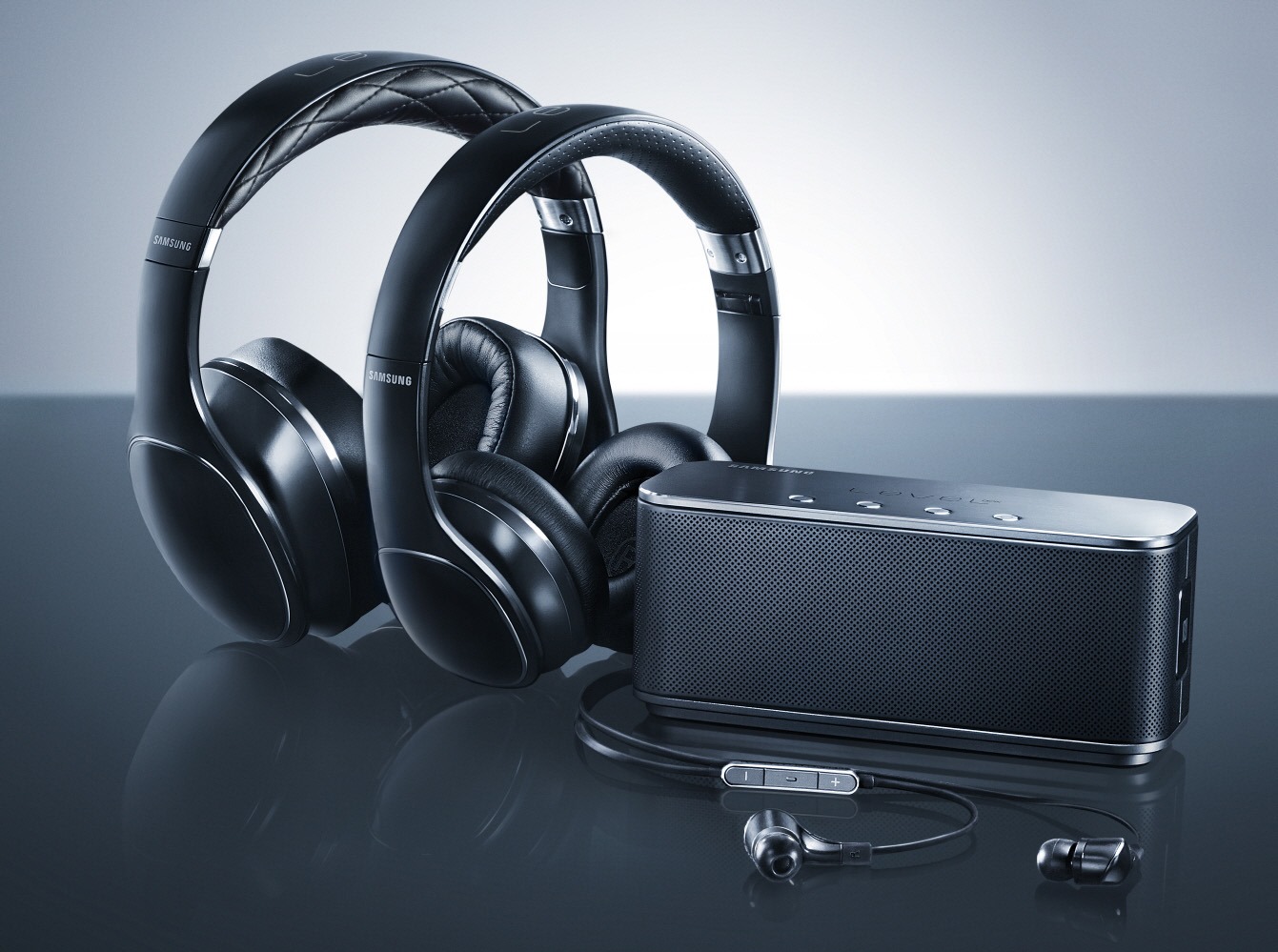
    Samsung Level 4
    Level Over sure appears massive on this model

    The headphones, on paper at least, look pretty impressive. The lineup is led by the Level Over (Over-ear) headphones, which are priced at $349.99. They feature 50mm drivers with neodymium magnets, to reproduce “deep, powerful and realistic sound”. These are Bluetooth headphones, so no more dangling wires. Other features include NFC pairing, Active Noise Cancellation, and touch panel controls.

    These are followed by the $179.99 Level On (On-ear) headphones, a set of foldable, wired cans that promise to deliver “powerful, clear, and pure sound.” These don’t come with the fancy Bluetooth connectivity, or the touch panel controls, but Samsung is hoping that their sound quality will make up for that.

    Moving further down, we have the Level In (In-ear) earphones, a pair of $149.99 earphones that aim to deliver “clear sound separation and rich, natural sound quality.”

    Samsung Level 2
    These look pretty impressive on the design front

    Finally we have the Level Box, a portable Bluetooth speaker, that aims to take on a vast array of competitors from Bose, Logitech, Jawbone and unsurprisingly, Beats. It is priced moderately at $169.99, and based on early reviews, delivers nicely in the design and performance departments.

    All these may seem good on paper, but Samsung still has a mountain to climb if it plans to trump the massive name that is Beats. It’s going to be pretty hard to sell a pair of headphones for $349.99 without the massive ‘b’ logo on them, and it seems like Samsung will have to use all of their advertising muscle that they’ve become known for.

    The Level Series looks like a good start, and we’ll just have to wait and watch how they sell. They’re currently only on sale at luxury store Gilt in the United States, but Samsung will surely expand to a wider market soon, as they have done in the case of their smartphones.

  • BlackBerry’s Personal Assistant is Here To Take On Siri

    BlackBerry’s Personal Assistant is Here To Take On Siri

    By Pranav Arora

    BlackBerry seriously needs to pull up its sleeves now. The smartphone market is slowly but surely being taken over by the three Silicon Valley giants – Apple, Google and Microsoft. BlackBerry needs to catch up. It needs to aim for the fourth position and give the market competitive alternative.

    To achieve this BlackBerry has decided to start with a personal voice assistant. Announced officially on the company’s blog, BlackBerry Assistant (BB Assistant) is the latest new feature that we can expect in the BlackBerry OS 10.3 launch. Taking clues from the top dogs of the game; Siri, Google Now and Microsoft’s Cortana. BB Assistant is BB’s own little assistant that lives inside your Blackberry smartphone.

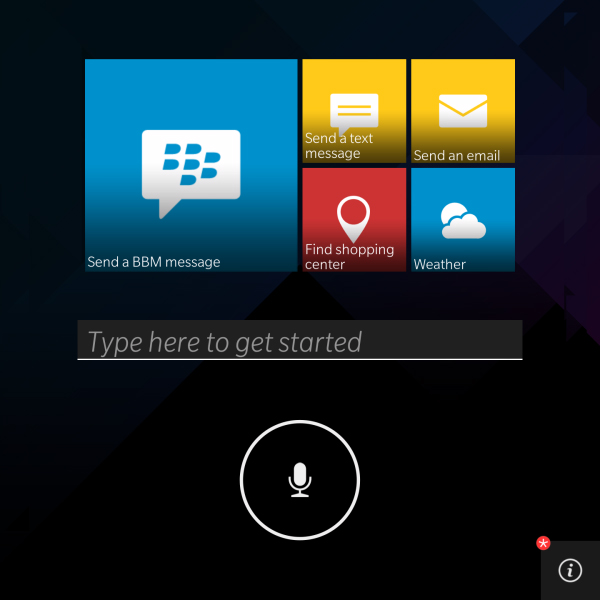
    The tiles design  remind you of Windows OS
    The tiles design reminds you of Windows OS

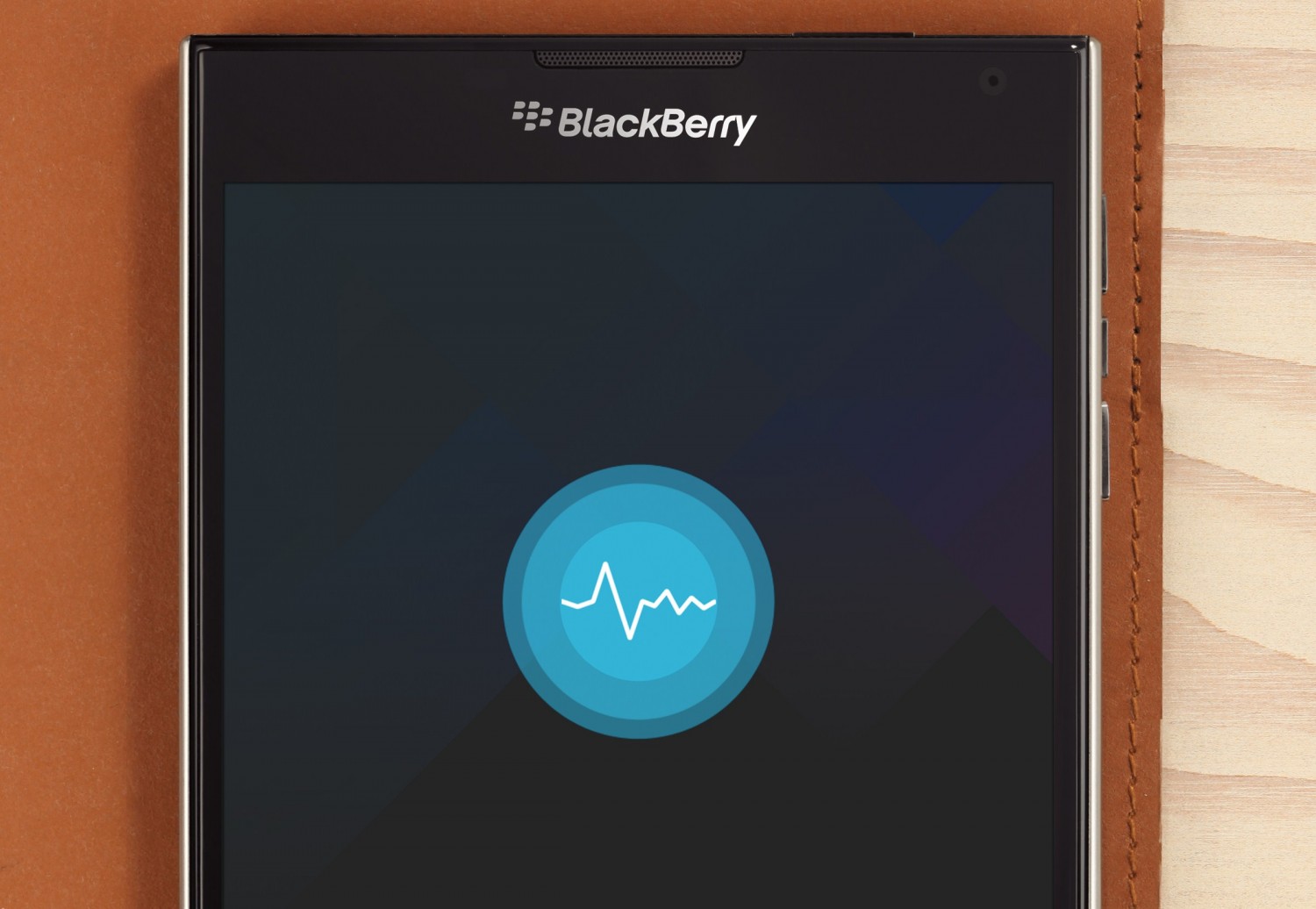
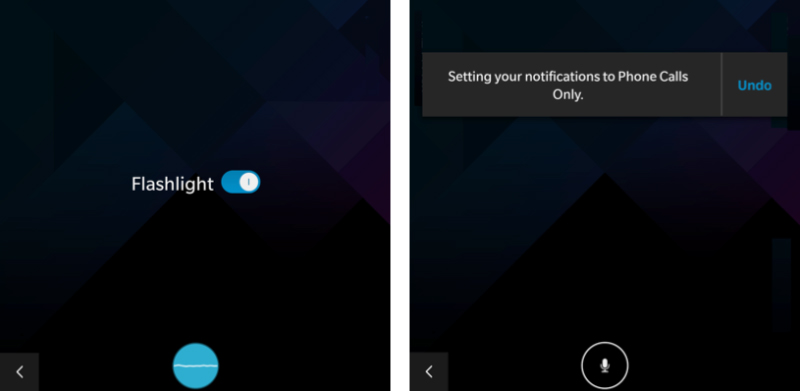
    In terms of design, it’s uncannily similar to the likes of Cortana and Siri. It appears as a small mic-in-a-cirle that pulsates when you talk to it. Along with it is a basic tile layout for other instructions and information. BlackBerry is going for the formal, business look that they’ve been known for, and it shows.

    BB3
    Blackberry claims BB provides all features provided by other Personal Assistants

    In BlackBerry’s words “the BB Assistant will keep you organized, informed and productive.” So what can it really do? While BB hasn’t released a full feature list yet, you can expect BB Assistant to do pretty much what we’ve come to expect from the dominant personal assistants. It can call people, send BBM/text messages, set reminders and alarms for you, read out and write emails and check Twitter trends if that’s your thing.

    Like Google Now’s latest feature, BB Assistant will be in an ‘always on’ state which means; you can trigger it through a voice command without actually closing the application you’re in. Pretty neat. BB also claims that it’ll get better with multiple usages, by learning your habits and needs.

     This is clearly not a new feature by brought out by BlackBerry. They’re not even trying to promote it as new. The other competitors have had quite a bit of a head start. But as an attempt to catch up, BB Assistant is not a bad attempt in any way. Things might get better for BlackBerry. They really need to.

  • iGyaan is Hiring : Work With Us

    iGyaan is Hiring : Work With Us

    iGyaan is a growing community, and at the very end we hold nothing but your love responsible for it. Today at the very end of 3.5 years of existence iGyaan is one of India’s largest community and we continue to grow. We have few positions open for our expansion plans so if you think you fit the bill below hit us a hello.


    Note: Full Time positions will require Graduation as a minimum requirement in respective cities, with their results already out. Minimum age for application is 18. Do not apply if you do not fit the criteria for requirement.

    Positions Open

    1. Copy Editor: Full Time : New Delhi :

    This individual will be responsible for churning out editorials, ensuring that content from every other writer is going out in quality as per iGyaan Guidelines. Ensuring the right news is getting covered and everyone is delivering their quota. Applicants with previous work experience will be preferred. Command over english, and previous writing experience is a must. Should be able to churn out 2000-3000 words daily apart from proofing. Areas of writing : Technology : Research : Automobiles : Development : Industry.

    2. Features Writer: Full Time Internship : New Delhi : Mumbai : Pune :

     If you are based in any of the cites mentioned, and have English as a main subject in your degree, you can apply. Previous work experience will be preferred, and a devious interest in technology along with out of the box thinking will do wonders for your position. Ability to type minimum 2000-3000 words daily along with basic photography skills. Areas of writing : Technology : Automobiles.

    3. Features Writer: Part Time Internship: India : Sydney : New York : London : 

    If you are based in India, or any of the international cities listed you can apply for this position. This position will cover news from around the world, and events at respective cities. Submissions will  be daily, and the applicant must have the ability to type minimum 2000-3000 words daily. Areas of writing : Technology : Automobiles.

    4. Marketing, Social and PR : New Delhi : Full Time. 

    This position is in New Delhi only, Applicant must have experience in this domain and should have excellent command over english. Graduates only, with English or Marketing backgrounds. Handling Social Accounts, clients and PR activities will be a part of the job descriptor.

    5. Video Camera : New Delhi : Full Time Internship

    No, not the traditional camera types, we do new age work at iGyaan and would love some young video lovers and camera handlers to get on board. If you can handle a DSLR for video, you will love working with the gear we have. Hit us up if you are open for a full time internship in New Delhi. You will love working in our environment. 

    6. Video Editing :New Delhi : Full Time Internship

    If you breathe words like Final Cut, Premiere Pro and Sony Vegas, if snapping, aligning and grading are in your daily lingo. iGyaan is the place to be. We are looking for fresh minds, with a need of learning and a desire to do more.If you can chop and skew videos like eating breakfast hit us up.

    How to Apply.

    Drop in An Email to [email protected] with subject as  : Apply – “Job tittle”. Replace “job title” with the post you are applying for. Include a cover letter, CV and previous writing experience where applicable. Also include your certifications and credentials along with a Photo ID. If we like your email we will get back to you. If you don’t hear from us, you probably don’t suit our requirements and may apply at a later stage.

    Best of Luck!


  • Pros and Cons of Buying a Google Chromebook in India

    Pros and Cons of Buying a Google Chromebook in India

    -By Rohan Naravane

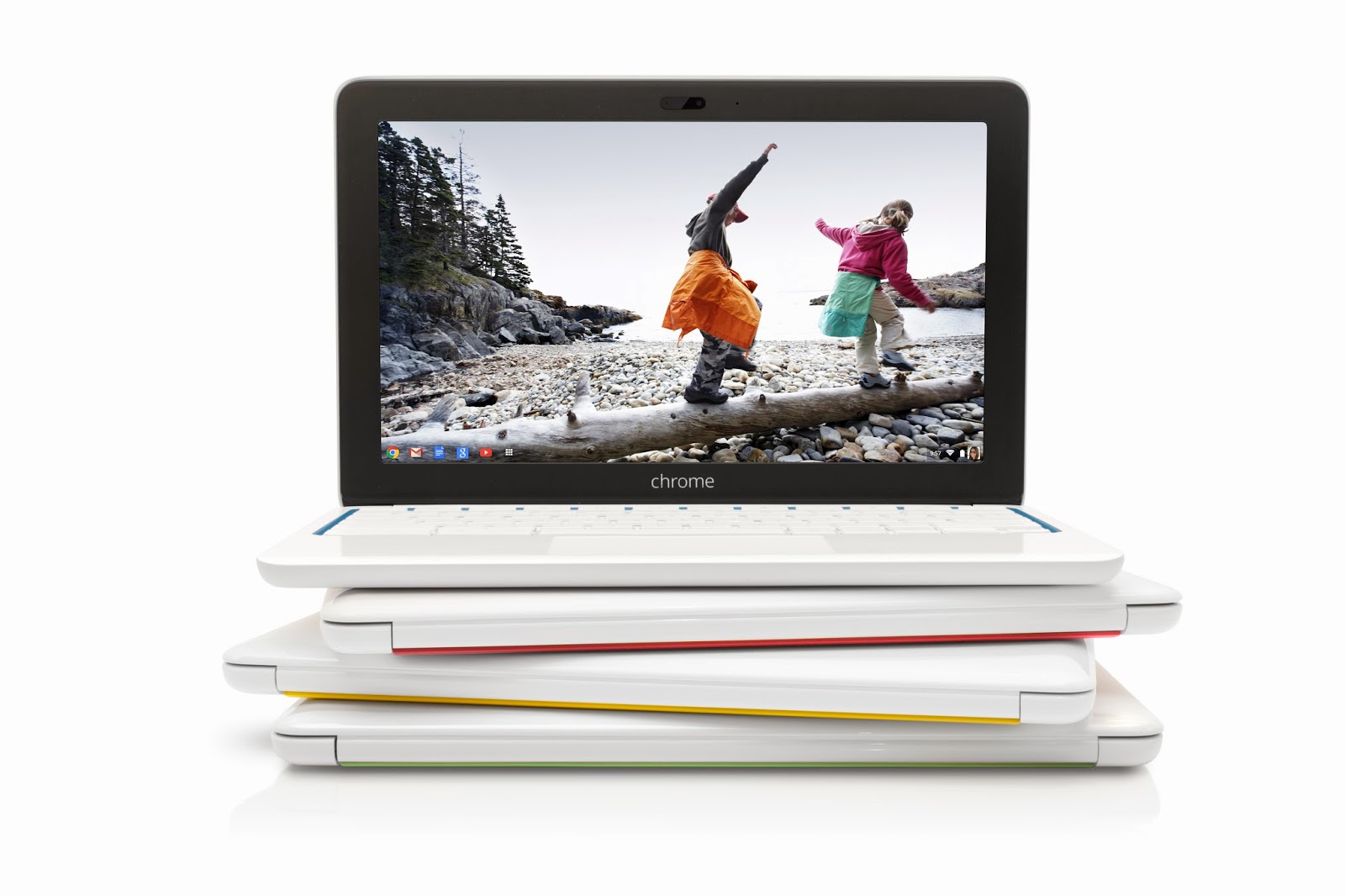
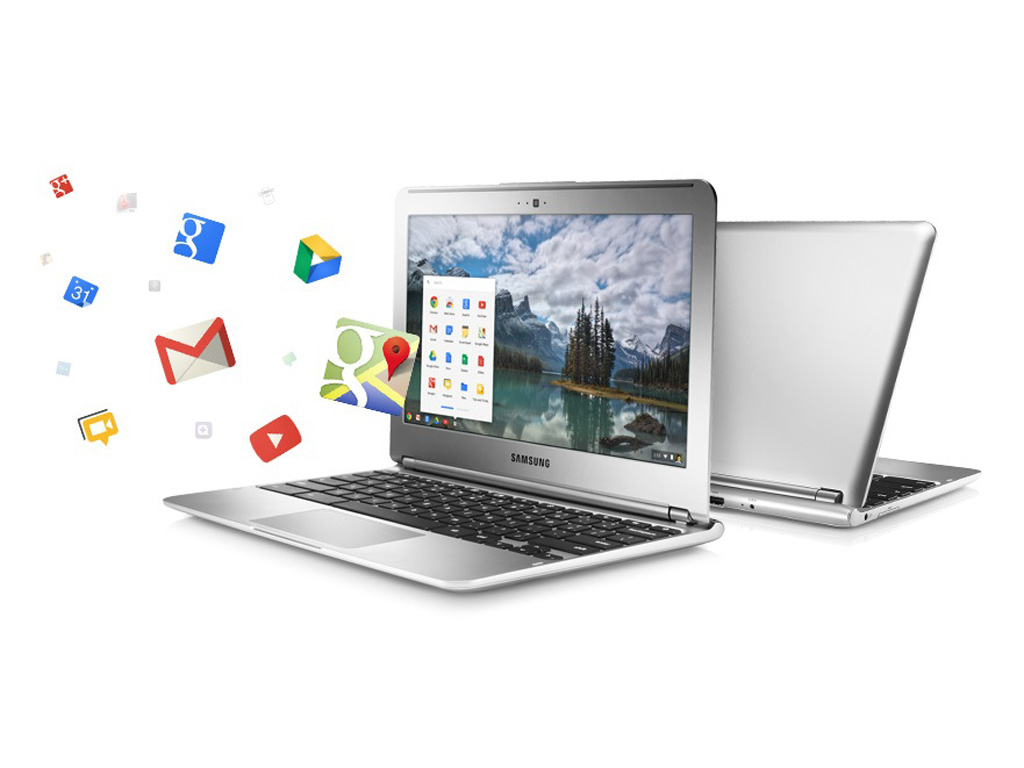
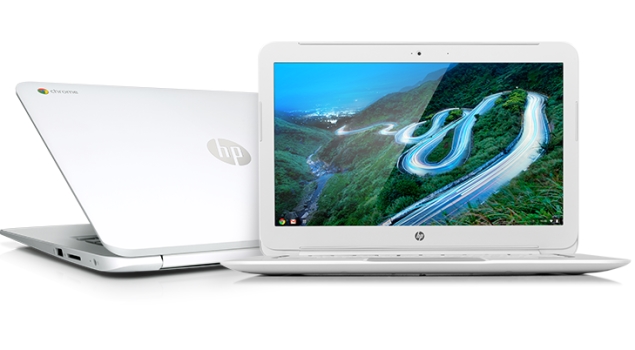
    Google announced the launch of their cloud-centric ChromeBooks in India. Two models; namely the Acer C720 and HP Chromebook 14 are going to be sold via select outlets of Croma and Reliance Digital and online via Flipkart.com. Priced at Rs. 22,999 and Rs. 26,990 respectively, these will go head-to-head with a variety of traditional Netbooks and Laptops available at those price points. With respect to hardware, they’re almost similar but instead of running Windows or Linux as their OS, they run Chrome OS. Chrome OS is a lightweight Linux-based Operating System designed to work purely with web applications. That means, there are very few ‘native’ apps baked into the OS; most of the work you’ll do is online, powered by the built-in Chrome browser. So, what are the Pros and Cons of buying a Chromebook in India over a regular laptop? 

     google-chromebook

    Pros of a Google Chromebook:

     
    • Instant Boot: Chrome OS strips many of the unnecessary processes that a typical computer goes through when you power it on. Thus, a Chromebook is able to typically boot up in about 10 seconds. This is pretty fast; considering a regular laptop running Windows or Linux may take as long as a full 30 seconds for the same. When you close the lid, the Chromebook goes into sleep mode. But when left unused for an extended period, it may shut off to save battery. The good thing is, when you start it again, it would be less agonising of a wait before you can get back to using it. 
     
    • Multi-user features: Chromebooks are designed to be shared. The multiple-login feature, that allows multiple users to keep their data and settings private, and the Guest mode that protects your data when somebody else is using it aren’t unique features as they’re available in other Operating Systems too. But one unique thing is — since very little data is residing on the Chromebook itself, when you log into your Google account on any Chromebook, your desktop, shortcuts, wallpaper…basically everything you personalised shows up the way you left it on any other Chromebook. 
     
    • Virus Protection and Auto Updates: Chrome OS is fairly immune to viruses as it is based on Linux, which by itself has been reasonably virus-free as compared to Windows. Beyond that, Google has baked in the Verified Boot, which stores the initial booting code in read-only memory, so a malicious app cannot take over when your Chromebook boots up. Then there’s the Trusted Platform Module (TPM); a specialised chip that serves hardware-based authentication. Also, all the apps installed from the Web Store run in a sandboxed mode, which means a malicious app cannot mess up the core of the OS. Finally, since there aren’t any apps natively installed in Chrome OS; web-apps by default run their latest version. And Chrome OS updates by itself; much like how the Chrome browser does on other Operating Systems. 
    hp-chromebook-14-635 

    Cons of a Google Chromebook:

     
    • Cannot use native applications: Because Chrome OS is a Linux-based OS that boots into the Chrome browser, there’s no scope for installing native applications. So, if you need to use Tally, Photoshop, MS Office, Skype or any other typical applications people use on computers, beware that you cannot install them on a Chromebook. Sure, you can use web-based alternatives to these apps that may be available on the Chrome Web Store, but they may not provide you with the kind of usability you’re used to. 
     
    • Can’t use Printers and Scanners in a Typical fashion: Google promotes the use of ‘Cloud Print’ with their Chromebooks. What this means is, you’ll need to have a Cloud Print Ready Printer , or have a printer connected to a computer with Internet and Chrome browser installed with Cloud Print set up, to be able to fire a Print from your Chromebook. So, although you may have noticed the USB ports on that Chromebook, you can’t simply plug it in and print or scan, like you can on a regular computer. 
     
    • Can’t store a lot of files locally: Many Chromebooks (especially the ones mentioned above) come with a 16GB SSD as the primary storage. Out of this, roughly 10GB is available to the user. So, if you intend to tank up the Chromebook with photos, videos, music and other big files, you’ll be running out of space pretty soon. Then again, the concept of Chromebook involves you not having to store anything locally, but rather store it on the Internet (Google offers 100GB of cloud storage complimentary for the first two years). In comparison, typical laptops in its price range come with an ample 500GB hard disk that you can fill up to your heart’s desire. 
     
    • Can’t use discs: Chromebooks don’t come with optical drives, nor do they support external ones that connect over USB. If you require to use CDs and DVDs from time to time, the Chromebook is a no-go for you. 
     
    • It needs the Internet to work (most of the time): Although Chrome OS has supports apps to work offline, the crux of the matter is that your content is still online. With the puny 10GB internal storage, most of us possibly cannot have everything we need stored in that much space. So, to retrieve something, the Chromebook is going to need the Internet. And in a country like India where easy-to-connect, open WiFi networks are non-existent, it could be cumbersome when you’re out in the open. Sure, you can use a 3G dongle, but then be prepared to incur the expenditure to access every file that could have just resided on a typical computer. 


    Weighing the Pros and Cons suggests that the Chromebooks are suitable only to a certain type of audience — the kinds who are assuredly going to have Internet omnipresent, and for whom the only application they use on a computer is the web browser. Some people argue that Chromebooks aren’t meant to replace computers; rather serve as inexpensive 2nd computers. Compared to their cost in the US, the Chromebooks launched in India are being sold good 25 to 35 percent higher. In fact, their India pricing is at par with traditional laptops from the same manufacturers. This makes a tough case for Chromebooks to the Indian consumer. But even if it got cheaper, would you want to get one? Or are you not yet ready to migrate to a cloud-only computer? 


    Rohan Naravane manages the content for PriceBaba.com. He is usually found rambling tech on Twitter @r0han.

  • Micromax A115 Canvas 3D Gaming Video – iGyaan

    The Micromax Canvas 3D allows for games to be downloaded directly on the memory card , hence allowing a lot (more…)

  • Samsung Galaxy Grand Quattro / Galaxy Win i8552 Unboxing and Hands on Review – iGyaan

    We unbox and take a close look at the new Samsung Galaxy Grand Quattro aka Galaxy Win Duos i8552 : (more…)

  • Samsung Galaxy Y Plus Duos S5303, Dual Sim Budget phone,Unboxing and full Review – iGyaan

    We Review this budget Dual Sim Android Device for the Masses, The Samsung Galaxy Y Plus Duos is an Entry (more…)

  • Tomb Raider 2013 Review – iGyaan

    We kick off our Gaming Reviews, With the all new Tomb Raider. Priced Rs. 2499 for Xbox and PS3. Rs.999 (more…)

iGyaan Network
Privacy Overview

This website uses cookies so that we can provide you with the best user experience possible. Cookie information is stored in your browser and performs functions such as recognising you when you return to our website and helping our team to understand which sections of the website you find most interesting and useful.