Category: Android

  • Facebook for Android Gets Updated

    Facebook for Android Gets Updated

    facebook

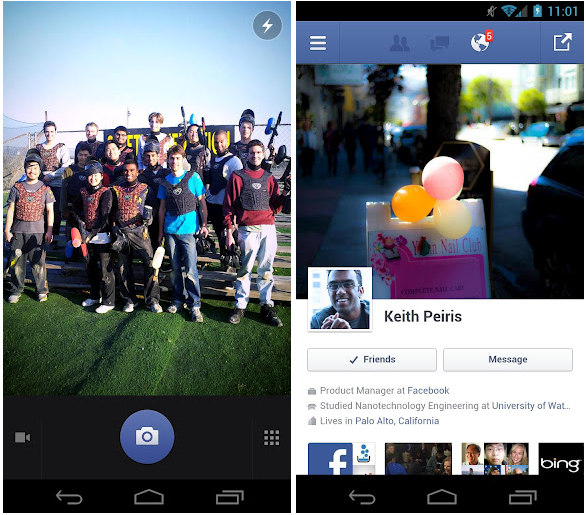
    Facebook for Android is now available for download in version 1.9.11, and, while the latest update is not very special compared with recent ones, it does come with three straightforward and important changes.

    Photo functionality should be improved with these three tweaks, which allow for faster photo tagging and a better organizing of your pics in albums. Finally, there’s also the customary bug fix, which this time helps solve a problem that was restricting “people using certain languages” from uploading images from time to time.

    For an app build almost entirely in HTML5, Facebook for Android is actually quite spritely, especially when run on more modern hardware. We’re excited for the day when Facebook for Android is built on native code, but for the time being enjoy your improved photo uploading experience.

    Facebook also made the “biggest overhaul of [its] Android SDK so far,” making it easier for developers to integrate the social network into third-party apps. These features include the Friend Picker and Places Picker, which apps can use to access the Open Grap in more comprehensive ways.

  • HTC J Butterfly Launched, First phone with a 5 inch full 1080p Display – Only for Japan

    HTC J Butterfly Launched, First phone with a 5 inch full 1080p Display – Only for Japan

    htc j butterfly white

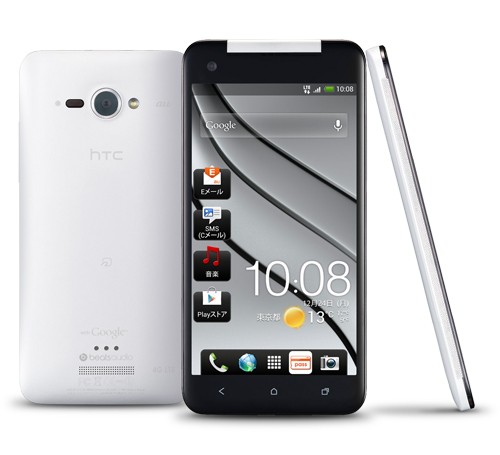
    HTC has made it to the worlds first record when it comes to the display matrix with the new HTC J Butterfly. The phone is a Android 4.1 Jelly Bean device and features a 5-inch, 440ppi full-HD “Super LCD 3” panel. The HTC j Butterfly also has a 1.5GHz quad-core APQ8064 underneath which is actually a Snapdragon S4 Pro SoC.

    The HTC J Butterfly also has 2GB RAM, 16GB internal storage, microSDHC expansion, 802.11a/b/g/n WiFi, Bluetooth 4.0 (LE), NFC, LTE and CDMA/GSM/UMTS/GPRS radios which means its perfect for the rest of the world. The phone weighs 140g , and it’s waterproof as well, rated at IPX5. The Battery is marked at 2,020mAh although the specs arn’t final the phone has been launched with thte carrier KDDI in Japan. Users of  KDDI network can get this mammoth and powerful phone in early December, in color options of red, white or black.

    htc j butterfly red

    HTC is a Taiwanese manufacturer of smartphones and tablets. The company initially made smartphones based mostly on Microsoft’s Windows Mobile operating system software, but in 2009 it began to shift its core focus away from Windows Mobile devices to devices based on Android OS, and in 2010 to Windows Phone OS as well.

    HTC is also a member of the Open Handset Alliance, a group of handset manufacturers and mobile network operators dedicated to the advancement of the Android mobile device platform. The HTC Dream, marketed by T-Mobile in many countries as the T-Mobile G1 or Era G1 in Poland, was the first phone on the market to use the Android mobile device platform.

  • HTC One S Special Edition will come in White and with 64 GB of Storage

    HTC One S Special Edition will come in White and with 64 GB of Storage

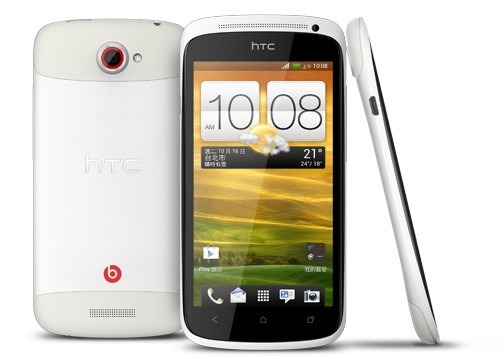
    one s special editionWhile it may not be the best phone to buy in India, the One S will now globally come with a special edition moniker swell. Just after an apparent success of the HTC One X Fashion edition, the HTC One S will also be branded, slapped in a white coat along with a bump in storage, will be called a special edition. The HTC One S Special Editions’s new color is called the unicorn white and will feature the S4 variant of the SoC unlike the S3 available in India.

    The downside to the HTC One S Special Edition is that it will mostly be targeted for Hometown, Taiwan users and it may never hit the Indian shores, officially anyway.

    The original One S is 0.31 inches (7.9 mm) at its thinnest point. The phone uses an aluminum unibody shell, with two finishes available – a black micro arc oxidized finish, and a light-blue to dark-blue gradient anodized finish. HTC states that the micro arc oxidized finish makes the body five times stronger than the bare aluminum, although some users claim that the finish chips easily. The phone has a power/lock button and a 3.5 mm headphone jack at the top, a volume rocker on the upper right side, and a MHL/Micro USB port on the upper left. Three capacitive buttons are located on the front of the phone, below the display. There are two speakers, one on the front (serving as the earpiece) and one on the back. A two-color  notification LED sits under the earpiece grille. The top piece of plastic on the back is removable and is where the phone accepts a micro-SIM card. One S’s Super AMOLED display measures 4.3 inches (110 mm) diagonally, with a resolution of 960×540 pixels (qHD resolution), and is protected by a sheet of Corning Gorilla Glass. The display uses a PenTile RGBG subpixel arrangement.

  • HTC Launches Desire X in India for Rs 19799

    HTC Launches Desire X in India for Rs 19799

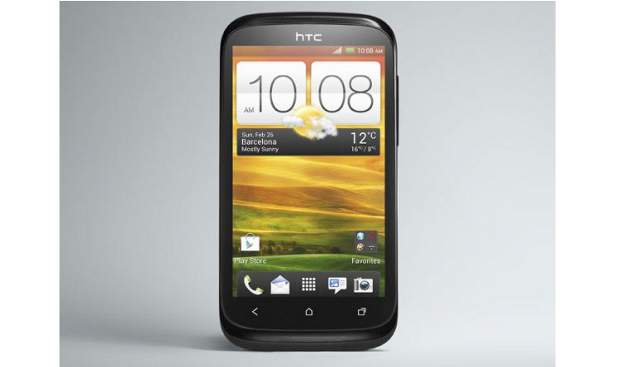
    desire XThe Desire X has been launched in India for a price of Rs. 19799.4-inch. The phone has a Super LCD touchscreen display and a  a dual-core 1 GHz Qualcomm Snapdragon mobile processor. The Desire X will also have Beats Audio technology and is priced at 19799 in the Indian Market.

    More information on the Desire X a 4-inch Super LCD display with 480×800 pixel resolution and a 223 ppi pixel density. The phone is fairly slim and the side profile is only 9.3 mm thick. The Desire X has a dual-core 1 GHz Qualcomm Snapdragon S4 Play MSM8225 mobile processor with Adreno 203 graphics chip. 

    The phone has 768 MB RAM and the new HTC Sense 4.0 along with Android v 4.0.4 ICS. The phones sports 3G and Wifi antennas along with 5 megapixel camera with autofocus and LED flash at back and 4 GB on-board storage along with support up to 32 GB microSD card. The Desire X features a 1650 mAh battery and will go on sale immediately.

  • Pinch-to-Zoom, Swipe To Delete Features Coming To Gmail for Android

    Pinch-to-Zoom, Swipe To Delete Features Coming To Gmail for Android

    We have some exciting news for long-suffering Android users patiently waiting for a feature that arguably should have been included since the beginning. Google is set to add pinch-to-zoom to its next version of Gmail, presumably to be added to the final build of Android 4.2 when the Nexus 4 launches next month.

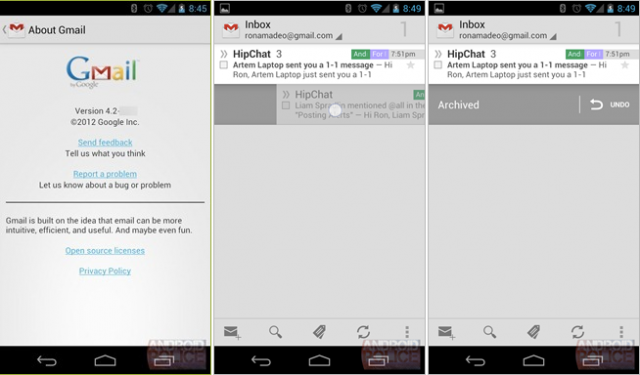
    AndroidPolice obtained exclusive access to the .APK file, which seems to work without issue on Android 4.1 Jelly Bean. Besides the obvious improvements, Google has added some subtle things such as swipe right to archive/delete, as well as reporting phishing from inside the app.

    Even more features are said to be on their way, including the ability to swipe an email in the inbox view left or right to either archive or delete, always delete, or do nothing when in the All Mail or Sent views.

    We imagine the “archive or delete” option will hit you with a prompt asking you which one you want to do. You’ll also be able to do this for labels. Performing the gesture on “regular labels” will remove that label.

    Finally, a new “Report Phishing” feature has been added. Google probably wanted to give users a way to report the far more serious problem of phishing instead of the more generalized spam. This should hopefully allow them to bust these malicious emails more effectively and efficiently.

    You can check out a preview video after the break. Android Police says it’s working on obtaining permission to release the .APK to rooted Android users running Jelly Bean, but we’re sure other copies will crop up in the near future.

  • Micromax Launches updated A110,Dual Core, 8MP camera,5 inch IPS for Rs 11995/-

    Micromax Launches updated A110,Dual Core, 8MP camera,5 inch IPS for Rs 11995/-

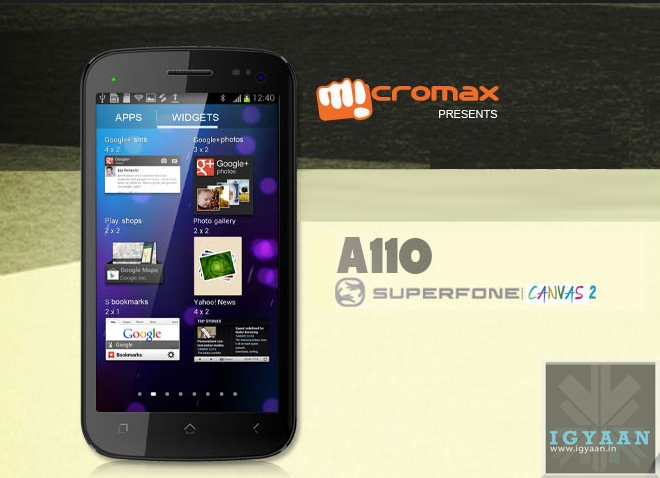
    Like iGyaan had earlier reported, Micromax has launched the new A110, an updated version of the highly popular Micromax A100 Canvas.

    The new phone has impressive specs starting with a 5 inch IPS display and Android 4.0.4 ICS out of the box. The phone also features an upped 8 MP camera along with a front facing shooter as well.

    The phone is priced at Rs. 11995 so expect a full iGyaan style lineup soon.

  • Google+ App Update For iOS, Android Brings iPhone 5 Support, New Widget

    Google+ App Update For iOS, Android Brings iPhone 5 Support, New Widget

    Google+ for iOS and Android now seem to be iterating at the same pace, after months of what seemed like preferential treatment by Mountain View for the latter version.

    The most recent update adds Pages administration abilities, so you can add, view and comment on posts if you own a company or a brand. This is one of the most helpful new additions, as it doesn’t you to your computer when performing social media-related work duties. Facebook already has a separate app for its Pages administration.

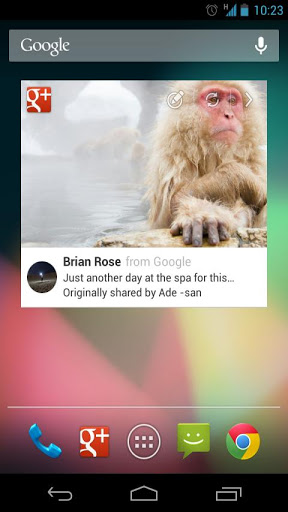
    Google+ for Android also received a new widget design (above), while iPhone 5 users can now stretch out in front of your 4-inch display. iOS users can now edit posts, while both versions have gained the ability to search for people and posts. 

  • Angry Birds Star Wars To Be Launched On November 8th!

    Angry Birds Star Wars To Be Launched On November 8th!

    Angry Birds is flapping its wings to a galaxy far, far away next month. Rovio today announced a partnership with Lucasfilm Ltd. for Angry Birds Star Wars, a new entry in the series hitting iOS, Android, Kindle Fire, Mac, PC, Windows 8, and Windows Phone on November 8.

    According to the game’s announcement, Angry Birds Star Wars will tap into the science fiction franchise’s characters and settings, including the desert world of Tatooine and the supermassive Death Star ship.

    [quote]“This is the best Angry Birds game we’ve ever done. It’s the best parts of Angry Birds with all new cutting-edge gameplay set in in a galaxy far, far away,” Rovio CMO Peter Vesterbacka said in a statement. “As a big ‘Star Wars’ fan myself, I’m really excited about this new universe. The Force is definitely strong with this one.”[/quote]

    Not only will Angry Birds Star Wars invade smartphones, tablets, and computers, but various merchandise will hit retail beginning on October 28 (in the US that is!). These offerings will include Halloween costumes, apparel, action figures, and plush toys.

    May the force be with you!

  • Samsung Galaxy Note 2 and S Pen Tips and Tricks

    Samsung Galaxy Note 2 and S Pen Tips and Tricks

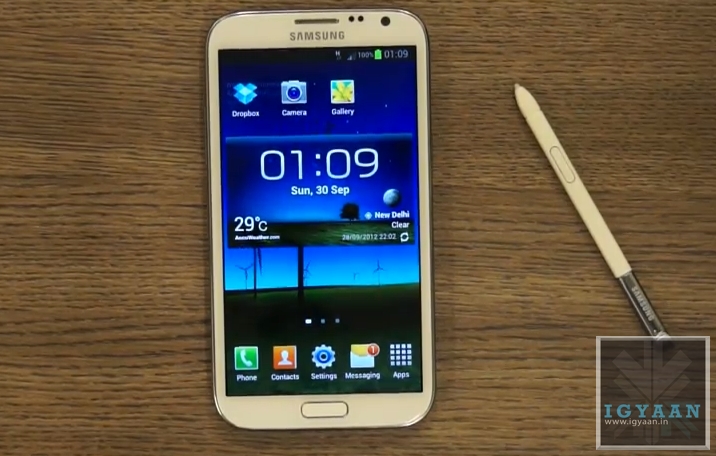
    The Galaxy Note 2 is a wonderful device and even so is also the most prominent smartphone in the Android Market, but what really sets this phone apart is its ability to interact with the S Pen ( or should be call it the S Pen 2? ) Completely redesigned from the bottom up the new S Pen is more ergonomical and precise.  Lets look as some of the new things you can do with the new S Pen on your Shiny new Galaxy Note 2.

    Pop Up Note.

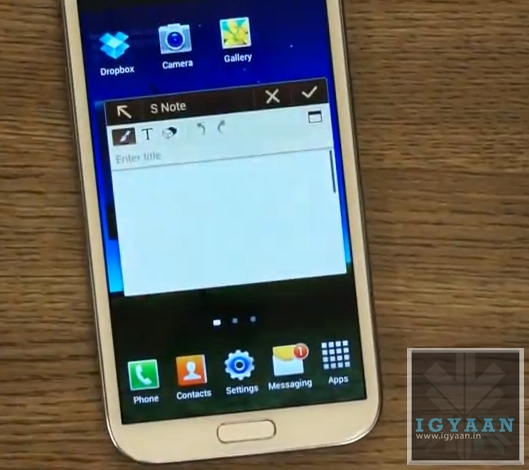
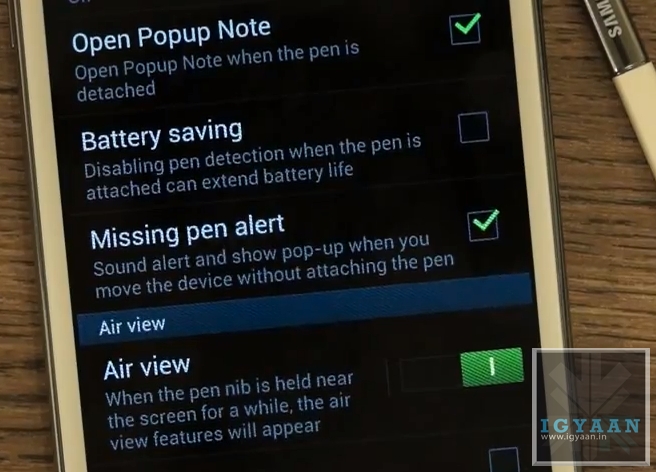
    This feature allows you to enable a Pop Up Note to show up every time you pull the S Pen from the new Galaxy Note 2. This feature Can Be anablet from Settings > S Pen Settings > Enable Pop Up Note


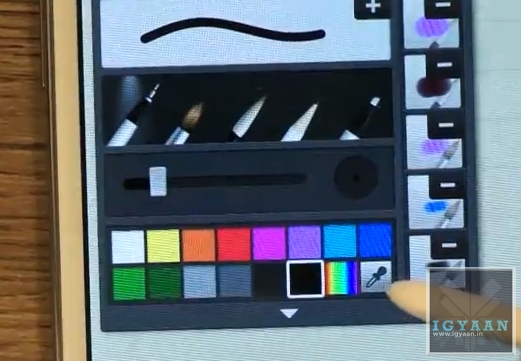
    Color Selector in S Note 

    A new Color Selector dropper tool in the S Note application allows you to choose a custom color that you may pick up from the image you are editing or anywhere on screen. This will allow artists more flexibility with their designing. 

    Air View

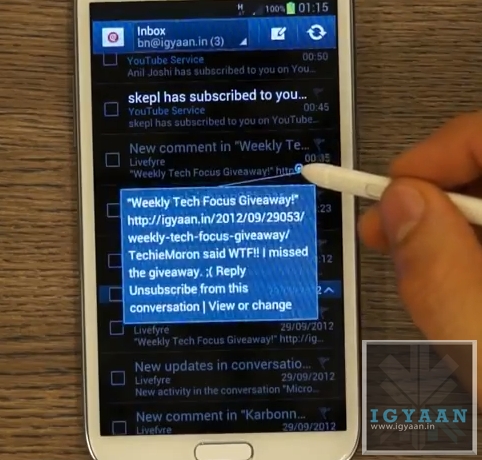
    One of the most versatile features of the new S Pen on the new Galaxy Note 2, the Air View feature adds a context menu to the Galaxy Note 2 and performs better than Samsung claims. 

    Air view adds a lot of new features :

    • Scrolling: Just by hovering the Pen over the Top or bottom of Email and Message lists, you can scroll up or down. This feature will work in any app including browsers and music players. Mostly anywhere where scrolling can be enabled.
    • Tooltip : Don’t know what a button is for? The Air view tooltip feature gives you a quick introduction to any button or menu item you will hover your S Pen over.
    • Quick Preview : The Most useful AirView feature is the new quick preview, hovering the S-Pen over any EMail or SMS received on the new Galaxy Note II will give users a quick preview of what the content of the message is. This feature will also give you a preview of the pictures in a Gallery.

    Quick Command 

    The new interface that lets you perform tasks and open applications with a quick swipe of your S Pen. Holding the button on the S Pen and dragging it an an upward direction opens up a quick command dialogue box.  You can now use one of the pre set gestures or create your own, allowing you to open applications, turn on/off services like WiFi, Data, Bluetooth, etc. 

    Handwriting to Text

    The Galaxy Note 2 mixed with the new S Pen has the best Handwriting to Text algorithms available today. It instantly converts the poorest of handwriting styles into crisp text. Although not a lot of people will use this features, but in some cases it may turn out to be much faster than typing.

    Pressure Sensitivity

    The new S Pen is really pressure sensitive allowing you to create thin or thick lines without actually changing the settings form the the pen menu. while creating strokes, a light touch will create a thin line whereas a thick stroke will create a thick line. 

    Missing Pen Alert

    Once this feature is enabled from the Galaxy Note IIs Pen Settings Menu, the phone will vibrate every time you move 10 ft away from your phones S Pen, reminding you that you have left your S Pen somewhere. This is a feature that will really help those people who lost a lot of S Pens with the original Note. 

    OLD FEATURES

    The Note 2 also retains most features from the original Note, including the slide left to close app gesture and slide right for menu function, among others.

    Screenshot and Edit

    Hold down on the Pen Button and long tap the screen with the S Pen to click a screenshot. The screenshot will immediately open up in the image editor and allow for editing, annotations and cropping. You can then share the image to various apps and services.

    Video Link

  • Samsung Galaxy S III will get Jelly Bean post 20th Oct

    Samsung Galaxy S III will get Jelly Bean post 20th Oct

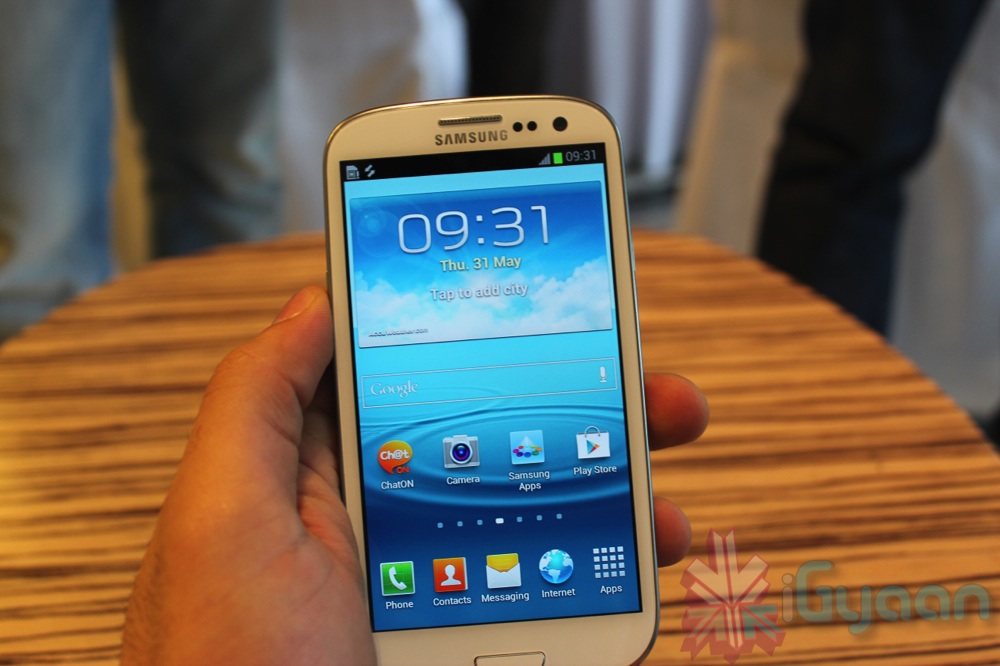
    Samsung has confirmed that the Jelly bean Update for Galaxy S IIIs in India will start seeding from their servers post 20th october 2012. While the company estimates the process to be smooth, we expect just like last time some units will get the Jelly Bean update before others. 

    On 6 September 2012, Samsung revealed that sales of the S III had reached 20 million in 100 days, making it three and six times faster-selling than the Galaxy S II and the Galaxy S, respectively. Europe accounted for more than 25 percent of this figure with 6 million units, followed by Asia (4.5 million) and the U.S. (4 million); sales in South Korea, the S III’s home market, numbered 2.5 million.

    So if those numbers are to be agreed upon the Europe update which started last week will be followed by updates in Asia including India then US and so on.

  • Breaking : Micromax Launches new Funbook Talk P350 with Phone Call Ability for Rs 7249

    Breaking : Micromax Launches new Funbook Talk P350 with Phone Call Ability for Rs 7249

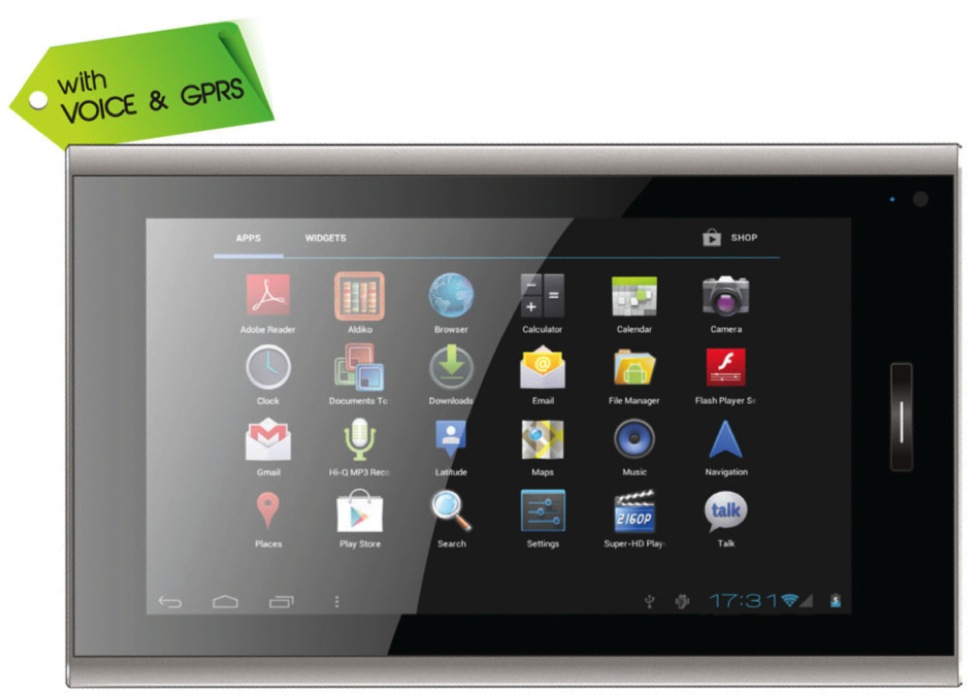
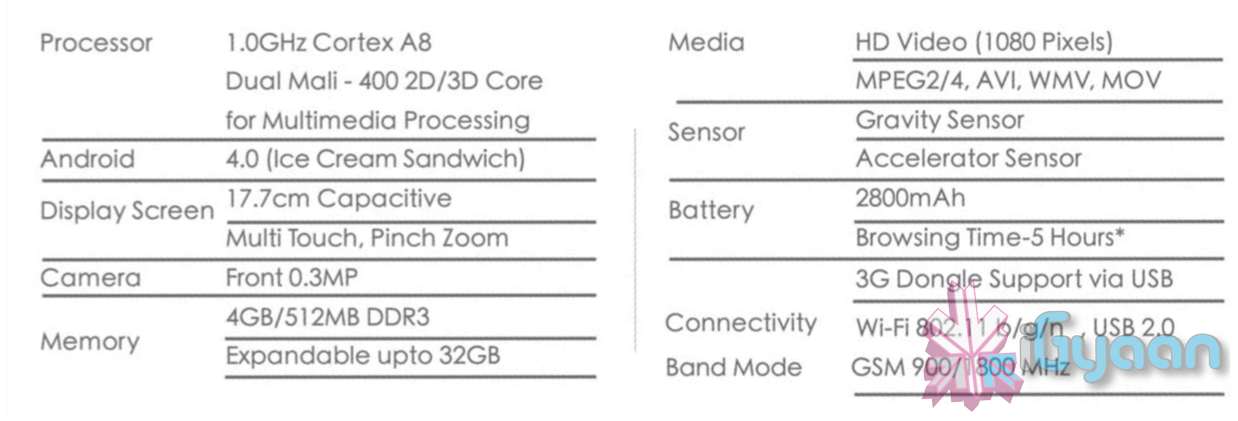
    Micromax has just announced plans for a new Funbook Tablet, the P350 Funbook Talk, which features the same specs of the P300 with phone call ability and a dedicated sim card slot for GSM networks.

    All other features remain the same, with a 1.0 GHz Cortex A8 Dual Mali 400 chipset, Android 4.0.4 and a 7 inch capacitive screen. You do have a front facing 0.3 MP camera and a microSD card slot,  along side a 2800 mAh battery and a 3G dongle support.

    The Tablet has been announced for a price of Rs. 7250, expect full video soon.

  • HTC Launches One X+ 1.7GHz quad-core Tegra 3, 64GB, Android 4.1 Jelly Bean with Sense 4+ (PR)

    HTC Launches One X+ 1.7GHz quad-core Tegra 3, 64GB, Android 4.1 Jelly Bean with Sense 4+ (PR)

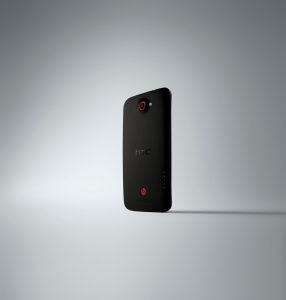
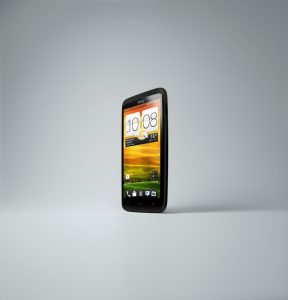
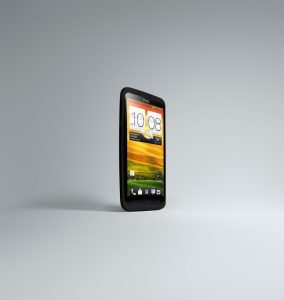
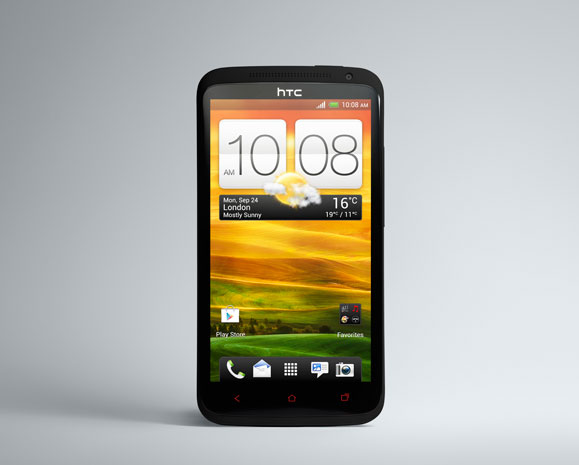
    HTC has launched the long rumored One X+ with a minor upgrade and a 1.7GHz Quad Core Tegra 3 Chipset, The phone also has a larger 2,100mAh battery, expanded 64GB of storage and Android 4.1 Jelly Bean with Sense 4+ onboard.

    The new phone also features “Tap to Go”  to pair up with Beats branded speakers and Headphones.  The 8-megapixel rear module with f/2.0 lens and ImageChip-assist is the same, but the camera software’s been slightly tweaked with the addition of two new modes: Self Portrait for subtle retouching of front facing shots and Sightseeing which allows for quick launch of the camera app.

    Also launched is the new HTC Get Started, a web-based service that lets users manage initial setup from the desktop for one-click installation on the phone itself. The One X+ is slated to launch globally this fall, hitting Europe and Northern Asia this October, with a November release in South Asia to follow. 


    [toggle_box title=”Press Release” width=”Width of toggle box”]

    HTC INTRODUCES THE HTC ONE™ X+.
    MORE SPEED, MORE STORAGE AND MORE BATTERY LIFE
    MAKE HTC’S BEST RATED ANDROID PHONE, EVEN BETTER


    HTC also announces SenseTM 4+ with Android Jelly Bean upgrades for
    HTC One X and HTC One S coming soon


    TAIPEI – 2ND OCTOBER, 2012 – HTC, a global leader in mobile innovation and design, today unveiled the HTC One™ X+, a refreshed version of its award winning HTC One™ X smartphone, running the HTC SenseTM 4+ experience on Android™ Jelly Bean. The HTC One™ X+ combines the iconic design, amazing camera and authentic audio experience of the HTC One series, with increased performance, longer battery life and expanded internal storage.


    “We are taking the HTC One™ X to a new level with the introduction of the new HTC One™ X+,” said Peter Chou, CEO of HTC Corporation. “Our customers will have super-fast browsing, an even better camera and more immersive entertainment with Beats Audio.”


    Performance, Endurance and Storage
    Featuring a 1.7 GHz quad-core NVIDIA® Tegra® 3 AP37 processor and 64GB of internal storage, the HTC One™ X+ LTE version is up to 67% faster than the HTC One™ X1 LTE, making the HTC One™ X+ the best rated Android phone on the market. Developed to be lightning fast, the HTC One™ X+ enables quicker web browsing, fluid gaming and graphic rendering, and speedy downloads, providing effortless usage on the go.


    In addition to its increased performance speeds, the HTC One™ X+ introduces extended performance with the inclusion of a 2100 mAh battery, giving you up to 50% (6 hours) more talk time, and longer to browse the web and enjoy your favorite music and videos2.


    Imaging, Music and Movies
    Combining the amazing camera capabilities of its predecessor3* with a series of intelligent features, powered by SenseTM 4+, the HTC One™ X+ has been designed to deliver the most premium mobile experience. The newly launched Self Portrait mode on the front camera helps you capture high quality photos by intuitively detecting the human face at various angles and applying subtle enhancements to skin and eyes. Sightseeing mode makes sure you’ll always be ready to capture the moment – one touch of the power button bypasses the lock screen and launches directly into the camera. Two new views in Gallery display images and videos and group them according to where and when they were taken.


    Exclusively available on HTC smartphones, Beats AudioTM provides authentic, studio-quality sound that delivers the most immersive sound experience with an enhanced audio profile, crisper vocals and detailed high notes for your music, games, movies and videos. Making it easier to listen to music out loud, and through SenseTM 4+, the HTC One™ X+ introduces a new Tap and Go function, which allows you to connect the phone and your music to Beats speakers’4 when you tap them. To disconnect, it is just another quick tap.


    Providing exclusive access to thousands of movies through HTC Watch 2.0, the HTC One™ X+ will appeal to both the avid film fan and the casual movie-goer. Combined with the introduction of video hub, another benefit of SenseTM 4+, for the first time you will be able to put all your video entertainment in a single place.


    Easy Set Up
    A new feature in the HTC One™ X+ is HTC Get Started, a new web service that guides the user painlessly through the set-up and personalisation process from a desktop web browser. Designed to enhance the experience of setting up a phone for the first time, this feature ensures that users will get the most out of their new phone from the beginning. With the touch of a button, users’ phone will reflect the settings and apps that were chosen on the Web. Visit start.htc.com for more details.


    Availability
    The HTC One™ X+ will be available in Europe and North Asia from October and in South Asia from November 2012. North America will make a separate announcement regarding availability of the HTC One™ X+. The Android Jelly Bean with HTC™ Sense 4+ update is scheduled to begin rolling out for the HTC One™ S and HTC One™ X from October.

    [/toggle_box]
     

  • ASUS Transformer Prime TF201 Jelly Bean OTA Update Rolling Out Now

    ASUS Transformer Prime TF201 Jelly Bean OTA Update Rolling Out Now


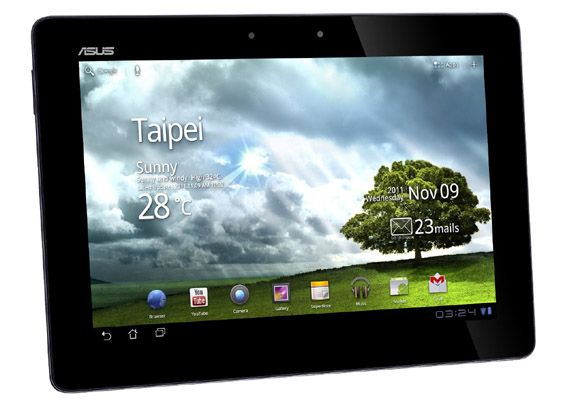
    The latest version of Android, 4.1 codenamed Jelly Bean, is slowly making its way towards tablets, and as before, ASUS is one of the companies rushing to update its products. The Transformer Pad 300 received the update at the end of August, so now it’s time to update the premium Transformer Prime TF201 and the Infinity TF700T. The former can be updated right now, over the air, while for the latter you’ll have to wait some more, as ASUS said it had to perform a last hour update to the keyboard app, to play nicely with the new Facebook app. Don’t despair, as the update was delayed just a few days, which means it will arrive over-the-air sometime at the beginning of next week.

    Asus is doing well in the U.S. mobile market and recent tie-up with Google even resulted to better sales. Being one of the tablets that come packed with quad-core processor, Transformer Prime TF201 has actually garnered massive following from both average users and tech enthusiasts.

    The Jelly Bean update for Transformer Prime is believed to bring hundreds of improvements on top of JB stock features. TP has been a subject of criticisms shortly after its release because there were software-related flaws. The Ice Cream Sandwich fixed most of them including poor GPS performance and Wi-Fi problems.

    It has already been reported a few months ago that Adobe will not support Android 4.1, so that means flash support will be gone for good. But Asus said owners can still be able to download and install Flash Player to play typical videos found on the web. Moreover, the company didn’t provide information explaining why Wi-Fi Direct feature will be removed from Jelly Bean but whatever the reason is, owners cannot be able to connect their devices to other Wi-Fi Direct-supported devices after the update.

    View the Change Log Below : 

    [toggle_box title=”Change Log” width=”Width of toggle box”]

    Asus Transformer Prime Jelly Bean Change Log 

    • Upgrade OS from Android 4.0 (Ice Cream Sandwich) to Android 4.1 (Jelly Bean)
    • Default enabled System Bar Lock
    • Add Multiple Photo Selection feature
    • Support Connect Dock (Accessory)
    • Remove Adobe Flash Support
    • Remove Wi-Fi Direct Function Support
    • Remove Press Reader

    [/toggle_box]
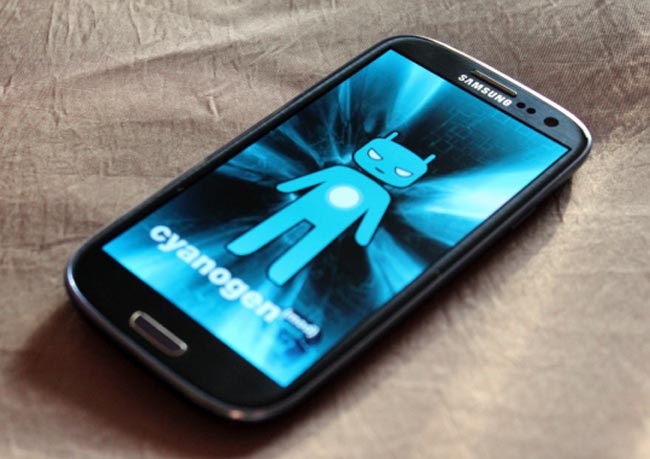
  • CyanogenMOD 10 Back With Over-The-Air Update Support

    CyanogenMOD 10 Back With Over-The-Air Update Support

    The quest for mainstream acceptance is a difficult one for CyanogenMOD and its open-source peers. Users have to sift through countless forums and lists of instructions to learn how to root and hack their Android phones, often with disastrous results. While the initiation process is getting easier, it’s still not as easy as we’d like.

    CyanogenMOD has been great about installing features for existing users that make their lives easier. They had a Do Not Disturb mode long before Apple or Samsung, and integrated quick settings into the notification bar long before HTC. Now, they’re bringing back a feature from CM6, over-the-air updates, with a hardier back-end server to provide the speed and reliability users expect from their ROM downloads.

    The menu is available from the Settings/About/CM Updater screen, and while the app won’t push updates to your device, it can be set to check once daily or several times a day, and is granular enough to search only for stable versions, or download nightlies, too.

    The feature is available in the latest CM10 nightlies based on Android 4.1.1 Jelly Bean.

  • Finally! Jetpack Joyride Arrives for Android Smartphones and Tablets

    Finally! Jetpack Joyride Arrives for Android Smartphones and Tablets

    It’s been a long time coming, but one of the most enjoyable “freemium” games for iOS, Jetpack Joyride, is now available on Android. 

    The game runs really well on the latest hardware and looks great on larger screens. It’s a one-touch platformer with a great sense of humour and a lot of cool weapons and gadgets to use. And, unlike many freemium games, Jetpack Joyride never insists on you paying for extra items, and the player doesn’t feel at a disadvantage for it.

    The game first launched on the iOS App Store last year, coming to Facebook back in May. During its exclusive tenure on the iOS App Store, it was the recipient of a bunch of different awards, including mobile game of the year from a handful of different websites. It’s safe to say that Jetpack Joyride has taken the mobile gaming world by storm, even if it isn’t quite as popular as Angry Birds.

    It is now available for download at the Google Play Store.

iGyaan Network
Privacy Overview

This website uses cookies so that we can provide you with the best user experience possible. Cookie information is stored in your browser and performs functions such as recognising you when you return to our website and helping our team to understand which sections of the website you find most interesting and useful.