Category: Google

  • White Nexus 4 16GB Goes on Sale in India

    White Nexus 4 16GB Goes on Sale in India

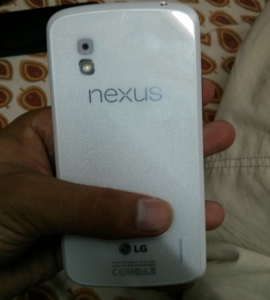
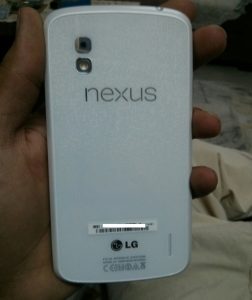
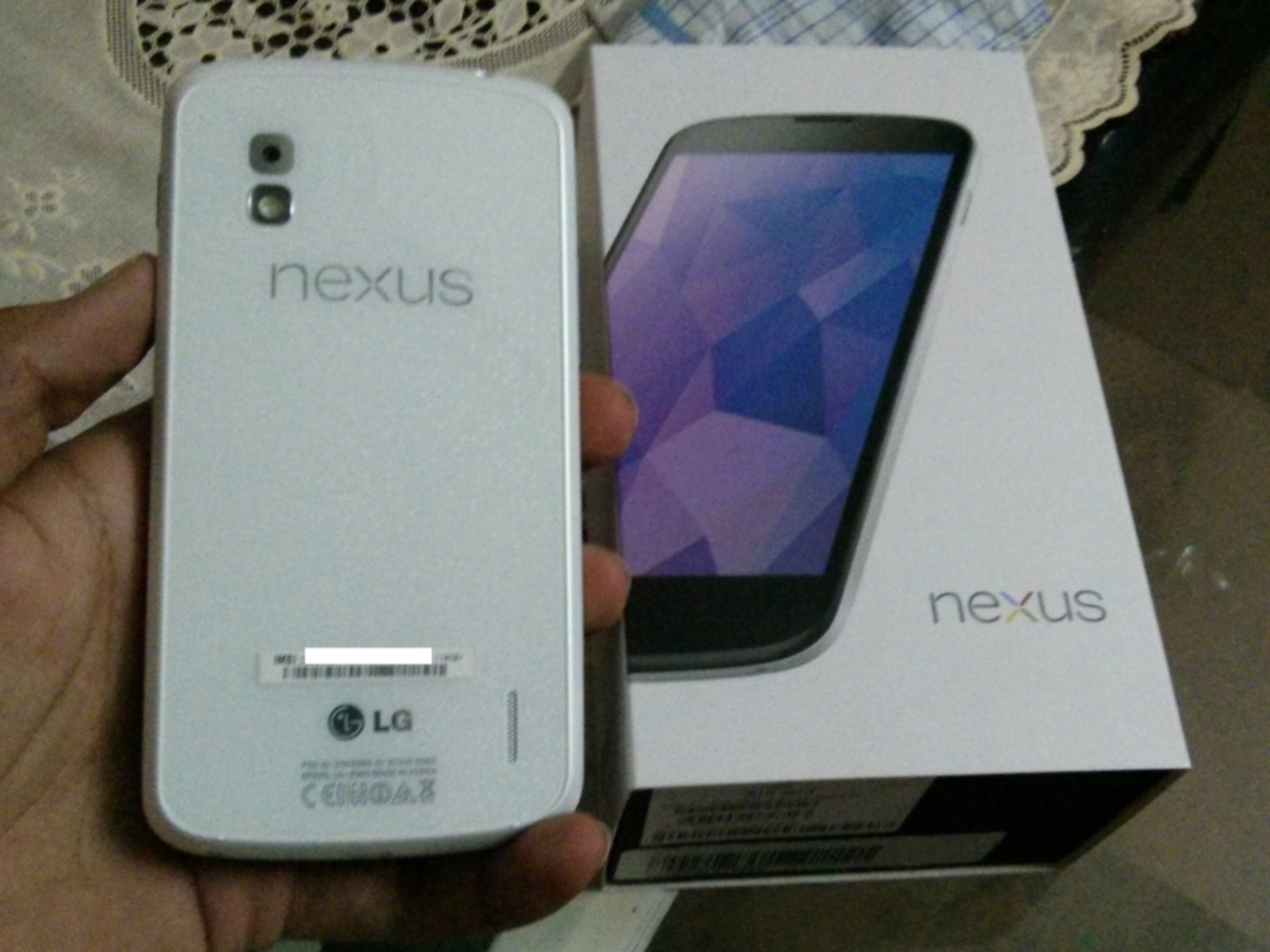
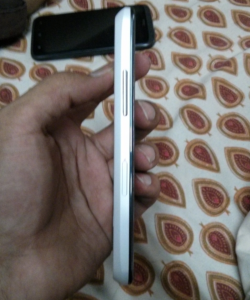
    The Google Nexus 4 has been surrounded by rumors of a white version going on sale for months now. The White Nexus 4 was spotted at I/O several times and while Google made no official announcement, the White Nexus 4 was expected to be launched at Google’s June 10th event. 

    While the world awaits this elusive announcement, the White Nexus 4 has gone on Sale in India, and some lucky owners have already bought the white version from stores in New Delhi. The price remains same as the Black version and the capacity also remains the same at 16 GB. 

    It is highly unusual for a unannounced Google product to go on sale in India, let alone be launched. Maybe LG is trying to recover for the delayed launch of the original Nexus 4 by launching the white version before it gets launched anywhere else in the world. Or maybe some retailers couldn’t wait to make a sale, either way LG will be getting a lot of tweets today. 

    We will get you more details as and when we can and we will also try to go hands on with the product. You can watch our hands on with the black version below and the full review on the Nexus 4 also goes out today.

    If the White Nexus 4 is actually available to buy here in India, we can only expect LG to furnish an official announcement soon enough. 

    Stay Tuned!
    [youtube id=”zQypYqoF_lI” width=”100%” height=”300px”]
  • Leaked Image Shows Nexus 4 Running Android 4.3, New Camera Camera UI

    Leaked Image Shows Nexus 4 Running Android 4.3, New Camera Camera UI

    Leading up to Google’s I/O event, there were a lot of rumors indicating that we would see the unveiling of Android version 4.3 rather than 5.0. However, during the keynote, Google ended up not addressing a new version of Android at all. Instead, they chose to focus on updating individual apps and APIs separate from the operating system.

    android 4.3

    Today we get a first-hand look at the software in action, with a number of images appearing to show Android 4.3 running on a Nexus 4. The image was taken at the Thailand Mobile Expo and posted on the XDA Developers forum.

    We clearly see Android 4.3 Jelly Bean as the OS, with a build date being May 14th, so it’s a pretty new updated version. Then the build number is listed as JWR45B.

    android 4.3

    The other pictures show the camera in action – with a slightly modified interface – and a screen of just the Jelly Bean Easter Egg that can be found in the About section too.

    The camera interface seems to include a new see-through action area, complete with a new activation ring and fresh icons for HDR, contrast, and rotation. 

    android 4.3

    The images don’t seem to show any significant changes, so the possibility remains that Google didn’t show their latest version of Android perhaps because there isn’t much to show in the first place. They could be saving the bigger changes for a major 5.0 update rather than another incremental version update.

    Is what we heard about a June launch, alongside the white Nexus 4 accurate?

    [XDA, Droid-Life, VR-Zone]

  • Redesigned Gmail For Android Leaked In Screenshot At Google I/O

    Redesigned Gmail For Android Leaked In Screenshot At Google I/O

    During a Google I/O session called “Structure in Android App Design,” an image of new design for Gmail leaked.

    gmail

    This was a single slide in a 40-minute presentation that included all sorts of mock-ups for a variety of apps. In fact, shortly after this slide appeared, the presenter showed three different examples of what navigation could look like in the native Android gallery app, only one of which is actually the real deal. So this could be the new Gmail that we were supposed to have seen at I/O, or it could be a mock-up that was used as an example.

    As PocketNow reports, the talk about Structure in Android App Design touched on Google’s design for a navigation drawer, and the visual demo used shows that drawer present in a new look for Gmail. Compared to the current view, there’s some smarter grouping going on here, and the list of labels better fills the screen, sharing more info in the process.

    You also might notice that the navigation buttons usually down at the bottom have relocated up top, freeing up some screen space. There are also hints here at some more cosmetic changes, like larger star icons – there are probably quite a bit more little tweaks like this present in the new Gmail, that a single screenshot just can’t reveal.

    When exactly Google is planning to roll out the redesign for its Gmail app is yet unknown, but hopefully it’ll be soon now that it’s officially been leaked.

    [Android Police, PocketNow]

  • Google Maps get redesigned; Improve the Search and Tablet Interface

    Google Maps get redesigned; Improve the Search and Tablet Interface

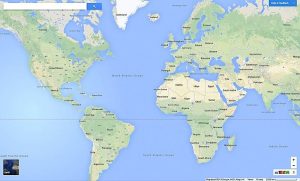
    Although the information was already leaked ahead of the time, the final announcement has been made. Talking at the Google I/O conference the company has taken wraps off the next major release of Google Maps for Android and iOS. The new design targeted at a personalized approach to the maps use, sports a rating system and offers experience from various retail merchants. 

    Like a friend drawing you a map to her favorite restaurant, with only the roads and landmarks you need to get there, the new Google Maps instantly changes to highlight information that matters most.

    And the more you interact with the map, the better it gets. When you set your Home and Work locations, star favorite places, write reviews and share with friends, Google Maps will build even more useful maps with recommendations for places you might enjoy.

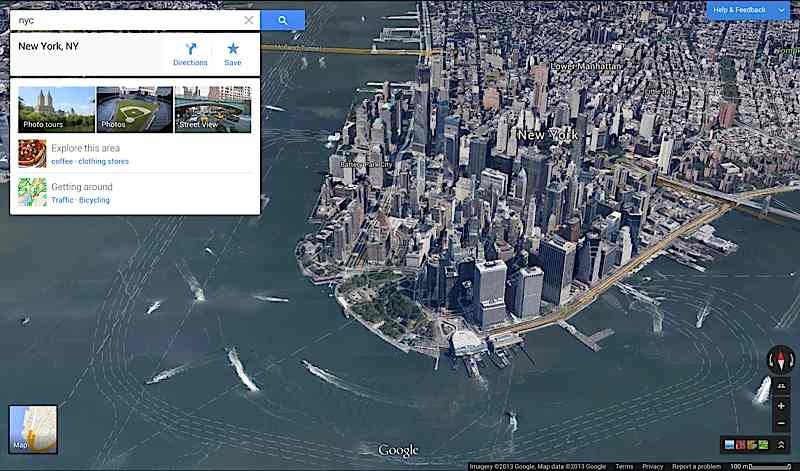
    Calling the desktop version a treasure chest of  “immersive imagery”, Google says the redesigned map itself is now the user interface.

    Easier to find the best local places 
    In addition to a customized map, we’ve also made it easier to uncover the best local gems. Search results are labeled directly on the map with brief place descriptions and icons that highlight business categories and other useful information – like restaurants that are recommended by your Google+ friends. Info cards provide helpful information such as business hours, and ratings and reviews so you can quickly decide where to eat, drink and play. 


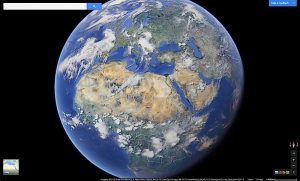
    Of course, no map would be complete without amazing images for exploring the world. The new carousel gathers all Google Maps imagery in one spot enabling you to fly through cities, walk canyon trails, climb mountains, and even swim the oceans. And on a WebGL-enabled browser, like Google Chrome, the carousel is also where you’ll find the Earth view which directly integrates the beautiful 3D experience from Google Earth into the new maps. 

    Check out the Google Maps Blog below for more details, and if you are already on board, click the maps preview link to signup for an invite.

    [Google Maps Blog]

    [Signup page]


  • Google Launches standalone Apps for Hangouts on iOS, Gmail, Chrome and Android

    Google Launches standalone Apps for Hangouts on iOS, Gmail, Chrome and Android

    Google has unified the messaging service and termed it Hangouts. With standalone apps for iOS, Gmail, Chrome and Android. The conversation is kept in focus and not the platform you use, focusing the interface on conversations that carry from device to device, notifications and shared photo pools that weren’t in Google Talk.

    The new service of Hangouts replaces Google Talk, Google+ Messenger, and the original Google+ Hangout video chat service and as per Google Hangouts will eventually replace all of Google’s communication properties. The new Hangouts is basically a messaging app, like Whatsapp or Facebook Chat.

     Hangouts will store all conversations in the cloud, and allow users to message friends at any time, even if they’re not connected. Users can visit past conversations and access shared photos and video call history; thanks to Google’s cloud, Hangouts will sync everywhere, giving people access to conversations on any device.

    Just like the old Hangouts the new Hangout will allow video call with up to 10 friends, and new features include “just hanging out”  with an amazing “watermark” allowing users to show when someone else is typing just like in WhatsApp messenger or iMessage, but whats new is the ability so see how far the recipients have read into the conversation. 

    Every photo that you or a friend posts in Hangouts will be automatically saved in a private shared album on Google+, and users can view the photos they’ve shared over time. Hence the new integration of Google+ with this new Hangout service is essential. 

    Google also plans to integrate other communication features like Google Voice and their international VOIP services within Hangouts, but no real timeline has been clarified for the same. 

    The apps for iOS, Android and other services are live and can be downloaded.

    [iOS APP]


  • Google+ gets new Multi-Column card design and Auto-Hashtags

    Google+ gets new Multi-Column card design and Auto-Hashtags

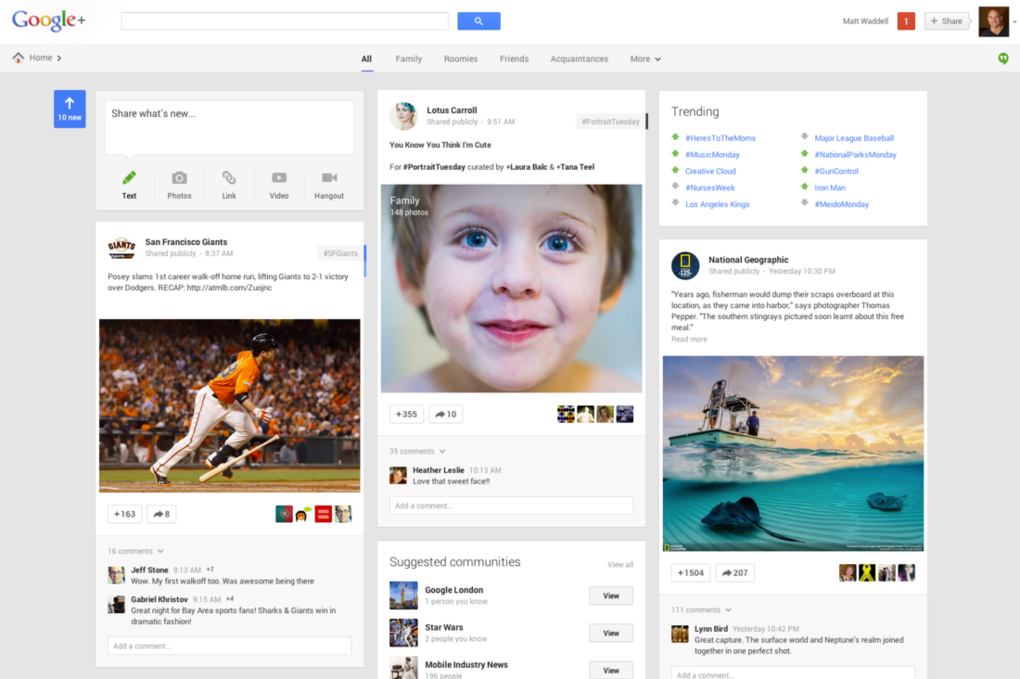
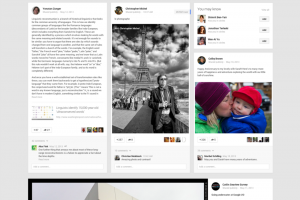
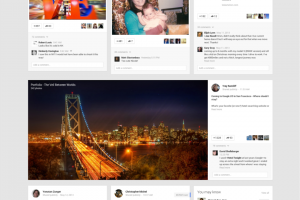
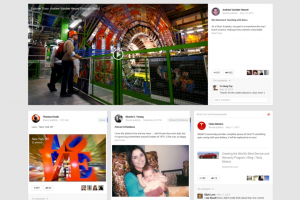
    Google at the I/O conference has launched a new design of their social networking site, Google+. Users on Google+will be seeing their social content in a new way thanks to a multi-column format fit for any size screen.

     The design consists of a maximum of 3 columns populated with individual cards for posts and pictures, almost to replicate Pinterest type UI. Columns appear or disappear depending upon the size of your screen, and cards can be flipped to reveal editing options, the cards can also be moved around. 

    Identical to Facebook’s left side menu, Google+ has also added a similar menu to help in the navigational traits. The Videos and Pictures will span to the width of the screen across multiple columns for a nicer looking experience.  Google clarified that the new design is responsive and will adjust to screen sizes. In addition, this 3-column layout will make its way across devices.

    Incase you like the original format, you can continue on the old design and say boo to the new Google + format. 

    Among the new features of Google+ is the ability to flip an image and look at related pictures under similar Hashtags. A feature called Auto Enhance will analyze and apply tweaks to your uploaded photos. The auto enhance feature will include fairly simple adjustments like brightness, contrast, color correction, noise reduction, tonal distribution, and saturation, but it will also make some more intensive changes. 

    “Auto Awesome” detects the kinds of photos you take, Google is going to try to make other improvements. Uploading a series of similar photos taken in a short period of time,  will automatically make an animated GIF out of it on Google+.

    Auto_Awesome_GIF

    The new Social Network design will also automatically pick out best pictures and ignore the blurry ones. This feature will choose the “best” photos to show off. To cite an example, Multiple images from an event will be scanned and only the good ones will be automatically shared, the remaining will remain pending for approval.

    Google also focuses on unified messaging service with the new Hangouts which is now integrated into the Google+ redesign. Google is releasing Hangout apps for Android, iOS, and Chrome (as well as integration with Gmail). In this move Google will get rid of Google Talk, Google Messenger, and Video Hangouts and everything will be replaced with the new Hangouts.

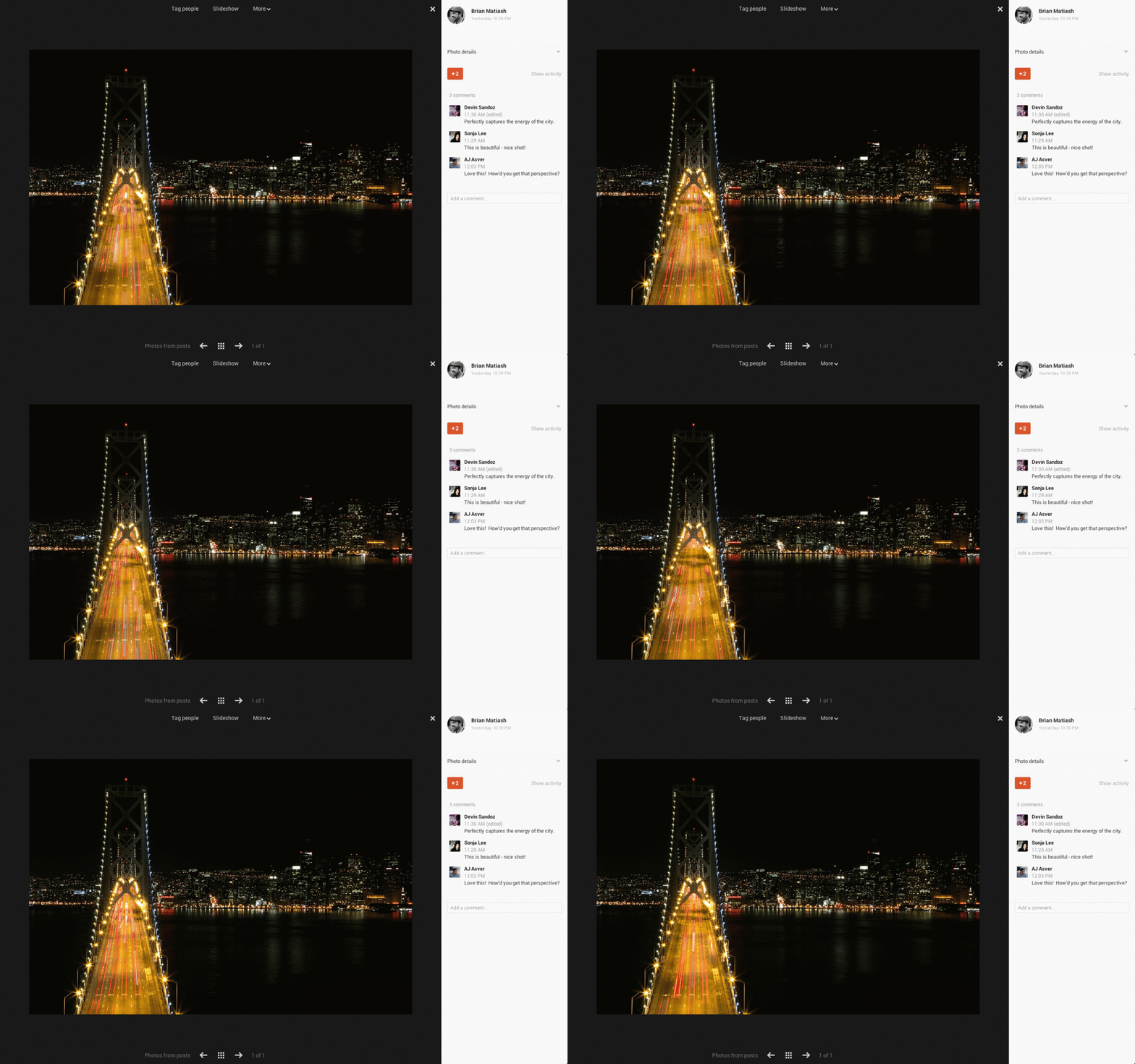
    Google still promises the features launched earlier for Google+ like unlimited uploads for photos under 2048-pixels wide, a fullscreen picture viewer, and 15GB of free space for for photos that cross the size limit.


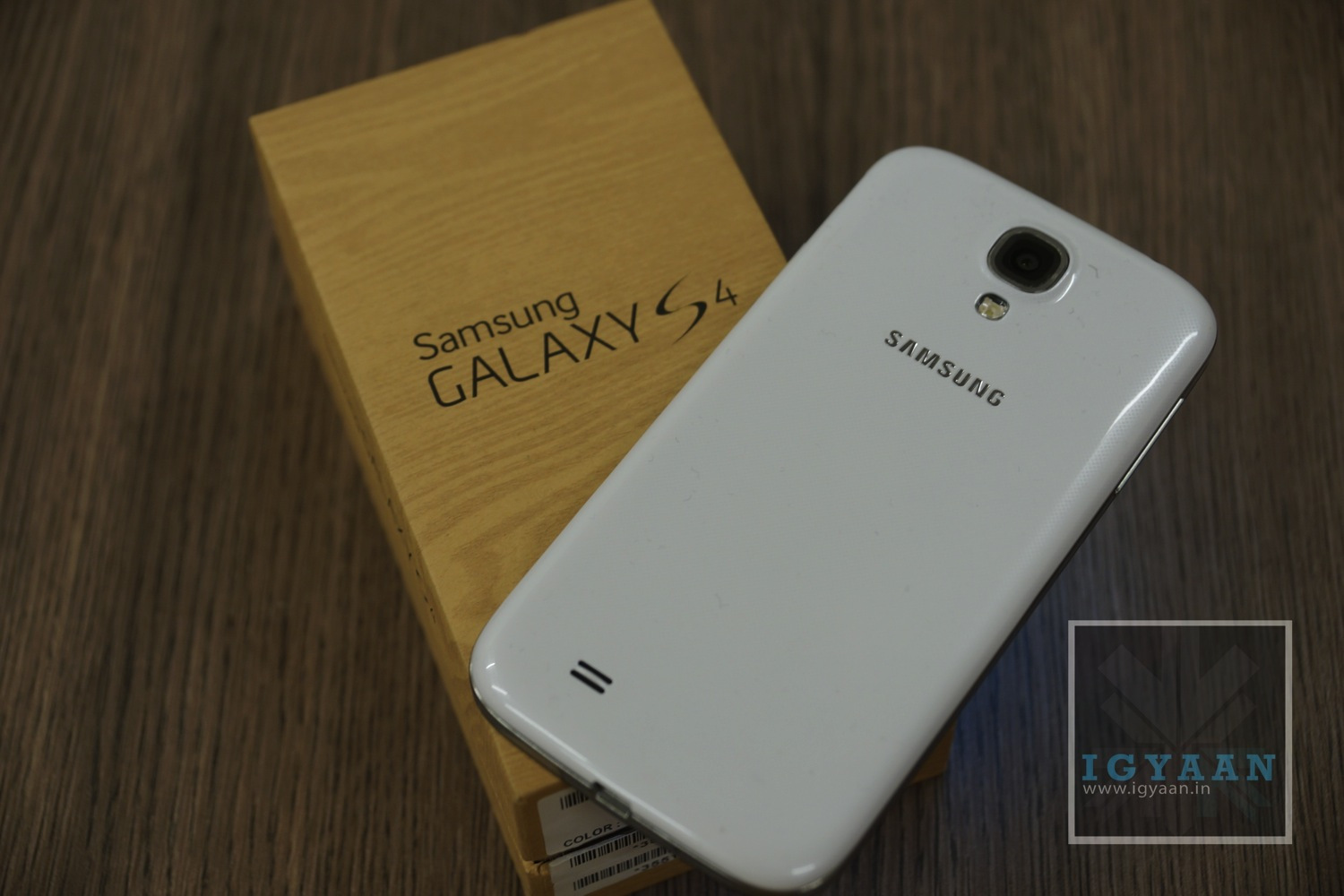
  • Samsung Galaxy S4 Google Edition, with Stock Android Confirmed

    Samsung Galaxy S4 Google Edition, with Stock Android Confirmed

    The Google I/O conference is ongoing, and Google has just taken wraps off, of a Samsung Galaxy S4 Google Edition, that runs stock Android. The report had come many hours before the events initial address.

    The device is fully unlocked and comes with LTE support for AT&T and T-Mobile, along with 16GB of storage. The Galaxy S4 Google Edition is aimed at the US market and it is assumed that it will come with the Qualcomm chipset that supports US LTE bands, and not the Exynos 5 chipset we are used to. 

    The Galaxy S4 Google Edition will receive OTA updates for the latest version of Android almost hours after announcements (in the future). The price of the Phone is set at US $ 649 and it will be available via Google’s online Play store, again only in the US. 


  • Samsung Galaxy S4 Google Edition might come at Google I/O

    Samsung Galaxy S4 Google Edition might come at Google I/O

    Literally hours away from Google I/O, rumors of an upcoming Galaxy S4 Google Edition have surfaced. The Phone could very well be the next Nexus aka Nexus 5 with a 5 inch display (The Nexus 5 moniker would fit). The Galaxy S4 Google Edition will address concerns from the ever growing vocal minority of Android users demanding a pure Android experience from their Android devices, without having to go through the pains of rooting.

    The Galaxy S4 Google Edition will also have a Google brand on the back cover along with possibly a new texture on the back as seen on the white tablets given last year. The Galaxy S4 Google Edition is said be designed on the Qualcomm Quad Core chipsets as opposed to the Exynos 5 on the Indian S4 variant. It is also expected that the Galaxy S4 Google Edition will be launched for the US market at first where it might be exclusively available with T-Mobile as the handset will have T-mobile band support from the get go.

    More news will come at launch and we will keep you posted. 

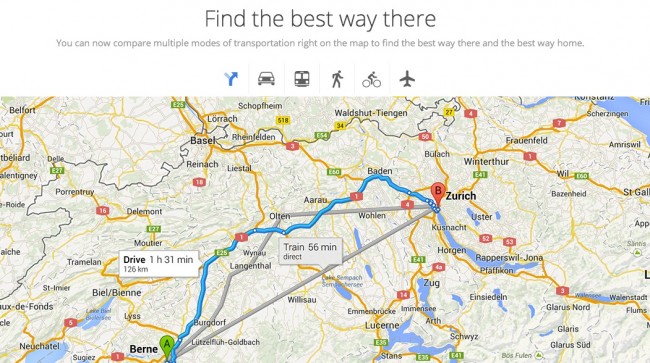
  • Revamped Google Maps Show up on Signup Page, Ahead of Google I/O

    Revamped Google Maps Show up on Signup Page, Ahead of Google I/O

    Just before the Google I/O event the sign-up page for “the new Google Maps” briefly went live showing off atleast one of the things Google has planned for the mega yearly event. Droid-Life managed to grab some screenshots, indicating that the company is working on a smarter Google Maps, which will show the cartography based on the information you are looking for. Users will use a “smarter search box” to highlight just the “things that matter most”.

    Ground Transportation, Flights and even Google Earth has been integrated directly into the main Google Maps, making for a more seamless approach towards the mapping use. 

  • Google Unifies Cloud storage b/w GMail, Drive and Google + also For Enterprise

    Google Unifies Cloud storage b/w GMail, Drive and Google + also For Enterprise

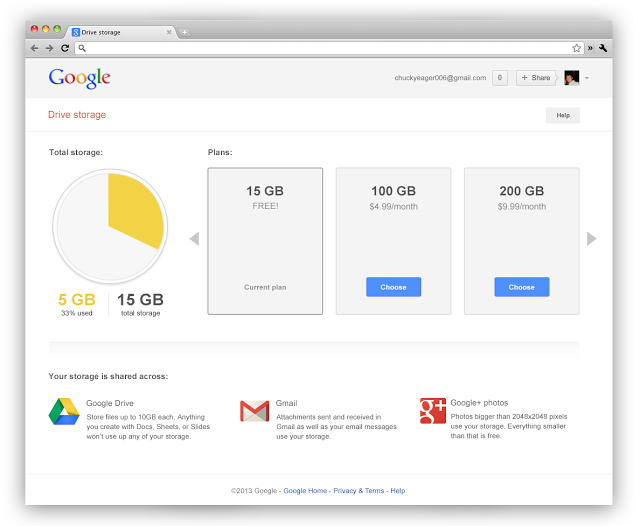
    Google has unified its cloud services starting yesterday offering a total of 15GB of storage to people using multiple Google services. With the same ID now you get 15GB of total storage across the three services, giving a boost to those who use drive more vs email or vice-versa. 

    Businesses using Google Apps will see their storage increase from 25 Gb to 30 GB across the services. 

    This move from Google comes as no surprise, as the company aligns with their storage model and frees up a lot of space from those people who were not using services on either side of Drive. 

    Shared storage

    This bigger number also makes the Google Service a lot more appealing than the lower free storage from say Dropbox.

    What’s more Google’ has added significantly cheaper upgrade plans to Drive, starting $4.99/month for 100GB which would get shared across the services, removing the previous 25 GB Gmail upgrade limit.

    These changes to Google Drive storage will roll out over the next couple of weeks.

    [VIA]

  • Google Patents Touch Sensitive Wristband For Smartwatch

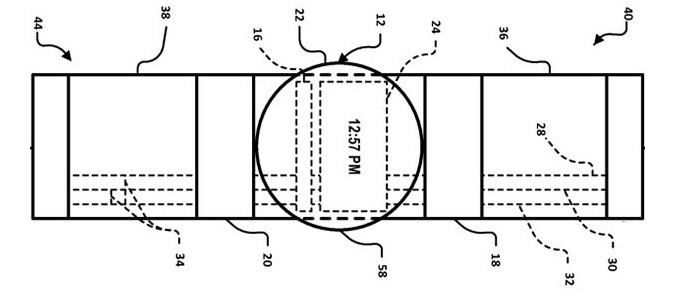
    Engadget has posted an image of a new watch-based device, patented by Google, which would perform many of the same functions.

    While the drawing does not necessarily mean such a product is in the works for commercial release, it does hint at an intriguing new direction for the company’s move into wearable computing.

    smartwatch

    The device itself is explicitly titled “Smart-watch with user interface features” by the USPTO patent so there’s no beating around the bush, but it’s the extra little bits we’re interested in.

    For example, the watch, displayed in the accompanying illustration, also has two touchpads on either side of the display face. The patent says that you’ll be able to use these to “pinch, stretch and scroll on a platform with limited space available for user input.”

    Given what we’ve previously heard about Google’s foray into the smartwatch domain, it sounded like Mountain View was separating its smartwatch and Google Glass development teams. But this new discovery makes a crossover seem more likely than ever.

    This actually isn’t the first time we stumble upon a smartwatch patent application granted to Google. Last year, the company received a patent for such a device with augmented reality features.

    It’s all pretty vague at the moment – understandably. But with Google I/O coming up you might just be able to get into the wearable tech game before too long.

    [Engadget, TechRadar]

  • Android 4.3 Jelly Bean May Debut At Google I/O Instead Of Key Lime Pie

    Android 4.3 Jelly Bean May Debut At Google I/O Instead Of Key Lime Pie

    Android 4.3, Jelly Bean will be the next major software build released from Google.

    Android 5.0, Key Lime Pie was originally expected to debut at this year’s Google I/O, however, a newer build of JellyBean seems to be the stronger candidate to be introduced this year, according to a report from Android Community.

    Much of the proof has been found in IP logs that are available to many web administrators. They point to a new version of Jelly Bean, Android 4.3, with a build number of JWR23B. Android Police posted examples of this from their server logs coming from both the Nexus 4 and Nexus 7, all of which emerged from IP addresses in Google’s range.

    There are also several examples of developers citing this build in various bug trackers around Google products, suggesting that its launch is imminent. Because the build starts with “J,” it’s easy to assume that it’s part of the same family of code as the previous two major Jelly Bean releases; Google assigns the first letter of the name to each corresponding build.

    Google has also never launched a major version of Android at Google I/O. Android 4.1 was announced last summer, and Android 2.2 was launched at Google I/O in 2010. While Android 3.1 Honeycomb was exposed at Google I/O 2011, its significance would go on to be undermined as merely “aesthetic” in future releases.

    That being said, even though Jelly Bean has been around for over a year now, there still seem to be a few major bugs to squash. Android 4.2 has not been a smooth upgrade for many users, especially those running the Galaxy Nexus and Nexus 7, as it introduced significant slowdown, animation glitches, camera instability and more. Overall, while Android 4.2 seemed to be a fairly minor upgrade to end user, it actually made a number of significant modifications to the Android case base, and Google may believe it has another minor upgrade to fix any remaining bugs.

    Google I/O is coming on May 15th, and we’ll be there to cover all the announcements, major or otherwise. You can certainly expect a faster, Qualcomm-powered Nexus 7, as well as a rumoured 32GB LTE-powered Nexus 4. There will be a much higher prevalence of Glass users at this year’s jaunt, too, and you can bet on a few more surprises as well.

    [Android Police, Android Community]

  • Google Now Lands On iOS, Works Seamlessly!

    Google Now Lands On iOS, Works Seamlessly!

    Starting right now, iPhone and iPad owners can get Google Now on their devices. 

    Google Now

    Google Now is a personal assistant, Siri’s rival, if you may, which brings on a combination of Google Search and personalized everyday “cards” showing what a user wants to know about every day elements like weather, sports, and calendar items.

    Google announced on Tuesday that the service, which has been available for about nine months on Android phones and tablets running Jelly Bean, will be available for free as part of an update to the Search App in the iTunes App Store.

    Get just the right information at just the right time with Google Now. 

    – weather and traffic conditions before you start your day 
    – updates on your favorite sports teams and breaking news stories as they happen

    The app appears to be exactly the same as the Android version with the exception of users being able to swipe up to launch the Now application. Google, though, reports that 22 of the 29 card types found on the Android version of Google Now are making their way to the iOS version, with airline boarding passes, Fandango, and local events being among those not making the transition.

    Google Now

    Google Now pulls information from all of your Google services like Search, Gmail, Calendar, Maps, Chrome browser history, and anything else that is connected to your Google account, then it provides pertinent information to the smartphone owner before they know they need it. 

    Google Now

    Our initial impression of the service is that it works seamlessly! It picked up our commands with ease and returned accurate information. 

    Job well done Google!

  • Google Joins FIDO Alliance To Find An Alternative To Passwords

    Google has joined a consortium of tech companies including PayPal and Lenovo attempting to stop passwords being the sole protector of personal accounts.

    The group, the FIDO Alliance, is working on technology that would give the device a person was using a role in authenticating them so that a password alone is not enough to unlock an account. That approach can make it impossible to compromise accounts just by stealing passwords, as hackers did in order to break into Twitter this year and LinkedIn last year.

    google

    There have been some rumors about Google working on an authentication device, something like a USB stick for example, and this is what FIDO, which stands for Fast IDentity Online, specializes in.

    FIDO is working on a standard way of providing authentication online. It doesn’t necessarily have to do with the device or method used for the authentication, but with the way in which websites can request authentication and in which users can provide it.

    “Joining the FIDO Alliance is a great way to increase industry momentum around open standards for strong authentication,” Sam Srinivas, who leads information security at Google, said. “We look forward to continuing our current development work on strong, universal second-factor tokens as part of a new FIDO Alliance working group,” he added.

    In practice, users would have an authentication device, which could be a USB device with a key or a fingerprint scanner or anything else of the sort. 

    The unique key provided by the device would be used by websites to provide access. This key would be hard to spoof and harder to obtain.

    Certainly a step in the right direction.

    [Softpedia]

  • Newly Discovered Code In Google Page Hints At Google Now For Web

    Newly Discovered Code In Google Page Hints At Google Now For Web

    Google Now is arguably the single best feature found in Android Jelly Bean, and soon, it seems, it will also be added to Google’s homepage. Some code from a page that’s tested by Google offers more information about this feature.

    Google Now

    Google Now brings you search results before you even go looking for them. Just swipe up, inside of Google’s search app, and Google Now activates. From there, the Google search app delivers today’s weather, your Google Calendar appointments, directions to home or work (depending on what time of day it is), a heads up to nearby events, the score from your favorite sports team’s latest game, boarding passes, package tracking, dinner reservations and a lot more.

    Source code for the page in testing encourages you to, “get started with Google Now,” because it provides, “just the right information at just the right time.” It has the option to change your home and work locations as, “Google Now uses your Home location to show relevant information like weather, traffic conditions, and nearby places.”

    As TechCrunch reports, previous discoveries have indicated that Google Now is probably being worked on for Chrome desktop browser integration, and for inclusion in Google’s iOS search app. But bringing it to the Google homepage means it’ll be broadly accessible. It also means Google will have an opportunity to deliver more via its homepage, sort of like an iGoogle, but hopefully better at its job of providing you with relevant, personalized content.

    There are also plenty of references to “now_card.”

    Google Now on the internet, yes please!

    [TechCrunch, Engadget]

iGyaan Network
Privacy Overview

This website uses cookies so that we can provide you with the best user experience possible. Cookie information is stored in your browser and performs functions such as recognising you when you return to our website and helping our team to understand which sections of the website you find most interesting and useful.