Category: iOS

  • Facebook updates iOS apps

    Facebook updates iOS apps


    Facebook has rolled out new iPhone and iPad apps rebuilt from the bottom up in a drive to boost speeds and give better performance.

    The long-awaited move was part of the social networking giant’s effort to appeal to the growing number of users accessing Facebook from mobile devices.

    It was also an attempt to placate mobile users who for years have complained that the old apps were clunky and sluggish.

    But while Facebook ads are well-established on its website, the company only recently started experimenting with mobile advertisements. That’s been a concern for investors, who’ve sent Facebook’s stock down by nearly half since the company’s initial public offering three months ago.

    The app is available for free from Apple’s App Store.

    Still absent from Facebook’s app is any integration of Instagram. That’s because Facebook hasn’t closed the acquisition of the photo-sharing app. Though it got a step closer Wednesday, when the Federal Trade Commission said it has closed its investigation into Facebook’s planned acquisition.

  • ‘Double’ transforms your iPad into a $1999 telepresence robot

    ‘Double’ transforms your iPad into a $1999 telepresence robot

    For the frequent traveller, it could be the perfect way to attend those urgent meetings while staying at home.

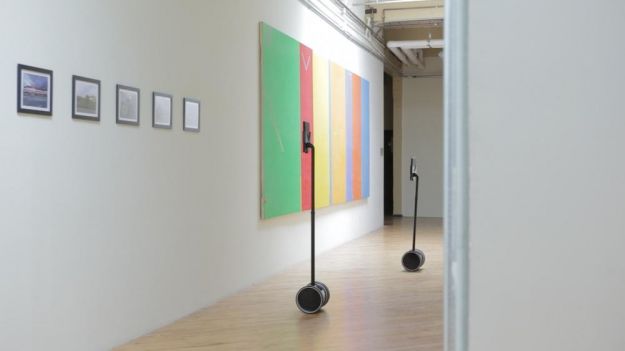
    The Double robot can turn your iPad into a ‘virtual you’ that can be sent anywhere in the world. The $2,000 robot is described as ‘the simplest, most elegant way to be somewhere else in the world without flying there’

    Imagine you’re at your company, seated at your desk, when this iPad perched on a kind of pared-down Segway rolls up beside you. On the screen is the face of one of your co-workers located in another country who today is poking about your office, getting to know the layout, meeting some new people, asking a few questions. After a brief chat, it rolls off to the other side of the office. You look up five minutes later and do a double-take as you notice two of these devices having a conversation with each other by the water cooler.

    Thanks to Double Robotics’ iPad-on-wheels – otherwise known as ‘Double’ – such a scenario could one day become a reality.

    Double, which its maker claims offers the “most elegant way to be somewhere else in the world without flying there,” comprises a pair of wheels, a battery-powered motor, an adjustable pole and an iPad holder.

    The telepresence robot is controlled remotely by someone using Double’s app on another iPad. The app enables the operator to move Double around its location, with its minimalist design helping to ensure it doesn’t get in the way of ‘real’ on-site workers. The length of the pole can also be adjusted using the app, allowing its user to talk face-to-face with co-workers, or peer over partitions to see what others are up to when they think no one’s  looking.

    Weighing a delicate 15 pounds (7 kg), there’s little chance of Double causing any damage to furniture, or humans for that matter, should its operator fail to see upcoming obstacles.

    The California-based firm behind Double believes its creation offers a unique teleconferencing experience, allowing you to move around a location freely, meeting co-workers in any location, although presumably the bathroom will be off-limits.

    Double Robotics suggest its robot could be used by companies who regularly communicate with remote workers, as well as school campuses, “enabling potential students to walk the halls and talk to professors.” Museums and galleries could also use Double, offering tours to those too far away to visit in person.

    While some may consider Double to be an unnecessary luxury, the museum/gallery idea is certainly an appealing one, where anyone on the planet could work their way around such places using simply an iPad and an app.

    Of course, there are already a number of telepresence robots like this in existence, but what makes this one stand out is its reasonable price – $2,499, or just $1,999 if pre-ordered – iPad not included. The firm is set to ship its first batch this December, with orders placed from this week going out early in 2013.

    [Digital Trends]

  • Google+ Update lets you open iOS links in Chrome, Allows Androids to join Hangouts on Air.

    Google+ Update lets you open iOS links in Chrome, Allows Androids to join Hangouts on Air.

    Google has let out a sly update to their Google+ apps on Android and iOS. The biggest addition is now allowing, Android phones to join Hangouts on Air, a feature we might use as soon as Today.

    For iOS the app, it now allows you to open links in Chrome instead of Safari, making the dreams of a default chrome browser more real than ever.

    What’s in this Android version:

    – Teens can now create and join Hangouts from mobile
    – Join Hangouts on Air from mobile
    – Floating timestamp in photos view
    – Shortcuts for post creation
    – Ability to report abuse in Events

    What’s in this iOS version :

    ? Web links in posts now open in Chrome (if installed)
    ? Teens can now join and create Hangouts 
    ? Instant Upload bug fixes to improve performance

    [App Store] [Google Play]

  • Instagram updates apps to 3.0 adds Photo Maps, infinite scrolling and speed improvements

    Instagram updates apps to 3.0 adds Photo Maps, infinite scrolling and speed improvements

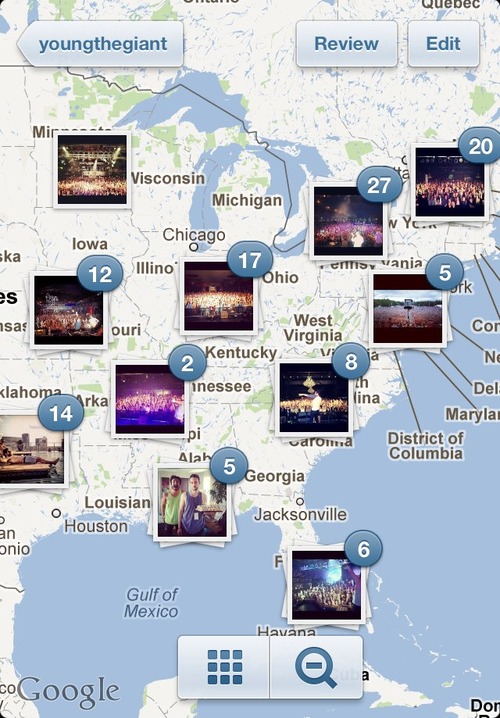
    Instagram has updated their iOS and Android Apps to major V. 3.0 . Now Using the geotagged images Instagram allows you to look at your photo map. It overlays photos with a map underneath, giving people a far more visual look at what they were seeing at a given point on Earth.

    The app now displays bigger grid photos to make it easier to browse large collections of photos and see them too. You’ll find bigger grid photos on user profiles, the Explore tab, as well as on hashtag and location pages.

    Also a lot of UI changes allow users to enjoy the new refreshed upload screen, and security allows you to moderate comments and flag users.


  • Edit : Why I Use An iPhone

    Edit : Why I Use An iPhone

    Ok, so before I begin with this article, let me clarify that I haven’t been paid by Apple to write this, I don’t hate Android phones, and I most certainly am not a “fanboy”. Also, I am not Bharat Nagpal (I know most of you came here expecting Bharat to finally reveal why he uses an iPhone). 

    The question is simple yet one of the most debatable one this side of the century, “Why do you use an iPhone?” 

    Some background details first

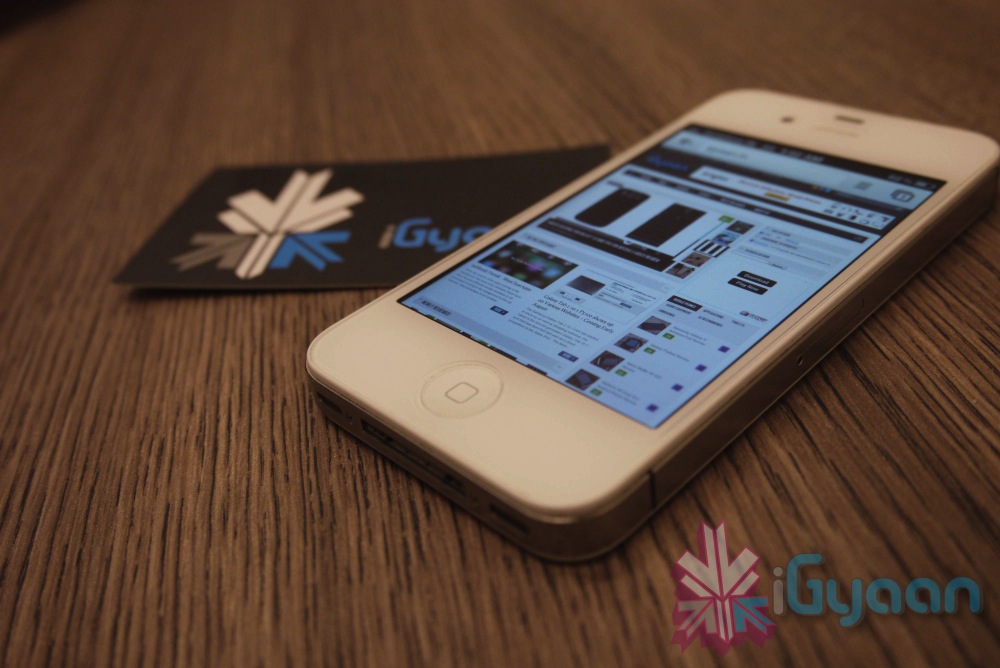
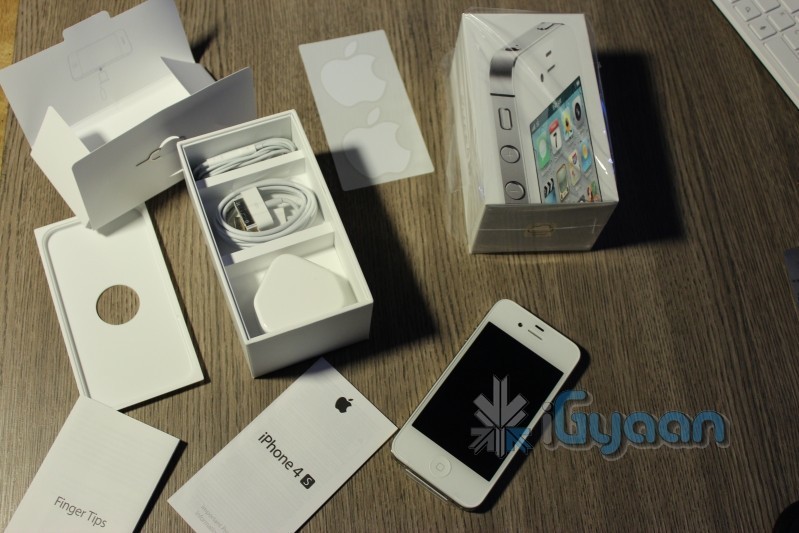
    [pullquote_right]working at iGyaan has its perks![/pullquote_right]I currently use a 16GB iPhone 4s, my first iPhone, which I’ve been using since January, 2012. Before this I had a Nokia 5230 “Express Music”, a Samsung Corby, a Samsung Metro, a Motorola flip phone (don’t remember its name now) and a Nokia 1100 (which I had to crush with a brick and then drown in a bucket full of water to make sure it was dead). Oh, and a couple of Android devices here and there (working at iGyaan has its perks!). 

    iPhone

    Now the Crux

    So, it took me only 1 day to realize that I had a phone in my hand that is perfect for me. Why so? Easy, because it’s is simple and uncomplicated!  I work around technology on a daily basis, but that doesn’t mean I want my products and services to be unnecessarily complex.  In fact, I tend to go the opposite way – I spend a lot of time working with wireless devices, dealing with random issues, playing with settings, and the likes.  In my time off, I’ll always migrate to the solution that’s the easiest.

    I want a device that works the same way every single time.  When I open an app, I expect it to take the same amount of time to open each and every time, when it doesn’t, it aggravates me. [pullquote_left]Having a sluggish phone with a 1.5 GHz dual-core is like having a Pulsar that moves like a Rajdhoot.[/pullquote_left] The iPhone is consistent, fast and ridiculously smooth! While you’ll never have a device that’s 100 percent fail-free, I’ve yet to find another device that performs as fluidly as the iPhone 4S. 

    One of the primary reasons I love the iPhone is the large selection of high quality apps. Even though more apps come to Android every day, I still prefer to buy (cough!) most of my apps and games on the iPhone.

    Not only do most of these apps look better, but i don’t have the same buyer’s (cough again!) remorse as I do with many Android apps I purchase. When given the choice between the same app on Android and on iPhone, I choose the iPhone app. I can’t recall looking at an Android app and complimenting its looks in comparison to its iOS and Windows Phone counterparts. 

    Daily Usage

    iPhoneTyping is a breeze with the auto-correct (though i have suffered some more than embarrassing moments due to it). The phone literally learns as you use it. Overtime Siri picked up on my “Indian Accent”and autocorrect started suggesting Hinglish words. I use dictation on the iPhone 4S to write entire articles with enough accuracy that only minimal editing needed. In fact, I am writing this article through the WordPress app on my phone! The new Voice Actions in Android 4.0 include many of the same features and work just as well as Siri and Dictation on the iPhone, but it is less polished. There is no use of relationships and Voice Actions doesn’t prompt for the message, requiring taps on-screen instead.

    Through iCloud, I have all my emails, contacts, data backed up effortlessly and accessible from anywhere. I don’t have to worry about subscription renewal or periodic updates. All I had to do was create an iCloud account and I was good to go!

    Camera and portability

    iPhoneThe camera is definitely the best I’ve seen on a mobile phone (do not mention the PureView!). It has eliminated the need to carry a separate camera while on a vacation. I am more than satisfied with it!

    One of the biggest feature of a phone for me is the screen, and the iPhone delivers in that aspect! The Retina display is a treat to use! Bright, vivid colours, great viewing angles, outdoor visibility and no pixilation at all! Texts are as crisp as they can be and even though the screen may not be the biggest, it definitely is the best for my needs.


    Jailbreak

    [pullquote_right]For all the things that Apple didn’t include in the iOS, there’s JailBreak![/pullquote_right] You can do anything, literally, once you’ve jailbroken your phone! Be it applying a custom theme (I am using the Windows 8 theme currently), add toggles to the homescreen and download unlimited apps for free!

    Out of all of the smartphones I’ve used, battery life continues to shine on the iPhone 4S in comparison to Android and Windows Phone equivalents.  It has taken a hit for sure with iOS 5 and the 4S’ dual-core processor, but it still outperforms other smartphones I’ve used. It charges ridiculously fast!

    Conclusion (The Only Answer)

    So basically, the iPhone has a smooth and fluid OS (I cannot emphasize this enough!), adequately powerful hardware, and tons of great features! Not to mention it looks great and I don’t have to deal with “minor bug fixes” now and then! So why should I switch to some other phone just because it has ridiculously speedy quad-core processor and an awfully powerful GPU when at the end of the day I have a phone which does what I need perfectly!

    Is it the best phone ever? Nope.  Would I go around recommending it to everyone?  Nope.  I can go off on a tirade of things I don’t like about it.  Email management has been especially bugging me. There’s a ton of features on the Android that I wish I had access to on my iPhone, and there’s no doubt that Android will continue to develop over time, but right now, I just want a phone that pretty much manages itself, so I can enjoy it, without having to worry about if I need to update permissions on my phone.  But for today, it’s the device that allows me to check off the most number of features on my list, so it stays!

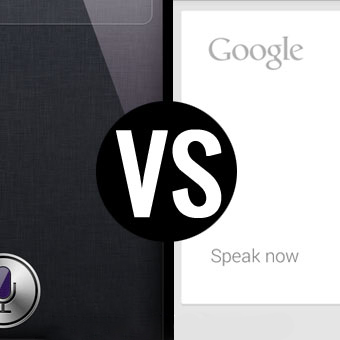
  • Google says voice is the future of web search, introduces Siri-like app for iOS

    Google says voice is the future of web search, introduces Siri-like app for iOS


    Google Inc showed off enhancements to its voice-based search technology for Apple Inc’s iPhone and said it was testing a new service that will combine its Web-based email with its search engine.

    The new version of Google’s search app for the iPhone and iPad, expected to be available within a few days, will let users find information about everything from the weather to nearby movie showings by speaking into the devices, matching some of the capabilities offered by Apple’s own Siri technology.

    Google’s new app recites answers to search results in a human sounding voice, similar to Apple’s Siri, which some analysts and technology observers believe could make iPhone users less reliant on Google’s search service.

    The news comes as the relationship between the two companies grows increasingly competitive. On Monday Apple said it would no longer offer Google’s YouTube app as a pre-loaded app in future versions of its iPhone.

    Google, which unveiled a version of the voice-based search app for its Android software earlier this year, showcased the version for Apple devices at a press event at its San Francisco offices on Wednesday.

    The company also announced a test version of a new service that will integrate users’ personal emails into searches on the Google website. The service, which Google said will initially be available to 1 million users, aims to make it easier for consumers to access information such as flight schedules or shipping orders.

    A truly universal search will “have all the information that humanity has put on the Web and information that’s your information,” Amit Singhal, senior vice president of Google Search.

    The initial “field trial” will work with Google’s Gmail, but Singhal said the company was open to working with other email providers.

    Source : Reuters

  • Cleartrip launches mobile app for iPhone

    Cleartrip launches mobile app for iPhone


    Cleartrip launched its mobile app for iPhone with its special split-screen search facility.

    The split screen design was invented by Cleartrip when it launched six years ago.

    The new search form hosts some handy features like geo-location for selecting departure airport for current location, recently searched airports and the ability to easily swap the “from” and “to” cities with a tap. Additionally, there are filters that help narrow down the search by sorting results by specific airlines, flight timings or non-stop flights.

    Payments can be made using credit cards, debit cards or net banking account. Alternately, by signing into the Cleartrip Account, payments can also be made using Expressway. The cards selected on Cleartrip’s desktop site are also available on this app.

  • Taiwan University Sues Apple Over Siri

    Taiwan University Sues Apple Over Siri

    Taiwan’s National Cheng Kung University said Monday it has filed a patent infringement complaint against Apple Inc. in a U.S. court over the Siri voice command system used in the latest iPhone and iPad models, marking the latest patent spat against the Cupertino, Calif.-company.

    In a filing to the district court of eastern Texas, the university alleged that Apple’s Siri voice-activated assistant, which allows users to make phone calls and perform other tasks with voice commands, violated two of its patents: a speech recognition system and another system that controls how the device interact with a user’s voice command.

    The university is asking for an undisclosed sum of damages from Apple, according to the filing dated Friday.

    Apple has been facing ongoing legal battles against other smartphone makers including Samsung Electronics Co. and HTC Corp. over patents on mobile device technology and features. Apart from seeking monetary damages, a ruling against Apple could effectively block shipments of its devices to some countries and significantly change the competitive landscape.

    Apple introduced Siri last fall through the 4S iPhone and has been advertising it as a big differentiator for the hit device. The technology can perform a variety of tasks from searching for information to sending an email to scheduling meetings by voice. Unlike other types of voice-activated services, Siri can perceive normal human speech patterns.

  • Rumor : Apple to announce iPhone 5, iPad mini at September 12 event

    Rumor : Apple to announce iPhone 5, iPad mini at September 12 event

    The iPhone 5, iPad mini and perhaps two other Apple devices could be announced at a Sept. 12 event, according to a new report.

    Long rumored to premiere in October, the sixth-generation iPhone is now reportedly expected to be announced in September, including a new report Monday by iMore.

    The report says Apple will announce the new phone and the iPad mini, a 7-inch screen version of the iPad, six weeks from now, citing “sources who have proven accurate in the past.”

    Though the report is unsure about the iPad mini’s actual launch date, it gives a specific launch date for the iPhone 5: Sept. 21, which is a date that’s been rumored before.

    Along with the two iOS devices, iMore also reports Apple will use the event to launch a new iPod nano.

    Along with the nano, iMore speculates that a new iPod Touch could also be announced. Recent reports have said the Touch could be in for a fairly substantial redesign as is expected for the new iPhone.

    The next iPhone is expected to have a better and longer screen, at 4 inches, as well as other redesigns, including a new back plate and a smaller dock connector.

  • iOS 6 Beta 3 Seeded to Developers

    iOS 6 Beta 3 Seeded to Developers

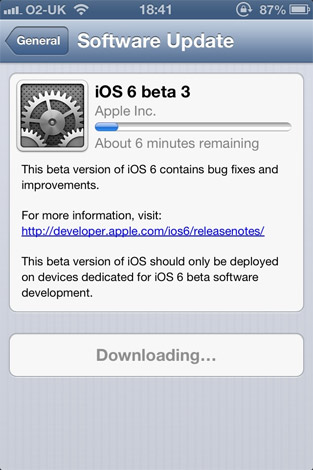
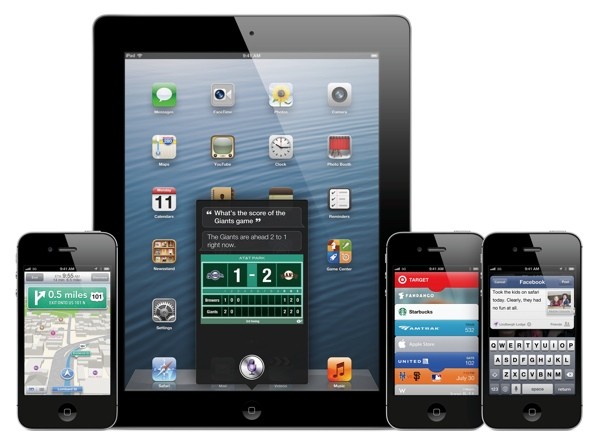
    Three weeks ago iOS 6 Beta 2 arrived, now apple is pushing out Beta 3 of the worldly OS to the developers and those with Developer accounts. This version of iOS6 inches closer with a lot of bug fixes and multiple tweaks that will now finally hit the end user. 

    SInce Apple has already closed down access for in-eligible downloads, its best to wait for the final build to arrive.

  • Chrome No. 1 free app on iTunes

    Chrome No. 1 free app on iTunes

    Whoops! Something went wrong!
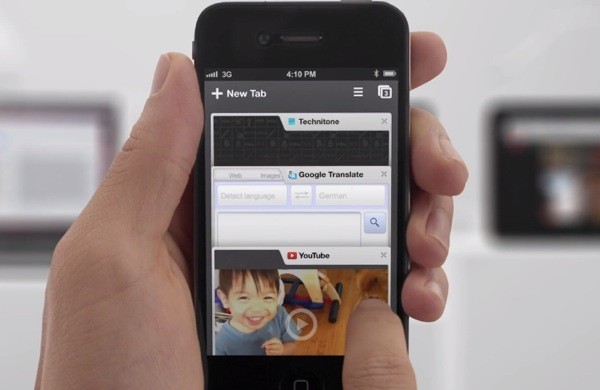
    Chrome for iOS features tab-syncing and incognito mode.

    Within days of it being announced for Apple’s iOS, Google Chrome rocketed to the top by becoming the no. 1 free app on the iTunes app store. 

    It’s getting decent reviews from users who so far have cumulatively ranked it at 4.5 stars, although the biggest complaint they seem to have is the browser is slow compared with Apple’s Safari which is due to the fact that Apple restricts the use of its Nitro JavaScript engine to Safari and other apps don’t have access to it.

    We will be coming out with the Chrome’s review soon, stay tuned. 

  • Google Chrome comes to iOS, iPhone and iPad

    Google Chrome comes to iOS, iPhone and iPad

    While the whole world was skeptical, Google just went ahead and put Chrome mobile on iOS. Both iPad and iPhone users will get the app, either with incognito browsing, syncing and that unique tabbed browsing interface intact.

    With the restrictions on the Apple App Store the Chrome webkit will not be allowed on iOS, but either way the download is now live!

    [App Store]

  • Apple Brings iTunes to Hong Kong, Singapore and 10 others in Asia, India left Out!

    Apple Brings iTunes to Hong Kong, Singapore and 10 others in Asia, India left Out!

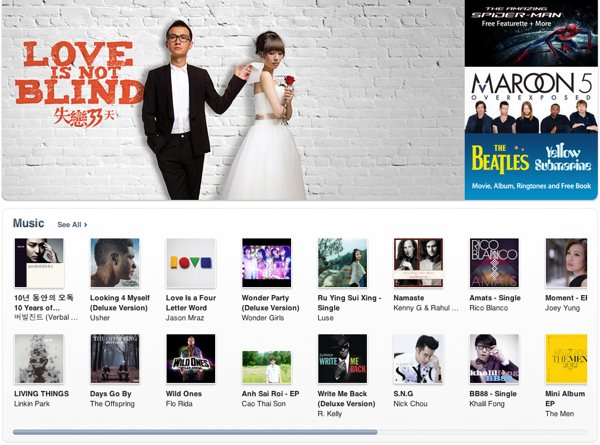
    Apple has finally started to branch out into what is a major chunk of their earning region. Hong Kong, Taiwan and Vietnam are among the dozen new countries where Apple has just launched their iTunes store for music and movies. Other countries include Brunei, Cambodia, Laos, Macau, Malaysia, the Philippines, Sri Lanka and Thailand. If you are asking then the answer is no, India was not included. 

    The company has left out India from the mix, possibly in comparison to the number of account holders. Hopefully, they can roll out the store in the coming months.

    [Apple]

  • Apple Starts seeding iOS 6 Beta 2 to Devs

    Apple Starts seeding iOS 6 Beta 2 to Devs

    While everyone waits the arrival of the next big OS for your iDevice, Apple is working hard to get it ready. The company has pushed out Beta 2 to the developers for testing, there are no special additions the primarily focus is on the bug fixes leading the software closer to a final release. There are still other betas expected before the final release comes out, So, hold on to your horses. 

    Those who have active developer accounts can download the latest betas from their accounts now.

    [9to5 Mac]

  • Meet Siri the Punjaban!

    Meet Siri the Punjaban!

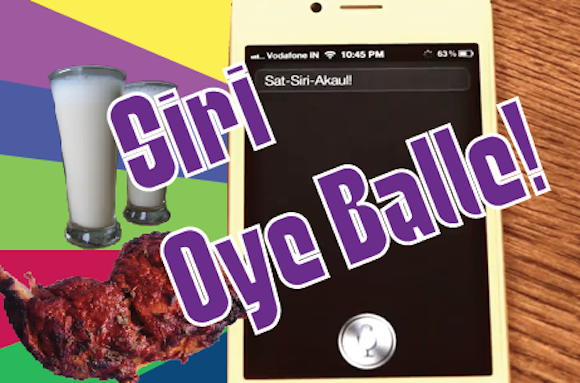
    After many months of trials and tribulations we got Siri on the iPhone 4S to go Balle Balle!

    Check it out and remember to visit iGyaanTV and subscribe on Youtube.com/iGyaanTV

iGyaan Network
Privacy Overview

This website uses cookies so that we can provide you with the best user experience possible. Cookie information is stored in your browser and performs functions such as recognising you when you return to our website and helping our team to understand which sections of the website you find most interesting and useful.