Category: Latest

All the Latest, News, Reviews, Updates, How To, Mobile Phone news, Global and International News, From Cameras to Automobiles, from TV To PC and a lot more! Constantly updating!

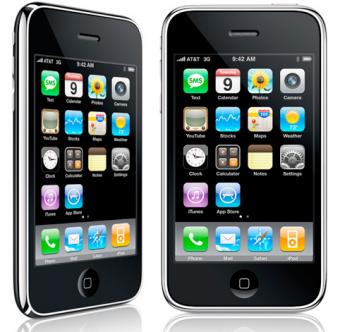
  • iPhone 3GS remains in the most sold device in India in the 20,000 Price bracket?

    iPhone 3GS remains in the most sold device in India in the 20,000 Price bracket?

    Despite several phones available in the market in the 20000 price bracket, Vodafone has confirmed that the Apple iPhone remains the most activated device in the past 3 months. This is highly surprising in a country where people have been up talking Blackberries and Android devices, so difficult to believe that we got Rajiv Thakkar, Senior Exec on Vodafone’s panel to talk to us about this .

    ” In the last three month we have had more activations of the iPhones than any other device in that price segment, with the iPhone 3GS topping in the 20,000 price mark. We have also activated the maximum number of iPhone Data plans, in the last 6 months, since the launch of the iPhone in India.”

    – Rajiv Thakkar

    Nowwhether  or not this information  is true or a marketing move from Apple, it seems that people still prefer iPhones to other devices. What do you think?

  • Most Android Honeycomb Tablets will upgrade to Ice Cream Sandwich

    Most Android Honeycomb Tablets will upgrade to Ice Cream Sandwich

    The air has been cleared over the tablet to Android 4 controversy and it seems all but most Honeycomb tablets will be updated to the latest build of Android from their companies. The only thing that lies in the middle is the timeline, and since we all know that companies like to take their own sweet time ironing out the kinks, we would say it should be a while.


  • Blackberry Playbook 2.0 Dev Beta shown on Video

    The Blackberry Playbook original failed to do well in the market. But RIM is determined to get the next Playbook appreciated by all and thus have managed to release a better SDK for the next Playbook. German site Macberry.de took the time to film a walkthrough of the recently released BlackBerry Playbook 2.0 developer beta.

    The homescreen now has  folders similar to that on iOS and most importantly BlackBerry Runtime for Android apps in action.

    Android applications will run smoothly and will support the tablets structure fully. CHeck out the video of the possible better future of Blackberry.

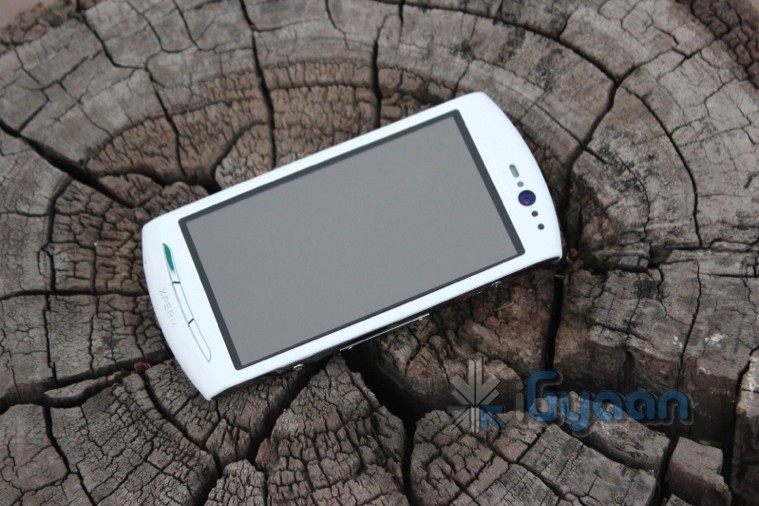
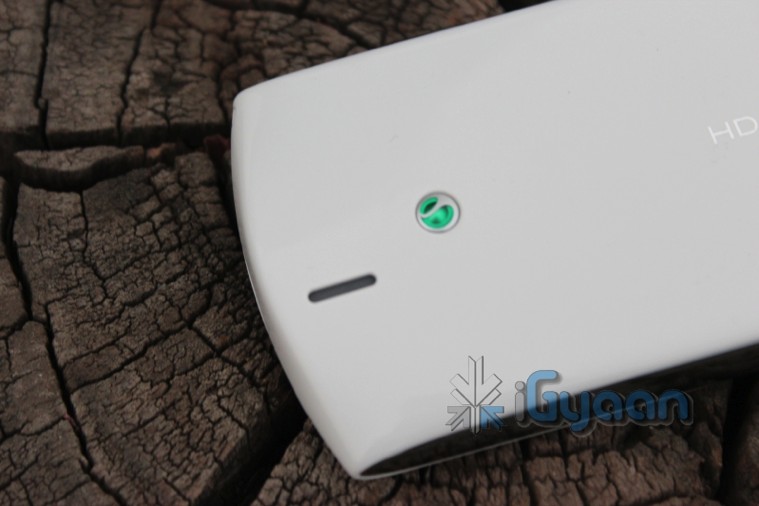
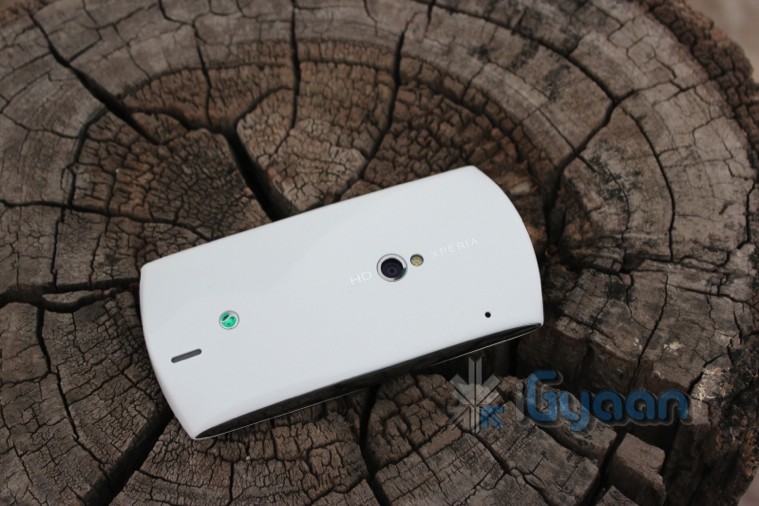
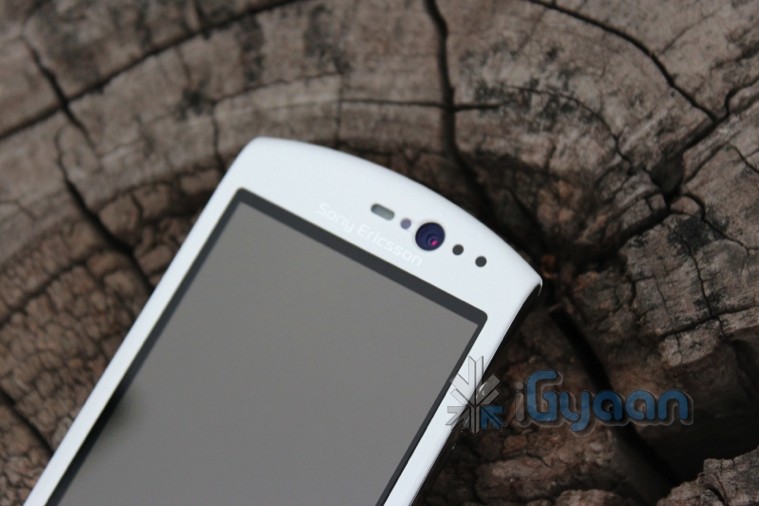
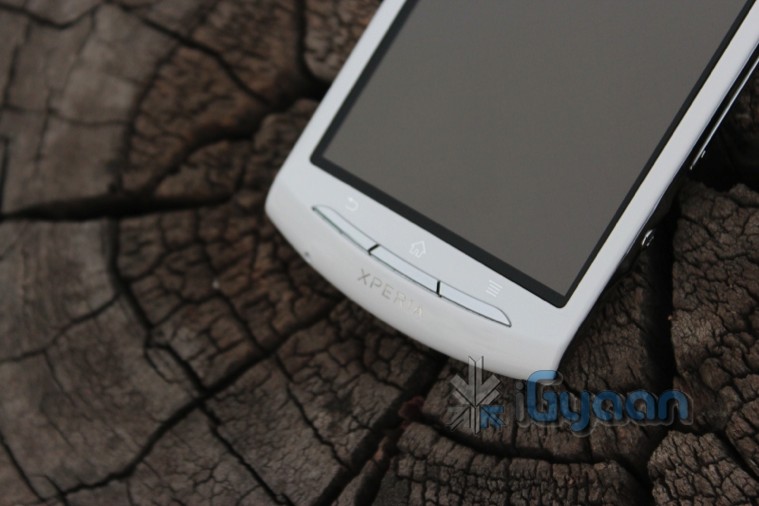
  • Sony Ericsson Xperia Neo V Unboxing and Quick Review

    Sony Ericsson Xperia Neo V Unboxing and Quick Review

    So we went hands on with the Neo V. Check out this highly anticipated device, in full iG Glory , with Specs Images and Video

    Tech Specs

    Price 20,000 /- MRP
    Frequency GSM 850 / 900 / 1800 / 1900; HSDPA 900 / 2100; HSDPA 850 / 1900 / 2100
    Phone Style

    Touchscreen

    OS Android 2.3.5
    Thickness 13 mm
    Length 116 mm 
    Width 57 mm
    Weight

    126g

    Built-in Memory 1GB ; RAM 512
    Additional Memory microSD up to 32GB
    High-speed Data GPRS, HSDPA
    Connectivity Bluetooth, Wi-Fi, A-GPS
    Screen Size 3.7-inches, 854 x 480 pixels
    Secondary Screen Size N/A
    Screen Colours 16 million
    Camera Yes
    Camera Resolution 5 megapixel with upto 16x zooming; Front VGA camera
    Flash Yes
    Ringtones Polyphonic, MP3, Truetone
    Music Player Yes
    GPS Gps + aGPS
    Radio Yes
    Speaker Yes
    Processor 1 GHz Qualcomm Snapdragon MSM8255
    Internet Yes
    Browser HTML
    Games Yes
    Battery Talk time: Up to 7 hrs on 3G and 6hours 55 minutes on 2G, Standby time up to 430 hrs on 3G and 400 hrs on 2G

    Images

    Video

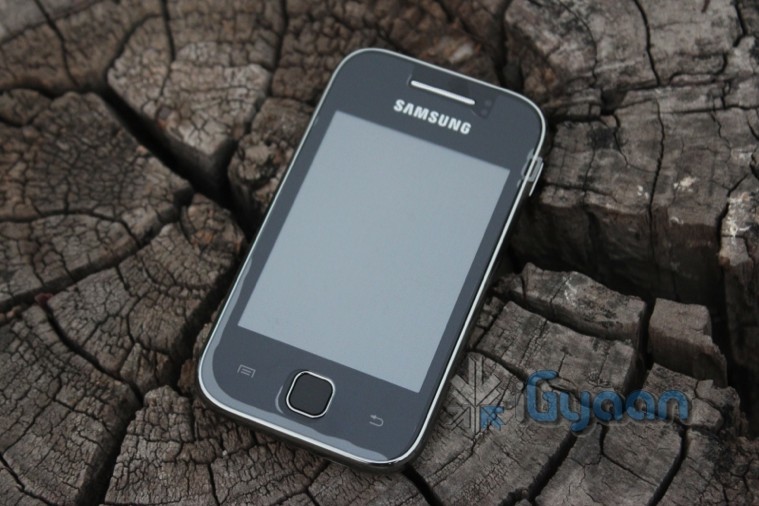
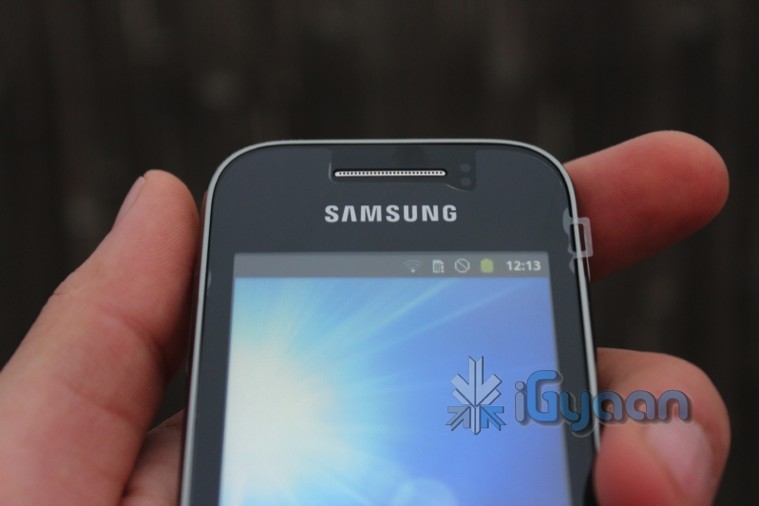
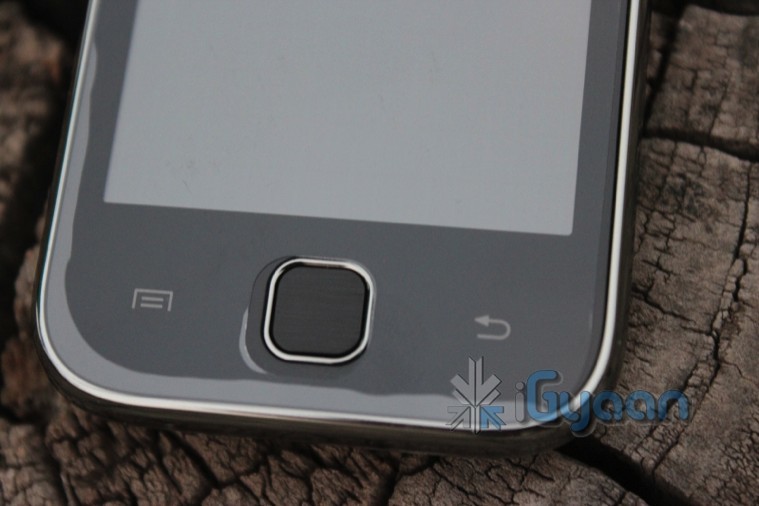
  • Samsung Galaxy y GT S 5360 Unboxing and Quick Review

    Samsung Galaxy y GT S 5360 Unboxing and Quick Review

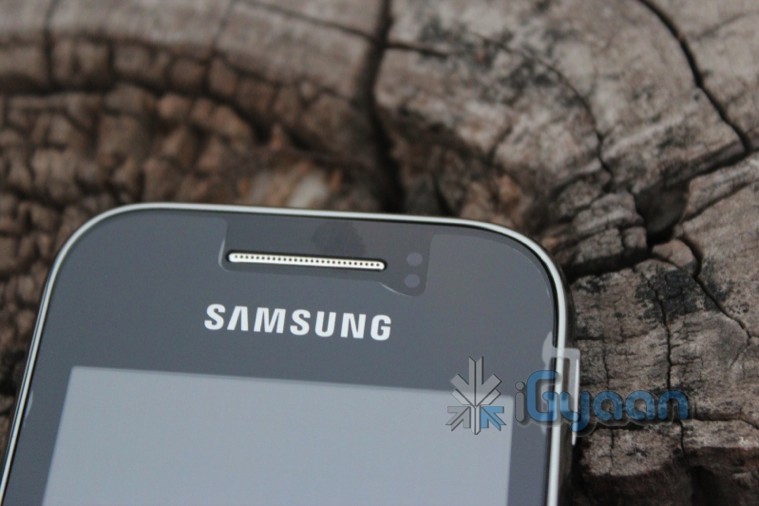
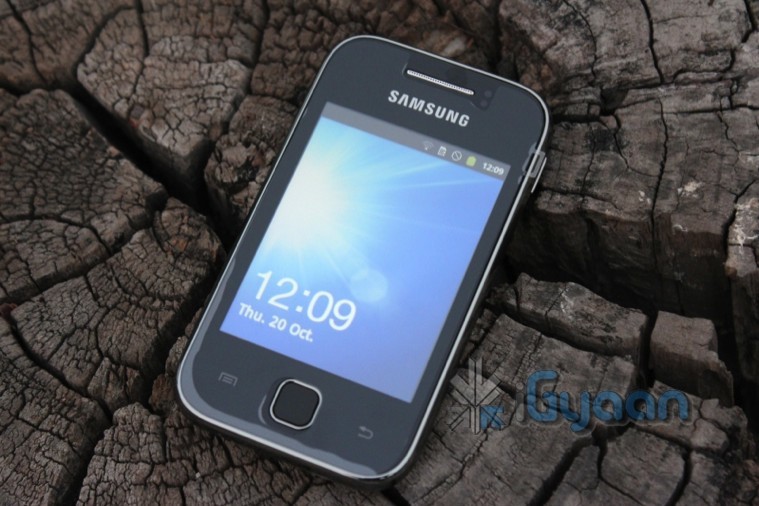
    The Samsung Galaxy Y has been the most requested device by iGyaan Readers and here it is in the form of an Unboxing and Quick Review. 

    The device is a budget Android targeted at the youth of the country, a slap on the face of local brands we presume. Check out the Tech Specs followed by images and the Video for pleasure 


    Tech Specs 

    Price Rs. 7,830 (MRP)
    Network Edge + HSDPA upto 7.2 Mbps
    Phone Style

    Touchscreen Capacitive

    OS Android 2.3.5 Gingerbread
    Thickness 11.5mm
    Length 104mm
    Width  58 mm
    Weight 97.5 g
    Built-in Memory 160 MB Rom Ram Unknown
    Additional Memory microSD, up to 32GB
    High-speed Data 3G
    Connectivity Bluetooth, Wifi , 
    Screen Size

    3-inch, 240×320 pixels

    Secondary Screen Size N/A
    Screen Colours 256k
    Camera 2-megapixel ff
    Camera Resolution 1600×1200 pixels
    Flash NO
    GPS  Yes
    Wifi 802.11 b/g/n
    Music Formats MP3
    Radio Yes
    Speaker Yes
    Processor 832 Mhz Processor
    Browser Android Browser, Full Flash Enabled
    Games Android MarketPlace Games
    Battery 1200mAh

    Images

    Video


  • HTC Rezound render get spotted

    HTC Rezound render get spotted

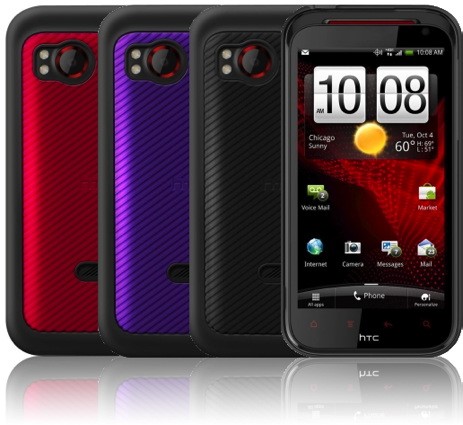
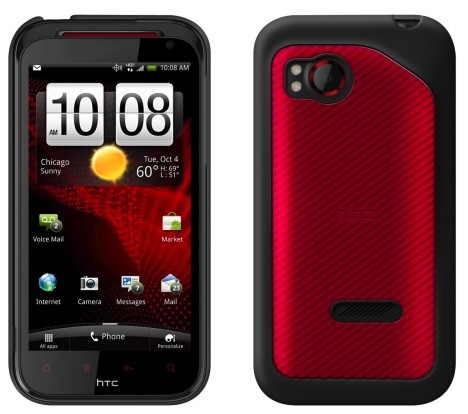
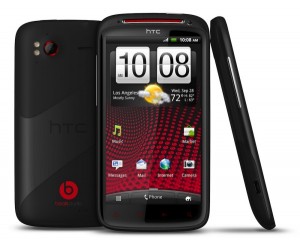
    HTC Rezound has come into the lime-light due to a bunch of the device’s cases going up for pre-order. The phone is pretty identical to recent HTC styling and will have similar specs

    • Red Glow Capacitive Keys
    • 4.3-inch screen
    • Dual-core 1.5GHz processor
    • 1GB RAM
    • Beats Audio
    • 8MP rear camera. 
    Among other things like included beats headphones, and a flurry of included sensors on the device. The device was earlier called the HTC Vigor, but it seems that the Rezound may be a US sub brand for Verizon CDMA, and the Vigor name will stick when the device comes Desi-Side (to India)
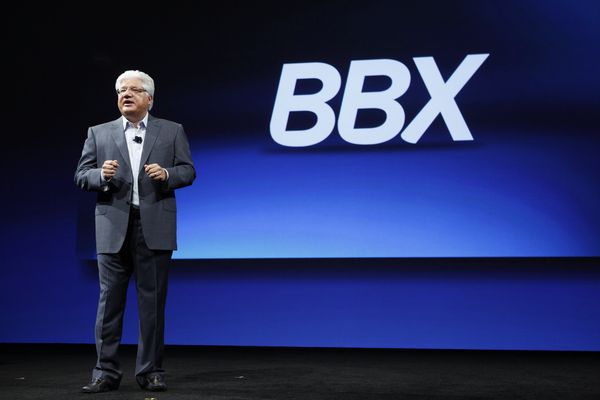
  • Research in Motion announces BBX the future of Blackberry OS (PR)

    Research in Motion announces BBX the future of Blackberry OS (PR)

    The war on speculation is over already, RIM acquisition of QNX is finally paid off as the company announces their new Mobile operating system the BBX. BBX will be based on QNX, the current operating system found on the BlackBerry PlayBook tablet. But, like Apple’s iOS and Google’s Android Ice Cream Sandwich operating systems, BBX will be one operating system across devices.

    BBX will also bring along the long-promised ability to run Android apps on BlackBerry devices. It will also run native BBX apps, apps developed using Adobe’s AIR software and HTML5 apps.

    But while RIM made the next BlackBerry operating system official, the company offered up few details on the new software outside of how developers will be able to build for it. RIM hasn’t yet said when the first BBX smartphones will arrive.


    [toggle title_open=”Press Release” title_closed=”Press Release” hide=”yes” border=”yes” style=”default” excerpt_length=”0″ read_more_text=”Read More” read_less_text=”Read Less” include_excerpt_html=”no”]

    RIM Unveils BlackBerry BBX-Combines the Best of BlackBerry and QNX to Provide a Next Generation Platform for BlackBerry Smartphones and Tablets


    Additional announcements and highlights from BlackBerry DevCon Americas 2011 include: – BlackBerry WebWorks and HTML5 apps compatible with current BlackBerry smartphones and tablets will run on future BBX-based devices – Native SDK for BlackBerry PlayBook goes gold; released for general availability – SDK for Adobe AIR Now Supports Adobe AIR 3.0 – BlackBerry PlayBook OS 2.0 Developer Beta now available, includes BlackBerry Runtime for Android Apps


    SAN FRANCISCO, CALIFORNIA, Oct 18, 2011 (MARKETWIRE via COMTEX) — BlackBerry DevCon Americas 2011 – At BlackBerry DevCon Americas 2011, Research In Motion today unveiled BlackBerry BBX, its next generation mobile platform that takes the best of the BlackBerry platform and the best of the QNX platform to connect people, devices, content and services.


    In addition, RIM announced a series of developer tool updates, including WebWorks for BlackBerry smartphones and tablets, the Native SDK for the BlackBerry PlayBook and a developer beta of BlackBerry PlayBook OS 2.0 with support for running Android applications. RIM also provided direction for developers on how to best develop and monetize their BlackBerry applications for today and for the future.


    “With nearly 5 million BlackBerry apps downloaded daily, our customers have made BlackBerry one of the most profitable platforms for developers,” said Mike Lazaridis, President and Co-CEO at RIM. “At DevCon today, we’re giving developers the tools they need to build richer applications and we’re providing direction on how to best develop their smartphone and tablet apps as the BlackBerry and QNX platforms converge into our next generation BBX platform.”


    BlackBerry BBX


    BBX is the next generation platform for BlackBerry smartphones and tablets. It combines the best of BlackBerry and the best of QNX and is designed from the ground up to enable the powerful real-time mobile experiences that distinguish BlackBerry products and services.


    The BBX platform will include BBX-OS, and will support BlackBerry cloud services and development environments for both HTML5 and native developers. BBX will also support applications developed using any of the tools available today for the BlackBerry PlayBook – including Native SDK, Adobe AIR/Flash and WebWorks/HTML5, as well as the BlackBerry Runtime for Android Apps – on future BBX-based tablets and smartphones.


    BBX will also include the new BlackBerry Cascades UI Framework for advanced graphics (shown for the first time today), and bring “Super App” capabilities to enable many advanced capabilities including deep integration between apps, always-on Push services, the BBM(TM) Social Platform, and much more.


    BlackBerry WebWorks


    Developers who want to support both existing smartphones (running BlackBerry 6 and BlackBerry 7 OS) and BlackBerry PlayBook tablets can monetize apps on both platforms today with BlackBerry WebWorks, which supports apps built on HTML5, CSS and JavaScript. The latest release, BlackBerry WebWorks SDK 2.2 (supporting both smartphones and tablets), is now available and includes updates for the new PlayBook OS SDK, PlayBook Simulator and more.


    The BlackBerry WebWorks APIs are supported by the Ripple Emulator, a standalone, high-fidelity browser-like emulation tool that allows developers to test and debug their applications on multiple platforms and devices without having to compile or launch simulators. Starting today the Ripple Emulator is available in beta and can also be downloaded from RIM’s WebWorks Developer site at: http://developer.blackberry.com/html5 .


    Native SDK – Content Rich, Fast and Smooth Running Applications


    RIM also announced today the immediate availability of the Native SDK for the BlackBerry PlayBook (1.0 gold release). The Native SDK allows developers to build high-performance, multi-threaded, native C/C++ applications and enables developers to create advanced 2D and 3D games and other apps with access to OpenGL ES 2.0 and Open AL, as well as device specific APIs. Applications developed with the Native SDK will run today on the BlackBerry PlayBook and will be forwardly compatible on BBX-based tablets and smartphones.


    The Native SDK includes support for C/C++ POSIX library and compliance, device events like gesture swipes and touch screen inputs, access to code management systems using industry standard Eclipse CDT (C/C++ Development Tools) and advanced debug and analysis tools. QNX Momentics Tool Suite, an Eclipse-based integrated development environment, is included. It provides memory profiling, application debugging, and memory usage statistics to help developers debug sophisticated programs, including hardware accelerated OpenGL applications.


    The Native SDK makes the development and porting of game applications to the BlackBerry PlayBook an extremely attractive proposition for developers. Well known game publishers, developers and major game engine companies have already started to bring their game titles and applications to the platform.


    Scoreloop, the largest and fastest growing cross-platform social gaming ecosystem on mobile, is now available in beta for the Native SDK through BlackBerry(R) Beta Zone. The Scoreloop SDK provides everything a developer needs to easily integrate social capabilities into their native PlayBook applications and includes support for Leaderboards, Game Challenges, Awards & Achievements, and Player Profiles. Scoreloop’s fully customizable and cross-platform technology empowers developers to add as many or as few features as they want, from a simple leader-board to more extensive player achievements. It makes mobile games more social and profitable.


    BlackBerry Cascades – Create Visually Stunning Interfaces


    RIM today showcased BlackBerry Cascades, a rich user interface framework coming to a future release of the Native SDK. Cascades unleashes a new breed of design centric mobile applications and provides developers with an exceptional feature set for creating visually stunning interfaces with custom layouts, animations, effects and 3D graphics. These features, combined with a strong set of built-in core user interface components, will make it easy to build beautiful native applications with innovative user interfaces for the current BlackBerry PlayBook and future BBX-based tablets and smartphones. Cascades is scheduled to be made available in beta later this fall.


    Adobe AIR 3.0 Support


    Adobe Flash enables developers to produce visually stunning, highly functional applications for the BlackBerry PlayBook that can integrate with the underlying OS and will be supported on future BBX-based tablets and smartphones.


    The BlackBerry PlayBook now supports the recently announced Adobe AIR 3.0 runtime. Among the supported features are Encrypted Local Store that gives developers the ability to use the Advanced Encryption Standard (AES) to encrypt and securely store sensitive information on the device, as well as store passwords, keys or credit card information safely within the app; StageText that allows developers to take advantage of native text controls and the native interaction behaviors of those controls; Multitouch and Gestures built into applications to provide great usability; and more.


    PlayBook OS 2.0 – Developer Beta


    RIM introduced today the Developer Beta version of the BlackBerry PlayBook OS 2.0. The Developer Beta includes the BlackBerry Runtime for Android Apps and the BlackBerry Plug-In for Android Development Tools (ADT), allowing developers to quickly and easily bring Android applications to BlackBerry PlayBook tablets.


    The BlackBerry Plug-In for ADT (an Eclipse plug-in) extends a developer’s existing Eclipse Android development environment to support the PlayBook, and includes the BlackBerry PlayBook Simulator for developers to test and debug their apps before submitting them to BlackBerry App World(TM). Developers can also test and debug their apps on a PlayBook running the BlackBerry PlayBook OS 2.0 – Developer Beta.


    Android developers can also repackage Android apps for the BlackBerry PlayBook online by using the BlackBerry Packager for Android Apps. The web tool guides developers through a step-by-step process, allowing them to test their apps for compatibility with the PlayBook, and repackage and sign their apps for submission to BlackBerry App World, all without downloading any tools.


    BlackBerry Runtime for Android Apps and the associated tools allow Android developers to easily expand their market to include BlackBerry PlayBook users, and hence increase their apps’ market potential.


    The BlackBerry PlayBook OS 2.0 – Developer Beta also supports Adobe Air 3.0 and Adobe Flash 11, as well as WebGL, a new web technology that brings hardware-accelerated 3D graphics to the browser without installing additional software. Developers will be able to generate rich, interactive 3D graphics within their BlackBerry WebWorks application.


    For more information about the BlackBerry PlayBook OS 2.0 – Developer Beta and BlackBerry Runtime for Android Apps and associated tools, visit For more information about the BlackBerry PlayBook OS 2.0 – Developer Beta and BlackBerry Runtime for Android Apps and associated tools, visit: https://bdsc.webapps.blackberry.com/android/bpaa/ .


    Increased Developer Productivity with Open Source Libraries on the BlackBerry PlayBook OS


    RIM also announced the BlackBerry Open Source Initiative to port popular Open Source libraries to the BlackBerry PlayBook platform. Libraries already available include physics engines like Bullet Physics and Box2DX, scripting languages like Lua, multimedia libraries like OpenAL and SDL, gaming frameworks like Cocos2DX and general-purpose libraries like Boost and Qt. Also available under an Open Source license are a range of code samples that developers can use to get started quickly, as well as GamePlay, a new 3D native gaming framework.


    RIM will continue to expand its involvement in the Open Source community to help increase developer productivity on the BlackBerry platforms. For more details on RIM’s Open Source activities, visit http://blackberry.github.com .

    [/toggle]


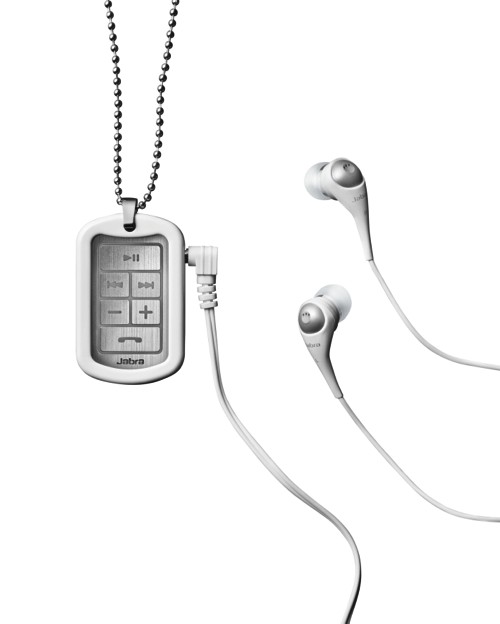
  • Jabra Upgrades the Street Launches Street2 Headsets (PR)

    Jabra Upgrades the Street Launches Street2 Headsets (PR)

    Jabra has updated their highly popular BT3030 Headset with the new Street2 in India. The headset was launched a couple of days ago at a private launch.

    Key features and specifications of Jabra STREET2 include:

    • Bluetooth 3..0 + EDR supporting headset – up to 10 metres operating range
    • AM3D 2.0 virtual surround sound and power bass
    • Connect two devices simultaneously
    • Auto pairing to smartphone or mobile or other Bluetooth devices
    • Splash proof – can be used in light rain
    • Optional metal chain and removable clothing clip
    • Supplied with Jabra earphones – 3 different bud sizes
    • Less than 30 grams in weight (including earphones)
    • Up to 8 hours talk time, up to 8 hours  music playing time, up to 9.5 standby days 
    • Features DSP (Digital Sound Processing) –  with acoustic sound protection
    • Auto pairing, answer/end call, voice dialling* last number redial, reject a call*, call hold/call wait, mute*, quiet mode, play music, remote control player*
    • Available in white and black

    * Requires A2DP/AVRCP profile for full operation of features such as audio remote control

    Price of the Street 2  : INR 3799.00


    [toggle title_open=”Press Release” title_closed=”Press Release” hide=”yes” border=”yes” style=”default” excerpt_length=”0″ read_more_text=”Read More” read_less_text=”Read Less” include_excerpt_html=”no”]

    Jabra launches STREET2, the stylish Bluetooth pendant 

    Perfect fusion of technology & trend; wear it or just clip it on for hands-free calling & music on-the-go in virtual surround sound and AM3D power bass


    Participate in the Facebook contest, answer simple questions and win five Jabra STREET2


    New Delhi, October 17, 2011: If you like listening to music on your smart phone, iPod or your tablet the whole day long and yet never miss a call, the all new Jabra STREET2 is just for you. This stylish Bluetooth device available in black and white color has an edgy, urban dog-tag design that’s splash proof and can be used in light rain. Choose your style, wear it like a pendant with the beaded chain or use the removable clip at the rear to attach it on your outfit, bag etc. The innovative Jabra STREET2 auto-pairs with your phone and music playing device wirelessly within 10 meter range at the same time, enabling you to attend every call while being ‘lost’ in your music.


    For the first time, Jabra (GN Netcom brand), the world leader in innovative headset solutions, has come up with a product that delivers music and audio content via standard headphones in virtual surround sound & power bass, featuring AM3D 2.0 technology. Now, skip music tracks, answer / end calls, reject calls*, activate ‘mute’, redial last number etc. – all with just one touch on Jabra STREET2. This way, you don’t have to take out your phone and mobile devices and can keep them securely and conveniently in your bag or pocket.


    According to Ms. Ann Goh, Regional Sales Manager, GN Netcom, responsible for mobile products business in South East Asia, “Following the phenomenal success of Jabra Street, we’re thrilled to present Jabra STREET2 featuring latest Bluetooth 3.0+EDR, virtual surround sound, AM3D power bass and other digital sound enhancements. As many young users love their music and regularly carry at least two mobile devices each day, Jabra STREET2 helps them stay connected on-the-go combined with top-end quality audio experience for optimal music enjoyment.”


    AM3D Power Bass & Virtual Surround Sound


    The AM3D power bass & virtual surround sound combination gives a clear and deep bass sound effect coupled with more rich and spatial music experience. The Jabra STREET2 comes bundled with high-performance earphones and noise-blocking ear-buds (3 different types bundled in to suit your anatomy). You can use any other standard 3.5 mm universal audio jack headphones as well. Equipped with DSP (digital signal processing) noise-cancelling technology (acoustic sound protection) for quality audio output, Jabra STREET2 has multi-use capability to provide for two hands-free connections simultaneously, such as two phones or a phone and a tablet, powered by Apple or Android.


    Intuitive LEDs on its front tell you the battery status or if your tunes have stopped playing. Incoming phone calls are always a priority and over-ride the music or movie as they automatically pause allowing you to answer the call. When the call ends, the audio content resumes playing on its own.


    Participate in the Facebook contest, answer simple questions about the all new Jabra STREET2 and stand a chance to win five units of STREET2 by visiting Jabra India’s pagehttp://www.facebook.com/pages/Jabra-India/242163919145922


    Key features and specifications of Jabra STREET2 include:

      • Bluetooth 3..0 + EDR supporting headset – up to 10 metres operating range


      • AM3D 2.0 virtual surround sound and power bass


      • Connect two devices simultaneously


      • Auto pairing to smartphone or mobile or other Bluetooth devices


      • Splash proof – can be used in light rain


      • Optional metal chain and removable clothing clip


      • Supplied with Jabra earphones – 3 different bud sizes


      • Less than 30 grams in weight (including earphones)


      • Up to 8 hours talk time, up to 8 hours  music playing time, up to 9.5 standby days 


      • Features DSP (Digital Sound Processing) –  with acoustic sound protection


      • Auto pairing, answer/end call, voice dialling* last number redial, reject a call*, call hold/call wait, mute*, quiet mode, play music, remote control player*


      • Available in white and black

    * Requires A2DP/AVRCP profile for full operation of features such as audio remote control


    Price: Rs 3,799.00
    Warranty: One year local warranty
    Availability: Redington (National Distributor)

    [/toggle]

     
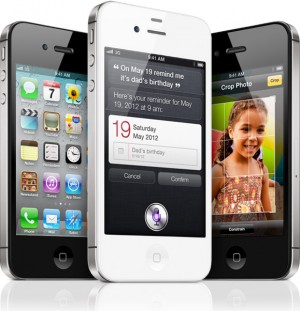
  • iPhone 4S vs Galaxy Nexus Vs Galaxy S2 Vs HTC Sensation XE : Spec Wars

    iPhone 4S vs Galaxy Nexus Vs Galaxy S2 Vs HTC Sensation XE : Spec Wars

    Before the journey, Here are the major and upcoming smartphones of India in a spec by spec battle.

    Sure there are others and we will continue to add them.


     Price  TBD  TBD INR : 28500   TBD  
     Processor  Dual-core Apple A5   1.2GHz dual-core  1.2GHz dual-core Samsung Exyno  Dual core, Qualcomm 8260, 1500 MHz  
     Display  3.5 inches, 960 x 640
    IPS LCD 
    4.65-inch curved glass
    HD Super AMOLED
    1280 x 720
      4.3 inch , 800 x 480 Super AMOLED Plus  4.3 Inch, 540 x 960 SLCD  
     Primary Camera  8 megapixel AF, f2.4 lens, BSI sensor, LED flash  5 megapixel with zero
    shutter lag
     8 megapixel AF, LED flash  8 megapixel AF, LED flash  
     Front Camera VGA 1.3 megapixel 2 megapixel VGA  
     Cellular  Quadband GSM, quadband HSPA+ 14.4, CDMA / EDVO Rev. A  LTE or HSPA+, GSM  Quadband GSM, quadband HSPA+ 21 / 42    Quadband GSM, quadband HSPA+ 21 / 42   
     Wifi  802.11b/g/n  802.11 a/b/g/n  802.11a/b/g/n   802.11a/b/g/n  
     NFC  N/A Yes  NO   NO  
     Memory   Unknown (likely 512MB)  1GB RAM  1GB RAM  768 MB  
     Storage 16GB / 32GB / 64GB internal  16GB / 32GB
    internal storage
     16GB / 32GB internal, microSDHC expansion  1GB inbulit, microSDHC expansion  
     OS  iOS 5  Android 4.0
    Ice Cream Sandwich
     Android 2.3.4 with TouchWiz 4.0  Android 2.3.4 with Sense  
     Battery  1420+mAh, embedded  1,750mAh  1650mAh, removable  1730 mAh, Removable  
     Quoted Batt life Talk 8 hours on 3G, 14 hours on 2G
    40 hours audio, 10 hours video 
    TBD  7-8.7 hours on 3G, 5 hours video  7.16 hours on 3g, 6 Hours video  
     Weight  140 grams / 4.9 oz.  135g / 4.76oz  116 grams / 4.1 oz  151 grams / 5.33 oz   
     Dimensions  115.2 x 58.6 x 9.3mm  135.5 x 67.94 x 8.94 mm  125.3 mm x 66.1 mm x 8.49 mm   126.1 x 65.4 x 11.3 mm  


  • Intel beat their own record of earnings : $3.7 billion net income (PR)

    Intel beat their own record of earnings : $3.7 billion net income (PR)

    Intel has just posted results for the quarter, and this year they snagged a total revenue of US $ 14.3 billion — up $3.2 billion, or 29 percent year-over-year. Their total net income lies in at US $ 3.7 Billion. Is this what happens when almost any new invention utilizes your chips?

    [toggle title_open=”Press Release” title_closed=”Press Release” hide=”yes” border=”yes” style=”default” excerpt_length=”0″ read_more_text=”Read More” read_less_text=”Read Less” include_excerpt_html=”no”]Intel Reports Record Revenue and Profit

    $3.1 Billion Year-Over-Year Revenue Increase Fueled by Double-Digit PC Unit Growth and Data Center Strength

    Buyback Authorization Increased by $10 Billion

    Non-GAAP Results

    Revenue: A record $14.3 billion, up $3.2 billion, 29 percent year-over-year
    Gross margin: 64.4 percent, down 1.7 percentage points year-over-year
    Operating income: A record $5.1 billion, up $895 million, 22 percent year-over-year
    Net income: A record $3.7 billion, up $705 million, 24 percent year-over-year
    EPS: A record 69 cents, up 17 cents, 33 percent year-over-year

    GAAP Results

    Revenue: A record $14.2 billion, up $3.1 billion, 28 percent year-over-year
    Gross margin: 63.4 percent, down 2.6 percentage points year-over-year
    Operating income: A record $4.8 billion, up $649 million, 16 percent year-over-year
    Net income: A record $3.5 billion, up $513 million, 17 percent year-over-year
    EPS: A record 65 cents, up 13 cents, 25 percent year-over-year

    SANTA CLARA, Calif., Oct. 18, 2011 – Intel Corporation today reported third-quarter results, setting new records for microprocessor units shipped, EPS, earnings and revenue, which was up 28 percent year-over-year.

    “Intel delivered record-setting results again in Q3, surpassing $14 billion in revenue for the first time, driven largely by double-digit unit growth in notebook PCs,” said Paul Otellini, Intel president and CEO. “We also saw continued strength in the data center fueled by the ongoing growth of mobile and cloud computing.”

    On a Non-GAAP basis, revenue was $14.3 billion, operating income was $5.1 billion, net income was $3.7 billion and EPS was 69 cents. On a GAAP basis, the company reported third-quarter revenue of $14.2 billion, operating income of $4.8 billion, net income of $3.5 billion and EPS of 65 cents.

    The company generated approximately $6.3 billion in cash from operations, paid cash dividends of $1.1 billion, and used $4.0 billion to repurchase 186 million shares of common stock. Intel’s board of directors also voted to increase the company’s buyback authorization by $10.0 billion, raising the total unused balance to $14.2 billion at the end of the third quarter. The company also completed a senior notes offering of $5.0 billion primarily for the purpose of repurchasing stock.

    Q3 2011 Key Financial Information (GAAP)

    Business unit trends:

    PC Client Group revenue of $9.4 billion, up 22 percent year-over-year.

    Data Center Group revenue of $2.5 billion, up 15 percent year-over-year.

    Other Intel® architecture group revenue up 68 percent year-over-year.

    Intel® Atom™ microprocessor and chipset revenue of $269 million, down 32 percent year-over-year.

    McAfee Inc. and Intel Mobile Communications contributed revenue of $1.1 billion.

    The platform average selling price (ASP) was up year-over-year and flat sequentially.

    Gross margin was 63.4 percent, 0.6 percent below the midpoint of the company’s expectation.

    R&D plus MG&A spending was $4.2 billion, slightly below the company’s expectation.

    Net gain of $107 million from equity investments and interest and other, consistent with the company’s expectations of approximately $100 million.

    The effective tax rate was 29 percent, above the company’s expectation of approximately 28 percent.

    The company used $4.0 billion to repurchase 186 million shares of common stock.

    Business Outlook

    Intel’s Business Outlook does not include the potential impact of any mergers, acquisitions, divestitures or other business combinations that may be completed after Oct. 18.

    Q4 2011 (GAAP, unless otherwise stated)

    Revenue: $14.7 billion, plus or minus $500 million, on both a GAAP and Non-GAAP basis.

    Gross margin percentage: 65 percent, plus or minus a couple percentage points.

    Non-GAAP gross margin percentage: 66 percent plus or minus a couple percentage points, excluding certain accounting impacts and expenses related to acquisitions.

    R&D plus MG&A spending: approximately $4.3 billion.

    Amortization of acquisition-related intangibles: approximately $75 million.

    Impact of equity investments and interest and other: a net loss of approximately $30 million.

    Depreciation: approximately $1.4 billion.
    Tax Rate: approximately 28 percent.

    Full-year capital spending: $10.5 billion, plus or minus $300 million.

    2011 will have 53 weeks of business versus the typical 52 weeks.

    For additional information regarding Intel’s results and Business Outlook, please see the CFO commentary at: www.intc.com/results.cfm.

    Status of Business Outlook

    Intel’s Business Outlook is posted on intc.com and may be reiterated in public or private meetings with investors and others. The Business Outlook will be effective through the close of business Dec. 16 unless earlier updated; except that the Business Outlook for amortization of acquisition-related intangibles, impact of equity investments and interest and other, and tax rate, will be effective only through the close of business on Oct. 25. Intel’s Quiet Period will start from the close of business on Dec. 16 until publication of the company’s fourth-quarter earnings release, scheduled for Jan. 19, 2012. During the Quiet Period, all of the Business Outlook and other forward-looking statements disclosed in the company’s news releases and filings with the SEC should be considered as historical, speaking as of prior to the Quiet Period only, and not subject to an update by the company.

    Risk Factors

    The above statements and any others in this document that refer to plans and expectations for the fourth quarter, the year and the future are forward-looking statements that involve a number of risks and uncertainties. Words such as “anticipates,” “expects,” “intends,” “plans,” “believes,” “seeks,” “estimates,” “may,” “will,” “should” and their variations identify forward-looking statements. Statements that refer to or are based on projections, uncertain events or assumptions also identify forward-looking statements. Many factors could affect Intel’s actual results, and variances from Intel’s current expectations regarding such factors could cause actual results to differ materially from those expressed in these forward-looking statements. Intel presently considers the following to be the important factors that could cause actual results to differ materially from the company’s expectations.

    Demand could be different from Intel’s expectations due to factors including changes in business and economic conditions, including supply constraints and other disruptions affecting customers; customer acceptance of Intel’s and competitors’ products; changes in customer order patterns including order cancellations; and changes in the level of inventory at customers. Uncertainty in global economic and financial conditions poses a risk that consumers and businesses may defer purchases in response to negative financial events, which could negatively affect product demand and other related matters.

    Intel operates in intensely competitive industries that are characterized by a high percentage of costs that are fixed or difficult to reduce in the short term and product demand that is highly variable and difficult to forecast. Revenue and the gross margin percentage are affected by the timing of Intel product introductions and the demand for and market acceptance of Intel’s products; actions taken by Intel’s competitors, including product offerings and introductions, marketing programs and pricing pressures and Intel’s response to such actions; and Intel’s ability to respond quickly to technological developments and to incorporate new features into its products.

    Intel is in the process of transitioning to its next generation of products on 22nm process technology, and there could be execution and timing issues associated with these changes, including products defects and errata and lower than anticipated manufacturing yields.

    The gross margin percentage could vary significantly from expectations based on capacity utilization; variations in inventory valuation, including variations related to the timing of qualifying products for sale; changes in revenue levels; product mix and pricing; the timing and execution of the manufacturing ramp and associated costs; start-up costs; excess or obsolete inventory; changes in unit costs; defects or disruptions in the supply of materials or resources; product manufacturing quality/yields; and impairments of long-lived assets, including manufacturing, assembly/test and intangible assets.

    Expenses, particularly certain marketing and compensation expenses, as well as restructuring and asset impairment charges, vary depending on the level of demand for Intel’s products and the level of revenue and profits.

    The tax rate expectation is based on current tax law and current expected income. The tax rate may be affected by the jurisdictions in which profits are determined to be earned and taxed; changes in the estimates of credits, benefits and deductions; the resolution of issues arising from tax audits with various tax authorities, including payment of interest and penalties; and the ability to realize deferred tax assets.

    Gains or losses from equity securities and interest and other could vary from expectations depending on gains or losses on the sale, exchange, change in the fair value or impairments of debt and equity investments; interest rates; cash balances; and changes in fair value of derivative instruments.

    The majority of Intel’s non-marketable equity investment portfolio balance is concentrated in companies in the flash memory market segment, and declines in this market segment or changes in management’s plans with respect to Intel’s investments in this market segment could result in significant impairment charges, impacting restructuring charges as well as gains/losses on equity investments and interest and other.

    Intel’s results could be affected by adverse economic, social, political and physical/infrastructure conditions in countries where Intel, its customers or its suppliers operate, including military conflict and other security risks, natural disasters, infrastructure disruptions, health concerns and fluctuations in currency exchange rates.

    Intel’s results could be affected by the timing of closing of acquisitions and divestitures.
    Intel’s results could be affected by adverse effects associated with product defects and errata (deviations from published specifications), and by litigation or regulatory matters involving intellectual property, stockholder, consumer, antitrust and other issues, such as the litigation and regulatory matters described in Intel’s SEC reports. An unfavorable ruling could include monetary damages or an injunction prohibiting us from manufacturing or selling one or more products, precluding particular business practices, impacting Intel’s ability to design its products, or requiring other remedies such as compulsory licensing of intellectual property.[/toggle]

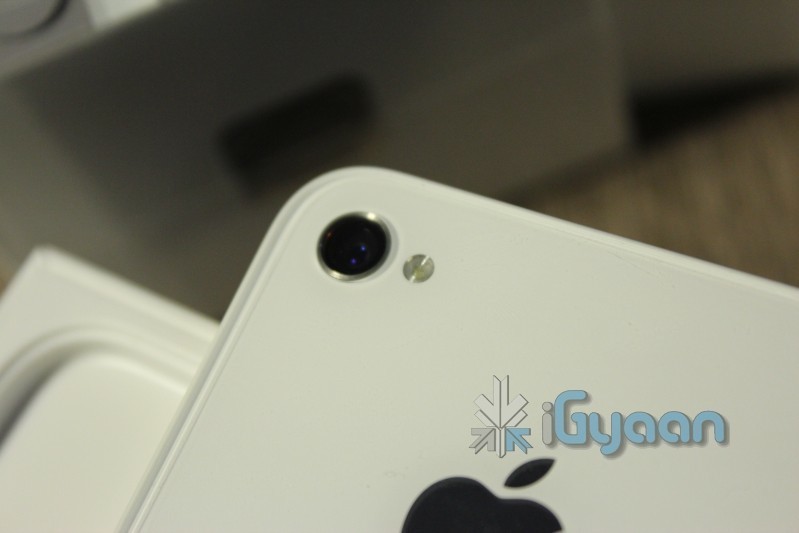
  • iPhone 4S Unboxing and Hands on

    iPhone 4S Unboxing and Hands on

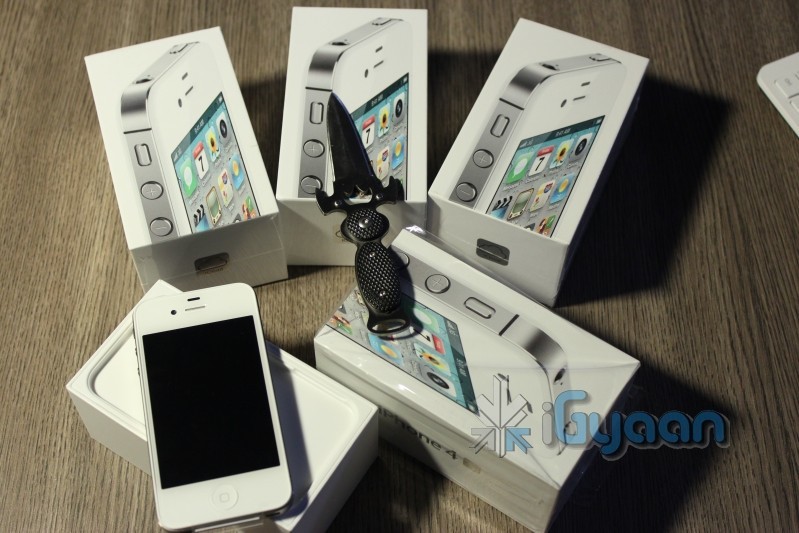
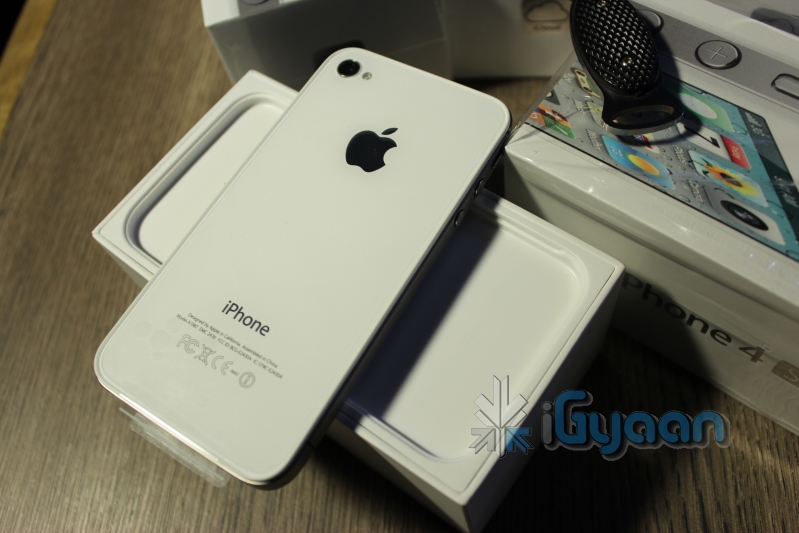
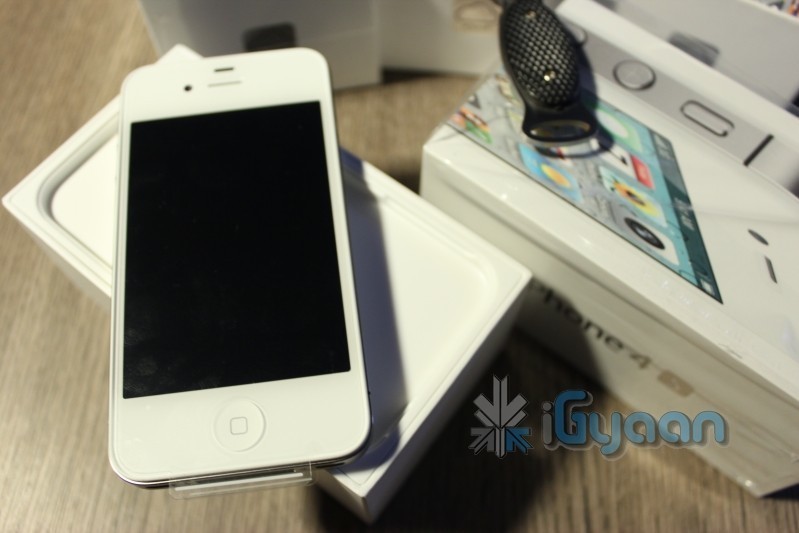
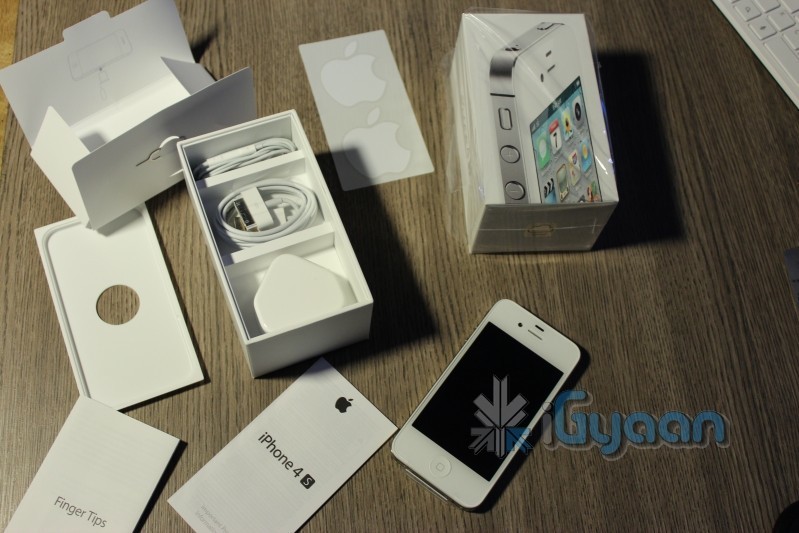
    Its already later than I expected it to be! Anyway we have them now all iPhones for the iGyaan team have arrived with a bunch of Black ones that are still in transit. The new iPhone 4S follows in traditional Apple iPhone Packaging with only 4 essential things in the box, the device, the cable, the charger and the handsfree.

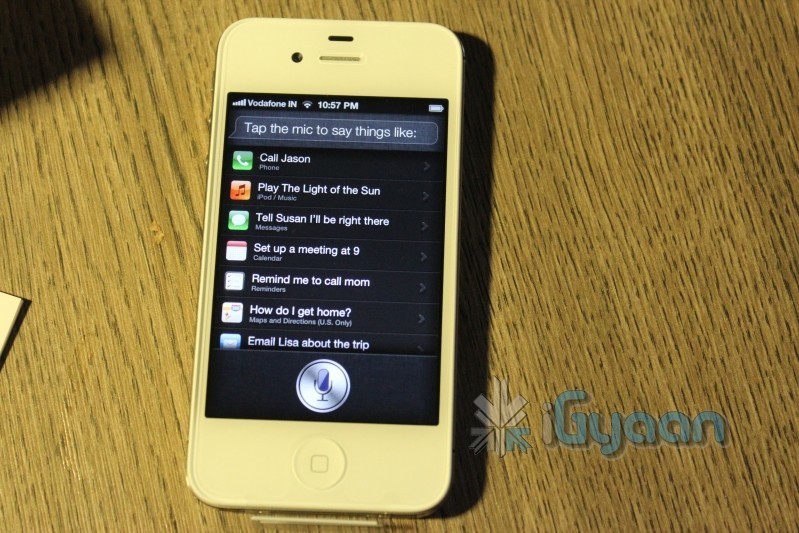
    Check out the pictures while an unboxing video and some fun things start to pop up around iGyaan.

    Oh and one big disappointment : Siri does not support navigation and maps in India , everything else seems ok!

    Stay Tuned for the Video : Going Up!

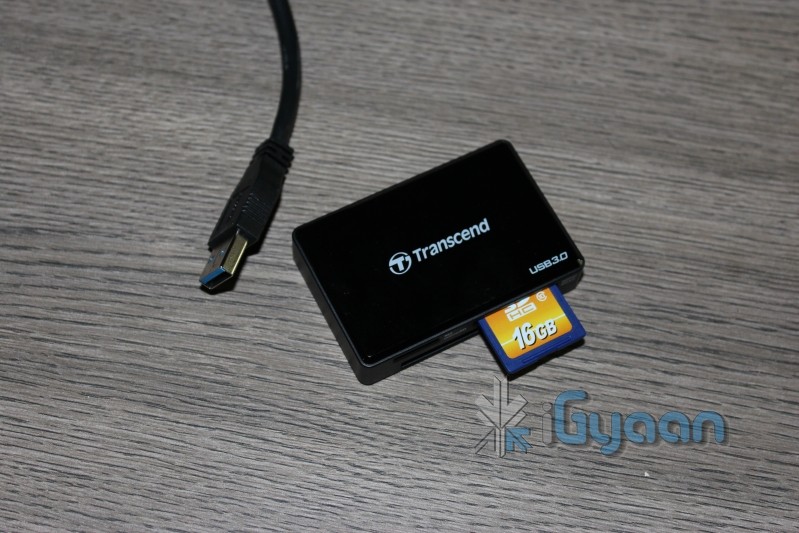
  • iG Holiday Update : We are not Pricey : Transcend USB 3.0 Media Card Reader

    iG Holiday Update : We are not Pricey : Transcend USB 3.0 Media Card Reader

    The Time for high speed media cards is here, but the high speed devices were missing. Well no more, t he Transcend USB 3.0 Media Card Reader fulfills the gap at just 1300 Rs, giving you the ability to read future cards at high speed. 

    This device makes an excellent for your photographer friends, even a gift to self.

    Price : INR : 1300/-

    Features

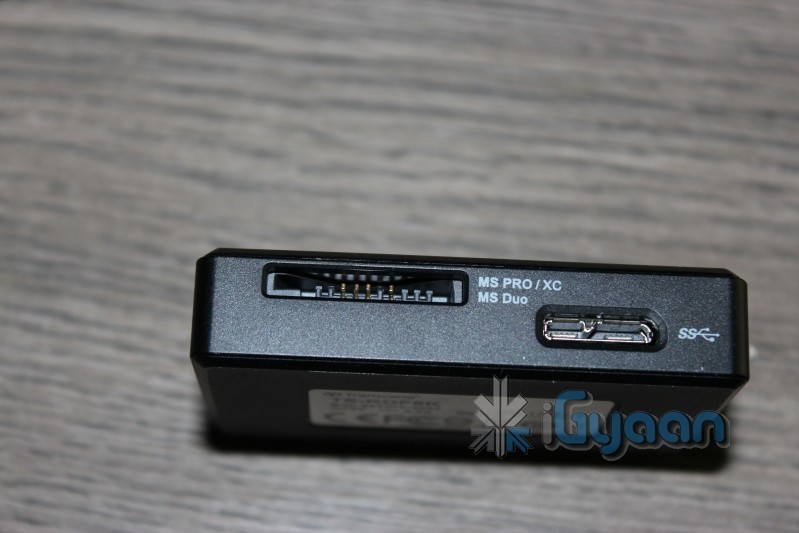
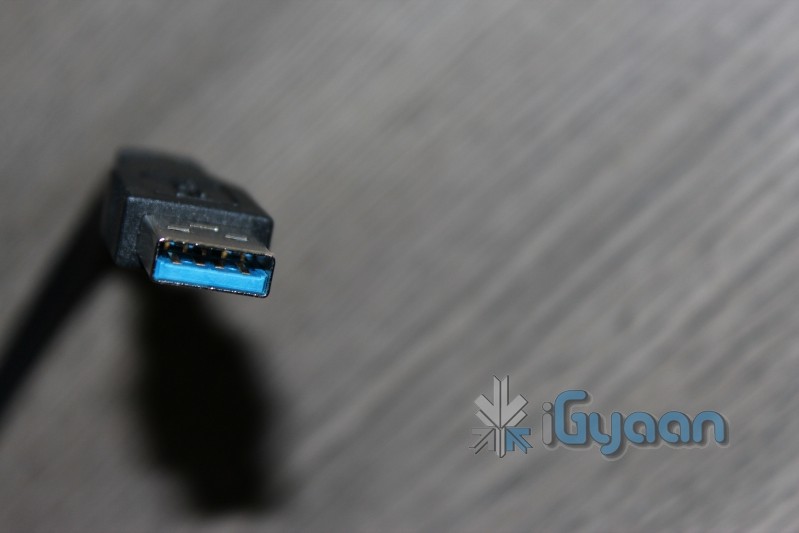
    •  Super-Speed USB 3.0 interface (also compatible with USB 2.0)
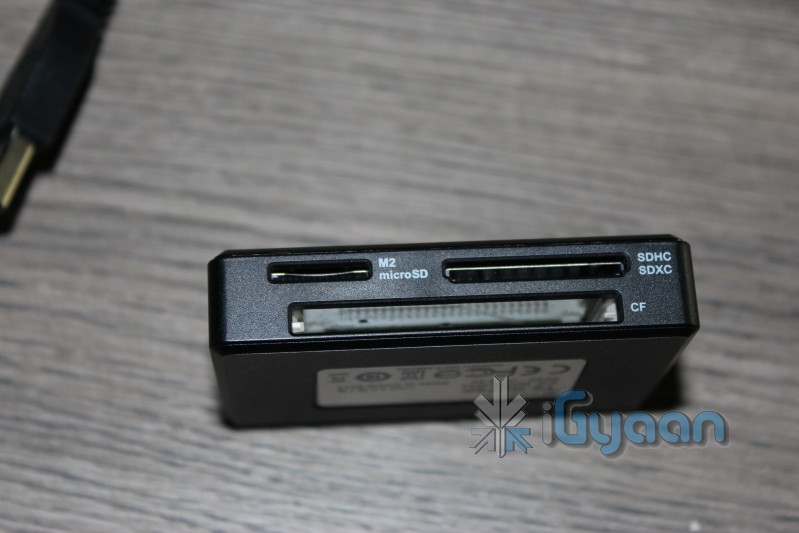
    •  Supports SDHC UHS-1, SDXC UHS-1, UDMA6/UDMA7 CF and MSXC cards
    •  Transfer high-resolution images and video recordings to your computer faster and more efficiently
    •  Utilize the full speed potential of your memory cards
    •  USB powered (no external power or battery needed)
    •  LED card insertion / data transfer activity indicator
    •  Supports SD & CF built-in security functions
    •  Offers a free download of RecoveRx data recovery software 


    Dimensions: 
    67.6mm (L) × 45mm (W) × 15.2mm (H)

    Weight: 32g

    Interface: USB 2.0/3.0

    Slot Power Output: 5V

    Operating Temperature: 0°C (32°F) to 70°C (158°F)

    Certificates: CE, FCC, BSMI

    Supported Cards: SDHC (UHS-1), SDXC (UHS-1), MicroSDHC, M2, MS (MSXC), CF (UDMA6/UDMA7)


    System requirement:

    Desktop or notebook computer with USB port (USB3.0 port needed for USB3.0 performance) 
    One of the following Operating Systems: 
    Windows 7/ Vista/ XP (supports USB3.0) 
    Mac OS 10.2.8 or later, Linux Kernel 2.6.30 or later (supports USB2.0)

  • Google Confirms Ice Cream Sandwich will run on Nexus S and other Gingerbread Devices

    Google Confirms Ice Cream Sandwich will run on Nexus S and other Gingerbread Devices

    Google has officially confirmed that all Gingerbread devices should be able to get some Ice Cream Sandwich love. Starting with the Nexus S devices will soon get their upgrades as they go along. 

    Currently in the process for releasing Ice Cream Sandwich for Nexus S. Theoretically should work for any 2.3 device.”

    -Gabe Cohen, Google Android Team

    Glad you bough that Nexus S huh?

  • Google Officially calls Android Ice Cream Sandwich, Shouts Android 4.0

    Google Officially calls Android Ice Cream Sandwich, Shouts Android 4.0

    The number is finally FInal, Google has announced Ice Cream Sandwich as the next Revision of Android, and has called it Android 4.0. This update will bring a major overhaul to the UI that we know and love, and bring along a whole bucketful of features.

    Here’s some of the things in Ice Cream Sandwich:

    • Virtual buttons in the UI(like Honeycomb)
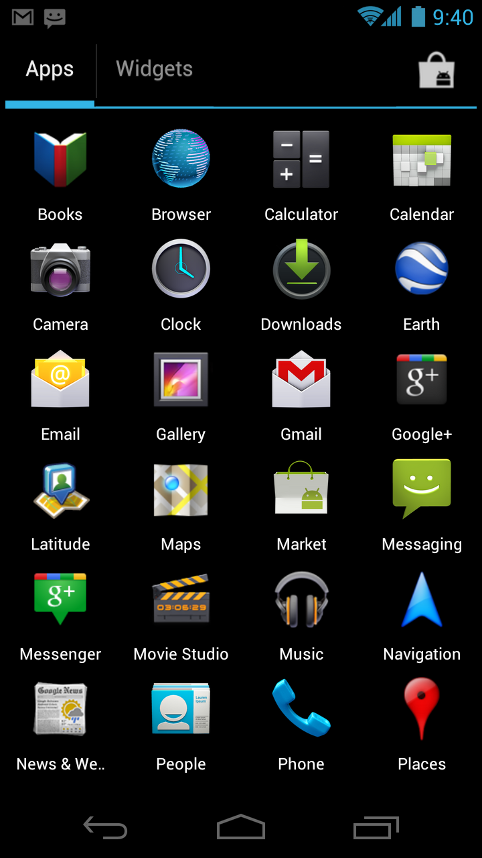
    • Widgets are in a new tab, listed in a similar list to apps
    • Folders are much easier to create, with a drag-and-drop style similar to iOS
    • A customizable launcher
    • New phone app with visual voicemail functionality that lets you speed up or slow down voicemail messages
    • Pinch-to-zoom functionality in the calendar
    • Gmail has offline search, a two-line preview, and new action bar at the bottom
    • Swipe left or right to switch between Gmail conversations
    • Integrated screenshot capture by holding power and volume down buttons
    • Improved error correction on the keyboard
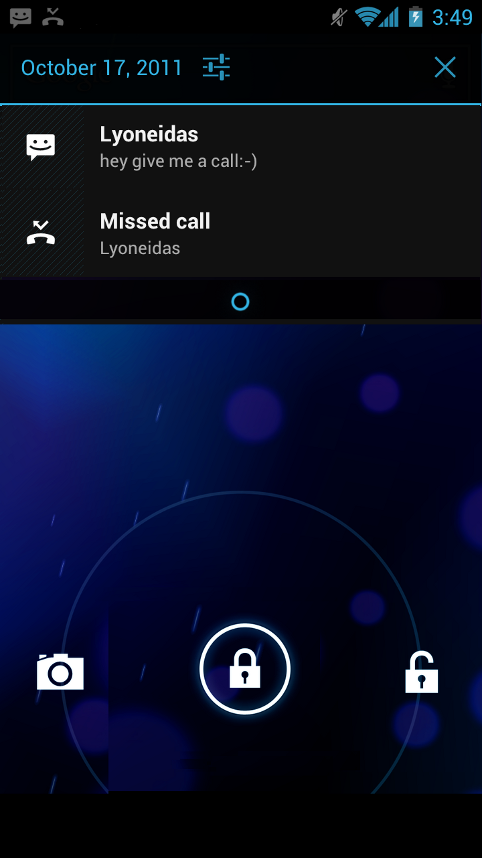
    • Ability to access apps directly from lock screen (similar to HTC Sense 3.x)
    • Improved copy and paste
    • Better voice integration
    • Face Unlock, a facial recognition service
    • New tabbed web browser, allowing up to 16 tabs
    • Browser now automatically syncs your Chrome bookmarks
    • Modern “Roboto” font
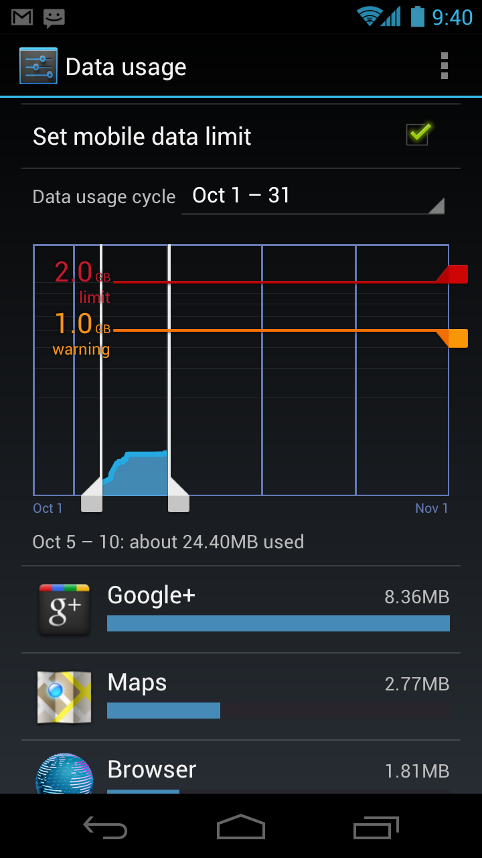
    • Data Usage section in settings lets you monitor and disable data when you go over your limit
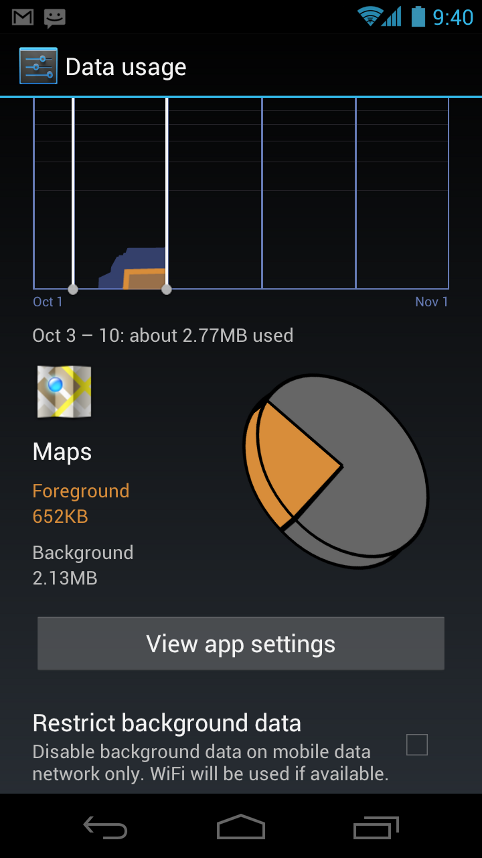
    • Ability to kill off apps that are using data in the background
    • Camera app: zero shutter lag, time lapse settings, zoom while recording
    • Built-in photo editor
    • New gallery layout, organized by location and person
    • Refreshed people app with social network integration, status updates and hi-res images
    • Android Beam, a NFC feature that lets you exchange websites, contact info, directions, YouTube, etc.

    Android 4.0 for Users

    Simple, beautiful, beyond smart

    Android 4.0 builds on the things people love most about Android — easy multitasking, rich notifications, customizable home screens, resizable widgets, and deep interactivity — and adds powerful new ways of communicating and sharing.

    Refined, evolved UI

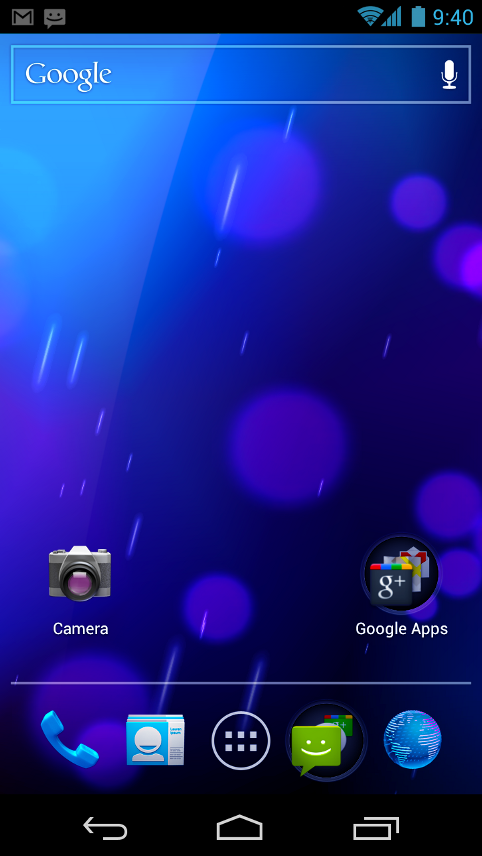
    Focused on bringing the power of Android to the surface, Android 4.0 makes common actions more visibleand lets users navigate with simple, intuitive gestures. Refined animations and feedback throughout the system make interactions engaging and interesting. An entirely new typeface optimized for high-resolution screens improves readability and brings a polished, modern feel to the user interface.

    Virtual buttons in the System Bar let users navigate instantly to Back, Home, and Recent Apps. The System Bar and virtual buttons are present across all apps, but can be dimmed by applications for full-screen viewing. Users can access each application’s contextual options in the Action Bar, displayed at the top (and sometimes also at the bottom) of the screen.

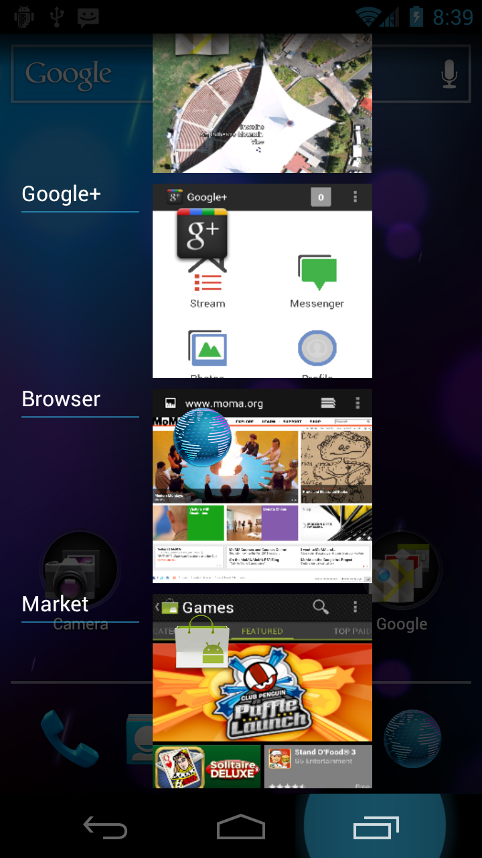
    Multitasking is a key strength of Android and it’s made even easier and more visual on Android 4.0. The Recent Apps button lets users jump instantly from one task to another using the list in the System Bar. The list pops up to show thumbnail images of apps used recently — tapping a thumbnail switches to the app.

    Rich and interactive notifications let users keep in constant touch with incoming messages, play music tracks, see real-time updates from apps, and much more. On smaller-screen devices, notifications appear at the top of the screen, while on larger-screen devices they appear in the System Bar.

    Home screen folders and favorites tray

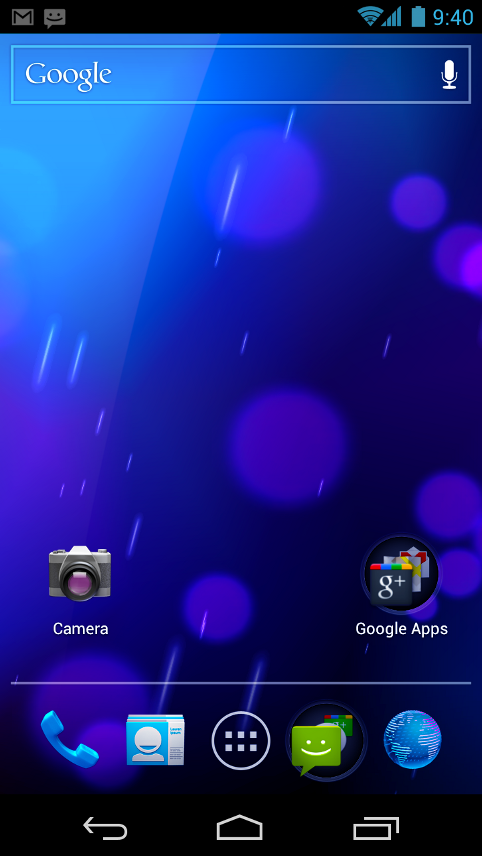
    New home screen folders offer a new way for users to group their apps and shortcuts logically, just by dragging one onto another. From the All Apps launcher, users can now simply drag an app to get information about it or immediately uninstall it, or disable a pre-installed app.

    On smaller-screen devices, the home screen now includes a customizablefavorites tray visible from all home screens. Users can drag apps, shortcuts, folders, and other priority items in or out of the favorites tray for instant access from any home screen.

    Resizable widgets

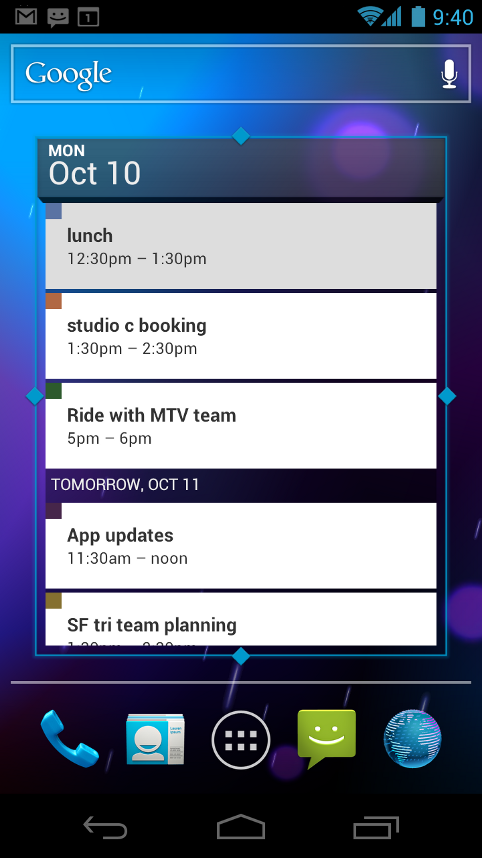
    Home screens in Android 4.0 are designed to be content-rich and customizable. Users can do much more than add shortcuts — they can embed live application content directly through interactive widgets. Widgets let users check email, flip through a calendar, play music, check social streams, and more — right from the home screen, without having to launch apps. Widgets are resizable, so users can expand them to show more content or shrink them to save space.

    New lock screen actions

    The lock screens now let users do more without unlocking. From the slide lock screen, users can jump directly to the camera for a picture orpull down the notifications window to check for messages. When listening to music, users can even manage music tracks and see album art.

    Quick responses for incoming calls

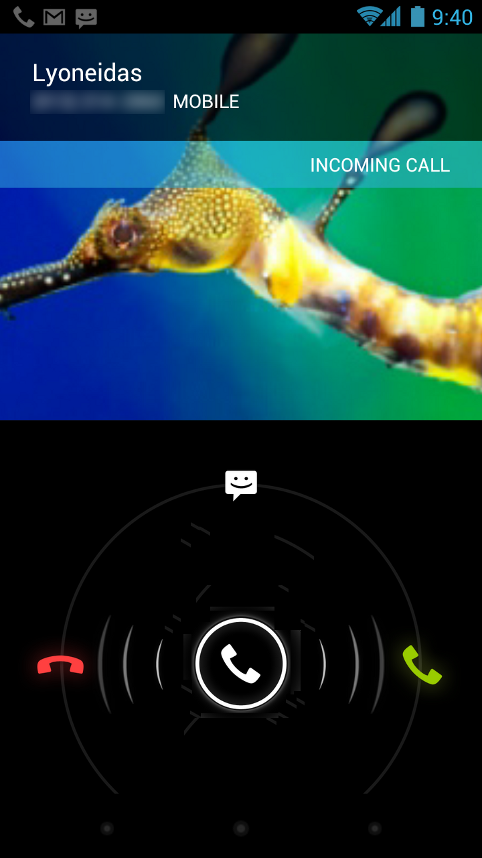
    When an incoming call arrives, users can now quickly respond by text message, without needing to pick up the call or unlock the device. On the incoming call screen, users simply slide a control to see a list of text responses and then tap to send and end the call. Users can add their own responses and manage the list from the Settings app.

    Swipe to dismiss notifications, tasks, and browser tabs

    Android 4.0 makes managing notifications, recent apps, and brwoser tabs even easier. Users can now dismiss individual notifications, apps from the Recent Apps list, and browser tabs with a simple swipe of a finger.

    Improved text input and spell-checking

    The soft keyboard in Android 4.0 makes text input even faster and more accurate. Error correction and word suggestion are improved through a new set of default dictionaries and more accurate heuristics for handling cases such as double-typed characters, skipped letters, and omitted spaces. Word suggestion is also improved and the suggestion strip is simplified to show only three words at a time.

    To fix misspelled words more easily, Android 4.0 adds a spell-checker that locates and underlines errors and suggests replacement words. With one tap, users can choose from multiple spelling suggestions, delete a word, or add it to the dictionary. Users can even tap to see replacement suggestions for words that are spelled correctly. For specialized features or additional languages, users can now download and install third-party dictionaries, spell-checkers, and other text services.

    Powerful voice input engine

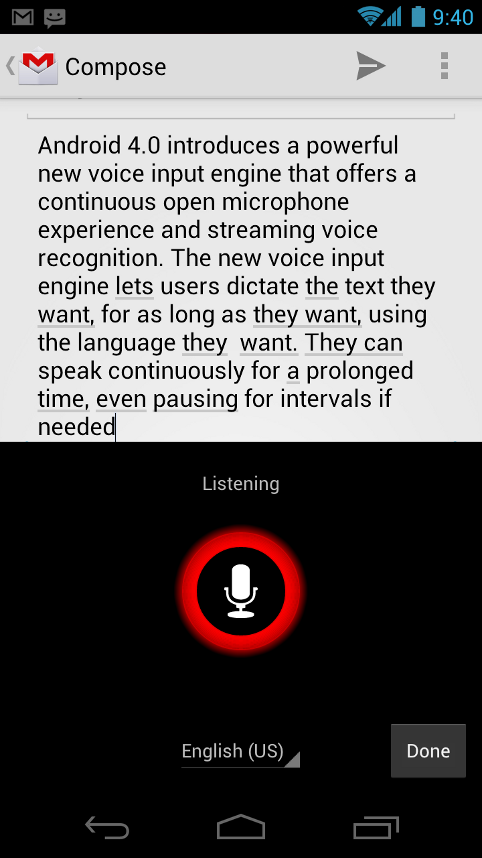
    Android 4.0 introduces a powerful new voice input engine that offers a continuous “open microphone” experience and streaming voice recognition. The new voice input engine lets users dictate the text they want, for as long as they want, using the language they want. Users can speak continously for a prolonged time, even pausing for intervals if needed, and dictate punctuation to create correct sentences. As the voice input engine enters text, it underlines possible dictation errors in gray. After dictating, users can tap the underlined words to quickly replace them from a list of suggestions.

    Control over network data

    Mobile devices can make extensive use of network data for streaming content, synchronizing data, downloading apps, and more. To meet the needs of users with tiered or metered data plans, Android 4.0 adds new controls for managing network data usage.

    In the Settings app, colorful charts show the total data usage on each network type (mobile or Wi-Fi), as well as amount of data used by each running application. Based on their data plans, users can optionally set warning levels or hard limits on data usage or disable mobile data altogether. Users can also manage the background data used by individual applications as needed.

    Designed for accessibility

    A variety of new features greatly enhance the accessibility of Android 4.0 for blind or visually impaired users. Most important is a new explore-by-touch mode that lets users navigate without having to see the screen. Touching the screen once triggers audible feedback that identifies the UI component below; a second touch in the same component activates it with a full touch event. The new mode is especially important to support users on new devices that use virtual buttons in the System Bar, rather than dedicated hardware buttons or trackballs. Also, standard apps are updated to offer an improved accessibility experience. The Browser supports a script-based screen reader for reading favorite web content and navigating sites. For improved readability, users can also increase the default font size used across the system.

    The accessibility experience begins at first setup — a simple touch gesture during setup (clockwise square from upper left) activates all accessibility features and loads a setup tutorial. Once accessibility features are active, everything visible on the screen can be spoken aloud by the standard screen reader.

    Communication and sharing

    Contacts and profiles are integrated across apps and social networks, for a consistent, personal experience everywhere — from incoming calls to emails.

    Designed for the way people live, Android 4.0 integrates rich social communication and sharing touchpoints across the system, making it easy to talk, email, text, and share.

    People and profiles

    Throughout the system, a user’s social groups, profiles, and contacts are linked together and integrated for easy accessibility. At the center is a new People app that offers richer profile information, including a large profile picture, phone numbers, addresses and accounts, status updates, events, and a new button for connecting on integrated social networks.

    The user’s own contact information is stored in a new “Me” profile, allowing easier sharing with apps and people. All of the user’s integrated contacts are displayed in an easy to manage list, including controls over which contacts are shown from any integrated account or social network. Wherever the user navigates across the system, tapping a profile photo displays Quick Contacts, with large provile pictures, shortcuts to phone numbers, text messaging, and more.

    Unified calendar, visual voicemail

    To help organize appointments and events, an updated Calendar app brings together personal, work, school, and social agendas. With user permission, other applications can contribute events to the calendar and manage reminders, for an integrated view across multiple calendar providers. The app is redesigned to let users manage events more easily. Calendars are color-coded and users can swipe left or right to change dates and pinch to zoom in or out agendas.

    In the phone app, a new visual voicemail features integrates incoming messages, voice transcriptions, and audio files from one or more providers. Third-party applications can integrate with the Phone app to add their own voice messages, transcriptions, and more to the visual voicemail inbox.

    Rich and versatile camera capabilities

    The Camera app includes many new features that let users capture special moments with great photos and videos. After capturing images, they can edit and share them easily with friemds.

    When taking pictures, continuous focuszero shutter lag exposure, and decreased shot-to-shot speed help capture clear, precise images. Stabilized image zoom lets users compose photos and video in the way they want, including while video is recording. For new flexibility and convenience while shooting video, users can now take snapshots at full video resolutionjust by tapping the screen as video continues to record.

    To make it easier to take great pictures of people, built-in face detection locates faces in the frame and automatically sets focus. For more control, users can tap to focus anywhere in the preview image.

    For capturing larger scenes, the Camera introduces a single-motion panorama mode. In this mode, the user starts an exposure and then slowly turns the Camera to encompass as wide a perspective as needed. The Camera assembles the full range of continuous imagery into a single panoramic photo.

    After taking a picture or video, users can quickly share it by email, text message, bluetooth, social networks, and more, just by tapping the thumbnail in the camera controls.

    Redesigned Gallery app with photo editor

    The Gallery app now makes it easier to manage, show, and share photos and videos. For managing collections, a redesigned album layout shows many more albums and offers larger thumbnails. There are many ways to sort albums, including by time, location, people, and tags. To help pictures look their best, the Gallery now includes a powerful photo editor. Users can crop and rotate pictures, set levels, remove red eyes, add effects, and much more. After retouching, users can select one or multiple pictures or videos to share instantly over email, text messaging, bluetooth, social networks, or other apps.

    An improved Picture Gallery widget lets users look at pictures directly on their home screen. The widget can display pictures from a selected album, shuffle pictures from all albums, or show a single image. After adding the widget to the home screen, users can flick through the photo stacks to locate the image they want, then tap to load it in Gallery.

    Live Effects for transforming video

    Live Effects is a collection of graphical transformations that add interest and fun to videos captured in the Camera app. For example, users can change the background behind them to any stock or custom image, for just the right setting when shooting video or using Google Talk video chat. Also available is Silly Faces, a set of morphing effects that use state-of-the-art face recognition and GPU filters to add great effects to facial features during video capture. For example, you can use effects such as small eyes, big mouth, big nose, face squeeze, and more. Outside of the Camera app, Live Effects is available during video chat in the Google Talk app.

    Sharing with screenshots

    Users can now share what’s on their screens more easily by taking screenshots. Hardware buttons let them snap a screenshot and store it locally. Afterward, they can view, edit, and share the screen shot in Gallery or a similar app.

    Cloud-connected experience


    The Browser tabs menu (left) lets you quickly switch browser tabs. The options menu (right) gives you new ways to manage your browsing experience.


    Benchmark comparisons of Android Browser.

    Android has always been cloud-connected, letting users browse the web and sync photos, apps, games, email, and contacts — wherever they are and across all of their devices. Android 4.0 adds new browsing and email capabilities to let users take even more with them and keep communication organized.

    Powerful web browsing

    The Android Browser offers an experience that’s as rich and convenient as a desktop browser. It lets users instantly sync and manage Google Chrome bookmarks from all of their accounts, jump to their favorite content faster, and even save it for reading later in case there’s no network available.

    To get the most out of web content, users can now request full desktop versions of web sites, rather than their mobile versions. Users can set their preference for web sites separately for each browser tab. For longer content, users can save a copy for offline reading. To find and open saved pages, users can browse a visual list that’s included with browser bookmarks and history. For better readability and accessibility, users can increase the browser’s zoom levels and override the system default text sizes.

    Across all types of content, the Android Browser offers dramatically improved page rendering performancethrough updated versions of the WebKit core and the V8 Crankshaft compilation engine for JavaScript. In benchmarks run on a Nexus S device, the Android 4.0 browser showed an improvement of nearly 220% over the Android 2.3 browser in the V8 Benchmark Suite and more than 35% in the SunSpider 9.1 JavaScript Benchmark. When run on a Galaxy Nexus device, the Android 4.0 browser showed improvement of nearly 550% in the V8 benchmark and nearly 70% in the SunSpider benchmark.

    Improved email

    In Android 4.0, email is easier to send, read, and manage. For composing email, improved auto-completion of recipients helps with finding and adding frequent contacts more quickly. For easier input of frequent text, users can now create quick responses and store them in the app, then enter them from a convenient menu when composing. When replying to a message, users can now toggle the message to Reply All and Forward without changing screens.

    For easier browsing across accounts and labels, the app adds an integrated menu of accounts and recent labels. To help users locate and organize IMAP and Exchange email, the Email app now supports nested mail subfolders, each with synchronization rules. Users can also search across folders on the server, for faster results.

    For enterprises, the Email app supports EAS v14. It supports EAS certificate authentication, provides ABQ strings for device type and mode, and allows automatic sync to be disabled while roaming. Administrators can also limit attachment size or disable attachments.

    For keeping track of incoming email more easily, a resizable Email widget lets users flick through recent email right from the home screen, then jump into the Email app to compose or reply.

    Android Beam lets users share what they are using with a single tap.

    Innovation

    Android is continously driving innovation forward, pushing the boundaries of communication and sharing with new capabilities and interactions.

    Android Beam for NFC-based sharing

    Android Beam is an innovative, convenient feature for sharing across two NFC-enabled devices, It lets people instantly exchange favorite apps, contacts, music, videos — almost anything. It’s incredibly simple and convenient to use — there’s no menu to open, application to launch, or pairing needed. Just touch one Android-powered phone to another, then tap to send.

    For sharing apps, Android Beam pushes a link to the app’s details page in Android Market. On the other device, the Market app launches and loads the details page, for easy downloading of the app. Individual apps can build on Android Beam to add other types of interactions, such as passing game scores, initiating a multiplayer game or chat, and more.

    Face recognition lets you unlock your phone with your face.

    Face Unlock

    Android 4.0 introduces a completely new approach to securing a device, making it even more personal — Face Unlock is a new screen-lock option that lets users unlock their devices with their faces. It takes advantage of state-of-the-art facial recognition technology to register a face and to recognize it later when unlocking the device. Users just hold their devices in front of their faces to unlock, or use a backup PIN or pattern.

    Wi-Fi Direct and Bluetooth HDP

    Support for Wi-Fi Direct lets users connect directly to nearby peer devices over Wi-Fi, for more reliable, higher-speed communication. No internet connection or tethering is needed. Through third-party apps, users can connect to compatible devices to take advantage of new features such as instant sharing of files, photos, or other media; streaming video or audio from another device; or connecting to compatible printers or other devices.

    Android 4.0 also introduces built-in support for connecting to Bluetooth Health Device Profile (HDP) devices. With support from third-party apps, users can connect to wireless medical devices and sensors in hospitals, fitness centers, homes, and elsewhere. In addition, for connecting to higher quality Bluetooth audio devices, Android 4.0 adds support for Bluetooth Hands Free Profile (HFP) 1.6.
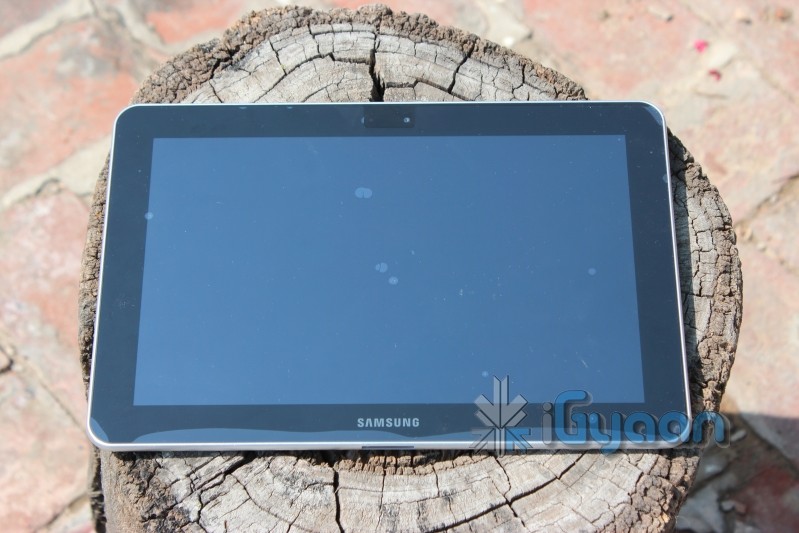
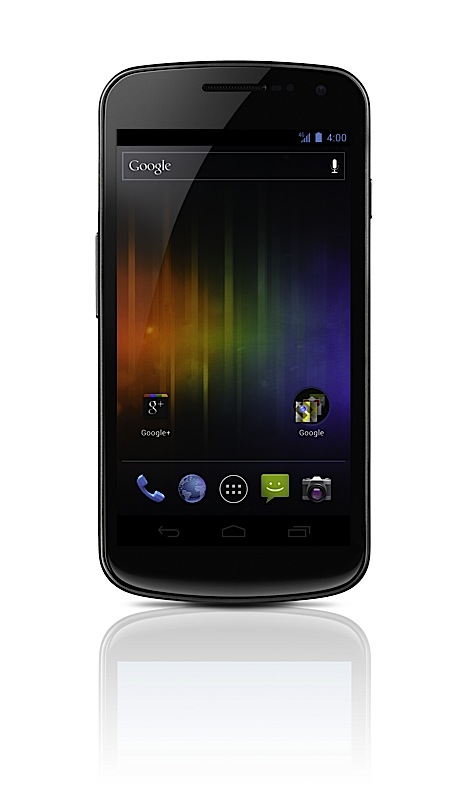
  • Samsung Galaxy Nexus is Official : 4.65 HD Amoled Display, First ICS

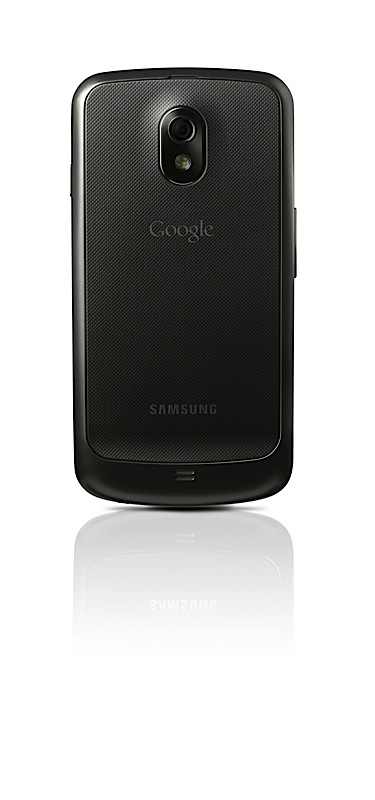
    Samsung Galaxy Nexus is Official : 4.65 HD Amoled Display, First ICS

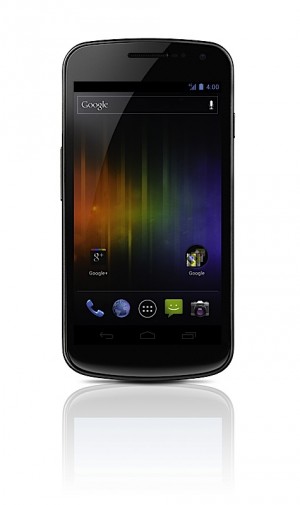
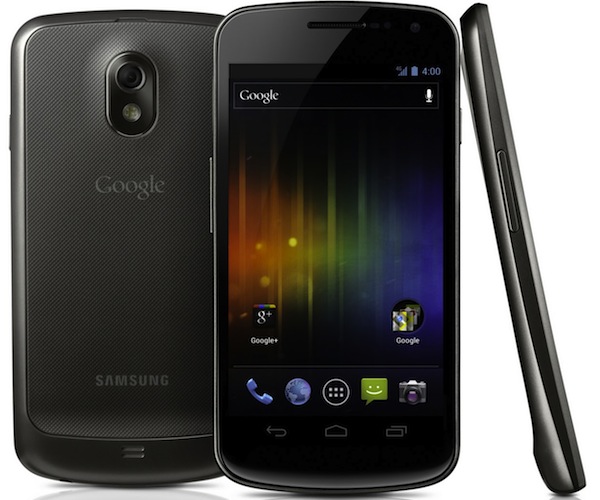
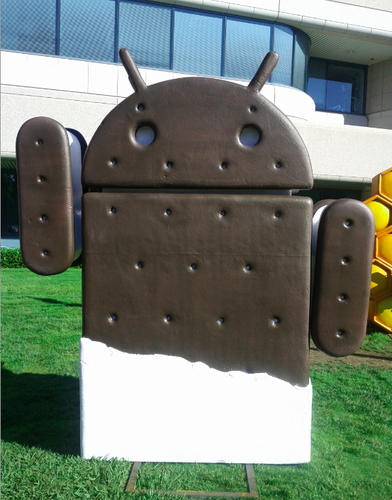
    Samsung and Google have today announced the new Samsung Galaxy Nexus with Android Ice Cream Sandwich 4.0. Google has finally revealed the version number as 4.0.
    Other specs include:

    • HD Super AMOLED display (1,280 x 720)
    • 1.2GHz dual-core processor
    • 5 megapixel rear camera (with LED flash)
    • 1.3 megapixel front-facing cam
    • 1080p video recording
    • 3.5mm headphone jack
    • Bluetooth 3.0
    • USB 2.0
    •  802.11a/b/g/n WiFi
    • Embedded NFC module
    • Accelerometer
    • Compass
    • Gyroscope 
    • Proximity sensor
    • Barometer ?-
    • 1GB of RAM
    • 16 or 32GB  internal storage 
    • 1,750mAh battery
    • HSPA+ , LTE versions 
    [toggle title_open=”Press Release” title_closed=”Press Release” hide=”no” border=”yes” style=”default” excerpt_length=”0″ read_more_text=”Read More” read_less_text=”Read Less” include_excerpt_html=”no”]Samsung and Google introduce GALAXY Nexus

    World’s First Smartphone to feature Android 4.0 Ice Cream Sandwich and a HD Super AMOLED display

    Hong Kong – October 19, 2011 – Samsung Electronics Co., Ltd, a leading mobile device provider, and Google, today announced GALAXY Nexus™, the world’s first smartphone running Android™ 4.0, Ice Cream Sandwich, the latest release of the Android platform. GALAXY Nexus features a 4.65″ HD Super AMOLED display technology at 720p resolution and a 1.2GHz dual core processor.

    “Samsung and Google have closely collaborated to push the mobile experience forward. We are pleased to deliver the best Android smartphone experience for customers with GALAXY Nexus. We will continue to move forward with Android to provide the compelling consumer experience in mobile world,” said JK Shin, President and Head of Samsung’s Mobile Communications Business.

    “Ice Cream Sandwich demonstrates the Android platform’s continued innovation with one release that works on phones and tablets and everything in between. Features like Android Beam and Face Unlock show the innovative work our team is doing, and GALAXY Nexus showcases the power behind Ice Cream Sandwich,” said Andy Rubin, Senior Vice President of Mobile for Google.

    The first smartphone to feature Android 4.0, Ice Cream Sandwich
    Ice Cream Sandwich brings an entirely new look and feel to Android. It has a redesigned user interface with improved multi-tasking, notifications, Wi-Fi hotspot, NFC support and a full web browsing experience. GALAXY Nexus features software navigation buttons, a first for Android smartphones. The lock screen, home screen, phone app, and everything in between has been rethought and redesigned to make Android simple, beautiful, and useful.

    Ice Cream Sandwich also features a new People app, which lets you, browse friends, family, and coworkers, see their photos in high-resolution, and check their latest status updates from Google? and other social networks. GALAXY Nexus features a redesigned camera which introduces panorama mode, 1080p video capture, zero-shutter lag, and effects like silly faces and background replacement.

    GALAXY Nexus is also connected to the cloud, keeping your email, contacts, and all other data synced across your devices. You have access to more than 300,000 apps and games from Android Market™, or, in certain countries, you can buy and read books, or rent movies and stream them instantly from your phone. In the U.S., you can also upload your music to the cloud with Music Beta by Google and listen anywhere, even when offline.

    Ice Cream Sandwich introduces innovations such as Face Unlock which uses facial recognition to unlock your phone. Using NFC technology, Android Beam allows you to quickly share web pages, apps, and YouTube™ videos with your friends by simply tapping your phones together. You can even use fun effects while shooting video or video chatting with Google Talk™.

    Google Experience
    GALAXY Nexus is designed to provide a “pure Google,” experience, and with it, you will be the first to receive software upgrades and new applications as they become available.

    It also features a number of Google Mobile services, including: Android Market, Gmail™, Google Maps™ 5.0 with 3D maps and turn-by-turn navigation, Google Earth™, Movie Studio, YouTube™, syncing with Google Calendar™, and a redesigned Google? app.

    Best-in-class hardware meets the most advanced software
    GALAXY Nexus is the first smartphone to feature a 4.65” display with a market-leading resolution of 720p (1280×720), ensuring you can enjoy GALAXY Nexus’ immersive entertainment capabilities and fast web browsing in superior clarity.

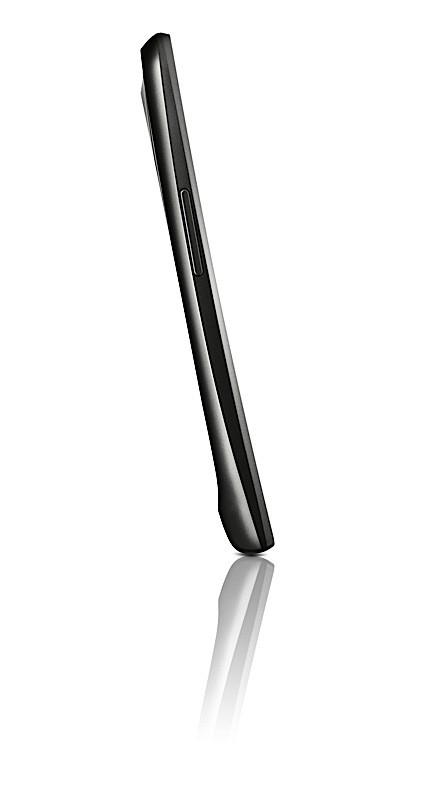
    Succeeding the original Contour Display of Nexus S, GALAXY Nexus comes with a rounded shape that fits perfectly within your palm or to your face for phone calling. Hyper-skin backing on the battery cover improves the ergonomic feel of the device and makes the phone slip-resistant. At just 8.94mm thick, with a minimal 4.29mm bezel, GALAXY Nexus provides superb portability alongside an expansive screen.

    GALAXY Nexus also features an ultra-fast 1.2GHz dual core processor, providing superior power and speed, ensuring you can take full advantage of GALAXY Nexus’ enhanced multitasking capabilities with ease, or enjoy the large, vivid display to its full capacity with high-definition gaming or video streaming. LTE or HSPA? connectivity combined with a dual core processor delivers high-speed web browsing which ensures you always have the web at your fingertips, wherever you are.

    GALAXY Nexus will be available in the U.S., Europe, and Asia beginning in November and gradually rolled out to other global markets.
    For multimedia content and more detailed information, please visit www.samsungmobilepress.com/

    Note to Editors:
    GALAXY Nexus Product Specifications
    Network
    HSPA? 21Mbps/HSUPA 5.76Mbps 850/900/1900/1700/2100
    EDGE/GPRS 850/900/1800/1900
    ?LTE version will be available depending on the region.
    Processor
    1.2 GHz Dual Core Processor
    Display
    4.65″ 1280X720 HD Super AMOLED
    OS
    Android 4.0, Ice Cream Sandwich
    Camera
    Main(Rear) : 5 MP AF with LED Flash with zero shutter lag and fast shot2shot
    Sub (Front) : 1.3MP for Video Call
    Video
    Codec : MPEG4/H.263/H.264
    Playback : 1080p@ 30fps
    Recording : 1080p Full HD Video@ 30fps
    Audio
    Codec : MP3/AAC/AAC?/eAAC?
    3.5mm Ear Jack
    Google™Mobile Services
    Android Market™, Gmail™, Google Earth™, YouTube™, Movie Studio
    Google Maps™ 5.0 with 3D maps and turn-by-turn navigation
    Syncing with Google Calendar™, Google? app
    Connectivity
    Bluetooth® technology v 3.0
    USB 2.0
    Wi-Fi 802.11 a/b/g/n (2.4GHz/ 5GHz)
    NFC
    Sensor
    Accelerometer, Compass, Gyro, Light, Proximity, Barometer
    Memory
    1GB(RAM) ? 16GB/ 32GB Internal memory
    Size
    135.5 x 67.94 x 8.94mm, 135g
    Battery
    Standard battery, Li-on 1,750 mAh
    ? Specifications above may differ on the LTE version.
    ? All functionality, features, specifications and other product information provided in this document including, but not limited to, the benefits, design, pricing, components, performance, availability, and capabilities of the product are subject to change without notice or obligation.[/toggle]

iGyaan Network
Privacy Overview

This website uses cookies so that we can provide you with the best user experience possible. Cookie information is stored in your browser and performs functions such as recognising you when you return to our website and helping our team to understand which sections of the website you find most interesting and useful.