Category: Apps and Software

Games, Apps, Softwares, Operating Systems and Software Hacks

  • Snapchat Update: Video Chat and Texting Features Added

    Snapchat Update: Video Chat and Texting Features Added

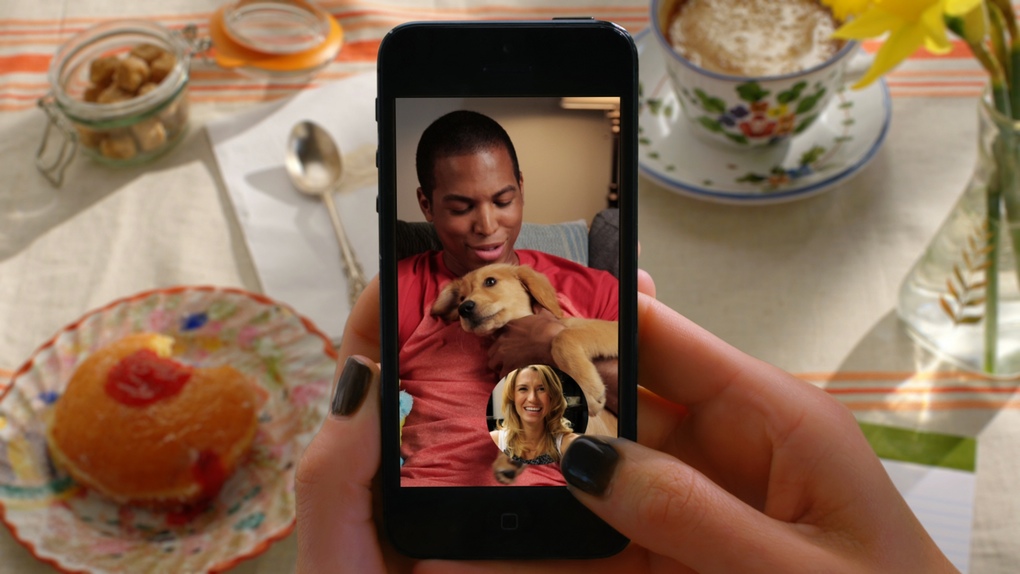
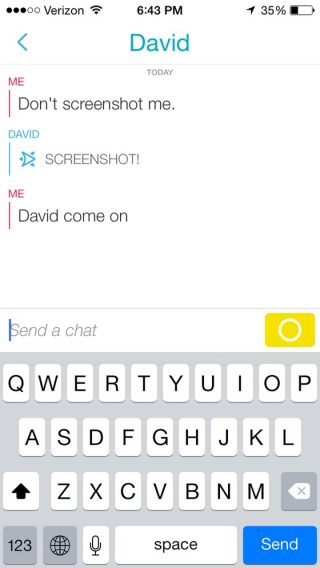
    Snapchat claims that over 700 million pictures are shared everyday on their service, which would make it the most-used photo-sharing app — compared to Facebook, WhatsApp, and others. And now they have come up with new feature by which you can text and video chat as well. Staying true to their philosophy the text messages disappear as soon as the conversation is over. They hope to make video chats feel unforeseen, attempting to reproduce momentary meets on a street corner. Unlike Skype calls, which always prove to be tedious to plan out with friends.

    snapchat23-year-old CEO, Evan Spiegel in an interview with ‘The Verge’ said that the reason none of his friends video call each other on a daily basis is because “calling” was born of an era where software needed to imitate real-world tools. “What does a phone look like without a ringer?” he asks. He sums up his idea more neatly. “For Snapchat, the closer we can get to ‘I want to talk to you’ — that emotion of wanting to see you and then seeing you — the better and better our product and our view of the world will be.” To Spiegel, the future of communication isn’t about rethinking or upgrading phone calls as Skype, FaceTime, and Hangouts have done. It’s about imagining a future that leaves the phone metaphor behind entirely.

    Snapchat stripped out conventional texting-app features like read receipts, typing indicators, online statuses, and photo attachments. “Typing and read receipts make a lot of sense for messaging,” says Spiegel. “You write a letter, you put it in an envelope, you send it to a friend, and you want to know when they get it.” According to Spiegel, a modern chat app should feel like you’re really in the same room as the person you’re talking to.

    It started with sharing short-lived pictures, but Spiegel’s vision is faraway from just photos. You can call it anything — social network, utility, future-phone — Snapchat has managed to stick around, though it’s addictive features are still not so easy to classify. He’s trying to produce digital spaces with the identical closeness and immediateness we get in actual world conversations. Smartphones have altered the way we all commune with one another. But if Spiegel can achieve his vision, Snapchat could be the app that changes it back.

  • Decoded: Top 5 Cloud Storage Services

    Decoded: Top 5 Cloud Storage Services

    Juggling between smartphones, desktops, laptops and tablets makes it increasingly hard to keep track of all our files. For example, as easy it is to snap a picture, the harder its become to keep tabs of the every-growing bulk of images. We tend to keep scattered folders for our pictures on various storage devices and laptops. Cloud storage rescues us from these restraints, ensuring that the files we need are available where and when we want them. Clearly, it should now be a fundamental part of our modern, mobile lives.

    The ultimate advantage? You never have depend on your gadgets or fear losing any important data. We review the best cloud storage services and see what each of them have to offer:
    Dropbox

    9dfac0a1-f48a-128f-bbe2-c70fd89c9d80-mzl.fezmebazDropbox is the only online storage solutions to offer clients for Linux and Blackberry, along with the usual Windows, Mac OS X, Android and iOS standards – even though an official Windows Phone app still remains indefinable. This goes a long way to ensuring that your data can be with you, no matter what kind of technology you want to use. The basic free account provides a with a somewhat small – in contrast to competitor services – 2GB of storage. For documents, this amount works, however if you want to store any kind of media – photos, music, or video – it will fade away very fast. You have an option of investing and upgrading to the 100GB plan. Dropbox also offers 500MB of additional free storage for each friend you get to sign up to the service – with a limit of 16GB.

    Overall it is an excellent cross-platform service, a benchmark which is hard to compete. It may lack several services which others provide, but its user-friendly interface and multi-technology compatibility makes it one of the most popular choices.
    Google Drive

    google_drive_logo_39631 Google drive is a heart of various services Google currently offers. It offers 15 GB of free space on signup or when you link it with your old Google account. Drive works in the same fashion as most cloud storage solutions, with a local folder on your PC linked to a replica for cloud version. The interface across the apps is smart and simple to navigate, with a basic file tree showing where your data is kept. You can choose specific files to be available offline on the mobile versions, and these can be edited – if they were created in Google Docs – then synced when you return online.

    Google Drive is the most munificent of all the services in this category. If you live in the Google universe then it actually is an brilliant storage option, predominantly if you use Google Docs a lot.
    Streem

    streem

    Our Favourite find! The lesser known Streem is a cloud-based hard drive that offers unlimited storage space for your files. All files are securely stored in the cloud and streamed to you on-demand, saving you terabytes of space on your devices. Unlike other cloud storage services, you are not require to store your files on your hard drive and sync them to the cloud. All your files are securely stored on the servers and streamed to you on-demand.

    The edge about this storage service is that they give you free unlimited storage and that you don’t have to keep a copy on all of your computers in order to access them. As long as you have an internet connection, you’re set.

    Box

    BoxSometimes mistaken for the similarly named Dropbox, Box is the eldest of it’s competitors, having launched in 2005. It’s major focus is cloud computing for business side of the market and has impressive enterprise reputation.

    Box still offers solid personal storage options, however, with a generous 10GB of space for any new account. However Box limits the file size to 250MB, which is a major drawback. This is noticeably lower than the 10GB limits of both Google Drive and Dropbox, with OneDrive’s 2GB limit still plenty for most people. Of course 250MB is more than sufficient for most documents and spreadsheets, but if large media files – especially videos – are part of your plan then this could be a problem.
    OneDrive

    onedrive

    Much of the functionality of OneDrive (previously SkyDrive) is equivalent to Dropbox, with its apps available to Windows, Mac, Android, iOS, and of course, Windows Phone users. Microsoft to attract more users launched as offer whereby users gain 500MB of storage for every friend that signs up to an account through them.There’s also an added 3GB offered if you link OneDrive to your mobile phone’s camera roll, enabling it to routinely back up your photos online.

    The OneDrive interface is similar to Windows 8’s Modern UI design. You have a choice between the boxy style or a more traditional file tree. Folders and files can be created on the web, including Office and OneNote formats thanks to tight Office Online integration. They’ve also added a social element to the web version – a range of popular messaging services are accessible to be connected to your OneDrive account.
  • Top 5 Music Apps to Tune Your Mood

    Top 5 Music Apps to Tune Your Mood

    Music is undoubtedly one of the most important functions of our mobile phones now. The phones have definitely gotten better for the task with the countless number of specialized apps in the market. Though Soundcloud, Beatport, Last.fm have been giving a staple supply of fresh and innovative music, many more cutting edge apps have cropped up to give music lovers a wider range of music.

    Today we’ve compiled a list of 5 must have apps for music lovers who take pride in exploring new genres.

    1. Stereodose

    stereodoseThis is one heck of a app, where you just have to select the kind of stimulant and mood you prefer and Voila, you get a never ending playlist to keep you hooked. Though it started with this simplistic premise, it has now evolved into a full blown playlist creation app where users don’t have to just listen to the random tracks but create their own playlist and share with fellow “dosers”. It is one of the best tools for finding some fresh artists and tracks.

    2. Moodagent

    moodagentThe Big daddy of Mood Music Apps. It is perfect for Hindi music lovers who cannot find a Hindi streaming service. This app syncs the available music on your device and creates the playlist according to the mood you create using its interactive bars. There are five bars for Sensual, Tender, Happy, Angry and Tempo. These bars can be used individually or in relation with each other. My only disappointment with the app was that even after fully raising the bar on Happy, it never played Pharell’s Happy.

    3. Moodstream

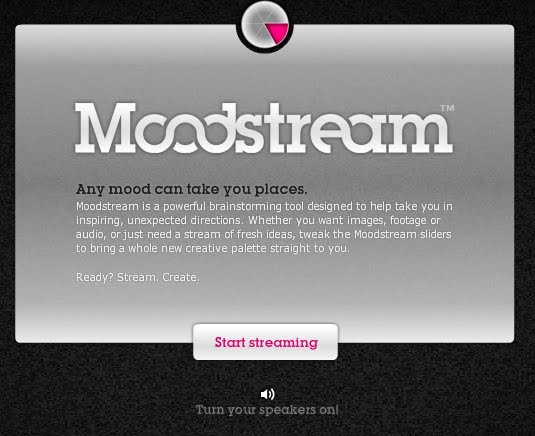
    moodstreamA tiny service from getty images where they give controls to create a feel, it then pulls up images and videos from the getty songs to create the mood you seek. This has got manual controls to set the transition effects, amount of vocals in the songs you desire to hear, image duration and various mood sliders. If you don’t want to go through all that trouble you can simply use the easy preset wheel

    4. Stereomood

     stereomoodStereomood has a refreshing approach to music making. All the user needs to do is select from over a 100 playlist options, updated daily. Some of the tags are: Melancholy, Optimistic, Bohemian, Untroubled and of course, Space trip. I personally preferred the Work tag as it just made the work day fun. The user interface is really interactive and engaging, however there were a few times the app crashed. A minor glitch in an otherwise great app. Overall it has some great tracks and great ways to find them.

    5.TuneIn Radio

    tunein This is one of the most trusted internet radio for me. Not only does it help you listen to possibly every single radiocast from music, sports, news, talk, comedy and much more, it also has the biggest library of music genres to listen to. Even the most niche genres have dedicated statios on the service. Find a station which specializes in your genre and you will have an all-night stream. You don’t have to be an enthusiast, you will find something that meets your taste even if you are an average listener just looking for some tunes. At TuneIn, theres a tune for everybody.


  • Top 5 Apps To Help De-Clutter Your Digital Life

    Top 5 Apps To Help De-Clutter Your Digital Life

    We have so much to thank Smartphones for! They help us keep tabs on our friends, emails, daily events and pictures. If we ever have a random doubt, thanks to 3G, an answer is ready within seconds. Since now we can look up anything, anywhere and at anytime – it has led to the death of debates.

    As much as it has made our lives simpler, too many hours are wasted on it as well. At iGyaan, with the million things we do daily, staying on top of the online world is a skill we’ve perfected over time. The aim is to spend the least amount of time scouring through junk and get straight to what’s important.  Here are our picks of the top apps which will make you the most digitally organized person around:

     Social Media Mania

    1. Pixable

    pixable After being on Facebook for years, it’s easy to accumulate friends who now hold no significance in your life. You couldn’t care less about who, when and why, the girl you met at a conference in 2008 is getting married to today. Even though unimportant newsfeed annoys us daily, deleting these “friends” is not an option. Here is where Pixable steps in. The app gathers all the pictures shared by your friends, and customizes it to show you only the profiles you choose. It compiles your Twitter, Instagram and Facebook feed, and organizes into sections according to relevance personalized by you. Some of the useful sections include – Top Photos of the Day, New Profile Pics, and Most Recent Photos.

    2. Socialgiri

    socialgiri It could be to stay in tune with the entertainment industry or the need to know which teenager James Franco tried to pick up lately on Instagram. We all have specific celebrities we like to keep track of (read: stalk) via social media. There are times when we’ve considered getting rid of the constant updates, but we secretly love being a part of the drama in their lives. This app helps you create a separate timeline solely dedicated to your chosen celebrities, consequently tidying up your Instagram, Facebook and Twitter. Socialgiri users can choose from over 500 social media celebrities from Bollywood, Hollywood, music, sports, fashion and politics. So, in a single flow you’ll see Critiano Ronaldo’s tweet about where he’s eating lunch, which would be followed by a perfectly Instagrammed picture of his dish. It also gives you an option to be able to like or comment through any of your three accounts. Available on Android and iOS, it recently launched its iPad Version.

    Daily Reading

    3. Flipboard


    FlipboardWe can’t speak about aggregating feeds without mentioning Flipboard. It is the one-stop destination to stay in clue about what’s happening in the world. You can combine your favourite media portals and search for any news you might be interested in. Its clean interface reminiscent of a print magazine makes this our favourite way to browse through everyday stories. The action of flipping through news pieces, attempts to recreate the experience of physically using a print publication.  You can also add your personal networks such as Facebook, Twitter and share stories directly through the app.

    4.Pulse

    Pulse Another one similar to Flipboard is Pulse. Like its competitor it collects and organizes news to suit your needs.  Created by Stanford graduates Ankit Gupta and Akshay Kothari, the app got rave reviews for its slick interface. The display is more image-based, making it faster to get through articles. The key feature which gives it an edge above Flipboard is that it can load previously read stories even when you’re stuck without internet.

    How To Never Miss An Email

    5. Mailbox

    mailbox  This handy app promises to make your inbox light, fast and mobile-friendly. It helps you combine your Gmail, Google Apps and iCloud accounts into one single app. Some of its significant functions which should be utilized: You can snooze emails and get back to them later, mute conversations which aren’t important and it also automates your common actions. The mailbox swiftly recognizes what’s important and what’s not.

  • Top 4 Apps To Download This IPL Season

    Top 4 Apps To Download This IPL Season

    The Pepsi IPL 2014 flagged off in Abu Dhabi with a grand ceremony.  It had everything worthy of a typical flashy IPL event – beautiful fireworks, Sunil Gavaskar delivering a passionate speech against corruption in cricket (ahem ahem), and of course, performances by Shah Rukh Khan and Deepika Padukone providing some Bollywood masala. Since most of the matches are being played abroad, this season the level of excitement in India has been comparatively low. But as the tournament progresses, slowly and steadily everyone is bound to catch a slight IPL fever.

    There is no dearth of cricket applications online, infact the myriad of choices available are overwhelming. However, upon closer inspection we found most were copies of each other. Hence we decided to scour through the options and list out a few you must download:

    Divided By Teams, United By Cricinfo

    CI_appicon_flatFor every fan of the sport, the first one to download is The ESPNCricinfo Cricket App. This useful application gives you all the information you need to stay on top of the game. Some of the useful tabs include match schedules, results, points, latest news, graphs, player profiles, videos, team member descriptions and general team information.  It’s a one-stop app for all sorts of cricket requirements. The most handy feature would be the option of live game coverage with ball by ball commentary. Its glossary section gives in-depth description about each of the players, which includes the matches they’ve won in the past, and their personal score of number of runs and wickets. If you want to keep up with the happenings of the IPL, this app is the simplest way to go to.


    You Win Some, You Lose Some

    The Big TossFrom day one, IPL has been more about the drama and excitement than about enjoying a true game of cricket. So it isn’t surprising that every season we feel the keen pain of being deprived of the thrill of some harmless betting. Maybe it’s a fruitless attempt to keep the IPL clean, but recently there has been a surge in the number of legal betting websites and apps. They use points or virtual money to attract gamblers.  The Big Toss: Cricket app is the one we’d place our bet on. Upon registering, you are awarded 1000 karma points, and a further 100 for every team you select as a favourite. What we liked best about it was that you can “virtually” bet on anything – from who the winner might be or the expected number of runs taken in the first over. You’re then on your own to maintain your karma points.  Also, go ahead and have a look at the forum created for news. The Big Toss links you to articles written all over the world. Cricinfo, Pakistan Observer, Deccan Herald and many more are listed under the same forum.

    East or West, IPL is the Best?

    TheloudestcheerAnd the award for the strangest IPL app goes to ‘The Loudest Cheer’. Blogmint launched this app in an attempt to make the Indian audience feel closer to those matches taking place in foreign countries. Its basic function is to help the audience cheer every time their favourite team scores. Audio cheers are available under the following categories – Ace Catch, Great Shot, Great Run, Ace 4, Ultra 6 and Big Wicket.  The app also allows users to create their audio or video cheer that will be showcased on digital channels such as YouTube. By numbering up on cheers, participants can win prizes.

    Let’s Make it Official

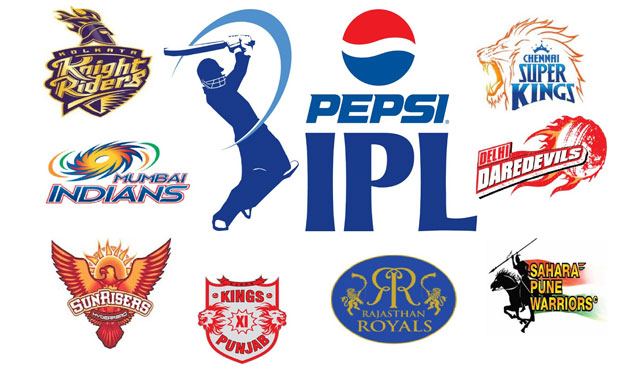
    8 teamsAnticipating interest this season, most of the teams have launched their official apps just in time. If you’re an avid fan of a specific team or player then these apps are made for you. Using the Kolkatta Knight Riders one as an example: you can use it to set up alerts solely for KKR matches and track their team activity. Furthermore, you can even customize it to follow one single (knight) player. The feature we’d vouch for, is the tab that integrates their different social media feeds, combing twitter and facebook updates and bringing them to one single portal.

  • Meet Cortana , Microsoft’s Alternative to Siri

    Meet Cortana , Microsoft’s Alternative to Siri

    Microsoft has finally shown off its new mobile search assistant, Cortana, its version of Siri and Google Now.


    As a part of Microsoft’s new Windows Phone 8.1 update, Cortana is a new Voice Recognition based personal digital assistant. Named after the AI in the popular XBOX title “Halo” the “personal digital assistant,” has the ability to search the Internet, set up alarms, shift calendar appointments, find restaurants, send messages, place calls and more.

    Cortana is quite identical to Siri on an iPhone, tap a button and ask the ui a question, however like Google Now Coranta can also tap into applications and and the phone’s core services to deliver you contextual information.It can offer the weather where you’re located, deliver favorite sports scores, or scan email and provide updates on a flight status or package delivery.

    Cortana runs on Bing and has a lot of intriguing features, for example it learns from habits of its users when and how they do their tasks. One unique feature of Cortana is that it can actually push the results of its searches over to other apps. Also like competition, Cortana doesn’t need to learn your voice and tries to interact with you naturally.

    Cortana wasn’t the only new aspect of Windows Phone 8.1, which now has a notification drawer called Action Center, which collects text messages, emails, calls and updates from social networks and other apps. It also has quick toggles for things like Bluetooth and Wi-Fi seen on Android and iOS both.

    Microsoft Also plans to push this Windows for free for hardware makers to use on phones, tablets with screens under nine inches. This should considerably bring down the costs of hardware running Windows. 

  • Skype Update For Android Promises Less Battery Drain

    Skype Update For Android Promises Less Battery Drain

    Skype has updated its App for Android, and with the new Skype 4.7 update, the company has introduced new levels of  battery savings.

    To make this possible, this update has turned off the message notifications in group chats by default, it can be changed for users who would like to continue using it. The company says that this is the beginning, as it expects to further improve battery usage in future updates of this mobile application.

    This version also includes the following fixes:

    • Workaround for the KitKat bug which caused a runaway process when the camera was synced in the background.
    • Fix for audio and video calling on tablets that do not have Bluetooth.
    • Now lists your Windows Live Messenger contacts in the Skype (default) view, not just the All contacts view.

    Users can download the update starting today in the Play Store. It will be available for the Kindle Fire family of tablets later this month.

  • Microsoft To Launch Office For iPad on 27th March in San Francisco

    Microsoft To Launch Office For iPad on 27th March in San Francisco

    Satya Nadella was recently appointed as the CEO of Microsoft, and he is now all set to host his first press event as a CEO. Microsoft has scheduled an event on March 27 2014,  which will be a special cloud- and mobile-focused event. 

    According to reports, Microsoft is all set to launch the Office for iPad. Having said that, the Office app for iPad should not be any different than the Office for iPhone which was launched last year. The features and the user interface is expected to be the same as seen on the office app for iPhone. 

    This event will work as a warm up for the upcoming events, Microsoft has also scheduled the Build conference next month followed by another anticipated launch of a new version of Windows. 


  • WhatsApp’s VOIP functionality for iOS Leaked in a Screenshot

    WhatsApp’s VOIP functionality for iOS Leaked in a Screenshot

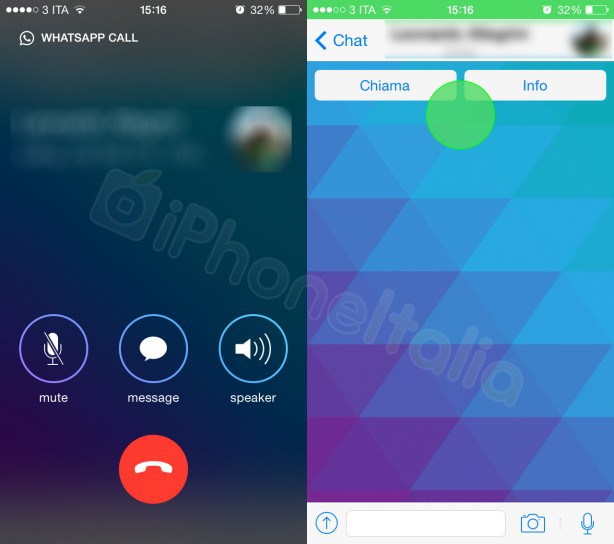
    During WhatsApp’s recent Facebook acquisition, CEO Jan Koum hinted that WhatsApp may get voice call functionality by the summer. This new leaked screenshot of the App’s upcoming update for iOS shows off those supposed calling capabilities, designed to work along with iOS 7’s design layout.

    The camera button on the top also hints at video call functionality. WhatApp will allow free voice calls and video calls with your friends on your WhatsApp list over Wifi and Cellular.

    It is also rumored that this functionality comes via Skype or using Skype’s voip technology as Facebook currently integrates Skype calling within its chat windows.

    With this feature WhatsApp may become the single point of social networking that everyone has been looking for. Now if only they could work out their battery drain.

  • Nokia’s Refocus App comes to all Lumia Phones on WP8

    Nokia’s Refocus App comes to all Lumia Phones on WP8

    Own a Nokia Lumia phone running Windows Phone 8? Its time to hit the App store and download the Nokia Refocus app. The app was earlier thought to be reliant on the Pure View Camera tech. But it appears that Nokia has made the App available to all.

    How the picture can be refocused is reliant on the apps ability to scan the area, a Focus Sweep while you hold the camera steady. The phone camera and app will then capture multiple images at various focal lengths and combine into one dynamic image which can then be refocused later. Sort of like the Lytro camera.

    In other news it looks like the new HTC One (aka M8) will also have this functionality inbuilt.

  • Instagram updates Android App, is now Faster and More Responsive.

    Instagram updates Android App, is now Faster and More Responsive.

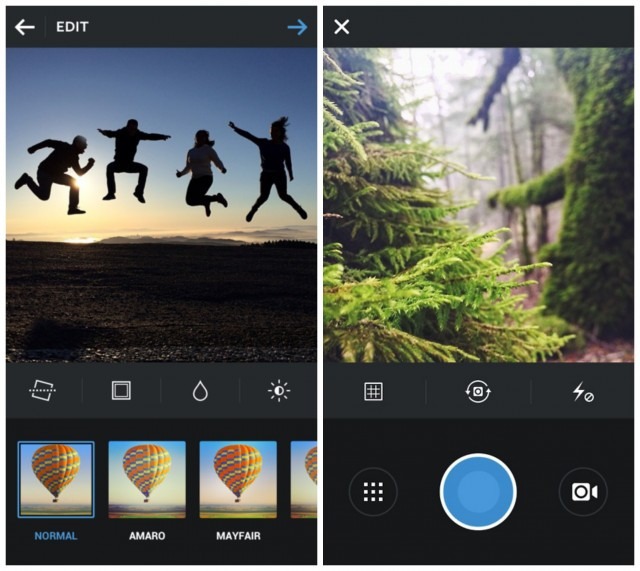
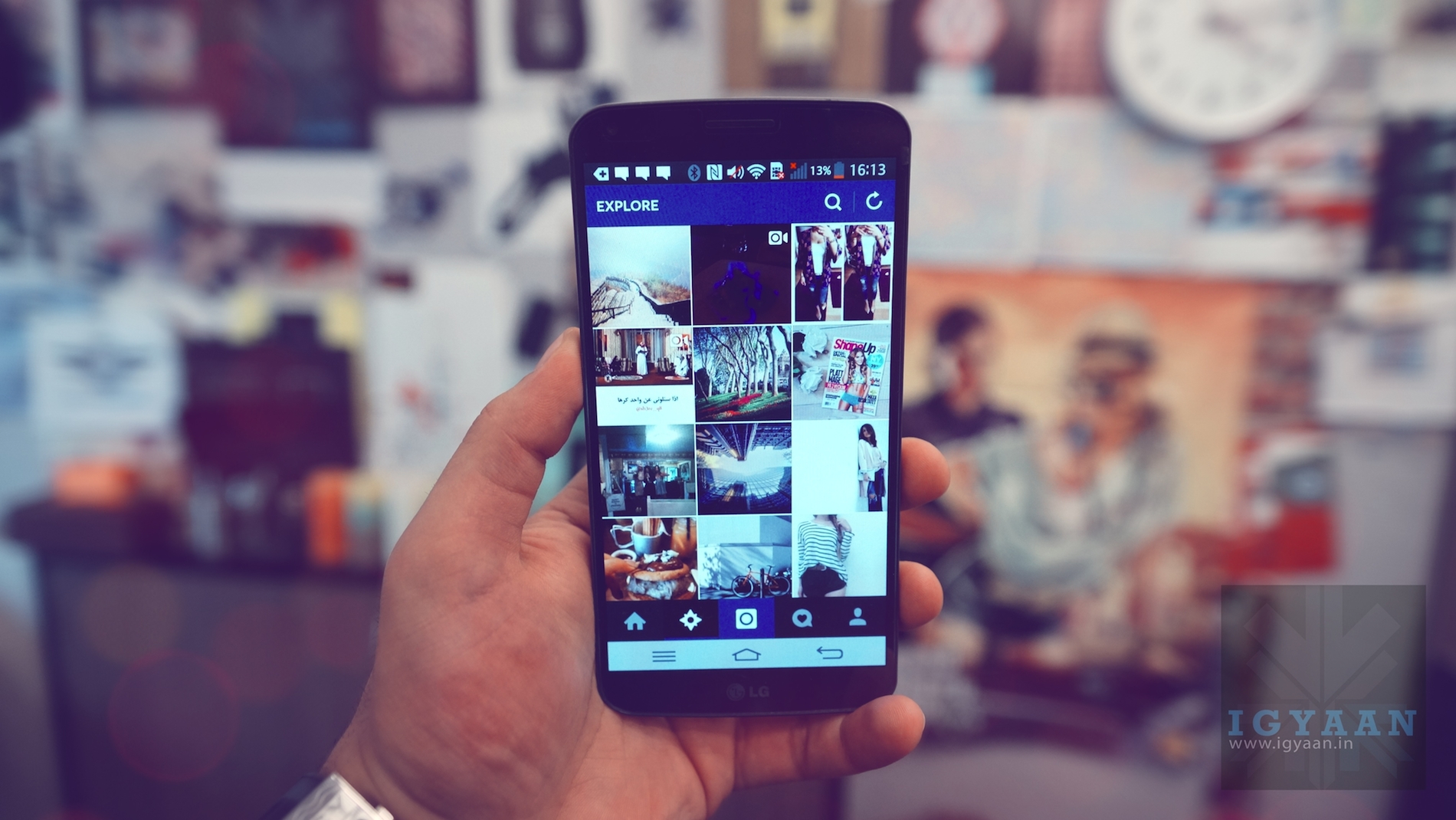
    Instagram’s latest updated Android app may come as a great welcome to selfie fans on Android. With version 5.1, Instagram has cut the footprint of the app in half, while making the app faster. Profile pages, for example, now load twice as quickly. The buttons have also been rearranged to make the app easier to navigate on different sized handsets.

    [quote text_size=”small” author=”Instagram” link=”http://blog.instagram.com/post/79272915088/android-update”]We’ve worked to make sure that Instagram feels native and at home on any Android device, We’ve simplified our visuals throughout our app, making use of valuable screen space for small devices and feature phones and rearranging our design to keep buttons within easy reach as you navigate the app on a larger device.[/quote]

    The Update did not however bring the much desirable “Lux Tool” that came out for iOS users earlier this week. This slider lets users define the saturation of Range in their images. The company does claim that the Android App will get the “Lux Tool” soon.


  • Google Translate for Android, Brings the Love for Handwriting  in 13 new Languages including Punjabi, Gujrati and Arabic

    Google Translate for Android, Brings the Love for Handwriting in 13 new Languages including Punjabi, Gujrati and Arabic

    Google’s latest translate app update will offer a lot of help to travelers and locals of the middle east and South Asia including India. With handwriting recognition added in 13 new languages including Arabic and Persian as well as Indian dialects like Gujarati, Kannada, Punjabi, Tamil and Telugu. You’ll also find support for Bosnian, Cebuano, Hmong, Maltese, Mongolian and Somali.

    Google is constantly updating their language tools and it becoming easier and easier to communicate with people of a different language thanks to these updates. With handwriting support added, those from India who cannot type can now scribble directions to the nearest bar on this app. Lovely!

  • The Amazing Spider Man 2 is the Sequel most have been Waiting for

    The Amazing Spider Man 2 is the Sequel most have been Waiting for

    The new Amazing Spider-Man movie is coming out this year, and Gameloft is simultaneously working on a game to launch along with the upcoming movie.

    This game will be the successor to the Amazing Spider man launched in 2012, which is still available on Android for just 6 INR , and also available on iOS for 390 INR. The Amazing Spider Man 2 game will be available soon for download on Android, iOS and Windows Phone platforms.

    The Amazing Spider Man 2 Game by Gamloft, has been teased in a trailer which can be seen above. The game is expected to launch after the movie launches, which will be in May 2014.

    [quote text_size=”small”]Web-sling through a free-roam Manhattan in the ultimate playground, as Spider-Man rushes to save New York City from the chaos of a disastrous crime wave. Combined with an original story inspired by the film, the stage is set for Spidey’s greatest battle against film villains Electro and Green Goblin, as well as other iconic foes![/quote]

    The Amazing Spider Man 2 is expected to bring better graphics in the game compared to what users have seen on the previous The Amazing Spider Man game. No information on what price this game will launch at, but it is confirmed for May 2014.

  • Dong Nguyen May Bring ‘Flappy Bird’ Back

    Dong Nguyen May Bring ‘Flappy Bird’ Back

    Flappy Bird has enjoyed ample of attention ever since its demise on the App store and Play store. Creator Dong Nguyen, decided to take the game off the stores because it was to much for him. As per his interview with the Rolling Stone,  he said “I was just making something fun to share with other people.”

    [quote text_size=”medium”]I couldn’t predict the success of Flappy Bird[/quote]

    On February 9, a new tweet was seen on Nguyen’s account. Reading ,”I am sorry ‘Flappy Bird’ users, 22 hours from now, I will take ‘Flappy Bird’ down. I cannot take this anymore.” This tweet not only marked the end of Flappy Birds from stores but also worried players who were addicted to this game. Having said that, this  message was retweeted more than 1,45,000 times.

    flappy bird

    Dong Nguyen  says he never wanted that fame, he could not take it. However, after removing the game he says: ” I can’t go back to my life before, but I’m good now.” He has turned all offers down, that have come across to purchase this game. When asked if he will bring the game back in the stores ? “I’m considering it,” Nguyen said.

    Irrespective of when Flappy Bird will go live again, it will surely be a success for both ends. Android users can still download the game(unofficially), but iPhone users still cannot reach it. If the game does return, it will bring joy back to the lovers, and to Dong Nguyen as he was apparently earning $50,000 per day with this game.

iGyaan Network
Privacy Overview

This website uses cookies so that we can provide you with the best user experience possible. Cookie information is stored in your browser and performs functions such as recognising you when you return to our website and helping our team to understand which sections of the website you find most interesting and useful.