Category: Apps and Software

Games, Apps, Softwares, Operating Systems and Software Hacks

  • Synology® Releases The DiskStation Manager 4.0  (PR)

    Synology® Releases The DiskStation Manager 4.0 (PR)

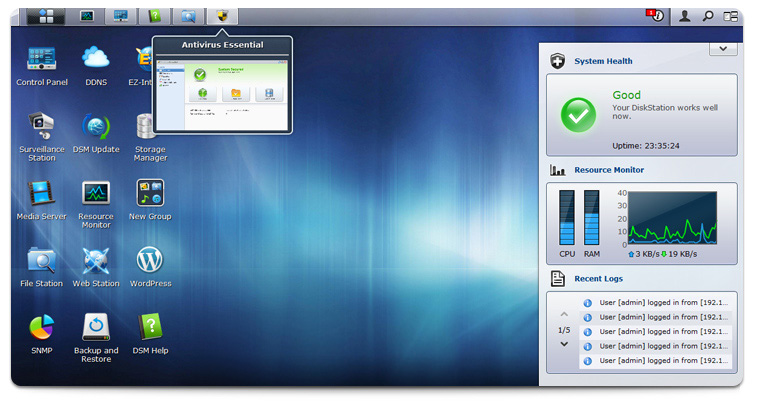
    Only weeks ago Synology had launched their beta version of the DiskStation Manager 4.0 for their NAS equipment. On Tuesday, March 6, 2012 announced the official release of DiskStation Manager 4.0 (DSM 4.0). The new upgraded software manager unleashes better cloud capabilities along with a newer UI which is more intuitive. There is also improved compatibility with mobile applications and the works.

    If you are rocking a Synology NAS, go ahead and download their latest version 

    The download is available at http://www.synology.com/support/download.php

    The live demo site is available at http://www.synology.com/products/dsm_livedemo.php

    [toggle title_open=”Press Release” title_closed=”Press Release” hide=”yes” border=”yes” style=”default” excerpt_length=”0″ read_more_text=”Read More” read_less_text=”Read Less” include_excerpt_html=”no”]


    Synology® Announces the Official Release of DiskStation Manager 4.0


    Fueled by the latest technologies to facilitate personal and business productivity


    Taipei, Taiwan—March 6, 2012—Synology today announced the official release of DiskStation Manager 4.0 (DSM 4.0). In just 50 days the DSM 4.0 beta program hit a new record in excess of 90,000 downloads, achieving an average of one download per minute. Synology appreciated enthusiastic beta participants for their valuable feedback in contribution to a better NAS server experience.


    “DSM 4.0 marks a significant milestone for Synology, representing its efforts to provide users with best-of-breed technologies, an easy approach to master their own clouds, and productive business solutions with no additional cost,” said Rosiel Lee, product manager of Synology Inc. DSM 4.0 offers:


      • Easy-to-use cloud services – Cloud Station offers users a simple and auto way to keep their files in sync, including the change history for data recovery. QuickConnect allows users to sync without the hassle of port forwarding. Unlike licensed cloud services, Cloud Station can grow with users’ demands and there is no recurring fee. In addition, DSM 4.0 pushes event triggered notifications via Microsoft Windows Live Messenger®, Skype and DS finder, assuring effortless system monitoring.


      • Robust business features – Users can now add a DiskStation to a VLAN environment, flexibly creating segmented networks on the same physical wire. A DiskStation can also work as a DHCP server to distribute IP addresses to different devices. DSM 4.0 supports iSCSI LUN backup, which features point-in-time technology, incremental backup and space reclaim to create instantaneous copies and optimize task efficiency. Synology’s complete VPN support allows for a cost-effective private network to securely share information across multiple locations. What’s more, Windows® ACL settings can be edited quickly on the intuitive interface of DSM.


      • Smart management – DSM 4.0 provides a more efficient approach to software installation and upgrade by turning applications, such as Photo Station and Download Station, into packages that can be added in need. Integrated with HTML5 and CSS 2D Transforms, Pilot View and Instant Preview helps users easily switch between applications. Desktop widgets display a variety of system resources to simplify server management.


      •  Powerful surveillance solutions – Surveillance Station now supports over 1,000 IP cameras and streams surveillance footages faster. In addition, users can deploy a single fisheye camera to cover all the angles without blind spot. Live-view Analytics carries out real-time analysis on multiple channels to keep them alert with critical events.


      • Enriched mobile support – Synology takes the lead to support Amazon® Kindle Fire and bring DS finder to Windows Phone 7. DS photo+ and DS file are also available for Android® tablets. More mobile users can carry terabytes of data stored in their DiskStation on-the-go.


    Additional new features include application portals, proactive virus scan, hotspot support, configuration backup enhancements, Picasa Web Albums and Twitter® support on Photo Station, etc. Please visit http://www.synology.com/dsm/index.php for more information.


    Availability


    Synology DSM 4.0 is free to download for users who own a DiskStation x08 series and onward. Supported models include:
    DS712+, DS212, DS212+, DS212j, RS212, RS812, DS1512+, DS1812+, DS3612xs, RS3412xs, RS3412RPxs, DS3611xs, RS3411xs, RS3411RPxs, DS2411+, RS2211+, RS2211RP+, DS1511+, RS411, DS411, DS411+II, DS411+, DS411j, DS411slim, DS211+, DS211, DS211j, DS111, DS1010+, RS810+, RS810RP+, DS410, DS410j, DS710+, DS210+, DS210j, DS110+, DS110j, DS509+, RS409+, RS409RP+, RS409, DS409+, DS409, DS209+II, DS209+, DS209, DS209j, DS109+, DS109, DS109j, DS409slim, DS508, DS408, RS408, RS408RP, DS108j


    The download is available at http://www.synology.com/support/download.php


    The live demo site is available at http://www.synology.com/products/dsm_livedemo.php


    Synology at a Glance


    Founded in 2000, Synology is a young and energetic company dedicated to developing high-performance, reliable, versatile, and environmentally-friendly Network Attached Storage (NAS) products. Our goal is to deliver user-friendly solutions and solid customer service to satisfy the needs of businesses, home offices, individual users and families.

    [/toggle]
  • Forget 5.0 Jelly Bean, Android 6 to be called Key Lime Pie

    Forget 5.0 Jelly Bean, Android 6 to be called Key Lime Pie

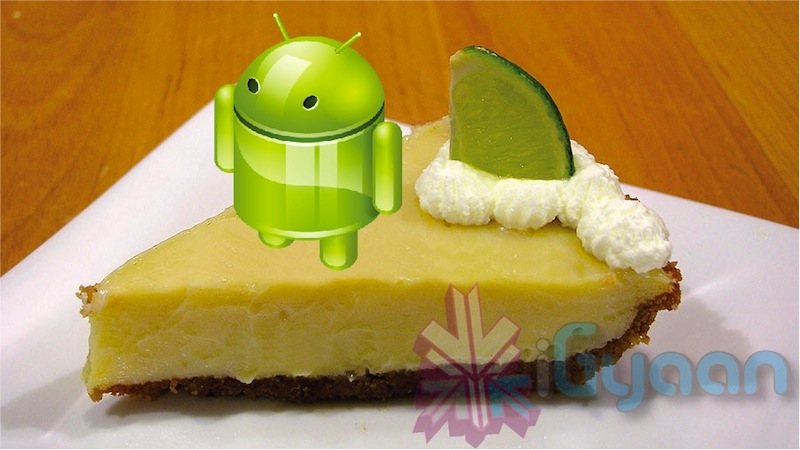
    Wow, only a day ago we found out that the next version of Android – 5.0 aka Jelly Bean was named. Today many sources from the inter webs are pointing to a confirmation of the next moniker for the Android name lineup. The next version of Android that comes in 2013 rich after Google releases Jelly Bean in 2012, will be called “Key Lime Pie”. Oh Yeah and its gonna be “KLP” all the way #KLP.

     [Read]

  • New YouTube Android App brings HD Streams to your Old Androids

    New YouTube Android App brings HD Streams to your Old Androids

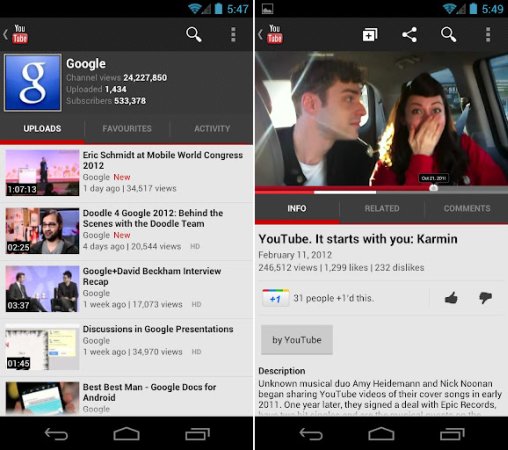
    Still rocking Froyo or Gingerbread devices that fail to stream in HD? Fret no more, the new app update from YouTube will bring HD res YouTube streams to all those devices. Although Honeycomb and ICS devices have been rocking this for some time now, the new app now allows streaming on all those devices that were left out. 

    Still not all devices will be able to enjoy this app as the update is dependent on screen size and resolution. Alternatively you can find the .apk online and install it! which may or may not work for you.

    [Android Market]

  • Android 5.0 confirmed to be Jelly Bean, Asus will get it first !

    Android 5.0 confirmed to be Jelly Bean, Asus will get it first !

    Asus hopes its close partnership with Google will lead it to be the first company to offer devices running Android Jelly Bean – version 5.0. Asus prides itself on its Android upgrade efficiency, as it was the first to provide tablets running Honeycomb and the first to push the Ice Cream Sandwich update to its tablets. Based on Google’s update schedule, it’s within reason to expect Android 5.0 to hit within the next year

    Asus is very close to Google, so once they have Android 5.0 I think there will be a high possibility that we will be the first wave to offer the Jelly Bean update.

    -Asus VP, Benson Lin

    Ready to work out your next device? no point for the next six months anyway.

  • Windows 8 Consumer preview hits one million Downloads in one Day

    Windows 8 Consumer preview hits one million Downloads in one Day

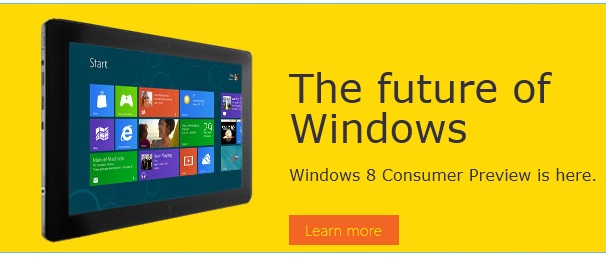
    The Microsoft Windows 8 Consumer Preview went up just a day ago and has already hit the million download mark. Microsoft’s next major software update is built around the Windows 7 platform merged with the Live Tile – Metro UI of Windows Phone 7. 

    Although the downloads are 1 Million, it may not mean that 1 million people downloaded the software. Get yours in the link below.

    Windows 8 Consumer Preview

  • Performance gaming goes mobile with five new Nvidia Tegra 3 Games (Video)

    Five new games capable of running on Nvidia Tegra 3 chipsets have been released. Tegra 3, with four performance processing cores, in addition to its fifth battery saver core, and a 12-core GeForce GPU, is putting console games on notice. 

    The following games are now available for download on the platforms 


    Golden Arrow THD

    In its mobile gaming debut, Golden Arrow brings big-action, hack-and-slash gameplay to your Tegra-powered smartphone or tablet. It features higher-resolution textures, high dynamic range lighting, soft shadows and is filled with lens flares, explosions and fires galore.

    Dark Kingdom THD

    The classic Dark Kingdom role-playing gaming title has gone mobile. In Dark Kingdom, you play  the hero of the nation and find the whereabouts of the missing father at the tower of gods. You collect spirit stones and rune stones to upgrade weapons, armory and skills.

    Along your journey, you’ll find yourself immersed in a world of higher-polygon models, dynamic shadows, dynamic lighting and even rag-doll physics.

    Eden to GREEEEN THD

    Just because a game is free doesn’t mean it should skimp on the gaming experience. Eden to GREEEEN THD is hitting the “freemium” gaming scene with high-quality textures, quad-core scaling and more detailed models – all built on the Unreal Engine.

    In the game, alien machines from another planet have come to swipe Eden’s natural resources. They’ve all but destroyed the beautiful setting, and only a handful of flora still survive. Euphoria, the natural energy of Eden needed for life to survive is dwindling fast.

    Hamilton’s Great Adventure THD

    The epic strategy/puzzle game Hamilton’s Great Adventure has you tackling daring, new levels with your trusty sidekick, Sasha the bird. You’ll be navigating fully dynamic levels that rival what you’d experience on the PC version of the game.

    Hamilton’s Great Adventure has been adapted from Bitsquid’s DirectX 11 engine with Tegra 3 optimizations and quad-core scaling.

    Sonic 4: Episode II

    Sonic makes his triumphant return in Sonic The Hedgehog 4: Episode II via a Tegra 3-enhanced edition that puts nearly all of the console graphics right into the palm of your hand. Remember playing Sonic 1, 2 and 3 on your original Sega Genesis console? Remember how addicted you became to the fast-paced action of collecting all those rings and beating Dr. Eggman at the end of every Zone?

  • Skype Beta comes to Windows Phone (video)

    Skype has announced and released the Beta version of their App for Windows Phone devices running 7.5 and above.  This early version will allow free audio and video calls over WiFi or 3G, alongside those any-number paid-for calls. 

    You can download the beta version of the Skype for Windows Phone app for free by clicking here directly from your Windows Phone, or simply scanning the QR code below. You will need to have a smartphone running Windows Phone 7.5. You can check what version of Windows Phone your phone is running at Settings > About.

    Tested and working Windows Phones:

    • Nokia Lumia 710
    • Nokia Lumia 800
    • HTC Titan
    • HTC Radar
    • Samsung Focus S 
    • Samsung Focus Flash


    [toggle title_open=”Press Release” title_closed=”Press Release” hide=”yes” border=”yes” style=”default” excerpt_length=”0″ read_more_text=”Read More” read_less_text=”Read Less” include_excerpt_html=”no”]


    Skype brings voice and video calling to Windows Phone users around the globe


    Many of you have been waiting for this. And today we are excited to announce our new Skype for Windows Phone Beta app. This now makes Skype available on almost all of the leading mobile smartphone operating systems. The gold version of the app will be available in April.


    Starting today, download the beta version directly from your Windows Phone or at theMarketplace from your computer to test drive Skype for Windows Phone and share your feedback with us.


    Skype for Windows Phone Beta* supports the most important Skype features you’ve come to know and love. And you will be especially thrilled by the clean and simple Skype experience that the Metro user interface delivers on your Windows Phone. It has never before been so easy to connect with the people you care about most.


    Check out this video to see how the app works.


    With Skype for Windows Phone Beta you can make free audio and video calls** to your Skype contacts over 3G and 4G or WiFi***, make affordable calls to landlines and mobiles using Skype Credit, create and hold one-to-one and group chats, and update your profile and account information, among others features.


    This is only the beginning for Skype for Windows Phone…it’s just going to get better and better. We see incredible potential to include Skype capabilities in Windows Phone in order to enable a great experience for you.


    You can download the beta version of the Skype for Windows Phone app for free**** by clicking here directly from your Windows Phone, or simply scanning the QR code below. You will need to have a smartphone running Windows Phone 7.5. You can check what version of Windows Phone your phone is running at Settings > About.


    We have already tested and certified the following devices for the best performance of Skype for Windows Phone:


    • Nokia Lumia 710
    • Nokia Lumia 800
    • HTC Titan
    • HTC Radar
    • Samsung Focus S 
    • Samsung Focus Flash


    We love hearing your thoughts and questions, so please feel free to visit our Skype Support Network or tweet your Skype for Windows Phone questions to @Skype. Also, you can join us on Twitter by following the #SkypeMWC hashtag where we will be sharing Windows Phone tips throughout the week.


    *The beta version of the Skype for Windows Phone app will have English language support only.
    **The device must be equipped with at least one camera to utilize video calling.
    *** Users can place calls with their Windows Phone over a cellular data connection or WiFi network. Additional data charges may apply. To get the best quality video calling, Skype recommends a strong WiFi connection. Skype-to-Skype calling on Windows Phone is compatible with Skype for Windows 4.2 and above, Skype for Mac OS X 2.8 and above, Skype for Linux, Skype for iOS 3.0 and above, Skype for Android 2.0 and above, and Skype running on TVs.
    **** The Skype for Windows Phone Beta app is free. If you use your mobile data connection to download the Skype app, operator charges may apply, so we recommend an unlimited data plan.

    [/toggle]

  • ASUS TF 101 Transformer starts getting OTA ICS updates

    ASUS TF 101 Transformer starts getting OTA ICS updates

    All those with the Asus Eee Pad Transformer 101 will start to rejoice as the company begins rolling out the ICS update for the tablet. The update is supposed to bring not only the latest Android version but also a lot of fixes to issues being faced by users. The big advantage is that the tablet remains rootable even after the update. The Update has started rolling out in the US for Wi-Fi tablets and will soon come to 3G versions including international UK and Asian versions.

  • Blackberry Playbook gets the 2.0 Update finally : hands on soon

    Blackberry Playbook gets the 2.0 Update finally : hands on soon

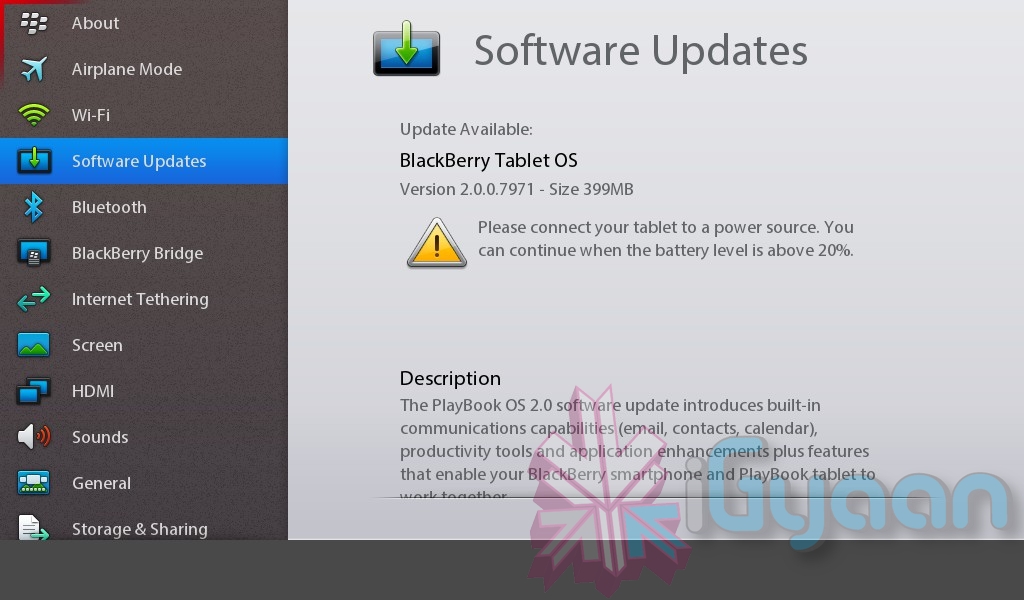
    So the Blackberry Playbook has finally started getting 2.0 update for its OS. Check for updates via Settings on your tablet and you should see it. The update includes improvements like native email, calendar and contacts, integration with Facebook, Twitter and LinkedIn,  new Bridge functions, and access to the Android apps in BB App World. 

    We will soon have a hands on video, stay tuned.

    [toggle title_open=”Press Release” title_closed=”Press Release” hide=”yes” border=”yes” style=”default” excerpt_length=”0″ read_more_text=”Read More” read_less_text=”Read Less” include_excerpt_html=”no”]


    BlackBerry PlayBook OS 2.0 Available Today

    New OS delivers an enriched user experience for BlackBerry PlayBook tablet users

    Waterloo, ON – Research In Motion (RIM) (NASDAQ: RIMM; TSX: RIM) announced that the new BlackBerry® PlayBook™ OS 2.0 will be released for download today. BlackBerry PlayBook OS 2.0 delivers an enhanced tablet experience and allows you to use the BlackBerry PlayBook in new ways throughout the day – at work and at play. “Building on the BlackBerry PlayBook tablet’s proven web browsing, multimedia and multitasking strengths, the new BlackBerry PlayBook OS 2.0 introduces a range of new communications and productivity enhancements as well as expanded app and content support,” said David J. Smith, SVP Mobile Computing, Research In Motion.

    New BlackBerry PlayBook OS 2.0 features include:

    • Integrated email client with a powerful unified inbox: With BlackBerry PlayBook OS 2.0 you have the option to use a unified inbox that consolidates all messages in one place, including messages from Facebook®, LinkedIn® and Twitter®, as well as personal and work email accounts.

    • Social Integration with Calendar and Contacts apps: The built-in calendar harnesses information from social networks and makes it available where and when users need it. Contact cards are also dynamically populated with updated information from Facebook, Twitter, and LinkedIn to create a consolidated view of contacts.

    • Updated BlackBerry Bridge app: BlackBerry® Bridge™ is a unique app that provides a Bluetooth® connection between your BlackBerry PlayBook and core apps on your BlackBerry® smartphone (including BBM™, Email, Contacts, Calendar and Browser) in order to let you view the content on the larger tablet display. With BlackBerry PlayBook OS 2.0, it’s easier and quicker than ever to take documents, web pages, emails and photos that appear on your BlackBerry smartphone and display them on your BlackBerry PlayBook for an optimized viewing and editing experience. The updated BlackBerry Bridge app also provides a new remote control feature that allows a BlackBerry smartphone to be used as a wireless keyboard and mouse for a BlackBerry PlayBook.

    • Improved mobile productivity: Updated document editing functions, the new Print To Go app, and increased control and manageability of corporate data with BlackBerry® Balance ™ allow you to get more out of your BlackBerry PlayBook every day. Plus, an updated virtual keyboard with auto correction and predictive next word completion learns how you type to enable faster, more accurate typing.

    • New apps and content: Thousands of new apps are being added to BlackBerry App World™ today (including a range of Android® apps that will run on the BlackBerry PlayBook). A new BlackBerry Video Store1 is launching today. Enhanced web browsing capabilities are also available with BlackBerry PlayBook OS 2.0.

    In conjunction with the release of BlackBerry PlayBook OS 2.0, RIM is making available an initial release of BlackBerry® Mobile Fusion that will include support for managing BlackBerry PlayBook tablets and BlackBerry smartphones2 in an enterprise. The full release of BlackBerry Mobile Fusion (with mobile device management capabilities for iOS and Android devices) is planned for general availability in late March 2012. For more information about BlackBerry Mobile Fusion, please visit www.blackberry.com/mobilefusion. Availability The BlackBerry PlayBook OS 2.0 software update is now available as a free download for all BlackBerry PlayBook tablets.

    [/toggle]

  • VLC 2.0 released, faster decoding new look, Windows and Mac

    VLC 2.0 released, faster decoding new look, Windows and Mac

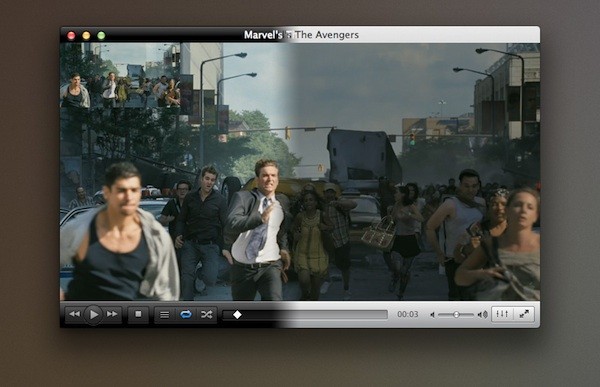
    The next revision of everyone’s favorite open-source VLC player has gone out of Beta and Release Candidate to now officially available. VideoLan calls it the major software revision that includes a bucket load of fixes and changes that were due since the release of multiple new OS upgrades. VLC 2.0 also brings with it faster decoding on multi-core processors, GPUs, and mobile hardware, and the ability to open yet more file formats, including a number HD formats used by professional users.

    Of course if you haven’t already done it download the official stable version from the link at the bottom.

    Changes and Features:
     
    VIDEO
    • Rewritten video output core and modules, allowing subpicture blending in GPU.
    • Shader support in the OpenGL output, for colorspace conversion, including 10bits.
    • New video outputs for Windows 7, Android, iOS and OS/2.
    • New debanding, grain, denoising and anti-flickering filters.
    • New deinterlacing filter, including an Inverse Telecine algorithm.
    AUDIO
    • New resamplers for higher quality audio.
    • New dynamic range compressor and karaoke filters.
    • Simplification of the audio core for faster processing.
    • New audio outputs for iOS, Android and OS/2.
    FORMATS
    • Multi-threaded decoding for H.264, MPEG-4/Xvid and WebM.
    • Support for 10bits codecs, WMV image and some other codecs.
    • Rewritten support for images, including jpeg, png, xcf, bmp…
    • Important changes in RealVideo and Real Format support.
    • CrystalHD cards and Android OpenMAX support for hardware decoding.
    INPUT AND DEVICES
    • Experimental support for BluRay discs: 
      – Menus are deactivated in this release (will come soon).
      – AACS and BD+ DRM libraries and keys are not shipped, for legal reasons.
    • Support for SDI capture cards and QTKit devices.
    • Support for new adaptive streaming protocols, like HLS and DASH.
    FOR MAC USERS
    • Completely new, single window interface:
      – Available in 2 colors: Lion grey and QTX black.
      – Extensions support and better Lion integration.
    • Support for all QTKit devices through qtcapture and qtsound modules.
    • Continued support for X 10.5 and PPC users (1080p and ProRes on Dual-G5!).
    FOR ANIME FANS
    • Vastly improved MKV demuxer.
    • Rewritten linked segments and ordered chapter files support.
    • Correct support for FLAC, RV and Hi10p in MKV.
    • Rewritten seeking support in cue files.
    • Various ASS subtitles improvements.
    FOR PROFESSIONAL USERS
    • Support for ProRes 422 and 4444, AVC/Intra.
    • Support for Jpeg-2000 and DNxHD/VC-3 in 10bits.
    • Support for EBU subtitles (stl) and EIA-608.
    • SDI and HD-SDI card support for input on Linux.
    • New Dirac/VC-2 encoder, faster than the previous one.
    FOR DEVELOPERS
    • libVLC, libVLCcore and libcompat have switched from GPL to LGPLv2.1+.
    • New libVLC examples are available: media player, photobooth and mediainfo clones.
    • New JSON requests on the web interface to control running VLC instances.
    • Implementation of the MPRIS2 interface to control media players.
    • VLC’s web plugins have been rewritten for better integration and stability in all browsers.
     
     
  • Messages Beta available for Mac OS X Lion

    Messages Beta available for Mac OS X Lion

    If you heard about the recent launch of the new OS X Mountain Lion from Apple, you would have heard of their iMessage client for Mac – messages. The folks at cupertino have seeded a beta download for all those on Mac Lion to preview and test out the upcoming Messages on OS X Mountain Lion. Hit the link below to begin the download if you are already on Lion.

    [Apple]

  • Apple developers get Mac OS X Mountain Lion downloads

    Apple developers get Mac OS X Mountain Lion downloads

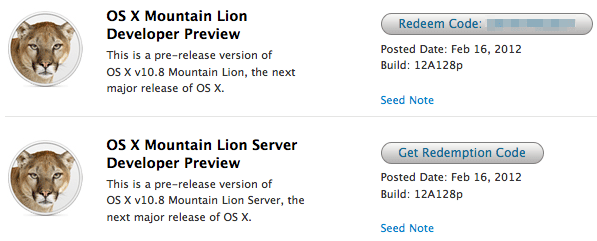
    If you continue to stay on the Apple Developer program then you can have yourself a developer preview download of the new exciting Mac OS X Lion. The new versions of Reminders , messages , gatekeeper, Notification center and iCloud and sharing capabilities can be experienced in this preview.  Hit the link below to sign into your member area and begin the download.

    [Apple]

  • Asus postpones ICS for Transformer

    Asus postpones ICS for Transformer

    Asus has pushed the dates for the ICS release for their Transformer tablet to end of FEB -March 2012. The update is however, happening and will be seeded via an OTA download directly on the transformer. As always we will have a hands on preview of the OS on the tablet.


    [ASUS Singapore]

  • Apple shows off OS X Mountain Lion

    Apple shows off OS X Mountain Lion

    Apple has already begun the next update cycle of the OS X platform with just over a year ago Apple unleashed OS X Lion on Mac owners. This time around the number is bumped to 10.8 and the name to Mountain Lion. The overall outlook of the OS remains the same with more integrations and basic app changes in tow.

    The biggest add-on for the OS has to be the Notification centre that has been inspired from the iOS notification centre.

    Notification Centre.

    The spotlight icon on the far top right of the screen is replaced with a circle with a dot in the centre, which lights up when you receive a message or a notification even a calendar reminder.

    Messages

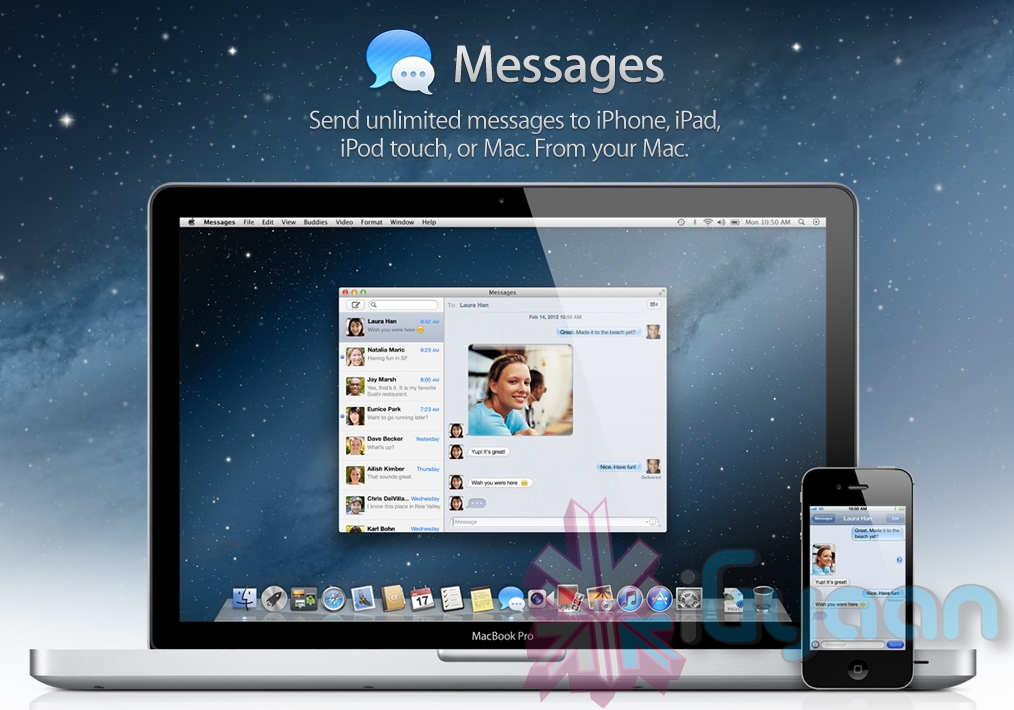
    The other major release in OS X mountain lain will be the replacement of iChat with messages, which will allow you to message all iOS devices on iMessage and other macs on Messages. Using the service, you can send messages, documents, HD videos and photos (up to 100MB apiece) to one person or several, using phone numbers or email addresses as points of contact. Messages on Mac still incorporates chat services like AIM and GChat. Messages sent through the service are encrypted, and the app also uses a notification to let you know when messages have been delivered / read.

    Reminders

    The next cool thing of our liking that has been ported from iOS to Mac is Reminders. For those who don’t know , this is more of a glorified to-do list. It will sync with iOS reminders keeping the seamless architecture intact.

    Notes

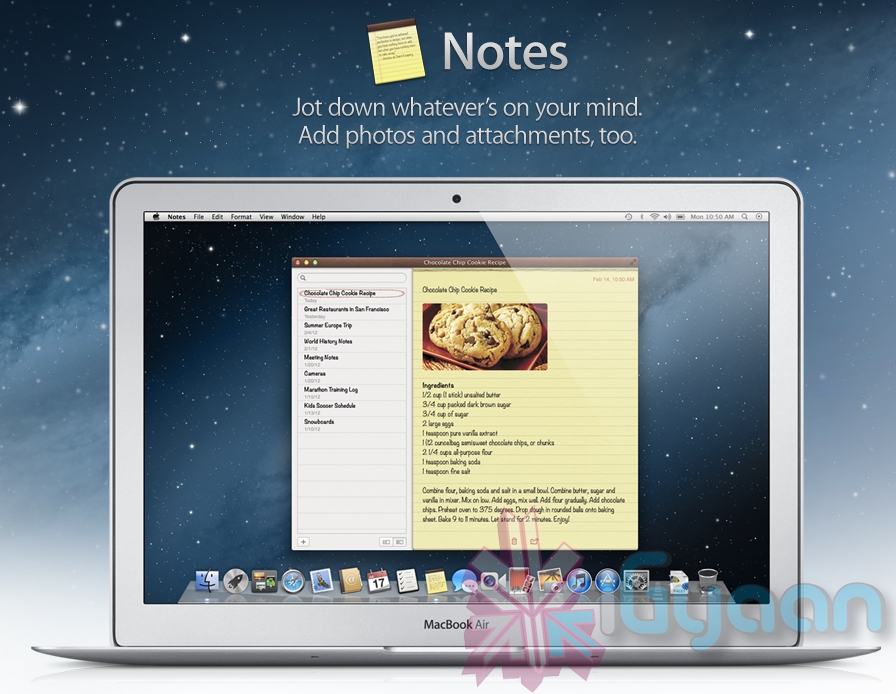
    Another addition to the Mac OS X Mountain Lion is the Notes app, which not only completely resembles the on on iOS but also syncs up with all your devices and email addresses via iCloud.


    Apple has added deeper integration of iCloud on Mountain Lion, allowing users to sync up and back up more data, also allowing seamless interconnectivity with all other Apple devices owned by a user. The other additions to Lion include Airplay mirroring, integrated Game center and included sharing – allowing you to instantly share content from your desktop via email, message, AirDrop and third-party services like Twitter, Flickr and Vimeo.

  • Angry Birds Comes to Facebook

    Angry Birds Comes to Facebook

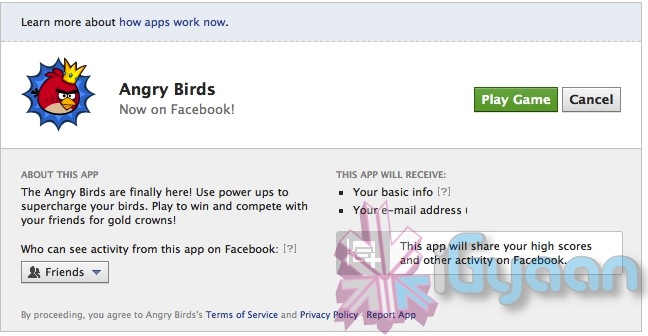
    The overly popular mobile platform game Angry Birds has come to overly popular social network Facebook.  The Facebook variant features the same game play as the original mobile app along with added social components, new power-ups and exclusive new levels. The game itself is free to play, with a 20-use power up costing $1.

    “Angry Birds” on Facebook — which uses Flash Player 11 — supports 3D graphics, according to tech news site ZDNet.

    Angry Birds has been downloaded more than 700 million times since its release for Apple’s iOS in December 2009, and with Facebook’s 800 million users, it’s bound to hit 1 billion soon.

    Thanks to the success of Angry Birds, game maker Rovio emerged as a gaming powerhouse, and it’s looking to go public as soon as 2012. Right now, the company is worth more than $1 billion, according to CMO Peter Vesterbacka.

    Click Here to Play the Game

iGyaan Network
Privacy Overview

This website uses cookies so that we can provide you with the best user experience possible. Cookie information is stored in your browser and performs functions such as recognising you when you return to our website and helping our team to understand which sections of the website you find most interesting and useful.