Category: Apps and Software

Games, Apps, Softwares, Operating Systems and Software Hacks

  • Over 1 Million Copies Of Lion Sold On Day 1

    Over 1 Million Copies Of Lion Sold On Day 1

    On the day that Apple launched the new version of its operating system  OSX Lion, it sold over a million copies. Apparently, people were not intimidated by a lack of a disc to install from. The ease with which Apple has distributed its update can be seen in the sales figures. The price of the update along with the ability to download is must have helped boost sales even further than Apple expected.

    The update is available in the Mac App Store for only $29. It will be available on physical media in August.

  • Read Unlimited Comics Till The End Of The Month For FREE

    Read Unlimited Comics Till The End Of The Month For FREE

    This one is for all the comic book lovers out there. Marvel comics has a monthly subscription package that lets users read unlimited digital comics. Well we’ve got a coupon that will let you read as many comics as you want for free. The only catch is that its valid till the 31st of July. So hurry up and create your account on Marvel using the following steps:

    • Go to the subscriptions page
    • Select the Monthly Package
    • Enter the Promo Code: CAP734
    • Click Apply Promo
    • Enter your user details.
    • You dont have to enter your credit card info unless you want to continue your subscription after the promo expires.
    • Agree to the terms and click the Start Your Subscription button.

    Once you’ve created your account, you can browse Marvel’s digital comic library and simply click the Read It Online button for any comic that you wish to read. This will open a new window which loads a flash comic book reader. Not only can the reader display pages in a single page or two page format, but it can also zoom into specific panels while you’re reading. This makes it much easier to read the comics on a digital display.

    We hope you enjoy this little surprise and we’ll see you after the 31st. With great power comes great responsibility.

  • Google Maps on Android Now Add 3D Buildings in Several Cities None from India

    Google Maps on Android Now Add 3D Buildings in Several Cities None from India

    Google announced on Tuesday that it has added support for 3D buildings in 13 additional cities on Google Maps, including London, Paris, Barcelona, Stockholm, Singapore, Lisbon, Boulder, and 11 cities in South Africa. 

     To activate 3D buildings in one of the aforementioned locations, simply zoom in close to the city and the application will then show a 3D renders of the city landscape. If you already upgraded your Google Maps to the latest version a software update will not be required to view the new Google Maps in 3D

    [GOOGLE]

  • Apple Mac OS X Lion Now Available (PR) : Download

    Apple Mac OS X Lion Now Available (PR) : Download

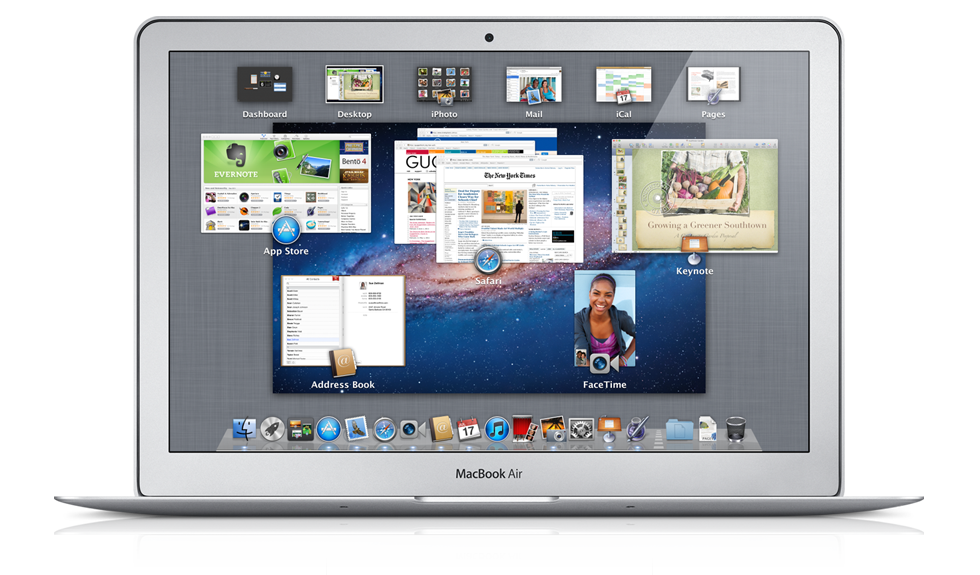
    Just like that Mac OS X Lion / 10.7 is now available to download from the Mac App store. Remember it only works with Mac’s Intel Core 2 Duo, Core i3, i5 or i7 processor. The OS is available to download now for US $ 29.99 and can be purchased later in August on a USB pen Drive for US $ 69

    Download it from the Links Below

    US STORE INDIA STORE

     OS X Lion - Apple®

    OS X Lion – Apple®

     OS X Lion - Apple®

    OS X Lion – Apple®


    [toggle title_open=”Collapse” title_closed=”Read The Press Release” hide=”yes” border=”yes” style=”default” excerpt_length=”0″ read_more_text=”Read More” read_less_text=”Read Less” include_excerpt_html=”no”]Mac OS X Lion Available Today From the Mac App Store

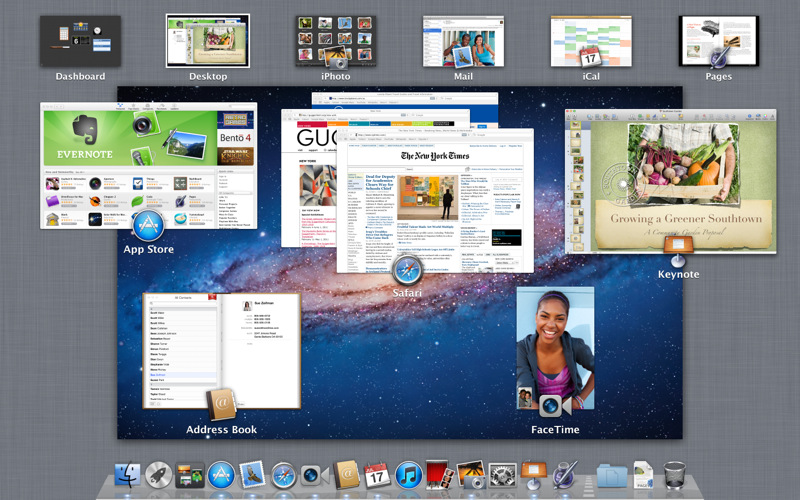
    CUPERTINO, California-July 20, 2011-Apple® today announced that Mac OS® X Lion, the eighth major release of the world’s most advanced operating system with more than 250 new features, is available today as a download from the Mac® App Store™ for $29.99. Some of the amazing features in Lion include: new Multi-Touch® gestures; system-wide support for full screen apps; Mission Control, an innovative view of everything running on your Mac; the Mac App Store, the best place to find and explore great software, built right into the OS; Launchpad, a new home for all your apps; and a completely redesigned Mail app.

    “Lion is the best version of OS X yet, and we’re thrilled that users around the world can download it starting today,” said Philip Schiller, Apple’s senior vice president of Worldwide Product Marketing. “Lion makes upgrading a Mac easier than ever before; just launch the Mac App Store, buy Lion with your iTunes account, and the download and install process will begin automatically.”

    Additional new features in Lion include:

    Resume, which conveniently brings your apps back exactly how you left them when you restart your Mac or quit and relaunch an app; Auto Save, which automatically and continuously saves your documents as you work; Versions, which automatically records the history of your document as you create it, and gives you an easy way to browse, revert and even copy and paste from previous versions; and AirDrop, which finds nearby Macs and automatically sets up a peer-to-peer wireless connection to make transferring files quick and easy.

    Pricing & Availability

    Mac OS X Lion is available as an upgrade to Mac OS X version 10.6.6 Snow Leopard® from the Mac App Store for $29.99 (US). Lion is the easiest OS X upgrade and at around 4GB, it is about the size of an HD movie from the iTunes Store®. Users who do not have broadband access at home, work or school can download Lion at Apple retail stores and later this August, Lion will be made available on a USB thumb drive through the Apple Store® (www.apple.com) for $69 (US). Mac OS X Lion Server requires Lion and is available from the Mac App Store for $49.99 (US).

    Lion requires an Intel-based Mac with a Core 2 Duo, i3, i5, i7 or Xeon processor and 2GB of RAM. Lion is an upgrade and can be installed on all your authorized personal Macs. Details regarding Business and Education licensing can be found at apple.com/macosx.

    The OS X Lion Up-to-Date upgrade will be available through the Mac App Store at no additional charge to all customers who purchased a qualifying new Mac system from Apple or an Apple Authorized Reseller on or after June 6, 2011. Users must request their Up-to-Date upgrade within 30 days of purchase of their Mac computer. Customers who purchased a qualifying Mac between June 6, 2011 and July 20, 2011 will have until August 19, 2011 to make a request. Additional information can be found at apple.com/macosx/uptodate.
    [/toggle]

  • Android 3.2 All Set For Release On A Tablet Near You

    Android 3.2 All Set For Release On A Tablet Near You

    Google’s latest update to its Android Platform is all set to come to a tablet near you. The new version is an incremental release which adds several new updates for developers as well as users. The new version includes many changes to the Android API.

    A few highlights for the new version:

    • Support for multiple screen sizes which allows developers to create apps for various screen sizes, not just 10.1 inch.
    • A new compatibility mode which renders applications in a smaller screen area and then stretches the rendered image to fill the screen.
    • Media files can be directly loaded from the SD Card in apps that use them and a new module that allows applications to use the system media library.
    • An extended screen support API that allows developers to have precise control over the user interface across the range of Android powered devices. It also allows developers to target specific screens based on their dimensions.

    Motorola has already begun to roll out the 3.2 update to its Xoom tablet. Other tablet candidates for the 3.2 update include Samsung’s Galaxy Tab 10.1, Acer’s Iconia Tab 500 and Toshiba’s Thrive. Huawei made an announcement last month for what it claims to be the worlds first 7 inch Android 3.2 Honeycomb Tablet which has a dual-core processor.

  • The Kindle – Your New Text Book

    The Kindle – Your New Text Book

    When we were in school and college, we often forgot our textbooks at home or in the hostel and we sat through class with no clue of what was going on. Enter the Kindle. Amazon has launched a new service called Textbook Rental, which lets you store all your textbooks and notes in the cloud.

    Amazon’s new service, which was announced today, allows students to rent their textbooks for as much as 80% off the listed price. They can rent the textbooks for a month, a year or any duration in between with additional days being charged on a per-day basis. Not only will this service allow students to make killer savings, but it will also reduce the amount of stuff they need to carry to school.

    This service, along with the Kindle app which is available on all major platforms including iOS, Android, Windows Phone 7 and Blackberry, will allow students to read their textbooks and jotted notes on virtually any device. The kids today get all the cool stuff.

  • Mac OSX Lion Coming Today to the Mac App Store!

    Mac OSX Lion Coming Today to the Mac App Store!

    The word is official Apple CFO Peter Oppenheimer during today’s earnings call pointed out that the Mac OS 10.7 Lion will be available to download from the Mac App Store for 29.99 US$ The download is only a 4 GB download and has over 250 new features including a Launcher which is based on Apple highly popular mobile Operating System – iOS.

    Of course we will be getting it and will have an Initial hands on with it shortly after release. We will also take an in depth review of the OS soon after. So stay breezy for the impending launch of the king of the Jungle! Also Mac server will be available for US $ 49.99 if anyone is asking!


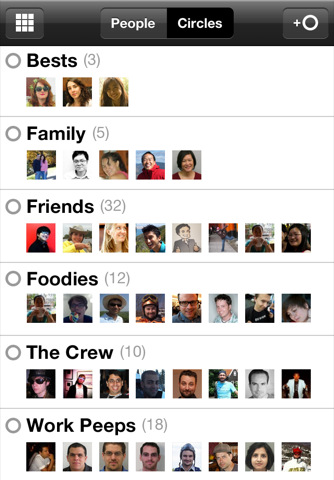
  • Google+  App for the iPhone Now Available

    Google+ App for the iPhone Now Available

    The Google Plus app for the iOS is finally here. Looks identical to the Android App and is available to download from the App Store.

    Hit the Link Below to get your own.

    [iTunes]

  • EDIT : Why The iOS 5 going to be the Best Mobile OS to Date!

    EDIT : Why The iOS 5 going to be the Best Mobile OS to Date!

    Apple has recently announced the new iOS 5, The biggest update to their mobile phone OS since the iPhone was launched back in 2007. So Big, infact, that Apple decided to bypass the iPhone 5 launch this year round.

    What the iOS 5 bring that the iOS didn’t already have.

    People loved the iOS for its fluidity and ease of use, its beautiful and clean interface and the simplicity of performing actions to utilize and exploit the abilities the device it was on. The huge list of useful and eye pleasing applications which were designed  to work within the means of the OS and worked on the same basic principle, doing simple things easily and simplifying difficult things.

    But not everyone feels like this. Especially those who take pride in their endeavors to defame the fruit companies products, with their basic set of questions in place. Why does the structure have to be so closed? Why are we not allowed to do things that prior devices allowed us to do? Bluetooth file transfer- File management, Adobe Flash based browsing, even setting a custom ringtone.

    The fact of the matter is, Apple saw that these things were slowing down the Operating Systems usage which in turn deteriorated the whole device. For example, Bluetooth file transfer was the main reason due to which, in 2005,  over 3 million Nokia phones got infected with a virus which would delete important files from the Symbian structure ending basic phone use.

    Adobe flash is the heaviest video plugin ever made ( Adobe’s CEO confirms this) it is heavy on the processor , ram and extremely heavy on battery. Apple saw that by disabling Flash for video within Internet browsing, the overall battery life of device increased considerably. That being said, the user always should to have the choice to make the decision for himself. Adobe flash is allowed in the Application structure and a large number of apps are made with flash. Apple could have enabled Flash for a user to decide. But , in their defense it is easier to ignore a couple of 1000 people complaining about Flash – than a few million complaining about bad battery.

    Apple knows and is sure of one thing and one thing only, if they say their device does something, it does it. They don’t care about anything else and especially those things that they don’t promise or talk about.

    With the new iOS 5 , Apple brings about a large number of change in the Operating Systems use and the way you use your iDevice in a day to day basis. Apple has made these improvements not only due to a large number of demands, But also to take on the competition head first.

    The iOS 5 adds a huge chunk of things that were missing from the iOS over 200 to be precise. It also adds a whole list of new and innovative aspects to the already popular OS. Here are some of the most notable things

    Notifications

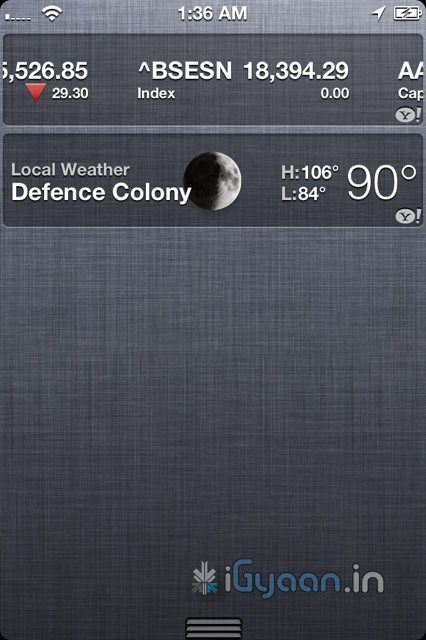
    Possibly the most asked-for improvement, the new notification system takes cue from the Android notification panel and takes it one notch higher. Just swipe down from the top of any screen to enter Notification Center.

    Choose which notifications you want to see. Even see a stock ticker and the current weather. Notifications appear briefly at the top of your screen, without interrupting what you’re doing.

    The Lock screen displays notifications so you can act on them with just a swipe. Possibly the first OS to have this feature built right into it. Yes you can get it on Android too, but only with a third party plugin.


    iMessage

    What has Apple done here? This is a feature that i personally have been waiting for. Apple has single handedly taken down forces of the mobile world, ping chat, whatsapp etc have stability problems, they break functionality and messages most often don’t reach the intended recipient. Enter – iMessage , Apple has built instant messaging over networks for free into iPods, iPads and iPhones on iOS 5 . You can send text, audio, images and even video over your devices to other people using iOS5 devices. Not only will this take a single most lethal blow at Blackberry, but also eliminate the need for most third party chat plugins

    Almost 60% blackberry users complain that if the iPhone had something close to bbm they would switch, and they will once iMessage comes out. If that does really hold true, then Apple will truly and effectively have stabbed competition right in the chest. Taking out Blackberry would mean great news for Apple and iPhone users, with a large number of people on iPhones, popularity of iMessage is bound to go up. Ergo the iOS 5 Device owner is bound to reap the benefits.


    Reminders

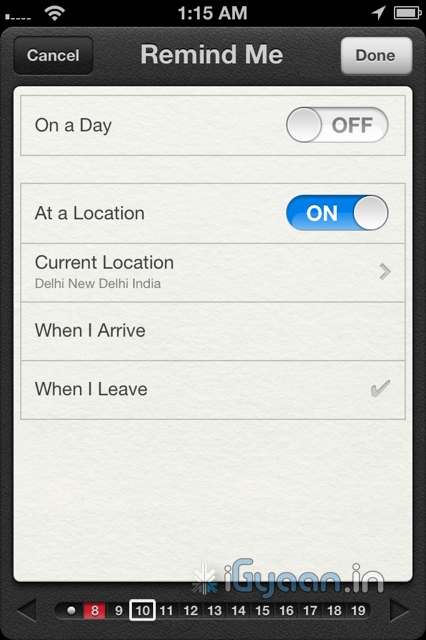
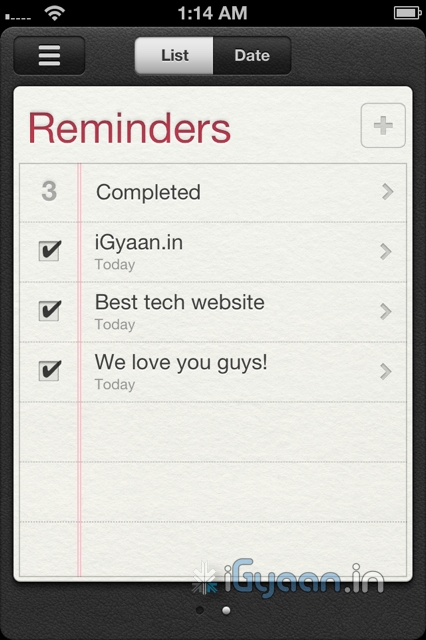
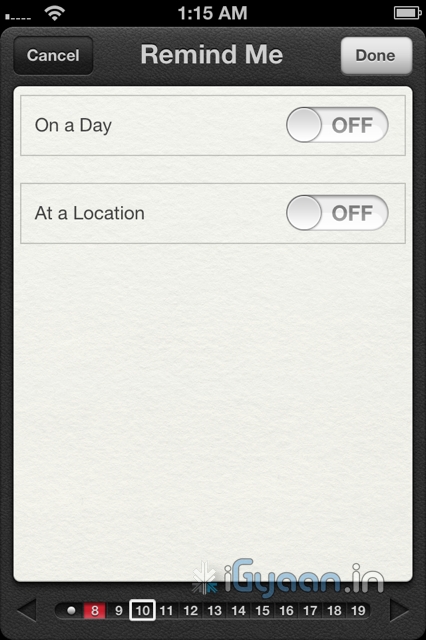
    We fail to understand, why this functionality never existed in the first place. A good reminder system is something every phone should have. whether smart or dumb.  Apple has done something really great with reminders. Not only are they simple to-do lists — complete with due dates and locations, they are also location based. 

    What does location based mean, you ask! Well lets put it in an example: A reminder app will play a sound or flash a note and remind you, that once you leave office you need to buy eggs on the way home, at a fixed time say 10 minutes before you leave office daily( lets say at 5:30pm daily). But in a scenario, where your daily departure time changes from 5:30 pm to say 4:30 pm  you will be reminded to buy eggs when you are already possibly at home. In a alternate scenario you will be reminded to buy eggs at 5:20 pm, but by the time you leave office at 7:00pm ( say you got late)  you will forget.

    Reminders from Apple solves this problem easily. You set a location based reminder – on departure from Office a reminder from the phone will remind you of your duties. The Phone using the GPS detects that you have left office, irrespective of the time, and reminds you that you have to buy eggs on your way home. Far more efficient and far more convenient than any other reminder we have ever used.

    Twitter Integration

    What is so great about twitter anyway? Nothing but the fact that the whole world uses it to share their thoughts. Its not a social network and its not about ads or games, no invitations to unknown parties and no fan pages. Its simple mood sharing, and the new iOS5 has it and will bring it to iPhones , iPods and iPads . The twitter integration is built right into Safari, Photos, Camera, YouTube, or Maps, you can tweet messages or reply to @usernames, you can even share your location. Its nothing great but the fact its built into the OS is really awesome and we like it a lot.

    Camera and Photos

    The iPhone 4 brought the best possible camera that any mobile device had ever had. Sure we have had cameras up-to 12 megapixel on cellphones, but its time that all of us accept the fact that more megapixels is not equal to better camera. The iPhone 4 features a backlit sensor that captures images like a dream, better than any other device to date. The new improvements in the Camera and photo apps take this functionality and extends it into the iOS 5.

    The most noticeable improvement is the use of the volume button as the camera shutter release. People have always struggled tapping the onscreen button, often resulting in shaky and wobbly images. The use of a physical button on the strategic location such as the volume key, makes it almost identical to holding a point and shoot camera- Boom! instant awesome images.

    You can also now open the Camera app right from the Lock screen, use grid lines, pinch-to-zoom gestures, and single-tap focus and exposure locks to compose a picture on the fly. Using iCloud all your pictures are instantly shared with all your devices, iPhone to iPad to your Mac.

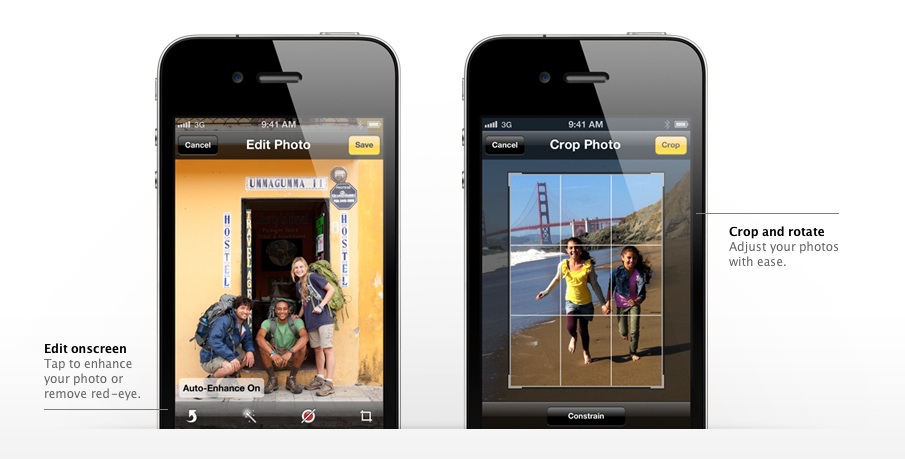
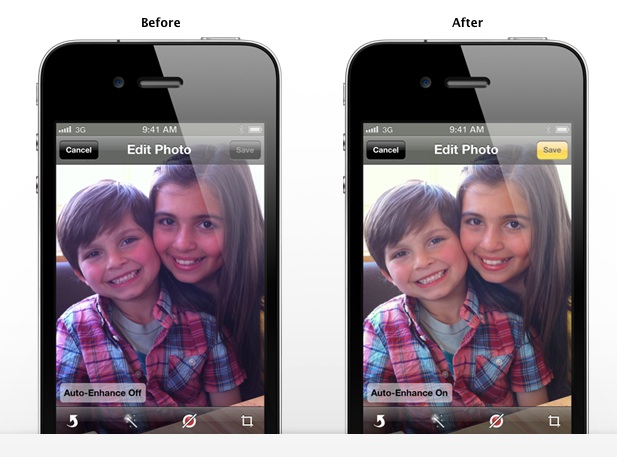
    The photos app allows better editing, crop, rotate, enhance, and remove red-eye without leaving the Photos app, a possible total replacement for Point and Shoot Cameras.

    Wifi Syncing

    Say What ? Did you read wireless sync? yes you did! Since the day the iPhone has been launched people have wanted a way to wirelessly sync their devices, and guess what, Apple allows you to do that in iOS 5. You do require to plug in your device into a charger for the obvious battery drain prevention that a WiFi sync may cause, But its better than getting to a Pc/Mac every time you want to sync. Now daily when you plug in your iPhone, iPad or iPod for charging it will also sync it to your computer. That is simply brilliant!


    200 More Features

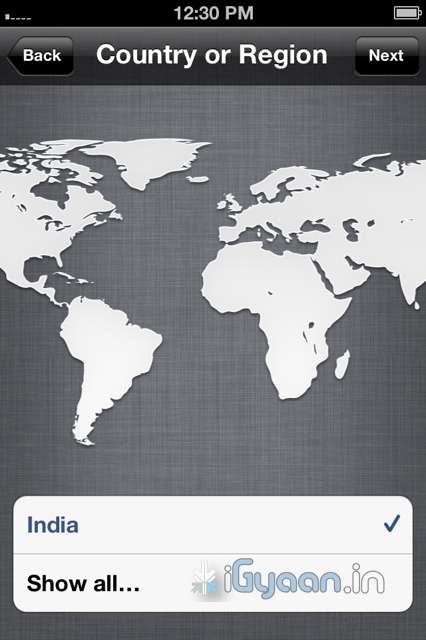
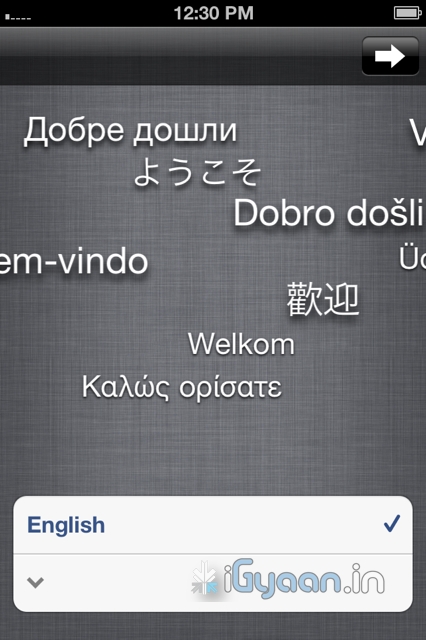
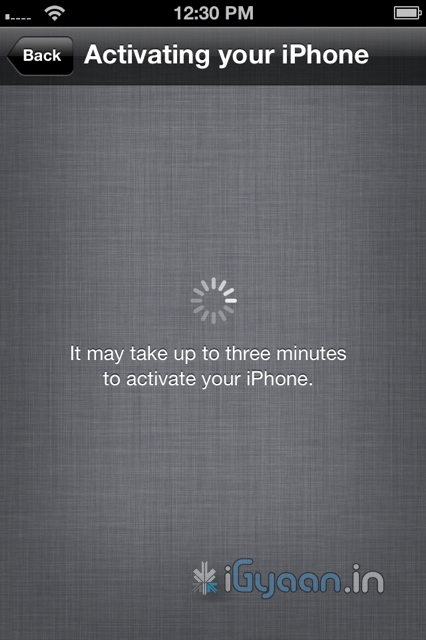
    Apart from the above mentioned features the iOS 5 brings about over 200 changes, from improvements in the Mail and Calendar App to new Game center, multitasking gestures on the iPad, device to TV mirroring on the iPad, that fact that now when you buy an iDevice you wont be greeted with the annoying connect to iTunes logo as the devices will be ready to be used without connecting to a PC. iCloud is bringing a whole new list of possibilities to iDevices, and we will talk about it soon. 

    We see Apple progressing to new levels every time they announce something. No matter what anyone says , Apple was the first company to have perfected a touchscreen mobile phone, the first to popularize the concept of an App Store. They might be an expensive product company, a snobby company, with closed circuits and irritating policies. Their devices have a locked OS with limited potential. But it looks like the company is starting to open up to what the customer wants, and they prove it with the iOS 5.

    According to us the iOS 5 is going to be the best Mobile OS to Date. Future enhancement will come and most will follow in Apple’s footsteps, even go further. Windows Phone 7 “Mango” is unlocking 500 features in WP7 and Android is constantly evolving. But till that happens looks like Apple has hit the ball out of the park. The iOS 5 is coming this fall to the iPhone 3Gs – the iPhone 4 the iPad  and the iPad 2. It is also coming to iPod Touch 3rd and 4th gen.

    Thats our opinion, whats yours ? Leave your feedback in the comments below.

    [polldaddy poll=5241624]
  • How To : Import Your Facebook Contacts to Google Plus (+) : Step by Step

    How To : Import Your Facebook Contacts to Google Plus (+) : Step by Step

    After getting you an Invite,

    And Telling you

    How to Setup your Account on Google Plus.


    We are now helping you shift your Facebook contacts to Google + .

    It is a tedious, process but it works


    Step 1. Yahoo Mail

    • Create a Yahoo mail account if you don’t already have one.
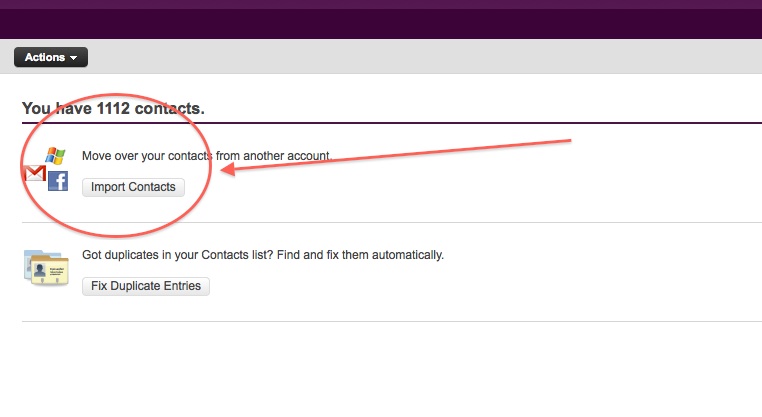
    • Login and click the contacts tab.
    • Once in the contacts tab you will be able to import contacts from Facebook.
    • Go ahead and do that.
    • After you enter your Facebook details all your contacts will appear in the contacts tab.
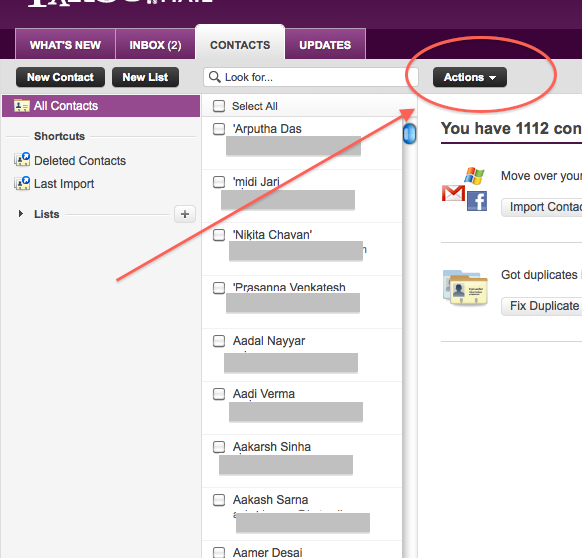
    • Next its time to export the contacts.
    • Click  the Actions button in the contacts screen.
     
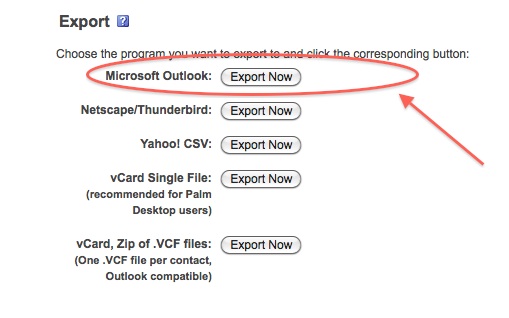
    • Now click Export all and choose the Microsoft Outlook option.
    • Save the file
    • Move on to Step 2
     

    Step 2 : Windows Live Mail

    At this point you would want to say to yourself, Why would i need a windows mail account?

    Answer : Currently Google + supports contact import from Yahoo and Hotmail. But once you import your contacts from Facebook to yahoo mail, Google plus can’t import them. Same is the case with Hotmail/Windows Live Mail. But with our work around Google Plus will import your contacts, So go on ahead:

    • Make sure you have a Windows Live Mail or Hotmail account (if not get one) 
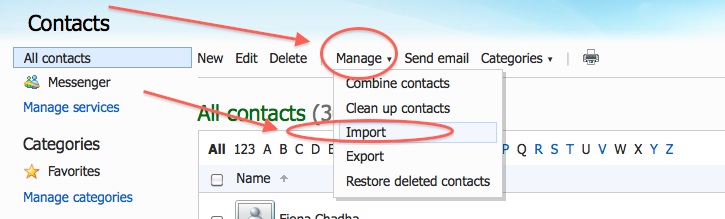
    • Next go into the Contacts Menu
    • Click Manage and then Click Import


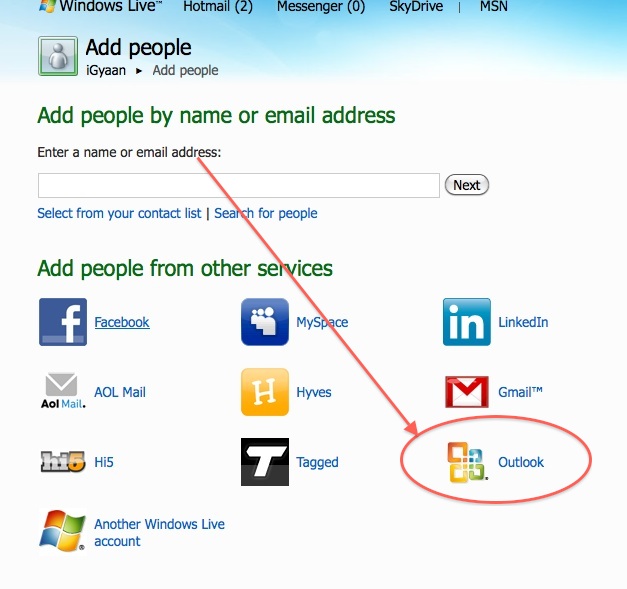
    • Next, Choose  Outlook and import the file you previously exported from Yahoo mail.
    • Now that your contacts are imported in yahoo mail the next step is to add them to Google Plus

    Step 3 : Google Plus

    • Log onto your Google Plus account
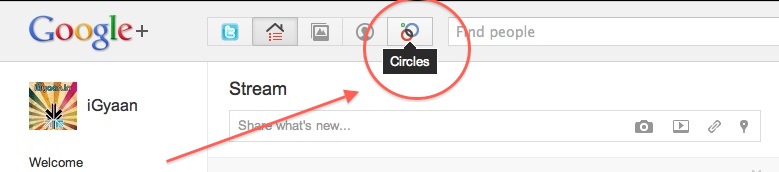
    • Visit the Circles tab
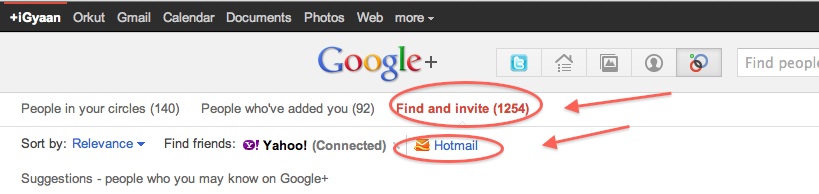
    • Click find and Invite
    • Click on hotmail
    • Enter your details


    You are Done!

    You have successfully imported your Facebook Contacts into Google Plus. 
    Now go ahead and add people to the circles of your choice and invite them.


  • How to : Set up your Google Plus Account Step by Step

    How to : Set up your Google Plus Account Step by Step

    Today we are going to help you set up a Google Plus Account – Step By Step


    Step 1 : Invitations

    If you don’t already have an invitation to Google plus, then you should consider making friends with better people, like us.

    Hit this link to get an Invite 

    Note:

    • You will need a gmail email address or a fully qualified google profile to get this to work.
    • Google apps and associated email addresses  are currently not supported

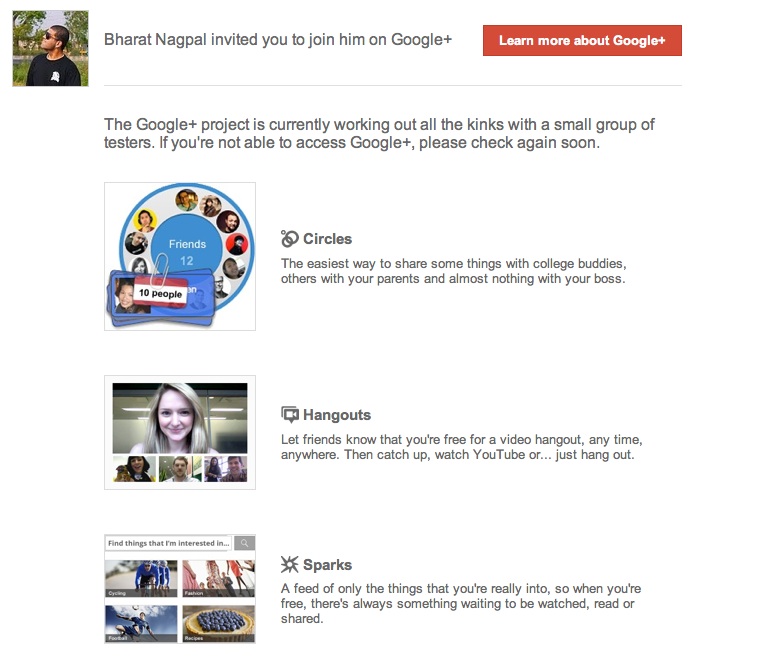
    When you get an invite it should look something like the image below


    After you get an invite  you will need to click the button :  


    Step 2 : Register 

    Once you click on the button you will be redirected to the registration page:


    Add your details, upload and crop your profile Photo.

    And you are all set to CLICK JOIN


    Step 3 : Profile

    Now that you are in, you would want to set up your profile.

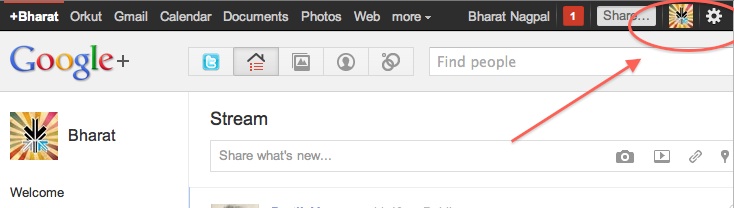
    You will be greeted with a similar welcome page : 

    welcome page
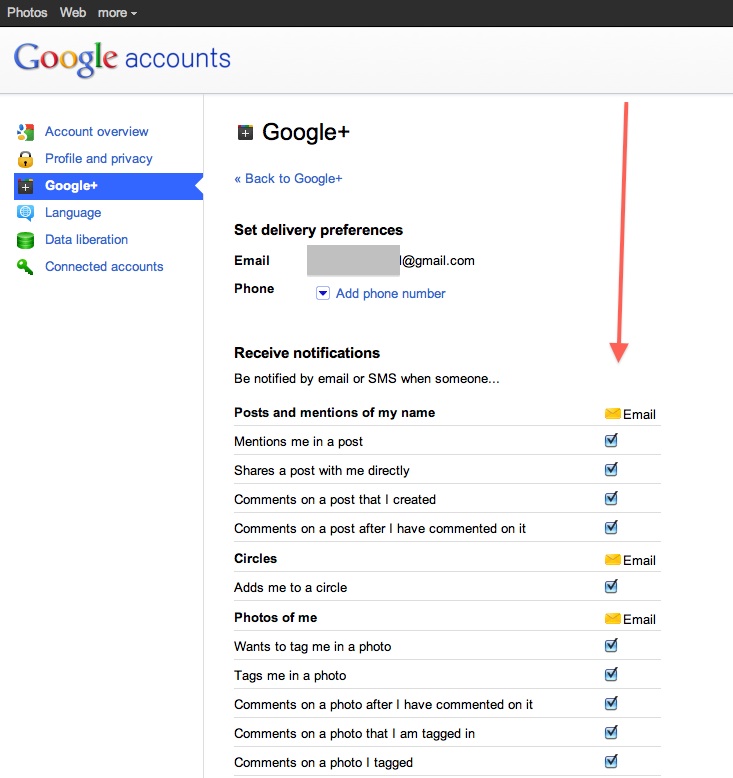
    • Click the sprocket settings button on the top right of you browser to get into Google Plus settings.


    • Next, Set up your privacy and sharing settings in the page.

    HIT – SAVE, and you are done!


    Step 4 : Setting up Circles

    Hit the circles button on your profile page to set up Circles.


    Once on the circles page you will be able to , find people by email addresses or by searching for them over other networks and email services like yahoo mail or hotmail.

    Simple create circles of your choice, Like Friends, Family, Colleagues, Game Buddies, College, etc.

    You can also add the same person to multiple circles.

    Once you are done finding and adding your friends, its time to start posting!.


    Step 5 : First Post!

    • Simple click on the share bar in your Google Plus homepage and start writing.
    • You can add media like videos or photos or even links and location from where you are posting.
    • Also select what all circles you would like to share this post with.
    • You can also leave it blank to share with everyone
    Once you are done typing click the green Share button.

    Congratulations you have successfully started using Google Plus (+)


    You can now start inviting your friends too!
    Stay tuned for an update to this post where we share details about Sparks, Hangouts and Streams


    We also have a tutorial on how to transfer your Facebook friends to Google + here.
  • Adobe launches Flash Player 11 beta with 7.1 surround sound

    Adobe launches Flash Player 11 beta with 7.1 surround sound

    Adobe is now allowing people to download the latest version of their desktop flash player, Flash Player 11 beta.


    Key benefits of the Flash Player 11 desktop beta include:

    • Stage3D APIs — Create highly interactive visuals to improve collaboration on 3-dimensional models.
    • 64-bit support — Support for 64-bit operating systems and browsers on Linux, Mac OS, and Windows.
    • G.711 audio compression for telephony — Integrate voice/telephony into business apps using G.711 codec.
    • H.264/AVC SW Encoding — Encode higher quality video locally using H.264 video.
    • Socket Progress Events — Build advanced file sharing apps like FTP clients that send large amounts of data.
    • HD surround sound — Deliver full HD videos with 7.1 channel surround sound directly to AIR powered TVs.
    Hit the Link below to download your copy.
  • Qualcomm launches Vellamo browser benchmark for Android devices

    Qualcomm launches Vellamo browser benchmark for Android devices

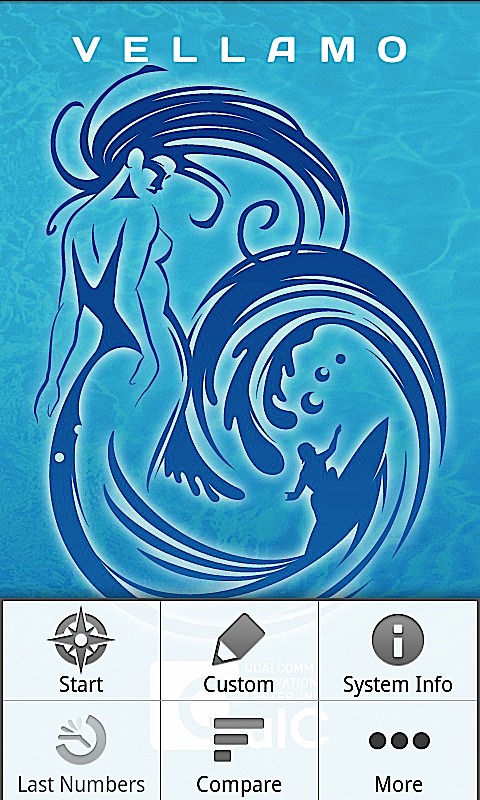
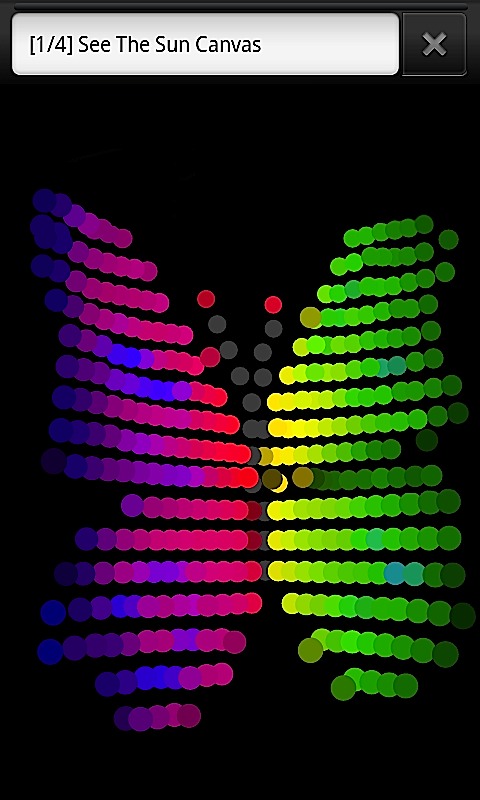
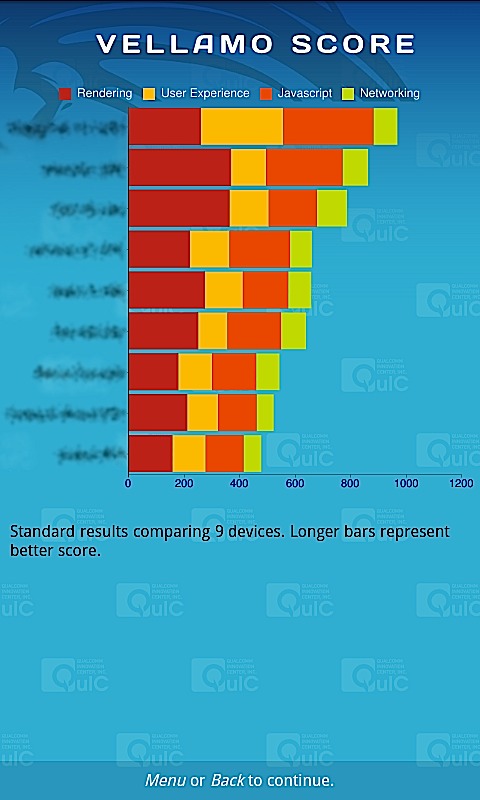
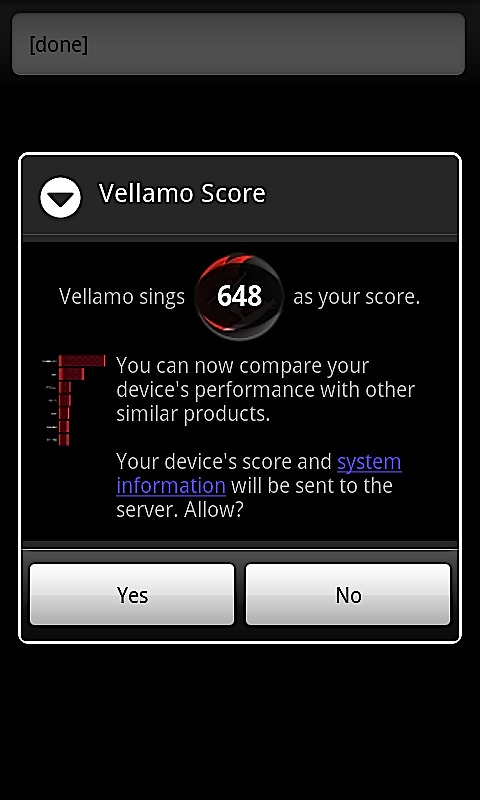
    The mastermind behind a flurry of chipsets for Mobile phones, also responsible for graphic benchmarks like Neocore. Qualcomm has just launched the Vellamo Benchmark for Android devices. This benchmark if for mobile browser lagging tests. Vellamo is essentially a suite of 11 tests designed to gauge browser performance on Android phones and tablets.

    To operate it requires any Android Device over OS 2.0


  • Google Updates Android Market to add Movies and Books tabs

    Google Updates Android Market to add Movies and Books tabs

    Google is updating the marketplace app in their Android OS to include a easy tab for Books and Movies being sold and rented on the Android Marketplace. At movie titles starting at just US$ 1.99 or IN Rs. 84/-  it makes it a highly worthwhile option for Android device owners who had to earlier toss around looking to download rich media content to their devices. The Update is said to roll out within the coming weeks but a pre-release build is already doing the rounds and can be found here(download )

    Watch the video below to get a quick overview of the design.


    [Google Mobile Blog]
  • HTC will start Bootloader Unlock in August – HTC Sensation on the List

    HTC will start Bootloader Unlock in August – HTC Sensation on the List

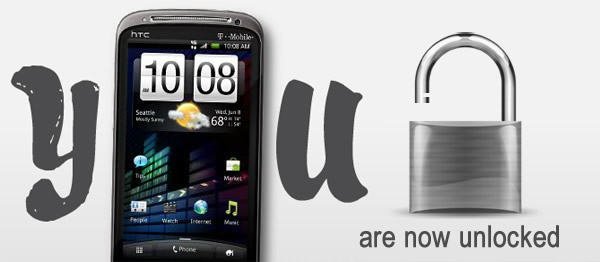
    HTC has confirmed via their official Facebook fan page that they will start unlocking bootloaders in their popular phones come August. On the List is the HTC Sensation (global – yes the one in India) along with Sensation 4G on T-Mobile and the EVO 3D on Sprint. 

    HTC wont stop there and says that it will continue to provide unlocking capabilities to other devices as time progresses.


    **UPDATE 7/10**

    We wanted to provide an update on HTC’s progress with bringing bootloader unlocking to our newest phones. We know how excited some of you are for this capability, and we’ve put significant resources behind making this change as soon as possible. While we wish we could flip a simple switch and unlock all bootloaders across our device portfolio, this is actually a complex challenge that requires a new software build and extensive testing to deliver the best possible customer experience.

    We’re thrilled to announce today that software updates to support bootloader unlocking will begin rolling out in August for the global HTC Sensation, followed by the HTC Sensation 4G on T-Mobile USA and the HTC EVO 3D on Sprint. We’re in the testing phase for the unlocking capability now, and we expect it to be fully operational by early September for devices that have received the software updates. We’ll continue rolling out the unlocking capability over time to other devices as part of maintenance releases and new shipments.

    HTC continues its commitment to unlocking bootloaders and supporting the developer community. Because of the importance of this community to us, please expect an update on this about every few weeks as we make progress toward launch. Thank you for your patience and continued support!

    [HTC on Facebook]

iGyaan Network
Privacy Overview

This website uses cookies so that we can provide you with the best user experience possible. Cookie information is stored in your browser and performs functions such as recognising you when you return to our website and helping our team to understand which sections of the website you find most interesting and useful.