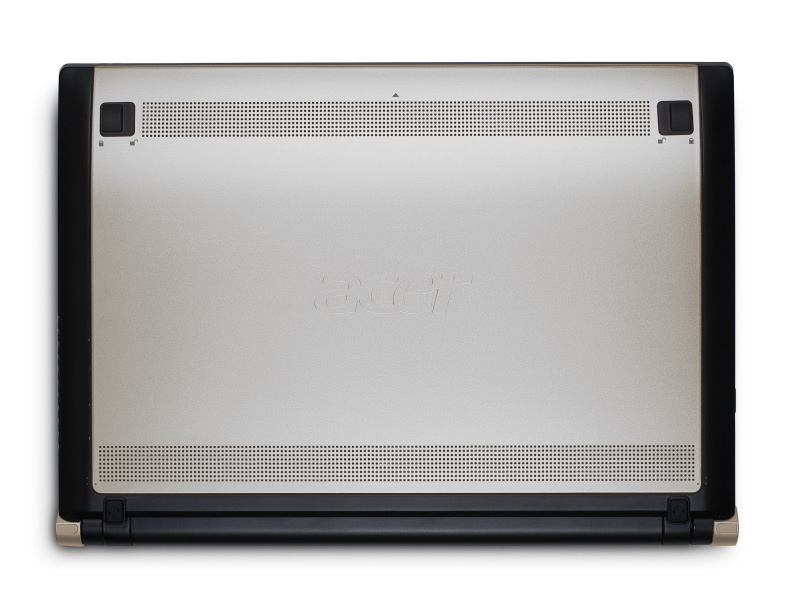
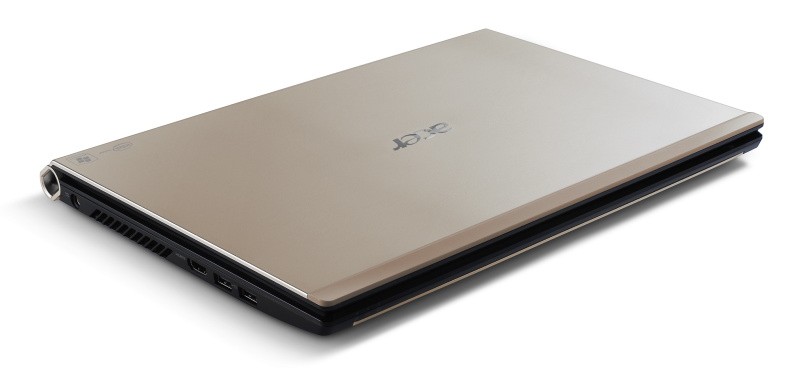
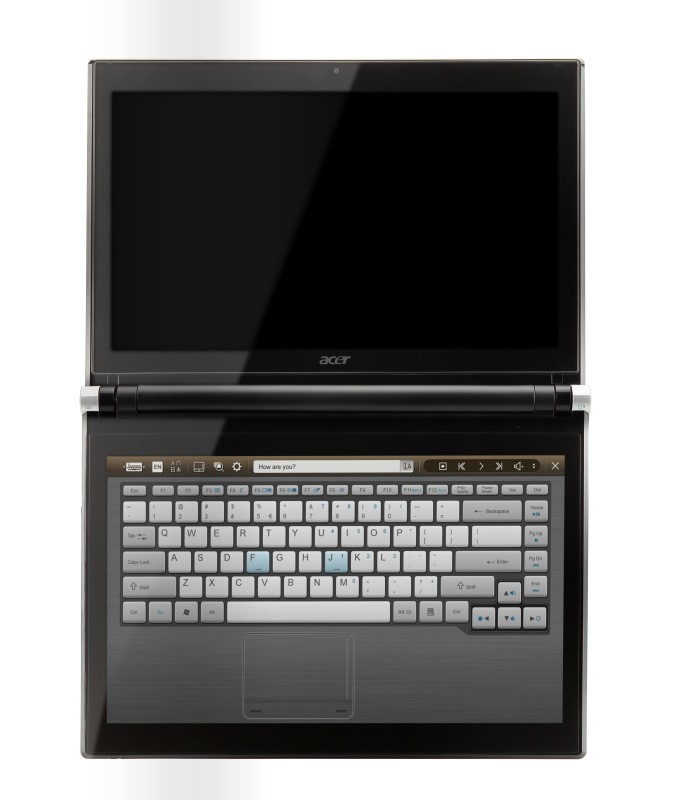
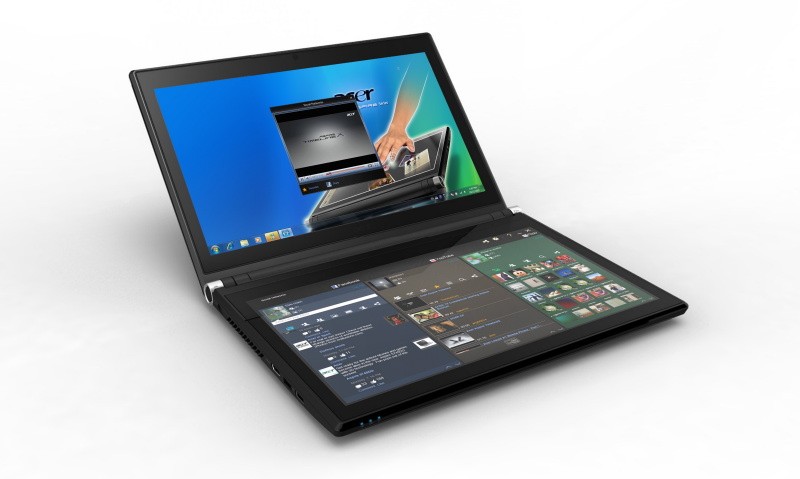
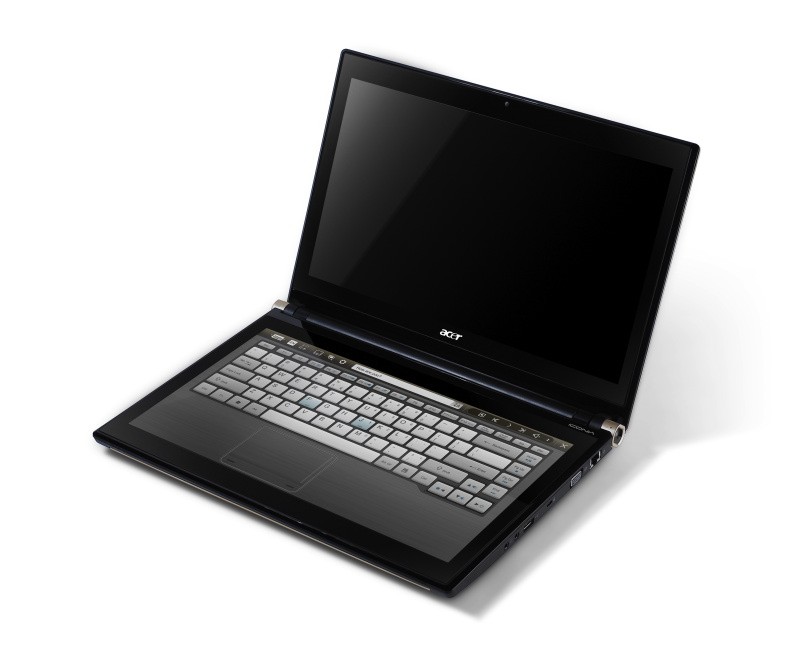
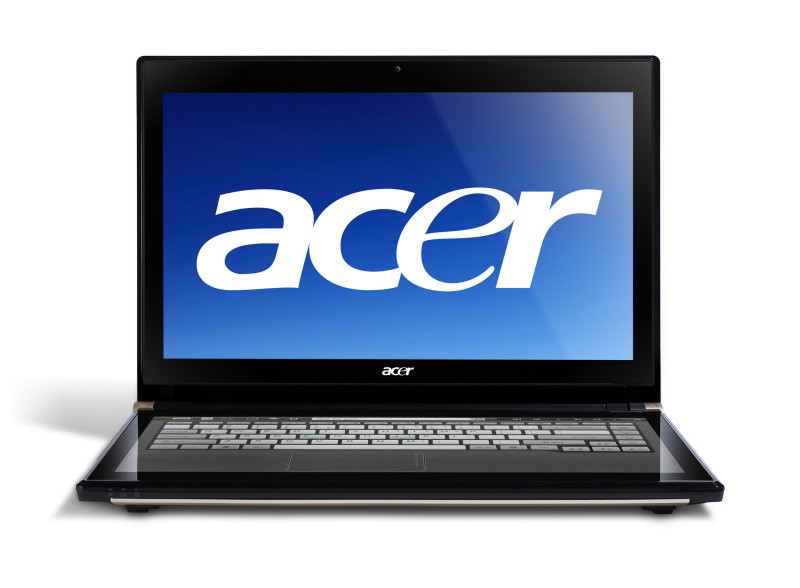
Acer has announced the Pre-Order of its new Iconica Dual Screen Touch Notebook .
Acer Iconia Touchbook Dual-Screen Tablet
Provides Engaging, Natural Way to Interact with Digital Data
World’s First and Only Tablet Featuring Two 14-inch Touch Screen Displays
Now Available for Pre-Sale in the U.S. and Canada
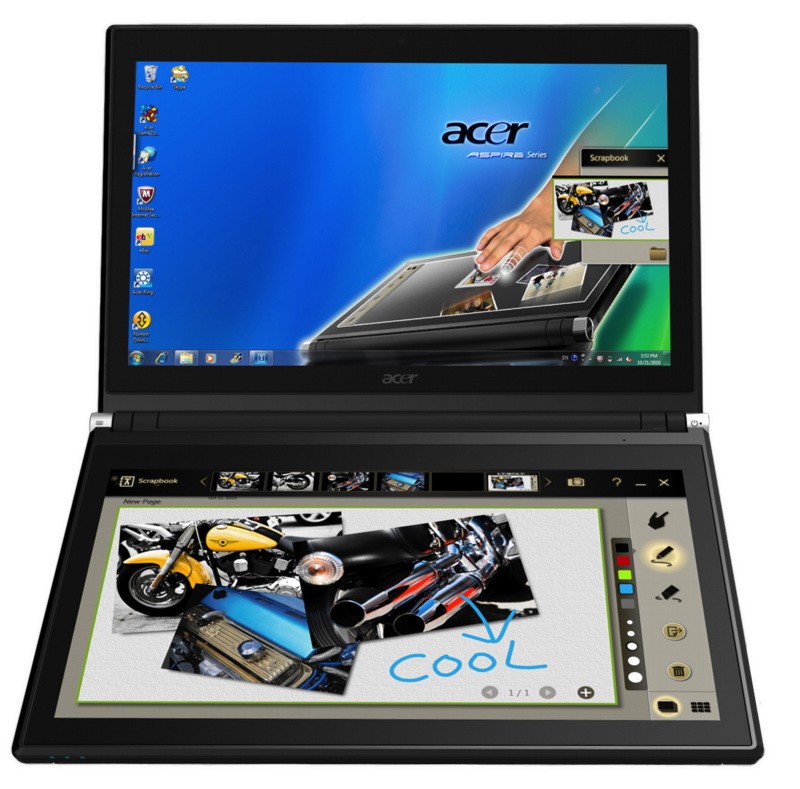
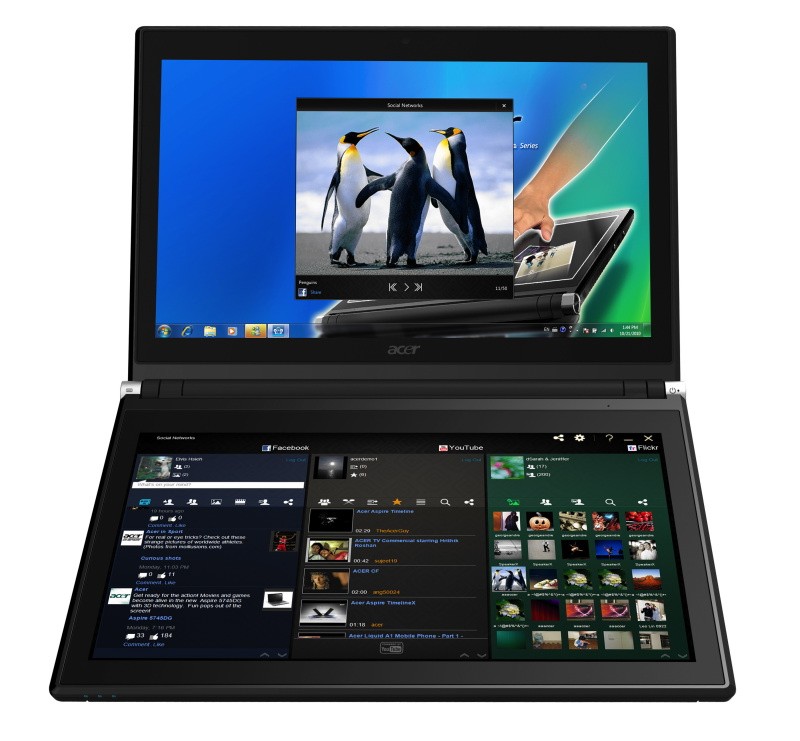
SAN JOSE, CA – March 29, 2011 – Acer today announced that its much anticipated dual screen tablet, the Iconia-6120 Dual-Screen Touchbook is now available for pre-sale in North America. Providing a powerful, immersive touch experience like no other, it is the world’s first and only tablet to offer two touch-enabled 14-inch high-definition widescreen LED backlit LCDs.
Intuitive to use and customizable to individual needs, it combines the power of Intel Core i5 processing with the familiarity of Windows 7, and is destined to change how people use technology to engage with the world. A winner of this year’s prestigious “Last Gadget Standing” award at CES, the Iconia was noted for incorporating the best features of any notebook or tablet device.
With the flexibility to use a finger, type on a virtual keyboard, or use a combination of both, the Iconia Touchbook provides many ways to make the computing experience a truly personal one. Consumers can customize what is shown on each screen, allowing them to watch a video on the top screen and browse their multimedia library on the bottom one, or view a single web page across the two displays. Using the bottom screen to manage and control the action on the top screen keeps presentations, movies or web pages free of icons and other navigational tools.
Extremely durable and scratch resistant, the Iconia’s 14-inch LCDs are made of ultra-thin Gorilla® Glass from Corning, a renowned manufacturer of extremely durable glass. With a wipe and clean coating, it’s easy to keep the displays shiny and smudge-free.
“The Acer Iconia Touchbook delivers a computing and visual experience like no other,” said Eric Ackerson, senior product marketing manager, Acer America. “Whether the Touchbook is used by a small business owner or a student, its unique dual screen design enhances the interaction they will have with their digital data. Our compelling design and applications will let them discover new and much more personal ways to communicate and enjoy the computing experience, regardless of whether it’s work related or for personal enjoyment.”
The Heart of Iconia – the Acer Ring Control Interface
The unique Acer Ring Control Interface makes navigating by touch simple and intuitive. By placing five fingers in a circular pattern on the bottom display, the Acer Ring appears, providing instant access to favorite applications and features. From this point, consumers can use their fingertip or launch the virtual keyboard to change the tablet’s settings, surf the web, capture screen images, post photos and status updates to a social network, watch a movie and more, all in the manner most comfortable and natural to them.
AppCards Provide Quick and Easy Access to Productivity and Entertainment-Based Applications
Appearing on the either side of the Acer Ring is a unique set of Iconia touch-based applications, called AppCards. Using a finger, users can scroll to the one they want, and simply tap it to have instant access to a range of compelling programs ideal for either business or home use.
• TouchBrowser is specifically designed to offer a more comfortable web surfing experience when using touch input. Upon launching, web content will flow across both screens. A toolbar at the bottom of either screen provides easy control over the open pages. To enter a website address, consumers can use the virtual keyboard or enter it using handwriting gestures. A pinching action will zoom in on the content on the page. Pages can be added to Favorites by simply tapping the Add Favorites icon.
• MyJournal is a handy place to keep clippings of websites and other information. Images can be captured from any web page and organized onto a single, easy-to-view page. It includes pre-set tabs for News, Sports, Entertainment, Politics and Business. The selected website content on the tabbed pages is automatically updated each time it’s opened. A toolbar at the top of the page makes it easy to edit, resize, rename and move clips to other pages. In a business environment, a professional will find this feature useful in tracking news on competitors or to keep an eye on the stock market. A consumer can follow a local news story, their favorite sports team or keep an eye on their favorite celebrity’s latest antics.
• Social Jogger simultaneously connects to three of the most popular social networking sites — Flickr, Facebook, and YouTube, presenting them a simple interface on one screen. Users can check posts and updates on one screen at a glance, and use the other screen to view one of the sites in more detail, surf the web, view photos or work on a spreadsheet.
• Scrapbook is a convenient place to store website and photo images and other content. It includes a pen tool for drawing or entering handwritten text, such as adding comments or reminders. From there, images can be exported to the clipboard for insertion into other applications, or saved as an image file.
• TouchPhoto, TouchMusic and TouchVideo provide direct access to multimedia files stored on the tablet.
“The Acer ICONIA Dual Screen is a great demonstration of how hardware and software together enables new ways to interact with your PC,” said Soren Lau, senior director of marketing in the Original Equipment Manufacturer Division at Microsoft. “With Windows 7, you get the familiarity of Windows with support for multi-touch, so you can flick through videos and files with a fingertip, or use the touch-based on-screen keyboard.”
Easy-to-use Tools Make Navigating Intuitive and Fun
Appearing directly on the Acer Ring are a number of useful functions and tools, including Virtual Keyboard, Gesture Editor, Capture, Webclip, Window Manager and Device Control. Tapping the desired tool’s icon brings it up for immediate use.
• The Virtual Keyboard gives users the ability to enter data and navigate in a familiar fashion. Combined with its touch capabilities, the Iconia Touchbook is a flexible and powerful tablet designed for maximum efficiency and productivity. When both palms are placed on the bottom screen, the virtual full-sized keyboard instantly appears. Adaptive typing and predictive text allows for quick data entry and minimizes mistakes. A numeric touchpad with handwriting recognition converts handwriting to text. The palm rest area can also be customized with any image on the computer – a company logo or a scenic background — so users can personalize the tablet even more.
• Gesture Editor is a simple and quick way to instantly launch specific applications, access favorite websites, or even to lock the computer with a simple finger motion. A set of pre-defined gestures is included, but customized gestures can be created in just five easy steps. For example, simply drawing a $ (dollar sign) on the screen can launch a financial or accounting application, or a (checkmark) can open a to-do list.
• The Capture tool allows users to clip parts of an image (a photo, illustration or a webpage) and save it to the Scrapbook application for further editing. It’s a great way to collect images for use in a PowerPoint presentation. And it couldn’t be easier to do. With the picture on the top screen and the Scrapbook page opened on the bottom display, users just tap the Capture tool, run their finger around the desired image and then tap the area to open a menu that will allow them to drag and drop it onto the Scrapbook page. The captured image will automatically be added as a thumbnail image above the scrapbook page for quick and easy viewing. They can then drag and drop the desired thumbnail onto the page, where it can be rotated or resized with pinching actions.
• The Web Clip tool is specifically for clipping parts of web pages to save to MyJournal. Tap the screen, select the area to crop, tap and drag on any of the corners of the selected area to size it, and then tap the area again to open a menu to paste the content into MyJournal, Scrapbook or copy it to the clipboard. It can also be saved as a bitmap file.
• Window Manager provides a touch-friendly interface for controlling the various open windows on the displays. Users can customize which screen the application appears on as well as its size.
• Device Control is an easy way to access and adjust power, display and volume settings, wireless connections and various devices connected to the HDMI, VGA and USB ports.
Clear.fi makes data sharing convenient in small office environment or the home
Making it easy to share multimedia content, the Acer Iconia Touchbook features clear.fi, Acer’s digital media sharing solution. Clear.fi automatically connects all Acer devices on a network (smartphones, notebooks, desktops, HD media players and storage devices) and then gathers and organizes media files by type (video, music, photo, pre-recorded TV). Users can browse the categories and then drag and drop the media to any of the connected PCs or devices for playback.
No-Compromises Tablet Features Leading Technology for Maximum Productivity and Fun
A super charged tablet filled with enough leading technology to rival many desktop and notebook PCs in performance, the Iconia-6120 Dual-Screen Touchbook is powerful enough to handle demanding applications and graphic intensive multimedia files. Featuring an Intel® Core™ i5 Processor with Intel® Turbo Boost Technology(2), 4GB of memory and Intel® HD graphics, the Touchbook is equipped for heavy lifting. In addition, Dolby® Advanced Audio™ v3 brings vibrant sound to business presentations, movies, music, and games.
Windows 7 Home Premium 64-bit provides a familiar computing environment and is compatible with today’s most popular applications and media formats, and supports full web browsing with Adobe® Flash® Player 10.1. For professional environments, customers can upgrade using Windows Anytime Update to Windows 7 Professional to attain business-class PC: manageability, security and the ability to run the applications used within most organizations today, including Microsoft Office.
To maximize productivity, the Touchbook includes the new USB 3.0 standard with a top speed that’s 10 times faster than standard USB 2.0; a 25GB high definition video file can be transferred from an external USB 3.0 storage device in just 70 seconds and stored on the roomy 640GB SATA hard drive(3). Two 2.0 USB ports and an HDMI port are also included.
A 1.3 megapixel HD webcam is ideal for face-to-face videoconferencing or for staying in touch with business associates, friends and family. Connect reliably with 802.11b/g/n Wi-Fi CERTIFIED™ or Gigabit Ethernet LAN from work, home or while on-the-go. Weighing in at just 5.95 pounds(4), it’s as convenient to carry as any notebook computer, and fits comfortably in a briefcase or backpack.
U.S. Configurations, Pricing and Availability
With an MSRP of $1,199.99, the Acer Iconia-6120 Touchbook is available for pre-sale now and will be available in April at leading retailers nationwide.
Canada Configurations, Pricing and Availability
With an MSRP of $1,199(CAD), the Acer Iconia-6120 Touchbook will be available in April through authorized Canadian resellers.